Evaluation Question 6
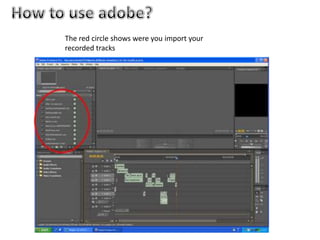
How to use adobe?The red circle shows were you import your recorded tracks
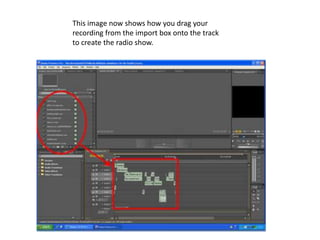
This image now shows how you drag your recording from the import box onto the track to create the radio show.
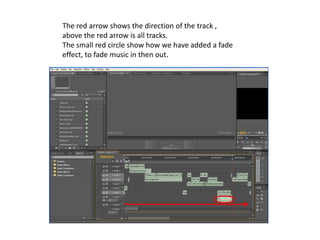
The red arrow shows the direction of the track , above the red arrow is all tracks.The small red circle show how we have added a fade effect, to fade music in then out.
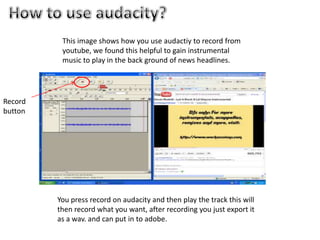
How to use audacity?This image shows how you use audactiy to record from youtube, we found this helpful to gain instrumental music to play in the back ground of news headlines.Record buttonYou press record on audacity and then play the track this will then record what you want, after recording you just export it as a wav. and can put in to adobe.
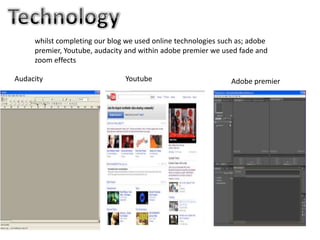
Technologywhilst completing our blog we used online technologies such as; adobe premier, Youtube, audacity and within adobe premier we used fade and zoom effectsAudacity YoutubeAdobe premier
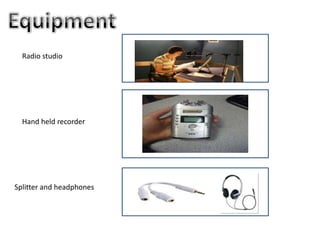
Equipment Radio studioHand held recorderSplitter and headphones

Question6

  • 1.
  • 2.
    How to useadobe?The red circle shows were you import your recorded tracks
  • 3.
    This image nowshows how you drag your recording from the import box onto the track to create the radio show.
  • 4.
    The red arrowshows the direction of the track , above the red arrow is all tracks.The small red circle show how we have added a fade effect, to fade music in then out.
  • 5.
    How to useaudacity?This image shows how you use audactiy to record from youtube, we found this helpful to gain instrumental music to play in the back ground of news headlines.Record buttonYou press record on audacity and then play the track this will then record what you want, after recording you just export it as a wav. and can put in to adobe.
  • 6.
    Technologywhilst completing ourblog we used online technologies such as; adobe premier, Youtube, audacity and within adobe premier we used fade and zoom effectsAudacity YoutubeAdobe premier
  • 7.
    Equipment Radio studioHandheld recorderSplitter and headphones