Question 6
WHAT HAVE YOU LEARNT
ABOUT TECHNOLOGIES
FROM THE PROCESS OF
CONSTRUCTING THIS
PRODUCT?
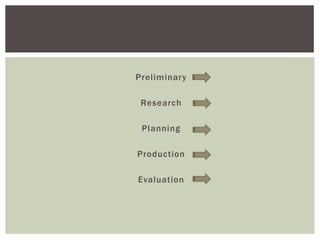
Preliminary
Research
Planning
Production
Evaluation
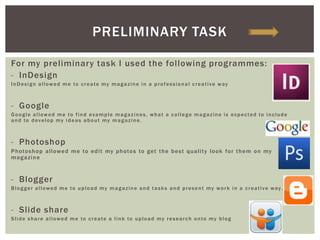
For my preliminary task I used the following programmes:
- InDesign
InDesign allowed me to create my magazine in a professional creative way
- Google
Google allowed me to find example magazines, what a college magazine is expected to include
and to develop my ideas about my magazine.
- Photoshop
Photoshop allowed me to edit my photos to get the best quality look for them on my
magazine
- Blogger
Blogger allowed me to upload my magazine and tasks and present my work in a creative way.
- Slide share
Slide share allowed me to create a link to upload my research onto my blog
PRELIMINARY TASK
At first I found it quite difficult when using some of the
programmes as I had not used them before. After experimenting
and exploring the programmes whilst making my magazine, as
well as help from my teacher about how to do things, I soon got
the hang of how the programmes worked. This helped a lot
throughout the rest of the development.
Although I have not made a blog before, I found blogger was an
easy website to use. It is fairly easy to upload work and is
quickly understandable.
InDesign was a new programme to me, I had never heard of it
before. After being taught about how to use the programme and
exploring it whilst making my college magazine it became
easier to use and understand where everything was. If I got
stuck I used tutorials online.
Slide share was also a new programme to use, but I quickly
understood how to use it.
OVERALL
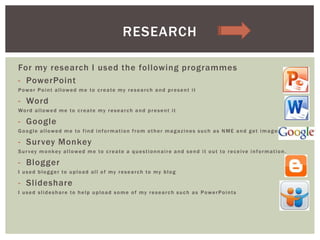
For my research I used the following programmes
- PowerPoint
Power Point allowed me to create my research and present it
- Word
Word allowed me to create my research and present it
- Google
Google allowed me to find information from other magazines such as NME and get images
- Survey Monkey
Survey monkey allowed me to create a questionnaire and send it out to receive information.
- Blogger
I used blogger to upload all of my research to my blog
- Slideshare
I used slideshare to help upload some of my research such as PowerPoints
RESEARCH
After my preliminary task I found most of the programmes
easier to use. I was used to using PowerPoint and Word
therefore I didn’t have any problem with using them so they
were straight forward. After my preliminary task I understood
how to use blogger and slide share better.
I used Google a lot for my research task as It was a quick and
easy way to get information. I used Alexa.com to find out
information about the target audience of specific magazines.
I chose PowerPoint to present my work on as it was easy to add
images and text in a clear way. I used simple themes on my
slide so you concentrate more on my work than on the design.
OVERALL
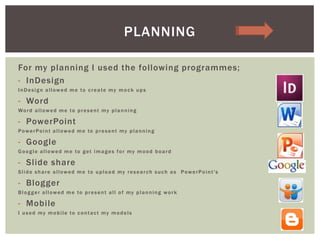
For my planning I used the following programmes;
- InDesign
InDesign allowed me to create my mock ups
- Word
Word allowed me to present my planning
- PowerPoint
PowerPoint allowed me to present my planning
- Google
Google allowed me to get images for my mood board
- Slide share
Slide share allowed me to upload my research such as PowerPoint's
- Blogger
Blogger allowed me to present all of my planning work
- Mobile
I used my mobile to contact my models
PLANNING
After my preliminary and research task I understood how to use
blogger and slide share better. I also found it much easier to
use InDesign for my planning as I had previously used it for my
preliminary task.
I took advantage of the technology we have as I used my mobile
phone to contact my models in case of any changes I needed to
know of quickly.
Once I had finished all of my planning it soon became clear
what sort of images I wanted to take for my front
cover, contents page and double page spread. This made it
easier for me when I was taking them.
OVERALL
For my production I used the following programmes;
- Nikon DSLR camera
I used a digital camera to take the photos for my magazine
- USB
I used a USB to transfer all my images of f of my camera onto the computer
- Photoshop
I used photoshop to see if I wanted to edit some of my photos or not, I didn’t edit my photos in
the end as they looked better as original
- InDesign
I used InDesign to create my final magazine
- Blogger
Blogger allowed me to upload all of my work and present it on my blog
PRODUCTION
The SLR camera that I used created good quality images for my
magazine, I went to edit them but the originals looked better so
I stuck to them. From my preliminary task and research i had
done I found that the images you use are more important as
they attract the readers. I took this into consideration when
taking my photographs. I thought that taking the photos in a
field looked good and different compared to other magazine
front covers which reflects the individuality.
The preliminary task helped me learn how to use InDesign so
when it came to creating my final magazine I understood where
everything was and how to use it.
OVERALL
For my evaluation i used the following programmes:
- Pixton.com
- Prezi.com
- Xtranormal.com
- PowerPoint
All of these programmes helped me to answer each of my
evaluation questions.
EVALUATION
As I had not used most of these programmes before I found
them a bit difficult to use. After watching a few tutorials I soon
got the hang of how to use each of the programmes. Xtranormal
was easy to use but due to the voice some of the words do get
pronounced wrong. I have used Prezi before so I understood the
basics of using it. I soon fully understood how to use the
programme as it is fairly easy to use, but yet also creative. I
have never used Pixton before but it was a really creative
programme to use. You can create your own background and
choose who you want in each box. It was a very easy programme
to understand straight away.
SUMMARY

Question 6

  • 1.
    Question 6 WHAT HAVEYOU LEARNT ABOUT TECHNOLOGIES FROM THE PROCESS OF CONSTRUCTING THIS PRODUCT?
  • 2.
  • 3.
    For my preliminarytask I used the following programmes: - InDesign InDesign allowed me to create my magazine in a professional creative way - Google Google allowed me to find example magazines, what a college magazine is expected to include and to develop my ideas about my magazine. - Photoshop Photoshop allowed me to edit my photos to get the best quality look for them on my magazine - Blogger Blogger allowed me to upload my magazine and tasks and present my work in a creative way. - Slide share Slide share allowed me to create a link to upload my research onto my blog PRELIMINARY TASK
  • 4.
    At first Ifound it quite difficult when using some of the programmes as I had not used them before. After experimenting and exploring the programmes whilst making my magazine, as well as help from my teacher about how to do things, I soon got the hang of how the programmes worked. This helped a lot throughout the rest of the development. Although I have not made a blog before, I found blogger was an easy website to use. It is fairly easy to upload work and is quickly understandable. InDesign was a new programme to me, I had never heard of it before. After being taught about how to use the programme and exploring it whilst making my college magazine it became easier to use and understand where everything was. If I got stuck I used tutorials online. Slide share was also a new programme to use, but I quickly understood how to use it. OVERALL
  • 5.
    For my researchI used the following programmes - PowerPoint Power Point allowed me to create my research and present it - Word Word allowed me to create my research and present it - Google Google allowed me to find information from other magazines such as NME and get images - Survey Monkey Survey monkey allowed me to create a questionnaire and send it out to receive information. - Blogger I used blogger to upload all of my research to my blog - Slideshare I used slideshare to help upload some of my research such as PowerPoints RESEARCH
  • 6.
    After my preliminarytask I found most of the programmes easier to use. I was used to using PowerPoint and Word therefore I didn’t have any problem with using them so they were straight forward. After my preliminary task I understood how to use blogger and slide share better. I used Google a lot for my research task as It was a quick and easy way to get information. I used Alexa.com to find out information about the target audience of specific magazines. I chose PowerPoint to present my work on as it was easy to add images and text in a clear way. I used simple themes on my slide so you concentrate more on my work than on the design. OVERALL
  • 7.
    For my planningI used the following programmes; - InDesign InDesign allowed me to create my mock ups - Word Word allowed me to present my planning - PowerPoint PowerPoint allowed me to present my planning - Google Google allowed me to get images for my mood board - Slide share Slide share allowed me to upload my research such as PowerPoint's - Blogger Blogger allowed me to present all of my planning work - Mobile I used my mobile to contact my models PLANNING
  • 8.
    After my preliminaryand research task I understood how to use blogger and slide share better. I also found it much easier to use InDesign for my planning as I had previously used it for my preliminary task. I took advantage of the technology we have as I used my mobile phone to contact my models in case of any changes I needed to know of quickly. Once I had finished all of my planning it soon became clear what sort of images I wanted to take for my front cover, contents page and double page spread. This made it easier for me when I was taking them. OVERALL
  • 9.
    For my productionI used the following programmes; - Nikon DSLR camera I used a digital camera to take the photos for my magazine - USB I used a USB to transfer all my images of f of my camera onto the computer - Photoshop I used photoshop to see if I wanted to edit some of my photos or not, I didn’t edit my photos in the end as they looked better as original - InDesign I used InDesign to create my final magazine - Blogger Blogger allowed me to upload all of my work and present it on my blog PRODUCTION
  • 10.
    The SLR camerathat I used created good quality images for my magazine, I went to edit them but the originals looked better so I stuck to them. From my preliminary task and research i had done I found that the images you use are more important as they attract the readers. I took this into consideration when taking my photographs. I thought that taking the photos in a field looked good and different compared to other magazine front covers which reflects the individuality. The preliminary task helped me learn how to use InDesign so when it came to creating my final magazine I understood where everything was and how to use it. OVERALL
  • 11.
    For my evaluationi used the following programmes: - Pixton.com - Prezi.com - Xtranormal.com - PowerPoint All of these programmes helped me to answer each of my evaluation questions. EVALUATION
  • 12.
    As I hadnot used most of these programmes before I found them a bit difficult to use. After watching a few tutorials I soon got the hang of how to use each of the programmes. Xtranormal was easy to use but due to the voice some of the words do get pronounced wrong. I have used Prezi before so I understood the basics of using it. I soon fully understood how to use the programme as it is fairly easy to use, but yet also creative. I have never used Pixton before but it was a really creative programme to use. You can create your own background and choose who you want in each box. It was a very easy programme to understand straight away. SUMMARY