
Qt World Summit Berlin 2015
7.10.2015
by Christian Feldbacher, MSc
Co-Founder V-Play GmbH
Qt Responsive Design
&
How to Boost User Retention
(Tech Talk)
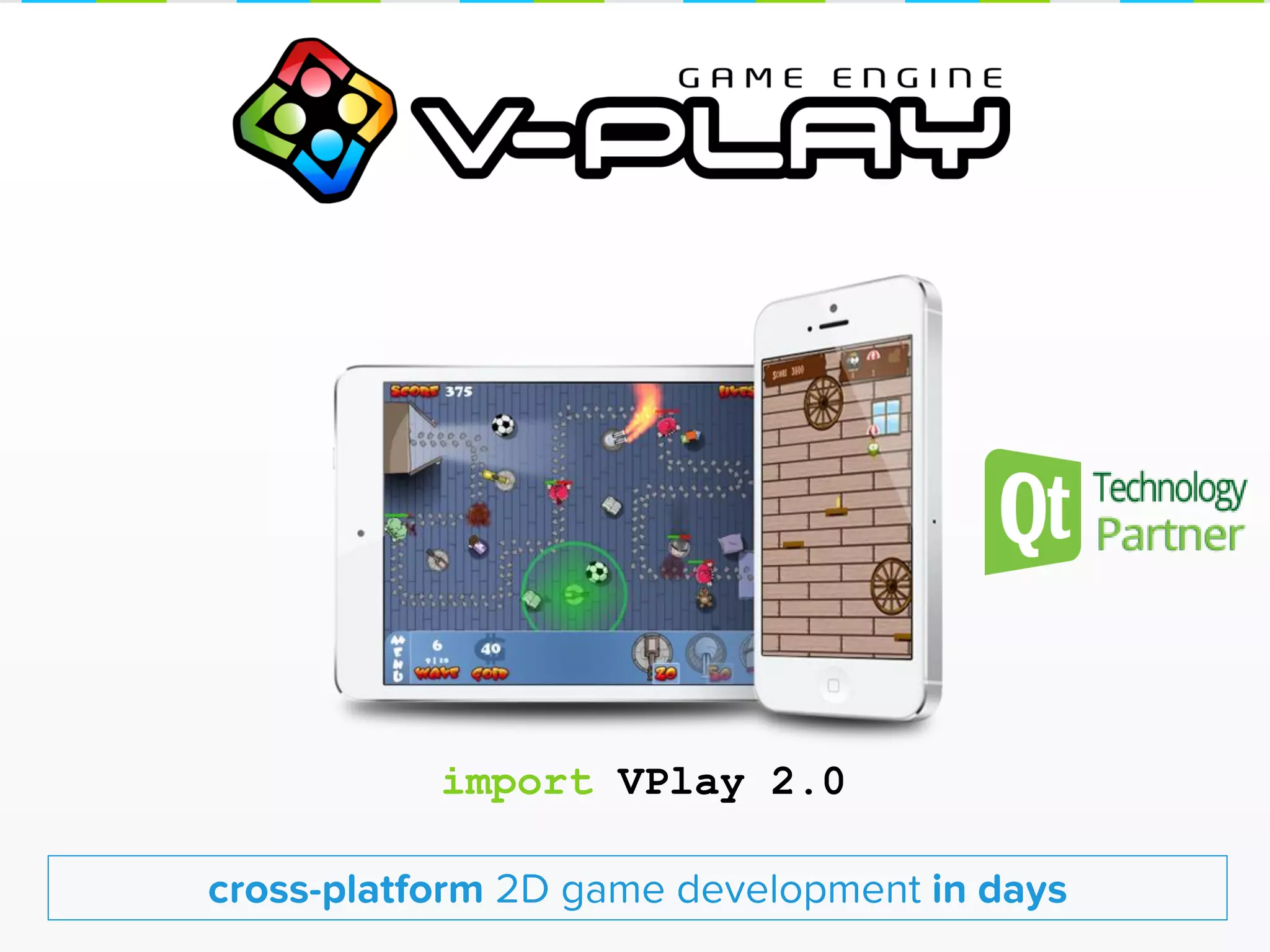
cross-platform 2D game development in days
import VPlay 2.0
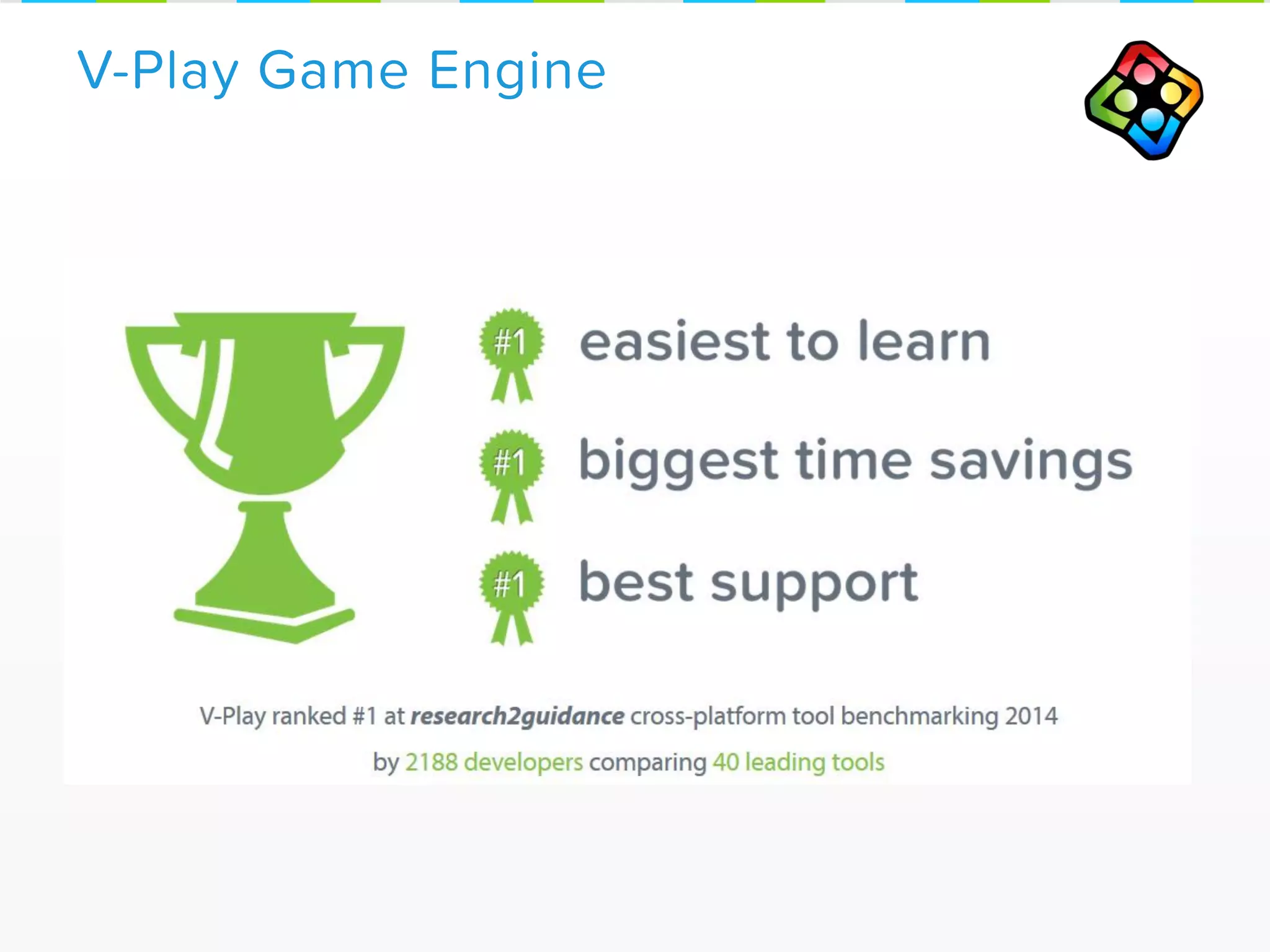
V-Play Game Engine
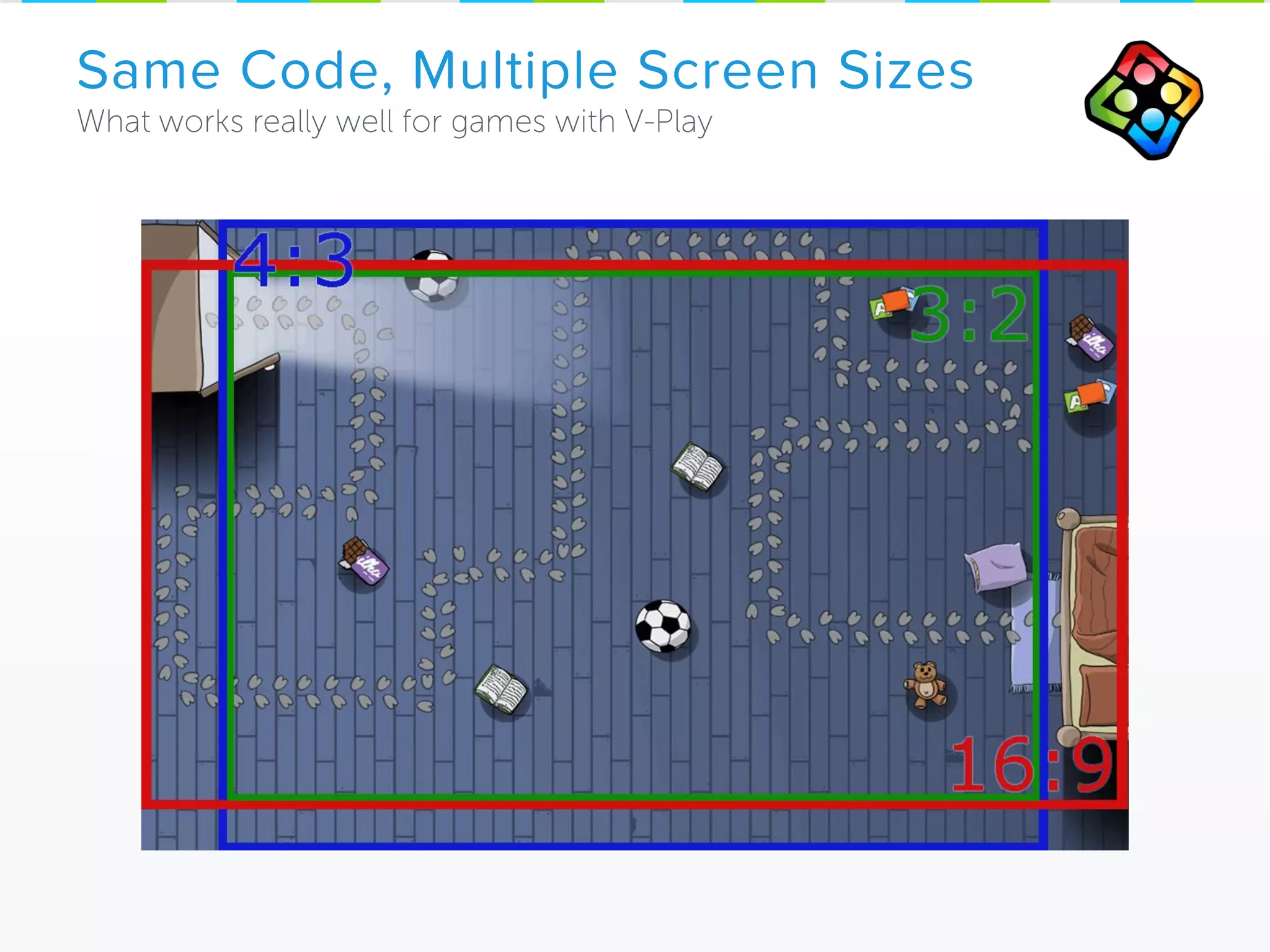
Same Code, Multiple Screen Sizes
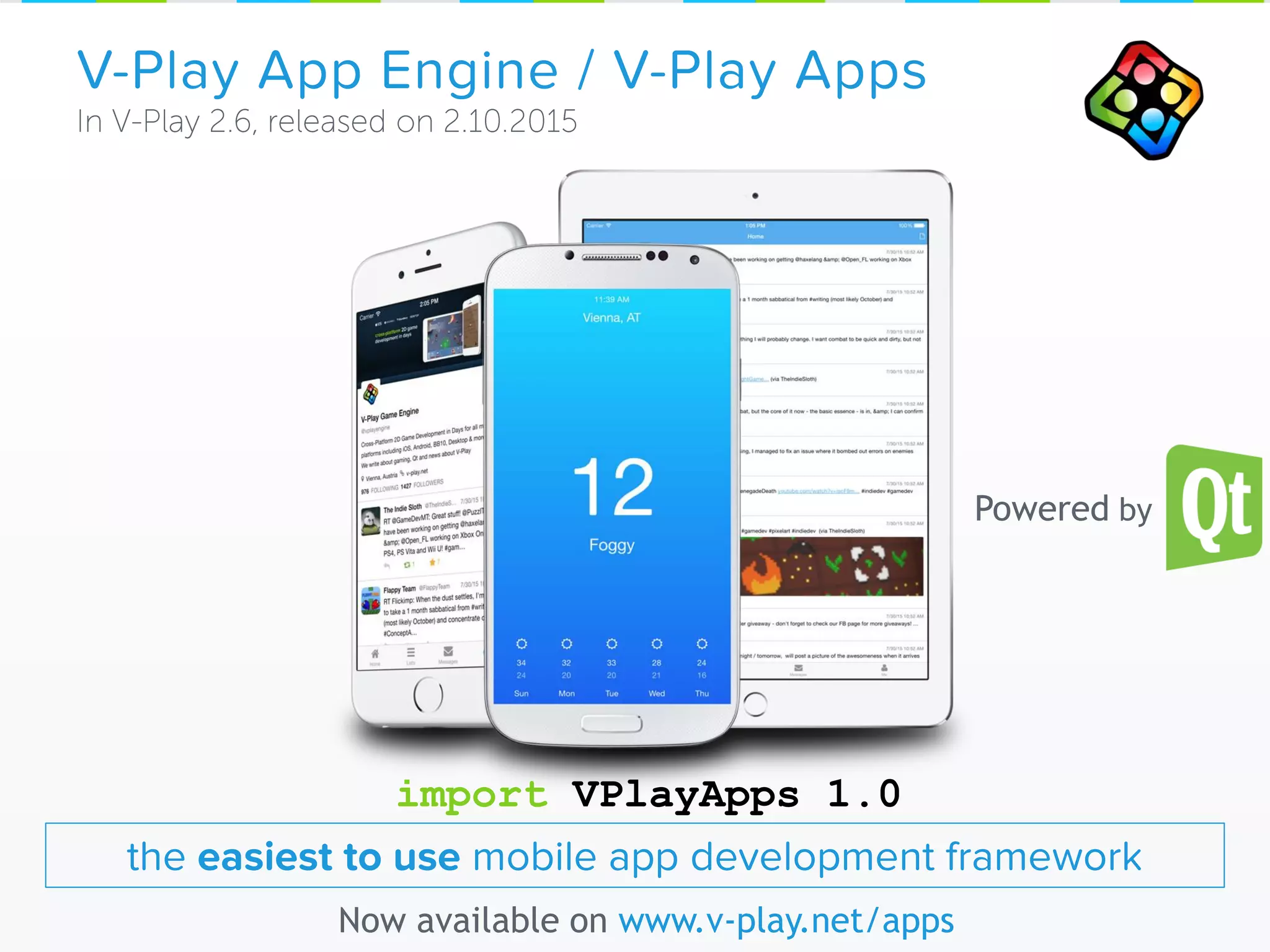
V-Play App Engine / V-Play Apps
Now available on www.v-play.net/apps
the easiest to use mobile app development framework
Powered by
import VPlayApps 1.0
Part 1: Responsive Design with
Qt & V-Play Apps
Goal: Native User Experience
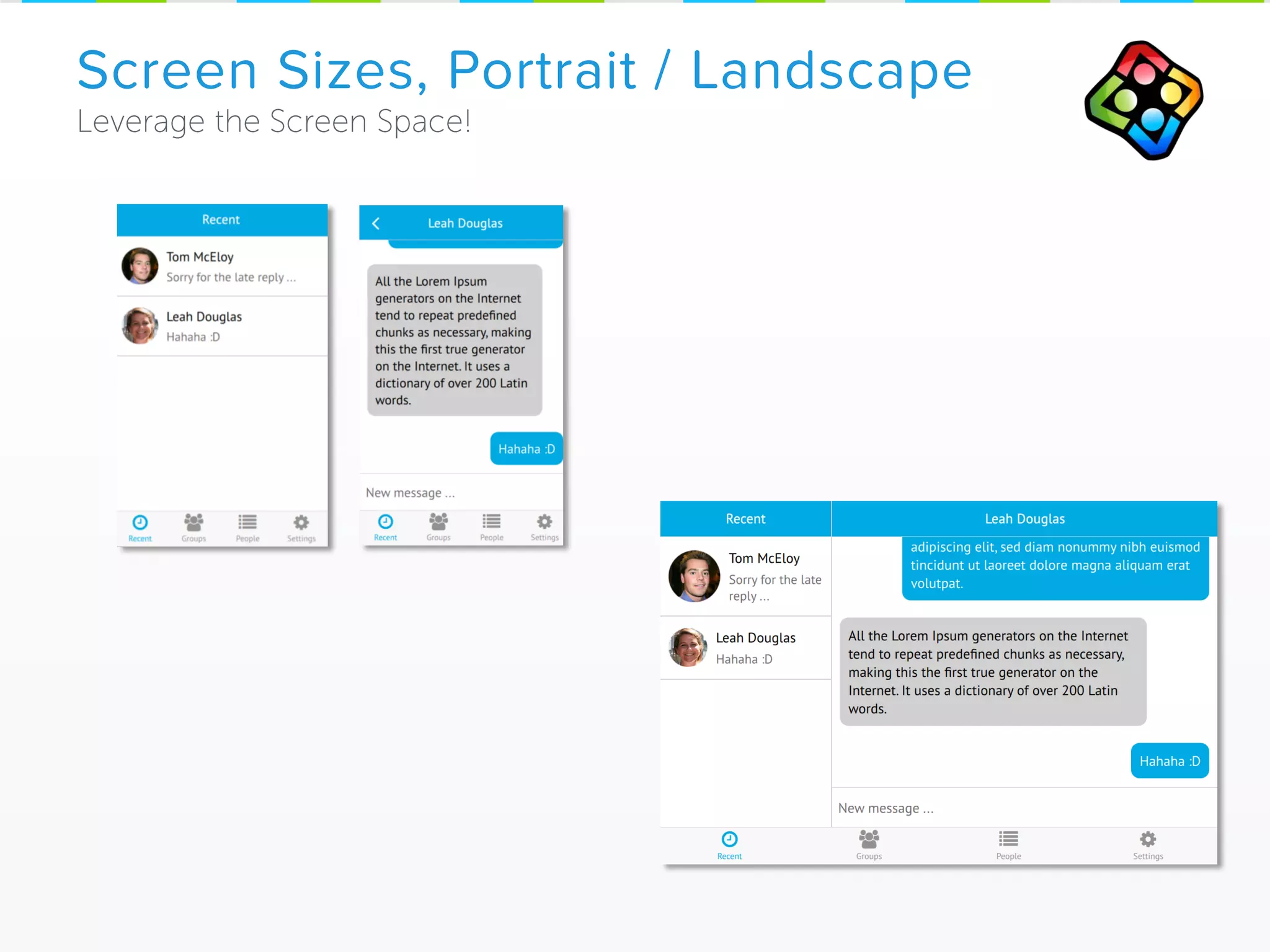
Screen Sizes, Portrait / Landscape
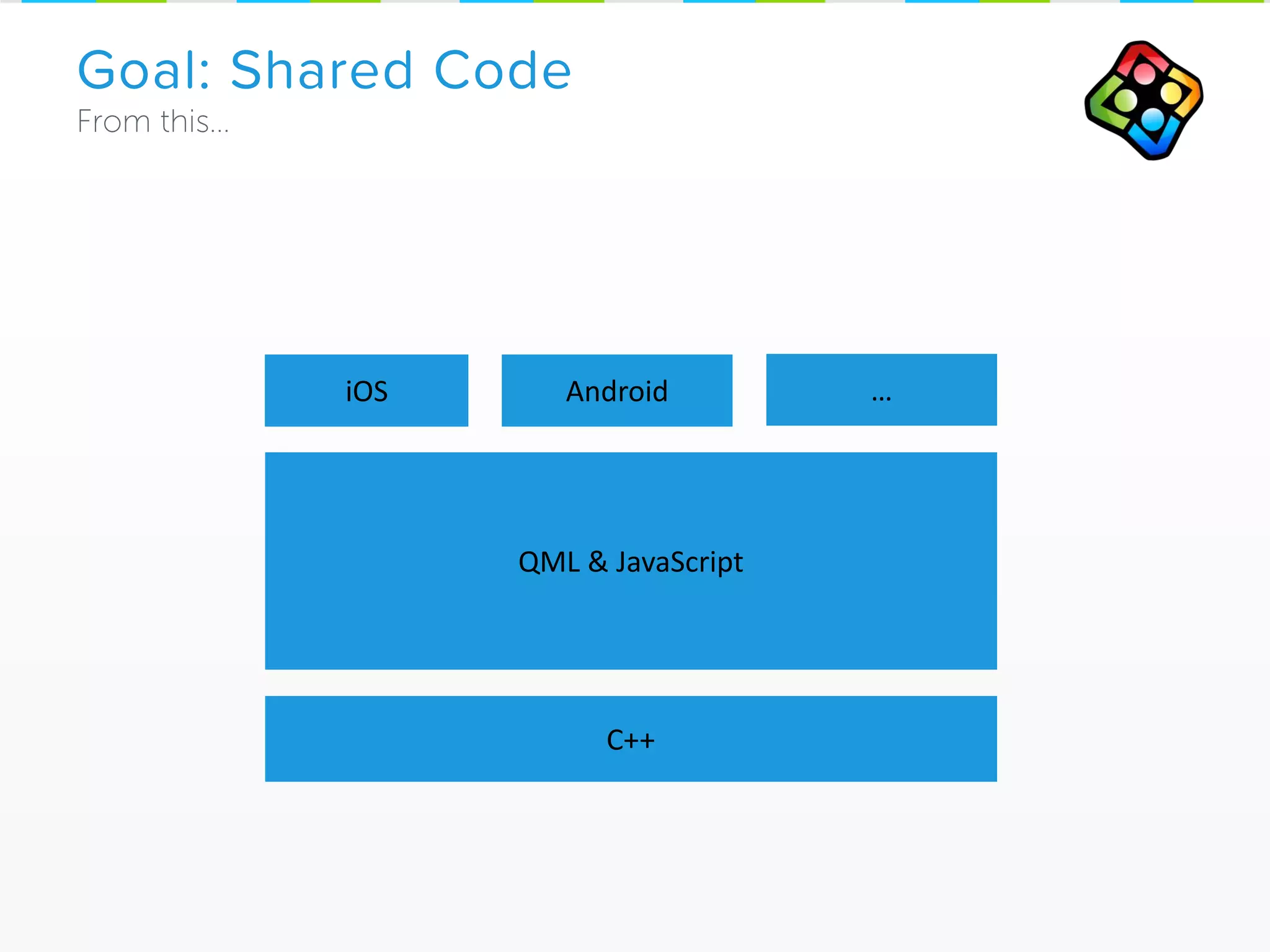
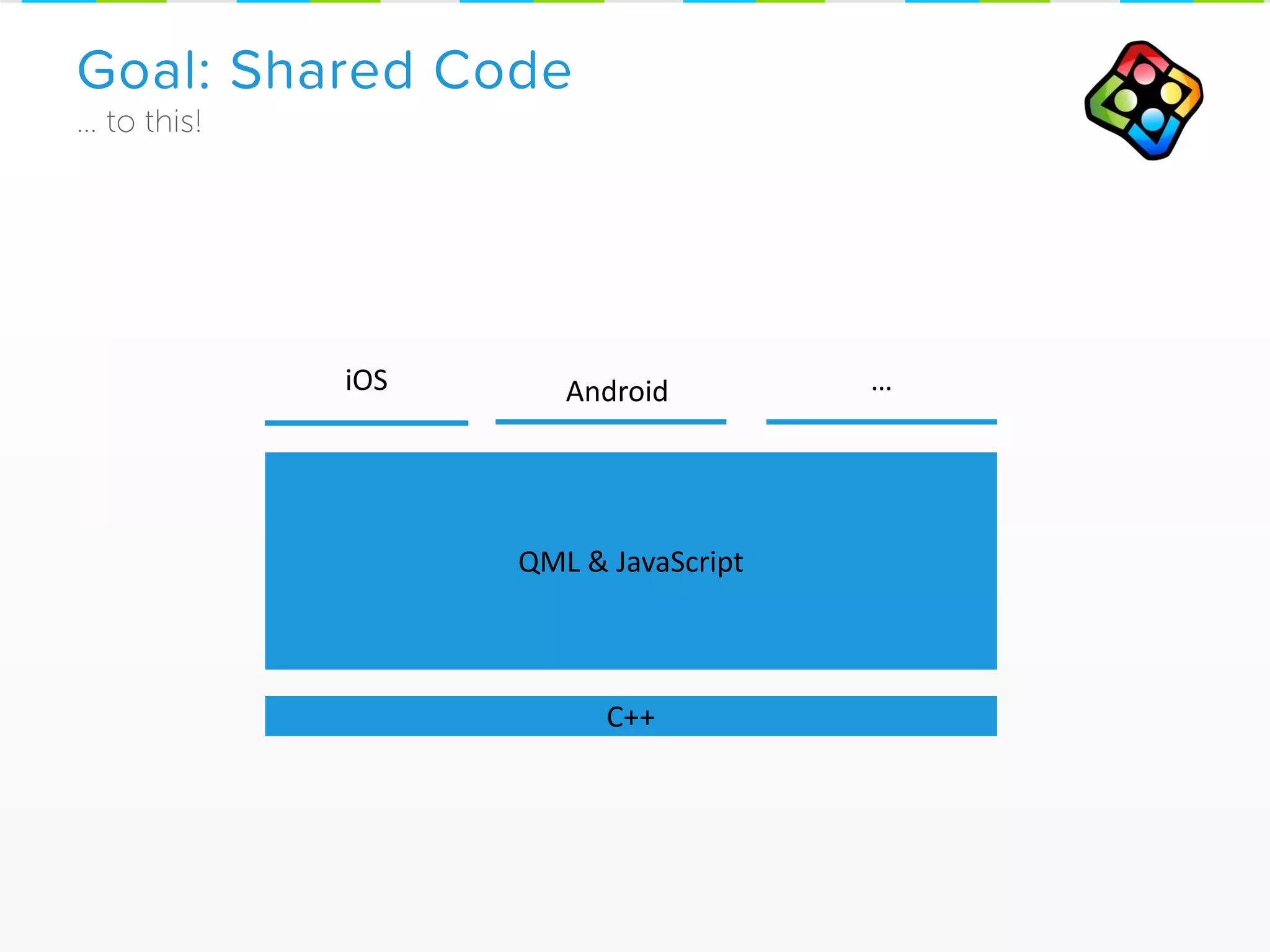
Goal: Shared Code
iOS Android
QML & JavaScript
C++
…
Android
Goal: Shared Code
C++
…iOS
QML & JavaScript
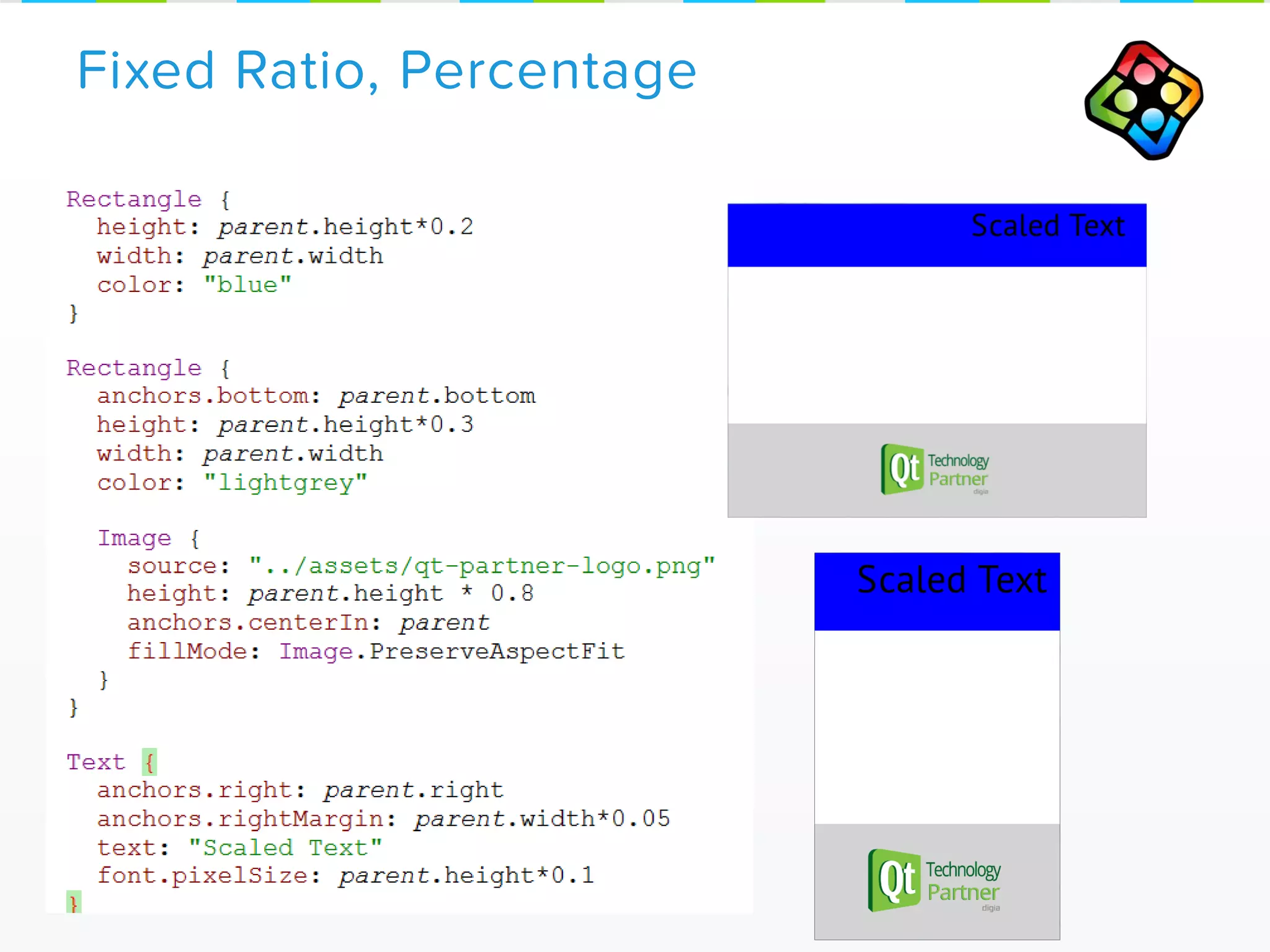
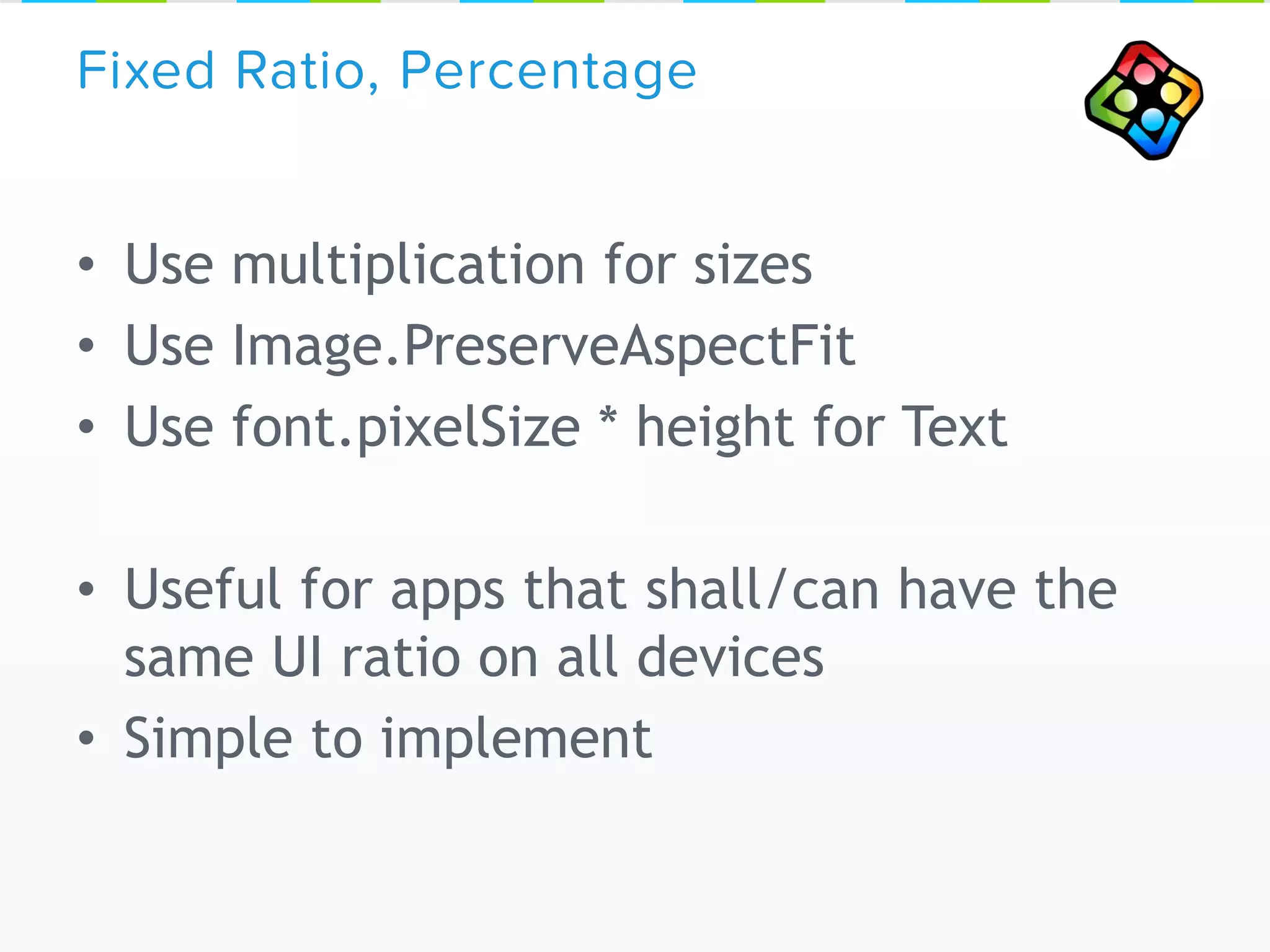
Fixed Ratio, Percentage
• Use multiplication for sizes
• Use Image.PreserveAspectFit
• Use font.pixelSize * height for Text
• Useful for apps that shall/can have the
same UI ratio on all devices
• Simple to implement
Fixed Ratio, Percentage
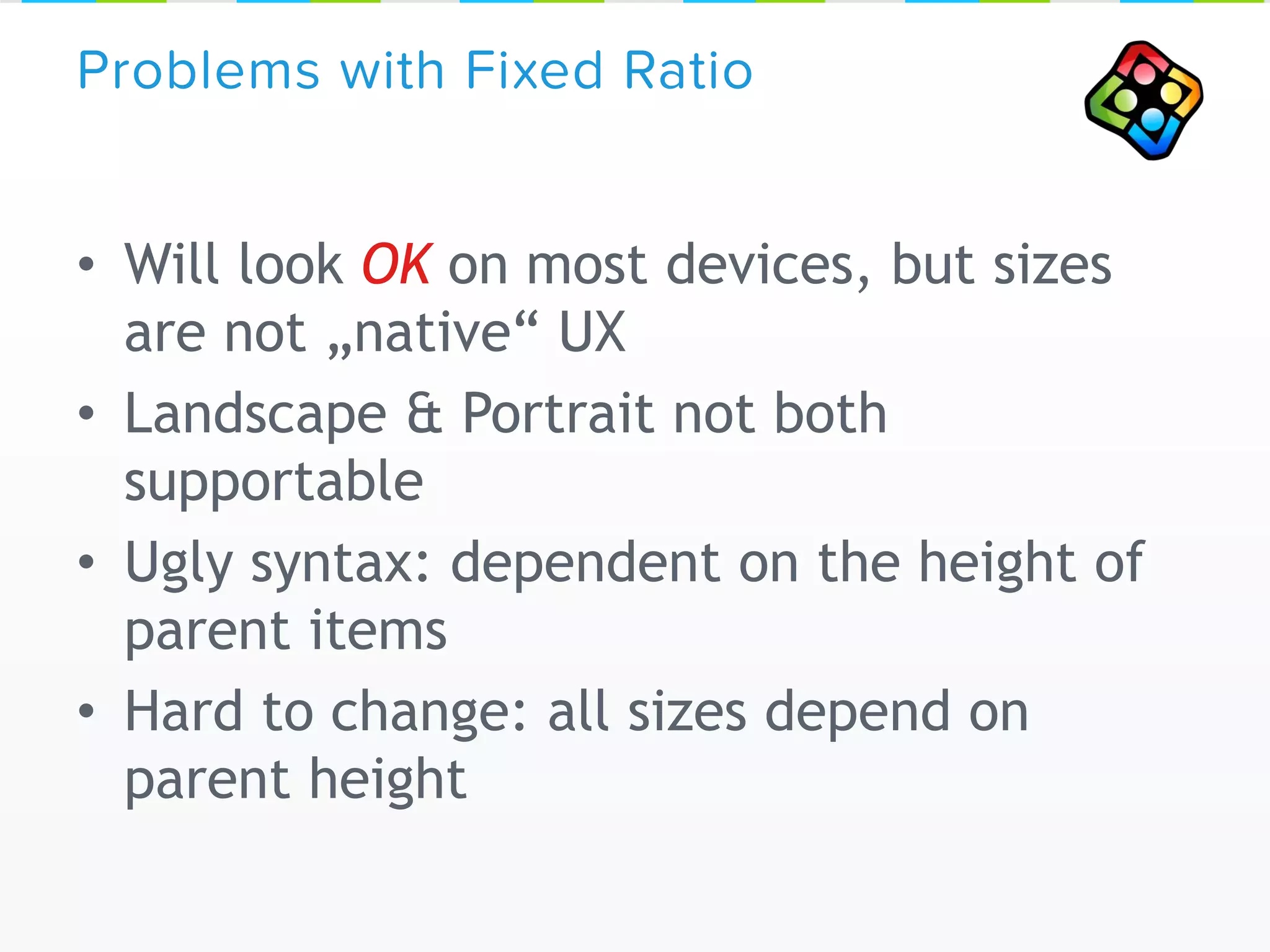
• Will look OK on most devices, but sizes
are not „native“ UX
• Landscape & Portrait not both
supportable
• Ugly syntax: dependent on the height of
parent items
• Hard to change: all sizes depend on
parent height
Problems with Fixed Ratio
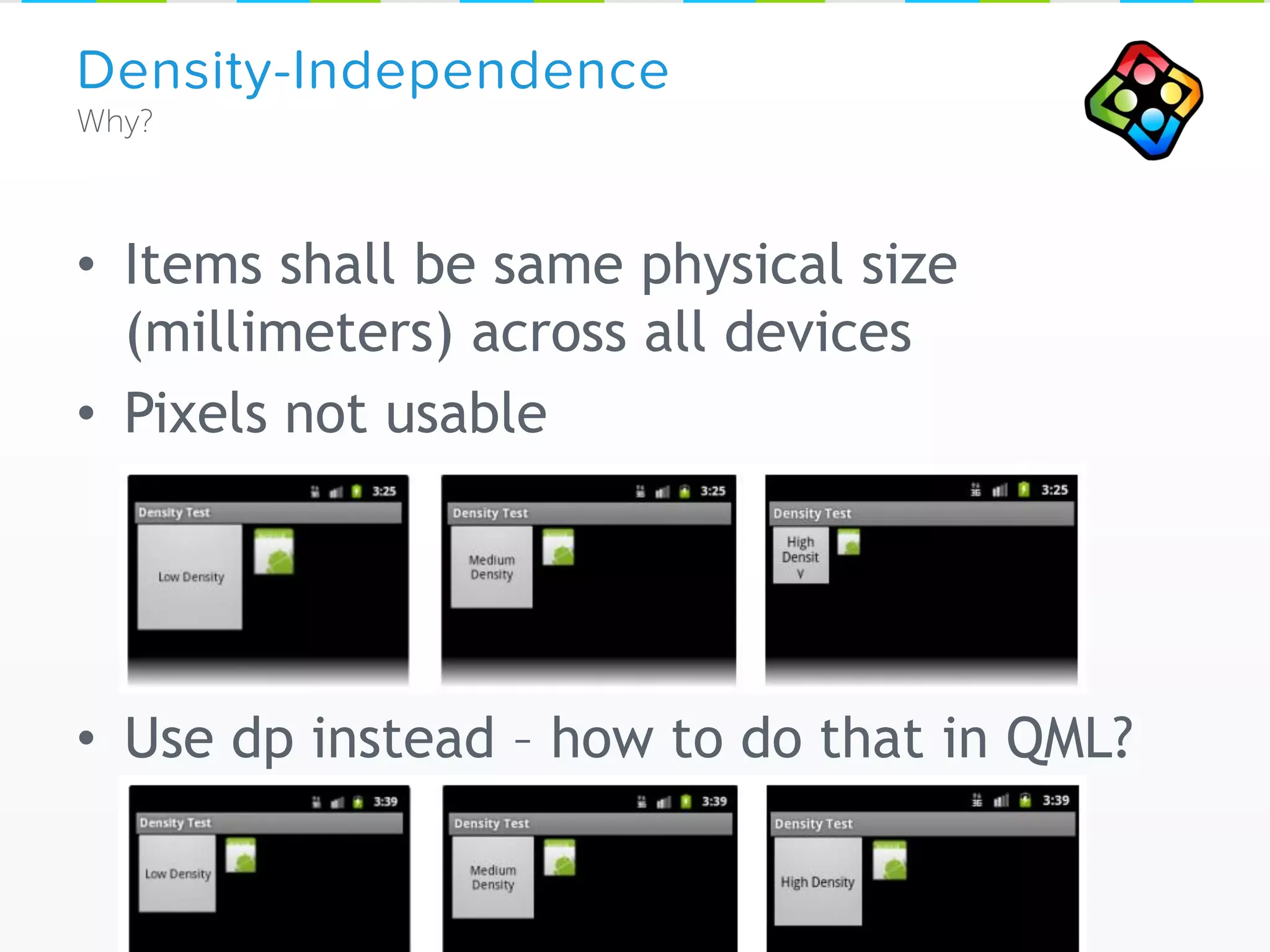
• Items shall be same physical size
(millimeters) across all devices
• Pixels not usable
• Use dp instead – how to do that in QML?
Density-Independence
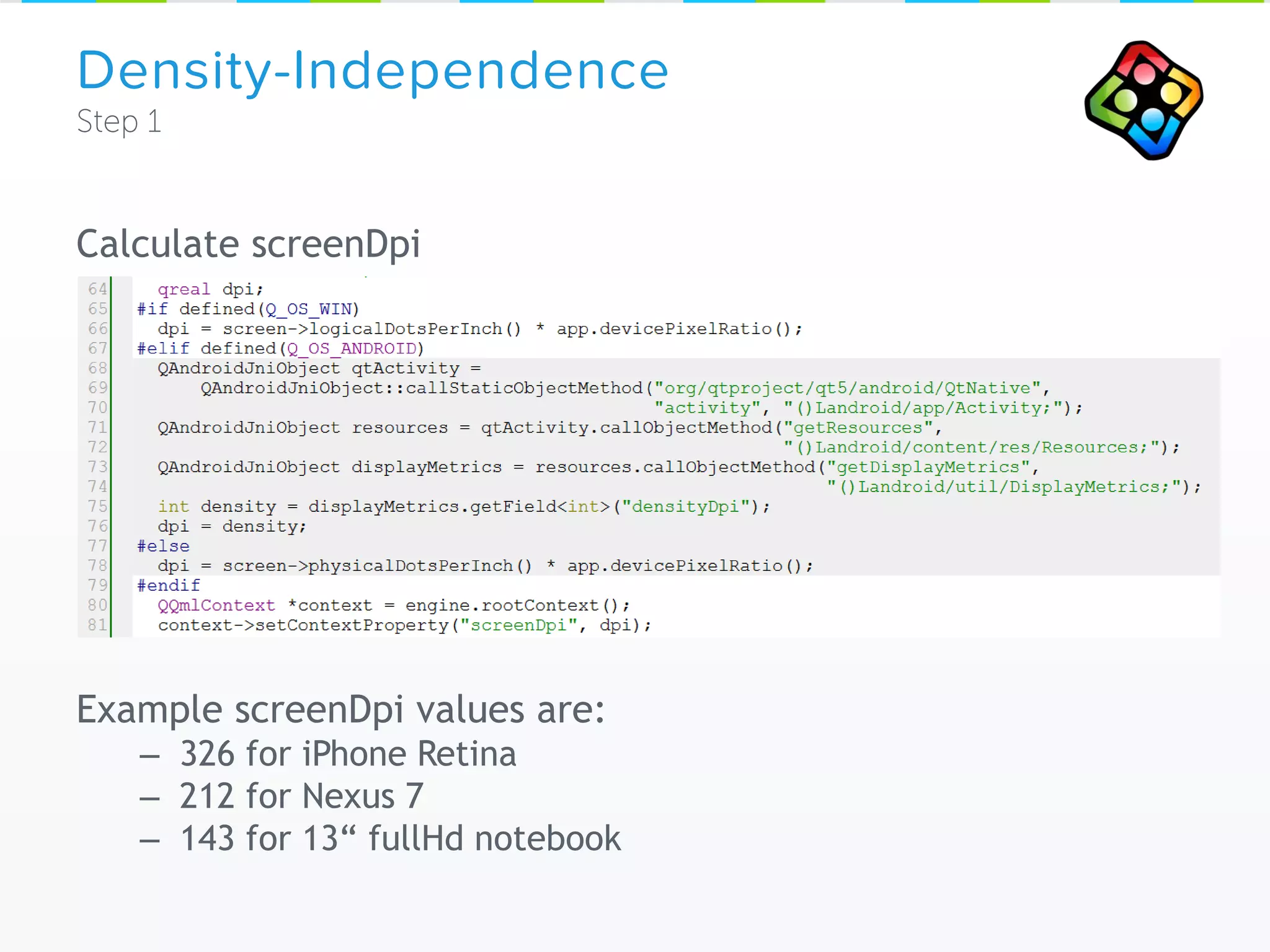
Calculate screenDpi
Example screenDpi values are:
– 326 for iPhone Retina
– 212 for Nexus 7
– 143 for 13“ fullHd notebook
Density-Independence
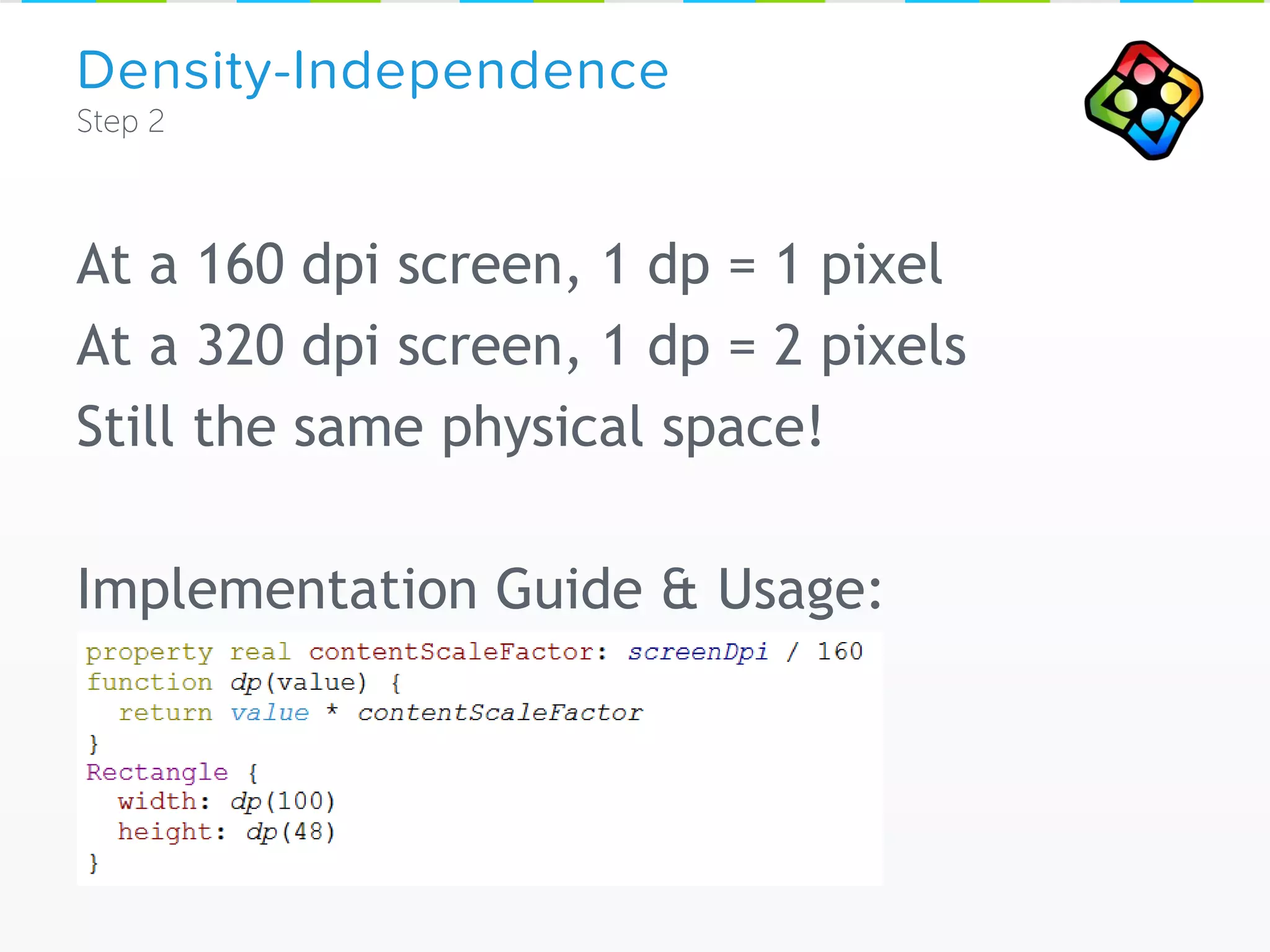
At a 160 dpi screen, 1 dp = 1 pixel
At a 320 dpi screen, 1 dp = 2 pixels
Still the same physical space!
Implementation Guide & Usage:
Density-Independence
Remaining DPI Tasks:
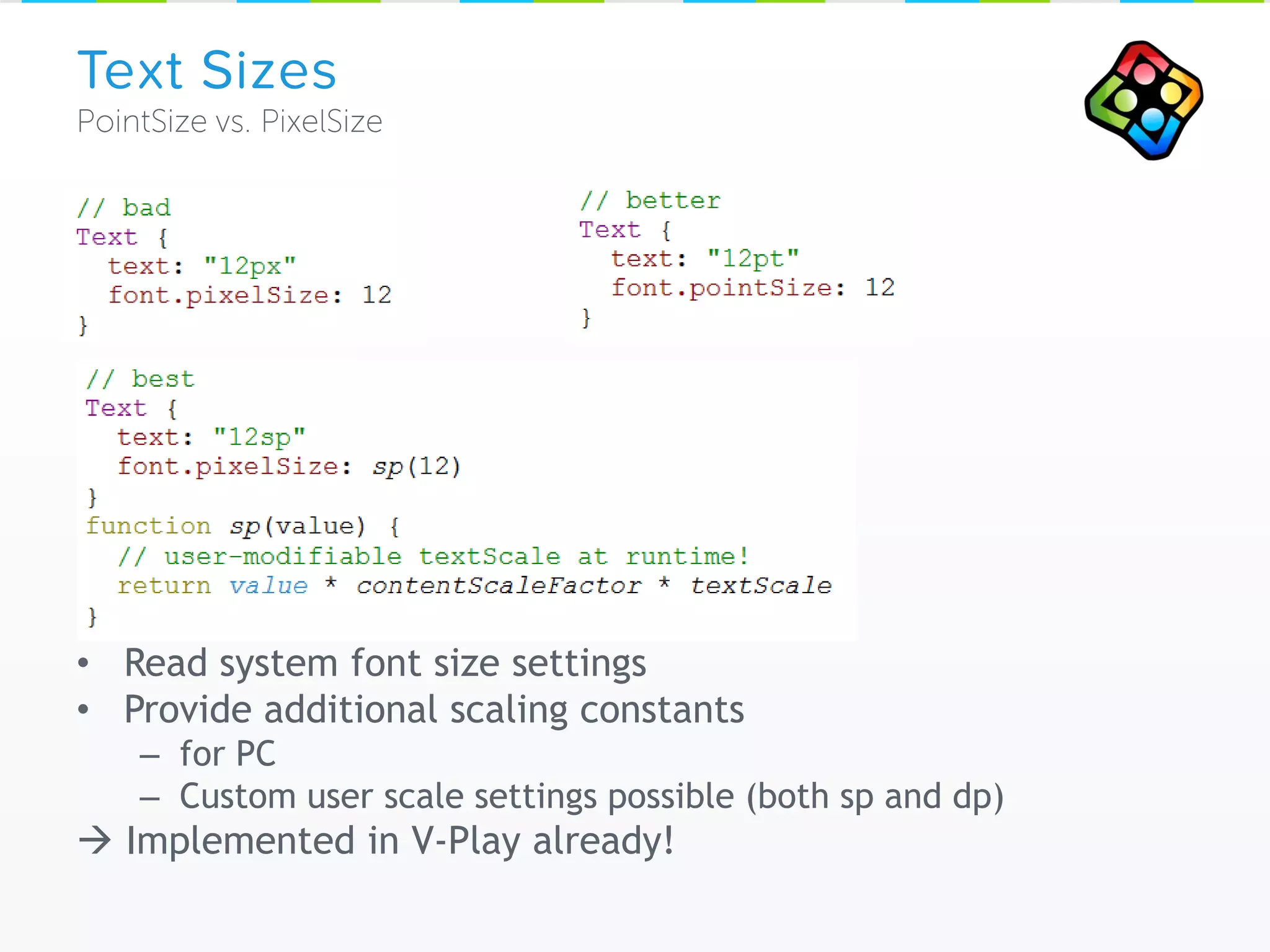
• Read system font size settings
• Provide additional scaling constants
– for PC
– Custom user scale settings possible (both sp and dp)
 Implemented in V-Play already!
Text Sizes
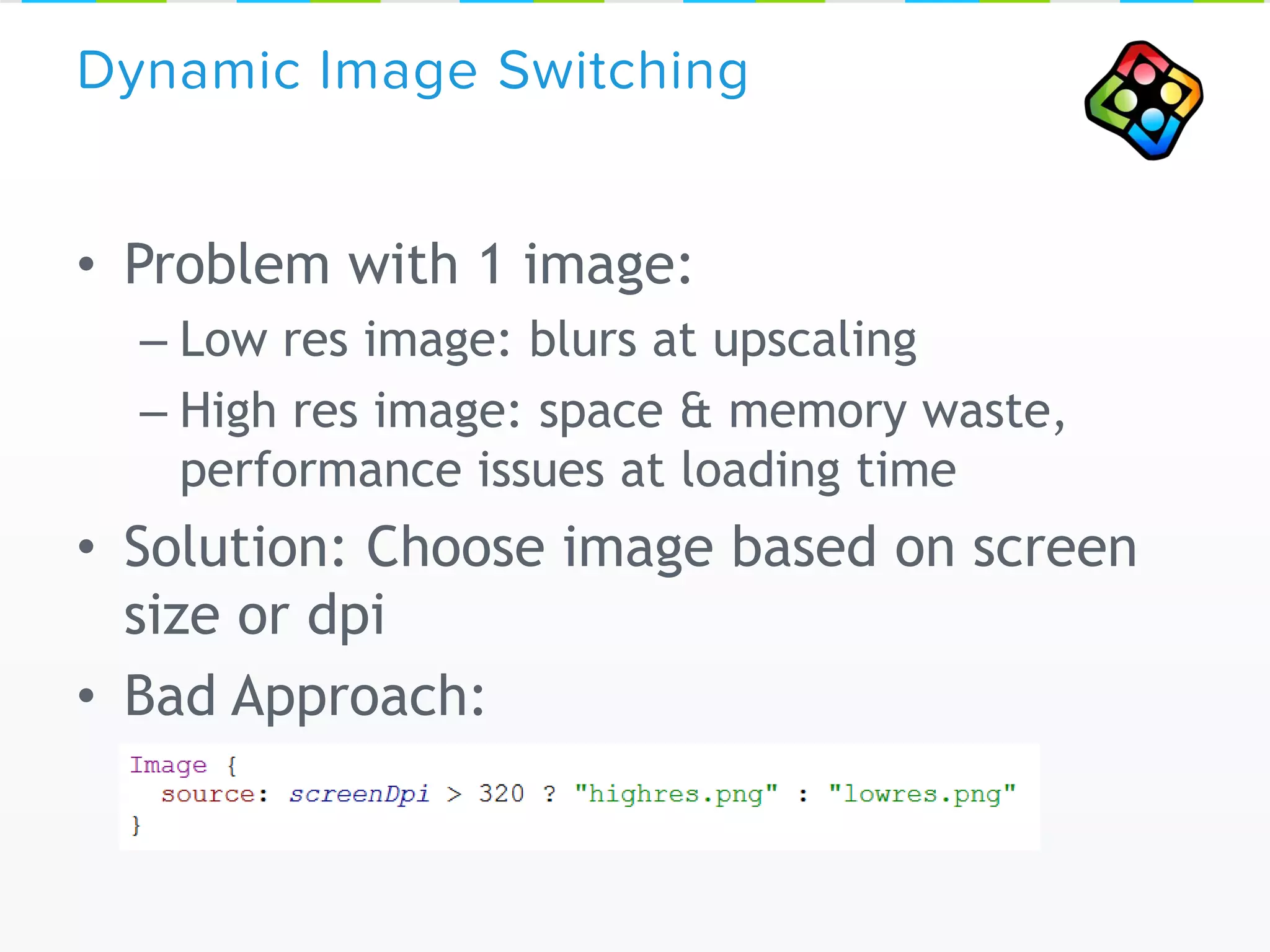
• Problem with 1 image:
– Low res image: blurs at upscaling
– High res image: space & memory waste,
performance issues at loading time
• Solution: Choose image based on screen
size or dpi
• Bad Approach:
Dynamic Image Switching
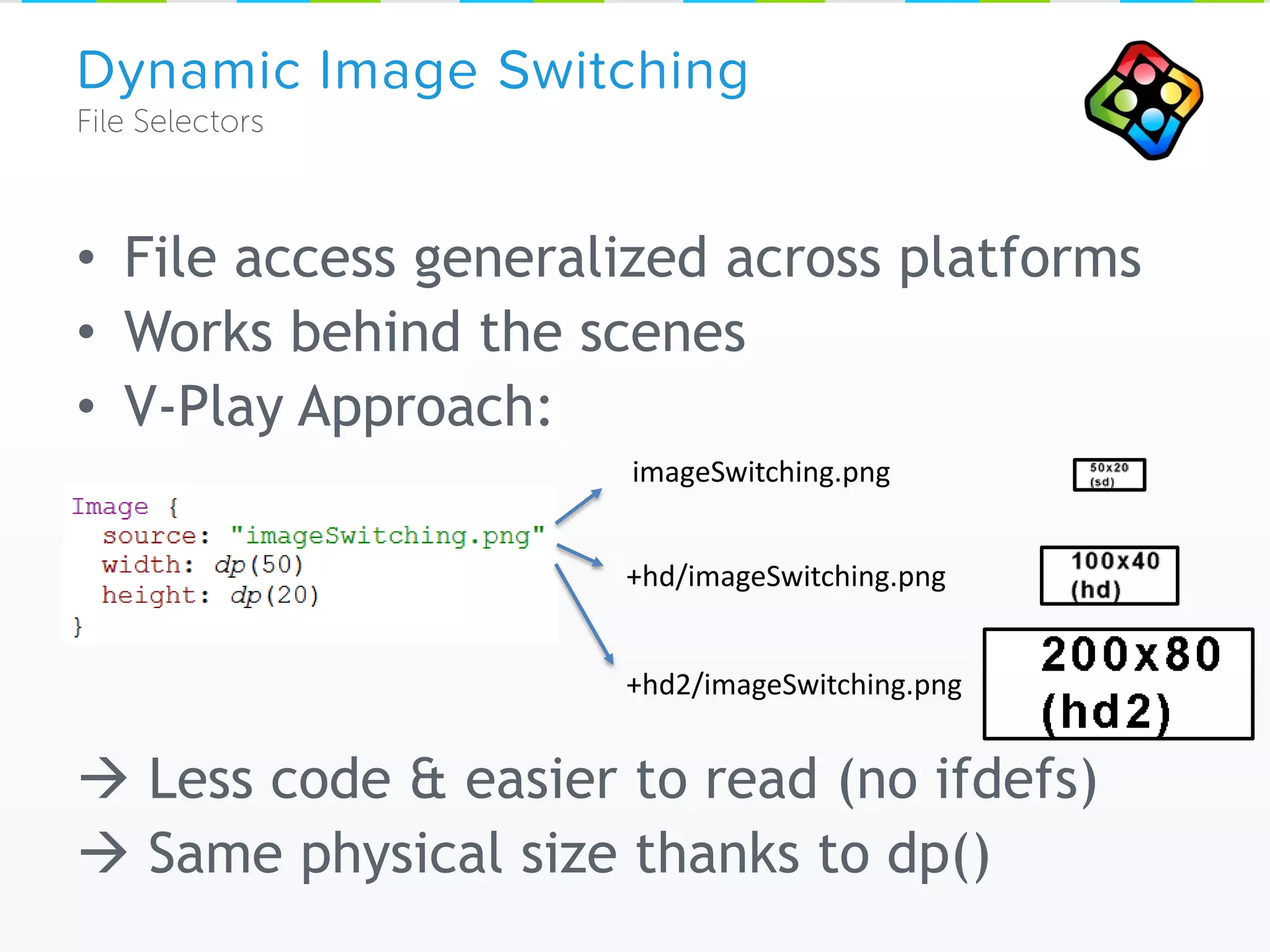
• File access generalized across platforms
• Works behind the scenes
• V-Play Approach:
 Less code & easier to read (no ifdefs)
 Same physical size thanks to dp()
Dynamic Image Switching
+hd2/imageSwitching.png
+hd/imageSwitching.png
imageSwitching.png
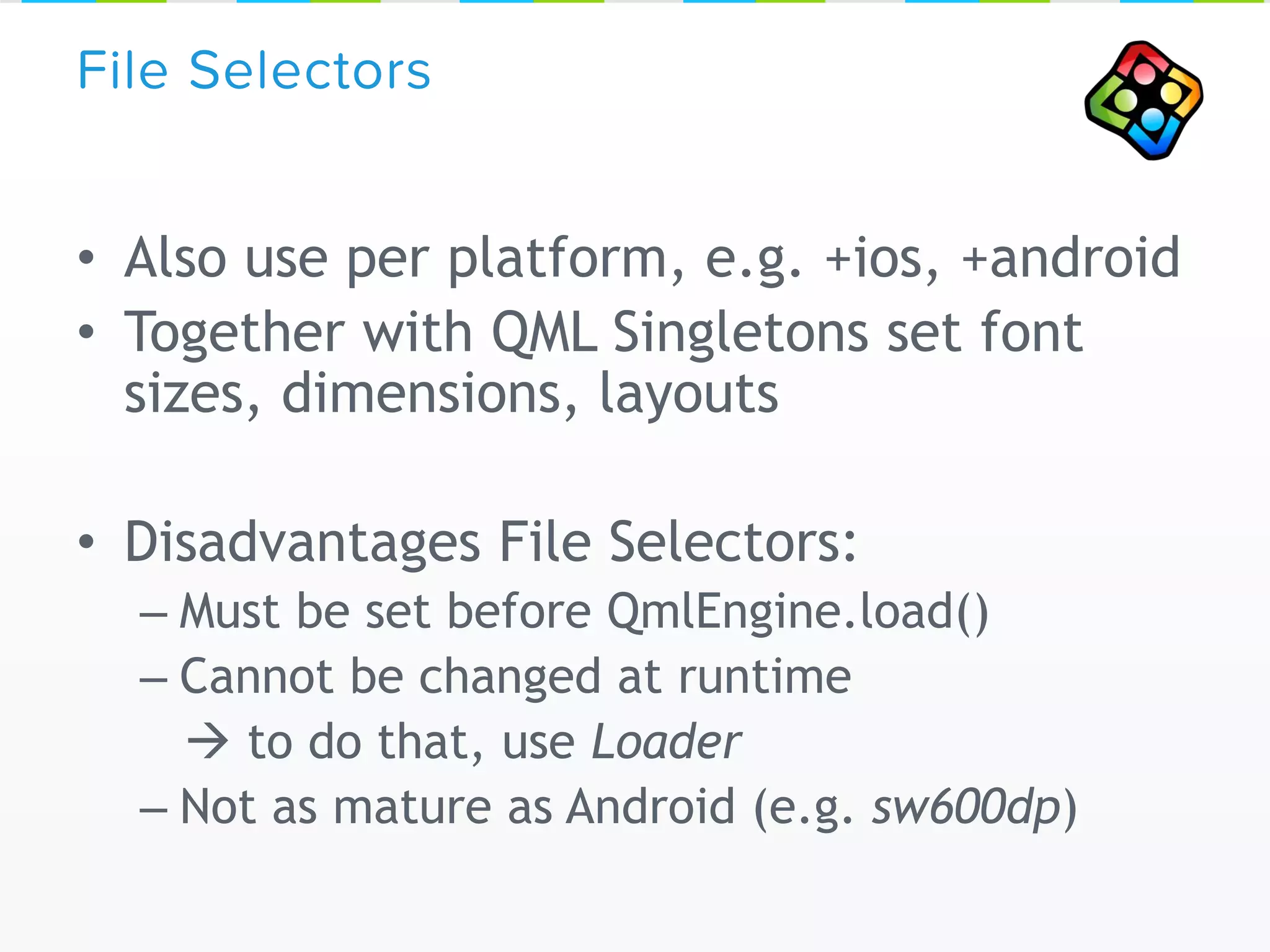
• Also use per platform, e.g. +ios, +android
• Together with QML Singletons set font
sizes, dimensions, layouts
• Disadvantages File Selectors:
– Must be set before QmlEngine.load()
– Cannot be changed at runtime
 to do that, use Loader
– Not as mature as Android (e.g. sw600dp)
File Selectors
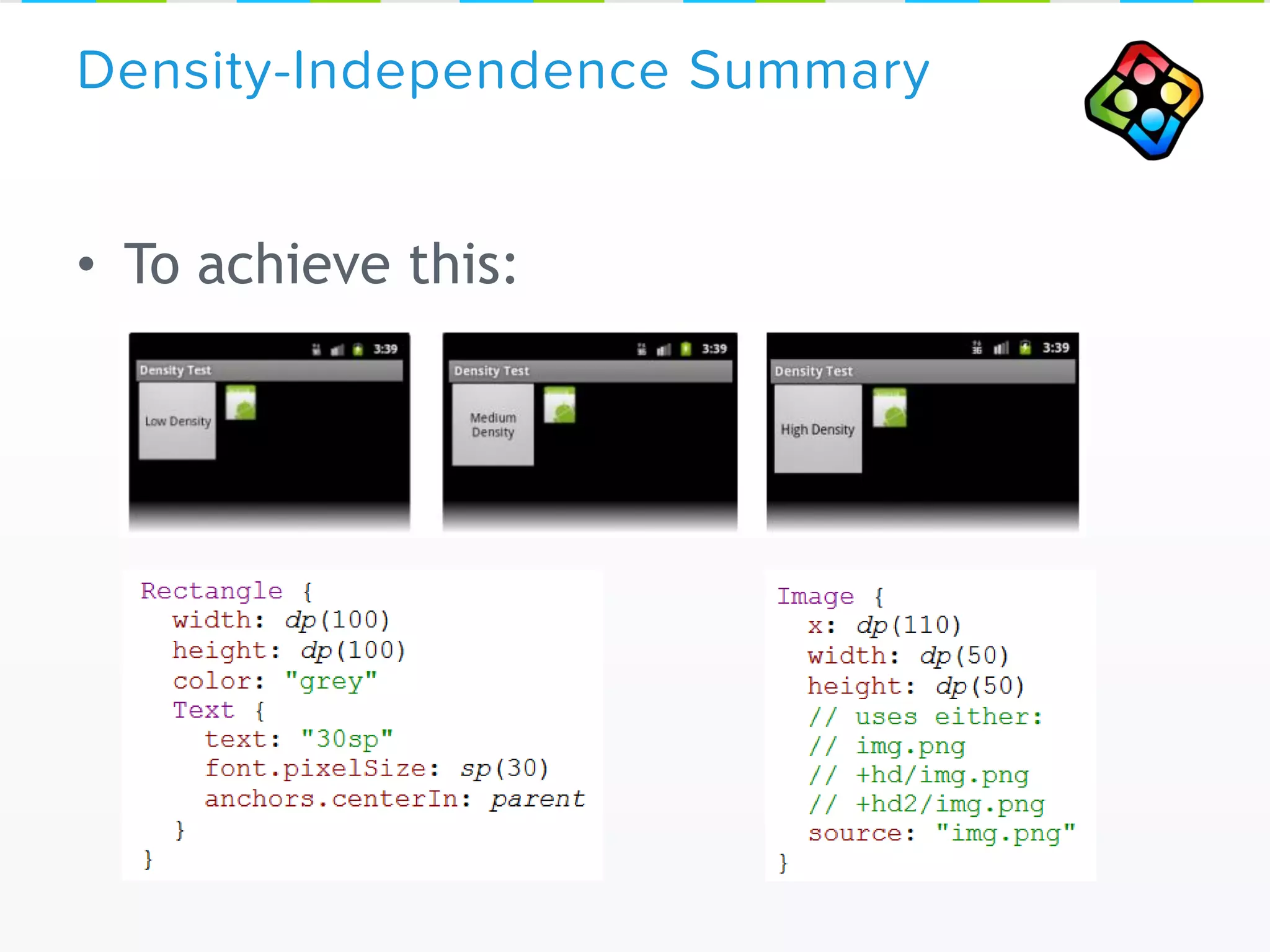
• To achieve this:
Density-Independence Summary
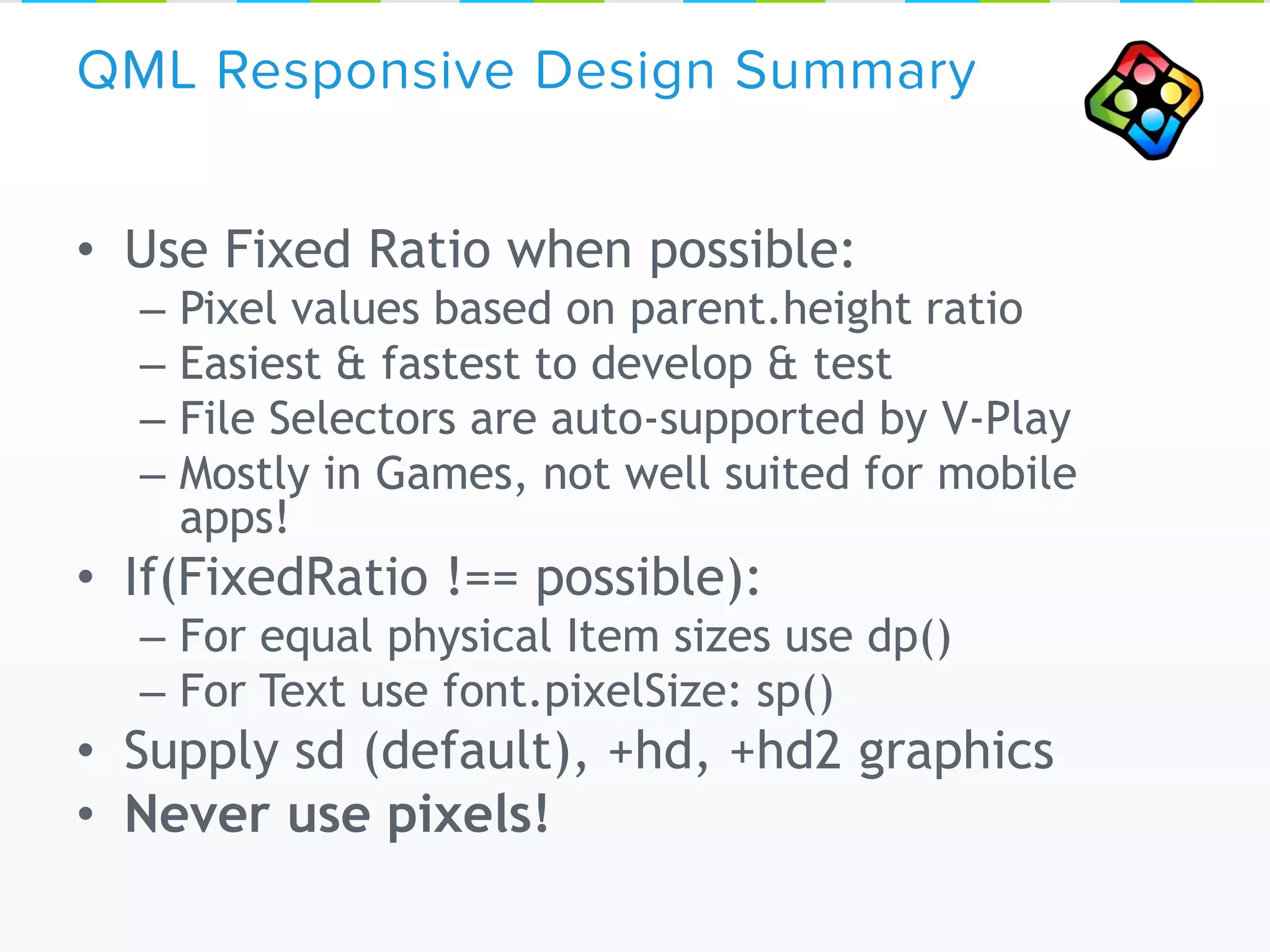
• Use Fixed Ratio when possible:
– Pixel values based on parent.height ratio
– Easiest & fastest to develop & test
– File Selectors are auto-supported by V-Play
– Mostly in Games, not well suited for mobile
apps!
• If(FixedRatio !== possible):
– For equal physical Item sizes use dp()
– For Text use font.pixelSize: sp()
• Supply sd (default), +hd, +hd2 graphics
• Never use pixels!
QML Responsive Design Summary
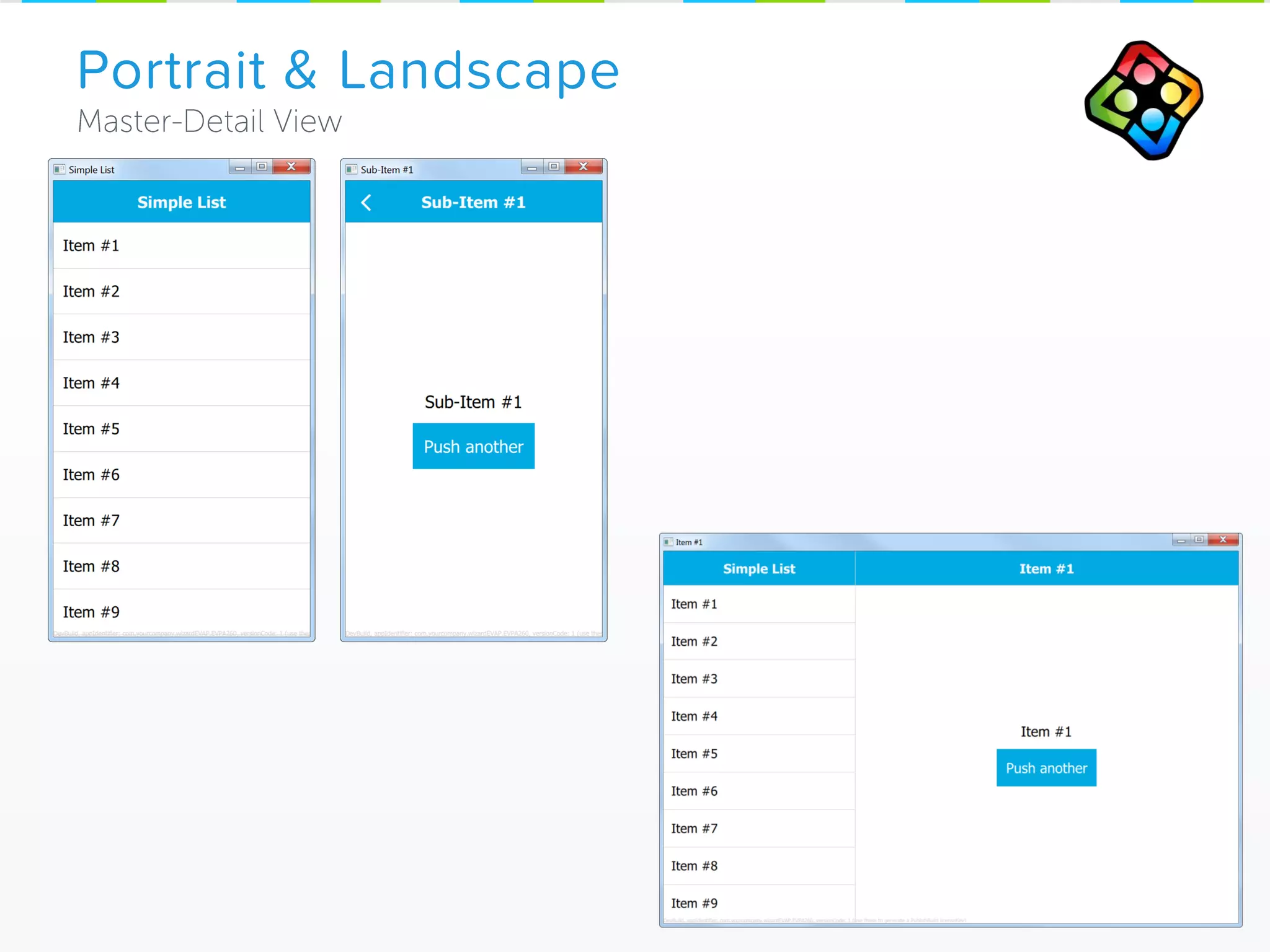
Portrait & Landscape
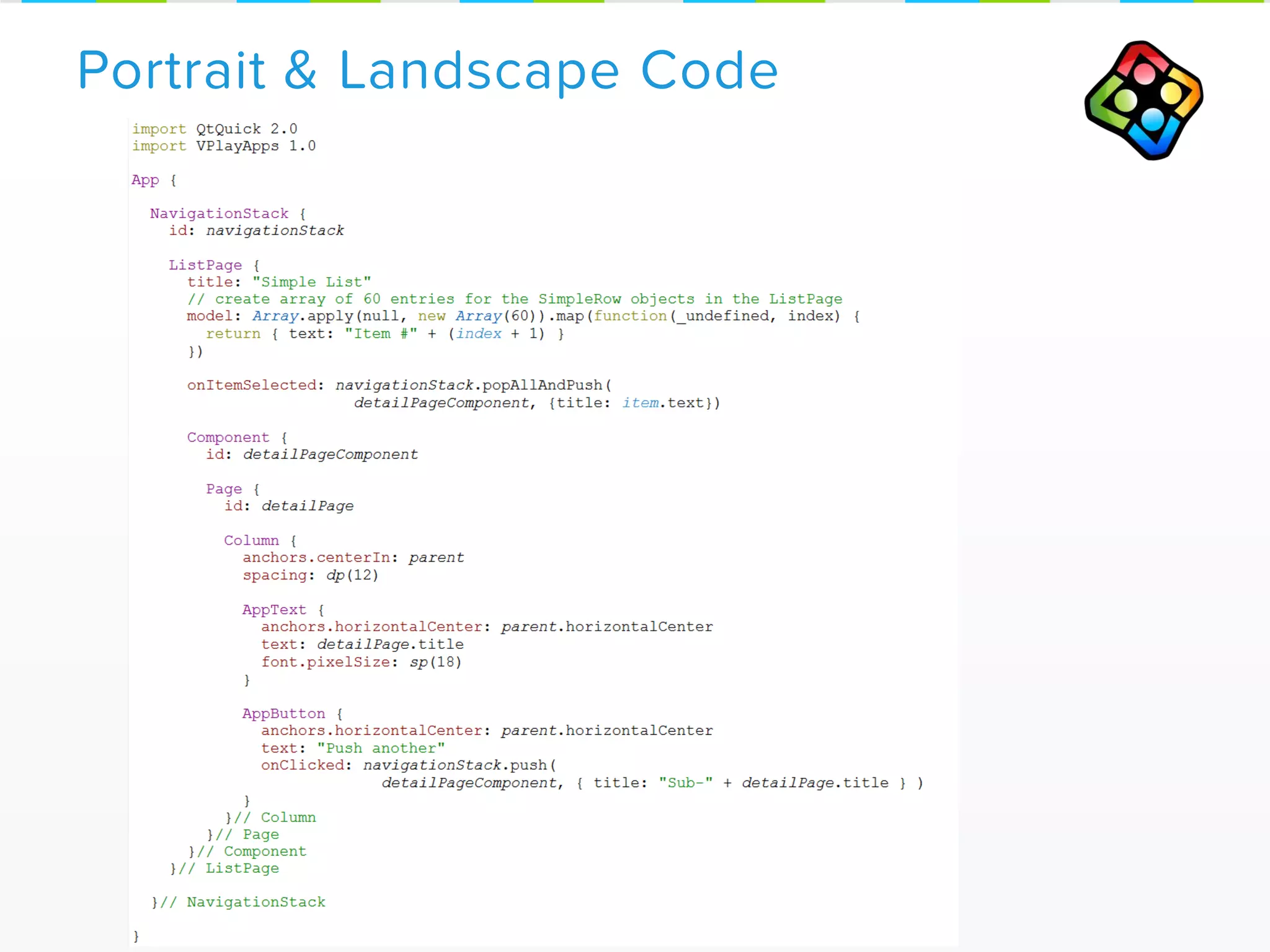
Portrait & Landscape Code
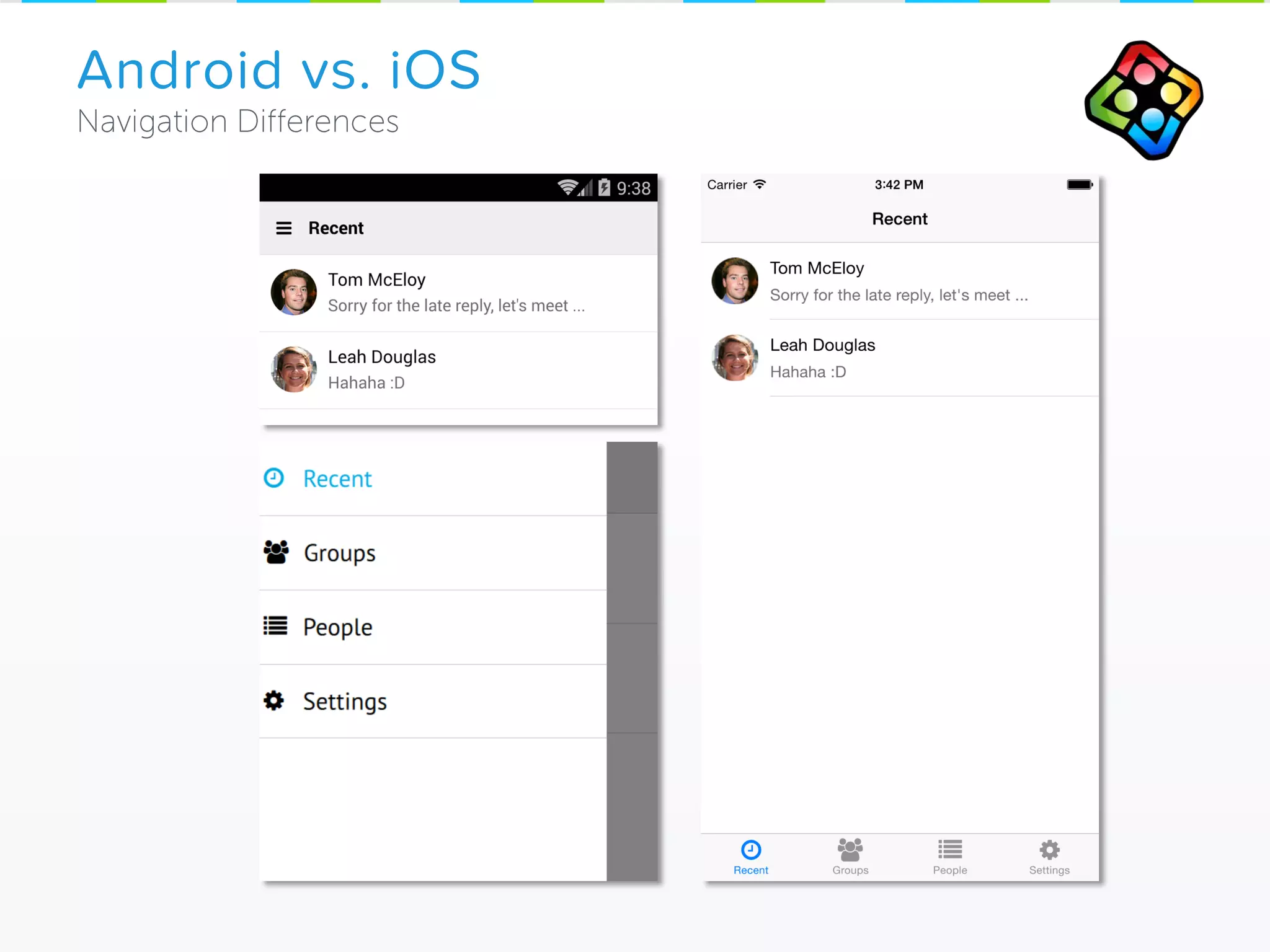
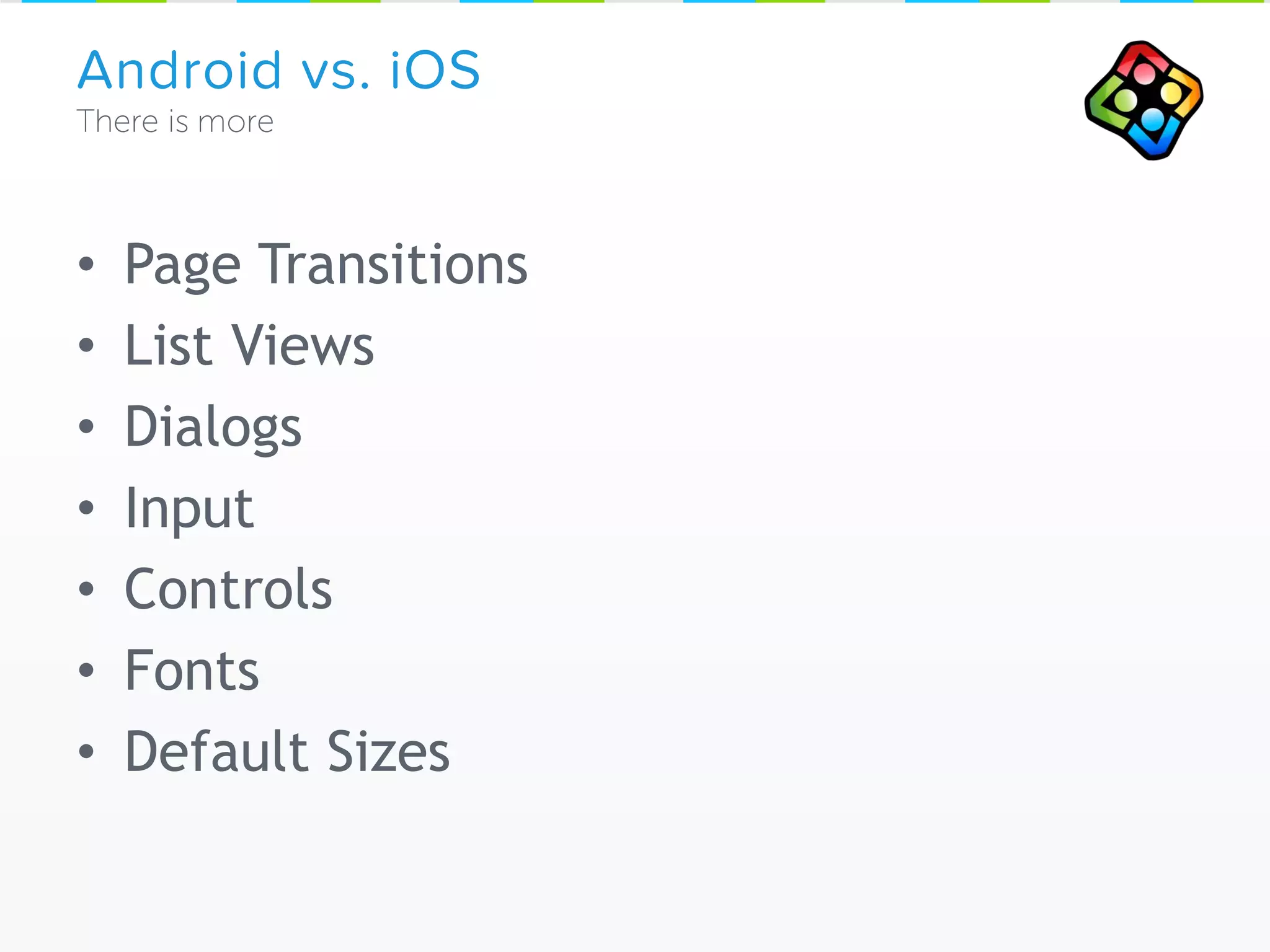
Android vs. iOS
• Page Transitions
• List Views
• Dialogs
• Input
• Controls
• Fonts
• Default Sizes
Android vs. iOS
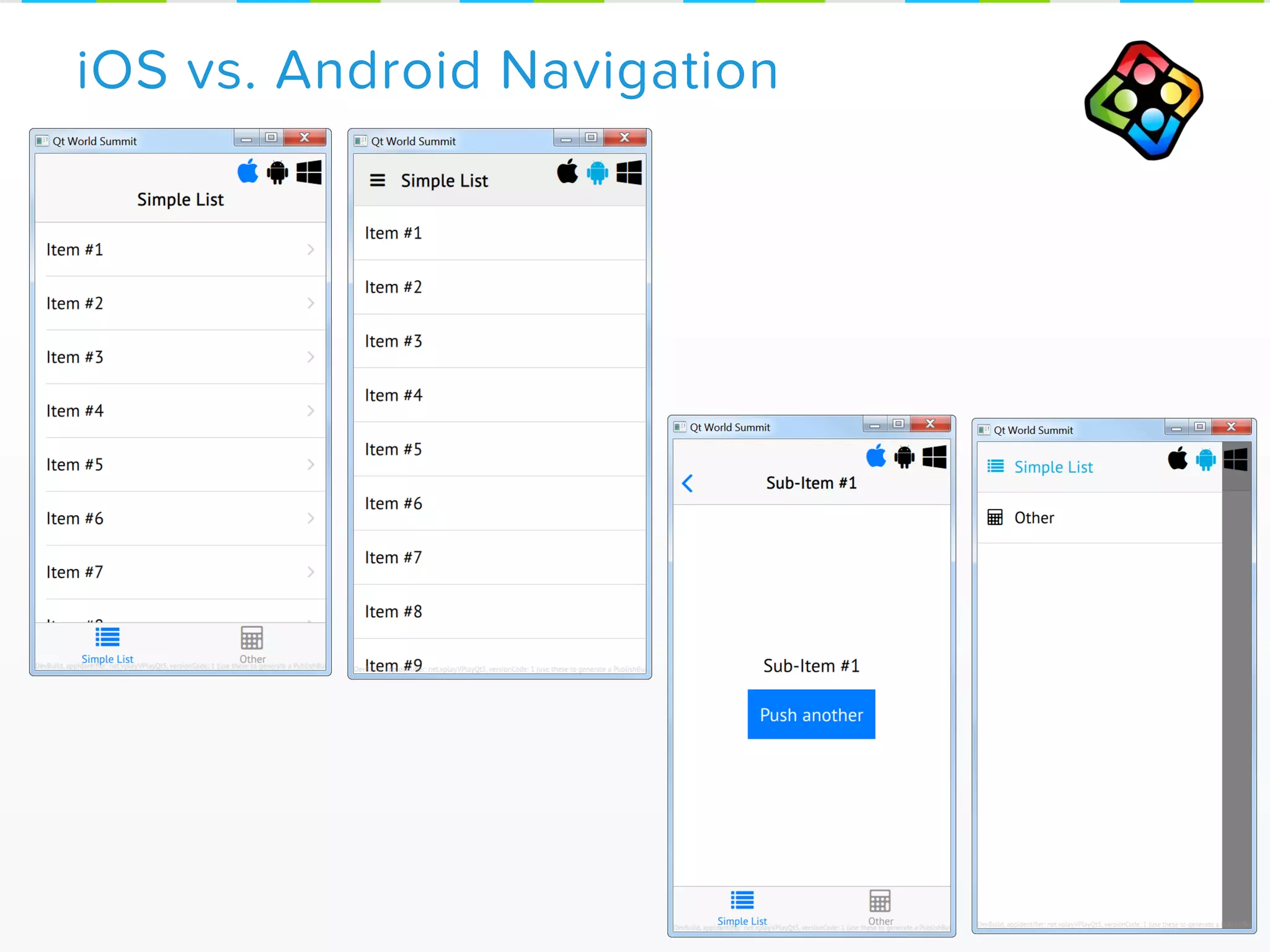
iOS vs. Android Navigation
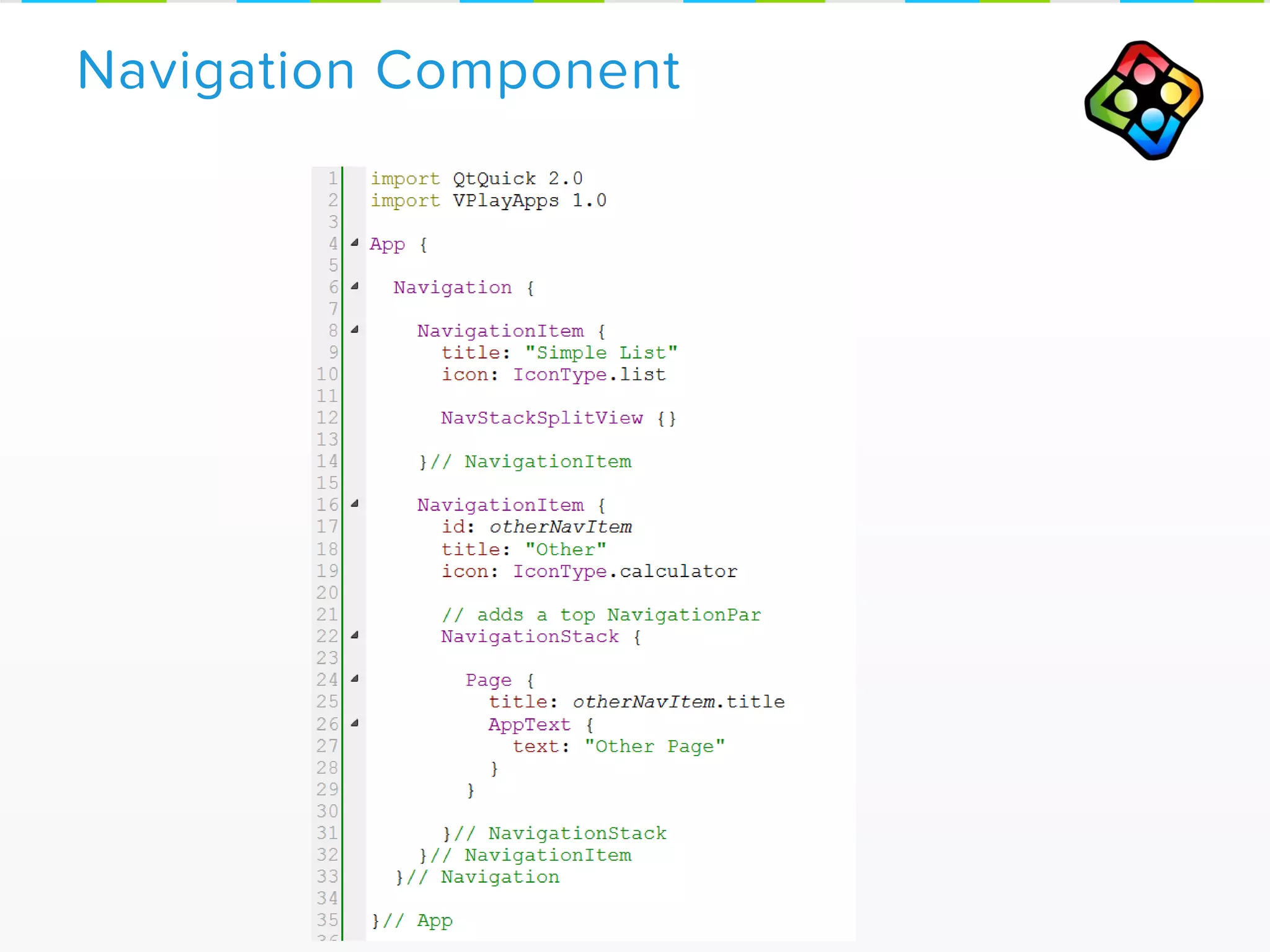
Navigation Component
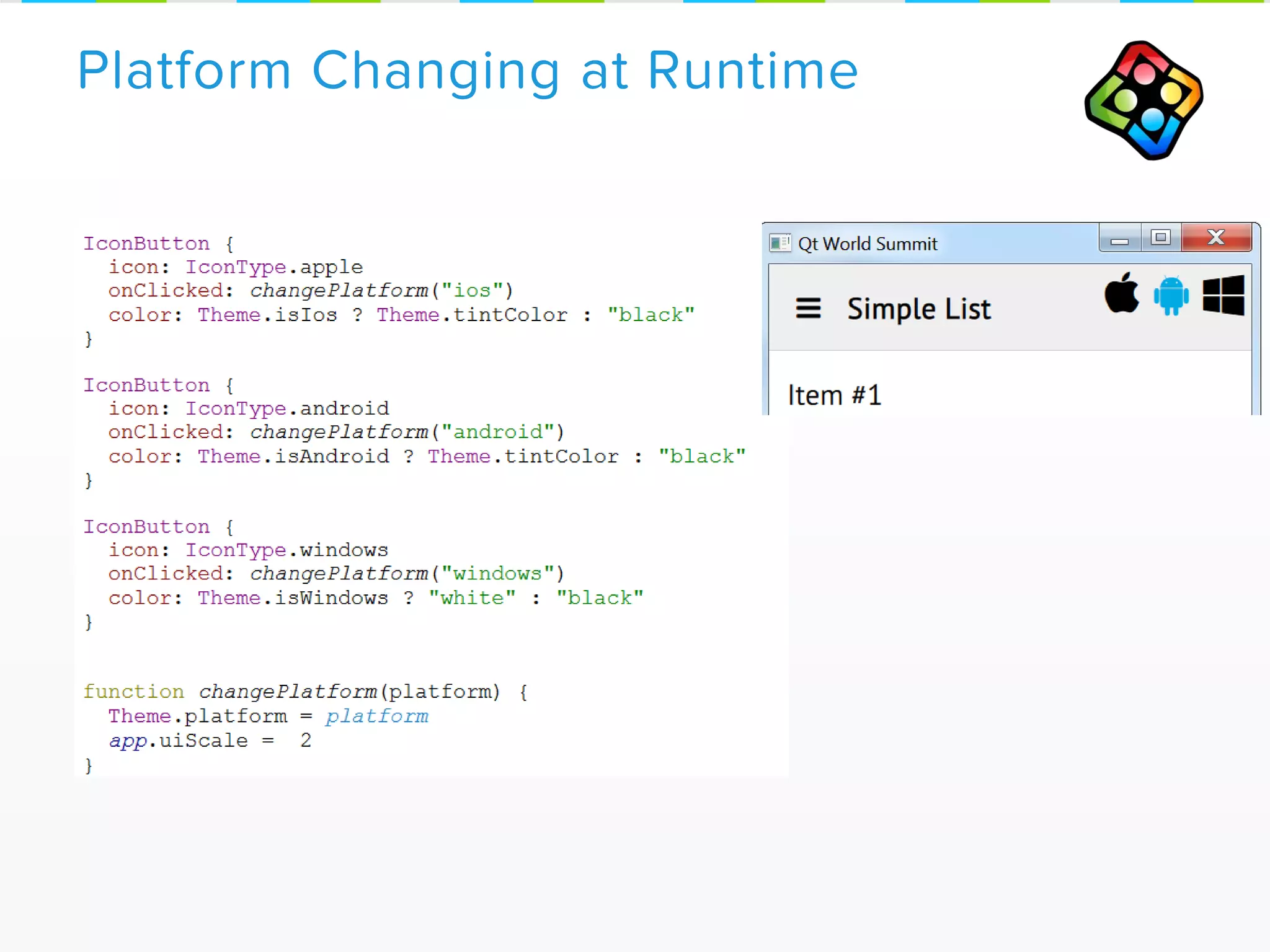
Platform Changing at Runtime
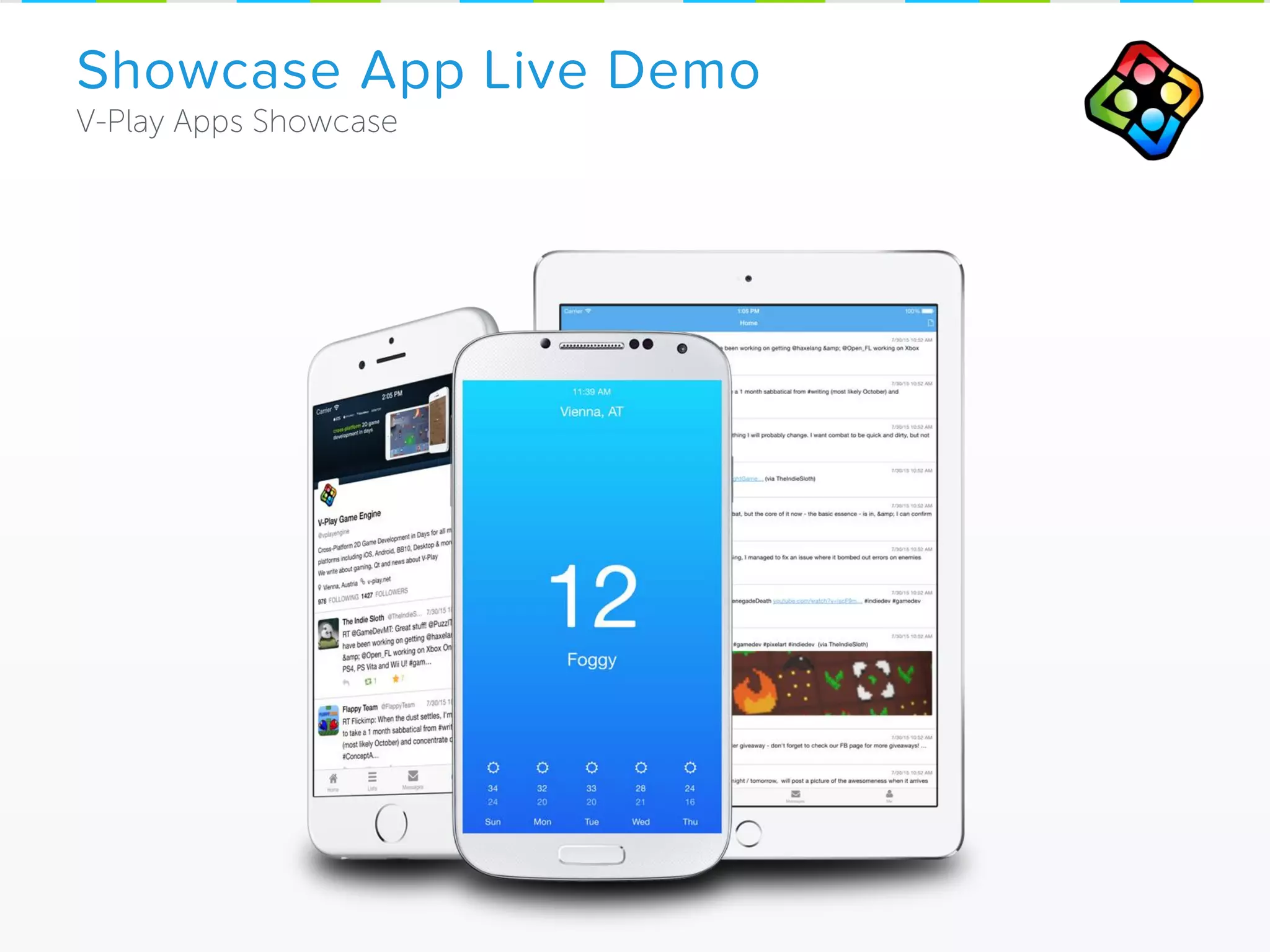
Showcase App Live Demo
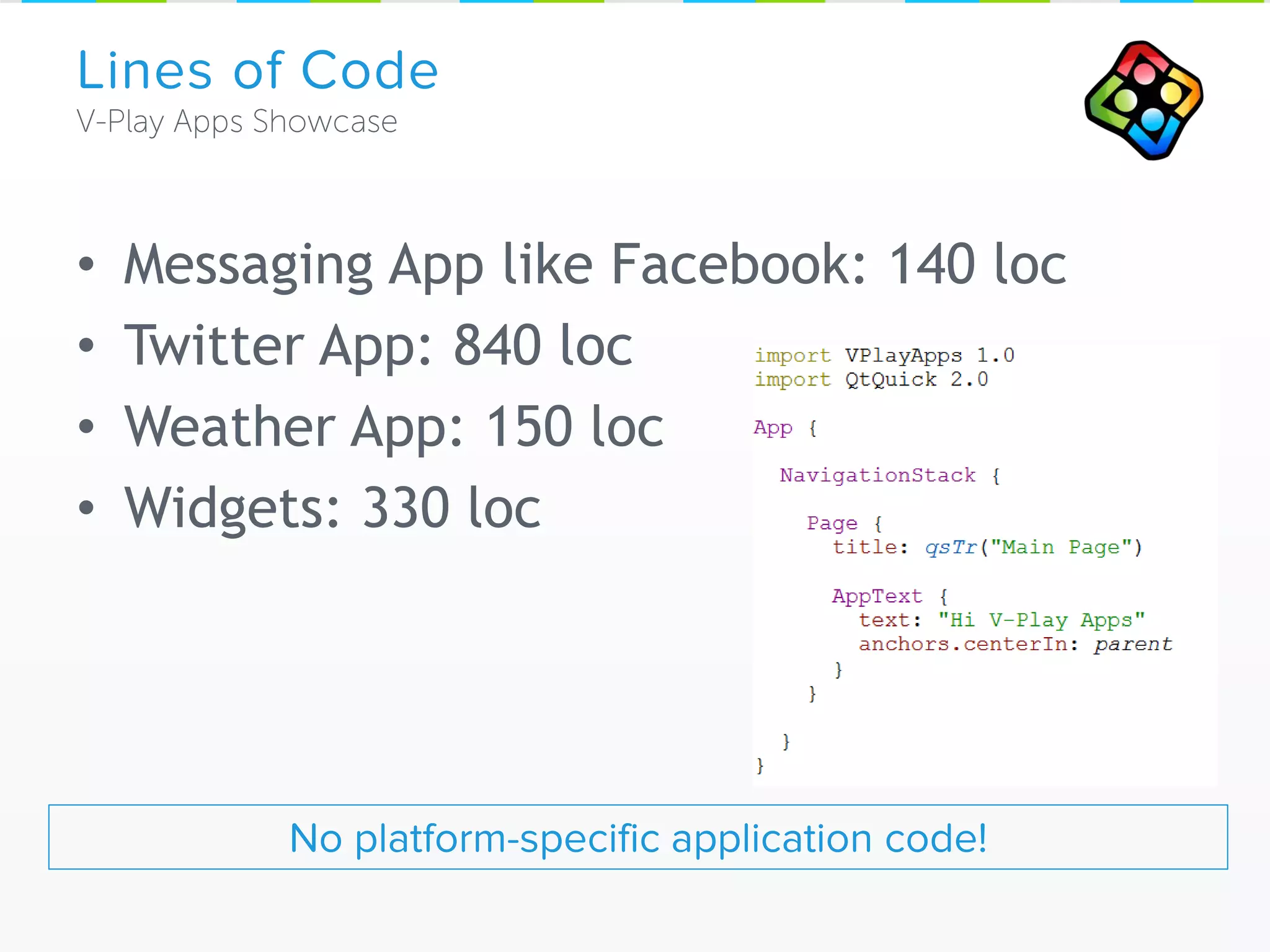
• Messaging App like Facebook: 140 loc
• Twitter App: 840 loc
• Weather App: 150 loc
• Widgets: 330 loc
Lines of Code
No platform-specific application code!
„Qt 5 Showcases by V-Play Apps“
www.v-play.net/showcase-app
Open Source with all App Samples in V-Play SDK
For Windows, Mac, Linux, iOS, Android, Win Phone
• Powerful Animations, User Interfaces with Qt Quick
• Very few lines of Code
• Build on proven tech: C++, JavaScript
• Native Performance
• Easy & clean to integrate Scripting (QML) with C++
V-Play Apps
• Native UX across platforms, single code base
• Mobile First! (iOS, Android)
• Auto Adapting UI Elements (Master/Detail View)
• Density Independence
• Advanced Lists (Pull-to-refresh, Scroll Indicator,
VisibilityRefresh), Page Transitions, …
Strengths of Qt & V-Play Apps
Part 2: How to Increase User Retention
Of mobile apps & games
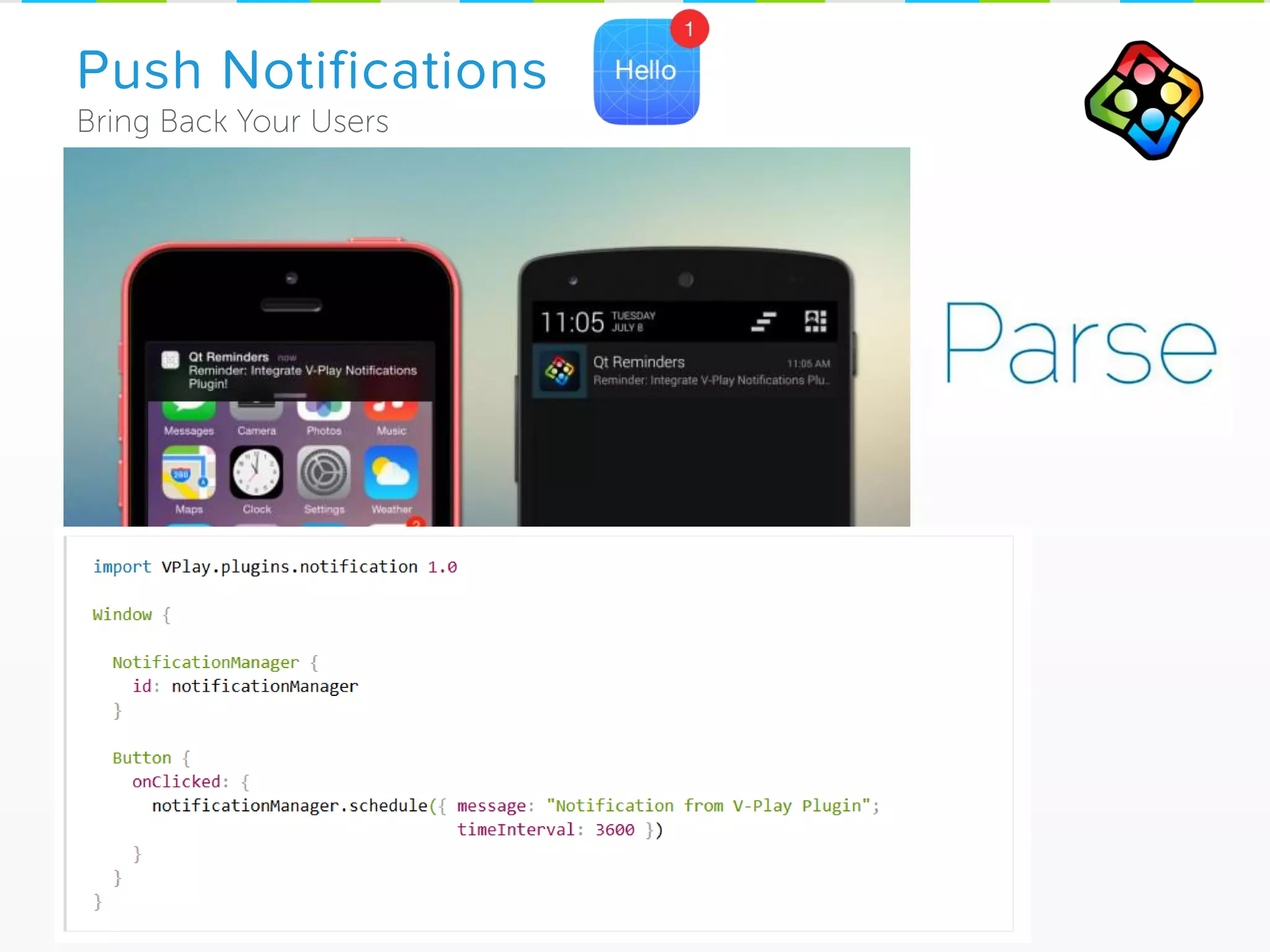
Push Notifications
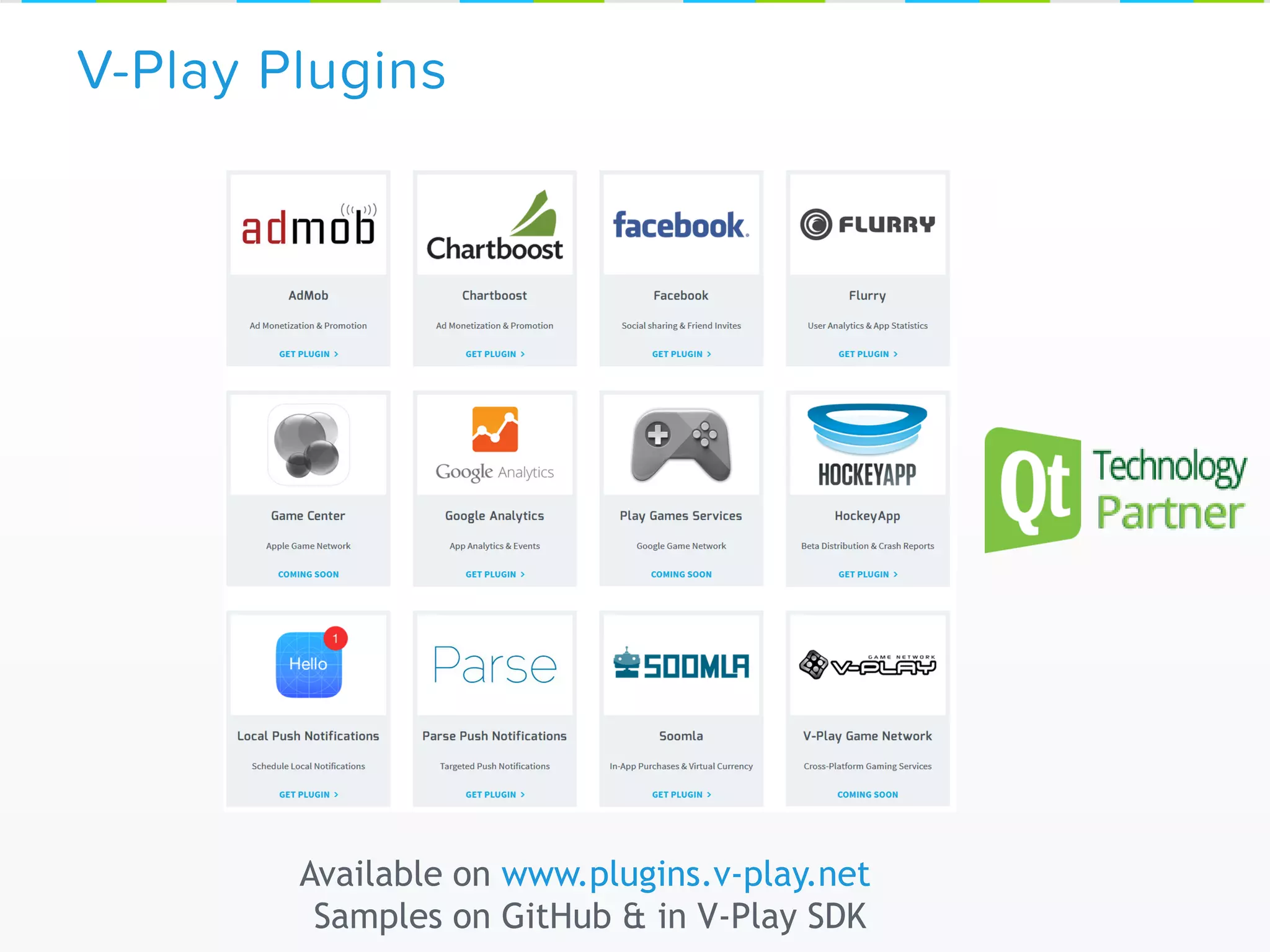
V-Play Plugins
Available on www.plugins.v-play.net
Samples on GitHub & in V-Play SDK
• Provide content worth sharing
– Success moments in your app/game
– User Image Upload
– User Generated Content
• Share in-app and via
Social Networks
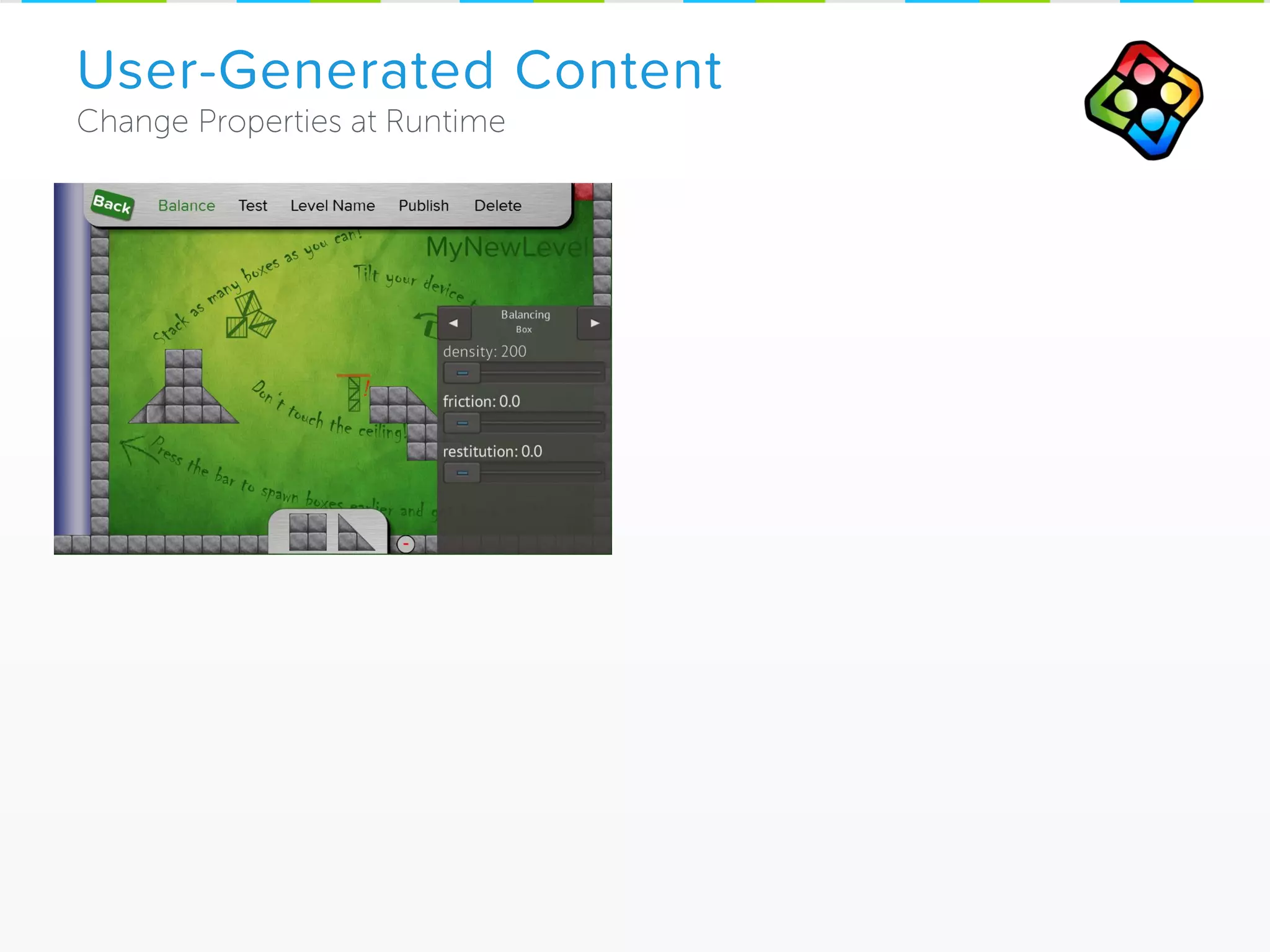
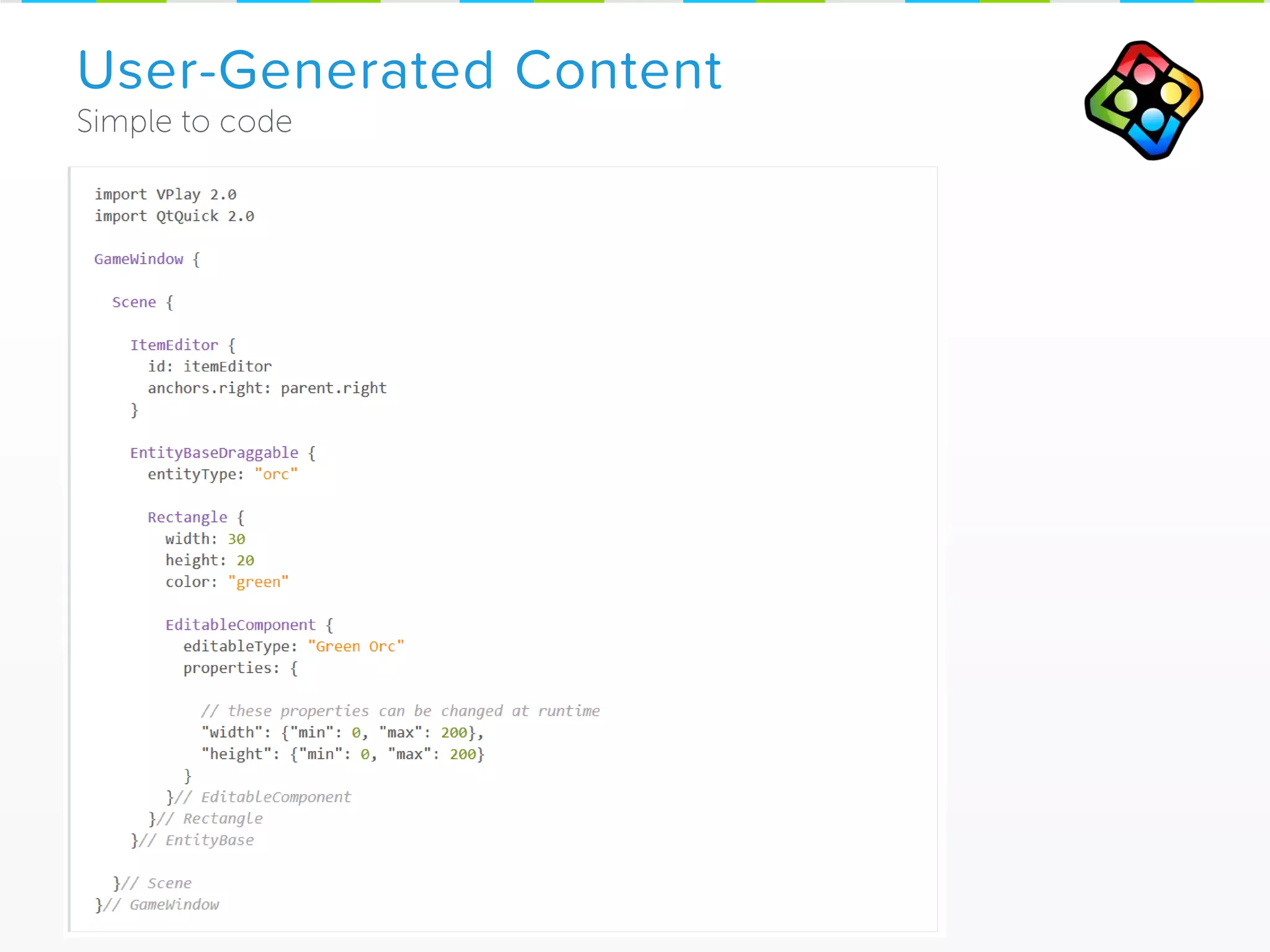
User-Generated Content
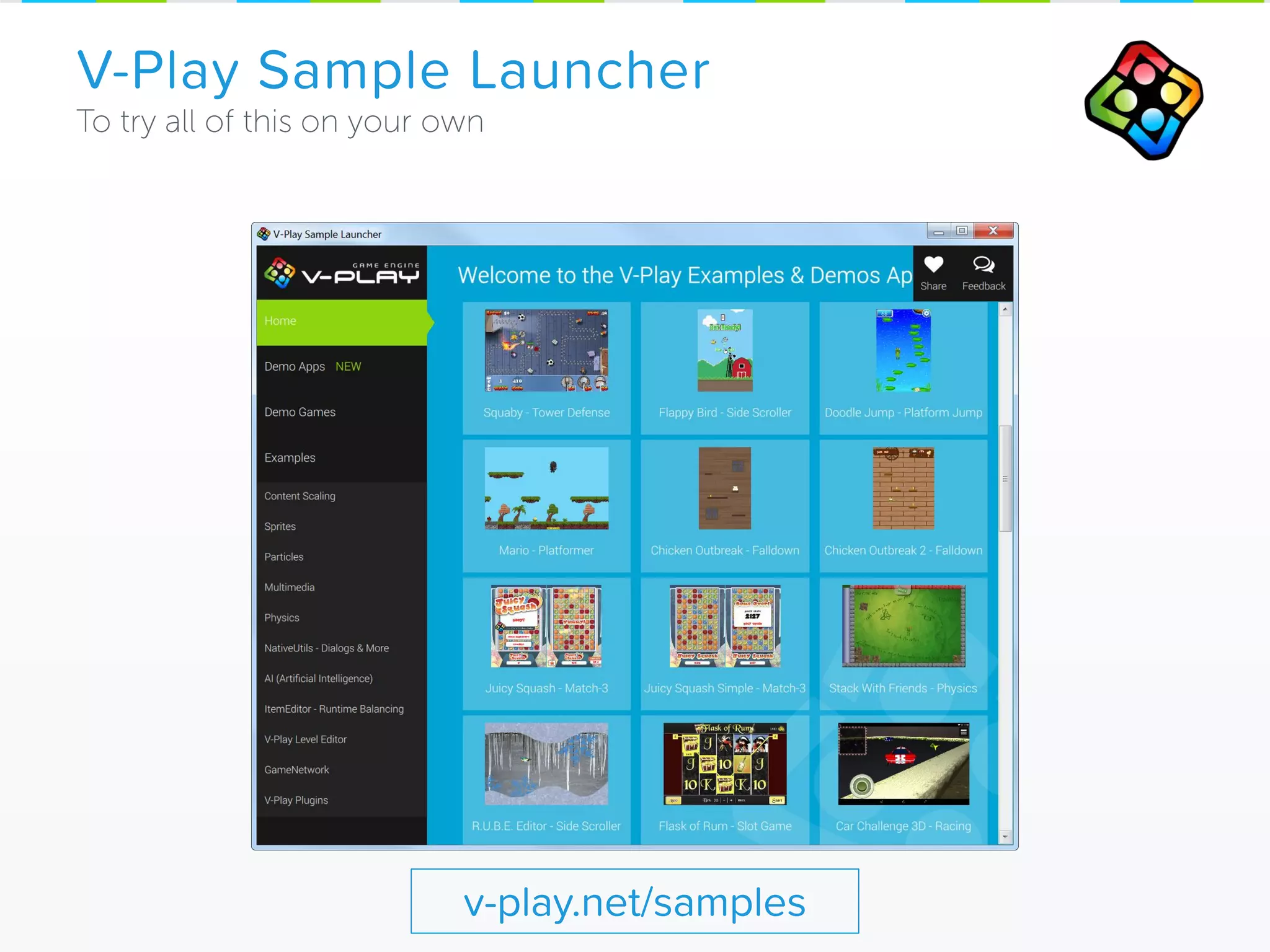
V-Play Sample Launcher
v-play.net/samples
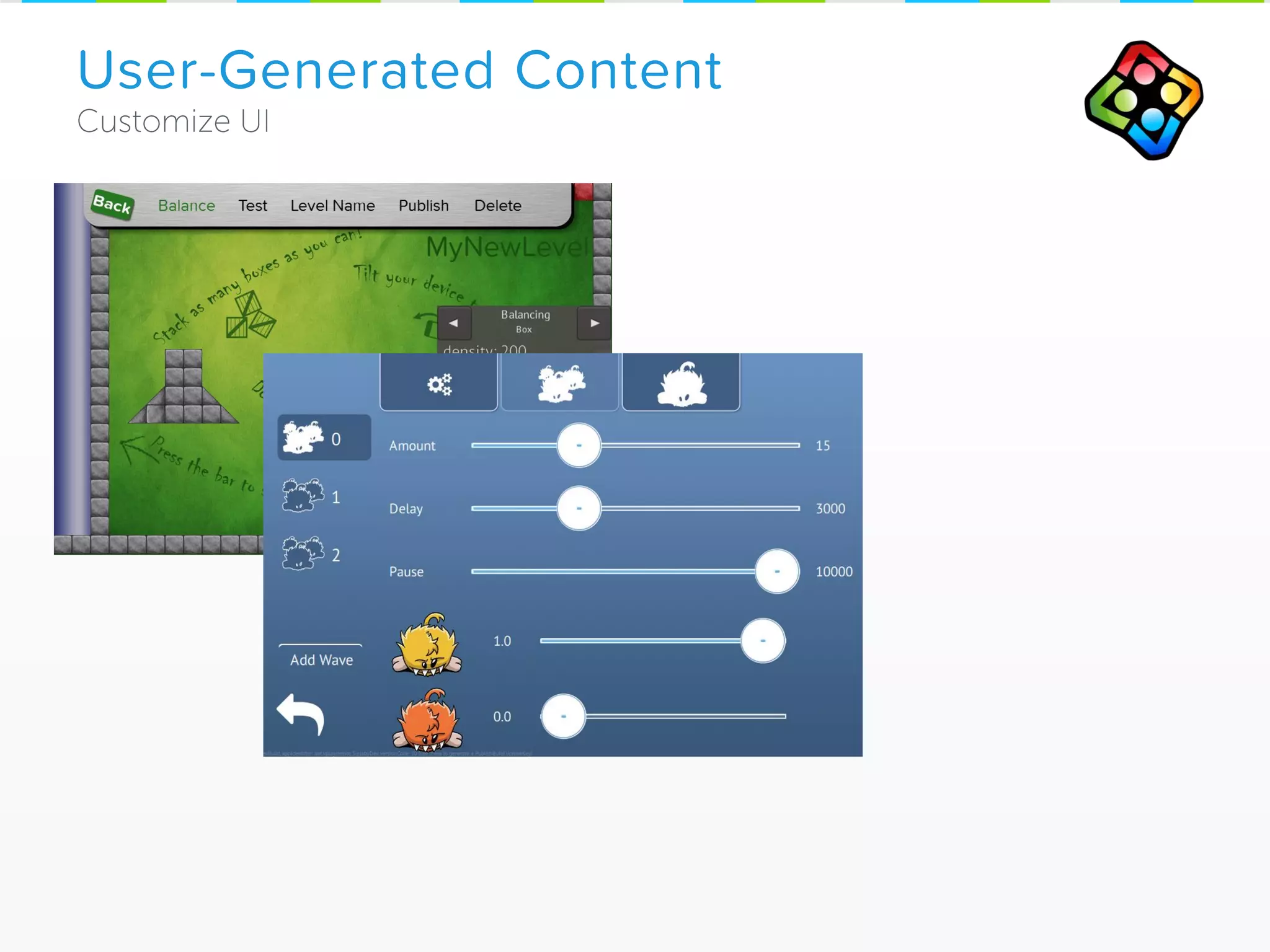
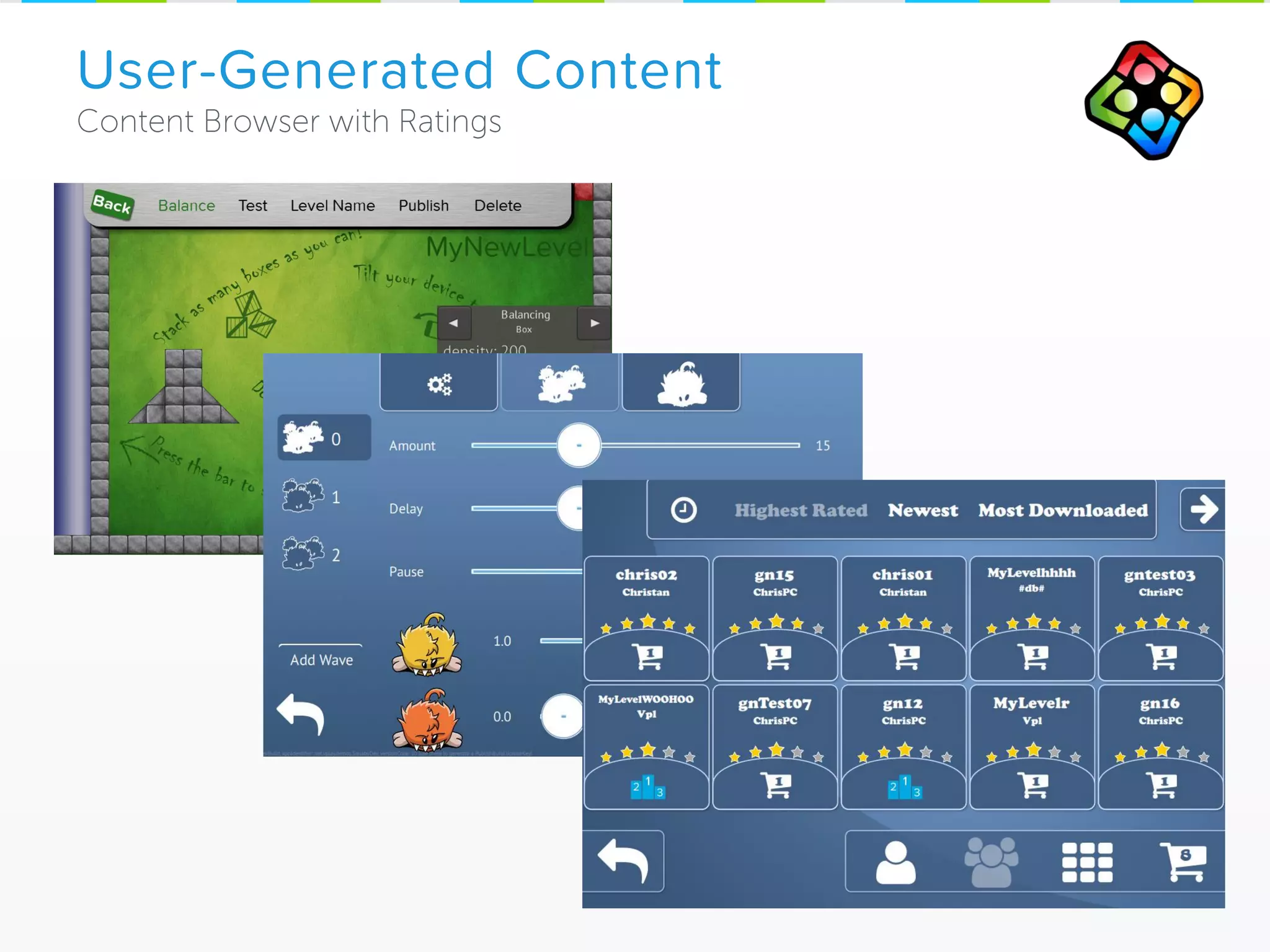
User-Generated Content
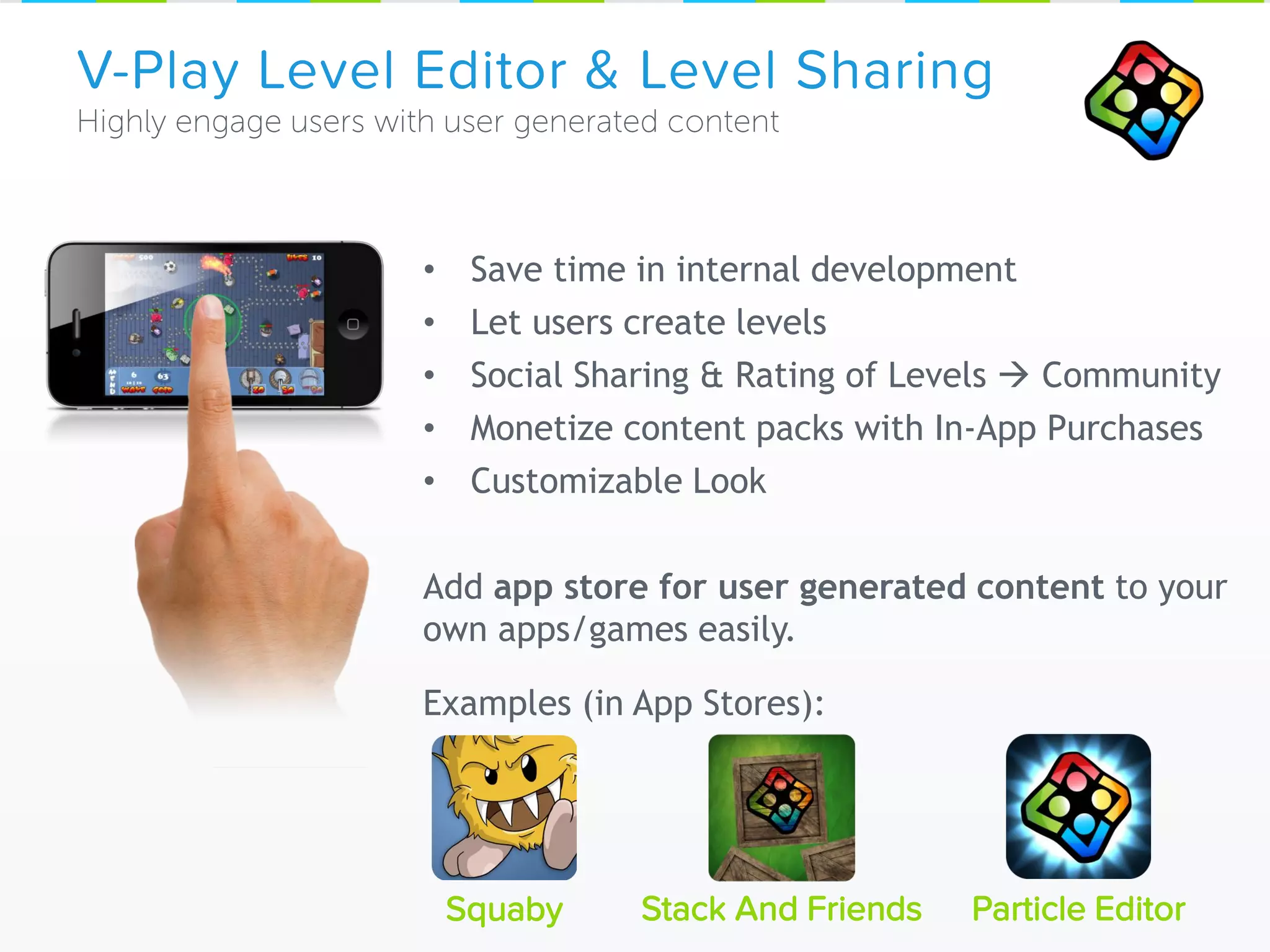
V-Play Level Editor & Level Sharing
Squaby Particle Editor
• Save time in internal development
• Let users create levels
• Social Sharing & Rating of Levels  Community
• Monetize content packs with In-App Purchases
• Customizable Look
Add app store for user generated content to your
own apps/games easily.
Examples (in App Stores):
Stack And Friends
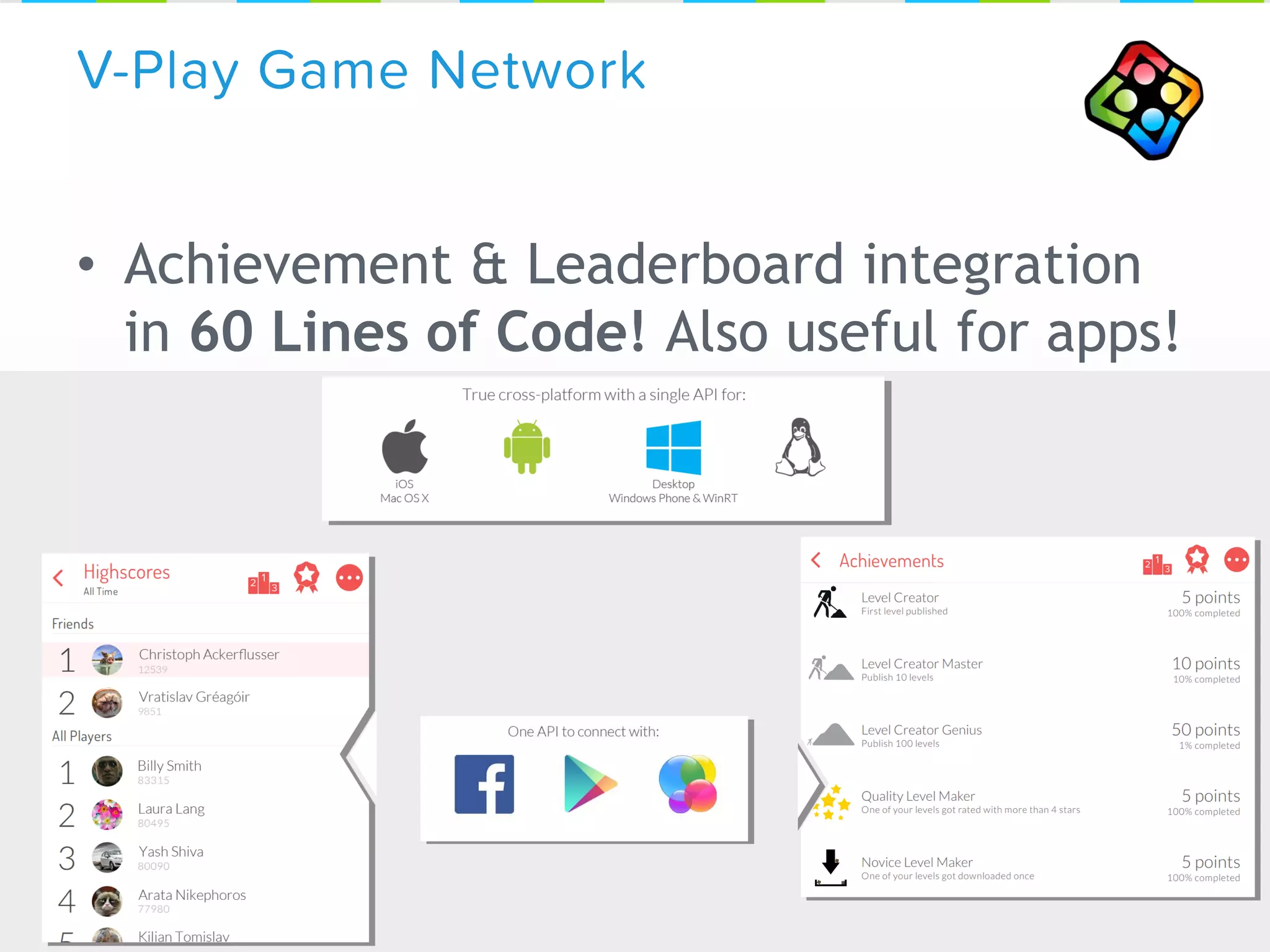
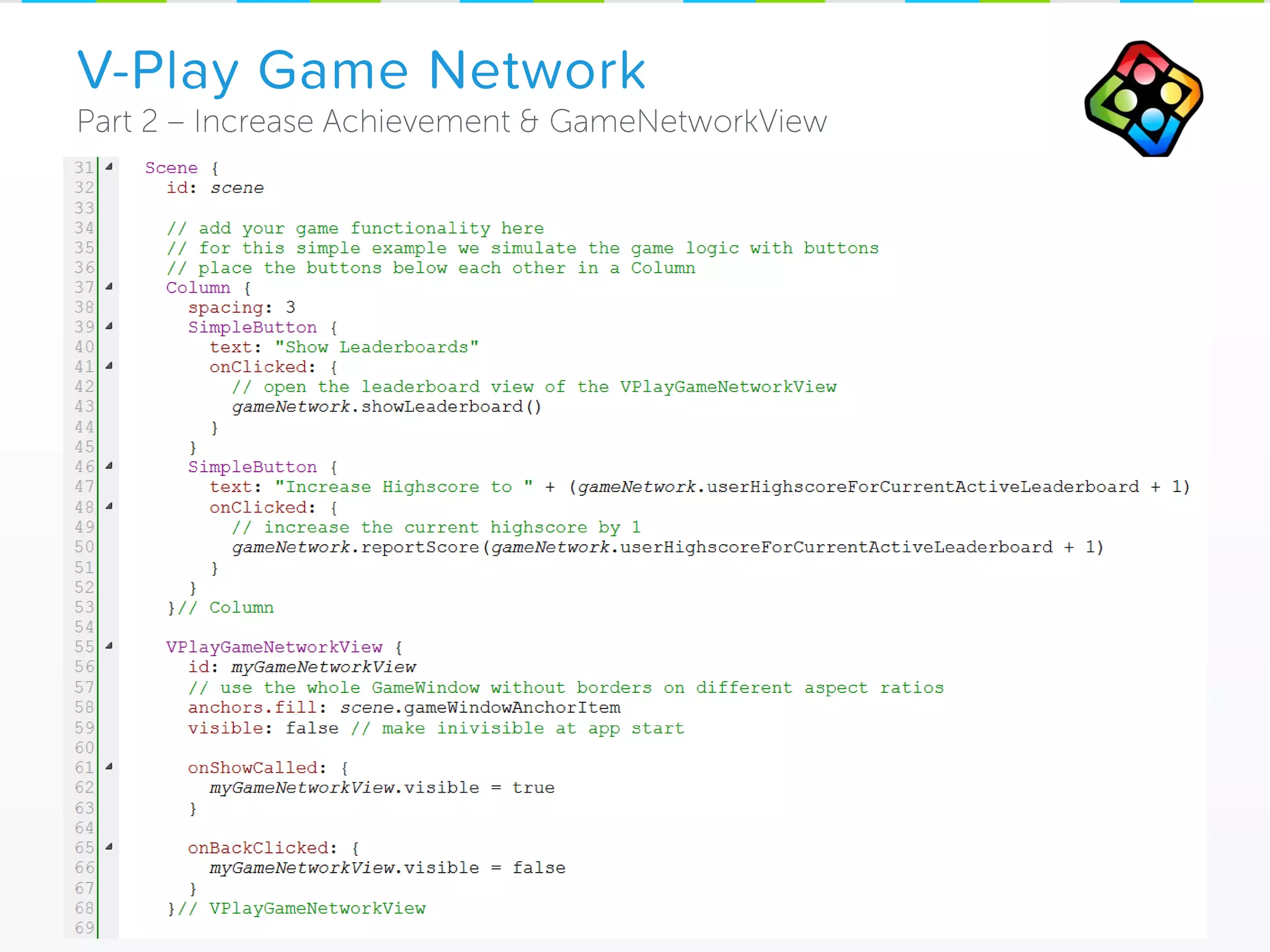
• Achievement & Leaderboard integration
in 60 Lines of Code! Also useful for apps!
V-Play Game Network
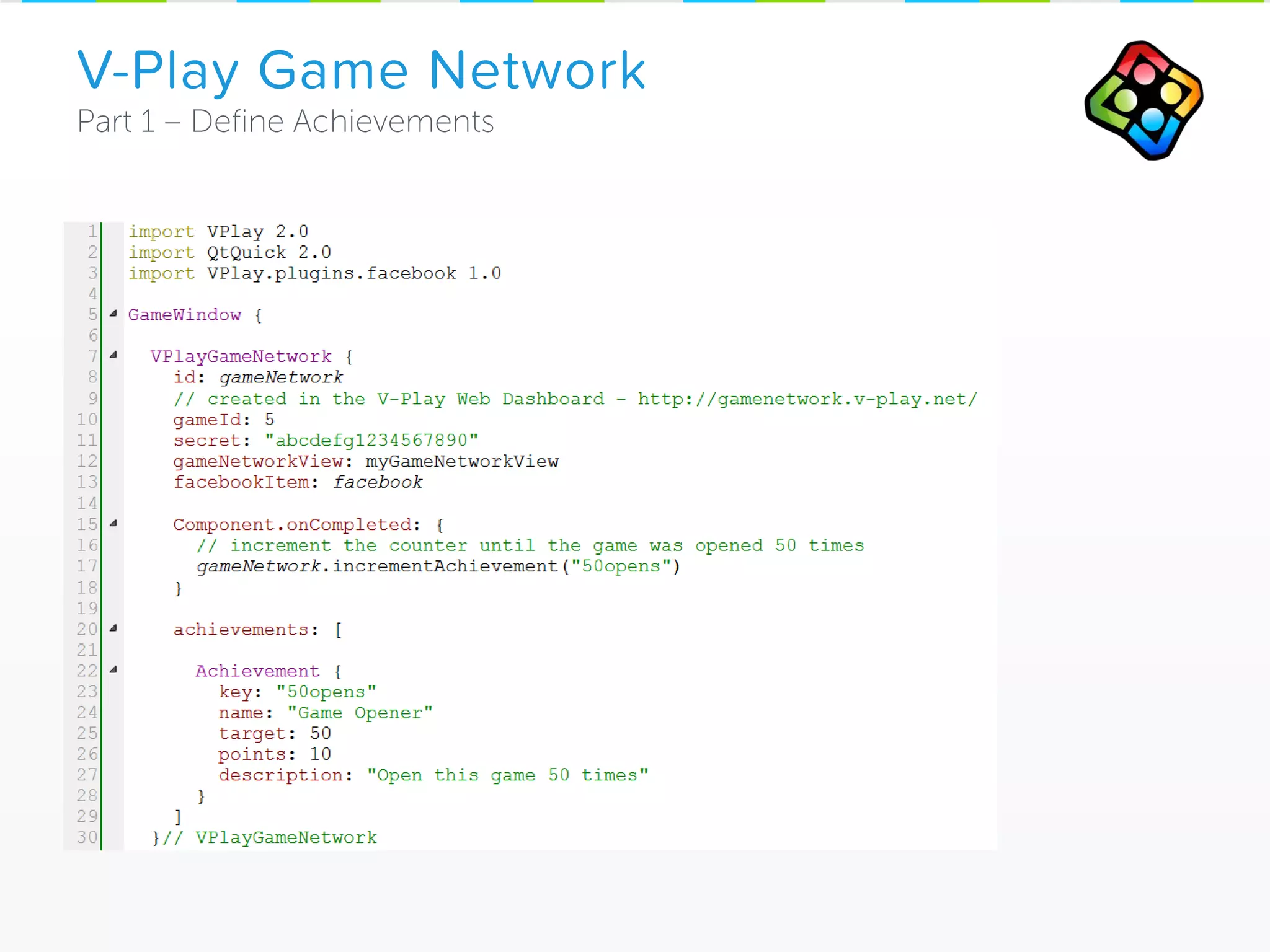
V-Play Game Network
V-Play Game Network
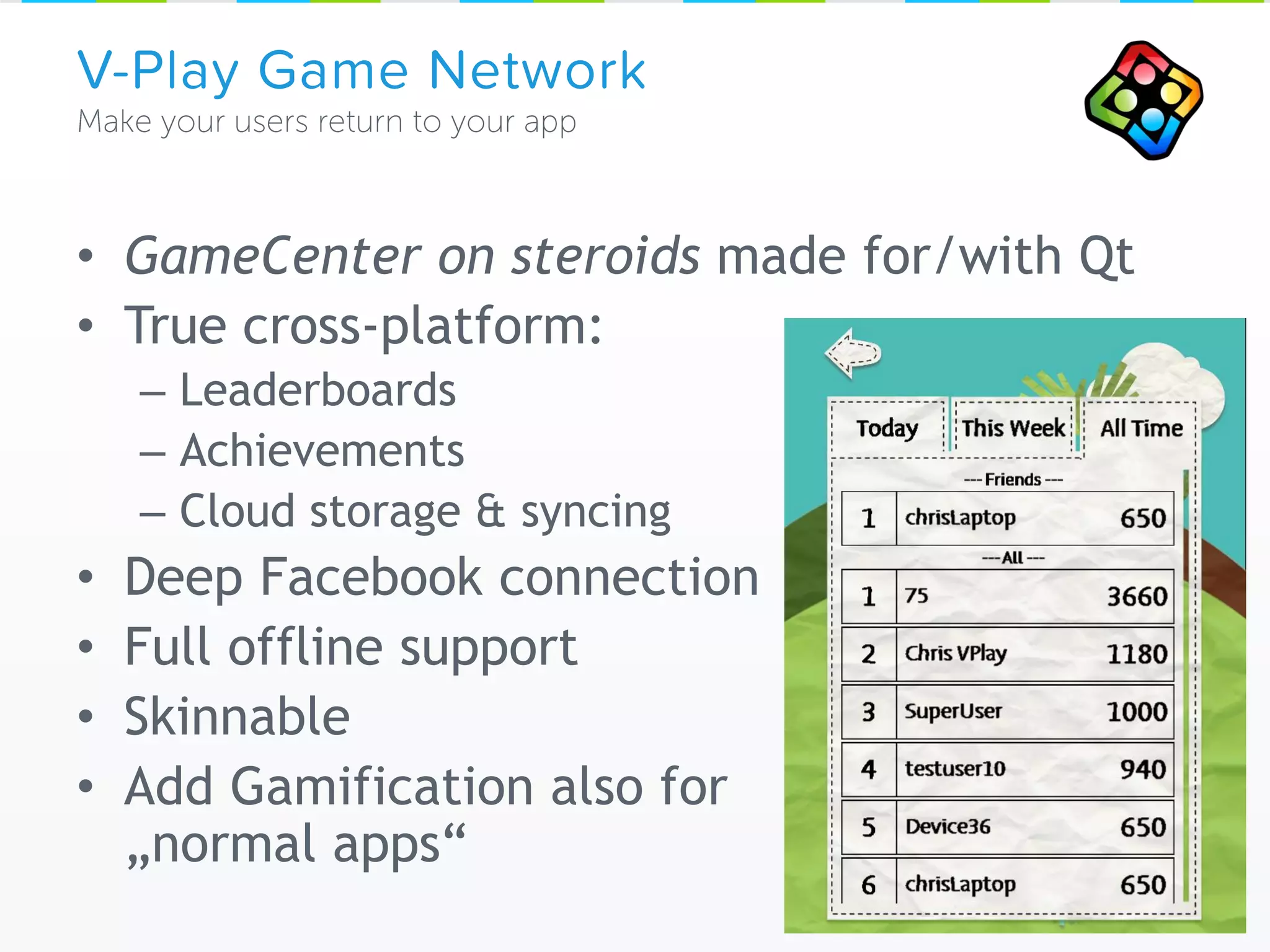
• GameCenter on steroids made for/with Qt
• True cross-platform:
– Leaderboards
– Achievements
– Cloud storage & syncing
• Deep Facebook connection
• Full offline support
• Skinnable
• Add Gamification also for
„normal apps“
V-Play Game Network
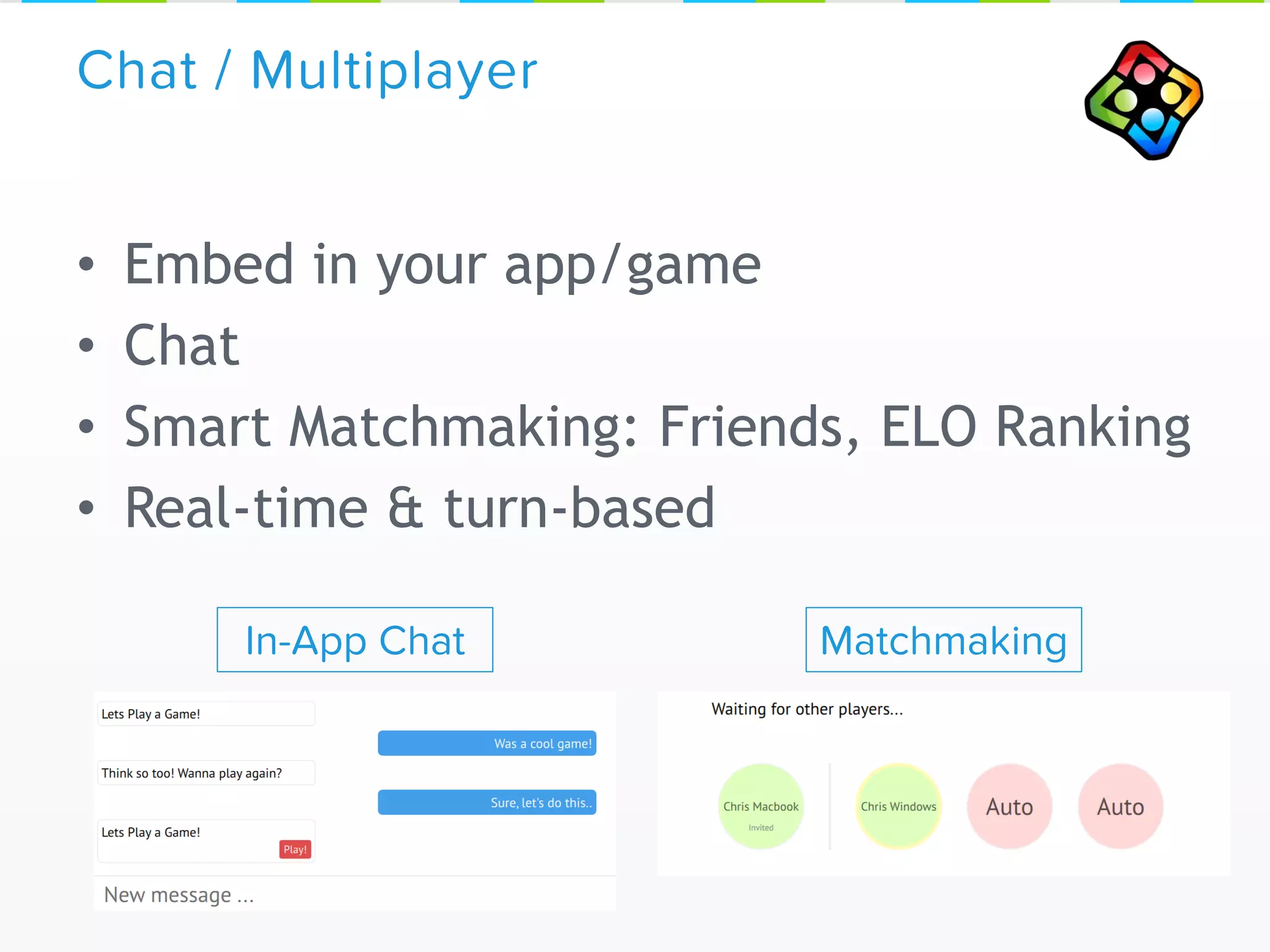
• Embed in your app/game
• Chat
• Smart Matchmaking: Friends, ELO Ranking
• Real-time & turn-based
Chat / Multiplayer
In-App Chat Matchmaking
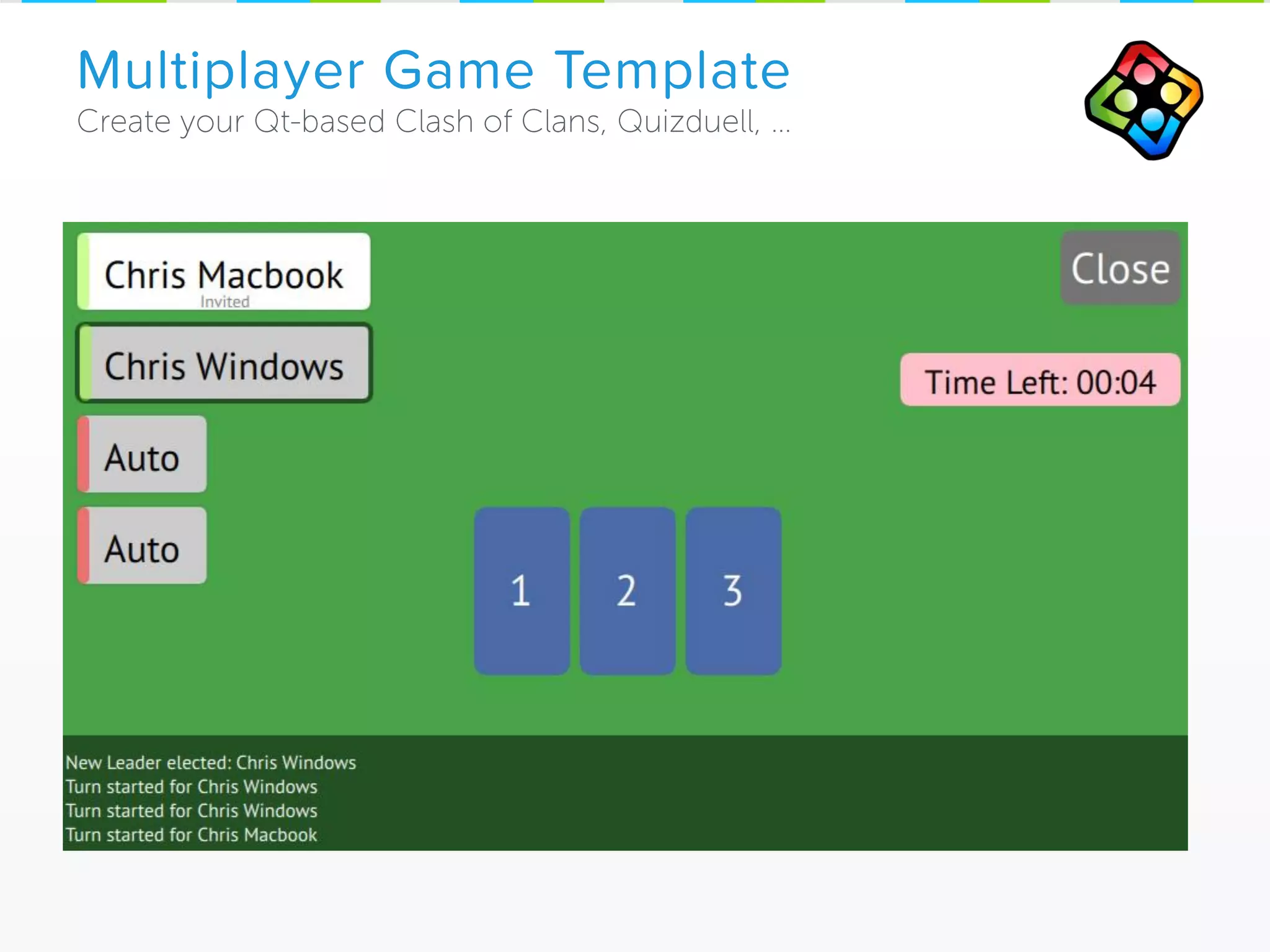
Multiplayer Game Template
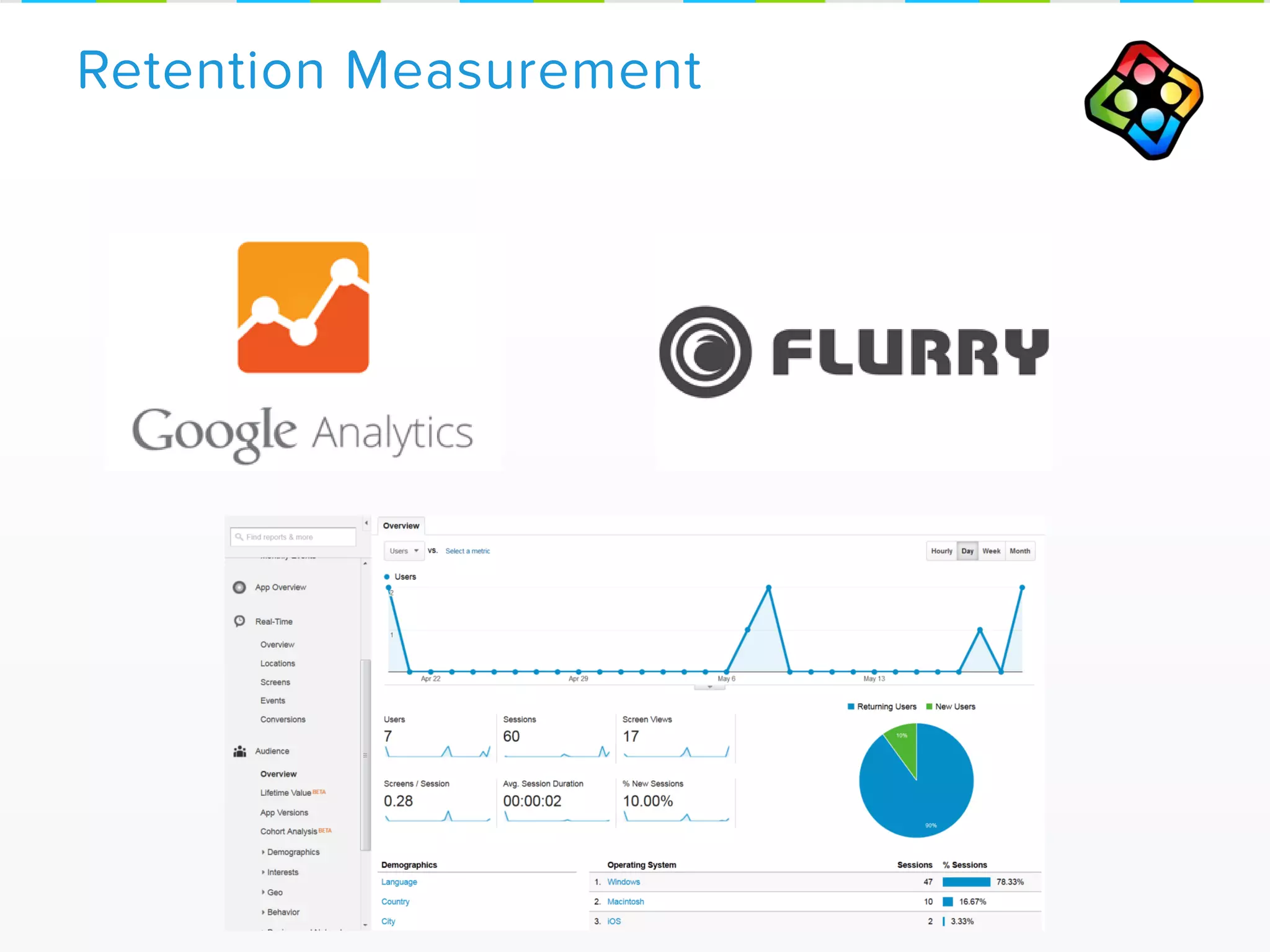
Retention Measurement
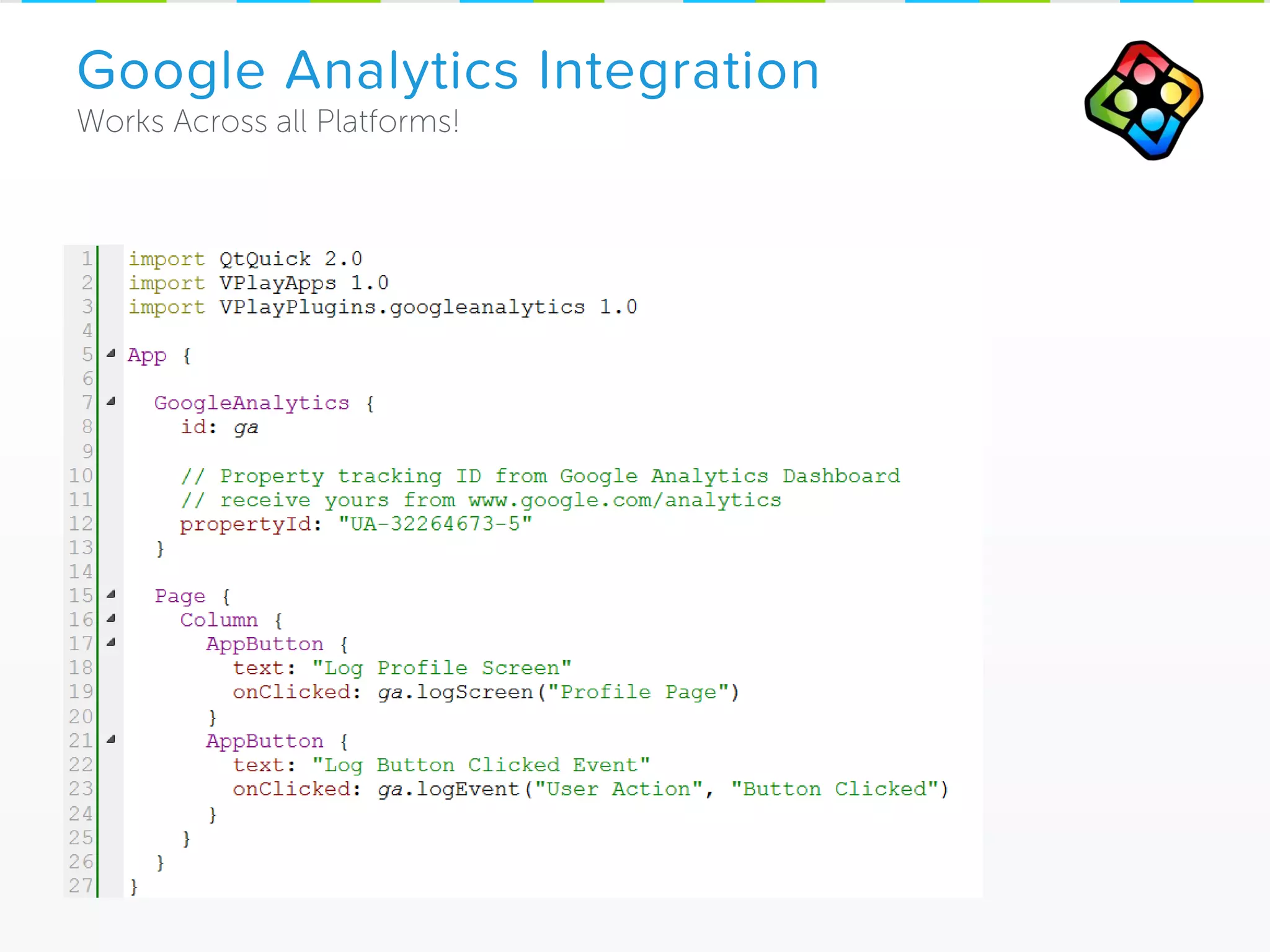
Google Analytics Integration
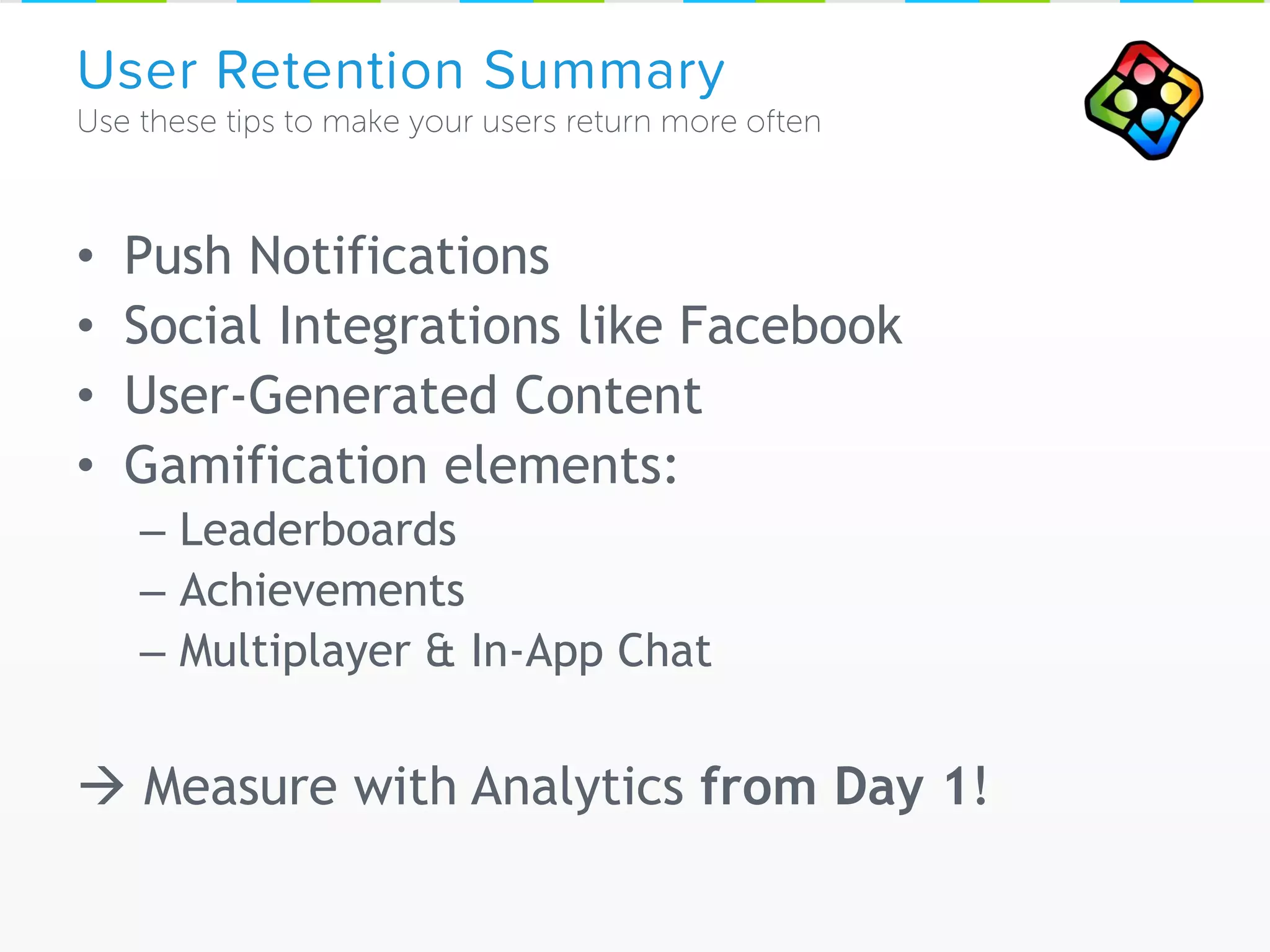
• Push Notifications
• Social Integrations like Facebook
• User-Generated Content
• Gamification elements:
– Leaderboards
– Achievements
– Multiplayer & In-App Chat
 Measure with Analytics from Day 1!
User Retention Summary
Final Slide 
Meet us outside @ the V-Play / Gimasi Booth!
We will show you Qt games & apps that shine 
www.v-play.net/apps
www.v-play.net
• V-Play Apps: http://v-play.net/apps
• V-Play Resources about Level Editor & User-Generated Content:
http://v-play.net/level-editor
• Android Guide – „Supporting Multiple Screens“:
http://developer.android.com/guide/practices/screens_support.html
• V-Play Guide - „How to create mobile games for different screen sizes and resolutions”:
http://v-play.net/doc/vplay-different-screen-sizes/
• Windows Dev Center Guide – „DPI and Device-Independent Pixels“:
http://msdn.microsoft.com/en-us/library/windows/desktop/ff684173%28v=vs.85%29.aspx
• V-Play Tutorial - „How to increase player retention & downloads in 10 minutes”:
http://v-play.net/doc/lesson-5/
• V-Play Tutorial – „How to add Facebook & Game Center sharing to your game”:
http://v-play.net/doc/lesson-6/
• V-Play Tutorial – „How to boost level creation and balancing of your game with V-Play
Level Editor”:
http://v-play.net/doc/lesson-7/
• V-Play Tutorial – „How to benefit from user-generated content in your game with V-Play
Level Store”:
http://v-play.net/doc/lesson-8/
References

Qt World Summit 2015 Talk by V-Play: How to Develop with Qt for Multiple Screen Resolutions and Increase & Measure your Cross-Platform App Success (In-Depth Tech Session)

  • 1.
    Qt World SummitBerlin 2015 7.10.2015 by Christian Feldbacher, MSc Co-Founder V-Play GmbH Qt Responsive Design & How to Boost User Retention (Tech Talk)
  • 2.
    cross-platform 2D gamedevelopment in days import VPlay 2.0
  • 3.
  • 4.
    Same Code, MultipleScreen Sizes
  • 5.
    V-Play App Engine/ V-Play Apps Now available on www.v-play.net/apps the easiest to use mobile app development framework Powered by import VPlayApps 1.0
  • 6.
    Part 1: ResponsiveDesign with Qt & V-Play Apps
  • 7.
  • 8.
  • 9.
    Goal: Shared Code iOSAndroid QML & JavaScript C++ …
  • 10.
  • 11.
  • 12.
    • Use multiplicationfor sizes • Use Image.PreserveAspectFit • Use font.pixelSize * height for Text • Useful for apps that shall/can have the same UI ratio on all devices • Simple to implement Fixed Ratio, Percentage
  • 13.
    • Will lookOK on most devices, but sizes are not „native“ UX • Landscape & Portrait not both supportable • Ugly syntax: dependent on the height of parent items • Hard to change: all sizes depend on parent height Problems with Fixed Ratio
  • 14.
    • Items shallbe same physical size (millimeters) across all devices • Pixels not usable • Use dp instead – how to do that in QML? Density-Independence
  • 15.
    Calculate screenDpi Example screenDpivalues are: – 326 for iPhone Retina – 212 for Nexus 7 – 143 for 13“ fullHd notebook Density-Independence
  • 16.
    At a 160dpi screen, 1 dp = 1 pixel At a 320 dpi screen, 1 dp = 2 pixels Still the same physical space! Implementation Guide & Usage: Density-Independence
  • 17.
    Remaining DPI Tasks: •Read system font size settings • Provide additional scaling constants – for PC – Custom user scale settings possible (both sp and dp)  Implemented in V-Play already! Text Sizes
  • 18.
    • Problem with1 image: – Low res image: blurs at upscaling – High res image: space & memory waste, performance issues at loading time • Solution: Choose image based on screen size or dpi • Bad Approach: Dynamic Image Switching
  • 19.
    • File accessgeneralized across platforms • Works behind the scenes • V-Play Approach:  Less code & easier to read (no ifdefs)  Same physical size thanks to dp() Dynamic Image Switching +hd2/imageSwitching.png +hd/imageSwitching.png imageSwitching.png
  • 20.
    • Also useper platform, e.g. +ios, +android • Together with QML Singletons set font sizes, dimensions, layouts • Disadvantages File Selectors: – Must be set before QmlEngine.load() – Cannot be changed at runtime  to do that, use Loader – Not as mature as Android (e.g. sw600dp) File Selectors
  • 21.
    • To achievethis: Density-Independence Summary
  • 22.
    • Use FixedRatio when possible: – Pixel values based on parent.height ratio – Easiest & fastest to develop & test – File Selectors are auto-supported by V-Play – Mostly in Games, not well suited for mobile apps! • If(FixedRatio !== possible): – For equal physical Item sizes use dp() – For Text use font.pixelSize: sp() • Supply sd (default), +hd, +hd2 graphics • Never use pixels! QML Responsive Design Summary
  • 23.
  • 24.
  • 25.
  • 26.
    • Page Transitions •List Views • Dialogs • Input • Controls • Fonts • Default Sizes Android vs. iOS
  • 27.
    iOS vs. AndroidNavigation
  • 28.
  • 29.
  • 30.
  • 31.
    • Messaging Applike Facebook: 140 loc • Twitter App: 840 loc • Weather App: 150 loc • Widgets: 330 loc Lines of Code No platform-specific application code!
  • 32.
    „Qt 5 Showcasesby V-Play Apps“ www.v-play.net/showcase-app Open Source with all App Samples in V-Play SDK For Windows, Mac, Linux, iOS, Android, Win Phone
  • 33.
    • Powerful Animations,User Interfaces with Qt Quick • Very few lines of Code • Build on proven tech: C++, JavaScript • Native Performance • Easy & clean to integrate Scripting (QML) with C++ V-Play Apps • Native UX across platforms, single code base • Mobile First! (iOS, Android) • Auto Adapting UI Elements (Master/Detail View) • Density Independence • Advanced Lists (Pull-to-refresh, Scroll Indicator, VisibilityRefresh), Page Transitions, … Strengths of Qt & V-Play Apps
  • 34.
    Part 2: Howto Increase User Retention Of mobile apps & games
  • 35.
  • 36.
    V-Play Plugins Available onwww.plugins.v-play.net Samples on GitHub & in V-Play SDK
  • 37.
    • Provide contentworth sharing – Success moments in your app/game – User Image Upload – User Generated Content • Share in-app and via Social Networks
  • 38.
  • 39.
  • 40.
  • 41.
  • 42.
  • 43.
    V-Play Level Editor& Level Sharing Squaby Particle Editor • Save time in internal development • Let users create levels • Social Sharing & Rating of Levels  Community • Monetize content packs with In-App Purchases • Customizable Look Add app store for user generated content to your own apps/games easily. Examples (in App Stores): Stack And Friends
  • 44.
    • Achievement &Leaderboard integration in 60 Lines of Code! Also useful for apps! V-Play Game Network
  • 45.
  • 46.
  • 47.
    • GameCenter onsteroids made for/with Qt • True cross-platform: – Leaderboards – Achievements – Cloud storage & syncing • Deep Facebook connection • Full offline support • Skinnable • Add Gamification also for „normal apps“ V-Play Game Network
  • 48.
    • Embed inyour app/game • Chat • Smart Matchmaking: Friends, ELO Ranking • Real-time & turn-based Chat / Multiplayer In-App Chat Matchmaking
  • 49.
  • 50.
  • 51.
  • 52.
    • Push Notifications •Social Integrations like Facebook • User-Generated Content • Gamification elements: – Leaderboards – Achievements – Multiplayer & In-App Chat  Measure with Analytics from Day 1! User Retention Summary
  • 53.
    Final Slide  Meetus outside @ the V-Play / Gimasi Booth! We will show you Qt games & apps that shine  www.v-play.net/apps www.v-play.net
  • 54.
    • V-Play Apps:http://v-play.net/apps • V-Play Resources about Level Editor & User-Generated Content: http://v-play.net/level-editor • Android Guide – „Supporting Multiple Screens“: http://developer.android.com/guide/practices/screens_support.html • V-Play Guide - „How to create mobile games for different screen sizes and resolutions”: http://v-play.net/doc/vplay-different-screen-sizes/ • Windows Dev Center Guide – „DPI and Device-Independent Pixels“: http://msdn.microsoft.com/en-us/library/windows/desktop/ff684173%28v=vs.85%29.aspx • V-Play Tutorial - „How to increase player retention & downloads in 10 minutes”: http://v-play.net/doc/lesson-5/ • V-Play Tutorial – „How to add Facebook & Game Center sharing to your game”: http://v-play.net/doc/lesson-6/ • V-Play Tutorial – „How to boost level creation and balancing of your game with V-Play Level Editor”: http://v-play.net/doc/lesson-7/ • V-Play Tutorial – „How to benefit from user-generated content in your game with V-Play Level Store”: http://v-play.net/doc/lesson-8/ References