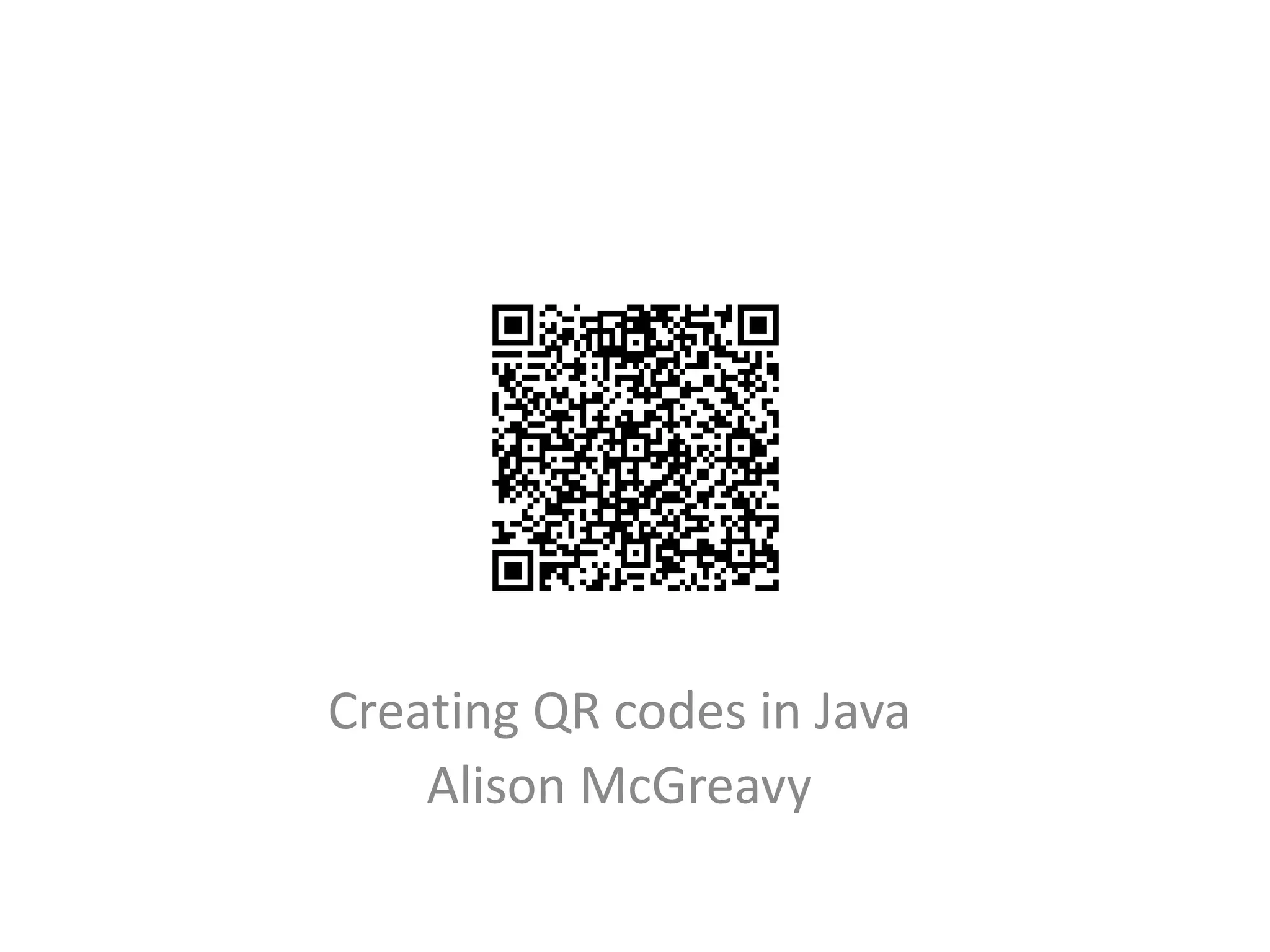
Creating QR codes in Java
    Alison McGreavy
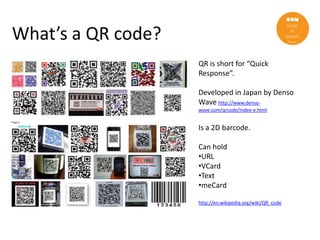
What’s a QR code?
                    QR is short for “Quick
                    Response”.

                    Developed in Japan by Denso
                    Wave http://www.denso-
                    wave.com/qrcode/index-e.html


                    Is a 2D barcode.

                    Can hold
                    •URL
                    •VCard
                    •Text
                    •meCard

                    http://en.wikipedia.org/wiki/QR_code
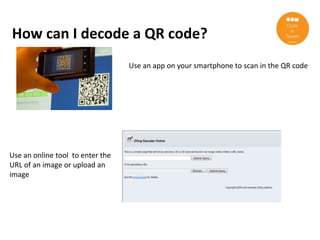
How can I decode a QR code?
                                  Use an app on your smartphone to scan in the QR code


Use an online tool to enter the
URL of an image or upload an
image
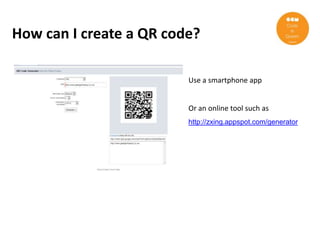
How can I create a QR code?

                         Use a smartphone app


                         Or an online tool such as
                         http://zxing.appspot.com/generator
Yes, but how can I create a QR code?
              (preferably in Java)
ZXing

• Download the ZXing-2.0.zip files from http://code.google.com/p/zxing/
• Unzip this on your local machine i.e. C:/zxing-2.0
• Install the ‘core’ package C:/zxing-2.0/core
• Install the ‘javase’ package C:/zxing-2.0/javase
Java
  • Java download – use JDK for development
       http://www.oracle.com/technetwork/java/javase/downloads/index.html
  • Set JAVA_HOME environment variable to location of JDK ie C:Program
    FilesJavajdk1.6.0_32bin
  • Add JAVA_HOME variable to PATH variable
  • Create Java project
  • Add code.jar and jse.jar to your project classpath
  • Start to code
Java class to create & decode QR codes
 package uk.co.girlgeek;

 import java.awt.image.BufferedImage;
 import java.io.File;
 import java.io.FileInputStream;
 import java.io.FileOutputStream;
 import java.io.InputStream;
 import javax.imageio.ImageIO;

 import com.google.zxing.client.j2se.BufferedImageLuminanceSource;
 import com.google.zxing.client.j2se.MatrixToImageWriter;
 import com.google.zxing.common.BitMatrix;
 import com.google.zxing.common.HybridBinarizer;
 import com.google.zxing.qrcode.QRCodeWriter;
 import com.google.zxing.BarcodeFormat;
 import com.google.zxing.BinaryBitmap;
 import com.google.zxing.LuminanceSource;
 import com.google.zxing.MultiFormatReader;
 import com.google.zxing.Reader;

 public class QRCreator {

       private static String IMAGEDIR = "C:/Alison/images";
       private static int IMAGE_WIDTH = 400;
       private static int IMAGE_HEIGHT = 400;
Main method
public static void main(String[] args) {
   try {
       QRCreator qrTest = new QRCreator();

      // Create a QR code from a text message
      String filenameOfQrFromText = IMAGEDIR + "/qr_fromtext.png";
      String messageToEncode = "Hi there my name is Alison and my email is almcgreavy@yahoo.co.uk";
      qrTest.createQRCode(messageToEncode, filenameOfQrFromText);

      // Create a QR code from a URL
      String filenameofQrfromURL = IMAGEDIR + "/qr_fromurl.png";
      String urlToEncode = "http://www.geekgirlmeetup.co.uk";
      qrTest.createQRCode(urlToEncode, filenameofQrfromURL);

      // Read a text QR code
      qrTest.readQRCode(filenameOfQrFromText);

      // Read a URL QR code
      qrTest.readQRCode(filenameofQrfromURL);

    } catch (Exception e) {
       e.printStackTrace();
       System.exit(-1);
    }
}
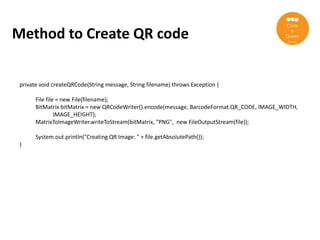
Method to Create QR code


 private void createQRCode(String message, String filename) throws Exception {

       File file = new File(filename);
       BitMatrix bitMatrix = new QRCodeWriter().encode(message, BarcodeFormat.QR_CODE, IMAGE_WIDTH,
                IMAGE_HEIGHT);
       MatrixToImageWriter.writeToStream(bitMatrix, "PNG", new FileOutputStream(file));

       System.out.println("Creating QR Image: " + file.getAbsolutePath());
 }
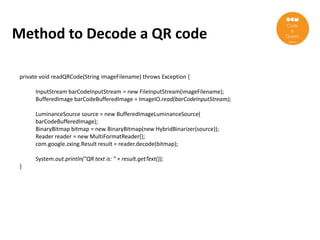
Method to Decode a QR code

 private void readQRCode(String imageFilename) throws Exception {

       InputStream barCodeInputStream = new FileInputStream(imageFilename);
       BufferedImage barCodeBufferedImage = ImageIO.read(barCodeInputStream);

       LuminanceSource source = new BufferedImageLuminanceSource(
       barCodeBufferedImage);
       BinaryBitmap bitmap = new BinaryBitmap(new HybridBinarizer(source));
       Reader reader = new MultiFormatReader();
       com.google.zxing.Result result = reader.decode(bitmap);

       System.out.println("QR text is: " + result.getText());
 }
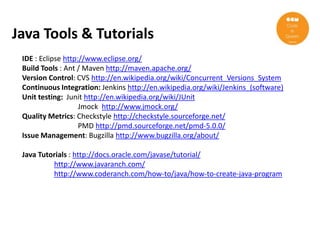
Java Tools & Tutorials
 IDE : Eclipse http://www.eclipse.org/
 Build Tools : Ant / Maven http://maven.apache.org/
 Version Control: CVS http://en.wikipedia.org/wiki/Concurrent_Versions_System
 Continuous Integration: Jenkins http://en.wikipedia.org/wiki/Jenkins_(software)
 Unit testing: Junit http://en.wikipedia.org/wiki/JUnit
                    Jmock http://www.jmock.org/
 Quality Metrics: Checkstyle http://checkstyle.sourceforge.net/
                    PMD http://pmd.sourceforge.net/pmd-5.0.0/
 Issue Management: Bugzilla http://www.bugzilla.org/about/

 Java Tutorials : http://docs.oracle.com/javase/tutorial/
          http://www.javaranch.com/
          http://www.coderanch.com/how-to/java/how-to-create-java-program
Alison McGreavy almcgreavy@yahoo.co.uk

Qr codesinjava gg_london

  • 1.
    Creating QR codesin Java Alison McGreavy
  • 2.
    What’s a QRcode? QR is short for “Quick Response”. Developed in Japan by Denso Wave http://www.denso- wave.com/qrcode/index-e.html Is a 2D barcode. Can hold •URL •VCard •Text •meCard http://en.wikipedia.org/wiki/QR_code
  • 3.
    How can Idecode a QR code? Use an app on your smartphone to scan in the QR code Use an online tool to enter the URL of an image or upload an image
  • 4.
    How can Icreate a QR code? Use a smartphone app Or an online tool such as http://zxing.appspot.com/generator
  • 5.
    Yes, but howcan I create a QR code? (preferably in Java)
  • 6.
    ZXing • Download theZXing-2.0.zip files from http://code.google.com/p/zxing/ • Unzip this on your local machine i.e. C:/zxing-2.0 • Install the ‘core’ package C:/zxing-2.0/core • Install the ‘javase’ package C:/zxing-2.0/javase
  • 7.
    Java •Java download – use JDK for development http://www.oracle.com/technetwork/java/javase/downloads/index.html • Set JAVA_HOME environment variable to location of JDK ie C:Program FilesJavajdk1.6.0_32bin • Add JAVA_HOME variable to PATH variable • Create Java project • Add code.jar and jse.jar to your project classpath • Start to code
  • 8.
    Java class tocreate & decode QR codes package uk.co.girlgeek; import java.awt.image.BufferedImage; import java.io.File; import java.io.FileInputStream; import java.io.FileOutputStream; import java.io.InputStream; import javax.imageio.ImageIO; import com.google.zxing.client.j2se.BufferedImageLuminanceSource; import com.google.zxing.client.j2se.MatrixToImageWriter; import com.google.zxing.common.BitMatrix; import com.google.zxing.common.HybridBinarizer; import com.google.zxing.qrcode.QRCodeWriter; import com.google.zxing.BarcodeFormat; import com.google.zxing.BinaryBitmap; import com.google.zxing.LuminanceSource; import com.google.zxing.MultiFormatReader; import com.google.zxing.Reader; public class QRCreator { private static String IMAGEDIR = "C:/Alison/images"; private static int IMAGE_WIDTH = 400; private static int IMAGE_HEIGHT = 400;
  • 9.
    Main method public staticvoid main(String[] args) { try { QRCreator qrTest = new QRCreator(); // Create a QR code from a text message String filenameOfQrFromText = IMAGEDIR + "/qr_fromtext.png"; String messageToEncode = "Hi there my name is Alison and my email is almcgreavy@yahoo.co.uk"; qrTest.createQRCode(messageToEncode, filenameOfQrFromText); // Create a QR code from a URL String filenameofQrfromURL = IMAGEDIR + "/qr_fromurl.png"; String urlToEncode = "http://www.geekgirlmeetup.co.uk"; qrTest.createQRCode(urlToEncode, filenameofQrfromURL); // Read a text QR code qrTest.readQRCode(filenameOfQrFromText); // Read a URL QR code qrTest.readQRCode(filenameofQrfromURL); } catch (Exception e) { e.printStackTrace(); System.exit(-1); } }
  • 10.
    Method to CreateQR code private void createQRCode(String message, String filename) throws Exception { File file = new File(filename); BitMatrix bitMatrix = new QRCodeWriter().encode(message, BarcodeFormat.QR_CODE, IMAGE_WIDTH, IMAGE_HEIGHT); MatrixToImageWriter.writeToStream(bitMatrix, "PNG", new FileOutputStream(file)); System.out.println("Creating QR Image: " + file.getAbsolutePath()); }
  • 11.
    Method to Decodea QR code private void readQRCode(String imageFilename) throws Exception { InputStream barCodeInputStream = new FileInputStream(imageFilename); BufferedImage barCodeBufferedImage = ImageIO.read(barCodeInputStream); LuminanceSource source = new BufferedImageLuminanceSource( barCodeBufferedImage); BinaryBitmap bitmap = new BinaryBitmap(new HybridBinarizer(source)); Reader reader = new MultiFormatReader(); com.google.zxing.Result result = reader.decode(bitmap); System.out.println("QR text is: " + result.getText()); }
  • 12.
    Java Tools &Tutorials IDE : Eclipse http://www.eclipse.org/ Build Tools : Ant / Maven http://maven.apache.org/ Version Control: CVS http://en.wikipedia.org/wiki/Concurrent_Versions_System Continuous Integration: Jenkins http://en.wikipedia.org/wiki/Jenkins_(software) Unit testing: Junit http://en.wikipedia.org/wiki/JUnit Jmock http://www.jmock.org/ Quality Metrics: Checkstyle http://checkstyle.sourceforge.net/ PMD http://pmd.sourceforge.net/pmd-5.0.0/ Issue Management: Bugzilla http://www.bugzilla.org/about/ Java Tutorials : http://docs.oracle.com/javase/tutorial/ http://www.javaranch.com/ http://www.coderanch.com/how-to/java/how-to-create-java-program
  • 13.