Mobile .js
From PWA to Native
Martin Sotirov
Freelance Web Developer & Consultant
https://martinsotirov.com
@unclemartycodes
2
3
Heidelcademy
IT-Workshops Seminare Schulungen••
WORDSPACE
leidenschaftlich digital
Agenda
• The Dream of Cross Platform Mobile Apps
• Progressive Web Apps
• Hybrid Apps
• „Native“ Apps
4
The Dream of Cross Platform
Mobile Apps
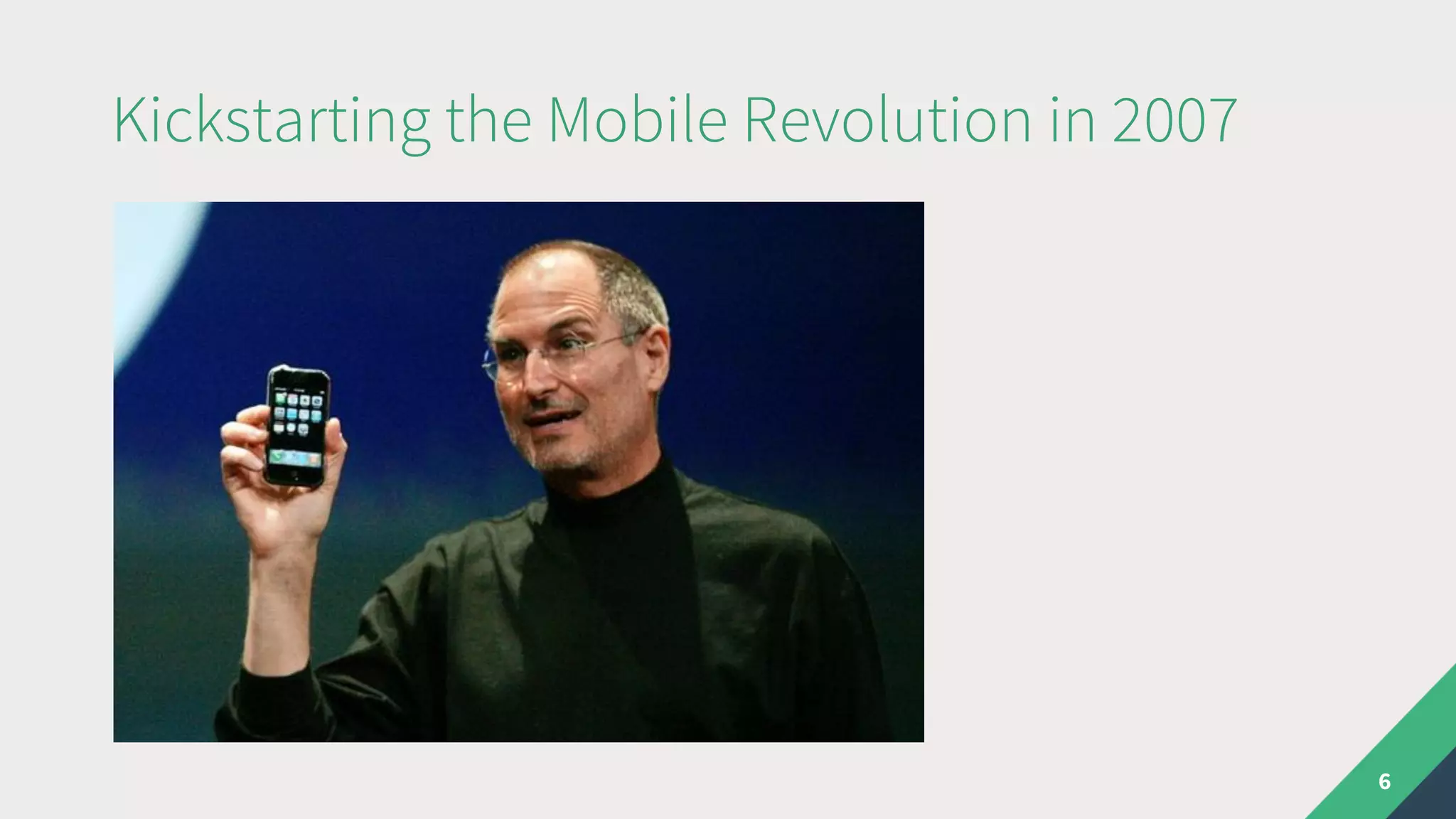
Kickstarting the Mobile Revolution in 2007
6
Kickstarting the Mobile Revolution in 2007
The full Safari engine is inside of iPhone. And so, you can
write amazing Web 2.0 and Ajax apps that look exactly
and behave exactly like apps on the iPhone. And these
apps can integrate perfectly with iPhone services. They
can make a call, they can send an email, they can look
up a location on Google Maps.
– Steve Jobs, 2007
7
”
Jobs loved PWAs!
• There was no App Store
• Only web apps were allowed on the iPhone
• No SDK needed
8
Write once, run anywhere
• 2008 – App Store arrives
• 2008 – Android v1 released
• 2009 – first cross-platform solutions for mobile
9
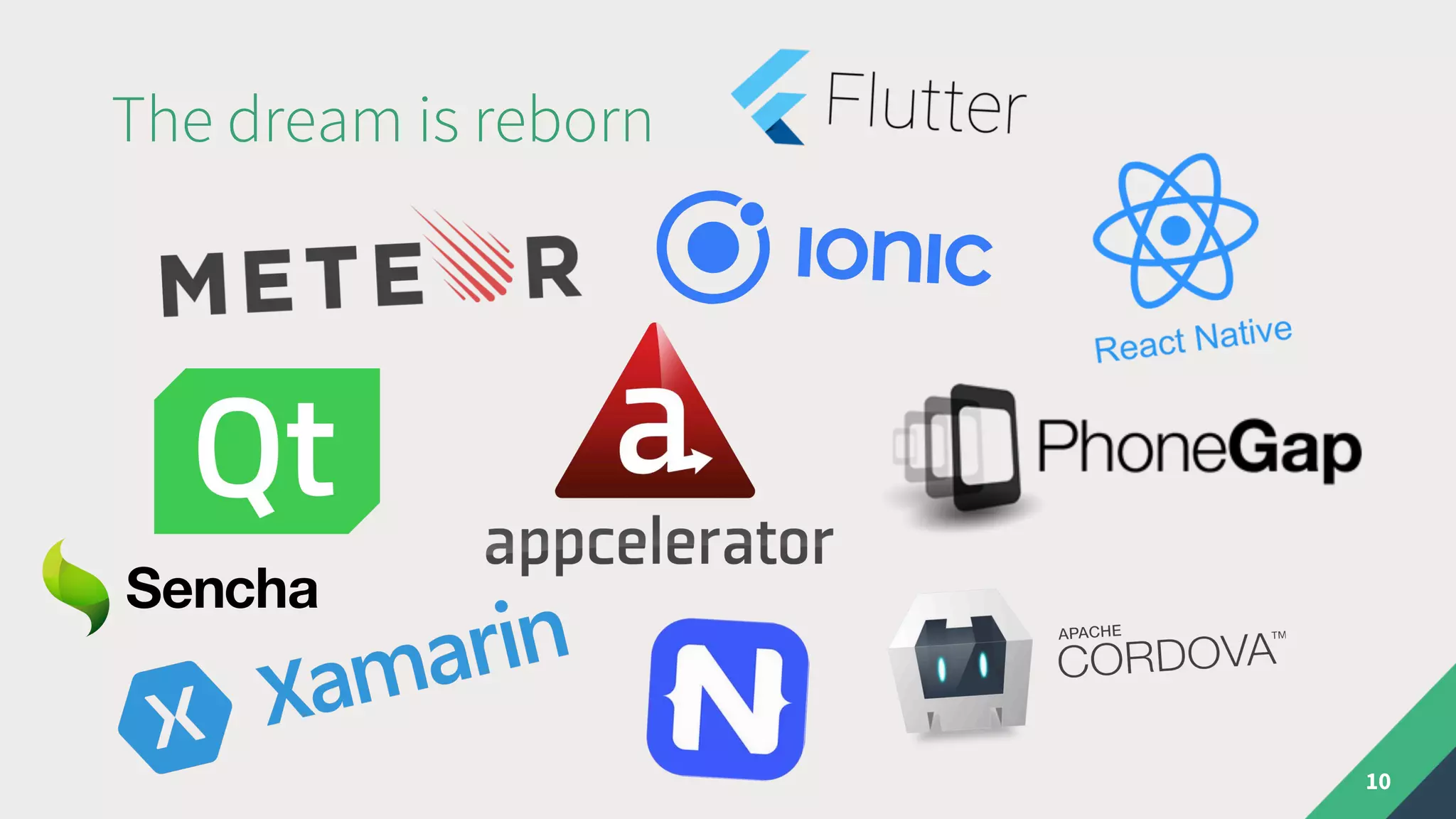
The dream is reborn
10
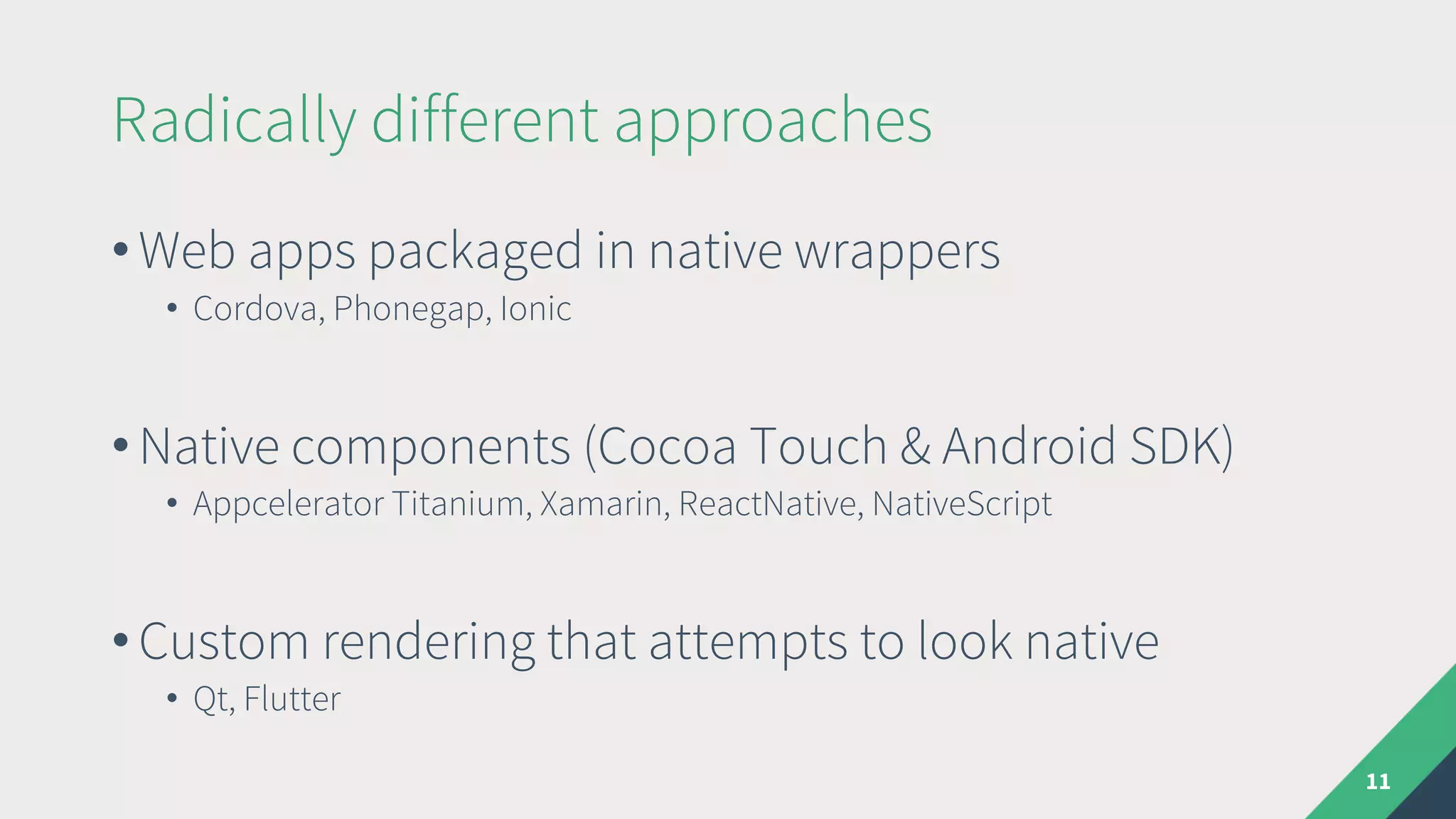
Radically different approaches
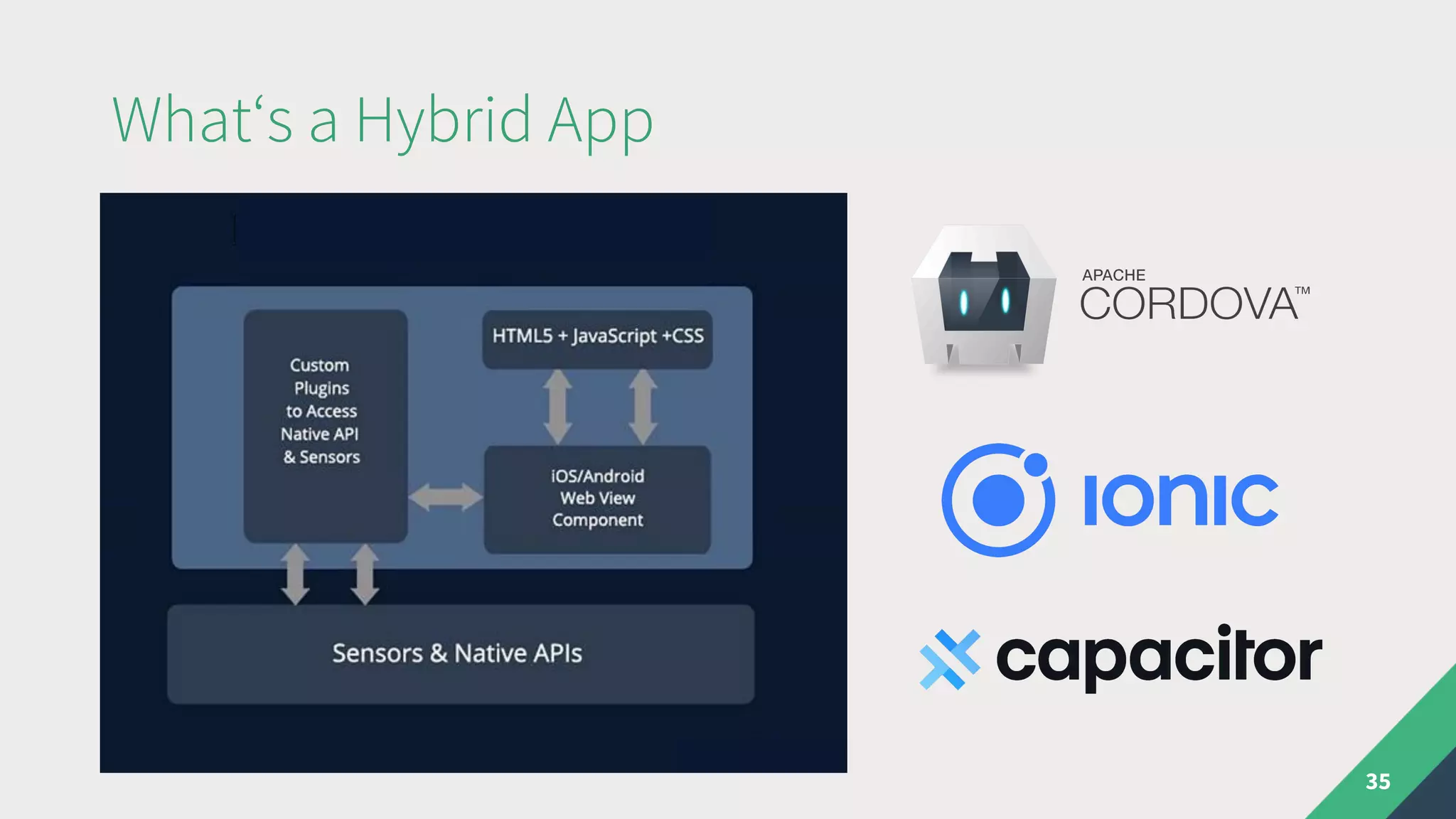
• Web apps packaged in native wrappers
• Cordova, Phonegap, Ionic
• Native components (Cocoa Touch & Android SDK)
• Appcelerator Titanium, Xamarin, ReactNative, NativeScript
• Custom rendering that attempts to look native
• Qt, Flutter
11
Where does Vue.js fit in?
12
Progressive Web Apps
What‘s a PWA?
• PWA term introduced by Google in 2015
• Not to be confused with progressive enhancement
It isn’t a new framework or technology.
It is a set of best practices to make a web application
function similar to a mobile application.
14
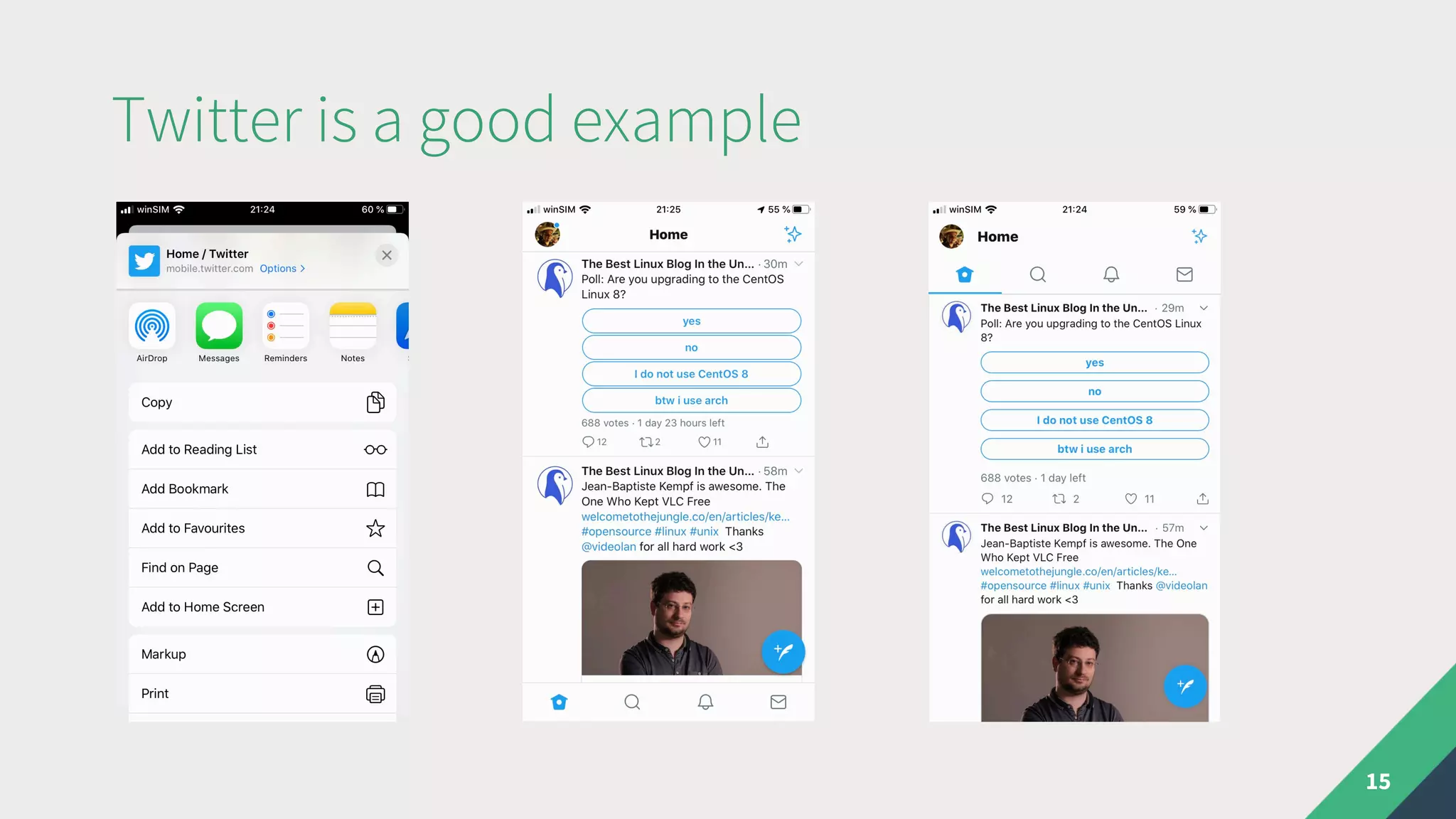
Twitter is a good example
15
Characteristics of a Progressive Web App
• Progressively enhanced
• Discoverable and linkable (SEO)
• Responsive UI that looks app-like
• Available offline
• Installable
• Safe (https)
16
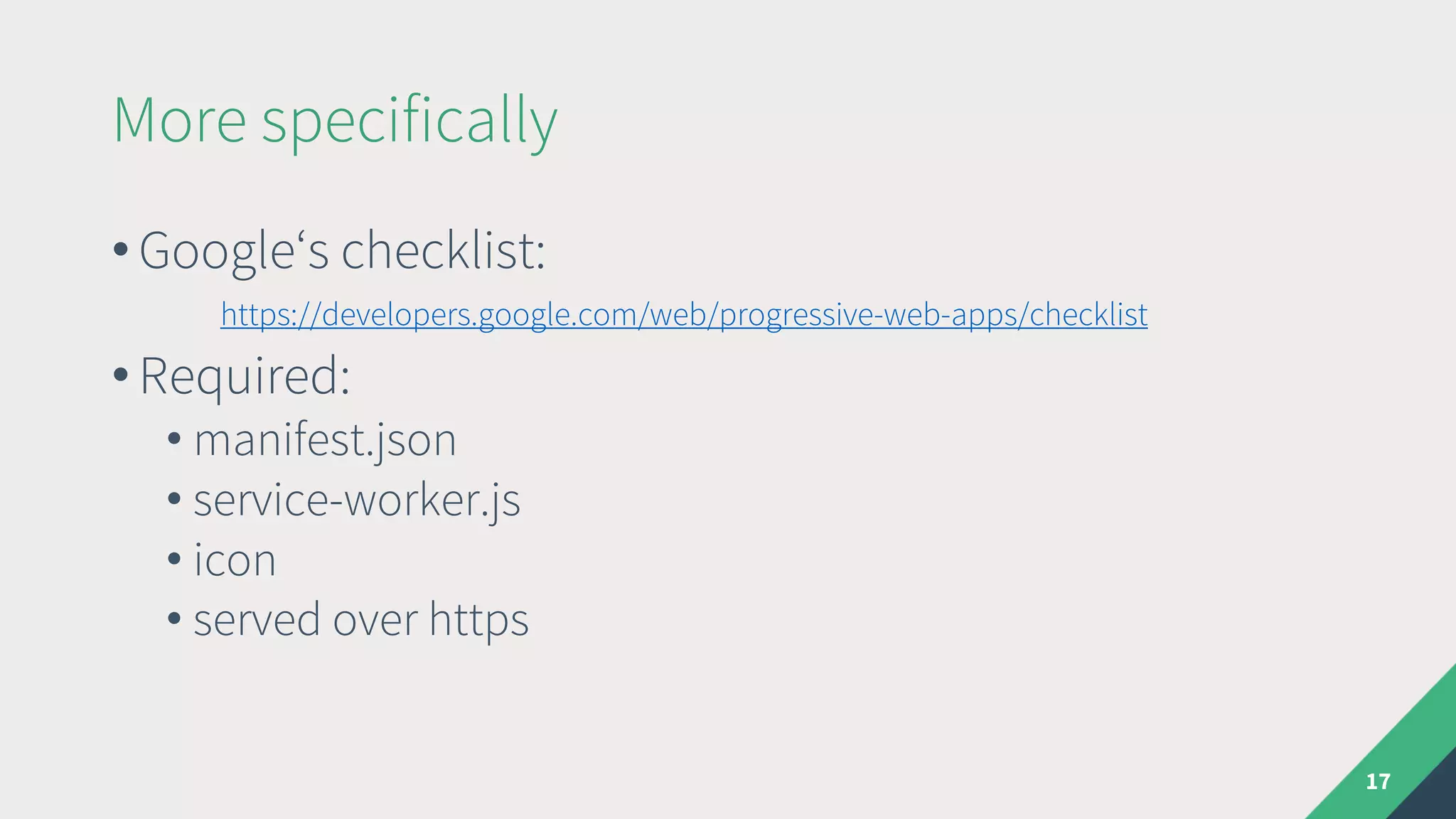
More specifically
• Google‘s checklist:
https://developers.google.com/web/progressive-web-apps/checklist
• Required:
• manifest.json
• service-worker.js
• icon
• served over https
17
Web App Manifest
18
{
"name": "Foo Bar",
"short_name": "Foo Bar",
"icons": [
{
"src": "./img/icons/android-chrome-192x192.png",
"sizes": "192x192",
"type": "image/png"
},
{
"src": "./img/icons/android-chrome-512x512.png",
"sizes": "512x512",
"type": "image/png"
}
],
"start_url": "./index.html",
"display": "standalone",
"background_color": "#000000",
"theme_color": "#4DBA87"
}
manifest.json
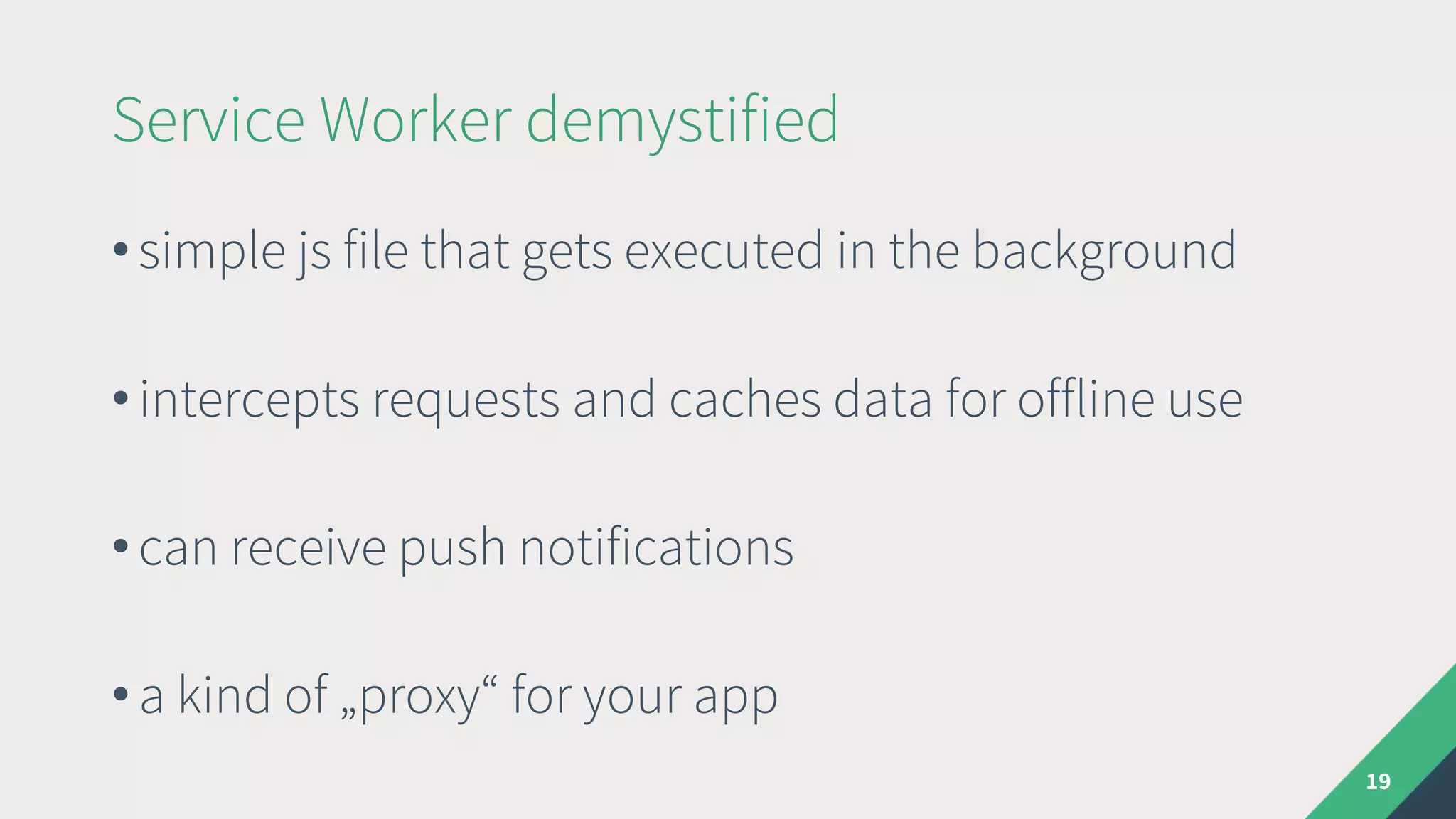
Service Worker demystified
19
• simple js file that gets executed in the background
• intercepts requests and caches data for offline use
• can receive push notifications
• a kind of „proxy“ for your app
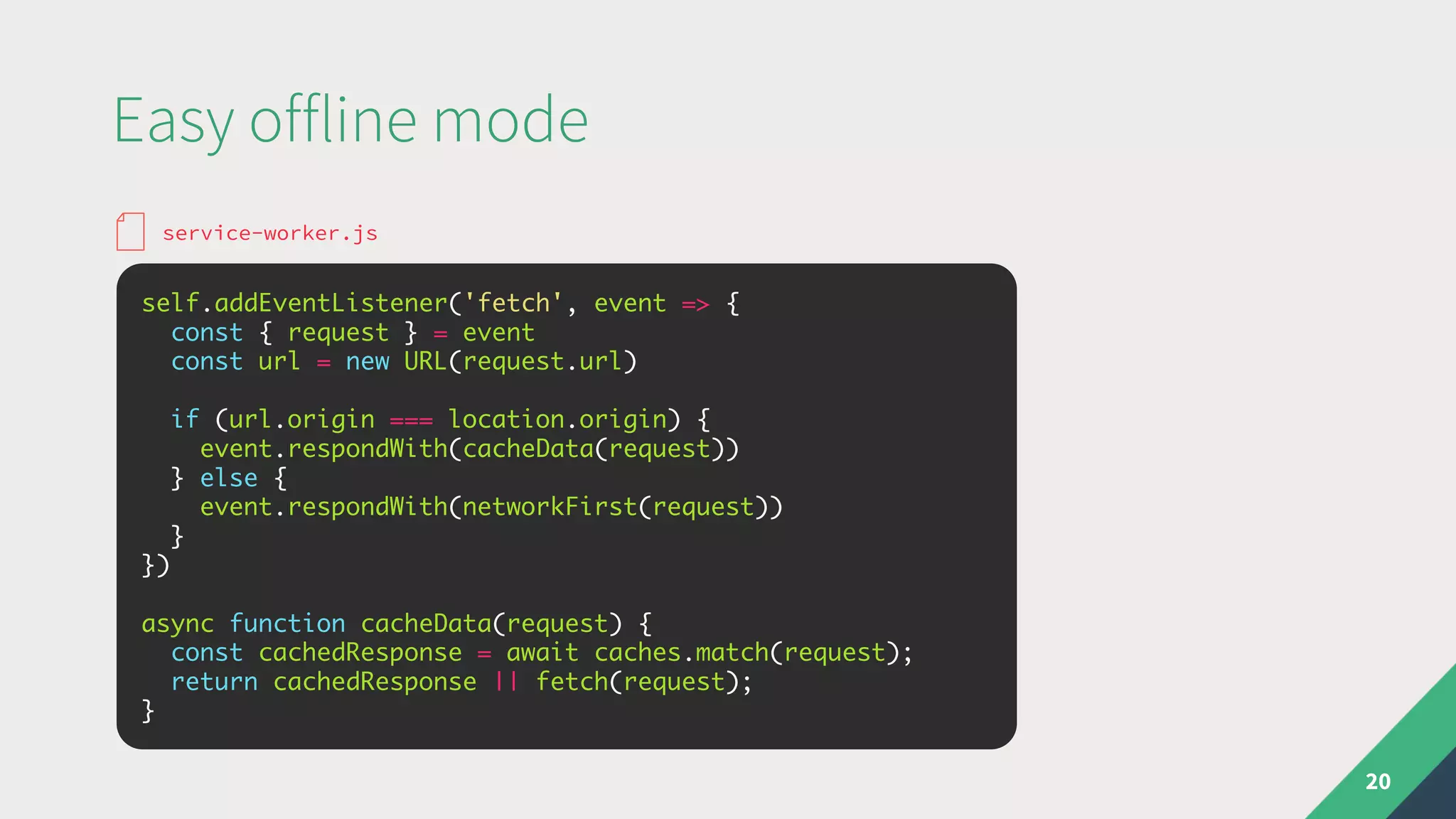
Easy offline mode
20
self.addEventListener('fetch', event => {
const { request } = event
const url = new URL(request.url)
if (url.origin === location.origin) {
event.respondWith(cacheData(request))
} else {
event.respondWith(networkFirst(request))
}
})
async function cacheData(request) {
const cachedResponse = await caches.match(request);
return cachedResponse || fetch(request);
}
service-worker.js
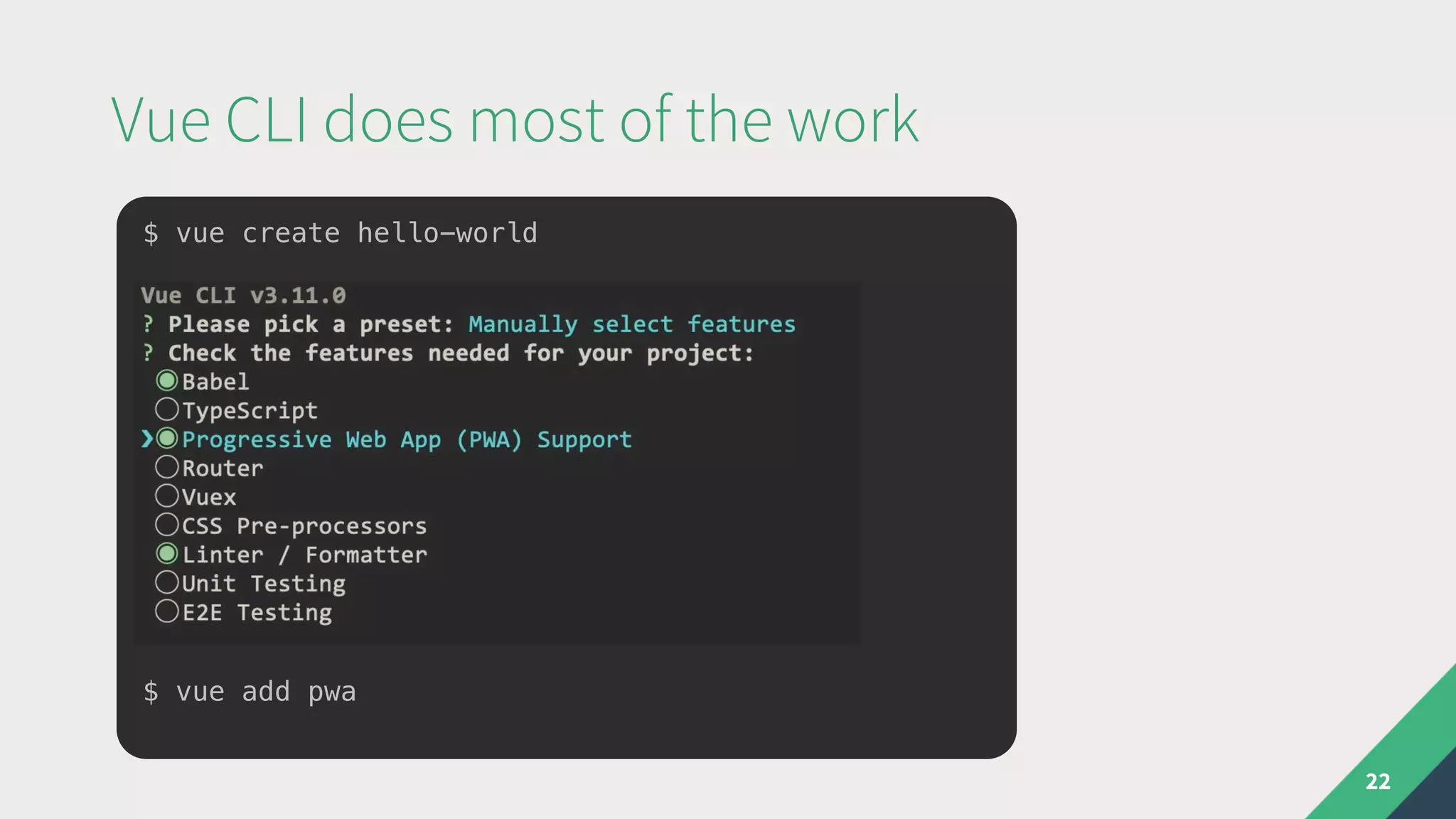
Vue CLI does most of the work
21
• Can generate manifest.json and serviceworker.js
automatically
• Provides a nice way to hook into service worker events
• Uses Google Workbox via webpack under the hood
Vue CLI does most of the work
22
$ vue create hello-world
$ vue add pwa
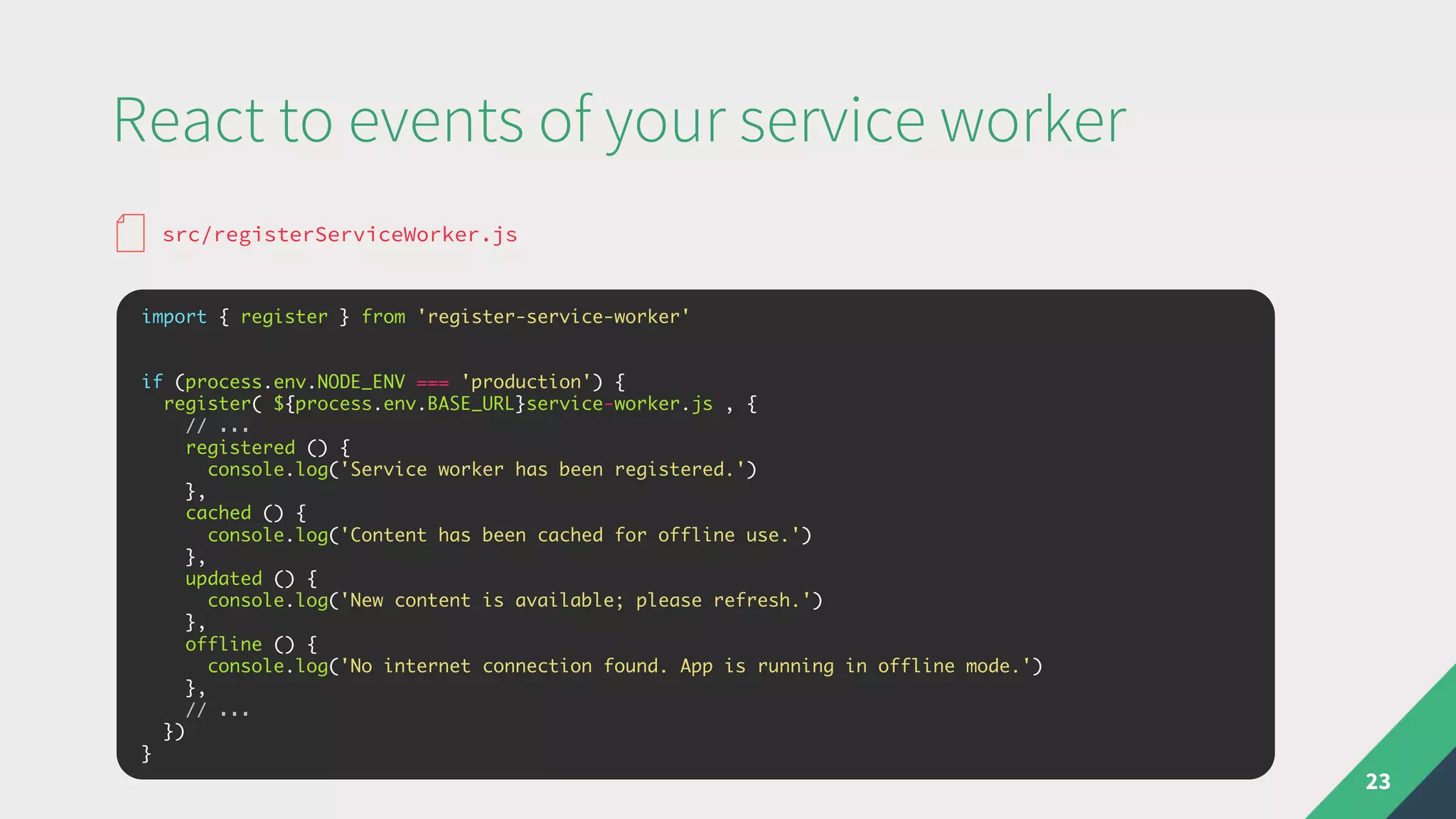
React to events of your service worker
23
import { register } from 'register-service-worker'
if (process.env.NODE_ENV === 'production') {
register(`${process.env.BASE_URL}service-worker.js`, {
// ...
registered () {
console.log('Service worker has been registered.')
},
cached () {
console.log('Content has been cached for offline use.')
},
updated () {
console.log('New content is available; please refresh.')
},
offline () {
console.log('No internet connection found. App is running in offline mode.')
},
// ...
})
}
src/registerServiceWorker.js
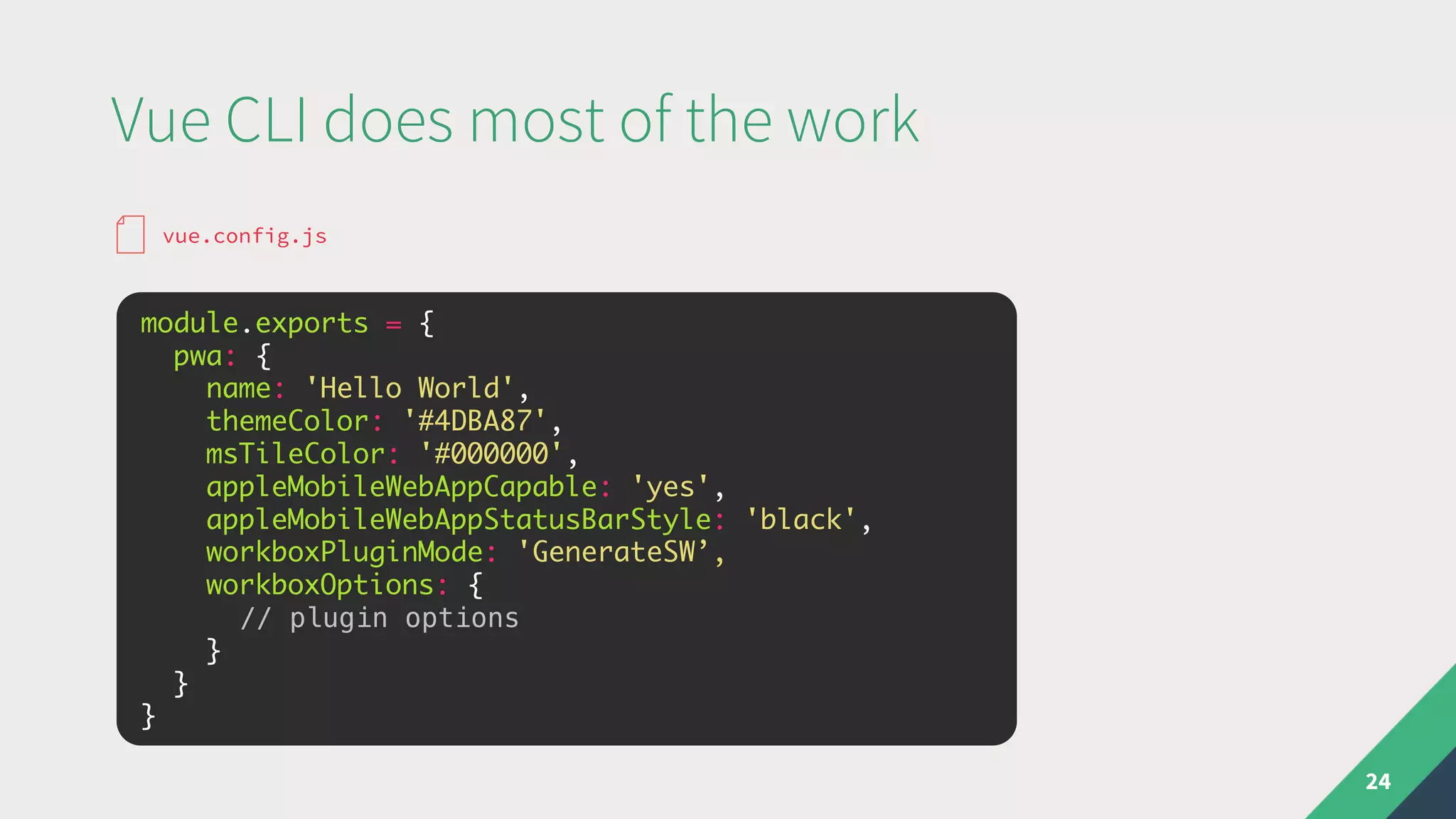
Vue CLI does most of the work
24
module.exports = {
pwa: {
name: 'Hello World',
themeColor: '#4DBA87',
msTileColor: '#000000',
appleMobileWebAppCapable: 'yes',
appleMobileWebAppStatusBarStyle: 'black',
workboxPluginMode: 'GenerateSW’,
workboxOptions: {
// plugin options
}
}
}
vue.config.js
Write your own service worker!
25
module.exports = {
pwa: {
name: 'Hello World',
themeColor: '#4DBA87',
msTileColor: '#000000',
appleMobileWebAppCapable: 'yes',
appleMobileWebAppStatusBarStyle: 'black',
workboxPluginMode: 'InjectManifest',
workboxOptions: {
// path to custom service worker
swSrc: 'src/sw.js',
}
}
}
vue.config.js
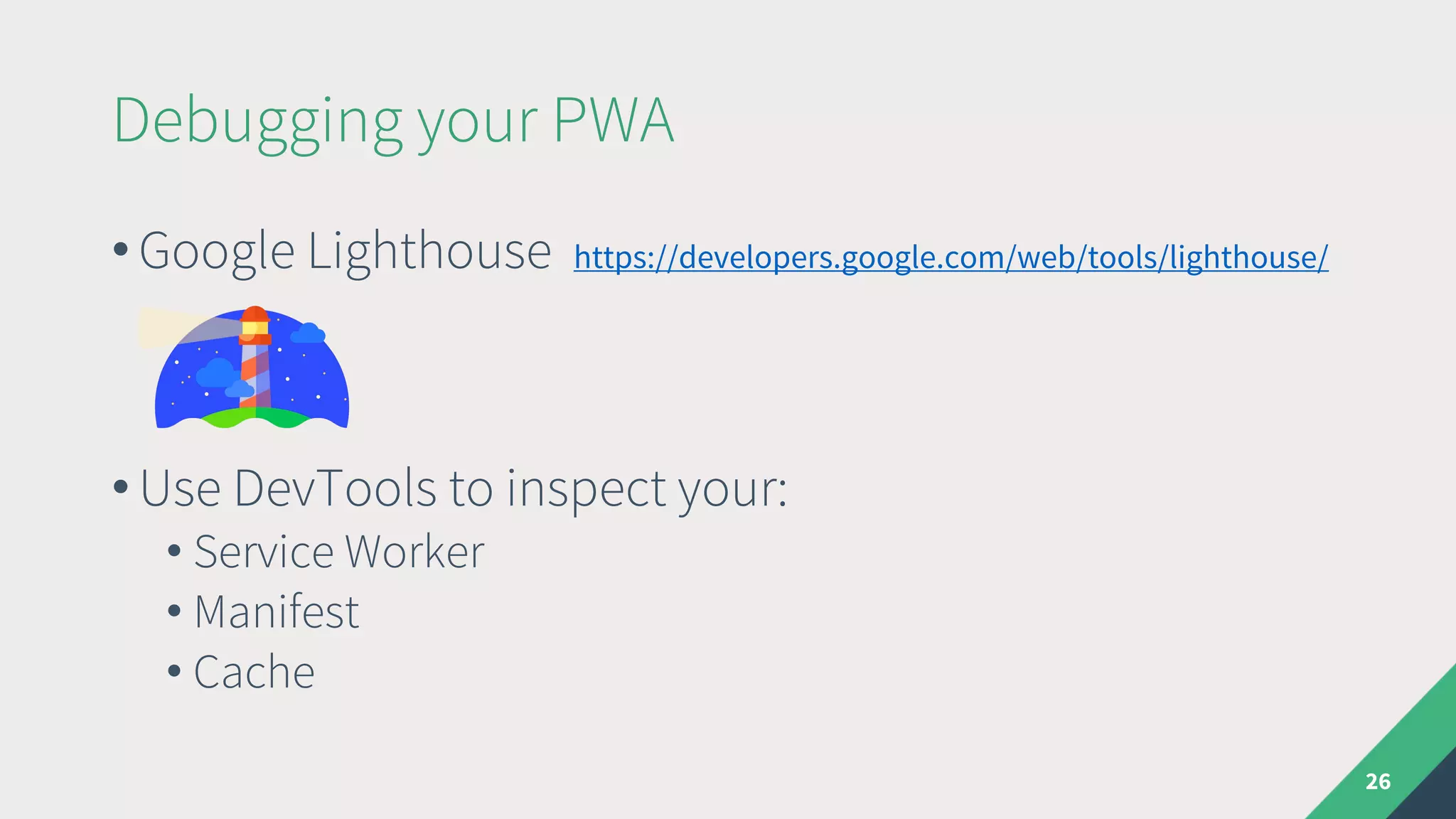
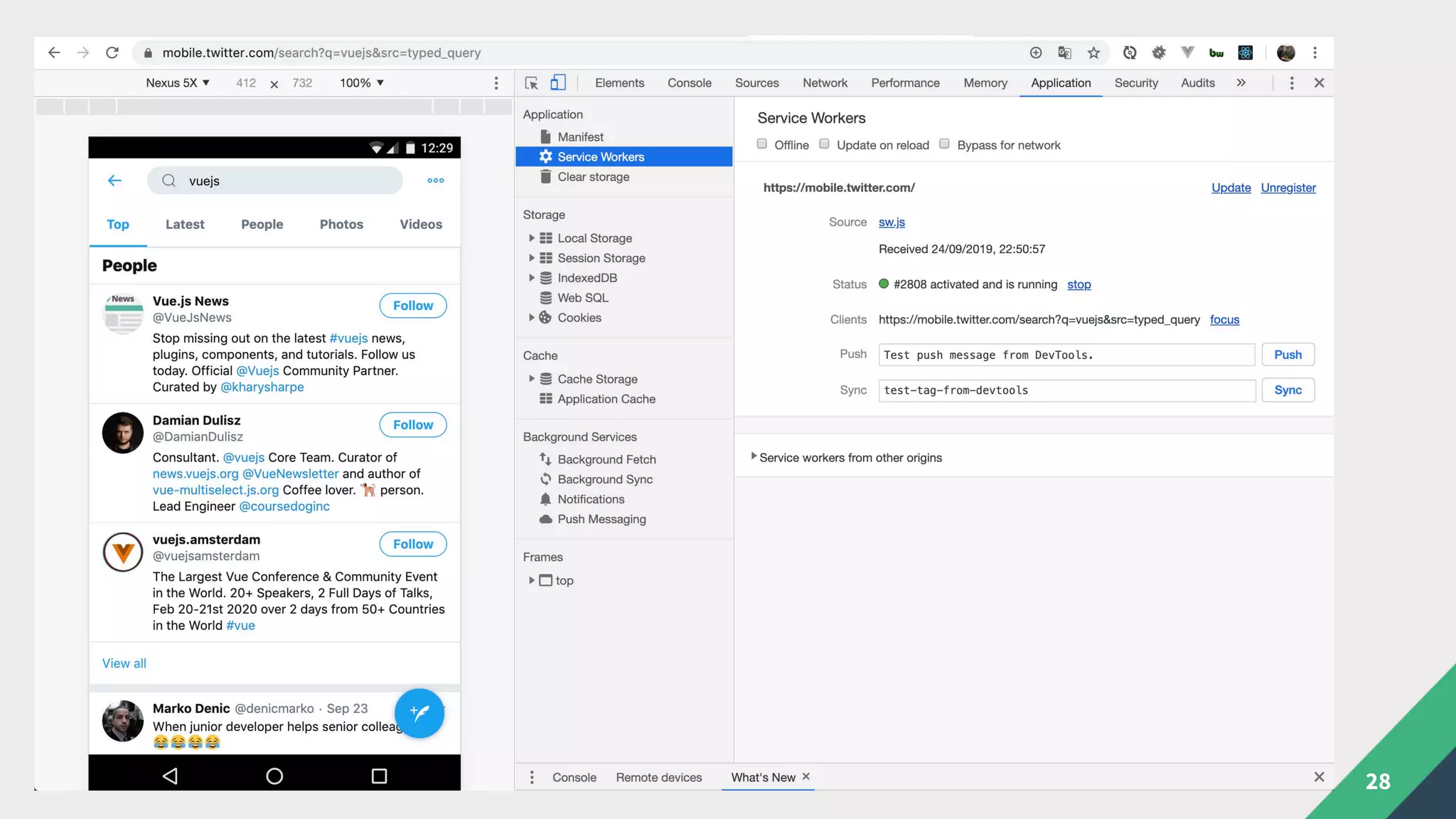
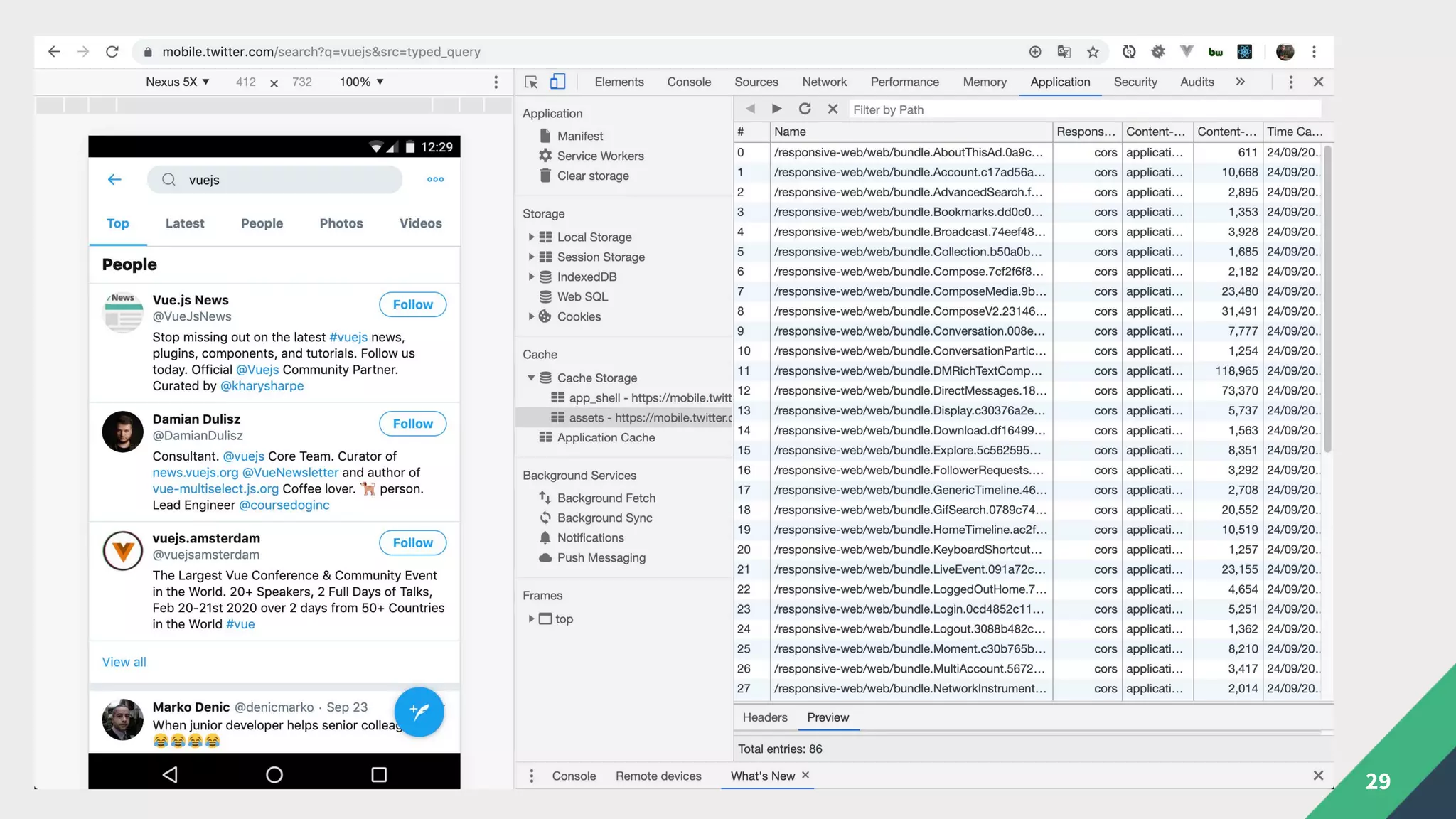
Debugging your PWA
26
• Google Lighthouse https://developers.google.com/web/tools/lighthouse/
• Use DevTools to inspect your:
• Service Worker
• Manifest
• Cache
27
28
29
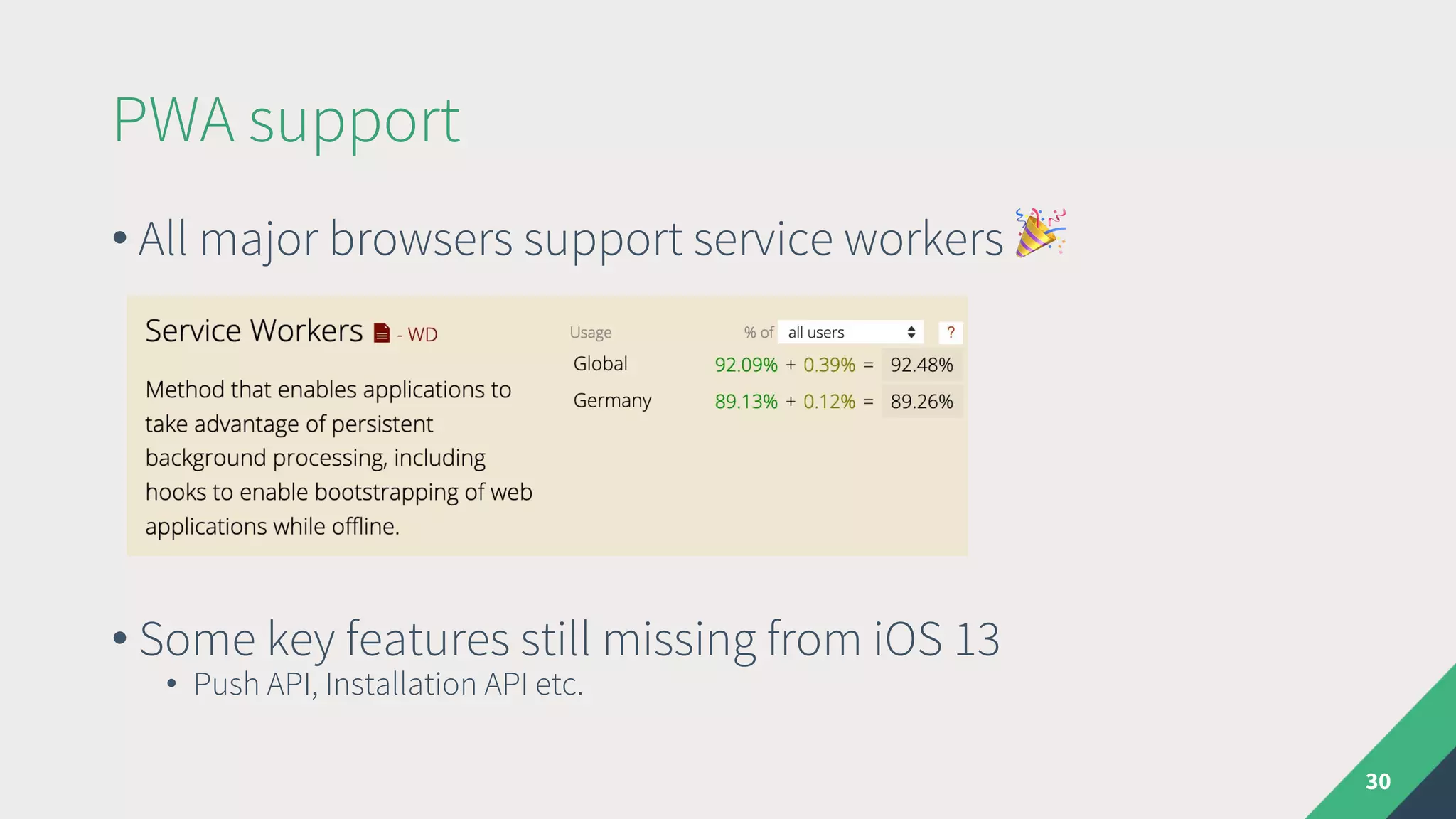
PWA support
30
• All major browsers support service workers !
• Some key features still missing from iOS 13
• Push API, Installation API etc.
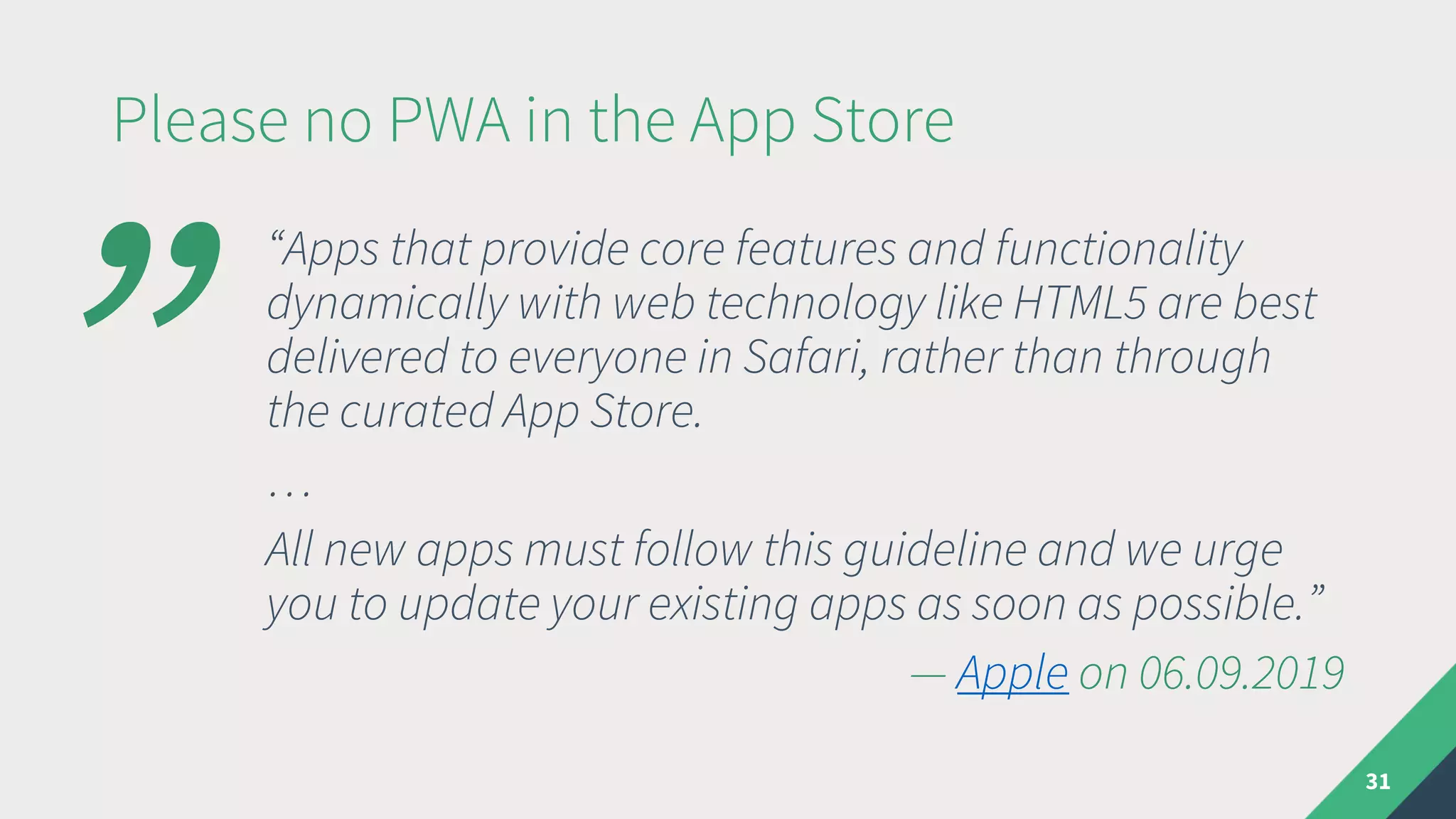
Please no PWA in the App Store
31
“Apps that provide core features and functionality
dynamically with web technology like HTML5 are best
delivered to everyone in Safari, rather than through
the curated App Store.
…
All new apps must follow this guideline and we urge
you to update your existing apps as soon as possible.”
— Apple on 06.09.2019
”
When to Use a PWA
"Use when:
• Using Vue.js
• You plan to deliver your app mainly via a
browser
• You don‘t need many specific platform or
device features
• You can educate your users about installing
the app
#Do not use when:
• Inclusion in App Stores is important
• Native look and feel is important
• Performance is critical
32
Usefull Links
33
• https://pwa.rocks
• https://serviceworke.rs
• https://www.pwastats.com
• https://app-manifest.firebaseapp.com
• https://developers.google.com/web/progressive-web-
apps/checklist
Hybrid Apps
What‘s a Hybrid App
35
Ionic vs Cordova
36
• Originally a collection of native-looking Angular
components on top of Cordova
• Completely rewritten as framework agnostic web
components for v4
• No hard dependency on Cordova in v4
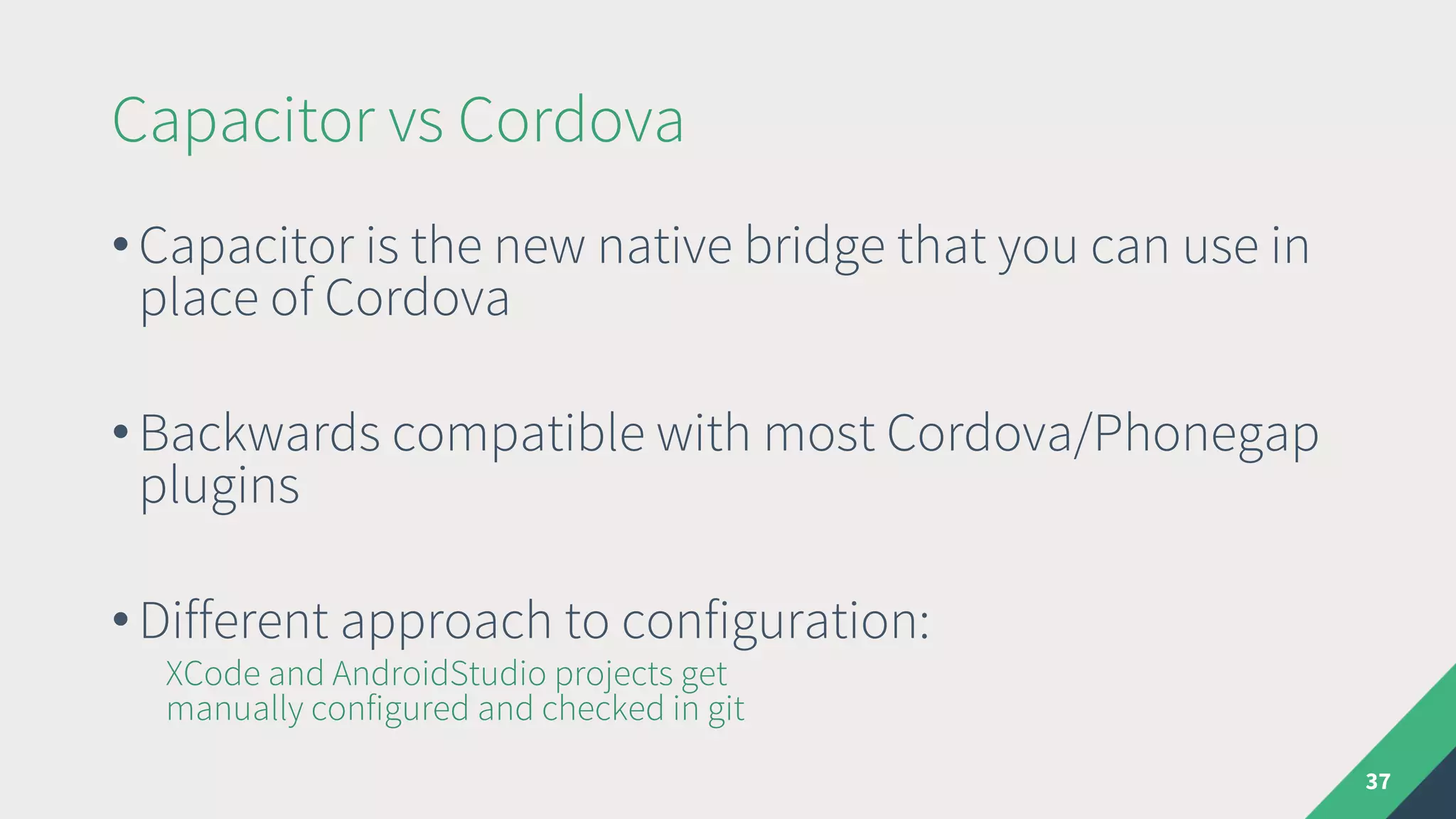
Capacitor vs Cordova
37
• Capacitor is the new native bridge that you can use in
place of Cordova
• Backwards compatible with most Cordova/Phonegap
plugins
• Different approach to configuration:
XCode and AndroidStudio projects get
manually configured and checked in git
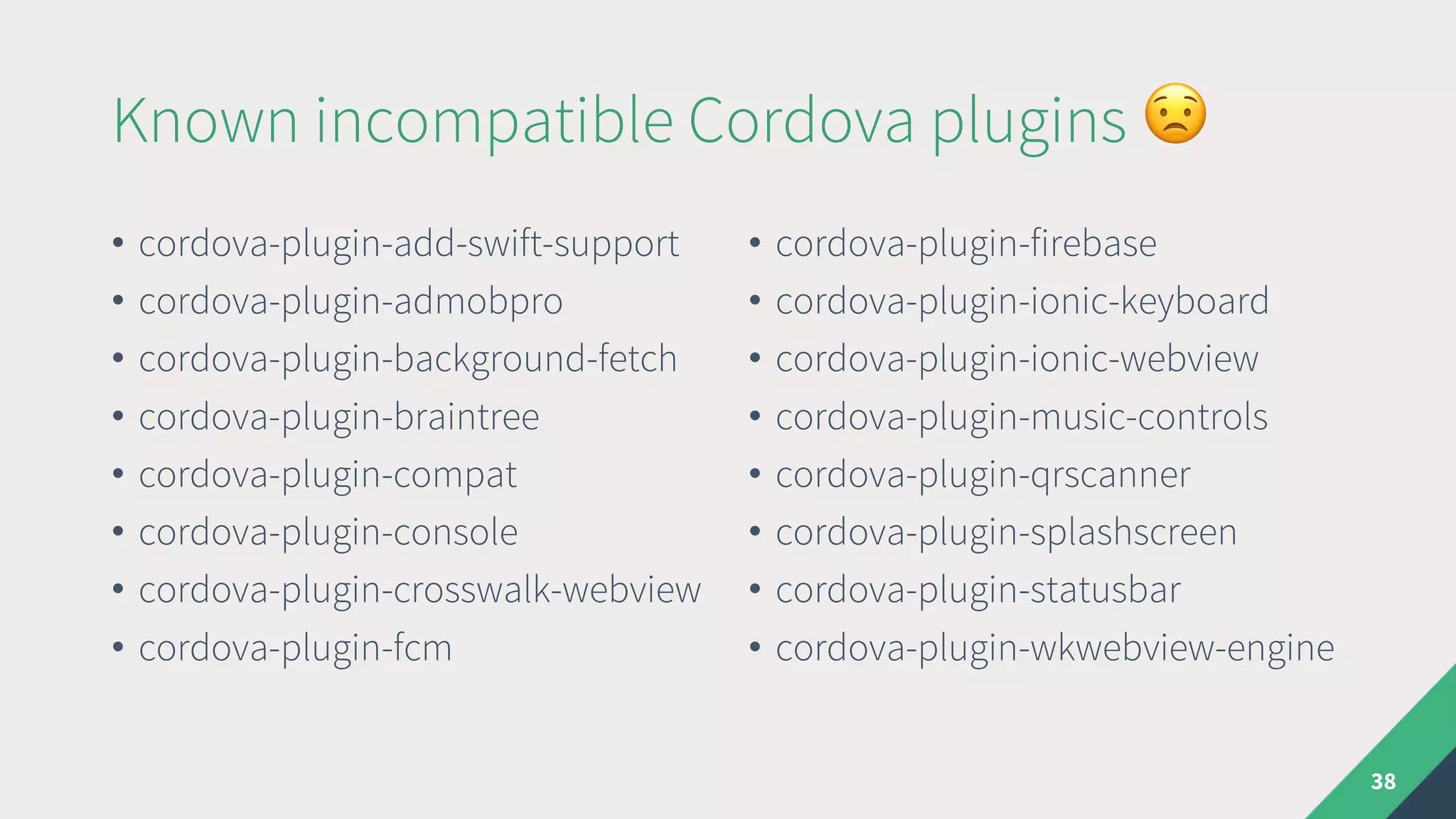
Known incompatible Cordova plugins $
• cordova-plugin-add-swift-support
• cordova-plugin-admobpro
• cordova-plugin-background-fetch
• cordova-plugin-braintree
• cordova-plugin-compat
• cordova-plugin-console
• cordova-plugin-crosswalk-webview
• cordova-plugin-fcm
• cordova-plugin-firebase
• cordova-plugin-ionic-keyboard
• cordova-plugin-ionic-webview
• cordova-plugin-music-controls
• cordova-plugin-qrscanner
• cordova-plugin-splashscreen
• cordova-plugin-statusbar
• cordova-plugin-wkwebview-engine
38
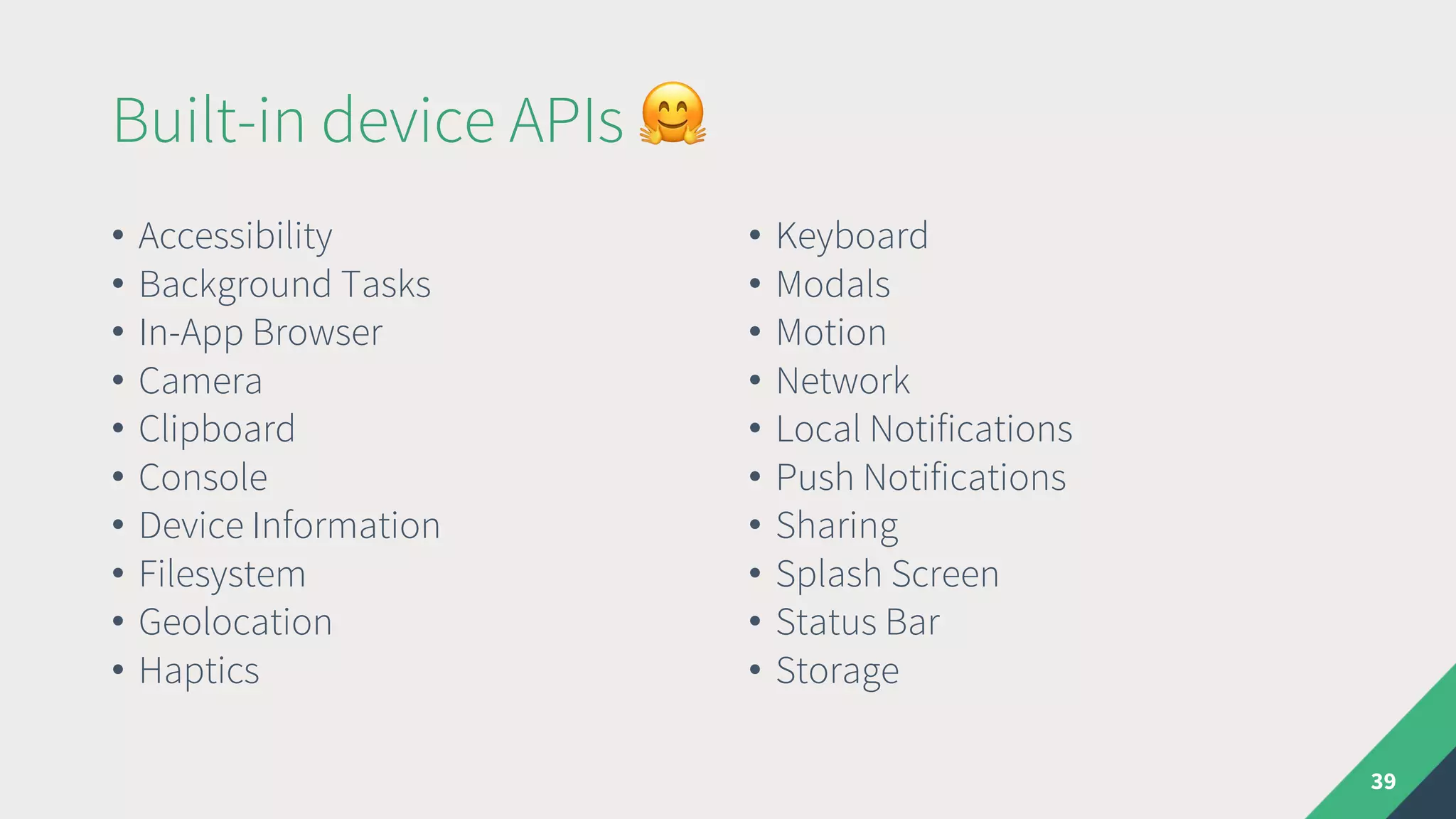
Built-in device APIs %
• Accessibility
• Background Tasks
• In-App Browser
• Camera
• Clipboard
• Console
• Device Information
• Filesystem
• Geolocation
• Haptics
• Keyboard
• Modals
• Motion
• Network
• Local Notifications
• Push Notifications
• Sharing
• Splash Screen
• Status Bar
• Storage
39
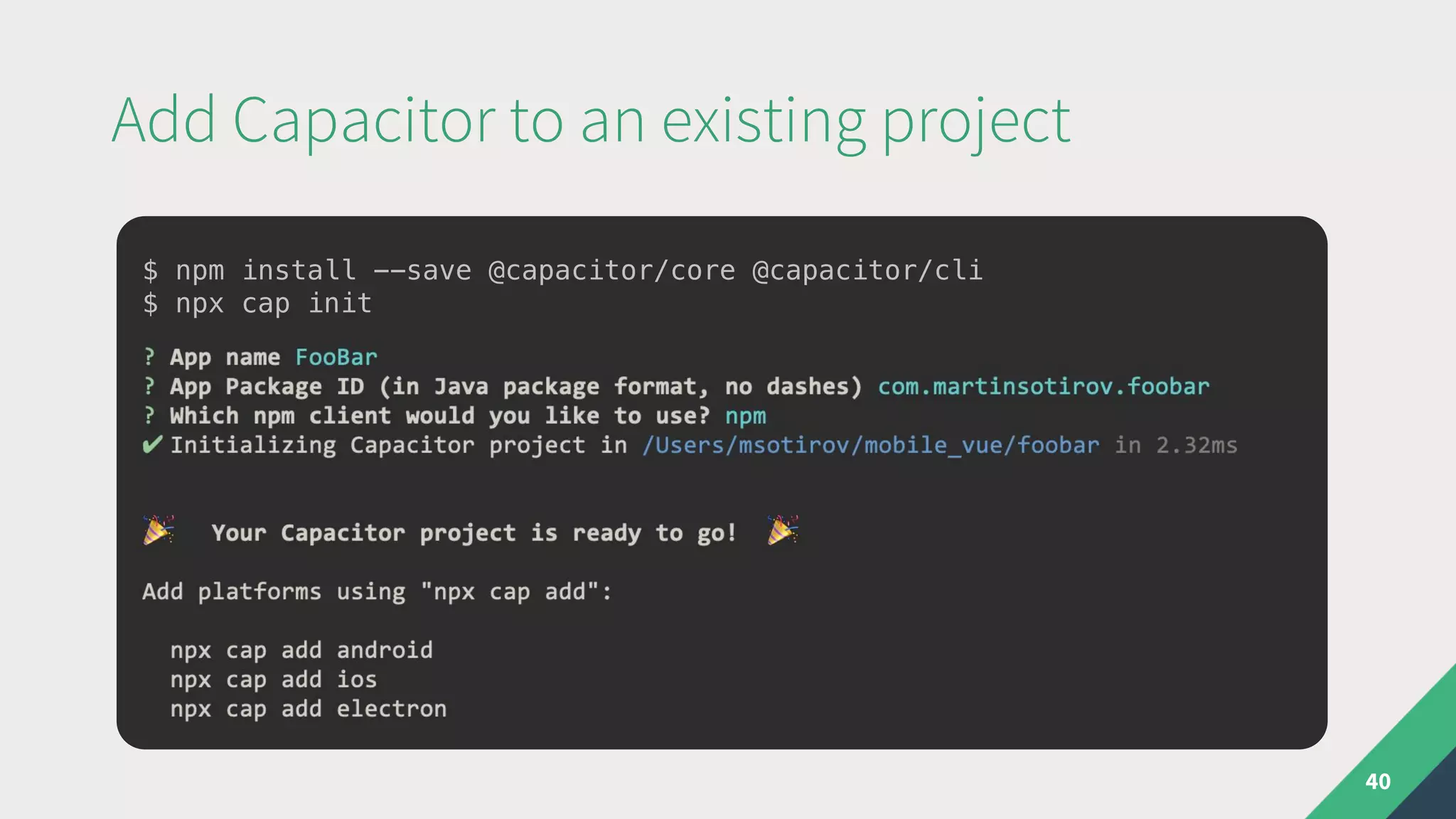
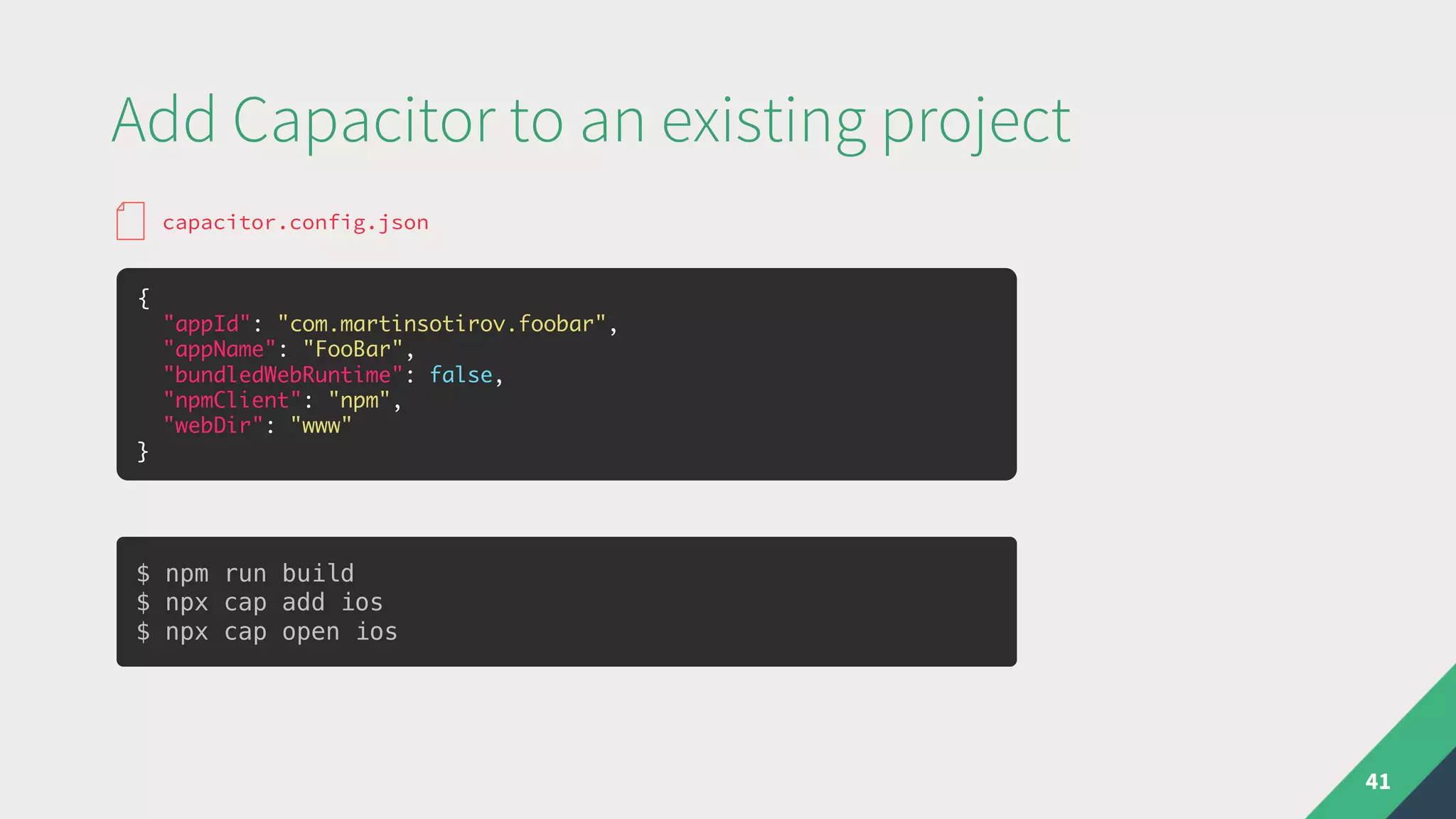
Add Capacitor to an existing project
40
$ npm install --save @capacitor/core @capacitor/cli
$ npx cap init
Add Capacitor to an existing project
41
{
"appId": "com.martinsotirov.foobar",
"appName": "FooBar",
"bundledWebRuntime": false,
"npmClient": "npm",
"webDir": "www"
}
capacitor.config.json
$ npm run build
$ npx cap add ios
$ npx cap open ios
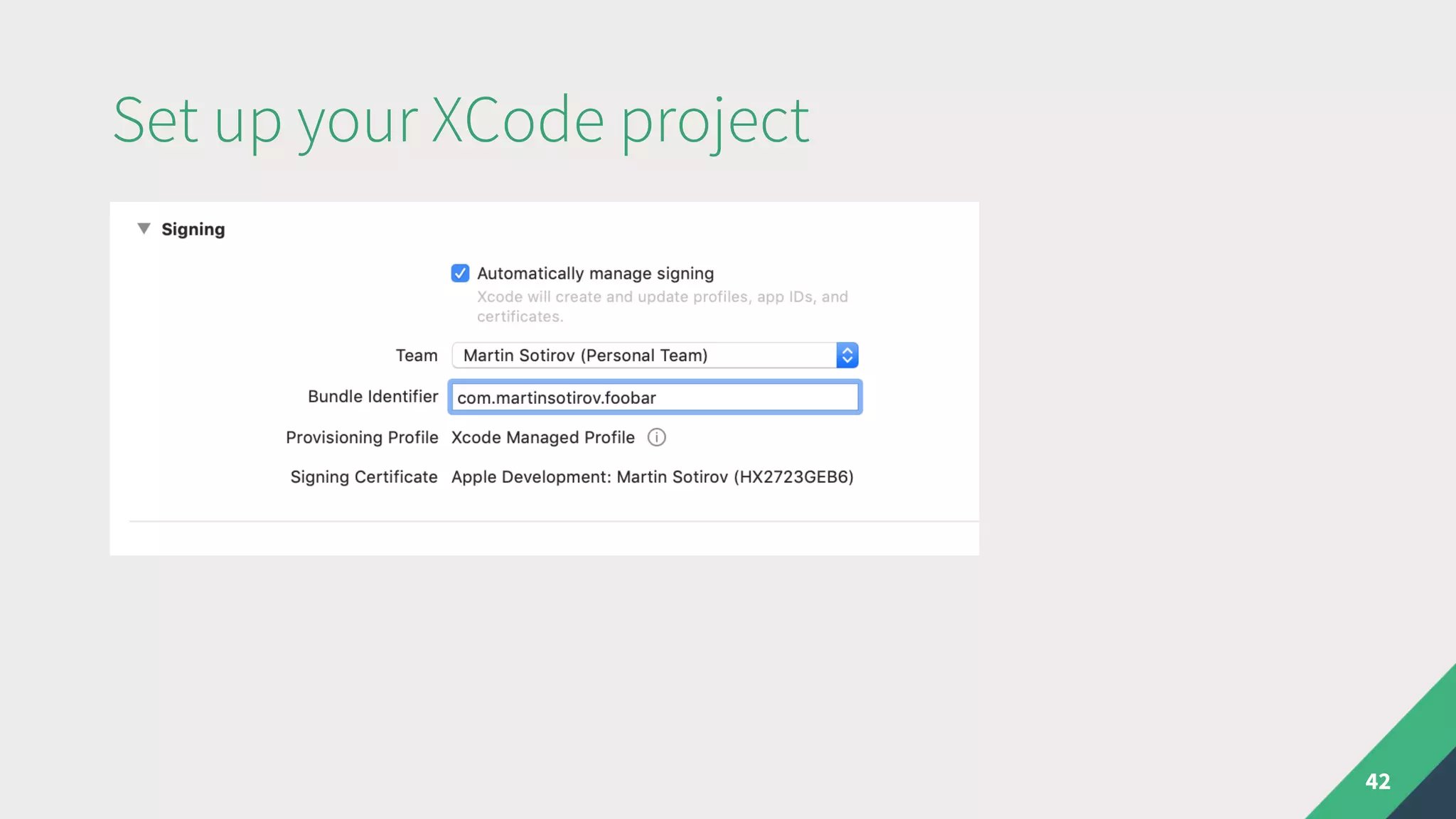
Set up your XCode project
42
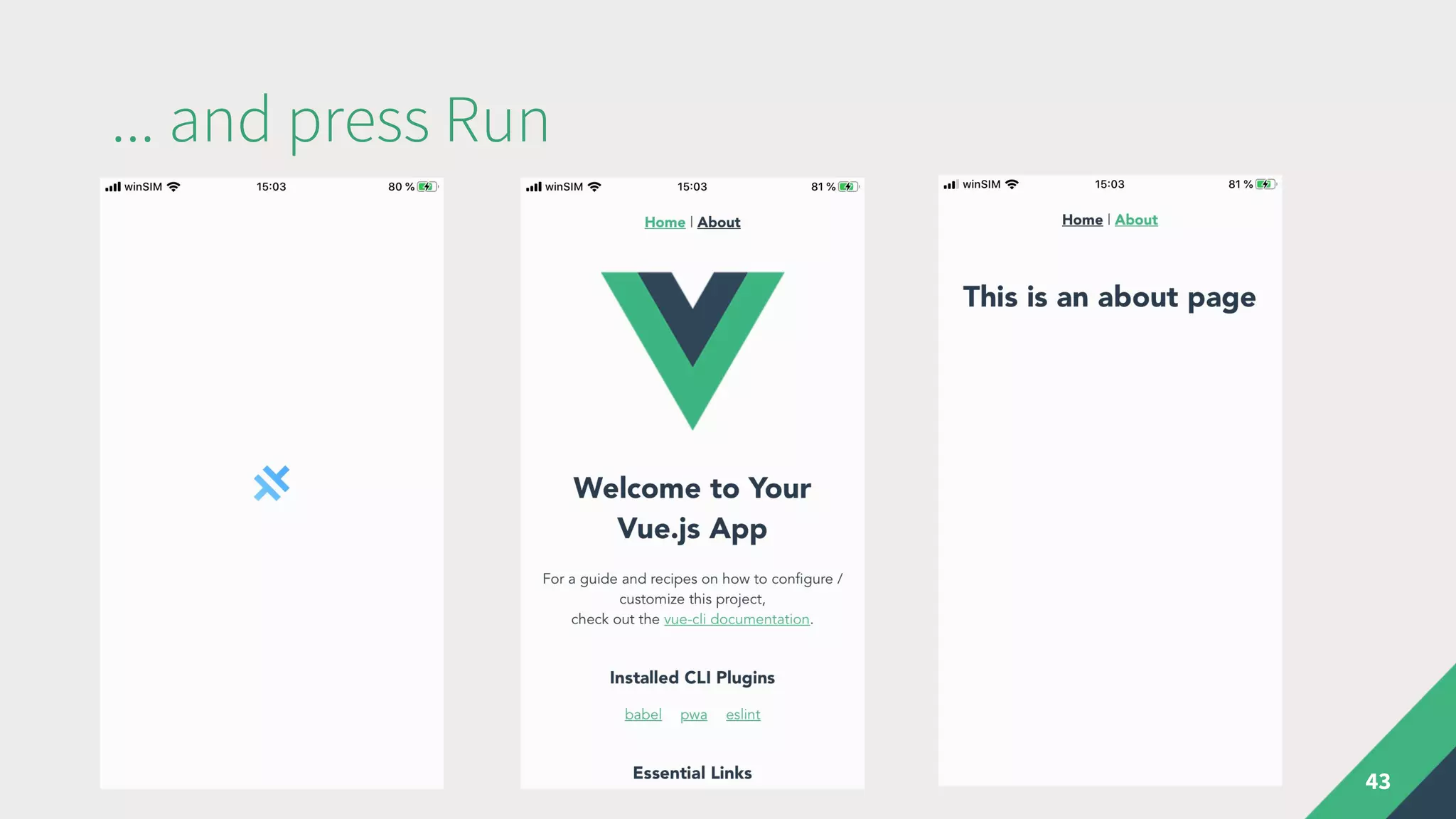
... and press Run
43
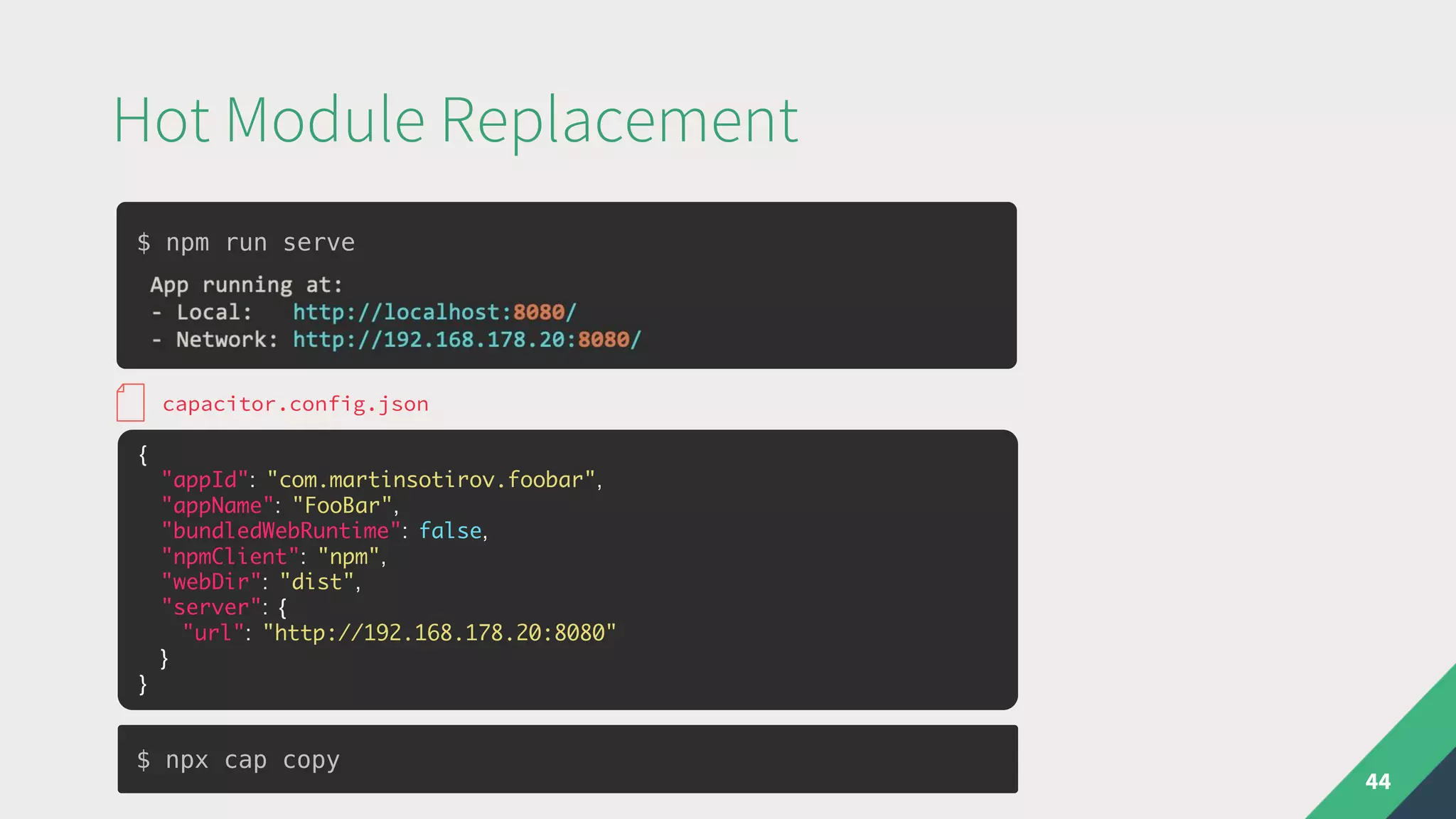
Hot Module Replacement
44
{
"appId": "com.martinsotirov.foobar",
"appName": "FooBar",
"bundledWebRuntime": false,
"npmClient": "npm",
"webDir": "dist",
"server": {
"url": "http://192.168.178.20:8080"
}
}
capacitor.config.json
$ npm run serve
$ npx cap copy
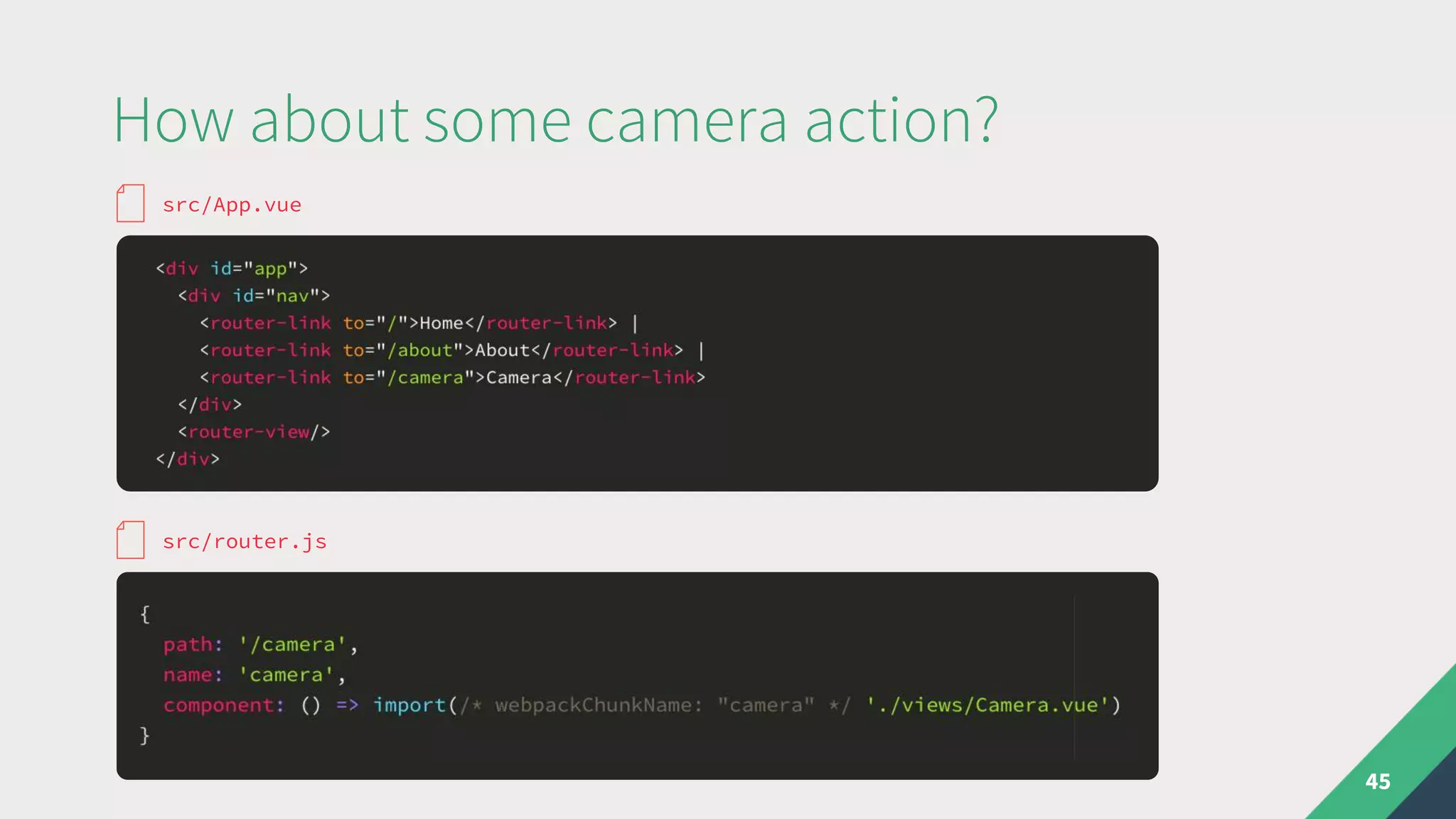
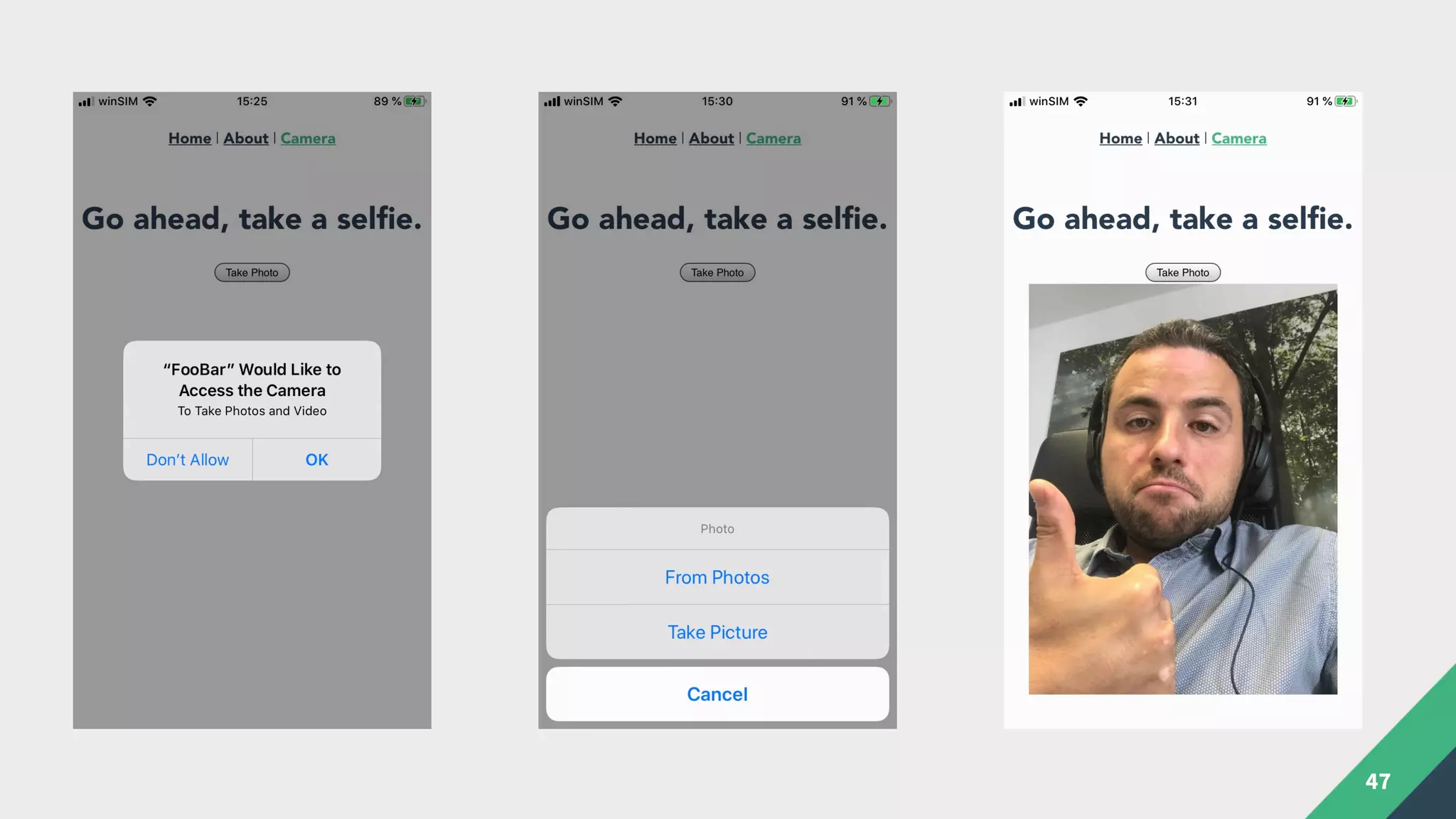
How about some camera action?
45
src/App.vue
src/router.js
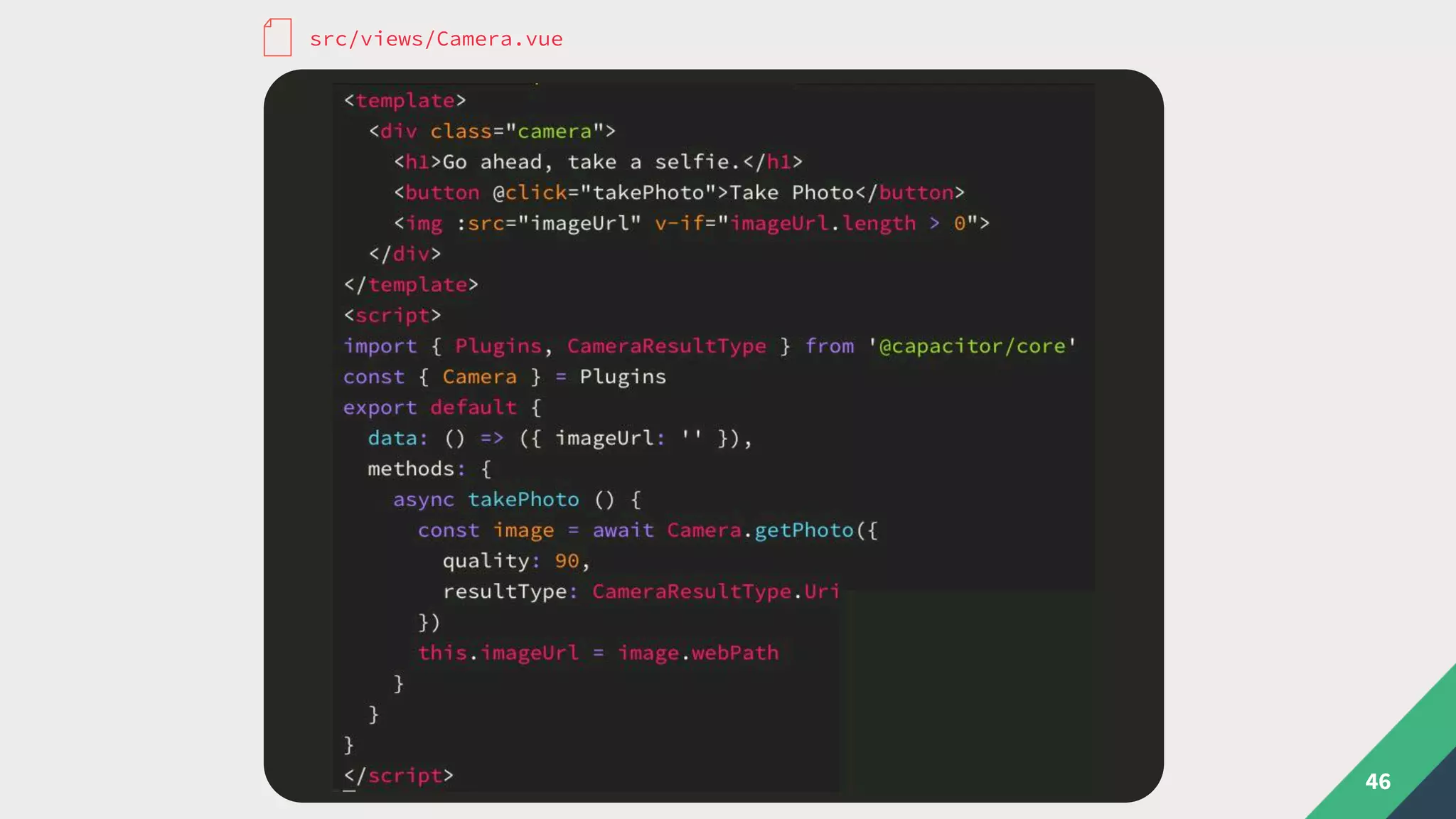
46
src/views/Camera.vue
47
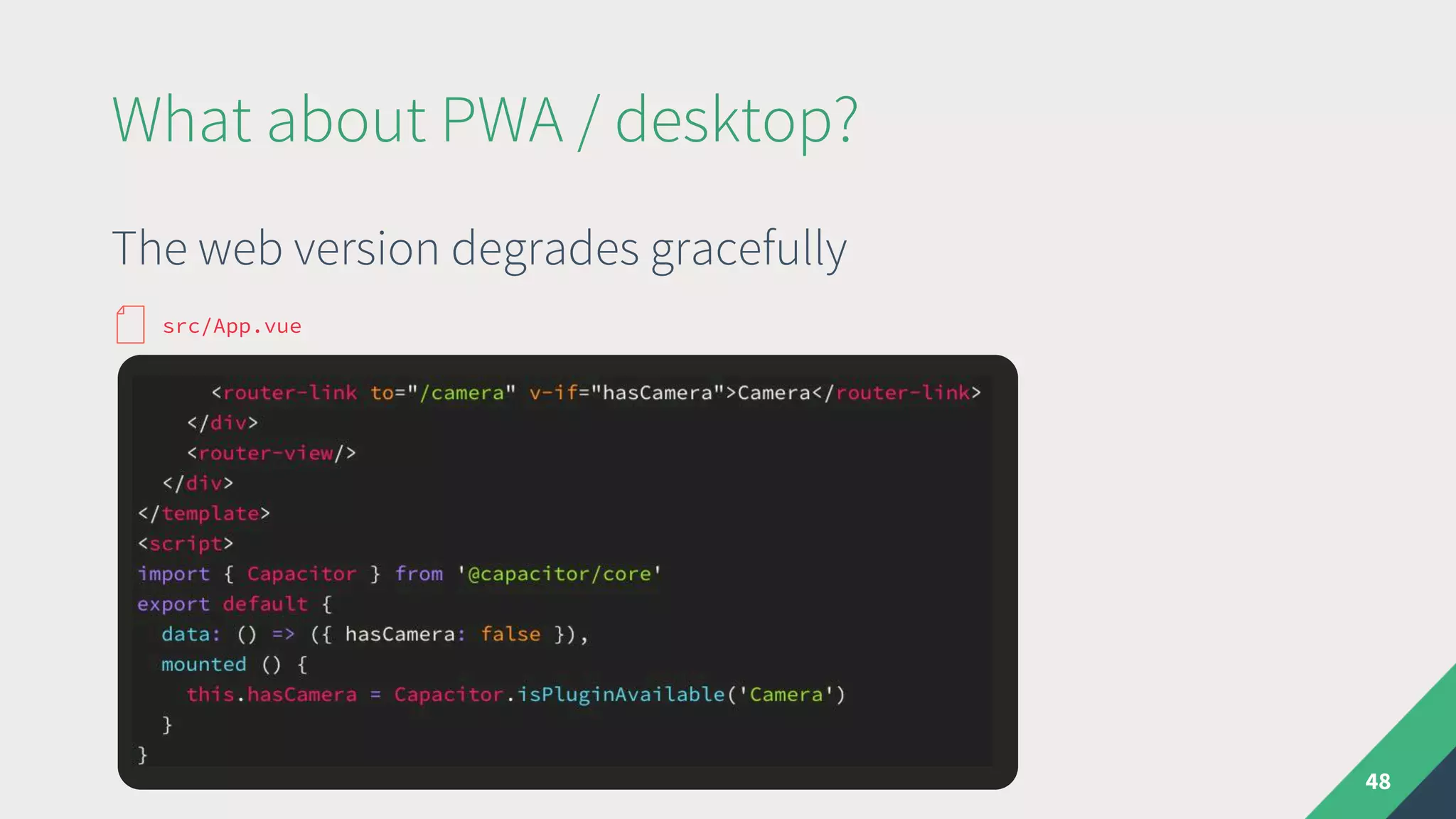
The web version degrades gracefully
What about PWA / desktop?
48
src/App.vue
Add fallback solutions for web
49
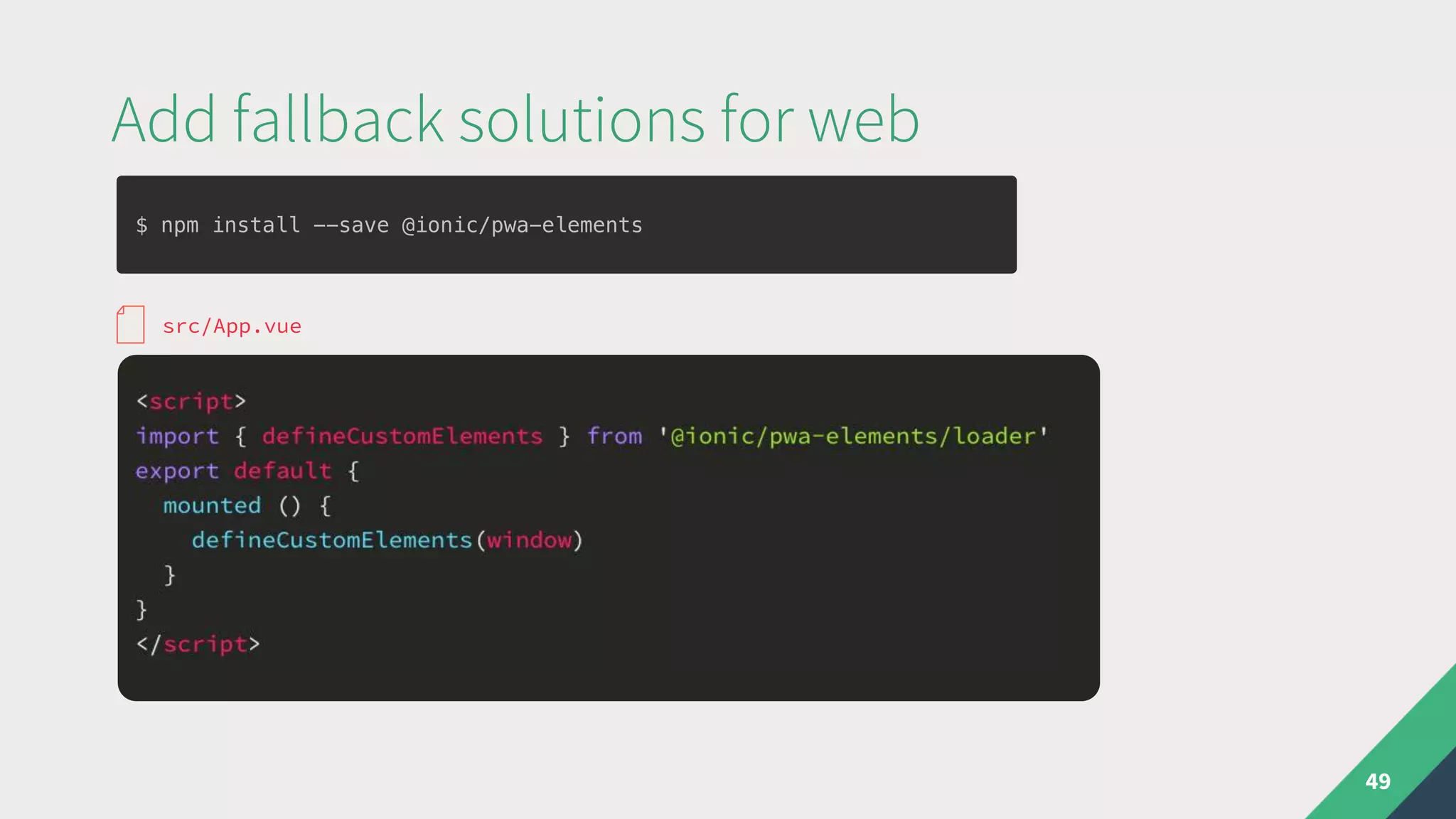
src/App.vue
$ npm install --save @ionic/pwa-elements
Add fallback solutions for web
50
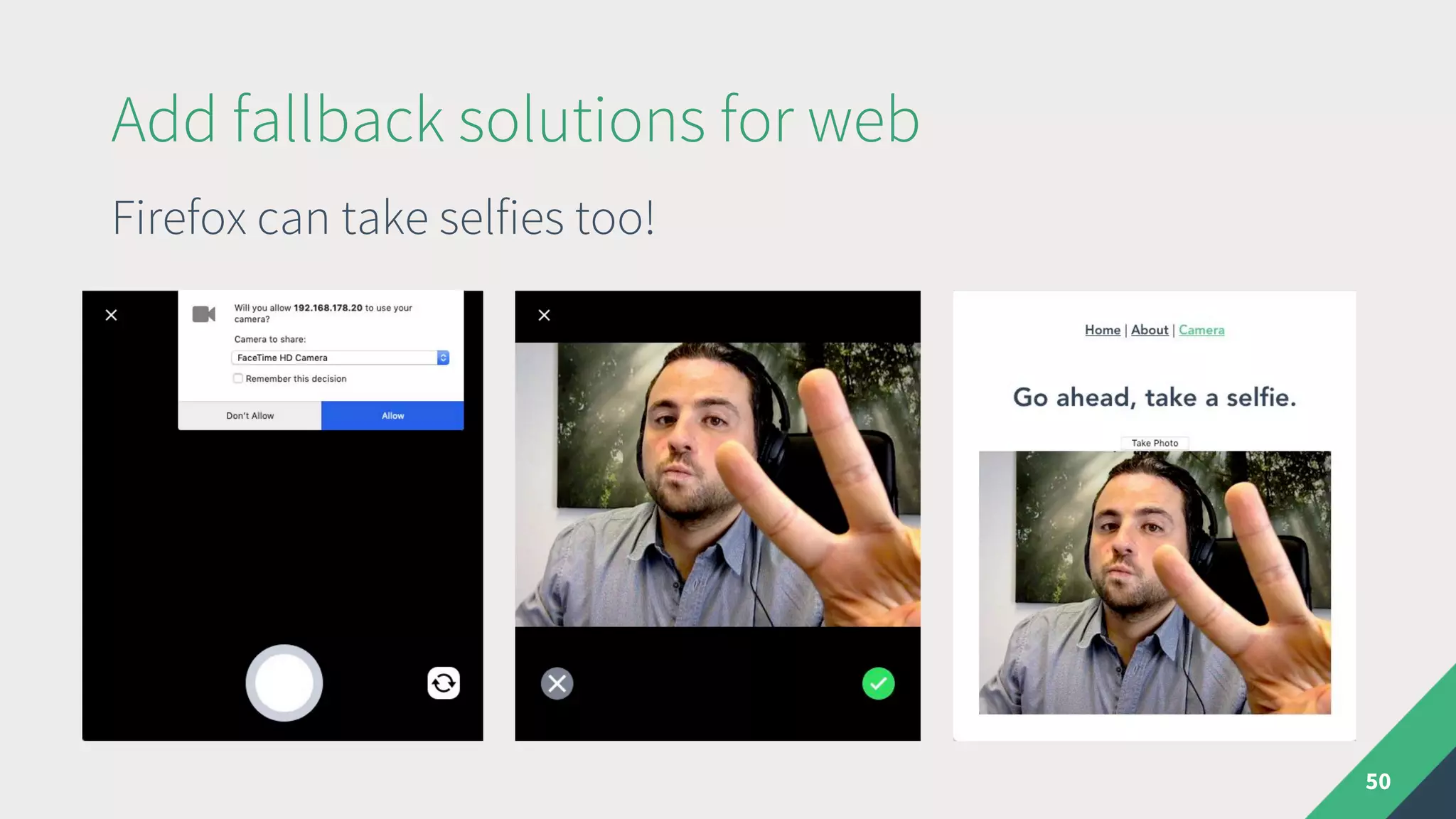
Firefox can take selfies too!
Theming a Hybrid Vue app
51
Use any framework or roll your own styles
Theming a Hybrid Vue app
52
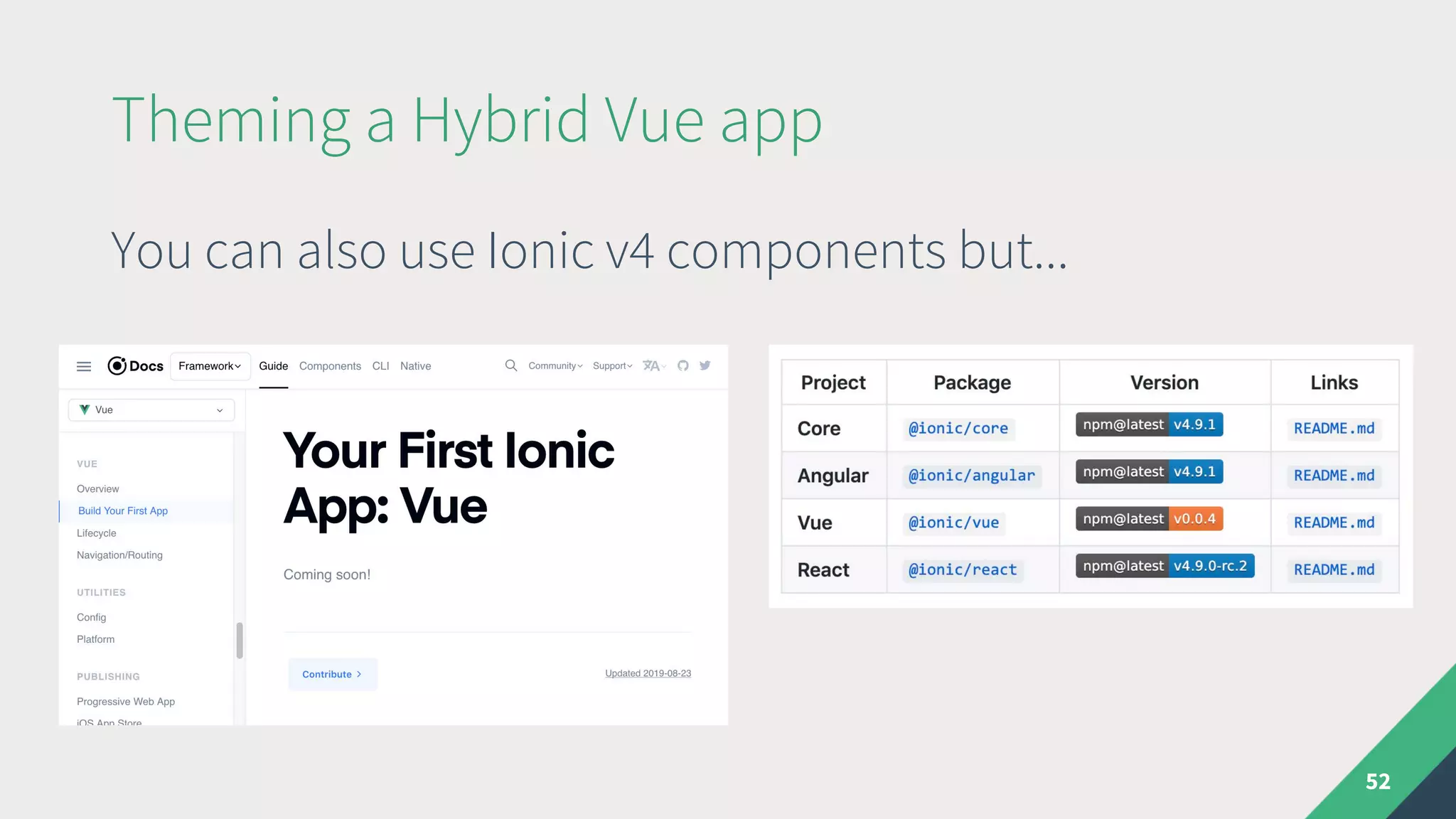
You can also use Ionic v4 components but...
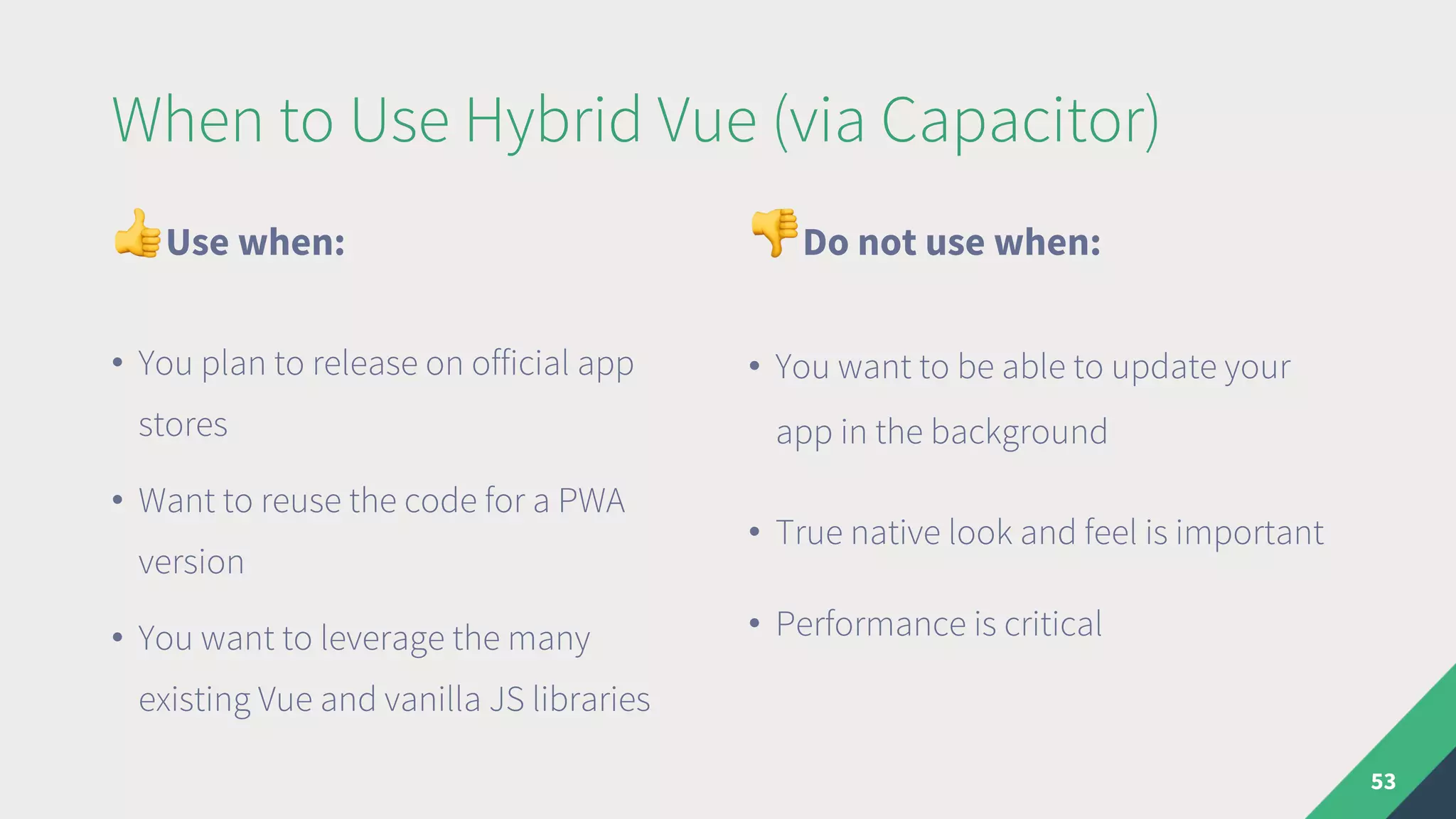
When to Use Hybrid Vue (via Capacitor)
"Use when:
• You plan to release on official app
stores
• Want to reuse the code for a PWA
version
• You want to leverage the many
existing Vue and vanilla JS libraries
#Do not use when:
• You want to be able to update your
app in the background
• True native look and feel is important
• Performance is critical
53
„Native“ Apps
54
What is NativeScript?
• Cross platform mobile framework similar to ReactNative
• Released before ReactNative in 2014 by Telerik (now Progress)
• Renders native iOS and Android components, business logic in JS
• Injects all iOS and Android APIs in the JavaScript VM
55
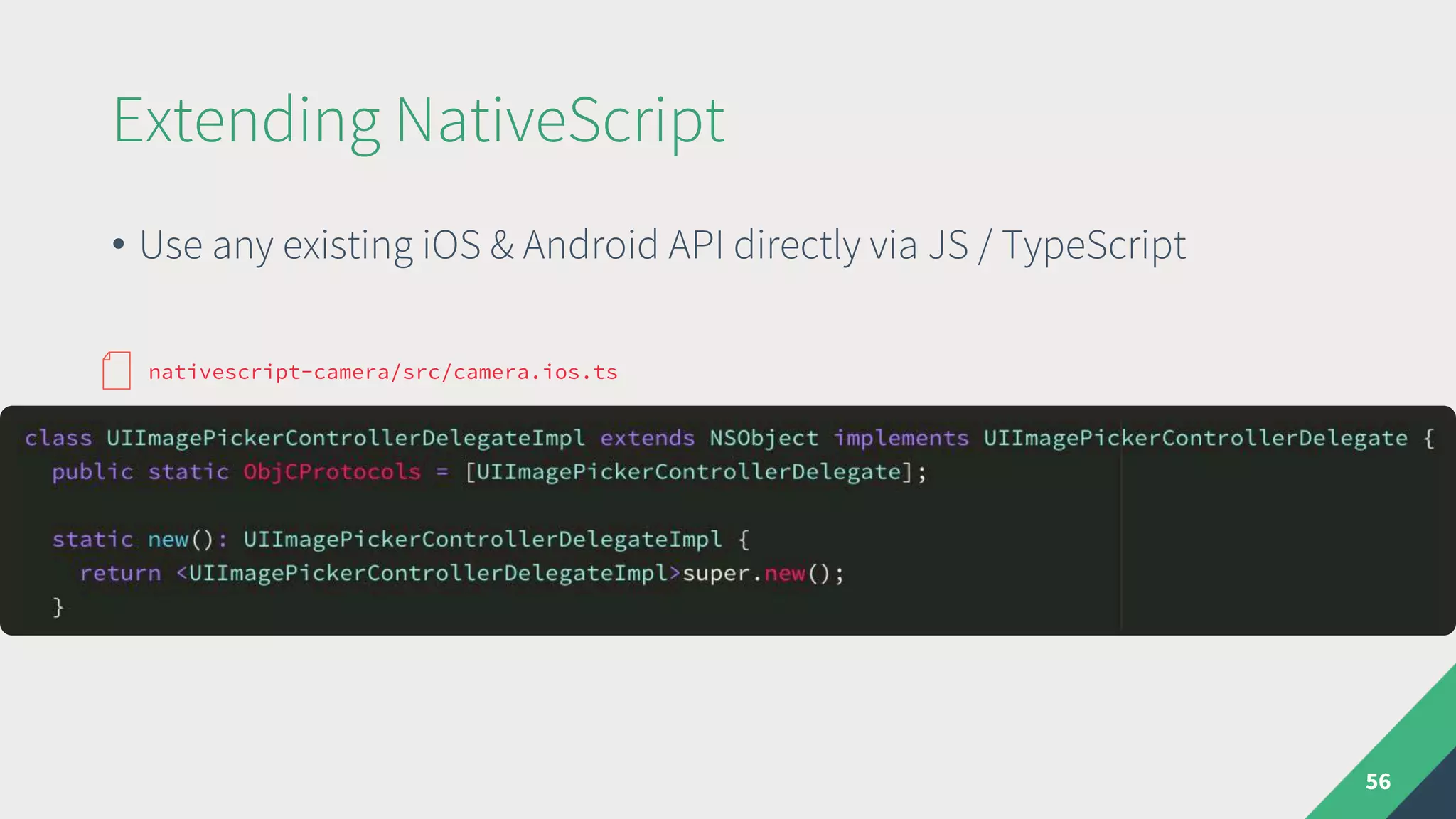
Extending NativeScript
• Use any existing iOS & Android API directly via JS / TypeScript
56
nativescript-camera/src/camera.ios.ts
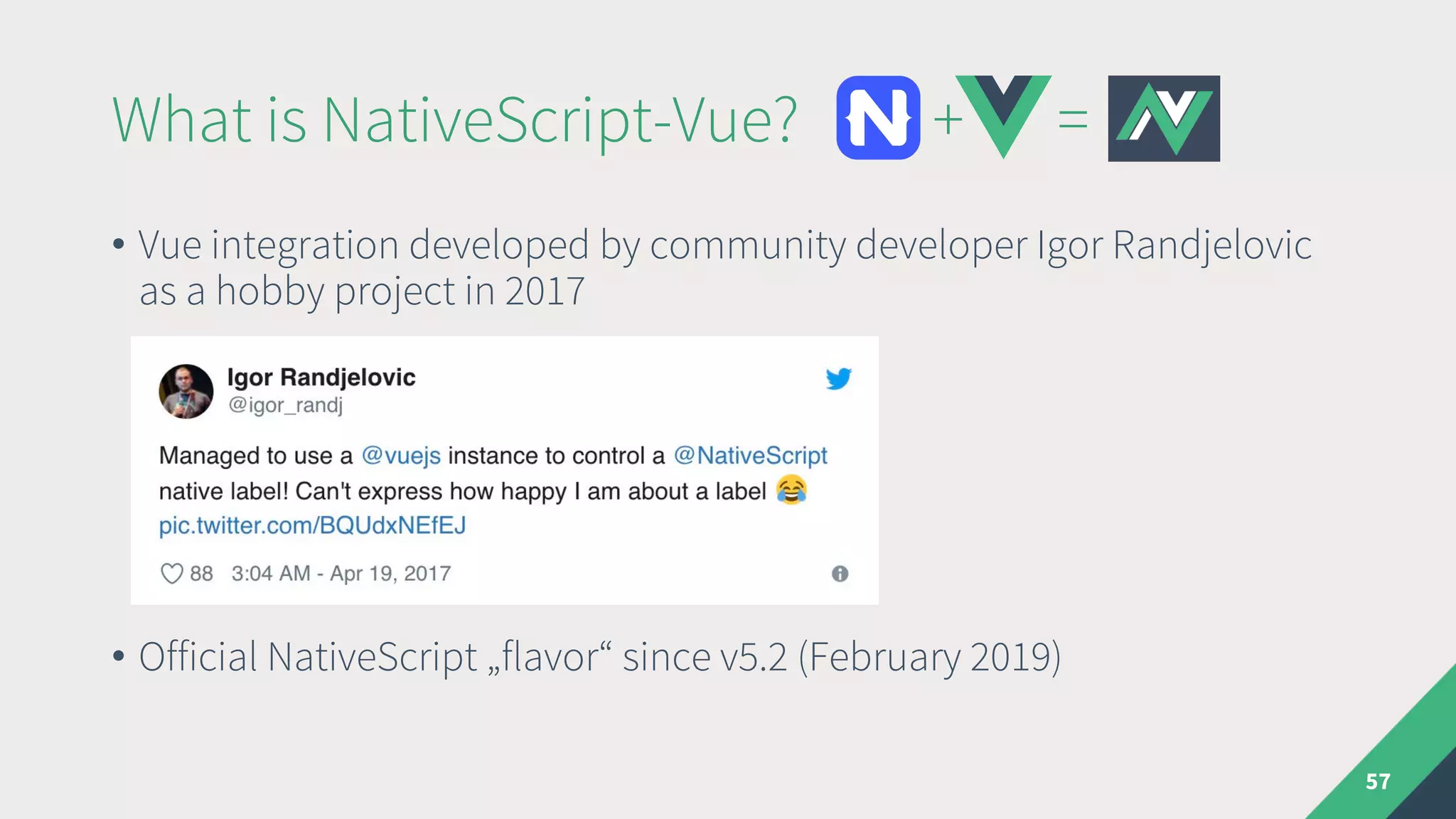
What is NativeScript-Vue? + =
• Vue integration developed by community developer Igor Randjelovic
as a hobby project in 2017
• Official NativeScript „flavor“ since v5.2 (February 2019)
57
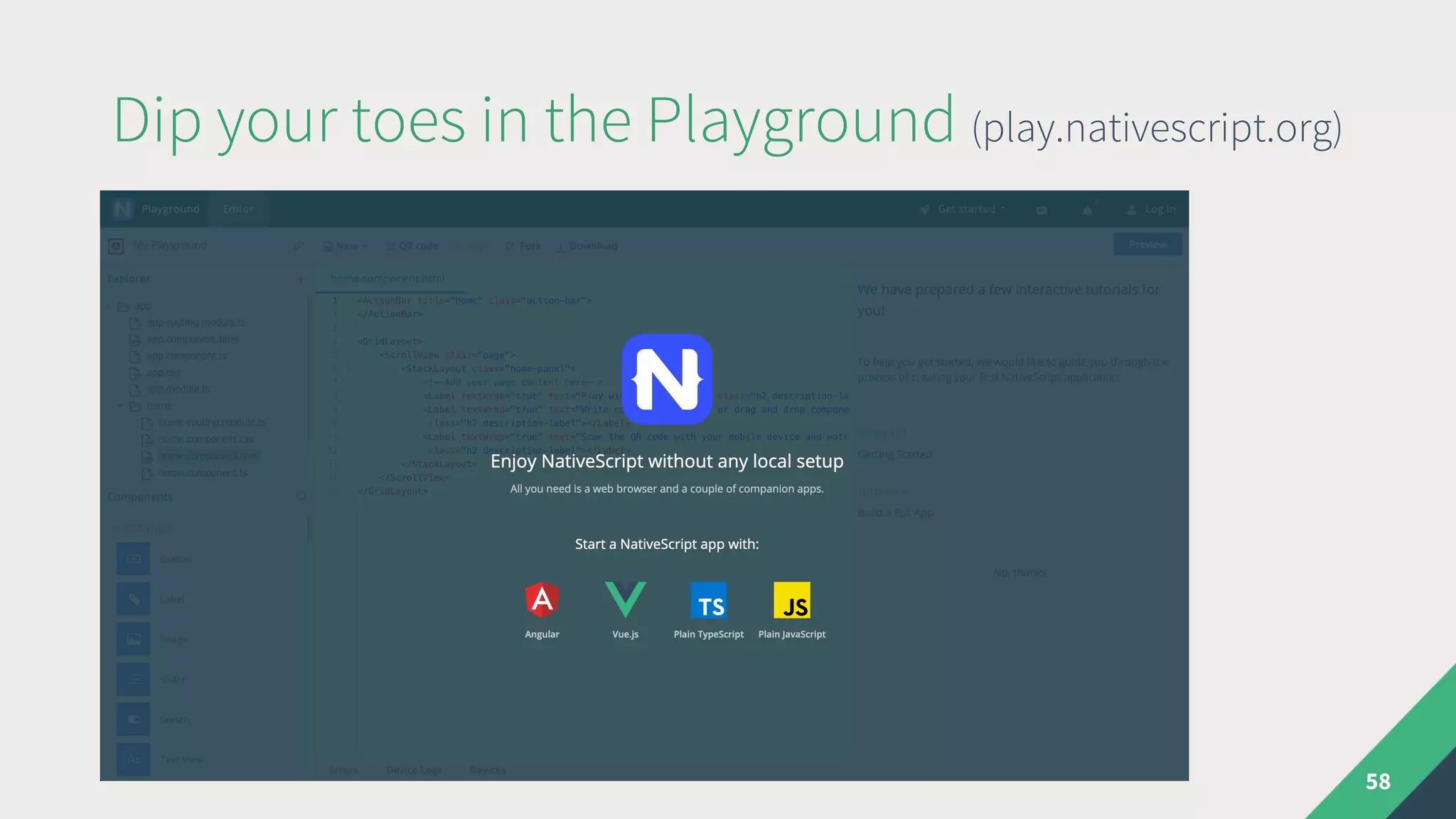
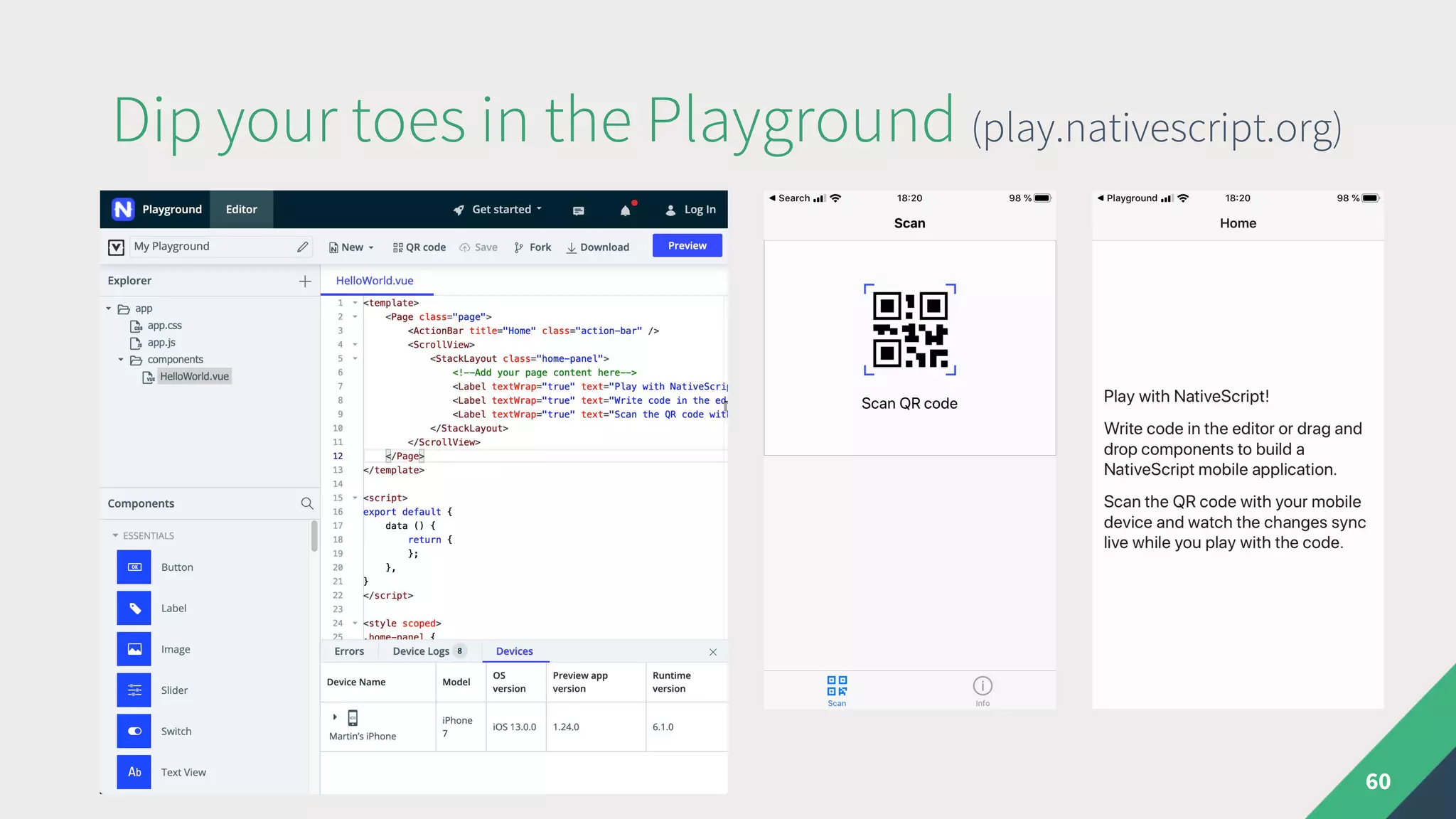
Dip your toes in the Playground (play.nativescript.org)
58
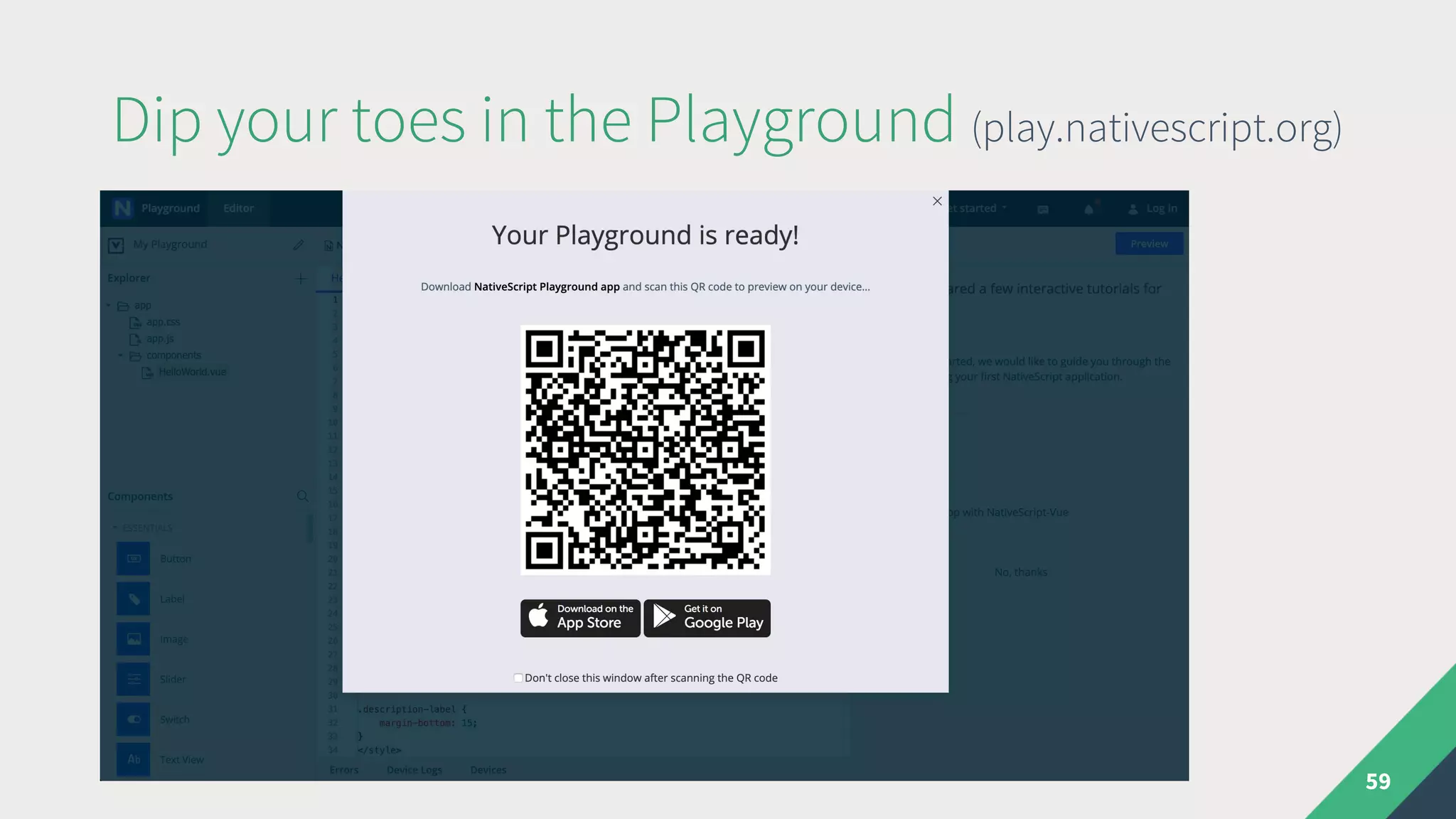
Dip your toes in the Playground (play.nativescript.org)
59
Dip your toes in the Playground (play.nativescript.org)
60
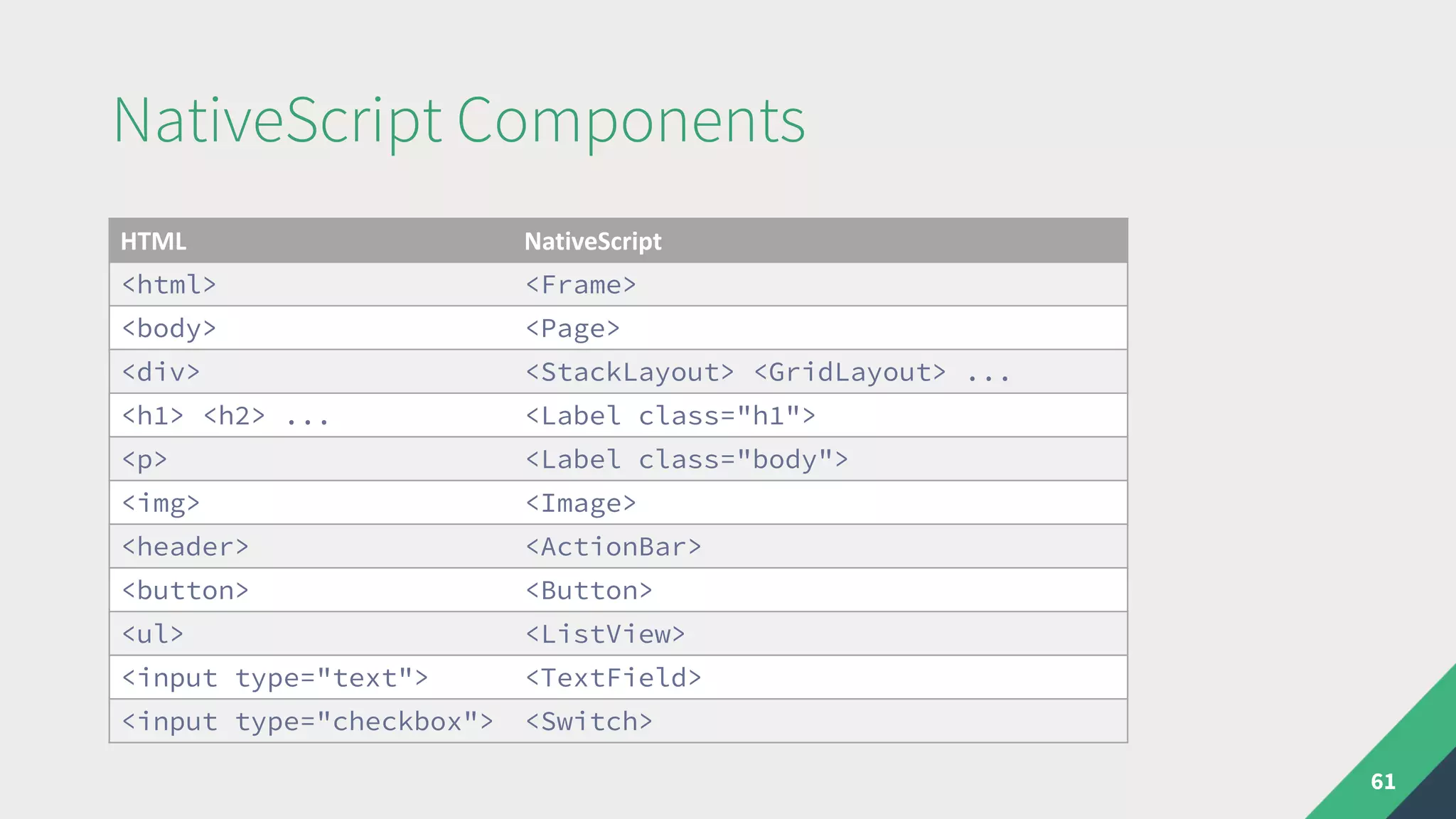
NativeScript Components
61
HTML NativeScript
<html> <Frame>
<body> <Page>
<div> <StackLayout> <GridLayout> ...
<h1> <h2> ... <Label class="h1">
<p> <Label class="body">
<img> <Image>
<header> <ActionBar>
<button> <Button>
<ul> <ListView>
<input type="text"> <TextField>
<input type="checkbox"> <Switch>
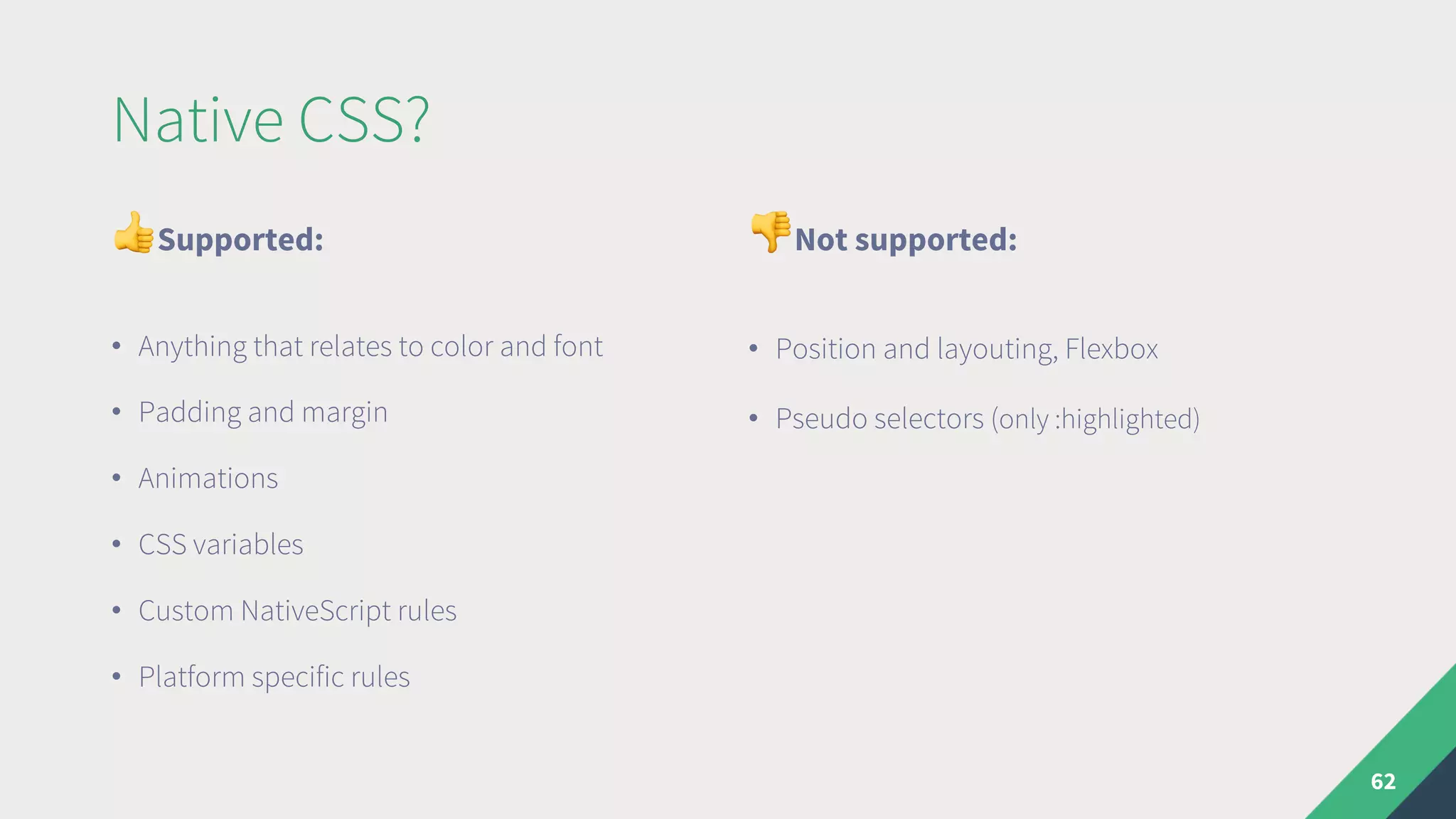
Native CSS?
"Supported:
• Anything that relates to color and font
• Padding and margin
• Animations
• CSS variables
• Custom NativeScript rules
• Platform specific rules
#Not supported:
• Position and layouting, Flexbox
• Pseudo selectors (only :highlighted)
62
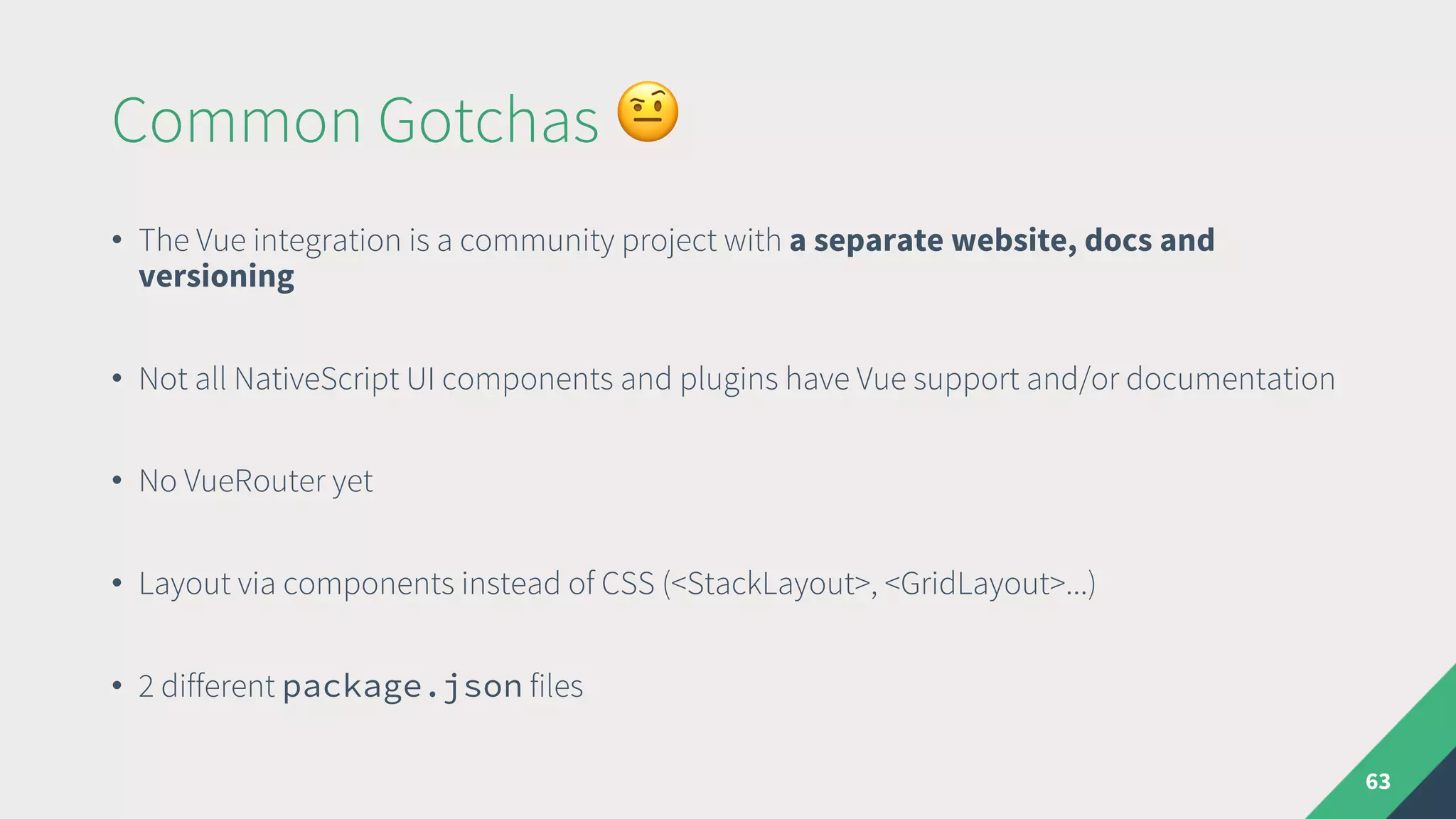
Common Gotchas &
• The Vue integration is a community project with a separate website, docs and
versioning
• Not all NativeScript UI components and plugins have Vue support and/or documentation
• No VueRouter yet
• Layout via components instead of CSS (<StackLayout>, <GridLayout>...)
• 2 different package.json files
63
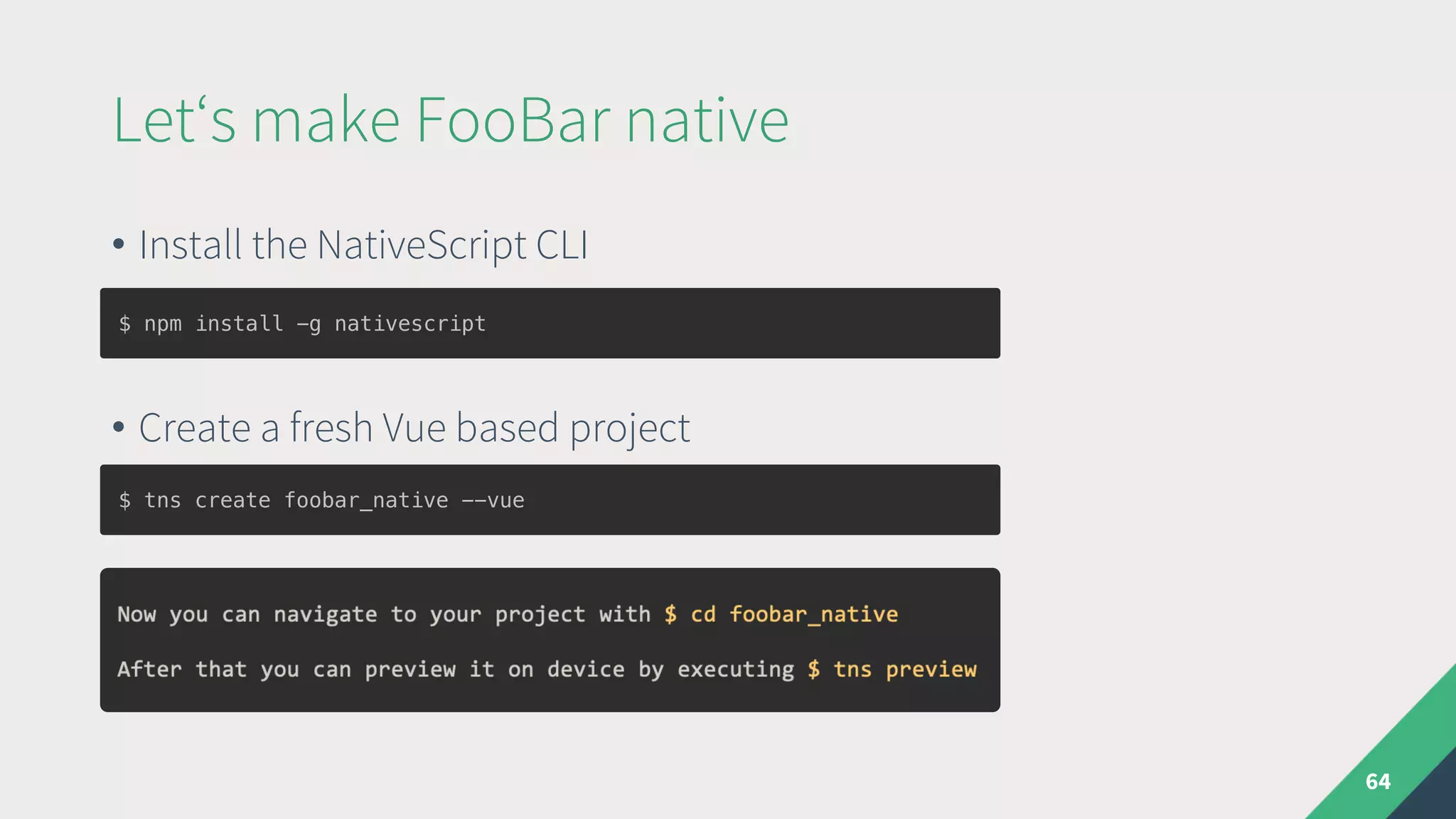
• Install the NativeScript CLI
• Create a fresh Vue based project
Let‘s make FooBar native
64
$ tns create foobar_native --vue
$ npm install -g nativescript
65
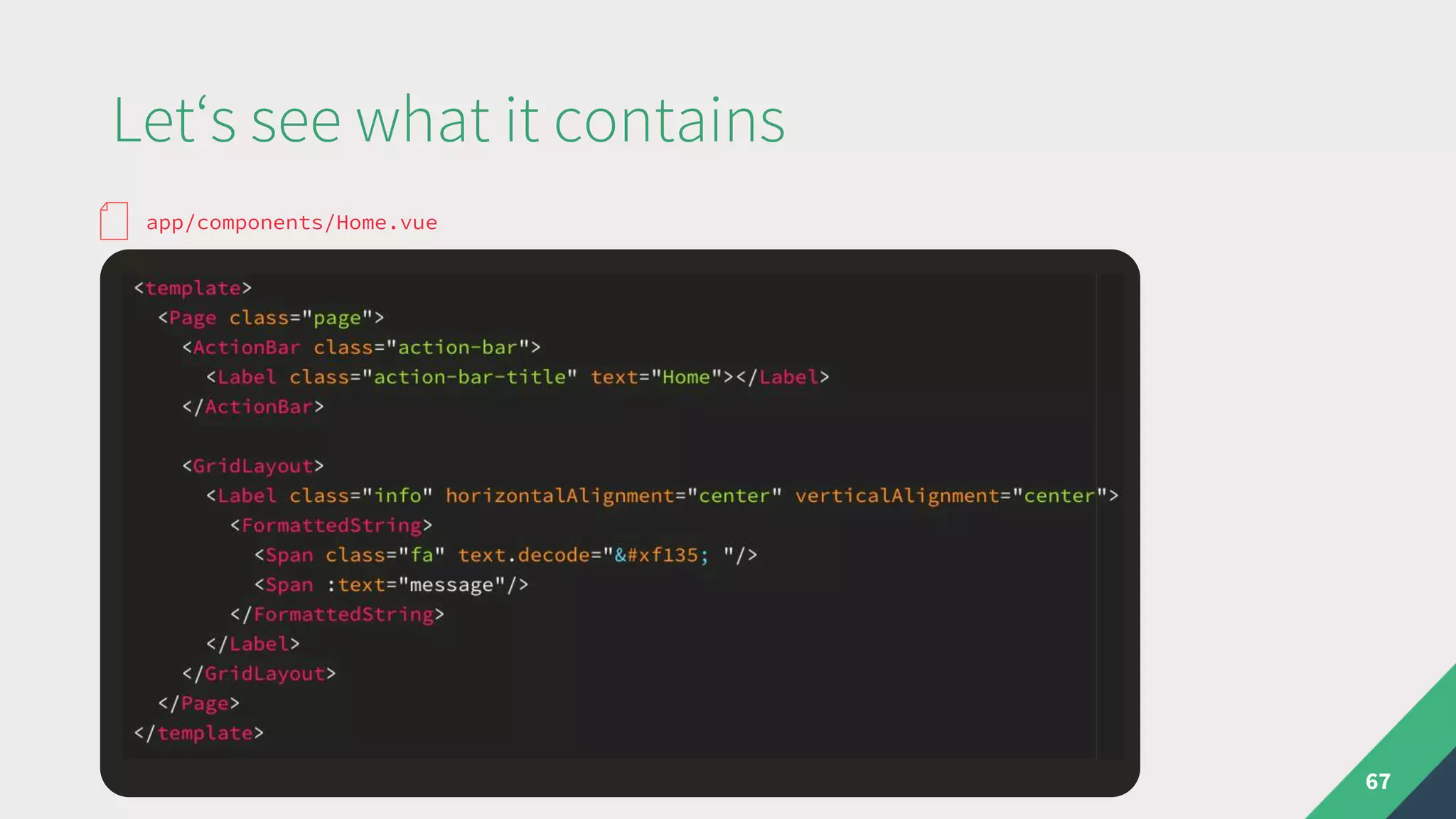
Let‘s see what it contains
66
app/app.js
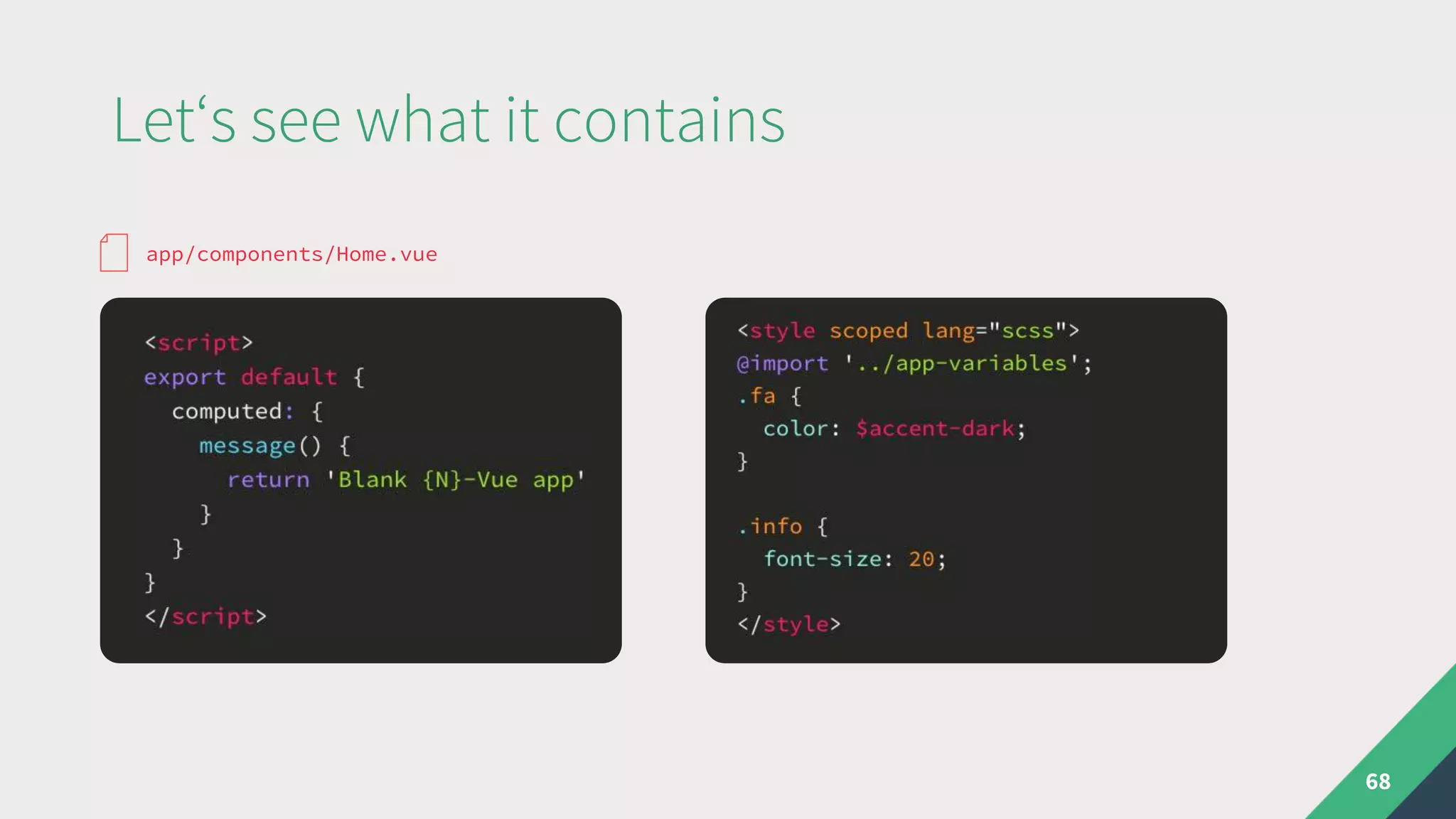
Let‘s see what it contains
67
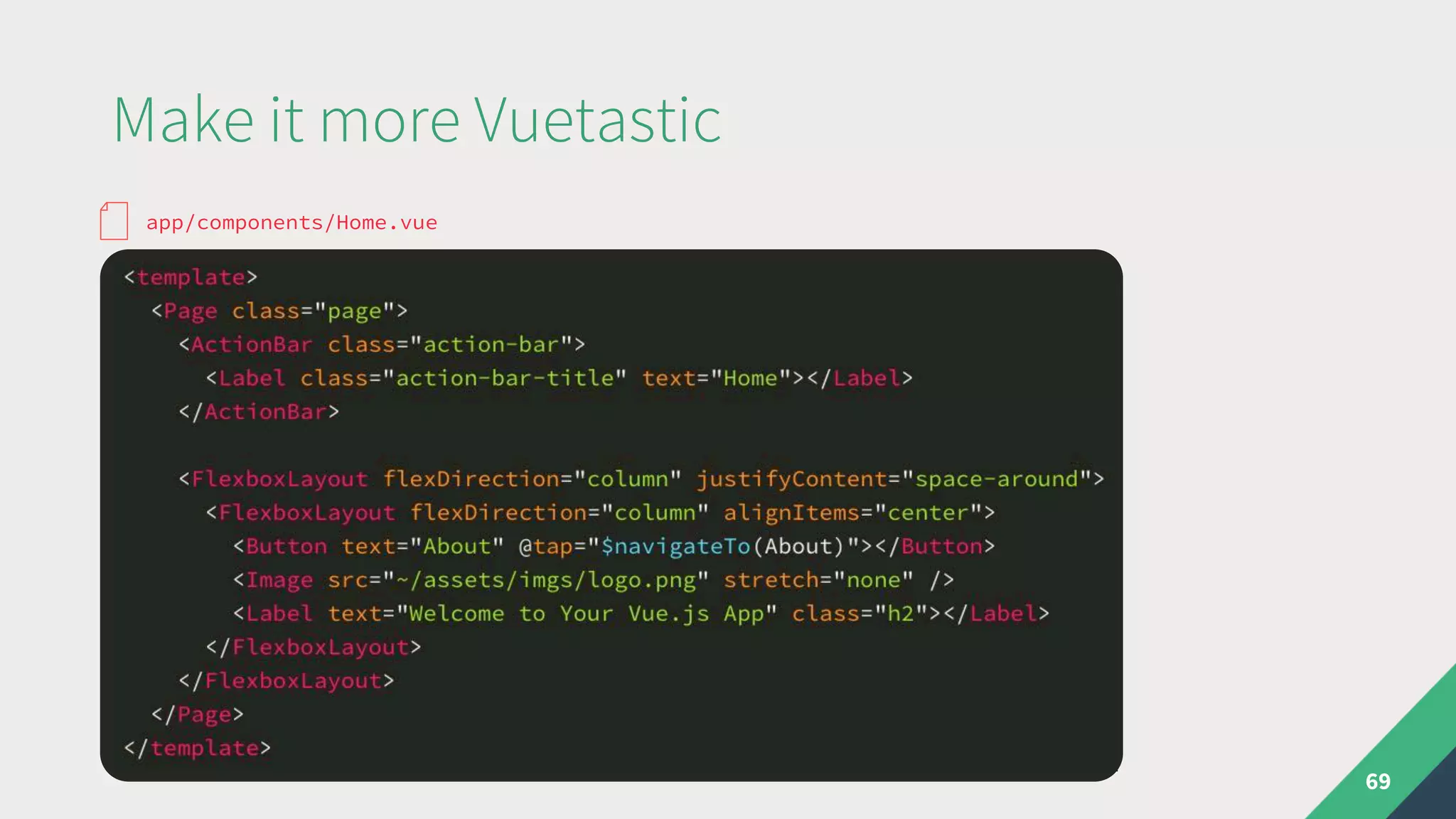
app/components/Home.vue
Let‘s see what it contains
68
app/components/Home.vue
Make it more Vuetastic
69
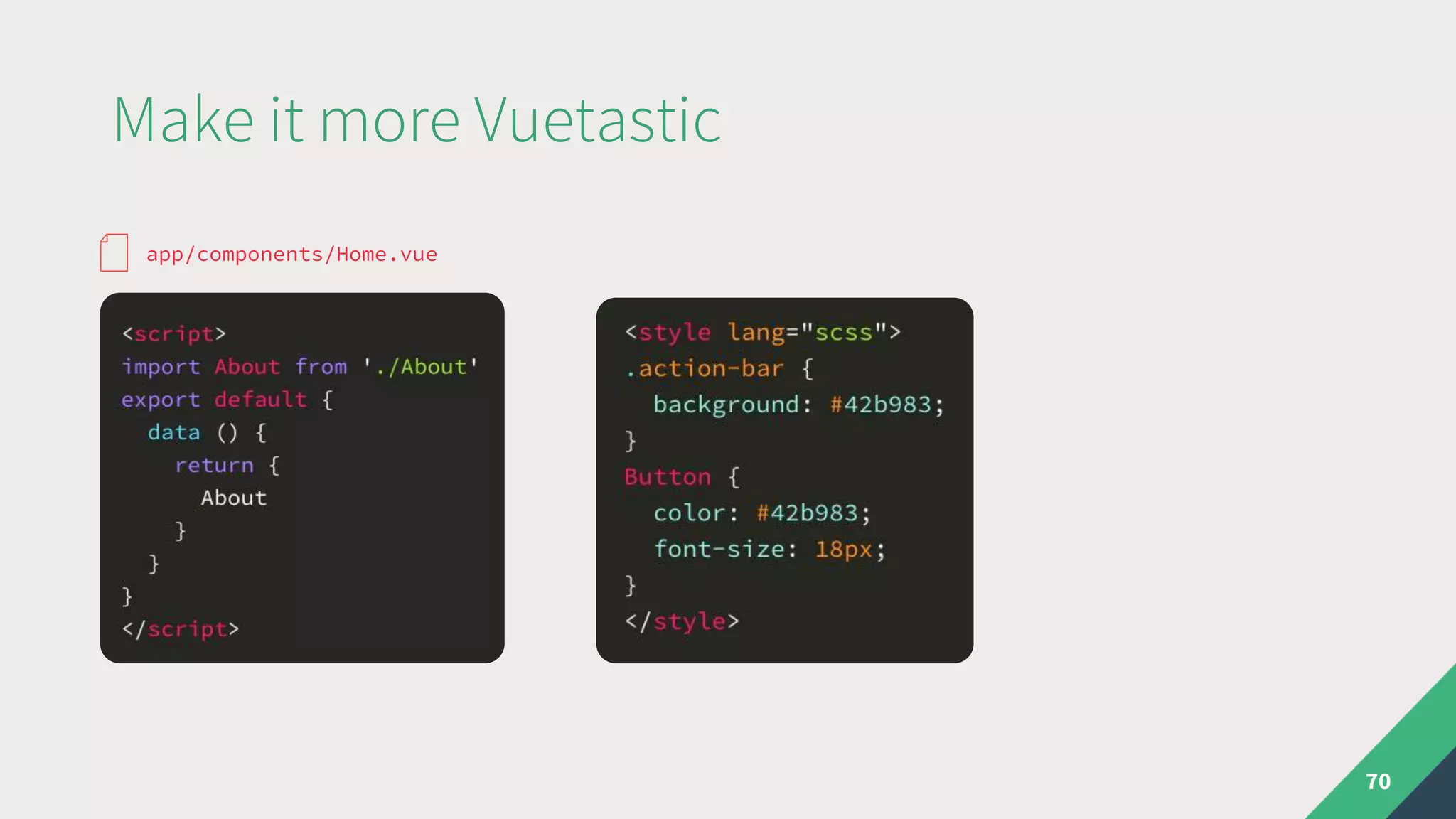
app/components/Home.vue
Make it more Vuetastic
70
app/components/Home.vue
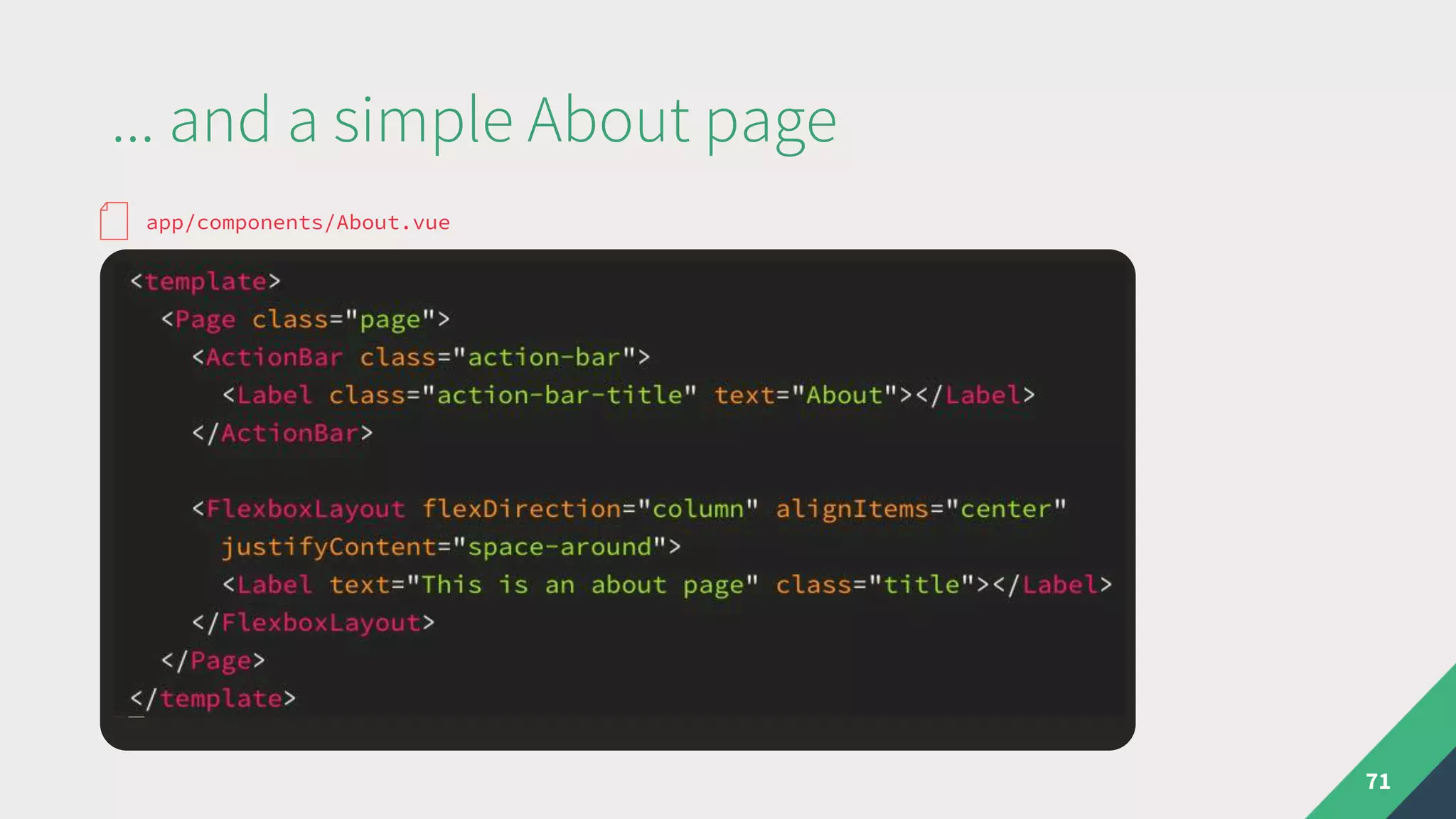
... and a simple About page
71
app/components/About.vue
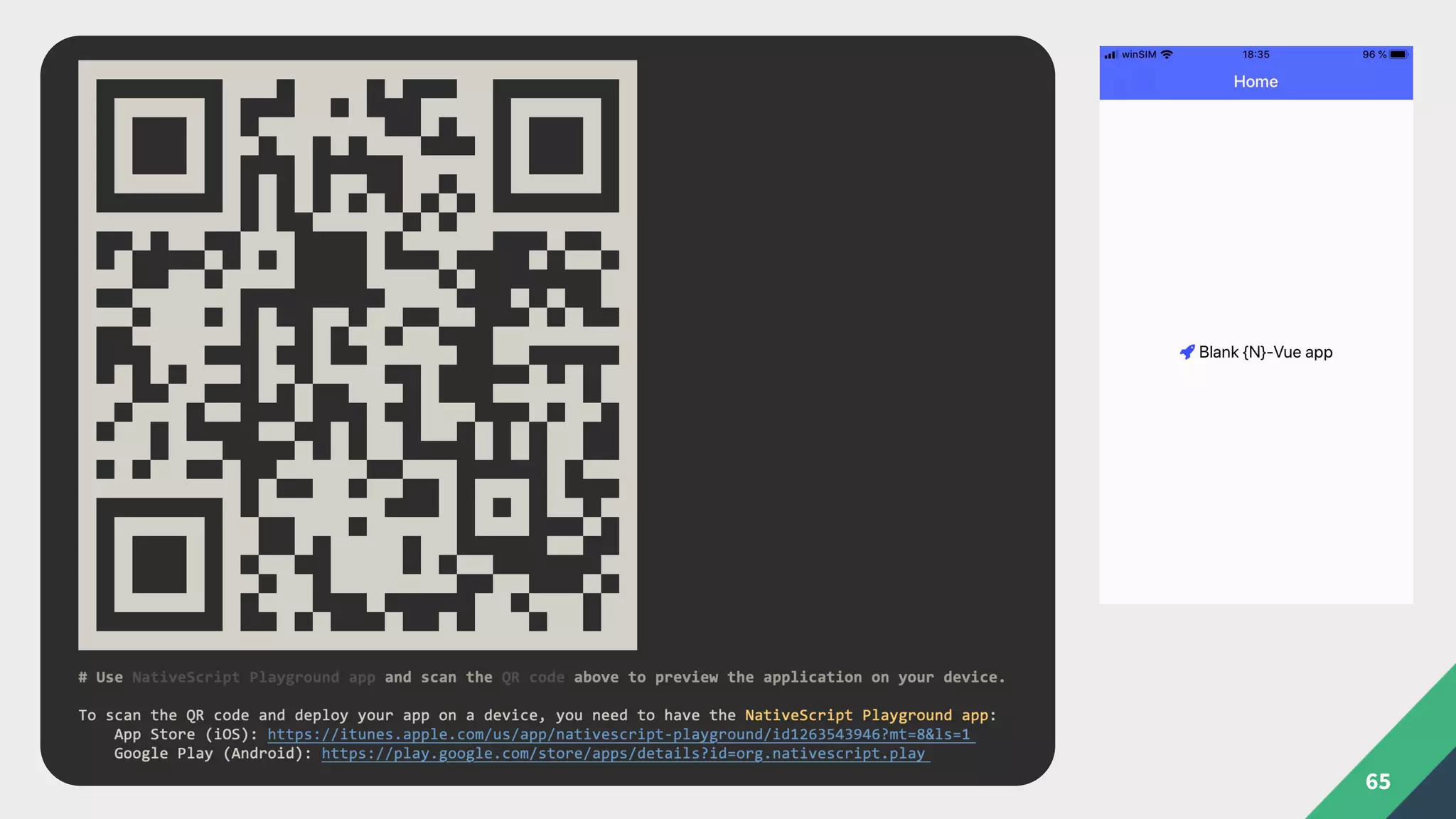
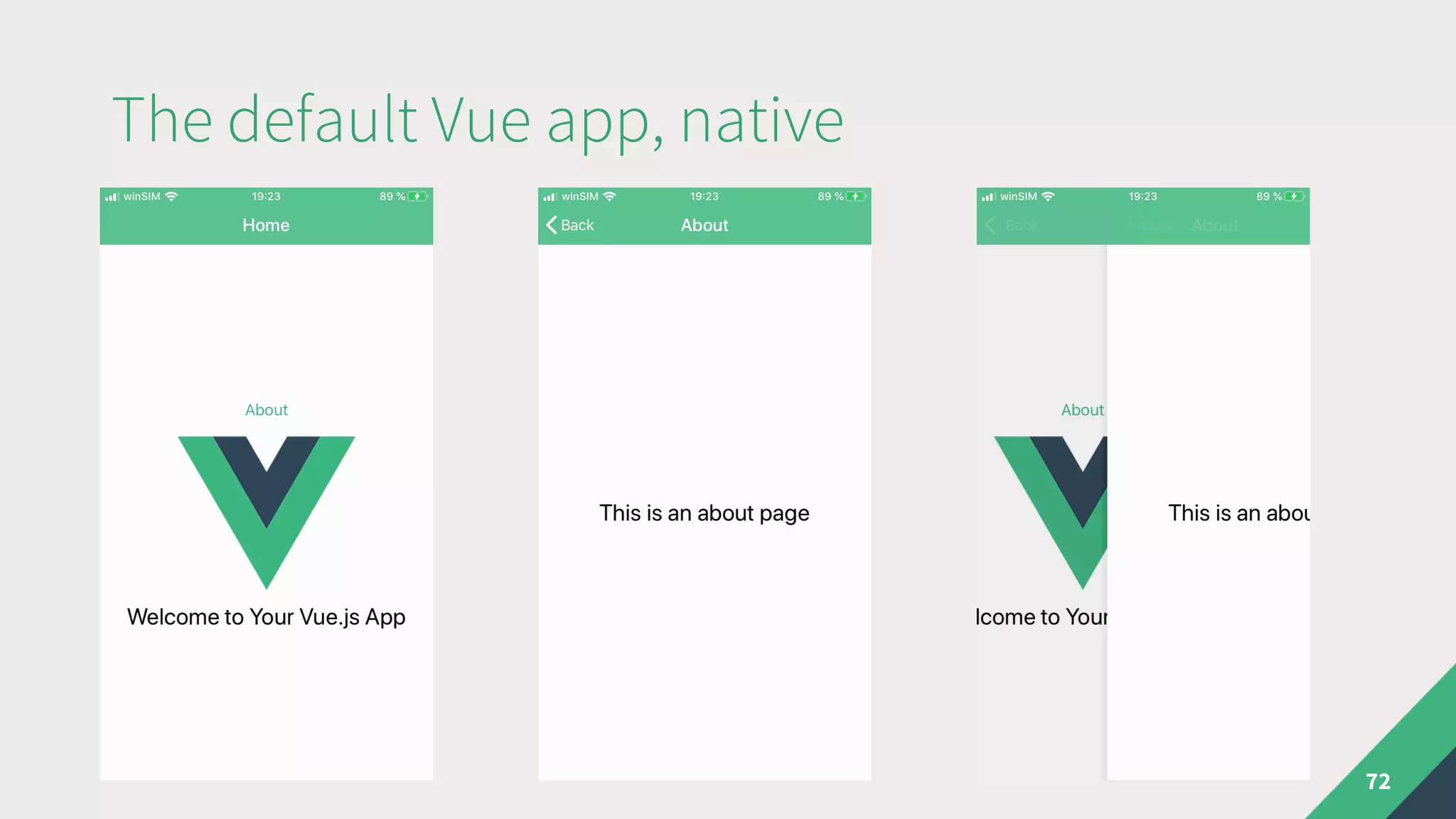
The default Vue app, native
72
How about some native selfies?
74
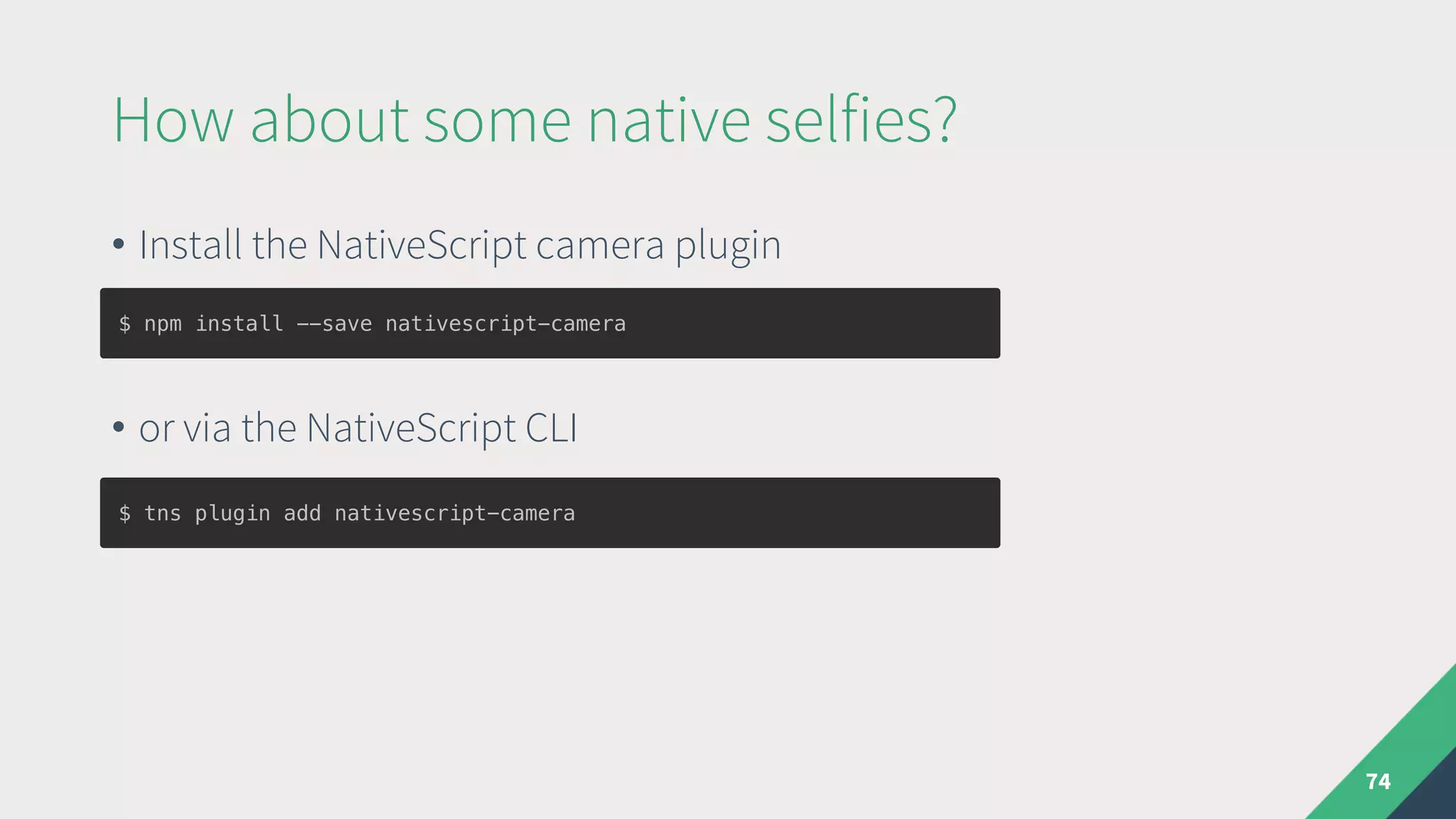
• Install the NativeScript camera plugin
• or via the NativeScript CLI
$ npm install --save nativescript-camera
$ tns plugin add nativescript-camera
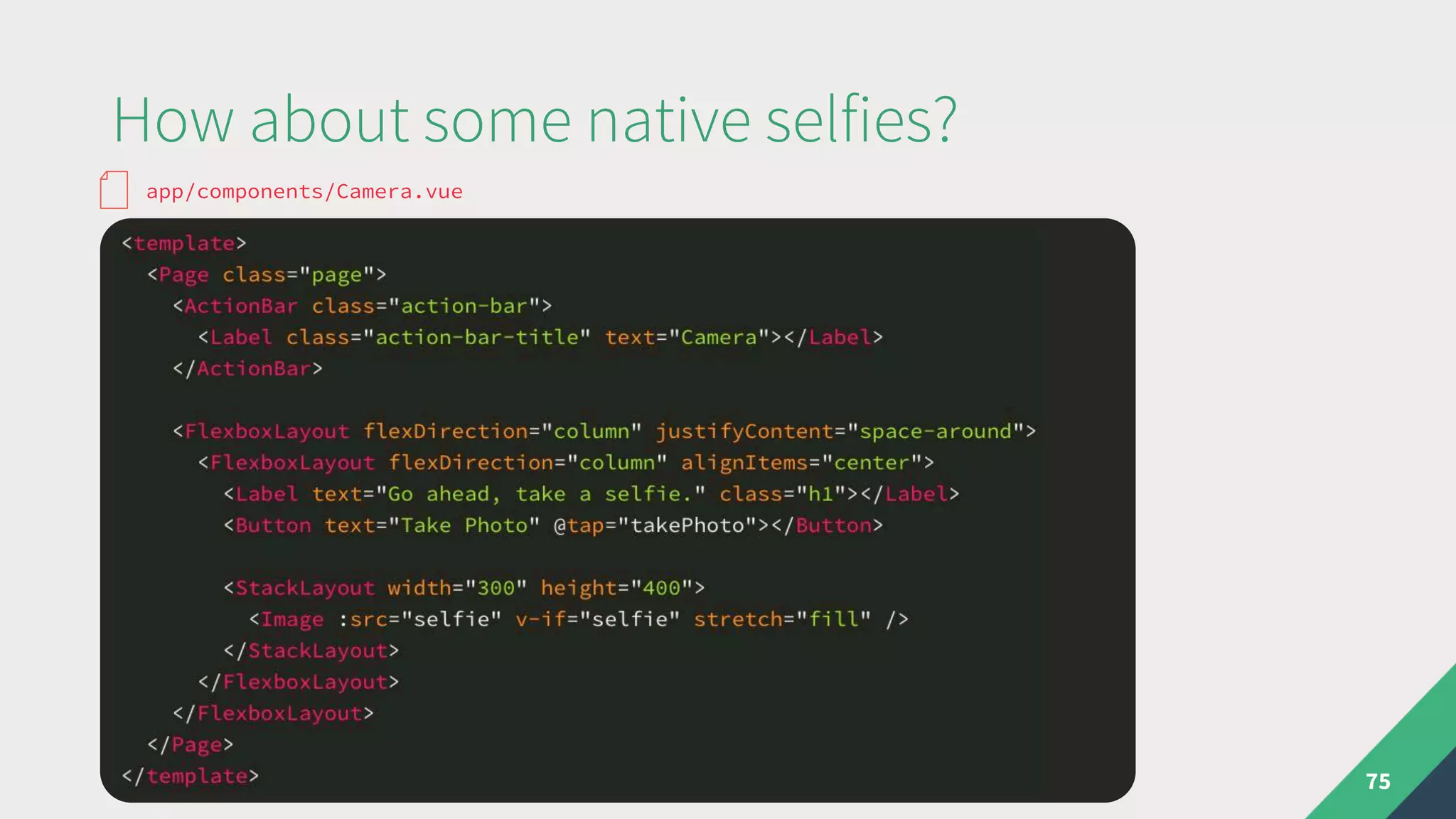
How about some native selfies?
75
app/components/Camera.vue
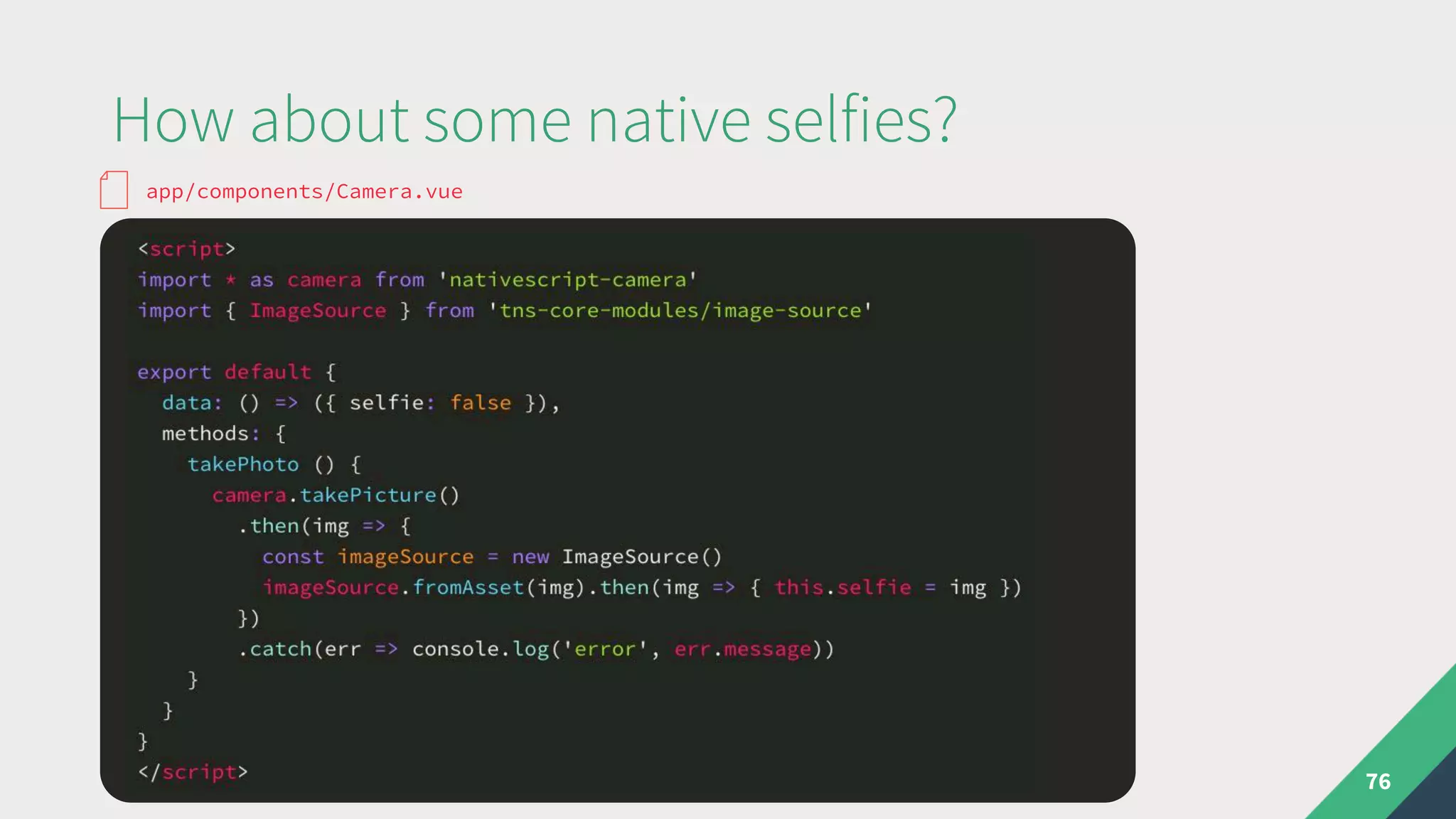
How about some native selfies?
76
app/components/Camera.vue
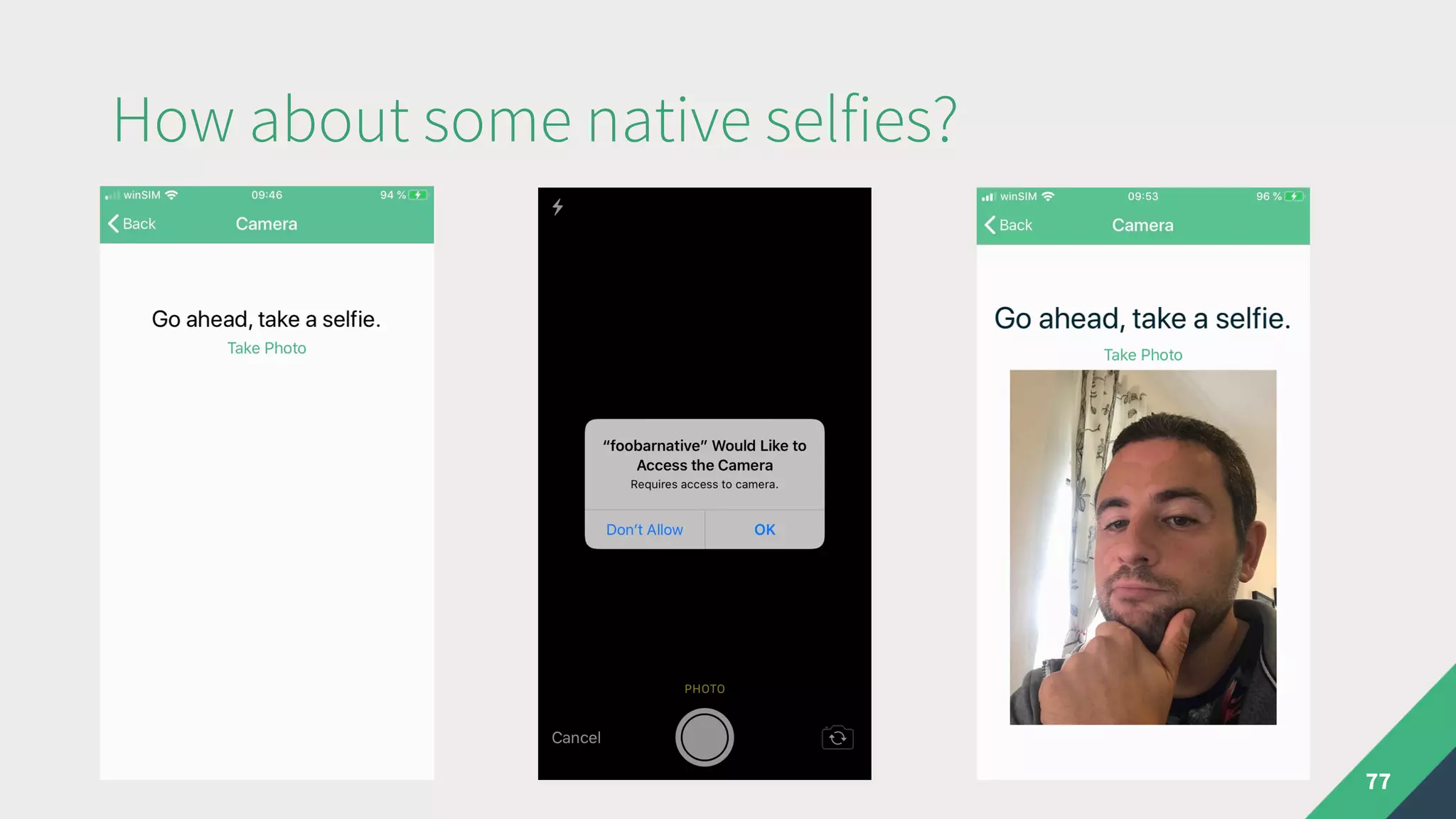
How about some native selfies?
77
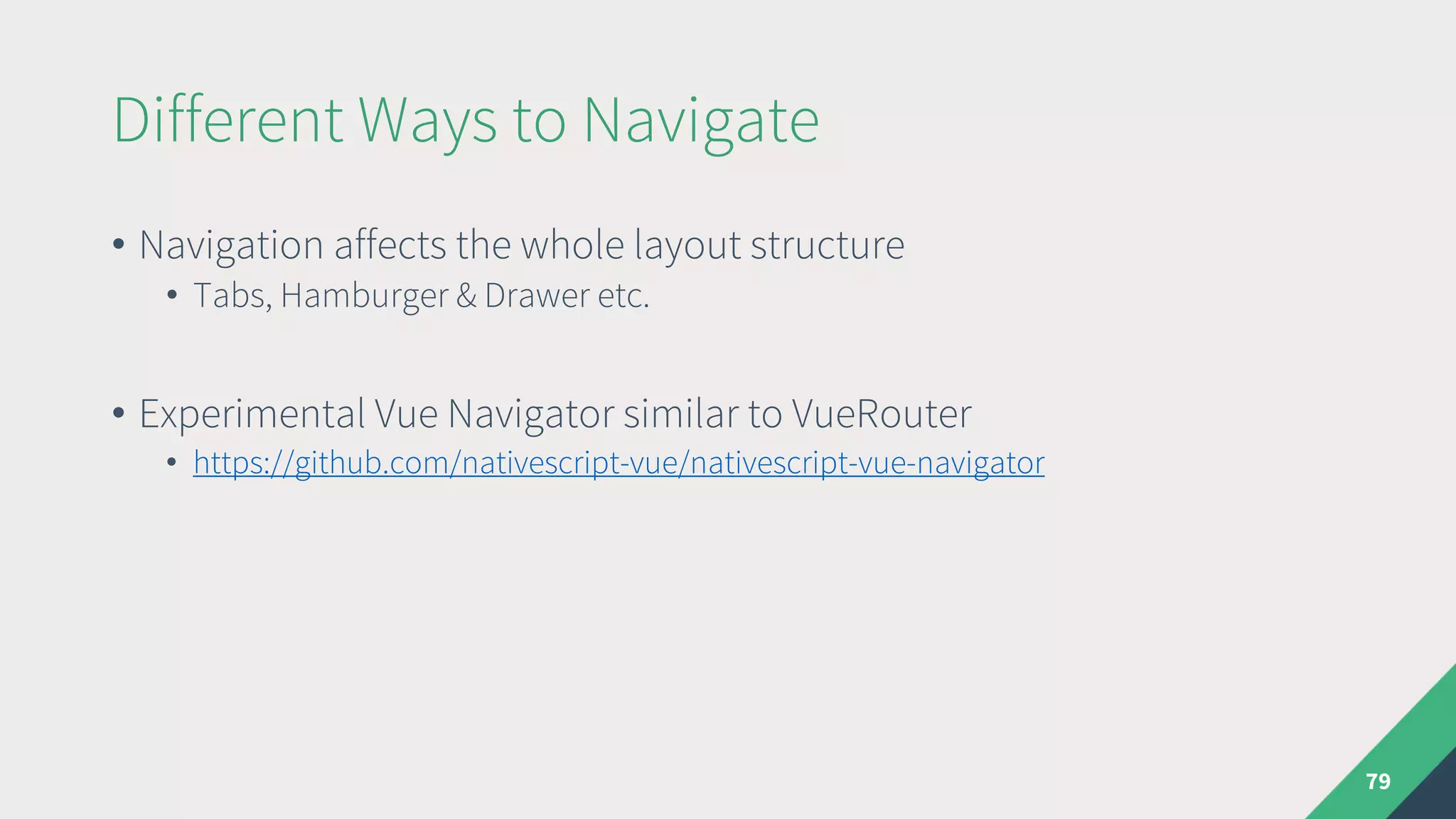
Different Ways to Navigate
• Navigation affects the whole layout structure
• Tabs, Hamburger & Drawer etc.
• Experimental Vue Navigator similar to VueRouter
• https://github.com/nativescript-vue/nativescript-vue-navigator
79
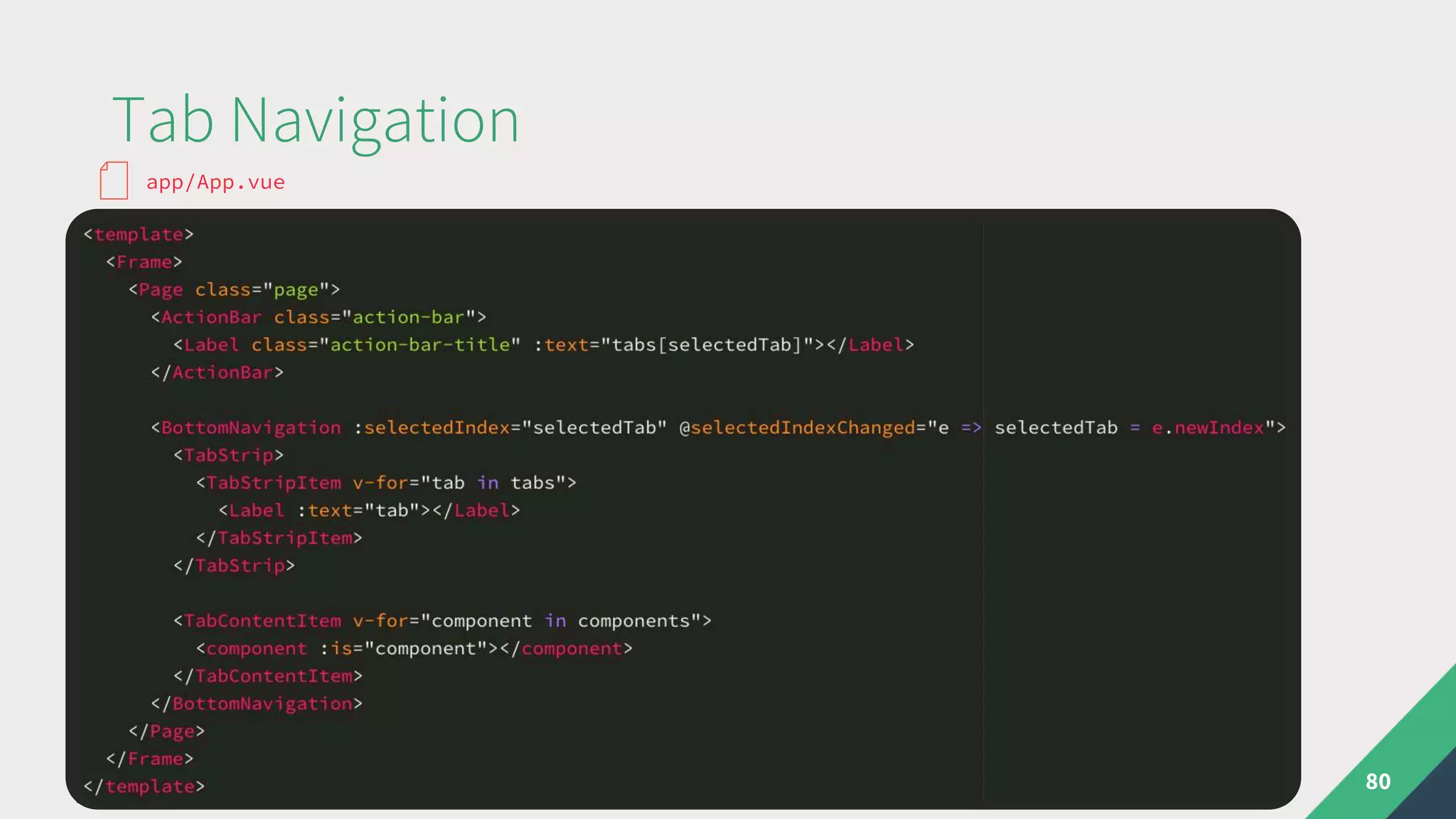
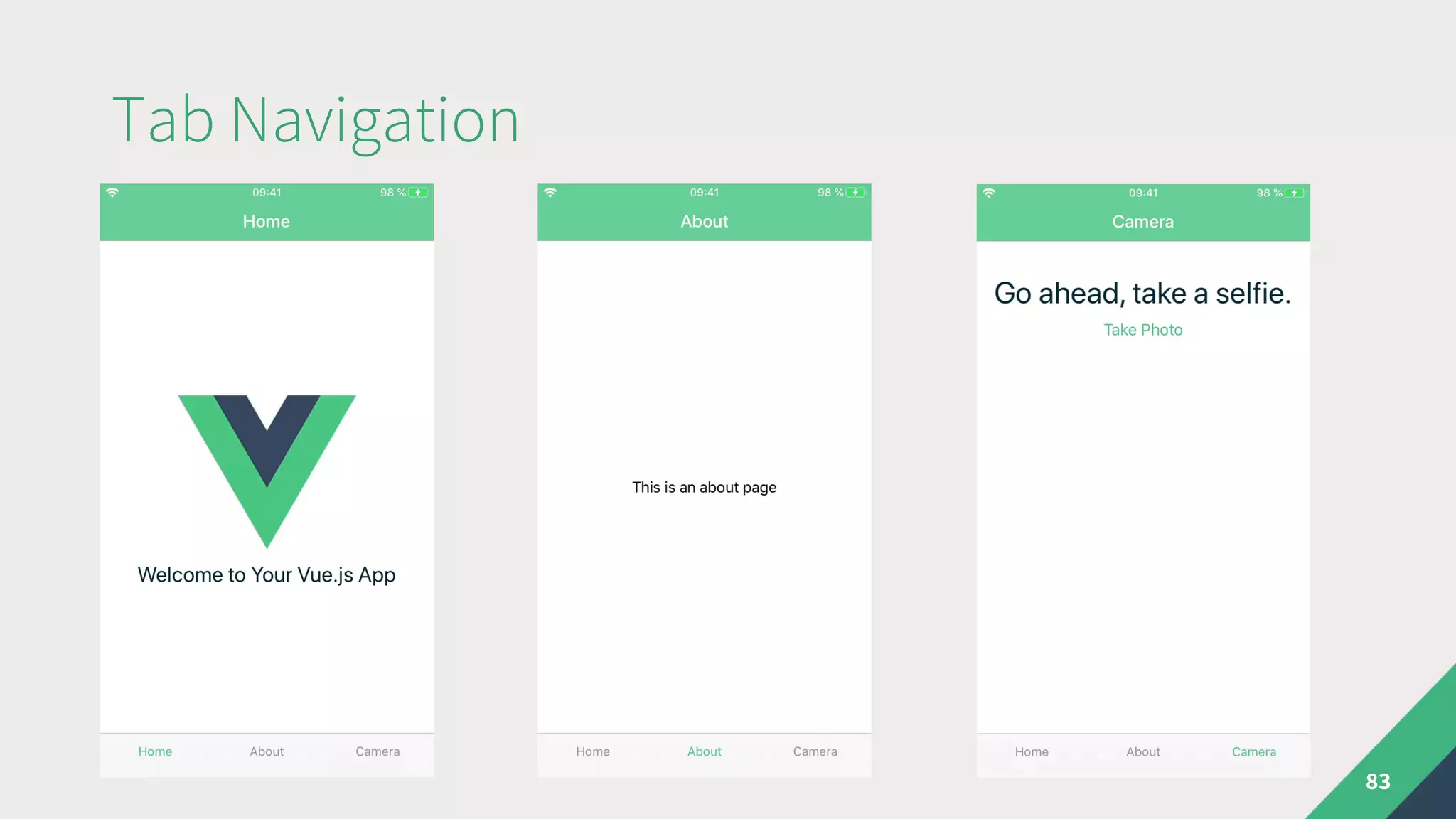
Tab Navigation
80
app/App.vue
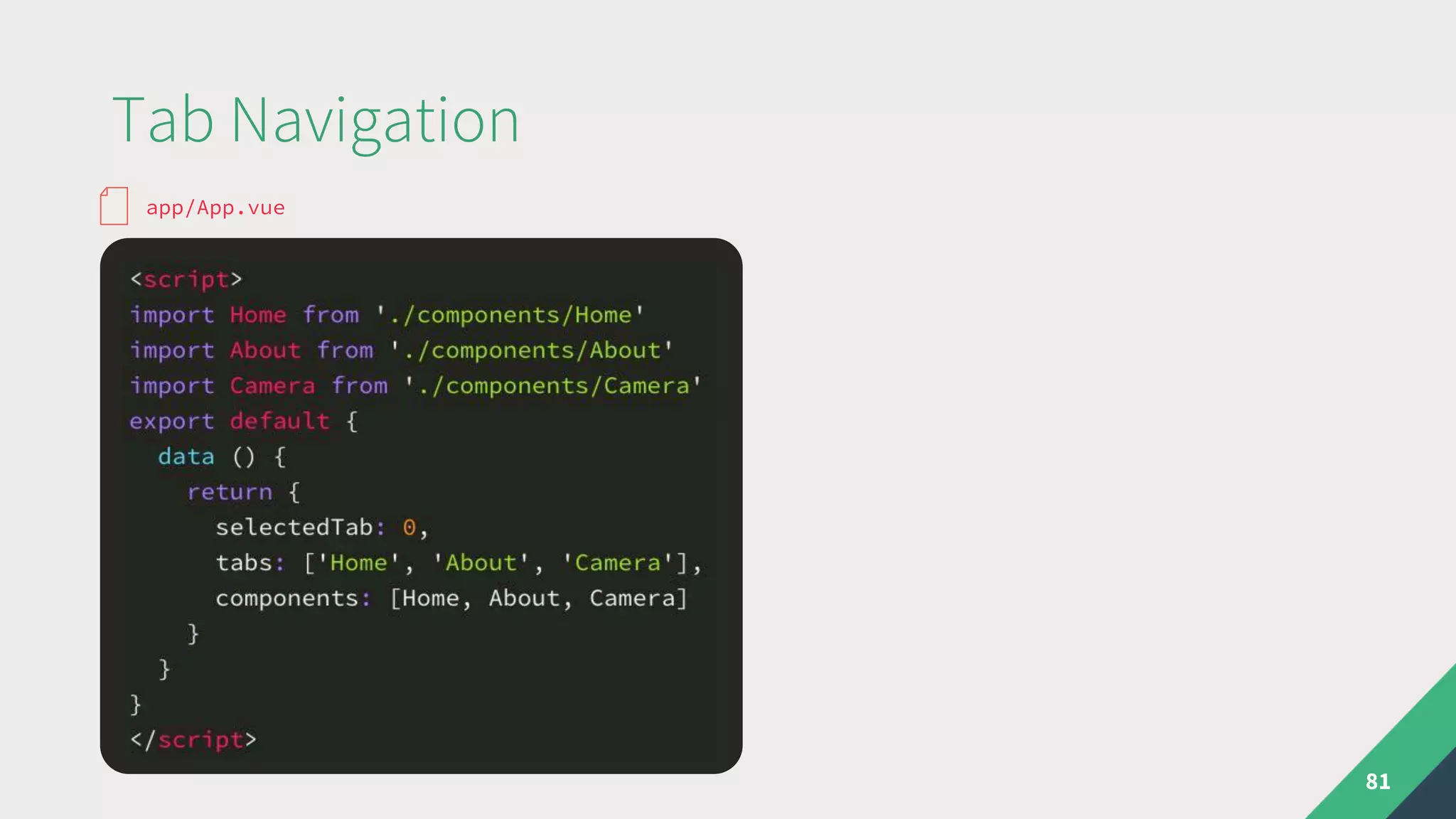
Tab Navigation
81
app/App.vue
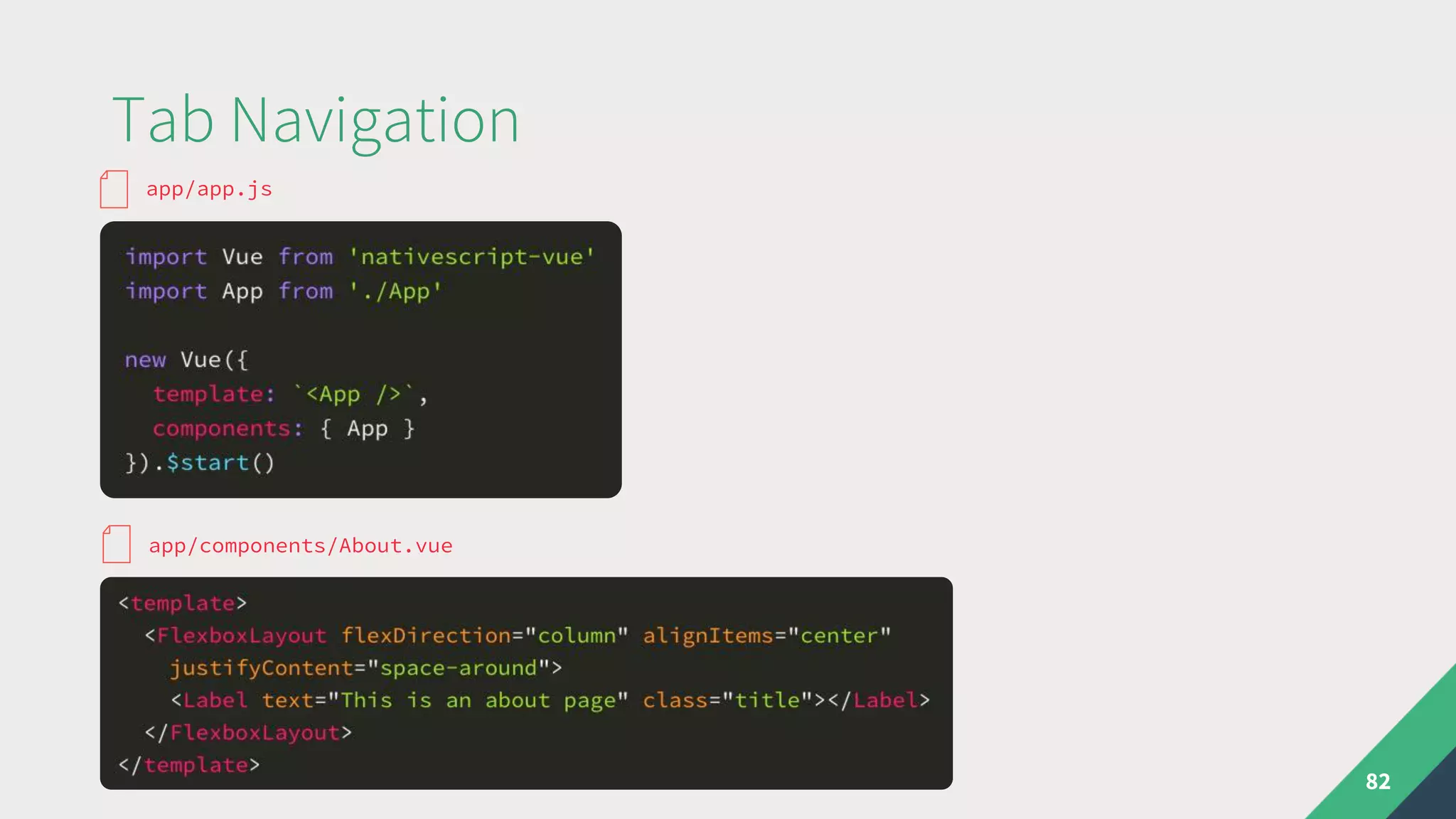
Tab Navigation
82
app/app.js
app/components/About.vue
Tab Navigation
83
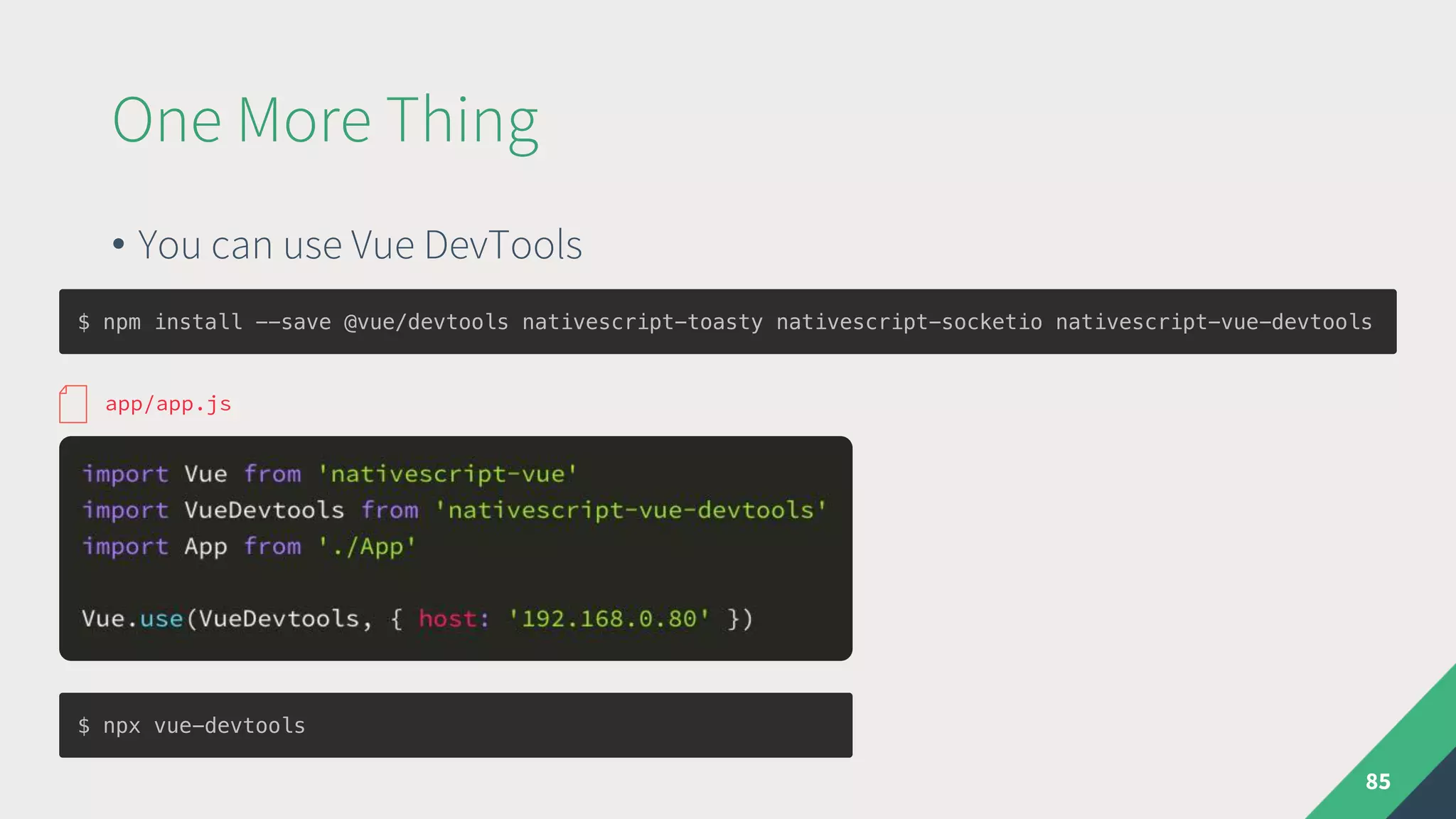
One More Thing
• You can use Vue DevTools
85
$ npm install --save @vue/devtools nativescript-toasty nativescript-socketio nativescript-vue-devtools
app/app.js
$ npx vue-devtools
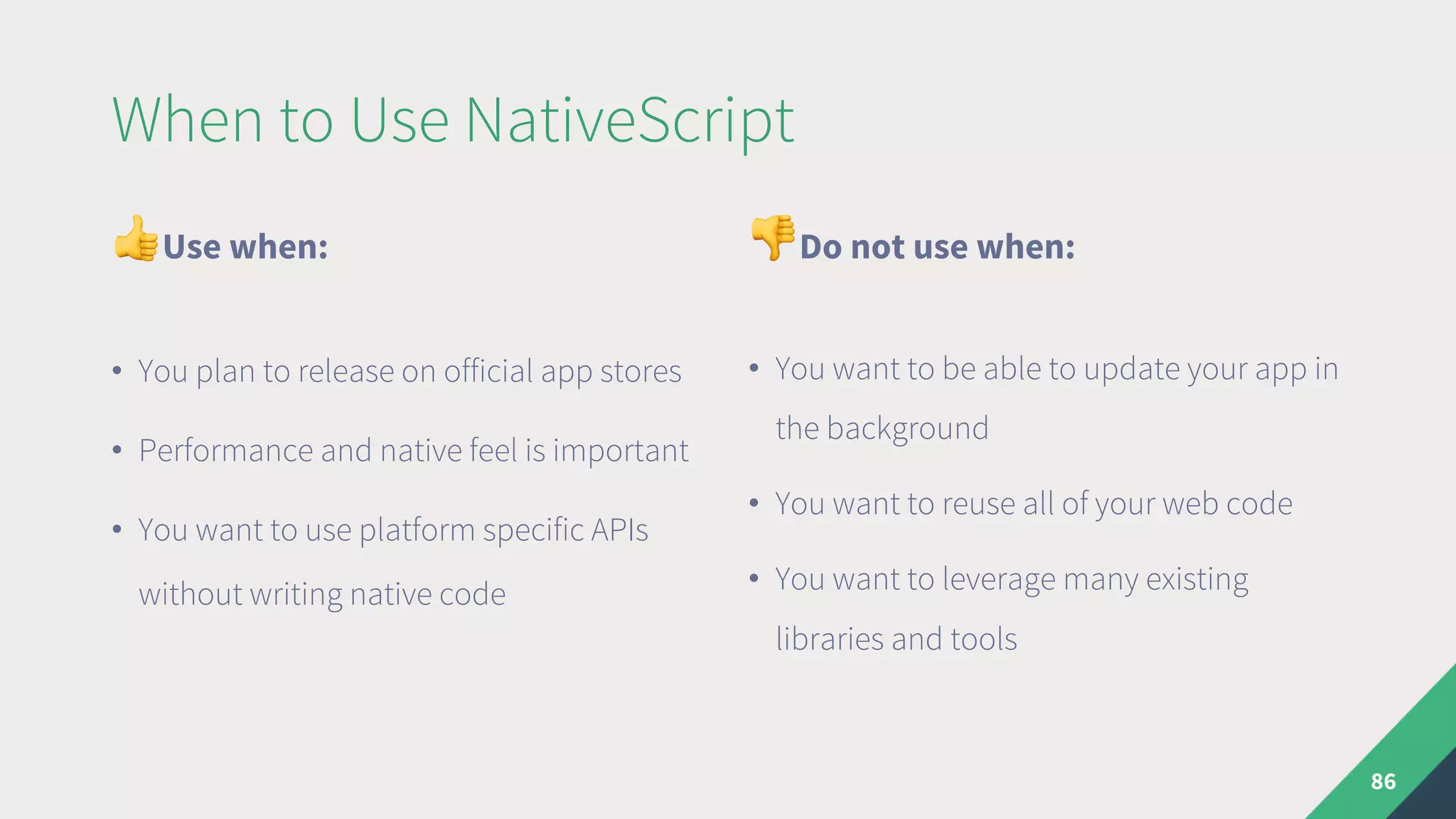
When to Use NativeScript
"Use when:
• You plan to release on official app stores
• Performance and native feel is important
• You want to use platform specific APIs
without writing native code
#Do not use when:
• You want to be able to update your app in
the background
• You want to reuse all of your web code
• You want to leverage many existing
libraries and tools
86
Usefull Links
87
• https://docs.nativescript.org/
• https://nativescript-vue.org
• https://nsvue-workshop.netlify.com/
Key Takeaways
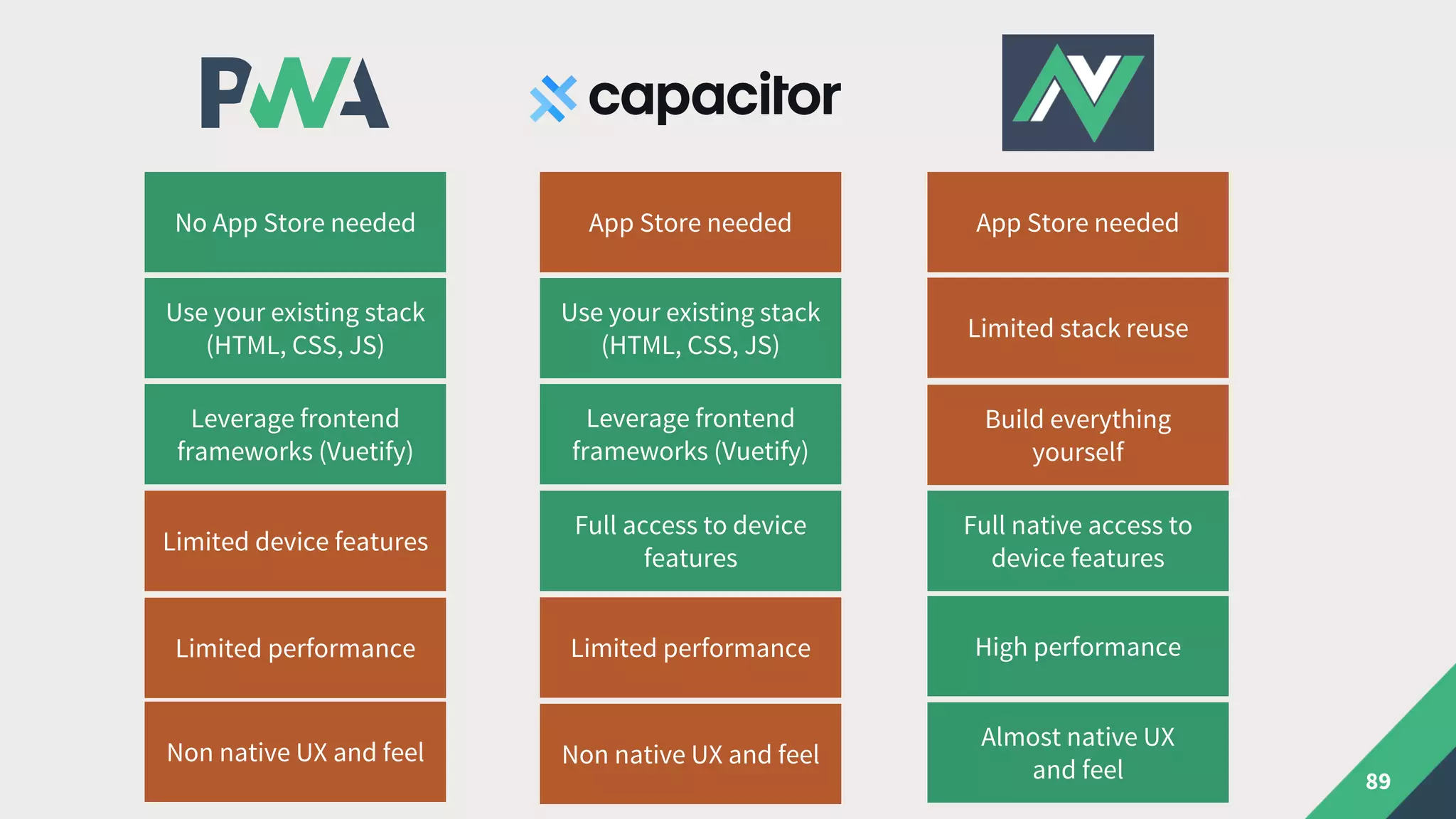
89
No App Store needed App Store needed
Limited stack reuse
Use your existing stack
(HTML, CSS, JS)
Use your existing stack
(HTML, CSS, JS)
Leverage frontend
frameworks (Vuetify)
Limited device features
Full access to device
features
Full native access to
device features
App Store needed
Limited performanceLimited performance High performance
Leverage frontend
frameworks (Vuetify)
Build everything
yourself
Non native UX and feelNon native UX and feel
Almost native UX
and feel
Questions

Mobile Vue.js – From PWA to Native

  • 1.
  • 2.
    Martin Sotirov Freelance WebDeveloper & Consultant https://martinsotirov.com @unclemartycodes 2
  • 3.
  • 4.
    Agenda • The Dreamof Cross Platform Mobile Apps • Progressive Web Apps • Hybrid Apps • „Native“ Apps 4
  • 5.
    The Dream ofCross Platform Mobile Apps
  • 6.
    Kickstarting the MobileRevolution in 2007 6
  • 7.
    Kickstarting the MobileRevolution in 2007 The full Safari engine is inside of iPhone. And so, you can write amazing Web 2.0 and Ajax apps that look exactly and behave exactly like apps on the iPhone. And these apps can integrate perfectly with iPhone services. They can make a call, they can send an email, they can look up a location on Google Maps. – Steve Jobs, 2007 7 ”
  • 8.
    Jobs loved PWAs! •There was no App Store • Only web apps were allowed on the iPhone • No SDK needed 8
  • 9.
    Write once, runanywhere • 2008 – App Store arrives • 2008 – Android v1 released • 2009 – first cross-platform solutions for mobile 9
  • 10.
    The dream isreborn 10
  • 11.
    Radically different approaches •Web apps packaged in native wrappers • Cordova, Phonegap, Ionic • Native components (Cocoa Touch & Android SDK) • Appcelerator Titanium, Xamarin, ReactNative, NativeScript • Custom rendering that attempts to look native • Qt, Flutter 11
  • 12.
  • 13.
  • 14.
    What‘s a PWA? •PWA term introduced by Google in 2015 • Not to be confused with progressive enhancement It isn’t a new framework or technology. It is a set of best practices to make a web application function similar to a mobile application. 14
  • 15.
    Twitter is agood example 15
  • 16.
    Characteristics of aProgressive Web App • Progressively enhanced • Discoverable and linkable (SEO) • Responsive UI that looks app-like • Available offline • Installable • Safe (https) 16
  • 17.
    More specifically • Google‘schecklist: https://developers.google.com/web/progressive-web-apps/checklist • Required: • manifest.json • service-worker.js • icon • served over https 17
  • 18.
    Web App Manifest 18 { "name":"Foo Bar", "short_name": "Foo Bar", "icons": [ { "src": "./img/icons/android-chrome-192x192.png", "sizes": "192x192", "type": "image/png" }, { "src": "./img/icons/android-chrome-512x512.png", "sizes": "512x512", "type": "image/png" } ], "start_url": "./index.html", "display": "standalone", "background_color": "#000000", "theme_color": "#4DBA87" } manifest.json
  • 19.
    Service Worker demystified 19 •simple js file that gets executed in the background • intercepts requests and caches data for offline use • can receive push notifications • a kind of „proxy“ for your app
  • 20.
    Easy offline mode 20 self.addEventListener('fetch',event => { const { request } = event const url = new URL(request.url) if (url.origin === location.origin) { event.respondWith(cacheData(request)) } else { event.respondWith(networkFirst(request)) } }) async function cacheData(request) { const cachedResponse = await caches.match(request); return cachedResponse || fetch(request); } service-worker.js
  • 21.
    Vue CLI doesmost of the work 21 • Can generate manifest.json and serviceworker.js automatically • Provides a nice way to hook into service worker events • Uses Google Workbox via webpack under the hood
  • 22.
    Vue CLI doesmost of the work 22 $ vue create hello-world $ vue add pwa
  • 23.
    React to eventsof your service worker 23 import { register } from 'register-service-worker' if (process.env.NODE_ENV === 'production') { register(`${process.env.BASE_URL}service-worker.js`, { // ... registered () { console.log('Service worker has been registered.') }, cached () { console.log('Content has been cached for offline use.') }, updated () { console.log('New content is available; please refresh.') }, offline () { console.log('No internet connection found. App is running in offline mode.') }, // ... }) } src/registerServiceWorker.js
  • 24.
    Vue CLI doesmost of the work 24 module.exports = { pwa: { name: 'Hello World', themeColor: '#4DBA87', msTileColor: '#000000', appleMobileWebAppCapable: 'yes', appleMobileWebAppStatusBarStyle: 'black', workboxPluginMode: 'GenerateSW’, workboxOptions: { // plugin options } } } vue.config.js
  • 25.
    Write your ownservice worker! 25 module.exports = { pwa: { name: 'Hello World', themeColor: '#4DBA87', msTileColor: '#000000', appleMobileWebAppCapable: 'yes', appleMobileWebAppStatusBarStyle: 'black', workboxPluginMode: 'InjectManifest', workboxOptions: { // path to custom service worker swSrc: 'src/sw.js', } } } vue.config.js
  • 26.
    Debugging your PWA 26 •Google Lighthouse https://developers.google.com/web/tools/lighthouse/ • Use DevTools to inspect your: • Service Worker • Manifest • Cache
  • 27.
  • 28.
  • 29.
  • 30.
    PWA support 30 • Allmajor browsers support service workers ! • Some key features still missing from iOS 13 • Push API, Installation API etc.
  • 31.
    Please no PWAin the App Store 31 “Apps that provide core features and functionality dynamically with web technology like HTML5 are best delivered to everyone in Safari, rather than through the curated App Store. … All new apps must follow this guideline and we urge you to update your existing apps as soon as possible.” — Apple on 06.09.2019 ”
  • 32.
    When to Usea PWA "Use when: • Using Vue.js • You plan to deliver your app mainly via a browser • You don‘t need many specific platform or device features • You can educate your users about installing the app #Do not use when: • Inclusion in App Stores is important • Native look and feel is important • Performance is critical 32
  • 33.
    Usefull Links 33 • https://pwa.rocks •https://serviceworke.rs • https://www.pwastats.com • https://app-manifest.firebaseapp.com • https://developers.google.com/web/progressive-web- apps/checklist
  • 34.
  • 35.
  • 36.
    Ionic vs Cordova 36 •Originally a collection of native-looking Angular components on top of Cordova • Completely rewritten as framework agnostic web components for v4 • No hard dependency on Cordova in v4
  • 37.
    Capacitor vs Cordova 37 •Capacitor is the new native bridge that you can use in place of Cordova • Backwards compatible with most Cordova/Phonegap plugins • Different approach to configuration: XCode and AndroidStudio projects get manually configured and checked in git
  • 38.
    Known incompatible Cordovaplugins $ • cordova-plugin-add-swift-support • cordova-plugin-admobpro • cordova-plugin-background-fetch • cordova-plugin-braintree • cordova-plugin-compat • cordova-plugin-console • cordova-plugin-crosswalk-webview • cordova-plugin-fcm • cordova-plugin-firebase • cordova-plugin-ionic-keyboard • cordova-plugin-ionic-webview • cordova-plugin-music-controls • cordova-plugin-qrscanner • cordova-plugin-splashscreen • cordova-plugin-statusbar • cordova-plugin-wkwebview-engine 38
  • 39.
    Built-in device APIs% • Accessibility • Background Tasks • In-App Browser • Camera • Clipboard • Console • Device Information • Filesystem • Geolocation • Haptics • Keyboard • Modals • Motion • Network • Local Notifications • Push Notifications • Sharing • Splash Screen • Status Bar • Storage 39
  • 40.
    Add Capacitor toan existing project 40 $ npm install --save @capacitor/core @capacitor/cli $ npx cap init
  • 41.
    Add Capacitor toan existing project 41 { "appId": "com.martinsotirov.foobar", "appName": "FooBar", "bundledWebRuntime": false, "npmClient": "npm", "webDir": "www" } capacitor.config.json $ npm run build $ npx cap add ios $ npx cap open ios
  • 42.
    Set up yourXCode project 42
  • 43.
  • 44.
    Hot Module Replacement 44 { "appId":"com.martinsotirov.foobar", "appName": "FooBar", "bundledWebRuntime": false, "npmClient": "npm", "webDir": "dist", "server": { "url": "http://192.168.178.20:8080" } } capacitor.config.json $ npm run serve $ npx cap copy
  • 45.
    How about somecamera action? 45 src/App.vue src/router.js
  • 46.
  • 47.
  • 48.
    The web versiondegrades gracefully What about PWA / desktop? 48 src/App.vue
  • 49.
    Add fallback solutionsfor web 49 src/App.vue $ npm install --save @ionic/pwa-elements
  • 50.
    Add fallback solutionsfor web 50 Firefox can take selfies too!
  • 51.
    Theming a HybridVue app 51 Use any framework or roll your own styles
  • 52.
    Theming a HybridVue app 52 You can also use Ionic v4 components but...
  • 53.
    When to UseHybrid Vue (via Capacitor) "Use when: • You plan to release on official app stores • Want to reuse the code for a PWA version • You want to leverage the many existing Vue and vanilla JS libraries #Do not use when: • You want to be able to update your app in the background • True native look and feel is important • Performance is critical 53
  • 54.
  • 55.
    What is NativeScript? •Cross platform mobile framework similar to ReactNative • Released before ReactNative in 2014 by Telerik (now Progress) • Renders native iOS and Android components, business logic in JS • Injects all iOS and Android APIs in the JavaScript VM 55
  • 56.
    Extending NativeScript • Useany existing iOS & Android API directly via JS / TypeScript 56 nativescript-camera/src/camera.ios.ts
  • 57.
    What is NativeScript-Vue?+ = • Vue integration developed by community developer Igor Randjelovic as a hobby project in 2017 • Official NativeScript „flavor“ since v5.2 (February 2019) 57
  • 58.
    Dip your toesin the Playground (play.nativescript.org) 58
  • 59.
    Dip your toesin the Playground (play.nativescript.org) 59
  • 60.
    Dip your toesin the Playground (play.nativescript.org) 60
  • 61.
    NativeScript Components 61 HTML NativeScript <html><Frame> <body> <Page> <div> <StackLayout> <GridLayout> ... <h1> <h2> ... <Label class="h1"> <p> <Label class="body"> <img> <Image> <header> <ActionBar> <button> <Button> <ul> <ListView> <input type="text"> <TextField> <input type="checkbox"> <Switch>
  • 62.
    Native CSS? "Supported: • Anythingthat relates to color and font • Padding and margin • Animations • CSS variables • Custom NativeScript rules • Platform specific rules #Not supported: • Position and layouting, Flexbox • Pseudo selectors (only :highlighted) 62
  • 63.
    Common Gotchas & •The Vue integration is a community project with a separate website, docs and versioning • Not all NativeScript UI components and plugins have Vue support and/or documentation • No VueRouter yet • Layout via components instead of CSS (<StackLayout>, <GridLayout>...) • 2 different package.json files 63
  • 64.
    • Install theNativeScript CLI • Create a fresh Vue based project Let‘s make FooBar native 64 $ tns create foobar_native --vue $ npm install -g nativescript
  • 65.
  • 66.
    Let‘s see whatit contains 66 app/app.js
  • 67.
    Let‘s see whatit contains 67 app/components/Home.vue
  • 68.
    Let‘s see whatit contains 68 app/components/Home.vue
  • 69.
    Make it moreVuetastic 69 app/components/Home.vue
  • 70.
    Make it moreVuetastic 70 app/components/Home.vue
  • 71.
    ... and asimple About page 71 app/components/About.vue
  • 72.
    The default Vueapp, native 72
  • 73.
    How about somenative selfies? 74 • Install the NativeScript camera plugin • or via the NativeScript CLI $ npm install --save nativescript-camera $ tns plugin add nativescript-camera
  • 74.
    How about somenative selfies? 75 app/components/Camera.vue
  • 75.
    How about somenative selfies? 76 app/components/Camera.vue
  • 76.
    How about somenative selfies? 77
  • 77.
    Different Ways toNavigate • Navigation affects the whole layout structure • Tabs, Hamburger & Drawer etc. • Experimental Vue Navigator similar to VueRouter • https://github.com/nativescript-vue/nativescript-vue-navigator 79
  • 78.
  • 79.
  • 80.
  • 81.
  • 82.
    One More Thing •You can use Vue DevTools 85 $ npm install --save @vue/devtools nativescript-toasty nativescript-socketio nativescript-vue-devtools app/app.js $ npx vue-devtools
  • 83.
    When to UseNativeScript "Use when: • You plan to release on official app stores • Performance and native feel is important • You want to use platform specific APIs without writing native code #Do not use when: • You want to be able to update your app in the background • You want to reuse all of your web code • You want to leverage many existing libraries and tools 86
  • 84.
    Usefull Links 87 • https://docs.nativescript.org/ •https://nativescript-vue.org • https://nsvue-workshop.netlify.com/
  • 85.
  • 86.
    89 No App Storeneeded App Store needed Limited stack reuse Use your existing stack (HTML, CSS, JS) Use your existing stack (HTML, CSS, JS) Leverage frontend frameworks (Vuetify) Limited device features Full access to device features Full native access to device features App Store needed Limited performanceLimited performance High performance Leverage frontend frameworks (Vuetify) Build everything yourself Non native UX and feelNon native UX and feel Almost native UX and feel
  • 87.