


©ThomPoole2011-13
What now?
Publishing your research
Thom Poole
©ThomPoole2011-13
So far so good…
• You've done the research
• Got piles of papers, photos & certificates
• Databases full of information
• Bored your friends and family
©ThomPoole2011-13
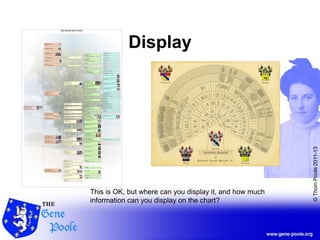
Display
This is OK, but where can you display it, and how much
information can you display on the chart?
©ThomPoole2011-13
Write a book
This is why I’m speaking to you.
©ThomPoole2011-13
How to write your book
• Planning
• Writing
• Publishing
• Warning
If you have a reporting function in your
genealogical software, make use of it. I use
RootsMagic that provides a range of reports,
including narrative and listings.
All I used to write the book is Microsoft Word,
PhotoShop and the online publisher Lulu
©ThomPoole2011-13
PLANNING
Step 1 – Where are you going to go?
©ThomPoole2011-13
Planning your book
• Audience
• Information guide
• Pictures, certificates & forms
• Copyright? Who are you writing for?
How much information should you
include?
Start scanning information - pictures,
certificates, forms, etc
©ThomPoole2011-13
WRITING
Step 2 – What to put in the book?
©ThomPoole2011-13
Charts
• Tree diagram
• Fan Chart
• A Timeline
©ThomPoole2011-13
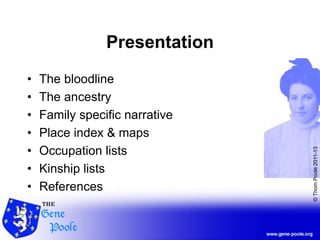
Presentation
• The bloodline
• The ancestry
• Family specific narrative
• Place index & maps
• Occupation lists
• Kinship lists
• References
©ThomPoole2011-13
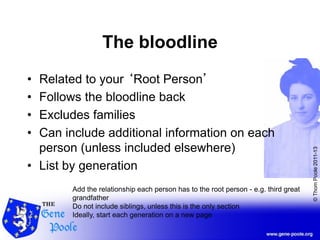
The bloodline
• Related to your ‘Root Person’
• Follows the bloodline back
• Excludes families
• Can include additional information on each
person (unless included elsewhere)
• List by generation
Add the relationship each person has to the root person - e.g. third great
grandfather
Do not include siblings, unless this is the only section
Ideally, start each generation on a new page
©ThomPoole2011-13
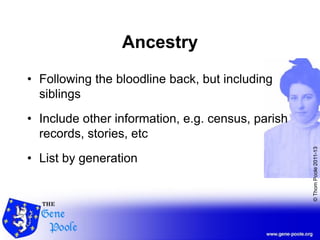
Ancestry
• Following the bloodline back, but including
siblings
• Include other information, e.g. census, parish
records, stories, etc
• List by generation
©ThomPoole2011-13
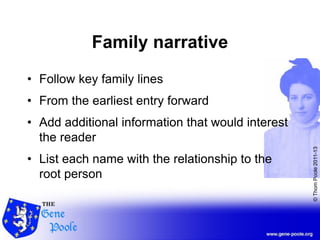
Family narrative
• Follow key family lines
• From the earliest entry forward
• Add additional information that would interest
the reader
• List each name with the relationship to the
root person
©ThomPoole2011-13
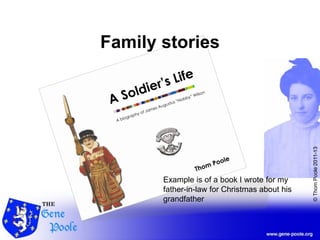
Family stories
Example is of a book I wrote for my
father-in-law for Christmas about his
grandfather
©ThomPoole2011-13
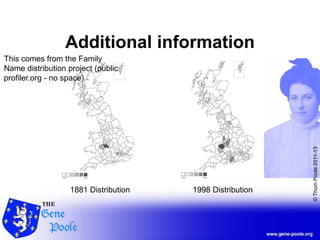
Additional information
1881 Distribution 1998 Distribution
This comes from the Family
Name distribution project (public
profiler.org - no space)
©ThomPoole2011-13
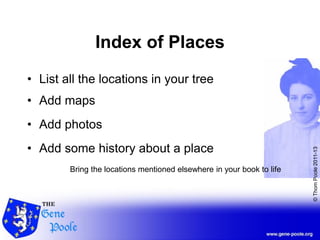
Index of Places
• List all the locations in your tree
• Add maps
• Add photos
• Add some history about a place
Bring the locations mentioned elsewhere in your book to life
©ThomPoole2011-13
Occupation Lists
• List all occupations
• Give some background (where necessary)
• Add detail (e.g. certain jobs related to a
location)
My niece asked about the occupations of our ancestors - wanting to hear about a
pop star!
©ThomPoole2011-13
Kinship Listing
• Alphabetical listing of all kin
• List from the root person
• Highlight the bloodline
Highlight the bloodline using bold &/or italic emphasis
©ThomPoole2011-13
References
• List your references as end notes
• Let readers confirm your research
• Acknowledge other contributors
• List census, certificate and web references
©ThomPoole2011-13
PUBLISHING
Step 3 – Putting your content in print
©ThomPoole2011-13
Alternatives
• You could publish to a public website
• You could create your own website
• You could serialise your content
• You could write a book
Public websites like Genes Reunited or Ancestry
Serialise like the wartime diary of Private Ross Taylor by his grandson - Chris
Ayres on Twitter.
©ThomPoole2011-13
Publishing
• Online digital publishers are cheaper
• www.lulu.com is an international publisher
• You maintain full control of your book
• You can sell it publicly with an ISBN
Lulu – international, so if you have family overseas, they get their book printed
locally.
We’ll cover the warnings about going public at the end.
©ThomPoole2011-13
Using Lulu
Creating your project
©ThomPoole2011-13
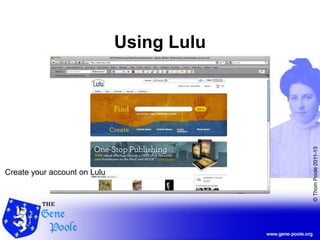
Using Lulu
Create your account on Lulu
©ThomPoole2011-13
Your Book
Select the sort of book you want to publish – hardback,
paperback, size, colour pages (costs quite a bit more!)
©ThomPoole2011-13
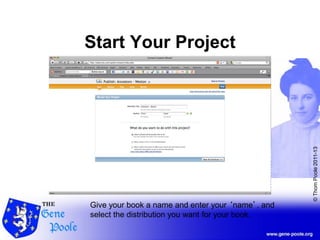
Start Your Project
Give your book a name and enter your ‘name’, and
select the distribution you want for your book.
©ThomPoole2011-13
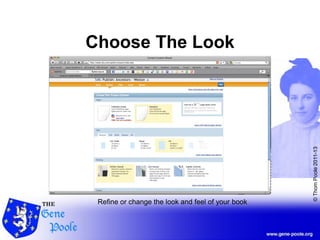
Choose The Look
Refine or change the look and feel of your book
©ThomPoole2011-13
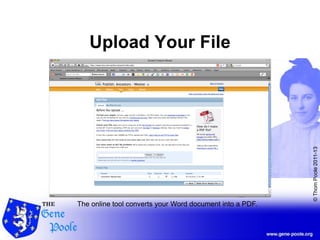
Upload Your File
The online tool converts your Word document into a PDF.
©ThomPoole2011-13
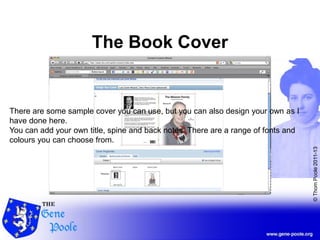
The Book Cover
There are some sample cover you can use, but you can also design your own as I
have done here.
You can add your own title, spine and back notes. There are a range of fonts and
colours you can choose from.
©ThomPoole2011-13
WARNING
All is not rosy though
©ThomPoole2011-13
Warning
• Your database contains private information
• Only publicly distribute information about
people who are deceased
• Control your book distribution if it does
• A website is more public & open to more
possible abuse
This does not mean to say that you shouldn’t publish things
openly, but do so knowingly
©ThomPoole2011-13
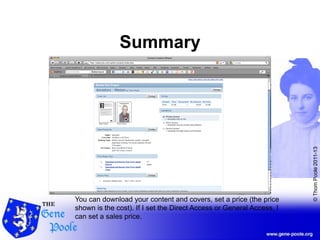
Summary
You can download your content and covers, set a price (the price
shown is the cost). If I set the Direct Access or General Access, I
can set a sales price.
©ThomPoole2011-13
Q & A
©ThomPoole2011-13
Shameless Plug
©ThomPoole2011-13
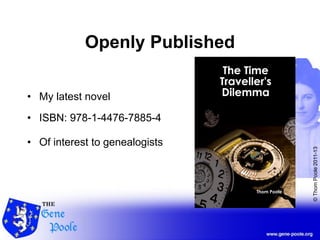
Openly Published
• My latest novel
• ISBN: 978-1-4476-7885-4
• Of interest to genealogists

Publish a book