http://www.free-powerpoint-templates-design.com
21st Century Genealogy
Presentation for the Robeson County Genealogical Society
March 7, 2020
June Power, MLIS
Director of Special Collections and Archives
Mary Livermore Library, UNC-Pembroke
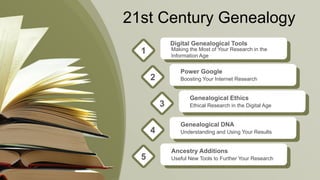
21st Century Genealogy
Digital Genealogical Tools
Making the Most of Your Research in the
Information Age
1
Power Google
Boosting Your Internet Research2
Genealogical Ethics
Ethical Research in the Digital Age3
Genealogical DNA
Understanding and Using Your Results4
Ancestry Additions
Useful New Tools to Further Your Research5
Digital
Genealogical
Tools
Making the Most of Your Research in the
Age of Information
Technological Solutions
What sorts of tools are available?
Genealogical research in the technological age benefits from a number of technological
tools that the genealogist can add to their bag of tricks. Some help with research directly,
while others help you organize your information to indirectly assist your research.
Databases
Geospatial tools
Spreadsheets
Tree makers
Timeline generators
Translators
Breaking Down the Brick Wall and More
Genealogical Databases
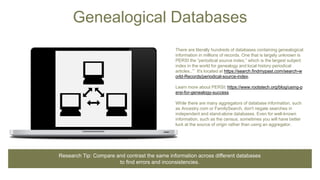
There are literally hundreds of databases containing genealogical
information in millions of records. One that is largely unknown is
PERSI the “periodical source index,” which is the largest subject
index in the world for genealogy and local history periodical
articles..’” It's located at https://search.findmypast.com/search-w
orld-Records/periodical-source-index.
Learn more about PERSI: https://www.rootstech.org/blog/using-p
ersi-for-genealogy-success
While there are many aggregators of database information, such
as Ancestry.com or FamilySearch, don't negate searches in
independent and stand-alone databases. Even for well-known
information, such as the census, sometimes you will have better
luck at the source of origin rather than using an aggregator.
Research Tip: Compare and contrast the same information across different databases
to find errors and inconsistencies.
Geospatial Tools
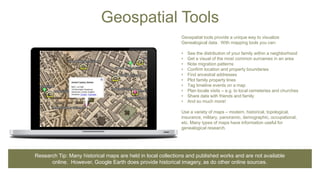
Geospatial tools provide a unique way to visualize
Genealogical data. With mapping tools you can:
• See the distribution of your family within a neighborhood
• Get a visual of the most common surnames in an area
• Note migration patterns
• Confirm location and property boundaries
• Find ancestral addresses
• Plot family property lines
• Tag timeline events on a map
• Plan locale visits – e.g. to local cemeteries and churches
• Share data with friends and family
• And so much more!
Use a variety of maps – modern, historical, topological,
insurance, military, panoramic, demographic, occupational,
etc. Many types of maps have information useful for
genealogical research.
Research Tip: Many historical maps are held in local collections and published works and are not available
online. However, Google Earth does provide historical imagery, as do other online sources.
Spreadsheets
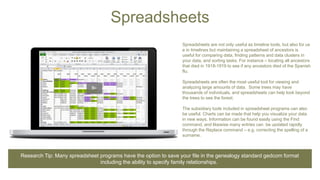
Spreadsheets are not only useful as timeline tools, but also for us
e in timelines but maintaining a spreadsheet of ancestors is
useful for comparing data, finding patterns and data clusters in
your data, and sorting tasks. For instance – locating all ancestors
that died in 1918-1919 to see if any ancestors died of the Spanish
flu.
Spreadsheets are often the most useful tool for viewing and
analyzing large amounts of data. Some trees may have
thousands of individuals, and spreadsheets can help look beyond
the trees to see the forest.
The subsidiary tools included in spreadsheet programs can also
be useful. Charts can be made that help you visualize your data
in new ways. Information can be found easily using the Find
command, and likewise many entries can be updated rapidly
through the Replace command – e.g. correcting the spelling of a
surname.
Research Tip: Many spreadsheet programs have the option to save your file in the genealogy standard gedcom format
including the ability to specify family relationships.
Translators
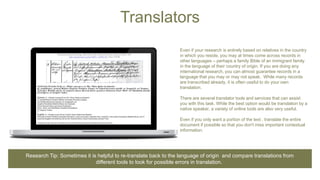
Even if your research is entirely based on relatives in the country
in which you reside, you may at times come across records in
other languages – perhaps a family Bible of an immigrant family
in the language of their country of origin. If you are doing any
international research, you can almost guarantee records in a
language that you may or may not speak. While many records
are transcribed already, it is often useful to do your own
translation.
There are several translator tools and services that can assist
you with this task. While the best option would be translation by a
native speaker, a variety of online tools are also very useful.
Even if you only want a portion of the text , translate the entire
document if possible so that you don't miss important contextual
information.
Research Tip: Sometimes it is helpful to re-translate back to the language of origin and compare translations from
different tools to look for possible errors in translation.
Crowdsourcing Genealogy
Communal Collaboration
• Social meda – Facebook especially has many genealogy groups and pages for local
historical and genealogical societies
• Mailing lists – especially Rootsweb – can reach large numbers of people
• Genealogical message boards – on web sites both publich and private
• Survey family members
Basic Strategis
Tips
• Tell people what you already know
• Be specific about what you are looking for
• Review your information for things you have missed
• Verify any information you receive for yourself
• Make sure to communicate contact information
Using Maps
Making Location Data Come to Life
How are maps useful?
Maps provide clues where ancestors may have lived and where to look for written records.
• They help to solve historical mysteries
• Records usually are kept by county governments so knowing where
to find county seats can help you locate records
• Old maps can help you connect historical to current place names –
especially helpful if you want to visit in person
• Consider looking for abandoned post offices that may give clues to
no longer extant locations
Use the GMIS – Geographical Names Information System
geonames.usgs.gov
• Maintained by the USGS it is the official database in the United States
for place names
• Has over 2 million entries
• Includes places that no longer exist
• Contains names of features except roads and highways
• Includes communities, churches, and cemeteries
Keep jurisdictional name
changes in mind – you may
have to check multiple places!
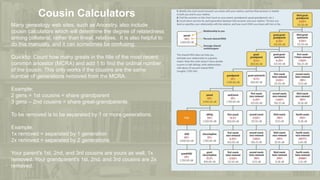
Cousin Calculators
Many genealogy web sites, such as Ancestry, also include
cousin calculators which will determine the degree of relatedness
among collateral, rather than lineal, relatives. It is also helpful to
do this manually, and it can sometimes be confusing.
Quicktip: Count how many greats in the title of the most recent
common ancestor (MCRA) and add 1 to find the ordinal number
of the cousin. This only works if the cousins are the same
number of generations removed from the MCRA.
Example:
2 gens = 1st cousins = share grandparent
3 gens – 2nd cousins = share great-grandparents
To be removed is to be separated by 1 or more generations.
Example:
1x removed = separated by 1 generation
2x removed = separated by 2 generations
Your parent's 1st, 2nd, and 3rd cousins are yours as well, 1x
removed. Your grandparent's 1st, 2nd, and 3rd cousins are 2x
removed.
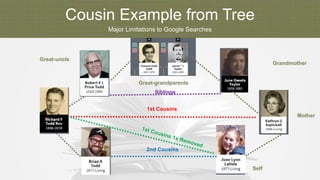
Cousin Example from Tree
Major Limitations to Google Searches
Mother
Great-grandparents
Great-uncle
Grandmother
1st Cousins
Self
2nd Cousins
Siblings
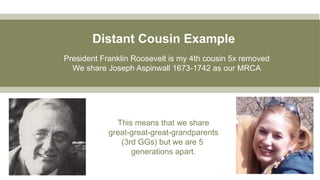
Distant Cousin Example
President Franklin Roosevelt is my 4th cousin 5x removed
We share Joseph Aspinwall 1673-1742 as our MRCA
This means that we share
great-great-great-grandparents
(3rd GGs) but we are 5
generations apart.
Power Google
Boosting Your Internet Research
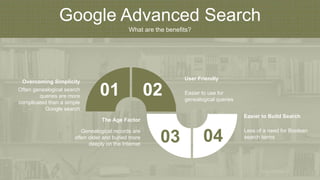
Google Advanced Search
What are the benefits?
Often genealogical search
queries are more
complicated than a simple
Google search
Overcoming Simplicity
Genealogical records are
often older and buried more
deeply on the Internet
The Age Factor
Easier to use for
genealogical queries
User Friendly
Less of a need for Boolean
search terms
Easier to Build Search
01 02
03 04
How to Get to Advanced Search
Finding Google's Hidden Options
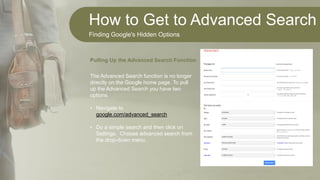
The Advanced Search function is no longer
directly on the Google home page. To pull
up the Advanced Search you have two
options.
• Navigate to
google.com/advanced_search
• Do a simple search and then click on
Settings. Choose advanced search from
the drop-down menu.
Pulling Up the Advanced Search Function
How to Get to Advanced Search
Finding Google's Hidden Options
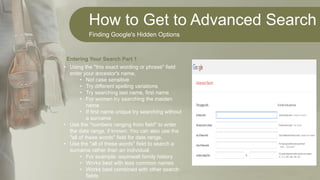
• Using the "this exact wording or phrase" field
enter your ancestor's name.
• Not case sensitive
• Try different spelling variations
• Try searching last name, first name
• For women try searching the maiden
name
• If first name unique try searching without
a surname
• Use the "numbers ranging from field" to enter
the date range, if known. You can also use the
"all of these words" field for date range.
• Use the "all of these words" field to search a
surname rather than an individual.
• For example: aspinwall family history
• Works best with less common names
• Works best combined with other search
fields
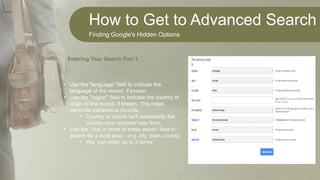
Entering Your Search Part 1
How to Get to Advanced Search
Finding Google's Hidden Options
• Use the "language" field to indicate the
language of the record, if known.
• Use the "region" field to indicate the country of
origin of the record, if known. This helps
eliminate extraneous records.
• Country of record isn't necessarily the
country your ancestor was from.
• Use the "one or more of these words" field to
search for a local area – e.g. city, town, county.
• You can enter up to 3 terms
Entering Your Search Part 1
Manipulating Search Results
Maximizing Your Search Output
From your results list, you can adjust the language, the date range, and toggle between
all results and verbatim using the drop downs at the top of the page. Use the "clear all
limits" option to revert to your original search results.
Are you getting too many irrelevant records? Look for common words in your search
results that are irrelevant and use those terms as a basis for exclusion. Use the "none
of these words" field on the advanced search screen and enter those terms.
If your key word is a phrase with more than one word, be sure to use quotation marks to
keep those terms together. For example, "New York."
The "site or domain" field can be used to restrict your search to a particular website.
Use the "file type" drop down to search only for certain types of files. Works well with
PDF searches and can yield some interesting results.
Other Tips for Enhancing a Google Advanced Search
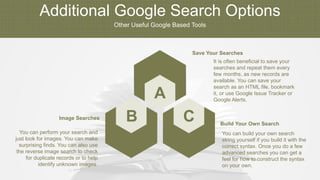
Additional Google Search Options
Other Useful Google Based Tools
B C
A
You can perform your search and
just look for images. You can make
surprising finds. You can also use
the reverse image search to check
for duplicate records or to help
identify unknown images.
Image Searches
You can build your own search
string yourself if you build it with the
correct syntax. Once you do a few
advanced searches you can get a
feel for how to construct the syntax
on your own.
Build Your Own Search
It is often beneficial to save your
searches and repeat them every
few months, as new records are
available. You can save your
search as an HTML file, bookmark
it, or use Google Issue Tracker or
Google Alerts.
Save Your Searches
Other Useful Google Tools
Maximizing Your Research
1. Alerts – get notification of new records
2. Books – over 25 million books have been digitized; best if search by surname
3. Dashboard – an overview of your services and saved data
4. Docs – the voice-to-text feature is awesome
5. Drive – centralized storage for all of your files
6. Earth – current and historical maps
7. Forms – use for research logs or surveys for family members
8. Groups – search surnames and other keywords; many are no longer active but
archives exist
9. Image Search- search keywords or use reverse search
10.Input tools – useful for entering accent and diacritical marks
Many Other Google Tools Have Genealogical – Voice to Uses
Other Useful Google Tools
Maximizing Your Research
1. Keep – like Evernote; can track your research, create to-do lists, and maintain a
research log
2. Maps – create custom maps and embed those maps in other places
3. Newspaper Archives – 25,000 historical papers; need to use Pinterest or screen
captures to save images
4. Photos – backup and share scanned family photographs
5. Plus – like Facebook; networking
6. Search – sometimes a simple search can yield surprising results
7. Sheets –can be auto-filled from Forms to collect family data
8. Sites – create a free family website
9. Translate – create lists of common genealogical terms in your ancestors' language to
use in searches
Many Other Google Tools Have Genealogical – Voice to Uses
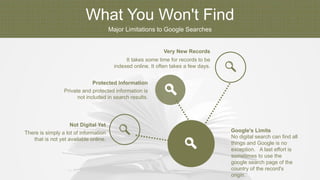
What You Won't Find
Major Limitations to Google Searches
No digital search can find all
things and Google is no
exception. A last effort is
sometimes to use the
google search page of the
country of the record's
origin.
Google's LimitsThere is simply a lot of information
that is not yet available online.
Not Digital Yet
Private and protected information is
not included in search results.
Protected Information
It takes some time for records to be
indexed online. It often takes a few days.
Very New Records
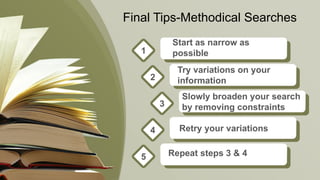
Final Tips-Methodical Searches
Start as narrow as
possible1
2
3
4
5
Try variations on your
information
Slowly broaden your search
by removing constraints
Retry your variations
Repeat steps 3 & 4
Genealogical
Ethics
Ethical Research in the Digital Era
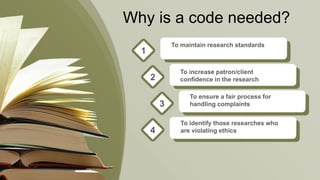
Why is a code needed?
To maintain research standards
1
To increase patron/client
confidence in the research2
To ensure a fair process for
handling complaints3
To identify those researches who
are violating ethics4
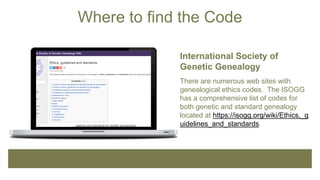
Where to find the Code
International Society of
Genetic Genealogy
There are numerous web sites with
genealogical ethics codes. The ISOGG
has a comprehensive list of codes for
both genetic and standard genealogy
located at https://isogg.org/wiki/Ethics,_g
uidelines_and_standards.
Ethical Guidelines
A Summary of the Codes
• Warn people who provide information how it will be used.
• Require evidence of consent from the living before sharing or publishing information.
• Convey personal information of the living only in ways to which they have consented.
• Know the parameters of legal privacy rights and how it may limit sharing or publishing
information
• Be sensitive to feelings research may generate
• Respect requests that information remain private, as appropriate
• Respect copyright law and acknowledge sources
• Respect and don't damage original sources
• Disclose any conflicts of interest
• Do not fabricate or publish false or unproven information
What are the general rules of ethical genealogy?
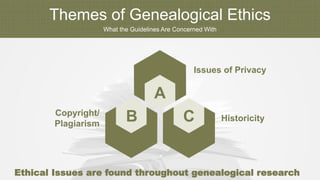
Themes of Genealogical Ethics
What the Guidelines Are Concerned With
B C
A
Copyright/
Plagiarism
Historicity
Issues of Privacy
Ethical Issues are found throughout genealogical research
How Does DNA Testing Influence Ethics?
DNA research is a tool –
but it doesn't guarantee
answers
Genetic Information and Non-
Discrimination Act (GINA)
Protects people from
employers and health
insurance companies from
misusing DNA obtained
through voluntary DNA testing.
Only you and the company
you give direct permission to
do your testing should have
access to your results.
Passed in 2008
Coupled with research
can validate information
Genealogical DNA
Understanding and Using Your Results
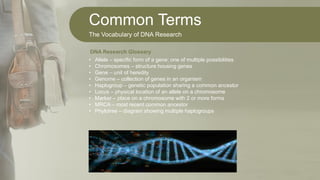
Common Terms
The Vocabulary of DNA Research
• Allele – specific form of a gene; one of multiple possibilities
• Chromosomes – structure housing genes
• Gene – unit of heredity
• Genome – collection of genes in an organism
• Haplogroup – genetic population sharing a common ancestor
• Locus – physical location of an allele on a chromosome
• Marker – place on a chromosome with 2 or more forms
• MRCA – most recent common ancestor
• Phylotree – diagram showing multiple haplogroups
DNA Research Glossary
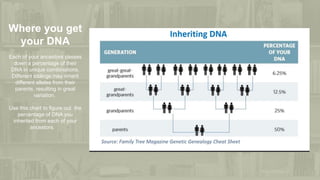
Where you get
your DNA
Each of your ancestors passes
down a percentage of their
DNA in unique combinations.
Different siblings may inherit
different alleles from their
parents, resulting in great
variation.
Use this chart to figure out the
percentage of DNA you
inherited from each of your
ancestors.
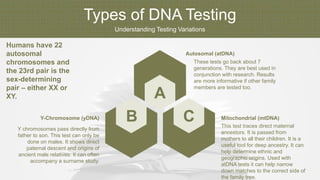
Types of DNA Testing
Understanding Testing Variations
B C
A
Y chromosomes pass directly from
father to son. This test can only be
done on males. It shows direct
paternal descent and origins of
ancient male relatives. It can often
accompany a surname study.
Y-Chromosome (yDNA)
This test traces direct maternal
ancestors. It is passed from
mothers to all their children. It is a
useful tool for deep ancestry. It can
help determine ethnic and
geographic origins. Used with
atDNA tests it can help narrow
down matches to the correct side of
the family tree.
Mitochondrial (mtDNA)
These tests go back about 7
generations. They are best used in
conjunction with research. Results
are more informative if other family
members are tested too.
Autosomal (atDNA)
Humans have 22
autosomal
chromosomes and
the 23rd pair is the
sex-determining
pair – either XX or
XY.
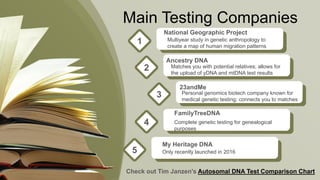
Main Testing Companies
National Geographic Project
Multiyear study in genetic anthropology to
create a map of human migration patterns
1
Ancestry DNA
Matches you with potential relatives; allows for
the upload of yDNA and mtDNA test results
2
23andMe
Personal genomics biotech company known for
medical genetic testing; connects you to matches
3
FamilyTreeDNA
Complete genetic testing for genealogical
purposes
4
My Heritage DNA
Only recently launched in 20165
Check out Tim Janzen's Autosomal DNA Test Comparison Chart
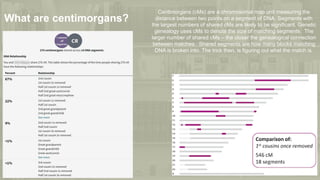
What are centimorgans?
Centimorgans (cMs) are a chromosomal map unit measuring the
distance between two points on a segment of DNA. Segments with
the largest numbers of shared cMs are likely to be significant. Genetic
genealogy uses cMs to denote the size of matching segments. The
larger number of shared cMs – the closer the genealogical connection
between matches. Shared segments are how many blocks matching
DNA is broken into. The trick then, is figuring out what the match is.
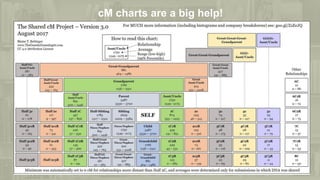
cM charts are a big help!
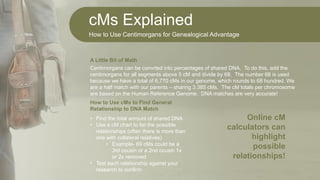
cMs Explained
How to Use Centimorgans for Genealogical Advantage
Centimorgans can be convrted into percentages of shared DNA. To do this, add the
centimorgans for all segments above 5 cM and divide by 68. The number 68 is used
because we have a total of 6,770 cMs in our genome, which rounds to 68 hundred. We
are a half match with our parents – sharing 3.385 cMs. The cM totals per chromosome
are based on the Human Reference Genome. DNA matches are very accurate!
A Little Bit of Math
• Find the total amount of shared DNA
• Use a cM chart to list the possible
relationships (often there is more than
one with collateral relatives)
• Example- 69 cMs could be a
3rd cousin or a 2nd cousin 1x
or 2x removed
• Test each relationship against your
research to confirm
How to Use cMs to Find General
Relationship to DNA Match
Online cM
calculators can
highlight
possible
relationships!
Utilizing DNA Test Results
More than an Ancestry Report
In addition to ancestral origins, DNA test results can yield medical results and solve cold case
crimes. They can help connect missing family members and find lost people. Sometimes the
results can be shocking, and people can find surprises that both delight and dismay. Be prepared
for anything and be sensitive to how results will make others feel. The results of DNA tests can
have both positive effects and those that may be ethically questionable.
Many of these tests enable customers to use the familiar connections to communicate with DNA
matches. Sometimes this can result in major research links and productive contacts. Other times,
people are just not interested in making a connection.
Non-paternity events (or not parent expected) can be important to the individual but may cause
family members hurt or embarrassment. These can result from adoptions, donor conceptions,
intercourse with multiple partners, non-consensual sex, medical errors, or kidnapping. Finding
these can have life-changing impacts. These tests allow adoptees to get around adoption regulator
laws.
Third-party sites like GEDmatch and DNA Painter provide extensive tools for DNA and genetic
analysis suitable for genealogical purposes. However, as a public database third parties are able to
obtain information, though there are ways to protect your security.
Be Prepared for Surprises!
GEDmatch Comparisons
Comparisons Across Multiple Databases
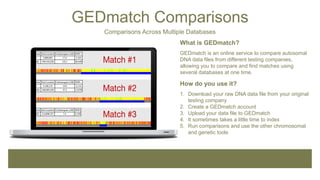
What is GEDmatch?
GEDmatch is an online service to compare autosomal
DNA data files from different testing companies,
allowing you to compare and find matches using
several databases at one time.
How do you use it?
1. Download your raw DNA data file from your original
testing company
2. Create a GEDmatch account
3. Upload your data file to GEDmatch
4. It sometimes takes a little time to index
5. Run comparisons and use the other chromosomal
and genetic tools
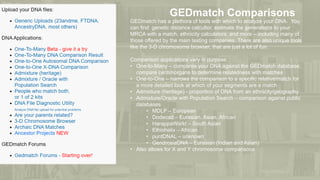
GEDmatch Comparisons
GEDmatch has a plethora of tools with which to analyze your DNA. You
can find genetic distance calcultor, estimate the generations to your
MRCA with a match, ethnicity calculators, and more – including many of
those offered by the main testing companies. There are also unique tools
like the 3-D chromosome browser, that are just a lot of fun.
Comparison applications vary in purpose:
• One-to-Many – compares your DNA against the GEDmatch database;
compare centimorgans to determine relatedness with matches
• One-to-One – narrows the comparison to a specific relative/match for
a more detailed look at which of your segments are a match
• Admixture (heritage) - proportion of DNA from an ethnicity/geography
• Admixture/Oracle with Population Search – comparison against public
databases
• MDLP – European
• Dodecad – Eurasian, Asian, African
• HarappaWorld – South Asian
• Ethiohelix – African
• puntDNAL – unknown
• GendrosiaDNA – Eurasian (Indian and Asian)
• Also allows for X and Y chromosome comparisons
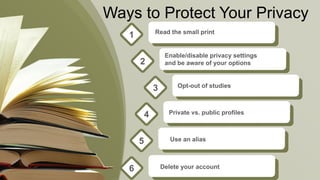
Ways to Protect Your Privacy
Read the small print
1
Enable/disable privacy settings
and be aware of your options2
Opt-out of studies3
Private vs. public profiles4
Use an alias5
Delete your account6
Ancestry Additions
Useful New Tools to Further your Research
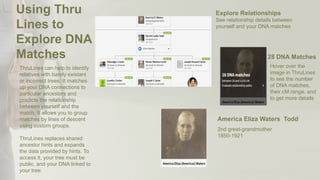
Hover over the
image in ThruLines
to see the number
of DNA matches,
their cM range, and
to get more details
28 DNA Matches
2nd great-grandmother
1850-1921
America Eliza Waters Todd
See relationship details between
yourself and your DNA matches
Explore RelationshipsUsing Thru
Lines to
Explore DNA
Matches
ThruLines can help to identify
relatives with barely existant
or incorrect trees. It matches
up your DNA connections to
particular ancestors and
predicts the relationship
between yourself and the
match. It allows you to group
matches by lines of descent
using custom groups.
ThruLines replaces shared
ancestor hints and expands
the data provided by hints. To
access it, your tree must be
public, and your DNA linked to
your tree.
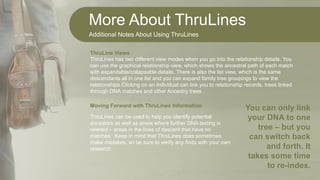
More About ThruLines
Additional Notes About Using ThruLines
ThruLines has two different view modes when you go into the relationship details. You
can use the graphical relationship view, which shows the ancestral path of each match
with expandable/collapsable details. There is also the list view, which is the same
descendants all in one list and you can expand family tree groupings to view the
relationships.Clicking on an individual can link you to relationship records, trees linked
through DNA matches and other Ancestry trees.
ThruLine Views
ThruLines can be used to help you identify potential
ancestors as well as areas where further DNA testing is
needed – areas in the lines of descent that have no
matches. Keep in mind that ThruLines does sometimes
make mistakes, so be sure to verify any finds with your own
research.
Moving Forward with ThruLines Information
You can only link
your DNA to one
tree – but you
can switch back
and forth. It
takes some time
to re-index.
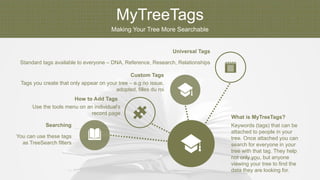
MyTreeTags
Making Your Tree More Searchable
Keywords (tags) that can be
attached to people in your
tree. Once attached you can
search for everyone in your
tree with that tag. They help
not only you, but anyone
viewing your tree to find the
data they are looking for.
What is MyTreeTags?
You can use these tags
as TreeSearch filters
Searching
Use the tools menu on an individual's
record page
How to Add Tags
Tags you create that only appear on your tree – e.g no issue,
adopted, filles du roi
Custom Tags
Standard tags available to everyone – DNA, Reference, Research, Relationships
Universal Tags
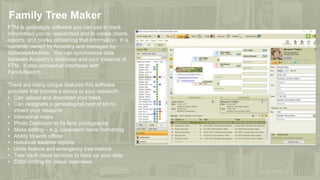
Family Tree Maker
FTM is genealgoy software you can use to track
information you've researched and to create charts,
reports, and books containing that information. It is
currently owned by Ancestry and managed by
SoftwareMacKiev. You can synchronize data
between Ancestry's database and your instance of
FTM. It also somewhat interfaces with
FamilySearch.
There are many unique features this software
provides that provide a bonus to your research:
• Can upload and download your trees
• Can designate a genealogical next of kin to
inherit your research
• Interactive maps
• Photo Darkroom to fix fade photographs
• Mass editing – e.g. consistent name formatting
• Ability to work offline
• Historical weather reports
• Undo feature and emergency tree restore
• Tree Vault cloud services to back up your data
• Color-coding for visual overviews
Wrap-Up
UNCP Special
Collections and
Archives
Take advantage of unique local resources!
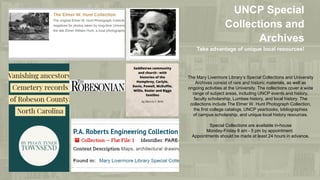
The Mary Livermore Library’s Special Collections and University
Archives consist of rare and historic materials, as well as
ongoing activities at the University. The collections cover a wide
range of subject areas, including UNCP events and history,
faculty scholarship, Lumbee history, and local history. The
collections include The Elmer W. Hunt Photograph Collection,
the first college catalogs, UNCP yearbooks, bibliographies
of campus scholarship, and unique local history resources.
Special Collections are available in-house
Monday-Friday 8 am - 5 pm by appointment.
Appointments should be made at least 24 hours in advance.
Questions?
Email me at june.power@uncp.edu

21st Century Genealogy

  • 1.
    http://www.free-powerpoint-templates-design.com 21st Century Genealogy Presentationfor the Robeson County Genealogical Society March 7, 2020 June Power, MLIS Director of Special Collections and Archives Mary Livermore Library, UNC-Pembroke
  • 2.
    21st Century Genealogy DigitalGenealogical Tools Making the Most of Your Research in the Information Age 1 Power Google Boosting Your Internet Research2 Genealogical Ethics Ethical Research in the Digital Age3 Genealogical DNA Understanding and Using Your Results4 Ancestry Additions Useful New Tools to Further Your Research5
  • 3.
    Digital Genealogical Tools Making the Mostof Your Research in the Age of Information
  • 4.
    Technological Solutions What sortsof tools are available? Genealogical research in the technological age benefits from a number of technological tools that the genealogist can add to their bag of tricks. Some help with research directly, while others help you organize your information to indirectly assist your research. Databases Geospatial tools Spreadsheets Tree makers Timeline generators Translators Breaking Down the Brick Wall and More
  • 5.
    Genealogical Databases There areliterally hundreds of databases containing genealogical information in millions of records. One that is largely unknown is PERSI the “periodical source index,” which is the largest subject index in the world for genealogy and local history periodical articles..’” It's located at https://search.findmypast.com/search-w orld-Records/periodical-source-index. Learn more about PERSI: https://www.rootstech.org/blog/using-p ersi-for-genealogy-success While there are many aggregators of database information, such as Ancestry.com or FamilySearch, don't negate searches in independent and stand-alone databases. Even for well-known information, such as the census, sometimes you will have better luck at the source of origin rather than using an aggregator. Research Tip: Compare and contrast the same information across different databases to find errors and inconsistencies.
  • 6.
    Geospatial Tools Geospatial toolsprovide a unique way to visualize Genealogical data. With mapping tools you can: • See the distribution of your family within a neighborhood • Get a visual of the most common surnames in an area • Note migration patterns • Confirm location and property boundaries • Find ancestral addresses • Plot family property lines • Tag timeline events on a map • Plan locale visits – e.g. to local cemeteries and churches • Share data with friends and family • And so much more! Use a variety of maps – modern, historical, topological, insurance, military, panoramic, demographic, occupational, etc. Many types of maps have information useful for genealogical research. Research Tip: Many historical maps are held in local collections and published works and are not available online. However, Google Earth does provide historical imagery, as do other online sources.
  • 7.
    Spreadsheets Spreadsheets are notonly useful as timeline tools, but also for us e in timelines but maintaining a spreadsheet of ancestors is useful for comparing data, finding patterns and data clusters in your data, and sorting tasks. For instance – locating all ancestors that died in 1918-1919 to see if any ancestors died of the Spanish flu. Spreadsheets are often the most useful tool for viewing and analyzing large amounts of data. Some trees may have thousands of individuals, and spreadsheets can help look beyond the trees to see the forest. The subsidiary tools included in spreadsheet programs can also be useful. Charts can be made that help you visualize your data in new ways. Information can be found easily using the Find command, and likewise many entries can be updated rapidly through the Replace command – e.g. correcting the spelling of a surname. Research Tip: Many spreadsheet programs have the option to save your file in the genealogy standard gedcom format including the ability to specify family relationships.
  • 8.
    Translators Even if yourresearch is entirely based on relatives in the country in which you reside, you may at times come across records in other languages – perhaps a family Bible of an immigrant family in the language of their country of origin. If you are doing any international research, you can almost guarantee records in a language that you may or may not speak. While many records are transcribed already, it is often useful to do your own translation. There are several translator tools and services that can assist you with this task. While the best option would be translation by a native speaker, a variety of online tools are also very useful. Even if you only want a portion of the text , translate the entire document if possible so that you don't miss important contextual information. Research Tip: Sometimes it is helpful to re-translate back to the language of origin and compare translations from different tools to look for possible errors in translation.
  • 9.
    Crowdsourcing Genealogy Communal Collaboration •Social meda – Facebook especially has many genealogy groups and pages for local historical and genealogical societies • Mailing lists – especially Rootsweb – can reach large numbers of people • Genealogical message boards – on web sites both publich and private • Survey family members Basic Strategis Tips • Tell people what you already know • Be specific about what you are looking for • Review your information for things you have missed • Verify any information you receive for yourself • Make sure to communicate contact information
  • 10.
    Using Maps Making LocationData Come to Life How are maps useful? Maps provide clues where ancestors may have lived and where to look for written records. • They help to solve historical mysteries • Records usually are kept by county governments so knowing where to find county seats can help you locate records • Old maps can help you connect historical to current place names – especially helpful if you want to visit in person • Consider looking for abandoned post offices that may give clues to no longer extant locations Use the GMIS – Geographical Names Information System geonames.usgs.gov • Maintained by the USGS it is the official database in the United States for place names • Has over 2 million entries • Includes places that no longer exist • Contains names of features except roads and highways • Includes communities, churches, and cemeteries Keep jurisdictional name changes in mind – you may have to check multiple places!
  • 11.
    Cousin Calculators Many genealogyweb sites, such as Ancestry, also include cousin calculators which will determine the degree of relatedness among collateral, rather than lineal, relatives. It is also helpful to do this manually, and it can sometimes be confusing. Quicktip: Count how many greats in the title of the most recent common ancestor (MCRA) and add 1 to find the ordinal number of the cousin. This only works if the cousins are the same number of generations removed from the MCRA. Example: 2 gens = 1st cousins = share grandparent 3 gens – 2nd cousins = share great-grandparents To be removed is to be separated by 1 or more generations. Example: 1x removed = separated by 1 generation 2x removed = separated by 2 generations Your parent's 1st, 2nd, and 3rd cousins are yours as well, 1x removed. Your grandparent's 1st, 2nd, and 3rd cousins are 2x removed.
  • 12.
    Cousin Example fromTree Major Limitations to Google Searches Mother Great-grandparents Great-uncle Grandmother 1st Cousins Self 2nd Cousins Siblings
  • 13.
    Distant Cousin Example PresidentFranklin Roosevelt is my 4th cousin 5x removed We share Joseph Aspinwall 1673-1742 as our MRCA This means that we share great-great-great-grandparents (3rd GGs) but we are 5 generations apart.
  • 14.
    Power Google Boosting YourInternet Research
  • 15.
    Google Advanced Search Whatare the benefits? Often genealogical search queries are more complicated than a simple Google search Overcoming Simplicity Genealogical records are often older and buried more deeply on the Internet The Age Factor Easier to use for genealogical queries User Friendly Less of a need for Boolean search terms Easier to Build Search 01 02 03 04
  • 16.
    How to Getto Advanced Search Finding Google's Hidden Options The Advanced Search function is no longer directly on the Google home page. To pull up the Advanced Search you have two options. • Navigate to google.com/advanced_search • Do a simple search and then click on Settings. Choose advanced search from the drop-down menu. Pulling Up the Advanced Search Function
  • 17.
    How to Getto Advanced Search Finding Google's Hidden Options • Using the "this exact wording or phrase" field enter your ancestor's name. • Not case sensitive • Try different spelling variations • Try searching last name, first name • For women try searching the maiden name • If first name unique try searching without a surname • Use the "numbers ranging from field" to enter the date range, if known. You can also use the "all of these words" field for date range. • Use the "all of these words" field to search a surname rather than an individual. • For example: aspinwall family history • Works best with less common names • Works best combined with other search fields Entering Your Search Part 1
  • 18.
    How to Getto Advanced Search Finding Google's Hidden Options • Use the "language" field to indicate the language of the record, if known. • Use the "region" field to indicate the country of origin of the record, if known. This helps eliminate extraneous records. • Country of record isn't necessarily the country your ancestor was from. • Use the "one or more of these words" field to search for a local area – e.g. city, town, county. • You can enter up to 3 terms Entering Your Search Part 1
  • 19.
    Manipulating Search Results MaximizingYour Search Output From your results list, you can adjust the language, the date range, and toggle between all results and verbatim using the drop downs at the top of the page. Use the "clear all limits" option to revert to your original search results. Are you getting too many irrelevant records? Look for common words in your search results that are irrelevant and use those terms as a basis for exclusion. Use the "none of these words" field on the advanced search screen and enter those terms. If your key word is a phrase with more than one word, be sure to use quotation marks to keep those terms together. For example, "New York." The "site or domain" field can be used to restrict your search to a particular website. Use the "file type" drop down to search only for certain types of files. Works well with PDF searches and can yield some interesting results. Other Tips for Enhancing a Google Advanced Search
  • 20.
    Additional Google SearchOptions Other Useful Google Based Tools B C A You can perform your search and just look for images. You can make surprising finds. You can also use the reverse image search to check for duplicate records or to help identify unknown images. Image Searches You can build your own search string yourself if you build it with the correct syntax. Once you do a few advanced searches you can get a feel for how to construct the syntax on your own. Build Your Own Search It is often beneficial to save your searches and repeat them every few months, as new records are available. You can save your search as an HTML file, bookmark it, or use Google Issue Tracker or Google Alerts. Save Your Searches
  • 21.
    Other Useful GoogleTools Maximizing Your Research 1. Alerts – get notification of new records 2. Books – over 25 million books have been digitized; best if search by surname 3. Dashboard – an overview of your services and saved data 4. Docs – the voice-to-text feature is awesome 5. Drive – centralized storage for all of your files 6. Earth – current and historical maps 7. Forms – use for research logs or surveys for family members 8. Groups – search surnames and other keywords; many are no longer active but archives exist 9. Image Search- search keywords or use reverse search 10.Input tools – useful for entering accent and diacritical marks Many Other Google Tools Have Genealogical – Voice to Uses
  • 22.
    Other Useful GoogleTools Maximizing Your Research 1. Keep – like Evernote; can track your research, create to-do lists, and maintain a research log 2. Maps – create custom maps and embed those maps in other places 3. Newspaper Archives – 25,000 historical papers; need to use Pinterest or screen captures to save images 4. Photos – backup and share scanned family photographs 5. Plus – like Facebook; networking 6. Search – sometimes a simple search can yield surprising results 7. Sheets –can be auto-filled from Forms to collect family data 8. Sites – create a free family website 9. Translate – create lists of common genealogical terms in your ancestors' language to use in searches Many Other Google Tools Have Genealogical – Voice to Uses
  • 23.
    What You Won'tFind Major Limitations to Google Searches No digital search can find all things and Google is no exception. A last effort is sometimes to use the google search page of the country of the record's origin. Google's LimitsThere is simply a lot of information that is not yet available online. Not Digital Yet Private and protected information is not included in search results. Protected Information It takes some time for records to be indexed online. It often takes a few days. Very New Records
  • 24.
    Final Tips-Methodical Searches Startas narrow as possible1 2 3 4 5 Try variations on your information Slowly broaden your search by removing constraints Retry your variations Repeat steps 3 & 4
  • 25.
  • 26.
    Why is acode needed? To maintain research standards 1 To increase patron/client confidence in the research2 To ensure a fair process for handling complaints3 To identify those researches who are violating ethics4
  • 27.
    Where to findthe Code International Society of Genetic Genealogy There are numerous web sites with genealogical ethics codes. The ISOGG has a comprehensive list of codes for both genetic and standard genealogy located at https://isogg.org/wiki/Ethics,_g uidelines_and_standards.
  • 28.
    Ethical Guidelines A Summaryof the Codes • Warn people who provide information how it will be used. • Require evidence of consent from the living before sharing or publishing information. • Convey personal information of the living only in ways to which they have consented. • Know the parameters of legal privacy rights and how it may limit sharing or publishing information • Be sensitive to feelings research may generate • Respect requests that information remain private, as appropriate • Respect copyright law and acknowledge sources • Respect and don't damage original sources • Disclose any conflicts of interest • Do not fabricate or publish false or unproven information What are the general rules of ethical genealogy?
  • 29.
    Themes of GenealogicalEthics What the Guidelines Are Concerned With B C A Copyright/ Plagiarism Historicity Issues of Privacy Ethical Issues are found throughout genealogical research
  • 30.
    How Does DNATesting Influence Ethics? DNA research is a tool – but it doesn't guarantee answers Genetic Information and Non- Discrimination Act (GINA) Protects people from employers and health insurance companies from misusing DNA obtained through voluntary DNA testing. Only you and the company you give direct permission to do your testing should have access to your results. Passed in 2008 Coupled with research can validate information
  • 31.
  • 32.
    Common Terms The Vocabularyof DNA Research • Allele – specific form of a gene; one of multiple possibilities • Chromosomes – structure housing genes • Gene – unit of heredity • Genome – collection of genes in an organism • Haplogroup – genetic population sharing a common ancestor • Locus – physical location of an allele on a chromosome • Marker – place on a chromosome with 2 or more forms • MRCA – most recent common ancestor • Phylotree – diagram showing multiple haplogroups DNA Research Glossary
  • 33.
    Where you get yourDNA Each of your ancestors passes down a percentage of their DNA in unique combinations. Different siblings may inherit different alleles from their parents, resulting in great variation. Use this chart to figure out the percentage of DNA you inherited from each of your ancestors.
  • 34.
    Types of DNATesting Understanding Testing Variations B C A Y chromosomes pass directly from father to son. This test can only be done on males. It shows direct paternal descent and origins of ancient male relatives. It can often accompany a surname study. Y-Chromosome (yDNA) This test traces direct maternal ancestors. It is passed from mothers to all their children. It is a useful tool for deep ancestry. It can help determine ethnic and geographic origins. Used with atDNA tests it can help narrow down matches to the correct side of the family tree. Mitochondrial (mtDNA) These tests go back about 7 generations. They are best used in conjunction with research. Results are more informative if other family members are tested too. Autosomal (atDNA) Humans have 22 autosomal chromosomes and the 23rd pair is the sex-determining pair – either XX or XY.
  • 35.
    Main Testing Companies NationalGeographic Project Multiyear study in genetic anthropology to create a map of human migration patterns 1 Ancestry DNA Matches you with potential relatives; allows for the upload of yDNA and mtDNA test results 2 23andMe Personal genomics biotech company known for medical genetic testing; connects you to matches 3 FamilyTreeDNA Complete genetic testing for genealogical purposes 4 My Heritage DNA Only recently launched in 20165 Check out Tim Janzen's Autosomal DNA Test Comparison Chart
  • 36.
    What are centimorgans? Centimorgans(cMs) are a chromosomal map unit measuring the distance between two points on a segment of DNA. Segments with the largest numbers of shared cMs are likely to be significant. Genetic genealogy uses cMs to denote the size of matching segments. The larger number of shared cMs – the closer the genealogical connection between matches. Shared segments are how many blocks matching DNA is broken into. The trick then, is figuring out what the match is.
  • 37.
    cM charts area big help!
  • 38.
    cMs Explained How toUse Centimorgans for Genealogical Advantage Centimorgans can be convrted into percentages of shared DNA. To do this, add the centimorgans for all segments above 5 cM and divide by 68. The number 68 is used because we have a total of 6,770 cMs in our genome, which rounds to 68 hundred. We are a half match with our parents – sharing 3.385 cMs. The cM totals per chromosome are based on the Human Reference Genome. DNA matches are very accurate! A Little Bit of Math • Find the total amount of shared DNA • Use a cM chart to list the possible relationships (often there is more than one with collateral relatives) • Example- 69 cMs could be a 3rd cousin or a 2nd cousin 1x or 2x removed • Test each relationship against your research to confirm How to Use cMs to Find General Relationship to DNA Match Online cM calculators can highlight possible relationships!
  • 39.
    Utilizing DNA TestResults More than an Ancestry Report In addition to ancestral origins, DNA test results can yield medical results and solve cold case crimes. They can help connect missing family members and find lost people. Sometimes the results can be shocking, and people can find surprises that both delight and dismay. Be prepared for anything and be sensitive to how results will make others feel. The results of DNA tests can have both positive effects and those that may be ethically questionable. Many of these tests enable customers to use the familiar connections to communicate with DNA matches. Sometimes this can result in major research links and productive contacts. Other times, people are just not interested in making a connection. Non-paternity events (or not parent expected) can be important to the individual but may cause family members hurt or embarrassment. These can result from adoptions, donor conceptions, intercourse with multiple partners, non-consensual sex, medical errors, or kidnapping. Finding these can have life-changing impacts. These tests allow adoptees to get around adoption regulator laws. Third-party sites like GEDmatch and DNA Painter provide extensive tools for DNA and genetic analysis suitable for genealogical purposes. However, as a public database third parties are able to obtain information, though there are ways to protect your security. Be Prepared for Surprises!
  • 40.
    GEDmatch Comparisons Comparisons AcrossMultiple Databases What is GEDmatch? GEDmatch is an online service to compare autosomal DNA data files from different testing companies, allowing you to compare and find matches using several databases at one time. How do you use it? 1. Download your raw DNA data file from your original testing company 2. Create a GEDmatch account 3. Upload your data file to GEDmatch 4. It sometimes takes a little time to index 5. Run comparisons and use the other chromosomal and genetic tools
  • 41.
    GEDmatch Comparisons GEDmatch hasa plethora of tools with which to analyze your DNA. You can find genetic distance calcultor, estimate the generations to your MRCA with a match, ethnicity calculators, and more – including many of those offered by the main testing companies. There are also unique tools like the 3-D chromosome browser, that are just a lot of fun. Comparison applications vary in purpose: • One-to-Many – compares your DNA against the GEDmatch database; compare centimorgans to determine relatedness with matches • One-to-One – narrows the comparison to a specific relative/match for a more detailed look at which of your segments are a match • Admixture (heritage) - proportion of DNA from an ethnicity/geography • Admixture/Oracle with Population Search – comparison against public databases • MDLP – European • Dodecad – Eurasian, Asian, African • HarappaWorld – South Asian • Ethiohelix – African • puntDNAL – unknown • GendrosiaDNA – Eurasian (Indian and Asian) • Also allows for X and Y chromosome comparisons
  • 42.
    Ways to ProtectYour Privacy Read the small print 1 Enable/disable privacy settings and be aware of your options2 Opt-out of studies3 Private vs. public profiles4 Use an alias5 Delete your account6
  • 43.
    Ancestry Additions Useful NewTools to Further your Research
  • 44.
    Hover over the imagein ThruLines to see the number of DNA matches, their cM range, and to get more details 28 DNA Matches 2nd great-grandmother 1850-1921 America Eliza Waters Todd See relationship details between yourself and your DNA matches Explore RelationshipsUsing Thru Lines to Explore DNA Matches ThruLines can help to identify relatives with barely existant or incorrect trees. It matches up your DNA connections to particular ancestors and predicts the relationship between yourself and the match. It allows you to group matches by lines of descent using custom groups. ThruLines replaces shared ancestor hints and expands the data provided by hints. To access it, your tree must be public, and your DNA linked to your tree.
  • 45.
    More About ThruLines AdditionalNotes About Using ThruLines ThruLines has two different view modes when you go into the relationship details. You can use the graphical relationship view, which shows the ancestral path of each match with expandable/collapsable details. There is also the list view, which is the same descendants all in one list and you can expand family tree groupings to view the relationships.Clicking on an individual can link you to relationship records, trees linked through DNA matches and other Ancestry trees. ThruLine Views ThruLines can be used to help you identify potential ancestors as well as areas where further DNA testing is needed – areas in the lines of descent that have no matches. Keep in mind that ThruLines does sometimes make mistakes, so be sure to verify any finds with your own research. Moving Forward with ThruLines Information You can only link your DNA to one tree – but you can switch back and forth. It takes some time to re-index.
  • 46.
    MyTreeTags Making Your TreeMore Searchable Keywords (tags) that can be attached to people in your tree. Once attached you can search for everyone in your tree with that tag. They help not only you, but anyone viewing your tree to find the data they are looking for. What is MyTreeTags? You can use these tags as TreeSearch filters Searching Use the tools menu on an individual's record page How to Add Tags Tags you create that only appear on your tree – e.g no issue, adopted, filles du roi Custom Tags Standard tags available to everyone – DNA, Reference, Research, Relationships Universal Tags
  • 47.
    Family Tree Maker FTMis genealgoy software you can use to track information you've researched and to create charts, reports, and books containing that information. It is currently owned by Ancestry and managed by SoftwareMacKiev. You can synchronize data between Ancestry's database and your instance of FTM. It also somewhat interfaces with FamilySearch. There are many unique features this software provides that provide a bonus to your research: • Can upload and download your trees • Can designate a genealogical next of kin to inherit your research • Interactive maps • Photo Darkroom to fix fade photographs • Mass editing – e.g. consistent name formatting • Ability to work offline • Historical weather reports • Undo feature and emergency tree restore • Tree Vault cloud services to back up your data • Color-coding for visual overviews
  • 48.
  • 49.
    UNCP Special Collections and Archives Takeadvantage of unique local resources! The Mary Livermore Library’s Special Collections and University Archives consist of rare and historic materials, as well as ongoing activities at the University. The collections cover a wide range of subject areas, including UNCP events and history, faculty scholarship, Lumbee history, and local history. The collections include The Elmer W. Hunt Photograph Collection, the first college catalogs, UNCP yearbooks, bibliographies of campus scholarship, and unique local history resources. Special Collections are available in-house Monday-Friday 8 am - 5 pm by appointment. Appointments should be made at least 24 hours in advance.
  • 50.
    Questions? Email me atjune.power@uncp.edu