Promotional Cover
I will be using the following programs: Adobe In Design CS3 and Adobe
Photoshop CS3.
I will create my Promotional Cover within Indesign and will edit images
within Photoshop.
I will be doing this to show progression in my work, ideas, technology
and skills.


                       BY
                 Judah Chandra
                Muhammad Zeeshan
                Mohammed Zafraan
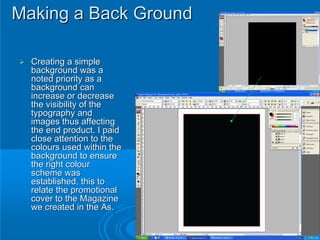
Making a Back Ground

  Creating a simple
  background was a
  noted priority as a
  background can
  increase or decrease
  the visibility of the
  typography and
  images thus affecting
  the end product. I paid
  close attention to the
  colours used within the
  background to ensure
  the right colour
  scheme was
  established, this to
  relate the promotional
  cover to the Magazine
  we created in the As.
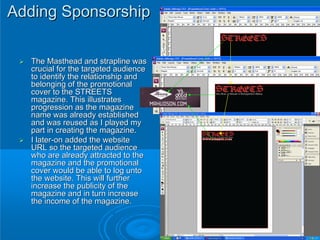
Adding Sponsorship

  The Masthead and strapline was
  crucial for the targeted audience
  to identify the relationship and
  belonging of the promotional
  cover to the STREETS
  magazine. This illustrates
  progression as the magazine
  name was already established
  and was reused as I played my
  part in creating the magazine.
  I later-on added the website
  URL so the targeted audience
  who are already attracted to the
  magazine and the promotional
  cover would be able to log unto
  the website. This will further
  increase the publicity of the
  magazine and in turn increase
  the income of the magazine.
Fort Minor Logo Creation

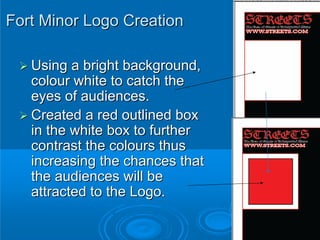
   Using a bright background,
   colour white to catch the
   eyes of audiences.
   Created a red outlined box
   in the white box to further
   contrast the colours thus
   increasing the chances that
   the audiences will be
   attracted to the Logo.
Fort Minor Logo Creation Continued

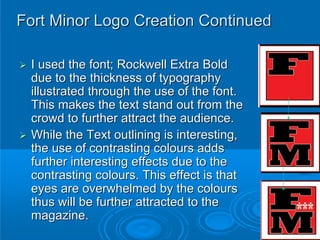
 I used the font; Rockwell Extra Bold
 due to the thickness of typography
 illustrated through the use of the font.
 This makes the text stand out from the
 crowd to further attract the audience.
 While the Text outlining is interesting,
 the use of contrasting colours adds
 further interesting effects due to the
 contrasting colours. This effect is that
 eyes are overwhelmed by the colours
 thus will be further attracted to the
 magazine.
Adding the title of the
             promo
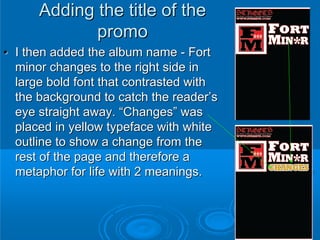
• I then added the album name - Fort
  minor changes to the right side in
  large bold font that contrasted with
  the background to catch the reader’s
  eye straight away. “Changes” was
  placed in yellow typeface with white
  outline to show a change from the
  rest of the page and therefore a
  metaphor for life with 2 meanings.
Coverlines
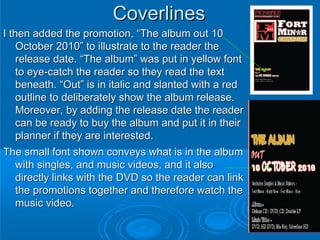
I then added the promotion, “The album out 10
    October 2010” to illustrate to the reader the
    release date. “The album” was put in yellow font
    to eye-catch the reader so they read the text
    beneath. “Out” is in italic and slanted with a red
    outline to deliberately show the album release.
    Moreover, by adding the release date the reader
    can be ready to buy the album and put it in their
    planner if they are interested.
The small font shown conveys what is in the album
    with singles, and music videos, and it also
    directly links with the DVD so the reader can link
    the promotions together and therefore watch the
    music video.
Page number
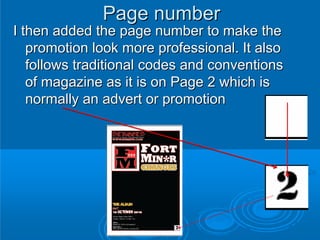
I then added the page number to make the
   promotion look more professional. It also
   follows traditional codes and conventions
   of magazine as it is on Page 2 which is
   normally an advert or promotion
Website
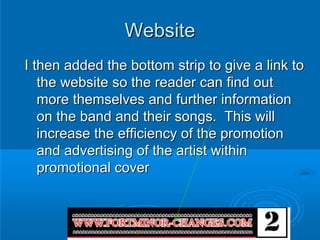
I then added the bottom strip to give a link to
   the website so the reader can find out
   more themselves and further information
   on the band and their songs. This will
   increase the efficiency of the promotion
   and advertising of the artist within
   promotional cover
Placement of picture (1)
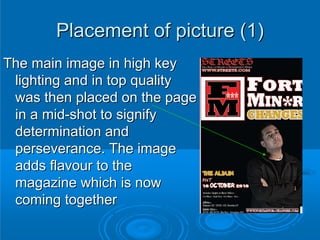
The main image in high key
 lighting and in top quality
 was then placed on the page
 in a mid-shot to signify
 determination and
 perseverance. The image
 adds flavour to the
 magazine which is now
 coming together
Placement of picture (2)
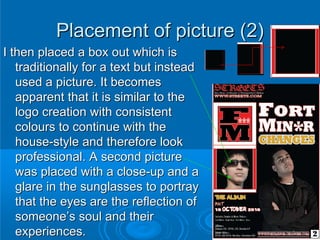
I then placed a box out which is
   traditionally for a text but instead
   used a picture. It becomes
   apparent that it is similar to the
   logo creation with consistent
   colours to continue with the
   house-style and therefore look
   professional. A second picture
   was placed with a close-up and a
   glare in the sunglasses to portray
   that the eyes are the reflection of
   someone’s soul and their
   experiences.
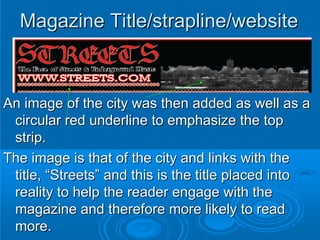
Magazine Title/strapline/website


An image of the city was then added as well as a
 circular red underline to emphasize the top
 strip.
The image is that of the city and links with the
 title, “Streets” and this is the title placed into
 reality to help the reader engage with the
 magazine and therefore more likely to read
 more.
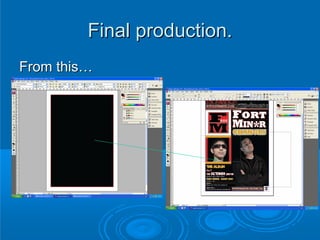
Final production.
From this…
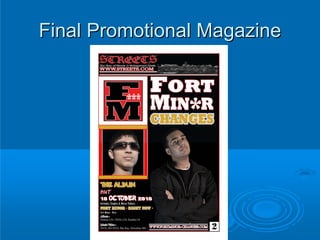
Final Promotional Magazine

Promotional cover construction

  • 1.
    Promotional Cover I willbe using the following programs: Adobe In Design CS3 and Adobe Photoshop CS3. I will create my Promotional Cover within Indesign and will edit images within Photoshop. I will be doing this to show progression in my work, ideas, technology and skills. BY Judah Chandra Muhammad Zeeshan Mohammed Zafraan
  • 2.
    Making a BackGround Creating a simple background was a noted priority as a background can increase or decrease the visibility of the typography and images thus affecting the end product. I paid close attention to the colours used within the background to ensure the right colour scheme was established, this to relate the promotional cover to the Magazine we created in the As.
  • 3.
    Adding Sponsorship The Masthead and strapline was crucial for the targeted audience to identify the relationship and belonging of the promotional cover to the STREETS magazine. This illustrates progression as the magazine name was already established and was reused as I played my part in creating the magazine. I later-on added the website URL so the targeted audience who are already attracted to the magazine and the promotional cover would be able to log unto the website. This will further increase the publicity of the magazine and in turn increase the income of the magazine.
  • 4.
    Fort Minor LogoCreation Using a bright background, colour white to catch the eyes of audiences. Created a red outlined box in the white box to further contrast the colours thus increasing the chances that the audiences will be attracted to the Logo.
  • 5.
    Fort Minor LogoCreation Continued I used the font; Rockwell Extra Bold due to the thickness of typography illustrated through the use of the font. This makes the text stand out from the crowd to further attract the audience. While the Text outlining is interesting, the use of contrasting colours adds further interesting effects due to the contrasting colours. This effect is that eyes are overwhelmed by the colours thus will be further attracted to the magazine.
  • 6.
    Adding the titleof the promo • I then added the album name - Fort minor changes to the right side in large bold font that contrasted with the background to catch the reader’s eye straight away. “Changes” was placed in yellow typeface with white outline to show a change from the rest of the page and therefore a metaphor for life with 2 meanings.
  • 7.
    Coverlines I then addedthe promotion, “The album out 10 October 2010” to illustrate to the reader the release date. “The album” was put in yellow font to eye-catch the reader so they read the text beneath. “Out” is in italic and slanted with a red outline to deliberately show the album release. Moreover, by adding the release date the reader can be ready to buy the album and put it in their planner if they are interested. The small font shown conveys what is in the album with singles, and music videos, and it also directly links with the DVD so the reader can link the promotions together and therefore watch the music video.
  • 8.
    Page number I thenadded the page number to make the promotion look more professional. It also follows traditional codes and conventions of magazine as it is on Page 2 which is normally an advert or promotion
  • 9.
    Website I then addedthe bottom strip to give a link to the website so the reader can find out more themselves and further information on the band and their songs. This will increase the efficiency of the promotion and advertising of the artist within promotional cover
  • 10.
    Placement of picture(1) The main image in high key lighting and in top quality was then placed on the page in a mid-shot to signify determination and perseverance. The image adds flavour to the magazine which is now coming together
  • 11.
    Placement of picture(2) I then placed a box out which is traditionally for a text but instead used a picture. It becomes apparent that it is similar to the logo creation with consistent colours to continue with the house-style and therefore look professional. A second picture was placed with a close-up and a glare in the sunglasses to portray that the eyes are the reflection of someone’s soul and their experiences.
  • 12.
    Magazine Title/strapline/website An imageof the city was then added as well as a circular red underline to emphasize the top strip. The image is that of the city and links with the title, “Streets” and this is the title placed into reality to help the reader engage with the magazine and therefore more likely to read more.
  • 13.
  • 14.