.
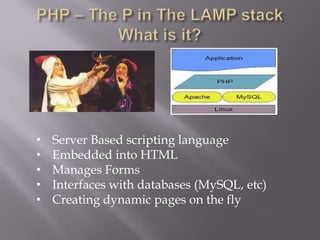
•   Server Based scripting language
•   Embedded into HTML
•   Manages Forms
•   Interfaces with databases (MySQL, etc)
•   Creating dynamic pages on the fly
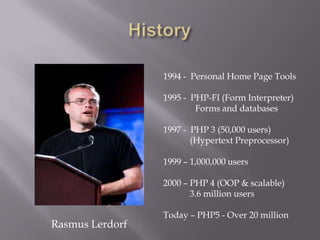
1994 - Personal Home Page Tools

                 1995 - PHP-FI (Form Interpreter)
                         Forms and databases

                 1997 - PHP 3 (50,000 users)
                        (Hypertext Preprocessor)

                 1999 – 1,000,000 users

                 2000 – PHP 4 (OOP & scalable)
                        3.6 million users

                 Today – PHP5 - Over 20 million
Rasmus Lerdorf
•   It’s Free - no licensing restrictions

•    Crowd sourced – constantly improving
    (Given enough eyeballs, all bugs are shallow)

•   Minimalist language – simpler

•   Easy to learn (especially if know C/C+)

•   Over 120 libraries and 1,000 functions

•   Powerful string-parsing capabilities

•   Embraces object oriented programming

•   Integrates with over 25 types of databases
1) Server receives request via HTTP & retrieves file
2) If .php file, then processed by the PHP engine
3) Script’s application executes, performs database
   queries
4) PHP engine constructs HTML page with results–
   sends to browser
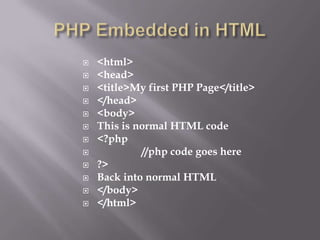
   <html>
   <head>
   <title>My first PHP Page</title>
   </head>
   <body>
   This is normal HTML code
   <?php
            //php code goes here
   ?>
   Back into normal HTML
   </body>
   </html>
Establish a connection with the database
         mysql_connect ( [$server [,$username [, $password]]])

Validate user input as needed (verify user ID, etc.)

Select the database on the server to use
          mysql_select_db ($database [, $link]);

Execute the desired query against the database
         mysql_query($query [, $link]);

Retrieve and process the results
         mysql_fetch_row ($result);
         (this function would return a single row from the result set)

Create HTML or perform actions based upon the results

Close the database connection (optional)
Scripts are a series of PHP Statements, each of which performs an action
              Save your PHP script with the .php extension
   .

PHP presentation - Com 585

  • 1.
  • 2.
    Server Based scripting language • Embedded into HTML • Manages Forms • Interfaces with databases (MySQL, etc) • Creating dynamic pages on the fly
  • 3.
    1994 - PersonalHome Page Tools 1995 - PHP-FI (Form Interpreter) Forms and databases 1997 - PHP 3 (50,000 users) (Hypertext Preprocessor) 1999 – 1,000,000 users 2000 – PHP 4 (OOP & scalable) 3.6 million users Today – PHP5 - Over 20 million Rasmus Lerdorf
  • 4.
    It’s Free - no licensing restrictions • Crowd sourced – constantly improving (Given enough eyeballs, all bugs are shallow) • Minimalist language – simpler • Easy to learn (especially if know C/C+) • Over 120 libraries and 1,000 functions • Powerful string-parsing capabilities • Embraces object oriented programming • Integrates with over 25 types of databases
  • 5.
    1) Server receivesrequest via HTTP & retrieves file 2) If .php file, then processed by the PHP engine 3) Script’s application executes, performs database queries 4) PHP engine constructs HTML page with results– sends to browser
  • 6.
    <html>  <head>  <title>My first PHP Page</title>  </head>  <body>  This is normal HTML code  <?php  //php code goes here  ?>  Back into normal HTML  </body>  </html>
  • 7.
    Establish a connectionwith the database mysql_connect ( [$server [,$username [, $password]]]) Validate user input as needed (verify user ID, etc.) Select the database on the server to use mysql_select_db ($database [, $link]); Execute the desired query against the database mysql_query($query [, $link]); Retrieve and process the results mysql_fetch_row ($result); (this function would return a single row from the result set) Create HTML or perform actions based upon the results Close the database connection (optional)
  • 8.
    Scripts are aseries of PHP Statements, each of which performs an action Save your PHP script with the .php extension
  • 9.

Editor's Notes

  • #4 PHP-FI included ability to integrate forms with databases. PHP 4 included better resource-handling which made it scalable for large scale applications. Also included support for object-oriented programming. PHP 5 improved on support for OOP and added many more features.