Mobile Controlled Car
Students : Tasneem J. Hamayel
Hanan I. Mansour
Supervisor : Dr.Aladdin Masri
Outline
◌ Introduction
◌ Problem Statement
◌ project algorithm
◌ Hardware Component
◌ Software part
◌ Conclusion and future work
Introduction
Our project is mainly a bout controlling car movement
using mobile application .
This idea can be used in many fields as Entertaining
robot game for children or Spying purpose after
adding some further features such as a webcam
,so it may be used as a delivery tool for specific
type of services.
Website
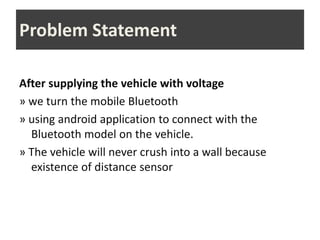
Problem Statement
After supplying the vehicle with voltage
» we turn the mobile Bluetooth
» using android application to connect with the
Bluetooth model on the vehicle.
» The vehicle will never crush into a wall because
existence of distance sensor
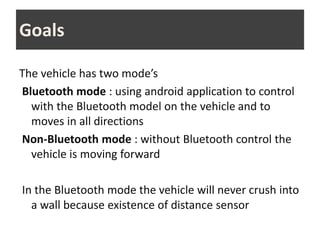
Goals
The vehicle has two mode’s
Bluetooth mode : using android application to control
with the Bluetooth model on the vehicle and to
moves in all directions
Non-Bluetooth mode : without Bluetooth control the
vehicle is moving forward
In the Bluetooth mode the vehicle will never crush into
a wall because existence of distance sensor
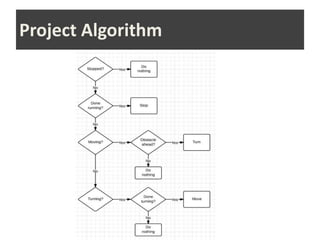
Project Algorithm
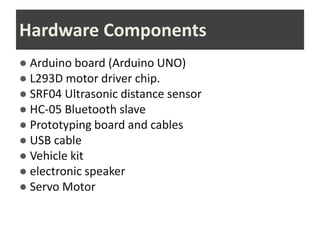
Hardware Components
● Arduino board (Arduino UNO)
● L293D motor driver chip.
● SRF04 Ultrasonic distance sensor
● HC-05 Bluetooth slave
● Prototyping board and cables
● USB cable
● Vehicle kit
● electronic speaker
● Servo Motor
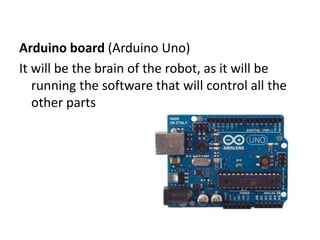
Arduino board (Arduino Uno)
It will be the brain of the robot, as it will be
running the software that will control all the
other parts
Arduino Benefits
1. open-source
2. flexible
3. easy to use
4. inexpensive
5. online community
Software Part
The software which placed on PC we’ve used in
order to program and communicate with an
Arduino board.
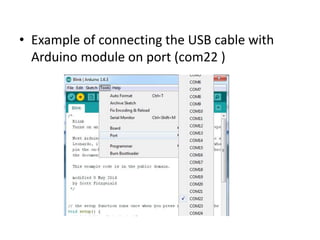
• Example of connecting the USB cable with
Arduino module on port (com22 )
Using software
Some of libraries that we used
Ultrasonic library : to read data from ultrasonic
sensor and print the distance between
obstacles and the sensor.
Motor driver library : to test the motor .
Servo library : to control our servo motor.
Software Serial library : to get data sent from
Android application to Arduino on serial.
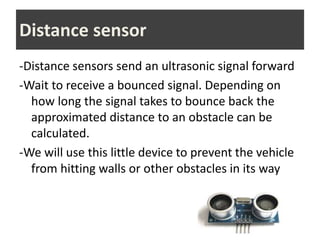
-Distance sensors send an ultrasonic signal forward
-Wait to receive a bounced signal. Depending on
how long the signal takes to bounce back the
approximated distance to an obstacle can be
calculated.
-We will use this little device to prevent the vehicle
from hitting walls or other obstacles in its way
Distance sensor
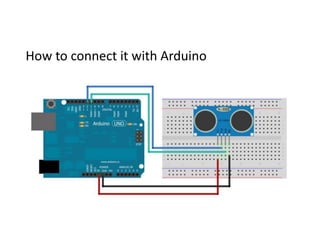
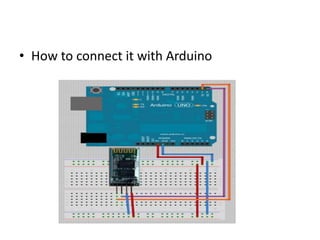
How to connect it with Arduino
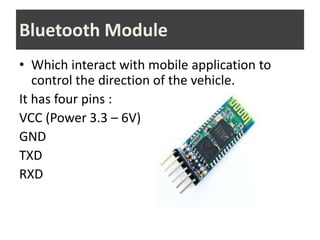
• Which interact with mobile application to
control the direction of the vehicle.
It has four pins :
VCC (Power 3.3 – 6V)
GND
TXD
RXD
Bluetooth Module
• How to connect it with Arduino
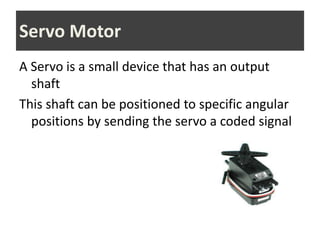
A Servo is a small device that has an output
shaft
This shaft can be positioned to specific angular
positions by sending the servo a coded signal
Servo Motor
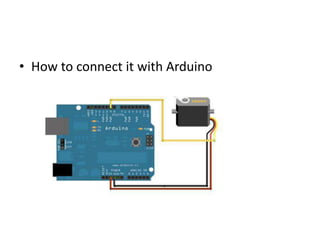
• How to connect it with Arduino
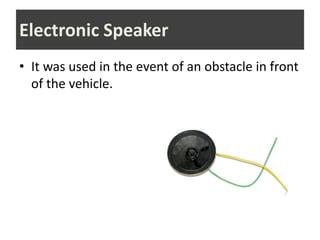
• It was used in the event of an obstacle in front
of the vehicle.
Electronic Speaker
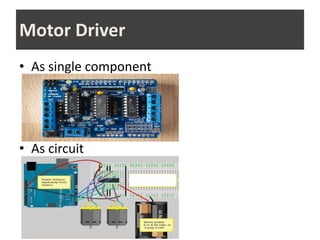
• As single component
• As circuit
Motor Driver
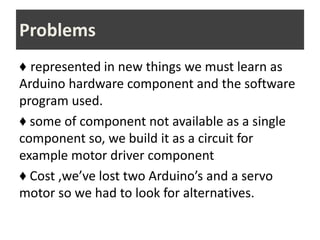
♦ represented in new things we must learn as
Arduino hardware component and the software
program used.
♦ some of component not available as a single
component so, we build it as a circuit for
example motor driver component
♦ Cost ,we’ve lost two Arduino’s and a servo
motor so we had to look for alternatives.
Problems
Conclusion and Future Vision
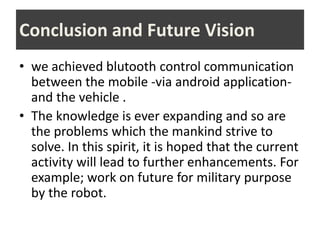
• we achieved blutooth control communication
between the mobile -via android application-
and the vehicle .
• The knowledge is ever expanding and so are
the problems which the mankind strive to
solve. In this spirit, it is hoped that the current
activity will lead to further enhancements. For
example; work on future for military purpose
by the robot.
Thank you for your attention

project2presentation.pptx

  • 1.
    Mobile Controlled Car Students: Tasneem J. Hamayel Hanan I. Mansour Supervisor : Dr.Aladdin Masri
  • 2.
    Outline ◌ Introduction ◌ ProblemStatement ◌ project algorithm ◌ Hardware Component ◌ Software part ◌ Conclusion and future work
  • 3.
    Introduction Our project ismainly a bout controlling car movement using mobile application . This idea can be used in many fields as Entertaining robot game for children or Spying purpose after adding some further features such as a webcam ,so it may be used as a delivery tool for specific type of services.
  • 4.
  • 5.
    Problem Statement After supplyingthe vehicle with voltage » we turn the mobile Bluetooth » using android application to connect with the Bluetooth model on the vehicle. » The vehicle will never crush into a wall because existence of distance sensor
  • 6.
    Goals The vehicle hastwo mode’s Bluetooth mode : using android application to control with the Bluetooth model on the vehicle and to moves in all directions Non-Bluetooth mode : without Bluetooth control the vehicle is moving forward In the Bluetooth mode the vehicle will never crush into a wall because existence of distance sensor
  • 7.
  • 8.
    Hardware Components ● Arduinoboard (Arduino UNO) ● L293D motor driver chip. ● SRF04 Ultrasonic distance sensor ● HC-05 Bluetooth slave ● Prototyping board and cables ● USB cable ● Vehicle kit ● electronic speaker ● Servo Motor
  • 9.
    Arduino board (ArduinoUno) It will be the brain of the robot, as it will be running the software that will control all the other parts
  • 10.
    Arduino Benefits 1. open-source 2.flexible 3. easy to use 4. inexpensive 5. online community
  • 11.
    Software Part The softwarewhich placed on PC we’ve used in order to program and communicate with an Arduino board.
  • 12.
    • Example ofconnecting the USB cable with Arduino module on port (com22 )
  • 13.
    Using software Some oflibraries that we used Ultrasonic library : to read data from ultrasonic sensor and print the distance between obstacles and the sensor. Motor driver library : to test the motor . Servo library : to control our servo motor. Software Serial library : to get data sent from Android application to Arduino on serial.
  • 14.
    -Distance sensors sendan ultrasonic signal forward -Wait to receive a bounced signal. Depending on how long the signal takes to bounce back the approximated distance to an obstacle can be calculated. -We will use this little device to prevent the vehicle from hitting walls or other obstacles in its way Distance sensor
  • 15.
    How to connectit with Arduino
  • 16.
    • Which interactwith mobile application to control the direction of the vehicle. It has four pins : VCC (Power 3.3 – 6V) GND TXD RXD Bluetooth Module
  • 17.
    • How toconnect it with Arduino
  • 18.
    A Servo isa small device that has an output shaft This shaft can be positioned to specific angular positions by sending the servo a coded signal Servo Motor
  • 19.
    • How toconnect it with Arduino
  • 20.
    • It wasused in the event of an obstacle in front of the vehicle. Electronic Speaker
  • 21.
    • As singlecomponent • As circuit Motor Driver
  • 22.
    ♦ represented innew things we must learn as Arduino hardware component and the software program used. ♦ some of component not available as a single component so, we build it as a circuit for example motor driver component ♦ Cost ,we’ve lost two Arduino’s and a servo motor so we had to look for alternatives. Problems
  • 23.
    Conclusion and FutureVision • we achieved blutooth control communication between the mobile -via android application- and the vehicle . • The knowledge is ever expanding and so are the problems which the mankind strive to solve. In this spirit, it is hoped that the current activity will lead to further enhancements. For example; work on future for military purpose by the robot.
  • 24.
    Thank you foryour attention