SIXTH SENSE TECHNOLOGY


                Presented by:
           Angom Chandrakala Devi
                  09/cse/31
Department of Computer Science and Engineering
CONTENTS
●   Introduction
●   Components
●   Working
●   Applications
●   Advantages
●   Conclusion
INTRODUCTION
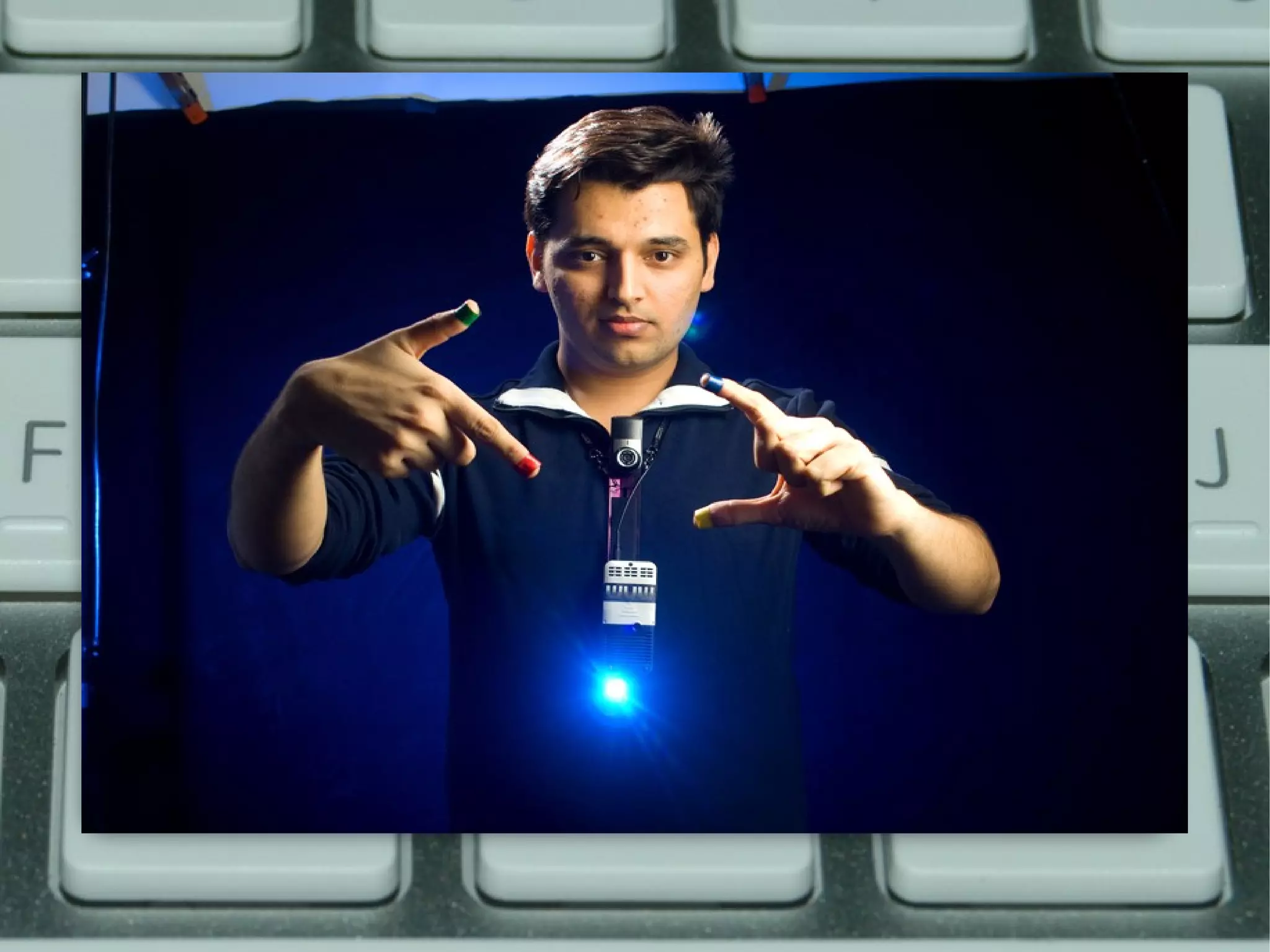
●   Sixth Sense is a wearable gesture interface that augments the
    physical world around us with digital information and lets us
    interact with the information through natural hand gestures
●   It was developed by Pranav Mistry,an Indian PhD sudent in the
    Fluid Interfaces Group in Media Lab,MIT
●   It can turn any surface into a touch screen for computing
    controlled by simple hand gestures
COMPONENTS

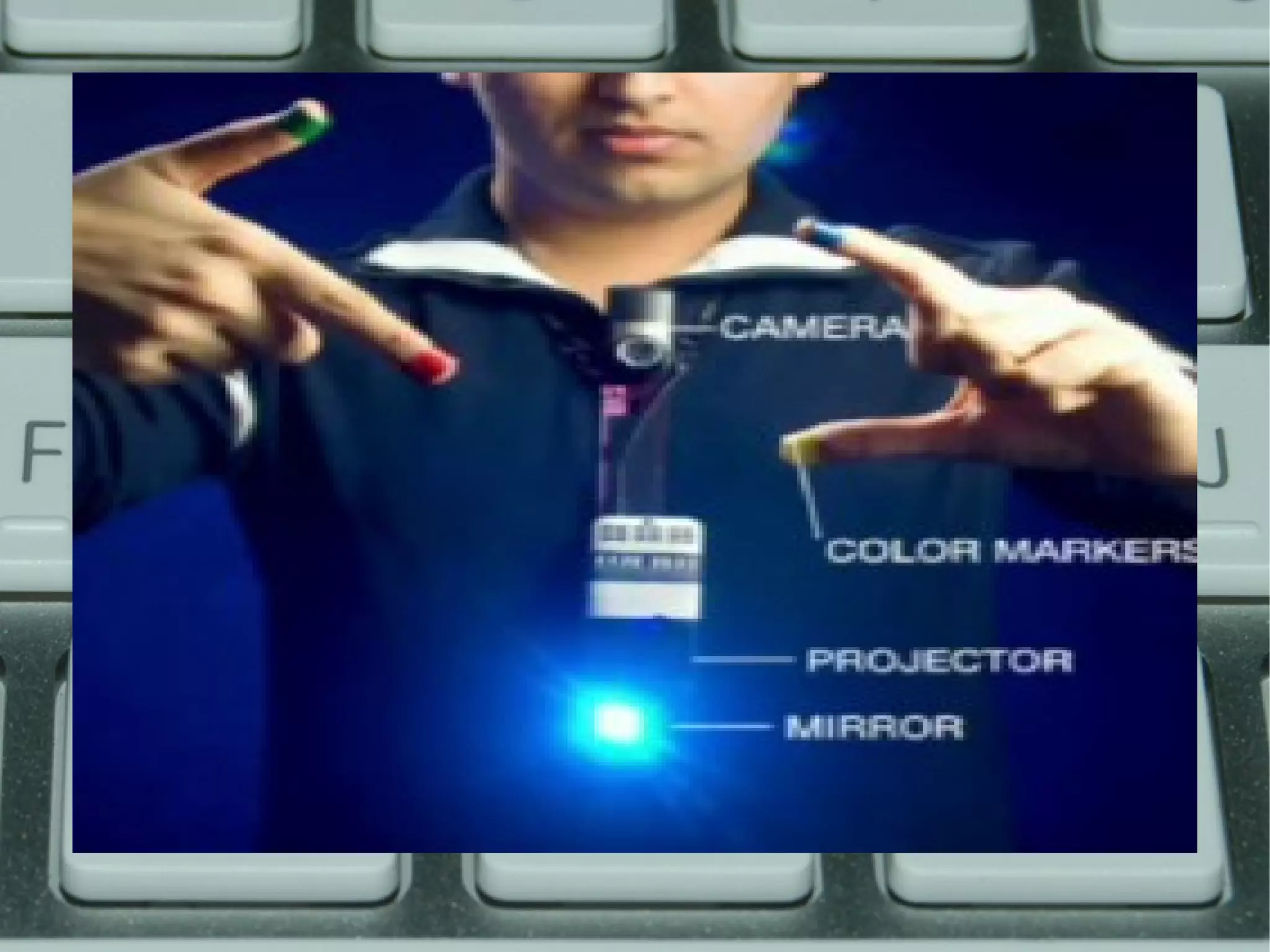
●   Camera
●   Portable mini projector
●   Mirror
●   Mobile computing device
●   Coloured components
CAMERA
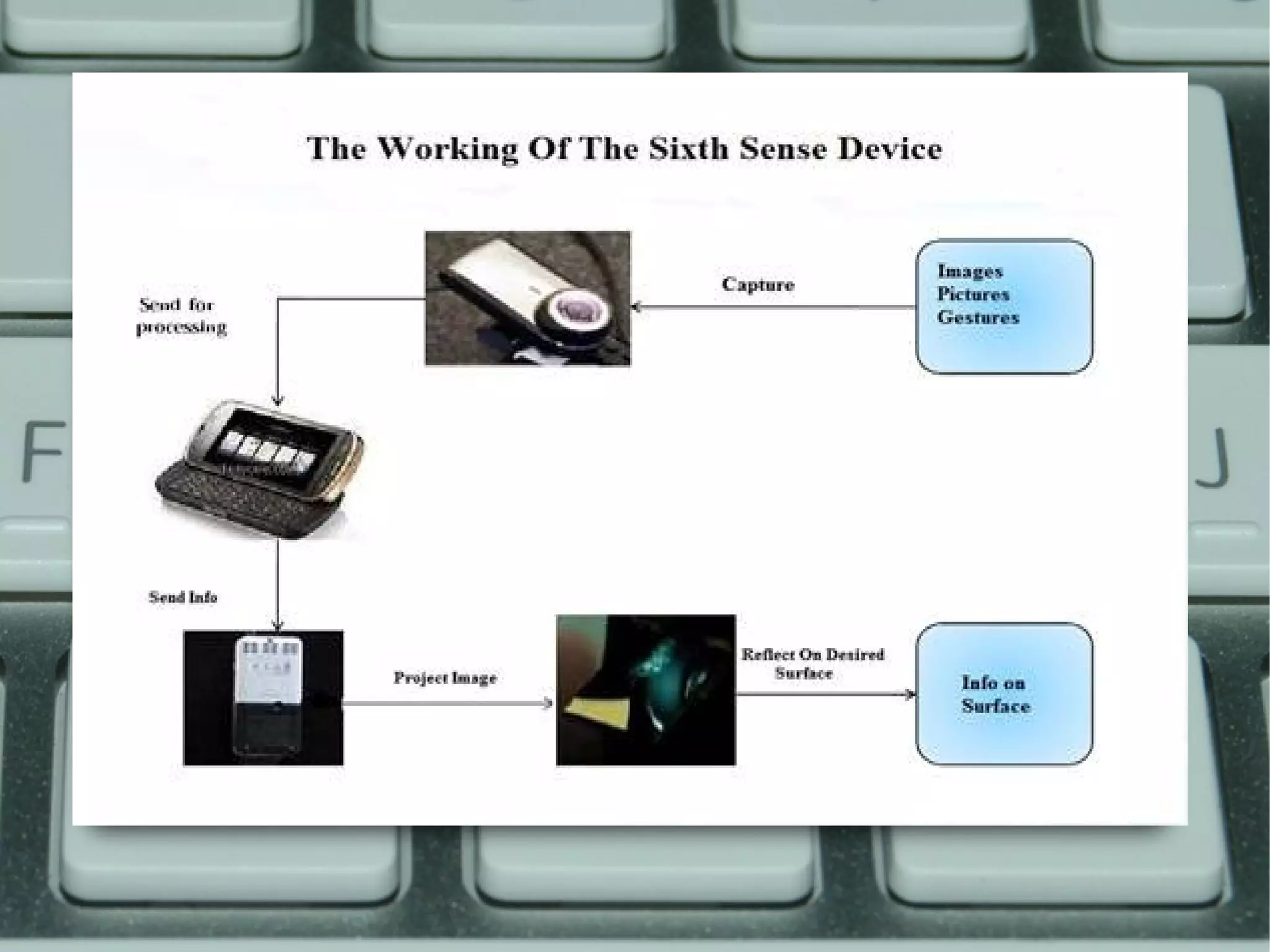
●   It is the key input device of the SixthSense system , acts as a digital
    eye of the system.
●   Captures user’s hand movements and gestures (used in recognition
    of user gestures)
●   Captures the scene in front and objects the user is interacting with
    (used in object recognition and tracking)
●   Takes a photo of the scene in front when the user performs a
    ‘framing’ gesture
●   Captures the scene of projected interface (used to correct the
    alignment, placement and look and feel of the projected interface
    components)
●   The video stream captured by the camera is passed to mobile
    computing device which does the appropriate computer vision
    computation.
MOBILE COMPUTING DEVICE
●   The Sixth Sense system uses a mobile computing device in user’s
    pocket as the processing device
●   This device can be a mobile phone or a small laptop computer. The
    camera, the projector are connected to this device using wired or
    wireless connection
●   A software program enabling all the features of the system runs on
    this computing device .It is open source and the currently available
    version of the software runs on windows platform
●   The mobile computing device is also connected to the Internet via 3G
    network or wireless connection
PORTABLE MINI PROJECTOR
●   It is the key output device of the Sixth Sense system.
●   The projector visually augments surfaces, walls and physical objects
    the user is interacting with by projecting digital information and
    graphical user interfaces.
●   The content to be projected is provided by the mobile computing
    device
●   Augments the physical objects the user interacting with by projecting
    just-in-time and related information from the Internet
MIRROR
●   The mirror reflects the projection coming out from the projector and
    thus helps in projecting onto the desired locations on walls or
    surfaces.
●   The user manually can change the tilt of the mirror to change the
    location of the projection. For example in application where the user
    wants the projection to go on the ground instead of the surface in
    front, he can change the tilt of the mirror to change the projection.
●   Helps in overcoming the limitation of the limited projection space of
    the projector.
COLOURED COMPONENTS

●   Its function is to aid the software in differentiating between the
    fingers, demanding various applications
●   They can be worn as coloured caps or coloured tapes can be used
●   There can be as many distinct coloured components as will fit in the
    screen which enables multi-touch and multi -user interface
APPLICATIONS
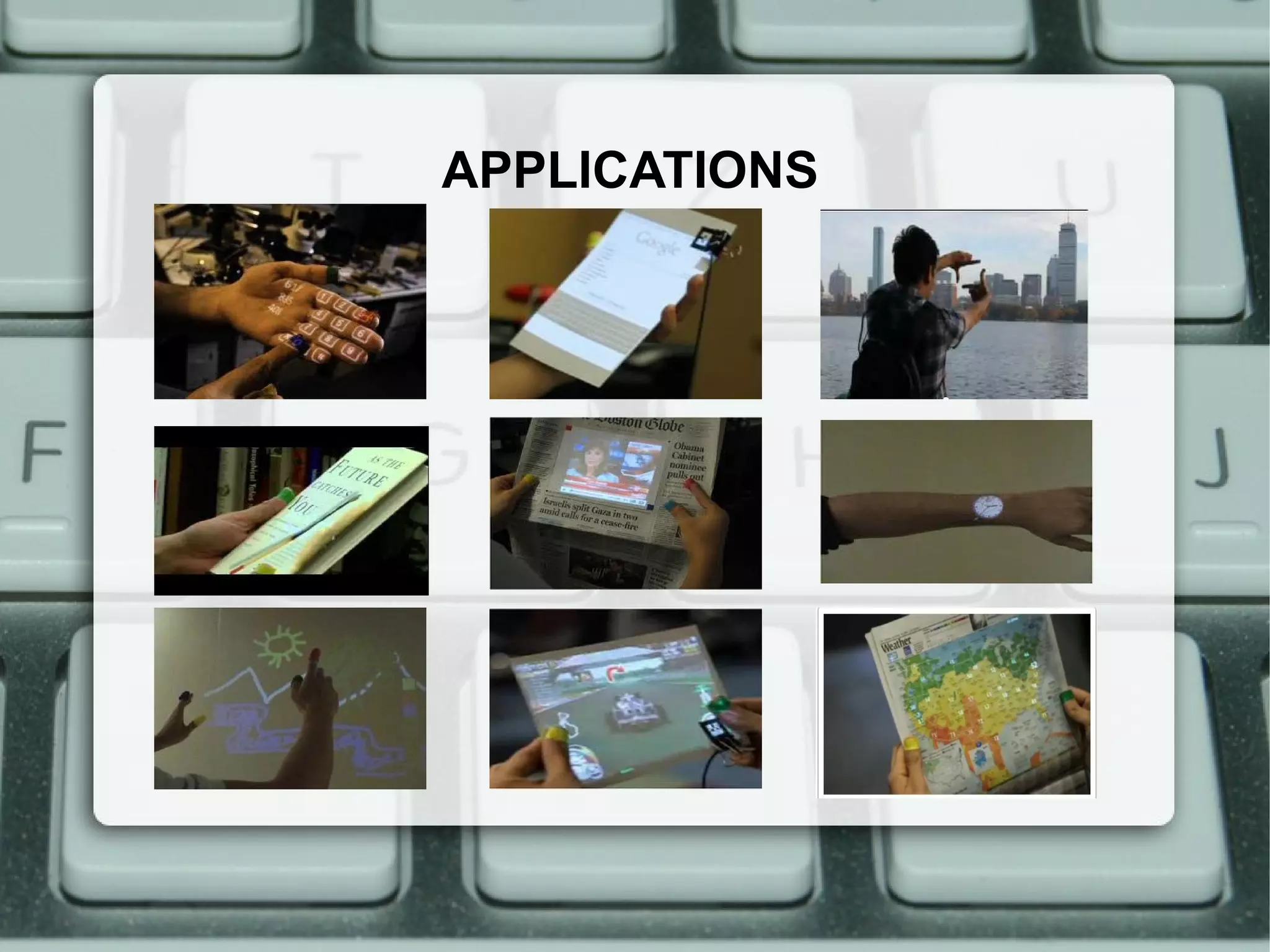
MAKE A CALL

The sixth sense technology enables you
to project a keypad on your palm
then use that virtual keypad to make
a call


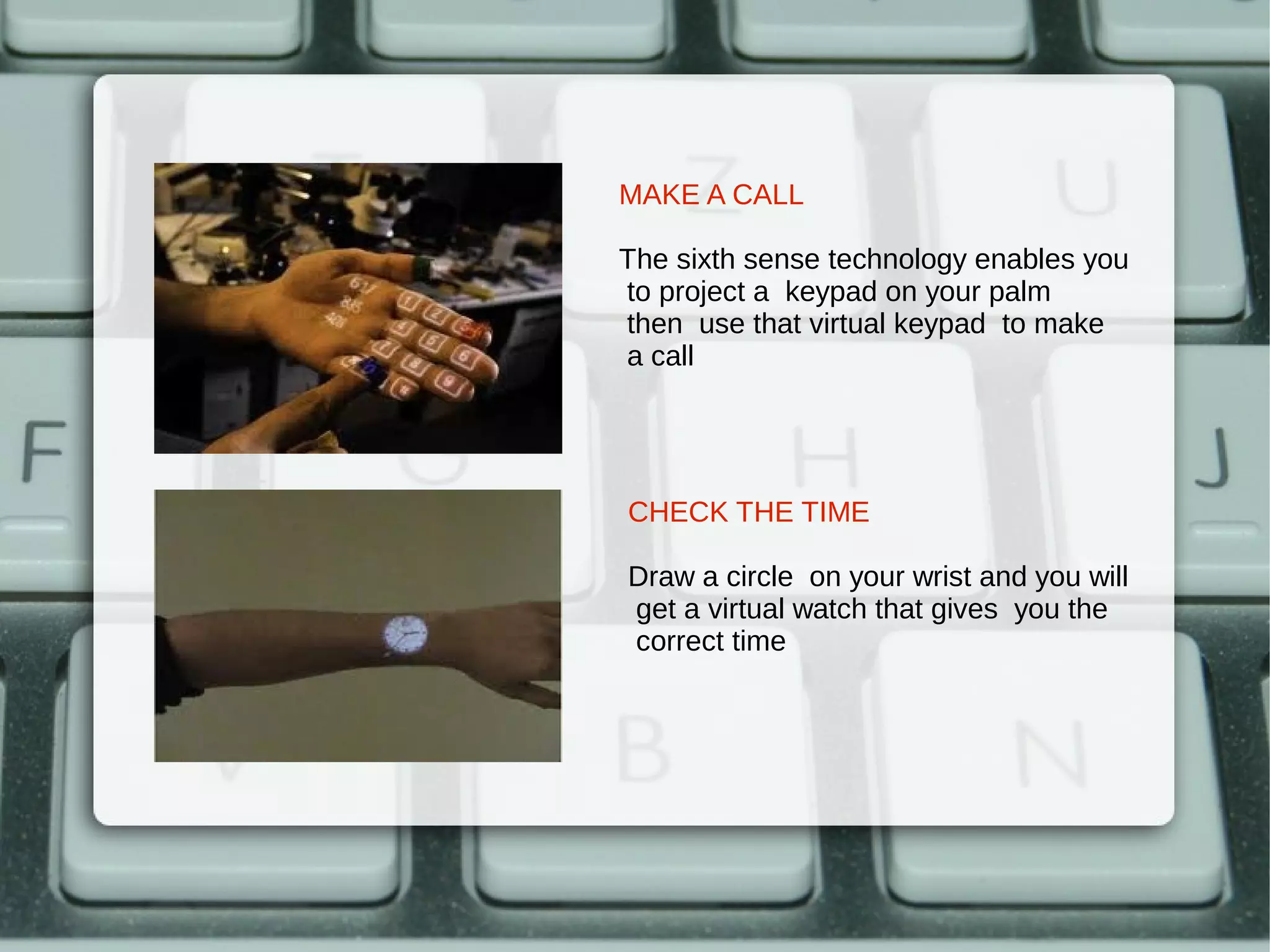
CHECK THE TIME

Draw a circle on your wrist and you will
get a virtual watch that gives you the
correct time
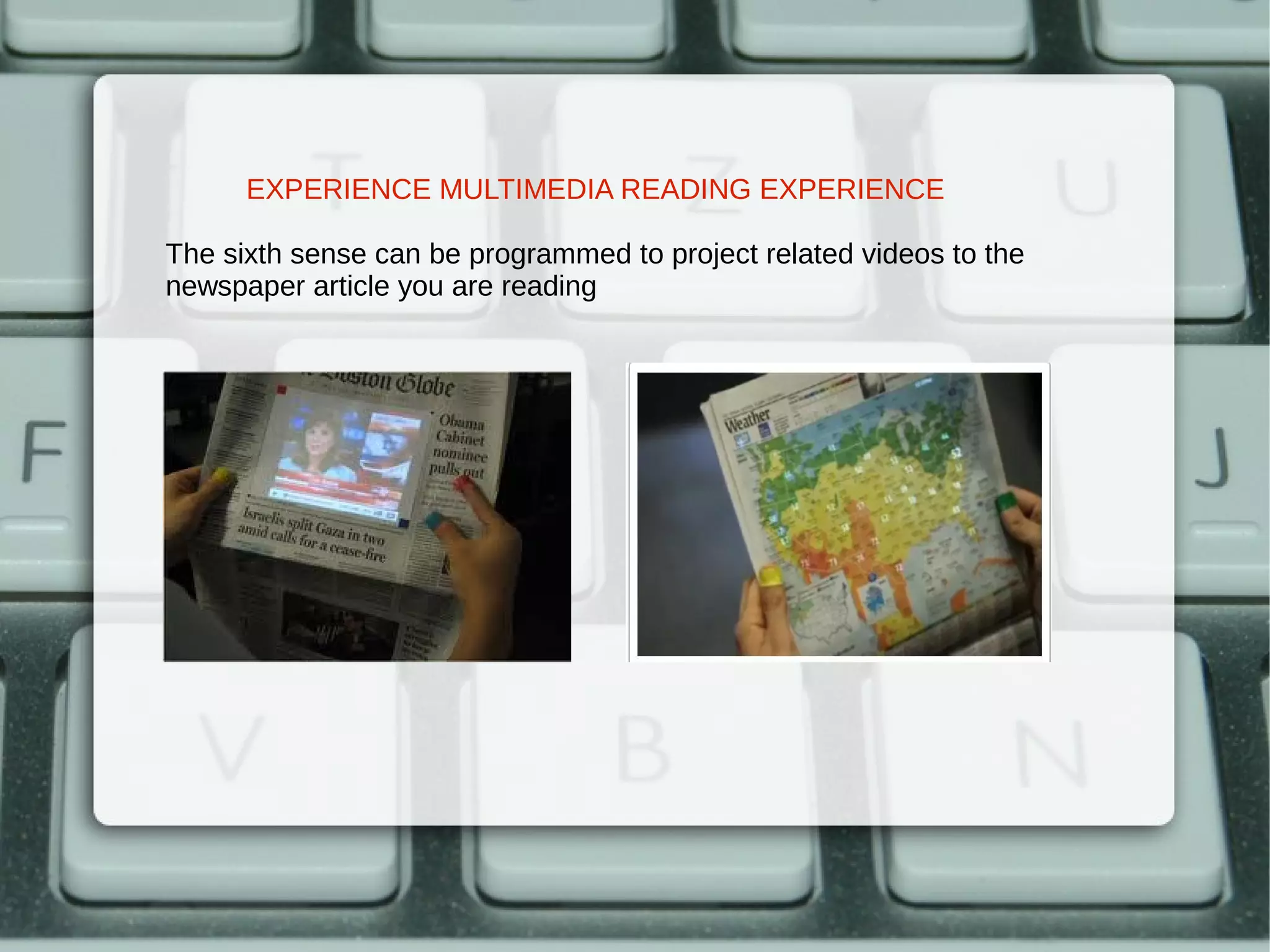
EXPERIENCE MULTIMEDIA READING EXPERIENCE

The sixth sense can be programmed to project related videos to the
newspaper article you are reading
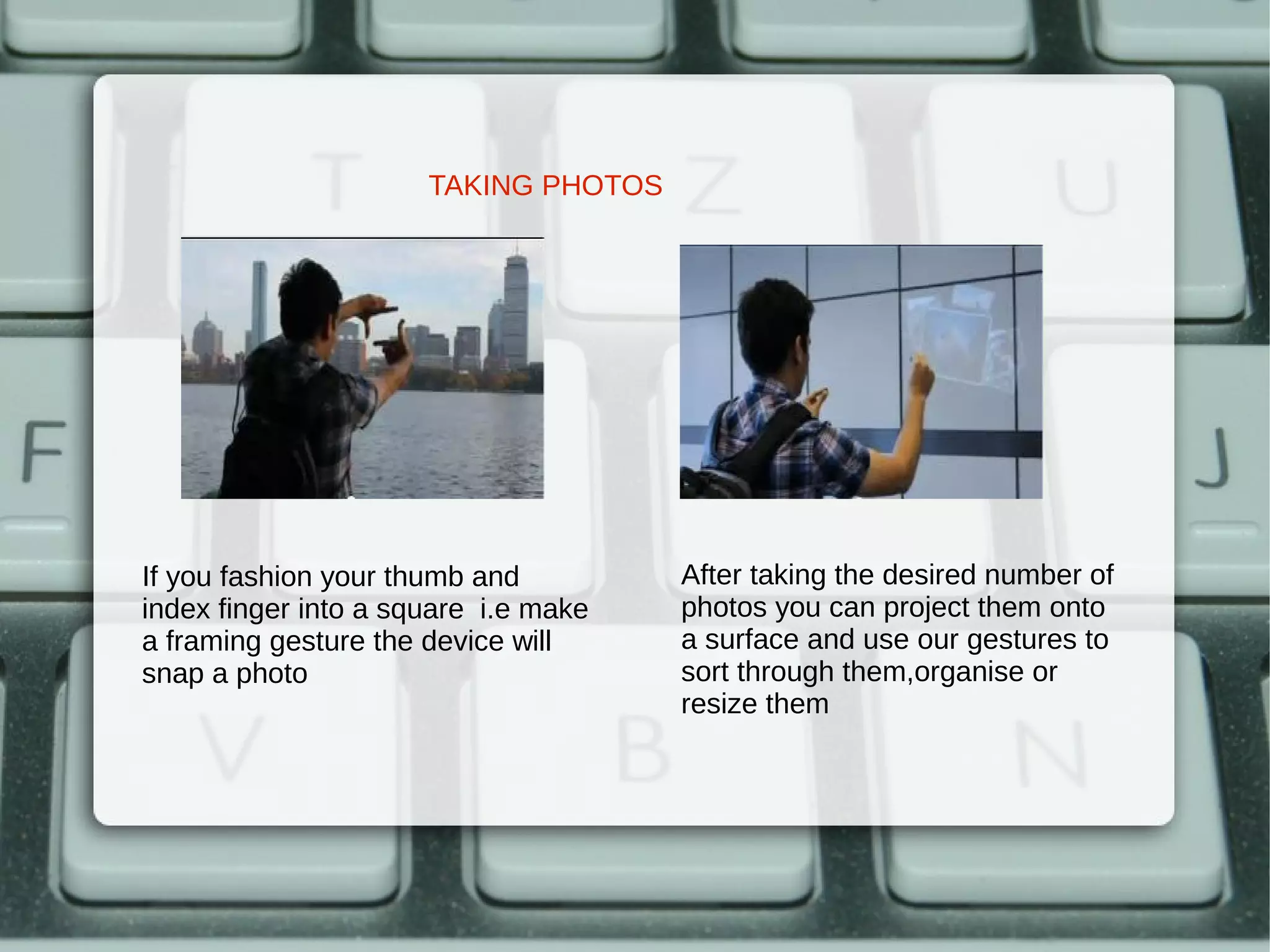
TAKING PHOTOS


If you fashion your thumb and         After taking the desired number of
index finger into a square i.e make   photos you can project them onto
a framing gesture the device will     a surface and use our gestures to
snap a photo                          sort through them,organise or
                                      resize them
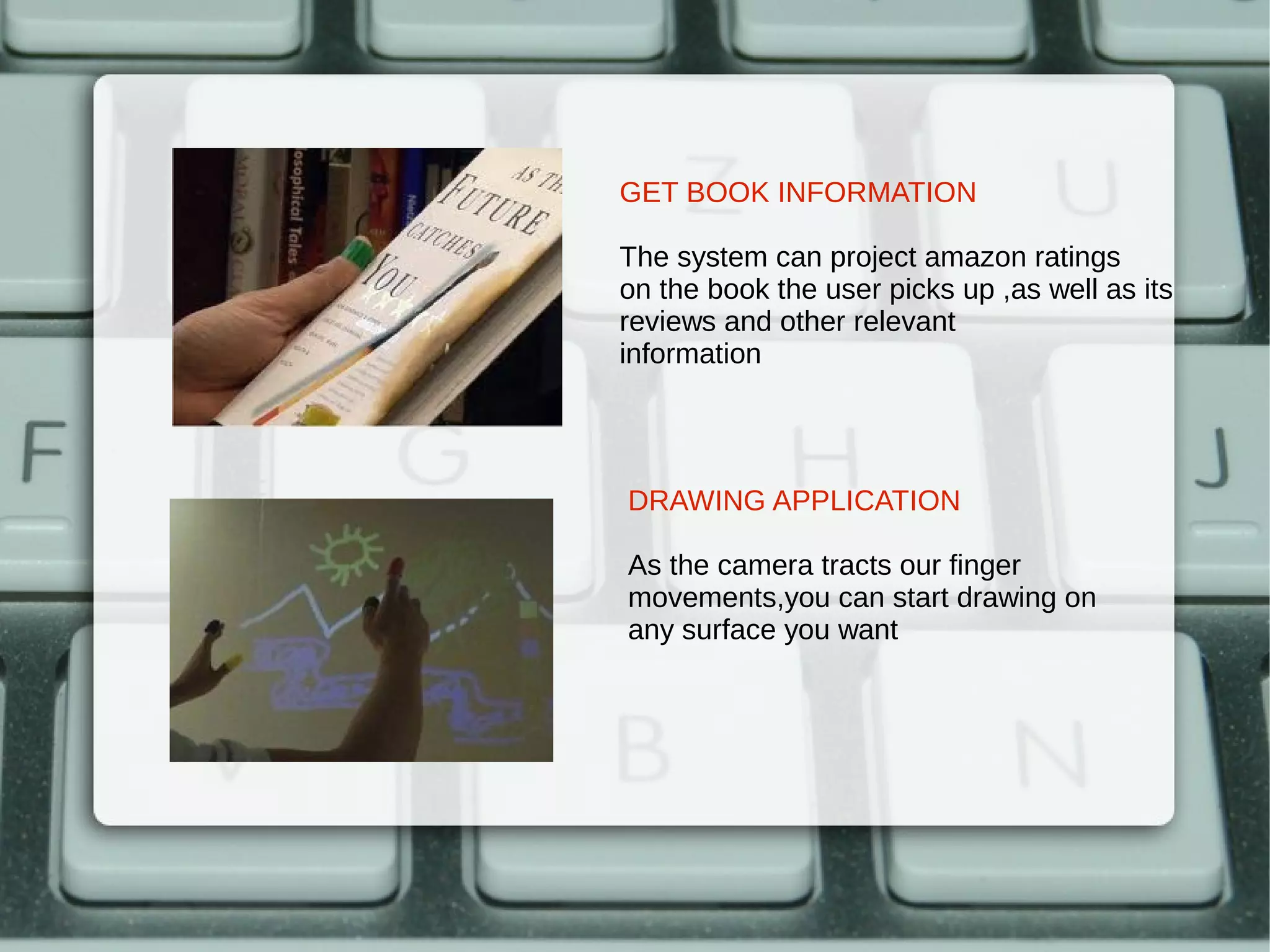
GET BOOK INFORMATION

The system can project amazon ratings
on the book the user picks up ,as well as its
reviews and other relevant
information


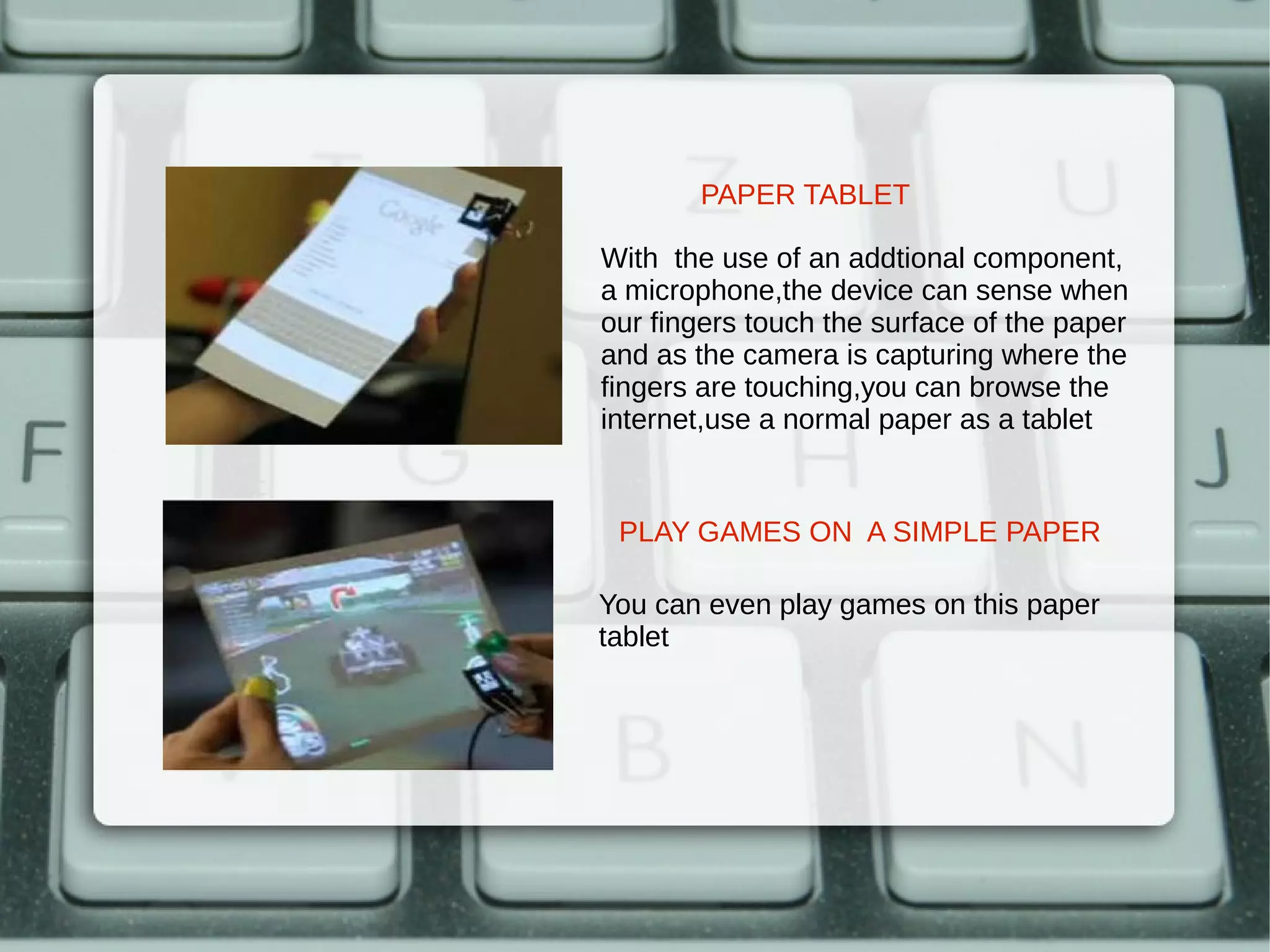
DRAWING APPLICATION

As the camera tracts our finger
movements,you can start drawing on
any surface you want
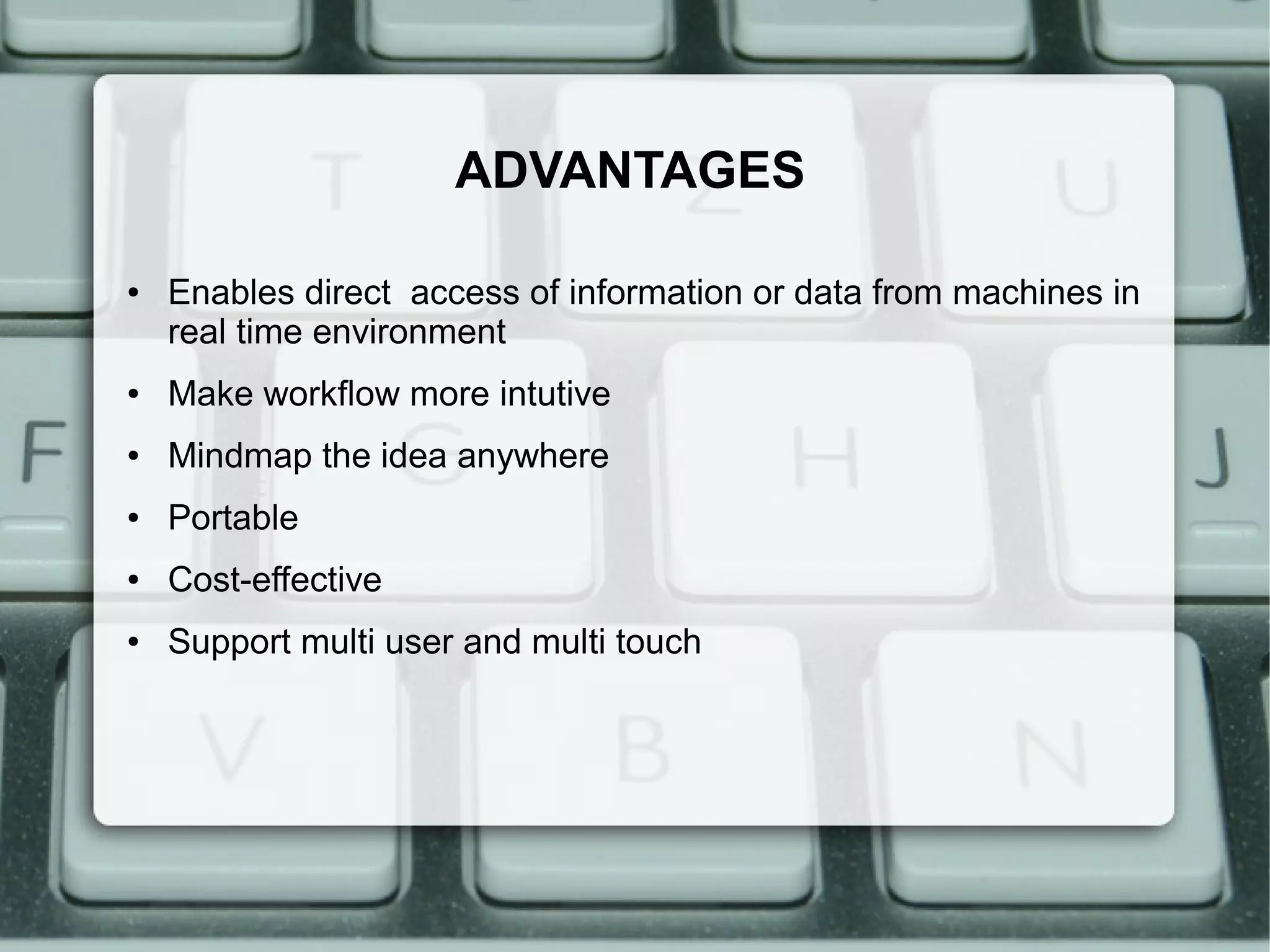
PAPER TABLET

With the use of an addtional component,
a microphone,the device can sense when
our fingers touch the surface of the paper
and as the camera is capturing where the
fingers are touching,you can browse the
internet,use a normal paper as a tablet


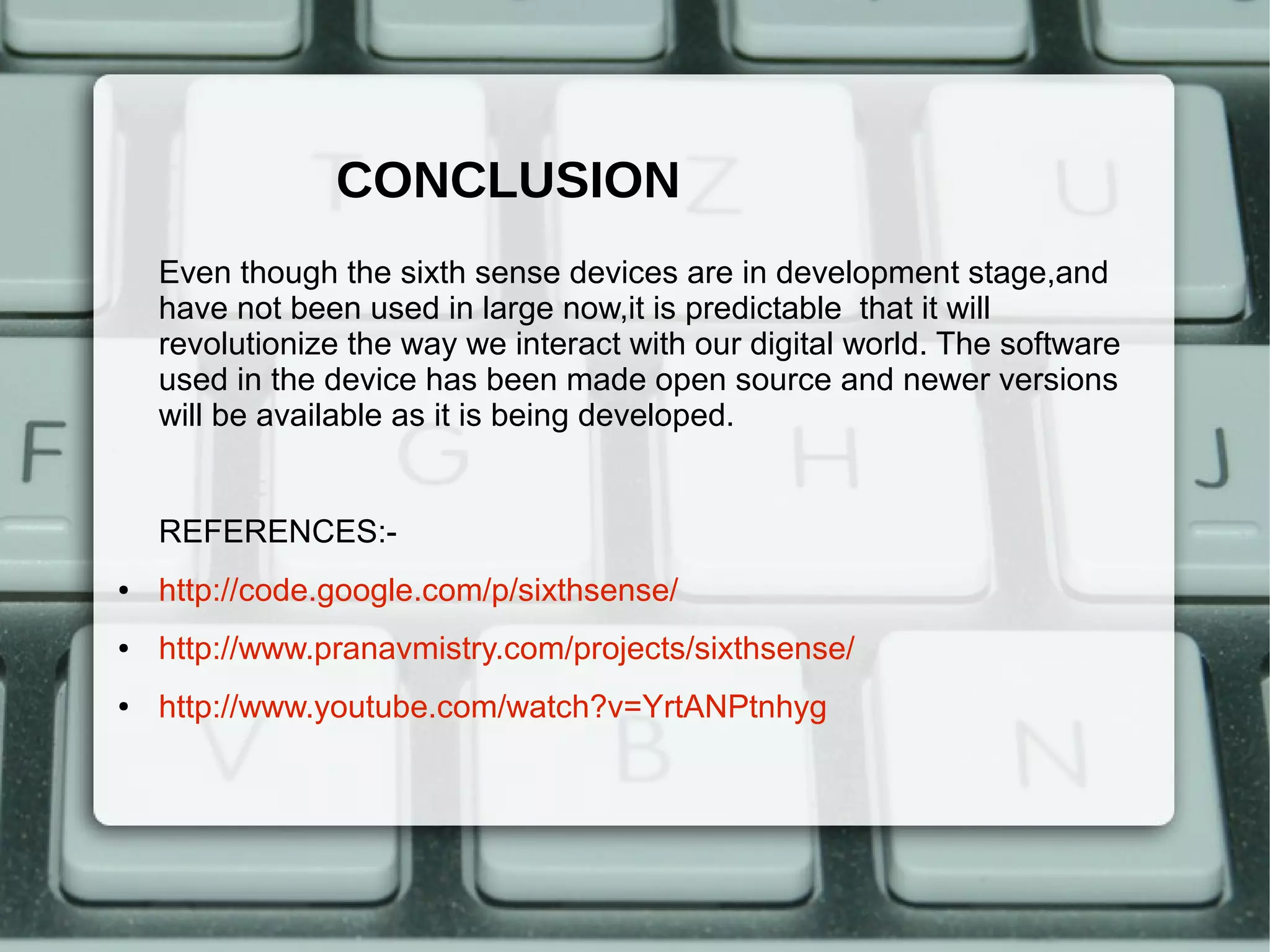
 PLAY GAMES ON A SIMPLE PAPER

You can even play games on this paper
tablet
ADVANTAGES

●   Enables direct access of information or data from machines in
    real time environment
●   Make workflow more intutive
●   Mindmap the idea anywhere
●   Portable
●   Cost-effective
●   Support multi user and multi touch
CONCLUSION
    Even though the sixth sense devices are in development stage,and
    have not been used in large now,it is predictable that it will
    revolutionize the way we interact with our digital world. The software
    used in the device has been made open source and newer versions
    will be available as it is being developed.


    REFERENCES:-
●   http://code.google.com/p/sixthsense/
●   http://www.pranavmistry.com/projects/sixthsense/
●   http://www.youtube.com/watch?v=YrtANPtnhyg
THANK YOU

Project

  • 1.
    SIXTH SENSE TECHNOLOGY Presented by: Angom Chandrakala Devi 09/cse/31 Department of Computer Science and Engineering
  • 2.
    CONTENTS ● Introduction ● Components ● Working ● Applications ● Advantages ● Conclusion
  • 3.
    INTRODUCTION ● Sixth Sense is a wearable gesture interface that augments the physical world around us with digital information and lets us interact with the information through natural hand gestures ● It was developed by Pranav Mistry,an Indian PhD sudent in the Fluid Interfaces Group in Media Lab,MIT ● It can turn any surface into a touch screen for computing controlled by simple hand gestures
  • 4.
    COMPONENTS ● Camera ● Portable mini projector ● Mirror ● Mobile computing device ● Coloured components
  • 7.
    CAMERA ● It is the key input device of the SixthSense system , acts as a digital eye of the system. ● Captures user’s hand movements and gestures (used in recognition of user gestures) ● Captures the scene in front and objects the user is interacting with (used in object recognition and tracking) ● Takes a photo of the scene in front when the user performs a ‘framing’ gesture ● Captures the scene of projected interface (used to correct the alignment, placement and look and feel of the projected interface components) ● The video stream captured by the camera is passed to mobile computing device which does the appropriate computer vision computation.
  • 8.
    MOBILE COMPUTING DEVICE ● The Sixth Sense system uses a mobile computing device in user’s pocket as the processing device ● This device can be a mobile phone or a small laptop computer. The camera, the projector are connected to this device using wired or wireless connection ● A software program enabling all the features of the system runs on this computing device .It is open source and the currently available version of the software runs on windows platform ● The mobile computing device is also connected to the Internet via 3G network or wireless connection
  • 9.
    PORTABLE MINI PROJECTOR ● It is the key output device of the Sixth Sense system. ● The projector visually augments surfaces, walls and physical objects the user is interacting with by projecting digital information and graphical user interfaces. ● The content to be projected is provided by the mobile computing device ● Augments the physical objects the user interacting with by projecting just-in-time and related information from the Internet
  • 10.
    MIRROR ● The mirror reflects the projection coming out from the projector and thus helps in projecting onto the desired locations on walls or surfaces. ● The user manually can change the tilt of the mirror to change the location of the projection. For example in application where the user wants the projection to go on the ground instead of the surface in front, he can change the tilt of the mirror to change the projection. ● Helps in overcoming the limitation of the limited projection space of the projector.
  • 11.
    COLOURED COMPONENTS ● Its function is to aid the software in differentiating between the fingers, demanding various applications ● They can be worn as coloured caps or coloured tapes can be used ● There can be as many distinct coloured components as will fit in the screen which enables multi-touch and multi -user interface
  • 13.
  • 14.
    MAKE A CALL Thesixth sense technology enables you to project a keypad on your palm then use that virtual keypad to make a call CHECK THE TIME Draw a circle on your wrist and you will get a virtual watch that gives you the correct time
  • 15.
    EXPERIENCE MULTIMEDIA READINGEXPERIENCE The sixth sense can be programmed to project related videos to the newspaper article you are reading
  • 16.
    TAKING PHOTOS If youfashion your thumb and After taking the desired number of index finger into a square i.e make photos you can project them onto a framing gesture the device will a surface and use our gestures to snap a photo sort through them,organise or resize them
  • 17.
    GET BOOK INFORMATION Thesystem can project amazon ratings on the book the user picks up ,as well as its reviews and other relevant information DRAWING APPLICATION As the camera tracts our finger movements,you can start drawing on any surface you want
  • 18.
    PAPER TABLET With theuse of an addtional component, a microphone,the device can sense when our fingers touch the surface of the paper and as the camera is capturing where the fingers are touching,you can browse the internet,use a normal paper as a tablet PLAY GAMES ON A SIMPLE PAPER You can even play games on this paper tablet
  • 19.
    ADVANTAGES ● Enables direct access of information or data from machines in real time environment ● Make workflow more intutive ● Mindmap the idea anywhere ● Portable ● Cost-effective ● Support multi user and multi touch
  • 20.
    CONCLUSION Even though the sixth sense devices are in development stage,and have not been used in large now,it is predictable that it will revolutionize the way we interact with our digital world. The software used in the device has been made open source and newer versions will be available as it is being developed. REFERENCES:- ● http://code.google.com/p/sixthsense/ ● http://www.pranavmistry.com/projects/sixthsense/ ● http://www.youtube.com/watch?v=YrtANPtnhyg
  • 21.