Programming on Linux


      Navya Linux Lectures


         Chintalagiri Shashank
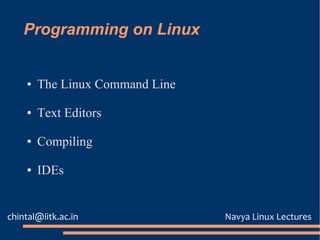
Programming on Linux


    ●   The Linux Command Line

    ●   Text Editors

    ●   Compiling

    ●   IDEs


chintal@iitk.ac.in               Navya Linux Lectures
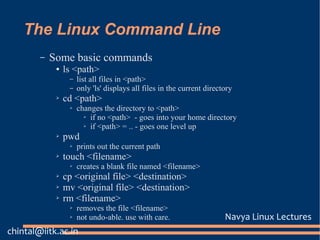
The Linux Command Line
        –   Some basic commands
             ●   ls <path>
                  –   list all files in <path>
                  –   only 'ls' displays all files in the current directory
             ➢   cd <path>
                  ➢   changes the directory to <path>
                        ➢ if no <path> - goes into your home directory

                        ➢ if <path> = .. - goes one level up

             ➢   pwd
                  ➢   prints out the current path
             ➢   touch <filename>
                  ➢   creates a blank file named <filename>
             ➢   cp <original file> <destination>
             ➢   mv <original file> <destination>
             ➢   rm <filename>
                  ➢   removes the file <filename>
                  ➢   not undo-able. use with care.                     Navya Linux Lectures
chintal@iitk.ac.in
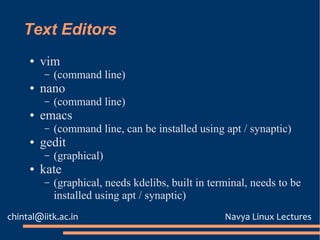
Text Editors
     ●   vim
         –   (command line)
     ●   nano
         –   (command line)
     ●   emacs
         –   (command line, can be installed using apt / synaptic)
     ●   gedit
         –   (graphical)
     ●   kate
         –   (graphical, needs kdelibs, built in terminal, needs to be
             installed using apt / synaptic)
chintal@iitk.ac.in                                  Navya Linux Lectures
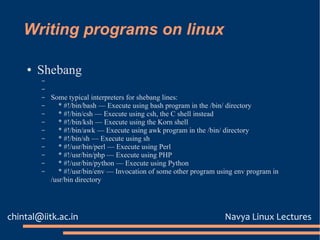
Writing programs on linux

    ●   Shebang
        –
        –
        –   Some typical interpreters for shebang lines:
        –      * #!/bin/bash — Execute using bash program in the /bin/ directory
        –      * #!/bin/csh — Execute using csh, the C shell instead
        –      * #!/bin/ksh — Execute using the Korn shell
        –      * #!/bin/awk — Execute using awk program in the /bin/ directory
        –      * #!/bin/sh — Execute using sh
        –      * #!/usr/bin/perl — Execute using Perl
        –      * #!/usr/bin/php — Execute using PHP
        –      * #!/usr/bin/python — Execute using Python
        –      * #!/usr/bin/env — Invocation of some other program using env program in
            /usr/bin directory


chintal@iitk.ac.in                                                   Navya Linux Lectures
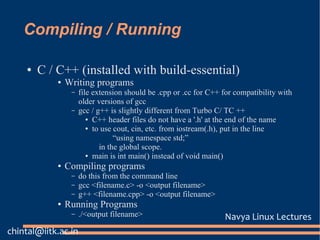
Compiling / Running

    ●   C / C++ (installed with build-essential)
            ●   Writing programs
                 –   file extension should be .cpp or .cc for C++ for compatibility with
                     older versions of gcc
                 –   gcc / g++ is slightly different from Turbo C/ TC ++
                        ● C++ header files do not have a '.h' at the end of the name

                        ● to use cout, cin, etc. from iostream(.h), put in the line

                                 “using namespace std;”
                            in the global scope.
                        ● main is int main() instead of void main()

            ●   Compiling programs
                 –   do this from the command line
                 –   gcc <filename.c> -o <output filename>
                 –   g++ <filename.cpp> -o <output filename>
            ●   Running Programs
                 –   ./<output filename>                          Navya Linux Lectures
chintal@iitk.ac.in
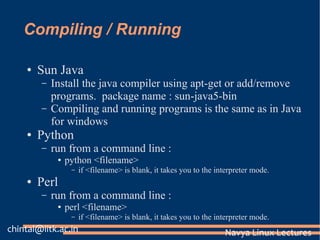
Compiling / Running

    ●   Sun Java
        –   Install the java compiler using apt-get or add/remove
            programs. package name : sun-java5-bin
        –   Compiling and running programs is the same as in Java
            for windows
    ●   Python
        –   run from a command line :
             ●   python <filename>
                  –   if <filename> is blank, it takes you to the interpreter mode.
    ●   Perl
        –   run from a command line :
             ●   perl <filename>
                  –   if <filename> is blank, it takes you to the interpreter mode.
chintal@iitk.ac.in                                                  Navya Linux Lectures
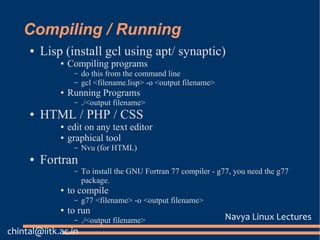
Compiling / Running
     ●   Lisp (install gcl using apt/ synaptic)
             ●   Compiling programs
                  –   do this from the command line
                  –   gcl <filename.lisp> -o <output filename>
             ●   Running Programs
                  –   ./<output filename>
     ●   HTML / PHP / CSS
             ●   edit on any text editor
             ●   graphical tool
                  –   Nvu (for HTML)
     ●   Fortran
                  –   To install the GNU Fortran 77 compiler - g77, you need the g77
                      package.
             ●   to compile
                  –   g77 <filename> -o <output filename>
             ●   to run
                  –   ./<output filename>                        Navya Linux Lectures
chintal@iitk.ac.in

Programming

  • 1.
    Programming on Linux Navya Linux Lectures Chintalagiri Shashank
  • 2.
    Programming on Linux ● The Linux Command Line ● Text Editors ● Compiling ● IDEs chintal@iitk.ac.in Navya Linux Lectures
  • 3.
    The Linux CommandLine – Some basic commands ● ls <path> – list all files in <path> – only 'ls' displays all files in the current directory ➢ cd <path> ➢ changes the directory to <path> ➢ if no <path> - goes into your home directory ➢ if <path> = .. - goes one level up ➢ pwd ➢ prints out the current path ➢ touch <filename> ➢ creates a blank file named <filename> ➢ cp <original file> <destination> ➢ mv <original file> <destination> ➢ rm <filename> ➢ removes the file <filename> ➢ not undo-able. use with care. Navya Linux Lectures chintal@iitk.ac.in
  • 4.
    Text Editors ● vim – (command line) ● nano – (command line) ● emacs – (command line, can be installed using apt / synaptic) ● gedit – (graphical) ● kate – (graphical, needs kdelibs, built in terminal, needs to be installed using apt / synaptic) chintal@iitk.ac.in Navya Linux Lectures
  • 5.
    Writing programs onlinux ● Shebang – – – Some typical interpreters for shebang lines: – * #!/bin/bash — Execute using bash program in the /bin/ directory – * #!/bin/csh — Execute using csh, the C shell instead – * #!/bin/ksh — Execute using the Korn shell – * #!/bin/awk — Execute using awk program in the /bin/ directory – * #!/bin/sh — Execute using sh – * #!/usr/bin/perl — Execute using Perl – * #!/usr/bin/php — Execute using PHP – * #!/usr/bin/python — Execute using Python – * #!/usr/bin/env — Invocation of some other program using env program in /usr/bin directory chintal@iitk.ac.in Navya Linux Lectures
  • 6.
    Compiling / Running ● C / C++ (installed with build-essential) ● Writing programs – file extension should be .cpp or .cc for C++ for compatibility with older versions of gcc – gcc / g++ is slightly different from Turbo C/ TC ++ ● C++ header files do not have a '.h' at the end of the name ● to use cout, cin, etc. from iostream(.h), put in the line “using namespace std;” in the global scope. ● main is int main() instead of void main() ● Compiling programs – do this from the command line – gcc <filename.c> -o <output filename> – g++ <filename.cpp> -o <output filename> ● Running Programs – ./<output filename> Navya Linux Lectures chintal@iitk.ac.in
  • 7.
    Compiling / Running ● Sun Java – Install the java compiler using apt-get or add/remove programs. package name : sun-java5-bin – Compiling and running programs is the same as in Java for windows ● Python – run from a command line : ● python <filename> – if <filename> is blank, it takes you to the interpreter mode. ● Perl – run from a command line : ● perl <filename> – if <filename> is blank, it takes you to the interpreter mode. chintal@iitk.ac.in Navya Linux Lectures
  • 8.
    Compiling / Running ● Lisp (install gcl using apt/ synaptic) ● Compiling programs – do this from the command line – gcl <filename.lisp> -o <output filename> ● Running Programs – ./<output filename> ● HTML / PHP / CSS ● edit on any text editor ● graphical tool – Nvu (for HTML) ● Fortran – To install the GNU Fortran 77 compiler - g77, you need the g77 package. ● to compile – g77 <filename> -o <output filename> ● to run – ./<output filename> Navya Linux Lectures chintal@iitk.ac.in