Tutor: Bilal Janjooa Assistant Professor UOL
MS Telecom. Eng. From University of Sunderland UK
Bilal Janjooa bilal.janjooa@yahoo.co.uk 1
Bilal Janjooa bilal.janjooa@yahoo.co.uk 2
3
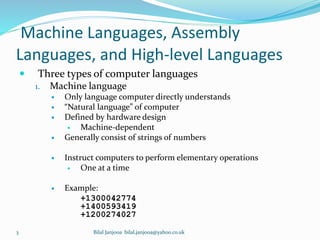
Machine Languages, Assembly
Languages, and High-level Languages
 Three types of computer languages
1. Machine language
 Only language computer directly understands
 “Natural language” of computer
 Defined by hardware design
 Machine-dependent
 Generally consist of strings of numbers
 Instruct computers to perform elementary operations
 One at a time
 Example:
+1300042774
+1400593419
+1200274027
Bilal Janjooa bilal.janjooa@yahoo.co.uk
4
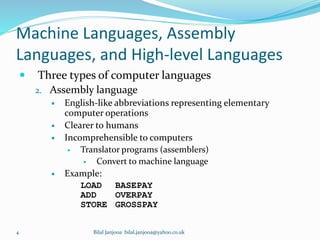
Machine Languages, Assembly
Languages, and High-level Languages
 Three types of computer languages
2. Assembly language
 English-like abbreviations representing elementary
computer operations
 Clearer to humans
 Incomprehensible to computers
 Translator programs (assemblers)
 Convert to machine language
 Example:
LOAD BASEPAY
ADD OVERPAY
STORE GROSSPAY
Bilal Janjooa bilal.janjooa@yahoo.co.uk
5
Machine Languages, Assembly
Languages, and High-level Languages
 Three types of computer languages
3. High-level languages
 Similar to everyday English, use common mathematical
notations
 Single statements accomplish substantial tasks
 Assembly language requires many instructions to
accomplish simple tasks
 Translator programs (compilers)
 Convert to machine language
 Interpreter programs
 Directly execute high-level language programs
 Example:
grossPay = basePay + overTimePay
Bilal Janjooa bilal.janjooa@yahoo.co.uk
Introduction
to C++
Bilal Janjooa bilal.janjooa@yahoo.co.uk 6
History of C and C++
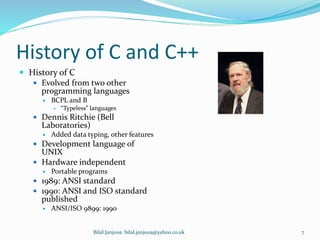
 History of C
 Evolved from two other
programming languages
 BCPL and B
 “Typeless” languages
 Dennis Ritchie (Bell
Laboratories)
 Added data typing, other features
 Development language of
UNIX
 Hardware independent
 Portable programs
 1989: ANSI standard
 1990: ANSI and ISO standard
published
 ANSI/ISO 9899: 1990
7Bilal Janjooa bilal.janjooa@yahoo.co.uk
History of C and C++
 History of C++
 Extension of C
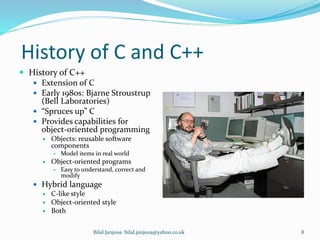
 Early 1980s: Bjarne Stroustrup
(Bell Laboratories)
 “Spruces up” C
 Provides capabilities for
object-oriented programming
 Objects: reusable software
components
 Model items in real world
 Object-oriented programs
 Easy to understand, correct and
modify
 Hybrid language
 C-like style
 Object-oriented style
 Both
8Bilal Janjooa bilal.janjooa@yahoo.co.uk
Source code, Object code and
Compiler.
 Source code is the version of a computer program as it
is originally written (i.e., typed into a computer) by a
human in a programming language.
 Object code is the output of a compiler after it
processes source code.
 A compiler is a specialized program that converts
source code into object code.
Bilal Janjooa bilal.janjooa@yahoo.co.uk 9
10
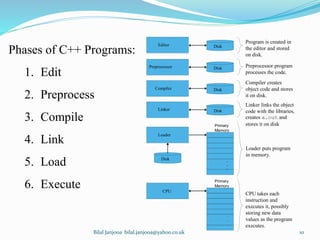
Phases of C++ Programs:
1. Edit
2. Preprocess
3. Compile
4. Link
5. Load
6. Execute
Loader
Primary
Memory
Program is created in
the editor and stored
on disk.
Preprocessor program
processes the code.
Loader puts program
in memory.
CPU takes each
instruction and
executes it, possibly
storing new data
values as the program
executes.
Compiler
Compiler creates
object code and stores
it on disk.

Linker links the object
code with the libraries,
creates a.out and
stores it on disk
Editor
Preprocessor
Linker
CPU
Primary
Memory
.
.
.
.
.
.
.
.
.
.
.
.
Disk
Disk
Disk
Disk
Disk
Bilal Janjooa bilal.janjooa@yahoo.co.uk
Flow of C++ Program
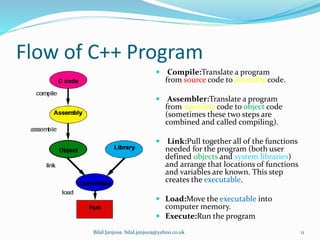
 Compile:Translate a program
from source code to assembly code.
 Assembler:Translate a program
from assembly code to object code
(sometimes these two steps are
combined and called compiling).
 Link:Pull together all of the functions
needed for the program (both user
defined objects and system libraries)
and arrange that locations of functions
and variables are known. This step
creates the executable.
 Load:Move the executable into
computer memory.
 Execute:Run the program
Bilal Janjooa bilal.janjooa@yahoo.co.uk 11
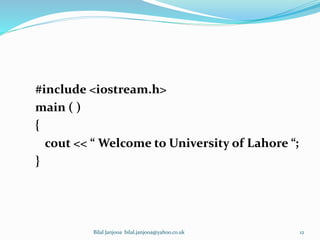
#include <iostream.h>
main ( )
{
cout << “ Welcome to University of Lahore “;
}
Bilal Janjooa bilal.janjooa@yahoo.co.uk 12
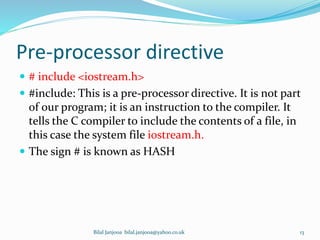
Pre-processor directive
 # include <iostream.h>
 #include: This is a pre-processor directive. It is not part
of our program; it is an instruction to the compiler. It
tells the C compiler to include the contents of a file, in
this case the system file iostream.h.
 The sign # is known as HASH
Bilal Janjooa bilal.janjooa@yahoo.co.uk 13
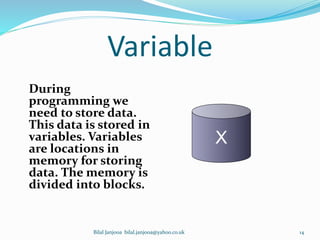
Variable
During
programming we
need to store data.
This data is stored in
variables. Variables
are locations in
memory for storing
data. The memory is
divided into blocks.
X
Bilal Janjooa bilal.janjooa@yahoo.co.uk 14
Variable
Variable starts with
1. Character
2. Underscore _ (Not Recommended)
Bilal Janjooa bilal.janjooa@yahoo.co.uk 15
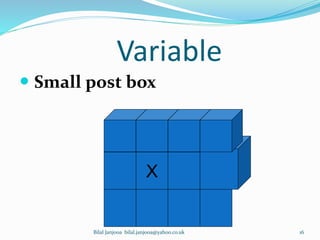
Variable
 Small post box
X
Bilal Janjooa bilal.janjooa@yahoo.co.uk 16
Variable
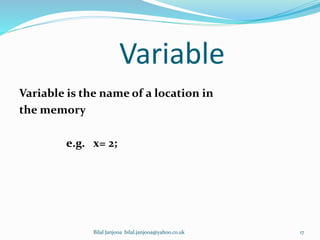
Variable is the name of a location in
the memory
e.g. x= 2;
Bilal Janjooa bilal.janjooa@yahoo.co.uk 17
Variable
In a program a variable has:
1. Name
2. Type
3. Size
4. Value
Bilal Janjooa bilal.janjooa@yahoo.co.uk 18
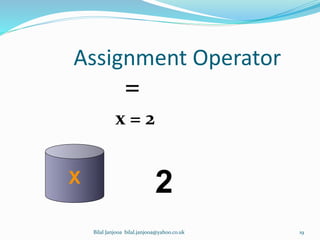
Assignment Operator
=
x = 2
X
2
Bilal Janjooa bilal.janjooa@yahoo.co.uk 19
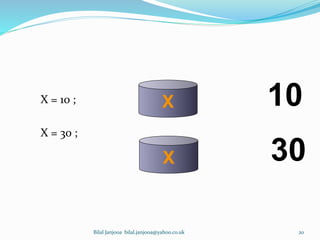
X = 10 ;
X = 30 ;
X 10
X 30
Bilal Janjooa bilal.janjooa@yahoo.co.uk 20
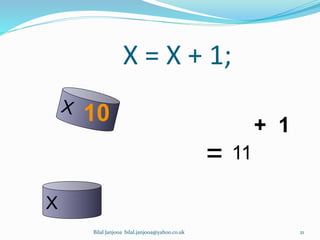
X = X + 1;
10 + 1
=
X
11
Bilal Janjooa bilal.janjooa@yahoo.co.uk 21
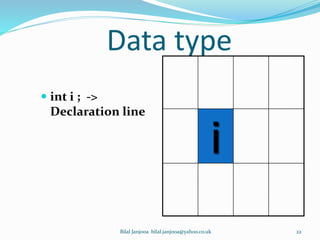
Data type
 int i ; ->
Declaration line
i
Bilal Janjooa bilal.janjooa@yahoo.co.uk 22
Bilal Janjooa bilal.janjooa@yahoo.co.uk 23
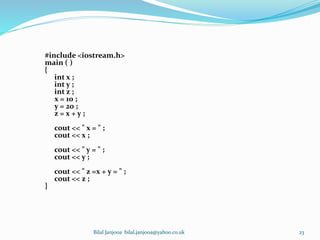
#include <iostream.h>
main ( )
{
int x ;
int y ;
int z ;
x = 10 ;
y = 20 ;
z = x + y ;
cout << " x = " ;
cout << x ;
cout << " y = " ;
cout << y ;
cout << " z =x + y = " ;
cout << z ;
}
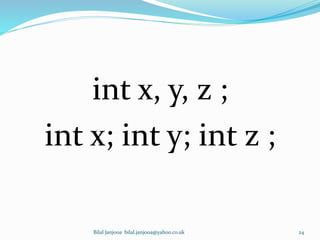
int x, y, z ;
int x; int y; int z ;
Bilal Janjooa bilal.janjooa@yahoo.co.uk 24
Data Types
1. int
2. short
3. long
4. float
5. double
6. char
Data Types
int
The data type int is used to store
whole numbers (integers). The
integer type has a space of 4 bytes (32
bits for windows operating system) in
memory. And it is mentioned as ‘int’
which is a reserved word of C, so we
can not use it as a variable name.
Bilal Janjooa bilal.janjooa@yahoo.co.uk 26
Data Types
Short
We noted that the integer occupies four
bytes in memory. So if we have to store a
small integer like 5, 10 or 20 four bytes
would be used. The C provides another data
type for storing small whole numbers
which is called short. The size of short is
two bytes and it can store numbers in range
of -32768 to 32767. So if we are going to use a
variable for which we know that it will not
increase from 32767
Bilal Janjooa bilal.janjooa@yahoo.co.uk 27
Data Types
Long
we have a very large whole number that
can not be stored in an int then we use
the data type long provided by C. So
when we are going to deal with very big
whole numbers in our program, we use
long data type. We use it in program as:
long x = 300500200;
Bilal Janjooa bilal.janjooa@yahoo.co.uk 28
Real Numbers
 The C language provides two data types to deal with
real numbers (numbers with decimal points e.g. 1.35,
735.251). The real numbers are also known as floating
point numbers.
 float
 double
Bilal Janjooa bilal.janjooa@yahoo.co.uk 29
Data Types
float
To store real numbers, float data type
is used. The float data type uses four
bytes to store a real number.
Bilal Janjooa bilal.janjooa@yahoo.co.uk 30
Data Types
double
If we need to store a large real
number which cannot be store in
four bytes, then we use double data
type. Normally the size of double is
twice the size of float. In program we
use it as:
double x = 345624.769123;
Bilal Janjooa bilal.janjooa@yahoo.co.uk 31
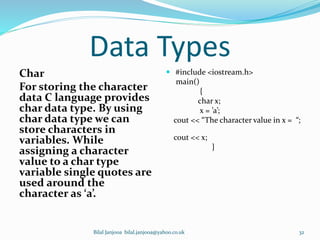
Data Types
Char
For storing the character
data C language provides
char data type. By using
char data type we can
store characters in
variables. While
assigning a character
value to a char type
variable single quotes are
used around the
character as ‘a’.
 #include <iostream.h>
main()
{
char x;
x = ’a’;
cout << “The character value in x = “;
cout << x;
}
Bilal Janjooa bilal.janjooa@yahoo.co.uk 32
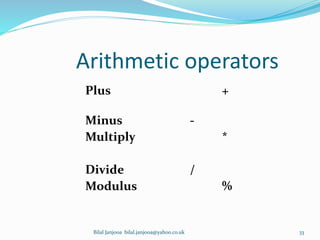
Arithmetic operators
Plus +
Minus -
Multiply *
Divide /
Modulus %
Bilal Janjooa bilal.janjooa@yahoo.co.uk 33
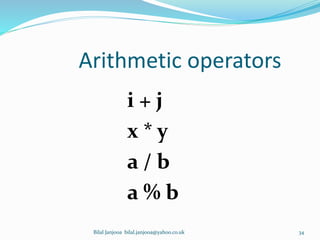
Arithmetic operators
i + j
x * y
a / b
a % b
Bilal Janjooa bilal.janjooa@yahoo.co.uk 34
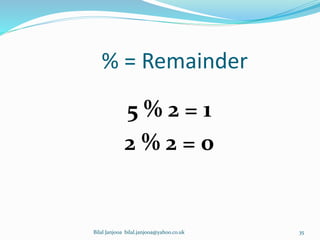
% = Remainder
5 % 2 = 1
2 % 2 = 0
Bilal Janjooa bilal.janjooa@yahoo.co.uk 35
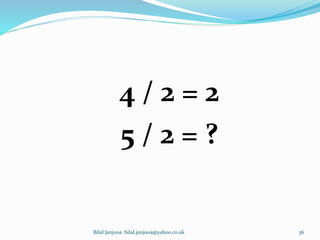
4 / 2 = 2
5 / 2 = ?
Bilal Janjooa bilal.janjooa@yahoo.co.uk 36
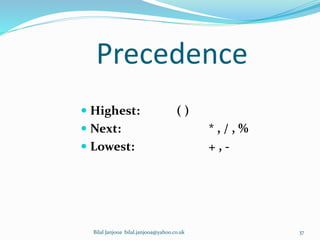
Precedence
 Highest: ( )
 Next: * , / , %
 Lowest: + , -
Bilal Janjooa bilal.janjooa@yahoo.co.uk 37
Bilal Janjooa bilal.janjooa@yahoo.co.uk 38

Programming fundamentals 3

  • 1.
    Tutor: Bilal JanjooaAssistant Professor UOL MS Telecom. Eng. From University of Sunderland UK Bilal Janjooa bilal.janjooa@yahoo.co.uk 1
  • 2.
  • 3.
    3 Machine Languages, Assembly Languages,and High-level Languages  Three types of computer languages 1. Machine language  Only language computer directly understands  “Natural language” of computer  Defined by hardware design  Machine-dependent  Generally consist of strings of numbers  Instruct computers to perform elementary operations  One at a time  Example: +1300042774 +1400593419 +1200274027 Bilal Janjooa bilal.janjooa@yahoo.co.uk
  • 4.
    4 Machine Languages, Assembly Languages,and High-level Languages  Three types of computer languages 2. Assembly language  English-like abbreviations representing elementary computer operations  Clearer to humans  Incomprehensible to computers  Translator programs (assemblers)  Convert to machine language  Example: LOAD BASEPAY ADD OVERPAY STORE GROSSPAY Bilal Janjooa bilal.janjooa@yahoo.co.uk
  • 5.
    5 Machine Languages, Assembly Languages,and High-level Languages  Three types of computer languages 3. High-level languages  Similar to everyday English, use common mathematical notations  Single statements accomplish substantial tasks  Assembly language requires many instructions to accomplish simple tasks  Translator programs (compilers)  Convert to machine language  Interpreter programs  Directly execute high-level language programs  Example: grossPay = basePay + overTimePay Bilal Janjooa bilal.janjooa@yahoo.co.uk
  • 6.
    Introduction to C++ Bilal Janjooabilal.janjooa@yahoo.co.uk 6
  • 7.
    History of Cand C++  History of C  Evolved from two other programming languages  BCPL and B  “Typeless” languages  Dennis Ritchie (Bell Laboratories)  Added data typing, other features  Development language of UNIX  Hardware independent  Portable programs  1989: ANSI standard  1990: ANSI and ISO standard published  ANSI/ISO 9899: 1990 7Bilal Janjooa bilal.janjooa@yahoo.co.uk
  • 8.
    History of Cand C++  History of C++  Extension of C  Early 1980s: Bjarne Stroustrup (Bell Laboratories)  “Spruces up” C  Provides capabilities for object-oriented programming  Objects: reusable software components  Model items in real world  Object-oriented programs  Easy to understand, correct and modify  Hybrid language  C-like style  Object-oriented style  Both 8Bilal Janjooa bilal.janjooa@yahoo.co.uk
  • 9.
    Source code, Objectcode and Compiler.  Source code is the version of a computer program as it is originally written (i.e., typed into a computer) by a human in a programming language.  Object code is the output of a compiler after it processes source code.  A compiler is a specialized program that converts source code into object code. Bilal Janjooa bilal.janjooa@yahoo.co.uk 9
  • 10.
    10 Phases of C++Programs: 1. Edit 2. Preprocess 3. Compile 4. Link 5. Load 6. Execute Loader Primary Memory Program is created in the editor and stored on disk. Preprocessor program processes the code. Loader puts program in memory. CPU takes each instruction and executes it, possibly storing new data values as the program executes. Compiler Compiler creates object code and stores it on disk. Linker links the object code with the libraries, creates a.out and stores it on disk Editor Preprocessor Linker CPU Primary Memory . . . . . . . . . . . . Disk Disk Disk Disk Disk Bilal Janjooa bilal.janjooa@yahoo.co.uk
  • 11.
    Flow of C++Program  Compile:Translate a program from source code to assembly code.  Assembler:Translate a program from assembly code to object code (sometimes these two steps are combined and called compiling).  Link:Pull together all of the functions needed for the program (both user defined objects and system libraries) and arrange that locations of functions and variables are known. This step creates the executable.  Load:Move the executable into computer memory.  Execute:Run the program Bilal Janjooa bilal.janjooa@yahoo.co.uk 11
  • 12.
    #include <iostream.h> main () { cout << “ Welcome to University of Lahore “; } Bilal Janjooa bilal.janjooa@yahoo.co.uk 12
  • 13.
    Pre-processor directive  #include <iostream.h>  #include: This is a pre-processor directive. It is not part of our program; it is an instruction to the compiler. It tells the C compiler to include the contents of a file, in this case the system file iostream.h.  The sign # is known as HASH Bilal Janjooa bilal.janjooa@yahoo.co.uk 13
  • 14.
    Variable During programming we need tostore data. This data is stored in variables. Variables are locations in memory for storing data. The memory is divided into blocks. X Bilal Janjooa bilal.janjooa@yahoo.co.uk 14
  • 15.
    Variable Variable starts with 1.Character 2. Underscore _ (Not Recommended) Bilal Janjooa bilal.janjooa@yahoo.co.uk 15
  • 16.
    Variable  Small postbox X Bilal Janjooa bilal.janjooa@yahoo.co.uk 16
  • 17.
    Variable Variable is thename of a location in the memory e.g. x= 2; Bilal Janjooa bilal.janjooa@yahoo.co.uk 17
  • 18.
    Variable In a programa variable has: 1. Name 2. Type 3. Size 4. Value Bilal Janjooa bilal.janjooa@yahoo.co.uk 18
  • 19.
    Assignment Operator = x =2 X 2 Bilal Janjooa bilal.janjooa@yahoo.co.uk 19
  • 20.
    X = 10; X = 30 ; X 10 X 30 Bilal Janjooa bilal.janjooa@yahoo.co.uk 20
  • 21.
    X = X+ 1; 10 + 1 = X 11 Bilal Janjooa bilal.janjooa@yahoo.co.uk 21
  • 22.
    Data type  inti ; -> Declaration line i Bilal Janjooa bilal.janjooa@yahoo.co.uk 22
  • 23.
    Bilal Janjooa bilal.janjooa@yahoo.co.uk23 #include <iostream.h> main ( ) { int x ; int y ; int z ; x = 10 ; y = 20 ; z = x + y ; cout << " x = " ; cout << x ; cout << " y = " ; cout << y ; cout << " z =x + y = " ; cout << z ; }
  • 24.
    int x, y,z ; int x; int y; int z ; Bilal Janjooa bilal.janjooa@yahoo.co.uk 24
  • 25.
    Data Types 1. int 2.short 3. long 4. float 5. double 6. char
  • 26.
    Data Types int The datatype int is used to store whole numbers (integers). The integer type has a space of 4 bytes (32 bits for windows operating system) in memory. And it is mentioned as ‘int’ which is a reserved word of C, so we can not use it as a variable name. Bilal Janjooa bilal.janjooa@yahoo.co.uk 26
  • 27.
    Data Types Short We notedthat the integer occupies four bytes in memory. So if we have to store a small integer like 5, 10 or 20 four bytes would be used. The C provides another data type for storing small whole numbers which is called short. The size of short is two bytes and it can store numbers in range of -32768 to 32767. So if we are going to use a variable for which we know that it will not increase from 32767 Bilal Janjooa bilal.janjooa@yahoo.co.uk 27
  • 28.
    Data Types Long we havea very large whole number that can not be stored in an int then we use the data type long provided by C. So when we are going to deal with very big whole numbers in our program, we use long data type. We use it in program as: long x = 300500200; Bilal Janjooa bilal.janjooa@yahoo.co.uk 28
  • 29.
    Real Numbers  TheC language provides two data types to deal with real numbers (numbers with decimal points e.g. 1.35, 735.251). The real numbers are also known as floating point numbers.  float  double Bilal Janjooa bilal.janjooa@yahoo.co.uk 29
  • 30.
    Data Types float To storereal numbers, float data type is used. The float data type uses four bytes to store a real number. Bilal Janjooa bilal.janjooa@yahoo.co.uk 30
  • 31.
    Data Types double If weneed to store a large real number which cannot be store in four bytes, then we use double data type. Normally the size of double is twice the size of float. In program we use it as: double x = 345624.769123; Bilal Janjooa bilal.janjooa@yahoo.co.uk 31
  • 32.
    Data Types Char For storingthe character data C language provides char data type. By using char data type we can store characters in variables. While assigning a character value to a char type variable single quotes are used around the character as ‘a’.  #include <iostream.h> main() { char x; x = ’a’; cout << “The character value in x = “; cout << x; } Bilal Janjooa bilal.janjooa@yahoo.co.uk 32
  • 33.
    Arithmetic operators Plus + Minus- Multiply * Divide / Modulus % Bilal Janjooa bilal.janjooa@yahoo.co.uk 33
  • 34.
    Arithmetic operators i +j x * y a / b a % b Bilal Janjooa bilal.janjooa@yahoo.co.uk 34
  • 35.
    % = Remainder 5% 2 = 1 2 % 2 = 0 Bilal Janjooa bilal.janjooa@yahoo.co.uk 35
  • 36.
    4 / 2= 2 5 / 2 = ? Bilal Janjooa bilal.janjooa@yahoo.co.uk 36
  • 37.
    Precedence  Highest: ()  Next: * , / , %  Lowest: + , - Bilal Janjooa bilal.janjooa@yahoo.co.uk 37
  • 38.