C Programming Language
By
Dr G.Shyama Chandra Prasad
Matrusri Engineering College
12/19/2019 2
 Language
 Alphabet
 Program
History of C
C
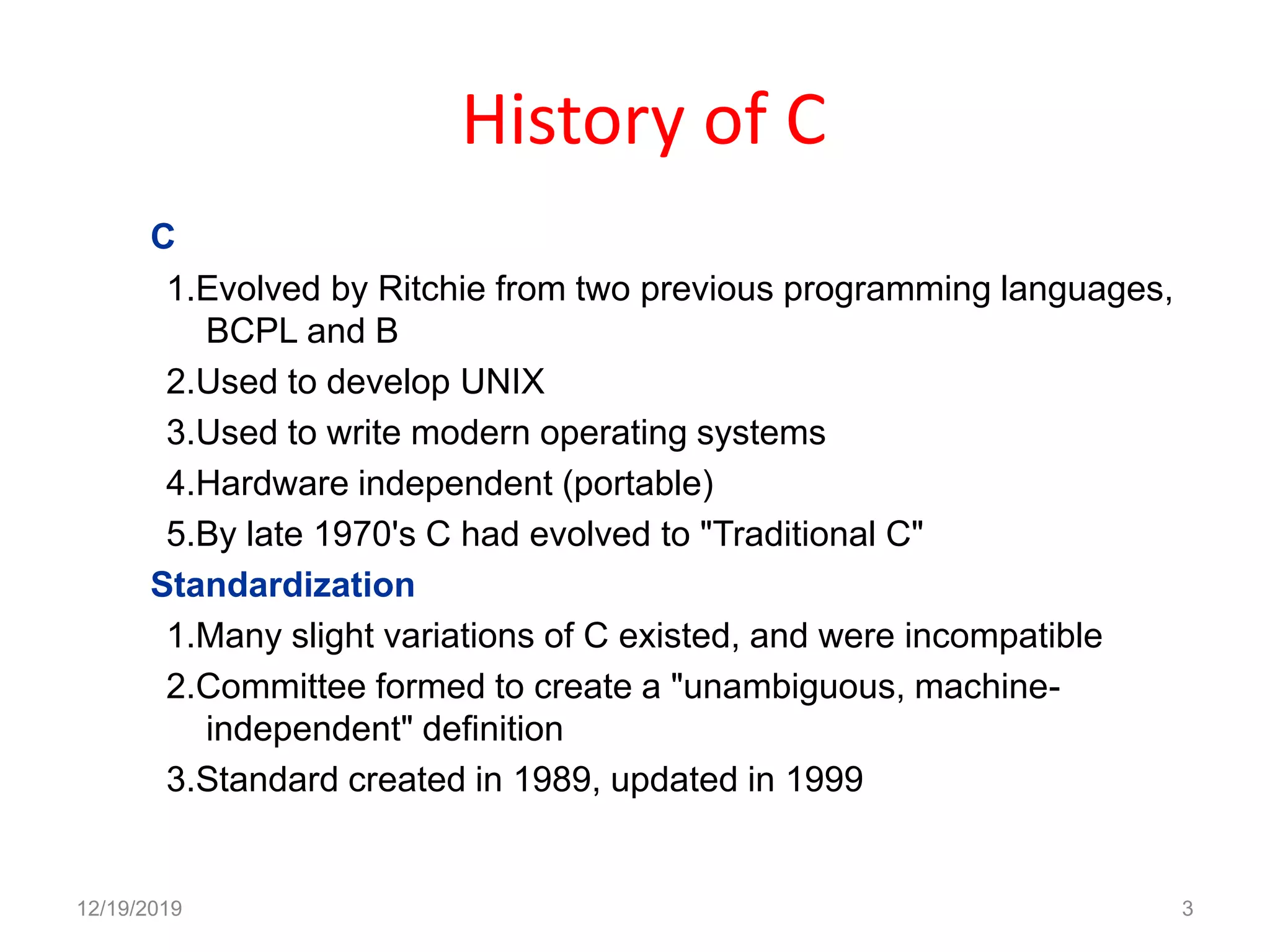
1.Evolved by Ritchie from two previous programming languages,
BCPL and B
2.Used to develop UNIX
3.Used to write modern operating systems
4.Hardware independent (portable)
5.By late 1970's C had evolved to "Traditional C"
Standardization
1.Many slight variations of C existed, and were incompatible
2.Committee formed to create a "unambiguous, machine-
independent" definition
3.Standard created in 1989, updated in 1999
12/19/2019 3
Why Learn C?
12/19/2019 4
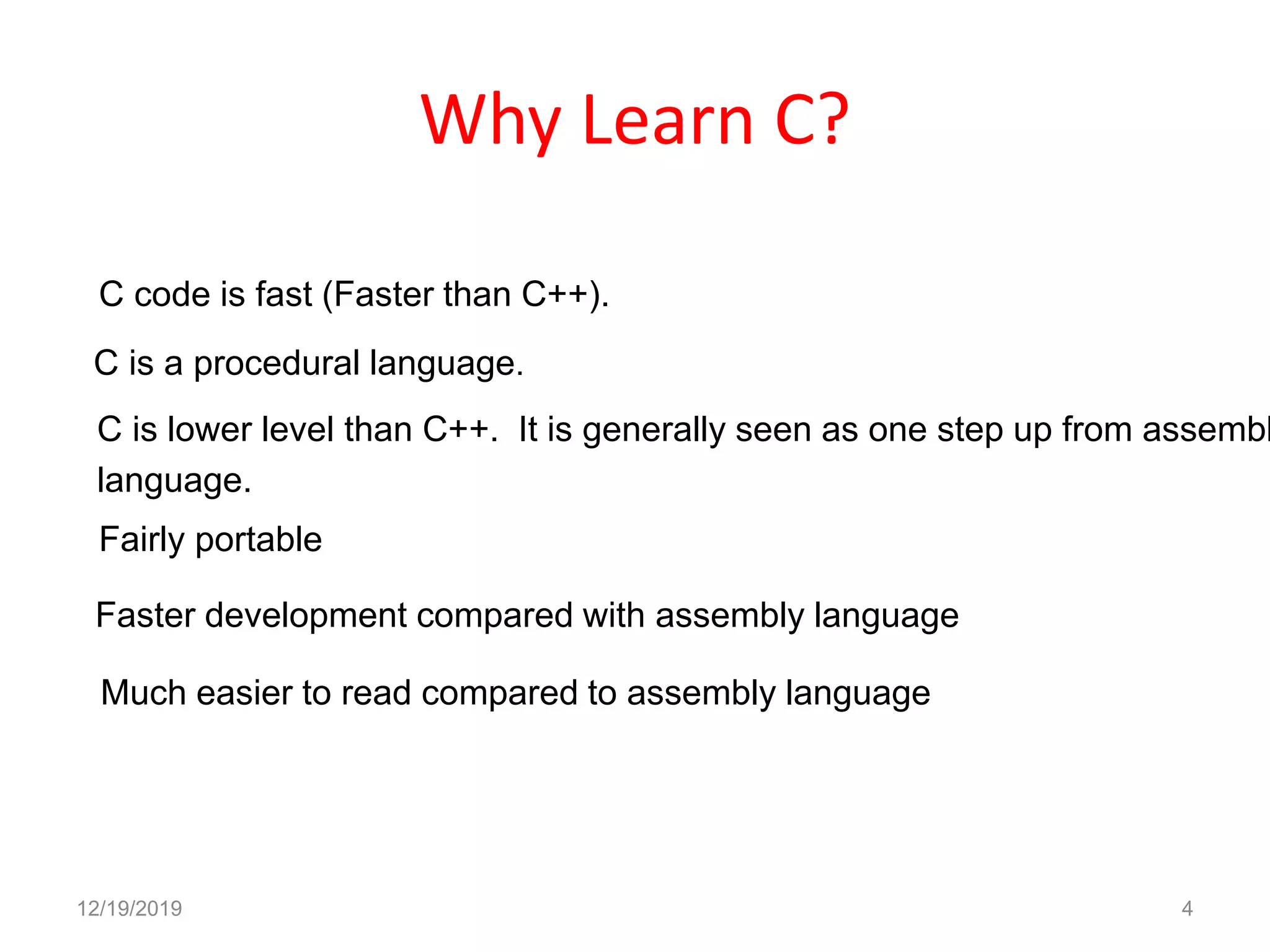
C code is fast (Faster than C++).
C is lower level than C++. It is generally seen as one step up from assembl
language.
C is a procedural language.
Fairly portable
Faster development compared with assembly language
Much easier to read compared to assembly language
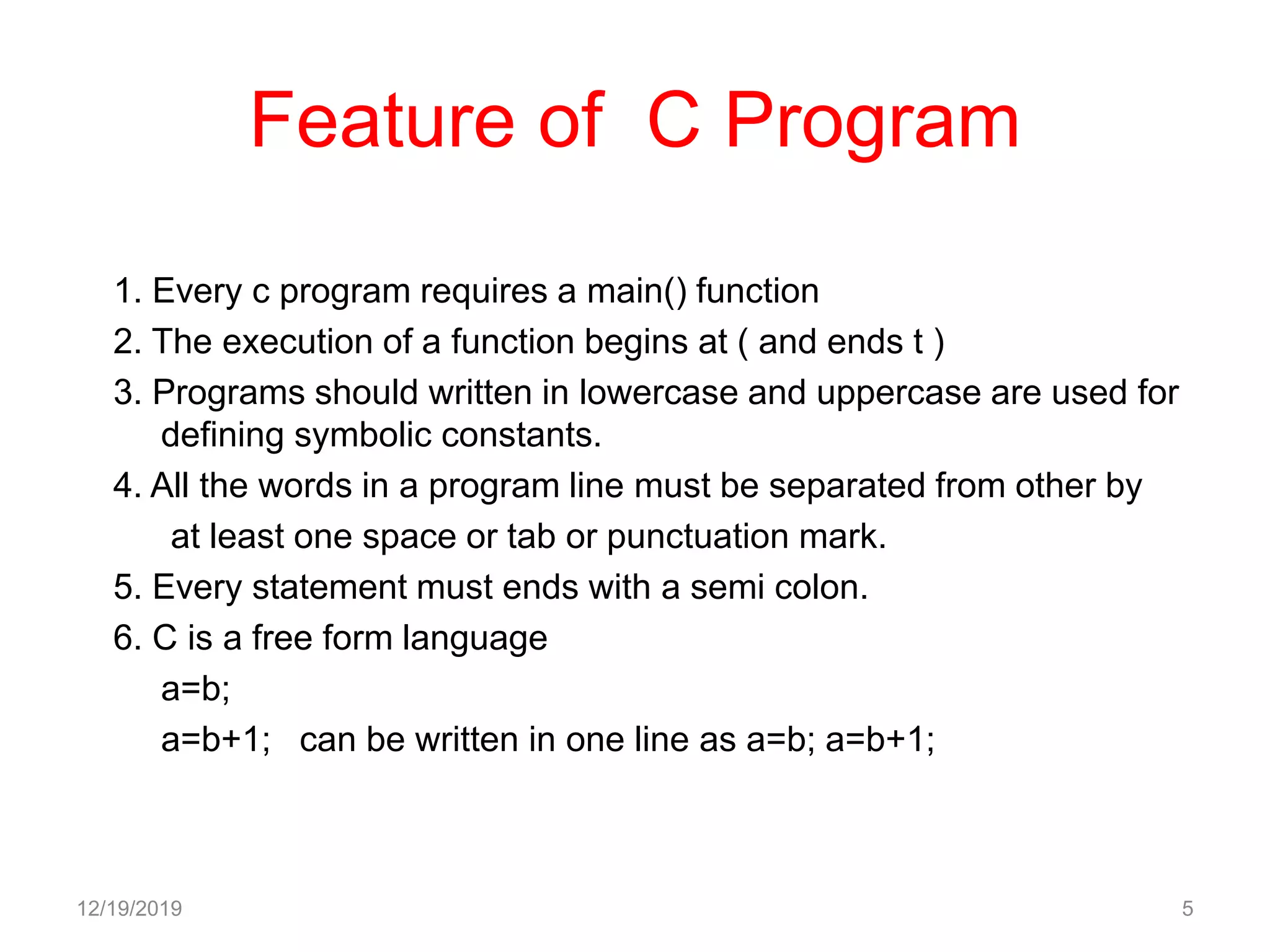
Feature of C Program
1. Every c program requires a main() function
2. The execution of a function begins at ( and ends t )
3. Programs should written in lowercase and uppercase are used for
defining symbolic constants.
4. All the words in a program line must be separated from other by
at least one space or tab or punctuation mark.
5. Every statement must ends with a semi colon.
6. C is a free form language
a=b;
a=b+1; can be written in one line as a=b; a=b+1;
12/19/2019 5
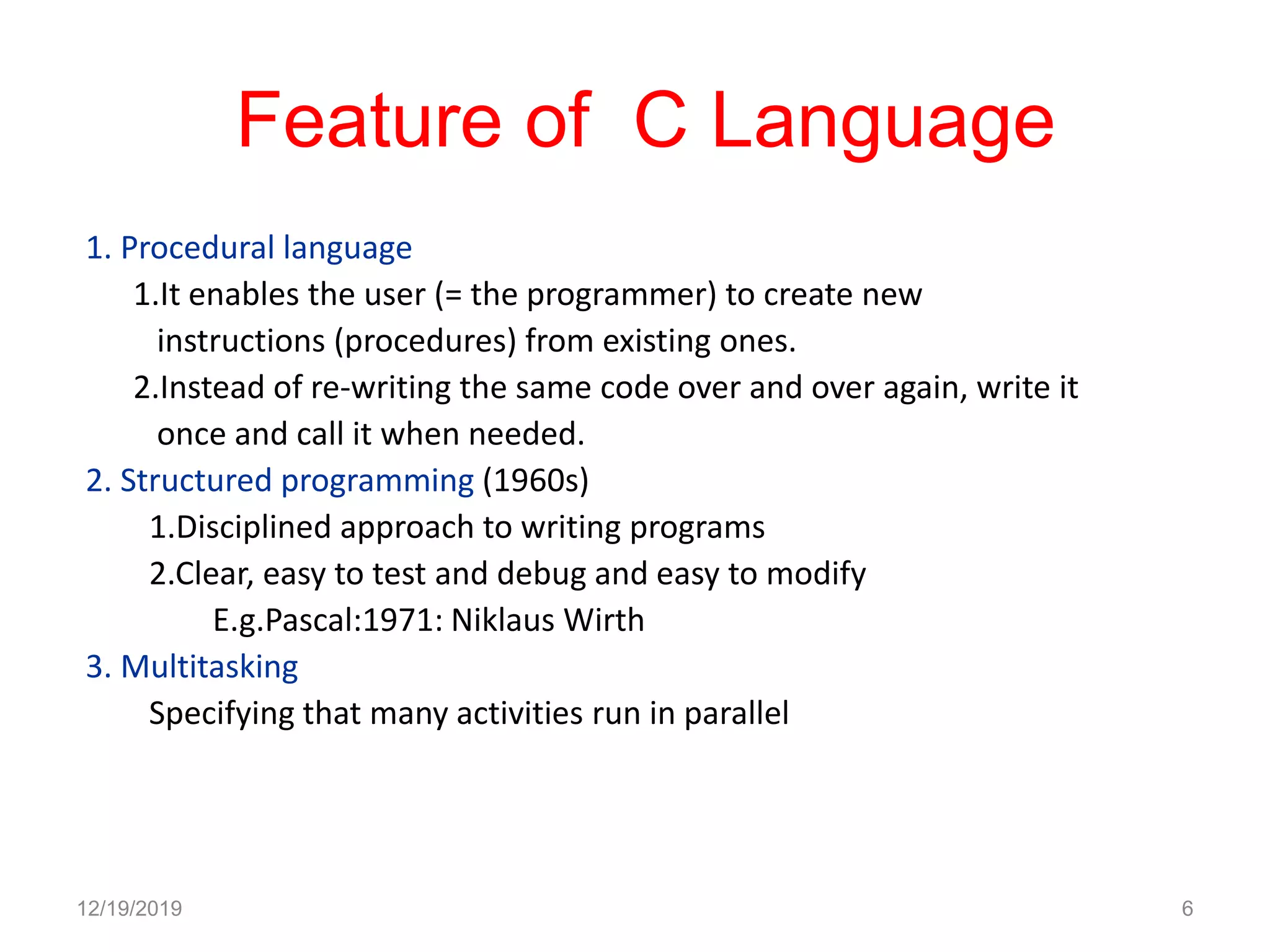
Feature of C Language
1. Procedural language
1.It enables the user (= the programmer) to create new
instructions (procedures) from existing ones.
2.Instead of re-writing the same code over and over again, write it
once and call it when needed.
2. Structured programming (1960s)
1.Disciplined approach to writing programs
2.Clear, easy to test and debug and easy to modify
E.g.Pascal:1971: Niklaus Wirth
3. Multitasking
Specifying that many activities run in parallel
12/19/2019 6
Feature of C Language
4.Not Strongly Typed
5.System Programming Language
6.General Purpose Programming Language
7.Protable
12/19/2019 7
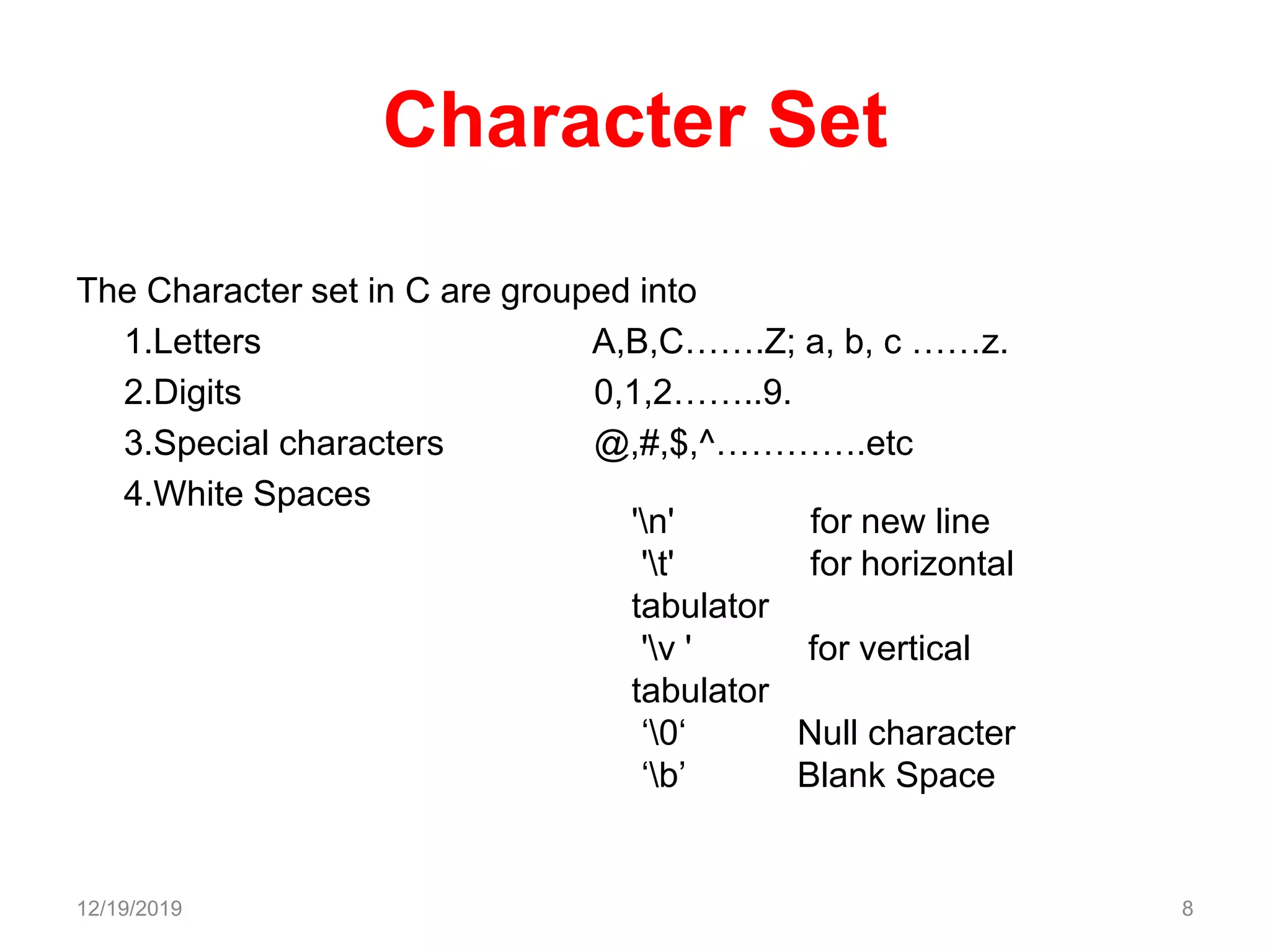
Character Set
The Character set in C are grouped into
1.Letters A,B,C…….Z; a, b, c ……z.
2.Digits 0,1,2……..9.
3.Special characters @,#,$,^………….etc
4.White Spaces
12/19/2019 8
'n' for new line
't' for horizontal
tabulator
'v ' for vertical
tabulator
‘0‘ Null character
‘b’ Blank Space
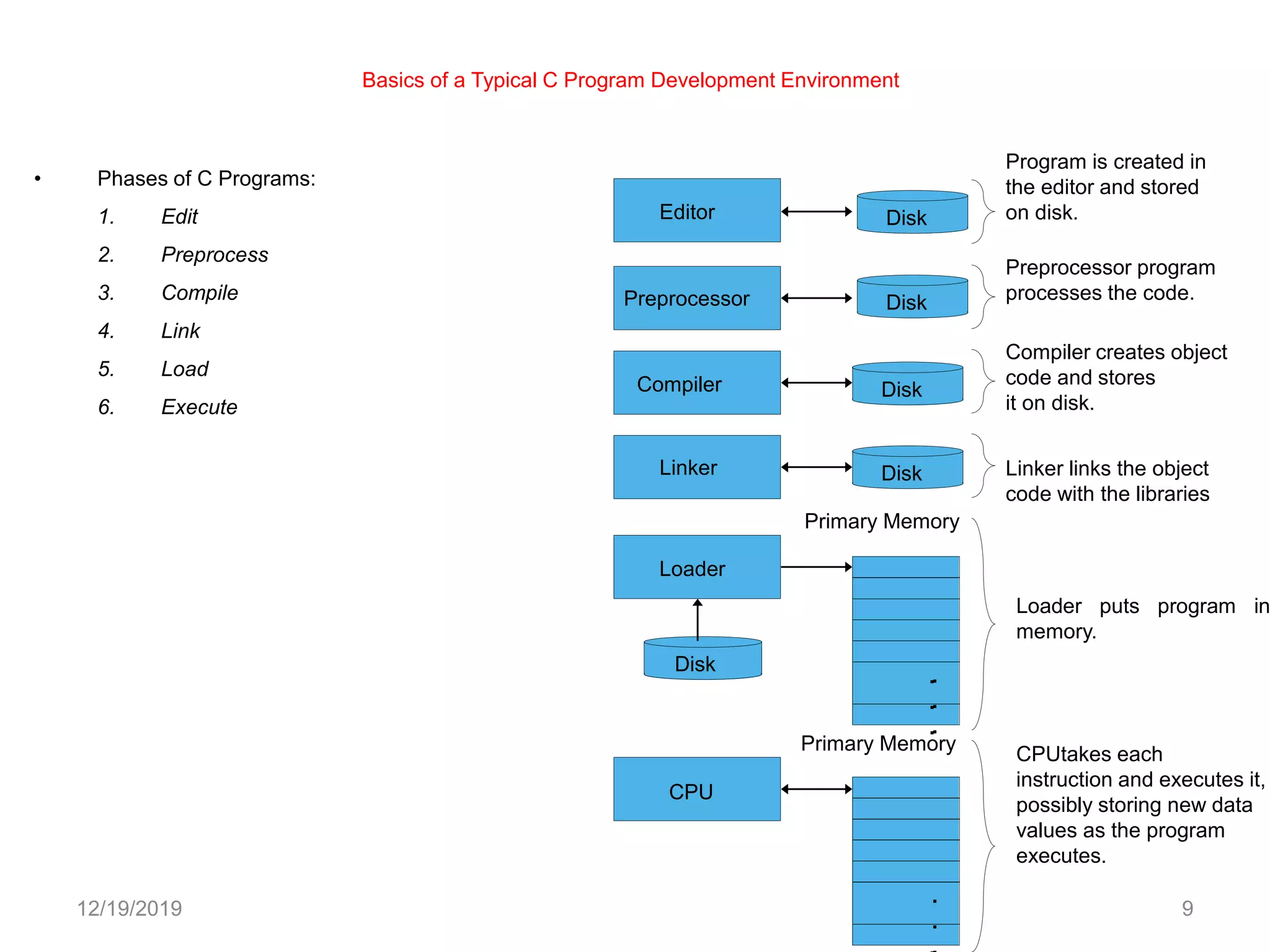
Basics of a Typical C Program Development Environment
12/19/2019 9
• Phases of C Programs:
1. Edit
2. Preprocess
3. Compile
4. Link
5. Load
6. Execute
Program is created in
the editor and stored
on disk.
Preprocessor program
processes the code.
Loader puts program in
memory.
CPUtakes each
instruction and executes it,
possibly storing new data
values as the program
executes.
Compiler creates object
code and stores
it on disk.
Linker links the object
code with the libraries
Loader
Primary Memory
Compiler
Editor
Preprocessor
Linker
Primary Memory
.
.
.
.
.
.
.
.
.
.
Disk
Disk
Disk
CPU
Disk
Disk
C Tokens
Smallest individual units in c programming known as Tokens
1.Keywords
2.identifiers
3.Constants
4.Strings
5.Special Symbols
6.Operators
12/19/2019 10
Key words
These are pre defined words have a fixed meanings. All key words must be written in
lower case letters. Every word in c is either a keyword or identifier
Auto break case char const
char continue default do double
else enum extern float for
goto if int long register
return short signed sizeof static
struct switch typedef union unsigned
void volatile while
12/19/2019 11
Identifiers
 Identifier refers to the names of variables ,functions ,and arrays.
 Upper case and lower case letters are permited,but commonly
lowercase letters we used.
 It consists of letters and digits with letter as a first character.
 Underscore also used as first letter
12/19/2019 12
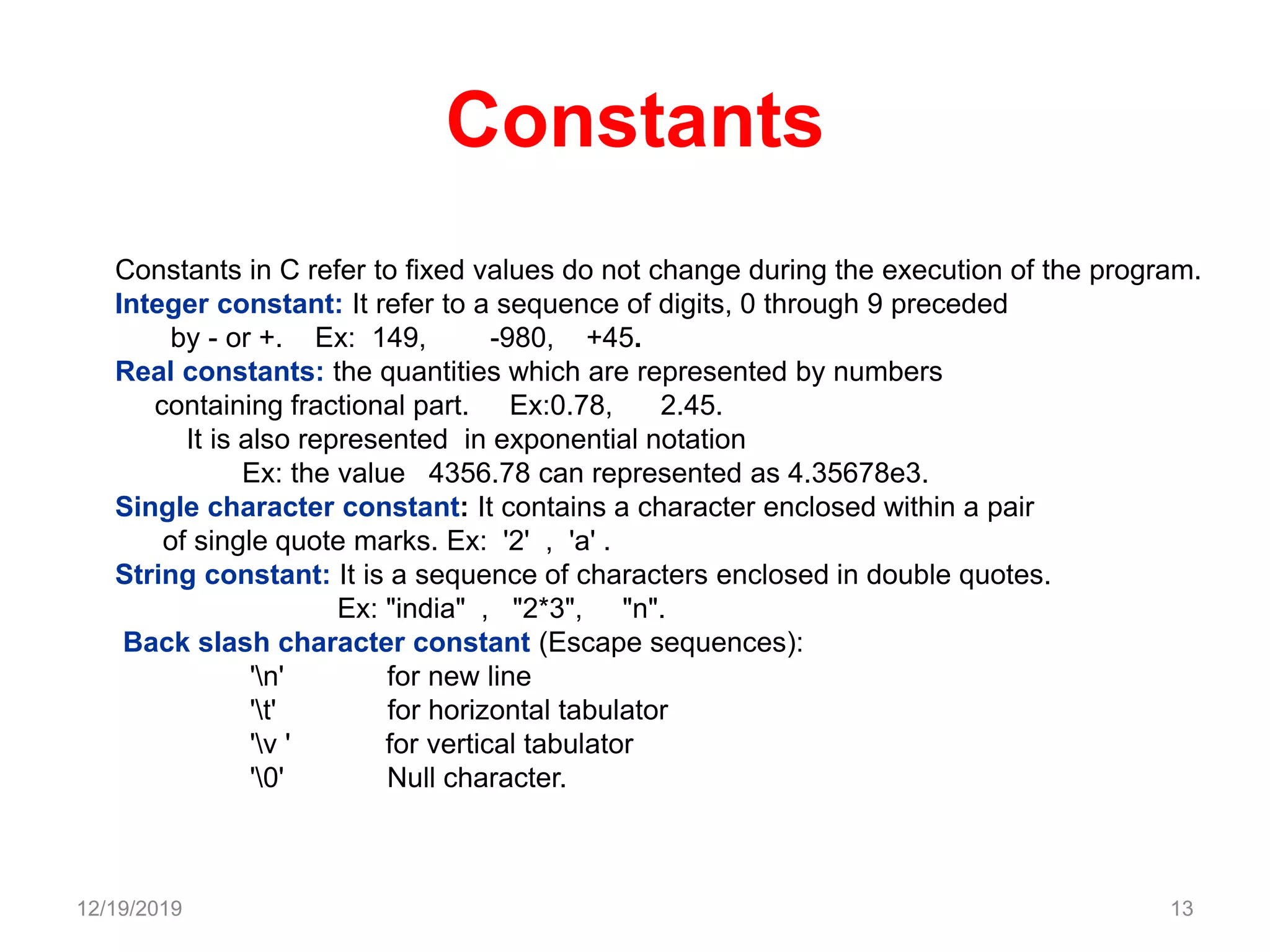
Constants
Constants in C refer to fixed values do not change during the execution of the program.
Integer constant: It refer to a sequence of digits, 0 through 9 preceded
by - or +. Ex: 149, -980, +45.
Real constants: the quantities which are represented by numbers
containing fractional part. Ex:0.78, 2.45.
It is also represented in exponential notation
Ex: the value 4356.78 can represented as 4.35678e3.
Single character constant: It contains a character enclosed within a pair
of single quote marks. Ex: '2' , 'a' .
String constant: It is a sequence of characters enclosed in double quotes.
Ex: "india" , "2*3", "n".
Back slash character constant (Escape sequences):
'n' for new line
't' for horizontal tabulator
'v ' for vertical tabulator
'0' Null character.
12/19/2019 13
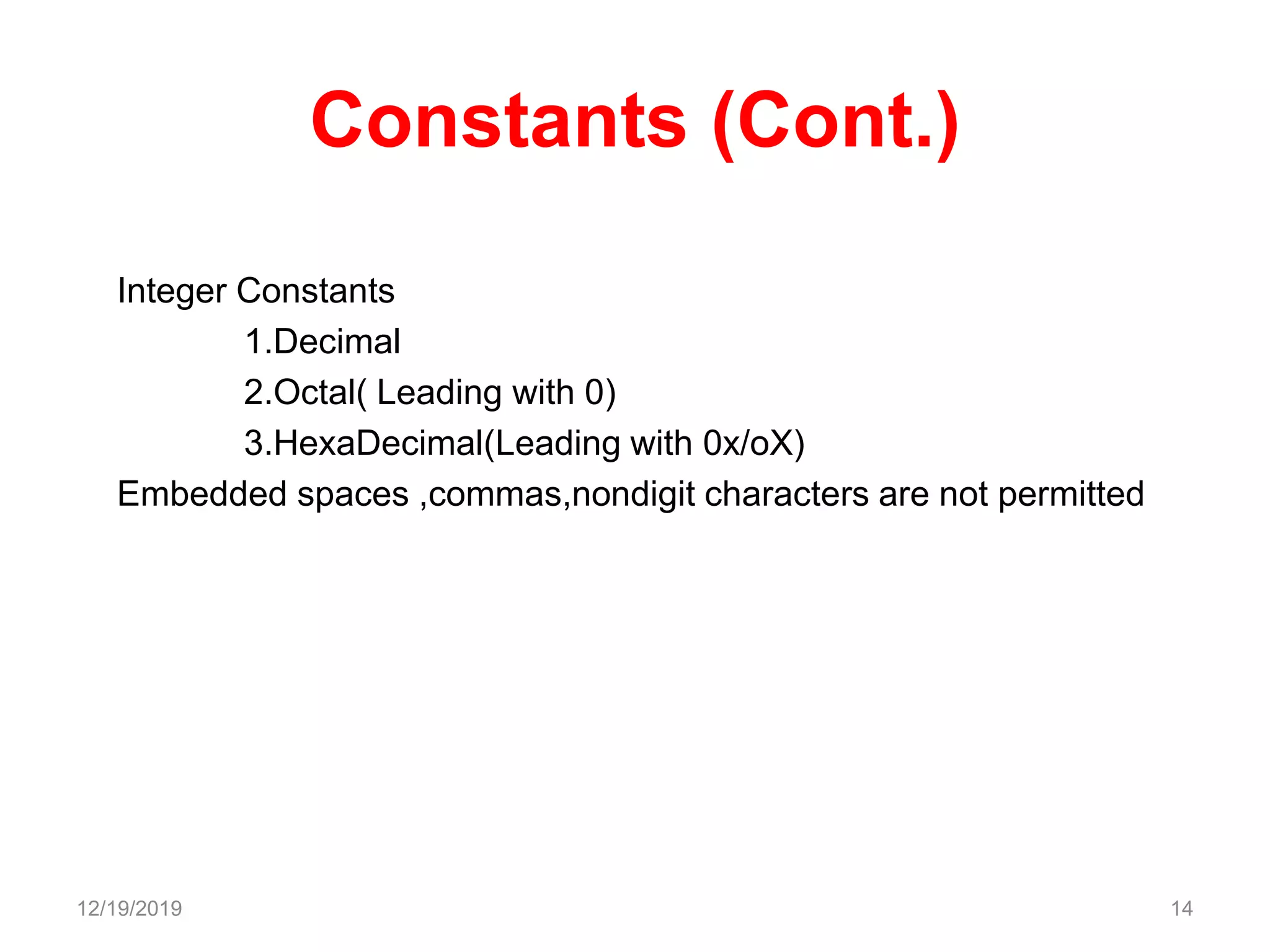
Constants (Cont.)
Integer Constants
1.Decimal
2.Octal( Leading with 0)
3.HexaDecimal(Leading with 0x/oX)
Embedded spaces ,commas,nondigit characters are not permitted
12/19/2019 14
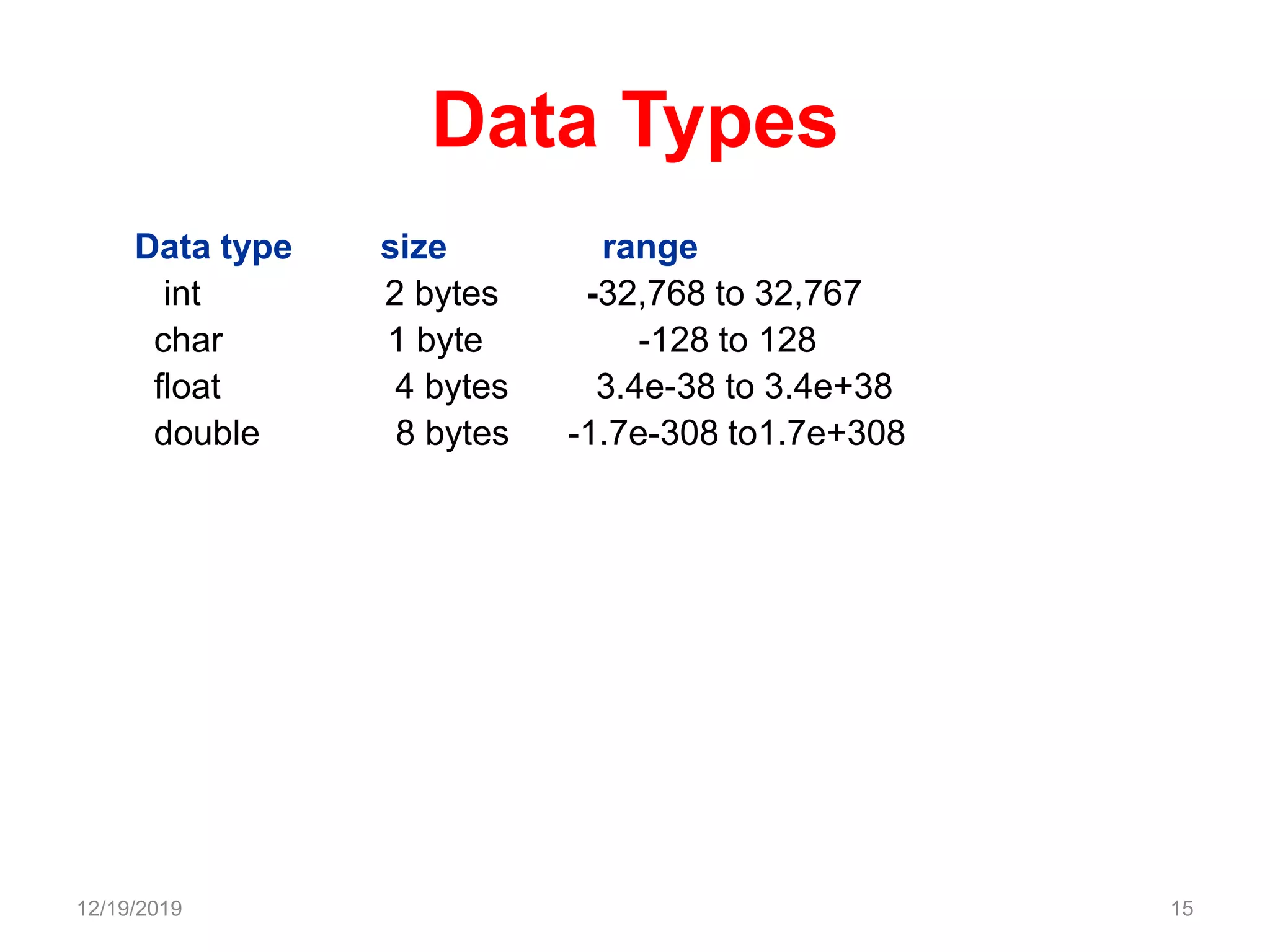
Data Types
Data type size range
int 2 bytes -32,768 to 32,767
char 1 byte -128 to 128
float 4 bytes 3.4e-38 to 3.4e+38
double 8 bytes -1.7e-308 to1.7e+308
12/19/2019 15
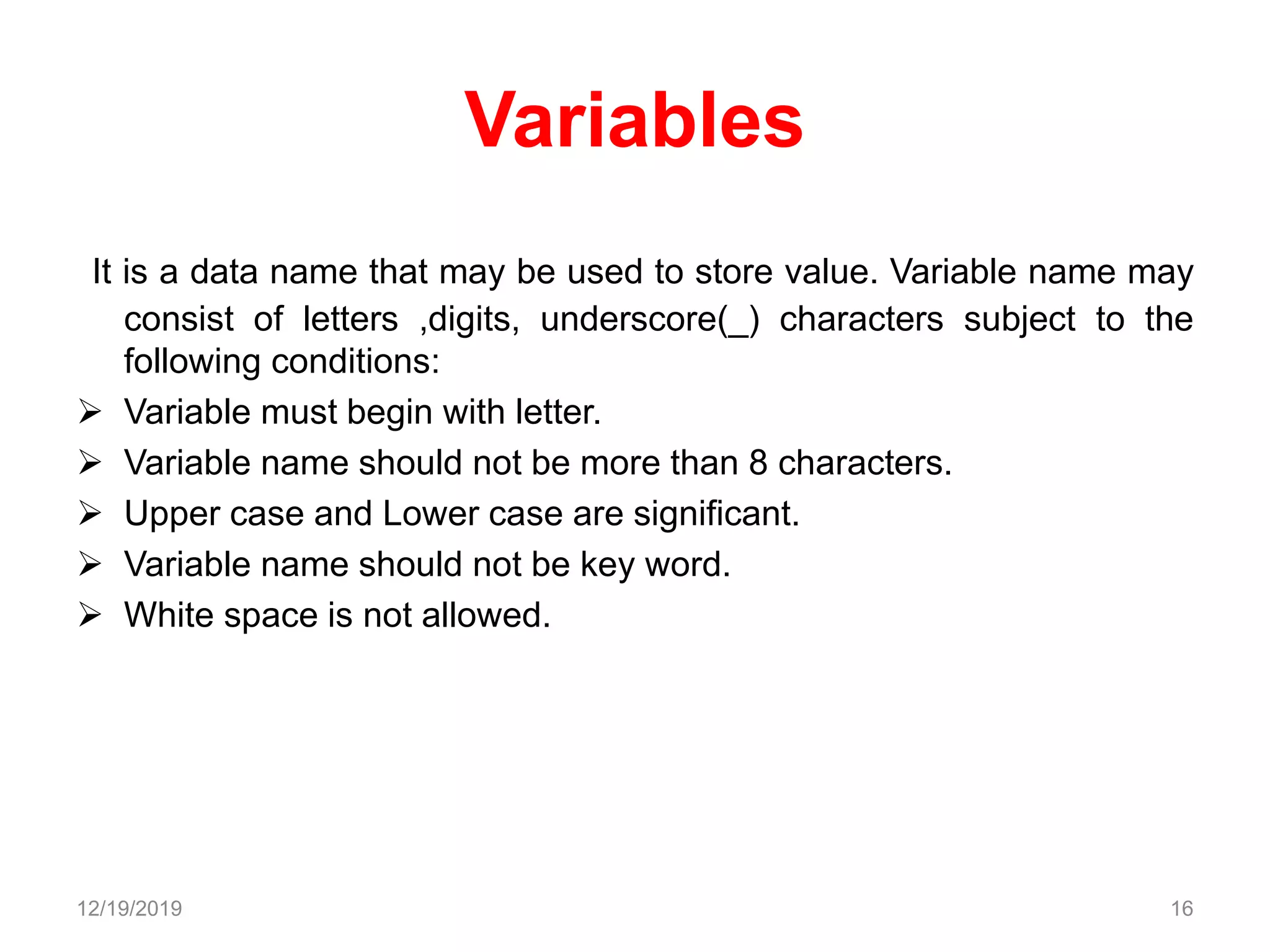
Variables
It is a data name that may be used to store value. Variable name may
consist of letters ,digits, underscore(_) characters subject to the
following conditions:
 Variable must begin with letter.
 Variable name should not be more than 8 characters.
 Upper case and Lower case are significant.
 Variable name should not be key word.
 White space is not allowed.
12/19/2019 16
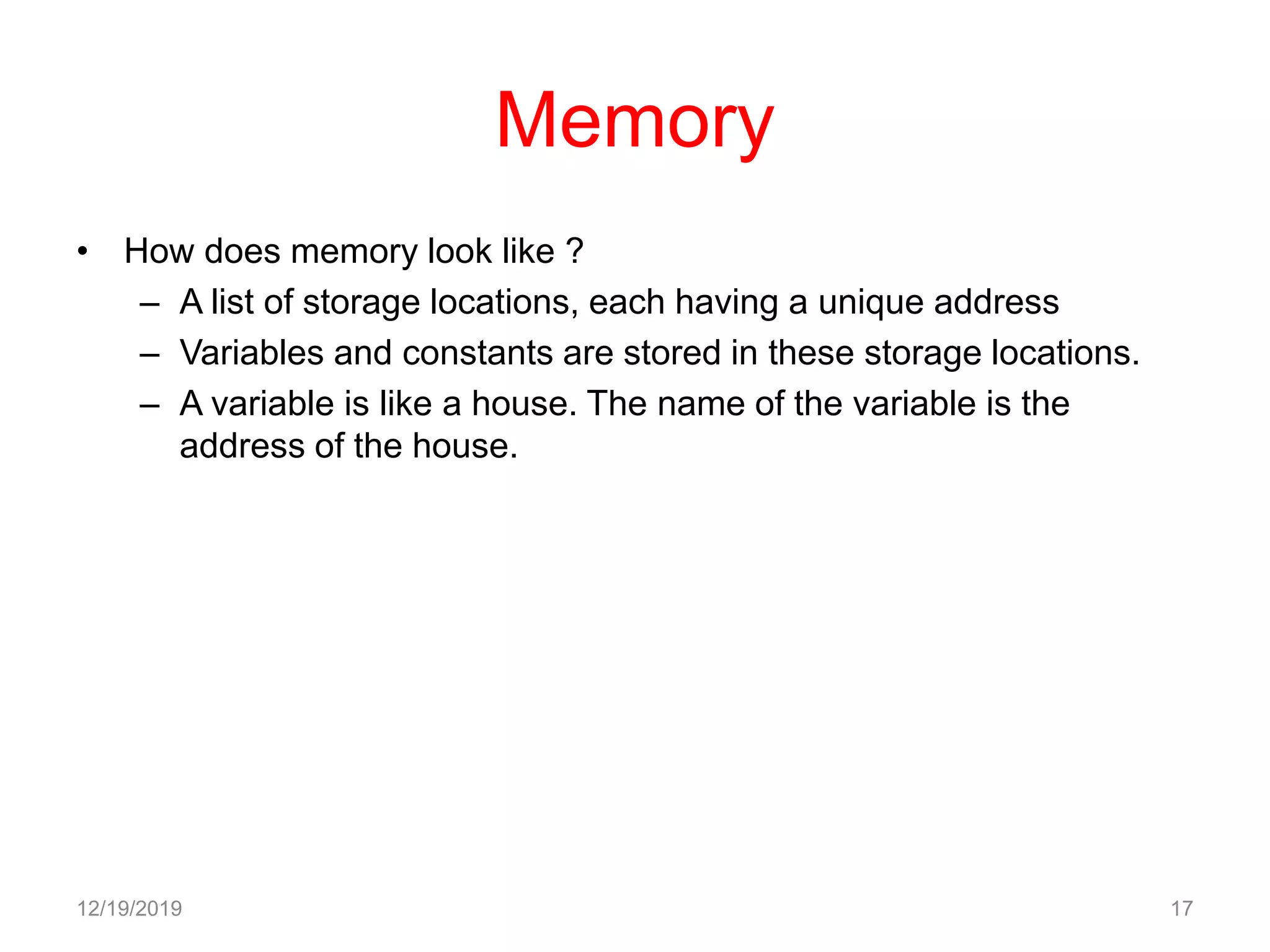
Memory
• How does memory look like ?
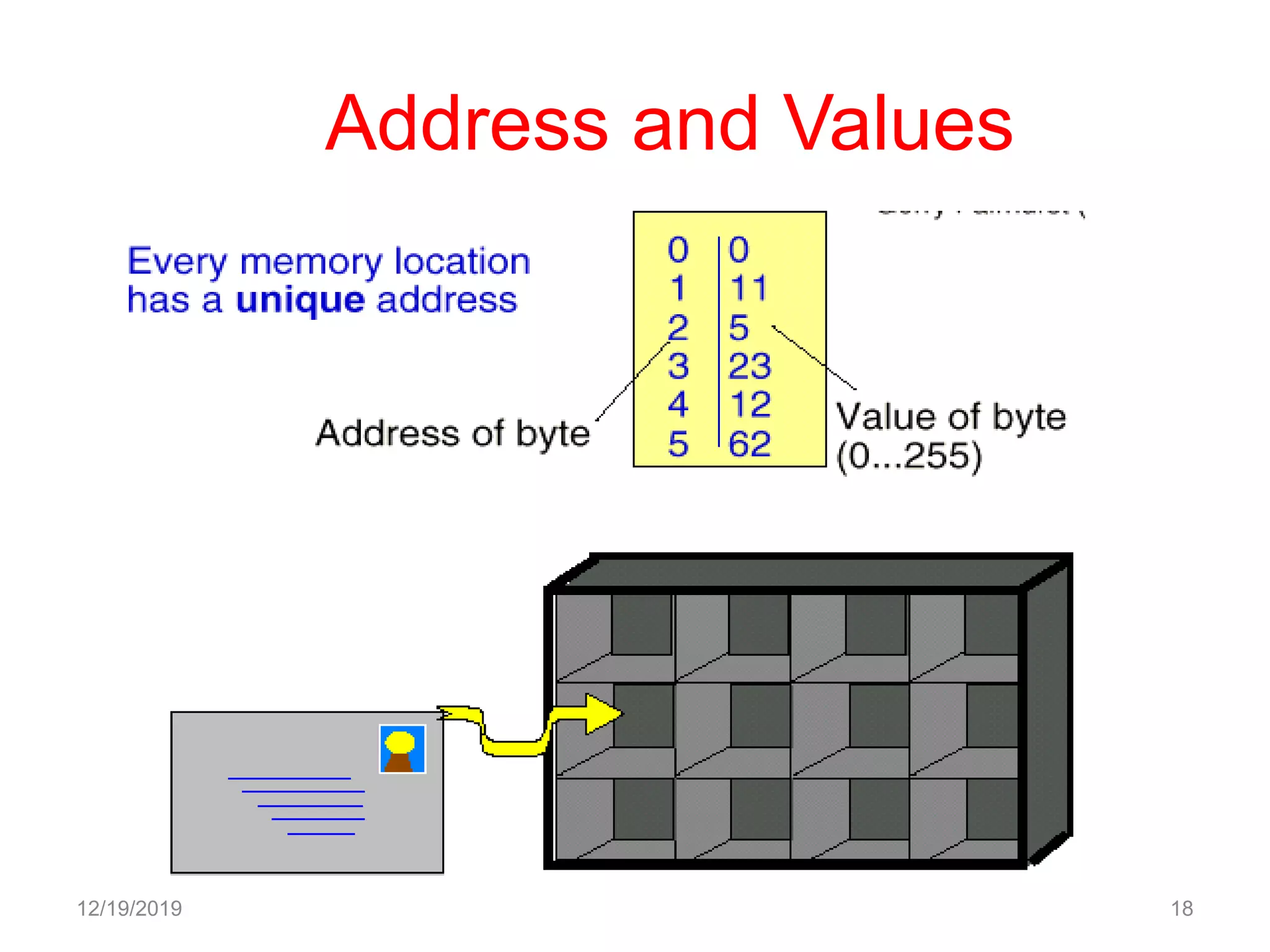
– A list of storage locations, each having a unique address
– Variables and constants are stored in these storage locations.
– A variable is like a house. The name of the variable is the
address of the house.
12/19/2019 17
Address and Values
12/19/2019 18
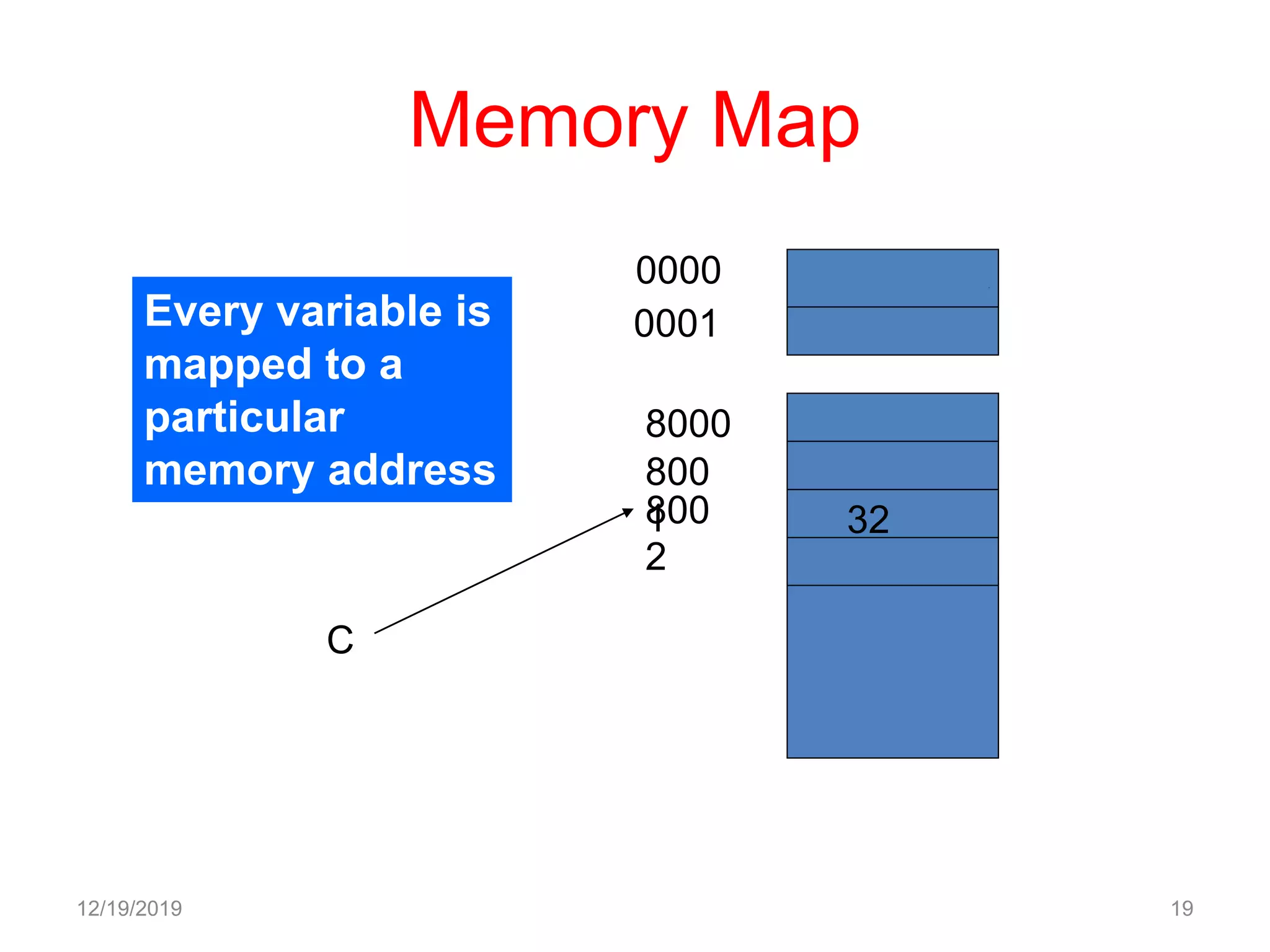
Memory Map
12/19/2019 19
Every variable is
mapped to a
particular
memory address
0000
0001
8000
800
1800
2
C
32
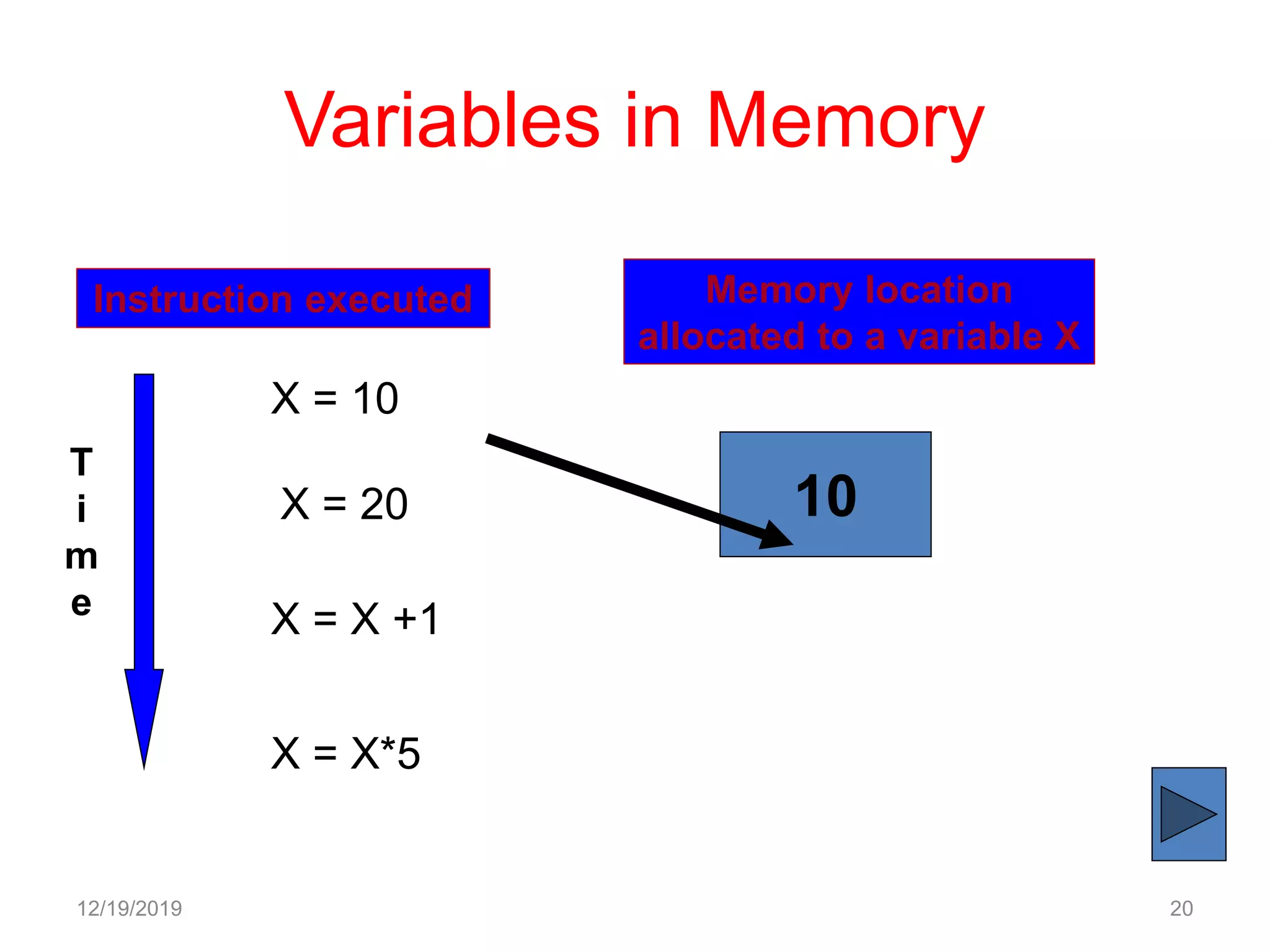
Variables in Memory
12/19/2019 20
Instruction executed Memory location
allocated to a variable X
T
i
m
e
X = 10
10X = 20
X = X +1
X = X*5
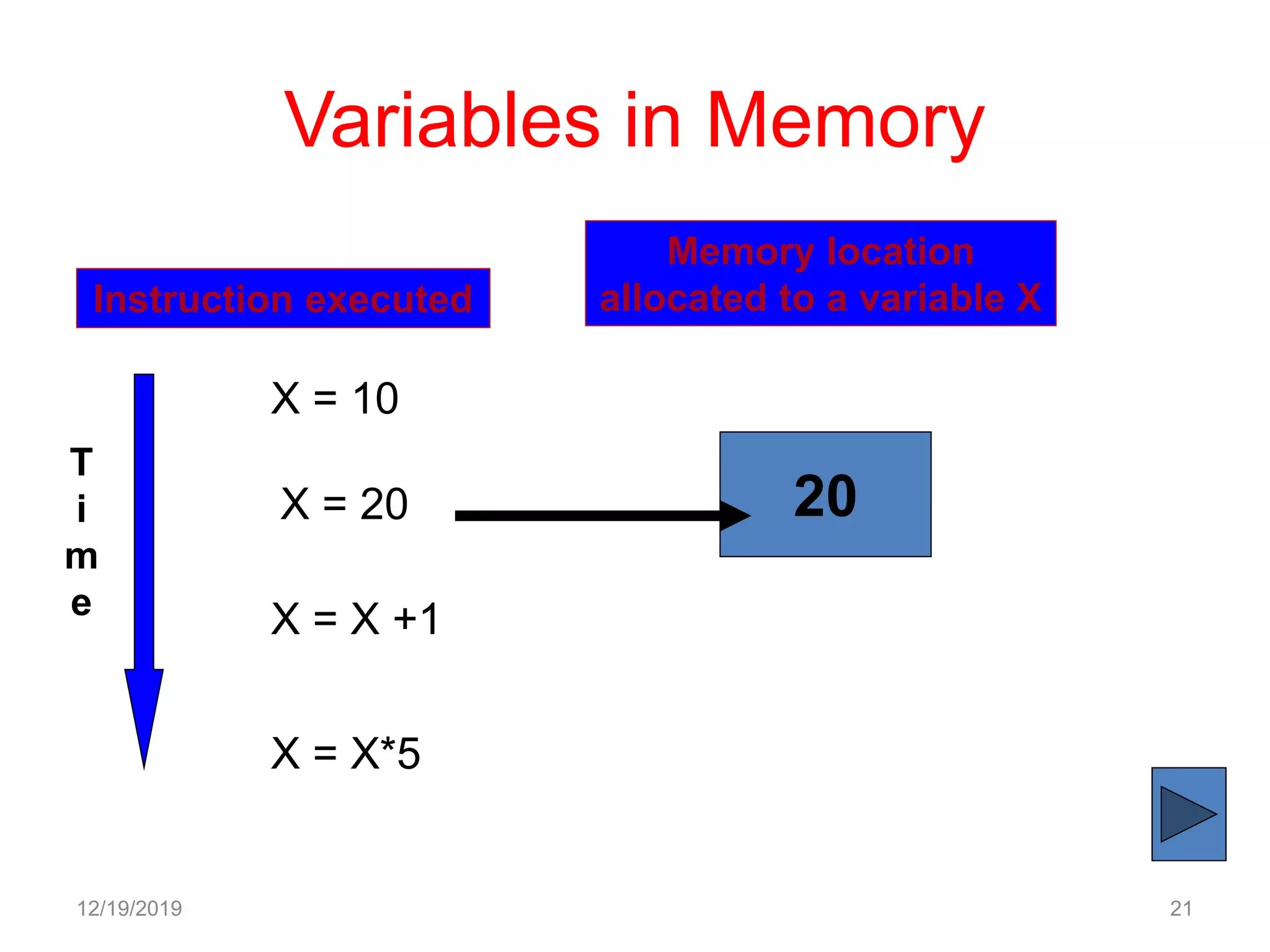
Variables in Memory
12/19/2019 21
Instruction executed
Memory location
allocated to a variable X
T
i
m
e
X = 10
20X = 20
X = X +1
X = X*5
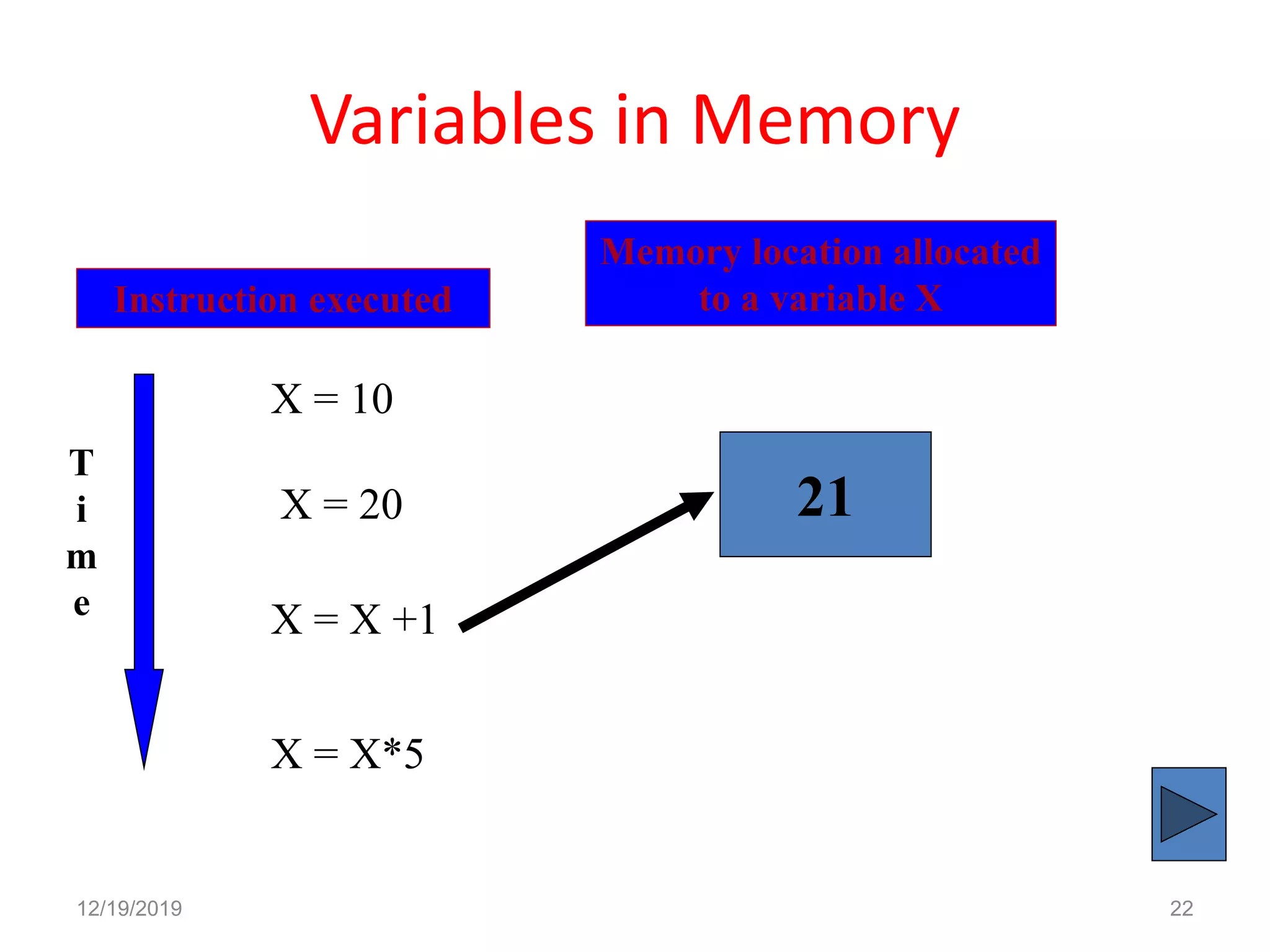
Variables in Memory
12/19/2019 22
Instruction executed
Memory location allocated
to a variable X
T
i
m
e
X = 10
21X = 20
X = X +1
X = X*5
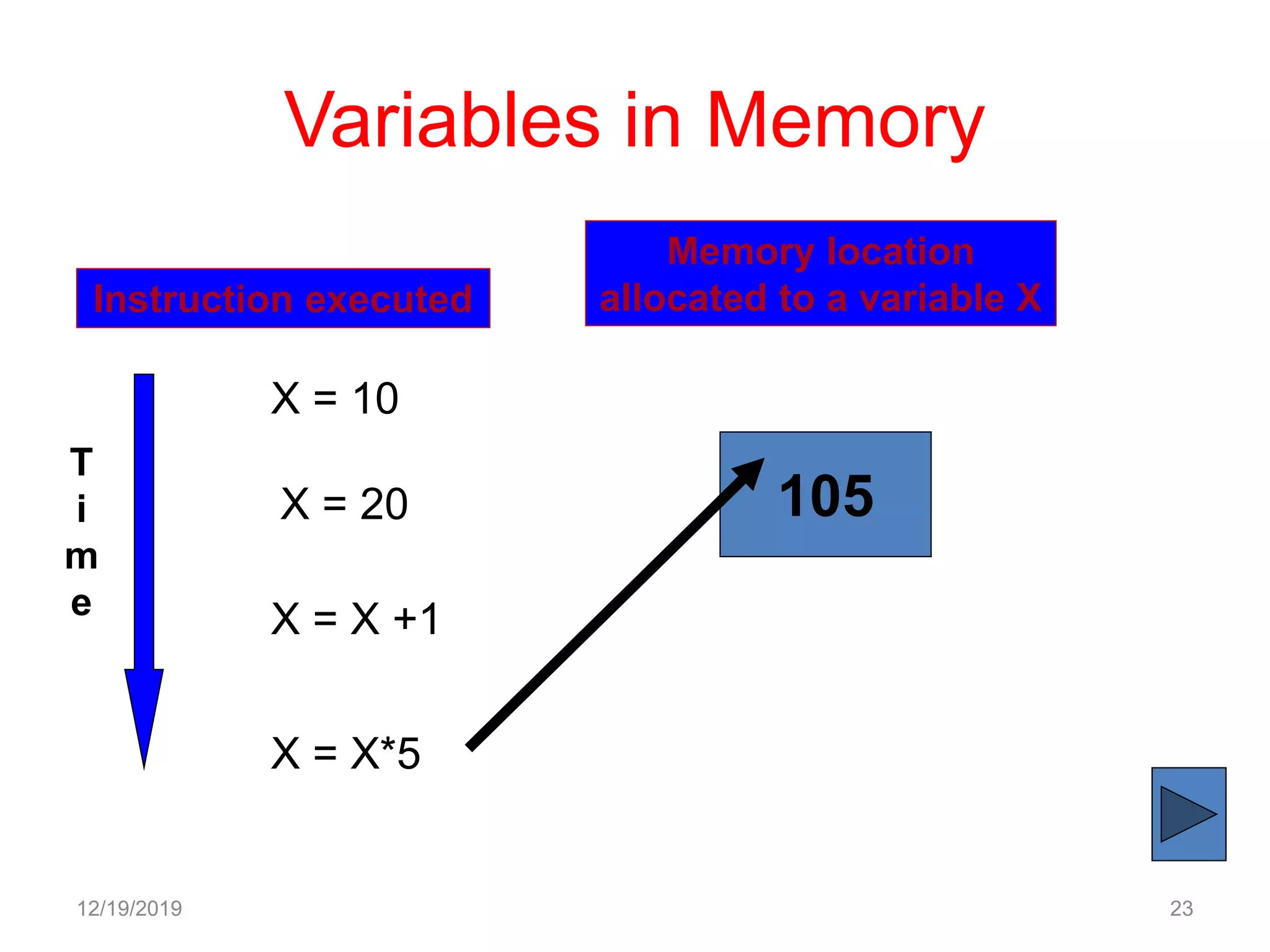
Variables in Memory
12/19/2019 23
Instruction executed
Memory location
allocated to a variable X
T
i
m
e
X = 10
105X = 20
X = X +1
X = X*5
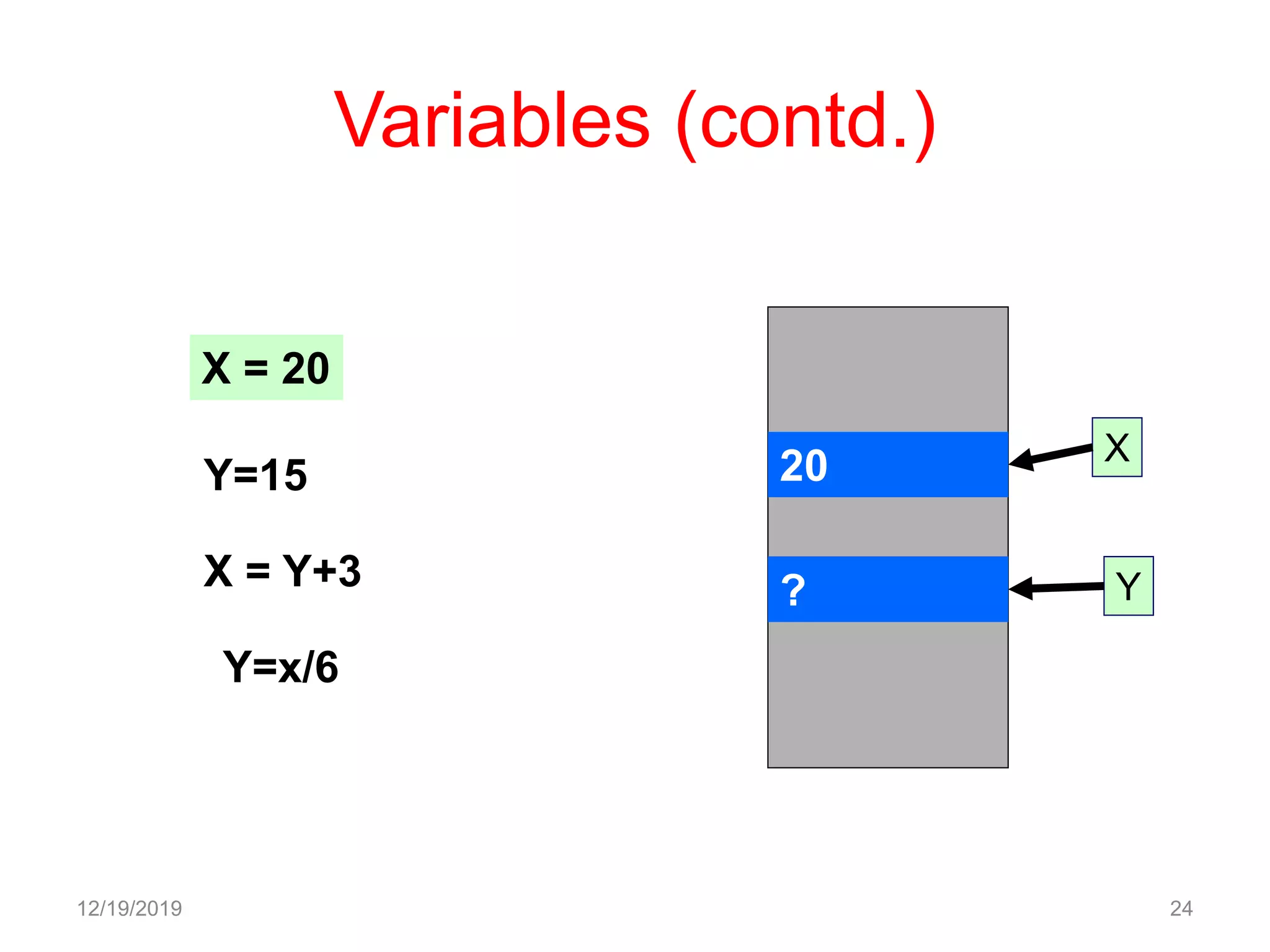
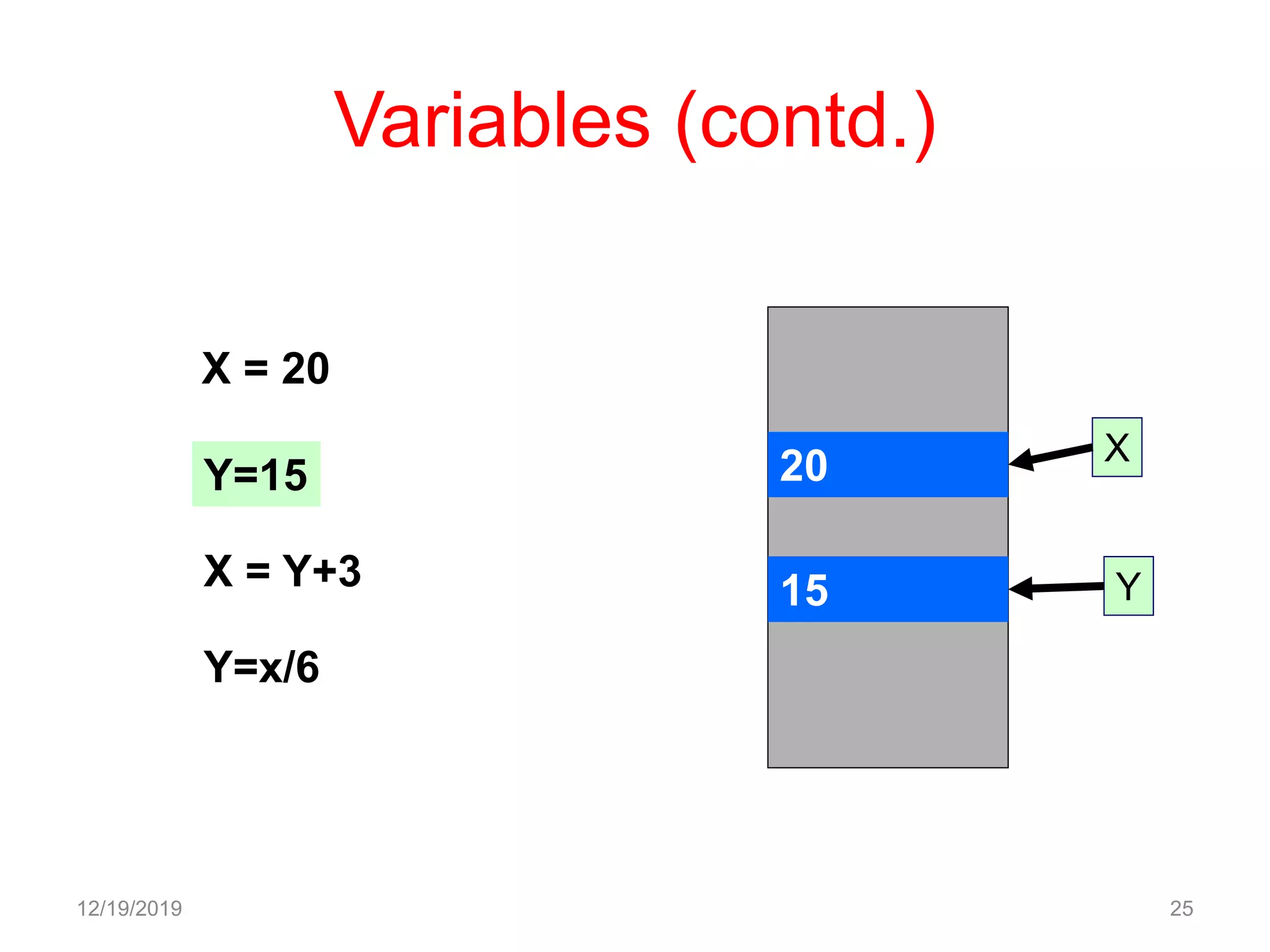
Variables (contd.)
12/19/2019 24
20
?
X
Y
X = 20
Y=15
X = Y+3
Y=x/6
Variables (contd.)
12/19/2019 25
20
15
X
Y
X = 20
Y=15
X = Y+3
Y=x/6
Variables (contd.)
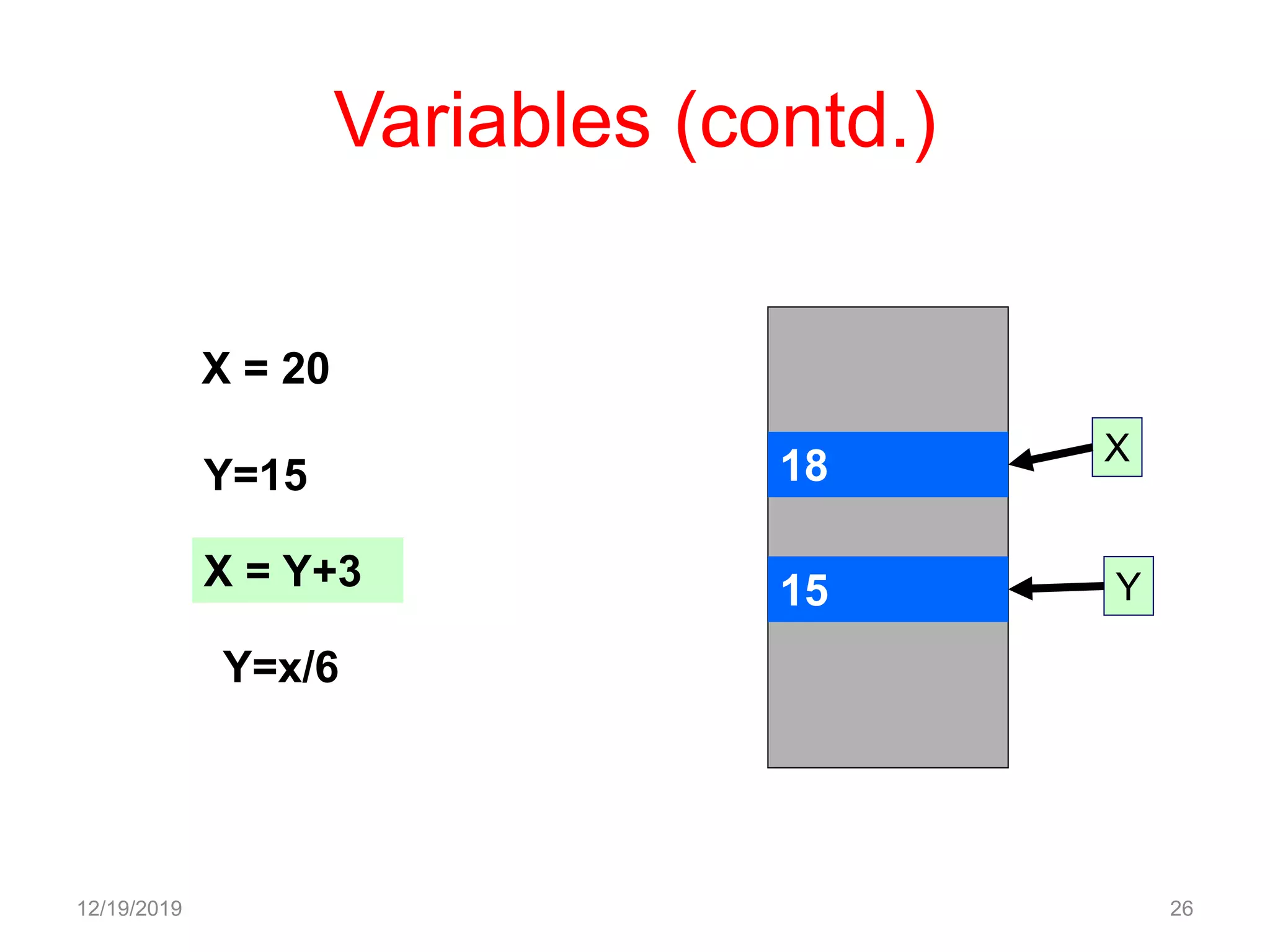
12/19/2019 26
18
15
X
Y
X = 20
Y=15
X = Y+3
Y=x/6
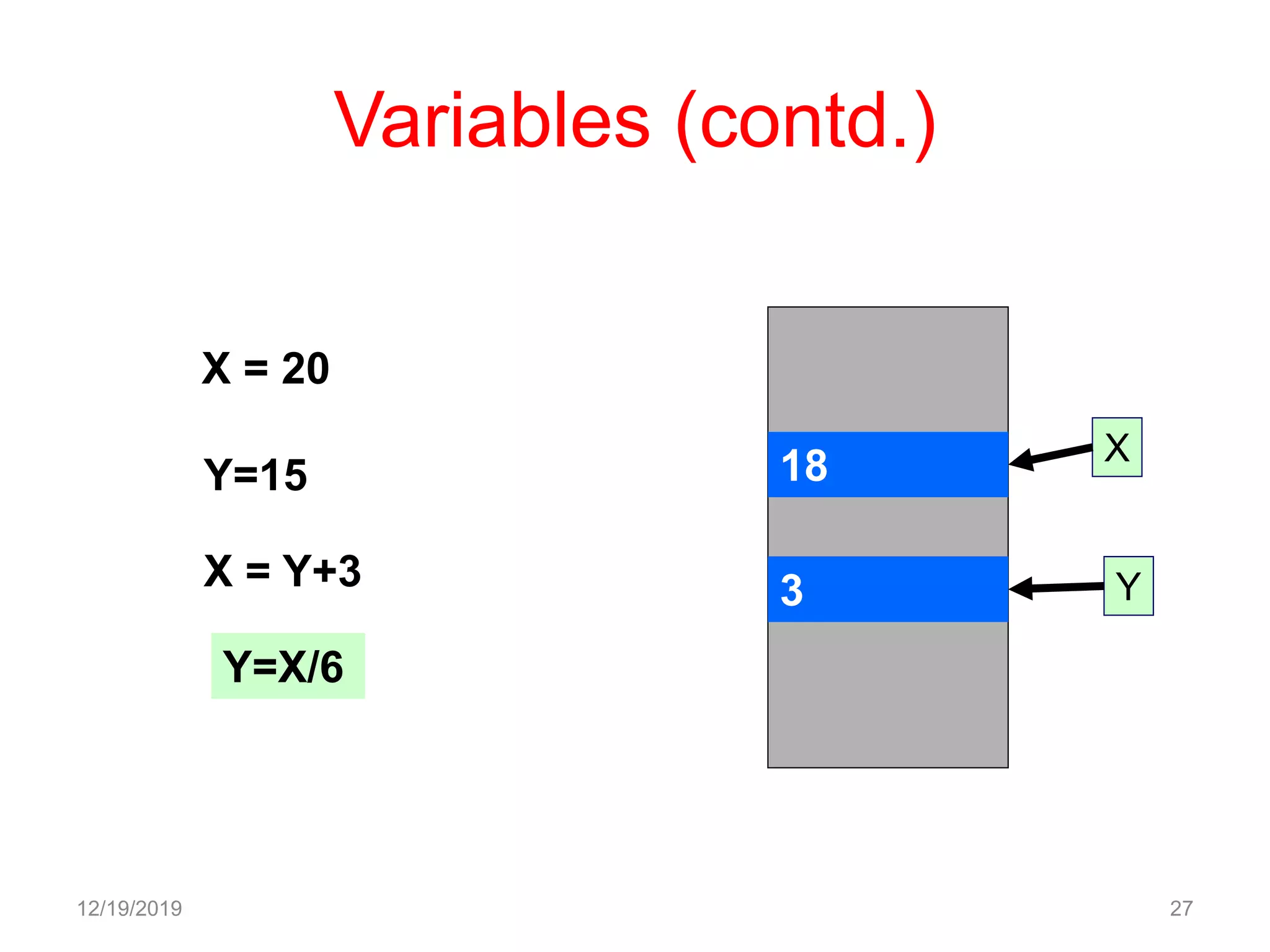
Variables (contd.)
12/19/2019 27
18
3
X
Y
X = 20
Y=15
X = Y+3
Y=X/6
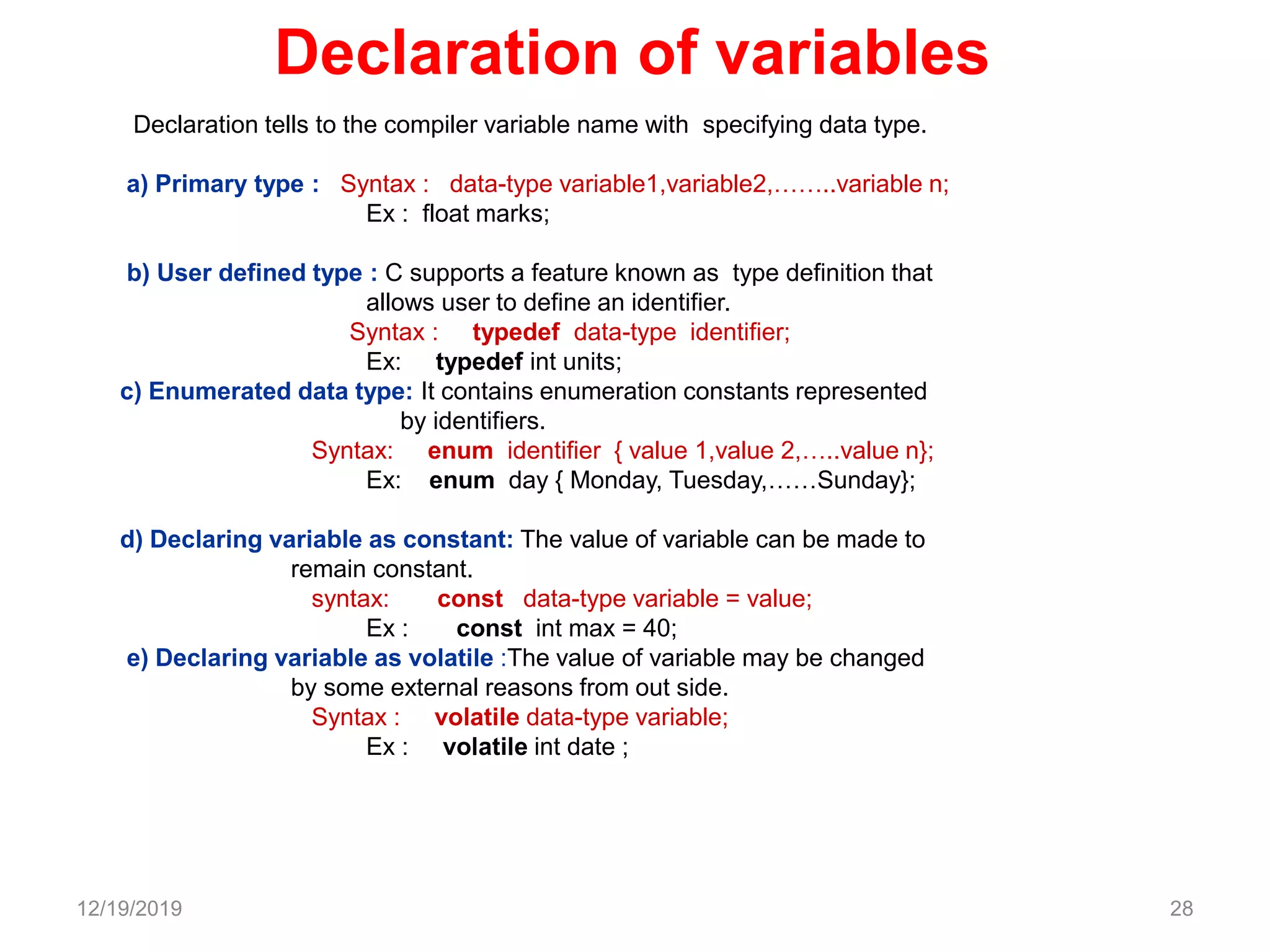
Declaration of variables
Declaration tells to the compiler variable name with specifying data type.
a) Primary type : Syntax : data-type variable1,variable2,……..variable n;
Ex : float marks;
b) User defined type : C supports a feature known as type definition that
allows user to define an identifier.
Syntax : typedef data-type identifier;
Ex: typedef int units;
c) Enumerated data type: It contains enumeration constants represented
by identifiers.
Syntax: enum identifier { value 1,value 2,…..value n};
Ex: enum day { Monday, Tuesday,……Sunday};
d) Declaring variable as constant: The value of variable can be made to
remain constant.
syntax: const data-type variable = value;
Ex : const int max = 40;
e) Declaring variable as volatile :The value of variable may be changed
by some external reasons from out side.
Syntax : volatile data-type variable;
Ex : volatile int date ;
12/19/2019 28
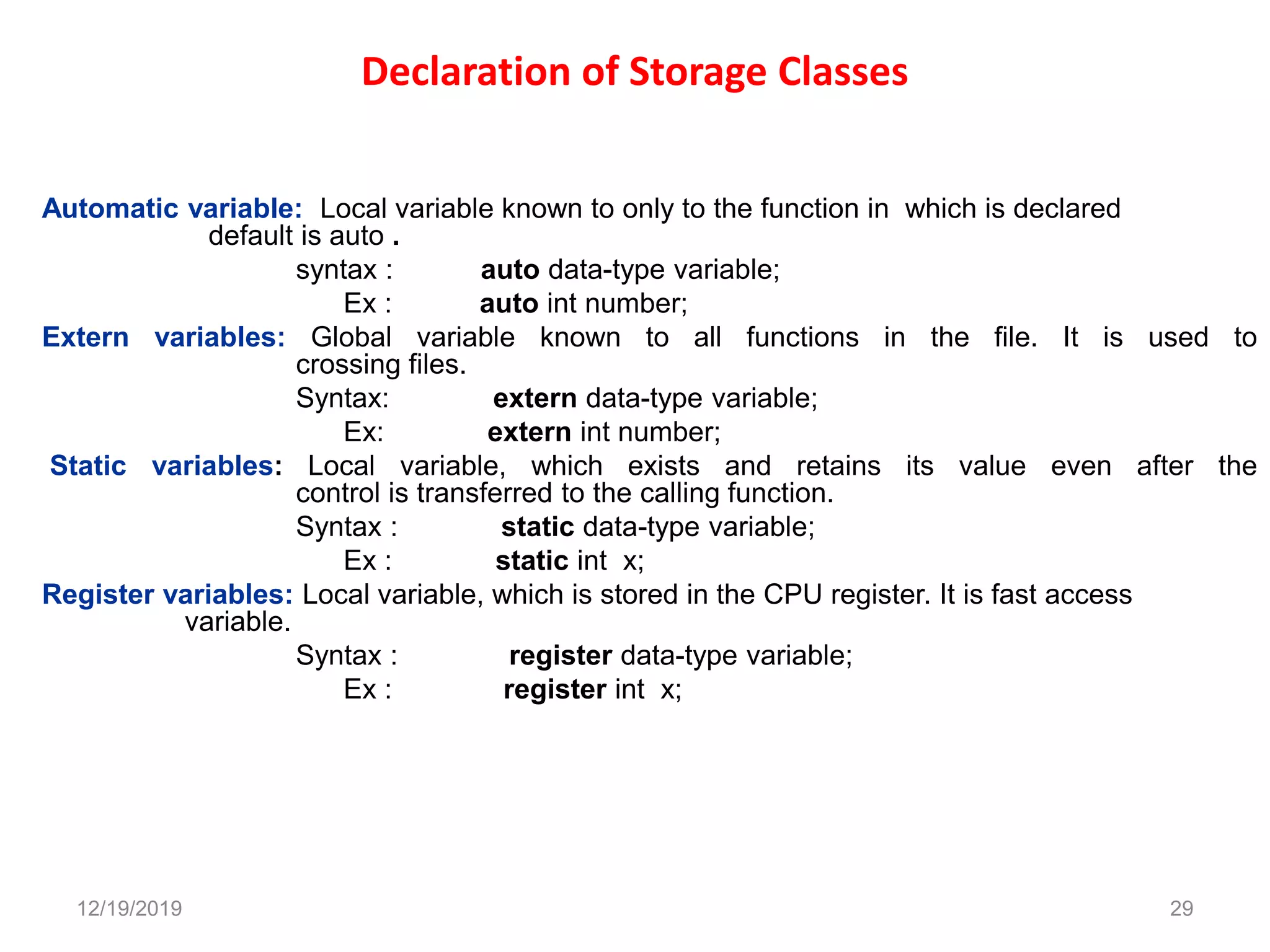
Declaration of Storage Classes
Automatic variable: Local variable known to only to the function in which is declared
default is auto .
syntax : auto data-type variable;
Ex : auto int number;
Extern variables: Global variable known to all functions in the file. It is used to
crossing files.
Syntax: extern data-type variable;
Ex: extern int number;
Static variables: Local variable, which exists and retains its value even after the
control is transferred to the calling function.
Syntax : static data-type variable;
Ex : static int x;
Register variables: Local variable, which is stored in the CPU register. It is fast access
variable.
Syntax : register data-type variable;
Ex : register int x;
12/19/2019 29
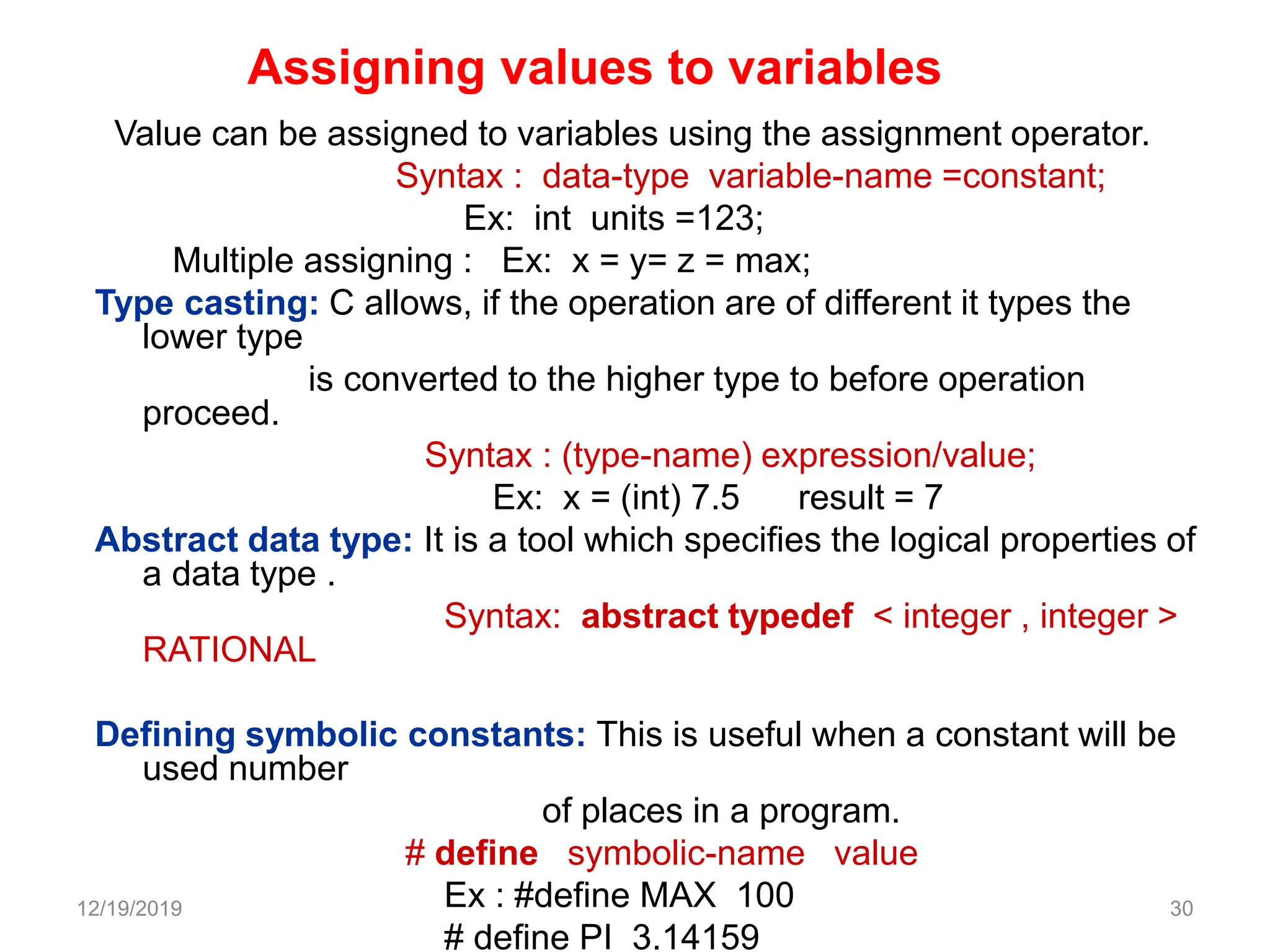
Value can be assigned to variables using the assignment operator.
Syntax : data-type variable-name =constant;
Ex: int units =123;
Multiple assigning : Ex: x = y= z = max;
Type casting: C allows, if the operation are of different it types the
lower type
is converted to the higher type to before operation
proceed.
Syntax : (type-name) expression/value;
Ex: x = (int) 7.5 result = 7
Abstract data type: It is a tool which specifies the logical properties of
a data type .
Syntax: abstract typedef < integer , integer >
RATIONAL
Defining symbolic constants: This is useful when a constant will be
used number
of places in a program.
# define symbolic-name value
Ex : #define MAX 100
# define PI 3.14159
12/19/2019 30
Assigning values to variables
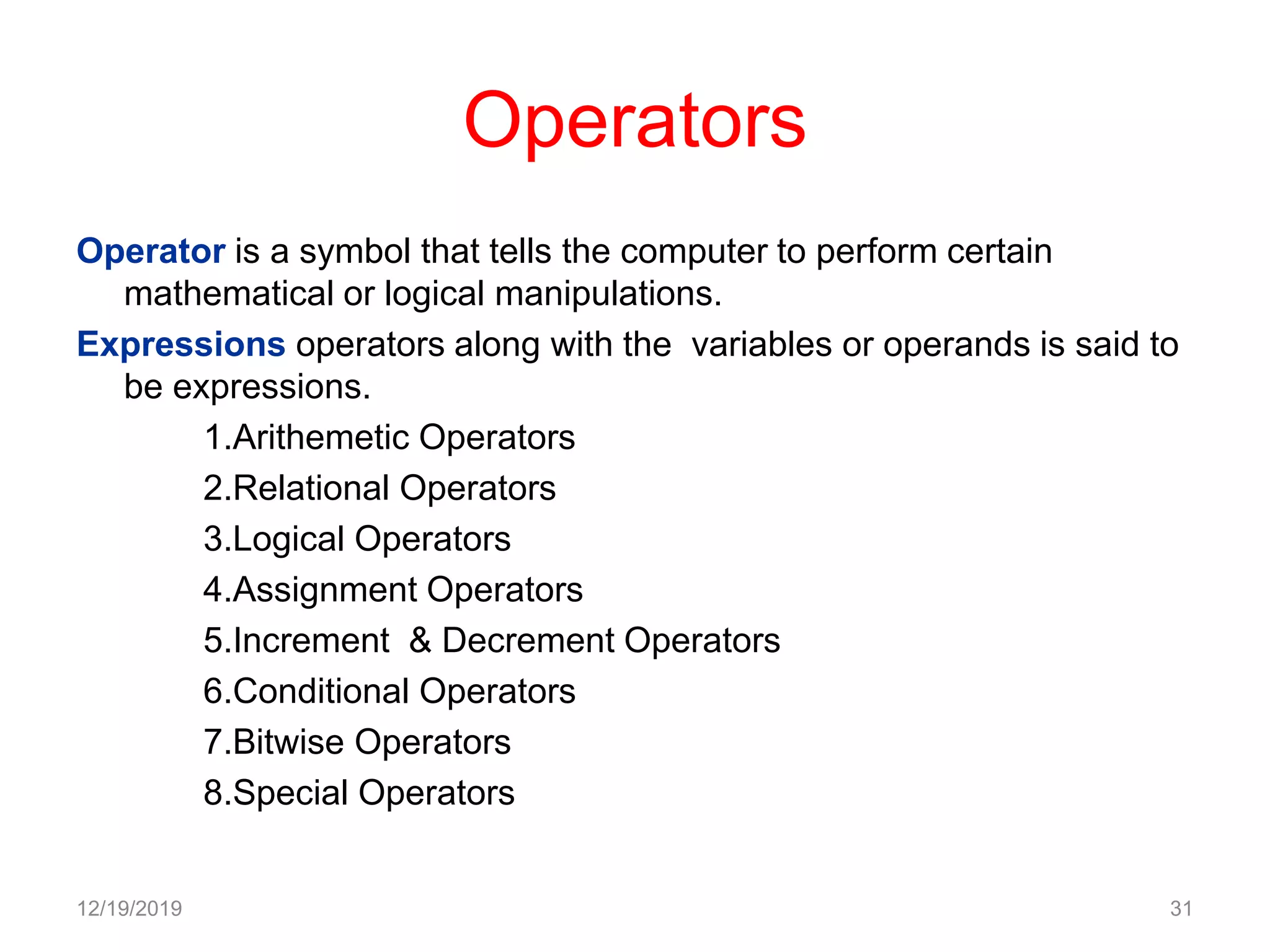
Operators
Operator is a symbol that tells the computer to perform certain
mathematical or logical manipulations.
Expressions operators along with the variables or operands is said to
be expressions.
1.Arithemetic Operators
2.Relational Operators
3.Logical Operators
4.Assignment Operators
5.Increment & Decrement Operators
6.Conditional Operators
7.Bitwise Operators
8.Special Operators
12/19/2019 31
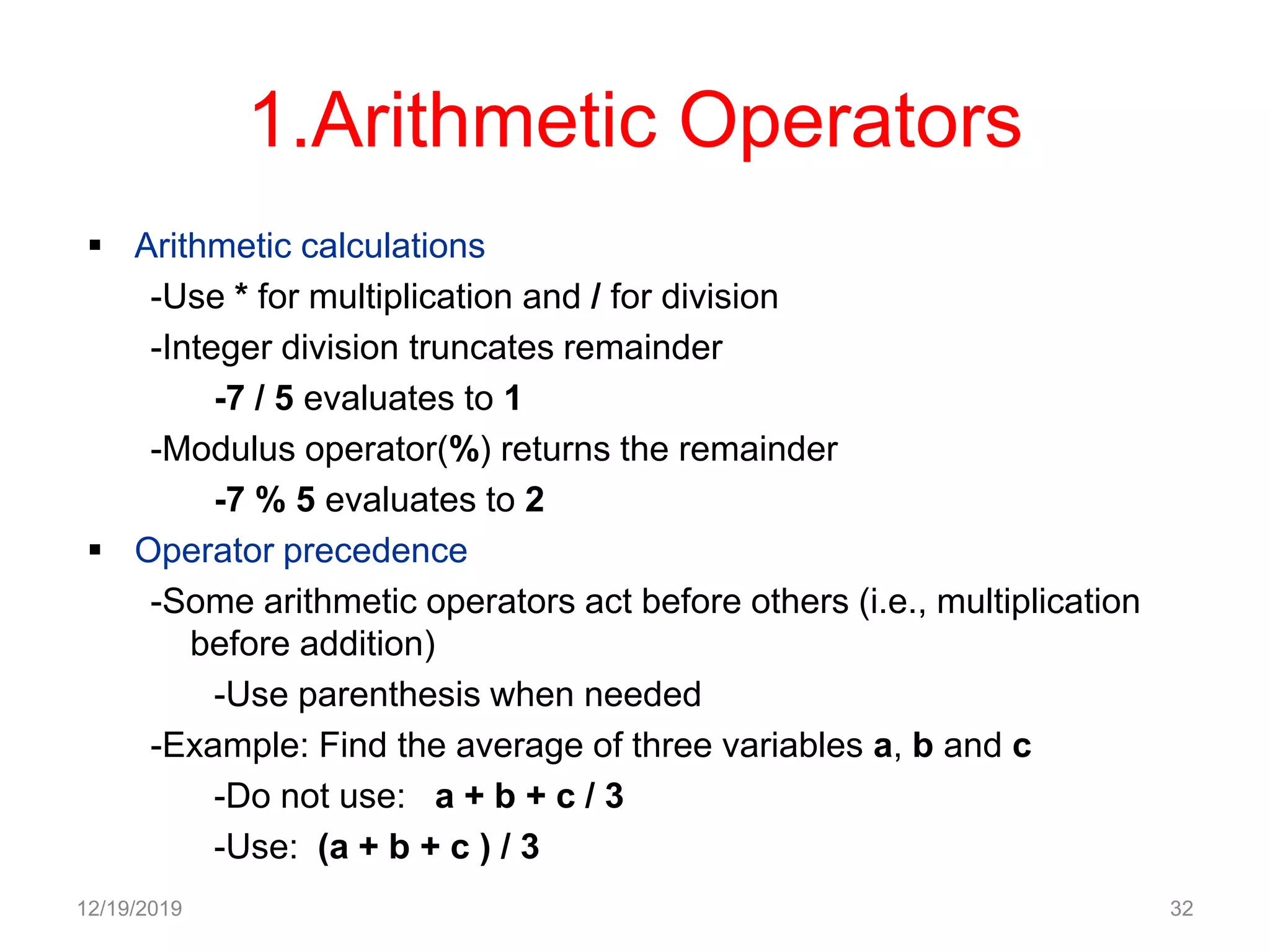
1.Arithmetic Operators
 Arithmetic calculations
-Use * for multiplication and / for division
-Integer division truncates remainder
-7 / 5 evaluates to 1
-Modulus operator(%) returns the remainder
-7 % 5 evaluates to 2
 Operator precedence
-Some arithmetic operators act before others (i.e., multiplication
before addition)
-Use parenthesis when needed
-Example: Find the average of three variables a, b and c
-Do not use: a + b + c / 3
-Use: (a + b + c ) / 3
12/19/2019 32
1.Arithmetic Operators
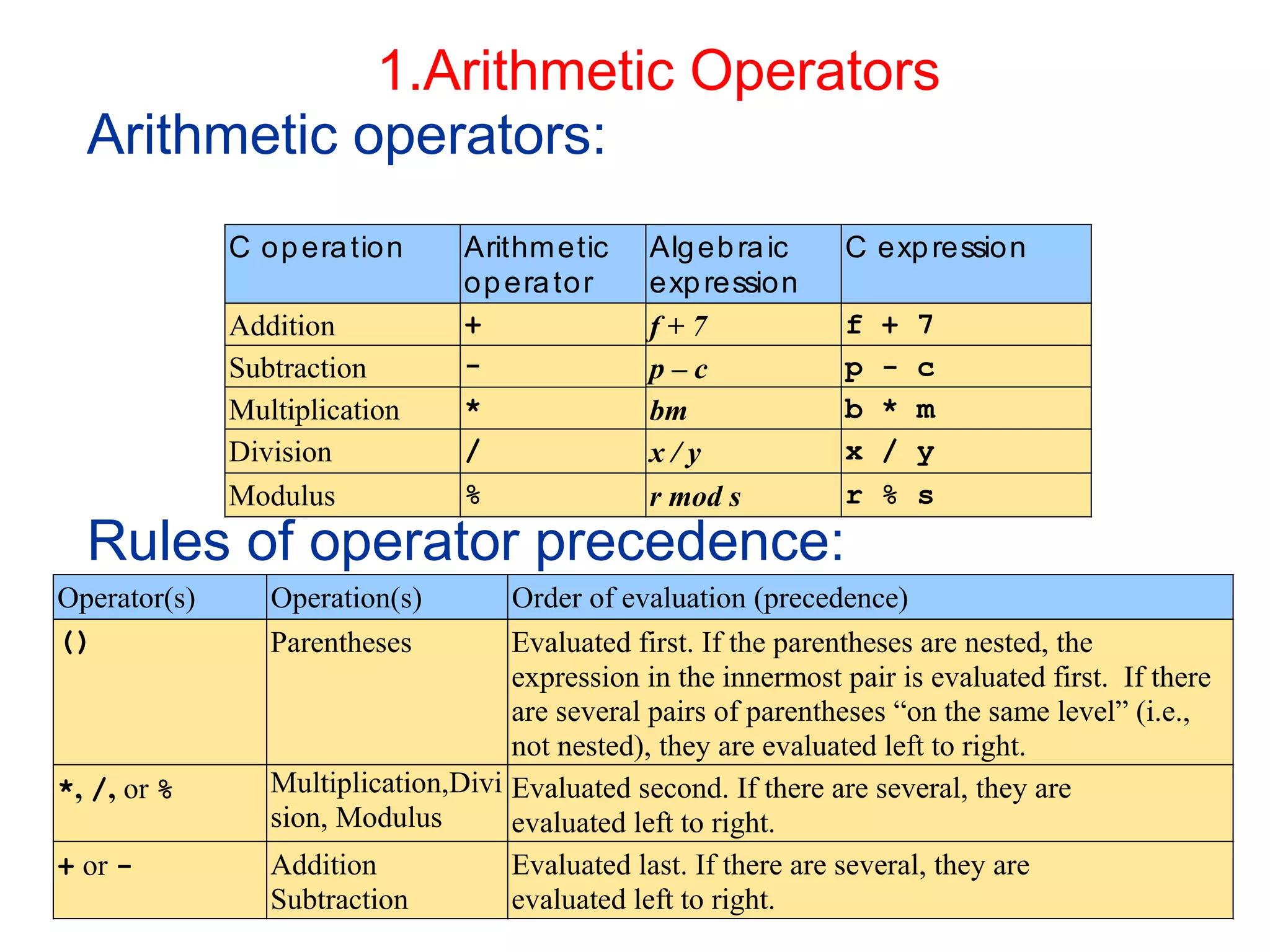
Arithmetic operators:
Rules of operator precedence:
12/19/2019 33
C operation Arithmetic
operator
Algebraic
expression
C expression
Addition + f + 7 f + 7
Subtraction - p – c p - c
Multiplication * bm b * m
Division / x / y x / y
Modulus % r mod s r % s
Operator(s) Operation(s) Order of evaluation (precedence)
() Parentheses Evaluated first. If the parentheses are nested, the
expression in the innermost pair is evaluated first. If there
are several pairs of parentheses “on the same level” (i.e.,
not nested), they are evaluated left to right.
*, /, or % Multiplication,Divi
sion, Modulus
Evaluated second. If there are several, they are
evaluated left to right.
+ or - Addition
Subtraction
Evaluated last. If there are several, they are
evaluated left to right.
Operators (Cont.)
12/19/2019 34
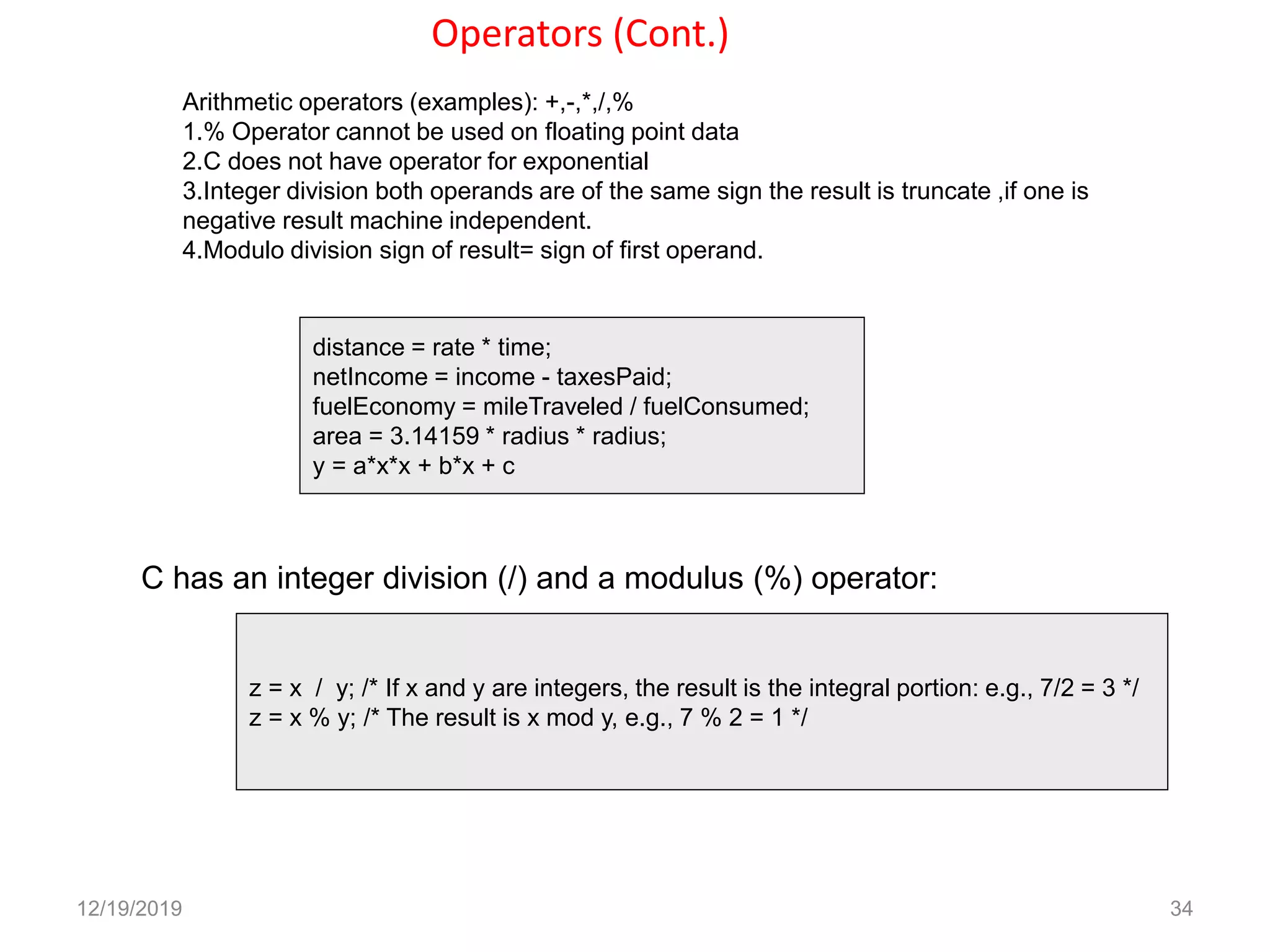
Arithmetic operators (examples): +,-,*,/,%
1.% Operator cannot be used on floating point data
2.C does not have operator for exponential
3.Integer division both operands are of the same sign the result is truncate ,if one is
negative result machine independent.
4.Modulo division sign of result= sign of first operand.
distance = rate * time;
netIncome = income - taxesPaid;
fuelEconomy = mileTraveled / fuelConsumed;
area = 3.14159 * radius * radius;
y = a*x*x + b*x + c
C has an integer division (/) and a modulus (%) operator:
z = x / y; /* If x and y are integers, the result is the integral portion: e.g., 7/2 = 3 */
z = x % y; /* The result is x mod y, e.g., 7 % 2 = 1 */
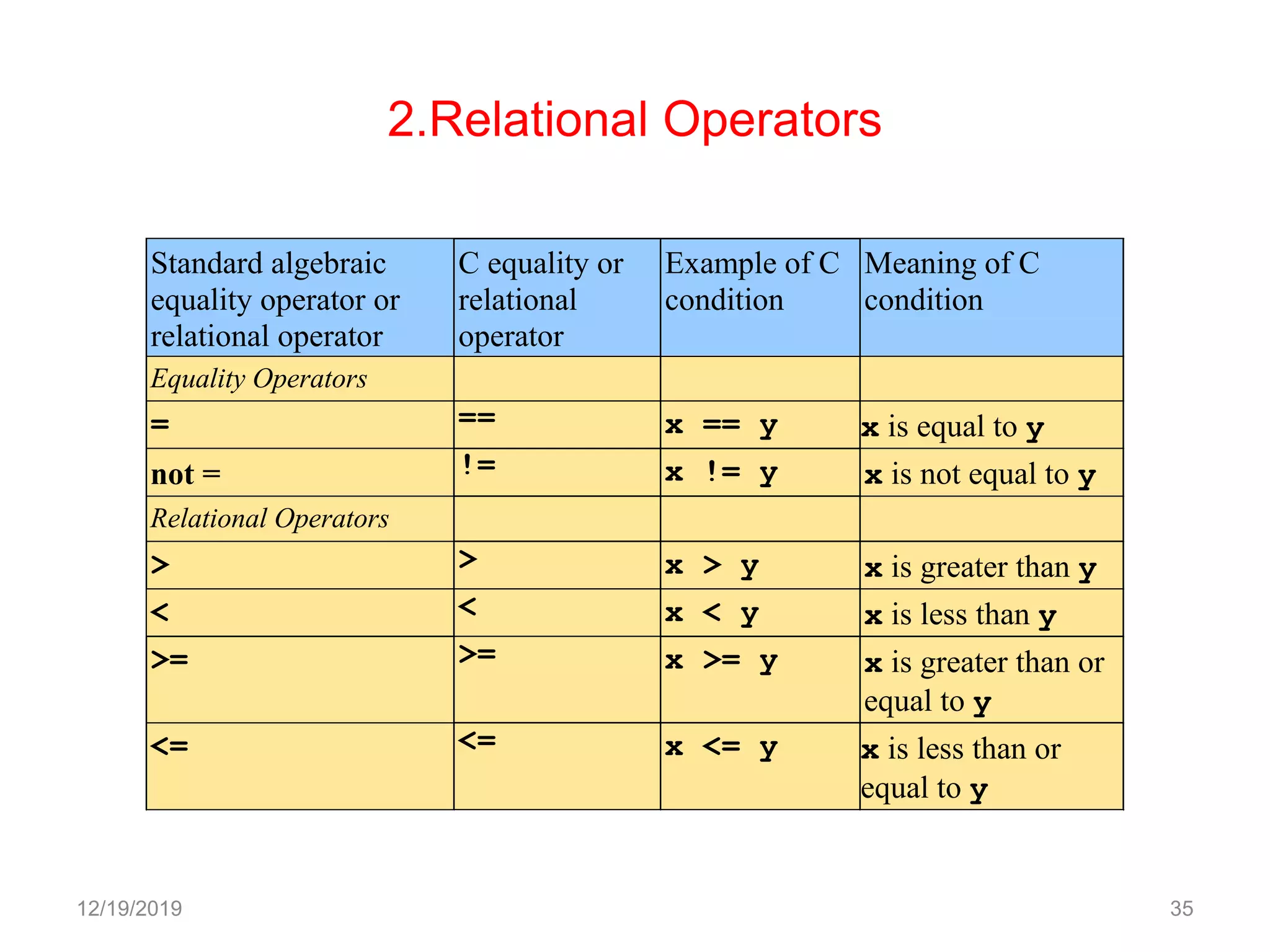
2.Relational Operators
Standard algebraic
equality operator or
relational operator
C equality or
relational
operator
Example of C
condition
Meaning of C
condition
Equality Operators
= == x == y x is equal to y
not = != x != y x is not equal to y
Relational Operators
> > x > y x is greater than y
< < x < y x is less than y
>= >= x >= y x is greater than or
equal to y
<= <= x <= y x is less than or
equal to y
12/19/2019 35
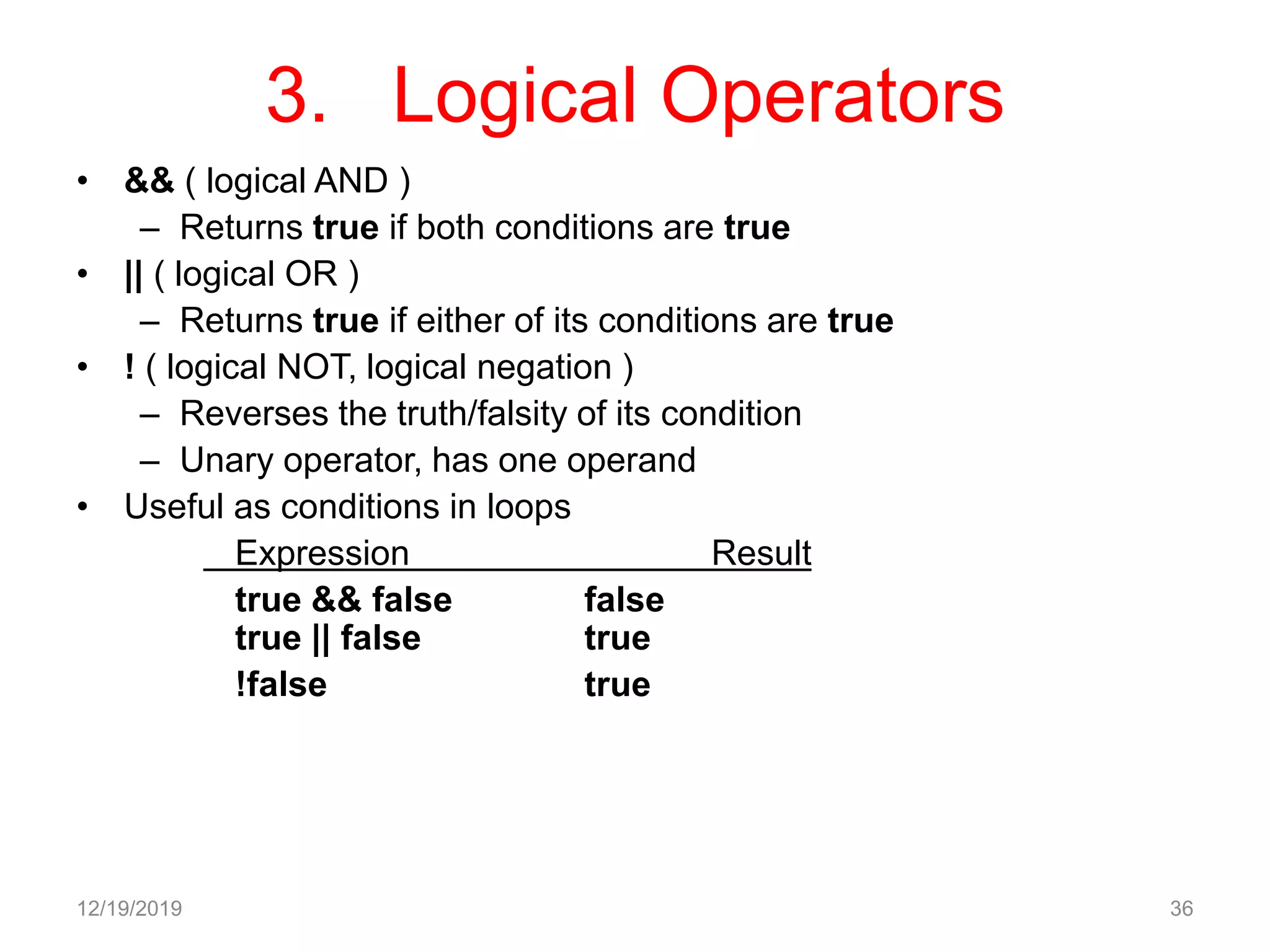
3. Logical Operators
• && ( logical AND )
– Returns true if both conditions are true
• || ( logical OR )
– Returns true if either of its conditions are true
• ! ( logical NOT, logical negation )
– Reverses the truth/falsity of its condition
– Unary operator, has one operand
• Useful as conditions in loops
Expression Result
true && false false
true || false true
!false true
12/19/2019 36
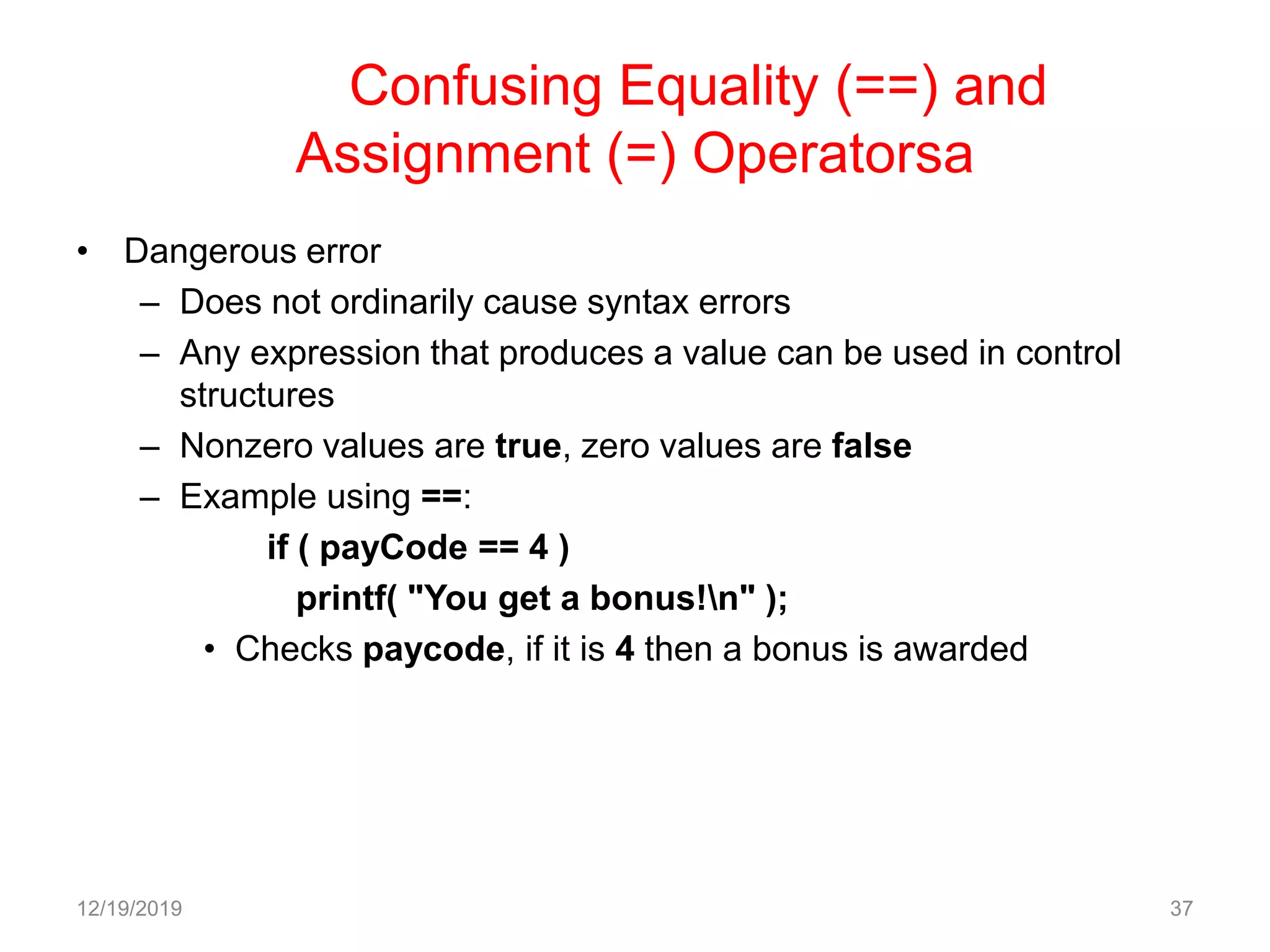
Confusing Equality (==) and
Assignment (=) Operatorsa
• Dangerous error
– Does not ordinarily cause syntax errors
– Any expression that produces a value can be used in control
structures
– Nonzero values are true, zero values are false
– Example using ==:
if ( payCode == 4 )
printf( "You get a bonus!n" );
• Checks paycode, if it is 4 then a bonus is awarded
12/19/2019 37
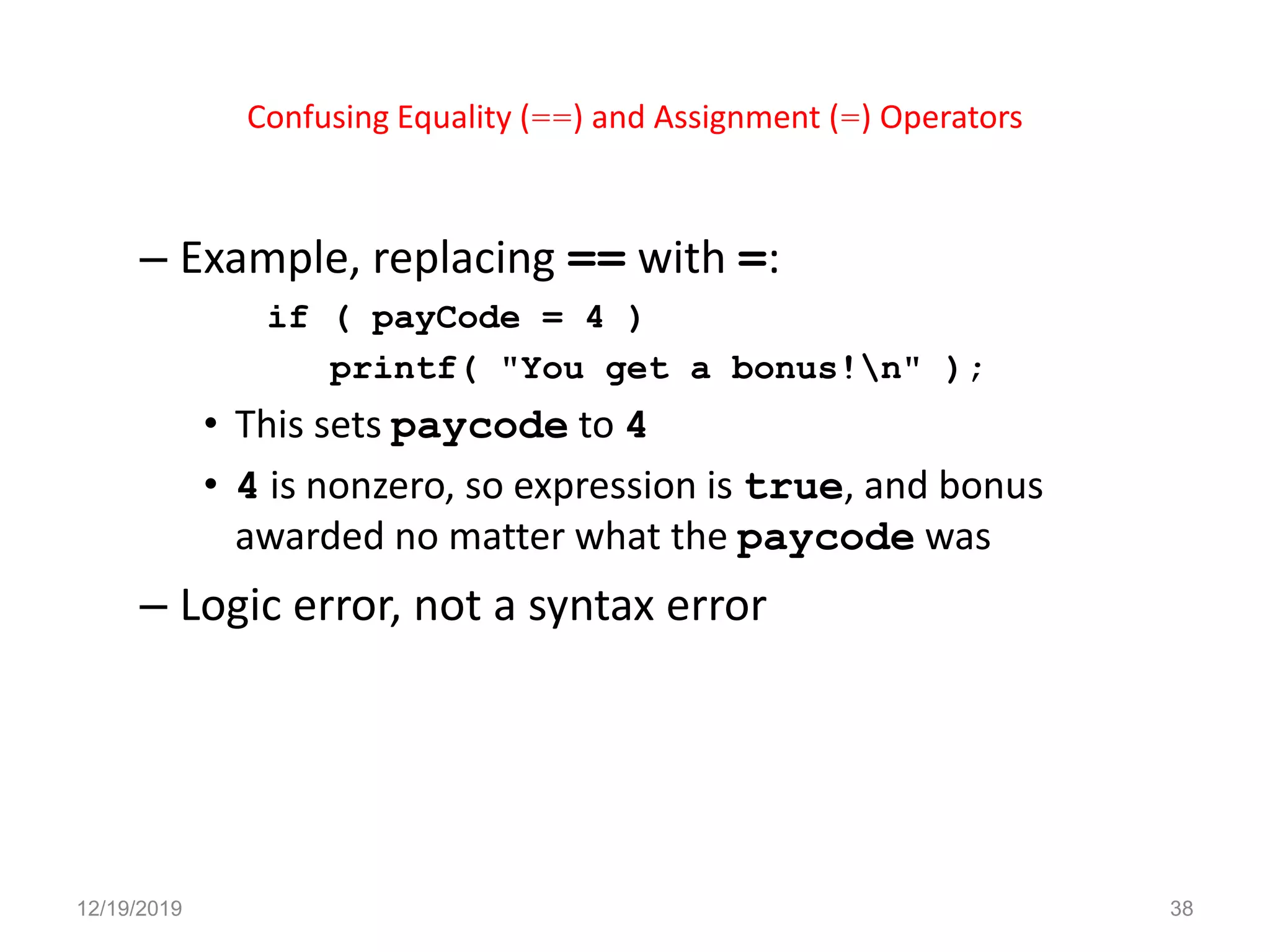
Confusing Equality (==) and Assignment (=) Operators
– Example, replacing == with =:
if ( payCode = 4 )
printf( "You get a bonus!n" );
• This sets paycode to 4
• 4 is nonzero, so expression is true, and bonus
awarded no matter what the paycode was
– Logic error, not a syntax error
12/19/2019 38
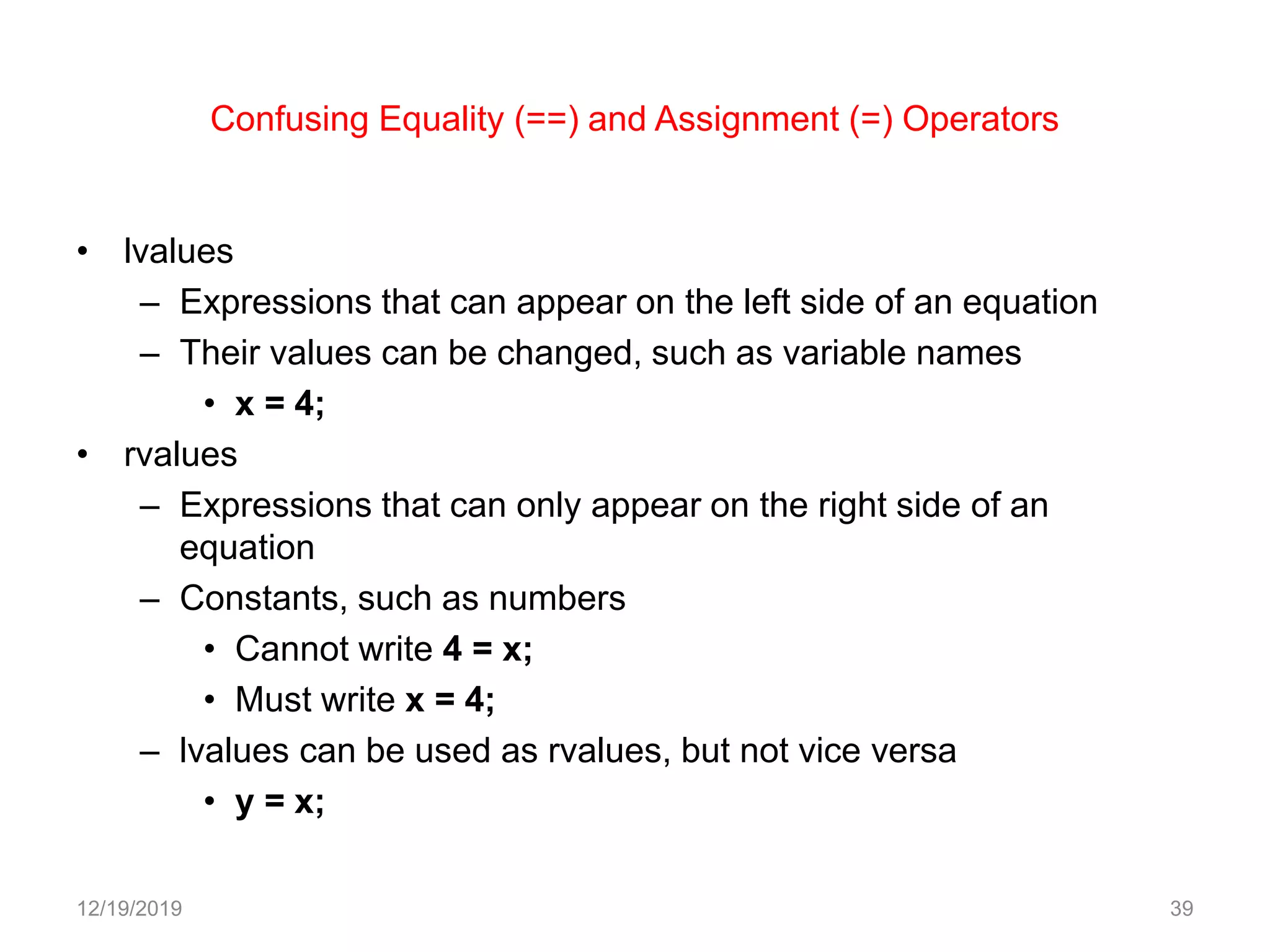
Confusing Equality (==) and Assignment (=) Operators
• lvalues
– Expressions that can appear on the left side of an equation
– Their values can be changed, such as variable names
• x = 4;
• rvalues
– Expressions that can only appear on the right side of an
equation
– Constants, such as numbers
• Cannot write 4 = x;
• Must write x = 4;
– lvalues can be used as rvalues, but not vice versa
• y = x;
12/19/2019 39
12/19/2019 40
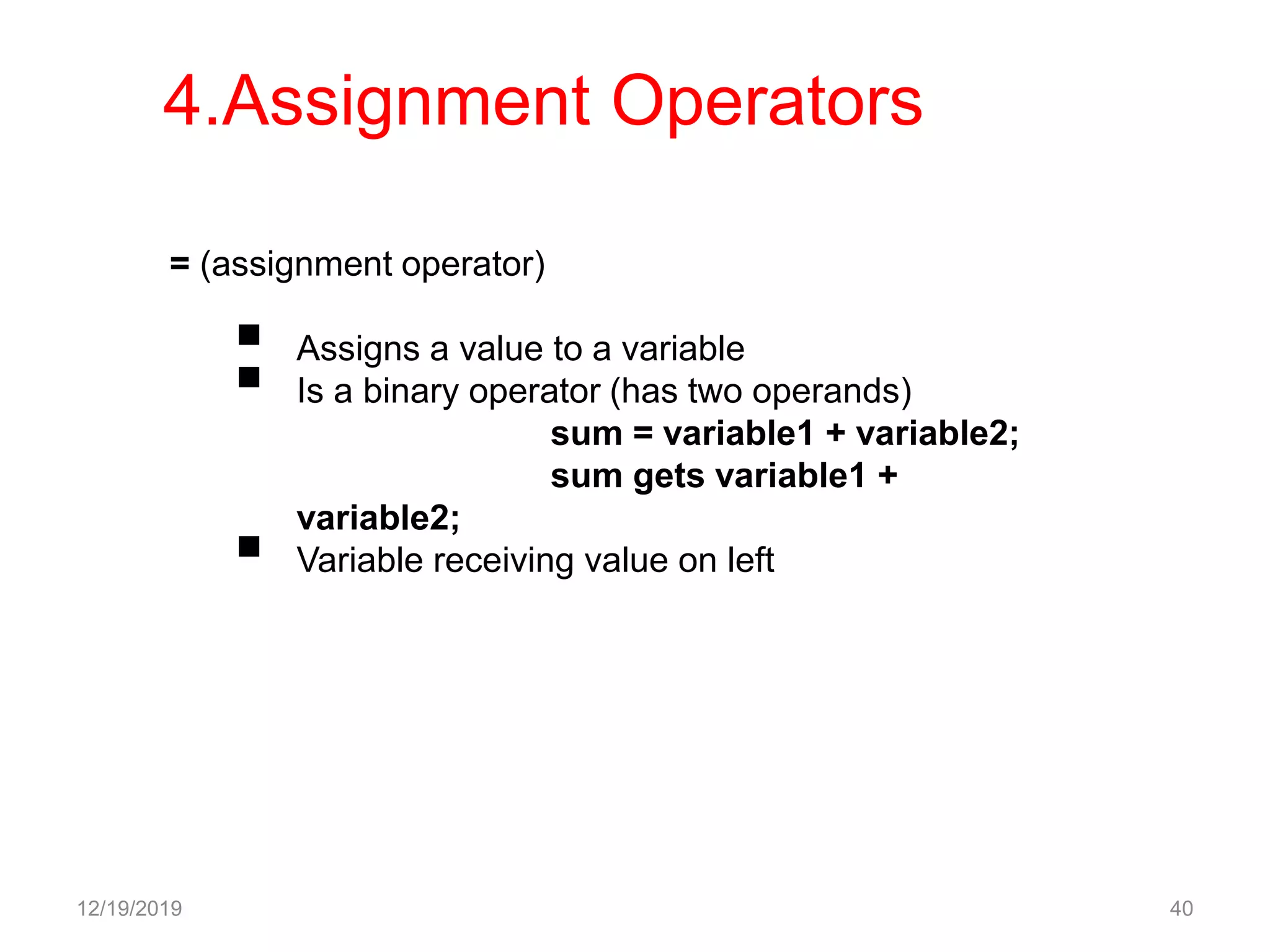
= (assignment operator)
 Assigns a value to a variable
 Is a binary operator (has two operands)
sum = variable1 + variable2;
sum gets variable1 +
variable2;
 Variable receiving value on left
4.Assignment Operators
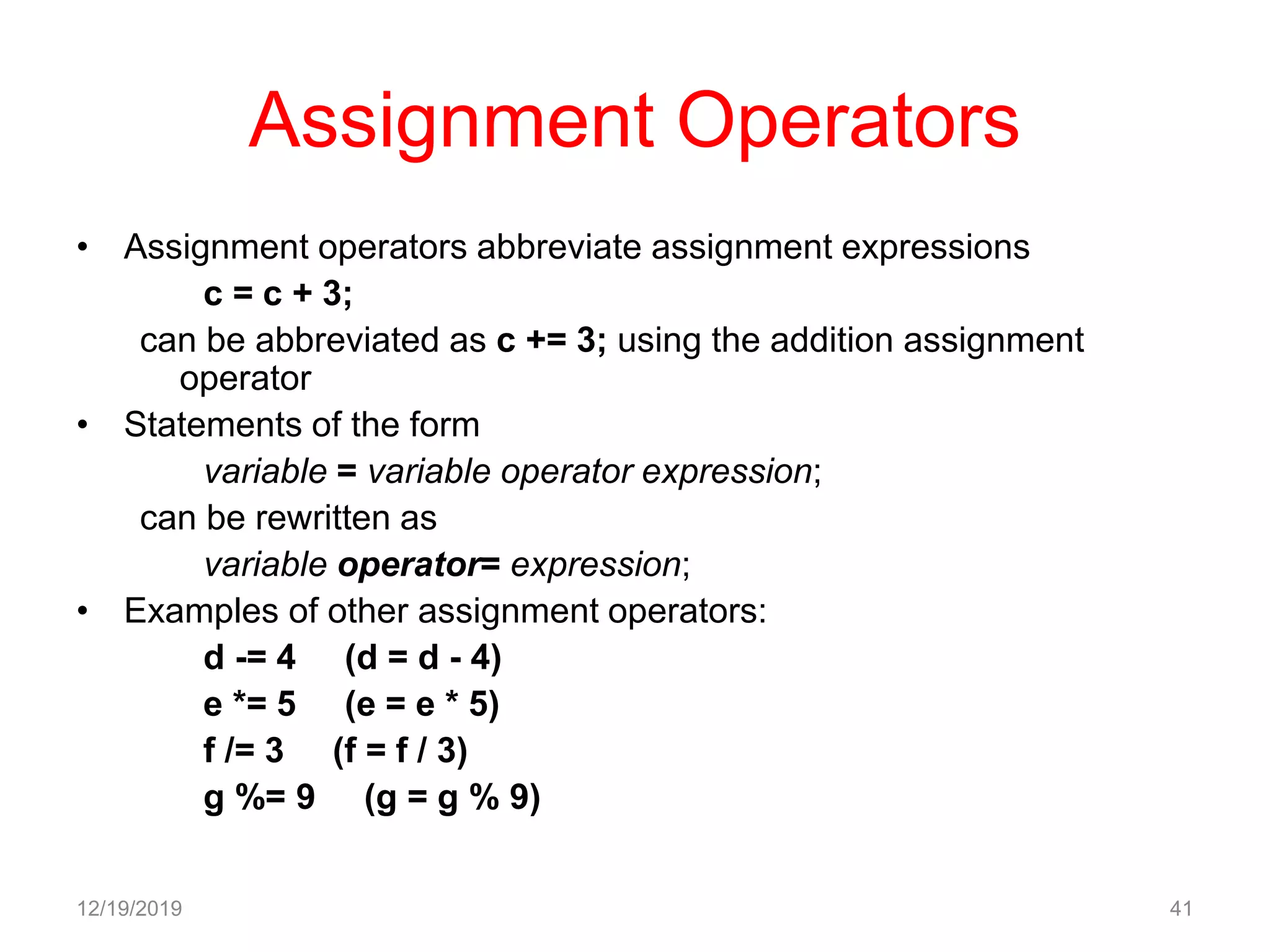
Assignment Operators
• Assignment operators abbreviate assignment expressions
c = c + 3;
can be abbreviated as c += 3; using the addition assignment
operator
• Statements of the form
variable = variable operator expression;
can be rewritten as
variable operator= expression;
• Examples of other assignment operators:
d -= 4 (d = d - 4)
e *= 5 (e = e * 5)
f /= 3 (f = f / 3)
g %= 9 (g = g % 9)
12/19/2019 41
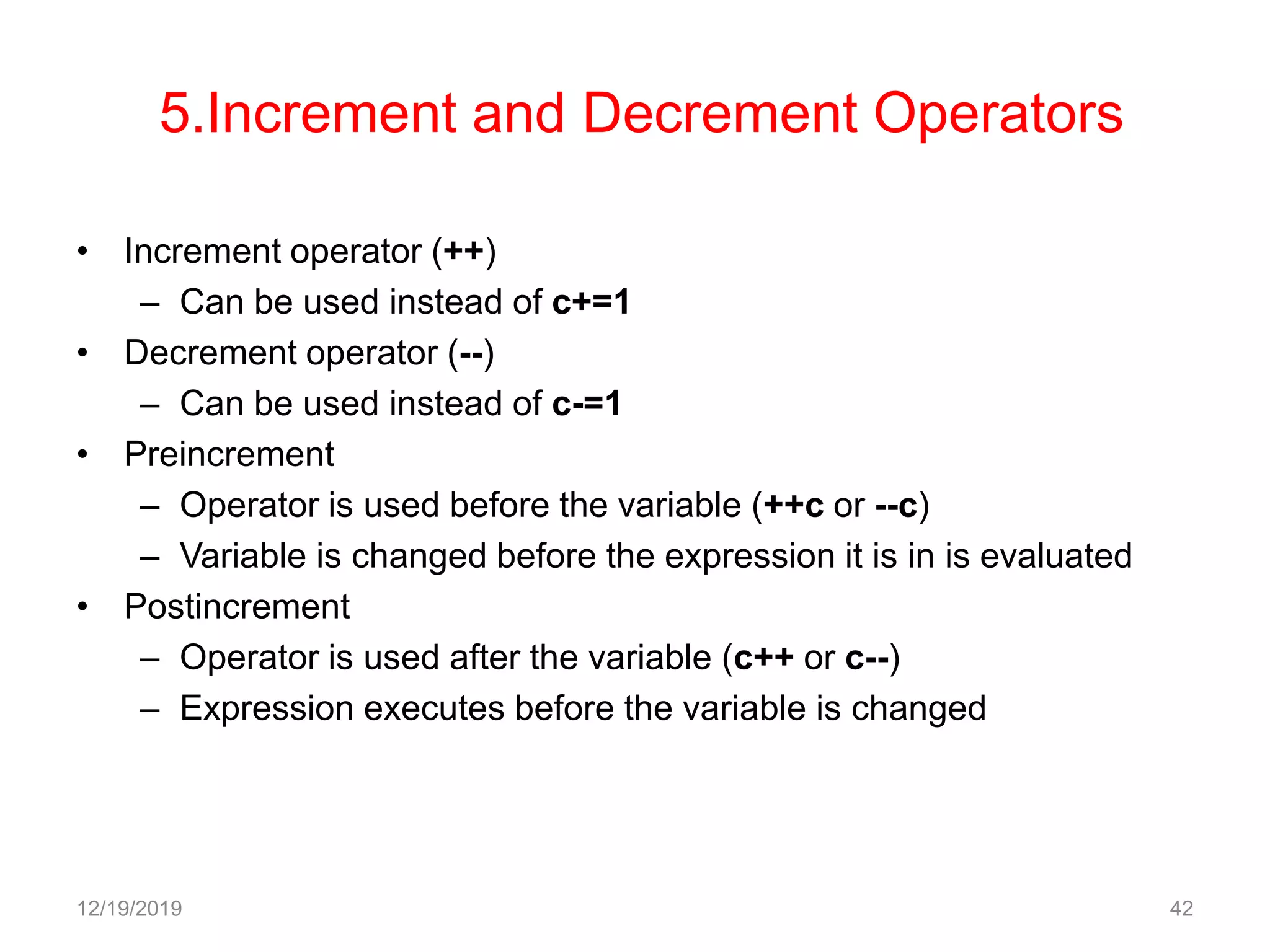
5.Increment and Decrement Operators
• Increment operator (++)
– Can be used instead of c+=1
• Decrement operator (--)
– Can be used instead of c-=1
• Preincrement
– Operator is used before the variable (++c or --c)
– Variable is changed before the expression it is in is evaluated
• Postincrement
– Operator is used after the variable (c++ or c--)
– Expression executes before the variable is changed
12/19/2019 42
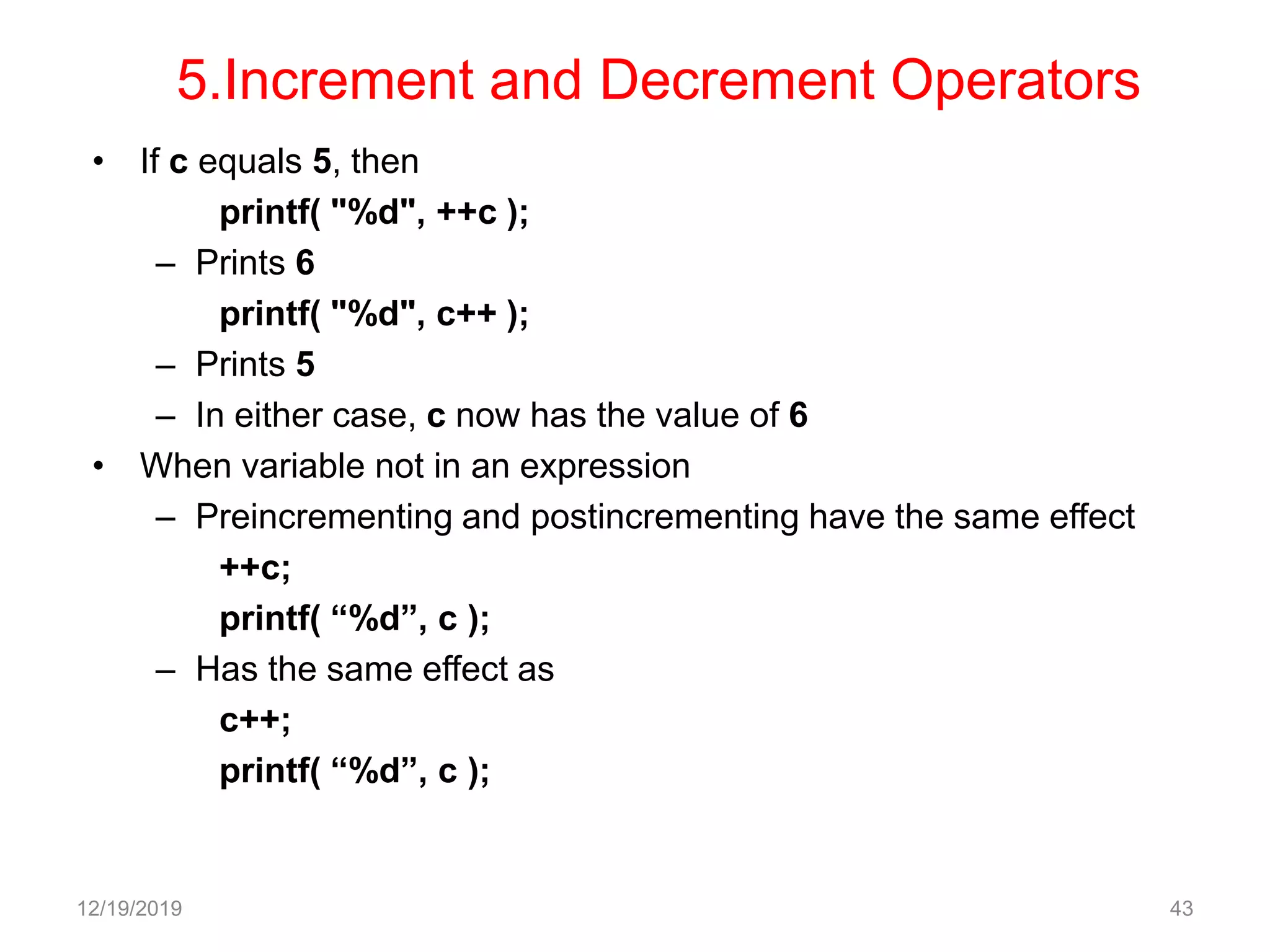
5.Increment and Decrement Operators
• If c equals 5, then
printf( "%d", ++c );
– Prints 6
printf( "%d", c++ );
– Prints 5
– In either case, c now has the value of 6
• When variable not in an expression
– Preincrementing and postincrementing have the same effect
++c;
printf( “%d”, c );
– Has the same effect as
c++;
printf( “%d”, c );
12/19/2019 43
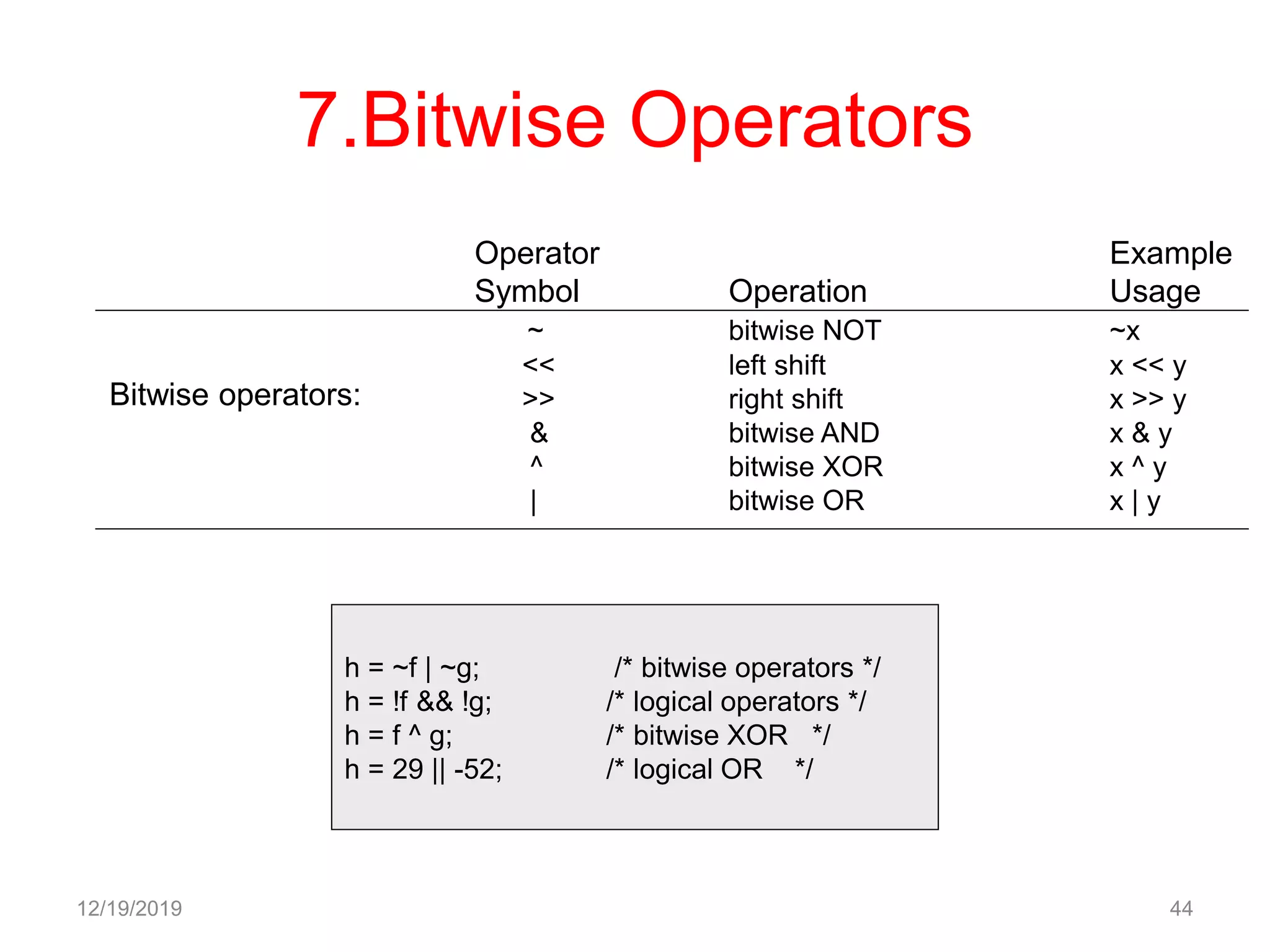
7.Bitwise Operators
12/19/2019 44
Bitwise operators:
Operator Example
Symbol Operation Usage
~ bitwise NOT ~x
<< left shift x << y
>> right shift x >> y
& bitwise AND x & y
^ bitwise XOR x ^ y
| bitwise OR x | y
h = ~f | ~g; /* bitwise operators */
h = !f && !g; /* logical operators */
h = f ^ g; /* bitwise XOR */
h = 29 || -52; /* logical OR */
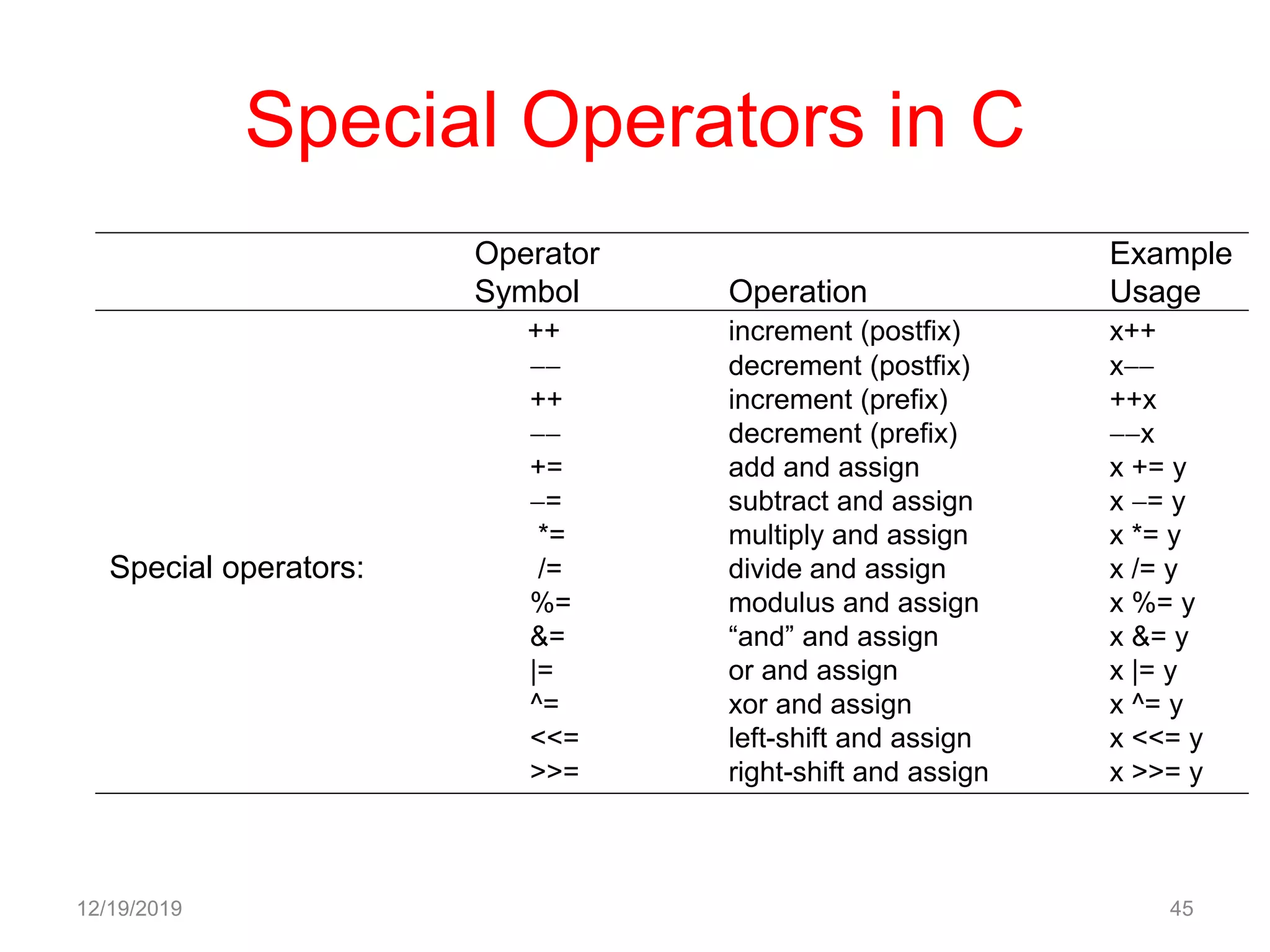
Special Operators in C
12/19/2019 45
Operator Example
Symbol Operation Usage
++ increment (postfix) x++
 decrement (postfix) x
++ increment (prefix) ++x
 decrement (prefix) x
+= add and assign x += y
= subtract and assign x = y
*= multiply and assign x *= y
/= divide and assign x /= y
%= modulus and assign x %= y
&= “and” and assign x &= y
|= or and assign x |= y
^= xor and assign x ^= y
<<= left-shift and assign x <<= y
>>= right-shift and assign x >>= y
Special operators:
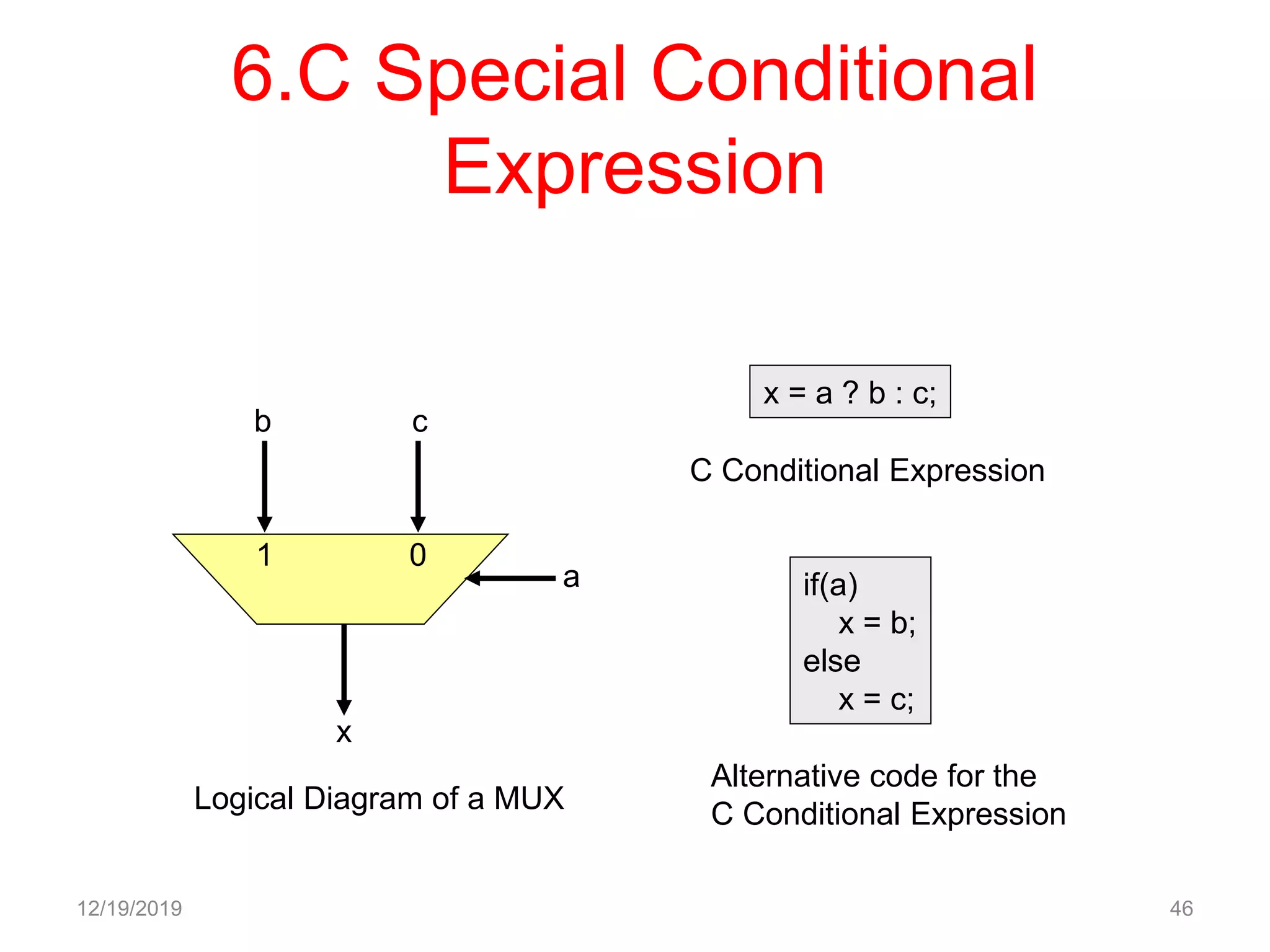
6.C Special Conditional
Expression
12/19/2019 46
b c
a
x
1 0
Logical Diagram of a MUX
x = a ? b : c;
C Conditional Expression
if(a)
x = b;
else
x = c;
Alternative code for the
C Conditional Expression
Associativity and Precedence
Rules
12/19/2019 47
Precedence
Group Associativity Operator
1 l to r function call () [ ] . >
2 r to l postfix ++ postfix 
3 r to l prefix  postix ++
4 r to l indirection * address &
unary + unary 
~ ! sizeof
5 r to l cast (type)
6 l to r multiply * / %
7 l to r + 
8 l to r << >>
9 l to r < > <= >=
10 l to r == !=
11 l to r &
12 l to r ^
13 l to r |
14 l to r &&
15 l to r ||
16 l to r ?:
17 r to l = += -= *= etc.
18 l to r ,(comma operator)
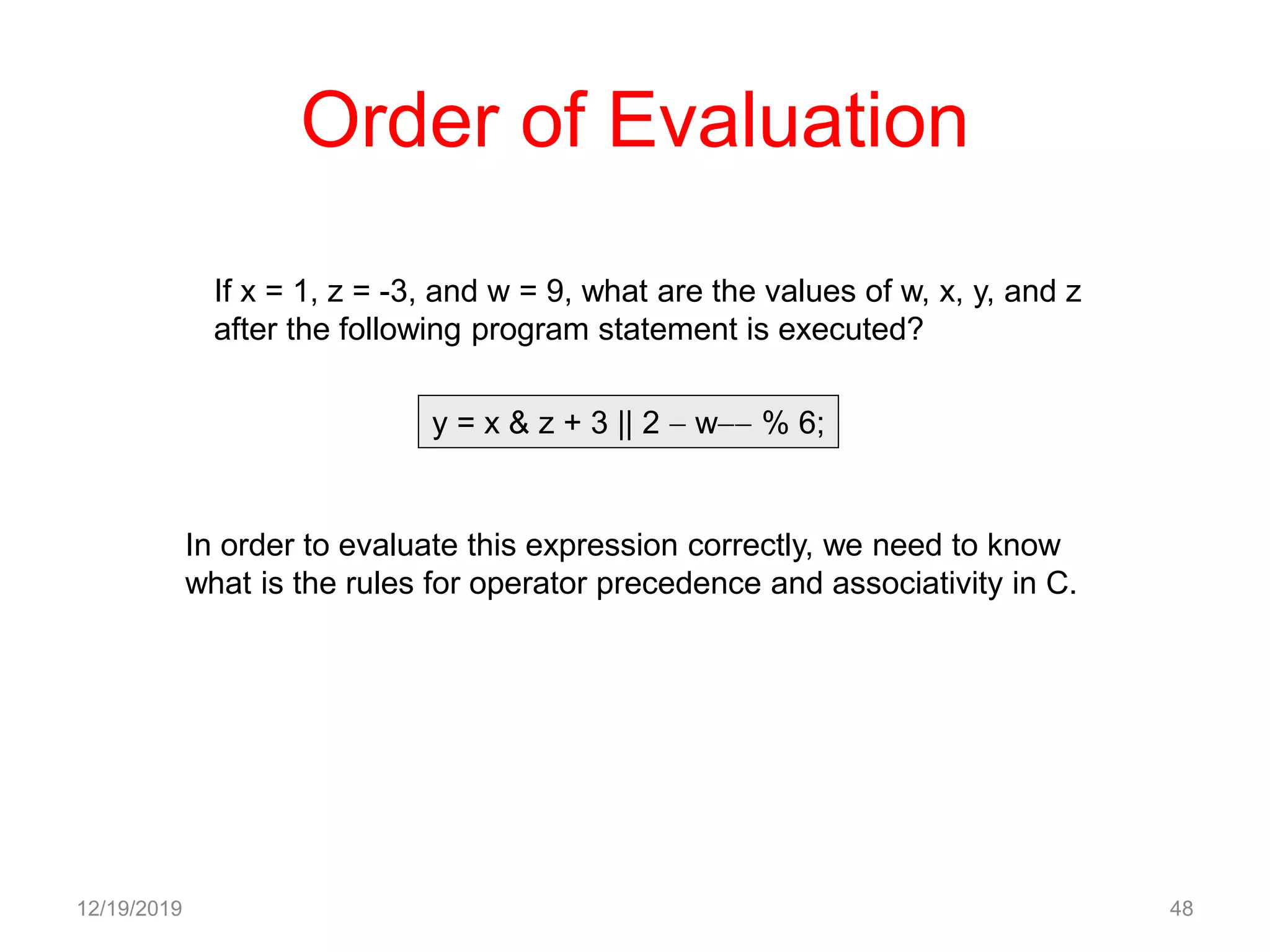
Order of Evaluation
12/19/2019 48
y = x & z + 3 || 2  w % 6;
In order to evaluate this expression correctly, we need to know
what is the rules for operator precedence and associativity in C.
If x = 1, z = -3, and w = 9, what are the values of w, x, y, and z
after the following program statement is executed?
12/19/2019 49
Precedence
Group Associativity Operator
1 l to r function call () [ ] . >
2 r to l postfix ++ postfix 
3 r to l prefix  postix ++
4 r to l indirection * address &
unary + unary 
~ ! sizeof
5 r to l cast (type)
6 l to r multiply * / %
7 l to r + 
8 l to r << >>
9 l to r < > <= >=
10 l to r == !=
11 l to r &
12 l to r ^
13 l to r |
14 l to r &&
15 l to r ||
16 l to r ?:
17 r to l = += -= *= etc.
y = x & z + 3 || 2  ((w) % 6);
12/19/2019 50
Precedence
Group Associativity Operator
1 l to r function call () [ ] . >
2 r to l postfix ++ postfix 
3 r to l prefix  postix ++
4 r to l indirection * address &
unary + unary 
~ ! sizeof
5 r to l cast (type)
6 l to r multiply * / %
7 l to r + 
8 l to r << >>
9 l to r < > <= >=
10 l to r == !=
11 l to r &
12 l to r ^
13 l to r |
14 l to r &&
15 l to r ||
16 l to r ?:
17 r to l = += -= *= etc.
y = x & (z + 3) || (2  ((w) % 6));
12/19/2019 51
Precedence
Group Associativity Operator
1 l to r function call () [ ] . >
2 r to l postfix ++ postfix 
3 r to l prefix  postix ++
4 r to l indirection * address &
unary + unary 
~ ! sizeof
5 r to l cast (type)
6 l to r multiply * / %
7 l to r + 
8 l to r << >>
9 l to r < > <= >=
10 l to r == !=
11 l to r &
12 l to r ^
13 l to r |
14 l to r &&
15 l to r ||
16 l to r ?:
17 r to l = += -= *= etc.
y = (x & (z + 3)) || (2  ((w) % 6));
12/19/2019 52
Precedence
Group Associativity Operator
1 l to r function call () [ ] . >
2 r to l postfix ++ postfix 
3 r to l prefix  postix ++
4 r to l indirection * address &
unary + unary 
~ ! sizeof
5 r to l cast (type)
6 l to r multiply * / %
7 l to r + 
8 l to r << >>
9 l to r < > <= >=
10 l to r == !=
11 l to r &
12 l to r ^
13 l to r |
14 l to r &&
15 l to r ||
16 l to r ?:
17 r to l = += -= *= etc.
y = x & z + 3 || 2  (w) % 6;
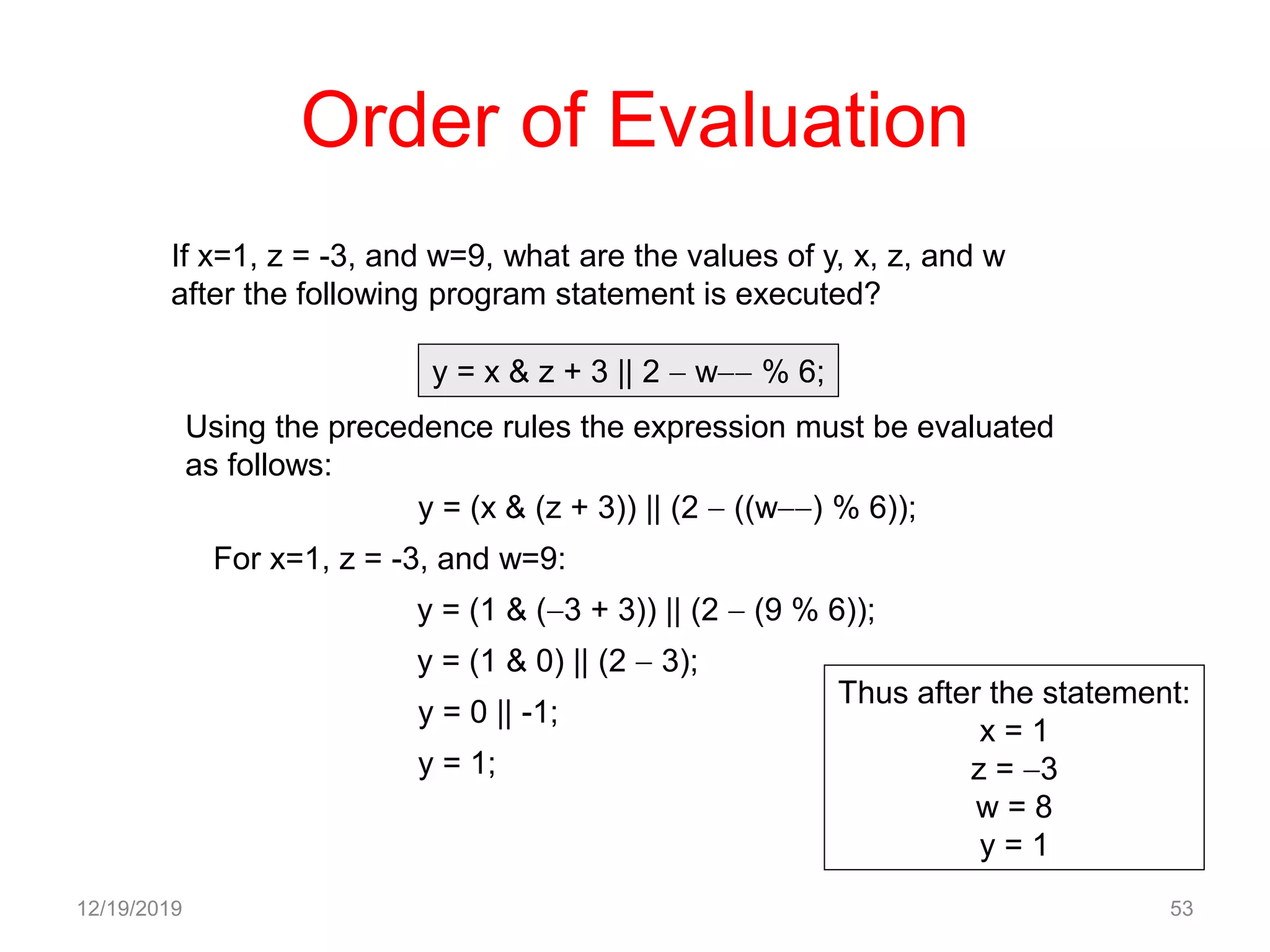
Order of Evaluation
12/19/2019 53
If x=1, z = -3, and w=9, what are the values of y, x, z, and w
after the following program statement is executed?
y = x & z + 3 || 2  w % 6;
Using the precedence rules the expression must be evaluated
as follows:
y = (x & (z + 3)) || (2  ((w) % 6));
y = (1 & (3 + 3)) || (2  (9 % 6));
For x=1, z = -3, and w=9:
y = (1 & 0) || (2  3);
y = 0 || -1;
y = 1;
Thus after the statement:
x = 1
z = 3
w = 8
y = 1
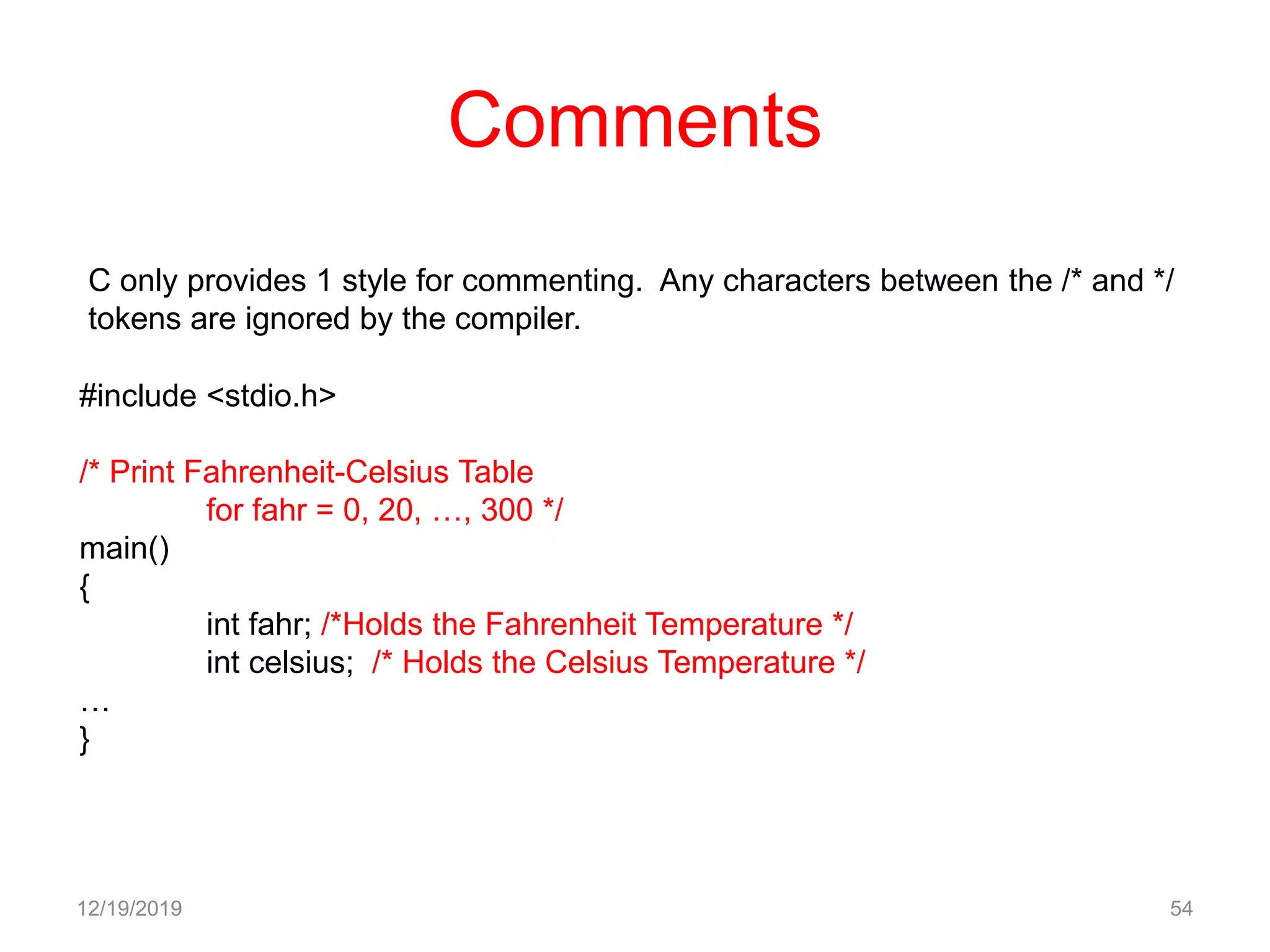
Comments
12/19/2019 54
C only provides 1 style for commenting. Any characters between the /* and */
tokens are ignored by the compiler.
#include <stdio.h>
/* Print Fahrenheit-Celsius Table
for fahr = 0, 20, …, 300 */
main()
{
int fahr; /*Holds the Fahrenheit Temperature */
int celsius; /* Holds the Celsius Temperature */
…
}
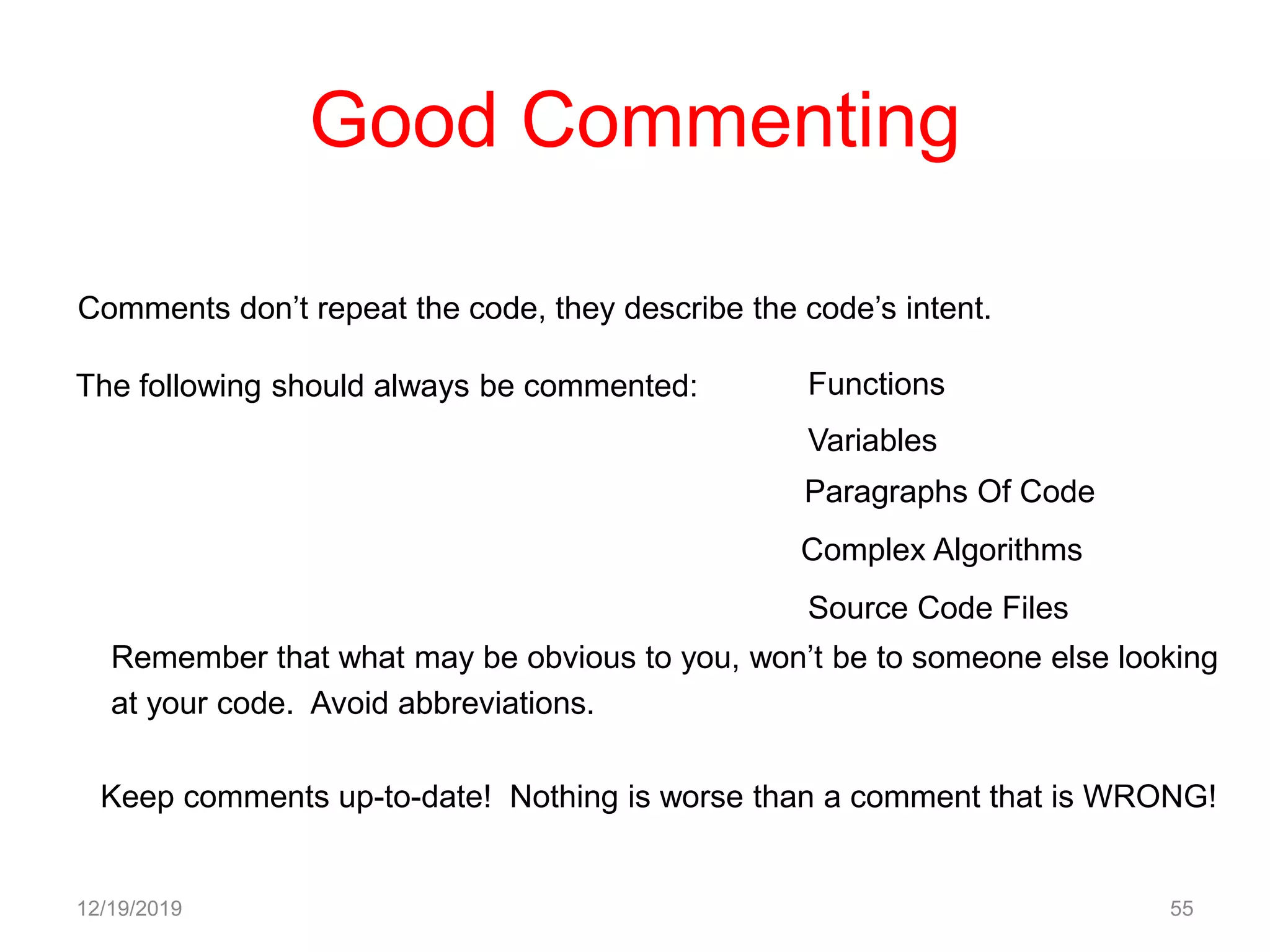
Good Commenting
12/19/2019 55
Comments don’t repeat the code, they describe the code’s intent.
The following should always be commented: Functions
Variables
Paragraphs Of Code
Complex Algorithms
Source Code Files
Remember that what may be obvious to you, won’t be to someone else looking
at your code. Avoid abbreviations.
Keep comments up-to-date! Nothing is worse than a comment that is WRONG!
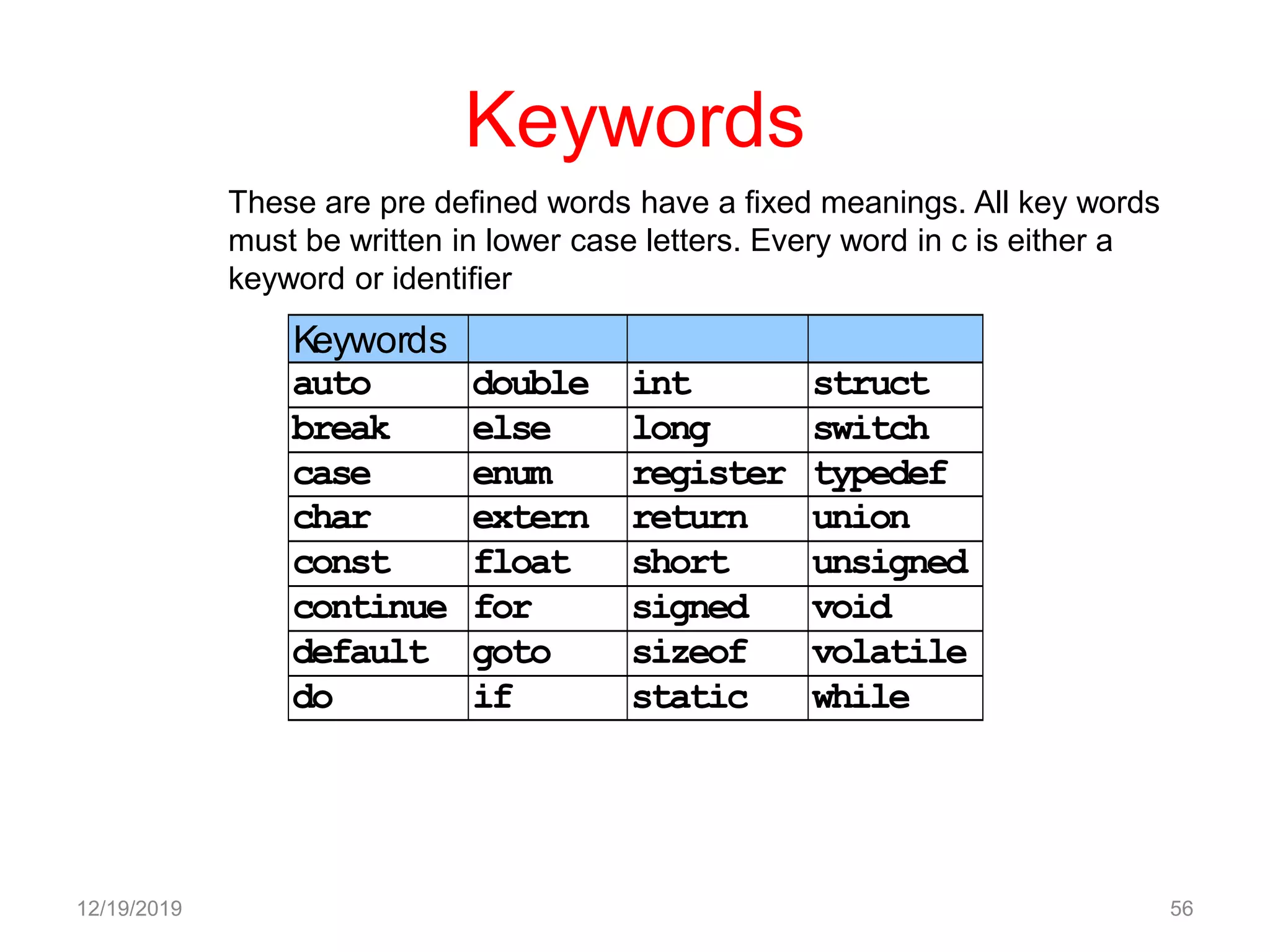
Keywords
Keywords
auto double int struct
break else long switch
case enum register typedef
char extern return union
const float short unsigned
continue for signed void
default goto sizeof volatile
do if static while
12/19/2019 56
These are pre defined words have a fixed meanings. All key words
must be written in lower case letters. Every word in c is either a
keyword or identifier

Introduction To C

  • 1.
    C Programming Language By DrG.Shyama Chandra Prasad Matrusri Engineering College
  • 2.
    12/19/2019 2  Language Alphabet  Program
  • 3.
    History of C C 1.Evolvedby Ritchie from two previous programming languages, BCPL and B 2.Used to develop UNIX 3.Used to write modern operating systems 4.Hardware independent (portable) 5.By late 1970's C had evolved to "Traditional C" Standardization 1.Many slight variations of C existed, and were incompatible 2.Committee formed to create a "unambiguous, machine- independent" definition 3.Standard created in 1989, updated in 1999 12/19/2019 3
  • 4.
    Why Learn C? 12/19/20194 C code is fast (Faster than C++). C is lower level than C++. It is generally seen as one step up from assembl language. C is a procedural language. Fairly portable Faster development compared with assembly language Much easier to read compared to assembly language
  • 5.
    Feature of CProgram 1. Every c program requires a main() function 2. The execution of a function begins at ( and ends t ) 3. Programs should written in lowercase and uppercase are used for defining symbolic constants. 4. All the words in a program line must be separated from other by at least one space or tab or punctuation mark. 5. Every statement must ends with a semi colon. 6. C is a free form language a=b; a=b+1; can be written in one line as a=b; a=b+1; 12/19/2019 5
  • 6.
    Feature of CLanguage 1. Procedural language 1.It enables the user (= the programmer) to create new instructions (procedures) from existing ones. 2.Instead of re-writing the same code over and over again, write it once and call it when needed. 2. Structured programming (1960s) 1.Disciplined approach to writing programs 2.Clear, easy to test and debug and easy to modify E.g.Pascal:1971: Niklaus Wirth 3. Multitasking Specifying that many activities run in parallel 12/19/2019 6
  • 7.
    Feature of CLanguage 4.Not Strongly Typed 5.System Programming Language 6.General Purpose Programming Language 7.Protable 12/19/2019 7
  • 8.
    Character Set The Characterset in C are grouped into 1.Letters A,B,C…….Z; a, b, c ……z. 2.Digits 0,1,2……..9. 3.Special characters @,#,$,^………….etc 4.White Spaces 12/19/2019 8 'n' for new line 't' for horizontal tabulator 'v ' for vertical tabulator ‘0‘ Null character ‘b’ Blank Space
  • 9.
    Basics of aTypical C Program Development Environment 12/19/2019 9 • Phases of C Programs: 1. Edit 2. Preprocess 3. Compile 4. Link 5. Load 6. Execute Program is created in the editor and stored on disk. Preprocessor program processes the code. Loader puts program in memory. CPUtakes each instruction and executes it, possibly storing new data values as the program executes. Compiler creates object code and stores it on disk. Linker links the object code with the libraries Loader Primary Memory Compiler Editor Preprocessor Linker Primary Memory . . . . . . . . . . Disk Disk Disk CPU Disk Disk
  • 10.
    C Tokens Smallest individualunits in c programming known as Tokens 1.Keywords 2.identifiers 3.Constants 4.Strings 5.Special Symbols 6.Operators 12/19/2019 10
  • 11.
    Key words These arepre defined words have a fixed meanings. All key words must be written in lower case letters. Every word in c is either a keyword or identifier Auto break case char const char continue default do double else enum extern float for goto if int long register return short signed sizeof static struct switch typedef union unsigned void volatile while 12/19/2019 11
  • 12.
    Identifiers  Identifier refersto the names of variables ,functions ,and arrays.  Upper case and lower case letters are permited,but commonly lowercase letters we used.  It consists of letters and digits with letter as a first character.  Underscore also used as first letter 12/19/2019 12
  • 13.
    Constants Constants in Crefer to fixed values do not change during the execution of the program. Integer constant: It refer to a sequence of digits, 0 through 9 preceded by - or +. Ex: 149, -980, +45. Real constants: the quantities which are represented by numbers containing fractional part. Ex:0.78, 2.45. It is also represented in exponential notation Ex: the value 4356.78 can represented as 4.35678e3. Single character constant: It contains a character enclosed within a pair of single quote marks. Ex: '2' , 'a' . String constant: It is a sequence of characters enclosed in double quotes. Ex: "india" , "2*3", "n". Back slash character constant (Escape sequences): 'n' for new line 't' for horizontal tabulator 'v ' for vertical tabulator '0' Null character. 12/19/2019 13
  • 14.
    Constants (Cont.) Integer Constants 1.Decimal 2.Octal(Leading with 0) 3.HexaDecimal(Leading with 0x/oX) Embedded spaces ,commas,nondigit characters are not permitted 12/19/2019 14
  • 15.
    Data Types Data typesize range int 2 bytes -32,768 to 32,767 char 1 byte -128 to 128 float 4 bytes 3.4e-38 to 3.4e+38 double 8 bytes -1.7e-308 to1.7e+308 12/19/2019 15
  • 16.
    Variables It is adata name that may be used to store value. Variable name may consist of letters ,digits, underscore(_) characters subject to the following conditions:  Variable must begin with letter.  Variable name should not be more than 8 characters.  Upper case and Lower case are significant.  Variable name should not be key word.  White space is not allowed. 12/19/2019 16
  • 17.
    Memory • How doesmemory look like ? – A list of storage locations, each having a unique address – Variables and constants are stored in these storage locations. – A variable is like a house. The name of the variable is the address of the house. 12/19/2019 17
  • 18.
  • 19.
    Memory Map 12/19/2019 19 Everyvariable is mapped to a particular memory address 0000 0001 8000 800 1800 2 C 32
  • 20.
    Variables in Memory 12/19/201920 Instruction executed Memory location allocated to a variable X T i m e X = 10 10X = 20 X = X +1 X = X*5
  • 21.
    Variables in Memory 12/19/201921 Instruction executed Memory location allocated to a variable X T i m e X = 10 20X = 20 X = X +1 X = X*5
  • 22.
    Variables in Memory 12/19/201922 Instruction executed Memory location allocated to a variable X T i m e X = 10 21X = 20 X = X +1 X = X*5
  • 23.
    Variables in Memory 12/19/201923 Instruction executed Memory location allocated to a variable X T i m e X = 10 105X = 20 X = X +1 X = X*5
  • 24.
  • 25.
  • 26.
  • 27.
  • 28.
    Declaration of variables Declarationtells to the compiler variable name with specifying data type. a) Primary type : Syntax : data-type variable1,variable2,……..variable n; Ex : float marks; b) User defined type : C supports a feature known as type definition that allows user to define an identifier. Syntax : typedef data-type identifier; Ex: typedef int units; c) Enumerated data type: It contains enumeration constants represented by identifiers. Syntax: enum identifier { value 1,value 2,…..value n}; Ex: enum day { Monday, Tuesday,……Sunday}; d) Declaring variable as constant: The value of variable can be made to remain constant. syntax: const data-type variable = value; Ex : const int max = 40; e) Declaring variable as volatile :The value of variable may be changed by some external reasons from out side. Syntax : volatile data-type variable; Ex : volatile int date ; 12/19/2019 28
  • 29.
    Declaration of StorageClasses Automatic variable: Local variable known to only to the function in which is declared default is auto . syntax : auto data-type variable; Ex : auto int number; Extern variables: Global variable known to all functions in the file. It is used to crossing files. Syntax: extern data-type variable; Ex: extern int number; Static variables: Local variable, which exists and retains its value even after the control is transferred to the calling function. Syntax : static data-type variable; Ex : static int x; Register variables: Local variable, which is stored in the CPU register. It is fast access variable. Syntax : register data-type variable; Ex : register int x; 12/19/2019 29
  • 30.
    Value can beassigned to variables using the assignment operator. Syntax : data-type variable-name =constant; Ex: int units =123; Multiple assigning : Ex: x = y= z = max; Type casting: C allows, if the operation are of different it types the lower type is converted to the higher type to before operation proceed. Syntax : (type-name) expression/value; Ex: x = (int) 7.5 result = 7 Abstract data type: It is a tool which specifies the logical properties of a data type . Syntax: abstract typedef < integer , integer > RATIONAL Defining symbolic constants: This is useful when a constant will be used number of places in a program. # define symbolic-name value Ex : #define MAX 100 # define PI 3.14159 12/19/2019 30 Assigning values to variables
  • 31.
    Operators Operator is asymbol that tells the computer to perform certain mathematical or logical manipulations. Expressions operators along with the variables or operands is said to be expressions. 1.Arithemetic Operators 2.Relational Operators 3.Logical Operators 4.Assignment Operators 5.Increment & Decrement Operators 6.Conditional Operators 7.Bitwise Operators 8.Special Operators 12/19/2019 31
  • 32.
    1.Arithmetic Operators  Arithmeticcalculations -Use * for multiplication and / for division -Integer division truncates remainder -7 / 5 evaluates to 1 -Modulus operator(%) returns the remainder -7 % 5 evaluates to 2  Operator precedence -Some arithmetic operators act before others (i.e., multiplication before addition) -Use parenthesis when needed -Example: Find the average of three variables a, b and c -Do not use: a + b + c / 3 -Use: (a + b + c ) / 3 12/19/2019 32
  • 33.
    1.Arithmetic Operators Arithmetic operators: Rulesof operator precedence: 12/19/2019 33 C operation Arithmetic operator Algebraic expression C expression Addition + f + 7 f + 7 Subtraction - p – c p - c Multiplication * bm b * m Division / x / y x / y Modulus % r mod s r % s Operator(s) Operation(s) Order of evaluation (precedence) () Parentheses Evaluated first. If the parentheses are nested, the expression in the innermost pair is evaluated first. If there are several pairs of parentheses “on the same level” (i.e., not nested), they are evaluated left to right. *, /, or % Multiplication,Divi sion, Modulus Evaluated second. If there are several, they are evaluated left to right. + or - Addition Subtraction Evaluated last. If there are several, they are evaluated left to right.
  • 34.
    Operators (Cont.) 12/19/2019 34 Arithmeticoperators (examples): +,-,*,/,% 1.% Operator cannot be used on floating point data 2.C does not have operator for exponential 3.Integer division both operands are of the same sign the result is truncate ,if one is negative result machine independent. 4.Modulo division sign of result= sign of first operand. distance = rate * time; netIncome = income - taxesPaid; fuelEconomy = mileTraveled / fuelConsumed; area = 3.14159 * radius * radius; y = a*x*x + b*x + c C has an integer division (/) and a modulus (%) operator: z = x / y; /* If x and y are integers, the result is the integral portion: e.g., 7/2 = 3 */ z = x % y; /* The result is x mod y, e.g., 7 % 2 = 1 */
  • 35.
    2.Relational Operators Standard algebraic equalityoperator or relational operator C equality or relational operator Example of C condition Meaning of C condition Equality Operators = == x == y x is equal to y not = != x != y x is not equal to y Relational Operators > > x > y x is greater than y < < x < y x is less than y >= >= x >= y x is greater than or equal to y <= <= x <= y x is less than or equal to y 12/19/2019 35
  • 36.
    3. Logical Operators •&& ( logical AND ) – Returns true if both conditions are true • || ( logical OR ) – Returns true if either of its conditions are true • ! ( logical NOT, logical negation ) – Reverses the truth/falsity of its condition – Unary operator, has one operand • Useful as conditions in loops Expression Result true && false false true || false true !false true 12/19/2019 36
  • 37.
    Confusing Equality (==)and Assignment (=) Operatorsa • Dangerous error – Does not ordinarily cause syntax errors – Any expression that produces a value can be used in control structures – Nonzero values are true, zero values are false – Example using ==: if ( payCode == 4 ) printf( "You get a bonus!n" ); • Checks paycode, if it is 4 then a bonus is awarded 12/19/2019 37
  • 38.
    Confusing Equality (==)and Assignment (=) Operators – Example, replacing == with =: if ( payCode = 4 ) printf( "You get a bonus!n" ); • This sets paycode to 4 • 4 is nonzero, so expression is true, and bonus awarded no matter what the paycode was – Logic error, not a syntax error 12/19/2019 38
  • 39.
    Confusing Equality (==)and Assignment (=) Operators • lvalues – Expressions that can appear on the left side of an equation – Their values can be changed, such as variable names • x = 4; • rvalues – Expressions that can only appear on the right side of an equation – Constants, such as numbers • Cannot write 4 = x; • Must write x = 4; – lvalues can be used as rvalues, but not vice versa • y = x; 12/19/2019 39
  • 40.
    12/19/2019 40 = (assignmentoperator)  Assigns a value to a variable  Is a binary operator (has two operands) sum = variable1 + variable2; sum gets variable1 + variable2;  Variable receiving value on left 4.Assignment Operators
  • 41.
    Assignment Operators • Assignmentoperators abbreviate assignment expressions c = c + 3; can be abbreviated as c += 3; using the addition assignment operator • Statements of the form variable = variable operator expression; can be rewritten as variable operator= expression; • Examples of other assignment operators: d -= 4 (d = d - 4) e *= 5 (e = e * 5) f /= 3 (f = f / 3) g %= 9 (g = g % 9) 12/19/2019 41
  • 42.
    5.Increment and DecrementOperators • Increment operator (++) – Can be used instead of c+=1 • Decrement operator (--) – Can be used instead of c-=1 • Preincrement – Operator is used before the variable (++c or --c) – Variable is changed before the expression it is in is evaluated • Postincrement – Operator is used after the variable (c++ or c--) – Expression executes before the variable is changed 12/19/2019 42
  • 43.
    5.Increment and DecrementOperators • If c equals 5, then printf( "%d", ++c ); – Prints 6 printf( "%d", c++ ); – Prints 5 – In either case, c now has the value of 6 • When variable not in an expression – Preincrementing and postincrementing have the same effect ++c; printf( “%d”, c ); – Has the same effect as c++; printf( “%d”, c ); 12/19/2019 43
  • 44.
    7.Bitwise Operators 12/19/2019 44 Bitwiseoperators: Operator Example Symbol Operation Usage ~ bitwise NOT ~x << left shift x << y >> right shift x >> y & bitwise AND x & y ^ bitwise XOR x ^ y | bitwise OR x | y h = ~f | ~g; /* bitwise operators */ h = !f && !g; /* logical operators */ h = f ^ g; /* bitwise XOR */ h = 29 || -52; /* logical OR */
  • 45.
    Special Operators inC 12/19/2019 45 Operator Example Symbol Operation Usage ++ increment (postfix) x++  decrement (postfix) x ++ increment (prefix) ++x  decrement (prefix) x += add and assign x += y = subtract and assign x = y *= multiply and assign x *= y /= divide and assign x /= y %= modulus and assign x %= y &= “and” and assign x &= y |= or and assign x |= y ^= xor and assign x ^= y <<= left-shift and assign x <<= y >>= right-shift and assign x >>= y Special operators:
  • 46.
    6.C Special Conditional Expression 12/19/201946 b c a x 1 0 Logical Diagram of a MUX x = a ? b : c; C Conditional Expression if(a) x = b; else x = c; Alternative code for the C Conditional Expression
  • 47.
    Associativity and Precedence Rules 12/19/201947 Precedence Group Associativity Operator 1 l to r function call () [ ] . > 2 r to l postfix ++ postfix  3 r to l prefix  postix ++ 4 r to l indirection * address & unary + unary  ~ ! sizeof 5 r to l cast (type) 6 l to r multiply * / % 7 l to r +  8 l to r << >> 9 l to r < > <= >= 10 l to r == != 11 l to r & 12 l to r ^ 13 l to r | 14 l to r && 15 l to r || 16 l to r ?: 17 r to l = += -= *= etc. 18 l to r ,(comma operator)
  • 48.
    Order of Evaluation 12/19/201948 y = x & z + 3 || 2  w % 6; In order to evaluate this expression correctly, we need to know what is the rules for operator precedence and associativity in C. If x = 1, z = -3, and w = 9, what are the values of w, x, y, and z after the following program statement is executed?
  • 49.
    12/19/2019 49 Precedence Group AssociativityOperator 1 l to r function call () [ ] . > 2 r to l postfix ++ postfix  3 r to l prefix  postix ++ 4 r to l indirection * address & unary + unary  ~ ! sizeof 5 r to l cast (type) 6 l to r multiply * / % 7 l to r +  8 l to r << >> 9 l to r < > <= >= 10 l to r == != 11 l to r & 12 l to r ^ 13 l to r | 14 l to r && 15 l to r || 16 l to r ?: 17 r to l = += -= *= etc. y = x & z + 3 || 2  ((w) % 6);
  • 50.
    12/19/2019 50 Precedence Group AssociativityOperator 1 l to r function call () [ ] . > 2 r to l postfix ++ postfix  3 r to l prefix  postix ++ 4 r to l indirection * address & unary + unary  ~ ! sizeof 5 r to l cast (type) 6 l to r multiply * / % 7 l to r +  8 l to r << >> 9 l to r < > <= >= 10 l to r == != 11 l to r & 12 l to r ^ 13 l to r | 14 l to r && 15 l to r || 16 l to r ?: 17 r to l = += -= *= etc. y = x & (z + 3) || (2  ((w) % 6));
  • 51.
    12/19/2019 51 Precedence Group AssociativityOperator 1 l to r function call () [ ] . > 2 r to l postfix ++ postfix  3 r to l prefix  postix ++ 4 r to l indirection * address & unary + unary  ~ ! sizeof 5 r to l cast (type) 6 l to r multiply * / % 7 l to r +  8 l to r << >> 9 l to r < > <= >= 10 l to r == != 11 l to r & 12 l to r ^ 13 l to r | 14 l to r && 15 l to r || 16 l to r ?: 17 r to l = += -= *= etc. y = (x & (z + 3)) || (2  ((w) % 6));
  • 52.
    12/19/2019 52 Precedence Group AssociativityOperator 1 l to r function call () [ ] . > 2 r to l postfix ++ postfix  3 r to l prefix  postix ++ 4 r to l indirection * address & unary + unary  ~ ! sizeof 5 r to l cast (type) 6 l to r multiply * / % 7 l to r +  8 l to r << >> 9 l to r < > <= >= 10 l to r == != 11 l to r & 12 l to r ^ 13 l to r | 14 l to r && 15 l to r || 16 l to r ?: 17 r to l = += -= *= etc. y = x & z + 3 || 2  (w) % 6;
  • 53.
    Order of Evaluation 12/19/201953 If x=1, z = -3, and w=9, what are the values of y, x, z, and w after the following program statement is executed? y = x & z + 3 || 2  w % 6; Using the precedence rules the expression must be evaluated as follows: y = (x & (z + 3)) || (2  ((w) % 6)); y = (1 & (3 + 3)) || (2  (9 % 6)); For x=1, z = -3, and w=9: y = (1 & 0) || (2  3); y = 0 || -1; y = 1; Thus after the statement: x = 1 z = 3 w = 8 y = 1
  • 54.
    Comments 12/19/2019 54 C onlyprovides 1 style for commenting. Any characters between the /* and */ tokens are ignored by the compiler. #include <stdio.h> /* Print Fahrenheit-Celsius Table for fahr = 0, 20, …, 300 */ main() { int fahr; /*Holds the Fahrenheit Temperature */ int celsius; /* Holds the Celsius Temperature */ … }
  • 55.
    Good Commenting 12/19/2019 55 Commentsdon’t repeat the code, they describe the code’s intent. The following should always be commented: Functions Variables Paragraphs Of Code Complex Algorithms Source Code Files Remember that what may be obvious to you, won’t be to someone else looking at your code. Avoid abbreviations. Keep comments up-to-date! Nothing is worse than a comment that is WRONG!
  • 56.
    Keywords Keywords auto double intstruct break else long switch case enum register typedef char extern return union const float short unsigned continue for signed void default goto sizeof volatile do if static while 12/19/2019 56 These are pre defined words have a fixed meanings. All key words must be written in lower case letters. Every word in c is either a keyword or identifier