Towards Inbox Zero:
Being ultraproductive
Jussi Roine, Chief SharePoint Architect
Onsight Helsinki
Organizers
#ProductivityDay
Jussi Roine
 Architect, trusted advisor, mojito enthusiast
 Microsoft Certified Master: SharePoint 2010
 Microsoft Certified Solutions Master: SharePoint
 Microsoft Certified Trainer
 Certified Scrum Master
 SharePoint User Group Finland Community Lead
jussi@onsight.fi
About.me/jussiroine
Training and solutions
for Microsoft
technologies
http://onsight.fi
Best talent in Finland
for all Microsoft
solutions
http://names.fi
So, you might wonder why I’ve
gathered you here today..
What’s Inbox Zero? Why should I care?
Achieving Inbox Zero
Feeling busy, being busy or being
productive?
Productivity tools of today
#ProductivityDay
”Lunch was bad”
(actual feedback I’ve received)
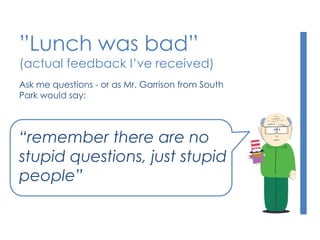
Ask me questions - or as Mr. Garrison from South
Park would say:
“remember there are no
stupid questions, just stupid
people”
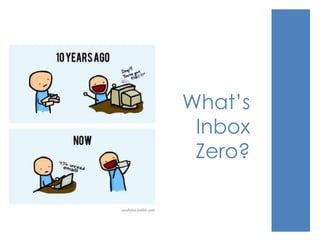
What’s
Inbox
Zero?
The Problem
 Email overload is a real issue
 It’s not just email: It’s instant messaging, calendar
invitations, alerts, notifications..
 Part of the problem is the fear of missing out –
and being available 24/7
 Digital detox, Tech Sabbath and other cute
names
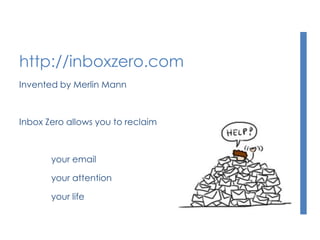
http://inboxzero.com
Invented by Merlin Mann
Inbox Zero allows you to reclaim
your email
your attention
your life
The idea
Inbox Zero is a very simple concept
0 emails in your inbox
That’s it. Thank you.
(You may now go home)
How it works
Some messages are more equal than others
Your time is priceless – and very limited
Lose the guilt – you are not the only one fighting with email
overflow
Stop checking on emails constantly
Just do it.
How it works
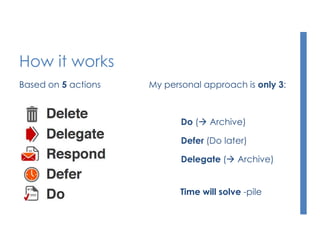
Based on 5 actions My personal approach is only 3:
Do ( Archive)
Defer (Do later)
Delegate ( Archive)
Time will solve -pile
But, wait.. No, it’s not that easy!
 Why not? What’s stopping you?
 Some common excuses:
”My Inbox is perfectly fine with 13985 emails..”
”I get so many emails that I’m too busy to sort them out”
”I need to be included in all email communications”
”I’m on so many distribution lists that I simply cannot
control my Inbox”
It’s about prioritizing things
 On average Finnish people watch tv for 3 hours
and 3 mins a day
 Source: Finnpanel (2012)
 That’s about 21 hours a week
 There’s 168 hours in a week, or about 115 hours a
week for yourself
 In essence, people spend about 18% of their
wake-up time watching TV...
 I’ll let that sink in :-)
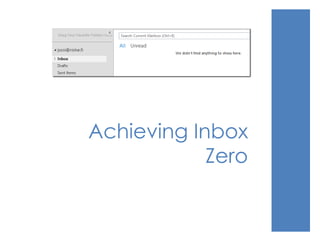
Achieving Inbox
Zero
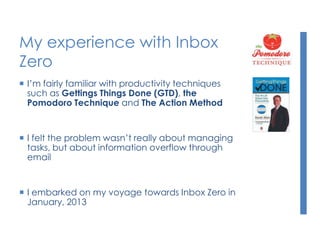
My experience with Inbox
Zero
 I’m fairly familiar with productivity techniques
such as Gettings Things Done (GTD), the
Pomodoro Technique and The Action Method
 I felt the problem wasn’t really about managing
tasks, but about information overflow through
email
 I embarked on my voyage towards Inbox Zero in
January, 2013
Getting to Inbox Zero
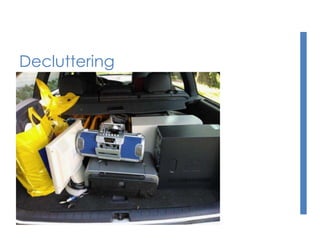
 I’m super-efficient in decluttering my life
 Less stuff is actually more
 It took me one weekend to achieve Inbox
Zero for all of my email inboxes (3)
 It wasn’t really that hard – just add
persistence, some good Argentinian wine
and a mojito, and music, and a mojito.
Add mojitos when necessary.
 It’s a decision and once you get
started, it’s actually fairly easy to stick to
Decluttering
Findings from Inbox Zero
 Don’t read emails during the weekend – it just effin sucks!
 Actually, don’t work during the weekends
 Switch email to manual sync on your mobile devices
 Close Outlook. Really, just ALT-F4 that attention wh.. seeker
 Email is important but I’ve switched to using plain-old phone
calls and actually seeing people face to face.
 I know, I’m a trendsetter..
What now?
 It’s been about 5 months of Inbox Zero for me
 I’m happier than ever!
 I blogged about my experience in January
http://bit.ly/V0Rtbm (in Finnish)
 I came up with 3 short rules for managing your
time with email http://bit.ly/12YhkW2
 Don’t assume, Don’t forward, Don’t argue
 I still haven’t ordered my Inbox Zero Nerd Badges
(hint for a Christmas present for me!)
Feeling busy, being
busy, or being
productive?
The difference
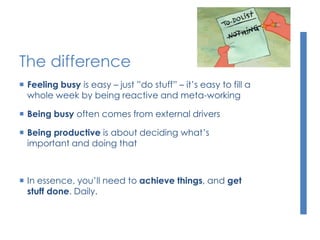
 Feeling busy is easy – just ”do stuff” – it’s easy to fill a
whole week by being reactive and meta-working
 Being busy often comes from external drivers
 Being productive is about deciding what’s
important and doing that
 In essence, you’ll need to achieve things, and get
stuff done. Daily.
My daily routine
 Every morning I write 3 things down I need to
achieve during the day
 When I’ve accomplished those 3 things I can
 Leave work
or
 Continue working on other stuff
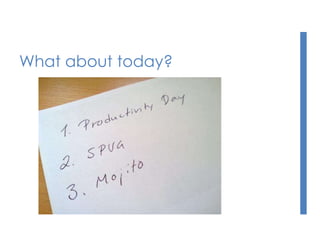
What about today?
My daily routine
 I try to be at the office before 8am and leave the
office 4.30pm the latest – I aim for 100% load
 I don’t do breaks
 I resume working – if I feel like it – at ~8pm
 I used to work during the weekends but not anymore
 I don’t really care how many hours I do since
essentially, I don’t want to be measured by
hours, I want to be measured by what I can
deliver
 I care how much stuff I get done
Grand Canyon.. with a helicopter
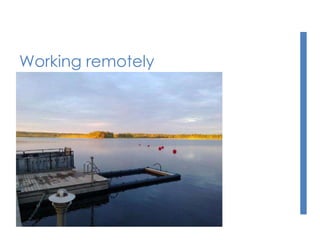
Working remotely
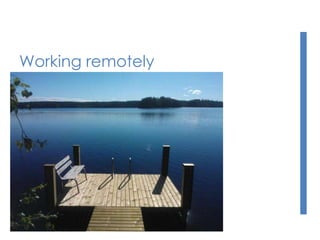
Working remotely
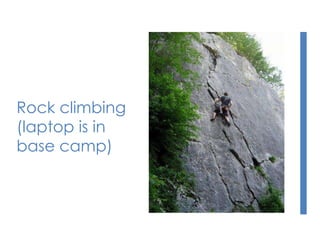
Rock climbing
(laptop is in
base camp)
In the hammock
Productivity tools
of today
Hey, where’s the SharePoint
angle here?
 Damn, I thought you’d forget that by now!
 But I did promise..
 SharePoint = Productivity, if you choose to use it
like it was designed to be used
 Otherwise, SharePoint is a huge time waster
The essentials
 SharePoint 2013 revolves around social –
Newsfeed, Yammer, Follow and Personal Site
 Start simple, grow from there
 Site Mailbox and Work Management are good
but contained and somewhat complex to set up
 Less is more, keep it simple
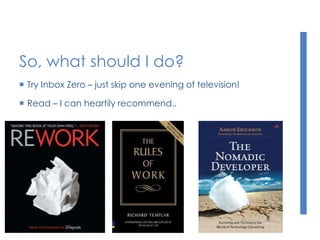
So, what should I do?
 Try Inbox Zero – just skip one evening of television!
 Read – I can heartily recommend..
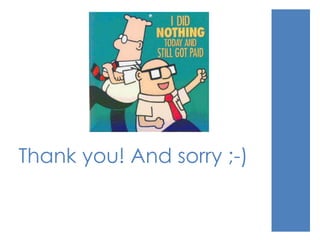
Thank you! And sorry ;-)

Productivity day 2013 towards zero inbox

  • 1.
    Towards Inbox Zero: Beingultraproductive Jussi Roine, Chief SharePoint Architect Onsight Helsinki
  • 2.
  • 3.
    Jussi Roine  Architect,trusted advisor, mojito enthusiast  Microsoft Certified Master: SharePoint 2010  Microsoft Certified Solutions Master: SharePoint  Microsoft Certified Trainer  Certified Scrum Master  SharePoint User Group Finland Community Lead jussi@onsight.fi About.me/jussiroine
  • 4.
    Training and solutions forMicrosoft technologies http://onsight.fi Best talent in Finland for all Microsoft solutions http://names.fi
  • 5.
    So, you mightwonder why I’ve gathered you here today.. What’s Inbox Zero? Why should I care? Achieving Inbox Zero Feeling busy, being busy or being productive? Productivity tools of today #ProductivityDay
  • 6.
    ”Lunch was bad” (actualfeedback I’ve received) Ask me questions - or as Mr. Garrison from South Park would say: “remember there are no stupid questions, just stupid people”
  • 7.
  • 8.
    The Problem  Emailoverload is a real issue  It’s not just email: It’s instant messaging, calendar invitations, alerts, notifications..  Part of the problem is the fear of missing out – and being available 24/7  Digital detox, Tech Sabbath and other cute names
  • 9.
    http://inboxzero.com Invented by MerlinMann Inbox Zero allows you to reclaim your email your attention your life
  • 10.
    The idea Inbox Zerois a very simple concept 0 emails in your inbox That’s it. Thank you. (You may now go home)
  • 11.
    How it works Somemessages are more equal than others Your time is priceless – and very limited Lose the guilt – you are not the only one fighting with email overflow Stop checking on emails constantly Just do it.
  • 12.
    How it works Basedon 5 actions My personal approach is only 3: Do ( Archive) Defer (Do later) Delegate ( Archive) Time will solve -pile
  • 13.
    But, wait.. No,it’s not that easy!  Why not? What’s stopping you?  Some common excuses: ”My Inbox is perfectly fine with 13985 emails..” ”I get so many emails that I’m too busy to sort them out” ”I need to be included in all email communications” ”I’m on so many distribution lists that I simply cannot control my Inbox”
  • 14.
    It’s about prioritizingthings  On average Finnish people watch tv for 3 hours and 3 mins a day  Source: Finnpanel (2012)  That’s about 21 hours a week  There’s 168 hours in a week, or about 115 hours a week for yourself  In essence, people spend about 18% of their wake-up time watching TV...  I’ll let that sink in :-)
  • 15.
  • 16.
    My experience withInbox Zero  I’m fairly familiar with productivity techniques such as Gettings Things Done (GTD), the Pomodoro Technique and The Action Method  I felt the problem wasn’t really about managing tasks, but about information overflow through email  I embarked on my voyage towards Inbox Zero in January, 2013
  • 17.
    Getting to InboxZero  I’m super-efficient in decluttering my life  Less stuff is actually more  It took me one weekend to achieve Inbox Zero for all of my email inboxes (3)  It wasn’t really that hard – just add persistence, some good Argentinian wine and a mojito, and music, and a mojito. Add mojitos when necessary.  It’s a decision and once you get started, it’s actually fairly easy to stick to
  • 18.
  • 19.
    Findings from InboxZero  Don’t read emails during the weekend – it just effin sucks!  Actually, don’t work during the weekends  Switch email to manual sync on your mobile devices  Close Outlook. Really, just ALT-F4 that attention wh.. seeker  Email is important but I’ve switched to using plain-old phone calls and actually seeing people face to face.  I know, I’m a trendsetter..
  • 20.
    What now?  It’sbeen about 5 months of Inbox Zero for me  I’m happier than ever!  I blogged about my experience in January http://bit.ly/V0Rtbm (in Finnish)  I came up with 3 short rules for managing your time with email http://bit.ly/12YhkW2  Don’t assume, Don’t forward, Don’t argue  I still haven’t ordered my Inbox Zero Nerd Badges (hint for a Christmas present for me!)
  • 21.
    Feeling busy, being busy,or being productive?
  • 22.
    The difference  Feelingbusy is easy – just ”do stuff” – it’s easy to fill a whole week by being reactive and meta-working  Being busy often comes from external drivers  Being productive is about deciding what’s important and doing that  In essence, you’ll need to achieve things, and get stuff done. Daily.
  • 23.
    My daily routine Every morning I write 3 things down I need to achieve during the day  When I’ve accomplished those 3 things I can  Leave work or  Continue working on other stuff
  • 24.
  • 25.
    My daily routine I try to be at the office before 8am and leave the office 4.30pm the latest – I aim for 100% load  I don’t do breaks  I resume working – if I feel like it – at ~8pm  I used to work during the weekends but not anymore  I don’t really care how many hours I do since essentially, I don’t want to be measured by hours, I want to be measured by what I can deliver  I care how much stuff I get done
  • 26.
    Grand Canyon.. witha helicopter
  • 27.
  • 28.
  • 29.
  • 30.
  • 31.
  • 32.
    Hey, where’s theSharePoint angle here?  Damn, I thought you’d forget that by now!  But I did promise..  SharePoint = Productivity, if you choose to use it like it was designed to be used  Otherwise, SharePoint is a huge time waster
  • 33.
    The essentials  SharePoint2013 revolves around social – Newsfeed, Yammer, Follow and Personal Site  Start simple, grow from there  Site Mailbox and Work Management are good but contained and somewhat complex to set up  Less is more, keep it simple
  • 34.
    So, what shouldI do?  Try Inbox Zero – just skip one evening of television!  Read – I can heartily recommend..
  • 35.
    Thank you! Andsorry ;-)