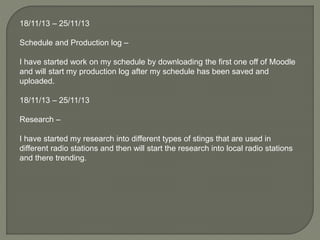
18/11/13 – 25/11/13
Schedule and Production log –
I have started work on my schedule by downloading the first one off of Moodle
and will start my production log after my schedule has been saved and
uploaded.
18/11/13 – 25/11/13
Research –
I have started my research into different types of stings that are used in
different radio stations and then will start the research into local radio stations
and there trending.
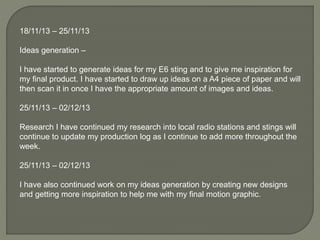
18/11/13 – 25/11/13
Ideas generation –
I have started to generate ideas for my E6 sting and to give me inspiration for
my final product. I have started to draw up ideas on a A4 piece of paper and will
then scan it in once I have the appropriate amount of images and ideas.
25/11/13 – 02/12/13
Research I have continued my research into local radio stations and stings will
continue to update my production log as I continue to add more throughout the
week.
25/11/13 – 02/12/13
I have also continued work on my ideas generation by creating new designs
and getting more inspiration to help me with my final motion graphic.
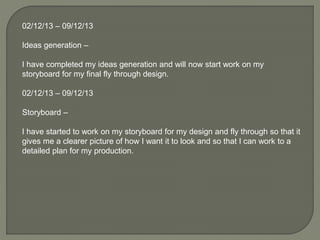
02/12/13 – 09/12/13
Ideas generation –
I have completed my ideas generation and will now start work on my
storyboard for my final fly through design.
02/12/13 – 09/12/13
Storyboard –
I have started to work on my storyboard for my design and fly through so that it
gives me a clearer picture of how I want it to look and so that I can work to a
detailed plan for my production.
02/12/13 – 09/12/13
Production –
Have started late into my production meaning I am behind for my work. Also I
have started to create the room for my fly through to take place in by creating
four very large walls I have given myself the initial room I will use for my fly
through.
09/12/13 – 16/12/13
Production –
I have continued work on my production by creating a levelled floor for my
chairs to be placed onto this is to give it the effect of my chairs having
stairways to get to like in a real cinema.
09/12/13 – 16/12/13
Production –
I have continued to work on my cinema room by creating the room where
projector will sit so that it can project my E6 logo onto. This room will be a lot
smaller than the cinema room because it will only need to hold the projector
inside it and a few other bits
I have created the projector and a shelf that will hold film reels on it. This was
to give the room more detail and more life.
I have also started work on the cinema chairs these chairs will be created in
many different parts and then placed together to create the final chair I will then
copy the chair and place it into the scene to show the cinema having a lot of
seats for people to sit in.
This was so that the chairs will bring more detail and make it seem like an
authentic and realistic cinema room.
16/12/13 – 23/12/13
Production –
I have started to create the cinema screen for my scene. This will be on a stage
and will be a simple design that will convey what a cinema screen looks like.
I have finished the screen and have now begun on lighting the scene. I have
decided to place dim lights in the scene because it is a cinema so I have
placed these lights in the corners of the cinema room and in the ceiling of the
projector room this is to give the effect of a cinema and so that it is authentic
and doesn’t cast to much light so that in the render it is to bright for the purpose
of the fly through.
I have also placed a bright light in the projecting part so that it gives the effect
that something is projecting onto it. This was so that when I would create the
final video the E6 logo will be shown off with a lot of light and so it isn’t to dim
so no one can see it.
23/12/13 – 30/12/13
Post-production –
I have now rendered and placed my video into premiere pro. I have increased
the frame rate when rendering so that it plays faster but it still doesn’t fit into
the 30 seconds that it has to be. So I have decided to cut out pieces from my
video to adjust and fit it into it. I decided to cut out parts that I will not need in
my video or parts where the video drags on for a few frames showing the
same thing.
I have now fit it into the thirty second gap and have now placed the sound bed
into my video.
30/12/13 – 06/01/14
Post production –
I have create single frame images that I need to place into the video these
frames are 5 numbers and the E6 logo followed by a fin logo these are in the
video to create that traditional cinema effect and so that I can show off the E6
logo which is the reason for the fly through I have fit these in so it plays whilst
the fly through is running.
06/01/14
Presentation
I have uploaded my final video of my finished fly through onto YouTube and on
my blog
06/01/14
I have started to work on my evaluation for the project and will have it finished by
the end of the week.
I have finished my evaluation and have uploaded it onto my blog with the rest on
my work.

Production log

  • 2.
    18/11/13 – 25/11/13 Scheduleand Production log – I have started work on my schedule by downloading the first one off of Moodle and will start my production log after my schedule has been saved and uploaded. 18/11/13 – 25/11/13 Research – I have started my research into different types of stings that are used in different radio stations and then will start the research into local radio stations and there trending.
  • 3.
    18/11/13 – 25/11/13 Ideasgeneration – I have started to generate ideas for my E6 sting and to give me inspiration for my final product. I have started to draw up ideas on a A4 piece of paper and will then scan it in once I have the appropriate amount of images and ideas. 25/11/13 – 02/12/13 Research I have continued my research into local radio stations and stings will continue to update my production log as I continue to add more throughout the week. 25/11/13 – 02/12/13 I have also continued work on my ideas generation by creating new designs and getting more inspiration to help me with my final motion graphic.
  • 4.
    02/12/13 – 09/12/13 Ideasgeneration – I have completed my ideas generation and will now start work on my storyboard for my final fly through design. 02/12/13 – 09/12/13 Storyboard – I have started to work on my storyboard for my design and fly through so that it gives me a clearer picture of how I want it to look and so that I can work to a detailed plan for my production.
  • 5.
    02/12/13 – 09/12/13 Production– Have started late into my production meaning I am behind for my work. Also I have started to create the room for my fly through to take place in by creating four very large walls I have given myself the initial room I will use for my fly through. 09/12/13 – 16/12/13 Production – I have continued work on my production by creating a levelled floor for my chairs to be placed onto this is to give it the effect of my chairs having stairways to get to like in a real cinema.
  • 6.
    09/12/13 – 16/12/13 Production– I have continued to work on my cinema room by creating the room where projector will sit so that it can project my E6 logo onto. This room will be a lot smaller than the cinema room because it will only need to hold the projector inside it and a few other bits I have created the projector and a shelf that will hold film reels on it. This was to give the room more detail and more life. I have also started work on the cinema chairs these chairs will be created in many different parts and then placed together to create the final chair I will then copy the chair and place it into the scene to show the cinema having a lot of seats for people to sit in. This was so that the chairs will bring more detail and make it seem like an authentic and realistic cinema room.
  • 7.
    16/12/13 – 23/12/13 Production– I have started to create the cinema screen for my scene. This will be on a stage and will be a simple design that will convey what a cinema screen looks like. I have finished the screen and have now begun on lighting the scene. I have decided to place dim lights in the scene because it is a cinema so I have placed these lights in the corners of the cinema room and in the ceiling of the projector room this is to give the effect of a cinema and so that it is authentic and doesn’t cast to much light so that in the render it is to bright for the purpose of the fly through. I have also placed a bright light in the projecting part so that it gives the effect that something is projecting onto it. This was so that when I would create the final video the E6 logo will be shown off with a lot of light and so it isn’t to dim so no one can see it.
  • 8.
    23/12/13 – 30/12/13 Post-production– I have now rendered and placed my video into premiere pro. I have increased the frame rate when rendering so that it plays faster but it still doesn’t fit into the 30 seconds that it has to be. So I have decided to cut out pieces from my video to adjust and fit it into it. I decided to cut out parts that I will not need in my video or parts where the video drags on for a few frames showing the same thing. I have now fit it into the thirty second gap and have now placed the sound bed into my video. 30/12/13 – 06/01/14 Post production – I have create single frame images that I need to place into the video these frames are 5 numbers and the E6 logo followed by a fin logo these are in the video to create that traditional cinema effect and so that I can show off the E6 logo which is the reason for the fly through I have fit these in so it plays whilst the fly through is running.
  • 9.
    06/01/14 Presentation I have uploadedmy final video of my finished fly through onto YouTube and on my blog 06/01/14 I have started to work on my evaluation for the project and will have it finished by the end of the week. I have finished my evaluation and have uploaded it onto my blog with the rest on my work.