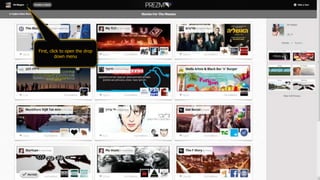
First, click to open the drop
down menu
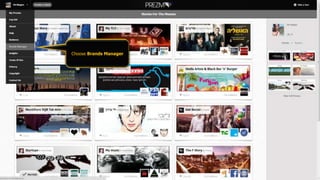
Choose Brands Manager
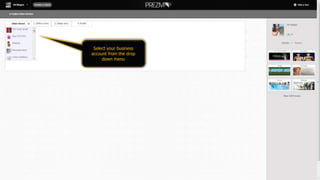
Select your business
account from the drop
down menu
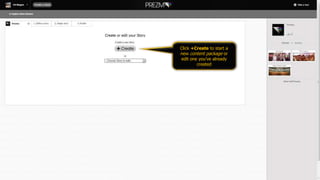
Click +Create to start a
new content package or
edit one you’ve already
created
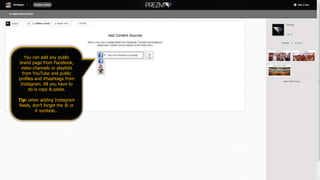
You can add any public
brand page from Facebook,
video channels or playlists
from YouTube and public
profiles and #hashtags from
Instagram. All you have to
do is copy & paste.
Tip: when adding Instagram
feeds, don’t forget the @ or
# symbols…
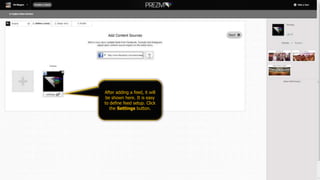
After adding a feed, it will
be shown here. It is easy
to define feed setup. Click
the Settings button.
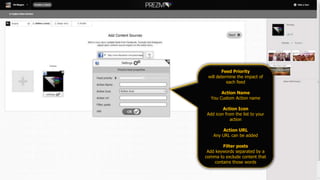
Feed Priority
will determine the impact of
each feed
Action Name
You Custom Action name
Action Icon
Add icon from the list to your
action
Action URL
Any URL can be added
Filter posts
Add keywords separated by a
comma to exclude content that
contains those words
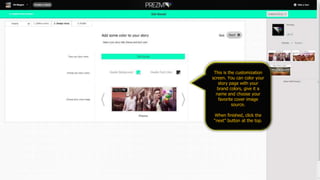
This is the customization
screen. You can color your
story page with your
brand colors, give it a
name and choose your
favorite cover image
source.
When finished, click the
“next” button at the top.
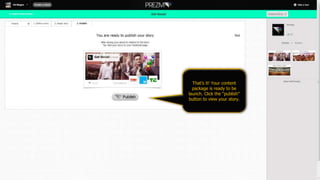
That’s it! Your content
package is ready to be
launch. Click the “publish”
button to view your story.
Prezma.com
Contact Us

Prezma - Brands Tutorial

  • 2.
    First, click toopen the drop down menu
  • 3.
  • 4.
    Select your business accountfrom the drop down menu
  • 5.
    Click +Create tostart a new content package or edit one you’ve already created
  • 6.
    You can addany public brand page from Facebook, video channels or playlists from YouTube and public profiles and #hashtags from Instagram. All you have to do is copy & paste. Tip: when adding Instagram feeds, don’t forget the @ or # symbols…
  • 7.
    After adding afeed, it will be shown here. It is easy to define feed setup. Click the Settings button.
  • 8.
    Feed Priority will determinethe impact of each feed Action Name You Custom Action name Action Icon Add icon from the list to your action Action URL Any URL can be added Filter posts Add keywords separated by a comma to exclude content that contains those words
  • 9.
    This is thecustomization screen. You can color your story page with your brand colors, give it a name and choose your favorite cover image source. When finished, click the “next” button at the top.
  • 10.
    That’s it! Yourcontent package is ready to be launch. Click the “publish” button to view your story.
  • 11.