How did you use media
technologies in the
construction and
research, planning and
evaluation stages?
List of media technology used:
• Blogger
• Adobe Photoshop
• Adobe Illustrator
• Premiere Pro
• Prezi
• Animoto
• SlideShare
• Youtube
• Safari
• Scribbless
• Social Network e.g. Facebook/Twitter
Blogger
Blogger was the main resource I used for
making and updating my blog. I decided to use
this as I think it is one of the most efficient
blogging websites, and I was familiar with it
after using it for the majority of last year.
Every time i had an update on my work, I made
sure to document it onto my blog, in order to
give the viewer a clear understanding of my
thought processes and progression. I made
sure to update my blog quite regularly, in
order to keep on top of my time management.
Adobe Photoshop
Photoshop is the program I used when making both my final ancillary
tasks; my poster and magazine front cover. I am very familiar with
Photoshop after using it during AS and in my other A-level subjects,
therefore I was very comfortable with using it for my final products
as I was confident they could be made as successful as possible. I
used the tools on Photoshop to my full creative ability, in order to
get the best outcome for my final products.
Adobe Illustrator
I wanted to use other creative software as well as Adobe Photoshop,
therefore I also used Adobe Illustrator. I am not as confident with
Adobe Illustrator as I am with Photoshop, therefore I only used it as a
one-off to make my institution logo, and left all the main work for
Photoshop.
Premiere Pro
Premiere Pro is the software I used to create my final film trailer.
After filming all my shots with the Canon Camera, I uploaded them
onto Premiere Pro in order to edit all of the shots to create the
finalized trailer. I didn’t make a moving image last year, therefore I
was fairly inexperienced with using premiere pro, however, by doing
my reconstruction tasks earlier in the academic year, I managed to
gain some practice experience.
Prezi
Prezi is an online software I used during my research and planning. I
like prezi because it is a fun way to present information, and is a very
effective alternative to just uploading text onto my blog, as it has a
lot of interesting visual transitions and effects; making it entertaining
to the viewer. I have used prezi a lot of times in the past, therefore I
was able to use it with a lot of ease to get some very effective
results.
Animoto
I used animoto a couple of times throughout my blog, but the first
time I used it was for my Pitch presentation earlier in the year. I knew
my peers would be giving me feedback for my pitch, therefore I
wanted to make it as entertaining as possible for them, and I felt as
though animoto would be a very effective tool to use. I really like
using animoto, as it works more as a video than a presentation, and it
looks really creative.
SlideShare
Slideshare is an online tool used to present and publish my
PowerPoint presentations online (including this one!). It is a really
simple and effective tool to use, and I like to use it to upload
presentations rather than having large bodies of text on my blog.
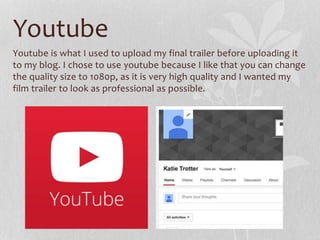
Youtube
Youtube is what I used to upload my final trailer before uploading it
to my blog. I chose to use youtube because I like that you can change
the quality size to 1080p, as it is very high quality and I wanted my
film trailer to look as professional as possible.
Safari
As the majority of my work was done on Apple Mac computers, I
used Safari as my internet provider for all my research and planning.
Safari is faster and more energy efficient than other browsers,
therefore I enjoyed using it a lot more than internet explorer, Firefox
or Google chrome.
Social Networking
Social Networking came in very useful when doing work on my blog. I
used Facebook chats/group chats to get feedback and response from
my friends, as well as arranging times and dates to film. I also used
Twitter to post my online survey to my followers as a way to get the
public to fill it out and give me audience feedback and responses.
Scribbless
Scribbless is an online checklist that I used at the start of the project
in order to refer back to it and be able to update my progress
digitally. I felt like this would be a much more effective way than
doing it by hand and uploading scans/different photos every time I
had ticked something off.
Overall, I have enjoyed using a range of
technology to make my blog as media rich as
possible, as it created a much more
interesting and effective way of presenting
my information and findings.

Evaluation Question 4

  • 1.
    How did youuse media technologies in the construction and research, planning and evaluation stages?
  • 2.
    List of mediatechnology used: • Blogger • Adobe Photoshop • Adobe Illustrator • Premiere Pro • Prezi • Animoto • SlideShare • Youtube • Safari • Scribbless • Social Network e.g. Facebook/Twitter
  • 3.
    Blogger Blogger was themain resource I used for making and updating my blog. I decided to use this as I think it is one of the most efficient blogging websites, and I was familiar with it after using it for the majority of last year. Every time i had an update on my work, I made sure to document it onto my blog, in order to give the viewer a clear understanding of my thought processes and progression. I made sure to update my blog quite regularly, in order to keep on top of my time management.
  • 4.
    Adobe Photoshop Photoshop isthe program I used when making both my final ancillary tasks; my poster and magazine front cover. I am very familiar with Photoshop after using it during AS and in my other A-level subjects, therefore I was very comfortable with using it for my final products as I was confident they could be made as successful as possible. I used the tools on Photoshop to my full creative ability, in order to get the best outcome for my final products.
  • 5.
    Adobe Illustrator I wantedto use other creative software as well as Adobe Photoshop, therefore I also used Adobe Illustrator. I am not as confident with Adobe Illustrator as I am with Photoshop, therefore I only used it as a one-off to make my institution logo, and left all the main work for Photoshop.
  • 6.
    Premiere Pro Premiere Prois the software I used to create my final film trailer. After filming all my shots with the Canon Camera, I uploaded them onto Premiere Pro in order to edit all of the shots to create the finalized trailer. I didn’t make a moving image last year, therefore I was fairly inexperienced with using premiere pro, however, by doing my reconstruction tasks earlier in the academic year, I managed to gain some practice experience.
  • 7.
    Prezi Prezi is anonline software I used during my research and planning. I like prezi because it is a fun way to present information, and is a very effective alternative to just uploading text onto my blog, as it has a lot of interesting visual transitions and effects; making it entertaining to the viewer. I have used prezi a lot of times in the past, therefore I was able to use it with a lot of ease to get some very effective results.
  • 8.
    Animoto I used animotoa couple of times throughout my blog, but the first time I used it was for my Pitch presentation earlier in the year. I knew my peers would be giving me feedback for my pitch, therefore I wanted to make it as entertaining as possible for them, and I felt as though animoto would be a very effective tool to use. I really like using animoto, as it works more as a video than a presentation, and it looks really creative.
  • 9.
    SlideShare Slideshare is anonline tool used to present and publish my PowerPoint presentations online (including this one!). It is a really simple and effective tool to use, and I like to use it to upload presentations rather than having large bodies of text on my blog.
  • 10.
    Youtube Youtube is whatI used to upload my final trailer before uploading it to my blog. I chose to use youtube because I like that you can change the quality size to 1080p, as it is very high quality and I wanted my film trailer to look as professional as possible.
  • 11.
    Safari As the majorityof my work was done on Apple Mac computers, I used Safari as my internet provider for all my research and planning. Safari is faster and more energy efficient than other browsers, therefore I enjoyed using it a lot more than internet explorer, Firefox or Google chrome.
  • 12.
    Social Networking Social Networkingcame in very useful when doing work on my blog. I used Facebook chats/group chats to get feedback and response from my friends, as well as arranging times and dates to film. I also used Twitter to post my online survey to my followers as a way to get the public to fill it out and give me audience feedback and responses.
  • 13.
    Scribbless Scribbless is anonline checklist that I used at the start of the project in order to refer back to it and be able to update my progress digitally. I felt like this would be a much more effective way than doing it by hand and uploading scans/different photos every time I had ticked something off.
  • 14.
    Overall, I haveenjoyed using a range of technology to make my blog as media rich as possible, as it created a much more interesting and effective way of presenting my information and findings.