How did you use media
technologies in the construction
and research, planning and
evaluation stages?
ELLIOT BROWN – EVALUATION 4
Nikon D5100
The Nikon D5100 is what we used to record the visuals in our short film. The photography in my film poster; when recreating the short film
‘get off my land’, we used this camera.
Benefits:
 16.2MP image – great quality
 Full 1080p HD
 Flexible shooting, LCD monitor
 7 special effects for different saturations, balances, etc. Can adjust to the lighting in different rooms with this effect.
 11-point autofocus. Lens zooms and focuses easily by hand.
Disadvantages:
 Short battery life – about 1 and half hours. This wasted a lot of time when trying to film a lot in a day
 16GB memory card limited shots, so we had to delete some that we thought we wouldn’t have used. However, if kept they may have
been able to be edited and manipulated effectively.
 It is quite a heavy, large camera. Was a burden to keep carrying around.
 We had to be very cautious with shots because it is a very expensive camera and couldn’t afford any damage to incur. So we had to
avoid some shots that might’ve risked damage to the camera.
The high quality picture allowed us to create the short film with a higher quality than with another camera. The camera also allowed us to be
very creative with our shots as we could zoom/focus easily during a shot. There is a shot where the camera pans and goes out of focus before
Zack’s meeting, as an example of this. However, its awkward size and weight was also evident. we were limited to the car scenes because it
wasn’t fitting where we wanted it to and so was limited to only a few shots. Although the bloggie camera would be better for this, the Nikon
was definitely a better option overall because of its multiple effects and much better picture.
Computer Hardware
The computer was arguably the most important technology. This stored all the software we needed in the
planning, production, research and evaluation stages.
Benefits:
 Stored all software that we needed
 Lots of memory to store all of our editing, to export all of our products and put them onto different
softwares
 Everything was stored efficiently with the computer
Disadvantages:
 Was situated in the school so wasn’t accessible
 Crashed quite a few times and we lost some work due to this, also, was very slow and we lost a lot of time
due to this, for example, editing on premiere often made the computer slow and lag and so we took even
longer than necessary editing some scenes
 Internet wasn’t always reliable on the computer; extra work was sometimes prevented when the computer
crashed the software
Researching short films, their conventions and ideas to incorporate in our production all came from the
computer. And so the basis of the film was through the computer. Recording all the planning and research was
through the computer; the production and evaluations were all made through the computer.
Software: Adobe Premiere
We edited every cut, scene, shot and sound through adobe premiere. Adobe
premiere came with a lot of built in transitions and effects for audio and
video.
Clips were imported from the camera easily and the sequence settings were
able to alter without any work from us.
The timeline and number of sequences allowed let us track all of our scene
lengths and how the whole film came together, this is where we would also
cut, crop, add music and add the editing onto clips.
We could also see the clips through the programme monitor, where it
showed the whole timeline. This allowed us to see how our editing was
looking overall.
Programme monitor
Clips
Effects
Timeline
Prezi/Slideshare
I used prezi and slideshare for presenting some of my research, evaluations
and planning. These softwares were a good way of presenting our
information in a unique way and not just having boring writing. They were
very easy to use and gave the presentation of planning, evaluations and
research a professional look.
I tried adding images to prezi’s and they wouldn’t work because of the
format, I then had to instead just do a regular blog post. Another
disadvantage of using these was that they could sometimes be confusing and
sometimes only allow a link on the bog instead of them being presented
directly onto the page.
Wordpress
Wordpress was where I created and updates everything in the
coursework. It had a variety of themes to choose from and
allowed me to present my information professionally and
attractively therefore. It allows images, links, text and many other
things on the blog posts and isn’t always boring if there isn’t
another medium in which to present a specific part of research.
All stages could be accessed easily because of the site and it
made it easier for viewers.
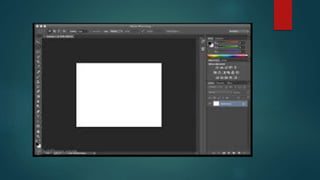
Photoshop
Photoshop was a very useful tool. I used photoshop for my film poster. The
film poster being edited on photoshop allowed me to edit it and make it look
very professional. Although the software has a lot of different effects and a
huge range of things you can do with image, it is very complicated to use and
know of. If it wasn’t for previous training in Photoshop, I would struggle to
make use of the extensive effects and edits available. However, with this
training, I could create the effects I wanted and I was allowed to be creative
with my ideas due to this. Overall, photoshop was very beneficial in making
an extremely effective film poster.
Evaluation 4

Evaluation 4

  • 1.
    How did youuse media technologies in the construction and research, planning and evaluation stages? ELLIOT BROWN – EVALUATION 4
  • 2.
    Nikon D5100 The NikonD5100 is what we used to record the visuals in our short film. The photography in my film poster; when recreating the short film ‘get off my land’, we used this camera. Benefits:  16.2MP image – great quality  Full 1080p HD  Flexible shooting, LCD monitor  7 special effects for different saturations, balances, etc. Can adjust to the lighting in different rooms with this effect.  11-point autofocus. Lens zooms and focuses easily by hand. Disadvantages:  Short battery life – about 1 and half hours. This wasted a lot of time when trying to film a lot in a day  16GB memory card limited shots, so we had to delete some that we thought we wouldn’t have used. However, if kept they may have been able to be edited and manipulated effectively.  It is quite a heavy, large camera. Was a burden to keep carrying around.  We had to be very cautious with shots because it is a very expensive camera and couldn’t afford any damage to incur. So we had to avoid some shots that might’ve risked damage to the camera. The high quality picture allowed us to create the short film with a higher quality than with another camera. The camera also allowed us to be very creative with our shots as we could zoom/focus easily during a shot. There is a shot where the camera pans and goes out of focus before Zack’s meeting, as an example of this. However, its awkward size and weight was also evident. we were limited to the car scenes because it wasn’t fitting where we wanted it to and so was limited to only a few shots. Although the bloggie camera would be better for this, the Nikon was definitely a better option overall because of its multiple effects and much better picture.
  • 4.
    Computer Hardware The computerwas arguably the most important technology. This stored all the software we needed in the planning, production, research and evaluation stages. Benefits:  Stored all software that we needed  Lots of memory to store all of our editing, to export all of our products and put them onto different softwares  Everything was stored efficiently with the computer Disadvantages:  Was situated in the school so wasn’t accessible  Crashed quite a few times and we lost some work due to this, also, was very slow and we lost a lot of time due to this, for example, editing on premiere often made the computer slow and lag and so we took even longer than necessary editing some scenes  Internet wasn’t always reliable on the computer; extra work was sometimes prevented when the computer crashed the software Researching short films, their conventions and ideas to incorporate in our production all came from the computer. And so the basis of the film was through the computer. Recording all the planning and research was through the computer; the production and evaluations were all made through the computer.
  • 6.
    Software: Adobe Premiere Weedited every cut, scene, shot and sound through adobe premiere. Adobe premiere came with a lot of built in transitions and effects for audio and video. Clips were imported from the camera easily and the sequence settings were able to alter without any work from us. The timeline and number of sequences allowed let us track all of our scene lengths and how the whole film came together, this is where we would also cut, crop, add music and add the editing onto clips. We could also see the clips through the programme monitor, where it showed the whole timeline. This allowed us to see how our editing was looking overall.
  • 7.
  • 8.
    Prezi/Slideshare I used preziand slideshare for presenting some of my research, evaluations and planning. These softwares were a good way of presenting our information in a unique way and not just having boring writing. They were very easy to use and gave the presentation of planning, evaluations and research a professional look. I tried adding images to prezi’s and they wouldn’t work because of the format, I then had to instead just do a regular blog post. Another disadvantage of using these was that they could sometimes be confusing and sometimes only allow a link on the bog instead of them being presented directly onto the page.
  • 10.
    Wordpress Wordpress was whereI created and updates everything in the coursework. It had a variety of themes to choose from and allowed me to present my information professionally and attractively therefore. It allows images, links, text and many other things on the blog posts and isn’t always boring if there isn’t another medium in which to present a specific part of research. All stages could be accessed easily because of the site and it made it easier for viewers.
  • 12.
    Photoshop Photoshop was avery useful tool. I used photoshop for my film poster. The film poster being edited on photoshop allowed me to edit it and make it look very professional. Although the software has a lot of different effects and a huge range of things you can do with image, it is very complicated to use and know of. If it wasn’t for previous training in Photoshop, I would struggle to make use of the extensive effects and edits available. However, with this training, I could create the effects I wanted and I was allowed to be creative with my ideas due to this. Overall, photoshop was very beneficial in making an extremely effective film poster.