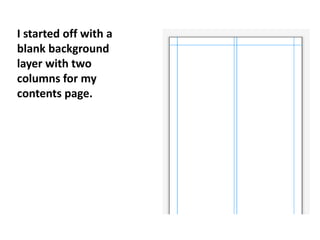
I started off with a
blank background
layer with two
columns for my
contents page.
I then added a
blue background
to match my
masthead on my
front cover of The
Student.
I then added a title
for the page saying
contents on it using
the text box icon in
the tool bar. I then
edited it to be a
bigger font size and a
different colour so it
did not fade into the
background.
Then I added the
information and page
numbers for each article
by selecting the text box
icon. I also made sure the
font was not to big or to
small so I would be
following the codes and
conventions.
I then inserted my
saved images from
the SLR cameras.
These images relate
to the articles on
the contents page.
Also I edited them
by cropping and
resizing the images
to fit.

Presentation on quark

  • 1.
    I started offwith a blank background layer with two columns for my contents page.
  • 2.
    I then addeda blue background to match my masthead on my front cover of The Student.
  • 3.
    I then addeda title for the page saying contents on it using the text box icon in the tool bar. I then edited it to be a bigger font size and a different colour so it did not fade into the background.
  • 4.
    Then I addedthe information and page numbers for each article by selecting the text box icon. I also made sure the font was not to big or to small so I would be following the codes and conventions.
  • 5.
    I then insertedmy saved images from the SLR cameras. These images relate to the articles on the contents page. Also I edited them by cropping and resizing the images to fit.