Pragmatic Cloud Security
Automation
Rich Mogull/Crash/@rmogull

Securosis and DisruptOps
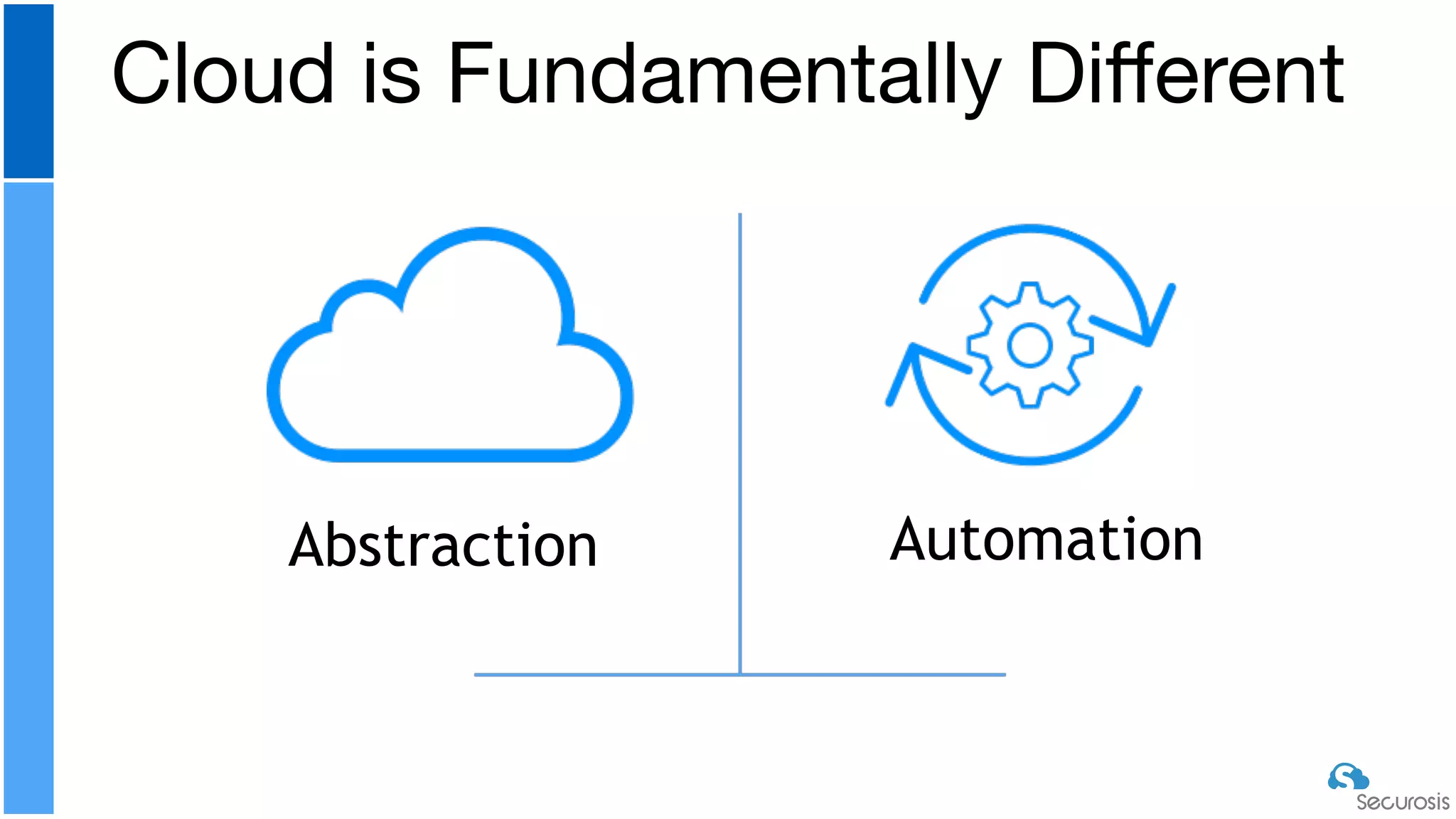
Cloud is Fundamentally Different
Abstraction Automation
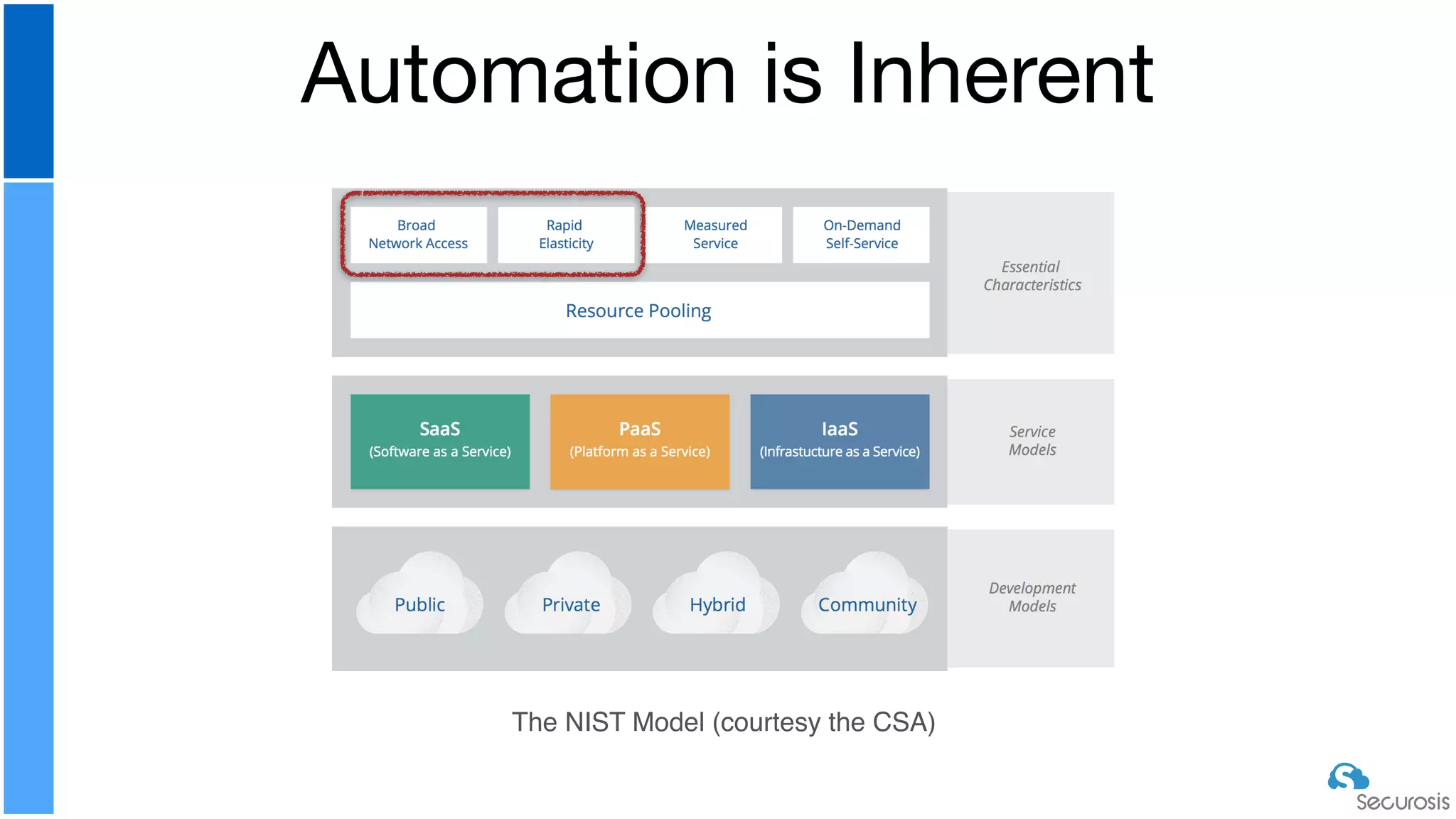
Automation is Inherent
The NIST Model (courtesy the CSA)
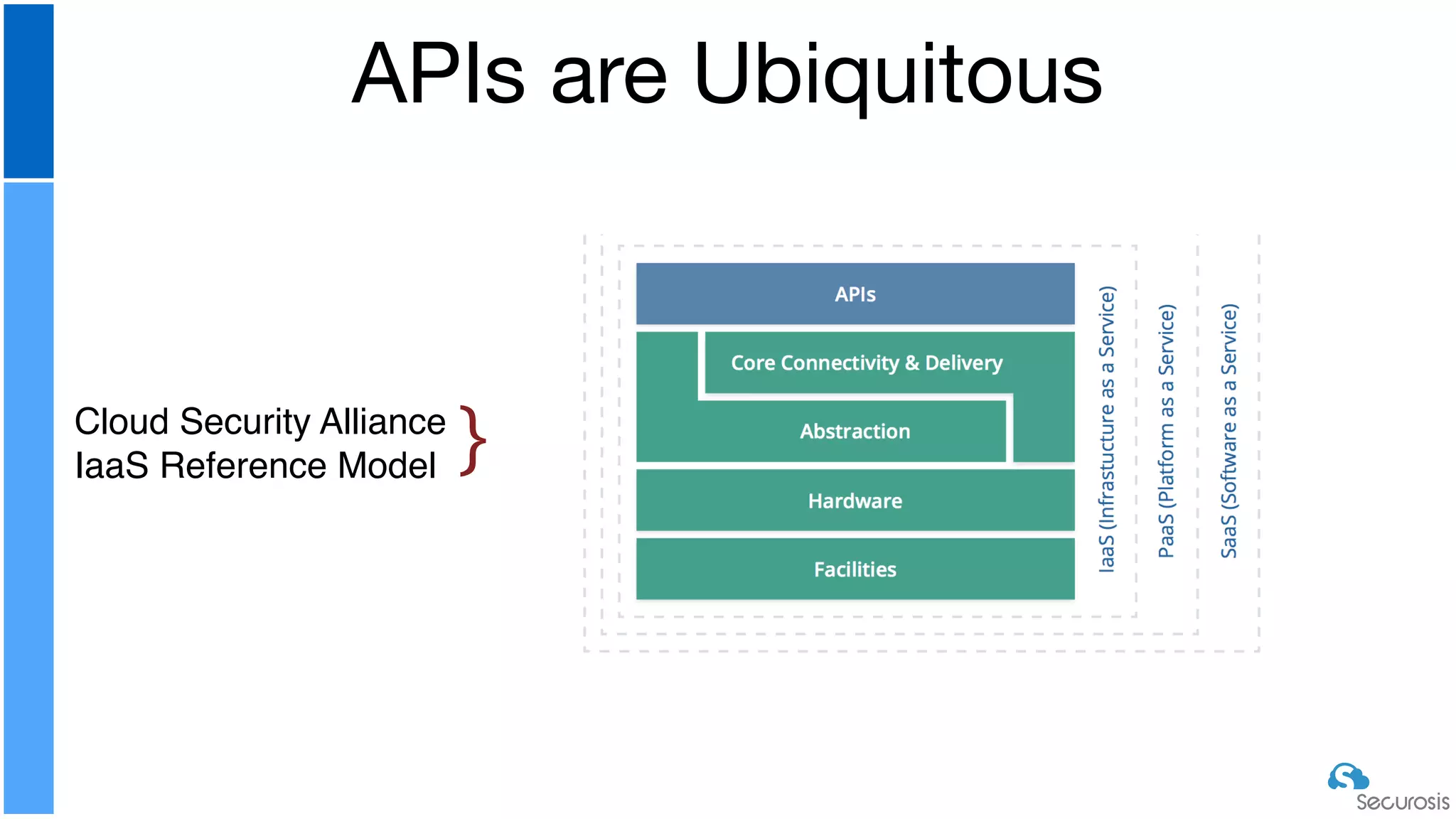
APIs are Ubiquitous
Cloud Security Alliance
IaaS Reference Model }
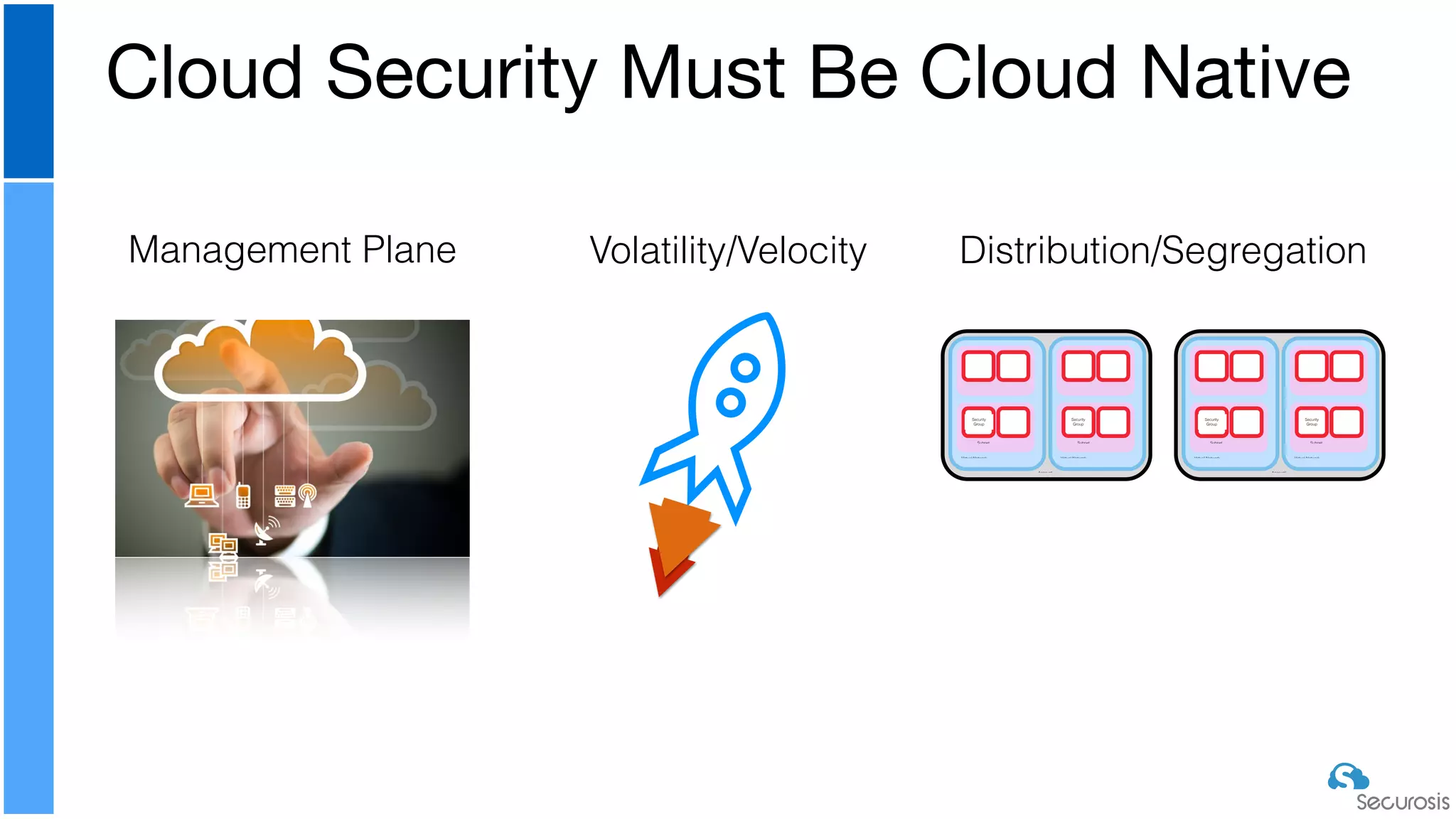
Cloud Security Must Be Cloud Native
Management Plane Distribution/Segregation
Account
Virtual Network
Subnet
Security
Group
Virtual Network
Subnet
Security
Group
Account
Virtual Network
Subnet
Security
Group
Virtual Network
Subnet
Security
Group
Volatility/Velocity
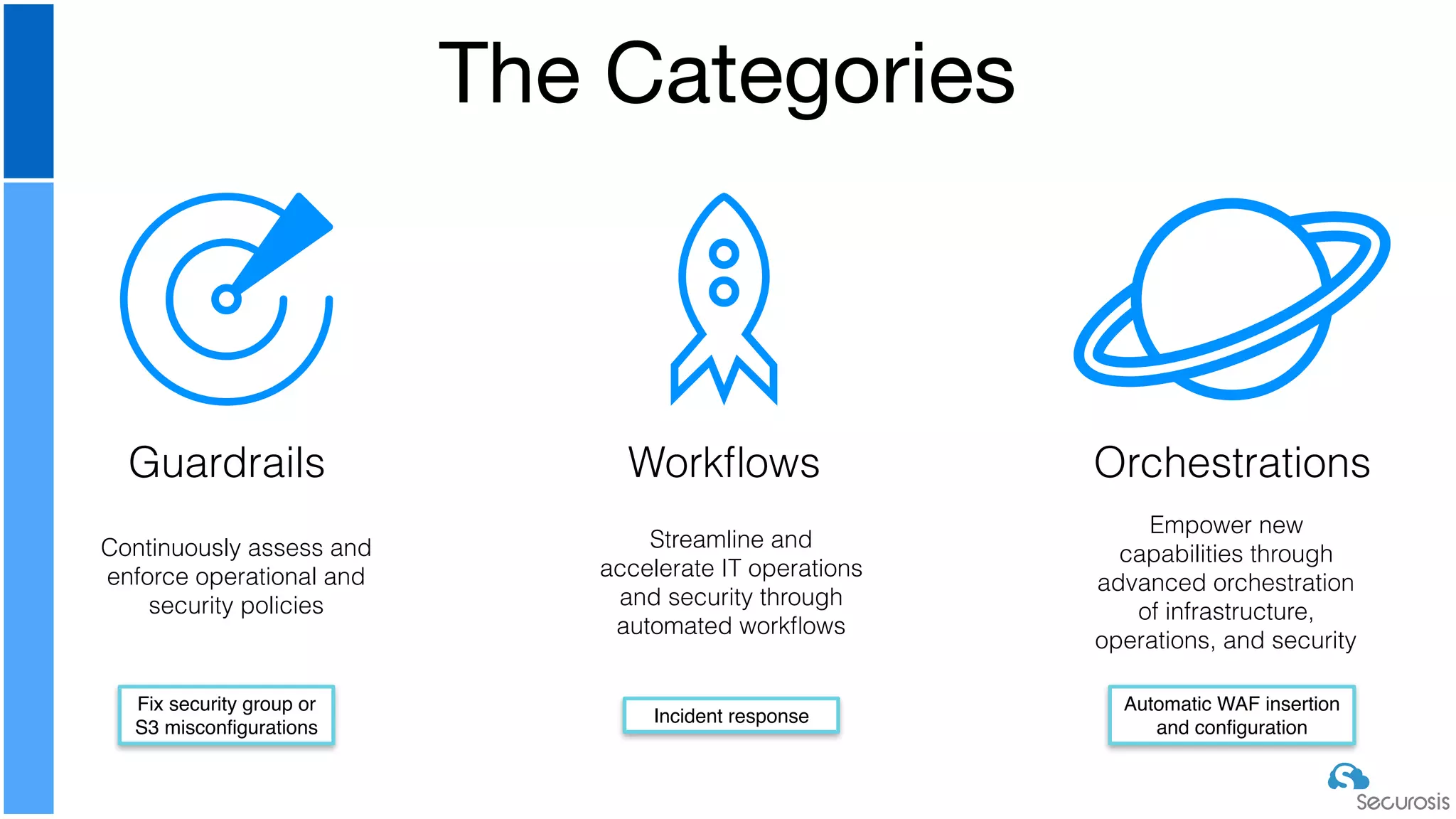
The Categories
Guardrails Workflows Orchestrations
Continuously assess and
enforce operational and
security policies
Streamline and
accelerate IT operations
and security through
automated workflows
Empower new
capabilities through
advanced orchestration
of infrastructure,
operations, and security
Fix security group or
S3 misconfigurations
Incident response
Automatic WAF insertion
and configuration
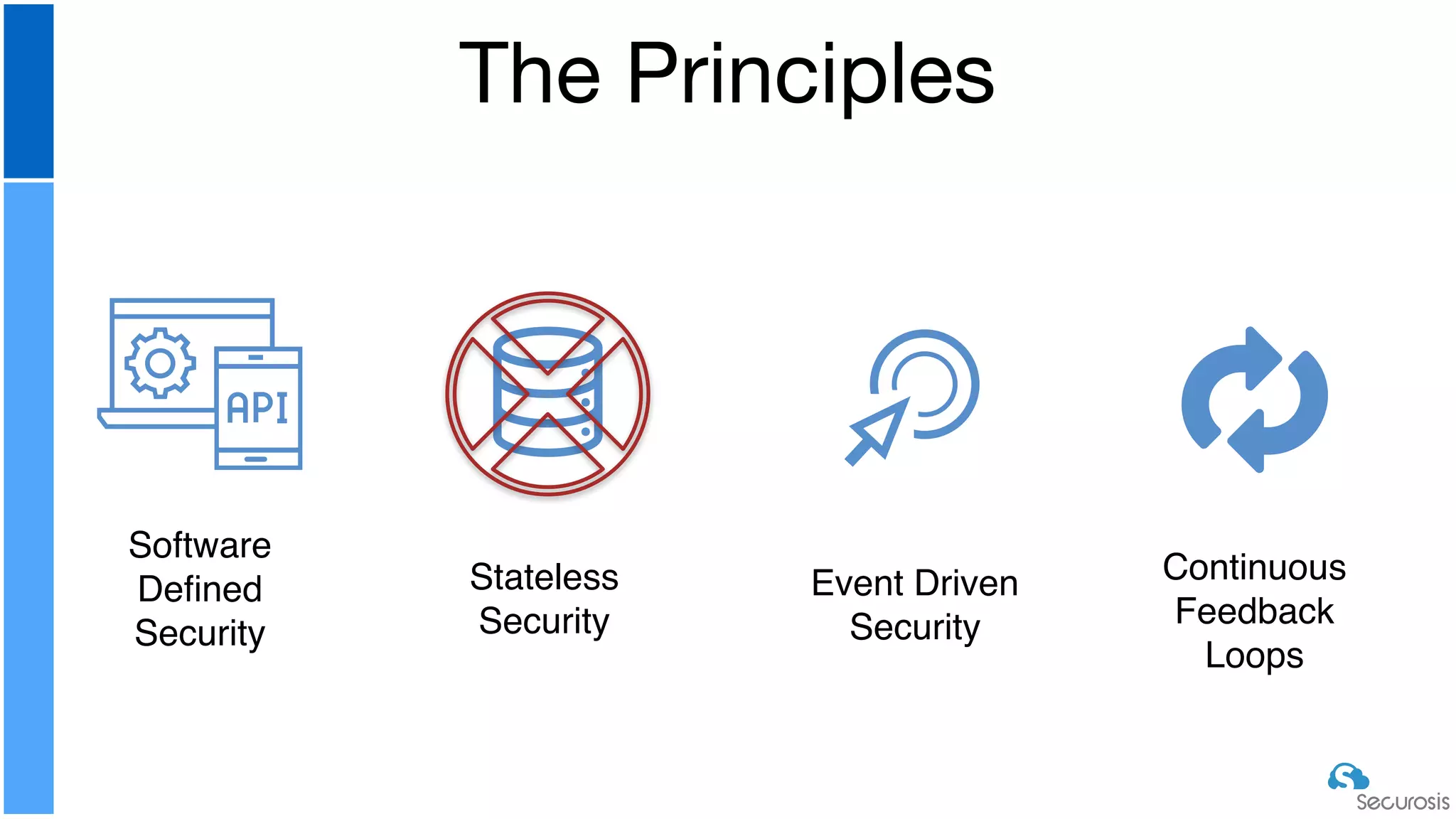
The Principles
Software
Defined
Security
Stateless
Security
Event Driven
Security
Continuous
Feedback
Loops
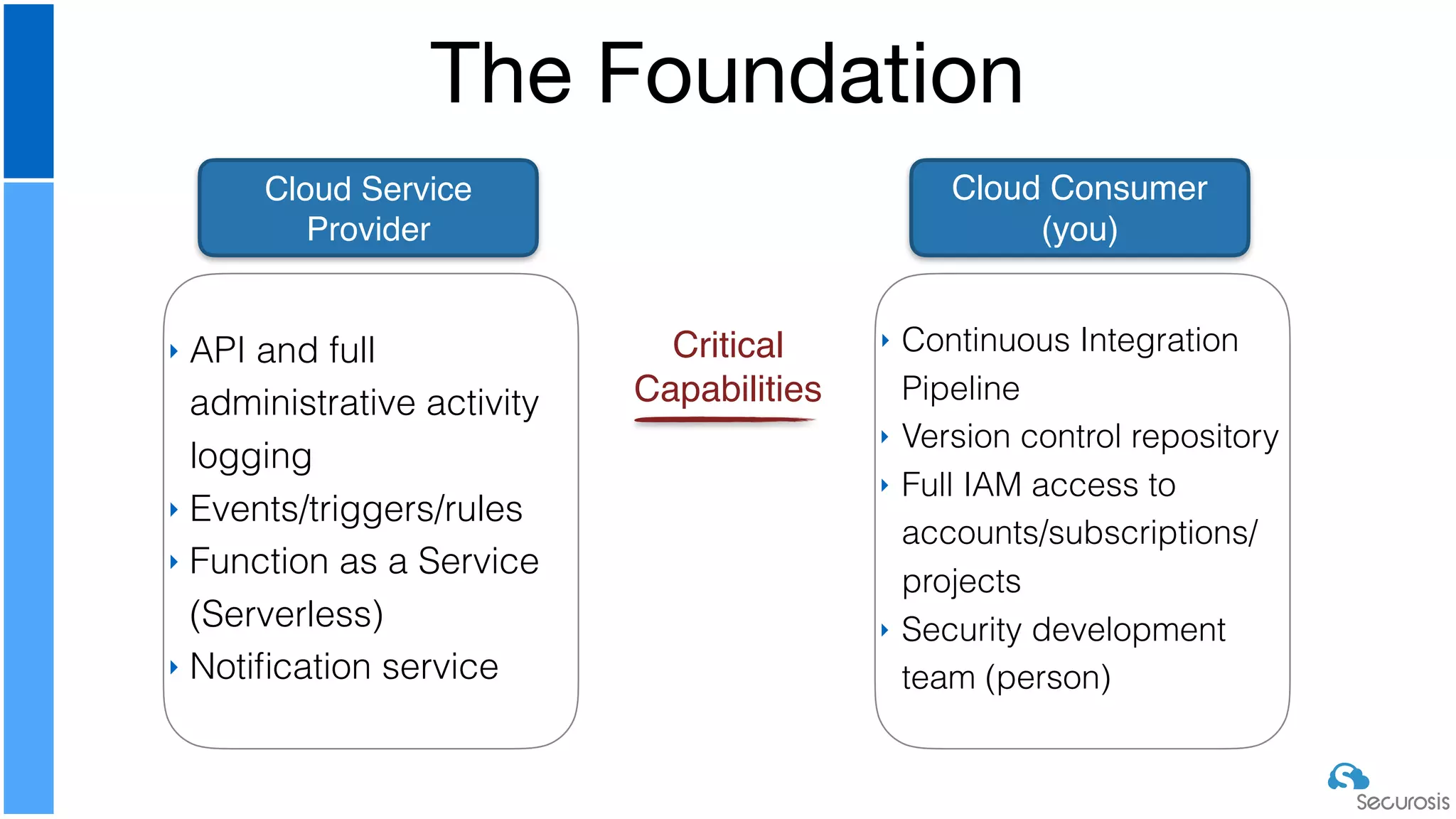
The Foundation
Cloud Service
Provider
Cloud Consumer
(you)
‣ API and full
administrative activity
logging
‣ Events/triggers/rules
‣ Function as a Service
(Serverless)
‣ Notification service
‣ Continuous Integration
Pipeline
‣ Version control repository
‣ Full IAM access to
accounts/subscriptions/
projects
‣ Security development
team (person)
Critical
Capabilities
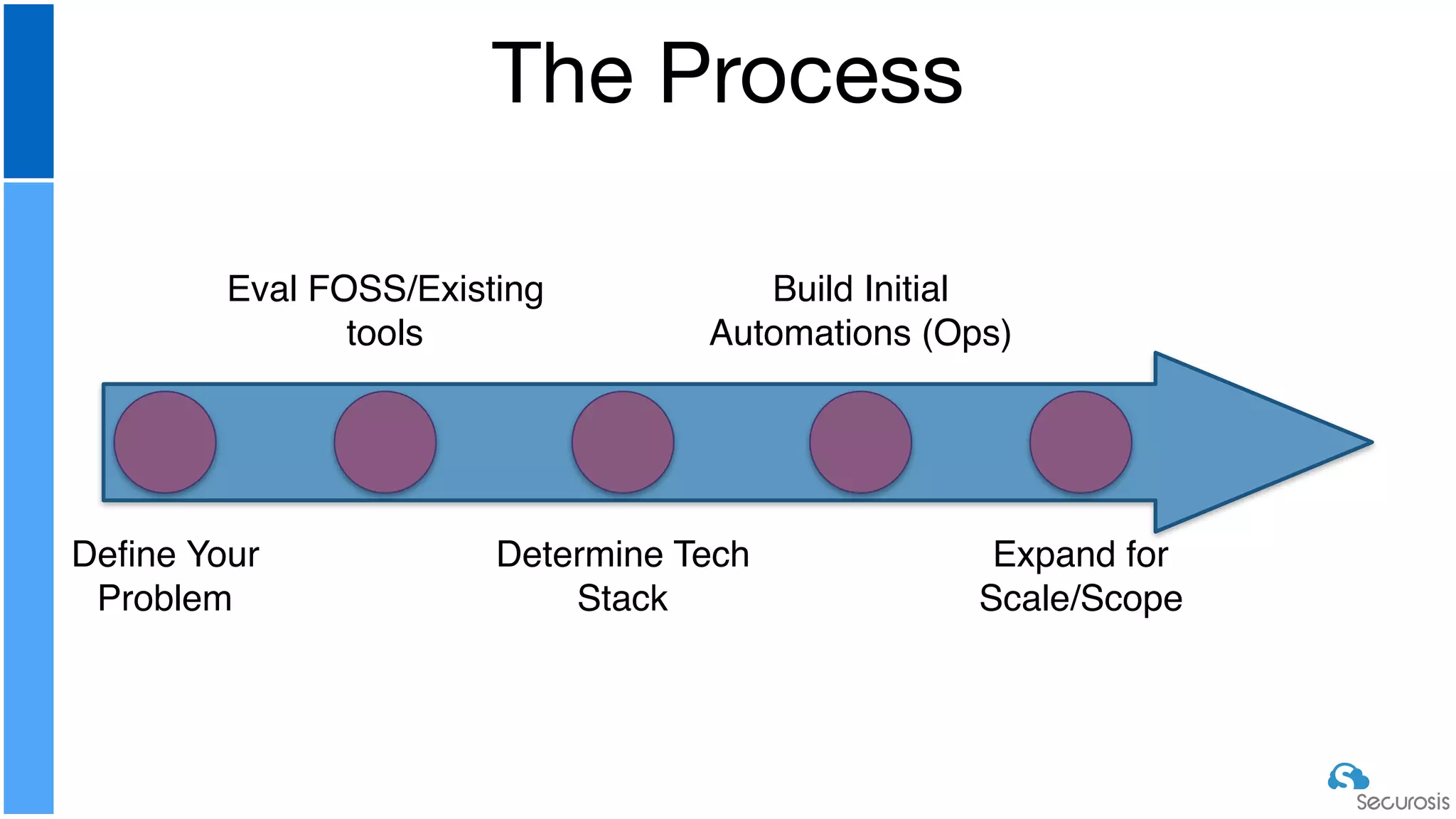
The Process
Define Your
Problem
Eval FOSS/Existing
tools
Determine Tech
Stack
Build Initial
Automations (Ops)
Expand for
Scale/Scope
‣ How to configure all the core monitoring/
logging

‣ Setting up IAM and permissions

‣ The details of implementation on Azure and
GCP

‣ We will list the core capabilities, but can’t
cover all 3 with real examples in 45 minutes
Things We Are Skipping (for time)
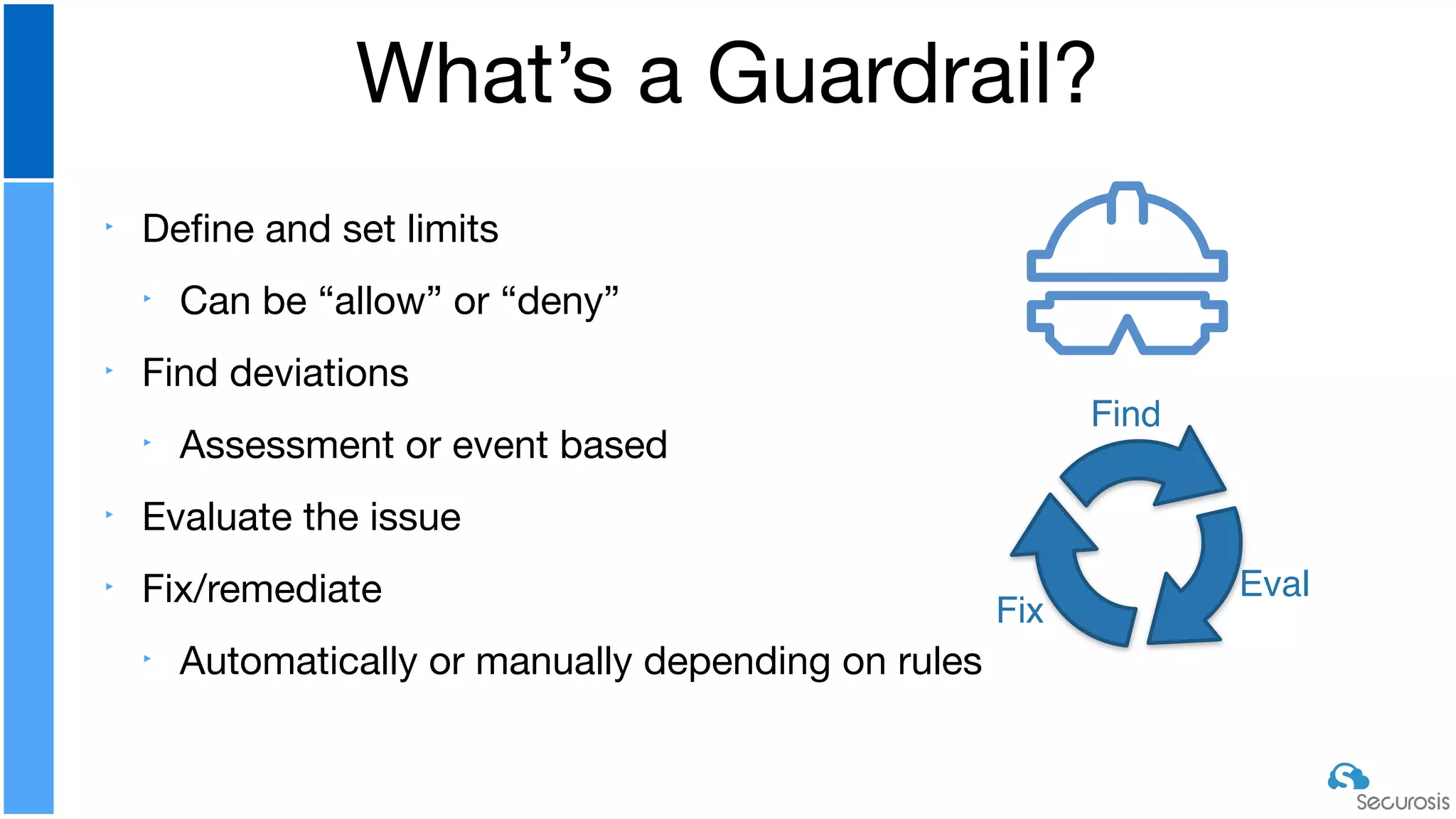
‣ Define and set limits

‣ Can be “allow” or “deny”

‣ Find deviations

‣ Assessment or event based

‣ Evaluate the issue

‣ Fix/remediate

‣ Automatically or manually depending on rules
What’s a Guardrail?
Find
Eval
Fix
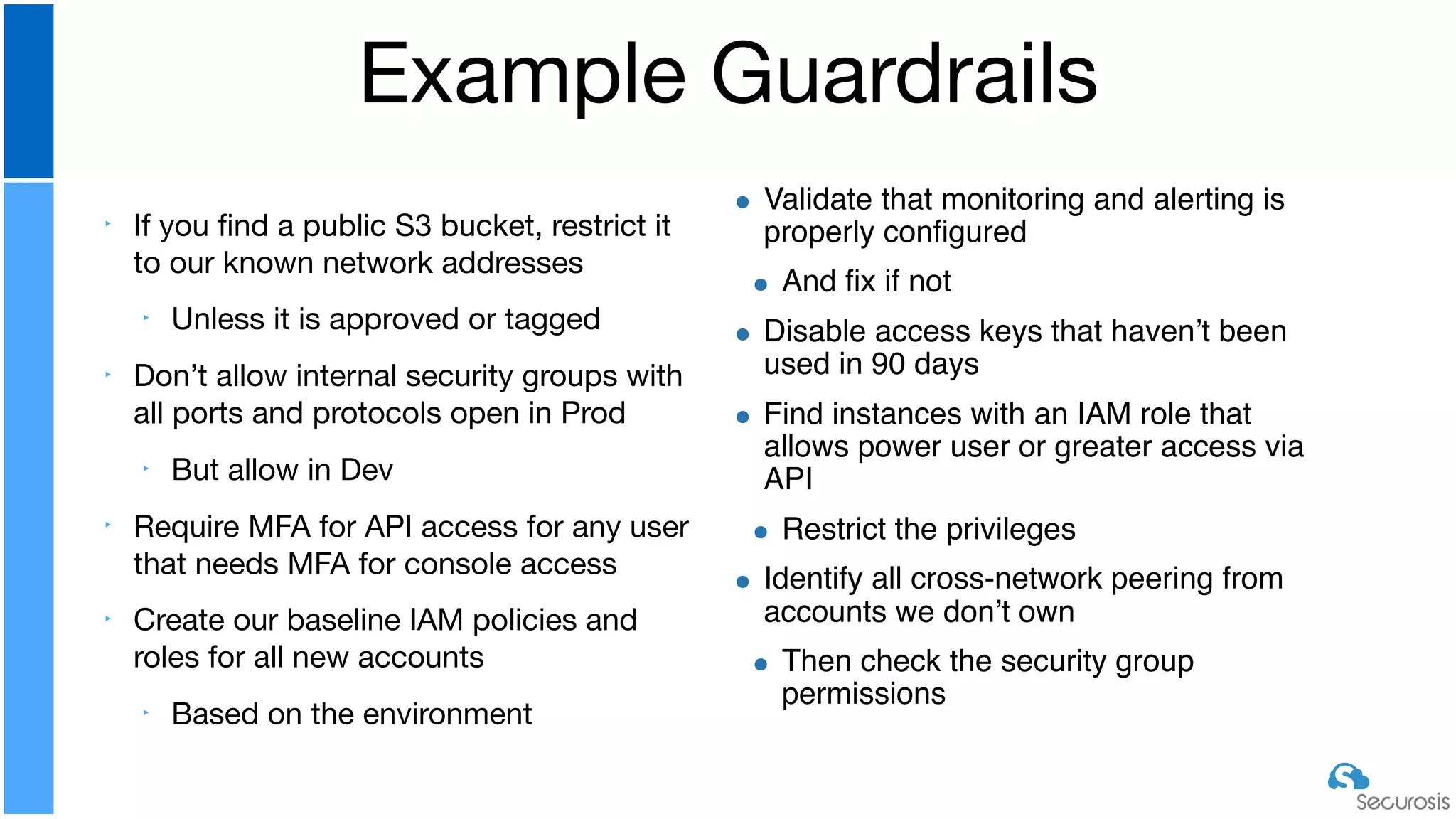
‣ If you find a public S3 bucket, restrict it
to our known network addresses

‣ Unless it is approved or tagged

‣ Don’t allow internal security groups with
all ports and protocols open in Prod

‣ But allow in Dev

‣ Require MFA for API access for any user
that needs MFA for console access

‣ Create our baseline IAM policies and
roles for all new accounts

‣ Based on the environment
Example Guardrails
Validate that monitoring and alerting is
properly configured
And fix if not
Disable access keys that haven’t been
used in 90 days
Find instances with an IAM role that
allows power user or greater access via
API
Restrict the privileges
Identify all cross-network peering from
accounts we don’t own
Then check the security group
permissions
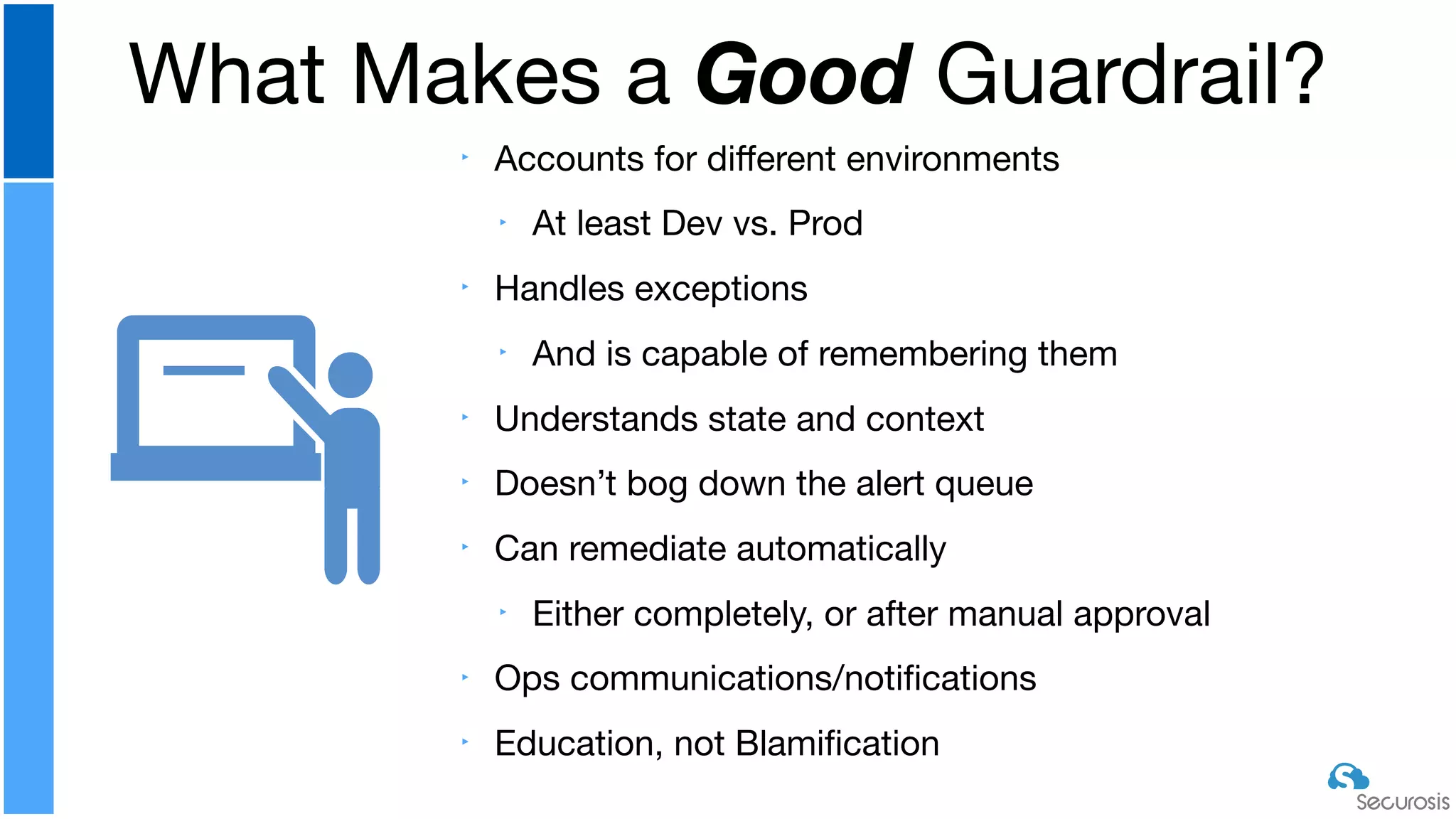
‣ Accounts for different environments

‣ At least Dev vs. Prod

‣ Handles exceptions

‣ And is capable of remembering them

‣ Understands state and context

‣ Doesn’t bog down the alert queue

‣ Can remediate automatically

‣ Either completely, or after manual approval

‣ Ops communications/notifications

‣ Education, not Blamification
What Makes a Good Guardrail?
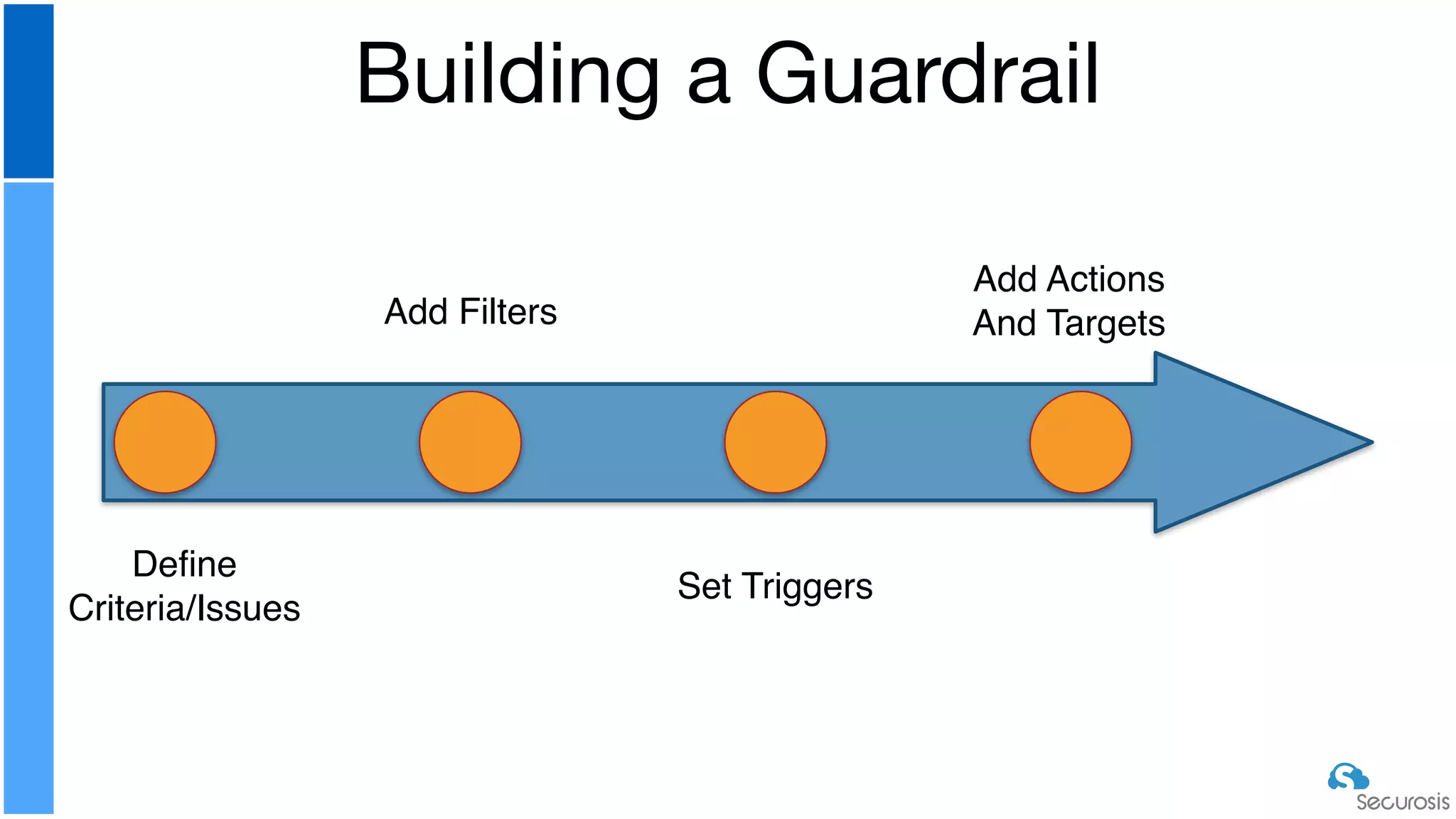
Building a Guardrail
Define
Criteria/Issues
Add Filters
Set Triggers
Add Actions
And Targets
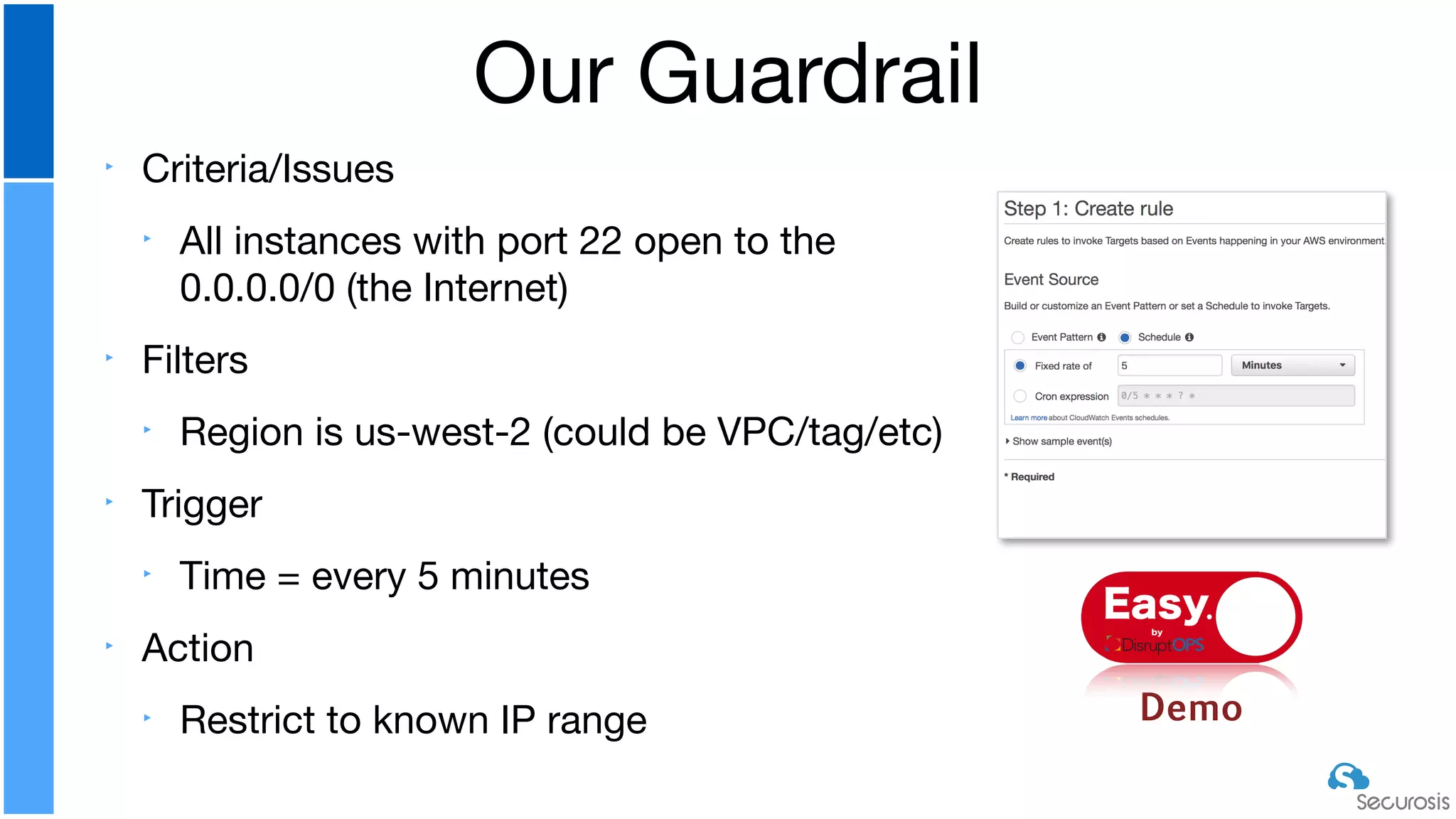
‣ Criteria/Issues

‣ All instances with port 22 open to the
0.0.0.0/0 (the Internet)

‣ Filters

‣ Region is us-west-2 (could be VPC/tag/etc)

‣ Trigger

‣ Time = every 5 minutes

‣ Action

‣ Restrict to known IP range
Our Guardrail
Demo
Easyby
‣ Key aspects:

‣ Authentication/authorization via Roles

‣ Initializing clients

‣ Understanding method and variable scope

‣ AWS SDK/JSON navigation

‣ Structs > hash > arrays 

‣ Hidden complexities (e.g. ENIs and security groups)

‣ Tips

‣ Waiters

‣ Managing API limits

‣ CLI vs. SDK (—query)
Code Walk Through
W
hiteboard
‣ Language doesn’t matter… as long as it supports Lambda

‣ Understand the AWS credentials hierarchy

‣ Hard coded > specified credentials file > default config and
credentials files > role

‣ API limits are a thing. They suck

‣ Paginators are your friend when available

‣ Make sure you understand how to use server side filtering and when
it hurts more than it helps
Coding Recommendations
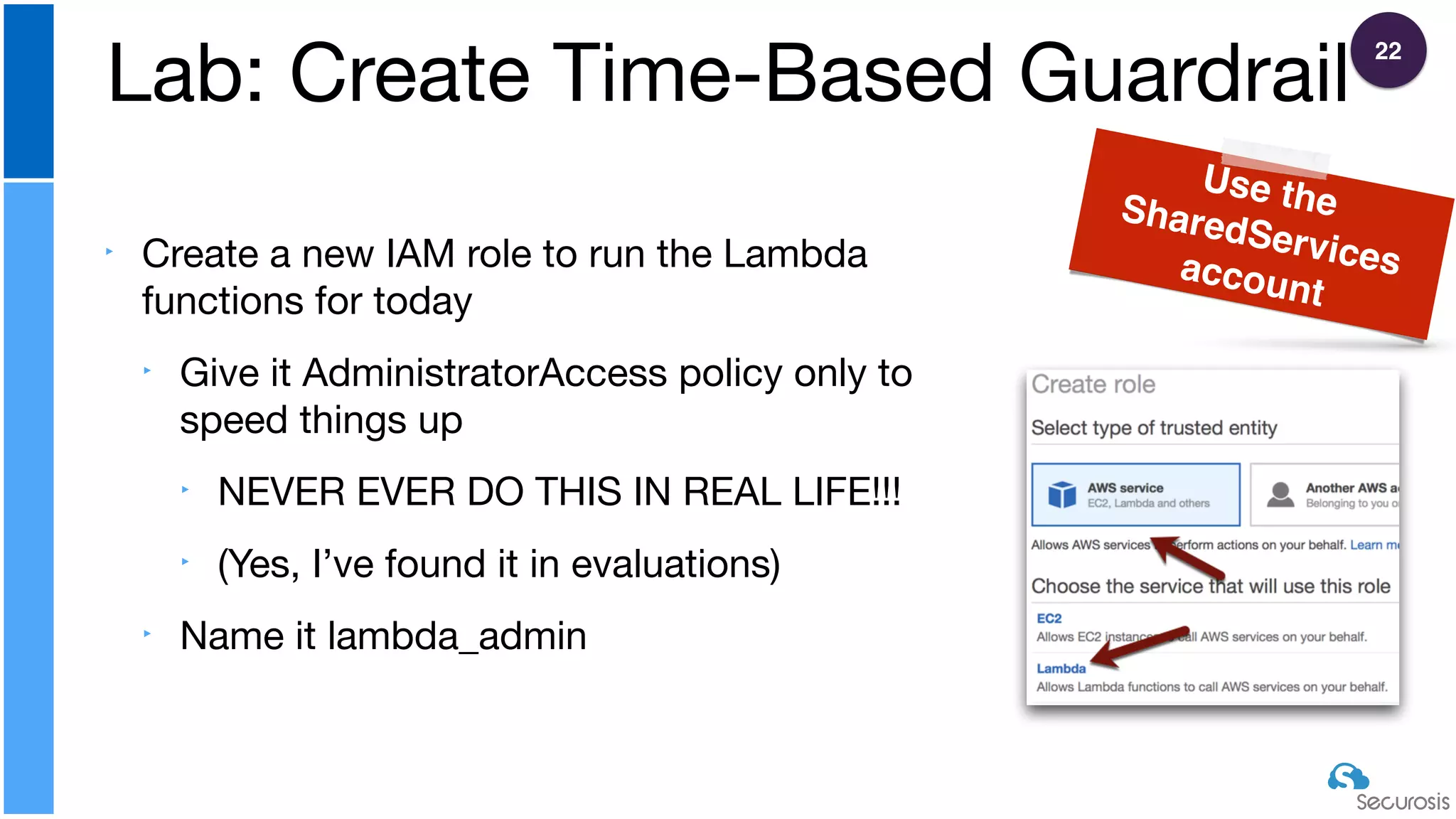
‣ Create a new IAM role to run the Lambda
functions for today

‣ Give it AdministratorAccess policy only to
speed things up

‣ NEVER EVER DO THIS IN REAL LIFE!!!

‣ (Yes, I’ve found it in evaluations)

‣ Name it lambda_admin
Lab: Create Time-Based Guardrail
Use theSharedServicesaccount
22
‣ Create a new topic, or pick your existing topic, from SNS

‣ Make sure you have an active subscription (e.g. SMS or email) to
receive the notifications

‣ Copy and paste the topic ARN to your cheat sheet
Lab: Create Notification (or use one from an earlier
lab)
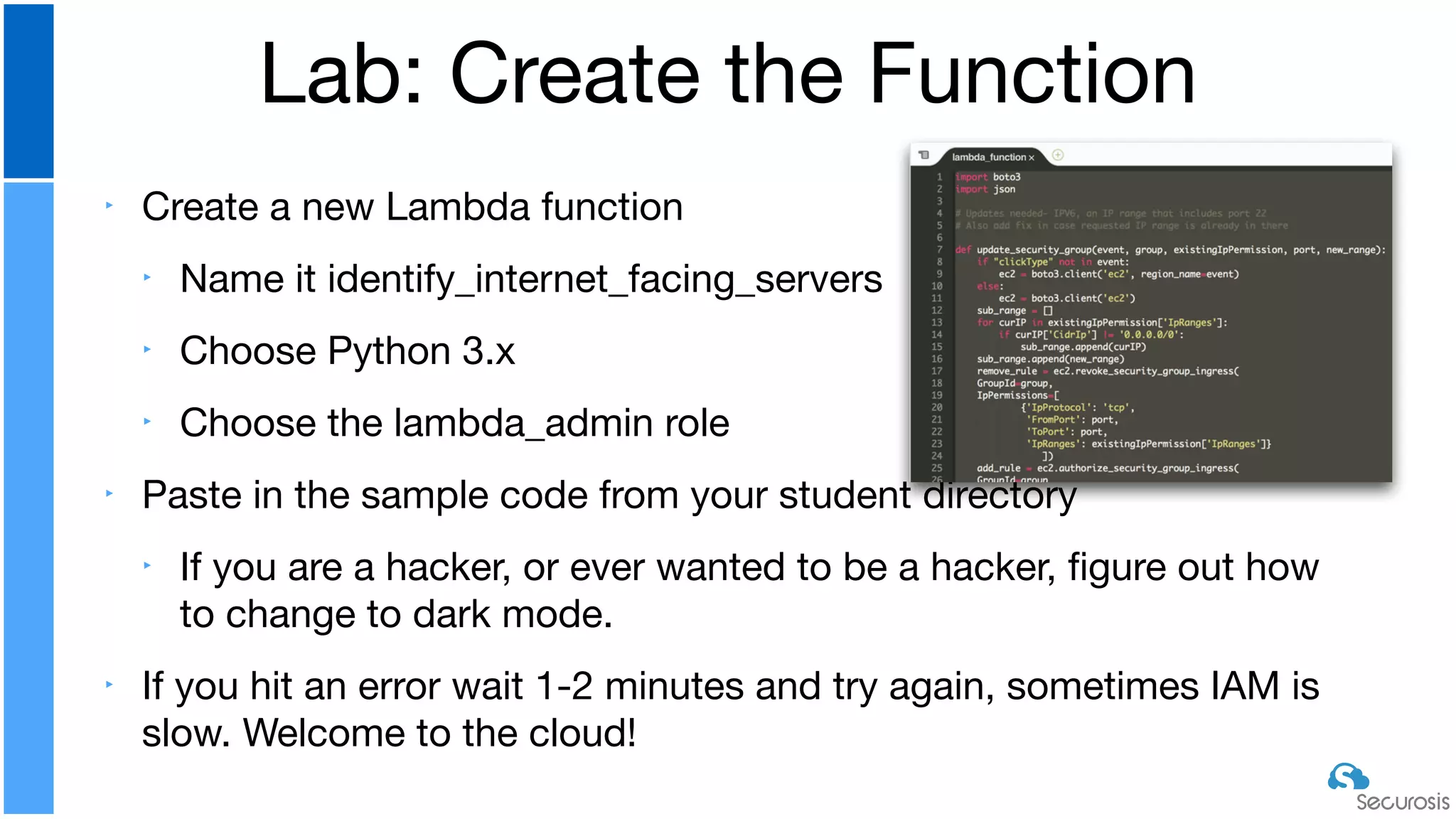
‣ Create a new Lambda function

‣ Name it identify_internet_facing_servers

‣ Choose Python 3.x

‣ Choose the lambda_admin role

‣ Paste in the sample code from your student directory

‣ If you are a hacker, or ever wanted to be a hacker, figure out how
to change to dark mode.

‣ If you hit an error wait 1-2 minutes and try again, sometimes IAM is
slow. Welcome to the cloud!
Lab: Create the Function
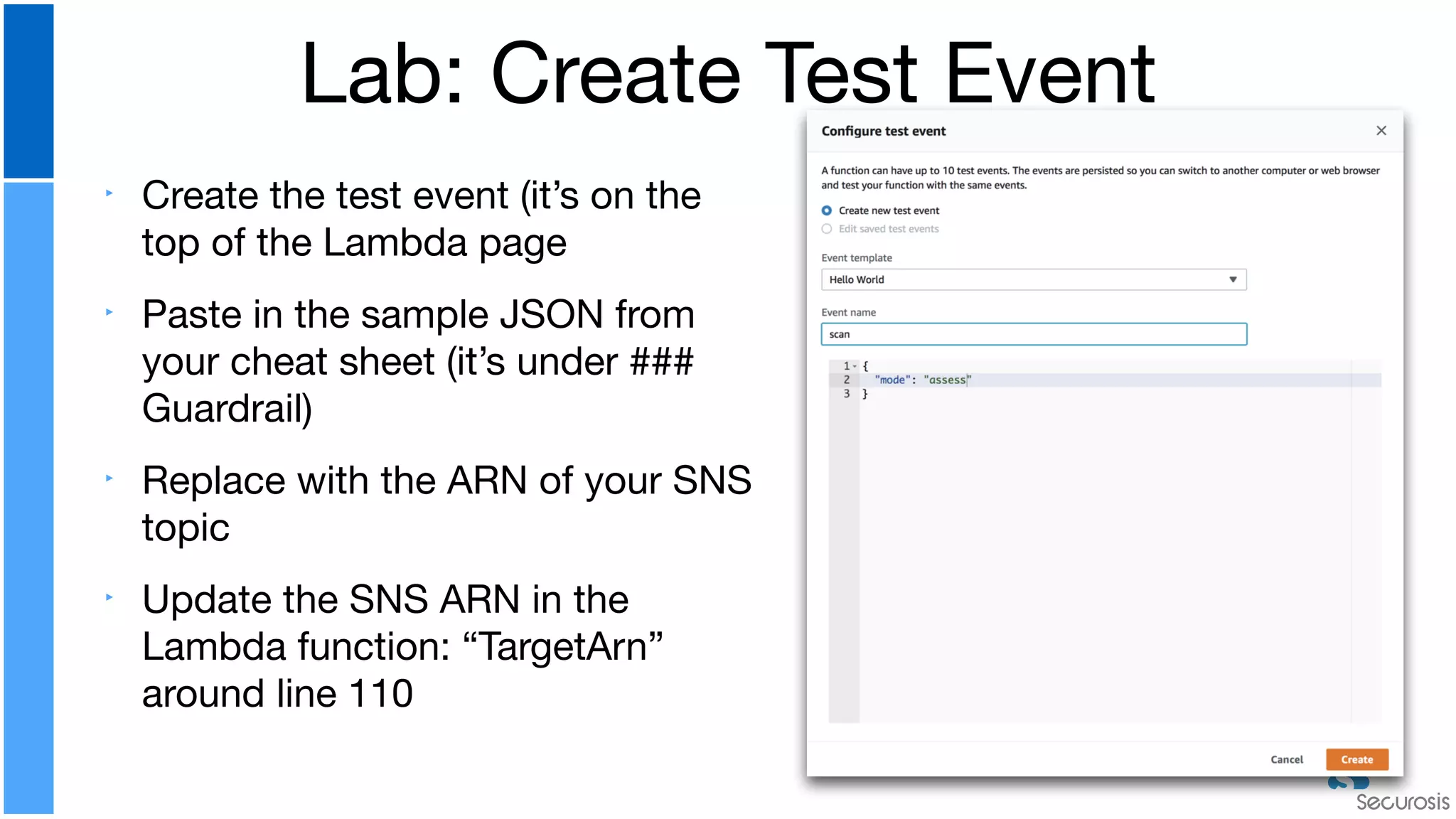
‣ Create the test event (it’s on the
top of the Lambda page

‣ Paste in the sample JSON from
your cheat sheet (it’s under ###
Guardrail)

‣ Replace with the ARN of your SNS
topic

‣ Update the SNS ARN in the
Lambda function: “TargetArn”
around line 110
Lab: Create Test Event
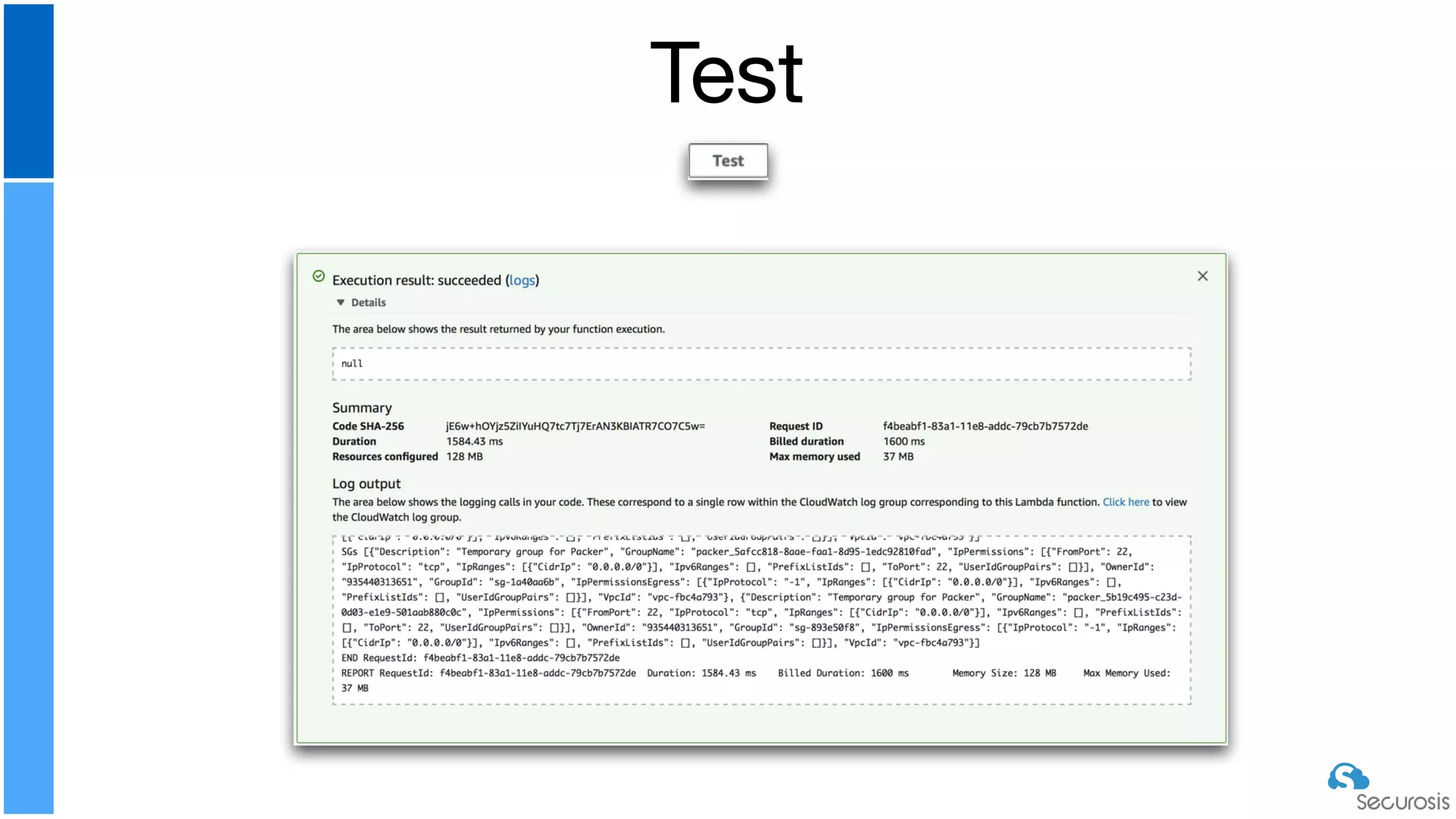
Test
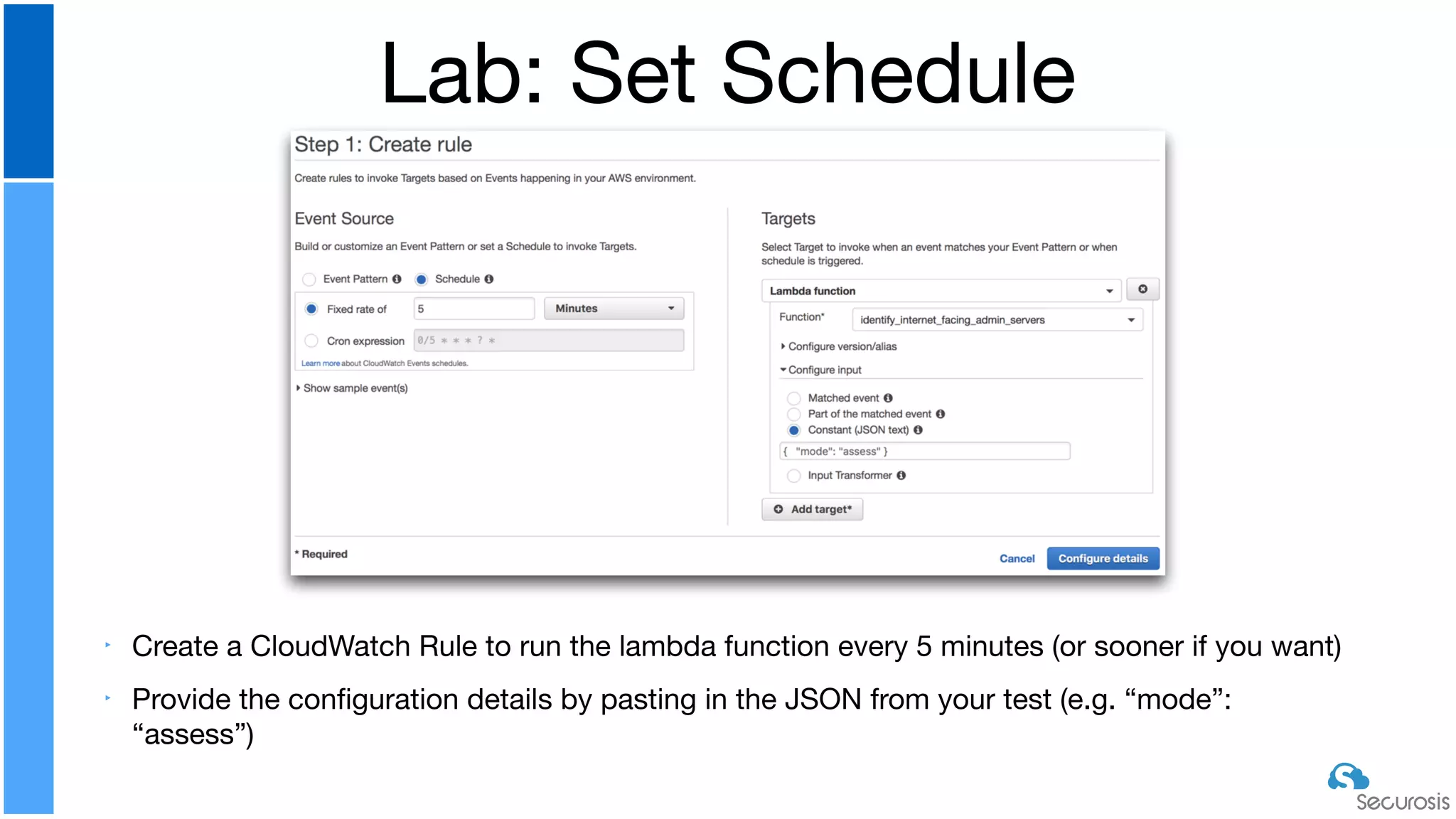
‣ Create a CloudWatch Rule to run the lambda function every 5 minutes (or sooner if you want)

‣ Provide the configuration details by pasting in the JSON from your test (e.g. “mode”:
“assess”)
Lab: Set Schedule
Now try putting it into
remediation mode
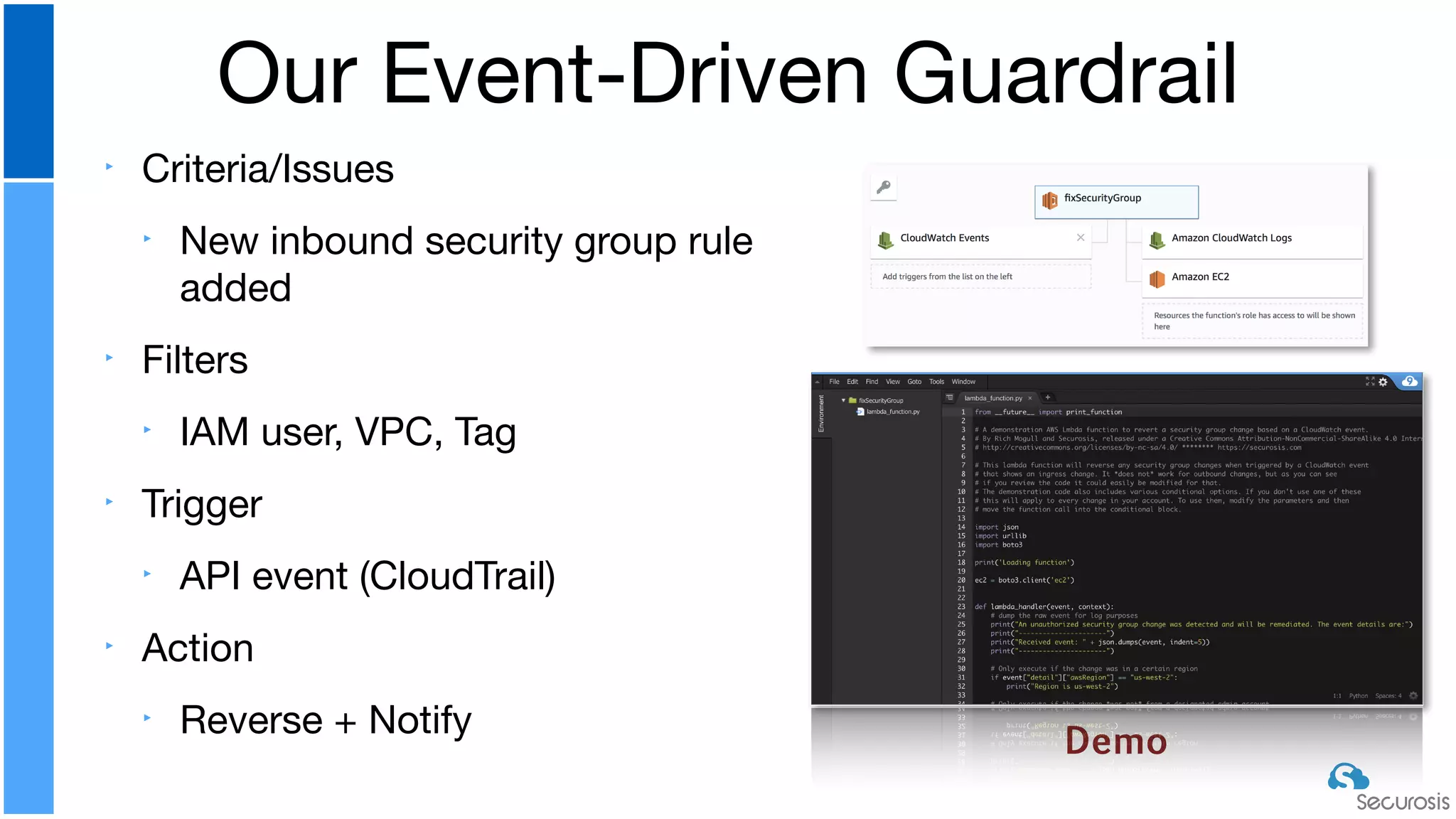
‣ Criteria/Issues

‣ New inbound security group rule
added

‣ Filters

‣ IAM user, VPC, Tag

‣ Trigger

‣ API event (CloudTrail)

‣ Action

‣ Reverse + Notify
Our Event-Driven Guardrail
Demo
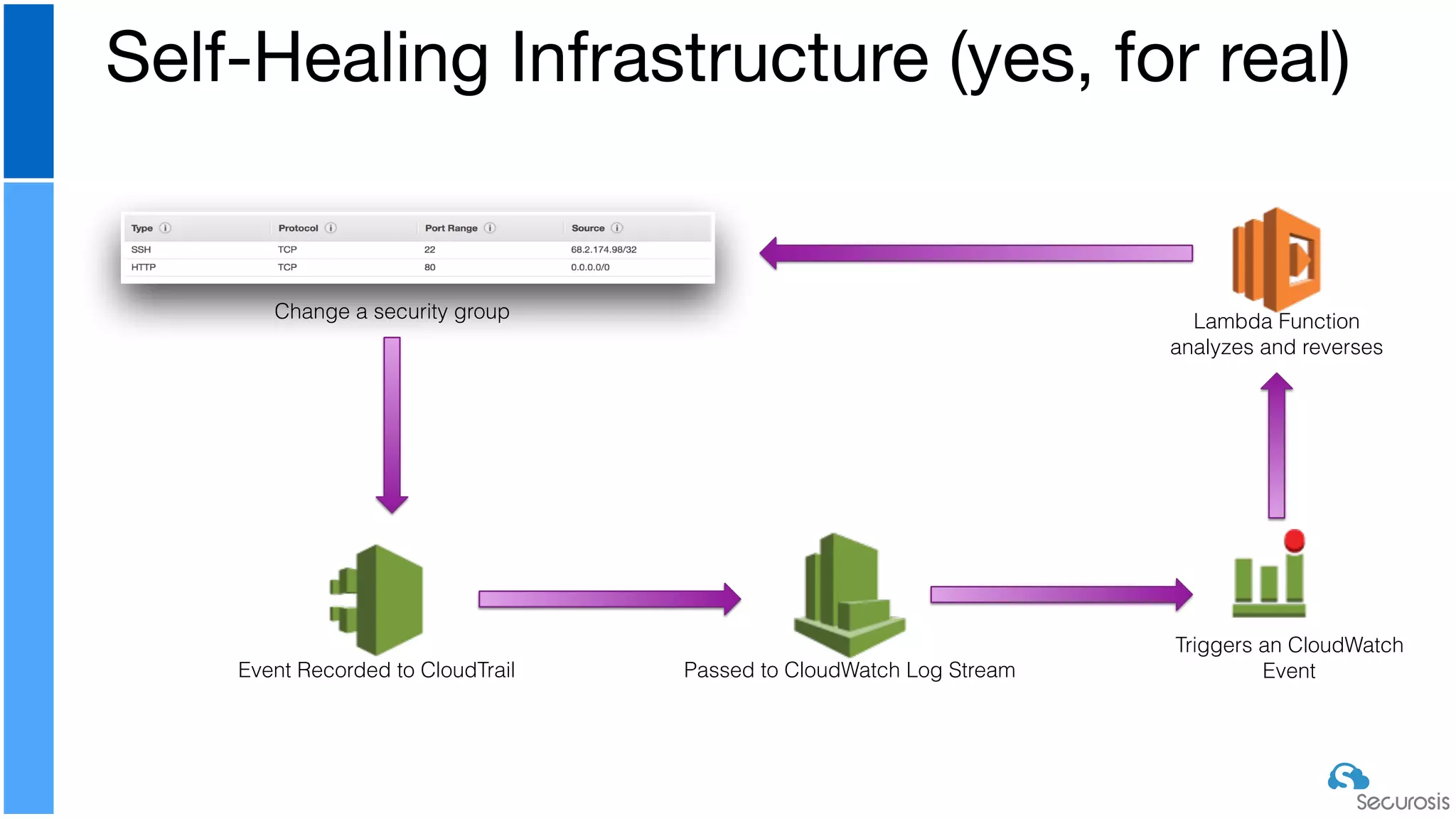
Self-Healing Infrastructure (yes, for real)
Change a security group
Event Recorded to CloudTrail Passed to CloudWatch Log Stream
Triggers an CloudWatch
Event
Lambda Function
analyzes and reverses
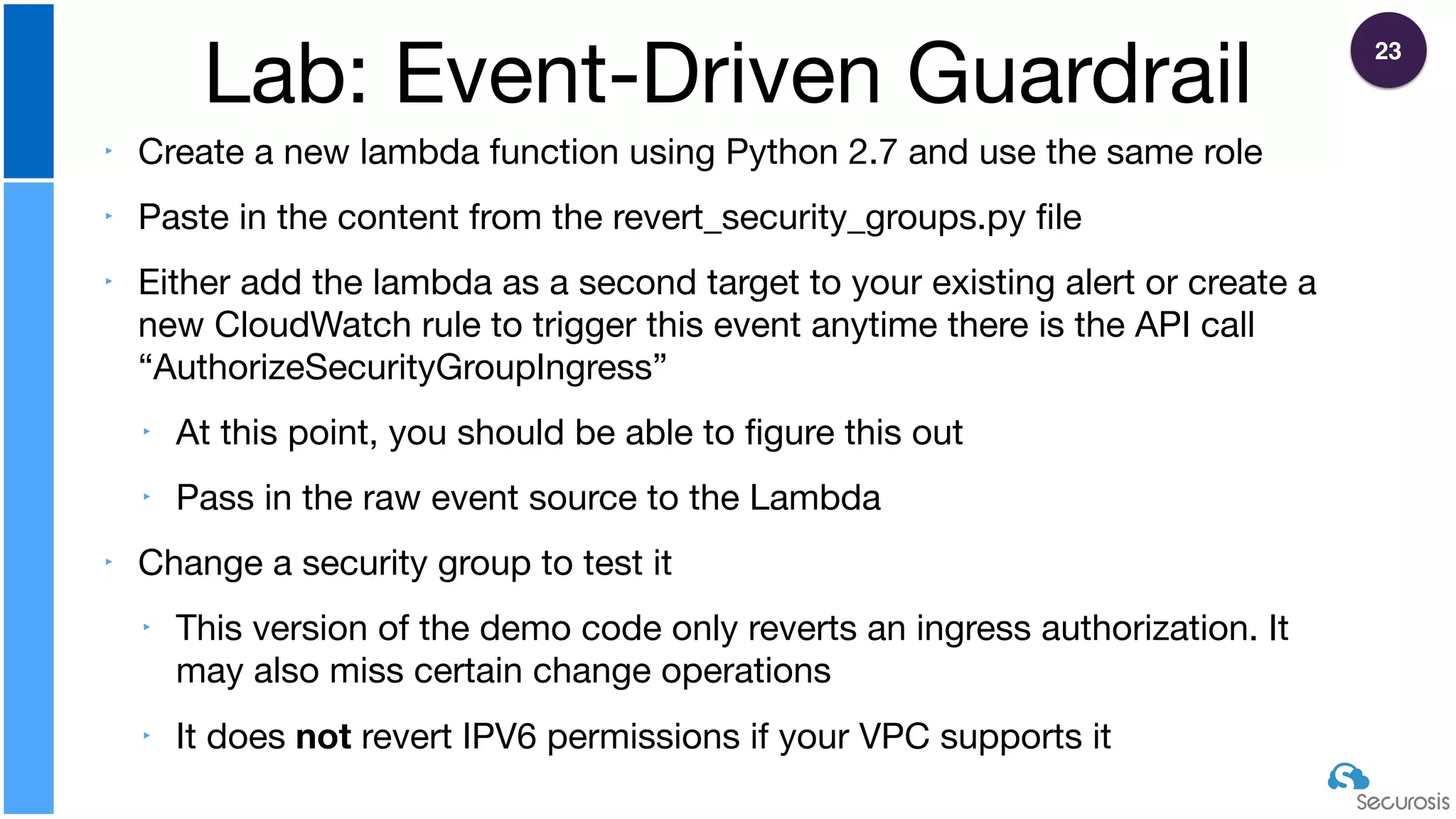
‣ Create a new lambda function using Python 2.7 and use the same role

‣ Paste in the content from the revert_security_groups.py file

‣ Either add the lambda as a second target to your existing alert or create a
new CloudWatch rule to trigger this event anytime there is the API call
“AuthorizeSecurityGroupIngress”

‣ At this point, you should be able to figure this out

‣ Pass in the raw event source to the Lambda

‣ Change a security group to test it

‣ This version of the demo code only reverts an ingress authorization. It
may also miss certain change operations

‣ It does not revert IPV6 permissions if your VPC supports it
Lab: Event-Driven Guardrail
23
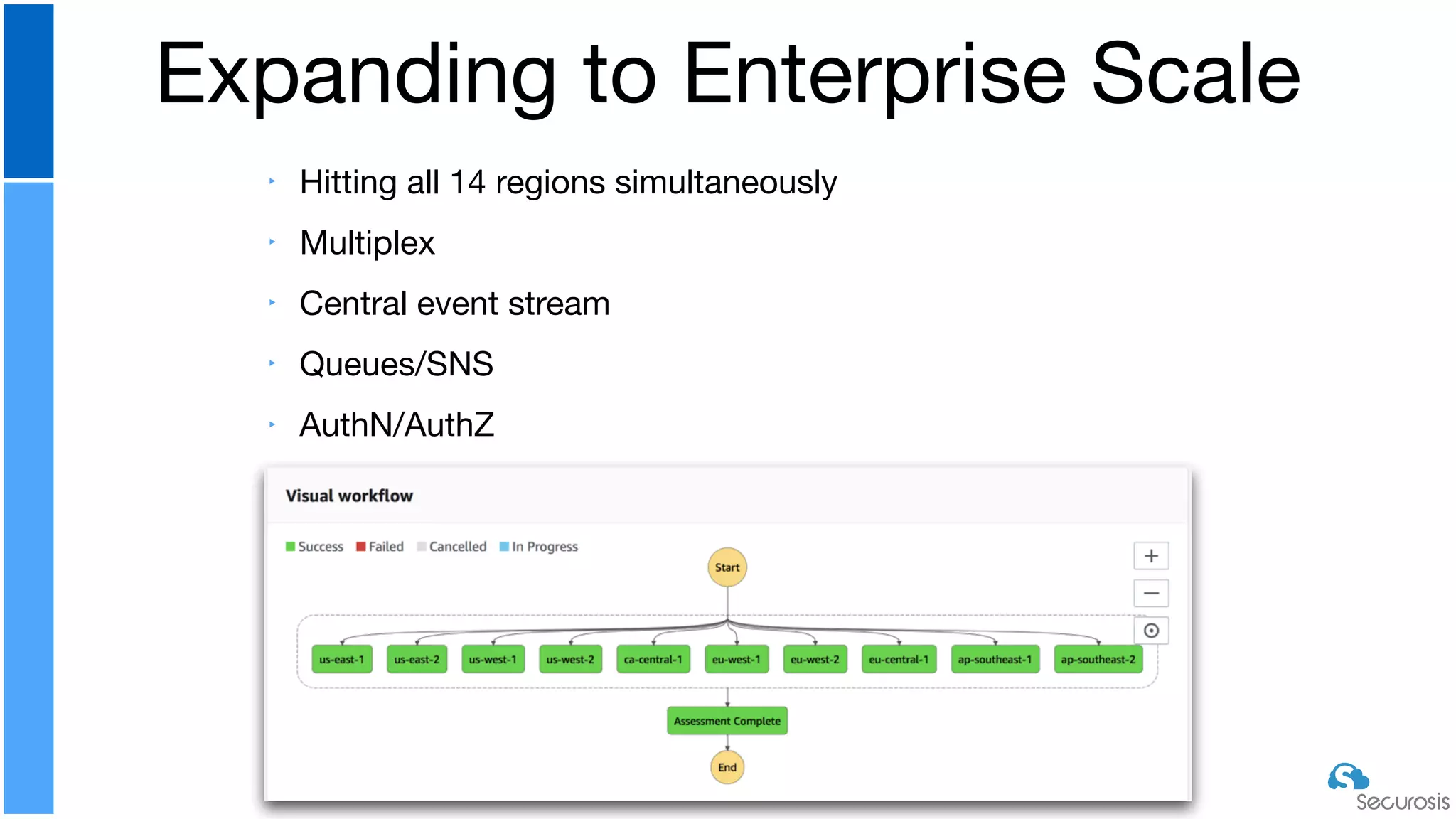
‣ Hitting all 14 regions simultaneously

‣ Multiplex

‣ Central event stream

‣ Queues/SNS

‣ AuthN/AuthZ
Expanding to Enterprise Scale
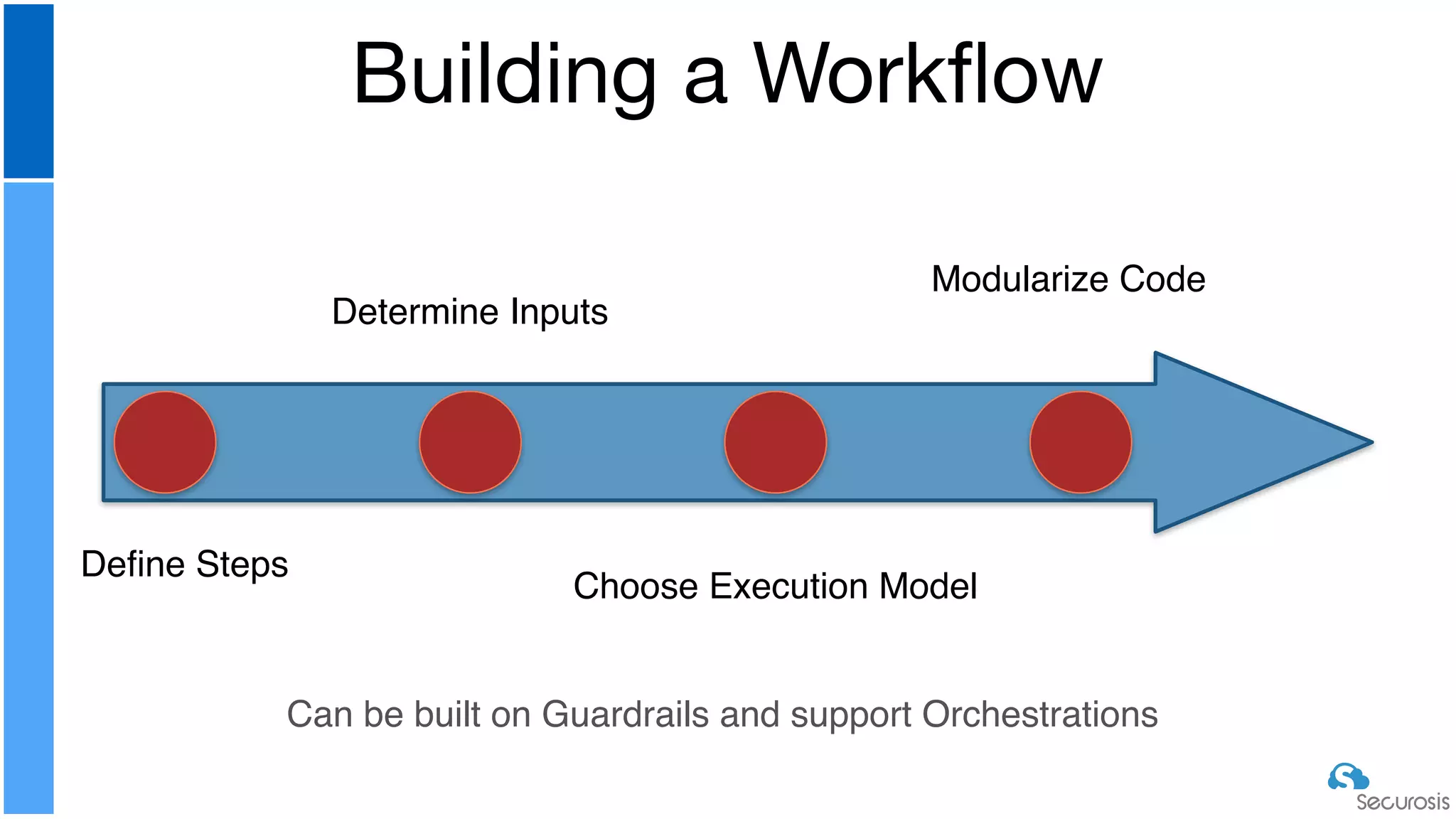
Building a Workflow
Define Steps
Determine Inputs
Choose Execution Model
Modularize Code
Can be built on Guardrails and support Orchestrations
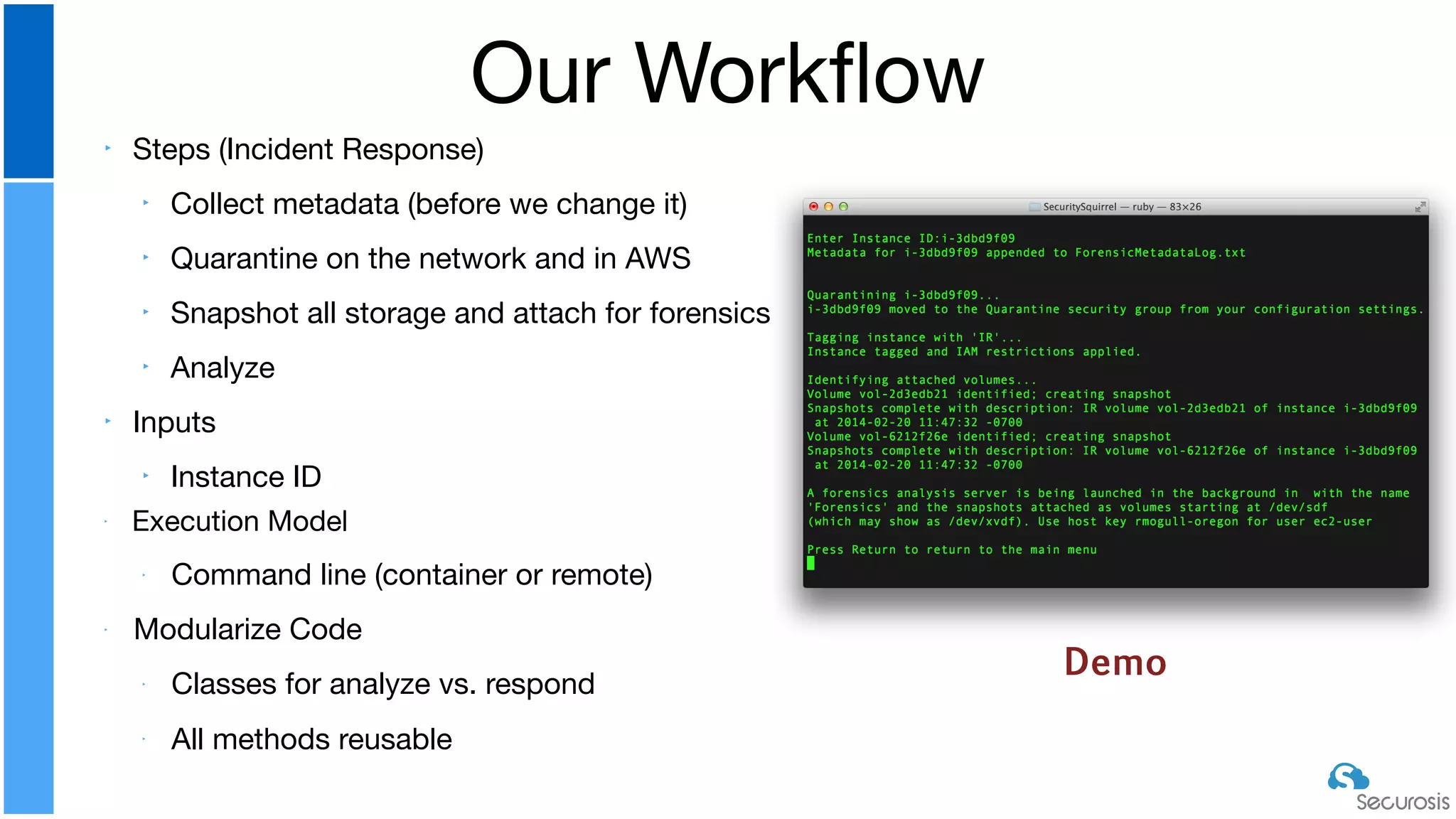
‣ Steps (Incident Response)

‣ Collect metadata (before we change it)

‣ Quarantine on the network and in AWS

‣ Snapshot all storage and attach for forensics

‣ Analyze

‣ Inputs

‣ Instance ID

‣ Execution Model

‣ Command line (container or remote)

‣ Modularize Code

‣ Classes for analyze vs. respond

‣
All methods reusable
Our Workflow
Demo
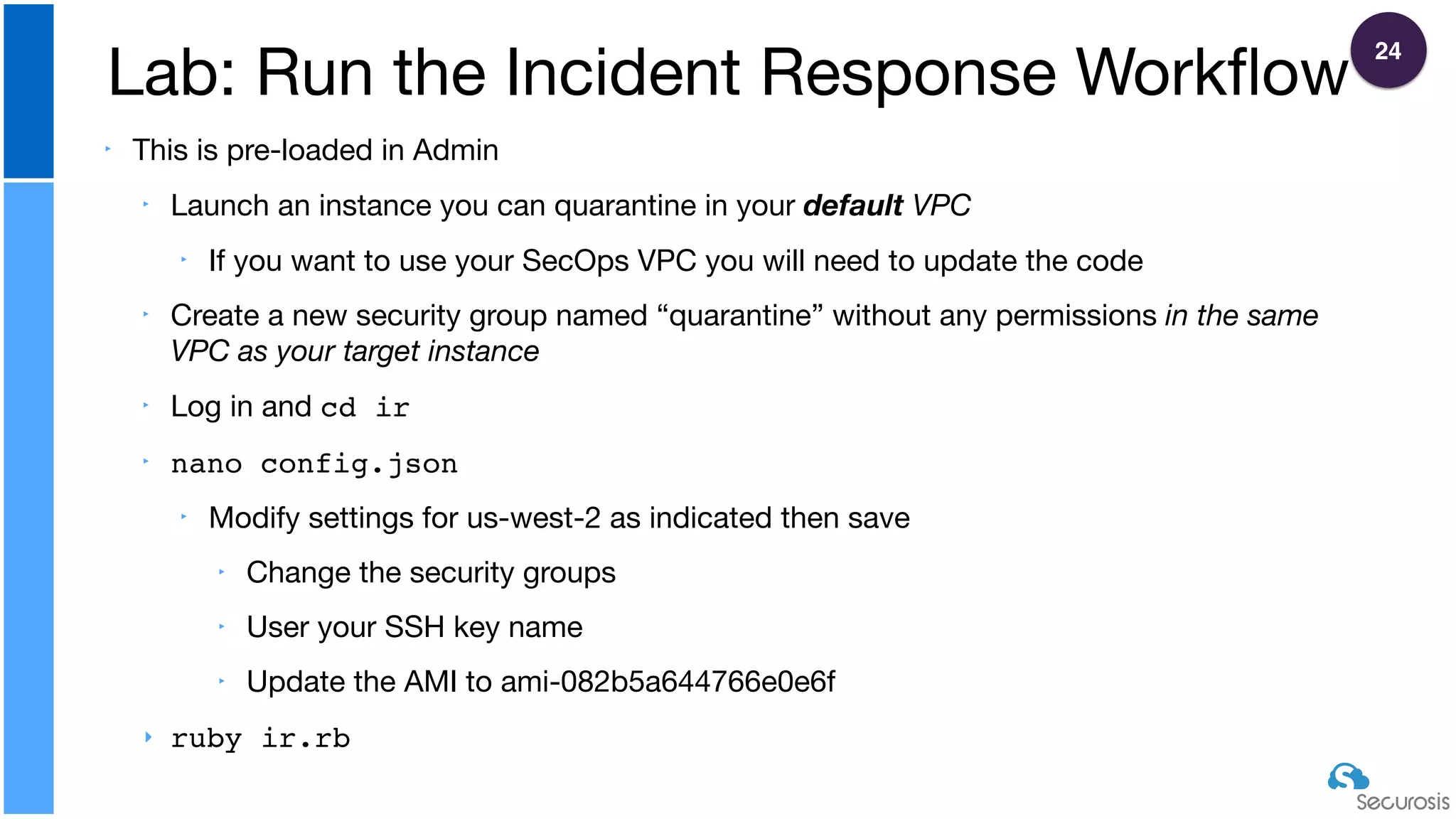
‣ This is pre-loaded in Admin

‣ Launch an instance you can quarantine in your default VPC

‣ If you want to use your SecOps VPC you will need to update the code

‣ Create a new security group named “quarantine” without any permissions in the same
VPC as your target instance

‣ Log in and cd ir

‣ nano config.json 

‣ Modify settings for us-west-2 as indicated then save

‣ Change the security groups

‣ User your SSH key name

‣ Update the AMI to ami-082b5a644766e0e6f

‣ ruby ir.rb
Lab: Run the Incident Response Workflow
24
‣ This is older code we haven’t fully updated as better-supported
tools are emerging

‣ https://threatresponse.cloud

‣ Everything has to be in the same VPC (target + security groups)

‣ Requires hard-coding of various IDs

‣ These days we code automations to look for required resources,
like security groups, then create them if they don’t exist

‣ There is a bunch of in-development code in there that isn’t fully
functional yet
ir.rb Current Limitations
‣ https://docs.aws.amazon.com/sdkforruby/api/index.html
Lab: Add code to stop the instance
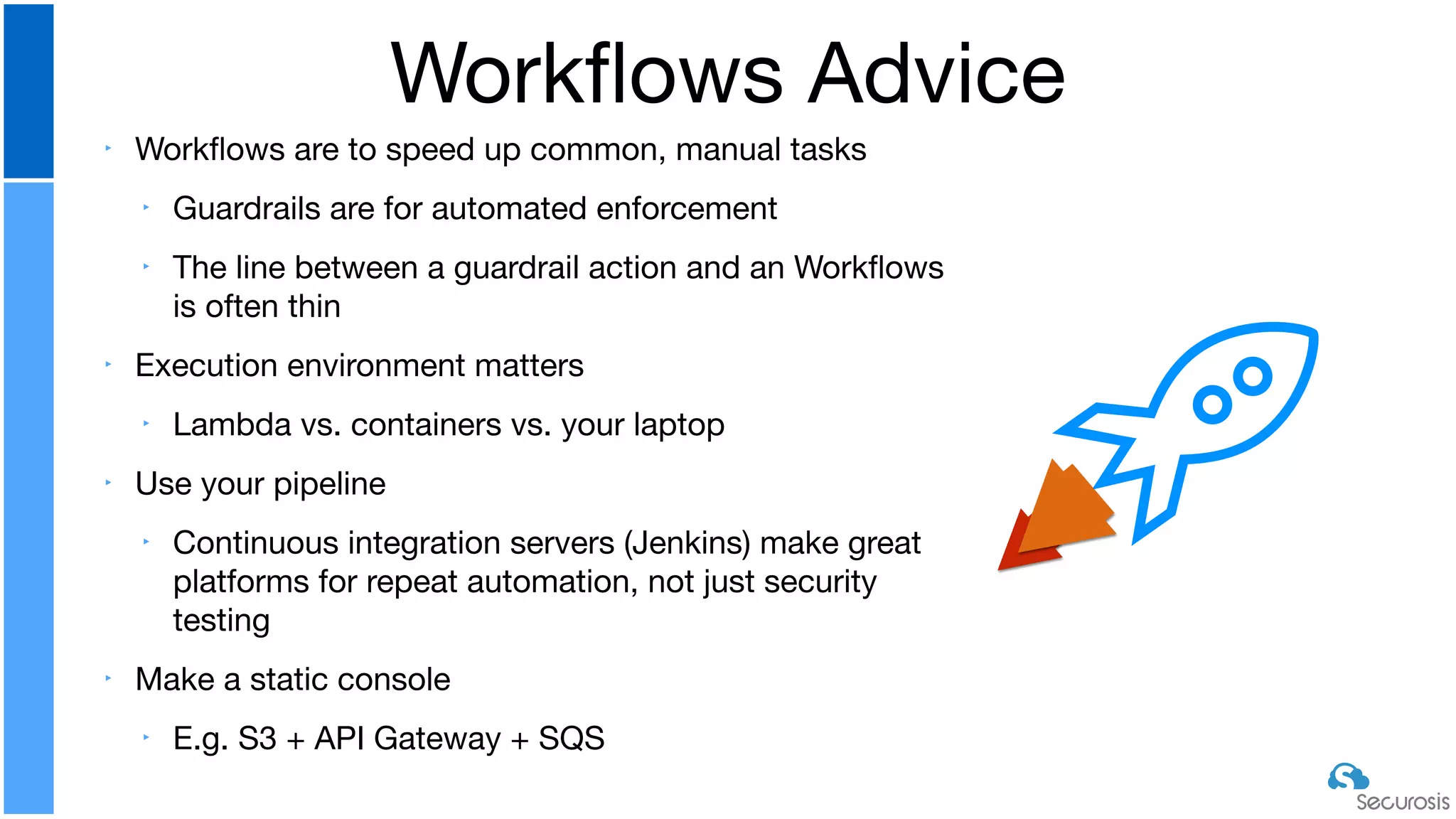
‣ Workflows are to speed up common, manual tasks

‣ Guardrails are for automated enforcement

‣ The line between a guardrail action and an Workflows
is often thin

‣ Execution environment matters

‣ Lambda vs. containers vs. your laptop

‣ Use your pipeline

‣ Continuous integration servers (Jenkins) make great
platforms for repeat automation, not just security
testing

‣ Make a static console

‣ E.g. S3 + API Gateway + SQS
Workflows Advice
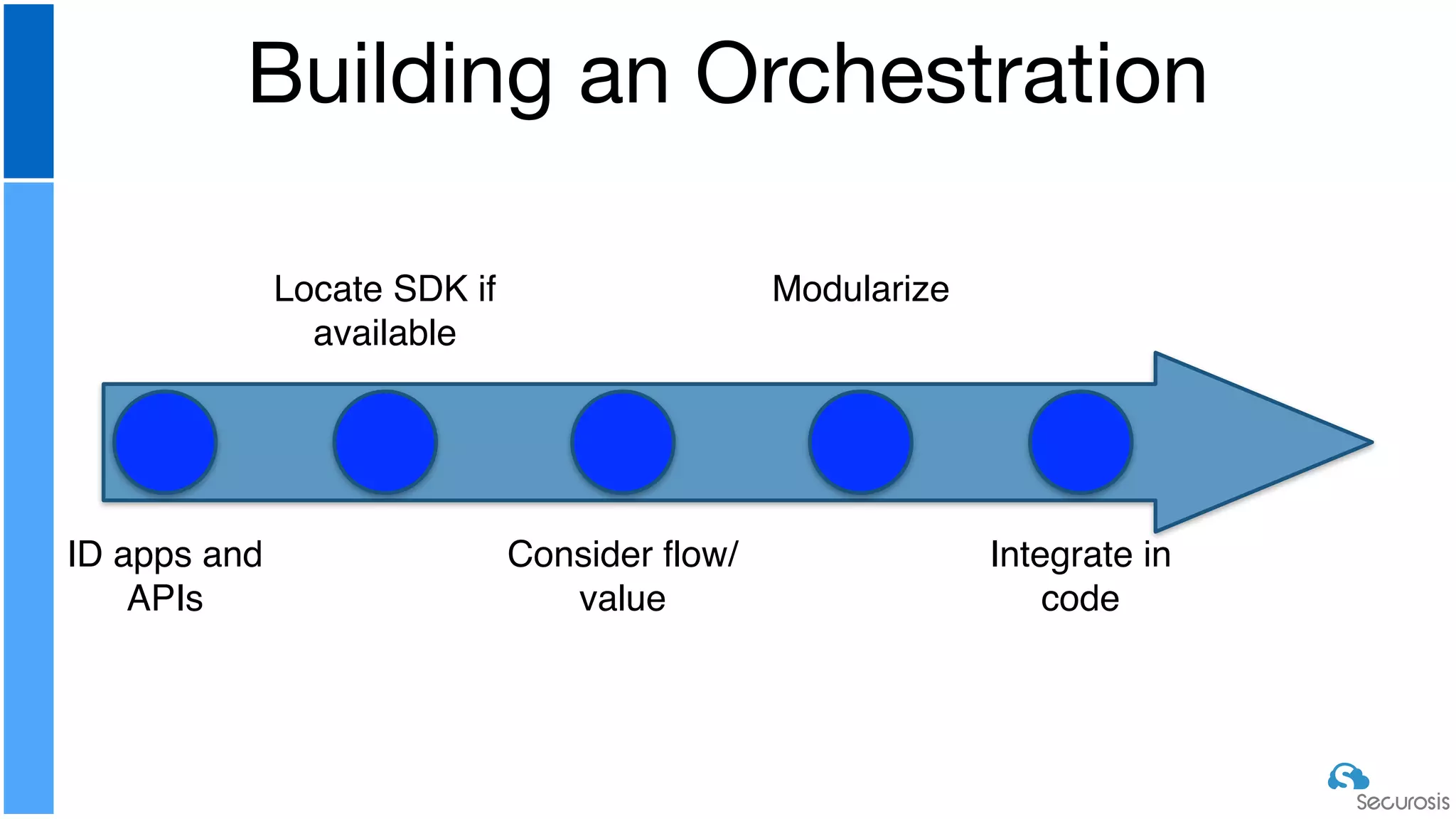
Building an Orchestration
ID apps and
APIs
Locate SDK if
available
Consider flow/
value
Modularize
Integrate in
code
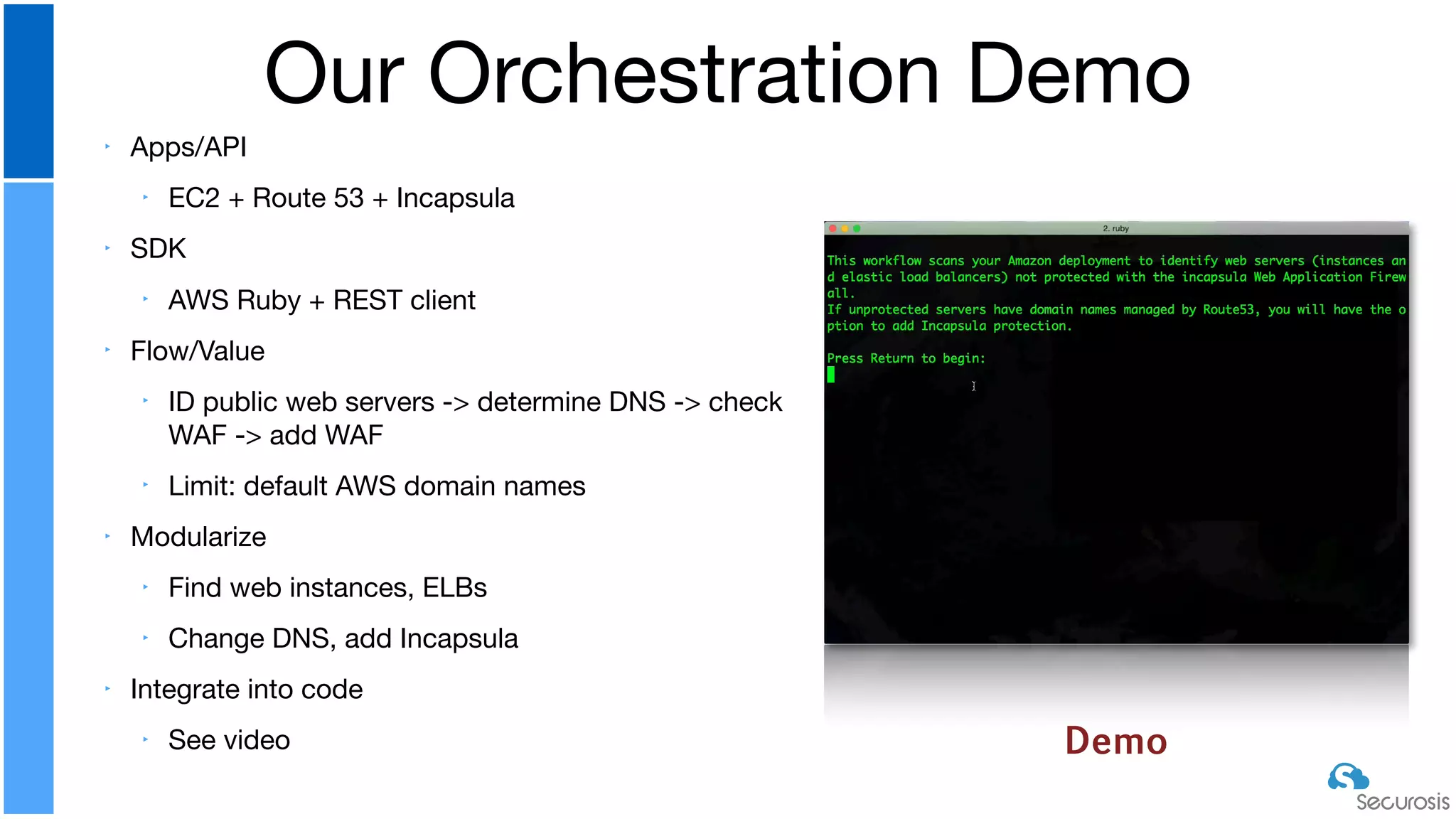
‣ Apps/API

‣ EC2 + Route 53 + Incapsula

‣ SDK

‣ AWS Ruby + REST client

‣ Flow/Value

‣ ID public web servers -> determine DNS -> check
WAF -> add WAF

‣ Limit: default AWS domain names

‣ Modularize

‣ Find web instances, ELBs

‣ Change DNS, add Incapsula

‣ Integrate into code

‣ See video
Our Orchestration Demo
Demo
Your Student Share directory includes multiple
sample lambdas for you to experiment with
and modify if you have the time
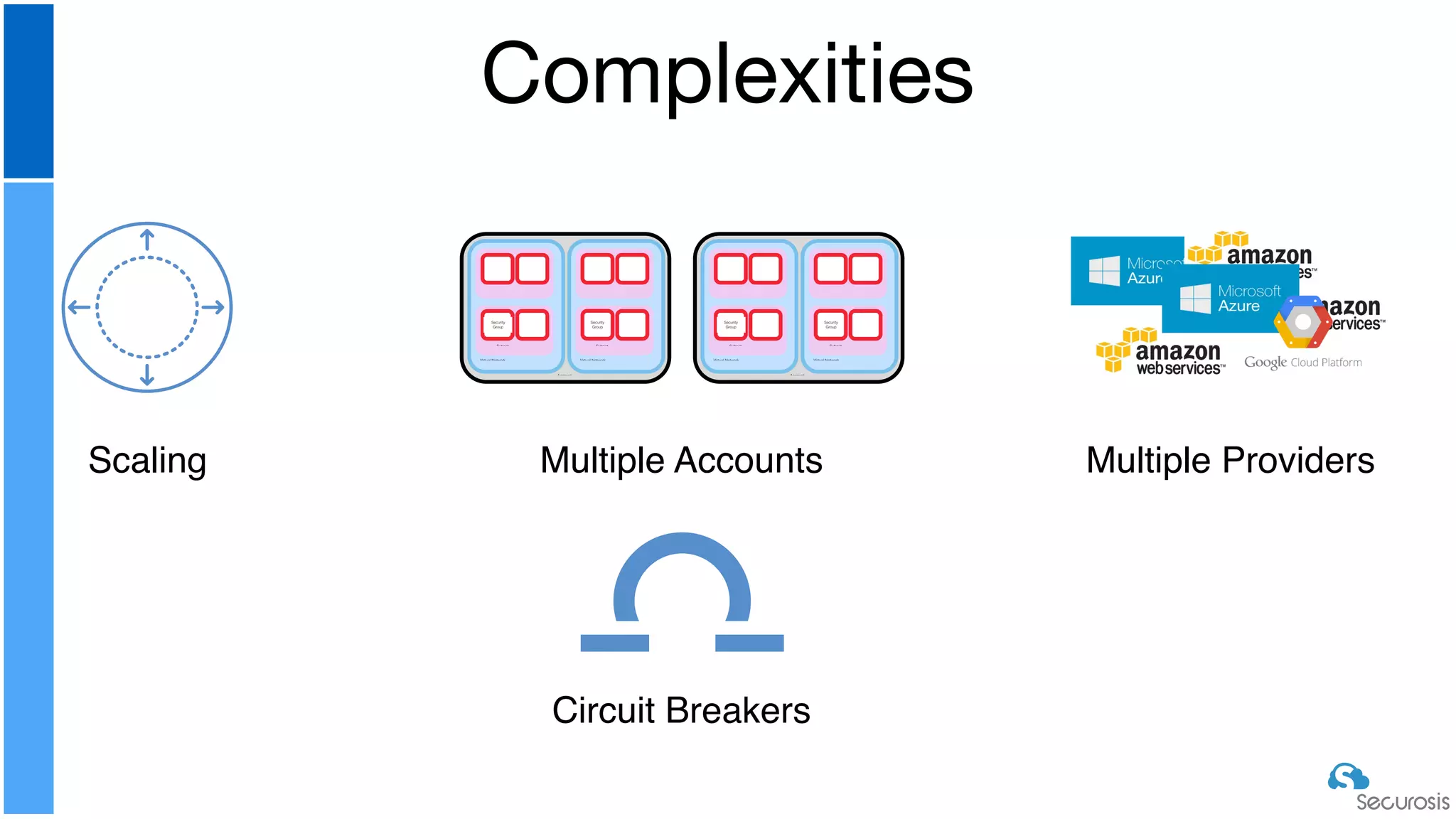
Complexities
Account
Virtual Network
Subnet
Security
Group
Virtual Network
Subnet
Security
Group
Account
Virtual Network
Subnet
Security
Group
Virtual Network
Subnet
Security
Group
Scaling Multiple Accounts Multiple Providers
Circuit Breakers
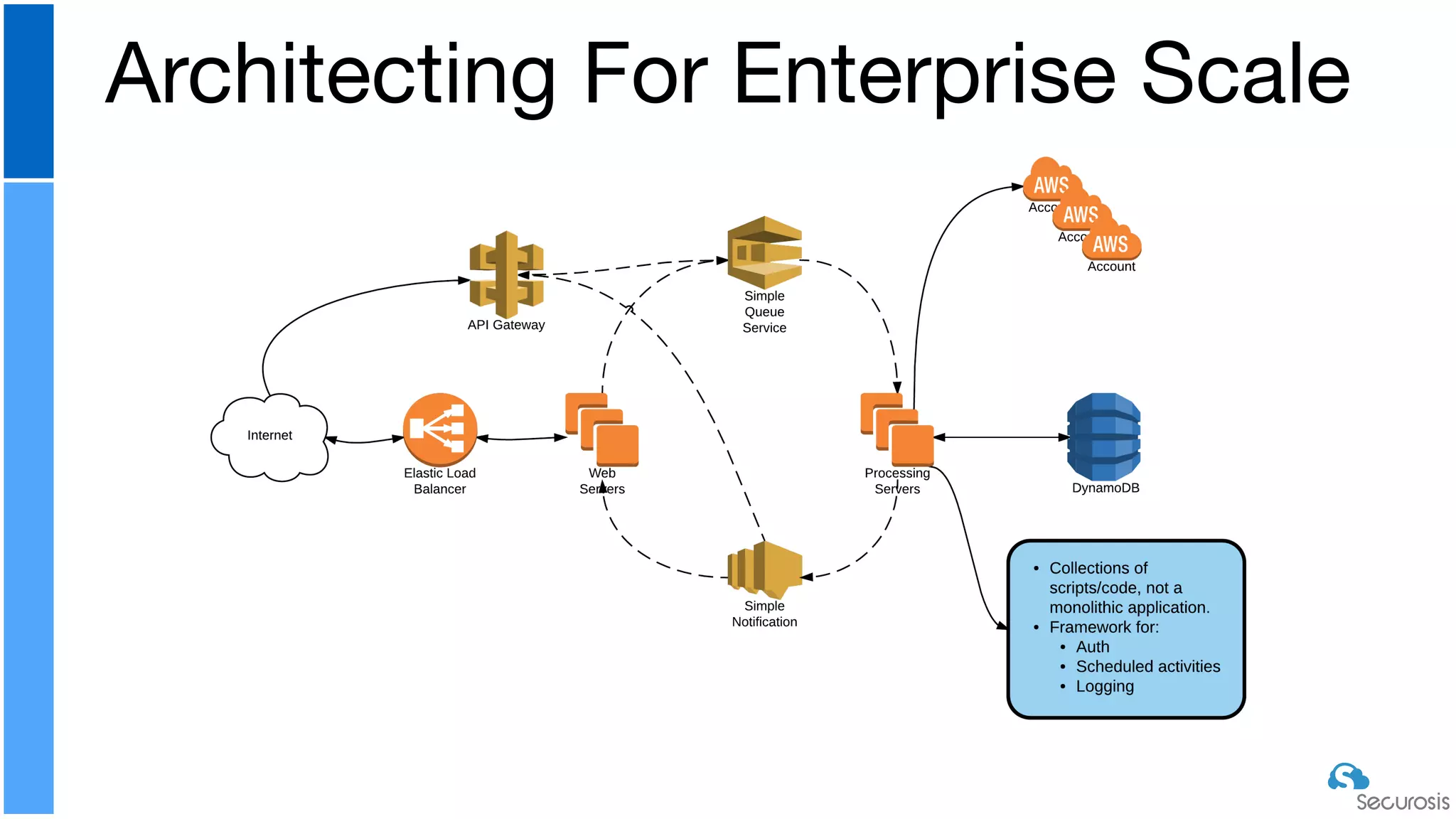
Architecting For Enterprise Scale
‣ Start with something simple

‣ Build it in one account/subscription/project

‣ Event + Notification is super easy to start

‣ Then go with your first FaaS

‣ Desktop first, then FaaS for execution environment

‣ Build a library

‣ Experiment with execution environments, but standardize quickly

‣ Add enterprise scaling capabilities

‣ Will depend on your execution environment/model

‣ Build it in the cloud and leverage PaaS options

‣ Make sure you use CI/CD for long term management
Where to Start
Incident Response
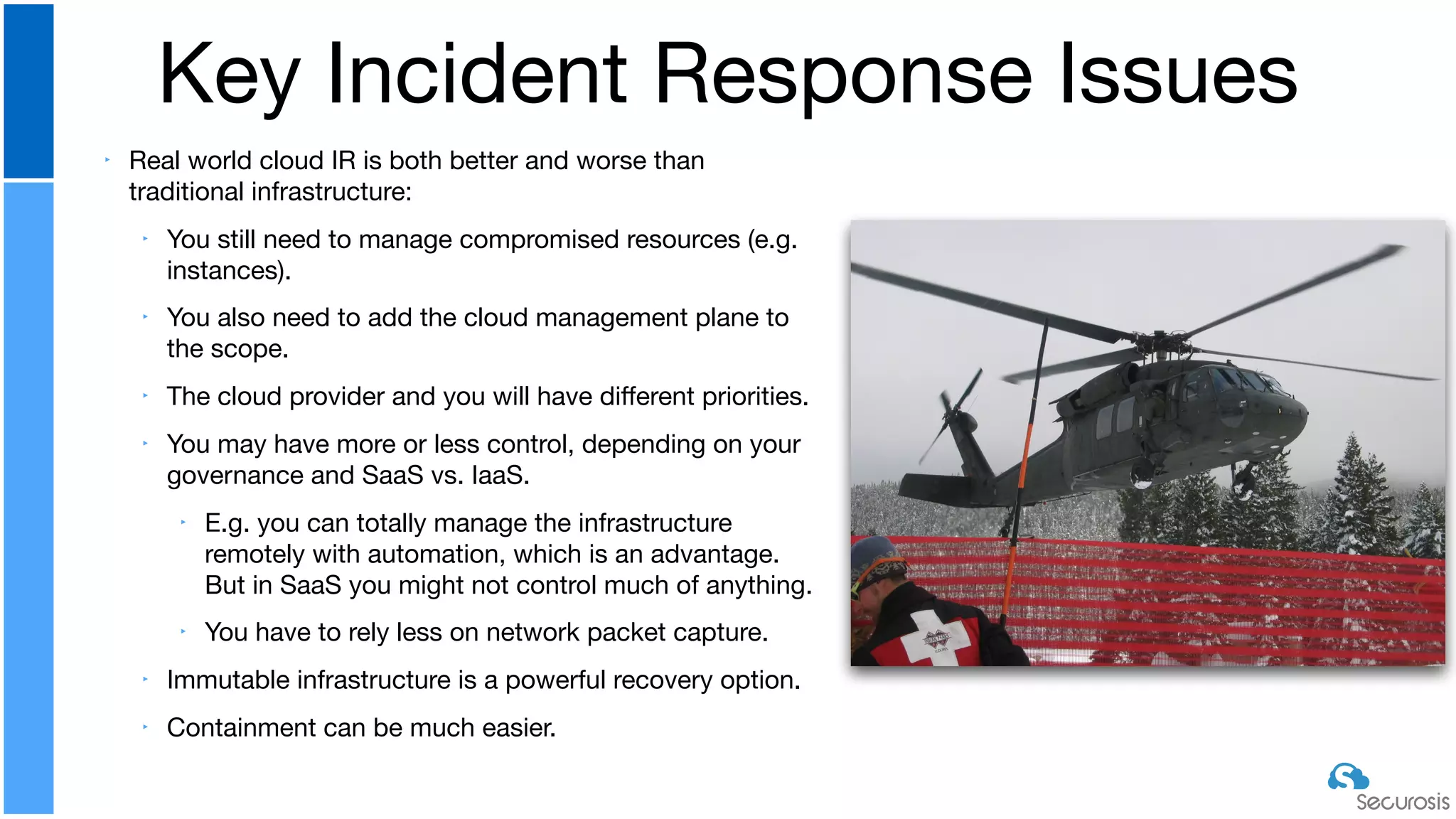
‣ Real world cloud IR is both better and worse than
traditional infrastructure:

‣ You still need to manage compromised resources (e.g.
instances).

‣ You also need to add the cloud management plane to
the scope.

‣ The cloud provider and you will have different priorities. 

‣ You may have more or less control, depending on your
governance and SaaS vs. IaaS.

‣ E.g. you can totally manage the infrastructure
remotely with automation, which is an advantage.
But in SaaS you might not control much of anything.

‣ You have to rely less on network packet capture.

‣ Immutable infrastructure is a powerful recovery option.

‣ Containment can be much easier.
Key Incident Response Issues
‣ Know who to call

‣ Train on your providers of choice

‣ Write your response procedures and automation code ahead of time

‣ Don’t rely on manual response

‣ Use immutable for recovery as often as possible

‣ Kill IAM/metastructure access first
‣ Don’t forget that on both the network and with IAM/management
plane you may need to kill active sessions, not merely revoke
access
Key Principles
‣ Get the instance ID from the EC2 console

‣ Click on volumes and filter on the instance ID

‣ Snapshot the volume(s) and record the snapshot ID

‣ Create a new volume based on the snapshot

‣ When you create a new volume you can base it on the snapshot
ID

‣ Attach the new volume to a running instance (and remember the
device mapping)

‣ Log into the running instance and start your forensics
Background: How to Image an Instance
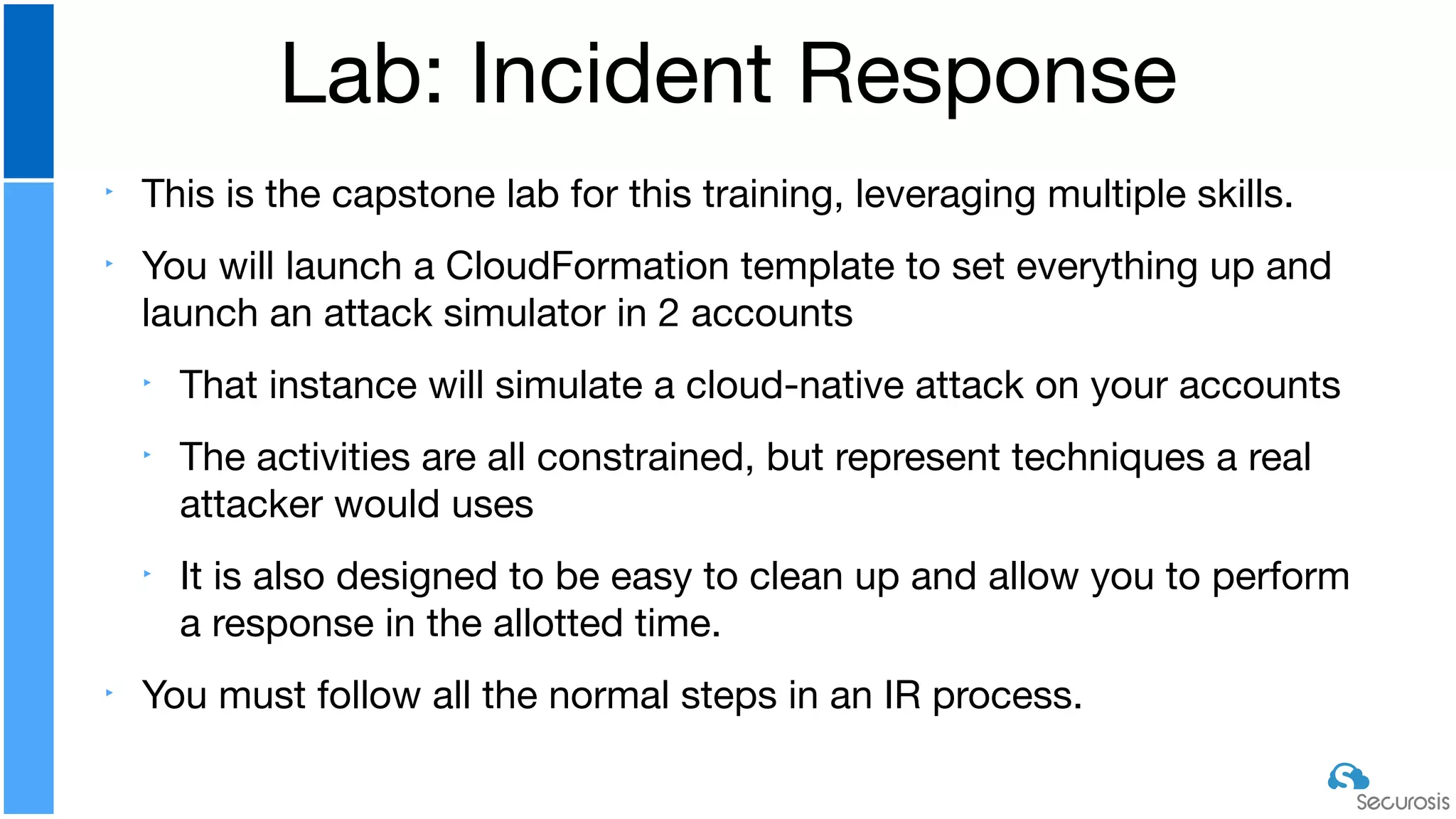
‣ This is the capstone lab for this training, leveraging multiple skills.

‣ You will launch a CloudFormation template to set everything up and
launch an attack simulator in 2 accounts

‣ That instance will simulate a cloud-native attack on your accounts

‣ The activities are all constrained, but represent techniques a real
attacker would uses

‣ It is also designed to be easy to clean up and allow you to perform
a response in the allotted time. 

‣ You must follow all the normal steps in an IR process.
Lab: Incident Response
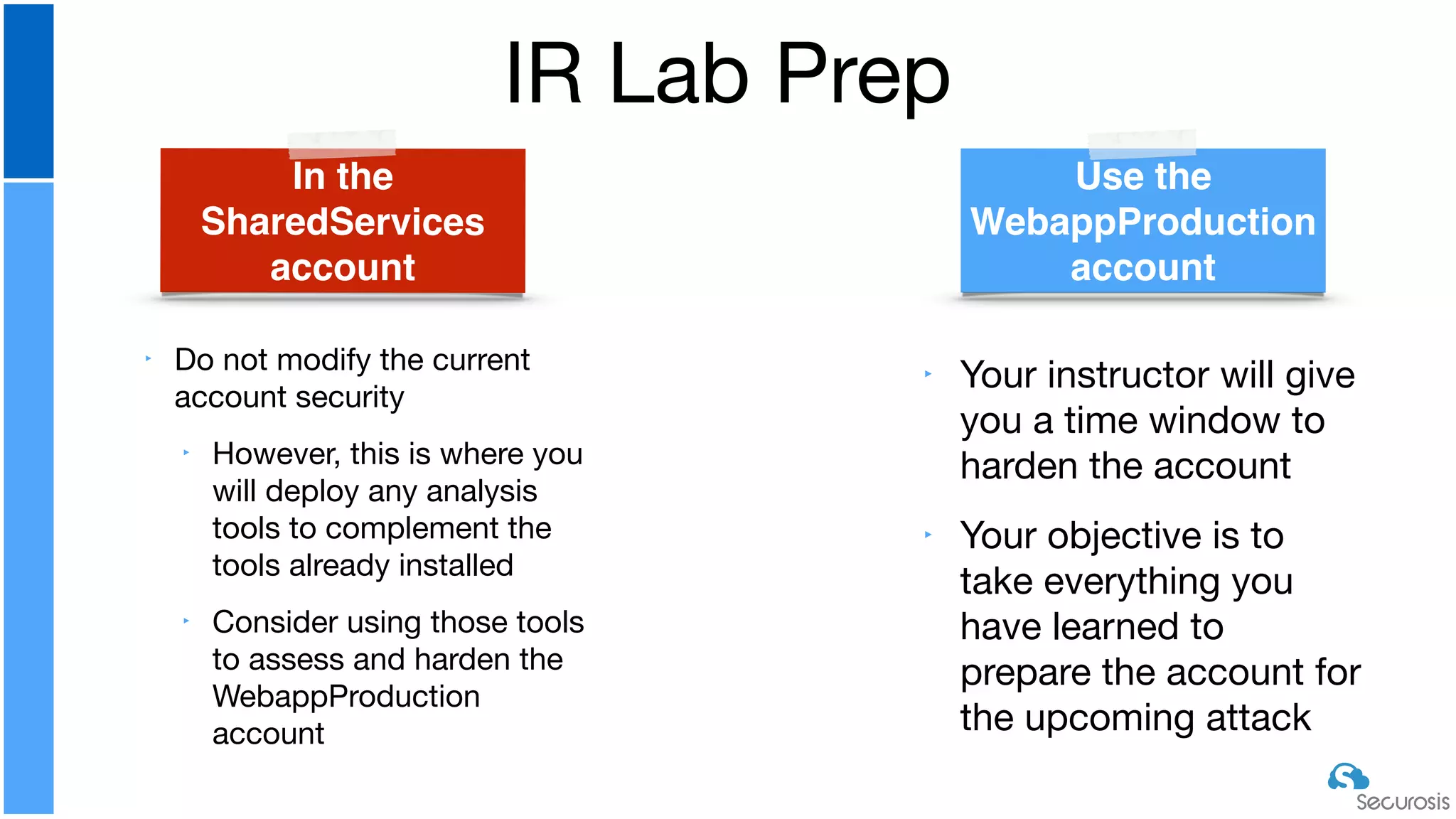
IR Lab Prep
Use the
WebappProduction
account
In the
SharedServices
account
‣ Do not modify the current
account security

‣ However, this is where you
will deploy any analysis
tools to complement the
tools already installed

‣ Consider using those tools
to assess and harden the
WebappProduction
account
‣ Your instructor will give
you a time window to
harden the account

‣ Your objective is to
take everything you
have learned to
prepare the account for
the upcoming attack
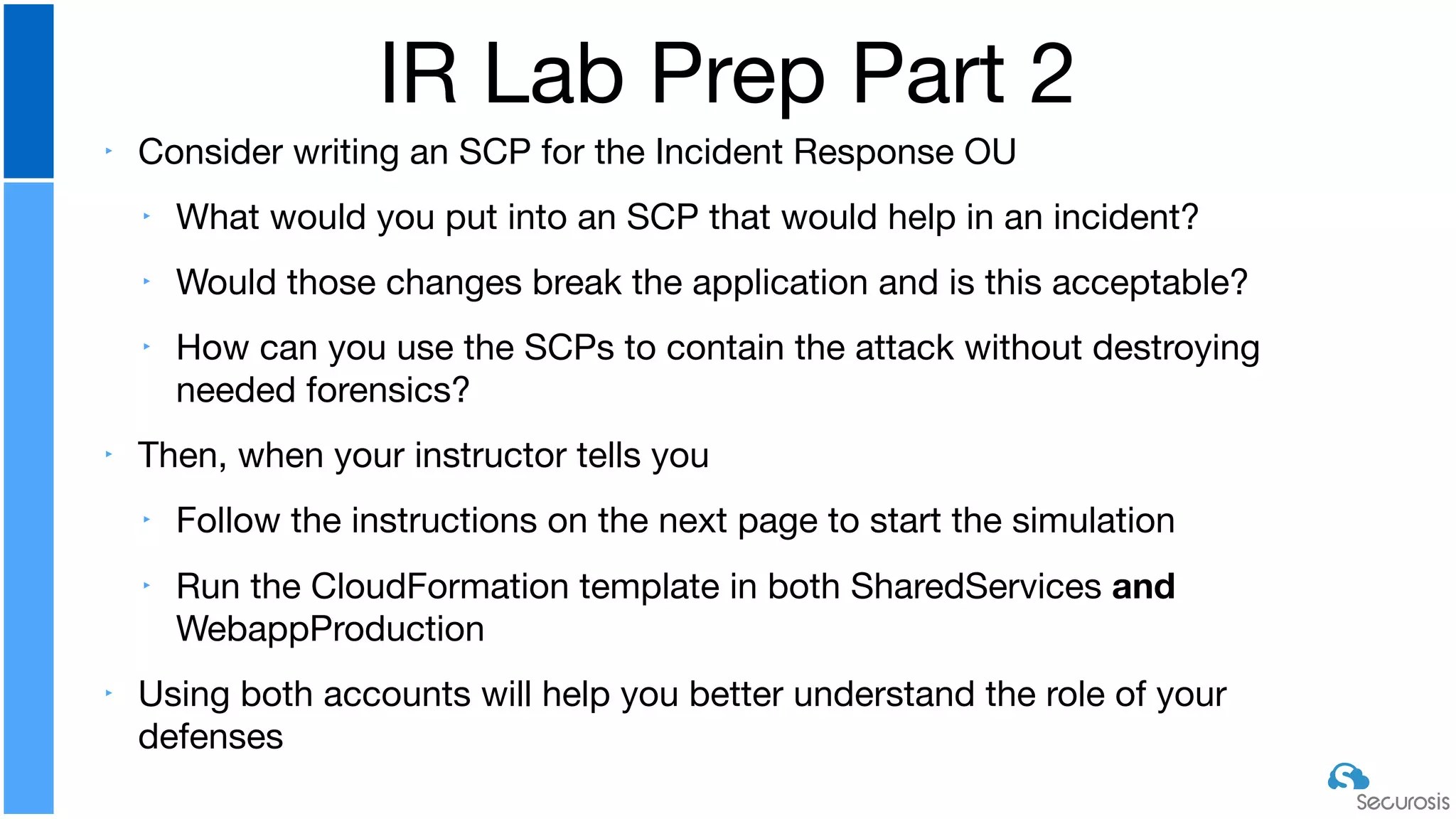
‣ Consider writing an SCP for the Incident Response OU

‣ What would you put into an SCP that would help in an incident?

‣ Would those changes break the application and is this acceptable?

‣ How can you use the SCPs to contain the attack without destroying
needed forensics?

‣ Then, when your instructor tells you

‣ Follow the instructions on the next page to start the simulation

‣ Run the CloudFormation template in both SharedServices and
WebappProduction

‣ Using both accounts will help you better understand the role of your
defenses
IR Lab Prep Part 2
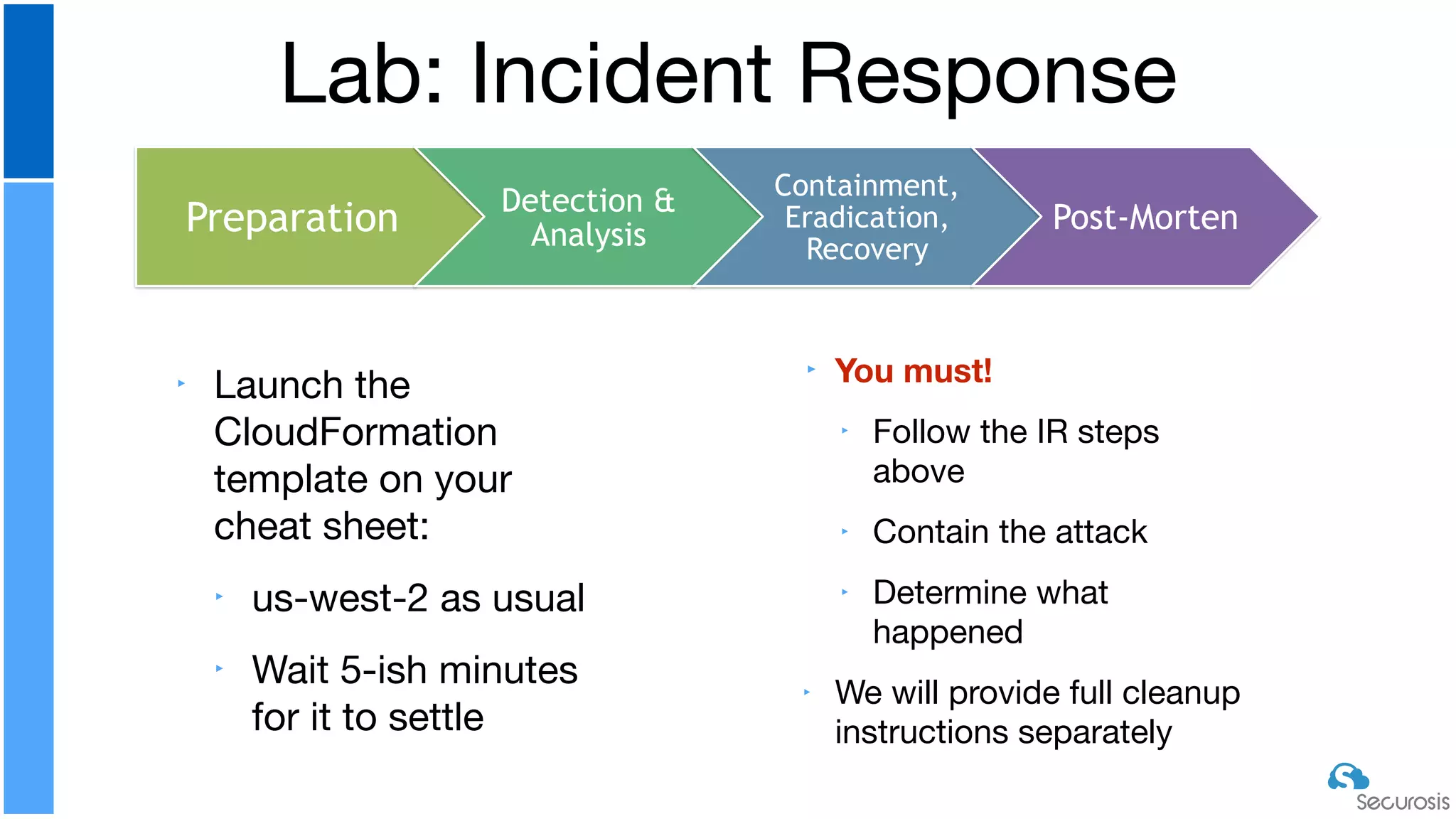
‣ Launch the
CloudFormation
template on your
cheat sheet:

‣ us-west-2 as usual

‣ Wait 5-ish minutes
for it to settle
Lab: Incident Response
Preparation Detection &
Analysis
Containment,
Eradication,
Recovery
Post-Morten
‣ You must!
‣ Follow the IR steps
above

‣ Contain the attack

‣ Determine what
happened

‣ We will provide full cleanup
instructions separately
‣ This attack simulation is deliberately constrained:

‣ It relies on provided admin credentials and skips the hard part of
exploitation.

‣ It uses all pre-determined resources to ensure we can clean it up.

‣ It purposely doesn’t attack certain resources that could either violate
terms of service or damage your account.

‣ It is designed to fit within our classroom time constraints.
‣ However:

‣ It does demonstrate multiple real-world techniques used by cloud native
attackers.

‣ It forces you to think in cloud-native response terms.
IR Lab Constraints and Reality
‣ How could an attacker compromise credentials to
carry out this attack?

‣ How could they escalate privileges if they only gain
access to lower-level credentials?

‣ What inherent tools and techniques would prevent the
various attacks demonstrated in this lab?

‣ How could you use automation? Do you think it’s
required?
IR Discussion
W
hiteboard
‣ Baseline security, from the account architecture and
root account through IAM, monitoring, and network
security

‣ Real-world network architectures and security

‣ Leveraging DevOps techniques and deployment
pipelines for security

‣ A primer on leveraging cloud-native options for
building secure application architectures

‣ Security automation

‣ Incident response for cloud
What We Covered

Pragmatic Cloud Security Automation

  • 1.
    Pragmatic Cloud Security Automation RichMogull/Crash/@rmogull Securosis and DisruptOps
  • 2.
    Cloud is FundamentallyDifferent Abstraction Automation
  • 3.
    Automation is Inherent TheNIST Model (courtesy the CSA)
  • 4.
    APIs are Ubiquitous CloudSecurity Alliance IaaS Reference Model }
  • 5.
    Cloud Security MustBe Cloud Native Management Plane Distribution/Segregation Account Virtual Network Subnet Security Group Virtual Network Subnet Security Group Account Virtual Network Subnet Security Group Virtual Network Subnet Security Group Volatility/Velocity
  • 6.
    The Categories Guardrails WorkflowsOrchestrations Continuously assess and enforce operational and security policies Streamline and accelerate IT operations and security through automated workflows Empower new capabilities through advanced orchestration of infrastructure, operations, and security Fix security group or S3 misconfigurations Incident response Automatic WAF insertion and configuration
  • 7.
  • 8.
    The Foundation Cloud Service Provider CloudConsumer (you) ‣ API and full administrative activity logging ‣ Events/triggers/rules ‣ Function as a Service (Serverless) ‣ Notification service ‣ Continuous Integration Pipeline ‣ Version control repository ‣ Full IAM access to accounts/subscriptions/ projects ‣ Security development team (person) Critical Capabilities
  • 9.
    The Process Define Your Problem EvalFOSS/Existing tools Determine Tech Stack Build Initial Automations (Ops) Expand for Scale/Scope
  • 10.
    ‣ How toconfigure all the core monitoring/ logging ‣ Setting up IAM and permissions ‣ The details of implementation on Azure and GCP ‣ We will list the core capabilities, but can’t cover all 3 with real examples in 45 minutes Things We Are Skipping (for time)
  • 11.
    ‣ Define andset limits ‣ Can be “allow” or “deny” ‣ Find deviations ‣ Assessment or event based ‣ Evaluate the issue ‣ Fix/remediate ‣ Automatically or manually depending on rules What’s a Guardrail? Find Eval Fix
  • 12.
    ‣ If youfind a public S3 bucket, restrict it to our known network addresses ‣ Unless it is approved or tagged ‣ Don’t allow internal security groups with all ports and protocols open in Prod ‣ But allow in Dev ‣ Require MFA for API access for any user that needs MFA for console access ‣ Create our baseline IAM policies and roles for all new accounts ‣ Based on the environment Example Guardrails Validate that monitoring and alerting is properly configured And fix if not Disable access keys that haven’t been used in 90 days Find instances with an IAM role that allows power user or greater access via API Restrict the privileges Identify all cross-network peering from accounts we don’t own Then check the security group permissions
  • 13.
    ‣ Accounts fordifferent environments ‣ At least Dev vs. Prod ‣ Handles exceptions ‣ And is capable of remembering them ‣ Understands state and context ‣ Doesn’t bog down the alert queue ‣ Can remediate automatically ‣ Either completely, or after manual approval ‣ Ops communications/notifications ‣ Education, not Blamification What Makes a Good Guardrail?
  • 14.
    Building a Guardrail Define Criteria/Issues AddFilters Set Triggers Add Actions And Targets
  • 15.
    ‣ Criteria/Issues ‣ Allinstances with port 22 open to the 0.0.0.0/0 (the Internet) ‣ Filters ‣ Region is us-west-2 (could be VPC/tag/etc) ‣ Trigger ‣ Time = every 5 minutes ‣ Action ‣ Restrict to known IP range Our Guardrail Demo Easyby
  • 16.
    ‣ Key aspects: ‣Authentication/authorization via Roles ‣ Initializing clients ‣ Understanding method and variable scope ‣ AWS SDK/JSON navigation ‣ Structs > hash > arrays ‣ Hidden complexities (e.g. ENIs and security groups) ‣ Tips ‣ Waiters ‣ Managing API limits ‣ CLI vs. SDK (—query) Code Walk Through W hiteboard
  • 17.
    ‣ Language doesn’tmatter… as long as it supports Lambda ‣ Understand the AWS credentials hierarchy ‣ Hard coded > specified credentials file > default config and credentials files > role ‣ API limits are a thing. They suck ‣ Paginators are your friend when available ‣ Make sure you understand how to use server side filtering and when it hurts more than it helps Coding Recommendations
  • 18.
    ‣ Create anew IAM role to run the Lambda functions for today ‣ Give it AdministratorAccess policy only to speed things up ‣ NEVER EVER DO THIS IN REAL LIFE!!! ‣ (Yes, I’ve found it in evaluations) ‣ Name it lambda_admin Lab: Create Time-Based Guardrail Use theSharedServicesaccount 22
  • 19.
    ‣ Create anew topic, or pick your existing topic, from SNS ‣ Make sure you have an active subscription (e.g. SMS or email) to receive the notifications ‣ Copy and paste the topic ARN to your cheat sheet Lab: Create Notification (or use one from an earlier lab)
  • 20.
    ‣ Create anew Lambda function ‣ Name it identify_internet_facing_servers ‣ Choose Python 3.x ‣ Choose the lambda_admin role ‣ Paste in the sample code from your student directory ‣ If you are a hacker, or ever wanted to be a hacker, figure out how to change to dark mode. ‣ If you hit an error wait 1-2 minutes and try again, sometimes IAM is slow. Welcome to the cloud! Lab: Create the Function
  • 21.
    ‣ Create thetest event (it’s on the top of the Lambda page ‣ Paste in the sample JSON from your cheat sheet (it’s under ### Guardrail) ‣ Replace with the ARN of your SNS topic ‣ Update the SNS ARN in the Lambda function: “TargetArn” around line 110 Lab: Create Test Event
  • 22.
  • 23.
    ‣ Create aCloudWatch Rule to run the lambda function every 5 minutes (or sooner if you want) ‣ Provide the configuration details by pasting in the JSON from your test (e.g. “mode”: “assess”) Lab: Set Schedule
  • 24.
    Now try puttingit into remediation mode
  • 25.
    ‣ Criteria/Issues ‣ Newinbound security group rule added ‣ Filters ‣ IAM user, VPC, Tag ‣ Trigger ‣ API event (CloudTrail) ‣ Action ‣ Reverse + Notify Our Event-Driven Guardrail Demo
  • 26.
    Self-Healing Infrastructure (yes,for real) Change a security group Event Recorded to CloudTrail Passed to CloudWatch Log Stream Triggers an CloudWatch Event Lambda Function analyzes and reverses
  • 27.
    ‣ Create anew lambda function using Python 2.7 and use the same role ‣ Paste in the content from the revert_security_groups.py file ‣ Either add the lambda as a second target to your existing alert or create a new CloudWatch rule to trigger this event anytime there is the API call “AuthorizeSecurityGroupIngress” ‣ At this point, you should be able to figure this out ‣ Pass in the raw event source to the Lambda ‣ Change a security group to test it ‣ This version of the demo code only reverts an ingress authorization. It may also miss certain change operations ‣ It does not revert IPV6 permissions if your VPC supports it Lab: Event-Driven Guardrail 23
  • 28.
    ‣ Hitting all14 regions simultaneously ‣ Multiplex ‣ Central event stream ‣ Queues/SNS ‣ AuthN/AuthZ Expanding to Enterprise Scale
  • 29.
    Building a Workflow DefineSteps Determine Inputs Choose Execution Model Modularize Code Can be built on Guardrails and support Orchestrations
  • 30.
    ‣ Steps (IncidentResponse) ‣ Collect metadata (before we change it) ‣ Quarantine on the network and in AWS ‣ Snapshot all storage and attach for forensics ‣ Analyze ‣ Inputs ‣ Instance ID ‣ Execution Model ‣ Command line (container or remote) ‣ Modularize Code ‣ Classes for analyze vs. respond ‣ All methods reusable Our Workflow Demo
  • 31.
    ‣ This ispre-loaded in Admin ‣ Launch an instance you can quarantine in your default VPC ‣ If you want to use your SecOps VPC you will need to update the code ‣ Create a new security group named “quarantine” without any permissions in the same VPC as your target instance ‣ Log in and cd ir ‣ nano config.json ‣ Modify settings for us-west-2 as indicated then save ‣ Change the security groups ‣ User your SSH key name ‣ Update the AMI to ami-082b5a644766e0e6f ‣ ruby ir.rb Lab: Run the Incident Response Workflow 24
  • 32.
    ‣ This isolder code we haven’t fully updated as better-supported tools are emerging ‣ https://threatresponse.cloud ‣ Everything has to be in the same VPC (target + security groups) ‣ Requires hard-coding of various IDs ‣ These days we code automations to look for required resources, like security groups, then create them if they don’t exist ‣ There is a bunch of in-development code in there that isn’t fully functional yet ir.rb Current Limitations
  • 33.
  • 34.
    ‣ Workflows areto speed up common, manual tasks ‣ Guardrails are for automated enforcement ‣ The line between a guardrail action and an Workflows is often thin ‣ Execution environment matters ‣ Lambda vs. containers vs. your laptop ‣ Use your pipeline ‣ Continuous integration servers (Jenkins) make great platforms for repeat automation, not just security testing ‣ Make a static console ‣ E.g. S3 + API Gateway + SQS Workflows Advice
  • 35.
    Building an Orchestration IDapps and APIs Locate SDK if available Consider flow/ value Modularize Integrate in code
  • 36.
    ‣ Apps/API ‣ EC2+ Route 53 + Incapsula ‣ SDK ‣ AWS Ruby + REST client ‣ Flow/Value ‣ ID public web servers -> determine DNS -> check WAF -> add WAF ‣ Limit: default AWS domain names ‣ Modularize ‣ Find web instances, ELBs ‣ Change DNS, add Incapsula ‣ Integrate into code ‣ See video Our Orchestration Demo Demo
  • 37.
    Your Student Sharedirectory includes multiple sample lambdas for you to experiment with and modify if you have the time
  • 38.
    Complexities Account Virtual Network Subnet Security Group Virtual Network Subnet Security Group Account VirtualNetwork Subnet Security Group Virtual Network Subnet Security Group Scaling Multiple Accounts Multiple Providers Circuit Breakers
  • 39.
  • 40.
    ‣ Start withsomething simple ‣ Build it in one account/subscription/project ‣ Event + Notification is super easy to start ‣ Then go with your first FaaS ‣ Desktop first, then FaaS for execution environment ‣ Build a library ‣ Experiment with execution environments, but standardize quickly ‣ Add enterprise scaling capabilities ‣ Will depend on your execution environment/model ‣ Build it in the cloud and leverage PaaS options ‣ Make sure you use CI/CD for long term management Where to Start
  • 41.
  • 42.
    ‣ Real worldcloud IR is both better and worse than traditional infrastructure: ‣ You still need to manage compromised resources (e.g. instances). ‣ You also need to add the cloud management plane to the scope. ‣ The cloud provider and you will have different priorities. ‣ You may have more or less control, depending on your governance and SaaS vs. IaaS. ‣ E.g. you can totally manage the infrastructure remotely with automation, which is an advantage. But in SaaS you might not control much of anything. ‣ You have to rely less on network packet capture. ‣ Immutable infrastructure is a powerful recovery option. ‣ Containment can be much easier. Key Incident Response Issues
  • 43.
    ‣ Know whoto call ‣ Train on your providers of choice ‣ Write your response procedures and automation code ahead of time ‣ Don’t rely on manual response ‣ Use immutable for recovery as often as possible ‣ Kill IAM/metastructure access first ‣ Don’t forget that on both the network and with IAM/management plane you may need to kill active sessions, not merely revoke access Key Principles
  • 44.
    ‣ Get theinstance ID from the EC2 console ‣ Click on volumes and filter on the instance ID ‣ Snapshot the volume(s) and record the snapshot ID ‣ Create a new volume based on the snapshot ‣ When you create a new volume you can base it on the snapshot ID ‣ Attach the new volume to a running instance (and remember the device mapping) ‣ Log into the running instance and start your forensics Background: How to Image an Instance
  • 45.
    ‣ This isthe capstone lab for this training, leveraging multiple skills. ‣ You will launch a CloudFormation template to set everything up and launch an attack simulator in 2 accounts ‣ That instance will simulate a cloud-native attack on your accounts ‣ The activities are all constrained, but represent techniques a real attacker would uses ‣ It is also designed to be easy to clean up and allow you to perform a response in the allotted time. ‣ You must follow all the normal steps in an IR process. Lab: Incident Response
  • 46.
    IR Lab Prep Usethe WebappProduction account In the SharedServices account ‣ Do not modify the current account security ‣ However, this is where you will deploy any analysis tools to complement the tools already installed ‣ Consider using those tools to assess and harden the WebappProduction account ‣ Your instructor will give you a time window to harden the account ‣ Your objective is to take everything you have learned to prepare the account for the upcoming attack
  • 47.
    ‣ Consider writingan SCP for the Incident Response OU ‣ What would you put into an SCP that would help in an incident? ‣ Would those changes break the application and is this acceptable? ‣ How can you use the SCPs to contain the attack without destroying needed forensics? ‣ Then, when your instructor tells you ‣ Follow the instructions on the next page to start the simulation ‣ Run the CloudFormation template in both SharedServices and WebappProduction ‣ Using both accounts will help you better understand the role of your defenses IR Lab Prep Part 2
  • 48.
    ‣ Launch the CloudFormation templateon your cheat sheet: ‣ us-west-2 as usual ‣ Wait 5-ish minutes for it to settle Lab: Incident Response Preparation Detection & Analysis Containment, Eradication, Recovery Post-Morten ‣ You must! ‣ Follow the IR steps above ‣ Contain the attack ‣ Determine what happened ‣ We will provide full cleanup instructions separately
  • 49.
    ‣ This attacksimulation is deliberately constrained: ‣ It relies on provided admin credentials and skips the hard part of exploitation. ‣ It uses all pre-determined resources to ensure we can clean it up. ‣ It purposely doesn’t attack certain resources that could either violate terms of service or damage your account. ‣ It is designed to fit within our classroom time constraints. ‣ However: ‣ It does demonstrate multiple real-world techniques used by cloud native attackers. ‣ It forces you to think in cloud-native response terms. IR Lab Constraints and Reality
  • 50.
    ‣ How couldan attacker compromise credentials to carry out this attack? ‣ How could they escalate privileges if they only gain access to lower-level credentials? ‣ What inherent tools and techniques would prevent the various attacks demonstrated in this lab? ‣ How could you use automation? Do you think it’s required? IR Discussion W hiteboard
  • 51.
    ‣ Baseline security,from the account architecture and root account through IAM, monitoring, and network security ‣ Real-world network architectures and security ‣ Leveraging DevOps techniques and deployment pipelines for security ‣ A primer on leveraging cloud-native options for building secure application architectures ‣ Security automation ‣ Incident response for cloud What We Covered