
Practical Technology Tools
        for Teaching

Joe Fahs
Elmira College

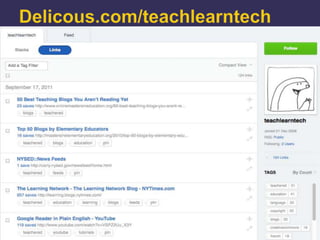
http://delicious.com/teachlearntech

Choose the tag teachered
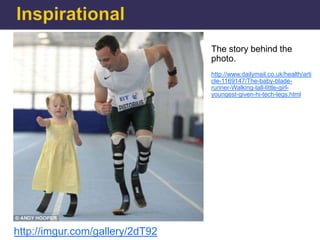
The story behind the
                                 photo.
                                 http://www.dailymail.co.uk/health/arti
                                 cle-1169147/The-baby-blade-
                                 runner-Walking-tall-little-girl-
                                 youngest-given-hi-tech-legs.html


http://imgur.com/gallery/2dT92
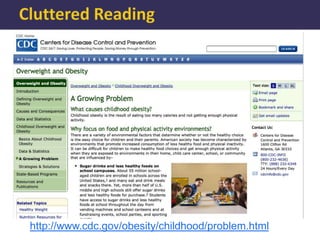
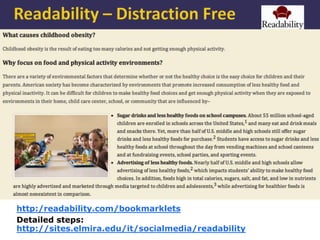
http://www.cdc.gov/obesity/childhood/problem.html
http:/readability.com/bookmarklets
Detailed steps:
http://sites.elmira.edu/it/socialmedia/readability
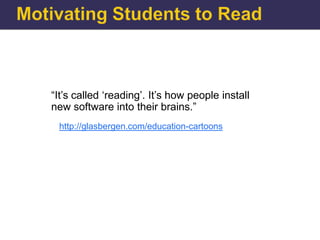
“It‟s called „reading‟. It‟s how people install
new software into their brains.”
 http://glasbergen.com/education-cartoons
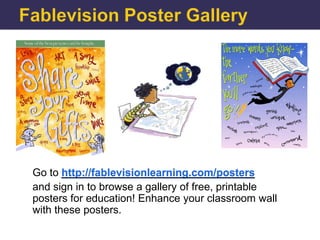
Go to http://fablevisionlearning.com/posters
and sign in to browse a gallery of free, printable
posters for education! Enhance your classroom wall
with these posters.
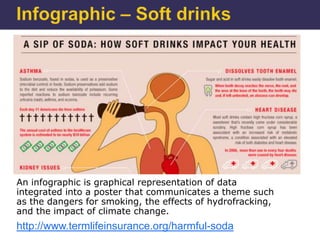
An infographic is graphical representation of data
integrated into a poster that communicates a theme such
as the dangers for smoking, the effects of hydrofracking,
and the impact of climate change.
http://www.termlifeinsurance.org/harmful-soda
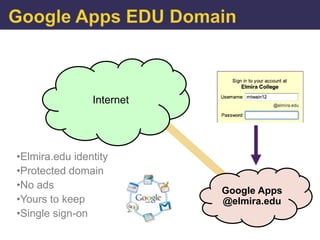
Internet


•Elmira.edu identity
•Protected domain
•No ads                    Google Apps
•Yours to keep             @elmira.edu
•Single sign-on
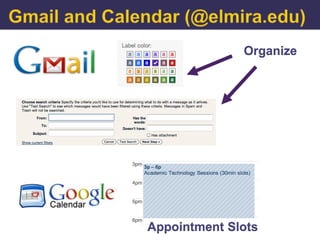
Organize


Appointment Slots
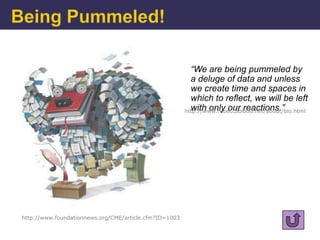
“We are being pummeled by
                                                          a deluge of data and unless
                                                          we create time and spaces in
                                                          which to reflect, we will be left
                                                          with only our reactions.”
                                                        http://www.rebeccablood.net/about/bio.html


http://www.foundationnews.org/CME/article.cfm?ID=1003
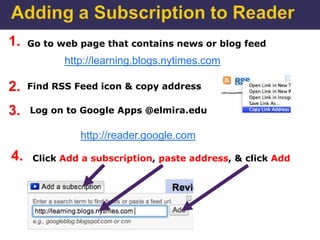
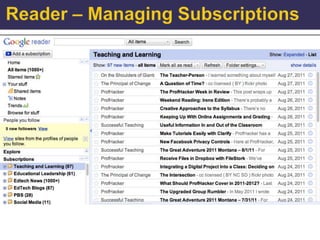
1.   Go to web page that contains news or blog feed
            http://learning.blogs.nytimes.com

2.   Find RSS Feed icon & copy address

3.   Log on to Google Apps @elmira.edu

               http://reader.google.com

4.    Click Add a subscription, paste address, & click Add
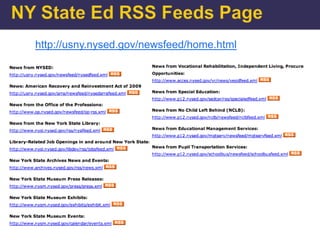
http://usny.nysed.gov/newsfeed/home.html
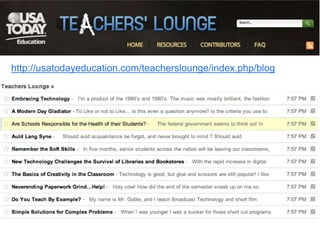
http://usatodayeducation.com/teacherslounge/index.php/blog
Top 50 Blogs by Elementary Educators

http://mastersinelementaryeducation.org/2010/top-50-blogs-by-elementary-educators


Read a Blog and Build your PLN:

http://atechieteacher.wordpress.com

Alltop – Top Education News:

http://education.alltop.com

Finding Great Edublogs:
http://cooper-taylor.com/2009/02/38-ways-to-find-great-edublogs
http://www.freetech4teachers.com/2010/09/47-alternatives-to-
using-youtube-in.html
Speaking of technology tools …

“That‟s correct, Kaitlin, but next time just raise your hand …”

http://www.offthemarkcartoons.com/cartoons/2005-06-21.gif
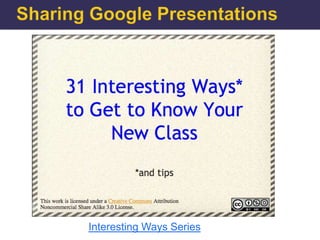
Interesting Ways Series
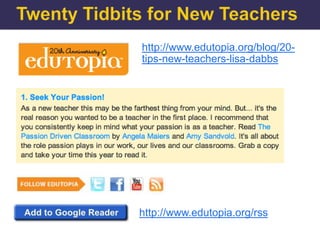
http://www.edutopia.org/blog/20-
tips-new-teachers-lisa-dabbs


http://www.edutopia.org/rss
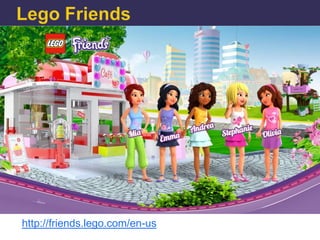
http://friends.lego.com/en-us
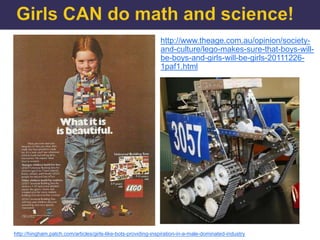
http://www.theage.com.au/opinion/society-
                                                               and-culture/lego-makes-sure-that-boys-will-
                                                               be-boys-and-girls-will-be-girls-20111226-
                                                               1paf1.html


http://hingham.patch.com/articles/girls-like-bots-providing-inspiration-in-a-male-dominated-industry
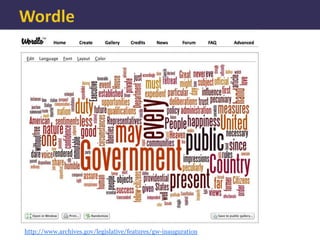
http://www.archives.gov/legislative/features/gw-inauguration
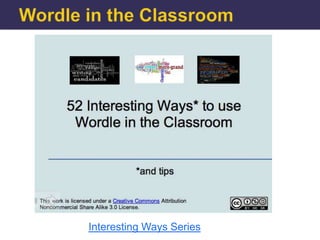
Interesting Ways to use Wordle in the Classroom
Interesting Ways Series
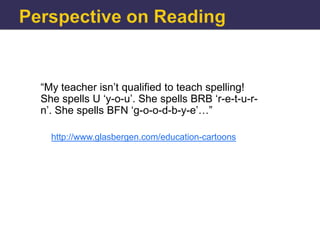
“My teacher isn‟t qualified to teach spelling!
She spells U „y-o-u‟. She spells BRB „r-e-t-u-r-
n‟. She spells BFN „g-o-o-d-b-y-e‟…”

  http://www.glasbergen.com/education-cartoons
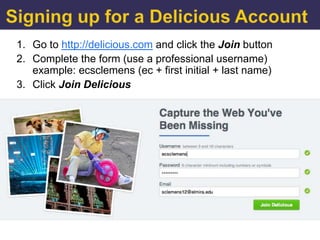
1. Go to http://delicious.com and click the Join button
2. Complete the form (use a professional username)
   example: ecsclemens (ec + first initial + last name)
3. Click Join Delicious
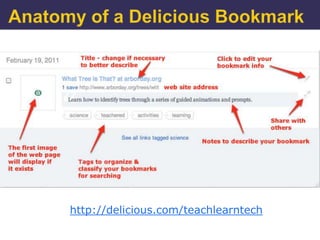
http://delicious.com/teachlearntech
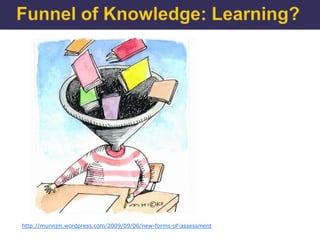
http://munnjm.wordpress.com/2009/09/06/new-forms-of-assessment
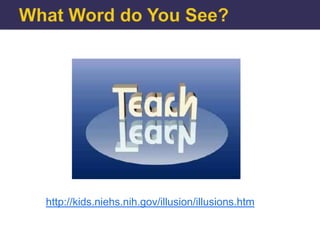
http://kids.niehs.nih.gov/illusion/illusions.htm
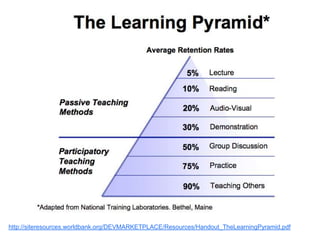
http://siteresources.worldbank.org/DEVMARKETPLACE/Resources/Handout_TheLearningPyramid.pdf
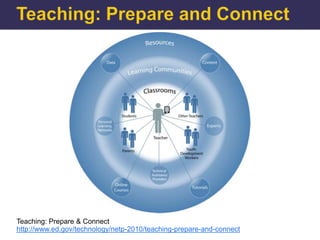
Teaching: Prepare & Connect
http://www.ed.gov/technology/netp-2010/teaching-prepare-and-connect
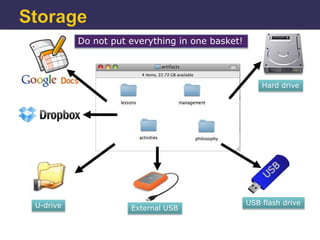
Do not put everything in one basket!


                                                     Hard drive


U-drive                                          USB flash drive
                     External USB
End of Presentation

Practical Technology Tools for Teaching

Editor's Notes

  • #2 Introduction here
  • #4 Search for NYT articles “Is Sugar Toxic” or “Sitting is a Lethal Activity” and apply Read Now!
  • #5 http://www.glasbergen.com/education-cartoons/
  • #7 http://www.termlifeinsurance.org/harmful-soda/ and http://langwitches.org/blog/2011/09/06/creating-infographics-with-students/ Refer to “Is Sugar Toxic”?An infographic is graphical representation of data integrated into a poster that communicates a theme such as the dangers for smoking, the effects of hydrofracking, and the impact of climate change.
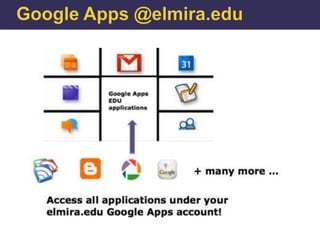
  • #8 Your Google Apps @elmira.edu account uses the same username and password that you use to access ANGEL, CampusWeb, Library resources, and log on to Windows computers in the labs and classrooms. There are many, many tools available and I will only list a few to get started – Gmail, Docs, Calendar, Blogger, Reader, Picasa Web, Google Talk, Google Sites, YouTube, and Google Maps.
  • #10 In the Summer of 2010 Elmira College provide Google Apps @elmira.edu accounts to all part-time and full-time faculty, one year after all students. By going to http://webmail.elmira.edu and clicking the Student link students have access to Gmail, Google Calendar, and over 60 other services all within the Elmira College domain. As you should it is a requirement that all students regularly check their elmira.edu accounts for important College announcements and communication with students. Students should give out their elmira.edu address and not their personal e-mail address. As usual you can set up a time to learn how to use Gmail and other Google tools by setting up a tutoring session with our Help Desk professional and student staff.
  • #14 http://www.youtube.com/watch?v=VSPZ2Uu_X3Y
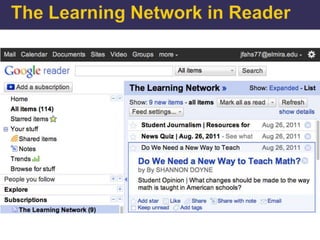
  • #15 Explain why using Google Reader is an important tool for teaching, learning, and professional development.
  • #16 http://usatodayeducation.com/teacherslounge/index.php/blog and
  • #17 http://usny.nysed.gov/newsfeed/home.html
  • #18 In some schools YouTube is blocked. There are many alternative web sites that provide excellent educational content.
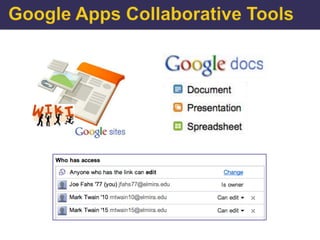
  • #20 As mentioned ANGEL and other LMS’s, despite their considerable value to the institution, faculty, and students are essentially instructor centric systems that provide little opportunity for students to create content and reflect on their own. Collaboration is minimal. Extending ANGEL by integrating your course with content created by Web 2.0 tools provides exciting opportunities for your students. Specifically let’s look by example at how Google Apps collaborative tools can immediately help with student reflection, group and class projects, real-time communication, and content creation such as web pages and web sites.
  • #21 Google Presentationsallow you to create slides like PowerPoint but also provide instant Web publishing and shared editing. Although the design and tools do not approach the depth of PowerPoint, Google Presentations allow text, images, links, and embedding (insertion) of YouTube videos. Tom Barrett an education consultant from Nottingham, England developed the Interesting Ways series that allow contributors to add slides to Google Presentations based on classroom topics. These documents evolve as new ideas are contributed. He uses the Twitter distribution system to share and announce these series: http://edte.ch/blog/interesting-ways/
  • #22 http://www.edutopia.org/blog/20-tips-new-teachers-lisa-dabbs and RSS feed http://www.edutopia.org/rss
  • #23 http://hingham.patch.com/articles/girls-like-bots-providing-inspiration-in-a-male-dominated-industry
  • #24 http://teachlearntechblog.blogspot.com/2009/12/educational-uses-of-wordle.html. Applications: key words, sentence diagrams, data analysis, frequency charts, paper analysis. George Washington’s First Inaugural Address: http://www.archives.gov/legislative/features/gw-inauguration/
  • #25 Practical and Educational Uses of Wordle http://teachlearntechblog.blogspot.com/2009/12/educational-uses-of-wordle.html Le Petit Chaperon Rouge. Guess the French fairytale - then use to highlight key words so students can write own tales. http://fr.wikisource.org/wiki/Le_Petit_Chaperon_rouge_%28Perrault%29
  • #26 https://docs.google.com/present/view?id=dhn2vcv5_157dpbsg9c5
  • #27 Delicious is an easy-to-use bookmarking tool that allows you to collect, organize, and tag web sites and pages important to you. No need to worry what computer there are on. Students should take advantage! Use this outstanding student example: http://www.delicious.com/dannypotter27
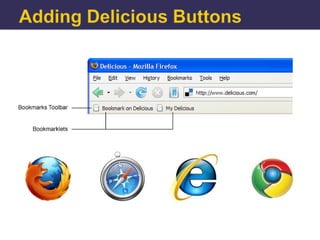
  • #28 Show how to add bookmarklets: http://www.delicious.com/help/bookmarklets
  • #29 Use http://delicous.com/teachlearntech as an example. Log on to ecteachmtwain10 and add these bookmarks: arborday.org/trees/wtit, http://www.romenewyork.com/news_art.asp?id=4442, and http://www.treesny.com/youthenvironmentalliteracyprogram.html
  • #30 http://delicious.com/teachlearntech/teachered
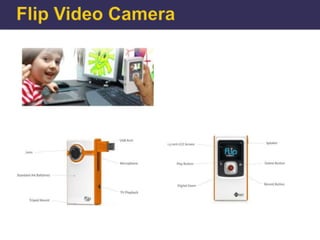
  • #31 Flip Video camera – many uses and now it is required for assessment of your teaching.
  • #34 http://siteresources.worldbank.org/DEVMARKETPLACE/Resources/Handout_TheLearningPyramid.pdf
  • #35 The National Education Technology Plan: http://www.ed.gov/technology/netp-2010 “The National Education Technology Plan, Transforming American Education: Learning Powered by Technology, calls for applying the advanced technologies used in our daily personal and professional lives to our entire education system to improve student learning, accelerate and scale up the adoption of effective practices, and use data and information for continuous improvement.It presents five goals with recommendations for states, districts, the federal government, and other stakeholders. Each goal addresses one of the five essential components of learning powered by technology: Learning, Assessment, Teaching, Infrastructure, and Productivity.”The section Teaching Prepare and Connect: Teaching today is practiced mostly in isolation and many educators have little interaction with colleagues or outside experts. However, technology provides incredible opportunities for self-motivated educators to participate in learning and support networks and connect to resources that empower them to become constant learners and effective teachers.
  • #36 Collecting artifacts is something you should be doing already – make sure you organize and have backups. Explain advantages and drawbacks of each storage tool.