Computer Science: A Whirlwind Tour A Whirlwind Tour Jacob Whitehill ( [email_address] ) Machine Perception Laboratory, http://mplab.ucsd.edu UCSD
Goals of This Talk Introduce you to the  science  of computers & computation. Give a super-fast tour of various sub-areas of computer science. Tell you a little about our lab’s research. Show some demos.
Finding the  science  in Computer Science
Computer Science: Misconceptions Computer science is related to, but distinct from, the following fields: Information Technology (IT). Computer & network management Computer programming
Computer Science: Misconceptions Information Technology  (IT): The study, development, and management of  information systems  - computer & software systems that manage large amounts of information. Example: design an efficient database for Verizon to handle billing information for 100 million customers.
Computer Science: Misconceptions Computer & network management  - set up and maintain computers & computer networks Example: figure out why the Internet is not accessible from a particular school classroom, and fix the problem.
Computer Science: Misconceptions Computer programming  - create software for a computer to execute to perform a useful task. Example: write software to automatically download music by your favorite artist on iTunes.
My definition of Computer Science My definition: the development of new techniques using computers & computation to solve problems that were  fundamentally not solvable before . Contrast with IT : there are no  fundamental challenges  in setting up a billing system for Verizon that have not yet been solved - it’s clear that it’s achievable. Contrast with programming : though programming is by no means trivial, it is usually clear at the onset that the program can be written.
My definition of Computer Science Computer programming represents the  means  by which (empirical) computer science research is conducted. Analogous to conducting an assay, using a microscope, staining DNA, etc.
Computer Science Computer science is (for the most part) an  engineering science : We have a task we’d like to accomplish. We don’t know if it’s solvable, let alone how to solve it. We (try to ) find  computational methods  to accomplish our task.
Computer Science Contrast with the  natural sciences  (e.g., biology, chemistry, physics, mathematics): We are interested in discovering how the world works, without necessarily accomplishing a concrete task.
Sample of Various Computer Science Research Problems
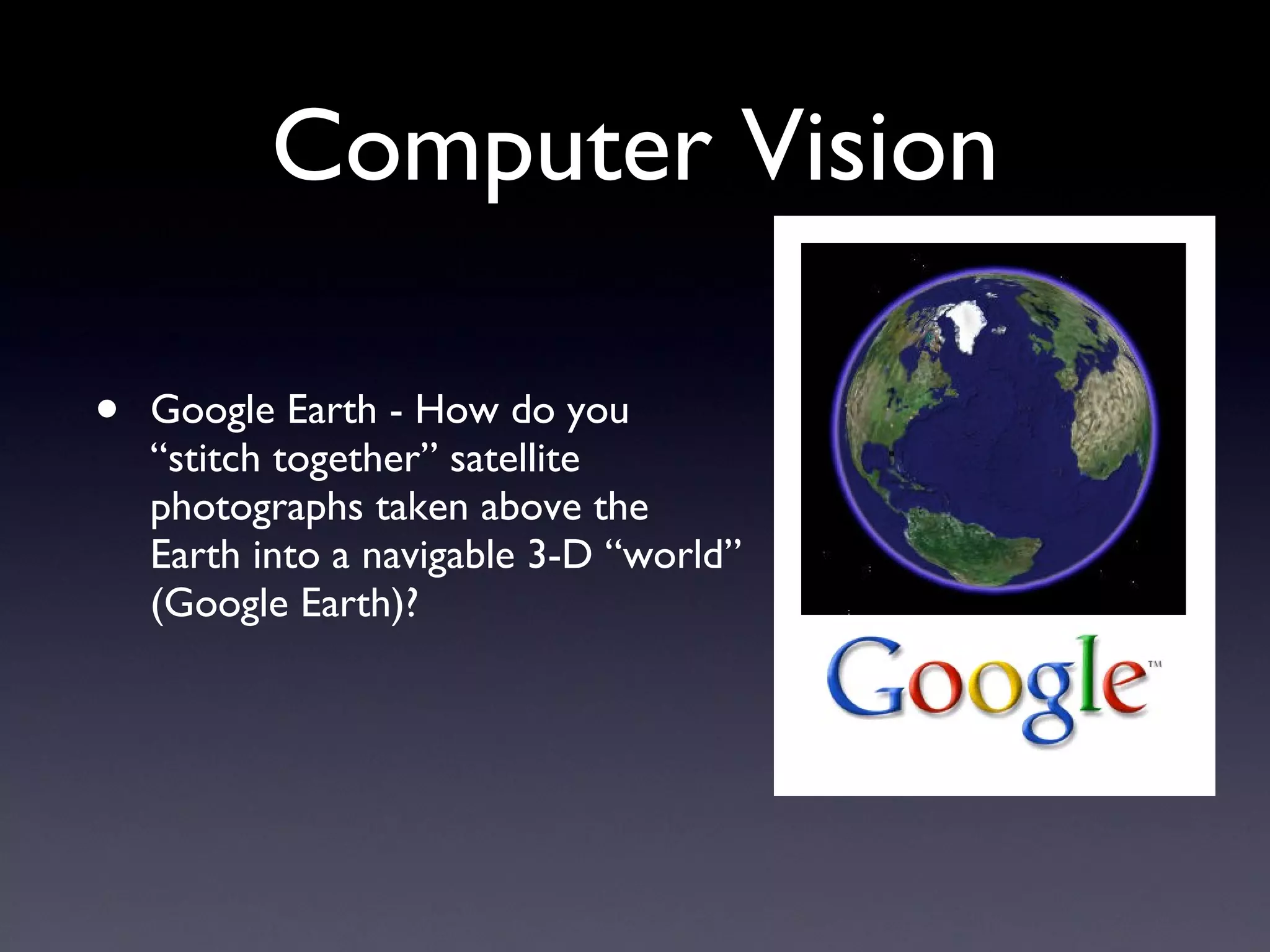
Computer Vision Google Earth - How do you “stitch together” satellite photographs taken above the Earth into a navigable 3-D “world” (Google Earth)?
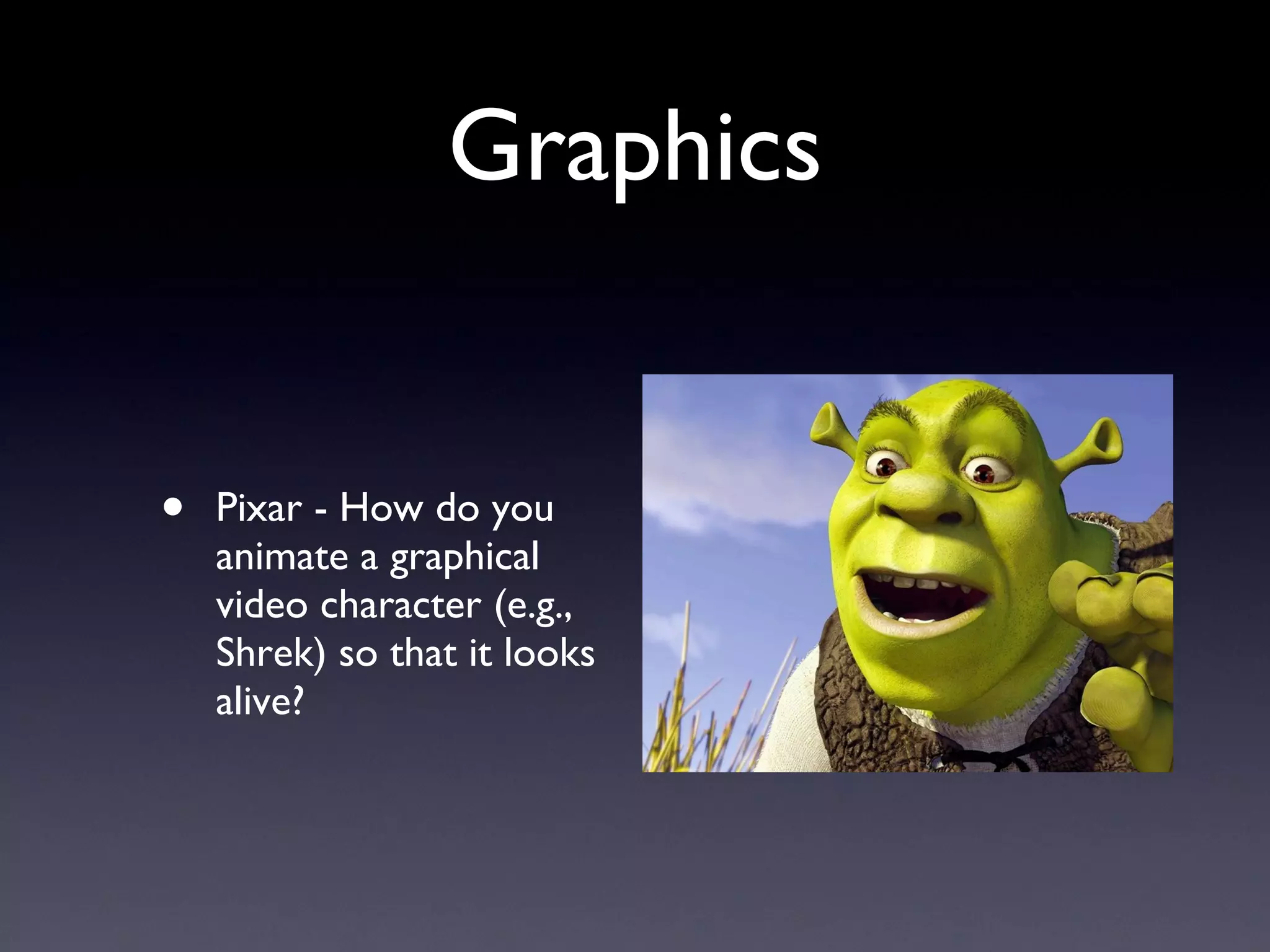
Graphics Pixar - How do you animate a graphical video character (e.g., Shrek) so that it looks alive?
Cryptography and Security How do you encrypt a message so that only the “intended persons” can read it and eavesdroppers cannot? How do you prevent people from copying movies & music illegally?
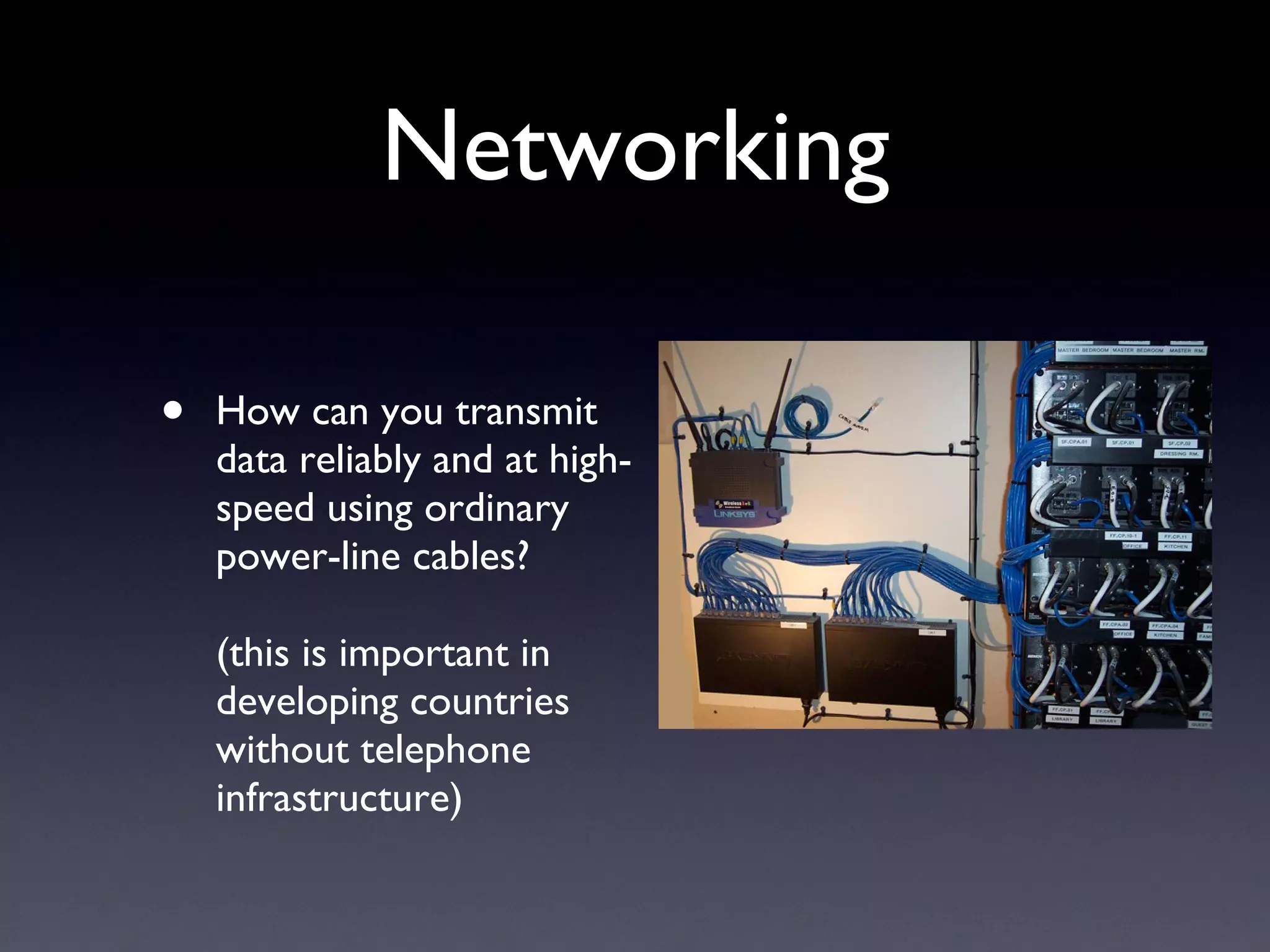
Networking How can you transmit data reliably and at high-speed using ordinary power-line cables? (this is important in developing countries without telephone infrastructure)
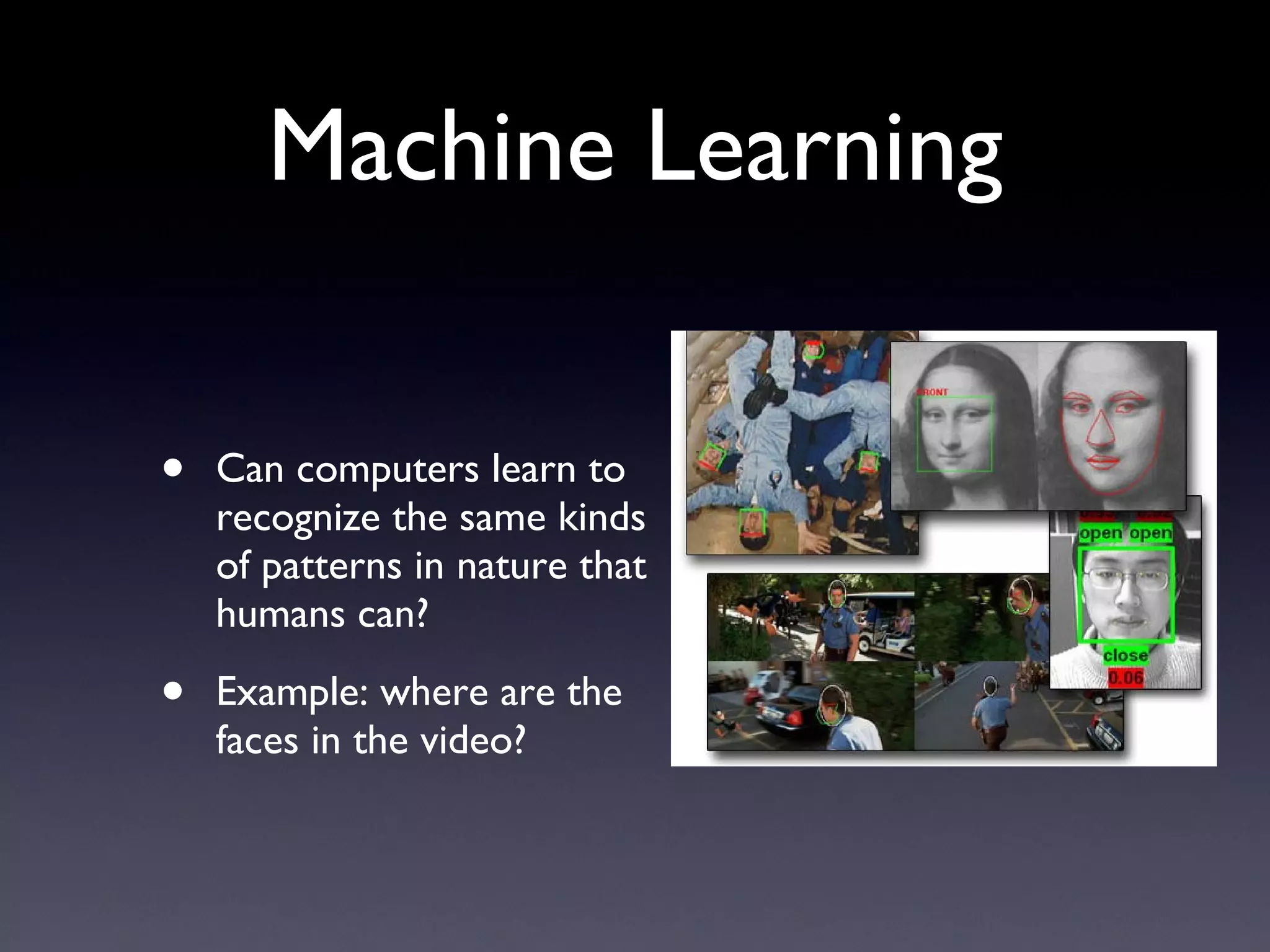
Machine Learning Can computers learn to recognize the same kinds of patterns in nature that humans can? Example: where are the faces in the video?
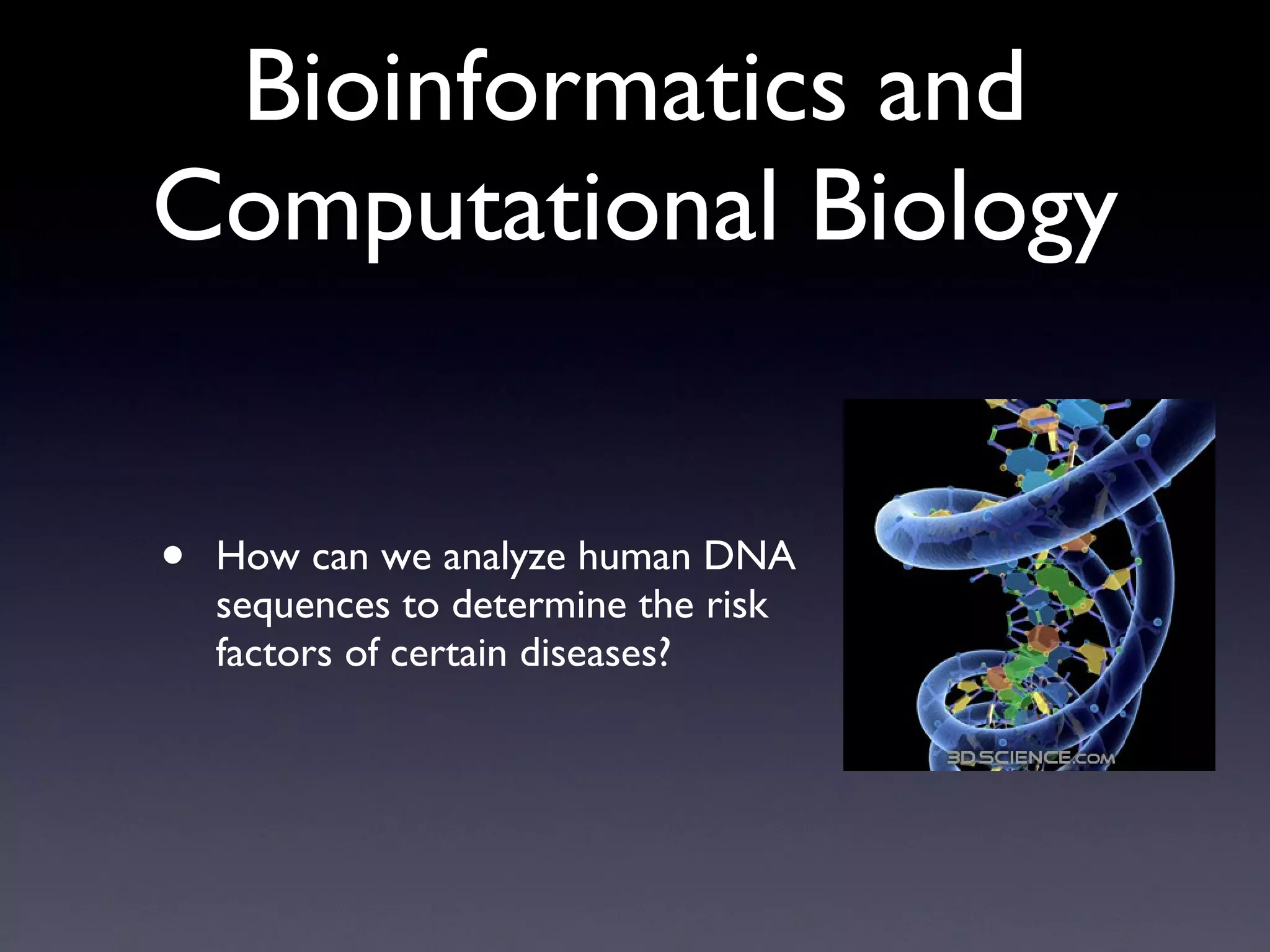
Bioinformatics and Computational Biology How can we analyze human DNA sequences to determine the risk factors of certain diseases?
Complexity Theory How can we use quantum computers to solve mathematical problems more quickly than with conventional machines?
Computer Science: Sub-areas (many) Sub-areas (many) These are all the ones I can think of off-hand: Graphics Vision Machine learning Databases Compilers Networking Operating systems Distributed systems Software engineering Robotics Numerical computing Human-computer interaction Graphics Computer architecture Security Cryptography Algorithms Image & video processing Bioinformatics Complexity theory Computational geometry By the way - some of these areas also fit into Electrical Engineering (EE). Some of these are mostly  empirical , some are mostly  theoretical , and some are  both .
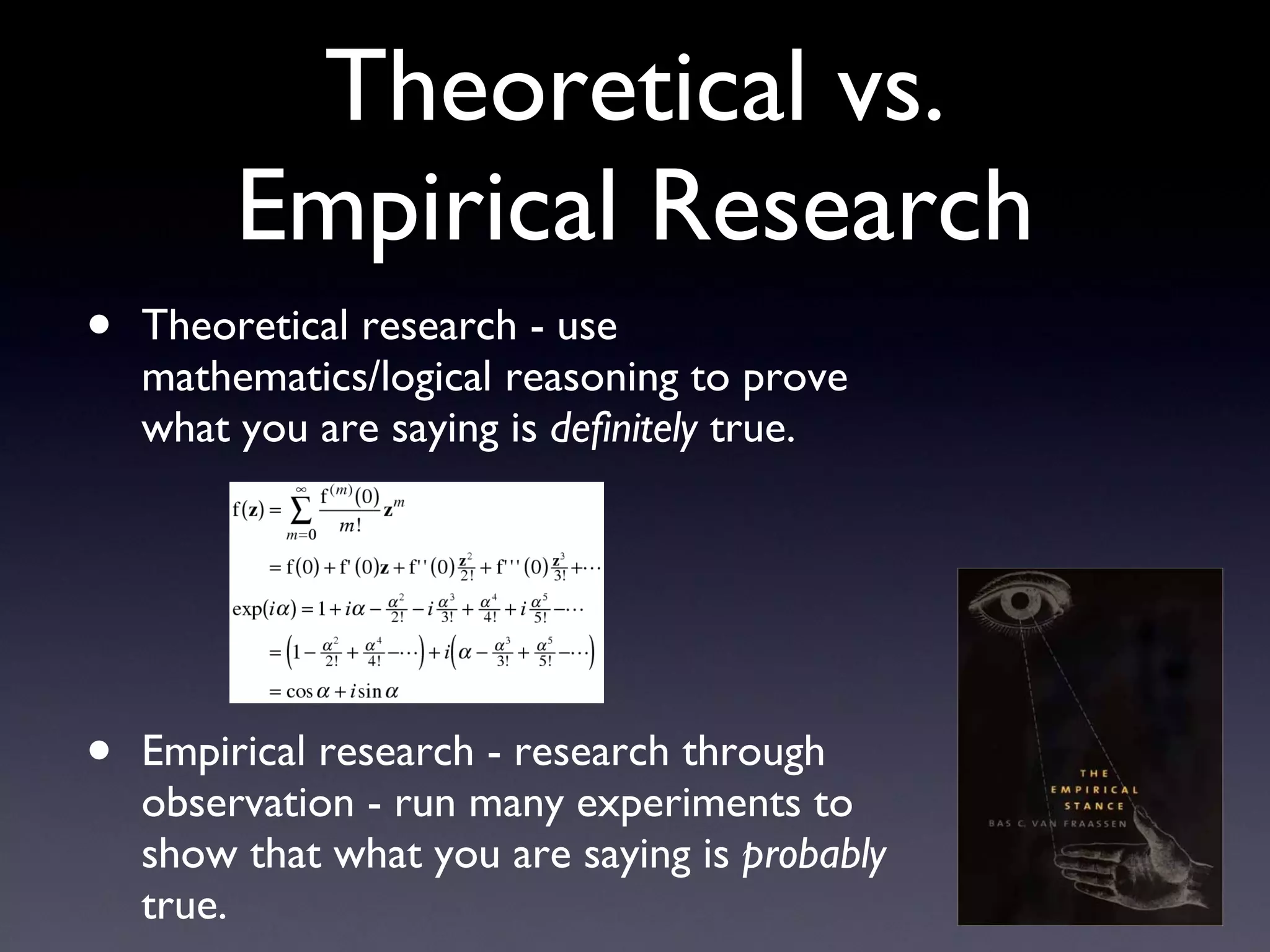
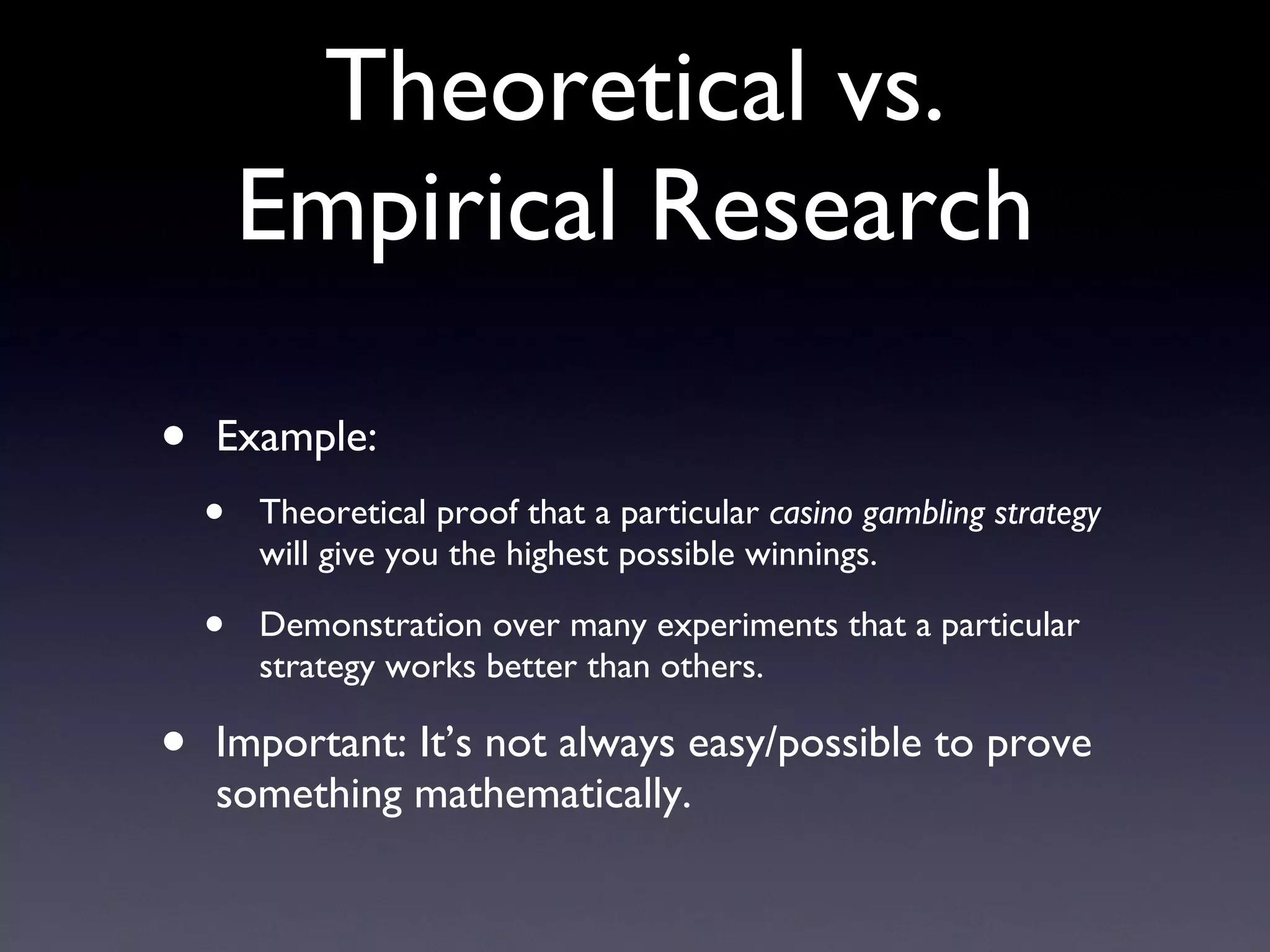
Theoretical vs. Empirical Research Theoretical research - use mathematics/logical reasoning to prove what you are saying is  definitely  true. Empirical research - research through observation - run many experiments to show that what you are saying is  probably  true.
Theoretical vs. Empirical Research Example: Theoretical proof that a particular  casino gambling strategy  will give you the highest possible winnings. Demonstration over many experiments that a particular strategy works better than others. Important: It’s not always easy/possible to prove something mathematically.
Algorithms - the foundation of computer science
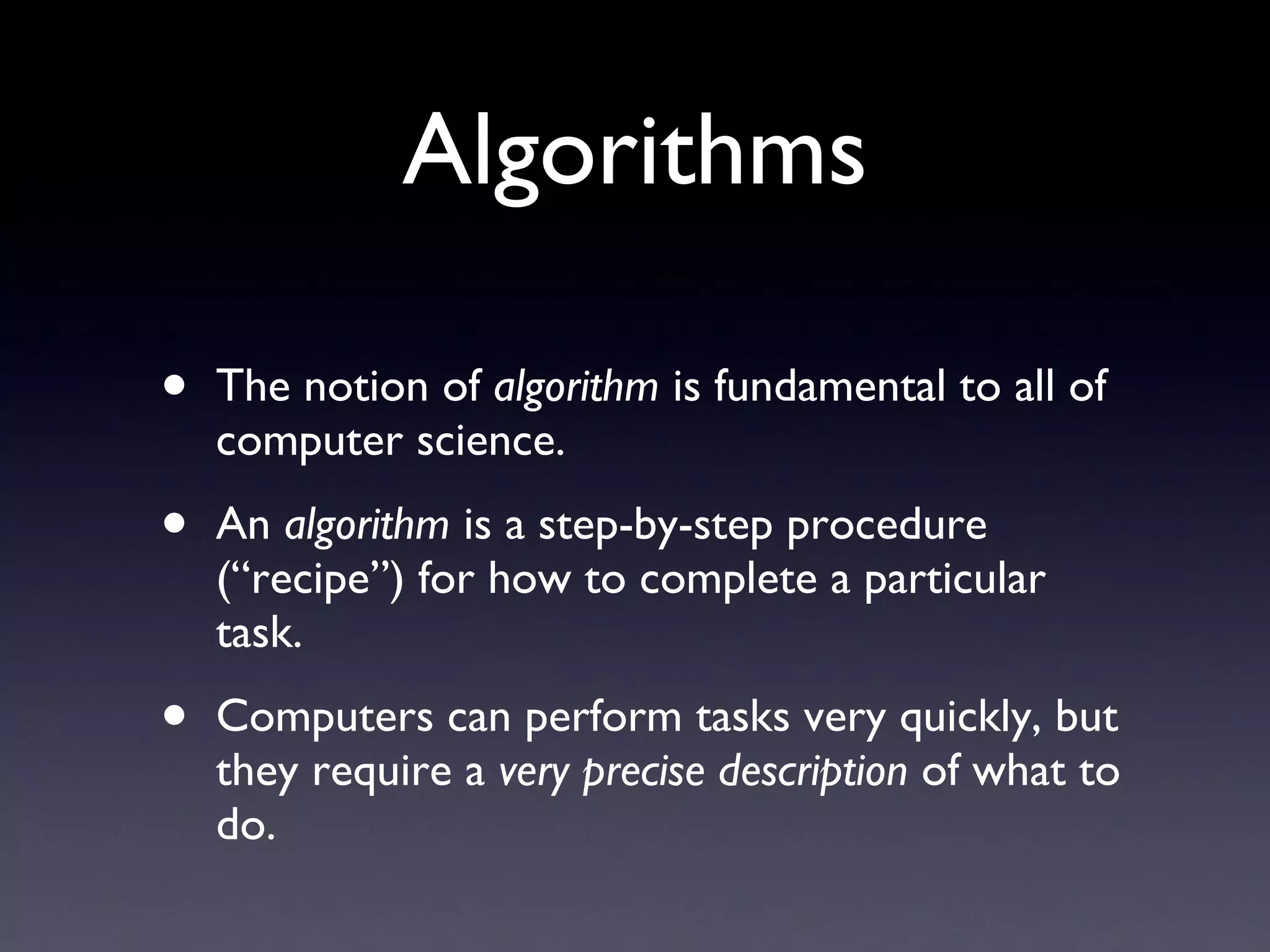
Algorithms The notion of  algorithm  is fundamental to all of computer science. An  algorithm  is a step-by-step procedure (“recipe”) for how to complete a particular task. Computers can perform tasks very quickly, but they require a  very precise description  of what to do.
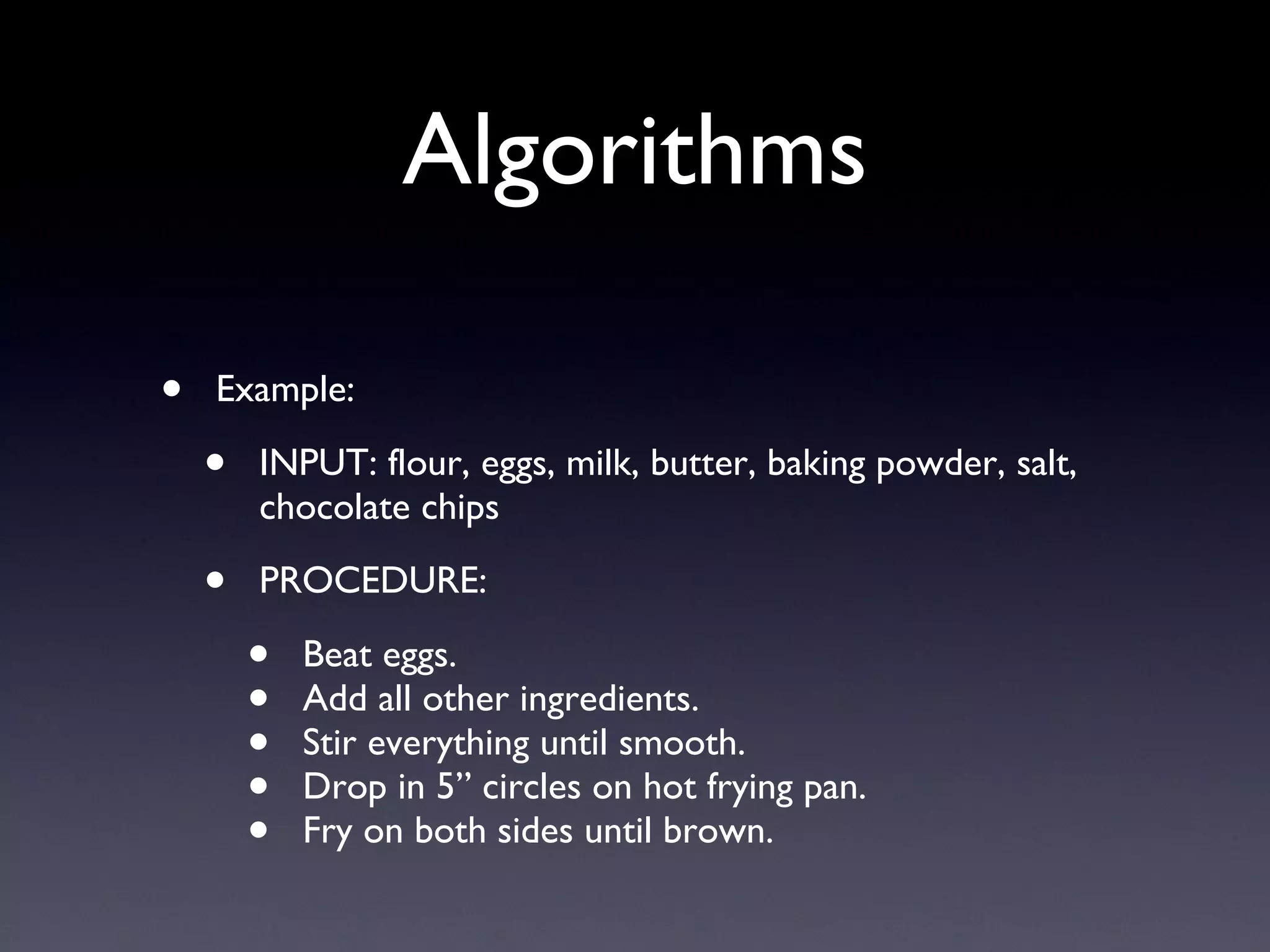
Algorithms Example: INPUT: flour, eggs, milk, butter, baking powder, salt, chocolate chips PROCEDURE: Beat eggs. Add all other ingredients. Stir everything until smooth. Drop in 5” circles on hot frying pan. Fry on both sides until brown.
Algorithms Example (continued): OUTPUT: chocolate chip pancakes
Algorithms More interesting algorithms: If you type a phrase into Google, what is the fastest way of finding all of the webpages (on the whole Internet!) that contain that phrase? How do you automatically find the faces in a digital video? How do you animate Shrek’s mouth to match his speech?
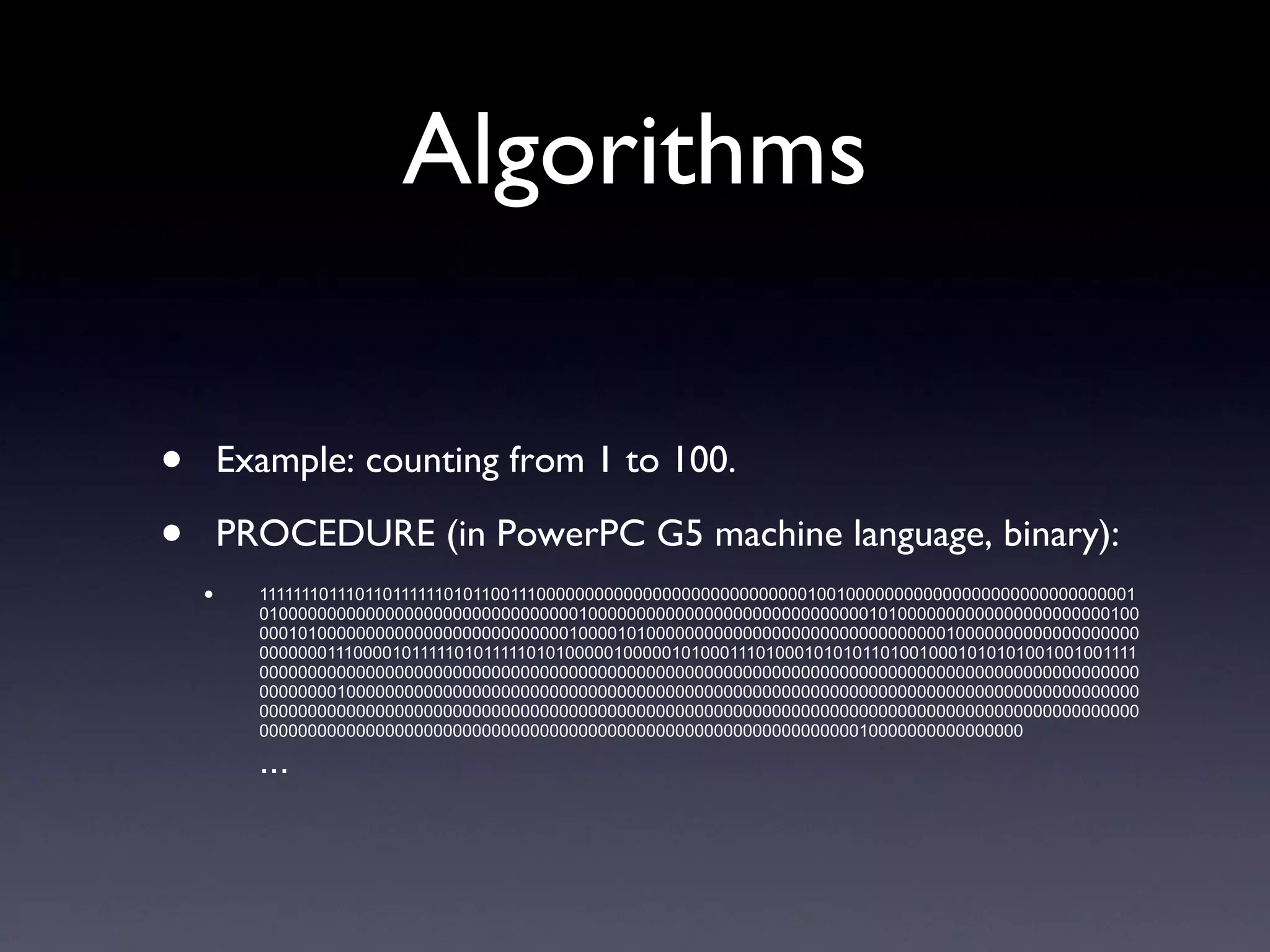
Algorithms Algorithm descriptions are typically written in a computer programming language (e.g., C, Java, Python). (This is where programming comes in.) Algorithm descriptions are called  code . They are then converted (by a compiler or interpreter) into machine language (the computer’s native language, written in 0’s and 1’s).
Algorithms Example: counting from 1 to 100. PROCEDURE (in English): Start with the number 1. Print the number. Add 1 to the number. Go back to Step (2) until we’ve reached 100.
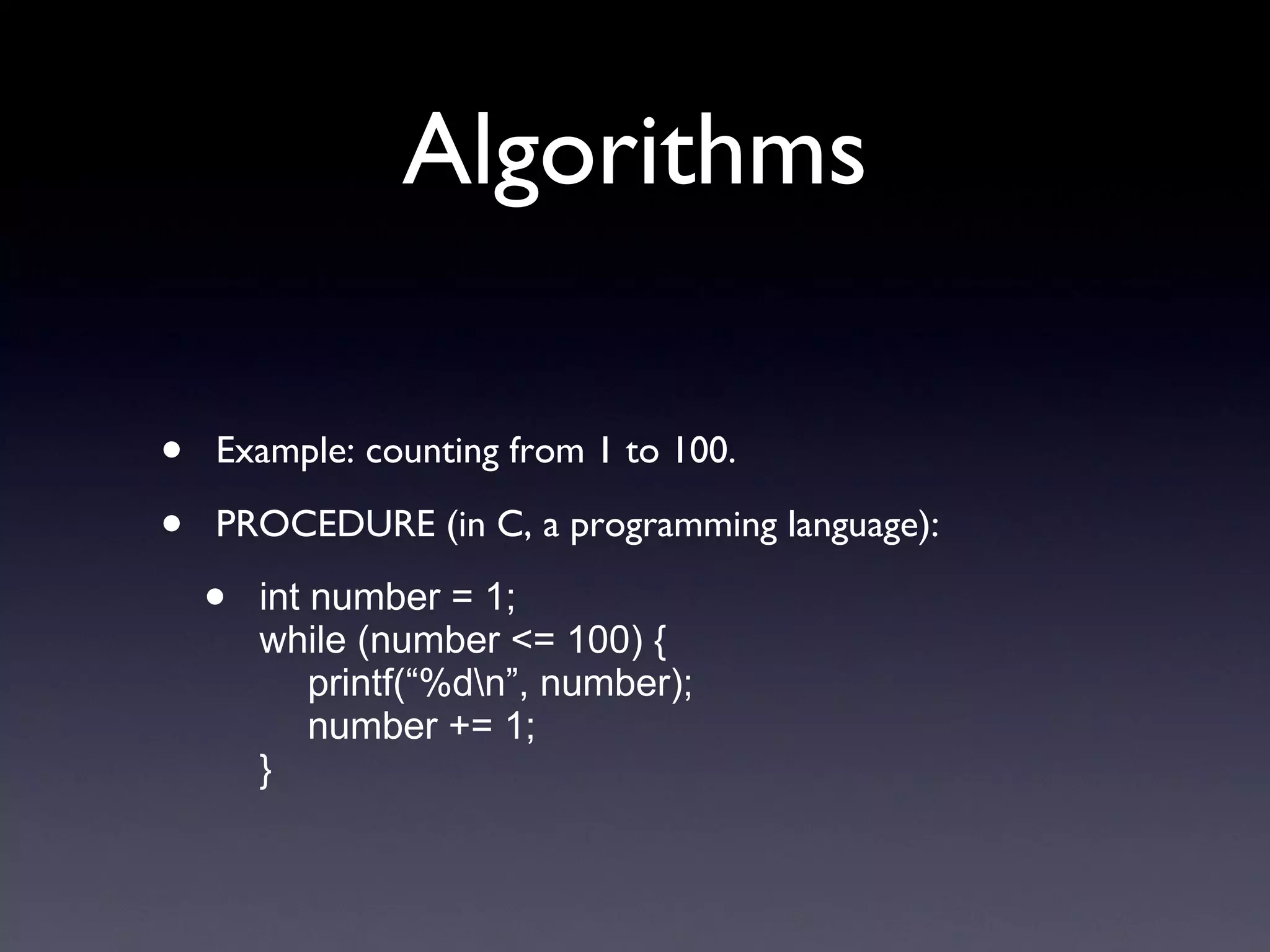
Algorithms Example: counting from 1 to 100. PROCEDURE (in C, a programming language): int number = 1; while (number <= 100) { printf(“%d\n”, number); number += 1; }
Algorithms Example: counting from 1 to 100. PROCEDURE (in PowerPC G5 machine language, binary): 111111101110110111111010110011100000000000000000000000000001001000000000000000000000000000001010000000000000000000000000000000100000000000000000000000000000101000000000000000000000010000010100000000000000000000000000100001010000000000000000000000000000000100000000000000000000000000111000010111110101111101010000010000010100011101000101010110100100010101010010010011110000000000000000000000000000000000000000000000000000000000000000000000000000000000000000000000000001000000000000000000000000000000000000000000000000000000000000000000000000000000000000000000000000000000000000000000000000000000000000000000000000000000000000000000000000000000000000000000000000000000000000000000000000000000000000000000010000000000000000 ...
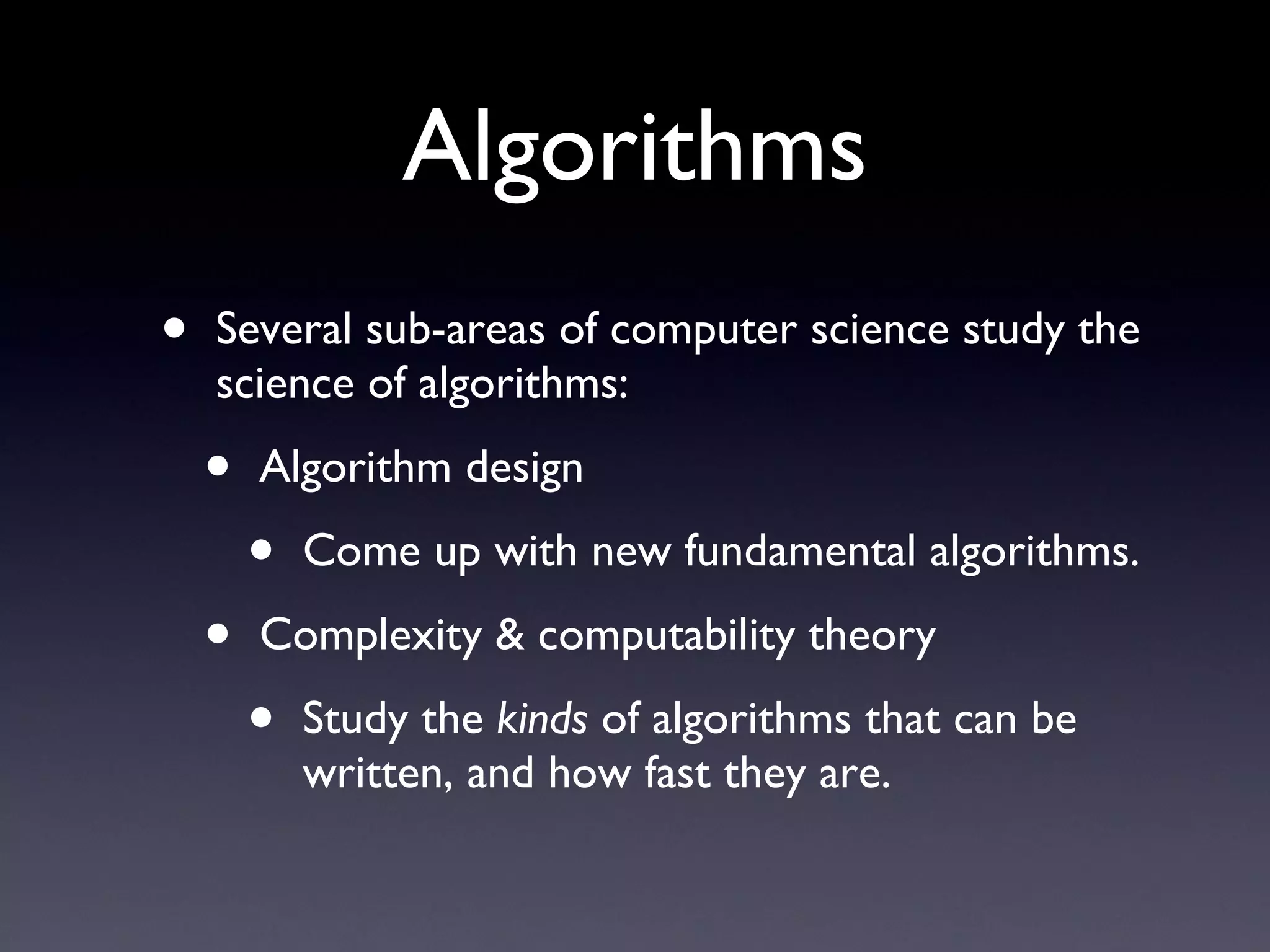
Algorithms Several sub-areas of computer science study the science of algorithms: Algorithm design Come up with new fundamental algorithms. Complexity & computability theory Study the  kinds  of algorithms that can be written, and how fast they are.
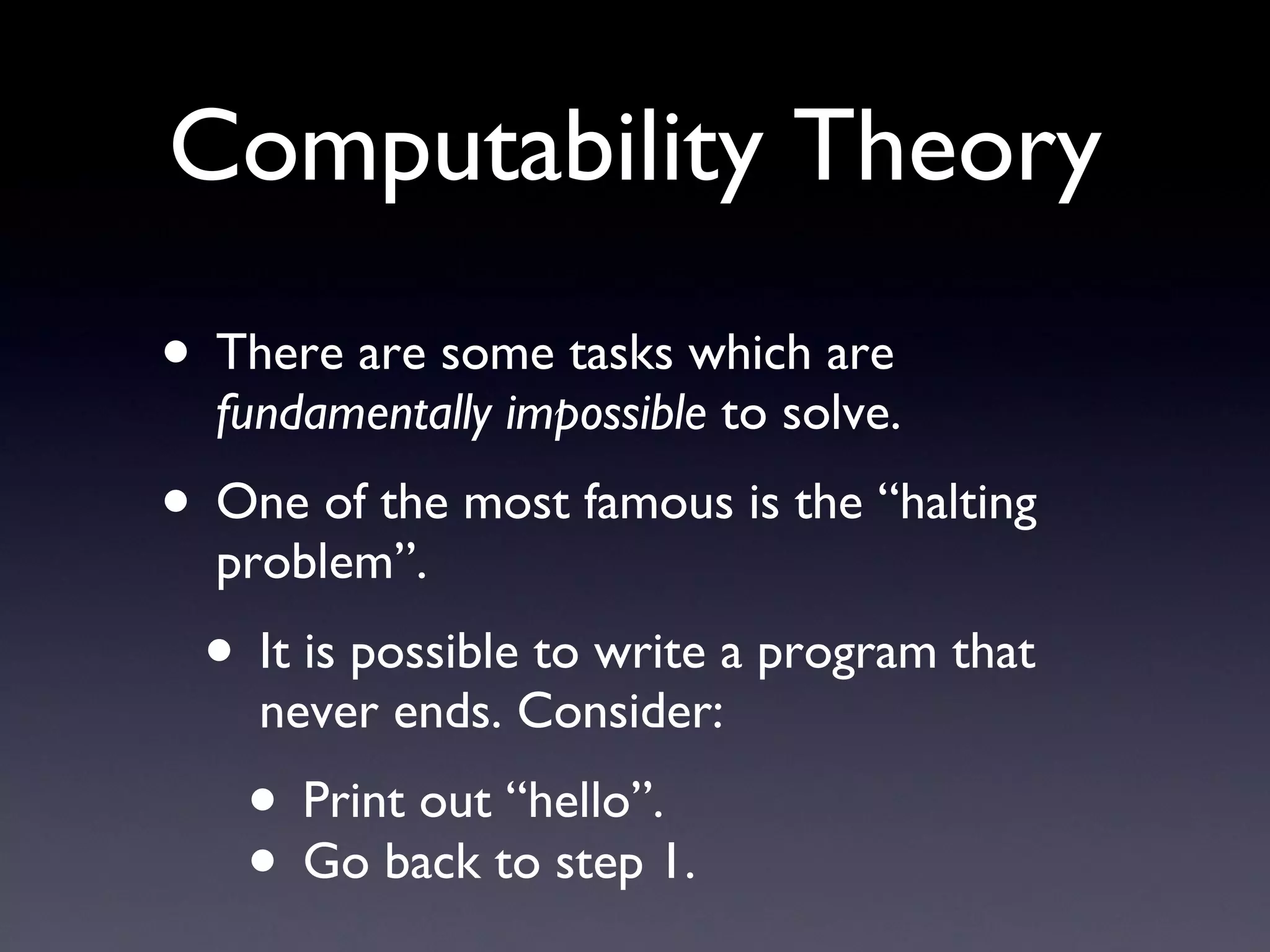
Computability Theory There are some tasks which are  fundamentally impossible  to solve. One of the most famous is the “halting problem”. It is possible to write a program that never ends. Consider: Print out “hello”. Go back to step 1.
The “Halting Problem” It would be useful to know whether a particular computer program will ever finish. What we would  like  is the following: INPUT: any computer program. OUTPUT: either Yes or No according to whether the specified computer program will (eventually) come to an end.
The “Halting Problem” It is  provably impossible  to create such an algorithm. Hence, no such algorithm can ever be created, no matter how sophisticated computers ever become. This research result comes from the field of  computability theory . Determining whether any computer program will terminate is  incomputable .
Complexity Theory Some computer science tasks, even if there exists algorithms to solve them, may take  prohibitively long to finish  - for instance, a google-google-google years (this is a long time). Other algorithms may finish their work in less than a second. Which tasks can be solved quickly, and which take more time? The amount of time that an algorithm takes to finish is called the  complexity  of that algorithm.
Two Algorithms - Which takes longer to finish? Which takes longer to finish? “Stable Marriage”: How can we pair  n  men with  n  women so that divorces their spouse for someone else? “Graph 3-Coloring”: How can we color the circles in a graph so that connected circles have different colors?
Stable Marriage Algorithm Suppose we have 10 men and 10 women who wish to marry each other (heterosexual). Each person ranks all 10 persons of the opposite gender in order of preference. We want to pair people so that  no one will divorce their current spouse to marry someone else .  Show on board.
Graph 3-Coloring A “graph” has circles and lines. Some circles are connected to others by lines. If two circles are connected by a line, then the circles cannot have the same color. Can we color all the circles in the graph using just 3 different colors?
Algorithmic Complexity Which problem is harder? “Stable Marriage”, or “Graph 3-Coloring”? These algorithms may seem contrived, but they actually find many uses in computer science.
Algorithmic Complexity It turns out that the problem of “Stable Marriage” has a very efficient algorithm. Finding marriages for, say, 1000 people will take a fraction of a second. Graph 3-Coloring is a hard problem -  no known efficient algorithm exists  (although slow ones do exist). For a graph with 1000 circles, finding a 3-coloring will take longer than the universe will continue to exist!
Algorithmic Complexity Let  n  describe the “size” of the problem. n  men/women who wish to marry. n  circles in the graph we wish to color. The Stable Marriage algorithm is  quadratic  in  n . The best known Graph 3-coloring algorithm is  exponential  in  n .
Machine Learning
My Research: Machine Learning Machine Learning “ Machine learning” - the study of algorithms that enable computers to “learn” the same things that humans can do easily (and not so easily). Machine learning is similar to  pattern recognition .
My Research: Machine Learning Machine Learning Examples: How to hear & understand speech. How to see & recognize people. How to determine whether an email contains a virus. The  science  involved in machine learning is coming up with ways to perform such tasks (or to improve their performance).
My Research: Machine Learning Machine Learning My work: Automatic facial expression recognition (and other kinds of face processing). Automated teaching systems.
Automatic Facial Expression Recognition INPUT: an image/video containing faces. OUTPUT: the locations of all faces in the image, along with their facial expressions. PROCEDURE: unknown (but we’re working on it)
Automatic Facial Expression Recognition Let’s define “facial expression” more clearly: One definition is the  emotion  - happy, sad, angry, etc. Another definition (ours) is the kinds of  facial muscle movements  that occur in the face.
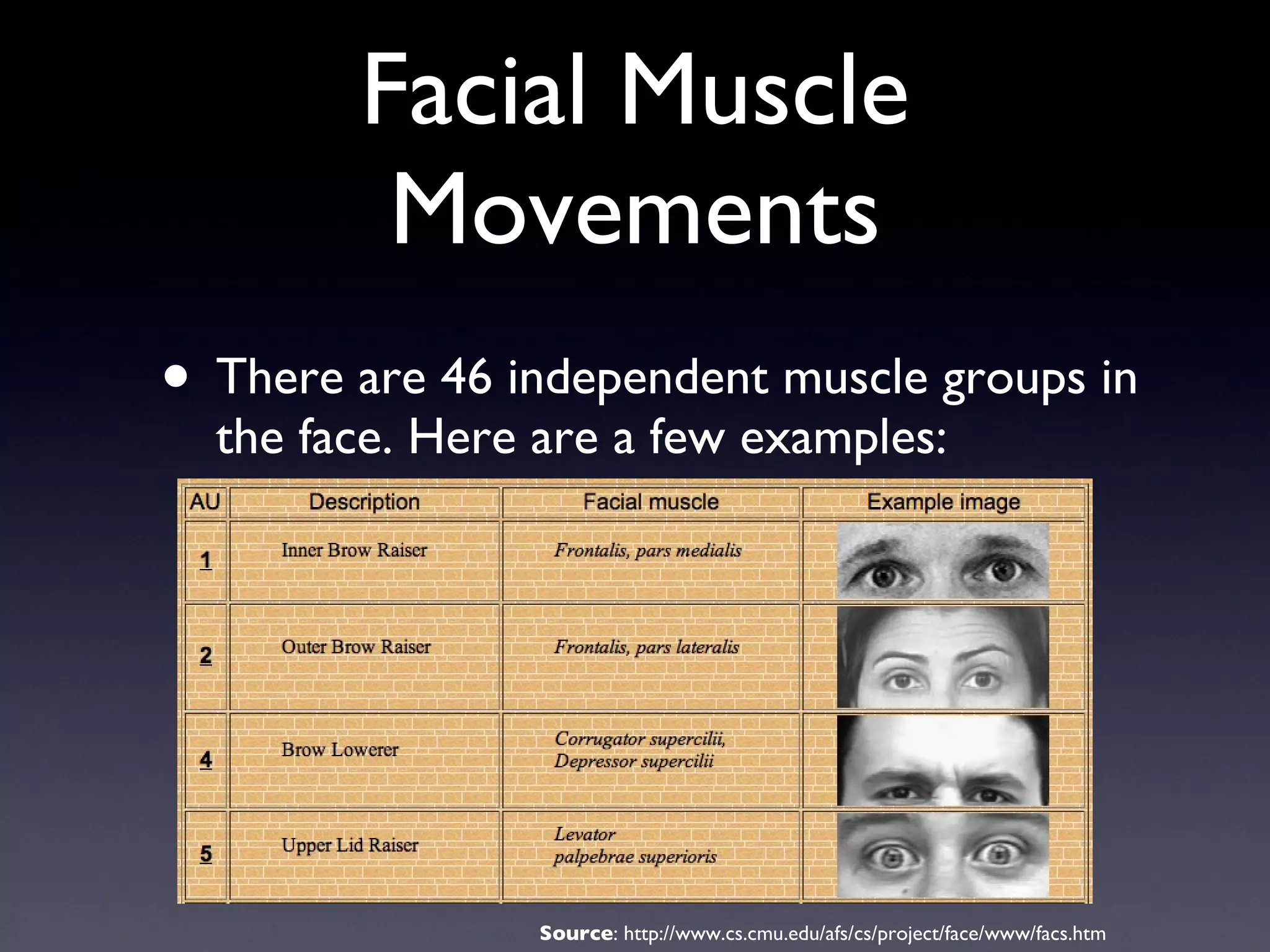
Facial Muscle Movements There are 46 independent muscle groups in the face. Here are a few examples: Source : http://www.cs.cmu.edu/afs/cs/project/face/www/facs.htm
Automatic Facial Expression Recognition Why would we want to recognize facial muscle movements? Psychological research - how do people respond to certain stimuli? Computer games - make the game responsive to how the user is feeling. Lie detection. Perceptual computer interfaces (more later). Remote control using the face (more later).
Automatic Facial Expression Recognition The basic flow of how things work: Find all the faces in the image ( face detection ). For each face you find, determine its facial expression ( expression recognition ).
Face Detection Contrast  face detection  and  face recognition . Detection - where are the faces in the image? Recognition - whose face is that?
Face Detection In 2001, Paul Viola and Michael Jones (from Mitsubishi Electric Research Labs) revolutionized the field of face detection. Their design is now called the  Viola-Jones Face Detector . PROCEDURE: Divide the image into thousands of different square regions. For each square region, check if it contains a face.  (illustrate on board)
Does the region contain a face? We must classify each square region as either a face, or a non-face. This is performed by a  classifier . Classifiers: examines a square region of an image, and outputs either 1 (“face”) or 0 (“non-face”). Must operate extremely quickly!
Classifying a region as face/non-face We must “train” a face classifier using many “training examples”. ~10,000 examples of faces. ~1,000,000,000 examples of non-faces. The classifier training algorithm compares the faces to the non-faces and finds the image properties which distinguish these two kinds of images.  (illustrate on board)
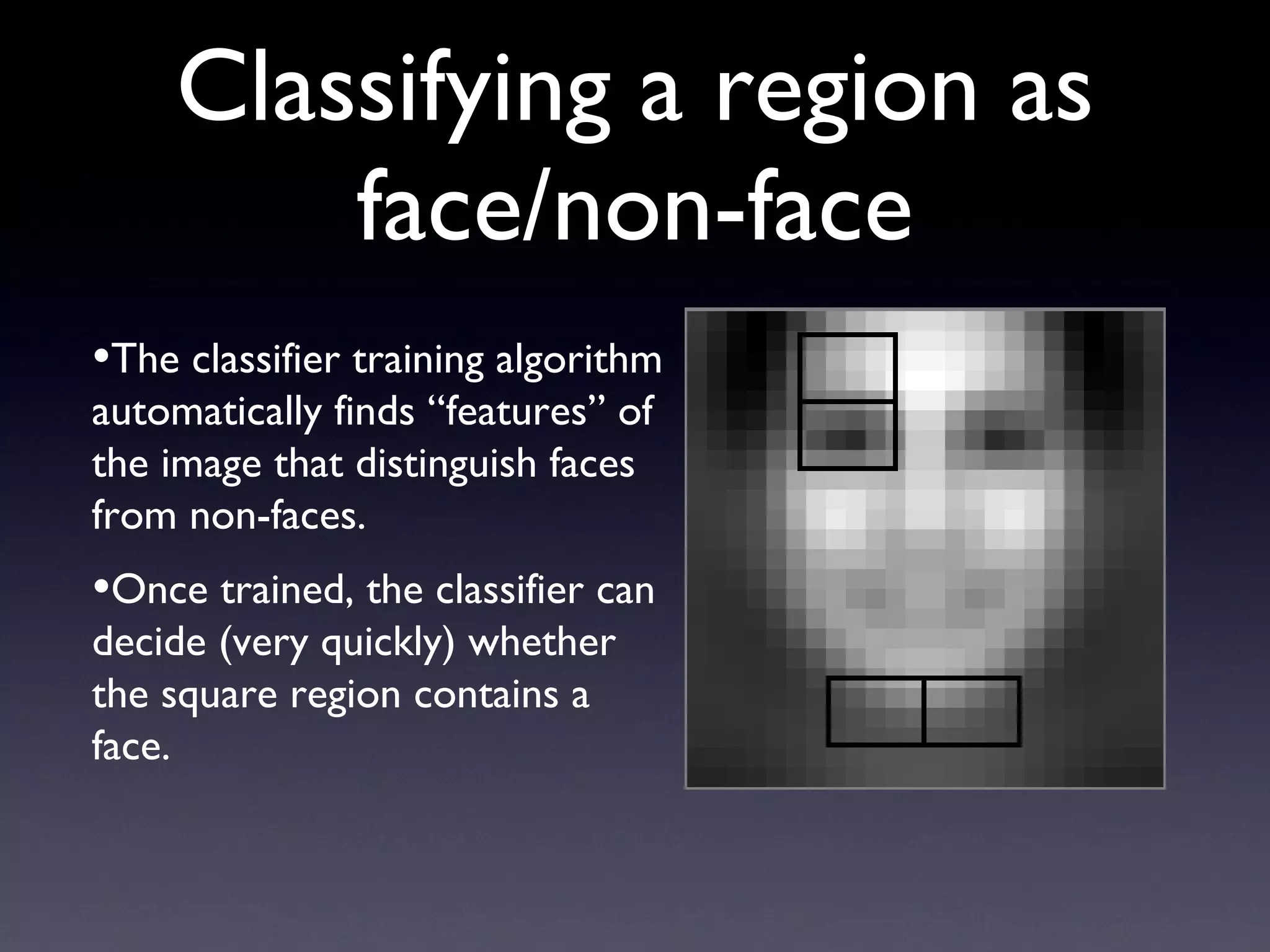
Classifying a region as face/non-face The classifier training algorithm automatically finds “features” of the image that distinguish faces from non-faces. Once trained, the classifier can decide (very quickly) whether the square region contains a face.
Expression Recognition Now that we’ve found the faces, we must determine their facial expressions. We examine each facial muscle movement separately: Is the person wrinkling their nose? Yes/No. Is the person smiling? Yes/No. Is the person blinking? Yes/No. ...
Expression Recognition To detect expressions, we use a similar approach as for face detection: Train a classifier to distinguish between smile/non-smile, frown/non-frown, etc. For each classifier, we need many examples for both the presence, and the absence, of the expression. The classifier examines the face and determines whether a particular expression occurred or not.
Our System Our lab (MPLab) has developed a state-of-the-art facial expression recognition system. “ CERT” = Computer Expression Recognition Toolbox. CERT rates each expression in terms of  intensity (e.g., not smiling at all ==> very smiley). Demo.
Unexpected Application: Art Exhibit We deployed CERT’s smile detector to “force” people to smile for 1.5 hours. Whenever the people stopped smiling, CERT would beep at them.
Unexpected Application: Art Exhibit
Automated Teaching Systems Facial expression recognition (and other forms of “machine perception”) have many applications. In my research, I’m interested in one particular application:  automated teaching systems . I define automated teaching systems very generally - any machine that teaches, or helps to teach, a human.
Automated Teaching Systems Why would we want to do this? There are many parts of the world in which good teachers (especially in specialized subjects) are scarce. The current model of education is  one  teacher for  many  students. Automated teaching systems could help reduce this imbalance.
Automated Teaching Systems Some aspects of teaching (e.g., drilling of key concepts) are highly repetitive and could be automated. (My research): Online learning has become very popular in higher education; students watch pre-recorded lectures on video streamed over the Internet.  Can we make these video lectures more responsive to the individual student ? Facial expression recognition may be useful here.
Automated Teaching Systems “ Smart Video Lecture Player” - the basic idea: Some parts of a lecture are already familiar to you, or easy to understand. You can watch these faster than normal and still follow. Other parts are harder to understand; slow these down! We want to adjust the playback speed automatically using facial expression.
Smart Lecture Video Player Why not just control the speed manually (with the keyboard)? The student may be taking notes with his/her hands. May be more natural or convenient to use the face, similarly to how students interact (subconsciously) with their teacher.
Smart Lecture Video Player: Experiment Question/hypothesis: Does the student’s facial expression tell us how difficult he/she finds the lecture to be? Experimental procedure: Each student watched a short video lecture (3 mins). He/she could adjust the speed (1-10) with the keyboard. Each student’s facial expressions were recorded in real-time using the CERT software. Quiz. Each student then watched the video  again , this time giving his/her assessment of how easy/difficult (1-10) the lecture was to understand at each moment in time.
Smart Lecture Video Player: Experiment Experimental procedure: We employed statistical regression algorithms to convert the student’s  facial expressions  into: The preferred viewing speed of the student. The perceived difficulty of the lecture. (Note: the true “computer science” research in this project is developing the algorithm to map from facial expression to Difficulty and Preferred Viewing Speed.)
Smart Lecture Video Player: Experiment Question: How accurately can our automated computer algorithm predict Difficulty and Preferred Viewing Speed from the facial expression information? We already collected this data, so we can determine this quantitatively.
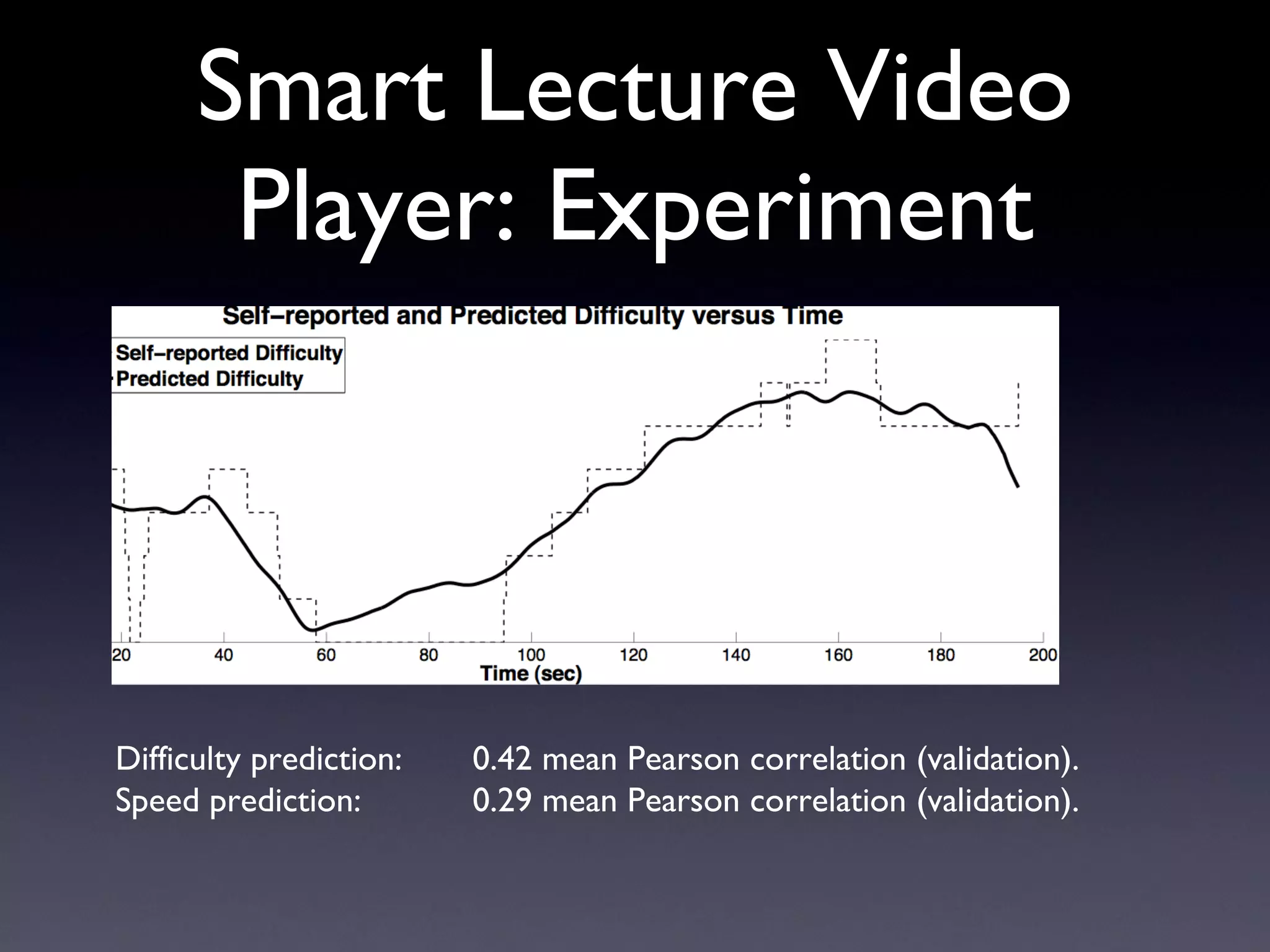
Smart Lecture Video Player: Experiment Difficulty prediction: 0.42 mean Pearson correlation (validation). Speed prediction: 0.29 mean Pearson correlation (validation).
Results (in English): Using automatic facial expression recognition, we can get an  approximate  sense of how Easy/Difficult the student finds the lecture to be. Can also infer how Fast/Slow the student wants to watch the video. Applications: Smart Video Lecture Player (as intended). Robotic teachers (we have one).
Smart Video Lecture Player Demo.
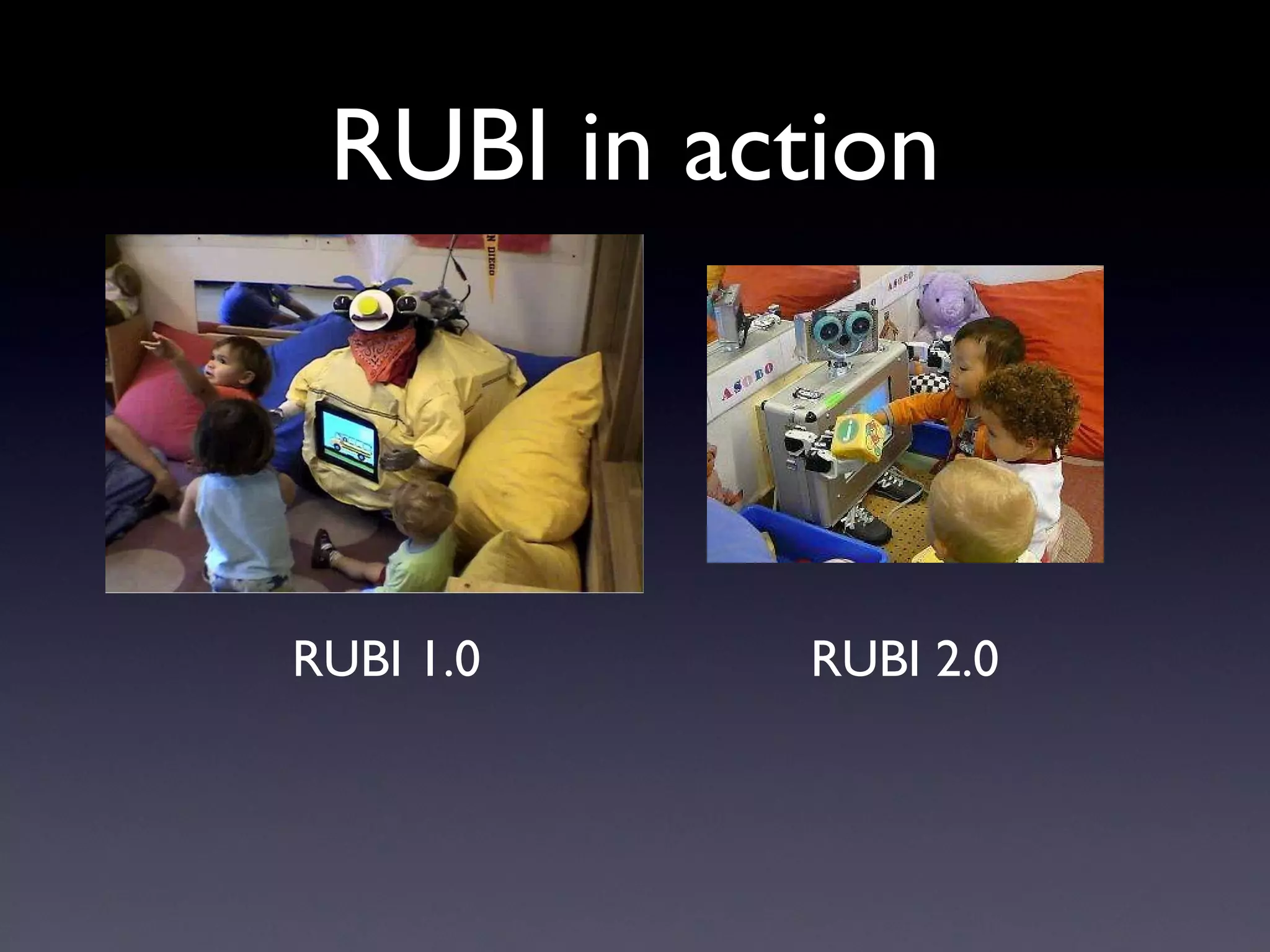
Other Work on Automated Teaching Systems at Our Lab The RUBI project: deploy a robot among pre-school children at UCSD’s Early Childhood Education Center. Children are between 18-24 months old. Teach them basic shapes, letters, vocabulary (English, Finnish).
RUBI in action RUBI 1.0 RUBI 2.0
Science as a Career
Quick Blurb About Me Graduated from Stanford (2001); majored in computer science. Worked as a software engineer (two years) and college lecturer (two years) after finishing college. Been working at UCSD as a researcher & graduate student since 2005. Aim to finish my PhD in computer science by 2011. Hope to eventually become a college professor.
Scientific Research: My Personal Perspective In research, you will  never  stop learning, by definition. Usually lots of freedom: the emphasis is on getting results. You will expand the frontiers of human knowledge (but usually only in small ways). You will become an “expert” in something.
Scientific Research: My Personal Perspective Greed for money is replaced by greed for prestige. Research can be lonely - you will (often) spend  lots  of time in the lab. You won’t get rich (unless you start a company).
From High Schooler to Researcher Attending a prestigious research university (e.g., MIT, Harvard) is always helpful. BUT - going to a lesser known school by no means shuts you out. You just have to take more initiative to get involved in research projects during college. UC schools are all excellent (in certain fields) and are much cheaper (for CA residents) than private schools.
From High Schooler to Researcher In my opinion, the #1 most important thing to do in college is: GET  TO  KNOW  YOUR  PROFESSORS. Go to office hours. Ask them questions. Ask them about their research. Ask them how you can get involved in one of their research projects. Professors are the reason why famous schools are famous. A strong letter of recommendation from a professor is worth its weight in platinum.
The End

PPT slides - MACHINE PERCEPTION LABORATORY

  • 1.
    Computer Science: AWhirlwind Tour A Whirlwind Tour Jacob Whitehill ( [email_address] ) Machine Perception Laboratory, http://mplab.ucsd.edu UCSD
  • 2.
    Goals of ThisTalk Introduce you to the science of computers & computation. Give a super-fast tour of various sub-areas of computer science. Tell you a little about our lab’s research. Show some demos.
  • 3.
    Finding the science in Computer Science
  • 4.
    Computer Science: MisconceptionsComputer science is related to, but distinct from, the following fields: Information Technology (IT). Computer & network management Computer programming
  • 5.
    Computer Science: MisconceptionsInformation Technology (IT): The study, development, and management of information systems - computer & software systems that manage large amounts of information. Example: design an efficient database for Verizon to handle billing information for 100 million customers.
  • 6.
    Computer Science: MisconceptionsComputer & network management - set up and maintain computers & computer networks Example: figure out why the Internet is not accessible from a particular school classroom, and fix the problem.
  • 7.
    Computer Science: MisconceptionsComputer programming - create software for a computer to execute to perform a useful task. Example: write software to automatically download music by your favorite artist on iTunes.
  • 8.
    My definition ofComputer Science My definition: the development of new techniques using computers & computation to solve problems that were fundamentally not solvable before . Contrast with IT : there are no fundamental challenges in setting up a billing system for Verizon that have not yet been solved - it’s clear that it’s achievable. Contrast with programming : though programming is by no means trivial, it is usually clear at the onset that the program can be written.
  • 9.
    My definition ofComputer Science Computer programming represents the means by which (empirical) computer science research is conducted. Analogous to conducting an assay, using a microscope, staining DNA, etc.
  • 10.
    Computer Science Computerscience is (for the most part) an engineering science : We have a task we’d like to accomplish. We don’t know if it’s solvable, let alone how to solve it. We (try to ) find computational methods to accomplish our task.
  • 11.
    Computer Science Contrastwith the natural sciences (e.g., biology, chemistry, physics, mathematics): We are interested in discovering how the world works, without necessarily accomplishing a concrete task.
  • 12.
    Sample of VariousComputer Science Research Problems
  • 13.
    Computer Vision GoogleEarth - How do you “stitch together” satellite photographs taken above the Earth into a navigable 3-D “world” (Google Earth)?
  • 14.
    Graphics Pixar -How do you animate a graphical video character (e.g., Shrek) so that it looks alive?
  • 15.
    Cryptography and SecurityHow do you encrypt a message so that only the “intended persons” can read it and eavesdroppers cannot? How do you prevent people from copying movies & music illegally?
  • 16.
    Networking How canyou transmit data reliably and at high-speed using ordinary power-line cables? (this is important in developing countries without telephone infrastructure)
  • 17.
    Machine Learning Cancomputers learn to recognize the same kinds of patterns in nature that humans can? Example: where are the faces in the video?
  • 18.
    Bioinformatics and ComputationalBiology How can we analyze human DNA sequences to determine the risk factors of certain diseases?
  • 19.
    Complexity Theory Howcan we use quantum computers to solve mathematical problems more quickly than with conventional machines?
  • 20.
    Computer Science: Sub-areas(many) Sub-areas (many) These are all the ones I can think of off-hand: Graphics Vision Machine learning Databases Compilers Networking Operating systems Distributed systems Software engineering Robotics Numerical computing Human-computer interaction Graphics Computer architecture Security Cryptography Algorithms Image & video processing Bioinformatics Complexity theory Computational geometry By the way - some of these areas also fit into Electrical Engineering (EE). Some of these are mostly empirical , some are mostly theoretical , and some are both .
  • 21.
    Theoretical vs. EmpiricalResearch Theoretical research - use mathematics/logical reasoning to prove what you are saying is definitely true. Empirical research - research through observation - run many experiments to show that what you are saying is probably true.
  • 22.
    Theoretical vs. EmpiricalResearch Example: Theoretical proof that a particular casino gambling strategy will give you the highest possible winnings. Demonstration over many experiments that a particular strategy works better than others. Important: It’s not always easy/possible to prove something mathematically.
  • 23.
    Algorithms - thefoundation of computer science
  • 24.
    Algorithms The notionof algorithm is fundamental to all of computer science. An algorithm is a step-by-step procedure (“recipe”) for how to complete a particular task. Computers can perform tasks very quickly, but they require a very precise description of what to do.
  • 25.
    Algorithms Example: INPUT:flour, eggs, milk, butter, baking powder, salt, chocolate chips PROCEDURE: Beat eggs. Add all other ingredients. Stir everything until smooth. Drop in 5” circles on hot frying pan. Fry on both sides until brown.
  • 26.
    Algorithms Example (continued):OUTPUT: chocolate chip pancakes
  • 27.
    Algorithms More interestingalgorithms: If you type a phrase into Google, what is the fastest way of finding all of the webpages (on the whole Internet!) that contain that phrase? How do you automatically find the faces in a digital video? How do you animate Shrek’s mouth to match his speech?
  • 28.
    Algorithms Algorithm descriptionsare typically written in a computer programming language (e.g., C, Java, Python). (This is where programming comes in.) Algorithm descriptions are called code . They are then converted (by a compiler or interpreter) into machine language (the computer’s native language, written in 0’s and 1’s).
  • 29.
    Algorithms Example: countingfrom 1 to 100. PROCEDURE (in English): Start with the number 1. Print the number. Add 1 to the number. Go back to Step (2) until we’ve reached 100.
  • 30.
    Algorithms Example: countingfrom 1 to 100. PROCEDURE (in C, a programming language): int number = 1; while (number <= 100) { printf(“%d\n”, number); number += 1; }
  • 31.
    Algorithms Example: countingfrom 1 to 100. PROCEDURE (in PowerPC G5 machine language, binary): 111111101110110111111010110011100000000000000000000000000001001000000000000000000000000000001010000000000000000000000000000000100000000000000000000000000000101000000000000000000000010000010100000000000000000000000000100001010000000000000000000000000000000100000000000000000000000000111000010111110101111101010000010000010100011101000101010110100100010101010010010011110000000000000000000000000000000000000000000000000000000000000000000000000000000000000000000000000001000000000000000000000000000000000000000000000000000000000000000000000000000000000000000000000000000000000000000000000000000000000000000000000000000000000000000000000000000000000000000000000000000000000000000000000000000000000000000000010000000000000000 ...
  • 32.
    Algorithms Several sub-areasof computer science study the science of algorithms: Algorithm design Come up with new fundamental algorithms. Complexity & computability theory Study the kinds of algorithms that can be written, and how fast they are.
  • 33.
    Computability Theory Thereare some tasks which are fundamentally impossible to solve. One of the most famous is the “halting problem”. It is possible to write a program that never ends. Consider: Print out “hello”. Go back to step 1.
  • 34.
    The “Halting Problem”It would be useful to know whether a particular computer program will ever finish. What we would like is the following: INPUT: any computer program. OUTPUT: either Yes or No according to whether the specified computer program will (eventually) come to an end.
  • 35.
    The “Halting Problem”It is provably impossible to create such an algorithm. Hence, no such algorithm can ever be created, no matter how sophisticated computers ever become. This research result comes from the field of computability theory . Determining whether any computer program will terminate is incomputable .
  • 36.
    Complexity Theory Somecomputer science tasks, even if there exists algorithms to solve them, may take prohibitively long to finish - for instance, a google-google-google years (this is a long time). Other algorithms may finish their work in less than a second. Which tasks can be solved quickly, and which take more time? The amount of time that an algorithm takes to finish is called the complexity of that algorithm.
  • 37.
    Two Algorithms -Which takes longer to finish? Which takes longer to finish? “Stable Marriage”: How can we pair n men with n women so that divorces their spouse for someone else? “Graph 3-Coloring”: How can we color the circles in a graph so that connected circles have different colors?
  • 38.
    Stable Marriage AlgorithmSuppose we have 10 men and 10 women who wish to marry each other (heterosexual). Each person ranks all 10 persons of the opposite gender in order of preference. We want to pair people so that no one will divorce their current spouse to marry someone else . Show on board.
  • 39.
    Graph 3-Coloring A“graph” has circles and lines. Some circles are connected to others by lines. If two circles are connected by a line, then the circles cannot have the same color. Can we color all the circles in the graph using just 3 different colors?
  • 40.
    Algorithmic Complexity Whichproblem is harder? “Stable Marriage”, or “Graph 3-Coloring”? These algorithms may seem contrived, but they actually find many uses in computer science.
  • 41.
    Algorithmic Complexity Itturns out that the problem of “Stable Marriage” has a very efficient algorithm. Finding marriages for, say, 1000 people will take a fraction of a second. Graph 3-Coloring is a hard problem - no known efficient algorithm exists (although slow ones do exist). For a graph with 1000 circles, finding a 3-coloring will take longer than the universe will continue to exist!
  • 42.
    Algorithmic Complexity Let n describe the “size” of the problem. n men/women who wish to marry. n circles in the graph we wish to color. The Stable Marriage algorithm is quadratic in n . The best known Graph 3-coloring algorithm is exponential in n .
  • 43.
  • 44.
    My Research: MachineLearning Machine Learning “ Machine learning” - the study of algorithms that enable computers to “learn” the same things that humans can do easily (and not so easily). Machine learning is similar to pattern recognition .
  • 45.
    My Research: MachineLearning Machine Learning Examples: How to hear & understand speech. How to see & recognize people. How to determine whether an email contains a virus. The science involved in machine learning is coming up with ways to perform such tasks (or to improve their performance).
  • 46.
    My Research: MachineLearning Machine Learning My work: Automatic facial expression recognition (and other kinds of face processing). Automated teaching systems.
  • 47.
    Automatic Facial ExpressionRecognition INPUT: an image/video containing faces. OUTPUT: the locations of all faces in the image, along with their facial expressions. PROCEDURE: unknown (but we’re working on it)
  • 48.
    Automatic Facial ExpressionRecognition Let’s define “facial expression” more clearly: One definition is the emotion - happy, sad, angry, etc. Another definition (ours) is the kinds of facial muscle movements that occur in the face.
  • 49.
    Facial Muscle MovementsThere are 46 independent muscle groups in the face. Here are a few examples: Source : http://www.cs.cmu.edu/afs/cs/project/face/www/facs.htm
  • 50.
    Automatic Facial ExpressionRecognition Why would we want to recognize facial muscle movements? Psychological research - how do people respond to certain stimuli? Computer games - make the game responsive to how the user is feeling. Lie detection. Perceptual computer interfaces (more later). Remote control using the face (more later).
  • 51.
    Automatic Facial ExpressionRecognition The basic flow of how things work: Find all the faces in the image ( face detection ). For each face you find, determine its facial expression ( expression recognition ).
  • 52.
    Face Detection Contrast face detection and face recognition . Detection - where are the faces in the image? Recognition - whose face is that?
  • 53.
    Face Detection In2001, Paul Viola and Michael Jones (from Mitsubishi Electric Research Labs) revolutionized the field of face detection. Their design is now called the Viola-Jones Face Detector . PROCEDURE: Divide the image into thousands of different square regions. For each square region, check if it contains a face. (illustrate on board)
  • 54.
    Does the regioncontain a face? We must classify each square region as either a face, or a non-face. This is performed by a classifier . Classifiers: examines a square region of an image, and outputs either 1 (“face”) or 0 (“non-face”). Must operate extremely quickly!
  • 55.
    Classifying a regionas face/non-face We must “train” a face classifier using many “training examples”. ~10,000 examples of faces. ~1,000,000,000 examples of non-faces. The classifier training algorithm compares the faces to the non-faces and finds the image properties which distinguish these two kinds of images. (illustrate on board)
  • 56.
    Classifying a regionas face/non-face The classifier training algorithm automatically finds “features” of the image that distinguish faces from non-faces. Once trained, the classifier can decide (very quickly) whether the square region contains a face.
  • 57.
    Expression Recognition Nowthat we’ve found the faces, we must determine their facial expressions. We examine each facial muscle movement separately: Is the person wrinkling their nose? Yes/No. Is the person smiling? Yes/No. Is the person blinking? Yes/No. ...
  • 58.
    Expression Recognition Todetect expressions, we use a similar approach as for face detection: Train a classifier to distinguish between smile/non-smile, frown/non-frown, etc. For each classifier, we need many examples for both the presence, and the absence, of the expression. The classifier examines the face and determines whether a particular expression occurred or not.
  • 59.
    Our System Ourlab (MPLab) has developed a state-of-the-art facial expression recognition system. “ CERT” = Computer Expression Recognition Toolbox. CERT rates each expression in terms of intensity (e.g., not smiling at all ==> very smiley). Demo.
  • 60.
    Unexpected Application: ArtExhibit We deployed CERT’s smile detector to “force” people to smile for 1.5 hours. Whenever the people stopped smiling, CERT would beep at them.
  • 61.
  • 62.
    Automated Teaching SystemsFacial expression recognition (and other forms of “machine perception”) have many applications. In my research, I’m interested in one particular application: automated teaching systems . I define automated teaching systems very generally - any machine that teaches, or helps to teach, a human.
  • 63.
    Automated Teaching SystemsWhy would we want to do this? There are many parts of the world in which good teachers (especially in specialized subjects) are scarce. The current model of education is one teacher for many students. Automated teaching systems could help reduce this imbalance.
  • 64.
    Automated Teaching SystemsSome aspects of teaching (e.g., drilling of key concepts) are highly repetitive and could be automated. (My research): Online learning has become very popular in higher education; students watch pre-recorded lectures on video streamed over the Internet. Can we make these video lectures more responsive to the individual student ? Facial expression recognition may be useful here.
  • 65.
    Automated Teaching Systems“ Smart Video Lecture Player” - the basic idea: Some parts of a lecture are already familiar to you, or easy to understand. You can watch these faster than normal and still follow. Other parts are harder to understand; slow these down! We want to adjust the playback speed automatically using facial expression.
  • 66.
    Smart Lecture VideoPlayer Why not just control the speed manually (with the keyboard)? The student may be taking notes with his/her hands. May be more natural or convenient to use the face, similarly to how students interact (subconsciously) with their teacher.
  • 67.
    Smart Lecture VideoPlayer: Experiment Question/hypothesis: Does the student’s facial expression tell us how difficult he/she finds the lecture to be? Experimental procedure: Each student watched a short video lecture (3 mins). He/she could adjust the speed (1-10) with the keyboard. Each student’s facial expressions were recorded in real-time using the CERT software. Quiz. Each student then watched the video again , this time giving his/her assessment of how easy/difficult (1-10) the lecture was to understand at each moment in time.
  • 68.
    Smart Lecture VideoPlayer: Experiment Experimental procedure: We employed statistical regression algorithms to convert the student’s facial expressions into: The preferred viewing speed of the student. The perceived difficulty of the lecture. (Note: the true “computer science” research in this project is developing the algorithm to map from facial expression to Difficulty and Preferred Viewing Speed.)
  • 69.
    Smart Lecture VideoPlayer: Experiment Question: How accurately can our automated computer algorithm predict Difficulty and Preferred Viewing Speed from the facial expression information? We already collected this data, so we can determine this quantitatively.
  • 70.
    Smart Lecture VideoPlayer: Experiment Difficulty prediction: 0.42 mean Pearson correlation (validation). Speed prediction: 0.29 mean Pearson correlation (validation).
  • 71.
    Results (in English):Using automatic facial expression recognition, we can get an approximate sense of how Easy/Difficult the student finds the lecture to be. Can also infer how Fast/Slow the student wants to watch the video. Applications: Smart Video Lecture Player (as intended). Robotic teachers (we have one).
  • 72.
    Smart Video LecturePlayer Demo.
  • 73.
    Other Work onAutomated Teaching Systems at Our Lab The RUBI project: deploy a robot among pre-school children at UCSD’s Early Childhood Education Center. Children are between 18-24 months old. Teach them basic shapes, letters, vocabulary (English, Finnish).
  • 74.
    RUBI in actionRUBI 1.0 RUBI 2.0
  • 75.
  • 76.
    Quick Blurb AboutMe Graduated from Stanford (2001); majored in computer science. Worked as a software engineer (two years) and college lecturer (two years) after finishing college. Been working at UCSD as a researcher & graduate student since 2005. Aim to finish my PhD in computer science by 2011. Hope to eventually become a college professor.
  • 77.
    Scientific Research: MyPersonal Perspective In research, you will never stop learning, by definition. Usually lots of freedom: the emphasis is on getting results. You will expand the frontiers of human knowledge (but usually only in small ways). You will become an “expert” in something.
  • 78.
    Scientific Research: MyPersonal Perspective Greed for money is replaced by greed for prestige. Research can be lonely - you will (often) spend lots of time in the lab. You won’t get rich (unless you start a company).
  • 79.
    From High Schoolerto Researcher Attending a prestigious research university (e.g., MIT, Harvard) is always helpful. BUT - going to a lesser known school by no means shuts you out. You just have to take more initiative to get involved in research projects during college. UC schools are all excellent (in certain fields) and are much cheaper (for CA residents) than private schools.
  • 80.
    From High Schoolerto Researcher In my opinion, the #1 most important thing to do in college is: GET TO KNOW YOUR PROFESSORS. Go to office hours. Ask them questions. Ask them about their research. Ask them how you can get involved in one of their research projects. Professors are the reason why famous schools are famous. A strong letter of recommendation from a professor is worth its weight in platinum.
  • 81.