This document provides guidance on using PowerPoint to design effective presentations. It discusses how to select a presentation option, create slides, organize text, images, and effects, and balance design elements. The key points are:
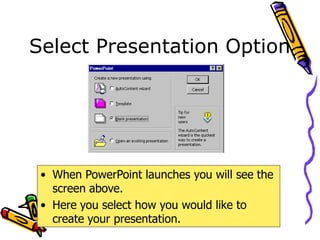
- PowerPoint allows blank presentations for full customization or templates for guided design.
- Slides should be kept simple with short bullet points reinforcing the speech.
- Consistent formatting, readable fonts, and complimentary colors improve visuals.
- Animation and media should emphasize important points without distracting from the content.
- Effective slides balance different elements so no one part overpowers the others.