Whirlwind tour of CDS 2.0 and Power
Apps
Ali Khan
Solution Architect | Dynamics 365 | Velrada
Itinerary
Why? What? How?
Why?
Home Ground
Database / Metadata
Business Rules, Workflows and Business Processes
Form Designer View Designer Dashboard Designer Site Map
Problem #1 - Last Mile Problem
• Small solutions / apps for specific
teams/users
• Already have Dynamics up &
running
• Examples: Inspection
management,
Timesheets, Checklists, Expenses etc.
Problem #2 – DIY Problem
• Completely customized solutions
utilizing CRM platform components
for rapid development (XRM)
• Licensing costs
• Examples: Events Management,
Partners Management, Franchise
Management etc.
What?
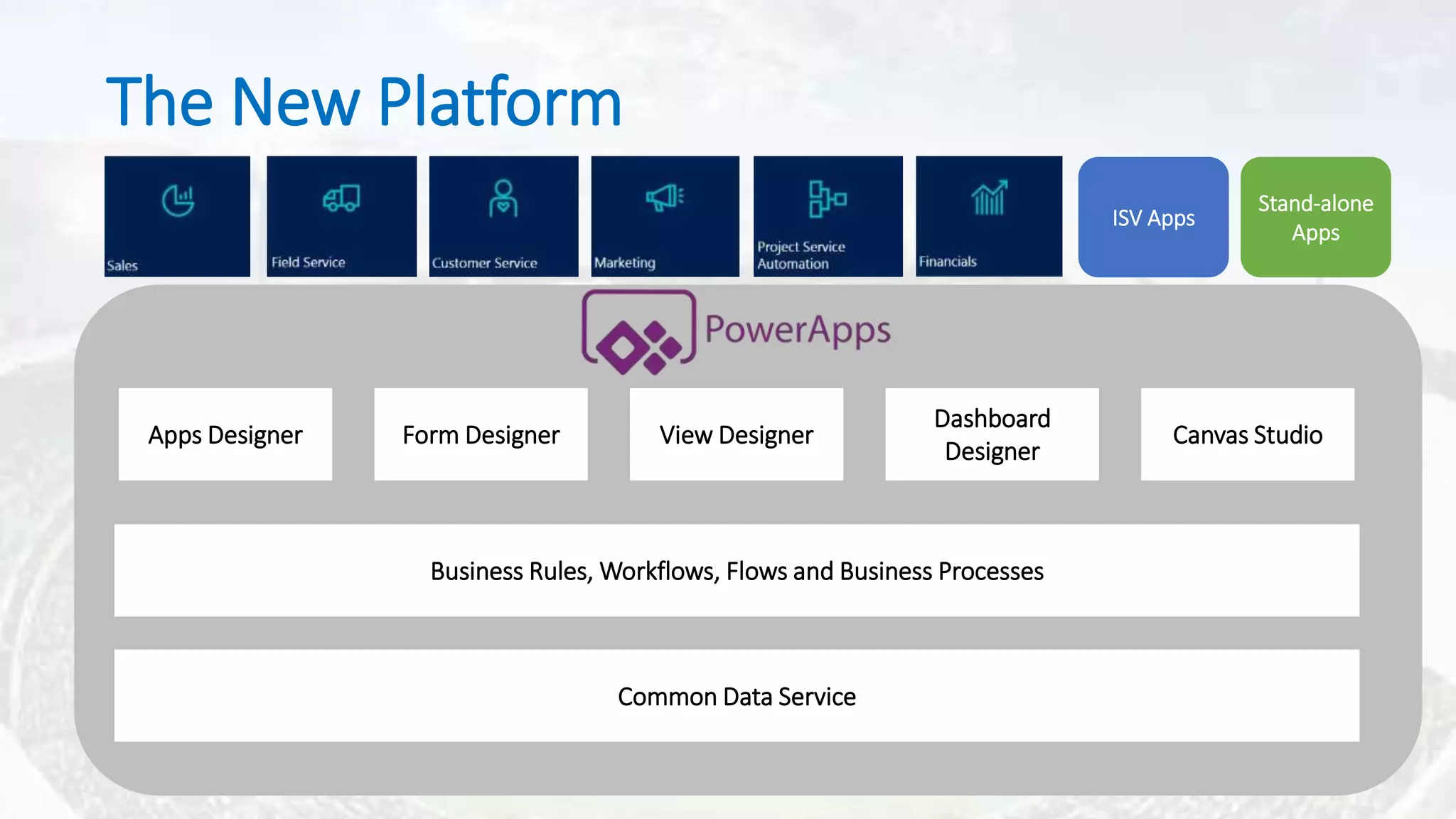
Common Data Service
Business Rules, Workflows, Flows and Business Processes
Form Designer View Designer
Dashboard
Designer
Canvas StudioApps Designer
ISV Apps
Stand-alone
Apps
The New Platform
“Easily build the business apps you need”
Nuts & Bolts
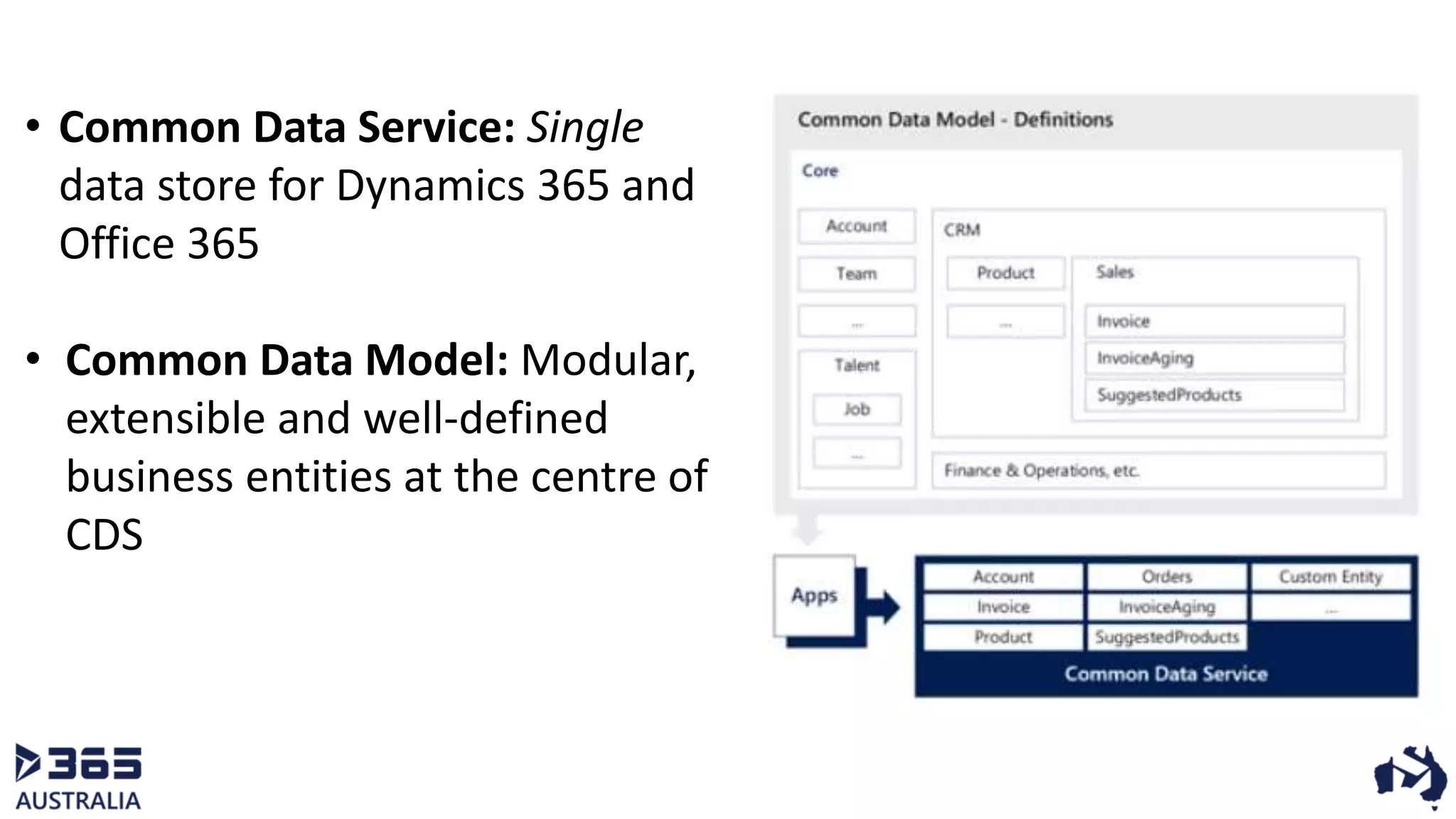
• Common Data Service: Single
data store for Dynamics 365 and
Office 365
• Common Data Model: Modular,
extensible and well-defined
business entities at the centre of
CDS
Type 1: Canvas Apps
o Starting Point: UX
o True WYSIWYG
o Rich canvas-based authoring
o Connect with 200+ data sources
o Push Notifications
o Ready to use templates for Phones, Tablets & Web
o Sharing via email access
Design UI
Connect /
Define data
source
Define
business logic
Share app
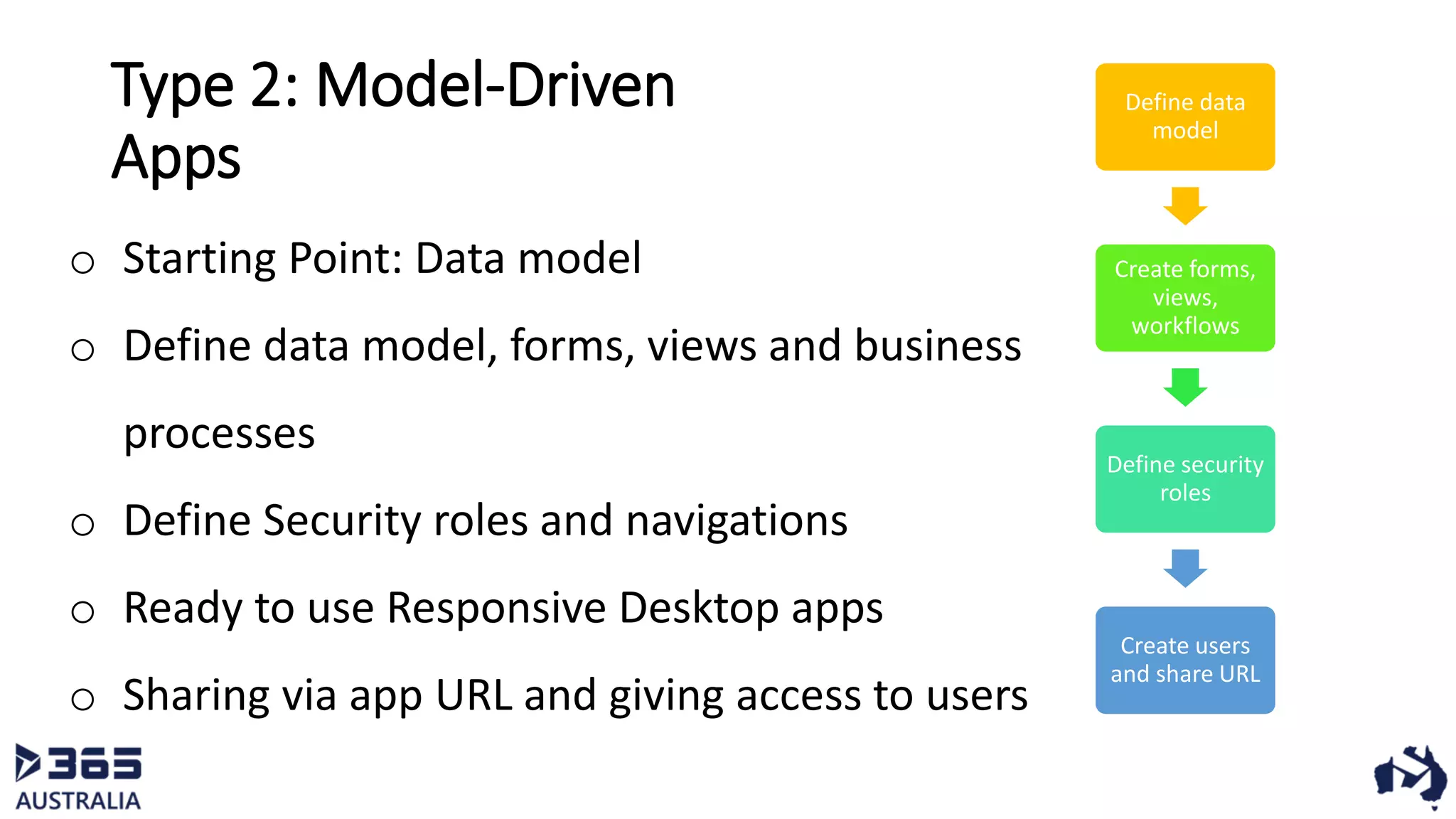
Type 2: Model-Driven
Apps
o Starting Point: Data model
o Define data model, forms, views and business
processes
o Define Security roles and navigations
o Ready to use Responsive Desktop apps
o Sharing via app URL and giving access to users
Define data
model
Create forms,
views,
workflows
Define security
roles
Create users
and share URL
Data Integrations
• Built-in connectivity to 200+ cloud
services, database, APIs
• Hybrid connectivity to on-premises
systems using On-Premises Data
Gateway
• Custom connectors to register and
connect with any API
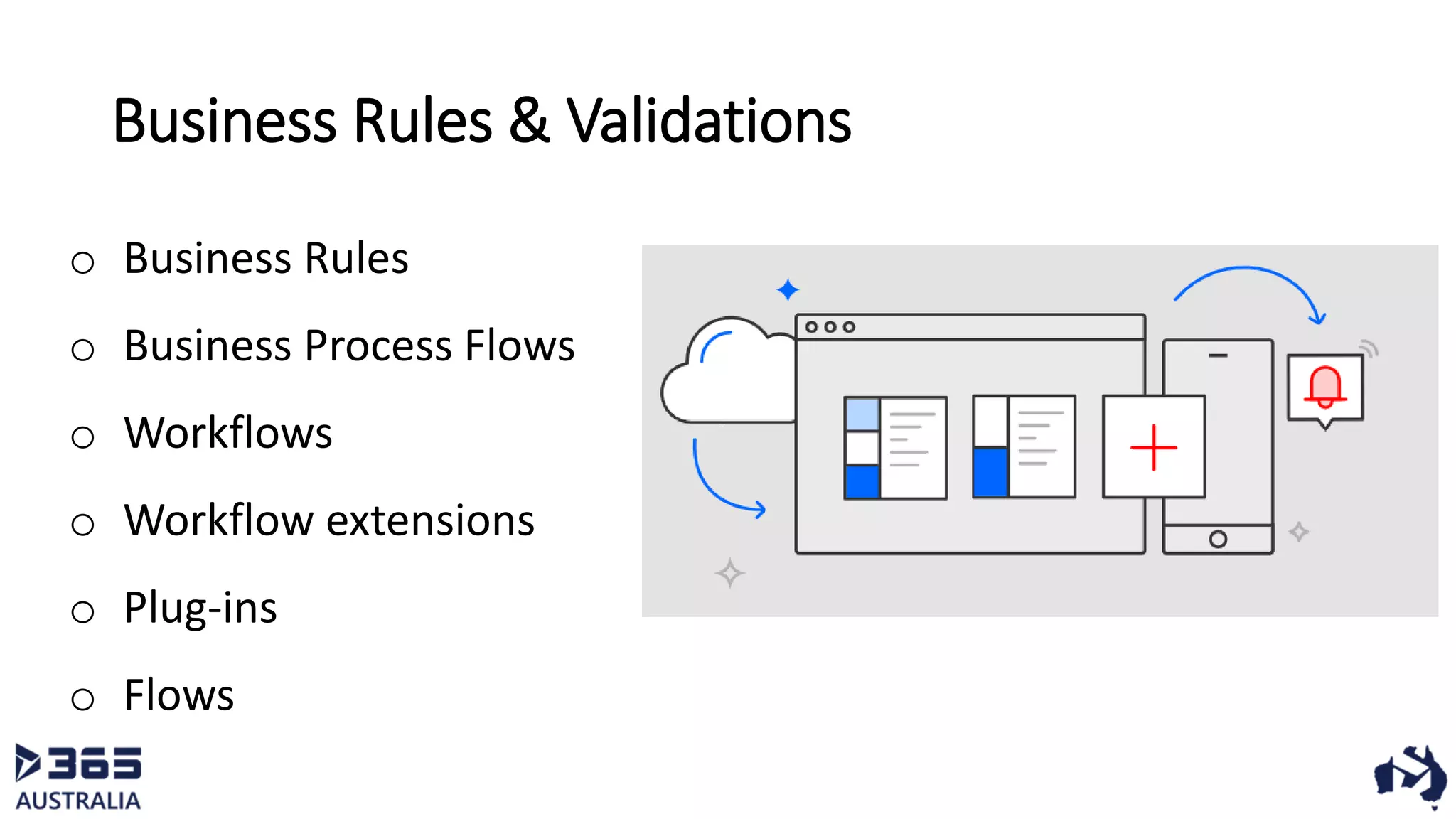
Business Rules & Validations
o Business Rules
o Business Process Flows
o Workflows
o Workflow extensions
o Plug-ins
o Flows
What’s comes out of the box?
 Apps Designer
 Out of the box Controls
 Standard Entities in CDS
 Connectors
 Power Apps Mobile and Tablet Apps
How?
Test Drive
Data Gateway
 On-premises Installation
o Windows Service: Power BI
Enterprise Gateway Service
 Supports data sources:
o SQL Server
o SharePoint
o Oracle
o Informix
o Filesystem
o DB2
How to get data in the system?
 Flows
 Azure Functions
 Power Query
Security
 App Roles
 Security Roles
 Security Policies (Technical Preview)
Licensing
Constraints
https://docs.microsoft.com/en-us/powerapps/maker/canvas-apps/common-issues-and-resolutions
Thank you
twitter.com/khanali
https://medium.com/crm-donuts

PowerApps and CDS

  • 1.
    Whirlwind tour ofCDS 2.0 and Power Apps Ali Khan Solution Architect | Dynamics 365 | Velrada
  • 2.
  • 3.
  • 4.
    Home Ground Database /Metadata Business Rules, Workflows and Business Processes Form Designer View Designer Dashboard Designer Site Map
  • 5.
    Problem #1 -Last Mile Problem • Small solutions / apps for specific teams/users • Already have Dynamics up & running • Examples: Inspection management, Timesheets, Checklists, Expenses etc.
  • 6.
    Problem #2 –DIY Problem • Completely customized solutions utilizing CRM platform components for rapid development (XRM) • Licensing costs • Examples: Events Management, Partners Management, Franchise Management etc.
  • 7.
  • 8.
    Common Data Service BusinessRules, Workflows, Flows and Business Processes Form Designer View Designer Dashboard Designer Canvas StudioApps Designer ISV Apps Stand-alone Apps The New Platform
  • 9.
    “Easily build thebusiness apps you need”
  • 10.
  • 11.
    • Common DataService: Single data store for Dynamics 365 and Office 365 • Common Data Model: Modular, extensible and well-defined business entities at the centre of CDS
  • 12.
    Type 1: CanvasApps o Starting Point: UX o True WYSIWYG o Rich canvas-based authoring o Connect with 200+ data sources o Push Notifications o Ready to use templates for Phones, Tablets & Web o Sharing via email access Design UI Connect / Define data source Define business logic Share app
  • 13.
    Type 2: Model-Driven Apps oStarting Point: Data model o Define data model, forms, views and business processes o Define Security roles and navigations o Ready to use Responsive Desktop apps o Sharing via app URL and giving access to users Define data model Create forms, views, workflows Define security roles Create users and share URL
  • 14.
    Data Integrations • Built-inconnectivity to 200+ cloud services, database, APIs • Hybrid connectivity to on-premises systems using On-Premises Data Gateway • Custom connectors to register and connect with any API
  • 15.
    Business Rules &Validations o Business Rules o Business Process Flows o Workflows o Workflow extensions o Plug-ins o Flows
  • 16.
    What’s comes outof the box?  Apps Designer  Out of the box Controls  Standard Entities in CDS  Connectors  Power Apps Mobile and Tablet Apps
  • 17.
  • 18.
  • 19.
    Data Gateway  On-premisesInstallation o Windows Service: Power BI Enterprise Gateway Service  Supports data sources: o SQL Server o SharePoint o Oracle o Informix o Filesystem o DB2
  • 20.
    How to getdata in the system?  Flows  Azure Functions  Power Query
  • 21.
    Security  App Roles Security Roles  Security Policies (Technical Preview)
  • 22.
  • 23.
  • 24.