PowerApps – Deep Dive
@timopertila
SharePoint Saturday Helsinki 28. September 2019
Kiitos, thank you our dear sponsors…
Hello!
3
Timo Pertilä
Consultant, Microsoft MVP
https://timopertila.com
https://twitter.com/timopertila
timo.pertila@digitalillustrated.com
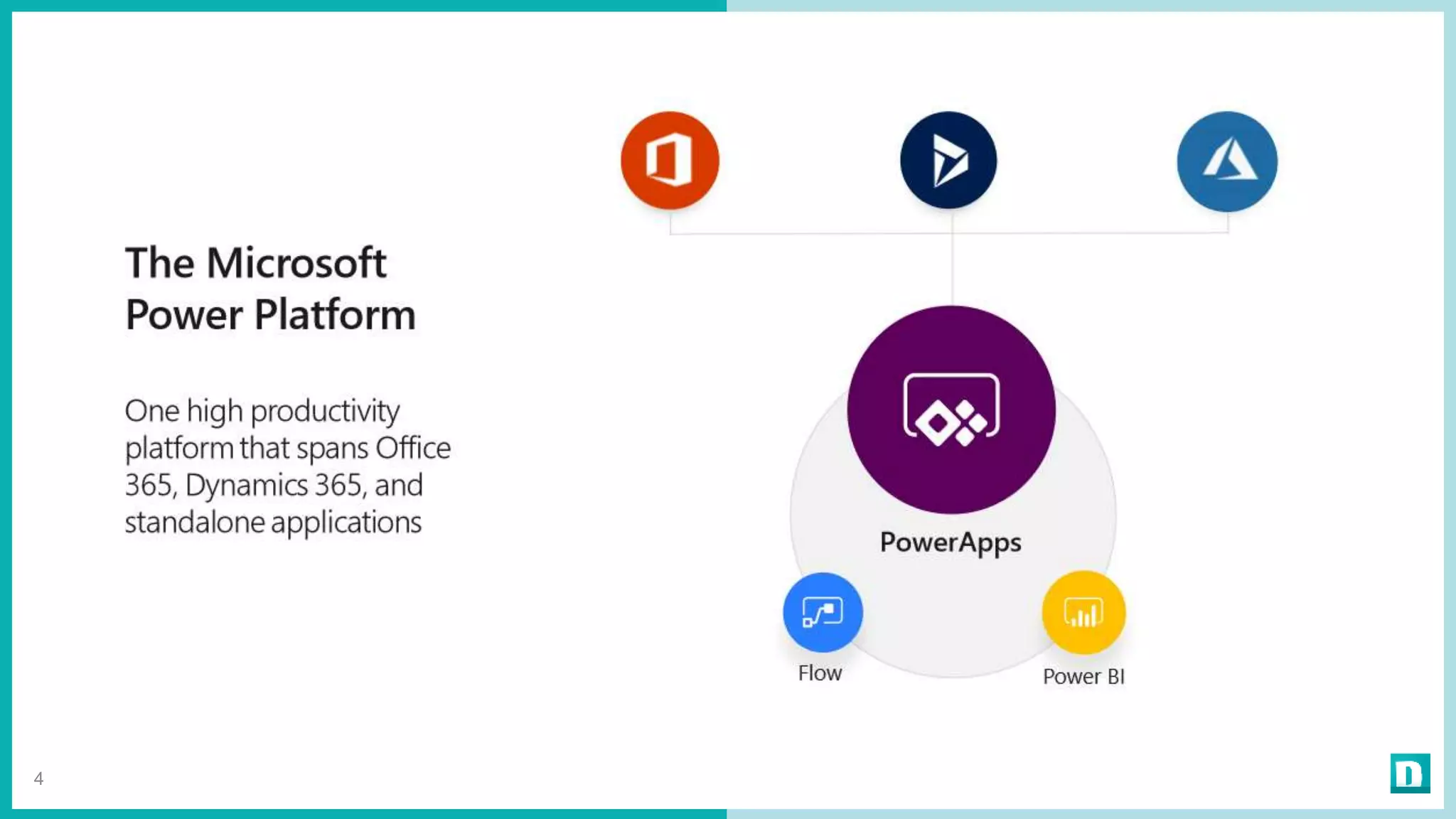
4
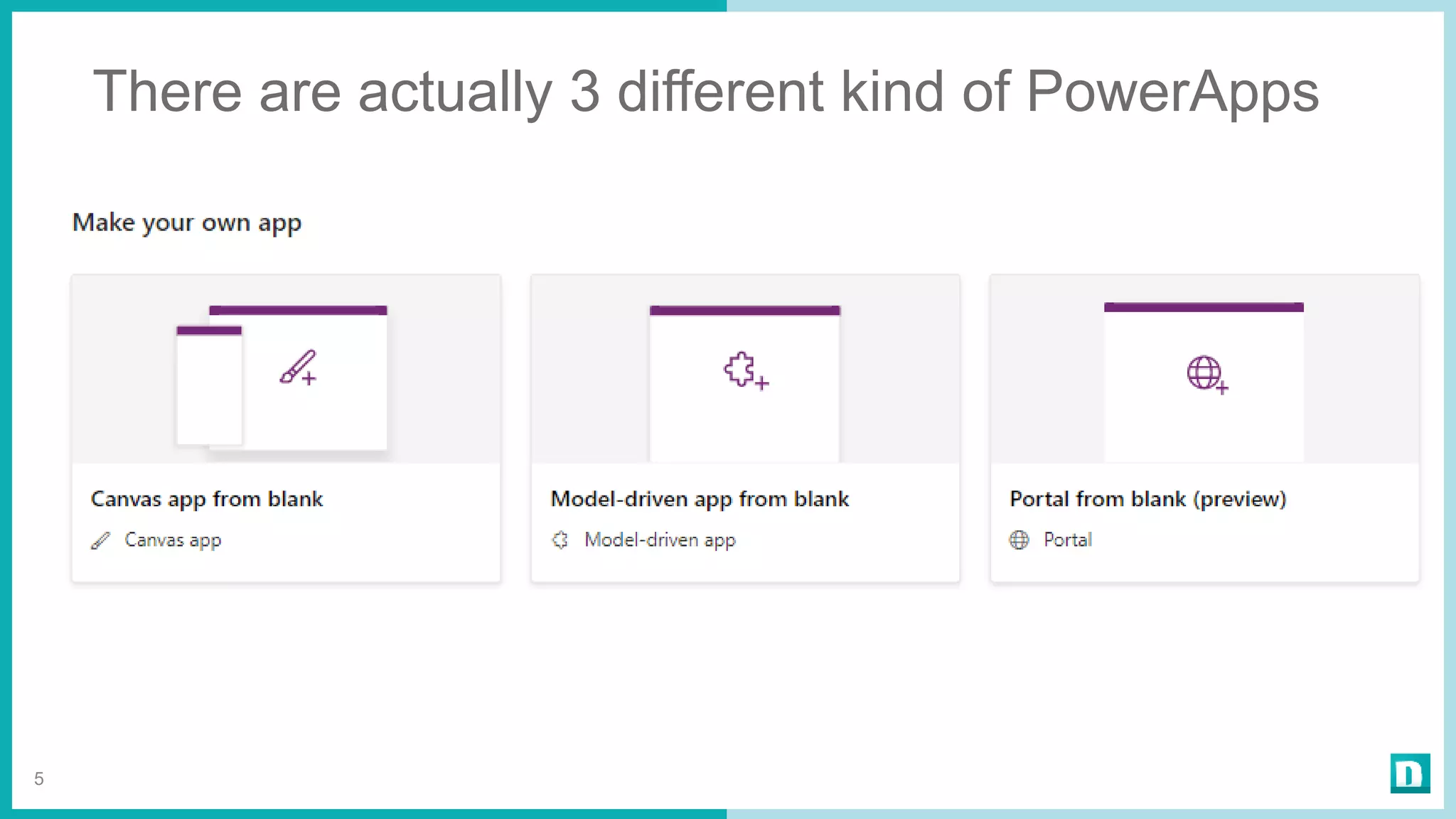
There are actually 3 different kind of PowerApps
5
Canvas / Model-driven / Portal PowerApps
6
Licensing model
changes. Again.
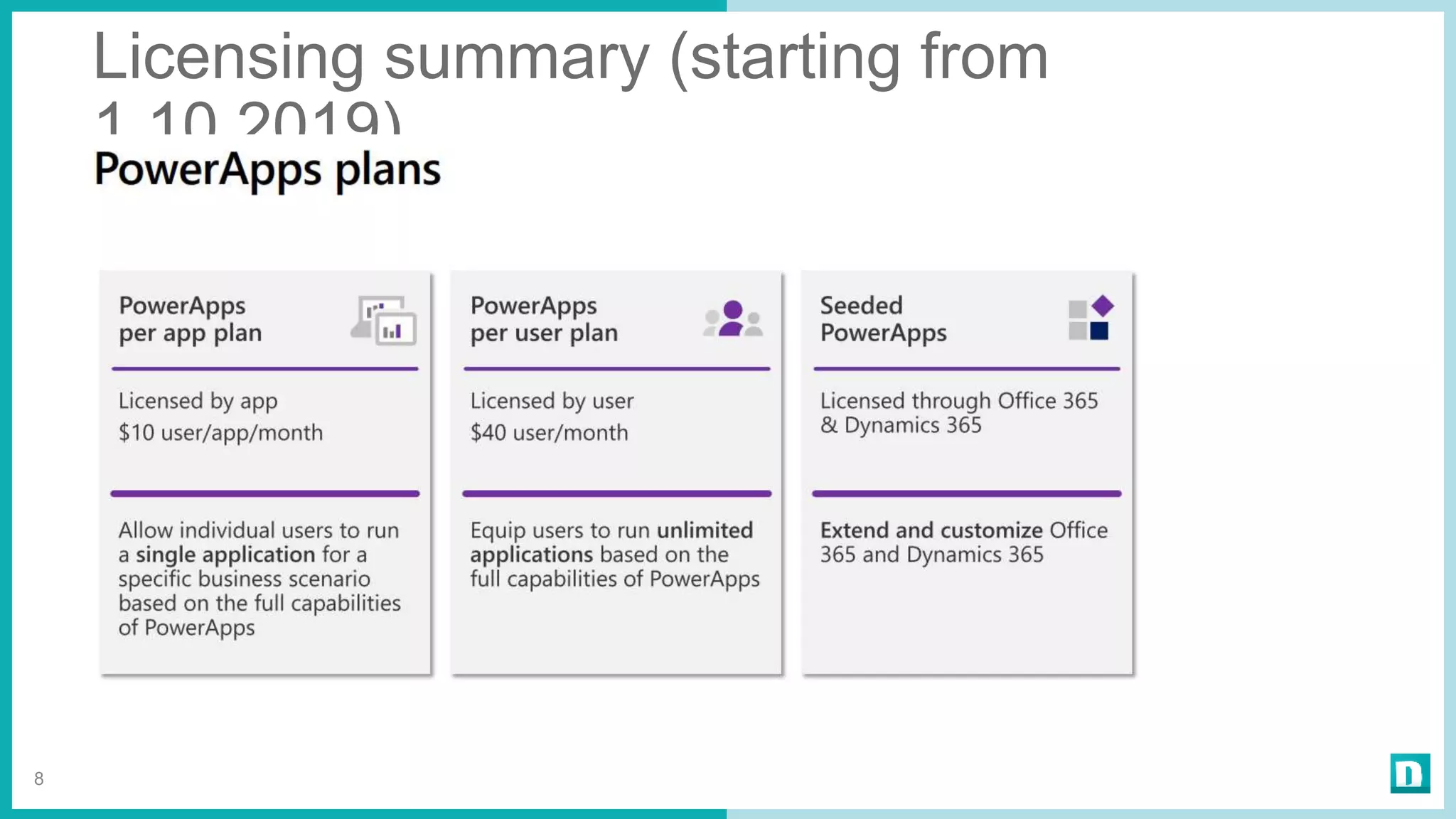
Licensing summary (starting from
1.10.2019)
8
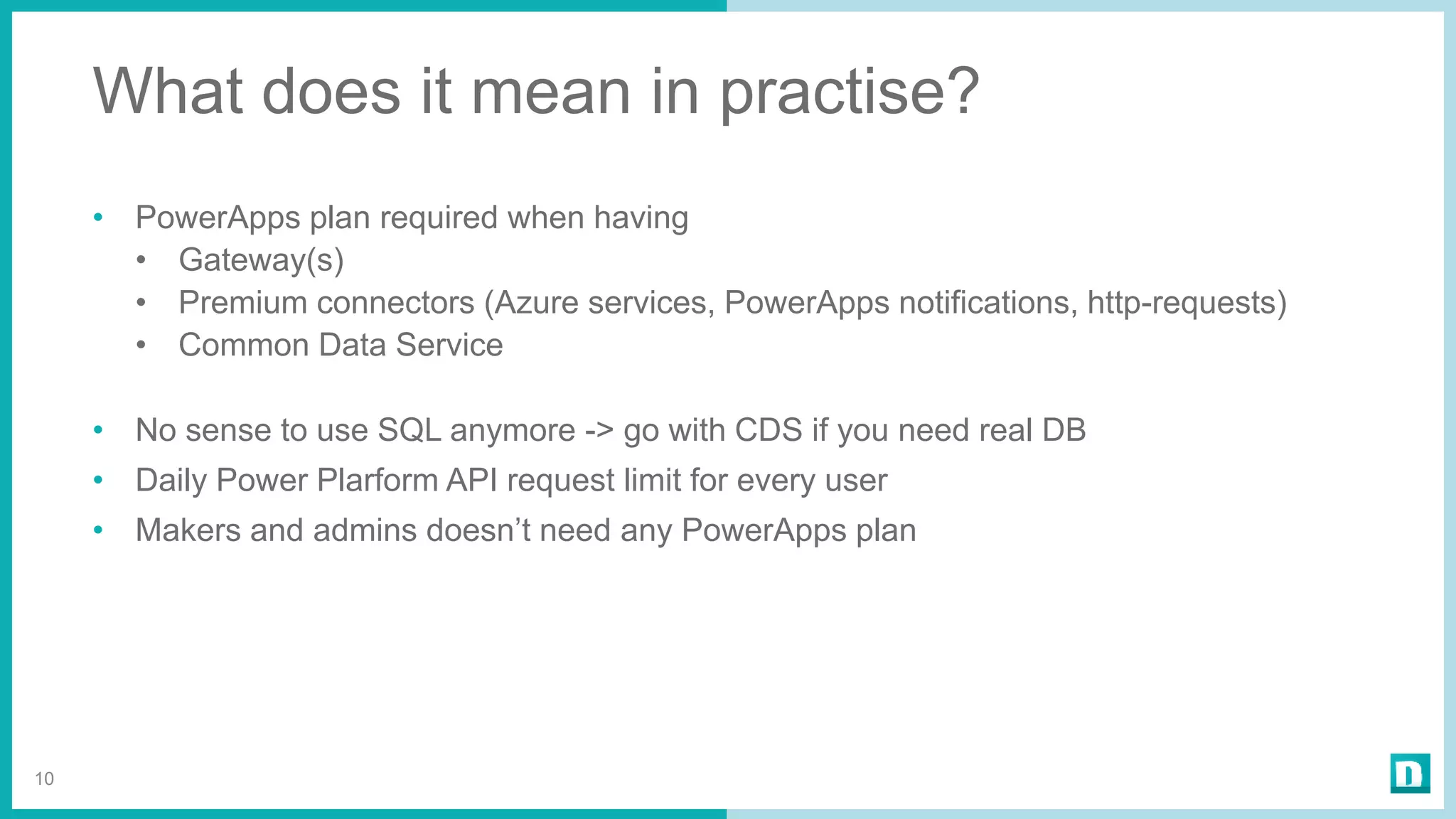
What does it mean in practise?
• PowerApps plan required when having
• Gateway(s)
• Premium connectors (Azure services, PowerApps notifications, http-requests)
• Common Data Service
• No sense to use SQL anymore -> go with CDS if you need real DB
• Daily Power Plarform API request limit for every user
• Makers and admins doesn’t need any PowerApps plan
10
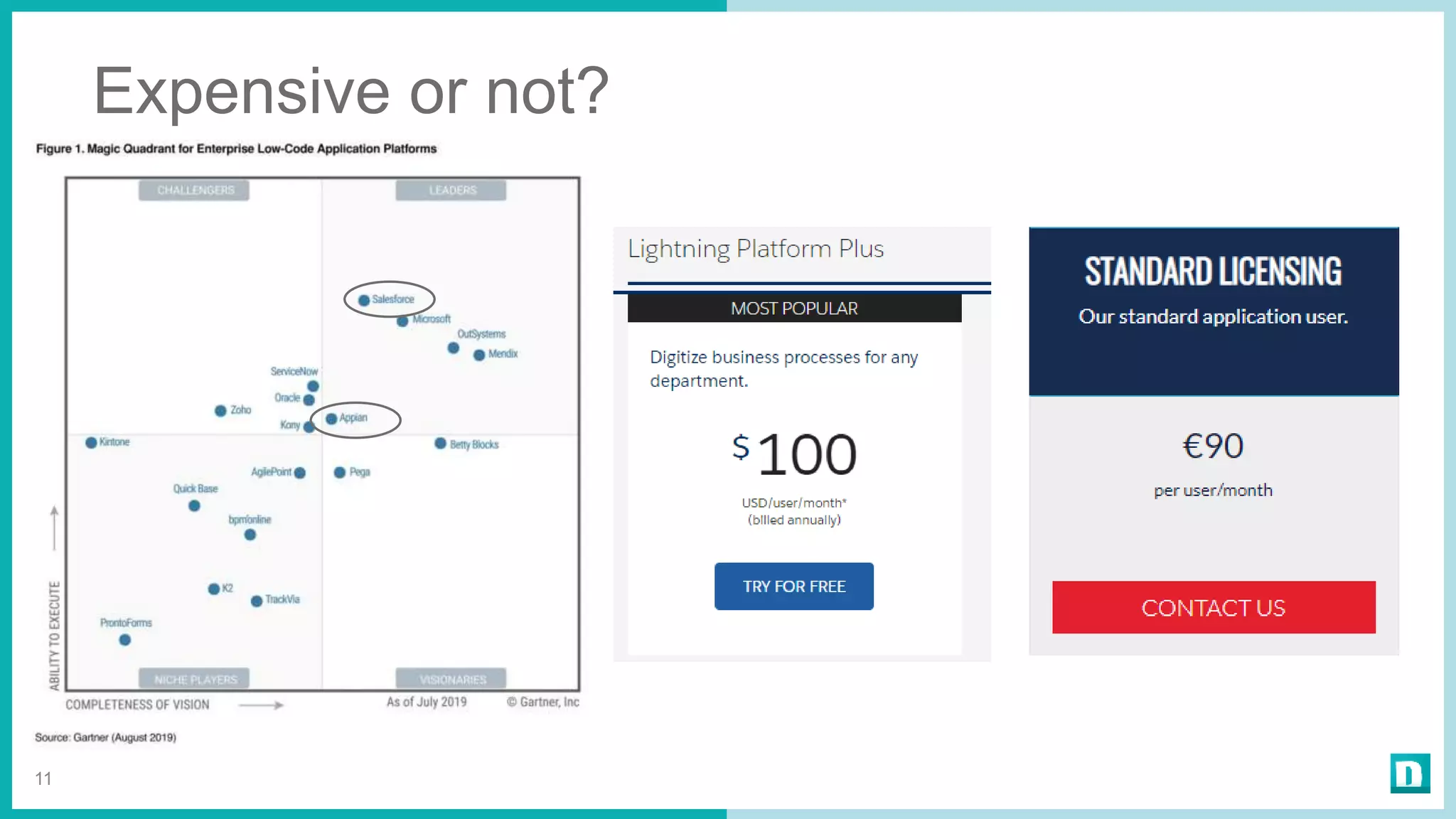
Expensive or not?
11
”Delegation?
What is that?”
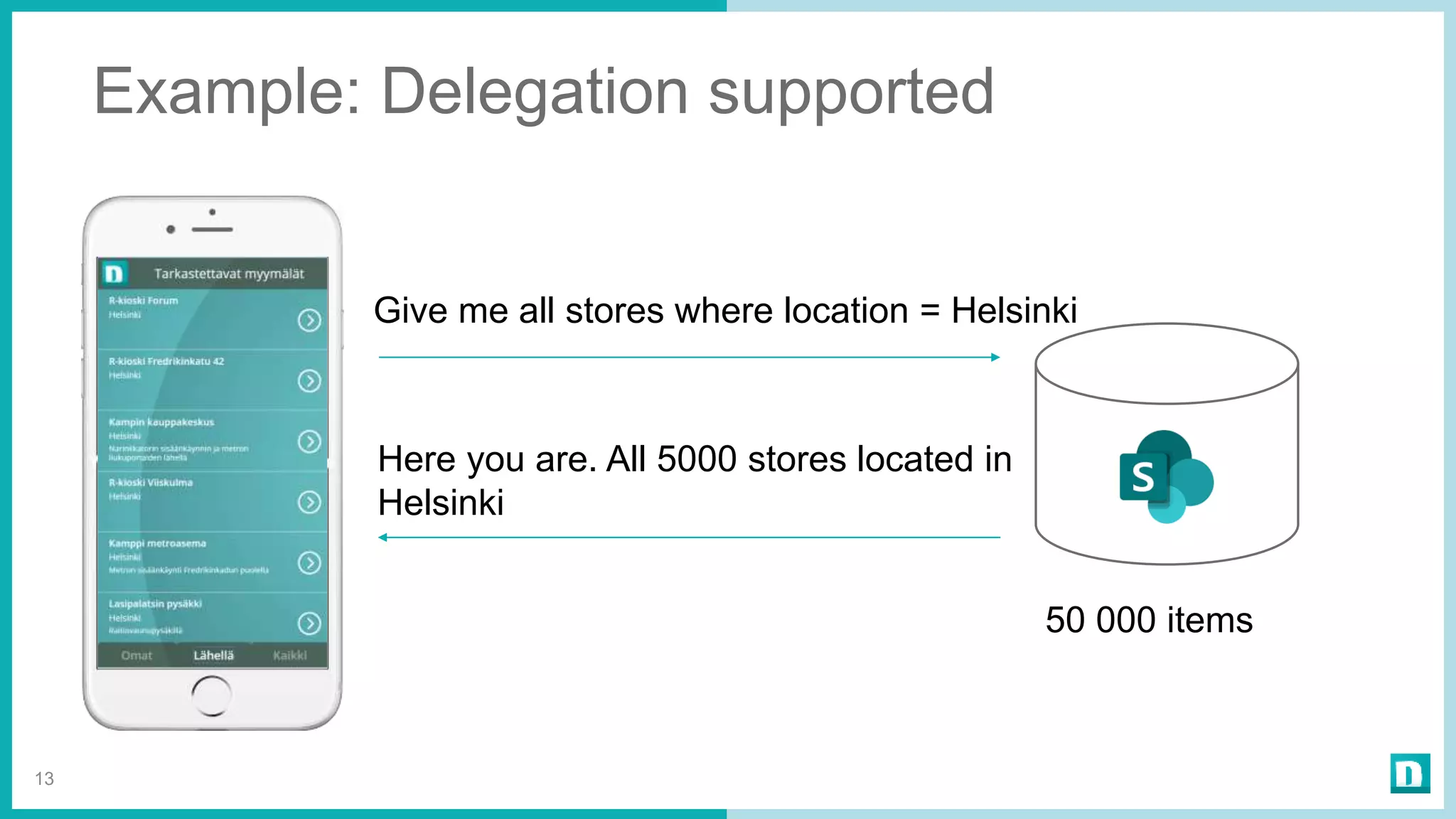
Example: Delegation supported
13
Give me all stores where location = Helsinki
Here you are. All 5000 stores located in
Helsinki
50 000 items
14
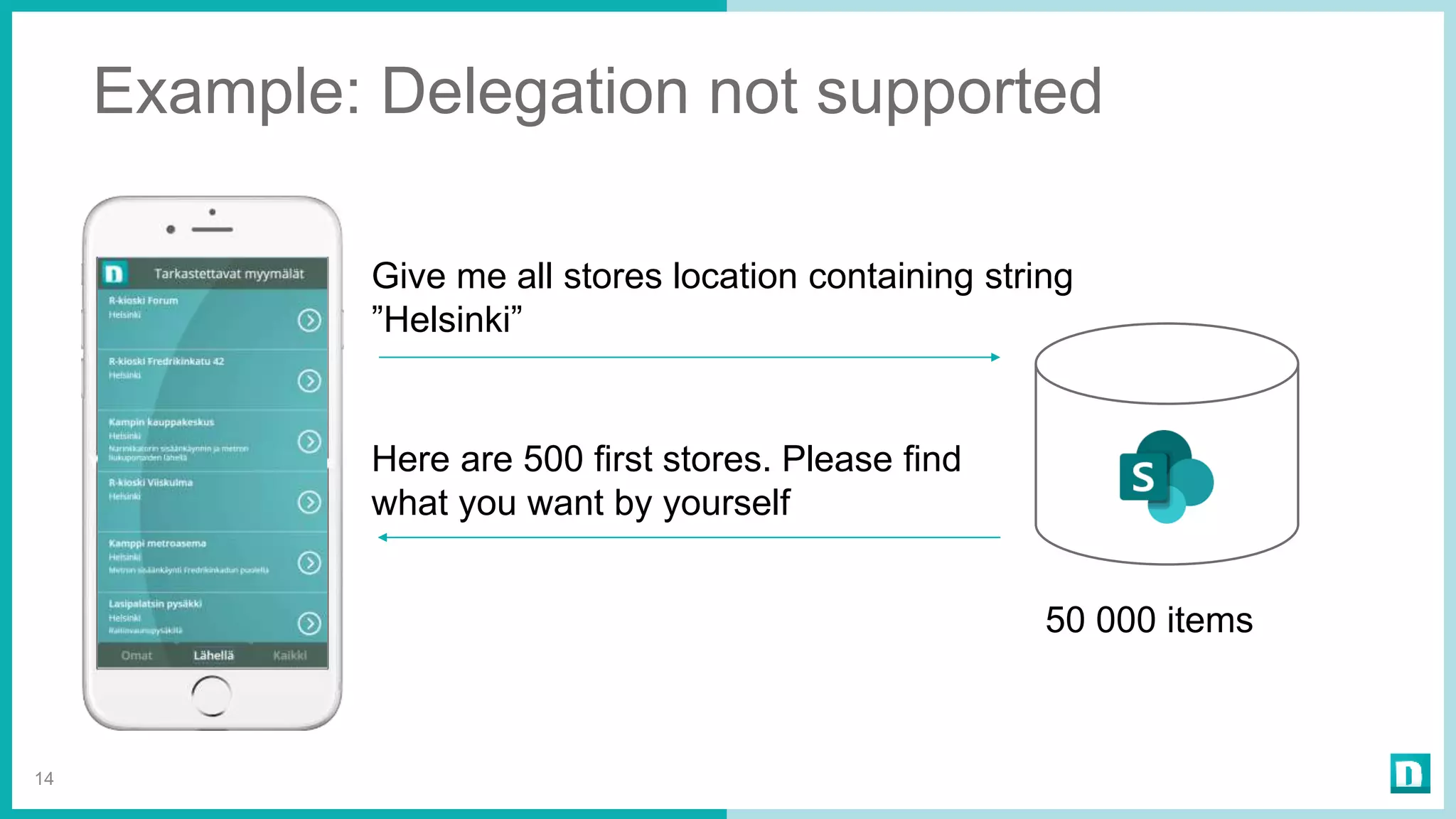
Give me all stores location containing string
”Helsinki”
Here are 500 first stores. Please find
what you want by yourself
50 000 items
Example: Delegation not supported
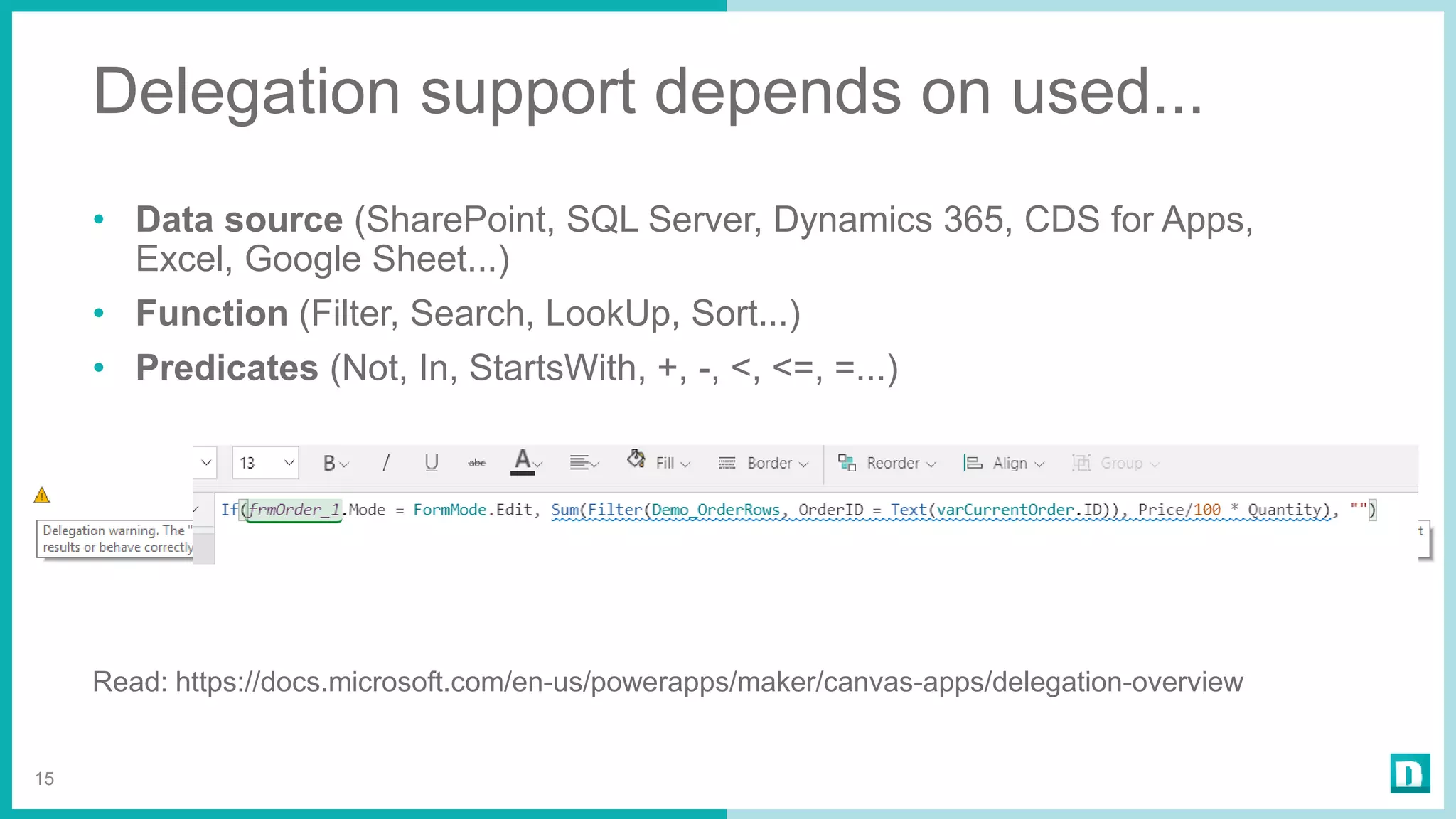
Delegation support depends on used...
• Data source (SharePoint, SQL Server, Dynamics 365, CDS for Apps,
Excel, Google Sheet...)
• Function (Filter, Search, LookUp, Sort...)
• Predicates (Not, In, StartsWith, +, -, <, <=, =...)
Read: https://docs.microsoft.com/en-us/powerapps/maker/canvas-apps/delegation-overview
15
16
Do I have more than 500 items?
Ever
But I have 50 000 items in
SharePoint. Can
PowerApps handle it?
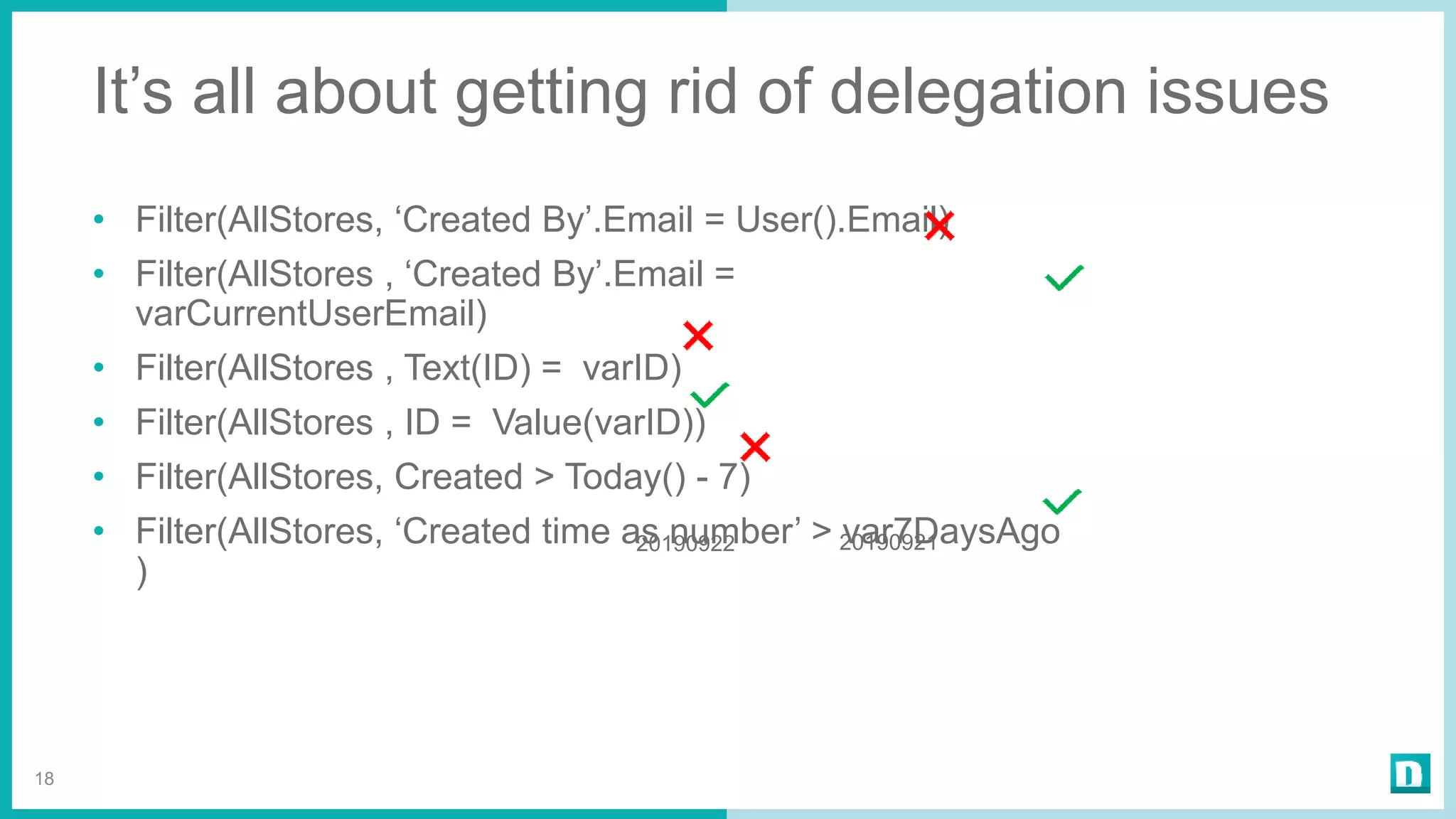
It’s all about getting rid of delegation issues
• Filter(AllStores, ‘Created By’.Email = User().Email)
• Filter(AllStores , ‘Created By’.Email =
varCurrentUserEmail)
• Filter(AllStores , Text(ID) = varID)
• Filter(AllStores , ID = Value(varID))
• Filter(AllStores, Created > Today() - 7)
• Filter(AllStores, ‘Created time as number’ > var7DaysAgo
)
18
2019092120190922
Demo
What datastorage
I should use?
21
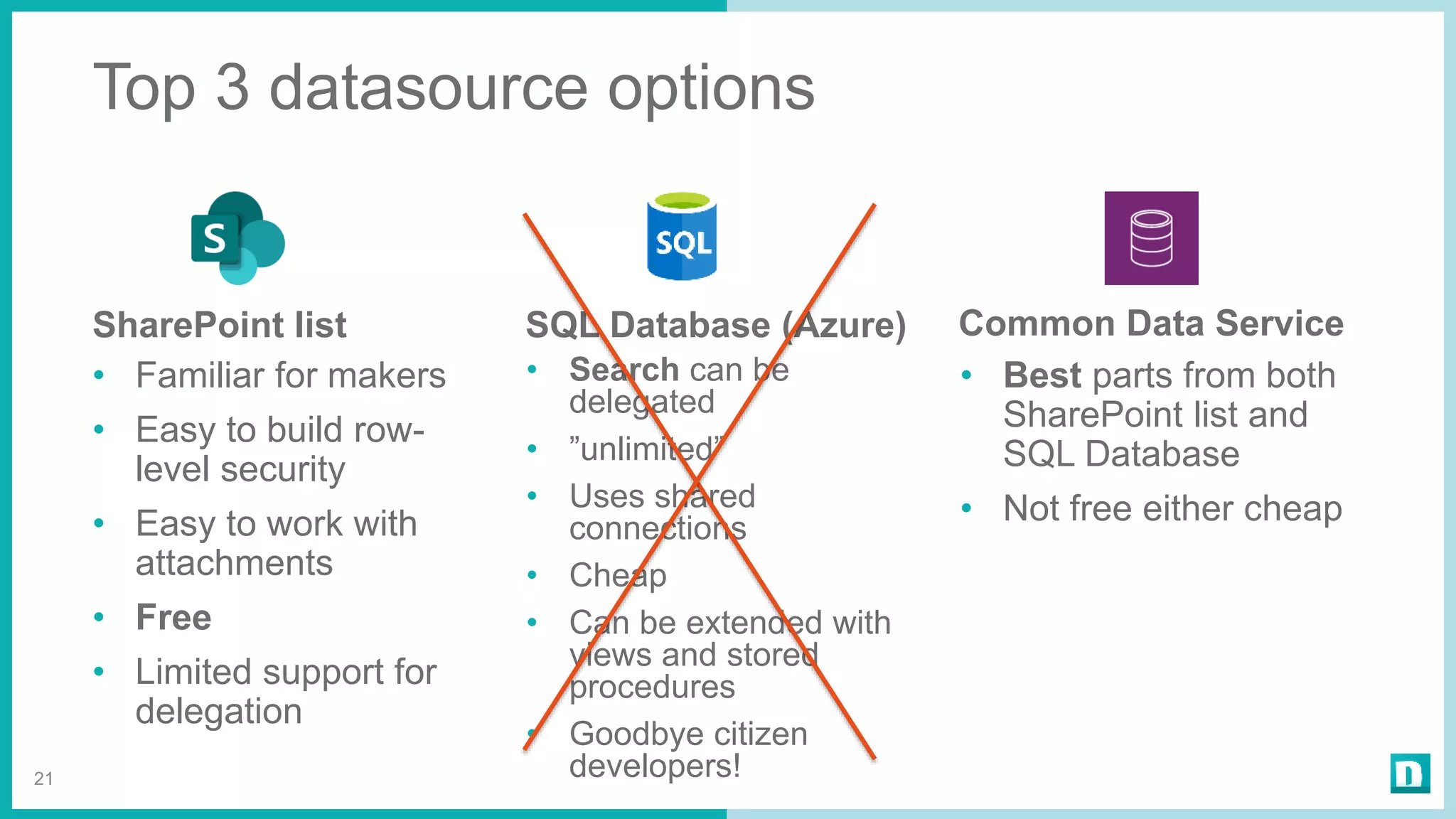
SharePoint list
• Familiar for makers
• Easy to build row-
level security
• Easy to work with
attachments
• Free
• Limited support for
delegation
SQL Database (Azure)
• Search can be
delegated
• ”unlimited”
• Uses shared
connections
• Cheap
• Can be extended with
views and stored
procedures
• Goodbye citizen
developers!
Common Data Service
• Best parts from both
SharePoint list and
SQL Database
• Not free either cheap
Top 3 datasource options
”This is freaking
slow!!!!”
Check & to do
• Minimize stuff loaded on App OnStart
• Use concurrency when loading data
• Avoid dependencies between screens
• Expensive operations located
• In ForAll
• In Gallery
• Delegation warnings
24
Check & to do
• Save / update several items -> Use Flow
• Use galleries when suitable
• Use components when suitable
• PowerApp might run extremely slow on older mobile phone
• Reduce number of screens
• Reduce number of controls
25
“Yes yes, it is a great
tool. But all these
PowerApps looks like
SH!&#”
Lessons learned
1. Don’t
underestimate
SharePoint lists
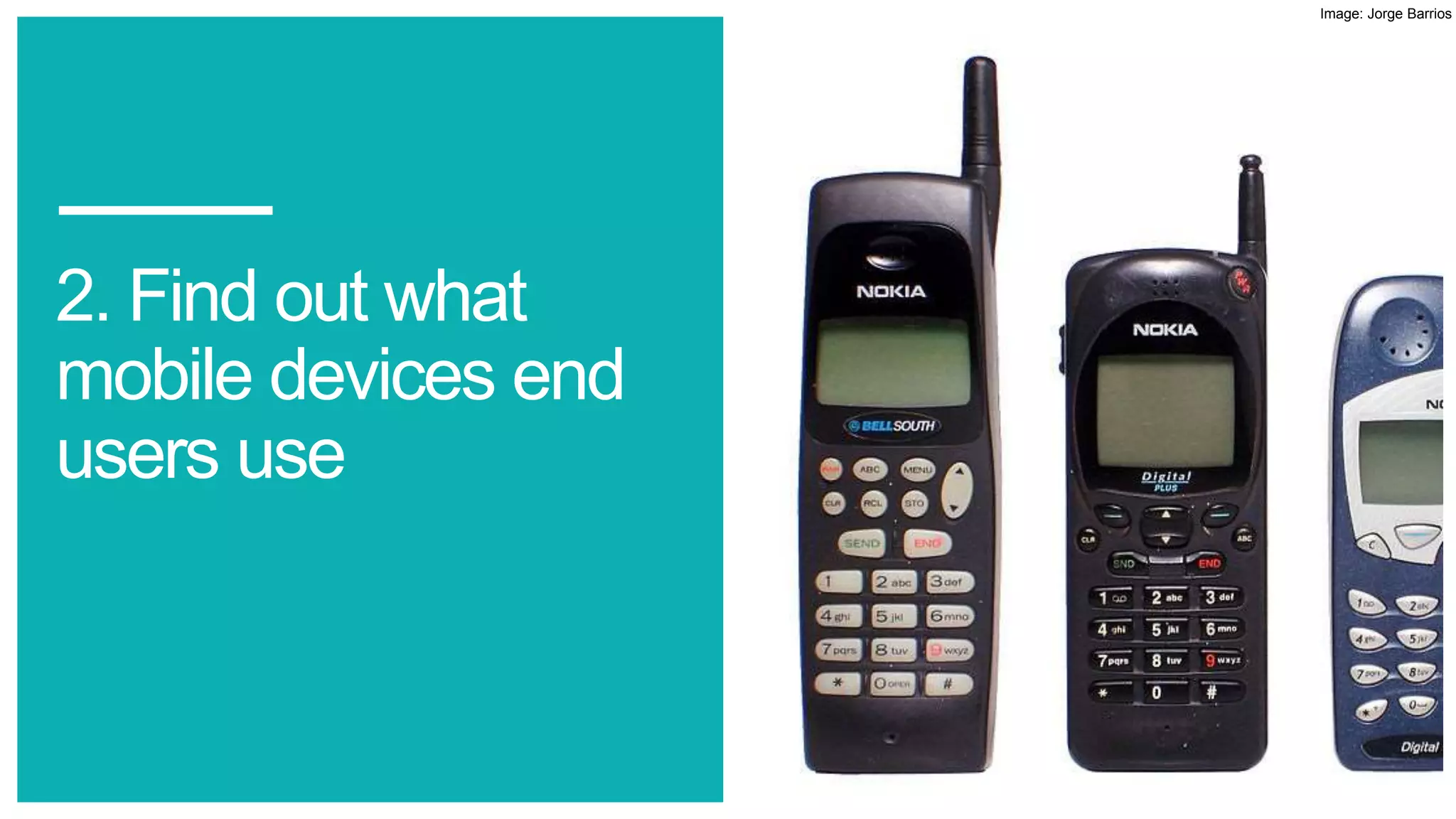
2. Find out what
mobile devices end
users use
Image: Jorge Barrios
3. Preview is
preview
4. Power Platform
is much more than
mobile app built on
top of the
SharePoint lists
5. Start planning
governance now
Thank You!
33
Timo Pertilä
Consultant, Microsoft MVP
@timopertila
https://timopertila.com
timo.pertila@digitalillustrated.com
Please give
some
feedback <3

PowerApps Deep Dive

  • 1.
    PowerApps – DeepDive @timopertila SharePoint Saturday Helsinki 28. September 2019
  • 2.
    Kiitos, thank youour dear sponsors…
  • 3.
    Hello! 3 Timo Pertilä Consultant, MicrosoftMVP https://timopertila.com https://twitter.com/timopertila timo.pertila@digitalillustrated.com
  • 4.
  • 5.
    There are actually3 different kind of PowerApps 5
  • 6.
    Canvas / Model-driven/ Portal PowerApps 6
  • 7.
  • 8.
    Licensing summary (startingfrom 1.10.2019) 8
  • 9.
    What does itmean in practise? • PowerApps plan required when having • Gateway(s) • Premium connectors (Azure services, PowerApps notifications, http-requests) • Common Data Service • No sense to use SQL anymore -> go with CDS if you need real DB • Daily Power Plarform API request limit for every user • Makers and admins doesn’t need any PowerApps plan 10
  • 10.
  • 11.
  • 12.
    Example: Delegation supported 13 Giveme all stores where location = Helsinki Here you are. All 5000 stores located in Helsinki 50 000 items
  • 13.
    14 Give me allstores location containing string ”Helsinki” Here are 500 first stores. Please find what you want by yourself 50 000 items Example: Delegation not supported
  • 14.
    Delegation support dependson used... • Data source (SharePoint, SQL Server, Dynamics 365, CDS for Apps, Excel, Google Sheet...) • Function (Filter, Search, LookUp, Sort...) • Predicates (Not, In, StartsWith, +, -, <, <=, =...) Read: https://docs.microsoft.com/en-us/powerapps/maker/canvas-apps/delegation-overview 15
  • 15.
    16 Do I havemore than 500 items? Ever
  • 16.
    But I have50 000 items in SharePoint. Can PowerApps handle it?
  • 17.
    It’s all aboutgetting rid of delegation issues • Filter(AllStores, ‘Created By’.Email = User().Email) • Filter(AllStores , ‘Created By’.Email = varCurrentUserEmail) • Filter(AllStores , Text(ID) = varID) • Filter(AllStores , ID = Value(varID)) • Filter(AllStores, Created > Today() - 7) • Filter(AllStores, ‘Created time as number’ > var7DaysAgo ) 18 2019092120190922
  • 18.
  • 19.
  • 20.
    21 SharePoint list • Familiarfor makers • Easy to build row- level security • Easy to work with attachments • Free • Limited support for delegation SQL Database (Azure) • Search can be delegated • ”unlimited” • Uses shared connections • Cheap • Can be extended with views and stored procedures • Goodbye citizen developers! Common Data Service • Best parts from both SharePoint list and SQL Database • Not free either cheap Top 3 datasource options
  • 21.
  • 22.
    Check & todo • Minimize stuff loaded on App OnStart • Use concurrency when loading data • Avoid dependencies between screens • Expensive operations located • In ForAll • In Gallery • Delegation warnings 24
  • 23.
    Check & todo • Save / update several items -> Use Flow • Use galleries when suitable • Use components when suitable • PowerApp might run extremely slow on older mobile phone • Reduce number of screens • Reduce number of controls 25
  • 24.
    “Yes yes, itis a great tool. But all these PowerApps looks like SH!&#”
  • 25.
  • 26.
  • 27.
    2. Find outwhat mobile devices end users use Image: Jorge Barrios
  • 28.
  • 29.
    4. Power Platform ismuch more than mobile app built on top of the SharePoint lists
  • 30.
  • 31.
    Thank You! 33 Timo Pertilä Consultant,Microsoft MVP @timopertila https://timopertila.com timo.pertila@digitalillustrated.com
  • 32.

Editor's Notes

  • #4 -
  • #5 PowerApps is part of Microsoft PowerPlatform. Hype related this power platform is huge. And ther eis reason for that. With these tools everyone can buils solutions.
  • #20 Demoa sharepoint list limit Näytä eka lista Ja mistä sarakkeita indeksoidaan Idea on täydentää sharepint listan sarakkeita Oma id (voi käyttää filttereissä) Oma created by, sama Omat choicde kentät polain stringinä Created ja modified tickseinä jos tarttee
  • #22 Demo shared connections?
  • #26 Demo Näytä tallennus flow:ssa