Edmonds Community College
11/9/2015
Computer Information
Systems Department
Portfolio for Network Technology ATA / Digital Forensics /
Advance Data Recovery
Authored by Scott, Manuel
1601 Rainier Ave
Everett WA, 98201
425.953.7348
i
CONTENTS
Contents
CIS 100: Introduction to Business Computing .................................................. 1
CIS 102: Intermediate Business Computing....................................................... 2
CIS 125: Network Workstation................................................................................ 3
CIS 141: Introduction to Web Development........................................................ 4
CIS 161: A+ Hardware Support I ............................................................................ 5
CIS 162: PC Desktop Support................................................................................. 6
Exhibit #1............................................................................................................... 7
CIS 163: A+ Hardware Support II ........................................................................... 8
Exhibit #2............................................................................................................... 9
CIS 171: Cisco Networking I.................................................................................. 15
CIS 172: Cisco Networking II................................................................................. 16
Exhibit #3............................................................................................................. 17
CIS 173: Cisco Networking III ............................................................................... 19
Exhibit #4............................................................................................................. 20
CIS 174: Cisco Networking IV............................................................................... 22
Exhibit #5............................................................................................................. 23
CIS 180: Wireless Networking .............................................................................. 25
Exhibit #6............................................................................................................. 26
CIS 185: Introduction to Windows Servers....................................................... 27
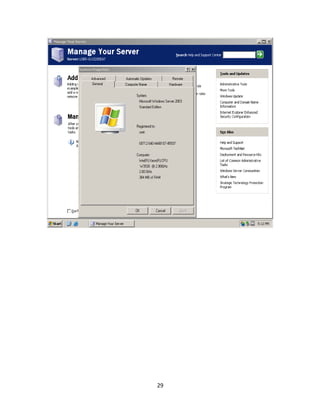
Exhibit #7............................................................................................................. 28
CIS 199: Special Projects: Active Directory Administration ........................ 30
CIS 201: Digital Forensics and the Law ............................................................. 31
Exhibit #8............................................................................................................. 32
CIS 241: Web Development I................................................................................. 34
Exhibit #9............................................................................................................. 35
CIS 265: Network Administration......................................................................... 36
ii
Exhibit #10........................................................................................................... 37
CIS 266: Server Administration ............................................................................ 38
Exhibit #11........................................................................................................... 39
CIS 267: Exchange Server..................................................................................... 43
Exhibit #12........................................................................................................... 44
CIS 268: Firewall Implementation ........................................................................ 49
CIS 272: Digital Forensics I ................................................................................... 50
Exhibit #13........................................................................................................... 51
CIS 273: Digital Forensics II .................................................................................. 53
Exhibit #14........................................................................................................... 54
CIS 274: Introduction to Network Security........................................................ 56
Exhibit #15........................................................................................................... 57
CIS 275: Host System Security I .......................................................................... 61
Exhibit #16........................................................................................................... 62
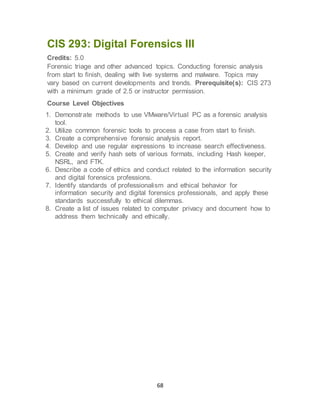
CIS 293: Digital Forensics III ................................................................................. 68
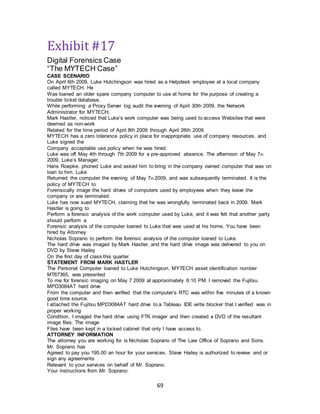
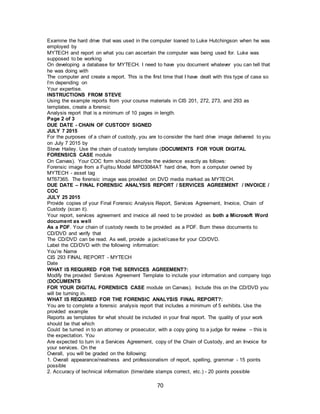
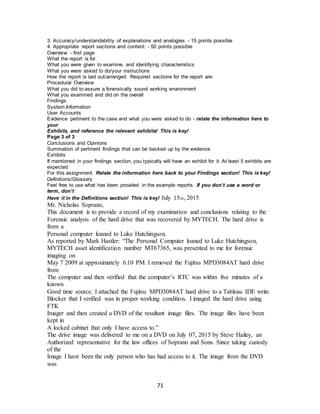
Exhibit #17........................................................................................................... 69
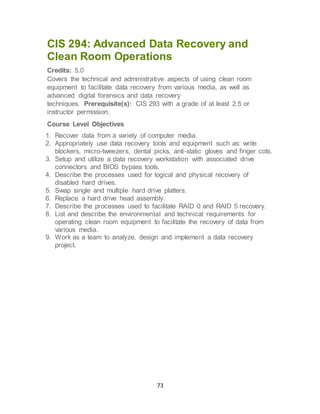
CIS 294: Advanced Data Recovery and Clean Room Operations............... 73
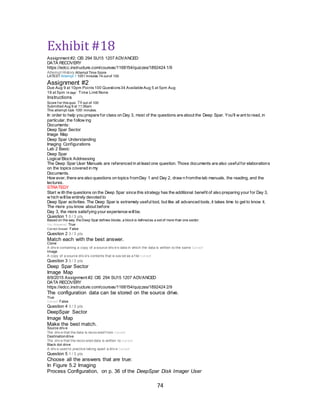
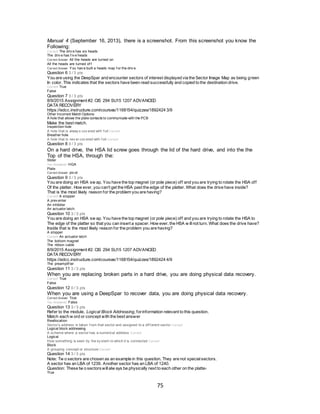
Exhibit #18........................................................................................................... 74
CIS 291: Technology Internship........................................................................... 79
MATH 060I - Introduction to Algebra .................................................................. 80
MATH 087 – Essentials of Intermediate Algebra ............................................. 81
MATH& 107 - Mathematics in Society................................................................. 82
ENGL 100 - Introduction to College Writing ..................................................... 83
ENGL& 101 - English Composition I ................................................................... 84
MGMT 100 - Human Relations in Organizations: CD...................................... 85
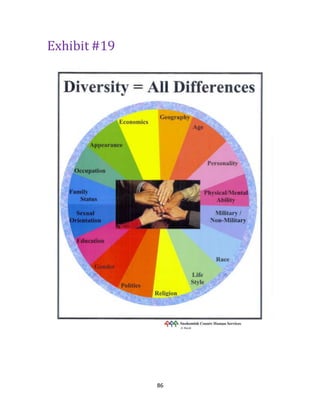
Exhibit #19........................................................................................................... 86
Résumé....................................................................................................................... 87
1
CIS 100: Introduction to Business
Computing
Credits: 5.0
An introduction to business computing concepts and applications using
Windows and MS Office. Includes introduction to HTML, hardware
components, information processing cycle in business, how networks
work, etc. Students may receive credit for either CIS 100 or BSTEC 130,
but not both. Prerequisite(s): Placement into EAP 121 or BRDGE 093 or
equivalent.
Course Level Objectives
1. Recognize and identify basic concepts and terminology of introductory-
level business computing technology.
2. Describe the various components within information systems and
identify their functions.
3. Demonstrate entry-level proficiency in using microcomputer applications
including spreadsheets, database, word processing, HTML, and
presentation.
4. Observe, analyze, synthesize, apply, and evaluate information related to
computer technology.
2
CIS 102: Intermediate Business Computing
Credits: 5.0
Extends the concepts and software learned in CIS 100. Intermediate
expertise of word-processing, spreadsheets, and database software is
attained. Concepts include trends/careers in information systems (IS),
database/IS management, IS development, security, privacy and
ethics. Prerequisite(s): CIS 100 or BSTEC 130 with a GPA of at least 2.5
or equivalent experience.
Course Level Objectives
1. Demonstrate intermediate level proficiency in microcomputer
applications, including word processing, spreadsheets, and databases.
2. Demonstrate quantitative skills and critical thinking through the analysis
of data and information.
3. Describe the issues of computer ethics, security risks, information
privacy, disaster recovery planning, and backup strategies.
4. Identify techniques used to stay current with IT applications and career
choices.
3
CIS 125: Network Workstation
Credits: 5.0
Windows operating system (OS) with emphasis on command line
functions. Topics include installation and Windows XP features, OS
navigation, and administrative tools. Prerequisite(s): CIS 100 or BSTEC
130 or concurrent enrollment or equivalent.
Course Level Objectives
1. Determine and execute appropriate beginning and intermediate
Windows command line commands, including their proper usage and
syntax.
2. Demonstrate basic operating system and command line concepts.
3. Use and configure the Windows graphical user interface (GUI).
4. Perform basic and intermediate Windows OS configurations.
5. Create and manage basic batch files using basic batch file commands.
4
CIS 141: Introduction to Web Development
Credits: 5.0
A foundational course intended to familiarize students with the history,
organization, technologies, development cycles, and ethical standards of
Web development. Prerequisite(s): CIS 100 with minimum grade of 2.5 or
equivalent.
Course Level Objectives
1. Identify valid emerging trends in website development technologies.
2. Create supporting documents for websites, such as wireframes and site
structure.
3. Identify e-commerce, social media, cultural, and marketing trends of the
World Wide Web.
4. Demonstrate knowledge of basic Internet communication principles and
protocols.
5. Identify and use appropriate authoring tools, Web languages, scripting
languages, content and management creation tools.
6. Explain the ethical standards on the use of copyrighted materials and
intellectual property rights.
7. Demonstrate the knowledge of IEEE-CS/ACM Software Engineering
Ethics and Professional Practices.
8. Develop websites to industry standards.
9. Design a Web page/site using a graphic designer's concept.
10. Document website technologies and standards.
11. Back up and restore websites.
12. Identify team/personnel requirements needed to successfully
complete a website based upon website technical specifications.
5
CIS 161: A+ Hardware Support I
Credits: 5.0
An introductory course in computer hardware. Students will install,
upgrade, maintain and troubleshoot hardware components. Students learn
to identify error messages and symptoms of hardware failures and take the
appropriate action. Prerequisite(s): CIS 100 with a minimum grade of 2.5
or concurrent enrollment or equivalent experience.
Course Level Objectives
1. Describe how hardware components function together to make a
computer work.
2. Describe how software interacts with hardware.
3. List several ways to protect hardware and software.
4. Advise a user on upgrading their PC.
5. Describe the boot process.
6. Isolate computer problems using varied analytic and creative
approaches.
7. Identify PC hardware components and assemble and disassemble PCs.
8. Install hardware components, upgrades and peripheral devices.
9. Work successfully in a group environment.
6
CIS 162: PC Desktop Support
Credits: 5.0
Advanced topics in desktop support. Development of problem solving skills
used in supporting the desktop user. Students work in teams to create and
manage their own helpdesk. Emphasis on troubleshooting, problem
solving, and customer support. Prerequisite(s): CIS 100 with a minimum
grade of 2.5 or concurrent enrollment or equivalent experience.
Course Level Objectives
1. Set up defaults for and troubleshoot the installation of several Microsoft
operating systems and MS Office.
2. Effectively utilize a knowledge base to solve a computer problem.
3. Create and implement maintenance and backup plans.
4. Install and configure hardware and amp; software for devices such as a
hard disk, CD-ROM, scanner, printer, sound card, digital camera, etc.
5. Set up and run a mock help desk, working in a team environment.
6. Educate and train others on various operating systems and applications.
7. Facilitate customer service and support.
8. Effectively communicate with customers and fellow team members.
9. Research, create and give an oral presentation.
7
Exhibit #1
THE WISDOM OF TEAMS –“SET ONE”
List 5 attributes of Teams and Team Membersthat resultin high
performance.
1. They Shape a common purpose.
2. Agree on performancegoals.
3. Definea common workingapproach.
4. Develop high levels of complementary skills.
5. Hold themselves mutually accountable for results.
List 3 key lessonsthe Authorshave learned about teams and team
performance.
1. Should be the Basic Unit of performancefor most
organizations, regardless of size.
2. Team dynamicspromoteperformancealso supportlearning
and behavioral change, and do so more effectively than larger
organizationalunits or individualsleft to their own devices.
3. Teams provideauniquesocial dimension that enhances the
economics and administrativeaspects of work.
List 3 Primary sourcesfor people’s reluctancetowardsteams.
1. Lack of Conviction.
2. Personaldiscomfortand risk.
3. Weak organizational performanceethics.
8
CIS 163: A+ Hardware Support II
Credits: 5.0
Students will repair/build computer systems and peripherals in a simulated
shop environment. Topics include: system evaluation, classification,
software installation, configuration and peer-to-peer networking.
Preparation in A+ certification is included. Prerequisite(s): CIS 161 with a
minimum grade of 2.5 or equivalent experience.
Course Level Objectives
1. Evaluate and classify systems and determine appropriate configuration
and repair actions.
2. Create and follow work orders and tracking documentation.
3. Assist customers in making decisions regarding their computer needs
and equipment.
4. Assist a small business customer to evaluate, design and implement a
small business/home office to meet their computing needs.
5. Test various PC components and sub-systems.
6. Describe typical shop virus control and licensing policies.
7. Repair and upgrade computer equipment in a simulated commercial
environment.
8. Load and configure a typical installation of various operating systems.
9. Develop and analyze a site survey.
10. Act responsibly, both individually and collaboratively, within
changing environments.
11. Explain the ethics involved handling customer's computer
equipment.
12. Work in a team environment to achieve a successful outcome.
9
Exhibit #2
User FREDERIC SCOTT
Course _A+ HARDWARE SUPPORT II _2421B233
Test Final Exam R1
Started 3/15/13 12:51 PM
Submitted 3/15/13 2:04 PM
Status Needs Grading
Score Grade not available.
Time
Elapsed
1 hour, 13 minutes.
Instructions This test covers the study guide for the final exam
good luck to all, thanks for being a great class ......Steve
Question 1
Needs Grading
1. Your sister brings you her computer, she states it worked yesterday but after she worked on
it the CPU fan spins but nothing else. Please tell me the procedure to find out what is wrong
Answer
Selected Answer: Ask what the problem is.
Ask what it started to do before they felt it started acting up
Ask what they completely did in their attempt to correct the
problem
Ask what they want to have done to it to correct the problem and
give a solution
Correct Answer:
I am looking for a understanding of this important skill
Response
Feedback:
[None Given]
Question 2
Needs Grading
List two reasons why a person would want to have a dual boot system and
two draw backs to having a dual boot system
Answer
Selected Answer: 1.) Want to learn a new OS 2.)Want more Access
1.) Increasing a complexity of things 2.)Not efficient
Correct Answer:
10
the need to support 2 OS
to learn a new OS
Response Feedback: [None Given]
Question 3
Needs Grading
You are building a computer from scratch. You have a motherboard, memory, hard drive,
CD-Rom and a new case. Please tell me the procedure to build this system.
Answer
Selected
Answer:
Install the motherboard in the proper place in the new case making
sure it is connected with the fan for the CPU to the power source...
install the memory into the proper slot on the motherboard... Install
the hard drive into a lower section of the new case and then connect it
to the motherboard in the proper slot that is specified for it...install the
CD Rom into slot of the case and then connect it to the hard drive as
well the slot specified on the motherboard... Connect the case power
source to power and to a monitor... Turn on see what is there...
Correct
Answer: I am looking for a understanding of this procedure
Response
Feedback:
[None Given]
Question 4
Needs Grading
Please List four things you would look for when doing a site survey
Answer
Selected Answer: 1.) Talk with the person and see what are their needs
2.) See what they need to do and where it is going
3.) What Required
4.) Power, Servers, Amplifiers, Chairs, Desk space
Correct Answer: [None]
Response Feedback: [None Given]
11
Question 5
Needs Grading
Please list three typical needs of the small business
Answer
Selected Answer: 1.) Network Connection - Internet
2.) Reliable Operating System
3.) Printing
Correct Answer: [None]
Response Feedback: [None Given]
Question 6
Needs Grading
Please list 4 things to make your Laptop last a long time
Answer
Selected Answer: 1.) Keep Power Supply narrow edge down
2.) Do not leave it on all the time
3.) Needs to be on a stand
4.) Needs to be on a hard surface
Correct Answer: [None]
Response Feedback: [None Given]
Question 7
4 out of 4 points
When designing a backup plan for a small business, the main things you
should consider are
Answer
Selected
Answer:
d.
A. What are you going to back up to? What gets backed up?
How often? By who?
Correct
Answer:
d.
A. What are you going to back up to? What gets backed up?
How often? By who?
Question 8
12
3 out of 3 points
2. Why do we do fdisk/mbr before we boot to the CD-ROM and load Seven?
Answer
Selected Answer: c.
to remove the Master Boot Record, we do this to remove viruses that
May be hiding there.
Correct Answer: c.
to remove the Master Boot Record, we do this to remove viruses that
May be hiding there.
Question 9
3 out of 3 points
3. In order to do a good site survey, you need to have or do the following:
Please choose the best choices
A. a strong back
B. a good understanding of what equipment is going into the space
C. a good understanding of what is needed to make the equipment work
D. a thick skinto put up with customer abuse
E. a strong personally to lay down the law
F. good soft skills soyou can understand what the customer is wanting to do
a
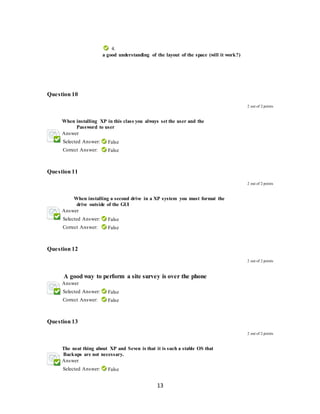
A. a good understanding of the layout of the space (will it work?)
Answer
Selected Answers: 1.
a good understanding of what equipment is going into the space
2.
A. a good understanding of what is needed to make the equipment work
3.
A. good soft skills soyou can understand what the customer is wanting to do
4.
A. a good understanding of the layout of the space (will it work?)
Correct Answers: 1.
a good understanding of what equipment is going into the space
2.
A. a good understanding of what is needed to make the equipment work
3.
A. good soft skills soyou can understand what the customer is wanting to do
13
4.
A. a good understanding of the layout of the space (will it work?)
Question 10
2 out of 2 points
4. When installing XP in this class you always set the user and the
Password to user
Answer
Selected Answer: False
Correct Answer: False
Question 11
2 out of 2 points
When installing a second drive in a XP system you must format the
drive outside of the GUI
Answer
Selected Answer: False
Correct Answer: False
Question 12
2 out of 2 points
A good way to perform a site survey is over the phone
Answer
Selected Answer: False
Correct Answer: False
Question 13
2 out of 2 points
The neat thing about XP and Seven is that it is such a stable OS that
Backups are not necessary.
Answer
Selected Answer: False
14
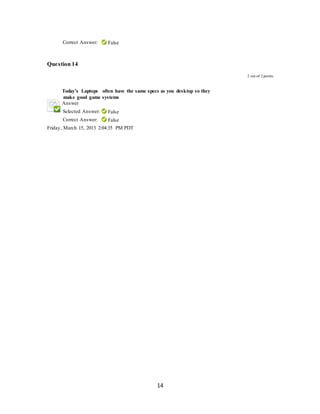
Correct Answer: False
Question 14
2 out of 2 points
Today’s Laptops often have the same specs as you desktop so they
make good game systems
Answer
Selected Answer: False
Correct Answer: False
Friday, March 15, 2013 2:04:35 PM PDT
15
CIS 171: Cisco Networking I
Credits: 5.0
First of four courses mapping to the CCNA exam. Topics include functions,
components and models of computer networks, and the Internet; structure
and implementation of IPv4 and IPv6; Ethernet concepts, media, and
operations. Students build simple LANs and perform command line
configuration for routers and switches. Prerequisite(s): CIS 125 with a
minimum grade of 2.5 or equivalent experience.
Course Level Objectives
1. Explain the fundamental concepts of routing and switching using the
OSI layers and the Protocol Data Units (PDU) to explain each step of
the process.
2. Explain fundamental Ethernet concepts such as media, services, and
operation.
3. Identify and describe the protocols and services presented in the OSI
learning model, as well as the industry-standard TCP/IP networking
model.
4. Demonstrate the troubleshooting techniques necessary to verify small
network operations and analyze data traffic utilizing common network
utilities.
5. Design and implement a hierarchical IP Addressing scheme using
subnetting in order to meet the needs of a medium size business.
16
CIS 172: Cisco Networking II
Credits: 5.0
Second of four courses mapping to the CCNA exam. Topics include basic
operation, configuration, and troubleshooting of routers and switches;
students will configure router and switch operations and protocols such as
RIPv1, RIPv2, single-area/multi-area OSPF, virtual LANs, inter-VLAN
routing, and ACLs. Prerequisite(s): CIS 171 with a minimum grade of 2.5
or equivalent experience.
Course Level Objectives
1. Describe the purpose and nature of routing tables and the route lookup
process to determine the path packets will take in a network.
2. Describe the purpose of static routes and configure and verify static and
default routing.
3. Describe the functions, characteristics, main features, and operations of
the following distance vector routing protocols: Routing Information
Protocol (RIPv1 and RIPv2), and Enhanced Interior Gateway Routing
Protocol (EIGRP).
4. Describe the functions, characteristics, main features, and operations of
the following of link-state routing protocols: Open Shortest Path First
(OSPF).
5. Describe the role of dynamic routing protocols and place these protocols
in the context of modern network design.
6. Configure and verify basic and intermediate operations of a router.
7. Use router show and debug commands to troubleshoot common errors
that occur in small routed networks.
17
Exhibit #3
The role of providing access into a LAN is normally reserved for an access layer switch. A virtual
local area network (VLAN) can be created on a Layer 2 switch to reduce the size of broadcast
domains, similar to a Layer 3 device. VLANs are commonly incorporated into network design
making it easier for a network to support the goals of an organization. While VLANs are primarily
used within switched local area networks, modern implementations of VLANs allow them to span
MANs and WANs.
VLANs allow an administrator to segment networks based on factors such as function, project
team, or application, without regard for the physical location of the user or device. Devices within
a VLAN act as if they are in their own independent network, even if they share a common
infrastructure with other VLANs. Any switch port can belong to a VLAN, and unicast, broadcast,
and multicast packets are forwarded and flooded only to end stations within the VLAN where the
packets are sourced. Each VLAN is considered a separate logical network, and packets destined
for stations that do not belong to the VLAN must be forwarded through a device that supports
routing.
A VLAN creates a logical broadcast domain that can span multiple physical LAN segments.
VLANs improve network performance by separating large broadcast domains into smaller ones. If
a device in one VLAN sends a broadcast Ethernet frame, all devices in the VLAN receive the
frame, but devices in other VLANs do not.
VLANs enable the implementation of access and security policies according to specific groupings
of users. Each switch port can be assigned to only one VLAN (with the exception of a port
connected to an IP phone or to another switch).
The primary benefits of using VLANs are as follows:
 Security - Groups that have sensitive data are separated from the rest of the network,
decreasing the chances of confidential information breaches. As shown in the figure, faculty
computers are on VLAN 10 and completely separated from student and guest data traffic.
 Cost reduction - Cost savings result from reduced need for expensive network upgrades
and more efficient use of existing bandwidth and uplinks.
 Better performance - Dividing flat Layer 2 networks into multiple logical workgroups
(broadcast domains) reduces unnecessary traffic on the network and boosts performance.
 Shrink broadcast domains - Dividing a network into VLANs reduces the number of
devices in the broadcast domain. As shown in the figure, there are six computers on this
network but there are three broadcast domains: Faculty, Student, and Guest.
18
 Improved IT staff efficiency - VLANs make it easier to manage the network because users
with similar network requirements share the same VLAN. When a new switch is provisioned,
all the policies and procedures already configured for the particular VLAN are implemented
when the ports are assigned. It is also easy for the IT staff to identify the function of a VLAN
by giving it an appropriate name. In the figure, for easy identification VLAN 10 has been
named “Faculty”, VLAN 20 is named “Student”, and VLAN 30 “Guest.”
 Simpler project and application management - VLANs aggregate users and network
devices to support business or geographic requirements. Having separate functions makes
managing a project or working with a specialized application easier; an example of such an
application is an e-learning development platform for faculty.
Each VLAN in a switched network corresponds to an IP network; therefore, VLAN design must
take into consideration the implementation of a hierarchical network-addressing scheme.
Hierarchical network addressing means that IP network numbers are applied to network
segments or VLANs in an orderly fashion that takes the network as a whole into consideration.
Blocks of contiguous network addresses are reserved for and configured on devices in a specific
area of the network, as shown in the figure.
There are a number of distinct types of VLANs used in modern networks.
19
CIS 173: Cisco Networking III
Credits: 5.0
Third of four courses mapping to the CCNA exam. Topics include
architecture, components, and operations of routers and switches in larger
complex networks. Students will implement DHCP and DNS, and perform
advanced configuration and troubleshooting with OSPF/EIGRP/STP/VTP,
and NAT in both IPv4/IPv6 networks. Prerequisite(s): CIS 172 with a
minimum grade of 2.5 or equivalent experience.
Course Level Objectives
1. Describe enhanced switching technologies and explain how VLANs
create logically separate networks, and how routing occurs between
them.
2. Describe standards associated with wireless media.
3. Identify and describe the purpose of the components in a small wireless
network, and identify basic configuration parameters on a wireless
network to ensure that devices are secure and connect to the correct
access points.
4. Identify and resolve common switched network media issues,
configuration issues, auto-negotiation, and switch hardware failures.
5. Manage Cisco IOS configuration files including save, edit, upgrade, and
restore.
6. Configure, verify, and troubleshoot VLANs, trunking on Cisco switches,
interVLAN routing, VTP, and RSTP using basic utilities, the show and
debug commands.
20
Exhibit #4
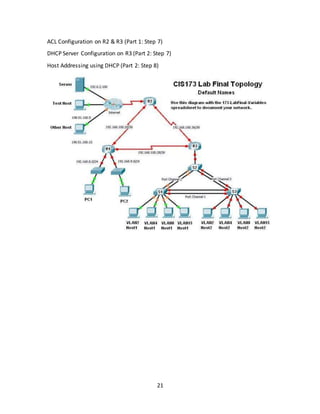
CIS173 Lab Final Exam
Configuration Implementation Phases
Phase 1
Plan the IP Addressing Scheme (Part 1: Step 1)
Basic Router Config on all routers (Part 1: Step 2)
Router Interface Addressing and configuration on all routers (Part 1: Step 3)
VLAN creation on all switches (Part 2: Step 1)
Access Port to VLAN Assignment on all switches (Part 2: Step 2)
SVI Configuration on all switches (Part 2: Step 3)
Phase 2
Switch Access Port Configuration on S1 & S2 (Part 2: Step 2 & 6)
Switch Security Configuration on S1 (Part 2: Step 6a)
SSH Configuration on S2 (Part 2: Step 6b)
InterVLAN Routing Configuration on R3 (Part 1: Step 4)
Phase 3
Static Trunk Port and Ether Channel Configuration on all switches (Part 2: Step 4)
Rapid PVST+ Configuration on all switches (Part 2: Step 5)
EIGRP Activation on all routers (Part 1: Step 5)
EIGRP Default Routing on R2 (Part 1: Step 5)
Phase 4
EIGRP Summarization on R3 (Part 1: Step 6)
EIGRP Interface Customization on all routers (Part 1: Step 6)
21
ACL Configuration on R2 & R3 (Part 1: Step 7)
DHCP Server Configuration on R3 (Part 2: Step 7)
Host Addressing using DHCP (Part 2: Step 8)
22
CIS 174: Cisco Networking IV
Credits: 5.0
Final course mapping to the CCNA exam. Topics include hierarchical
network design, PPP and frame-relay, WAN technologies, broadband
solutions, IPsec and VPNs, network monitoring, enterprise network
troubleshooting, borderless networking, virtualization, and collaboration in
network architectures. Prerequisite(s): CIS 173 with a minimum grade of
2.5 or equivalent experience.
Course Level Objectives
1. Describe current network security threats and explain how to implement
a comprehensive security policy to mitigate common threats to network
devices, hosts, and applications.
2. Describe the importance, benefits, role, impact, and components of VPN
technology.
3. Describe ACLs, and verify, monitor and troubleshoot ACLs in a network
environment.
4. Explain the basic operation of Network Address Translation (NAT) and
Port Address Translation (PAT), and identify, and resolve common NAT
and PAT issues.
5. Configure and verify a basic WAN serial connection, a Point-to-Point
Protocol (PPP) connection between Cisco routers, and Frame Relay on
Cisco routers.
6. Explain the operation and benefits of the Dynamic Host Configuration
Protocol (DHCP) and the Domain Name System (DNS), and configure,
verify, and troubleshoot DHCP and DNS operations on a router.
23
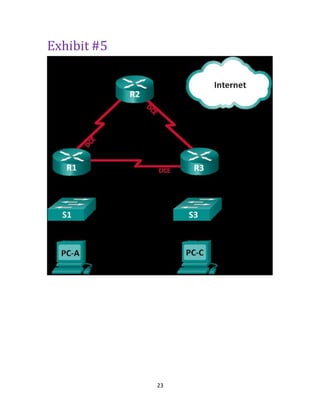
Exhibit #5
24
25
CIS 180: Wireless Networking
Credits: 5.0
Provides the material and the experience needed for the Certified Wireless
Network Administrator (CWNA) exam. Topics include RF Technologies,
Wireless LAN Implementation and Management, Wireless LAN Security,
and Wireless LAN Standards. Prerequisite(s): Instructor permission.
Course Level Objectives
1. Install, configure, and deploy common wireless routers using
appropriate settings.
2. Install, configure, and secure a wireless network, including client
settings.
3. Identify data rates and spread spectrum technologies for the various
802.11 standards.
4. Identify and understand numerous security threats and their solutions.
5. Use a Wi-Fi scanner to observe the radio frequency environment and
troubleshoot common wireless problems.
6. Calculate basic Radio Frequency math.
7. Compare and contrast wireless encryption protocols.
26
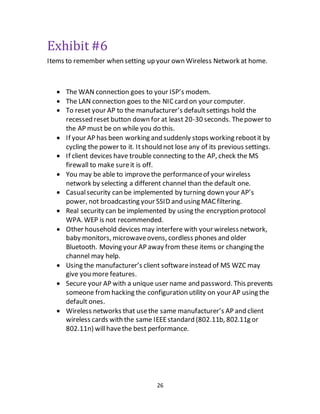
Exhibit #6
Items to remember when setting up your own Wireless Network at home.
 The WAN connection goes to your ISP’s modem.
 The LAN connection goes to the NICcard on your computer.
 To reset your AP to the manufacturer’s defaultsettings hold the
recessed reset button down for at least 20-30 seconds. Thepower to
the AP must be on while you do this.
 If your AP has been working and suddenly stops working rebootit by
cycling the power to it. Itshould not lose any of its previous settings.
 If client devices have trouble connecting to the AP, check the MS
firewall to make sureit is off.
 You may be able to improvethe performanceof your wireless
network by selecting a different channel than the default one.
 Casualsecurity can be implemented by turning down your AP’s
power, not broadcasting your SSID and using MACfiltering.
 Real security can be implemented by using the encryption protocol
WPA. WEP is not recommended.
 Other household devices may interfere with your wireless network,
baby monitors, microwaveovens, cordless phones and older
Bluetooth. Moving your AP away from these items or changing the
channel may help.
 Using the manufacturer’s client softwareinstead of MS WZC may
give you more features.
 Secure your AP with a unique user name and password. This prevents
someone fromhacking the configuration utility on your AP using the
default ones.
 Wireless networks that usethe same manufacturer’s AP and client
wireless cards with the same IEEEstandard (802.11b, 802.11g or
802.11n) willhavethe best performance.
27
CIS 185: Introduction to Windows Servers
Credits: 2.0
Introduction to networking and network virtualization. Students configure
virtual machine settings, hardware and software, install network operating
systems and manage network system settings within a virtual
environment. Prerequisite(s): (CIS 100 or BSTEC 130) and concurrent
enrollment or equivalent.
Course Level Objectives
1. Install and configure virtualization software and hardware settings on a
host system.
2. Configure network settings on host systems running in a virtual state.
3. Describe basic networking concepts.
4. Install and configure Windows Server in a virtual environment.
5. Configure basic shares and NTFS security settings.
6. Demonstrate the application of Windows server roles, active directory,
domains, and user accounts.
28
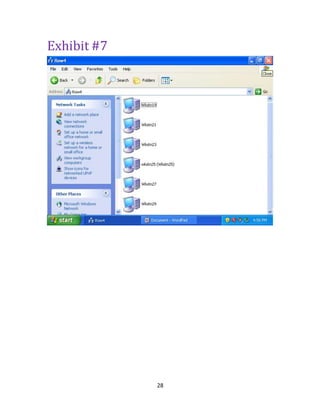
Exhibit #7
29
30
CIS 199: Special Projects: Active Directory
Administration
Credits: 5.0
Credit for a design project is available with approval. For more information,
please contact the CIS department at 425.640.1902.
Course Level Objectives
Explore current topics of interest in Information Technology. Credits: 5.0
Topics include install, configure, troubleshoot, and administer Active
Directory. Overview of Active Directory, Active Directory sites, and FSMO
roles. Students will configure and manage group policies, permissions and
certificate services. Prerequisite(s): (CIS 171 or CIS 266 with a minimum
grade of 2.5) or equivalent experience.
Course Level Objectives
1. Install, troubleshoot, and configure Windows Server forests and
domains using Active Directory.
2. Configure and troubleshoot Windows Server FSMO roles and global
catalog.
3. Plan a group policy management and implementation policy.
4. Use group policies to configure and troubleshoot a user environment.
5. Configure Active Directory certificate services.
1.
31
CIS 201: Digital Forensics and the Law
Credits: 5.0
Covers legal issues relevant to information security and digital forensics
professionals. Topics: Electronic discovery, expert testimony, electronic
surveillance, evidence retention, preservation and spoliation, privacy
issues, Sarbanes Oxley and other legislation. Prerequisite(s): CIS 100
and CIS 102 with a minimum grade of 2.5 or concurrent enrollment or
instructor permission.
Course Level Objectives
1. Describe how electronic discovery differs from digital forensics.
2. List and describe the common legal issues related to electronic
evidence.
3. Explain and list the various legislation and regulations that impact
technology.
4. Explain how the Fourth Amendment pertains to computer privacy.
5. Summarize in writing the Washington state laws that pertain to cyber-
crime.
6. Critique an acceptable use policy.
7. List and describe the generally accepted computer forensic procedures
and the importance/impact of each.
8. Analyze and critique forensic analysis reports.
9. Analyze and critique search warrants, affidavits, and subpoenas.
32
Exhibit #8
This guide is intended for use by law enforcement officers and
other members of the law
Enforcement community who are responsible for the examination of digital evidence.
This guide is not all-inclusive. Rather, it deals with common situations encountered during
The examination of digital evidence. It is not a mandate for the law enforcement
Community; it is a guide agencies can use to help them develop their own policies and
Procedures.
Technology is advancing at such a rapid rate that the suggestions in this guide are best
Examined in the context of current technology and practices. Each case is unique and the
Judgment of the examiner should be given deference in the implementation of the procedures
Suggested in this guide. Circumstances of individual cases and Federal, State,
And local laws/rules may also require actions other than those described in this guide.
When dealing with digital evidence, the following general forensic and procedural principles
Should be applied:
■ Actions taken to secure and collect digital evidence should not affect the integrity of
That evidence.
■ Persons conducting an examination of digital evidence should be trained for that
Purpose.
■ Activity relating to the seizure, examination, storage, or transfer of digital evidence should
Be documented, preserved, and available for review.
Through all of this, the examiner should be cognizant of the need to conduct an accurate
And impartial examination of the digital evidence.
How is digital evidence processed?
Assessment. Computer forensic examiners should assess digital evidence thoroughly
With respect to the scope of the case to determine the course of action to take.
Acquisition. Digital evidence, by its very nature, is fragile and can be altered, damaged,
Or destroyed by improper handling or examination. Examination is best conducted on a
Copy of the original evidence. The original evidence should be acquired in a manner that
Protects and preserves the integrity of the evidence. Examination. The purpose of the
examination process is to extract and analyze digital evidence.
Extraction refers to the recovery of data from its media. Analysis refers to the interpretation
Of the recovered data and putting it in a logical and useful format.
Documenting and reporting. Actions and observations should be documented throughout
The forensic processing of evidence. This will conclude with the preparation of a
Written report of the findings.
Is your agency prepared to handle digital evidence?
This document recommends that agencies likely to handle digital evidence identify
Appropriate external resources for the processing of digital evidence before they are
Needed. These resources should be readily available for situations that are beyond the
Technical expertise or resources of the department. It is also recommended that agencies
Develop policies and procedures to ensure compliance with Federal, State, and local laws.
33
The following five topics describe the necessary basic steps to conduct a computer
Forensic examination and suggest the order in which they should be conducted. Although
Documentation is listed as the last step, a well-trained examiner understands that documentation
Is continuous throughout the entire examination process.
1. Policy and Procedure Development
2. Evidence Assessment
3. Evidence Acquisition
4. Evidence Examination
5. Documenting and Reporting
Each of these steps is explained further in the subsequent chapters. The chapters are
Further supported by the specialized information provided in the appendixes.
34
CIS 241: Web Development I
Credits: 5.0
Website development using HTML5, approached from a source code
perspective. Covers tags, forms, linked objects, CSS3, frames, tables, and
introduction to the use of scripting. Students build multi-page
websites. Prerequisite(s): (CIS 100 and CIS 141) or instructor permission.
Course Level Objectives
1. Perform content and technical analysis on Web applications and
websites.
2. Use XHTML to develop, debug, maintain and document Web
applications and websites.
3. Implement standardized application and site design.
4. Compare and contrast different browsers' effects on XHTML documents.
5. Use the basic principles of Web documents.
6. Control the appearance of a Web page through the use of XHTML
tables.
7. Create a website with frames.
8. Use XHTML forms.
9. Create XHTML style through inline, embedded and Cascading Style
Sheets.
35
Exhibit #9
36
CIS 265: Network Administration
Credits: 5.0
Focuses on implementation, management and maintenance of Windows
Server. Topics include managing and maintaining DNS and DHCP server
roles, remote access services (RRAS) and wireless, file and print services,
updating Windows Server, securing data transmission and
authentication. Prerequisite(s): (CIS 125 or CIS 185 with a minimum
grade of 2.5) or equivalent experience.
Course Level Objectives
1. Install, troubleshoot, and configure Windows Server software.
2. Configure basic network settings.
3. Identify and configure server roles.
4. Configure and Monitor Print Services.
5. Maintain and Update Windows Servers.
6. Maintain Network Health with Network Access Protection and IPsec.
7. Secure Data Transmission and Authentication.
37
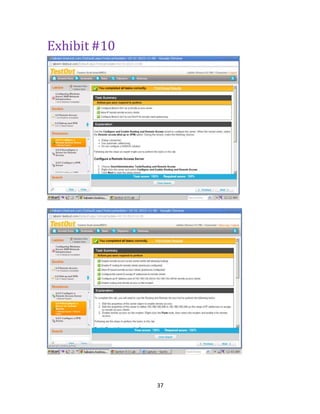
Exhibit #10
38
CIS 266: Server Administration
Credits: 5.0
Managing and maintaining Windows Server. Topics include: Deploy an
Application and a File Server, and use the File Services Roles. Deploy
Print and Fax services, Deploy IIS Services, Secure IIS Service, and
configure Terminal Service clients. Prerequisite(s): (CIS 125 or CIS 185
with a minimum grade of 2.5) or equivalent experience.
Course Level Objectives
1. Deploy a Windows Application Server.
2. Deploy File, Fax, and Print Servers.
3. Deploy Media, IIS Services, and Web Applications Servers.
4. Secure Web Services.
5. Configure and troubleshoot Terminal Services.
6. Configure Terminal Services Clients.
7. Configure a Terminal Services Gateway.
8. Manage and Monitor Application Servers.
39
Exhibit #11
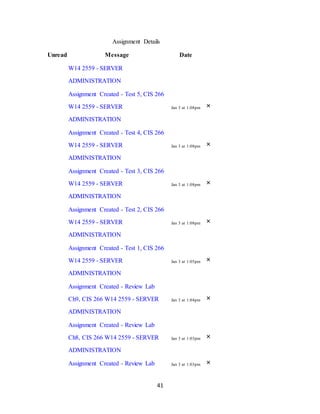
Recent Activity in CIS 266 - 2559
 29 Assignment Notifications
SHOW LESS COLLAPSE 29 ASSIGNMENT NOTIFICATIONS
Assignment Details
Unread Message Date
Assignment Created - Project, CIS
266 W14 2559 - SERVER
ADMINISTRATION
Jan 3 at 1:20pm ×
Assignment Created - Lab 7, CIS 266
W14 2559 - SERVER
ADMINISTRATION
Jan 3 at 1:15pm ×
Assignment Created - Lab 8, CIS 266
W14 2559 - SERVER
ADMINISTRATION
Jan 3 at 1:15pm ×
Assignment Created - Lab 6, CIS 266
W14 2559 - SERVER
ADMINISTRATION
Jan 3 at 1:15pm ×
Assignment Created - Lab 5, CIS 266
W14 2559 - SERVER
ADMINISTRATION
Jan 3 at 1:15pm ×
Assignment Created - Lab 4, CIS 266
W14 2559 - SERVER
ADMINISTRATION
Jan 3 at 1:15pm ×
Assignment Created - Lab 3, CIS 266 Jan 3 at 1:14pm ×
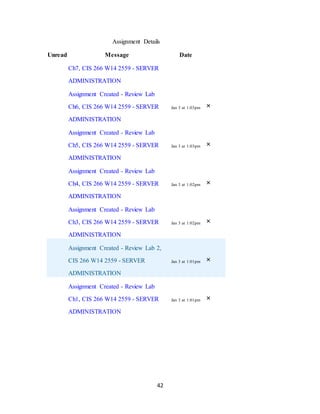
40
Assignment Details
Unread Message Date
W14 2559 - SERVER
ADMINISTRATION
Assignment Created - Lab 2, CIS 266
W14 2559 - SERVER
ADMINISTRATION
Jan 3 at 1:14pm ×
Assignment Created - Lab 1, CIS 266
W14 2559 - SERVER
ADMINISTRATION
Jan 3 at 1:14pm ×
Assignment Created - Final, CIS 266
W14 2559 - SERVER
ADMINISTRATION
Jan 3 at 1:14pm ×
Assignment Created - Midterm, CIS
266 W14 2559 - SERVER
ADMINISTRATION
Jan 3 at 1:12pm ×
Assignment Created - Final, CIS 266
W14 2559 - SERVER
ADMINISTRATION
Jan 3 at 1:12pm ×
Assignment Created - Test 8, CIS 266
W14 2559 - SERVER
ADMINISTRATION
Jan 3 at 1:09pm ×
Assignment Created - Test7, CIS 266
W14 2559 - SERVER
ADMINISTRATION
Jan 3 at 1:09pm ×
Assignment Created - Test 6, CIS 266 Jan 3 at 1:08pm ×
41
Assignment Details
Unread Message Date
W14 2559 - SERVER
ADMINISTRATION
Assignment Created - Test 5, CIS 266
W14 2559 - SERVER
ADMINISTRATION
Jan 3 at 1:08pm ×
Assignment Created - Test 4, CIS 266
W14 2559 - SERVER
ADMINISTRATION
Jan 3 at 1:08pm ×
Assignment Created - Test 3, CIS 266
W14 2559 - SERVER
ADMINISTRATION
Jan 3 at 1:08pm ×
Assignment Created - Test 2, CIS 266
W14 2559 - SERVER
ADMINISTRATION
Jan 3 at 1:08pm ×
Assignment Created - Test 1, CIS 266
W14 2559 - SERVER
ADMINISTRATION
Jan 3 at 1:05pm ×
Assignment Created - Review Lab
Ch9, CIS 266 W14 2559 - SERVER
ADMINISTRATION
Jan 3 at 1:04pm ×
Assignment Created - Review Lab
Ch8, CIS 266 W14 2559 - SERVER
ADMINISTRATION
Jan 3 at 1:03pm ×
Assignment Created - Review Lab Jan 3 at 1:03pm ×
42
Assignment Details
Unread Message Date
Ch7, CIS 266 W14 2559 - SERVER
ADMINISTRATION
Assignment Created - Review Lab
Ch6, CIS 266 W14 2559 - SERVER
ADMINISTRATION
Jan 3 at 1:03pm ×
Assignment Created - Review Lab
Ch5, CIS 266 W14 2559 - SERVER
ADMINISTRATION
Jan 3 at 1:03pm ×
Assignment Created - Review Lab
Ch4, CIS 266 W14 2559 - SERVER
ADMINISTRATION
Jan 3 at 1:02pm ×
Assignment Created - Review Lab
Ch3, CIS 266 W14 2559 - SERVER
ADMINISTRATION
Jan 3 at 1:02pm ×
Assignment Created - Review Lab 2,
CIS 266 W14 2559 - SERVER
ADMINISTRATION
Jan 3 at 1:01pm ×
Assignment Created - Review Lab
Ch1, CIS 266 W14 2559 - SERVER
ADMINISTRATION
Jan 3 at 1:01pm ×
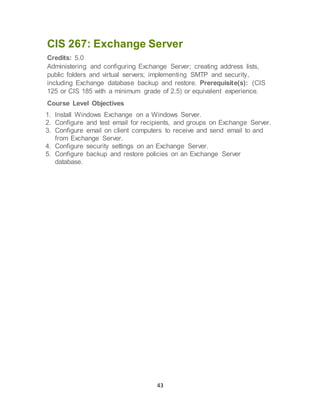
43
CIS 267: Exchange Server
Credits: 5.0
Administering and configuring Exchange Server; creating address lists,
public folders and virtual servers; implementing SMTP and security,
including Exchange database backup and restore. Prerequisite(s): (CIS
125 or CIS 185 with a minimum grade of 2.5) or equivalent experience.
Course Level Objectives
1. Install Windows Exchange on a Windows Server.
2. Configure and test email for recipients, and groups on Exchange Server.
3. Configure email on client computers to receive and send email to and
from Exchange Server.
4. Configure security settings on an Exchange Server.
5. Configure backup and restore policies on an Exchange Server
database.
44
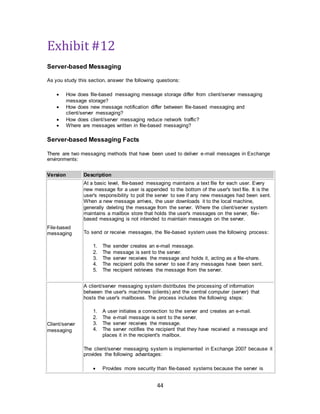
Exhibit #12
Server-based Messaging
As you study this section, answer the following questions:
 How does file-based messaging message storage differ from client/server messaging
message storage?
 How does new message notification differ between file-based messaging and
client/server messaging?
 How does client/server messaging reduce network traffic?
 Where are messages written in file-based messaging?
Server-based Messaging Facts
There are two messaging methods that have been used to deliver e-mail messages in Exchange
environments:
Version Description
File-based
messaging
At a basic level, file-based messaging maintains a text file for each user. Every
new message for a user is appended to the bottom of the user's text file. It is the
user's responsibility to poll the server to see if any new messages had been sent.
When a new message arrives, the user downloads it to the local machine,
generally deleting the message from the server. Where the client/server system
maintains a mailbox store that holds the user's messages on the server, file-
based messaging is not intended to maintain messages on the server.
To send or receive messages, the file-based system uses the following process:
1. The sender creates an e-mail message.
2. The message is sent to the server.
3. The server receives the message and holds it, acting as a file-share.
4. The recipient polls the server to see if any messages have been sent.
5. The recipient retrieves the message from the server.
Client/server
messaging
A client/server messaging system distributes the processing of information
between the user's machines (clients) and the central computer (server) that
hosts the user's mailboxes. The process includes the following steps:
1. A user initiates a connection to the server and creates an e-mail.
2. The e-mail message is sent to the server.
3. The server receives the message.
4. The server notifies the recipient that they have received a message and
places it in the recipient's mailbox.
The client/server messaging system is implemented in Exchange 2007 because it
provides the following advantages:
 Provides more security than file-based systems because the server is
45
responsible for delivering messages, instead of allowing the user to
access the user's mailbox to send a message. In file-based messaging
the local machine must act as the mail transfer agent (MTA). In
client/server messaging, the server takes that role.
 Reduces the amount of network traffic by eliminating the need to poll the
server repeatedly to check for new messages.
 Increased scalability that allows thousands of users to be located on a
single Mailbox server.
 Increased stability due to the added capacity of the network.
The main disadvantage of using a server-based messaging system is the cost of
the high-capacity servers that are required to support the workload.
Exchange Versions
As you study this section, answer the following questions:
 Which role cannot be installed with other server roles?
 How does role-based setup affect system maintenance?
 How can compliance and journaling help your company meet message flow control
requirements?
 What affect does the 64-bit architecture have on hardware resources?
Previous Version Facts
Exchange 2007 has made many advancements and improvements to the previously-released
versions of Exchange. The previous versions of Microsoft Exchange Server are described in the
following table:
Version Description
Microsoft
Exchange
Server 5.5
Microsoft Exchange Server 5.5:
 Ran on the Windows NT4 platform which stored all of the user accounts
and provided authentication.
 Used its own directory service.
 Hosted a mailbox database (priv.edb) and a public folder database
(pub.edb). The server could only host one database of each type.
Microsoft
Exchange
Server 2000
Microsoft Exchange Server 2000 (version 6.0) ran on the Windows 2000
platform instead of the NT4 platform and includes some integration with Active
Directory. It provided the following improvements from Exchange 5.5:
 Raised the maximum sizes of databases and increased the number of
servers in a cluster from two to four.
 Allowed multiple mailbox databases on a single server.
 Introduced Outlook Web Access (OWA).
 Used front-end servers for SSL and authentication traffic.
 Used back-end servers for databases and MAPI.
Microsoft Exchange 2003 included multiple compatibility modes to allow an easier
46
Exchange
Server 2003
transition for upgrading from Exchange 2000. Exchange 2003 upgraded the
following components:
 Added usability features for OWA.
 Enhanced disaster recovery.
 Added Outlook Mobile Access and server-side ActiveSync.
 Enhanced antivirus and antispam protection.
 Improved management tools for mailbox and messaging
Exchange 2007 Features
The primary goals of Exchange 2007 are:
 Increased security
 Easier setup and deployment
 Higher availability
The following features were implemented to achieve these goals:
Feature Description
Role-based
setup
A server role is a unit that logically groups required components and features
that are needed to perform functions within a messaging environment. The
implementation of server roles simplifies installation and management by
grouping necessary features according to the role the server plays within the
organization. With the role-based setup:
 Multiple roles or a single role can be installed on a server (with
exception of the Edge Transport server).
 Installation only requires the components needed for each particular
role that is installed.
 Maintenance needs to be performed only on the server hosting a
specific role.
New
administration
model
Exchange 2007 uses a simplified administration management console which
includes:
 Exchange Management Shell (Windows PowerShell) is a command
line environment designed for automating administration and
maintenance. The Exchange Management Shell is the primary
management interface of Exchange 2007.
 The Exchange Management Console is the graphical administration
tool. It is comprised of a three-paned view that includes a tree view,
results, and an actions pane. It cannot perform many of the
administrative tasks that can be performed in the Exchange
Management Shell.
Additional
compliance
features
Compliance and journaling focuses on the requirements that many
organizations now face for messaging, archiving, and controlling the flow of
messages within the environment. Compliance and journaling allows you to:
47
 Set up an ethical wall that can prevent certain members of your
organization from e-mailing one another.
 Restrict communication and messaging or cause all messages to be
archived and maintained between certain members or groups of the
organization.
High availability
Improved availability in Exchange 2007 is made possible by features such as:
 Local Continuous Replication (LCR) maintains a copy of the production
storage group on a second set of disks that are connected to the same
server using built-in asynchronous log shipping and log replay
technology.
 Cluster Continuous Replication (CCR) provides a new, simplified type
of cluster implementation that utilizes passive nodes as backups for the
information being used on the active node. The databases on the active
node are copied to the passive node using file sharing. This allows the
passive node to maintain the Exchange services and availability for all
users in the event of primary Exchange server failure.
64-bit
environment
Exchange 2007 employs a 64-bit environment. The additional memory in the
64-bit architecture reduces I/O operations by nearly 80% and increases the
amount of RAM that the system can use.
Messaging
Unified Messaging improves a mobile user's ability to stay connected by
combining e-mail, voicemail, calendar, and fax communications into a single
store which is available from a telephone or computer.
The following features are no longer supported in Exchange 2007:
 Exchange 5.5 support.
 Connector types. You need to maintain an Exchange 2003 server within your
environment if you wish to continue using applications, such as X400, GroupWise, or
Lotus Notes.
 Admin and routing groups.
 Outlook Mobile Access has been replaced by ActiveSync.
 Active/Active clustering. Exchange 2007 supports Active/Passive clustering exclusively.
Exchange 2007 comes in two different versions: Standard Edition and Enterprise Edition.
Version Features
Standard Edition
The Standard Edition has:
 Up to 5 storage groups
 Up to 5 databases
 16 TB per database
The Standard Edition supports Local Continuous Replication.
Enterprise Edition
The Enterprise Edition has:
 Up to 50 storage groups
48
 Up to 50 databases
 16 TB per database
The Enterprise Edition supports:
 Local Continuous Replication
 Single Copy Clusters
 Cluster Continuous Replication
49
CIS 268: Firewall Implementation
Credits: 5.0
Topics include firewall policies, Internet Web caching, configuring systems
in a complex router environment, setting up point to point VPNS and
securing remote client connections. Prerequisite(s): CIS 267 with a
minimum GPA of 2.5 or equivalent experience.
Course Level Objectives
1. Install Internet Security Acceleration server in a windows server
environment.
2. Configure Internet Security Acceleration server to cache Web content
and act as a proxy for workstations in a local area network (LAN).
3. Configure Internet Security Acceleration server as a firewall allowing
access from the LAN to the Internet.
4. Configure Internet Security Acceleration server publishing so that a
client can access email from the Internet.
5. Configure client computers to use the Internet Security Acceleration
server for caching and gateway services.
50
CIS 272: Digital Forensics I
Credits: 5.0
Covers basic procedures and methodologies for digital forensics that must
be mastered. Acquisition, identification, and analysis of evidence;
documentation strategies; manual and automated analysis tools; and
working as an expert witness. Maps to the ACE and CSFA certifications.
Prerequisite(s): CIS 161 with a minimum grade of 2.5 or equivalent
experience.
Course Level Objectives
1. Describe the origins of computer forensics.
2. Describe the relationship between law enforcement and industry.
3. Discuss ethics and its impact on computer forensics.
4. Describe the computing investigation process.
5. Describe disk structures.
6. Describe the Microsoft boot process.
7. Identify where data can be hidden on different platforms.
8. Build a forensic bootable CD/DVD.
9. Describe how to build a forensic workstation.
10. Describe the profession of computer forensics.
11. Use current forensics tools.
12. Perform graphic image recovery.
13. Perform email recovery and investigations.
14. Discuss a code of ethics and conduct related to the information
security and digital forensics professions.
15. Identify standards of professionalism and ethical behavior for
information security and digital forensics professionals, and apply these
standards successfully to ethical dilemmas.
16. Describe issues related to privacy and determine how to address
them technically and ethically.
51
Exhibit #13
The Costs and Benefits of Forensic Readiness
If forensic readiness is an enterprise issue, then the extent to which it can be
pursued will depend on the organization obtaining value for money for any
investment. The foremost issue in understanding the need for forensic readiness is a
risk assessment. An extant risk assessment for something like BS 7799 or
ISO17799 will be a valid starting point, but may not assess all the situations where
digital evidence may be required. An asset register is certainly needed with an
indication of the attractiveness of targets to the various types of crime such as fraud,
malicious damage, and IPR theft, as well as an understanding of the impact on the
company should such an event take place.
Any information security defensive measures based on a risk assessment will
always leave a residual risk. Often this is because users are trusted not to cause a
security incident. In the long run, such an assessment may be correct and stringent
defensive measures may not be required. In forensic readiness, however, it is
necessary to assume that an incident will occur, even if a risk assessment says it
should not. This is especially true of situations where the risk is highest from
insiders. It may be infeasible to deploy preventative measures, especially where staff
have to be trusted with high value assets, but effective deterrence may be achieved
with forensic readiness. Depending on the impact of such an event, an organization
may need to put in place measures to identify any miscreant and obtain the evidence
required to take appropriate action against them. Once an organization recognizes
that it requires some form of investigative capability, the next step is to ensure the
efficiency and competency of that capability.
From the discussion above and the objectives of forensic readiness it is evident that
good forensic readiness can offer an organization the following benefits:
• Evidence can be gathered to act in the company's defense if subject to a
lawsuit;
www.ijde.org 5International Journal of Digital Evidence Winter 2004, Volume
2, Issue 3
• Comprehensive evidence gathering can be used as a deterrent to the insider
threat (throwing away potential evidence is simply helping to cover the tracks
of a cyber-criminal);
• In the event of a major incident, an efficient and rapid investigation can be
conducted and actions taken with minimal disruption to the business;
• A systematic approach to evidence storage can significantly reduce the costs
and time of an internal investigation;
• A structured approach to evidence storage can reduce the costs of any court-
ordered disclosure or regulatory or legal need to disclose data (e.g. in
response to a request under data protection legislation);
• Forensic readiness can extend the target of information security to the wider
threat from cybercrime, such as intellectual property protection, fraud, or
extortion;
52
• It demonstrates due diligence and good corporate governance of the company's
information assets;
• It can demonstrate that regulatory requirements have been met;
• It can improve and facilitate the interface to law enforcement, if involved;
• It can improve the prospects for a successful legal action;
• It can provide evidence to resolve a commercial dispute;
• It can support employee sanctions based on digital evidence (for example,
proving violation of an acceptable use policy).
The costs of implementing forensic readiness may be significant, particularly in an
organization with immature information security management processes. However,
the costs are significantly ameliorated if the organization has already performed a
comprehensive risk assessment, implemented a business continuity plan, and has
programmed information security into staff training. In a more security-aware
organization, forensic readiness can add value to many existing processes and
leverage such activities as incident response, business continuity, and crime
prevention. In any event, the issues raised by the need for forensic readiness need
to be brought to senior management or board attention. Arguably a decision at this
level should authorize an enterprise forensic readiness program.
The sorts of activities where costs will be incurred include:
• Updates to policies;
• Improvements in training;
• Systematic gathering of potential evidence;
• Secure storage of potential evidence;
• Preparation for incidents;
• Enhanced capability for evidence retrieval;
• Legal advice;
• Developing an in-house DFI capability, if required.
53
CIS 273: Digital Forensics II
Credits: 5.0
Covers advanced topics. Registry, event logs, internet history, and creating
analysis reports. Students will be introduced to processes for conducting
testing and verification. Each student will process a forensic case. Maps to
the ACE and CSFA certifications. Prerequisite(s): CIS 272 with a
minimum grade of 2.5 or equivalent experience.
Course Level Objectives
1. Create forensically sound image files and working copies of drives from
both live and at rest computer systems using a variety of commercial
and open source tools.
2. Employ various techniques to overcome encryption and passwords
using a variety of commercial and open source tools.
3. Describe the differences between the FAT16 and FAT32 file systems
and boot records.
4. Describe the function and layout of: master boot records, partition tables
and how they can be hidden and restored, and the NTFS Master File
Table.
5. Identify and describe the Windows registry keys that would be examined
relevant to a computer forensics investigation.
6. Forensically examine an image from a NTFS system.
7. Recover deleted files and file fragments using both manual and
automated methods.
8. Conduct a forensic analysis involving email and other Internet activity.
9. Forensically process thumb drives and memory sticks.
10. Create a Curriculum Vita and properly document experience and
education for work in the field of computer forensics.
11. Analyze a code of ethics and conduct related to the information
security and digital forensics professions.
12. Identify standards of professionalism and ethical behavior for
information security and digital forensics professionals, and apply these
standards successfully to ethical dilemmas.
13. Describe issues related to privacy and determine how to address
them technically and ethically.
54
Exhibit #14
Created By Access Data® FTK® Imager 3.1.0.1514
Case Information:
Acquired using: ADI3.1.0.1514
Case Number: CIS273FINAL
Evidence Number:
Unique Description:
Examiner:
Notes:
--------------------------------------------------------------
Information for D:UsersDigitalForensicsDesktopCIS273FINAL.ad1:
[Custom Content Sources]
Dickinson.E01: Partition 1 [2996MB]: NONAME [NTFS]|[root]|System
Volume Information|*(Wildcard, Consider Case, Include Subdirectories)
Dickinson.E01: Partition 1 [2996MB]: NONAME
[NTFS]|[root]|WINDOWS|Prefetch|*(Wildcard, Consider Case, Include
Subdirectories)
Dickinson.E01: Partition 1 [2996MB]: NONAME
[NTFS]|[root]|WINDOWS|system32|config|*(Wildcard, Consider Case,
Include Subdirectories)
Dickinson.E01: Partition 1 [2996MB]: NONAME [NTFS]|[root]|Documents
and Settings|*(Wildcard, Consider Case, Include Subdirectories)
55
Dickinson.E01: Partition 1 [2996MB]: NONAME
[NTFS]|[root]|RECYCLER|*(Wildcard, Consider Case, Include
Subdirectories)
[Computed Hashes]
MD5 checksum: 6014256d0ebb225a655d021ef1218b82
SHA1 checksum: 129c27f8a4e47e96d042d4a63b1d1c9fcbc02ada
Image information:
Acquisition started: Sat May 30 11:32:46 2015
Acquisition finished: Sat May 30 11:33:12 2015
Segment list:
D:UsersDigitalForensicsDesktopCIS273FINAL.ad1
56
CIS 274: Introduction to Network Security
Credits: 5.0
Topics include communication, infrastructure, operational and
organizational security, underlying principles used to secure networks,
security technologies, intrusion detection, authentication, and cryptography
basics. Maps to Security+ exam. Prerequisite(s): CIS 171 with a minimum
grade of 2.5 or equivalent experience.
Course Level Objectives
1. Compare and contrast the three basic cryptographic functions.
2. Describe how cryptographic functions can be used to enable security
services.
3. Describe authentication, integrity and confidentiality and how they relate
to security systems.
4. Describe the use of public key technology in networks.
5. Compare and contrast the various mechanisms that provide
authentication services.
6. Given a network security scenario, decide on the proper authentication
technology.
7. Compare and contrast several security technologies that provide
solutions for securing network access.
8. Compare and contrast authentication and authorization and access
control.
9. Describe security technologies used for establishing identity.
10. Describe how security technologies are implemented in corporate
networks.
11. Identify the strengths and weaknesses associated with protocols
designed to authenticate users.
12. Describe the technologies that exist at the different TCP/IP layers.
13. Discuss how digital signatures are used for secure transactions.
14. Identify and describe the three categories of network security
threats.
15. Describe infrastructure security concepts.
57
Exhibit #15
Manuel Scott
CIS 275
Winter 2015
Mike Andrews
Homework 3
1.
The rootkit a programcreated to use abnormally complex methods in
which to hide itself with on a computer Systems. Onewould define the
term of rootkit as a kit or a set of tools that was originally used with UNIX
systems. Based on the UNIX system’s lowestand mostpowerfulaccount
which was called the rootaccount. The kit of tools was used to keep a
programworking atthe root level while advoiding detection. That is when
Sony implemented a copy protection rootkitwhich then modified the
operating systemto interfere with the copying of CD’s. Itwas found that
these programs werevery difficult to uninstall and end up creating some
unintentional vulnerability that was then exploited by malware. And when
it came out Sony denied and the ultimately had to release an uninstaller
that didn’t actually uninstall the program, butonly un-hid it in fact.
However it also would install even more softwarethatcollected the users
email address and created even more security vulnerabilities. About two
years later they also used a rootkit on their Micro vault USB drives that
created an invisible folder on the customer’s computer that allowed the
installation of malicious softwareby cybercriminals that could potentially
steal passwords or send spamemails. Rootkits are commonly divided into
two categories: 1. Kernel mode which operates in Ring 0 and user mode
which operates in Ring 3 mode.
With windows operating systems which supportonly two
levels of privileges, Ring 0 the most privileged and ring 3 the least
privileged, in order to maintain compatibility with the non-intel systems. A
thread running in ring 0 is also referred to as running in kernel mode and a
58
thread running in ring 3 is referred to as running in User mode. An
application thread will switch fromuser mode and kernel mode while
making certain API function calls that require a higher level of privileges.
Some user mode threats actually spend more time in kernel mode than in
user mode. However, when the code is completed in kernel mode, it
switches back into user mode. Because this rootkits that run in kernel mode
are a much more sophisticated piece of code, requiring a lot more
programming knowledgeand the familiarity with how the windows kernel
works. To manipulate the kernel this type of rootkit has to operate as a
systemdriver requiring Ring 0 privileges, which are not obtainable in Ring
3.The kernel mode techniques are very powerfulwith the mostadvanced
rootkits being able to subvertthe Windows kernel and hide files, registry
keys, ports, processes,and folders. Themajor problem with this type of
rootkit is that it always comes with two different binaries, a SYS driver and
an EXE that installs the SYS driver. So even if the systemdriver can hide
everything (itself included), it still needs static structures installed in kernel
memory which can be detected. To avoid the need for a SYS driver and
systemhooks, the next generation of these rootkits began looking at the
Windows kernelin different ways. By mixing the ideas of Direct Kernel
ObjectManipulation (DKOM) and manipulating the DevicePhysical
Memory object this goal was achieved by avoiding the need for an
additional driver. To avoid detection DKOMrootkits can manipulate kernel
structures and hide processes and ports, as well as, changeprivileges, and
even fool the Windows eventviewer. This type of rootkithides its
processes by manipulating the list of active processes of the operating
system, changing the actual data inside the EPROCESS structures. To
accomplish this, DKOMrootkits unlink their own EPROCESS fromthe list
and uses the pointers of the previous and next EPROCESS in a way that’ll
skip the rootkits’ process. With this change its process becomes invisible to
the task manager and other common process manager tools, all the while it
is running on the system.
User or Ring 3 rootkits run where user application softwareruns.
Because this is whereevery untrustworthy programruns,operating
systems assign this layer the least privileges. Making monitoring, detection,
and prevention easier than with kernel mode rootkits. User rootkits modify
processes, network connections, files, and events. To avoid detection user
rootkits can hide their processes, injected modules, registry keys, files,
59
handles, and its window. They may employ one or more of these
techniques to keep its operation hidden. Justbecause this type of rootkit
resides in the least privileged are of the computer systemdoesn’tmean it’s
easier to detect. It’s importantto note that before a rootkit is entered into
the system, an attacker would have already breached the perimeter,
systemsecurity, and performed privilege escalation to install the rootkit
and keep the rootadministrator privileges.
2.
The Zeus Trojan or Trojan.Zbot, is a Trojan horse that tries to steal
confidential information fromthe systemit’s installed on. It’s also capable
of downloading configuration files and updates fromthe internet. Itgets
onto a systemprimarily fromspam emails and drive-by downloads, but
because it is very versatile it can be delivered through many other vectors.
Its primary purposeis to steal confidential information fromthe computers
it infects by specifically targeting systeminformation, online credentials,
and banking details, but it is also customizable through its toolkit to gather
any kind of information. This toolkit is available to cybercriminals through a
variety of market places designed for criminals. Through this toolkit, offers
a high degree of control over the functionality of the final distributed
executable. Italso contacts a command and control server that allows Zeus
to performadditional functions allowing a remote attacker to download
and execute further files, shutdown or rebootthe computer, and even
delete systemfiles making the computer unusable. Zeus also relies heavily
on social engineering in order to infect computers for example; sending
spamemails that reference the latest news stories to convince possible
victims that there sensitive information has been stolen pretending to be
fromreputable organizations like Facebook, the IRS, the FDIC, and even
Microsoft. These emails include a link which then downloads the Trojan.
The Zeus Trojan is comprised of three parts: a toolkit, the actual Trojan, and
its command and control server. Thereare different versions available like
free versions (which areusually back doored themselves) to versions made
to order for sale. There it offers other Zeus related-services, ranging from
bulletproof hosting for command and control servers to the renting of
60
ready to go botnets. Regardless of which version an attacker uses, the
toolkit is used for two things. Firstto edit and compile the configuration file
into a .bin file, then it to compile an executable, which is sent to the
potential victim. It’s this executable that is known as Trojan.Zbotor the
Zeus Trojan. Because Zeus is so versatile it’s a very dangerous and effective
Trojan that remains a threat, and is constantly evolving, it continues to
plague the computer world.
61
CIS 275: Host System Security I
Credits: 5.0
Topics include: Operating system hardening, malware prevention and
detection, IPsec and PKI. Students will learn how to plug security holes,
authenticate users, defend against attacks and add security practices into
administrative tasks. Prerequisite(s): (CIS 264 and CIS 274 with a
minimum grade of 2.5) or concurrent enrollment or equivalent experience.
Course Level Objectives
1. List and describe the elements of a computer deployment plan that
covers security issues.
2. Summarize practices for configuring workstations, maintaining
workstation integrity, and improving user awareness.
3. Describe and employ various tools to analyze and implement security
measures on a Windows system.
4. Configure security policies for Windows systems.
5. Perform a security audit of a Windows system using industry standards
and guidelines.
6. Configure Windows XP's TCP/IP settings that allow for enhanced
security.
7. Compare and contrast types of malware and describe their respective
preventative/reactive measures.
8. Describe the incident response process and how computer security
incidents are managed.
62
Exhibit #16
So What Is It?
According to Microsoft: “svchost.exe is a generic host process name for services that
run from dynamic-link libraries”. Could we have that in English please?
Some time ago, Microsoft started moving all of the functionality from internal
Windows services into .dll files instead of .exe files. From a programming
perspective this makes more sense for reusability… but the problem is that you can’t
launch a .dll file directly from Windows, it has to be loaded up from a running
executable (.exe). Thus the svchost.exe process was born.
Why Are There So Many svchost.exes Running?
If you’ve ever taken a look at the Services section in control panel you might notice
that there are a Lot of services required by Windows. If every single service ran
under a single svchost.exe instance, a failure in one might bring down all of
Windows… so they are separated out.
Those services are organized into logical groups, and then a single svchost.exe
instance is created for each group. For instance, one svchost.exe instance runs the
3 services related to the firewall. Another svchost.exe instance might run all the
services related to the user interface, and so on.
So What Can I Do About It?
You can trim down unneeded services by disabling or stopping the services that
don’t absolutely need to be running. Additionally, if you are noticing very heavy CPU
usage on a single svchost.exe instance you can restart the services running under
that instance.
The biggest problem is identifying what services are being run on a particular
svchost.exe instance… we’ll cover that below.
If you are curious what we’re talking about, just open up Task Manager and check
the “Show processes from all users” box:
63
Checking From the Command Line (Vista or XP Pro)
If you want to see what services are being hosted by a particular svchost.exe
instance, you can use the task list command from the command prompt in order to
see the list of services.
Tasklist /SVC
64
The problem with using the command line method is that you don’t necessarily know
what these cryptic names refer to.
Checking in Task Manager in Vista
You can right-click on a particular svchost.exe process, and then choose the “Go to
Service” option.
65
This will flip over to the Services tab, where the services running under that
svchost.exe process will be selected:
The great thing about doing it this way is that you can see the real name under the
Description column, so you can choose to disable the service if you don’t want it
running.
Using Process Explorer in Vista or XP
You can use the excellent Process Explorer utility from Microsoft/Sysinternals to see
what services are running as a part of a svchost.exe process.
66
Hovering your mouse over one of the processes will show you a popup list of all the
services:
Or you can double-click on a svchost.exe instance and select the Services tab,
where you can choose to stop one of the services if you choose.
67
Disabling Services
Open up Services from the administrative tools section of Control Panel, or
type services.mscinto the start menu search or run box.
Find the service in the list that you’d like to disable, and either double-click on it or
right-click and choose Properties.
68
CIS 293: Digital Forensics III
Credits: 5.0
Forensic triage and other advanced topics. Conducting forensic analysis
from start to finish, dealing with live systems and malware. Topics may
vary based on current developments and trends. Prerequisite(s): CIS 273
with a minimum grade of 2.5 or instructor permission.
Course Level Objectives
1. Demonstrate methods to use VMware/Virtual PC as a forensic analysis
tool.
2. Utilize common forensic tools to process a case from start to finish.
3. Create a comprehensive forensic analysis report.
4. Develop and use regular expressions to increase search effectiveness.
5. Create and verify hash sets of various formats, including Hash keeper,
NSRL, and FTK.
6. Describe a code of ethics and conduct related to the information security
and digital forensics professions.
7. Identify standards of professionalism and ethical behavior for
information security and digital forensics professionals, and apply these
standards successfully to ethical dilemmas.
8. Create a list of issues related to computer privacy and document how to
address them technically and ethically.
69
Exhibit #17
Digital Forensics Case
“The MYTECH Case”
CASE SCENARIO
On April 6th 2009, Luke Hutchingson was hired as a Helpdesk employee at a local company
called MYTECH. He
Was loaned an older spare company computer to use at home for the purpose of creating a
trouble ticket database.
While performing a Proxy Server log audit the evening of April 30th 2009, the Network
Administrator for MYTECH,
Mark Hastler, noticed that Luke’s work computer was being used to access Websites that were
deemed as non-work
Related for the time period of April 8th 2009 through April 26th 2009.
MYTECH has a zero tolerance policy in place for inappropriate use of company resources, and
Luke signed the
Company acceptable use policy when he was hired.
Luke was off May 4th through 7th 2009 for a pre-approved absence. The afternoon of May 7th
2009, Luke’s Manager,
Hans Roepke, phoned Luke and asked him to bring in the company owned computer that was on
loan to him. Luke
Returned the computer the evening of May 7th 2009, and was subsequently terminated. It is the
policy of MYTECH to
Forensically image the hard drives of computers used by employees when they leave the
company or are terminated.
Luke has now sued MYTECH, claiming that he was wrongfully terminated back in 2009. Mark
Hastler is going to
Perform a forensic analysis of the work computer used by Luke, and it was felt that another party
should perform a
Forensic analysis of the computer loaned to Luke that was used at his home. You have been
hired by Attorney
Nicholas Soprano to perform the forensic analysis of the computer loaned to Luke.
The hard drive was imaged by Mark Hastler, and the hard drive image was delivered to you on
DVD by Steve Hailey
On the first day of class this quarter.
STATEMENT FROM MARK HASTLER
The Personal Computer loaned to Luke Hutchingson, MYTECH asset identification number
MT67365, was presented
To me for forensic imaging on May 7 2009 at approximately 6:10 PM. I removed the Fujitsu
MPD3084AT hard drive
From the computer and then verified that the computer’s RTC was within five minutes of a known
good time source.
I attached the Fujitsu MPD3084AT hard drive to a Tableau IDE write blocker that I verified was in
proper working
Condition. I imaged the hard drive using FTK imager and then created a DVD of the resultant
image files. The image
Files have been kept in a locked cabinet that only I have access to.
ATTORNEY INFORMATION
The attorney you are working for is Nicholas Soprano of The Law Office of Soprano and Sons.
Mr. Soprano has
Agreed to pay you 195.00 an hour for your services. Steve Hailey is authorized to review and or
sign any agreements
Relevant to your services on behalf of Mr. Soprano.
Your instructions from Mr. Soprano:
70
Examine the hard drive that was used in the computer loaned to Luke Hutchingson when he was
employed by
MYTECH and report on what you can ascertain the computer was being used for. Luke was
supposed to be working
On developing a database for MYTECH. I need to have you document whatever you can tell that
he was doing with
The computer and create a report. This is the first time that I have dealt with this type of case so
I’m depending on
Your expertise.
INSTRUCTIONS FROM STEVE
Using the example reports from your course materials in CIS 201, 272, 273, and 293 as
templates, create a forensic
Analysis report that is a minimum of 10 pages in length.
Page 2 of 3
DUE DATE - CHAIN OF CUSTODY SIGNED
JULY 7 2015
For the purposes of a chain of custody, you are to consider the hard drive image delivered to you
on July 7 2015 by
Steve Hailey. Use the chain of custody template (DOCUMENTS FOR YOUR DIGITAL
FORENSICS CASE module
On Canvas). Your COC form should describe the evidence exactly as follows:
Forensic image from a Fujitsu Model MPD3084AT hard drive, from a computer owned by
MYTECH - asset tag
MT67365. The forensic image was provided on DVD media marked as MYTECH.
DUE DATE – FINAL FORENSIC ANALYSIS REPORT / SERVICES AGREEMENT / INVOICE /
COC
JULY 25 2015
Provide copies of your Final Forensic Analysis Report, Services Agreement, Invoice, Chain of
Custody (scan it).
Your report, services agreement and invoice all need to be provided as both a Microsoft Word
document as well
As a PDF. Your chain of custody needs to be provided as a PDF. Burn these documents to
CD/DVD and verify that
The CD/DVD can be read. As well, provide a jacket/case for your CD/DVD.
Label the CD/DVD with the following information:
You’re Name
CIS 293 FINAL REPORT - MYTECH
Date
WHAT IS REQUIRED FOR THE SERVICES AGREEMENT?:
Modify the provided Services Agreement Template to include your information and company logo
(DOCUMENTS
FOR YOUR DIGITAL FORENSICS CASE module on Canvas). Include this on the CD/DVD you
will be turning in.
WHAT IS REQUIRED FOR THE FORENSIC ANALYSIS FINAL REPORT?:
You are to complete a forensic analysis report that includes a minimum of 5 exhibits. Use the
provided example
Reports as templates for what should be included in your final report. The quality of your work
should be that which
Could be turned in to an attorney or prosecutor, with a copy going to a judge for review – this is
the expectation. You
Are expected to turn in a Services Agreement, copy of the Chain of Custody, and an Invoice for
your services. On the
Overall, you will be graded on the following:
1. Overall appearance/neatness and professionalism of report, spelling, grammar - 15 points
possible
2. Accuracy of technical information (time/date stamps correct, etc.) - 20 points possible
71
3. Accuracy/understandability of explanations and analogies - 15 points possible
4. Appropriate report sections and content: - 50 points possible
Overview - first page
What the report is for
What you were given to examine, and identifying characteristics
What you were asked to do/your instructions
How the report is laid out/arranged. Required sections for the report are:
Procedural Overview
What you did to assure a forensically sound working environment
What you examined and did on the overall
Findings
System Information
User Accounts
Evidence pertinent to the case and what you were asked to do - relate the information here to
your
Exhibits, and reference the relevant exhibits! This is key!
Page 3 of 3
Conclusions and Opinions
Summation of pertinent findings that can be backed up by the evidence
Exhibits
If mentioned in your findings section, you typically will have an exhibit for it. At least 5 exhibits are
expected
For this assignment. Relate the information here back to your Findings section! This is key!
Definitions/Glossary
Feel free to use what has been provided in the example reports. If you don’t use a word or
term, don’t
Have it in the Definitions section! This is key! July 15th, 2015
Mr. Nicholas Soprano,
This document is to provide a record of my examination and conclusions relating to the
Forensic analysis of the hard drive that was recovered by MYTECH. The hard drive is
from a
Personal computer loaned to Luke Hutchingson.
As reported by Mark Hastler: “The Personal Computer loaned to Luke Hutchingson,
MYTECH asset identification number MT67365, was presented to me for forensic
imaging on
May 7 2009 at approximately 6:10 PM. I removed the Fujitsu MPD3084AT hard drive
from
The computer and then verified that the computer’s RTC was within five minutes of a
known
Good time source. I attached the Fujitsu MPD3084AT hard drive to a Tableau IDE write
Blocker that I verified was in proper working condition. I imaged the hard drive using
FTK
Imager and then created a DVD of the resultant image files. The image files have been
kept in
A locked cabinet that only I have access to.”
The drive image was delivered to me on a DVD on July 07, 2015 by Steve Hailey, an
Authorized representative for the law offices of Soprano and Sons. Since taking custody
of the
Image I have been the only person who has had access to it. The image from the DVD
was
72
Transferred to my forensic workstation which is secured with a password known only to
me.
After the image was transferred to my workstation, I ran a hash of the drive image to
ensure
Integrity and they are MD5: 30e12a8070c65a30d06698fc8783bf0e and the SHA1:
a5ae1cd59f02a59992448c8d7bf70c0eb636e615. The original DVD is being stored in a
secure
Location within my home office.
The instructions provided to me prior to the beginning of my forensic analysis were to
Examine the hard drive that was used in the computer loaned to Luke Hutchingson when
he
Was employed by MYTECH and report on what the computer was being used for.
I have completed my examination of the hard drive contents, and have used multiple
tools in
My examination for the purpose of cross-authenticating the results.
This report is further divided into the following parts: PROCEDURAL OVERVIEW,
FINDINGS, and CONCLUSIONS AND OPINIONS.
73
CIS 294: Advanced Data Recovery and
Clean Room Operations
Credits: 5.0
Covers the technical and administrative aspects of using clean room
equipment to facilitate data recovery from various media, as well as
advanced digital forensics and data recovery
techniques. Prerequisite(s): CIS 293 with a grade of at least 2.5 or
instructor permission.
Course Level Objectives
1. Recover data from a variety of computer media.
2. Appropriately use data recovery tools and equipment such as: write
blockers, micro-tweezers, dental picks, anti-static gloves and finger cots.
3. Setup and utilize a data recovery workstation with associated drive
connectors and BIOS bypass tools.
4. Describe the processes used for logical and physical recovery of
disabled hard drives.
5. Swap single and multiple hard drive platters.
6. Replace a hard drive head assembly.
7. Describe the processes used to facilitate RAID 0 and RAID 5 recovery.
8. List and describe the environmental and technical requirements for
operating clean room equipment to facilitate the recovery of data from
various media.
9. Work as a team to analyze, design and implement a data recovery
project.
74
Exhibit #18
Assignment #2: CIS 294 SU15 1207 ADVANCED
DATA RECOVERY
https://edcc.instructure.com/courses/1168154/quizzes/1892424 1/9
Attempt History Attempt Time Score
LATEST Attempt 1 1051 minutes 74 out of 100
Assignment #2
Due Aug 9 at 10pm Points100 Questions34 AvailableAug 5 at 5pm Aug
19 at 5pm 14 days’ Time Limit None
Instructions
Score f or this quiz: 74 out of 100
Submitted Aug 9 at 11:36am
This attempt took 1051 minutes.
In order to help you prepare for class on Day 3, most of the questions are about the Deep Spar. You'll w ant to read, in
particular, the follow ing
Documents:
Deep Spar Sector
Image Map
Deep Spar Understanding
Imaging Configurations
Lab 2 Basic
Deep Spar
Logical Block Addressing
The Deep Spar User Manuals are referenced in at least one question. Those documents are also usefulfor elaborations
on the topics covered in my
Documents.
How ever, there are also questions on topics fromDay 1 and Day 2, draw n fromthe lab manuals, the reading, and the
lectures.
STRATEGY
Start w ith the questions on the Deep Spar since this strategy has the additional benefit of also preparing your for Day 3,
w hich willbe entirely devoted to
Deep Spar activities. The Deep Spar is extremely usefultool, but like all advanced tools, it takes time to get to know it.
The more you know about before
Day 3, the more satisfying your experience willbe.
Question 1 0 / 3 pts
Based on the way theDeep Spar defines blocks, a block is definedas a set of more than one sector.
You Answered True
Correct Answer False
Question 2 3 / 3 pts
Match each with the best answer.
Clone
A driv e containing a copy of a source driv e's data in which the data is written to the same Correct!
Image
A copy of a source driv e's contents that is sav ed as a f ile Correct!
Question 3 3 / 3 pts
Deep Spar Sector
Image Map
8/9/2015 Assignment #2: CIS 294 SU15 1207 ADVANCED
DATA RECOVERY
https://edcc.instructure.com/courses/1168154/quizzes/1892424 2/9
The configuration data can be stored on the source drive.
True
Correct! False
Question 4 3 / 3 pts
DeepSpar Sector
Image Map
Make the best match.
Source driv e
The driv e that the data is recov ered f rom Correct!
Destinationdrive
The driv e that the recov ered data is written to Correct!
Black dot drive
A driv e used to practice taking apart a driv e Correct!
Question 5 1 / 3 pts
Choose all the answers that are true:
In Figure 5.2 Imaging
Process Configuration, on p. 36 of the DeepSpar Disk Imager User
75
Manual 4 (September 16, 2013), there is a screenshot. From this screenshot you know the
Following:
Correct! The driv e has six heads
The driv e has f iv e heads
Correct Answer All the heads are turned on
All the heads are turned of f
Correct Answer You hav e built a heads map f or the driv e.
Question 6 3 / 3 pts
You are using the DeepSpar and encounter sectors of interest displayed via the Sector Image Map as being green
In color. This indicates that the sectors have been read successfully and copied to the destination drive.
Correct! True
False
Question 7 3 / 3 pts
8/9/2015 Assignment #2: CIS 294 SU15 1207 ADVANCED
DATA RECOVERY
https://edcc.instructure.com/courses/1168154/quizzes/1892424 3/9
Other Incorrect Match Options:
A hole that allows the plate contacts to communicate with the PCB
Make the best match.
Inspection hole
A hole that is alway s cov ered with f oil Correct!
Breather hole
A hole that is nev er cov ered with f oil Correct!
Question 8 0 / 3 pts
On a hard drive, the HSA lid screw goes through the lid of the hard drive, and into the the
Top of the HSA, through the:
Slider
You Answered HGA
Plate
Correct Answer piv ot
Question 9 3 / 3 pts
You are doing an HSA sw ap. You have the top magnet (or pole piece) off and you are trying to rotate the HSA off
Of the platter. How ever, you can't get the HSA past the edge of the platter. What does the drive have inside?
That is the most likely reason for the problem you are having?
Correct! A stopper
A prev enter
An inhibiter
An actuator latch
Question 10 3 / 3 pts
You are doing an HSA sw ap. You have the top magnet (or pole piece) off and you are trying to rotate the HSA to
The edge of the platter so that you can insert a spacer. How ever, the HSA w illnot turn. What does the drive have?
Inside that is the most likely reason for the problem you are having?
A stopper
Correct! An actuator latch
The bottom magnet
The ribbon cable
8/9/2015 Assignment #2: CIS 294 SU15 1207 ADVANCED
DATA RECOVERY
https://edcc.instructure.com/courses/1168154/quizzes/1892424 4/9
The preamplif ier
Question 11 3 / 3 pts
When you are replacing broken parts in a hard drive, you are doing physical data recovery.
Correct! True
False
Question 12 0 / 3 pts
When you are using a DeepSpar to recover data, you are doing physical data recovery.
Correct Answer True
You Answered False
Question 13 3 / 3 pts
Refer to the module, Logical Block Addressing, forinformation relevant to this question.
Match each w ord or concept with the best answer
Reallocation
Sector’s address is taken f rom that sector and assigned to a dif f erent sector Correct!
Logical block addressing
A scheme where a sector has a numerical address Correct!
Logical
How something is seen by the sy stem to which it is connected Correct!
Block
A grouping concept or structure Correct!
Question 14 3 / 3 pts
Note: Tw o sectors are chosen as an example in this question. They are not specialsectors.
A sector has an LBA of 1239. Another sector has an LBA of 1240.
Question: These tw o sectorswillalw ays be physically next to each other on the platter
True
76
Correct! False
8/9/2015 Assignment #2: CIS 294 SU15 1207 ADVANCED
DATA RECOVERY
https://edcc.instructure.com/courses/1168154/quizzes/1892424 5/9
Question 15 3 / 3 pts
DeepSpar Sector
Image Map
The abbreviation "MS" stands for:
Correct! Millisecond
Microsecond
Metric second
A million seconds
Question 16 3 / 3 pts
If the destination drive contains data froma previous recovery, the DeepSpar w illoverwrite it w ith recovered data
And it w illalso overwrite the sectorson the destination drive w ith a specialtext string in the event that it did not
Have any recovered data fromthe source drive to w rite to the LBAs corresponding to those sectors.
(Hint: Look at p. 36 of the DeepSpar Disk Imager 4 User Manual or p. 43 of the DeepSpar Disk Imager 3 User
Manual. Assume that the DeepSpar is set as it is in the figure.)
Correct! True
False
Question 17 3 / 3 pts
It is OK to overwrite the source drive with old data from a destination drive because the
DeepSpar can fix problems like that.
True
Correct! False
Question 18 0 / 3 pts
On the DeepSpar
If you delete the configuration data, the DeepSpar will have no record of the status of the
Sectors you have already processed.
Correct Answer True
You Answered False
Question 19 3 / 3 pts
DeepSpar Sector
Image Map
8/9/2015 Assignment #2: CIS 294 SU15 1207 ADVANCED
DATA RECOVERY
https://edcc.instructure.com/courses/1168154/quizzes/1892424 6/9
Other Incorrect Match Options:
Mauv e
Magenta
Black
Match the sector colors with their meaning.
Unprocessed sector
Light gray Correct!
Sector successfully recovered
Green Correct!
Read timeout
Yellow Correct!
Question 20 3 / 3 pts
DeepSpar Sector
Image Map
On the DeepSpar, the size of the blocks and the time allocated to read they are
Configurable parameters.
Correct! True
False
Question 21 0 / 3 pts
DeepSpar Sector
Image Map
A Read timeout
(RTO) is considered to be an error.
You Answered True
Correct Answer False
Question 22 3 / 3 pts
DeepSpar Sector
Image Map
A block or sector is marked as a read timeout
(RTO) because the DeepSpar could not read
Them in the allotted time.
77
Correct! True
False
Question 23 3 / 3 pts
DeepSpar Sector
Image Map
8/9/2015 Assignment #2: CIS 294 SU15 1207 ADVANCED
DATA RECOVERY
https://edcc.instructure.com/courses/1168154/quizzes/1892424 7/9
Once a sector is yellow, you know that the DeepSpar will never be able to turn it to green
No matter what the operator may do.
True
Correct! False
Question 24 3 / 3 pts
DeepSpar Sector
Image Map
The DeepSpar will color ALL the sectors in a block yellow if it cannot read all the sectors in
The block in the amount of time that has been allocated.
Correct! True
False
Question 25 3 / 3 pts
When removing an HSA, the reason we insert spacers is to protect the sliders from hitting
Each other, and damaging the delicate read heads.
Correct! True
False
Question 26 0 / 3 pts
On a hard drive, the voice coil is sandwiched between two pieces of metal. The bottom
Piece is always contains a magnet. However, the top piece could be any of the following:
Pick ALL answers that apply
Correct! Another magnet
Correct! A steel pole piece
You answered a piece of plastic
You answered a small circuit board
Question 27 3 / 3 pts
When you are taking apart a hard drive, the voice coil magnet removal tool is safe to hold
Up against the platter of a drive because it does not contain a strong magnet.
True
8/9/2015 Assignment #2: CIS 294 SU15 1207 ADVANCED
DATA RECOVERY
https://edcc.instructure.com/courses/1168154/quizzes/1892424 8/9
Correct! False
Question 28 0 / 3 pts
Place the spacer so it lifts the slider off of the platter surface by pushing on the...
Correct Answer HGA
You Answered arm
Slider
Ribbon cable
HDA
Actuator latch
Stopper
HSA piv ot screw
Question 29 3 / 3 pts
On a hard drive, the preamp is located on the:
PCB
Correct! HSA
Case
Host computer
Question 30 3 / 3 pts
You are using the DeepSpar and encounter a group of yellow sectors, meaning that the sectors could not be read.
By reconfiguring the DeepSpar, it may be possible to eventually read the sectors.
Correct! True
False
Question 31 3 / 3 pts
Bonus Question:
The class you are in is called Advanced Data Recovery
8/9/2015 Assignment #2: CIS 294 SU15 1207 ADVANCED
DATA RECOVERY
https://edcc.instructure.com/courses/1168154/quizzes/1892424 9/9
Correct! True
False
Question 32 0 / 3 pts
78
A drive that has three sets of paired sliders.
How many platter sides are in use in this drive?
Enter a number (as a digit)
2.0000 You Answered
Correct Answers 6 (with margin: 0)
Question 33 1 / 1 pts
DDI stands for DeepSpar Disk Imager
Correct! True
False
Question 34 3 / 3 pts
A drive that has tw o unpaired sliders.
How many platter sides are in use in this drive?
Enter a number (as a digit)
2.0000 Correct!
Correct Answers 2 (with margin: 0)
79
CIS 291: Technology Internship
Credits: 1.0 to 10.0
Students working toward degrees and certificates in CIS and CEN
programs, in the second year of their coursework, receive on-the-job
training in information or electronics technology. One credit for each 30
hours worked. Registration by entry code only; obtain code from
instructor. Prerequisite(s): Instructor permission.
Course Level Objectives
1. Document and acquire IT skill set; goals and work schedule set by the
student and coordinator in the internship agreement and learning
objectives pages of the internship paperwork.
80
MATH 060I - Introduction to Algebra
Maximum of 5.0 possible Credits
Introduction to the concepts of algebra. Operations on signed numbers, solution of linear
equations, exponents and algebraic fractions. Includes a review of some properties and
operations of arithmetic. Intended for students who have had little or no
algebra. Prerequisite
Appropriate score on math placement test or instructor permission. Corequisite
Course-level Learning Objectives (CLOs)
Upon successful completion of this course, students will be able to:
1. Evaluate a numerical expression by applying the order of operations.
2. Add, subtract, multiply and divide positive and negative numbers.
3. Simplify algebraic expressions by applying the commutative, associative and distributive properties.
4. Factor algebraic expressions using prime factorization and the distributive property.
5. Identify terms in an algebraic expression.
6. Simplify rational expressions by factoring out common factors.
7. Multiply and divide algebraic fractions with monomial denominators.
8. Add and subtract algebraic fractions with monomial denominators.
9. Solve linear equations of one variable.
10. Solve simple literal equations for a given variable.
11. Translate English sentences into equations and solve for the unknown.
12. Add, subtract, multiply and divide decimals.
13. Round numbers.
14. Convert numbers from one form to another, among percentage form, decimal form and fraction form.
15. Solve percentage word problems.
16. Evaluate expressions with exponents.
17. Simplify algebraic expressions with exponents.
81
MATH 087 – Essentials of Intermediate
Algebra
5.0 Credits
Introduction to the concepts of linear, exponential, and logarithmic functions. Operations on
polynomials, solutions to linear and polynomial equations, and rules of
exponents. Prerequisite
MATH 077 or equivalent with a grade of 2.0 or appropriate score on Math Placement
Test Corequisite
Course-level Learning Objectives (CLOs)
Upon successful completion of this course, students will be able to:
1. Develop functional relationships presented in applications, words, tables, graphs, and symbols using
function notation, and express domains and ranges using inequalities or intervals.
2. Graph linear equations in two variables using point-plotting, slope and a point, intercepts, and
technology, and interpret the slope as a rate of change in the context of an applied problem.
3. Simplify expressions and solve linear equations, inequalities, and formulas, including applications
involving ratios, percentages, and proportions.
4. Construct linear models using point-slope and slope-intercept methods, and use technology to find a
linear regression equation.
5. Solve systems of two linear equations in two variables (including systems generated from an
application) by graphing, elimination, and substitution.
6. Perform operations with polynomial expressions, solve quadratic equations using basic factoring
techniques and the quadratic formula, and find approximate solutions to polynomial equations using
technology.
7. Apply rules of exponents to simplify expressions involving integer and rational exponents, and
simplify basic radical expressions.
8. Graph exponential functions and use properties of logarithms (or technology) to solve exponential
equations and applied problems.
9. Demonstrate solutions to problems and interpret results.
82
MATH& 107 - Mathematics in Society
5.0 Credits
A math course for students not planning to take additional math courses. Introduces math
topics used in a variety of liberal arts disciplines, such as mathematical modeling,
representational statistics, probability, and finance math. Graphing calculator
required. Prerequisite
MATH 087 with a minimum grade of 2.0 or MATH 097 with a minimum grade of 2.0 or MATH
090 with a minimum grade of 2.0. Corequisite
Course-level Learning Objectives (CLOs)
Upon successful completion of this course, students willbe able to:
1. Construct mathematical models for a variety of situations, using linear, quadratic, exponential, or
logarithmic relationships.
2. Solve financial applications, using the appropriate formula or mathematical model.
3. Read, interpret, and verbalize information when it is presented in tables, graphs, or by numerical
measurements.
4. Summarize and tabulate data by tables, graphs, or by numerical measurements.
5. Calculate probabilities using basic probability rules.
6. Compute basic statistics, including the mean, standard deviation, and normal distribution.
7. Solve application problems and express solutions clearly.
83
ENGL 100 - Introduction to College Writing
5.0 Credits
Emphasizes integrating critical reading, thinking, and writing in the development of college-
level expository essays. Focuses on basic composition methods, rhetorical principles, and
college-level writing style and conventions. Introduces basics of using and citing
sources. Prerequisite
ACCUPLACER or essay placement or (permit from Bridge or EAP) Corequisite
Course-level Learning Objectives (CLOs)
Upon successful completion of this course, students will be able to:
1. Integrate critical thinking, reading, and writing to engage college-level texts and to develop college-
level expository essays.
2. Adapt writing to audience, context, and purpose by using rhetorical principles at an introductory level.
3. Apply the basics of composition principles at an introductory level in order to connect ideas
coherently, explain them thoroughly, and arrange them logically.
4. Demonstrate writing processes by exploring and applying various strategies for idea generating,
drafting, revising, editing, and proofreading.
5. Use academic sentence-level conventions and style; apply MLA style documentation at an
introductory level for college writing.
84
ENGL& 101 - English Composition I
5.0 Credits
Emphasizes integrating critical reading, thinking, and writing in the development of
analytic/argumentative essays. Covers composition methods, rhetorical principles, academic
writing style and conventions; textual analysis; and source integration and
citation. Prerequisite
ACCUPLACER or ACCUPLACER exemption or essay placement or ENGL 099 (or certified
equivalent) with minimum grade of 2.0. Corequisite
Course-level Learning Objectives (CLOs)
Upon successful completion of this course, students will be able to:
1. Integrate critical thinking, reading, and writing to analyze college-level texts and to develop college-
level analytic/argumentative essays.
2. Adapt writing to audience, context, and purpose by using rhetorical principles at an intermediate level.
3. Apply the basics of composition principles at an intermediate level in order to connect ideas
coherently, explain them thoroughly, and arrange them logically.
4. Demonstrate writing processes by applying various strategies for idea generating, drafting, revising,
editing, and proofreading.
5. Use academic sentence-level conventions and style; apply MLA style documentation at an
intermediate level for college writing.
85
MGMT 100 - Human Relations in
Organizations: CD
5.0 Credits
Successful organizations maximize human potential to meet organizational goals and
objectives. Focus on leadership, team building, interpersonal skills and applying principles of
organizational behavior to today’s changing and diverse workplace. Prerequisite
Corequisite
Course-level Learning Objectives (CLOs)
Upon successful completion of this course, students will be able to:
1. Apply interpersonal skills for effective teamwork, conflict resolution, motivation, leadership and
communication.
2. Identify strategies to improve cross-culturalrelations and overcome cross-culturalcommunication
barriers.
3. Demonstrate systematic method for making ethical decisions.
4. Explain barriers to communication and describe how to overcome them.
5. Apply knowledge, awareness and/or skills to identify and analyze issues related to diversity.
6. Describe how your personality, mental ability and values differs from others.
86
Exhibit #19
87
Résumé
MANUEL SCOTT
425-953-7348  eman98201@gmail.com https://www.linkedin.com/pub/emanuel-scott/9a/964/700
OBJECTIVE: A POSITION AS A RE-ENTRY PROGRAM SPECIALIST WHERE I
CAN IMPLEMENT MY KNOWLEDGE AND MY EXPERIENCE WITH THE RE-
ENTRY CORPS.
VALUE: I have a passion that has been motivated by my own personal experiences
and the desire to see others succeed who deserve a second chance regardless of their
past indiscretions.
SUMMARY OF QUALIFICATIONS
 Program Coordination: Assistance in finding and using all resources
available to achieve proper job searching skills, and provide knowledge of
available resources.
 Empathy: An understanding of the challenges that will my clients will be
facing
 Public Speaking: Comfortable and experienced with speaking in front of
groups
 Cultural Sensitivity: An awareness and a respect of people from diverse
cultures
 Criminal Law: Knowledge of how the criminal justice system operates
 Intermediary: Experience with being a mediator between clients, probation
officers and potential future employers, to help overcome preconceived
notions
 Networking: Will be able to work and coordinate with various groups and
agencies on the tasks that will be needed
KNOWLEDGE & SKILL AREAS
 Digital Forensics and Law
 Digital Security
 Problem Solver
 Excellent Listener
 Microsoft Office
 Wireless Networking
 Network Administration
 Good Negotiating Skills
 Network Security
 Enthusiastic
 Mentor
 Patience
88
Education
Edmonds Community College, Lynwood, WA 06/2012 – 12/2015
ATA Network Technology
1. Cisco Networking
2. Advanced Data Recovery
3. Server Administration
4. English Composition
5. Business Computing
6. PC Desktop Support
7. Technology Internship
8. College Writing
Professional Experience
Reentry Corps, Seattle WA2012 –Current
Assisted hundreds of adults in transition from prison & jail, with integrity, passion,
empathy and competence.
 Life Skills: Gave clients the tools that are needed to succeed with reentry
into the workforce and reentry into society.
 Business Outreach: Assisted with placement with various employers that
are reentry friendly
 Pre Release Outreach: Assist clients with preparation in the transition back
to life outside of incarnation

portfolio

  • 1.
    Edmonds Community College 11/9/2015 ComputerInformation Systems Department Portfolio for Network Technology ATA / Digital Forensics / Advance Data Recovery Authored by Scott, Manuel 1601 Rainier Ave Everett WA, 98201 425.953.7348
  • 2.
    i CONTENTS Contents CIS 100: Introductionto Business Computing .................................................. 1 CIS 102: Intermediate Business Computing....................................................... 2 CIS 125: Network Workstation................................................................................ 3 CIS 141: Introduction to Web Development........................................................ 4 CIS 161: A+ Hardware Support I ............................................................................ 5 CIS 162: PC Desktop Support................................................................................. 6 Exhibit #1............................................................................................................... 7 CIS 163: A+ Hardware Support II ........................................................................... 8 Exhibit #2............................................................................................................... 9 CIS 171: Cisco Networking I.................................................................................. 15 CIS 172: Cisco Networking II................................................................................. 16 Exhibit #3............................................................................................................. 17 CIS 173: Cisco Networking III ............................................................................... 19 Exhibit #4............................................................................................................. 20 CIS 174: Cisco Networking IV............................................................................... 22 Exhibit #5............................................................................................................. 23 CIS 180: Wireless Networking .............................................................................. 25 Exhibit #6............................................................................................................. 26 CIS 185: Introduction to Windows Servers....................................................... 27 Exhibit #7............................................................................................................. 28 CIS 199: Special Projects: Active Directory Administration ........................ 30 CIS 201: Digital Forensics and the Law ............................................................. 31 Exhibit #8............................................................................................................. 32 CIS 241: Web Development I................................................................................. 34 Exhibit #9............................................................................................................. 35 CIS 265: Network Administration......................................................................... 36
  • 3.
    ii Exhibit #10........................................................................................................... 37 CIS266: Server Administration ............................................................................ 38 Exhibit #11........................................................................................................... 39 CIS 267: Exchange Server..................................................................................... 43 Exhibit #12........................................................................................................... 44 CIS 268: Firewall Implementation ........................................................................ 49 CIS 272: Digital Forensics I ................................................................................... 50 Exhibit #13........................................................................................................... 51 CIS 273: Digital Forensics II .................................................................................. 53 Exhibit #14........................................................................................................... 54 CIS 274: Introduction to Network Security........................................................ 56 Exhibit #15........................................................................................................... 57 CIS 275: Host System Security I .......................................................................... 61 Exhibit #16........................................................................................................... 62 CIS 293: Digital Forensics III ................................................................................. 68 Exhibit #17........................................................................................................... 69 CIS 294: Advanced Data Recovery and Clean Room Operations............... 73 Exhibit #18........................................................................................................... 74 CIS 291: Technology Internship........................................................................... 79 MATH 060I - Introduction to Algebra .................................................................. 80 MATH 087 – Essentials of Intermediate Algebra ............................................. 81 MATH& 107 - Mathematics in Society................................................................. 82 ENGL 100 - Introduction to College Writing ..................................................... 83 ENGL& 101 - English Composition I ................................................................... 84 MGMT 100 - Human Relations in Organizations: CD...................................... 85 Exhibit #19........................................................................................................... 86 Résumé....................................................................................................................... 87
  • 4.
    1 CIS 100: Introductionto Business Computing Credits: 5.0 An introduction to business computing concepts and applications using Windows and MS Office. Includes introduction to HTML, hardware components, information processing cycle in business, how networks work, etc. Students may receive credit for either CIS 100 or BSTEC 130, but not both. Prerequisite(s): Placement into EAP 121 or BRDGE 093 or equivalent. Course Level Objectives 1. Recognize and identify basic concepts and terminology of introductory- level business computing technology. 2. Describe the various components within information systems and identify their functions. 3. Demonstrate entry-level proficiency in using microcomputer applications including spreadsheets, database, word processing, HTML, and presentation. 4. Observe, analyze, synthesize, apply, and evaluate information related to computer technology.
  • 5.
    2 CIS 102: IntermediateBusiness Computing Credits: 5.0 Extends the concepts and software learned in CIS 100. Intermediate expertise of word-processing, spreadsheets, and database software is attained. Concepts include trends/careers in information systems (IS), database/IS management, IS development, security, privacy and ethics. Prerequisite(s): CIS 100 or BSTEC 130 with a GPA of at least 2.5 or equivalent experience. Course Level Objectives 1. Demonstrate intermediate level proficiency in microcomputer applications, including word processing, spreadsheets, and databases. 2. Demonstrate quantitative skills and critical thinking through the analysis of data and information. 3. Describe the issues of computer ethics, security risks, information privacy, disaster recovery planning, and backup strategies. 4. Identify techniques used to stay current with IT applications and career choices.
  • 6.
    3 CIS 125: NetworkWorkstation Credits: 5.0 Windows operating system (OS) with emphasis on command line functions. Topics include installation and Windows XP features, OS navigation, and administrative tools. Prerequisite(s): CIS 100 or BSTEC 130 or concurrent enrollment or equivalent. Course Level Objectives 1. Determine and execute appropriate beginning and intermediate Windows command line commands, including their proper usage and syntax. 2. Demonstrate basic operating system and command line concepts. 3. Use and configure the Windows graphical user interface (GUI). 4. Perform basic and intermediate Windows OS configurations. 5. Create and manage basic batch files using basic batch file commands.
  • 7.
    4 CIS 141: Introductionto Web Development Credits: 5.0 A foundational course intended to familiarize students with the history, organization, technologies, development cycles, and ethical standards of Web development. Prerequisite(s): CIS 100 with minimum grade of 2.5 or equivalent. Course Level Objectives 1. Identify valid emerging trends in website development technologies. 2. Create supporting documents for websites, such as wireframes and site structure. 3. Identify e-commerce, social media, cultural, and marketing trends of the World Wide Web. 4. Demonstrate knowledge of basic Internet communication principles and protocols. 5. Identify and use appropriate authoring tools, Web languages, scripting languages, content and management creation tools. 6. Explain the ethical standards on the use of copyrighted materials and intellectual property rights. 7. Demonstrate the knowledge of IEEE-CS/ACM Software Engineering Ethics and Professional Practices. 8. Develop websites to industry standards. 9. Design a Web page/site using a graphic designer's concept. 10. Document website technologies and standards. 11. Back up and restore websites. 12. Identify team/personnel requirements needed to successfully complete a website based upon website technical specifications.
  • 8.
    5 CIS 161: A+Hardware Support I Credits: 5.0 An introductory course in computer hardware. Students will install, upgrade, maintain and troubleshoot hardware components. Students learn to identify error messages and symptoms of hardware failures and take the appropriate action. Prerequisite(s): CIS 100 with a minimum grade of 2.5 or concurrent enrollment or equivalent experience. Course Level Objectives 1. Describe how hardware components function together to make a computer work. 2. Describe how software interacts with hardware. 3. List several ways to protect hardware and software. 4. Advise a user on upgrading their PC. 5. Describe the boot process. 6. Isolate computer problems using varied analytic and creative approaches. 7. Identify PC hardware components and assemble and disassemble PCs. 8. Install hardware components, upgrades and peripheral devices. 9. Work successfully in a group environment.
  • 9.
    6 CIS 162: PCDesktop Support Credits: 5.0 Advanced topics in desktop support. Development of problem solving skills used in supporting the desktop user. Students work in teams to create and manage their own helpdesk. Emphasis on troubleshooting, problem solving, and customer support. Prerequisite(s): CIS 100 with a minimum grade of 2.5 or concurrent enrollment or equivalent experience. Course Level Objectives 1. Set up defaults for and troubleshoot the installation of several Microsoft operating systems and MS Office. 2. Effectively utilize a knowledge base to solve a computer problem. 3. Create and implement maintenance and backup plans. 4. Install and configure hardware and amp; software for devices such as a hard disk, CD-ROM, scanner, printer, sound card, digital camera, etc. 5. Set up and run a mock help desk, working in a team environment. 6. Educate and train others on various operating systems and applications. 7. Facilitate customer service and support. 8. Effectively communicate with customers and fellow team members. 9. Research, create and give an oral presentation.
  • 10.
    7 Exhibit #1 THE WISDOMOF TEAMS –“SET ONE” List 5 attributes of Teams and Team Membersthat resultin high performance. 1. They Shape a common purpose. 2. Agree on performancegoals. 3. Definea common workingapproach. 4. Develop high levels of complementary skills. 5. Hold themselves mutually accountable for results. List 3 key lessonsthe Authorshave learned about teams and team performance. 1. Should be the Basic Unit of performancefor most organizations, regardless of size. 2. Team dynamicspromoteperformancealso supportlearning and behavioral change, and do so more effectively than larger organizationalunits or individualsleft to their own devices. 3. Teams provideauniquesocial dimension that enhances the economics and administrativeaspects of work. List 3 Primary sourcesfor people’s reluctancetowardsteams. 1. Lack of Conviction. 2. Personaldiscomfortand risk. 3. Weak organizational performanceethics.
  • 11.
    8 CIS 163: A+Hardware Support II Credits: 5.0 Students will repair/build computer systems and peripherals in a simulated shop environment. Topics include: system evaluation, classification, software installation, configuration and peer-to-peer networking. Preparation in A+ certification is included. Prerequisite(s): CIS 161 with a minimum grade of 2.5 or equivalent experience. Course Level Objectives 1. Evaluate and classify systems and determine appropriate configuration and repair actions. 2. Create and follow work orders and tracking documentation. 3. Assist customers in making decisions regarding their computer needs and equipment. 4. Assist a small business customer to evaluate, design and implement a small business/home office to meet their computing needs. 5. Test various PC components and sub-systems. 6. Describe typical shop virus control and licensing policies. 7. Repair and upgrade computer equipment in a simulated commercial environment. 8. Load and configure a typical installation of various operating systems. 9. Develop and analyze a site survey. 10. Act responsibly, both individually and collaboratively, within changing environments. 11. Explain the ethics involved handling customer's computer equipment. 12. Work in a team environment to achieve a successful outcome.
  • 12.
    9 Exhibit #2 User FREDERICSCOTT Course _A+ HARDWARE SUPPORT II _2421B233 Test Final Exam R1 Started 3/15/13 12:51 PM Submitted 3/15/13 2:04 PM Status Needs Grading Score Grade not available. Time Elapsed 1 hour, 13 minutes. Instructions This test covers the study guide for the final exam good luck to all, thanks for being a great class ......Steve Question 1 Needs Grading 1. Your sister brings you her computer, she states it worked yesterday but after she worked on it the CPU fan spins but nothing else. Please tell me the procedure to find out what is wrong Answer Selected Answer: Ask what the problem is. Ask what it started to do before they felt it started acting up Ask what they completely did in their attempt to correct the problem Ask what they want to have done to it to correct the problem and give a solution Correct Answer: I am looking for a understanding of this important skill Response Feedback: [None Given] Question 2 Needs Grading List two reasons why a person would want to have a dual boot system and two draw backs to having a dual boot system Answer Selected Answer: 1.) Want to learn a new OS 2.)Want more Access 1.) Increasing a complexity of things 2.)Not efficient Correct Answer:
  • 13.
    10 the need tosupport 2 OS to learn a new OS Response Feedback: [None Given] Question 3 Needs Grading You are building a computer from scratch. You have a motherboard, memory, hard drive, CD-Rom and a new case. Please tell me the procedure to build this system. Answer Selected Answer: Install the motherboard in the proper place in the new case making sure it is connected with the fan for the CPU to the power source... install the memory into the proper slot on the motherboard... Install the hard drive into a lower section of the new case and then connect it to the motherboard in the proper slot that is specified for it...install the CD Rom into slot of the case and then connect it to the hard drive as well the slot specified on the motherboard... Connect the case power source to power and to a monitor... Turn on see what is there... Correct Answer: I am looking for a understanding of this procedure Response Feedback: [None Given] Question 4 Needs Grading Please List four things you would look for when doing a site survey Answer Selected Answer: 1.) Talk with the person and see what are their needs 2.) See what they need to do and where it is going 3.) What Required 4.) Power, Servers, Amplifiers, Chairs, Desk space Correct Answer: [None] Response Feedback: [None Given]
  • 14.
    11 Question 5 Needs Grading Pleaselist three typical needs of the small business Answer Selected Answer: 1.) Network Connection - Internet 2.) Reliable Operating System 3.) Printing Correct Answer: [None] Response Feedback: [None Given] Question 6 Needs Grading Please list 4 things to make your Laptop last a long time Answer Selected Answer: 1.) Keep Power Supply narrow edge down 2.) Do not leave it on all the time 3.) Needs to be on a stand 4.) Needs to be on a hard surface Correct Answer: [None] Response Feedback: [None Given] Question 7 4 out of 4 points When designing a backup plan for a small business, the main things you should consider are Answer Selected Answer: d. A. What are you going to back up to? What gets backed up? How often? By who? Correct Answer: d. A. What are you going to back up to? What gets backed up? How often? By who? Question 8
  • 15.
    12 3 out of3 points 2. Why do we do fdisk/mbr before we boot to the CD-ROM and load Seven? Answer Selected Answer: c. to remove the Master Boot Record, we do this to remove viruses that May be hiding there. Correct Answer: c. to remove the Master Boot Record, we do this to remove viruses that May be hiding there. Question 9 3 out of 3 points 3. In order to do a good site survey, you need to have or do the following: Please choose the best choices A. a strong back B. a good understanding of what equipment is going into the space C. a good understanding of what is needed to make the equipment work D. a thick skinto put up with customer abuse E. a strong personally to lay down the law F. good soft skills soyou can understand what the customer is wanting to do a A. a good understanding of the layout of the space (will it work?) Answer Selected Answers: 1. a good understanding of what equipment is going into the space 2. A. a good understanding of what is needed to make the equipment work 3. A. good soft skills soyou can understand what the customer is wanting to do 4. A. a good understanding of the layout of the space (will it work?) Correct Answers: 1. a good understanding of what equipment is going into the space 2. A. a good understanding of what is needed to make the equipment work 3. A. good soft skills soyou can understand what the customer is wanting to do
  • 16.
    13 4. A. a goodunderstanding of the layout of the space (will it work?) Question 10 2 out of 2 points 4. When installing XP in this class you always set the user and the Password to user Answer Selected Answer: False Correct Answer: False Question 11 2 out of 2 points When installing a second drive in a XP system you must format the drive outside of the GUI Answer Selected Answer: False Correct Answer: False Question 12 2 out of 2 points A good way to perform a site survey is over the phone Answer Selected Answer: False Correct Answer: False Question 13 2 out of 2 points The neat thing about XP and Seven is that it is such a stable OS that Backups are not necessary. Answer Selected Answer: False
  • 17.
    14 Correct Answer: False Question14 2 out of 2 points Today’s Laptops often have the same specs as you desktop so they make good game systems Answer Selected Answer: False Correct Answer: False Friday, March 15, 2013 2:04:35 PM PDT
  • 18.
    15 CIS 171: CiscoNetworking I Credits: 5.0 First of four courses mapping to the CCNA exam. Topics include functions, components and models of computer networks, and the Internet; structure and implementation of IPv4 and IPv6; Ethernet concepts, media, and operations. Students build simple LANs and perform command line configuration for routers and switches. Prerequisite(s): CIS 125 with a minimum grade of 2.5 or equivalent experience. Course Level Objectives 1. Explain the fundamental concepts of routing and switching using the OSI layers and the Protocol Data Units (PDU) to explain each step of the process. 2. Explain fundamental Ethernet concepts such as media, services, and operation. 3. Identify and describe the protocols and services presented in the OSI learning model, as well as the industry-standard TCP/IP networking model. 4. Demonstrate the troubleshooting techniques necessary to verify small network operations and analyze data traffic utilizing common network utilities. 5. Design and implement a hierarchical IP Addressing scheme using subnetting in order to meet the needs of a medium size business.
  • 19.
    16 CIS 172: CiscoNetworking II Credits: 5.0 Second of four courses mapping to the CCNA exam. Topics include basic operation, configuration, and troubleshooting of routers and switches; students will configure router and switch operations and protocols such as RIPv1, RIPv2, single-area/multi-area OSPF, virtual LANs, inter-VLAN routing, and ACLs. Prerequisite(s): CIS 171 with a minimum grade of 2.5 or equivalent experience. Course Level Objectives 1. Describe the purpose and nature of routing tables and the route lookup process to determine the path packets will take in a network. 2. Describe the purpose of static routes and configure and verify static and default routing. 3. Describe the functions, characteristics, main features, and operations of the following distance vector routing protocols: Routing Information Protocol (RIPv1 and RIPv2), and Enhanced Interior Gateway Routing Protocol (EIGRP). 4. Describe the functions, characteristics, main features, and operations of the following of link-state routing protocols: Open Shortest Path First (OSPF). 5. Describe the role of dynamic routing protocols and place these protocols in the context of modern network design. 6. Configure and verify basic and intermediate operations of a router. 7. Use router show and debug commands to troubleshoot common errors that occur in small routed networks.
  • 20.
    17 Exhibit #3 The roleof providing access into a LAN is normally reserved for an access layer switch. A virtual local area network (VLAN) can be created on a Layer 2 switch to reduce the size of broadcast domains, similar to a Layer 3 device. VLANs are commonly incorporated into network design making it easier for a network to support the goals of an organization. While VLANs are primarily used within switched local area networks, modern implementations of VLANs allow them to span MANs and WANs. VLANs allow an administrator to segment networks based on factors such as function, project team, or application, without regard for the physical location of the user or device. Devices within a VLAN act as if they are in their own independent network, even if they share a common infrastructure with other VLANs. Any switch port can belong to a VLAN, and unicast, broadcast, and multicast packets are forwarded and flooded only to end stations within the VLAN where the packets are sourced. Each VLAN is considered a separate logical network, and packets destined for stations that do not belong to the VLAN must be forwarded through a device that supports routing. A VLAN creates a logical broadcast domain that can span multiple physical LAN segments. VLANs improve network performance by separating large broadcast domains into smaller ones. If a device in one VLAN sends a broadcast Ethernet frame, all devices in the VLAN receive the frame, but devices in other VLANs do not. VLANs enable the implementation of access and security policies according to specific groupings of users. Each switch port can be assigned to only one VLAN (with the exception of a port connected to an IP phone or to another switch). The primary benefits of using VLANs are as follows:  Security - Groups that have sensitive data are separated from the rest of the network, decreasing the chances of confidential information breaches. As shown in the figure, faculty computers are on VLAN 10 and completely separated from student and guest data traffic.  Cost reduction - Cost savings result from reduced need for expensive network upgrades and more efficient use of existing bandwidth and uplinks.  Better performance - Dividing flat Layer 2 networks into multiple logical workgroups (broadcast domains) reduces unnecessary traffic on the network and boosts performance.  Shrink broadcast domains - Dividing a network into VLANs reduces the number of devices in the broadcast domain. As shown in the figure, there are six computers on this network but there are three broadcast domains: Faculty, Student, and Guest.
  • 21.
    18  Improved ITstaff efficiency - VLANs make it easier to manage the network because users with similar network requirements share the same VLAN. When a new switch is provisioned, all the policies and procedures already configured for the particular VLAN are implemented when the ports are assigned. It is also easy for the IT staff to identify the function of a VLAN by giving it an appropriate name. In the figure, for easy identification VLAN 10 has been named “Faculty”, VLAN 20 is named “Student”, and VLAN 30 “Guest.”  Simpler project and application management - VLANs aggregate users and network devices to support business or geographic requirements. Having separate functions makes managing a project or working with a specialized application easier; an example of such an application is an e-learning development platform for faculty. Each VLAN in a switched network corresponds to an IP network; therefore, VLAN design must take into consideration the implementation of a hierarchical network-addressing scheme. Hierarchical network addressing means that IP network numbers are applied to network segments or VLANs in an orderly fashion that takes the network as a whole into consideration. Blocks of contiguous network addresses are reserved for and configured on devices in a specific area of the network, as shown in the figure. There are a number of distinct types of VLANs used in modern networks.
  • 22.
    19 CIS 173: CiscoNetworking III Credits: 5.0 Third of four courses mapping to the CCNA exam. Topics include architecture, components, and operations of routers and switches in larger complex networks. Students will implement DHCP and DNS, and perform advanced configuration and troubleshooting with OSPF/EIGRP/STP/VTP, and NAT in both IPv4/IPv6 networks. Prerequisite(s): CIS 172 with a minimum grade of 2.5 or equivalent experience. Course Level Objectives 1. Describe enhanced switching technologies and explain how VLANs create logically separate networks, and how routing occurs between them. 2. Describe standards associated with wireless media. 3. Identify and describe the purpose of the components in a small wireless network, and identify basic configuration parameters on a wireless network to ensure that devices are secure and connect to the correct access points. 4. Identify and resolve common switched network media issues, configuration issues, auto-negotiation, and switch hardware failures. 5. Manage Cisco IOS configuration files including save, edit, upgrade, and restore. 6. Configure, verify, and troubleshoot VLANs, trunking on Cisco switches, interVLAN routing, VTP, and RSTP using basic utilities, the show and debug commands.
  • 23.
    20 Exhibit #4 CIS173 LabFinal Exam Configuration Implementation Phases Phase 1 Plan the IP Addressing Scheme (Part 1: Step 1) Basic Router Config on all routers (Part 1: Step 2) Router Interface Addressing and configuration on all routers (Part 1: Step 3) VLAN creation on all switches (Part 2: Step 1) Access Port to VLAN Assignment on all switches (Part 2: Step 2) SVI Configuration on all switches (Part 2: Step 3) Phase 2 Switch Access Port Configuration on S1 & S2 (Part 2: Step 2 & 6) Switch Security Configuration on S1 (Part 2: Step 6a) SSH Configuration on S2 (Part 2: Step 6b) InterVLAN Routing Configuration on R3 (Part 1: Step 4) Phase 3 Static Trunk Port and Ether Channel Configuration on all switches (Part 2: Step 4) Rapid PVST+ Configuration on all switches (Part 2: Step 5) EIGRP Activation on all routers (Part 1: Step 5) EIGRP Default Routing on R2 (Part 1: Step 5) Phase 4 EIGRP Summarization on R3 (Part 1: Step 6) EIGRP Interface Customization on all routers (Part 1: Step 6)
  • 24.
    21 ACL Configuration onR2 & R3 (Part 1: Step 7) DHCP Server Configuration on R3 (Part 2: Step 7) Host Addressing using DHCP (Part 2: Step 8)
  • 25.
    22 CIS 174: CiscoNetworking IV Credits: 5.0 Final course mapping to the CCNA exam. Topics include hierarchical network design, PPP and frame-relay, WAN technologies, broadband solutions, IPsec and VPNs, network monitoring, enterprise network troubleshooting, borderless networking, virtualization, and collaboration in network architectures. Prerequisite(s): CIS 173 with a minimum grade of 2.5 or equivalent experience. Course Level Objectives 1. Describe current network security threats and explain how to implement a comprehensive security policy to mitigate common threats to network devices, hosts, and applications. 2. Describe the importance, benefits, role, impact, and components of VPN technology. 3. Describe ACLs, and verify, monitor and troubleshoot ACLs in a network environment. 4. Explain the basic operation of Network Address Translation (NAT) and Port Address Translation (PAT), and identify, and resolve common NAT and PAT issues. 5. Configure and verify a basic WAN serial connection, a Point-to-Point Protocol (PPP) connection between Cisco routers, and Frame Relay on Cisco routers. 6. Explain the operation and benefits of the Dynamic Host Configuration Protocol (DHCP) and the Domain Name System (DNS), and configure, verify, and troubleshoot DHCP and DNS operations on a router.
  • 26.
  • 27.
  • 28.
    25 CIS 180: WirelessNetworking Credits: 5.0 Provides the material and the experience needed for the Certified Wireless Network Administrator (CWNA) exam. Topics include RF Technologies, Wireless LAN Implementation and Management, Wireless LAN Security, and Wireless LAN Standards. Prerequisite(s): Instructor permission. Course Level Objectives 1. Install, configure, and deploy common wireless routers using appropriate settings. 2. Install, configure, and secure a wireless network, including client settings. 3. Identify data rates and spread spectrum technologies for the various 802.11 standards. 4. Identify and understand numerous security threats and their solutions. 5. Use a Wi-Fi scanner to observe the radio frequency environment and troubleshoot common wireless problems. 6. Calculate basic Radio Frequency math. 7. Compare and contrast wireless encryption protocols.
  • 29.
    26 Exhibit #6 Items toremember when setting up your own Wireless Network at home.  The WAN connection goes to your ISP’s modem.  The LAN connection goes to the NICcard on your computer.  To reset your AP to the manufacturer’s defaultsettings hold the recessed reset button down for at least 20-30 seconds. Thepower to the AP must be on while you do this.  If your AP has been working and suddenly stops working rebootit by cycling the power to it. Itshould not lose any of its previous settings.  If client devices have trouble connecting to the AP, check the MS firewall to make sureit is off.  You may be able to improvethe performanceof your wireless network by selecting a different channel than the default one.  Casualsecurity can be implemented by turning down your AP’s power, not broadcasting your SSID and using MACfiltering.  Real security can be implemented by using the encryption protocol WPA. WEP is not recommended.  Other household devices may interfere with your wireless network, baby monitors, microwaveovens, cordless phones and older Bluetooth. Moving your AP away from these items or changing the channel may help.  Using the manufacturer’s client softwareinstead of MS WZC may give you more features.  Secure your AP with a unique user name and password. This prevents someone fromhacking the configuration utility on your AP using the default ones.  Wireless networks that usethe same manufacturer’s AP and client wireless cards with the same IEEEstandard (802.11b, 802.11g or 802.11n) willhavethe best performance.
  • 30.
    27 CIS 185: Introductionto Windows Servers Credits: 2.0 Introduction to networking and network virtualization. Students configure virtual machine settings, hardware and software, install network operating systems and manage network system settings within a virtual environment. Prerequisite(s): (CIS 100 or BSTEC 130) and concurrent enrollment or equivalent. Course Level Objectives 1. Install and configure virtualization software and hardware settings on a host system. 2. Configure network settings on host systems running in a virtual state. 3. Describe basic networking concepts. 4. Install and configure Windows Server in a virtual environment. 5. Configure basic shares and NTFS security settings. 6. Demonstrate the application of Windows server roles, active directory, domains, and user accounts.
  • 31.
  • 32.
  • 33.
    30 CIS 199: SpecialProjects: Active Directory Administration Credits: 5.0 Credit for a design project is available with approval. For more information, please contact the CIS department at 425.640.1902. Course Level Objectives Explore current topics of interest in Information Technology. Credits: 5.0 Topics include install, configure, troubleshoot, and administer Active Directory. Overview of Active Directory, Active Directory sites, and FSMO roles. Students will configure and manage group policies, permissions and certificate services. Prerequisite(s): (CIS 171 or CIS 266 with a minimum grade of 2.5) or equivalent experience. Course Level Objectives 1. Install, troubleshoot, and configure Windows Server forests and domains using Active Directory. 2. Configure and troubleshoot Windows Server FSMO roles and global catalog. 3. Plan a group policy management and implementation policy. 4. Use group policies to configure and troubleshoot a user environment. 5. Configure Active Directory certificate services. 1.
  • 34.
    31 CIS 201: DigitalForensics and the Law Credits: 5.0 Covers legal issues relevant to information security and digital forensics professionals. Topics: Electronic discovery, expert testimony, electronic surveillance, evidence retention, preservation and spoliation, privacy issues, Sarbanes Oxley and other legislation. Prerequisite(s): CIS 100 and CIS 102 with a minimum grade of 2.5 or concurrent enrollment or instructor permission. Course Level Objectives 1. Describe how electronic discovery differs from digital forensics. 2. List and describe the common legal issues related to electronic evidence. 3. Explain and list the various legislation and regulations that impact technology. 4. Explain how the Fourth Amendment pertains to computer privacy. 5. Summarize in writing the Washington state laws that pertain to cyber- crime. 6. Critique an acceptable use policy. 7. List and describe the generally accepted computer forensic procedures and the importance/impact of each. 8. Analyze and critique forensic analysis reports. 9. Analyze and critique search warrants, affidavits, and subpoenas.
  • 35.
    32 Exhibit #8 This guideis intended for use by law enforcement officers and other members of the law Enforcement community who are responsible for the examination of digital evidence. This guide is not all-inclusive. Rather, it deals with common situations encountered during The examination of digital evidence. It is not a mandate for the law enforcement Community; it is a guide agencies can use to help them develop their own policies and Procedures. Technology is advancing at such a rapid rate that the suggestions in this guide are best Examined in the context of current technology and practices. Each case is unique and the Judgment of the examiner should be given deference in the implementation of the procedures Suggested in this guide. Circumstances of individual cases and Federal, State, And local laws/rules may also require actions other than those described in this guide. When dealing with digital evidence, the following general forensic and procedural principles Should be applied: ■ Actions taken to secure and collect digital evidence should not affect the integrity of That evidence. ■ Persons conducting an examination of digital evidence should be trained for that Purpose. ■ Activity relating to the seizure, examination, storage, or transfer of digital evidence should Be documented, preserved, and available for review. Through all of this, the examiner should be cognizant of the need to conduct an accurate And impartial examination of the digital evidence. How is digital evidence processed? Assessment. Computer forensic examiners should assess digital evidence thoroughly With respect to the scope of the case to determine the course of action to take. Acquisition. Digital evidence, by its very nature, is fragile and can be altered, damaged, Or destroyed by improper handling or examination. Examination is best conducted on a Copy of the original evidence. The original evidence should be acquired in a manner that Protects and preserves the integrity of the evidence. Examination. The purpose of the examination process is to extract and analyze digital evidence. Extraction refers to the recovery of data from its media. Analysis refers to the interpretation Of the recovered data and putting it in a logical and useful format. Documenting and reporting. Actions and observations should be documented throughout The forensic processing of evidence. This will conclude with the preparation of a Written report of the findings. Is your agency prepared to handle digital evidence? This document recommends that agencies likely to handle digital evidence identify Appropriate external resources for the processing of digital evidence before they are Needed. These resources should be readily available for situations that are beyond the Technical expertise or resources of the department. It is also recommended that agencies Develop policies and procedures to ensure compliance with Federal, State, and local laws.
  • 36.
    33 The following fivetopics describe the necessary basic steps to conduct a computer Forensic examination and suggest the order in which they should be conducted. Although Documentation is listed as the last step, a well-trained examiner understands that documentation Is continuous throughout the entire examination process. 1. Policy and Procedure Development 2. Evidence Assessment 3. Evidence Acquisition 4. Evidence Examination 5. Documenting and Reporting Each of these steps is explained further in the subsequent chapters. The chapters are Further supported by the specialized information provided in the appendixes.
  • 37.
    34 CIS 241: WebDevelopment I Credits: 5.0 Website development using HTML5, approached from a source code perspective. Covers tags, forms, linked objects, CSS3, frames, tables, and introduction to the use of scripting. Students build multi-page websites. Prerequisite(s): (CIS 100 and CIS 141) or instructor permission. Course Level Objectives 1. Perform content and technical analysis on Web applications and websites. 2. Use XHTML to develop, debug, maintain and document Web applications and websites. 3. Implement standardized application and site design. 4. Compare and contrast different browsers' effects on XHTML documents. 5. Use the basic principles of Web documents. 6. Control the appearance of a Web page through the use of XHTML tables. 7. Create a website with frames. 8. Use XHTML forms. 9. Create XHTML style through inline, embedded and Cascading Style Sheets.
  • 38.
  • 39.
    36 CIS 265: NetworkAdministration Credits: 5.0 Focuses on implementation, management and maintenance of Windows Server. Topics include managing and maintaining DNS and DHCP server roles, remote access services (RRAS) and wireless, file and print services, updating Windows Server, securing data transmission and authentication. Prerequisite(s): (CIS 125 or CIS 185 with a minimum grade of 2.5) or equivalent experience. Course Level Objectives 1. Install, troubleshoot, and configure Windows Server software. 2. Configure basic network settings. 3. Identify and configure server roles. 4. Configure and Monitor Print Services. 5. Maintain and Update Windows Servers. 6. Maintain Network Health with Network Access Protection and IPsec. 7. Secure Data Transmission and Authentication.
  • 40.
  • 41.
    38 CIS 266: ServerAdministration Credits: 5.0 Managing and maintaining Windows Server. Topics include: Deploy an Application and a File Server, and use the File Services Roles. Deploy Print and Fax services, Deploy IIS Services, Secure IIS Service, and configure Terminal Service clients. Prerequisite(s): (CIS 125 or CIS 185 with a minimum grade of 2.5) or equivalent experience. Course Level Objectives 1. Deploy a Windows Application Server. 2. Deploy File, Fax, and Print Servers. 3. Deploy Media, IIS Services, and Web Applications Servers. 4. Secure Web Services. 5. Configure and troubleshoot Terminal Services. 6. Configure Terminal Services Clients. 7. Configure a Terminal Services Gateway. 8. Manage and Monitor Application Servers.
  • 42.
    39 Exhibit #11 Recent Activityin CIS 266 - 2559  29 Assignment Notifications SHOW LESS COLLAPSE 29 ASSIGNMENT NOTIFICATIONS Assignment Details Unread Message Date Assignment Created - Project, CIS 266 W14 2559 - SERVER ADMINISTRATION Jan 3 at 1:20pm × Assignment Created - Lab 7, CIS 266 W14 2559 - SERVER ADMINISTRATION Jan 3 at 1:15pm × Assignment Created - Lab 8, CIS 266 W14 2559 - SERVER ADMINISTRATION Jan 3 at 1:15pm × Assignment Created - Lab 6, CIS 266 W14 2559 - SERVER ADMINISTRATION Jan 3 at 1:15pm × Assignment Created - Lab 5, CIS 266 W14 2559 - SERVER ADMINISTRATION Jan 3 at 1:15pm × Assignment Created - Lab 4, CIS 266 W14 2559 - SERVER ADMINISTRATION Jan 3 at 1:15pm × Assignment Created - Lab 3, CIS 266 Jan 3 at 1:14pm ×
  • 43.
    40 Assignment Details Unread MessageDate W14 2559 - SERVER ADMINISTRATION Assignment Created - Lab 2, CIS 266 W14 2559 - SERVER ADMINISTRATION Jan 3 at 1:14pm × Assignment Created - Lab 1, CIS 266 W14 2559 - SERVER ADMINISTRATION Jan 3 at 1:14pm × Assignment Created - Final, CIS 266 W14 2559 - SERVER ADMINISTRATION Jan 3 at 1:14pm × Assignment Created - Midterm, CIS 266 W14 2559 - SERVER ADMINISTRATION Jan 3 at 1:12pm × Assignment Created - Final, CIS 266 W14 2559 - SERVER ADMINISTRATION Jan 3 at 1:12pm × Assignment Created - Test 8, CIS 266 W14 2559 - SERVER ADMINISTRATION Jan 3 at 1:09pm × Assignment Created - Test7, CIS 266 W14 2559 - SERVER ADMINISTRATION Jan 3 at 1:09pm × Assignment Created - Test 6, CIS 266 Jan 3 at 1:08pm ×
  • 44.
    41 Assignment Details Unread MessageDate W14 2559 - SERVER ADMINISTRATION Assignment Created - Test 5, CIS 266 W14 2559 - SERVER ADMINISTRATION Jan 3 at 1:08pm × Assignment Created - Test 4, CIS 266 W14 2559 - SERVER ADMINISTRATION Jan 3 at 1:08pm × Assignment Created - Test 3, CIS 266 W14 2559 - SERVER ADMINISTRATION Jan 3 at 1:08pm × Assignment Created - Test 2, CIS 266 W14 2559 - SERVER ADMINISTRATION Jan 3 at 1:08pm × Assignment Created - Test 1, CIS 266 W14 2559 - SERVER ADMINISTRATION Jan 3 at 1:05pm × Assignment Created - Review Lab Ch9, CIS 266 W14 2559 - SERVER ADMINISTRATION Jan 3 at 1:04pm × Assignment Created - Review Lab Ch8, CIS 266 W14 2559 - SERVER ADMINISTRATION Jan 3 at 1:03pm × Assignment Created - Review Lab Jan 3 at 1:03pm ×
  • 45.
    42 Assignment Details Unread MessageDate Ch7, CIS 266 W14 2559 - SERVER ADMINISTRATION Assignment Created - Review Lab Ch6, CIS 266 W14 2559 - SERVER ADMINISTRATION Jan 3 at 1:03pm × Assignment Created - Review Lab Ch5, CIS 266 W14 2559 - SERVER ADMINISTRATION Jan 3 at 1:03pm × Assignment Created - Review Lab Ch4, CIS 266 W14 2559 - SERVER ADMINISTRATION Jan 3 at 1:02pm × Assignment Created - Review Lab Ch3, CIS 266 W14 2559 - SERVER ADMINISTRATION Jan 3 at 1:02pm × Assignment Created - Review Lab 2, CIS 266 W14 2559 - SERVER ADMINISTRATION Jan 3 at 1:01pm × Assignment Created - Review Lab Ch1, CIS 266 W14 2559 - SERVER ADMINISTRATION Jan 3 at 1:01pm ×
  • 46.
    43 CIS 267: ExchangeServer Credits: 5.0 Administering and configuring Exchange Server; creating address lists, public folders and virtual servers; implementing SMTP and security, including Exchange database backup and restore. Prerequisite(s): (CIS 125 or CIS 185 with a minimum grade of 2.5) or equivalent experience. Course Level Objectives 1. Install Windows Exchange on a Windows Server. 2. Configure and test email for recipients, and groups on Exchange Server. 3. Configure email on client computers to receive and send email to and from Exchange Server. 4. Configure security settings on an Exchange Server. 5. Configure backup and restore policies on an Exchange Server database.
  • 47.
    44 Exhibit #12 Server-based Messaging Asyou study this section, answer the following questions:  How does file-based messaging message storage differ from client/server messaging message storage?  How does new message notification differ between file-based messaging and client/server messaging?  How does client/server messaging reduce network traffic?  Where are messages written in file-based messaging? Server-based Messaging Facts There are two messaging methods that have been used to deliver e-mail messages in Exchange environments: Version Description File-based messaging At a basic level, file-based messaging maintains a text file for each user. Every new message for a user is appended to the bottom of the user's text file. It is the user's responsibility to poll the server to see if any new messages had been sent. When a new message arrives, the user downloads it to the local machine, generally deleting the message from the server. Where the client/server system maintains a mailbox store that holds the user's messages on the server, file- based messaging is not intended to maintain messages on the server. To send or receive messages, the file-based system uses the following process: 1. The sender creates an e-mail message. 2. The message is sent to the server. 3. The server receives the message and holds it, acting as a file-share. 4. The recipient polls the server to see if any messages have been sent. 5. The recipient retrieves the message from the server. Client/server messaging A client/server messaging system distributes the processing of information between the user's machines (clients) and the central computer (server) that hosts the user's mailboxes. The process includes the following steps: 1. A user initiates a connection to the server and creates an e-mail. 2. The e-mail message is sent to the server. 3. The server receives the message. 4. The server notifies the recipient that they have received a message and places it in the recipient's mailbox. The client/server messaging system is implemented in Exchange 2007 because it provides the following advantages:  Provides more security than file-based systems because the server is
  • 48.
    45 responsible for deliveringmessages, instead of allowing the user to access the user's mailbox to send a message. In file-based messaging the local machine must act as the mail transfer agent (MTA). In client/server messaging, the server takes that role.  Reduces the amount of network traffic by eliminating the need to poll the server repeatedly to check for new messages.  Increased scalability that allows thousands of users to be located on a single Mailbox server.  Increased stability due to the added capacity of the network. The main disadvantage of using a server-based messaging system is the cost of the high-capacity servers that are required to support the workload. Exchange Versions As you study this section, answer the following questions:  Which role cannot be installed with other server roles?  How does role-based setup affect system maintenance?  How can compliance and journaling help your company meet message flow control requirements?  What affect does the 64-bit architecture have on hardware resources? Previous Version Facts Exchange 2007 has made many advancements and improvements to the previously-released versions of Exchange. The previous versions of Microsoft Exchange Server are described in the following table: Version Description Microsoft Exchange Server 5.5 Microsoft Exchange Server 5.5:  Ran on the Windows NT4 platform which stored all of the user accounts and provided authentication.  Used its own directory service.  Hosted a mailbox database (priv.edb) and a public folder database (pub.edb). The server could only host one database of each type. Microsoft Exchange Server 2000 Microsoft Exchange Server 2000 (version 6.0) ran on the Windows 2000 platform instead of the NT4 platform and includes some integration with Active Directory. It provided the following improvements from Exchange 5.5:  Raised the maximum sizes of databases and increased the number of servers in a cluster from two to four.  Allowed multiple mailbox databases on a single server.  Introduced Outlook Web Access (OWA).  Used front-end servers for SSL and authentication traffic.  Used back-end servers for databases and MAPI. Microsoft Exchange 2003 included multiple compatibility modes to allow an easier
  • 49.
    46 Exchange Server 2003 transition forupgrading from Exchange 2000. Exchange 2003 upgraded the following components:  Added usability features for OWA.  Enhanced disaster recovery.  Added Outlook Mobile Access and server-side ActiveSync.  Enhanced antivirus and antispam protection.  Improved management tools for mailbox and messaging Exchange 2007 Features The primary goals of Exchange 2007 are:  Increased security  Easier setup and deployment  Higher availability The following features were implemented to achieve these goals: Feature Description Role-based setup A server role is a unit that logically groups required components and features that are needed to perform functions within a messaging environment. The implementation of server roles simplifies installation and management by grouping necessary features according to the role the server plays within the organization. With the role-based setup:  Multiple roles or a single role can be installed on a server (with exception of the Edge Transport server).  Installation only requires the components needed for each particular role that is installed.  Maintenance needs to be performed only on the server hosting a specific role. New administration model Exchange 2007 uses a simplified administration management console which includes:  Exchange Management Shell (Windows PowerShell) is a command line environment designed for automating administration and maintenance. The Exchange Management Shell is the primary management interface of Exchange 2007.  The Exchange Management Console is the graphical administration tool. It is comprised of a three-paned view that includes a tree view, results, and an actions pane. It cannot perform many of the administrative tasks that can be performed in the Exchange Management Shell. Additional compliance features Compliance and journaling focuses on the requirements that many organizations now face for messaging, archiving, and controlling the flow of messages within the environment. Compliance and journaling allows you to:
  • 50.
    47  Set upan ethical wall that can prevent certain members of your organization from e-mailing one another.  Restrict communication and messaging or cause all messages to be archived and maintained between certain members or groups of the organization. High availability Improved availability in Exchange 2007 is made possible by features such as:  Local Continuous Replication (LCR) maintains a copy of the production storage group on a second set of disks that are connected to the same server using built-in asynchronous log shipping and log replay technology.  Cluster Continuous Replication (CCR) provides a new, simplified type of cluster implementation that utilizes passive nodes as backups for the information being used on the active node. The databases on the active node are copied to the passive node using file sharing. This allows the passive node to maintain the Exchange services and availability for all users in the event of primary Exchange server failure. 64-bit environment Exchange 2007 employs a 64-bit environment. The additional memory in the 64-bit architecture reduces I/O operations by nearly 80% and increases the amount of RAM that the system can use. Messaging Unified Messaging improves a mobile user's ability to stay connected by combining e-mail, voicemail, calendar, and fax communications into a single store which is available from a telephone or computer. The following features are no longer supported in Exchange 2007:  Exchange 5.5 support.  Connector types. You need to maintain an Exchange 2003 server within your environment if you wish to continue using applications, such as X400, GroupWise, or Lotus Notes.  Admin and routing groups.  Outlook Mobile Access has been replaced by ActiveSync.  Active/Active clustering. Exchange 2007 supports Active/Passive clustering exclusively. Exchange 2007 comes in two different versions: Standard Edition and Enterprise Edition. Version Features Standard Edition The Standard Edition has:  Up to 5 storage groups  Up to 5 databases  16 TB per database The Standard Edition supports Local Continuous Replication. Enterprise Edition The Enterprise Edition has:  Up to 50 storage groups
  • 51.
    48  Up to50 databases  16 TB per database The Enterprise Edition supports:  Local Continuous Replication  Single Copy Clusters  Cluster Continuous Replication
  • 52.
    49 CIS 268: FirewallImplementation Credits: 5.0 Topics include firewall policies, Internet Web caching, configuring systems in a complex router environment, setting up point to point VPNS and securing remote client connections. Prerequisite(s): CIS 267 with a minimum GPA of 2.5 or equivalent experience. Course Level Objectives 1. Install Internet Security Acceleration server in a windows server environment. 2. Configure Internet Security Acceleration server to cache Web content and act as a proxy for workstations in a local area network (LAN). 3. Configure Internet Security Acceleration server as a firewall allowing access from the LAN to the Internet. 4. Configure Internet Security Acceleration server publishing so that a client can access email from the Internet. 5. Configure client computers to use the Internet Security Acceleration server for caching and gateway services.
  • 53.
    50 CIS 272: DigitalForensics I Credits: 5.0 Covers basic procedures and methodologies for digital forensics that must be mastered. Acquisition, identification, and analysis of evidence; documentation strategies; manual and automated analysis tools; and working as an expert witness. Maps to the ACE and CSFA certifications. Prerequisite(s): CIS 161 with a minimum grade of 2.5 or equivalent experience. Course Level Objectives 1. Describe the origins of computer forensics. 2. Describe the relationship between law enforcement and industry. 3. Discuss ethics and its impact on computer forensics. 4. Describe the computing investigation process. 5. Describe disk structures. 6. Describe the Microsoft boot process. 7. Identify where data can be hidden on different platforms. 8. Build a forensic bootable CD/DVD. 9. Describe how to build a forensic workstation. 10. Describe the profession of computer forensics. 11. Use current forensics tools. 12. Perform graphic image recovery. 13. Perform email recovery and investigations. 14. Discuss a code of ethics and conduct related to the information security and digital forensics professions. 15. Identify standards of professionalism and ethical behavior for information security and digital forensics professionals, and apply these standards successfully to ethical dilemmas. 16. Describe issues related to privacy and determine how to address them technically and ethically.
  • 54.
    51 Exhibit #13 The Costsand Benefits of Forensic Readiness If forensic readiness is an enterprise issue, then the extent to which it can be pursued will depend on the organization obtaining value for money for any investment. The foremost issue in understanding the need for forensic readiness is a risk assessment. An extant risk assessment for something like BS 7799 or ISO17799 will be a valid starting point, but may not assess all the situations where digital evidence may be required. An asset register is certainly needed with an indication of the attractiveness of targets to the various types of crime such as fraud, malicious damage, and IPR theft, as well as an understanding of the impact on the company should such an event take place. Any information security defensive measures based on a risk assessment will always leave a residual risk. Often this is because users are trusted not to cause a security incident. In the long run, such an assessment may be correct and stringent defensive measures may not be required. In forensic readiness, however, it is necessary to assume that an incident will occur, even if a risk assessment says it should not. This is especially true of situations where the risk is highest from insiders. It may be infeasible to deploy preventative measures, especially where staff have to be trusted with high value assets, but effective deterrence may be achieved with forensic readiness. Depending on the impact of such an event, an organization may need to put in place measures to identify any miscreant and obtain the evidence required to take appropriate action against them. Once an organization recognizes that it requires some form of investigative capability, the next step is to ensure the efficiency and competency of that capability. From the discussion above and the objectives of forensic readiness it is evident that good forensic readiness can offer an organization the following benefits: • Evidence can be gathered to act in the company's defense if subject to a lawsuit; www.ijde.org 5International Journal of Digital Evidence Winter 2004, Volume 2, Issue 3 • Comprehensive evidence gathering can be used as a deterrent to the insider threat (throwing away potential evidence is simply helping to cover the tracks of a cyber-criminal); • In the event of a major incident, an efficient and rapid investigation can be conducted and actions taken with minimal disruption to the business; • A systematic approach to evidence storage can significantly reduce the costs and time of an internal investigation; • A structured approach to evidence storage can reduce the costs of any court- ordered disclosure or regulatory or legal need to disclose data (e.g. in response to a request under data protection legislation); • Forensic readiness can extend the target of information security to the wider threat from cybercrime, such as intellectual property protection, fraud, or extortion;
  • 55.
    52 • It demonstratesdue diligence and good corporate governance of the company's information assets; • It can demonstrate that regulatory requirements have been met; • It can improve and facilitate the interface to law enforcement, if involved; • It can improve the prospects for a successful legal action; • It can provide evidence to resolve a commercial dispute; • It can support employee sanctions based on digital evidence (for example, proving violation of an acceptable use policy). The costs of implementing forensic readiness may be significant, particularly in an organization with immature information security management processes. However, the costs are significantly ameliorated if the organization has already performed a comprehensive risk assessment, implemented a business continuity plan, and has programmed information security into staff training. In a more security-aware organization, forensic readiness can add value to many existing processes and leverage such activities as incident response, business continuity, and crime prevention. In any event, the issues raised by the need for forensic readiness need to be brought to senior management or board attention. Arguably a decision at this level should authorize an enterprise forensic readiness program. The sorts of activities where costs will be incurred include: • Updates to policies; • Improvements in training; • Systematic gathering of potential evidence; • Secure storage of potential evidence; • Preparation for incidents; • Enhanced capability for evidence retrieval; • Legal advice; • Developing an in-house DFI capability, if required.
  • 56.
    53 CIS 273: DigitalForensics II Credits: 5.0 Covers advanced topics. Registry, event logs, internet history, and creating analysis reports. Students will be introduced to processes for conducting testing and verification. Each student will process a forensic case. Maps to the ACE and CSFA certifications. Prerequisite(s): CIS 272 with a minimum grade of 2.5 or equivalent experience. Course Level Objectives 1. Create forensically sound image files and working copies of drives from both live and at rest computer systems using a variety of commercial and open source tools. 2. Employ various techniques to overcome encryption and passwords using a variety of commercial and open source tools. 3. Describe the differences between the FAT16 and FAT32 file systems and boot records. 4. Describe the function and layout of: master boot records, partition tables and how they can be hidden and restored, and the NTFS Master File Table. 5. Identify and describe the Windows registry keys that would be examined relevant to a computer forensics investigation. 6. Forensically examine an image from a NTFS system. 7. Recover deleted files and file fragments using both manual and automated methods. 8. Conduct a forensic analysis involving email and other Internet activity. 9. Forensically process thumb drives and memory sticks. 10. Create a Curriculum Vita and properly document experience and education for work in the field of computer forensics. 11. Analyze a code of ethics and conduct related to the information security and digital forensics professions. 12. Identify standards of professionalism and ethical behavior for information security and digital forensics professionals, and apply these standards successfully to ethical dilemmas. 13. Describe issues related to privacy and determine how to address them technically and ethically.
  • 57.
    54 Exhibit #14 Created ByAccess Data® FTK® Imager 3.1.0.1514 Case Information: Acquired using: ADI3.1.0.1514 Case Number: CIS273FINAL Evidence Number: Unique Description: Examiner: Notes: -------------------------------------------------------------- Information for D:UsersDigitalForensicsDesktopCIS273FINAL.ad1: [Custom Content Sources] Dickinson.E01: Partition 1 [2996MB]: NONAME [NTFS]|[root]|System Volume Information|*(Wildcard, Consider Case, Include Subdirectories) Dickinson.E01: Partition 1 [2996MB]: NONAME [NTFS]|[root]|WINDOWS|Prefetch|*(Wildcard, Consider Case, Include Subdirectories) Dickinson.E01: Partition 1 [2996MB]: NONAME [NTFS]|[root]|WINDOWS|system32|config|*(Wildcard, Consider Case, Include Subdirectories) Dickinson.E01: Partition 1 [2996MB]: NONAME [NTFS]|[root]|Documents and Settings|*(Wildcard, Consider Case, Include Subdirectories)
  • 58.
    55 Dickinson.E01: Partition 1[2996MB]: NONAME [NTFS]|[root]|RECYCLER|*(Wildcard, Consider Case, Include Subdirectories) [Computed Hashes] MD5 checksum: 6014256d0ebb225a655d021ef1218b82 SHA1 checksum: 129c27f8a4e47e96d042d4a63b1d1c9fcbc02ada Image information: Acquisition started: Sat May 30 11:32:46 2015 Acquisition finished: Sat May 30 11:33:12 2015 Segment list: D:UsersDigitalForensicsDesktopCIS273FINAL.ad1
  • 59.
    56 CIS 274: Introductionto Network Security Credits: 5.0 Topics include communication, infrastructure, operational and organizational security, underlying principles used to secure networks, security technologies, intrusion detection, authentication, and cryptography basics. Maps to Security+ exam. Prerequisite(s): CIS 171 with a minimum grade of 2.5 or equivalent experience. Course Level Objectives 1. Compare and contrast the three basic cryptographic functions. 2. Describe how cryptographic functions can be used to enable security services. 3. Describe authentication, integrity and confidentiality and how they relate to security systems. 4. Describe the use of public key technology in networks. 5. Compare and contrast the various mechanisms that provide authentication services. 6. Given a network security scenario, decide on the proper authentication technology. 7. Compare and contrast several security technologies that provide solutions for securing network access. 8. Compare and contrast authentication and authorization and access control. 9. Describe security technologies used for establishing identity. 10. Describe how security technologies are implemented in corporate networks. 11. Identify the strengths and weaknesses associated with protocols designed to authenticate users. 12. Describe the technologies that exist at the different TCP/IP layers. 13. Discuss how digital signatures are used for secure transactions. 14. Identify and describe the three categories of network security threats. 15. Describe infrastructure security concepts.
  • 60.
    57 Exhibit #15 Manuel Scott CIS275 Winter 2015 Mike Andrews Homework 3 1. The rootkit a programcreated to use abnormally complex methods in which to hide itself with on a computer Systems. Onewould define the term of rootkit as a kit or a set of tools that was originally used with UNIX systems. Based on the UNIX system’s lowestand mostpowerfulaccount which was called the rootaccount. The kit of tools was used to keep a programworking atthe root level while advoiding detection. That is when Sony implemented a copy protection rootkitwhich then modified the operating systemto interfere with the copying of CD’s. Itwas found that these programs werevery difficult to uninstall and end up creating some unintentional vulnerability that was then exploited by malware. And when it came out Sony denied and the ultimately had to release an uninstaller that didn’t actually uninstall the program, butonly un-hid it in fact. However it also would install even more softwarethatcollected the users email address and created even more security vulnerabilities. About two years later they also used a rootkit on their Micro vault USB drives that created an invisible folder on the customer’s computer that allowed the installation of malicious softwareby cybercriminals that could potentially steal passwords or send spamemails. Rootkits are commonly divided into two categories: 1. Kernel mode which operates in Ring 0 and user mode which operates in Ring 3 mode. With windows operating systems which supportonly two levels of privileges, Ring 0 the most privileged and ring 3 the least privileged, in order to maintain compatibility with the non-intel systems. A thread running in ring 0 is also referred to as running in kernel mode and a
  • 61.
    58 thread running inring 3 is referred to as running in User mode. An application thread will switch fromuser mode and kernel mode while making certain API function calls that require a higher level of privileges. Some user mode threats actually spend more time in kernel mode than in user mode. However, when the code is completed in kernel mode, it switches back into user mode. Because this rootkits that run in kernel mode are a much more sophisticated piece of code, requiring a lot more programming knowledgeand the familiarity with how the windows kernel works. To manipulate the kernel this type of rootkit has to operate as a systemdriver requiring Ring 0 privileges, which are not obtainable in Ring 3.The kernel mode techniques are very powerfulwith the mostadvanced rootkits being able to subvertthe Windows kernel and hide files, registry keys, ports, processes,and folders. Themajor problem with this type of rootkit is that it always comes with two different binaries, a SYS driver and an EXE that installs the SYS driver. So even if the systemdriver can hide everything (itself included), it still needs static structures installed in kernel memory which can be detected. To avoid the need for a SYS driver and systemhooks, the next generation of these rootkits began looking at the Windows kernelin different ways. By mixing the ideas of Direct Kernel ObjectManipulation (DKOM) and manipulating the DevicePhysical Memory object this goal was achieved by avoiding the need for an additional driver. To avoid detection DKOMrootkits can manipulate kernel structures and hide processes and ports, as well as, changeprivileges, and even fool the Windows eventviewer. This type of rootkithides its processes by manipulating the list of active processes of the operating system, changing the actual data inside the EPROCESS structures. To accomplish this, DKOMrootkits unlink their own EPROCESS fromthe list and uses the pointers of the previous and next EPROCESS in a way that’ll skip the rootkits’ process. With this change its process becomes invisible to the task manager and other common process manager tools, all the while it is running on the system. User or Ring 3 rootkits run where user application softwareruns. Because this is whereevery untrustworthy programruns,operating systems assign this layer the least privileges. Making monitoring, detection, and prevention easier than with kernel mode rootkits. User rootkits modify processes, network connections, files, and events. To avoid detection user rootkits can hide their processes, injected modules, registry keys, files,
  • 62.
    59 handles, and itswindow. They may employ one or more of these techniques to keep its operation hidden. Justbecause this type of rootkit resides in the least privileged are of the computer systemdoesn’tmean it’s easier to detect. It’s importantto note that before a rootkit is entered into the system, an attacker would have already breached the perimeter, systemsecurity, and performed privilege escalation to install the rootkit and keep the rootadministrator privileges. 2. The Zeus Trojan or Trojan.Zbot, is a Trojan horse that tries to steal confidential information fromthe systemit’s installed on. It’s also capable of downloading configuration files and updates fromthe internet. Itgets onto a systemprimarily fromspam emails and drive-by downloads, but because it is very versatile it can be delivered through many other vectors. Its primary purposeis to steal confidential information fromthe computers it infects by specifically targeting systeminformation, online credentials, and banking details, but it is also customizable through its toolkit to gather any kind of information. This toolkit is available to cybercriminals through a variety of market places designed for criminals. Through this toolkit, offers a high degree of control over the functionality of the final distributed executable. Italso contacts a command and control server that allows Zeus to performadditional functions allowing a remote attacker to download and execute further files, shutdown or rebootthe computer, and even delete systemfiles making the computer unusable. Zeus also relies heavily on social engineering in order to infect computers for example; sending spamemails that reference the latest news stories to convince possible victims that there sensitive information has been stolen pretending to be fromreputable organizations like Facebook, the IRS, the FDIC, and even Microsoft. These emails include a link which then downloads the Trojan. The Zeus Trojan is comprised of three parts: a toolkit, the actual Trojan, and its command and control server. Thereare different versions available like free versions (which areusually back doored themselves) to versions made to order for sale. There it offers other Zeus related-services, ranging from bulletproof hosting for command and control servers to the renting of
  • 63.
    60 ready to gobotnets. Regardless of which version an attacker uses, the toolkit is used for two things. Firstto edit and compile the configuration file into a .bin file, then it to compile an executable, which is sent to the potential victim. It’s this executable that is known as Trojan.Zbotor the Zeus Trojan. Because Zeus is so versatile it’s a very dangerous and effective Trojan that remains a threat, and is constantly evolving, it continues to plague the computer world.
  • 64.
    61 CIS 275: HostSystem Security I Credits: 5.0 Topics include: Operating system hardening, malware prevention and detection, IPsec and PKI. Students will learn how to plug security holes, authenticate users, defend against attacks and add security practices into administrative tasks. Prerequisite(s): (CIS 264 and CIS 274 with a minimum grade of 2.5) or concurrent enrollment or equivalent experience. Course Level Objectives 1. List and describe the elements of a computer deployment plan that covers security issues. 2. Summarize practices for configuring workstations, maintaining workstation integrity, and improving user awareness. 3. Describe and employ various tools to analyze and implement security measures on a Windows system. 4. Configure security policies for Windows systems. 5. Perform a security audit of a Windows system using industry standards and guidelines. 6. Configure Windows XP's TCP/IP settings that allow for enhanced security. 7. Compare and contrast types of malware and describe their respective preventative/reactive measures. 8. Describe the incident response process and how computer security incidents are managed.
  • 65.
    62 Exhibit #16 So WhatIs It? According to Microsoft: “svchost.exe is a generic host process name for services that run from dynamic-link libraries”. Could we have that in English please? Some time ago, Microsoft started moving all of the functionality from internal Windows services into .dll files instead of .exe files. From a programming perspective this makes more sense for reusability… but the problem is that you can’t launch a .dll file directly from Windows, it has to be loaded up from a running executable (.exe). Thus the svchost.exe process was born. Why Are There So Many svchost.exes Running? If you’ve ever taken a look at the Services section in control panel you might notice that there are a Lot of services required by Windows. If every single service ran under a single svchost.exe instance, a failure in one might bring down all of Windows… so they are separated out. Those services are organized into logical groups, and then a single svchost.exe instance is created for each group. For instance, one svchost.exe instance runs the 3 services related to the firewall. Another svchost.exe instance might run all the services related to the user interface, and so on. So What Can I Do About It? You can trim down unneeded services by disabling or stopping the services that don’t absolutely need to be running. Additionally, if you are noticing very heavy CPU usage on a single svchost.exe instance you can restart the services running under that instance. The biggest problem is identifying what services are being run on a particular svchost.exe instance… we’ll cover that below. If you are curious what we’re talking about, just open up Task Manager and check the “Show processes from all users” box:
  • 66.
    63 Checking From theCommand Line (Vista or XP Pro) If you want to see what services are being hosted by a particular svchost.exe instance, you can use the task list command from the command prompt in order to see the list of services. Tasklist /SVC
  • 67.
    64 The problem withusing the command line method is that you don’t necessarily know what these cryptic names refer to. Checking in Task Manager in Vista You can right-click on a particular svchost.exe process, and then choose the “Go to Service” option.
  • 68.
    65 This will flipover to the Services tab, where the services running under that svchost.exe process will be selected: The great thing about doing it this way is that you can see the real name under the Description column, so you can choose to disable the service if you don’t want it running. Using Process Explorer in Vista or XP You can use the excellent Process Explorer utility from Microsoft/Sysinternals to see what services are running as a part of a svchost.exe process.
  • 69.
    66 Hovering your mouseover one of the processes will show you a popup list of all the services: Or you can double-click on a svchost.exe instance and select the Services tab, where you can choose to stop one of the services if you choose.
  • 70.
    67 Disabling Services Open upServices from the administrative tools section of Control Panel, or type services.mscinto the start menu search or run box. Find the service in the list that you’d like to disable, and either double-click on it or right-click and choose Properties.
  • 71.
    68 CIS 293: DigitalForensics III Credits: 5.0 Forensic triage and other advanced topics. Conducting forensic analysis from start to finish, dealing with live systems and malware. Topics may vary based on current developments and trends. Prerequisite(s): CIS 273 with a minimum grade of 2.5 or instructor permission. Course Level Objectives 1. Demonstrate methods to use VMware/Virtual PC as a forensic analysis tool. 2. Utilize common forensic tools to process a case from start to finish. 3. Create a comprehensive forensic analysis report. 4. Develop and use regular expressions to increase search effectiveness. 5. Create and verify hash sets of various formats, including Hash keeper, NSRL, and FTK. 6. Describe a code of ethics and conduct related to the information security and digital forensics professions. 7. Identify standards of professionalism and ethical behavior for information security and digital forensics professionals, and apply these standards successfully to ethical dilemmas. 8. Create a list of issues related to computer privacy and document how to address them technically and ethically.
  • 72.
    69 Exhibit #17 Digital ForensicsCase “The MYTECH Case” CASE SCENARIO On April 6th 2009, Luke Hutchingson was hired as a Helpdesk employee at a local company called MYTECH. He Was loaned an older spare company computer to use at home for the purpose of creating a trouble ticket database. While performing a Proxy Server log audit the evening of April 30th 2009, the Network Administrator for MYTECH, Mark Hastler, noticed that Luke’s work computer was being used to access Websites that were deemed as non-work Related for the time period of April 8th 2009 through April 26th 2009. MYTECH has a zero tolerance policy in place for inappropriate use of company resources, and Luke signed the Company acceptable use policy when he was hired. Luke was off May 4th through 7th 2009 for a pre-approved absence. The afternoon of May 7th 2009, Luke’s Manager, Hans Roepke, phoned Luke and asked him to bring in the company owned computer that was on loan to him. Luke Returned the computer the evening of May 7th 2009, and was subsequently terminated. It is the policy of MYTECH to Forensically image the hard drives of computers used by employees when they leave the company or are terminated. Luke has now sued MYTECH, claiming that he was wrongfully terminated back in 2009. Mark Hastler is going to Perform a forensic analysis of the work computer used by Luke, and it was felt that another party should perform a Forensic analysis of the computer loaned to Luke that was used at his home. You have been hired by Attorney Nicholas Soprano to perform the forensic analysis of the computer loaned to Luke. The hard drive was imaged by Mark Hastler, and the hard drive image was delivered to you on DVD by Steve Hailey On the first day of class this quarter. STATEMENT FROM MARK HASTLER The Personal Computer loaned to Luke Hutchingson, MYTECH asset identification number MT67365, was presented To me for forensic imaging on May 7 2009 at approximately 6:10 PM. I removed the Fujitsu MPD3084AT hard drive From the computer and then verified that the computer’s RTC was within five minutes of a known good time source. I attached the Fujitsu MPD3084AT hard drive to a Tableau IDE write blocker that I verified was in proper working Condition. I imaged the hard drive using FTK imager and then created a DVD of the resultant image files. The image Files have been kept in a locked cabinet that only I have access to. ATTORNEY INFORMATION The attorney you are working for is Nicholas Soprano of The Law Office of Soprano and Sons. Mr. Soprano has Agreed to pay you 195.00 an hour for your services. Steve Hailey is authorized to review and or sign any agreements Relevant to your services on behalf of Mr. Soprano. Your instructions from Mr. Soprano:
  • 73.
    70 Examine the harddrive that was used in the computer loaned to Luke Hutchingson when he was employed by MYTECH and report on what you can ascertain the computer was being used for. Luke was supposed to be working On developing a database for MYTECH. I need to have you document whatever you can tell that he was doing with The computer and create a report. This is the first time that I have dealt with this type of case so I’m depending on Your expertise. INSTRUCTIONS FROM STEVE Using the example reports from your course materials in CIS 201, 272, 273, and 293 as templates, create a forensic Analysis report that is a minimum of 10 pages in length. Page 2 of 3 DUE DATE - CHAIN OF CUSTODY SIGNED JULY 7 2015 For the purposes of a chain of custody, you are to consider the hard drive image delivered to you on July 7 2015 by Steve Hailey. Use the chain of custody template (DOCUMENTS FOR YOUR DIGITAL FORENSICS CASE module On Canvas). Your COC form should describe the evidence exactly as follows: Forensic image from a Fujitsu Model MPD3084AT hard drive, from a computer owned by MYTECH - asset tag MT67365. The forensic image was provided on DVD media marked as MYTECH. DUE DATE – FINAL FORENSIC ANALYSIS REPORT / SERVICES AGREEMENT / INVOICE / COC JULY 25 2015 Provide copies of your Final Forensic Analysis Report, Services Agreement, Invoice, Chain of Custody (scan it). Your report, services agreement and invoice all need to be provided as both a Microsoft Word document as well As a PDF. Your chain of custody needs to be provided as a PDF. Burn these documents to CD/DVD and verify that The CD/DVD can be read. As well, provide a jacket/case for your CD/DVD. Label the CD/DVD with the following information: You’re Name CIS 293 FINAL REPORT - MYTECH Date WHAT IS REQUIRED FOR THE SERVICES AGREEMENT?: Modify the provided Services Agreement Template to include your information and company logo (DOCUMENTS FOR YOUR DIGITAL FORENSICS CASE module on Canvas). Include this on the CD/DVD you will be turning in. WHAT IS REQUIRED FOR THE FORENSIC ANALYSIS FINAL REPORT?: You are to complete a forensic analysis report that includes a minimum of 5 exhibits. Use the provided example Reports as templates for what should be included in your final report. The quality of your work should be that which Could be turned in to an attorney or prosecutor, with a copy going to a judge for review – this is the expectation. You Are expected to turn in a Services Agreement, copy of the Chain of Custody, and an Invoice for your services. On the Overall, you will be graded on the following: 1. Overall appearance/neatness and professionalism of report, spelling, grammar - 15 points possible 2. Accuracy of technical information (time/date stamps correct, etc.) - 20 points possible
  • 74.
    71 3. Accuracy/understandability ofexplanations and analogies - 15 points possible 4. Appropriate report sections and content: - 50 points possible Overview - first page What the report is for What you were given to examine, and identifying characteristics What you were asked to do/your instructions How the report is laid out/arranged. Required sections for the report are: Procedural Overview What you did to assure a forensically sound working environment What you examined and did on the overall Findings System Information User Accounts Evidence pertinent to the case and what you were asked to do - relate the information here to your Exhibits, and reference the relevant exhibits! This is key! Page 3 of 3 Conclusions and Opinions Summation of pertinent findings that can be backed up by the evidence Exhibits If mentioned in your findings section, you typically will have an exhibit for it. At least 5 exhibits are expected For this assignment. Relate the information here back to your Findings section! This is key! Definitions/Glossary Feel free to use what has been provided in the example reports. If you don’t use a word or term, don’t Have it in the Definitions section! This is key! July 15th, 2015 Mr. Nicholas Soprano, This document is to provide a record of my examination and conclusions relating to the Forensic analysis of the hard drive that was recovered by MYTECH. The hard drive is from a Personal computer loaned to Luke Hutchingson. As reported by Mark Hastler: “The Personal Computer loaned to Luke Hutchingson, MYTECH asset identification number MT67365, was presented to me for forensic imaging on May 7 2009 at approximately 6:10 PM. I removed the Fujitsu MPD3084AT hard drive from The computer and then verified that the computer’s RTC was within five minutes of a known Good time source. I attached the Fujitsu MPD3084AT hard drive to a Tableau IDE write Blocker that I verified was in proper working condition. I imaged the hard drive using FTK Imager and then created a DVD of the resultant image files. The image files have been kept in A locked cabinet that only I have access to.” The drive image was delivered to me on a DVD on July 07, 2015 by Steve Hailey, an Authorized representative for the law offices of Soprano and Sons. Since taking custody of the Image I have been the only person who has had access to it. The image from the DVD was
  • 75.
    72 Transferred to myforensic workstation which is secured with a password known only to me. After the image was transferred to my workstation, I ran a hash of the drive image to ensure Integrity and they are MD5: 30e12a8070c65a30d06698fc8783bf0e and the SHA1: a5ae1cd59f02a59992448c8d7bf70c0eb636e615. The original DVD is being stored in a secure Location within my home office. The instructions provided to me prior to the beginning of my forensic analysis were to Examine the hard drive that was used in the computer loaned to Luke Hutchingson when he Was employed by MYTECH and report on what the computer was being used for. I have completed my examination of the hard drive contents, and have used multiple tools in My examination for the purpose of cross-authenticating the results. This report is further divided into the following parts: PROCEDURAL OVERVIEW, FINDINGS, and CONCLUSIONS AND OPINIONS.
  • 76.
    73 CIS 294: AdvancedData Recovery and Clean Room Operations Credits: 5.0 Covers the technical and administrative aspects of using clean room equipment to facilitate data recovery from various media, as well as advanced digital forensics and data recovery techniques. Prerequisite(s): CIS 293 with a grade of at least 2.5 or instructor permission. Course Level Objectives 1. Recover data from a variety of computer media. 2. Appropriately use data recovery tools and equipment such as: write blockers, micro-tweezers, dental picks, anti-static gloves and finger cots. 3. Setup and utilize a data recovery workstation with associated drive connectors and BIOS bypass tools. 4. Describe the processes used for logical and physical recovery of disabled hard drives. 5. Swap single and multiple hard drive platters. 6. Replace a hard drive head assembly. 7. Describe the processes used to facilitate RAID 0 and RAID 5 recovery. 8. List and describe the environmental and technical requirements for operating clean room equipment to facilitate the recovery of data from various media. 9. Work as a team to analyze, design and implement a data recovery project.
  • 77.
    74 Exhibit #18 Assignment #2:CIS 294 SU15 1207 ADVANCED DATA RECOVERY https://edcc.instructure.com/courses/1168154/quizzes/1892424 1/9 Attempt History Attempt Time Score LATEST Attempt 1 1051 minutes 74 out of 100 Assignment #2 Due Aug 9 at 10pm Points100 Questions34 AvailableAug 5 at 5pm Aug 19 at 5pm 14 days’ Time Limit None Instructions Score f or this quiz: 74 out of 100 Submitted Aug 9 at 11:36am This attempt took 1051 minutes. In order to help you prepare for class on Day 3, most of the questions are about the Deep Spar. You'll w ant to read, in particular, the follow ing Documents: Deep Spar Sector Image Map Deep Spar Understanding Imaging Configurations Lab 2 Basic Deep Spar Logical Block Addressing The Deep Spar User Manuals are referenced in at least one question. Those documents are also usefulfor elaborations on the topics covered in my Documents. How ever, there are also questions on topics fromDay 1 and Day 2, draw n fromthe lab manuals, the reading, and the lectures. STRATEGY Start w ith the questions on the Deep Spar since this strategy has the additional benefit of also preparing your for Day 3, w hich willbe entirely devoted to Deep Spar activities. The Deep Spar is extremely usefultool, but like all advanced tools, it takes time to get to know it. The more you know about before Day 3, the more satisfying your experience willbe. Question 1 0 / 3 pts Based on the way theDeep Spar defines blocks, a block is definedas a set of more than one sector. You Answered True Correct Answer False Question 2 3 / 3 pts Match each with the best answer. Clone A driv e containing a copy of a source driv e's data in which the data is written to the same Correct! Image A copy of a source driv e's contents that is sav ed as a f ile Correct! Question 3 3 / 3 pts Deep Spar Sector Image Map 8/9/2015 Assignment #2: CIS 294 SU15 1207 ADVANCED DATA RECOVERY https://edcc.instructure.com/courses/1168154/quizzes/1892424 2/9 The configuration data can be stored on the source drive. True Correct! False Question 4 3 / 3 pts DeepSpar Sector Image Map Make the best match. Source driv e The driv e that the data is recov ered f rom Correct! Destinationdrive The driv e that the recov ered data is written to Correct! Black dot drive A driv e used to practice taking apart a driv e Correct! Question 5 1 / 3 pts Choose all the answers that are true: In Figure 5.2 Imaging Process Configuration, on p. 36 of the DeepSpar Disk Imager User
  • 78.
    75 Manual 4 (September16, 2013), there is a screenshot. From this screenshot you know the Following: Correct! The driv e has six heads The driv e has f iv e heads Correct Answer All the heads are turned on All the heads are turned of f Correct Answer You hav e built a heads map f or the driv e. Question 6 3 / 3 pts You are using the DeepSpar and encounter sectors of interest displayed via the Sector Image Map as being green In color. This indicates that the sectors have been read successfully and copied to the destination drive. Correct! True False Question 7 3 / 3 pts 8/9/2015 Assignment #2: CIS 294 SU15 1207 ADVANCED DATA RECOVERY https://edcc.instructure.com/courses/1168154/quizzes/1892424 3/9 Other Incorrect Match Options: A hole that allows the plate contacts to communicate with the PCB Make the best match. Inspection hole A hole that is alway s cov ered with f oil Correct! Breather hole A hole that is nev er cov ered with f oil Correct! Question 8 0 / 3 pts On a hard drive, the HSA lid screw goes through the lid of the hard drive, and into the the Top of the HSA, through the: Slider You Answered HGA Plate Correct Answer piv ot Question 9 3 / 3 pts You are doing an HSA sw ap. You have the top magnet (or pole piece) off and you are trying to rotate the HSA off Of the platter. How ever, you can't get the HSA past the edge of the platter. What does the drive have inside? That is the most likely reason for the problem you are having? Correct! A stopper A prev enter An inhibiter An actuator latch Question 10 3 / 3 pts You are doing an HSA sw ap. You have the top magnet (or pole piece) off and you are trying to rotate the HSA to The edge of the platter so that you can insert a spacer. How ever, the HSA w illnot turn. What does the drive have? Inside that is the most likely reason for the problem you are having? A stopper Correct! An actuator latch The bottom magnet The ribbon cable 8/9/2015 Assignment #2: CIS 294 SU15 1207 ADVANCED DATA RECOVERY https://edcc.instructure.com/courses/1168154/quizzes/1892424 4/9 The preamplif ier Question 11 3 / 3 pts When you are replacing broken parts in a hard drive, you are doing physical data recovery. Correct! True False Question 12 0 / 3 pts When you are using a DeepSpar to recover data, you are doing physical data recovery. Correct Answer True You Answered False Question 13 3 / 3 pts Refer to the module, Logical Block Addressing, forinformation relevant to this question. Match each w ord or concept with the best answer Reallocation Sector’s address is taken f rom that sector and assigned to a dif f erent sector Correct! Logical block addressing A scheme where a sector has a numerical address Correct! Logical How something is seen by the sy stem to which it is connected Correct! Block A grouping concept or structure Correct! Question 14 3 / 3 pts Note: Tw o sectors are chosen as an example in this question. They are not specialsectors. A sector has an LBA of 1239. Another sector has an LBA of 1240. Question: These tw o sectorswillalw ays be physically next to each other on the platter True
  • 79.
    76 Correct! False 8/9/2015 Assignment#2: CIS 294 SU15 1207 ADVANCED DATA RECOVERY https://edcc.instructure.com/courses/1168154/quizzes/1892424 5/9 Question 15 3 / 3 pts DeepSpar Sector Image Map The abbreviation "MS" stands for: Correct! Millisecond Microsecond Metric second A million seconds Question 16 3 / 3 pts If the destination drive contains data froma previous recovery, the DeepSpar w illoverwrite it w ith recovered data And it w illalso overwrite the sectorson the destination drive w ith a specialtext string in the event that it did not Have any recovered data fromthe source drive to w rite to the LBAs corresponding to those sectors. (Hint: Look at p. 36 of the DeepSpar Disk Imager 4 User Manual or p. 43 of the DeepSpar Disk Imager 3 User Manual. Assume that the DeepSpar is set as it is in the figure.) Correct! True False Question 17 3 / 3 pts It is OK to overwrite the source drive with old data from a destination drive because the DeepSpar can fix problems like that. True Correct! False Question 18 0 / 3 pts On the DeepSpar If you delete the configuration data, the DeepSpar will have no record of the status of the Sectors you have already processed. Correct Answer True You Answered False Question 19 3 / 3 pts DeepSpar Sector Image Map 8/9/2015 Assignment #2: CIS 294 SU15 1207 ADVANCED DATA RECOVERY https://edcc.instructure.com/courses/1168154/quizzes/1892424 6/9 Other Incorrect Match Options: Mauv e Magenta Black Match the sector colors with their meaning. Unprocessed sector Light gray Correct! Sector successfully recovered Green Correct! Read timeout Yellow Correct! Question 20 3 / 3 pts DeepSpar Sector Image Map On the DeepSpar, the size of the blocks and the time allocated to read they are Configurable parameters. Correct! True False Question 21 0 / 3 pts DeepSpar Sector Image Map A Read timeout (RTO) is considered to be an error. You Answered True Correct Answer False Question 22 3 / 3 pts DeepSpar Sector Image Map A block or sector is marked as a read timeout (RTO) because the DeepSpar could not read Them in the allotted time.
  • 80.
    77 Correct! True False Question 233 / 3 pts DeepSpar Sector Image Map 8/9/2015 Assignment #2: CIS 294 SU15 1207 ADVANCED DATA RECOVERY https://edcc.instructure.com/courses/1168154/quizzes/1892424 7/9 Once a sector is yellow, you know that the DeepSpar will never be able to turn it to green No matter what the operator may do. True Correct! False Question 24 3 / 3 pts DeepSpar Sector Image Map The DeepSpar will color ALL the sectors in a block yellow if it cannot read all the sectors in The block in the amount of time that has been allocated. Correct! True False Question 25 3 / 3 pts When removing an HSA, the reason we insert spacers is to protect the sliders from hitting Each other, and damaging the delicate read heads. Correct! True False Question 26 0 / 3 pts On a hard drive, the voice coil is sandwiched between two pieces of metal. The bottom Piece is always contains a magnet. However, the top piece could be any of the following: Pick ALL answers that apply Correct! Another magnet Correct! A steel pole piece You answered a piece of plastic You answered a small circuit board Question 27 3 / 3 pts When you are taking apart a hard drive, the voice coil magnet removal tool is safe to hold Up against the platter of a drive because it does not contain a strong magnet. True 8/9/2015 Assignment #2: CIS 294 SU15 1207 ADVANCED DATA RECOVERY https://edcc.instructure.com/courses/1168154/quizzes/1892424 8/9 Correct! False Question 28 0 / 3 pts Place the spacer so it lifts the slider off of the platter surface by pushing on the... Correct Answer HGA You Answered arm Slider Ribbon cable HDA Actuator latch Stopper HSA piv ot screw Question 29 3 / 3 pts On a hard drive, the preamp is located on the: PCB Correct! HSA Case Host computer Question 30 3 / 3 pts You are using the DeepSpar and encounter a group of yellow sectors, meaning that the sectors could not be read. By reconfiguring the DeepSpar, it may be possible to eventually read the sectors. Correct! True False Question 31 3 / 3 pts Bonus Question: The class you are in is called Advanced Data Recovery 8/9/2015 Assignment #2: CIS 294 SU15 1207 ADVANCED DATA RECOVERY https://edcc.instructure.com/courses/1168154/quizzes/1892424 9/9 Correct! True False Question 32 0 / 3 pts
  • 81.
    78 A drive thathas three sets of paired sliders. How many platter sides are in use in this drive? Enter a number (as a digit) 2.0000 You Answered Correct Answers 6 (with margin: 0) Question 33 1 / 1 pts DDI stands for DeepSpar Disk Imager Correct! True False Question 34 3 / 3 pts A drive that has tw o unpaired sliders. How many platter sides are in use in this drive? Enter a number (as a digit) 2.0000 Correct! Correct Answers 2 (with margin: 0)
  • 82.
    79 CIS 291: TechnologyInternship Credits: 1.0 to 10.0 Students working toward degrees and certificates in CIS and CEN programs, in the second year of their coursework, receive on-the-job training in information or electronics technology. One credit for each 30 hours worked. Registration by entry code only; obtain code from instructor. Prerequisite(s): Instructor permission. Course Level Objectives 1. Document and acquire IT skill set; goals and work schedule set by the student and coordinator in the internship agreement and learning objectives pages of the internship paperwork.
  • 83.
    80 MATH 060I -Introduction to Algebra Maximum of 5.0 possible Credits Introduction to the concepts of algebra. Operations on signed numbers, solution of linear equations, exponents and algebraic fractions. Includes a review of some properties and operations of arithmetic. Intended for students who have had little or no algebra. Prerequisite Appropriate score on math placement test or instructor permission. Corequisite Course-level Learning Objectives (CLOs) Upon successful completion of this course, students will be able to: 1. Evaluate a numerical expression by applying the order of operations. 2. Add, subtract, multiply and divide positive and negative numbers. 3. Simplify algebraic expressions by applying the commutative, associative and distributive properties. 4. Factor algebraic expressions using prime factorization and the distributive property. 5. Identify terms in an algebraic expression. 6. Simplify rational expressions by factoring out common factors. 7. Multiply and divide algebraic fractions with monomial denominators. 8. Add and subtract algebraic fractions with monomial denominators. 9. Solve linear equations of one variable. 10. Solve simple literal equations for a given variable. 11. Translate English sentences into equations and solve for the unknown. 12. Add, subtract, multiply and divide decimals. 13. Round numbers. 14. Convert numbers from one form to another, among percentage form, decimal form and fraction form. 15. Solve percentage word problems. 16. Evaluate expressions with exponents. 17. Simplify algebraic expressions with exponents.
  • 84.
    81 MATH 087 –Essentials of Intermediate Algebra 5.0 Credits Introduction to the concepts of linear, exponential, and logarithmic functions. Operations on polynomials, solutions to linear and polynomial equations, and rules of exponents. Prerequisite MATH 077 or equivalent with a grade of 2.0 or appropriate score on Math Placement Test Corequisite Course-level Learning Objectives (CLOs) Upon successful completion of this course, students will be able to: 1. Develop functional relationships presented in applications, words, tables, graphs, and symbols using function notation, and express domains and ranges using inequalities or intervals. 2. Graph linear equations in two variables using point-plotting, slope and a point, intercepts, and technology, and interpret the slope as a rate of change in the context of an applied problem. 3. Simplify expressions and solve linear equations, inequalities, and formulas, including applications involving ratios, percentages, and proportions. 4. Construct linear models using point-slope and slope-intercept methods, and use technology to find a linear regression equation. 5. Solve systems of two linear equations in two variables (including systems generated from an application) by graphing, elimination, and substitution. 6. Perform operations with polynomial expressions, solve quadratic equations using basic factoring techniques and the quadratic formula, and find approximate solutions to polynomial equations using technology. 7. Apply rules of exponents to simplify expressions involving integer and rational exponents, and simplify basic radical expressions. 8. Graph exponential functions and use properties of logarithms (or technology) to solve exponential equations and applied problems. 9. Demonstrate solutions to problems and interpret results.
  • 85.
    82 MATH& 107 -Mathematics in Society 5.0 Credits A math course for students not planning to take additional math courses. Introduces math topics used in a variety of liberal arts disciplines, such as mathematical modeling, representational statistics, probability, and finance math. Graphing calculator required. Prerequisite MATH 087 with a minimum grade of 2.0 or MATH 097 with a minimum grade of 2.0 or MATH 090 with a minimum grade of 2.0. Corequisite Course-level Learning Objectives (CLOs) Upon successful completion of this course, students willbe able to: 1. Construct mathematical models for a variety of situations, using linear, quadratic, exponential, or logarithmic relationships. 2. Solve financial applications, using the appropriate formula or mathematical model. 3. Read, interpret, and verbalize information when it is presented in tables, graphs, or by numerical measurements. 4. Summarize and tabulate data by tables, graphs, or by numerical measurements. 5. Calculate probabilities using basic probability rules. 6. Compute basic statistics, including the mean, standard deviation, and normal distribution. 7. Solve application problems and express solutions clearly.
  • 86.
    83 ENGL 100 -Introduction to College Writing 5.0 Credits Emphasizes integrating critical reading, thinking, and writing in the development of college- level expository essays. Focuses on basic composition methods, rhetorical principles, and college-level writing style and conventions. Introduces basics of using and citing sources. Prerequisite ACCUPLACER or essay placement or (permit from Bridge or EAP) Corequisite Course-level Learning Objectives (CLOs) Upon successful completion of this course, students will be able to: 1. Integrate critical thinking, reading, and writing to engage college-level texts and to develop college- level expository essays. 2. Adapt writing to audience, context, and purpose by using rhetorical principles at an introductory level. 3. Apply the basics of composition principles at an introductory level in order to connect ideas coherently, explain them thoroughly, and arrange them logically. 4. Demonstrate writing processes by exploring and applying various strategies for idea generating, drafting, revising, editing, and proofreading. 5. Use academic sentence-level conventions and style; apply MLA style documentation at an introductory level for college writing.
  • 87.
    84 ENGL& 101 -English Composition I 5.0 Credits Emphasizes integrating critical reading, thinking, and writing in the development of analytic/argumentative essays. Covers composition methods, rhetorical principles, academic writing style and conventions; textual analysis; and source integration and citation. Prerequisite ACCUPLACER or ACCUPLACER exemption or essay placement or ENGL 099 (or certified equivalent) with minimum grade of 2.0. Corequisite Course-level Learning Objectives (CLOs) Upon successful completion of this course, students will be able to: 1. Integrate critical thinking, reading, and writing to analyze college-level texts and to develop college- level analytic/argumentative essays. 2. Adapt writing to audience, context, and purpose by using rhetorical principles at an intermediate level. 3. Apply the basics of composition principles at an intermediate level in order to connect ideas coherently, explain them thoroughly, and arrange them logically. 4. Demonstrate writing processes by applying various strategies for idea generating, drafting, revising, editing, and proofreading. 5. Use academic sentence-level conventions and style; apply MLA style documentation at an intermediate level for college writing.
  • 88.
    85 MGMT 100 -Human Relations in Organizations: CD 5.0 Credits Successful organizations maximize human potential to meet organizational goals and objectives. Focus on leadership, team building, interpersonal skills and applying principles of organizational behavior to today’s changing and diverse workplace. Prerequisite Corequisite Course-level Learning Objectives (CLOs) Upon successful completion of this course, students will be able to: 1. Apply interpersonal skills for effective teamwork, conflict resolution, motivation, leadership and communication. 2. Identify strategies to improve cross-culturalrelations and overcome cross-culturalcommunication barriers. 3. Demonstrate systematic method for making ethical decisions. 4. Explain barriers to communication and describe how to overcome them. 5. Apply knowledge, awareness and/or skills to identify and analyze issues related to diversity. 6. Describe how your personality, mental ability and values differs from others.
  • 89.
  • 90.
    87 Résumé MANUEL SCOTT 425-953-7348 eman98201@gmail.com https://www.linkedin.com/pub/emanuel-scott/9a/964/700 OBJECTIVE: A POSITION AS A RE-ENTRY PROGRAM SPECIALIST WHERE I CAN IMPLEMENT MY KNOWLEDGE AND MY EXPERIENCE WITH THE RE- ENTRY CORPS. VALUE: I have a passion that has been motivated by my own personal experiences and the desire to see others succeed who deserve a second chance regardless of their past indiscretions. SUMMARY OF QUALIFICATIONS  Program Coordination: Assistance in finding and using all resources available to achieve proper job searching skills, and provide knowledge of available resources.  Empathy: An understanding of the challenges that will my clients will be facing  Public Speaking: Comfortable and experienced with speaking in front of groups  Cultural Sensitivity: An awareness and a respect of people from diverse cultures  Criminal Law: Knowledge of how the criminal justice system operates  Intermediary: Experience with being a mediator between clients, probation officers and potential future employers, to help overcome preconceived notions  Networking: Will be able to work and coordinate with various groups and agencies on the tasks that will be needed KNOWLEDGE & SKILL AREAS  Digital Forensics and Law  Digital Security  Problem Solver  Excellent Listener  Microsoft Office  Wireless Networking  Network Administration  Good Negotiating Skills  Network Security  Enthusiastic  Mentor  Patience
  • 91.
    88 Education Edmonds Community College,Lynwood, WA 06/2012 – 12/2015 ATA Network Technology 1. Cisco Networking 2. Advanced Data Recovery 3. Server Administration 4. English Composition 5. Business Computing 6. PC Desktop Support 7. Technology Internship 8. College Writing Professional Experience Reentry Corps, Seattle WA2012 –Current Assisted hundreds of adults in transition from prison & jail, with integrity, passion, empathy and competence.  Life Skills: Gave clients the tools that are needed to succeed with reentry into the workforce and reentry into society.  Business Outreach: Assisted with placement with various employers that are reentry friendly  Pre Release Outreach: Assist clients with preparation in the transition back to life outside of incarnation