Project Management
     Simulation
        Faisal Ahmed
Introduction


2
Course Objectives

    •   To provide a high level process
        knowledge and application techniques for
        a successful project using Project
        Management Institute (PMI) principles and
        Microsoft Project ™


3
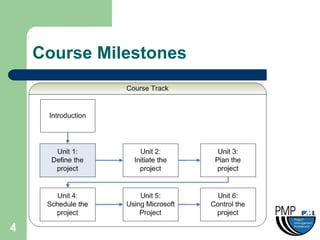
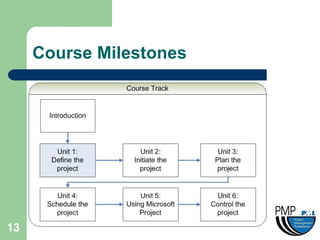
Course Milestones


4
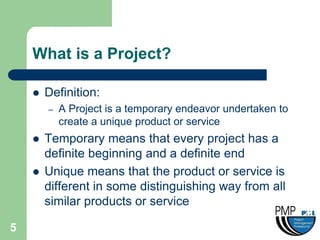
What is a Project?

       Definition:
        –   A Project is a temporary endeavor undertaken to
            create a unique product or service
       Temporary means that every project has a
        definite beginning and a definite end
       Unique means that the product or service is
        different in some distinguishing way from all
        similar products or service

5
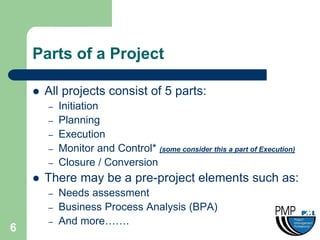
Parts of a Project

       All projects consist of 5 parts:
        –   Initiation
        –   Planning
        –   Execution
        –   Monitor and Control* (some consider this a part of Execution)
        –   Closure / Conversion
       There may be a pre-project elements such as:
        –   Needs assessment
        –   Business Process Analysis (BPA)
        –   And more…….
6
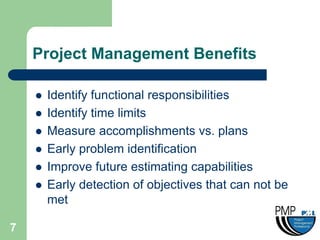
Project Management Benefits

       Identify functional responsibilities
       Identify time limits
       Measure accomplishments vs. plans
       Early problem identification
       Improve future estimating capabilities
       Early detection of objectives that can not be
        met

7
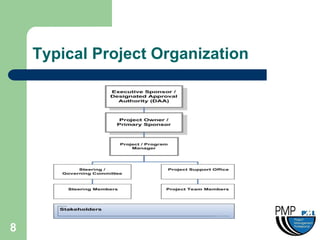
Typical Project Organization


8
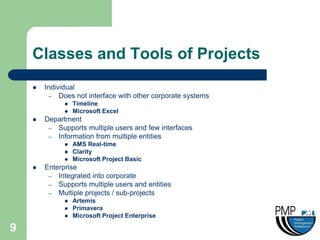
Classes and Tools of Projects
       Individual
          – Does not interface with other corporate systems
                 Timeline
                 Microsoft Excel
       Department
         – Supports multiple users and few interfaces
         – Information from multiple entities
                 AMS Real-time
                 Clarity
                 Microsoft Project Basic
       Enterprise
         – Integrated into corporate
         – Supports multiple users and entities
         – Multiple projects / sub-projects
                 Artemis
                 Primavera
                 Microsoft Project Enterprise

9
Simulation Choice


     Pick a Project

10
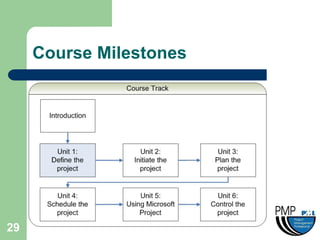
Unit 1: Define the Project


11
Unit 1 Objective

     •   Starting from a rough description of a
         project, create the project definition to be
         reviewed with the sponsors


12
Course Milestones


13
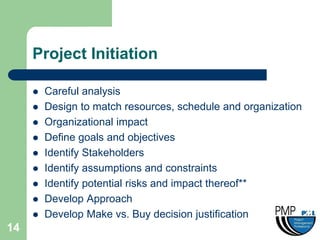
Project Initiation

        Careful analysis
        Design to match resources, schedule and organization
        Organizational impact
        Define goals and objectives
        Identify Stakeholders
        Identify assumptions and constraints
        Identify potential risks and impact thereof**
        Develop Approach
        Develop Make vs. Buy decision justification
14
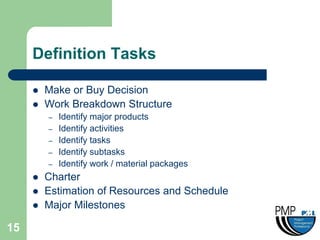
Definition Tasks

        Make or Buy Decision
        Work Breakdown Structure
         –   Identify major products
         –   Identify activities
         –   Identify tasks
         –   Identify subtasks
         –   Identify work / material packages
        Charter
        Estimation of Resources and Schedule
        Major Milestones

15
Exercise 1

        Perform definition tasks


16
Unit 2: Initiate The Project


17
Unit 2 Objective

     •   To apply project management tools and
         techniques to complete the Initiation
         phase


18
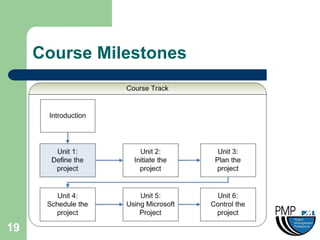
Course Milestones


19
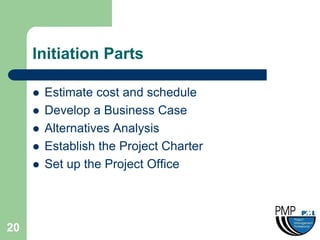
Initiation Parts

        Estimate cost and schedule
        Develop a Business Case
        Alternatives Analysis
        Establish the Project Charter
        Set up the Project Office


20
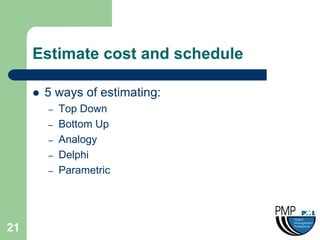
Estimate cost and schedule

        5 ways of estimating:
         –   Top Down
         –   Bottom Up
         –   Analogy
         –   Delphi
         –   Parametric


21
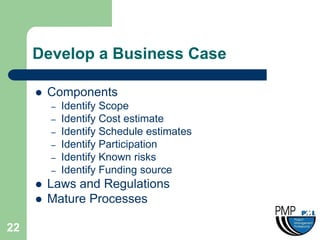
Develop a Business Case

        Components
         –   Identify Scope
         –   Identify Cost estimate
         –   Identify Schedule estimates
         –   Identify Participation
         –   Identify Known risks
         –   Identify Funding source
        Laws and Regulations
        Mature Processes

22
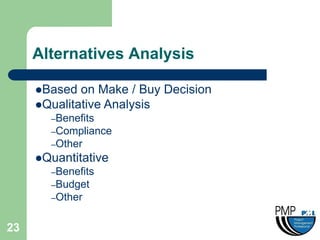
Alternatives Analysis

     Based  on Make / Buy Decision
     Qualitative Analysis
       –Benefits
       –Compliance
       –Other
     Quantitative
       –Benefits
       –Budget
       –Other


23
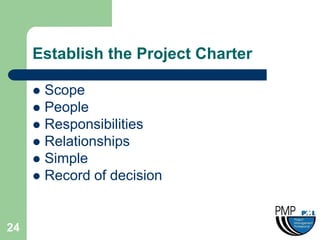
Establish the Project Charter

      Scope
      People
      Responsibilities
      Relationships
      Simple
      Record of decision


24
Set up the Project Office

     Assign Project Manager
     Create Responsibility Matrix
     Assign Resources
     Create Asset Library
     Create Functional Directory


25
Exercise 2

        Perform Initiation tasks


26
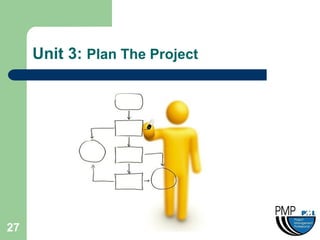
Unit 3: Plan The Project


27
Unit 3 Objective

     •   To apply project management tools and
         techniques to complete the Planning
         phase
         Planning is the most critical part
                    of a project


28
Course Milestones


29
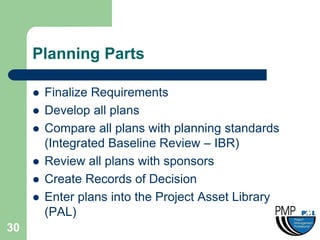
Planning Parts

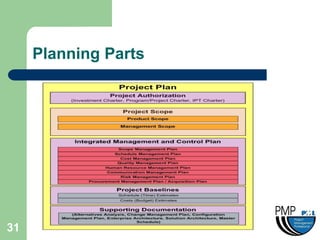
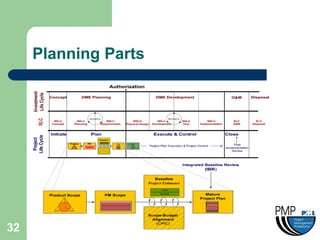
        Finalize Requirements
        Develop all plans
        Compare all plans with planning standards
         (Integrated Baseline Review – IBR)
        Review all plans with sponsors
        Create Records of Decision
        Enter plans into the Project Asset Library
         (PAL)
30
Planning Parts


31
Planning Parts


32
Finalize Requirements

        Perform Business Process Analysis
        Prioritize and finalize all requirements
        Develop a Functional Requirements Document
         (FRD)
        Review with Stakeholders and create Records
         of Decision


33
Other considerations

      Integrated Baseline Review (IBR)
      Project Management Planning
       Services (PMPS)
      Project Portal as Project Asset
       Library (PAL)

34
Exercise 3

        Create a short list of Project plans for your
         project


35
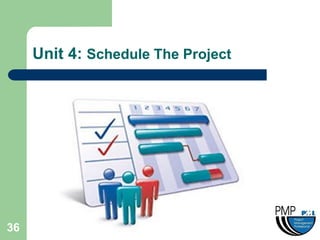
Unit 4: Schedule The Project


36
Unit 4 Objective

     •   To apply project management tools and
         techniques to develop a Work Breakdown
         Structure (WBS) and translate the WBS to
         a Milestone Schedule


37
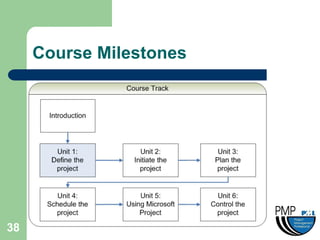
Course Milestones


38
Scheduling Parts

        Work Breakdown Structure
        Milestone Chart
        Relationships / Dependencies
        Buffers / Lags / Leads


39
Work Breakdown Structure

        The most important part of scheduling
        Component include:
         –   Control Accounts
         –   Work Packages
         –   Tasks
         –   Resource
         –   Cost
         –   Time
        The more detail the WBS the better the ability to
         manage the schedule
40
Milestone Chart

      Breaking a big project into multiple
       manageable pieces
      Used primarily to brief the Sponsors
       and Stakeholders
      Used as a review and celebration point
      Might require additional review and
       planning
      Zero Duration

41
Relationships / Dependencies

     Relationships include:
       –Among Milestones
       –Among Control Accounts
       –Among Tasks

     Dependencies include:
       –Among Work Packages
       –Among Tasks
       –Among Resources


42
Buffers / Lags / Leads

        Buffers:
         –   Amount of free time that can be dedicated for project
             contingencies
        Lags:
         –   Amount of time must pass until the next related Work
             Package or Task can start
        Leads:
         –   Amount of time must be allocated to a Control Account,
             Work Package or Task in advance in order for the next
             related item to start


43
Exercise 4

        Create a list of Dependent tasks and
         possible Buffers / Lags / Leads


44
Unit 5: Using Microsoft Project


45
Unit 5 Objective

     •   Learning to use Microsoft Project ™ as a
         scheduling tool


46
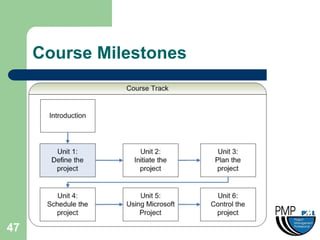
Course Milestones


47
Intro. To MS Project 2003

        Create and Save a Project Schedule
        Calendar Functions
        Create, Copy and Move Tasks
        Create Indent Structure and WBS
        Relationships and Constraints
        Define and Allocate Resources
        Status and Adjust
        Print Reports and Graphs
48
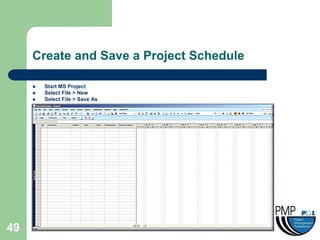
Create and Save a Project Schedule

        Start MS Project
        Select File > New
        Select File > Save As


49
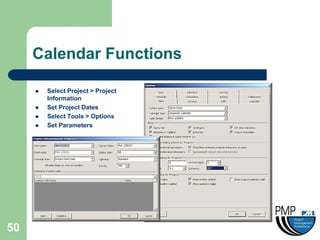
Calendar Functions

        Select Project > Project
         Information
        Set Project Dates
        Select Tools > Options
        Set Parameters


50
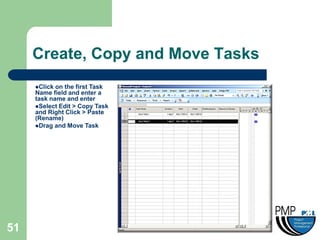
Create, Copy and Move Tasks
     Click on the first Task
     Name field and enter a
     task name and enter
     Select Edit > Copy Task
     and Right Click > Paste
     (Rename)
     Drag and Move Task


51
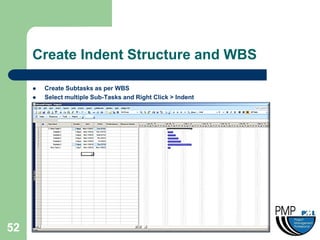
Create Indent Structure and WBS

        Create Subtasks as per WBS
        Select multiple Sub-Tasks and Right Click > Indent


52
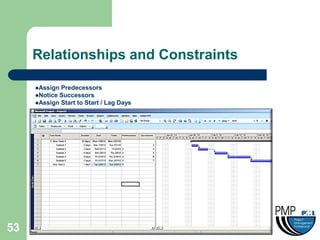
Relationships and Constraints

     Assign Predecessors
     Notice Successors
     Assign Start to Start / Lag Days


53
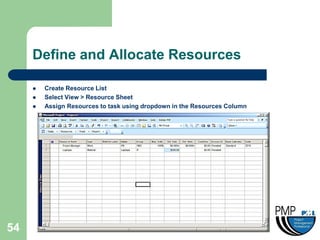
Define and Allocate Resources

        Create Resource List
        Select View > Resource Sheet
        Assign Resources to task using dropdown in the Resources Column


54
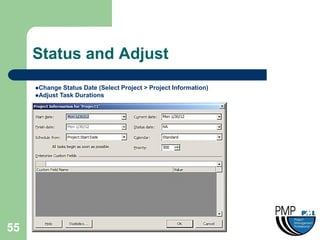
Status and Adjust
     Change  Status Date (Select Project > Project Information)
     Adjust Task Durations


55
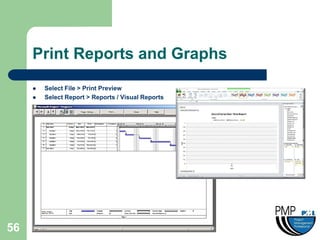
Print Reports and Graphs
        Select File > Print Preview
        Select Report > Reports / Visual Reports


56
Exercise 5

        Create a project schedule using Microsoft
         Project 2007 and adjust tasks


57
Unit 6: Control The Project


58
Unit 6 Objective

     •   To apply project management tools and
         techniques to control the project tasks


59
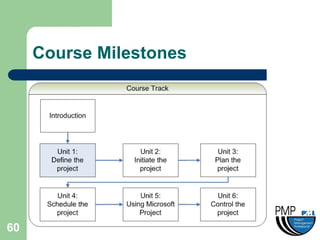
Course Milestones


60
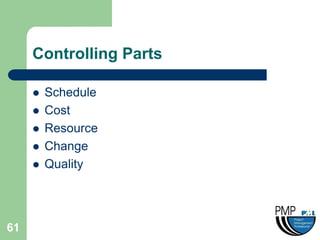
Controlling Parts

        Schedule
        Cost
        Resource
        Change
        Quality


61
Schedule

        The schedule is monitored as frequently as
         needed
        The schedule is monitored for task completion
         dates, deliverable dates, meetings, reports, etc
        The schedule is monitored for monthly status
         reports
        The primary responsibility of the PM

62
Cost

        The cost is monitored as frequently as
         needed.
        The cost is monitored for task completion,
         invoices, spending of the PMO, etc
        The cost is monitored for monthly status
         reports
        The primary responsibility of the COTR and
         Budget Analyst
63
Resource

        The resources are monitored as frequently
         as needed.
        The resources are monitored for task
         assignments, staffing requirements,
         technology needs, etc
        The resources are monitored for monthly
         status reports and reporting to sponsors
        The primary responsibility of the Business
         Operations manager and PM
64
Change

        Change management occurs with any needed
         change and directly relates to Scope
        Change is managed through a change management
         process established by the PMO and outlined in a
         Change/Configuration Management Plan
        The changes are monitored for monthly status
         reports and reporting to sponsors
        The primary responsibility of the Change Control
         Board (CCB)

65
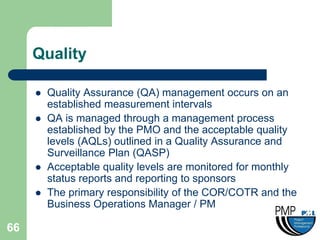
Quality

        Quality Assurance (QA) management occurs on an
         established measurement intervals
        QA is managed through a management process
         established by the PMO and the acceptable quality
         levels (AQLs) outlined in a Quality Assurance and
         Surveillance Plan (QASP)
        Acceptable quality levels are monitored for monthly
         status reports and reporting to sponsors
        The primary responsibility of the COR/COTR and the
         Business Operations Manager / PM

66
Knowledge Review

        Final Project Schedule
        Quick test


67
Contact

        Dr. Faisal Ahmed
        faisal_b_ahmed@hotmail.com
        (202) 369-6781


68

PM Training Slides

  • 1.
    Project Management Simulation Faisal Ahmed
  • 2.
  • 3.
    Course Objectives • To provide a high level process knowledge and application techniques for a successful project using Project Management Institute (PMI) principles and Microsoft Project ™ 3
  • 4.
  • 5.
    What is aProject?  Definition: – A Project is a temporary endeavor undertaken to create a unique product or service  Temporary means that every project has a definite beginning and a definite end  Unique means that the product or service is different in some distinguishing way from all similar products or service 5
  • 6.
    Parts of aProject  All projects consist of 5 parts: – Initiation – Planning – Execution – Monitor and Control* (some consider this a part of Execution) – Closure / Conversion  There may be a pre-project elements such as: – Needs assessment – Business Process Analysis (BPA) – And more……. 6
  • 7.
    Project Management Benefits  Identify functional responsibilities  Identify time limits  Measure accomplishments vs. plans  Early problem identification  Improve future estimating capabilities  Early detection of objectives that can not be met 7
  • 8.
  • 9.
    Classes and Toolsof Projects  Individual – Does not interface with other corporate systems  Timeline  Microsoft Excel  Department – Supports multiple users and few interfaces – Information from multiple entities  AMS Real-time  Clarity  Microsoft Project Basic  Enterprise – Integrated into corporate – Supports multiple users and entities – Multiple projects / sub-projects  Artemis  Primavera  Microsoft Project Enterprise 9
  • 10.
    Simulation Choice Pick a Project 10
  • 11.
    Unit 1: Definethe Project 11
  • 12.
    Unit 1 Objective • Starting from a rough description of a project, create the project definition to be reviewed with the sponsors 12
  • 13.
  • 14.
    Project Initiation  Careful analysis  Design to match resources, schedule and organization  Organizational impact  Define goals and objectives  Identify Stakeholders  Identify assumptions and constraints  Identify potential risks and impact thereof**  Develop Approach  Develop Make vs. Buy decision justification 14
  • 15.
    Definition Tasks  Make or Buy Decision  Work Breakdown Structure – Identify major products – Identify activities – Identify tasks – Identify subtasks – Identify work / material packages  Charter  Estimation of Resources and Schedule  Major Milestones 15
  • 16.
    Exercise 1  Perform definition tasks 16
  • 17.
    Unit 2: InitiateThe Project 17
  • 18.
    Unit 2 Objective • To apply project management tools and techniques to complete the Initiation phase 18
  • 19.
  • 20.
    Initiation Parts  Estimate cost and schedule  Develop a Business Case  Alternatives Analysis  Establish the Project Charter  Set up the Project Office 20
  • 21.
    Estimate cost andschedule  5 ways of estimating: – Top Down – Bottom Up – Analogy – Delphi – Parametric 21
  • 22.
    Develop a BusinessCase  Components – Identify Scope – Identify Cost estimate – Identify Schedule estimates – Identify Participation – Identify Known risks – Identify Funding source  Laws and Regulations  Mature Processes 22
  • 23.
    Alternatives Analysis Based on Make / Buy Decision Qualitative Analysis –Benefits –Compliance –Other Quantitative –Benefits –Budget –Other 23
  • 24.
    Establish the ProjectCharter  Scope  People  Responsibilities  Relationships  Simple  Record of decision 24
  • 25.
    Set up theProject Office Assign Project Manager Create Responsibility Matrix Assign Resources Create Asset Library Create Functional Directory 25
  • 26.
    Exercise 2  Perform Initiation tasks 26
  • 27.
    Unit 3: PlanThe Project 27
  • 28.
    Unit 3 Objective • To apply project management tools and techniques to complete the Planning phase Planning is the most critical part of a project 28
  • 29.
  • 30.
    Planning Parts  Finalize Requirements  Develop all plans  Compare all plans with planning standards (Integrated Baseline Review – IBR)  Review all plans with sponsors  Create Records of Decision  Enter plans into the Project Asset Library (PAL) 30
  • 31.
  • 32.
  • 33.
    Finalize Requirements  Perform Business Process Analysis  Prioritize and finalize all requirements  Develop a Functional Requirements Document (FRD)  Review with Stakeholders and create Records of Decision 33
  • 34.
    Other considerations  Integrated Baseline Review (IBR)  Project Management Planning Services (PMPS)  Project Portal as Project Asset Library (PAL) 34
  • 35.
    Exercise 3  Create a short list of Project plans for your project 35
  • 36.
    Unit 4: ScheduleThe Project 36
  • 37.
    Unit 4 Objective • To apply project management tools and techniques to develop a Work Breakdown Structure (WBS) and translate the WBS to a Milestone Schedule 37
  • 38.
  • 39.
    Scheduling Parts  Work Breakdown Structure  Milestone Chart  Relationships / Dependencies  Buffers / Lags / Leads 39
  • 40.
    Work Breakdown Structure  The most important part of scheduling  Component include: – Control Accounts – Work Packages – Tasks – Resource – Cost – Time  The more detail the WBS the better the ability to manage the schedule 40
  • 41.
    Milestone Chart  Breaking a big project into multiple manageable pieces  Used primarily to brief the Sponsors and Stakeholders  Used as a review and celebration point  Might require additional review and planning  Zero Duration 41
  • 42.
    Relationships / Dependencies Relationships include: –Among Milestones –Among Control Accounts –Among Tasks Dependencies include: –Among Work Packages –Among Tasks –Among Resources 42
  • 43.
    Buffers / Lags/ Leads  Buffers: – Amount of free time that can be dedicated for project contingencies  Lags: – Amount of time must pass until the next related Work Package or Task can start  Leads: – Amount of time must be allocated to a Control Account, Work Package or Task in advance in order for the next related item to start 43
  • 44.
    Exercise 4  Create a list of Dependent tasks and possible Buffers / Lags / Leads 44
  • 45.
    Unit 5: UsingMicrosoft Project 45
  • 46.
    Unit 5 Objective • Learning to use Microsoft Project ™ as a scheduling tool 46
  • 47.
  • 48.
    Intro. To MSProject 2003  Create and Save a Project Schedule  Calendar Functions  Create, Copy and Move Tasks  Create Indent Structure and WBS  Relationships and Constraints  Define and Allocate Resources  Status and Adjust  Print Reports and Graphs 48
  • 49.
    Create and Savea Project Schedule  Start MS Project  Select File > New  Select File > Save As 49
  • 50.
    Calendar Functions  Select Project > Project Information  Set Project Dates  Select Tools > Options  Set Parameters 50
  • 51.
    Create, Copy andMove Tasks Click on the first Task Name field and enter a task name and enter Select Edit > Copy Task and Right Click > Paste (Rename) Drag and Move Task 51
  • 52.
    Create Indent Structureand WBS  Create Subtasks as per WBS  Select multiple Sub-Tasks and Right Click > Indent 52
  • 53.
    Relationships and Constraints Assign Predecessors Notice Successors Assign Start to Start / Lag Days 53
  • 54.
    Define and AllocateResources  Create Resource List  Select View > Resource Sheet  Assign Resources to task using dropdown in the Resources Column 54
  • 55.
    Status and Adjust Change Status Date (Select Project > Project Information) Adjust Task Durations 55
  • 56.
    Print Reports andGraphs  Select File > Print Preview  Select Report > Reports / Visual Reports 56
  • 57.
    Exercise 5  Create a project schedule using Microsoft Project 2007 and adjust tasks 57
  • 58.
    Unit 6: ControlThe Project 58
  • 59.
    Unit 6 Objective • To apply project management tools and techniques to control the project tasks 59
  • 60.
  • 61.
    Controlling Parts  Schedule  Cost  Resource  Change  Quality 61
  • 62.
    Schedule  The schedule is monitored as frequently as needed  The schedule is monitored for task completion dates, deliverable dates, meetings, reports, etc  The schedule is monitored for monthly status reports  The primary responsibility of the PM 62
  • 63.
    Cost  The cost is monitored as frequently as needed.  The cost is monitored for task completion, invoices, spending of the PMO, etc  The cost is monitored for monthly status reports  The primary responsibility of the COTR and Budget Analyst 63
  • 64.
    Resource  The resources are monitored as frequently as needed.  The resources are monitored for task assignments, staffing requirements, technology needs, etc  The resources are monitored for monthly status reports and reporting to sponsors  The primary responsibility of the Business Operations manager and PM 64
  • 65.
    Change  Change management occurs with any needed change and directly relates to Scope  Change is managed through a change management process established by the PMO and outlined in a Change/Configuration Management Plan  The changes are monitored for monthly status reports and reporting to sponsors  The primary responsibility of the Change Control Board (CCB) 65
  • 66.
    Quality  Quality Assurance (QA) management occurs on an established measurement intervals  QA is managed through a management process established by the PMO and the acceptable quality levels (AQLs) outlined in a Quality Assurance and Surveillance Plan (QASP)  Acceptable quality levels are monitored for monthly status reports and reporting to sponsors  The primary responsibility of the COR/COTR and the Business Operations Manager / PM 66
  • 67.
    Knowledge Review  Final Project Schedule  Quick test 67
  • 68.
    Contact  Dr. Faisal Ahmed  faisal_b_ahmed@hotmail.com  (202) 369-6781 68