YahiaKandeel
GCIH,GSEC, RHCE,CEH, CCNA, MCP
IPBackbone Security Engineer
Etisalat
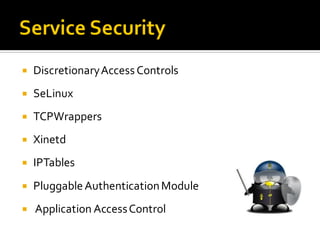
 DiscretionaryAccessControls
 SeLinux
 TCPWrappers
 Xinetd
 IPTables
 PluggableAuthenticationModule
 Application AccessControl
 Historically..
 Each program had its own way of authenticating
users ..
 PAM
 Pluggable, modular architecture
 Affords the system administrator a great deal of
flexibilityin setting authentication policies for the
system.
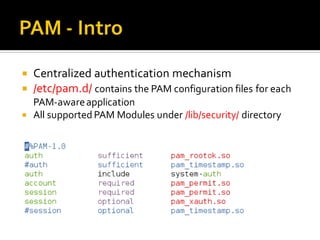
 Centralized authentication mechanism
 /etc/pam.d/ contains the PAM configuration files for each
PAM-awareapplication
 All supported PAM Modules under /lib/security/ directory
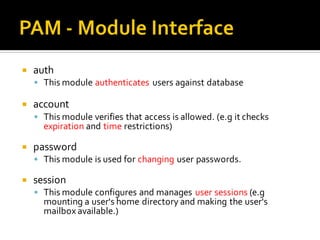
 auth
 This module authenticates users against database
 account
 This module verifies that access is allowed. (e.g it checks
expiration and time restrictions)
 password
 This module is used for changing user passwords.
 session
 This module configures and manages user sessions (e.g
mounting a user's home directory and making the user's
mailbox available.)
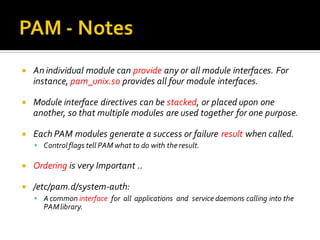
 An individual module can provide any or all module interfaces. For
instance, pam_unix.so provides all four module interfaces.
 Module interface directives can be stacked, or placed upon one
another, so that multiple modules are used together for one purpose.
 Each PAM modules generate a success or failure result when called.
 Controlflags tell PAM what to do with the result.
 Ordering is very Important ..
 /etc/pam.d/system-auth:
 Acommon interface for all applications and service daemons calling into the
PAMlibrary.
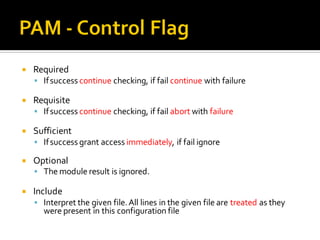
 Required
 Ifsuccess continue checking, if fail continue with failure
 Requisite
 Ifsuccess continue checking, if fail abort with failure
 Sufficient
 Ifsuccess grant access immediately, if fail ignore
 Optional
 The module result is ignored.
 Include
 Interpret the given file.All lines in the given file are treated as they
were present in this configuration file
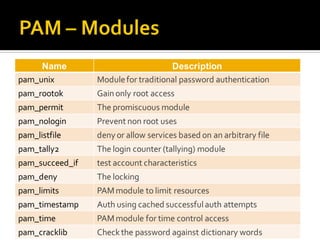
Name Description
pam_unix Modulefor traditional password authentication
pam_rootok Gainonly root access
pam_permit The promiscuous module
pam_nologin Prevent non root uses
pam_listfile denyor allow services based on an arbitrary file
pam_tally2 The login counter (tallying) module
pam_succeed_if test account characteristics
pam_deny The locking
pam_limits PAMmodule to limit resources
pam_timestamp Auth using cached successfulauth attempts
pam_time PAMmodule for time control access
pam_cracklib Checkthe password against dictionary words
 Test account characteristics ..
 Synopsis: pam_succeed_if.so [flag...] [condition...]
 Flags:
 Conditions:
auth required pam_succeed_if.so use_uiduser ingroup wheel
use_uid
Evaluate conditions using the account of the user whose UID the
application is running under instead of the user being authenticated.
quiet Don´t log failure or success to the system log.
Field Test Value
user ingroup Wheel
uid >= 500
 Authenticate using cached successful authentication
attempts.
 Synopsis: pam_timestamp.so[timestamp_timeout=number]
 The auth and session module types are provided.
auth sufficient pam_timestamp.so
auth required pam_unix.so
session required pam_unix.so
session optional pam_timestamp.so
/etc/pam.d/wireshark
 Wireshark
 Timestamp
 Only for specific users
 Deny or allow using services based on an arbitraryfile
 Synopsis:
pam_listfile.soitem=[user|rhost|group|shell]sense=[allow|deny]
file=/path/filename onerr=[succeed|fail]
auth required pam_listfile.soitem=user onerr=fail
file=/etc/ssh.allowsense=allow
item What is listed in the file and should be checked for.
sense Action to take if found in file
onerr What to do if something weird happens like being unable to open the file
/etc/pam.d/sshd
 Enable or disable TTY auditing for specified users.
 Synopsis: pam_tty_audit.so[disable=patterns][enable=patterns]
 To view the data that was logged by the kernel to audit use
the command #aureport --tty.
session required pam_tty_audit.sodisable=*enable=root
/etc/pam.d/sshd
 The login counter.
 Synopsis:
pam_tally2.so[onerr=[fail|succeed]][even_deny_root] [deny=n]
[unlock_time=n][root_unlock_time=n] [audit]
 To view the status for locked users run this command
#pam_tally -u username
auth required pam_tally2.so deny=4
even_deny_root unlock_time=1200
/etc/pam.d/sshd
 PAM module to limit resources
 Synopsis: pam_limits.so[change_uid][conf=/path/to/limits.conf]
 By default limits are taken from the /etc/security/limits.conf
session required pam_limits.so
/etc/pam.d/sshd
<domain> <type> <item> <value>
student - maxlogins 1
/etc/security/limits.conf
CPU
Maxlogin
Priority
Memlock
Hard
Soft
-
Username
@Group
uid:uid
*
 PAM module for time control access
 Synopsis: pam_time.so [noaudit]
 The time access rules are taken from /etc/security/time.conf
account required pam_time.so
/etc/pam.d/sshd
services; ttys; users; times
sshd; * ; !root ; Wk0800-1700
/etc/security/time.conf
Users
Groups
tty
ttyp*
*
sshd
login
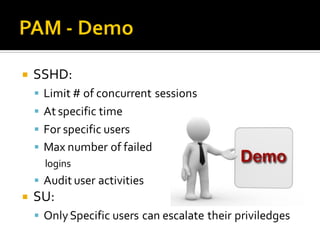
 SSHD:
 Limit # of concurrent sessions
 At specific time
 For specific users
 Max number of failed
logins
 Audit user activities
 SU:
 OnlySpecific users can escalate their priviledges
 References:
 http://www.centos.org/docs/5/html/Deployment_Guide-en-US/ch-
pam.html
 http://www.informit.com/articles/article.aspx?p=20968
 Linuxman pages
 Contacts:
 Eng.Qandeel@gmail.com

Pluggable authentication modules

  • 1.
    YahiaKandeel GCIH,GSEC, RHCE,CEH, CCNA,MCP IPBackbone Security Engineer Etisalat
  • 3.
     DiscretionaryAccessControls  SeLinux TCPWrappers  Xinetd  IPTables  PluggableAuthenticationModule  Application AccessControl
  • 5.
     Historically..  Eachprogram had its own way of authenticating users ..  PAM  Pluggable, modular architecture  Affords the system administrator a great deal of flexibilityin setting authentication policies for the system.
  • 6.
     Centralized authenticationmechanism  /etc/pam.d/ contains the PAM configuration files for each PAM-awareapplication  All supported PAM Modules under /lib/security/ directory
  • 7.
     auth  Thismodule authenticates users against database  account  This module verifies that access is allowed. (e.g it checks expiration and time restrictions)  password  This module is used for changing user passwords.  session  This module configures and manages user sessions (e.g mounting a user's home directory and making the user's mailbox available.)
  • 8.
     An individualmodule can provide any or all module interfaces. For instance, pam_unix.so provides all four module interfaces.  Module interface directives can be stacked, or placed upon one another, so that multiple modules are used together for one purpose.  Each PAM modules generate a success or failure result when called.  Controlflags tell PAM what to do with the result.  Ordering is very Important ..  /etc/pam.d/system-auth:  Acommon interface for all applications and service daemons calling into the PAMlibrary.
  • 9.
     Required  Ifsuccesscontinue checking, if fail continue with failure  Requisite  Ifsuccess continue checking, if fail abort with failure  Sufficient  Ifsuccess grant access immediately, if fail ignore  Optional  The module result is ignored.  Include  Interpret the given file.All lines in the given file are treated as they were present in this configuration file
  • 10.
    Name Description pam_unix Modulefortraditional password authentication pam_rootok Gainonly root access pam_permit The promiscuous module pam_nologin Prevent non root uses pam_listfile denyor allow services based on an arbitrary file pam_tally2 The login counter (tallying) module pam_succeed_if test account characteristics pam_deny The locking pam_limits PAMmodule to limit resources pam_timestamp Auth using cached successfulauth attempts pam_time PAMmodule for time control access pam_cracklib Checkthe password against dictionary words
  • 11.
     Test accountcharacteristics ..  Synopsis: pam_succeed_if.so [flag...] [condition...]  Flags:  Conditions: auth required pam_succeed_if.so use_uiduser ingroup wheel use_uid Evaluate conditions using the account of the user whose UID the application is running under instead of the user being authenticated. quiet Don´t log failure or success to the system log. Field Test Value user ingroup Wheel uid >= 500
  • 12.
     Authenticate usingcached successful authentication attempts.  Synopsis: pam_timestamp.so[timestamp_timeout=number]  The auth and session module types are provided. auth sufficient pam_timestamp.so auth required pam_unix.so session required pam_unix.so session optional pam_timestamp.so /etc/pam.d/wireshark
  • 13.
     Wireshark  Timestamp Only for specific users
  • 14.
     Deny orallow using services based on an arbitraryfile  Synopsis: pam_listfile.soitem=[user|rhost|group|shell]sense=[allow|deny] file=/path/filename onerr=[succeed|fail] auth required pam_listfile.soitem=user onerr=fail file=/etc/ssh.allowsense=allow item What is listed in the file and should be checked for. sense Action to take if found in file onerr What to do if something weird happens like being unable to open the file /etc/pam.d/sshd
  • 15.
     Enable ordisable TTY auditing for specified users.  Synopsis: pam_tty_audit.so[disable=patterns][enable=patterns]  To view the data that was logged by the kernel to audit use the command #aureport --tty. session required pam_tty_audit.sodisable=*enable=root /etc/pam.d/sshd
  • 16.
     The logincounter.  Synopsis: pam_tally2.so[onerr=[fail|succeed]][even_deny_root] [deny=n] [unlock_time=n][root_unlock_time=n] [audit]  To view the status for locked users run this command #pam_tally -u username auth required pam_tally2.so deny=4 even_deny_root unlock_time=1200 /etc/pam.d/sshd
  • 17.
     PAM moduleto limit resources  Synopsis: pam_limits.so[change_uid][conf=/path/to/limits.conf]  By default limits are taken from the /etc/security/limits.conf session required pam_limits.so /etc/pam.d/sshd <domain> <type> <item> <value> student - maxlogins 1 /etc/security/limits.conf CPU Maxlogin Priority Memlock Hard Soft - Username @Group uid:uid *
  • 18.
     PAM modulefor time control access  Synopsis: pam_time.so [noaudit]  The time access rules are taken from /etc/security/time.conf account required pam_time.so /etc/pam.d/sshd services; ttys; users; times sshd; * ; !root ; Wk0800-1700 /etc/security/time.conf Users Groups tty ttyp* * sshd login
  • 19.
     SSHD:  Limit# of concurrent sessions  At specific time  For specific users  Max number of failed logins  Audit user activities  SU:  OnlySpecific users can escalate their priviledges
  • 20.
     References:  http://www.centos.org/docs/5/html/Deployment_Guide-en-US/ch- pam.html http://www.informit.com/articles/article.aspx?p=20968  Linuxman pages  Contacts:  Eng.Qandeel@gmail.com