Operating System & Server Security
Presented by
Mohammad Ashfaqur Rahman
Compliance Professional
www.linkedin.com/in/ashfaqsaphal
ashfaq.saphal@gmail.com
Objective
●
Concept of OS security
●
Possible attack on Operating System
●
Hardening Example
●
HW security
OS Security
●
Key functions of an operating
system:
– Computer resource
management
– Provides a user interface
– Runs software utilities and
programs
– Enforce security measures
– Schedules jobs
OS Security
OS Security
●
In-build features
– Authorization and Authentication
– Resource Management
– Response to remote process
Attack !
●
Possible attack and known vulnerability
– Authentication over the network
• Password crack
• Anonymous / Guest login
– Restart / Shutdown machine
– Rootkit placement
– Access to resource
• Activate / deactivate HW component
• Identity theft
Example : User Management
●
80%++ incident are due to insufficient control on user
●
Best practice for user management
– Password policy
• Complexity
• Trivial password management
• Aging
– Account / login locking
• Too many authentication failure
• Rename administrator account (windows)
• Disable guest / nobody etc account
– User group policy
– Minimal file permission
Example : Window
Control Panel → Administrative Tools →
Local Security Setting → Local Policies
→ Security Options
●
Allow CD-ROM / Floppy Access to → localy
autheticated user only
●
Allow to format and Eject Removable
Media to → Administrator only
●
Require strong (windows 2000 or later)
session key
●
Restrict anonymous access to Named Pipes
and shares
●
Disable automatic execution of the
system debugger
●
Disable autoplay for new users by
default
●
Disable Dial-in access to other Server
Example : Window
Control Panel → Administrative Tools →
Services
●
FTP publishing service → Disable
●
Telnet Service → Disable
●
TFTP Service → Disable
●
SMTP → Disable
●
SNMP → Disable
●
SNMP → Disable
// In short disable the services which are
not required
Example : Linux
●
Disable USB
●
rm /lib/modules/2.6.18-
308.24.1.el5/kernel/drivers/usb/sto
rage/usb-storage.ko
●
Password / User data file permission
●
chown root:root passwd shadow group
gshadow
●
chmod 644 passwd group
●
chown root:root passwd shadow group
gshadow
Example : Linux
●
Set Permission to file system file
●
chown root:root /etc/fstab
●
chmod 0644 /etc/fstab
●
Set Umask
●
/etc/sysconfig/init
●
/etc/profile
●
/etc/csh.login
●
/etc/csh.cshrc
●
/etc/bashrc
Example : Linux
●
Set permission of Log files
●
for file in `cat /etc/syslog.conf
| grep -v # | grep var | awk
{'print $2'}`; do chmod 600
$file*;chown root:root $file*; done
●
Restrict remote login of root user
●
/etc/ssh/sshd_config
Example : Linux
●
Disable services that are not required
●
for FILE in chargen chargenudp
cups-lpd cups daytime daytime-udp
echo echo-udp eklogin finger gssftp
imap imaps ipop2 ipop3 krb5-telnet
telnet klogin kshell ktalk ntalk
pop3s rexec rlogin rsh rsync
servers services sgi_fam shell talk
telnet tftp time time-udp vsftpd
wuftpd
●
do
●
chkconfig ${FILE} off
●
done
Example : Linux
●
Enforce password policy
●
/etc/login.def
●
PASS_MAX_DAYS 45
●
PASS_MIN_LEN 8
●
PASS_MIN_DAYS 1
●
Enable password for boot loader (using
/sbin/grub-md5-crypt)
●
/etc/grub.conf
●
password --md5
●
Implement SUDO
●
/etc/sudoers
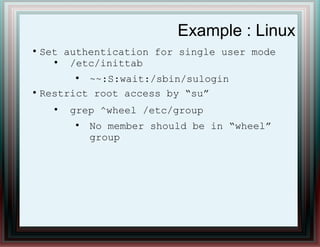
Example : Linux
●
Set authentication for single user mode
●
/etc/inittab
●
~~:S:wait:/sbin/sulogin
●
Restrict root access by “su”
●
grep ^wheel /etc/group
●
No member should be in “wheel”
group
Hardware Security
●
OS and Physical Security both are required
– OS should prevent malicious code execution
– Physical environment should ensure
• Managing temperature
• Physical Access Control
• Humidity Control
Hardware Security
●
Secure Deployment of hypervisor
– Patching
– Updated Software
●
Updated Firmware
●
Remove default username password
●
Create personal user for administration
●
Enable secure SNMP
●
Disable SNMP Trap
Let's Discuss

006.itsecurity bcp v1

  • 1.
    Operating System &Server Security Presented by Mohammad Ashfaqur Rahman Compliance Professional www.linkedin.com/in/ashfaqsaphal ashfaq.saphal@gmail.com
  • 2.
    Objective ● Concept of OSsecurity ● Possible attack on Operating System ● Hardening Example ● HW security
  • 3.
    OS Security ● Key functionsof an operating system: – Computer resource management – Provides a user interface – Runs software utilities and programs – Enforce security measures – Schedules jobs
  • 4.
  • 5.
    OS Security ● In-build features –Authorization and Authentication – Resource Management – Response to remote process
  • 6.
    Attack ! ● Possible attackand known vulnerability – Authentication over the network • Password crack • Anonymous / Guest login – Restart / Shutdown machine – Rootkit placement – Access to resource • Activate / deactivate HW component • Identity theft
  • 7.
    Example : UserManagement ● 80%++ incident are due to insufficient control on user ● Best practice for user management – Password policy • Complexity • Trivial password management • Aging – Account / login locking • Too many authentication failure • Rename administrator account (windows) • Disable guest / nobody etc account – User group policy – Minimal file permission
  • 8.
    Example : Window ControlPanel → Administrative Tools → Local Security Setting → Local Policies → Security Options ● Allow CD-ROM / Floppy Access to → localy autheticated user only ● Allow to format and Eject Removable Media to → Administrator only ● Require strong (windows 2000 or later) session key ● Restrict anonymous access to Named Pipes and shares ● Disable automatic execution of the system debugger ● Disable autoplay for new users by default ● Disable Dial-in access to other Server
  • 9.
    Example : Window ControlPanel → Administrative Tools → Services ● FTP publishing service → Disable ● Telnet Service → Disable ● TFTP Service → Disable ● SMTP → Disable ● SNMP → Disable ● SNMP → Disable // In short disable the services which are not required
  • 10.
    Example : Linux ● DisableUSB ● rm /lib/modules/2.6.18- 308.24.1.el5/kernel/drivers/usb/sto rage/usb-storage.ko ● Password / User data file permission ● chown root:root passwd shadow group gshadow ● chmod 644 passwd group ● chown root:root passwd shadow group gshadow
  • 11.
    Example : Linux ● SetPermission to file system file ● chown root:root /etc/fstab ● chmod 0644 /etc/fstab ● Set Umask ● /etc/sysconfig/init ● /etc/profile ● /etc/csh.login ● /etc/csh.cshrc ● /etc/bashrc
  • 12.
    Example : Linux ● Setpermission of Log files ● for file in `cat /etc/syslog.conf | grep -v # | grep var | awk {'print $2'}`; do chmod 600 $file*;chown root:root $file*; done ● Restrict remote login of root user ● /etc/ssh/sshd_config
  • 13.
    Example : Linux ● Disableservices that are not required ● for FILE in chargen chargenudp cups-lpd cups daytime daytime-udp echo echo-udp eklogin finger gssftp imap imaps ipop2 ipop3 krb5-telnet telnet klogin kshell ktalk ntalk pop3s rexec rlogin rsh rsync servers services sgi_fam shell talk telnet tftp time time-udp vsftpd wuftpd ● do ● chkconfig ${FILE} off ● done
  • 14.
    Example : Linux ● Enforcepassword policy ● /etc/login.def ● PASS_MAX_DAYS 45 ● PASS_MIN_LEN 8 ● PASS_MIN_DAYS 1 ● Enable password for boot loader (using /sbin/grub-md5-crypt) ● /etc/grub.conf ● password --md5 ● Implement SUDO ● /etc/sudoers
  • 15.
    Example : Linux ● Setauthentication for single user mode ● /etc/inittab ● ~~:S:wait:/sbin/sulogin ● Restrict root access by “su” ● grep ^wheel /etc/group ● No member should be in “wheel” group
  • 16.
    Hardware Security ● OS andPhysical Security both are required – OS should prevent malicious code execution – Physical environment should ensure • Managing temperature • Physical Access Control • Humidity Control
  • 17.
    Hardware Security ● Secure Deploymentof hypervisor – Patching – Updated Software ● Updated Firmware ● Remove default username password ● Create personal user for administration ● Enable secure SNMP ● Disable SNMP Trap
  • 18.