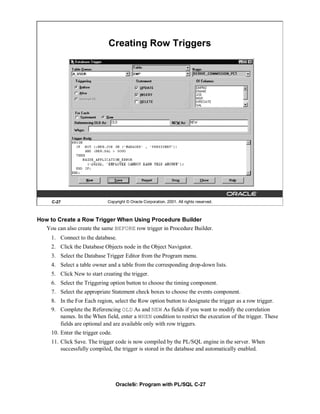
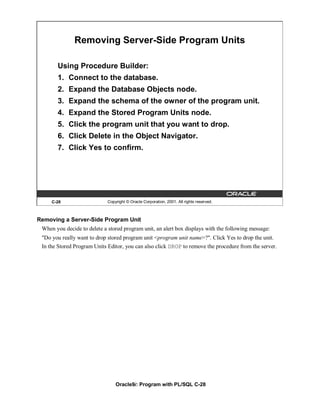
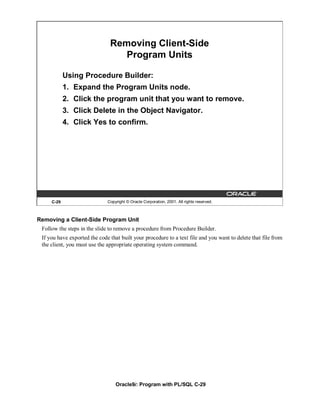
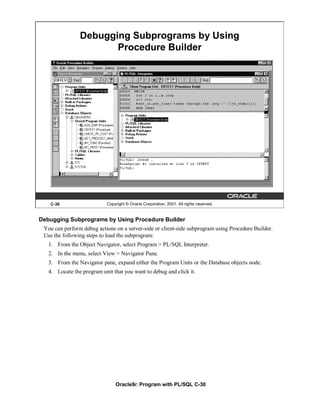
Oracle9i: Program with PL/SQL

                 Instructor Guide • Volume 2


40054GC11
Production 1.1
October 2001
D34008
Authors                  Copyright © Oracle Corporation, 1999, 2000, 2001. All rights reserved.

Nagavalli Pataballa      This documentation contains proprietary information of Oracle Corporation. It is
                         provided under a license agreement containing restrictions on use and disclosure and
Priya Nathan             is also protected by copyright law. Reverse engineering of the software is prohibited.
                         If this documentation is delivered to a U.S. Government Agency of the Department of
                         Defense, then it is delivered with Restricted Rights and the following legend is
                         applicable:
Technical Contributors
                         Restricted Rights Legend
and Reviewers
                         Use, duplication or disclosure by the Government is subject to restrictions for
Anna Atkinson            commercial computer software and shall be deemed to be Restricted Rights software
Bryan Roberts            under Federal law, as set forth in subparagraph (c)(1)(ii) of DFARS 252.227-7013,
Caroline Pereda          Rights in Technical Data and Computer Software (October 1988).
Cesljas Zarco            This material or any portion of it may not be copied in any form or by any means
Coley William            without the express prior written permission of Oracle Corporation. Any other copying
Daniel Gabel             is a violation of copyright law and may result in civil and/or criminal penalties.
Dr. Christoph Burandt
                         If this documentation is delivered to a U.S. Government Agency not within the
Hakan Lindfors           Department of Defense, then it is delivered with “Restricted Rights,” as defined in
Helen Robertson          FAR 52.227-14, Rights in Data-General, including Alternate III (June 1987).
John Hoff
Lachlan Williams         The information in this document is subject to change without notice. If you find any
                         problems in the documentation, please report them in writing to Education Products,
Laszlo Czinkoczki        Oracle Corporation, 500 Oracle Parkway, Box SB-6, Redwood Shores, CA 94065.
Laura Pezzini            Oracle Corporation does not warrant that this document is error-free.
Linda Boldt
Marco Verbeek            All references to Oracle and Oracle products are trademarks or registered trademarks
                         of Oracle Corporation.
Natarajan Senthil
Priya Vennapusa          All other products or company names are used for identification purposes only, and
Roger Abuzalaf           may be trademarks of their respective owners.
Ruediger Steffan
Sarah Jones
Stefan Lindblad
Susan Dee


Publisher
Sheryl Domingue
Contents
Curriculum Map

I   Introduction
    Course Objectives I-2
    About PL/SQL I-3
    PL/SQL Environment I-4
    Benefits of PL/SQL I-5
    Benefits of Subprograms I-10
    Invoking Stored Procedures and Functions I-11
    Summary I-12

1   Declaring Variables
    Objectives 1-2
    PL/SQL Block Structure 1-3
    Executing Statements and PL/SQL Blocks 1-4
    Block Types 1-5
    Program Constructs 1-6
    Use of Variables 1-7
    Handling Variables in PL/SQL 1-8
    Types of Variables 1-9
    Using iSQL*Plus Variables Within PL/SQL Blocks 1-10
    Types of Variables 1-11
    Declaring PL/SQL Variables 1-12
    Guidelines for Declaring PL/SQL Variables 1-13
    Naming Rules 1-14
    Variable Initialization and Keywords 1-15
    Scalar Data Types 1-17
    Base Scalar Data Types 1-18
    Scalar Variable Declarations 1-22
    The %TYPE Attribute 1-23
    Declaring Variables with the %TYPE Attribute 1-24
    Declaring Boolean Variables 1-25
    Composite Data Types 1-26
    LOB Data Type Variables 1-27
    Bind Variables 1-28
    Using Bind Variables 1-30
    Referencing Non-PL/SQL Variables 1-31
    DBMS_OUTPUT.PUT_LINE 1-32
    Summary 1-33
    Practice 1 Overview 1-35


                                         iii
2   Writing Executable Statements
    Objectives 2-2
    PL/SQL Block Syntax and Guidelines 2-3
    Identifiers 2-5
    PL/SQL Block Syntax and Guidelines 2-6
    Commenting Code 2-7
    SQL Functions in PL/SQL 2-8
    SQL Functions in PL/SQL: Examples 2-9
    Data Type Conversion 2-10
    Nested Blocks and Variable Scope 2-13
    Identifier Scope 2-15
    Qualify an Identifier 2-16
    Determining Variable Scope 2-17
    Operators in PL/SQL 2-18
    Programming Guidelines 2-20
    Indenting Code 2-21
    Summary 2-22
    Practice 2 Overview 2-23


3   Interacting with the Oracle Server
    Objectives 3-2
    SQL Statements in PL/SQL 3-3
    SELECT Statements in PL/SQL 3-4
    Retrieving Data in PL/SQL 3-7
    Naming Conventions 3-9
    Manipulating Data Using PL/SQL 3-10
    Inserting Data 3-11
    Updating Data 3-12
    Deleting Data 3-13
    Merging Rows 3-14
    Naming Conventions 3-16
    SQL Cursor 3-18
    SQL Cursor Attributes 3-19
    Transaction Control Statements 3-21
    Summary 3-22
    Practice 3 Overview 3-24


                                          iv
4   Writing Control Structures
    Objectives 4-2
    Controlling PL/SQL Flow of Execution 4-3
    IF Statements 4-4
    Simple IF Statements 4-5
    Compound IF Statements 4-6
    IF-THEN-ELSE Statement Execution Flow 4-7
    IF-THEN-ELSE Statements 4-8
    IF-THEN-ELSIF Statement Execution Flow 4-9
    IF-THEN-ELSIF Statements 4-11
    CASE Expressions 4-12
    CASE Expressions: Example 4-13
    Handling Nulls 4-15
    Logic Tables 4-16
    Boolean Conditions 4-17
    Iterative Control: LOOP Statements 4-18
    Basic Loops 4-19
    WHILE Loops 4-21
    FOR Loops 4-23
    Guidelines While Using Loops 4-26
    Nested Loops and Labels 4-27
    Summary 4-29
    Practice 4 Overview 4-30

5   Working with Composite Data Types
    Objectives 5-2
    Composite Data Types 5-3
    PL/SQL Records 5-4
    Creating a PL/SQL Record 5-5
    PL/SQL Record Structure 5-7
    The %ROWTYPE Attribute 5-8
    Advantages of Using %ROWTYPE 5-10
    The %ROWTYPE Attribute 5-11
    INDEX BY Tables 5-13
    Creating an INDEX BY Table 5-14
    INDEX BY Table Structure 5-15
    Creating an INDEX BY Table 5-16
    Using INDEX BY Table Methods 5-17
    INDEX BY Table of Records 5-18
    Example of INDEX BY Table of Records 5-19
    Summary 5-20
    Practice 5 Overview 5-21


                                       v
6   Writing Explicit Cursors
    Objectives 6-2
    About Cursors 6-3
    Explicit Cursor Functions 6-4
    Controlling Explicit Cursors 6-5
    Declaring the Cursor 6-9
    Opening the Cursor 6-11
    Fetching Data from the Cursor 6-12
    Closing the Cursor 6-14
    Explicit Cursor Attributes 6-15
    The %ISOPEN Attribute 6-16
    Controlling Multiple Fetches 6-17
    The %NOTFOUND and %ROWCOUNT Attributes 6-18
    Example 6-20
    Cursors and Records 6-21
    Cursor FOR Loops 6-22
    Cursor FOR Loops Using Subqueries 6-24
    Summary 6-26
    Practice 6 Overview 6-27


7   Advanced Explicit Cursor Concepts
    Objectives 7-2
    Cursors with Parameters 7-3
    The FOR UPDATE Clause 7-5
    The WHERE CURRENT OF Clause 7-7
    Cursors with Subqueries 7-9
    Summary 7-10
    Practice 7 Overview 7-11


8   Handling Exceptions
    Objectives 8-2
    Handling Exceptions with PL/SQL 8-3
    Handling Exceptions 8-4
    Exception Types 8-5
    Trapping Exceptions 8-6
    Trapping Exceptions Guidelines 8-7
    Trapping Predefined Oracle Server Errors 8-8
    Predefined Exceptions 8-11
    Trapping Nonpredefined Oracle Server Errors 8-12
    Nonpredefined Error 8-13
    Functions for Trapping Exceptions 8-14
    Trapping User-Defined Exceptions 8-16
    User-Defined Exceptions 8-17
                                        vi
Calling Environments 8-18
    Propagating Exceptions 8-19
    The RAISE_APPLICATION_ERROR Procedure 8-20
    RAISE_APPLICATION_ERROR 8-22
    Summary 8-23
    Practice 8 Overview 8-24


9   Creating Procedures
    Objectives 9-2
    PL/SQL Program Constructs 9-4
    Overview of Subprograms 9-5
    Block Structure for Anonymous PL/SQL Blocks 9-6
    Block Structure for PL/SQL Subprograms 9-7
    PL/SQL Subprograms 9-8
    Benefits of Subprograms 9-9
    Developing Subprograms by Using iSQL*Plus 9-10
    Invoking Stored Procedures and Functions 9-11
    What Is a Procedure? 9-12
    Syntax for Creating Procedures 9-13
    Developing Procedures 9-14
    Formal Versus Actual Parameters 9-15
    Procedural Parameter Modes 9-16
    Creating Procedures with Parameters 9-17
    IN Parameters: Example 9-18
    OUT Parameters: Example 9-19
    Viewing OUT Parameters 9-21
    IN OUT Parameters 9-22
    Viewing IN OUT Parameters 9-23
    Methods for Passing Parameters 9-24
    DEFAULT Option for Parameters 9-25
    Examples of Passing Parameters 9-26
    Declaring Subprograms 9-27
    Invoking a Procedure from an Anonymous PL/SQL Block 9-28
    Invoking a Procedure from Another Procedure 9-29
    Handled Exceptions 9-30
    Unhandled Exceptions 9-32
    Removing Procedures 9-34
    Summary 9-35
    Practice 9 Overview 9-37


10 Creating Functions
   Objectives 10-2
   Overview of Stored Functions 10-3
                                       vii
Syntax for Creating Functions 10-4
   Creating a Function 10-5
   Creating a Stored Function by Using iSQL*Plus 10-6
   Creating a Stored Function by Using iSQL*Plus: Example 10-7
   Executing Functions 10-8
   Executing Functions: Example 10-9
   Advantages of User-Defined Functions in SQL Expressions 10-10
   Invoking Functions in SQL Expressions: Example 10-11
   Locations to Call User-Defined Functions 10-12
   Restrictions on Calling Functions from SQL Expressions 10-13
   Restrictions on Calling from SQL 10-15
   Removing Functions 10-16
   Procedure or Function? 10-17
   Comparing Procedures and Functions 10-18
   Benefits of Stored Procedures and Functions 10-19
   Summary 10-20
   Practice 10 Overview 10-21


11 Managing Subprograms
   Objectives 11-2
   Required Privileges 11-3
   Granting Access to Data 11-4
   Using Invoker's-Rights 11-5
   Managing Stored PL/SQL Objects 11-6
   USER_OBJECTS 11-7
   List All Procedures and Functions 11-8
   USER_SOURCE Data Dictionary View 11-9
   List the Code of Procedures and Functions 11-10
   USER_ERRORS 11-11
   Detecting Compilation Errors: Example 11-12
   List Compilation Errors by Using USER_ERRORS 11-13
   List Compilation Errors by Using SHOW ERRORS 11-14
   ESCRIBE in iSQL*Plus 11-15
   Debugging PL/SQL Program Units 11-16
   Summary 11-17
   Practice 11 Overview 11-19


12 Creating Packages
   Objectives 12-2
   Overview of Packages 12-3
   Components of a Package 12-4
   Referencing Package Objects 12-5
   Developing a Package 12-6

                                       viii
Creating the Package Specification 12-8
   Declaring Public Constructs 12-9
   Creating a Package Specification: Example 12-10
   Creating the Package Body 12-11
   Public and Private Constructs 12-12
   Creating a Package Body: Example 12-13
   Invoking Package Constructs 12-15
   Declaring a Bodiless Package 12-17
   Referencing a Public Variable from a Stand-Alone Procedure 12-18
   Removing Packages 12-19
   Guidelines for Developing Packages 12-20
   Advantages of Packages 12-21
   Summary 12-23
   Practice 12 Overview 12-26


13 More Package Concepts
   Objectives 13-2
   Overloading 13-3
   Overloading: Example 13-5
   Using Forward Declarations 13-8
   Creating a One-Time-Only Procedure 13-10
   Restrictions on Package Functions Used in SQL 13-11
   User Defined Package: taxes_pack 13-12
   Invoking a User-Defined Package Function from a SQL Statement 13-13
   Persistent State of Package Variables: Example 13-14
   Persistent State of Package Variables 13-15
   Controlling the Persistent State of a Package Cursor 13-18
   Executing PACK_CUR 13-20
   PL/SQL Tables and Records in Packages 13-21
   Summary 13-22
   Practice 13 Overview 13-23


14 Oracle Supplied Packages
   Objectives 14-2
   Using Supplied Packages 14-3
   Using Native Dynamic SQL 14-4
   Execution Flow 14-5
   Using the DBMS_SQL Package 14-6
   Using DBMS_SQL 14-8
   Using the EXECUTE IMMEDIATE Statement 14-9
   Dynamic SQL Using EXECUTE IMMEDIATE 14-11
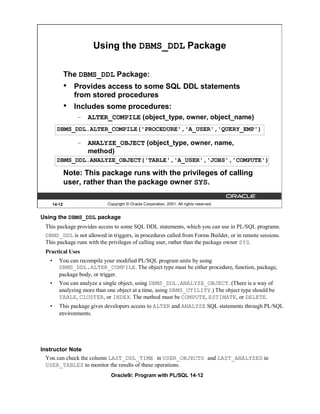
   Using the DBMS_DDL Package 14-12
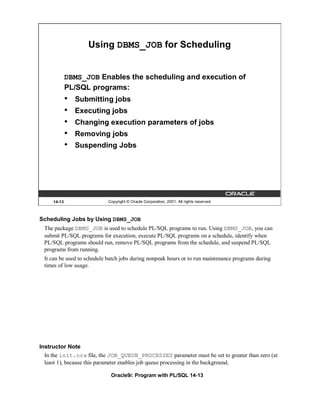
   Using DBMS_JOB for Scheduling 14-13
                                        ix
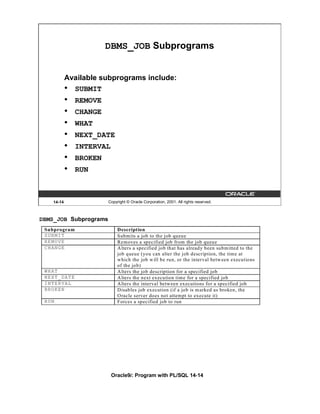
DBMS_JOB Subprograms 14-14
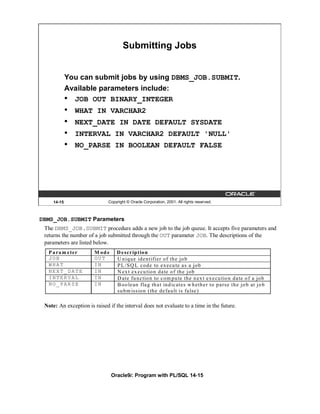
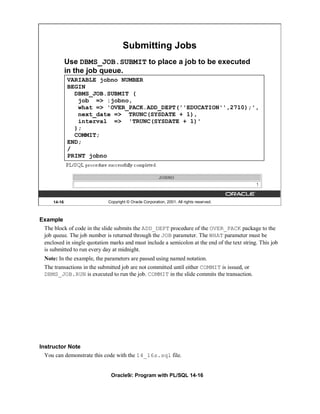
   Submitting Jobs 14-15
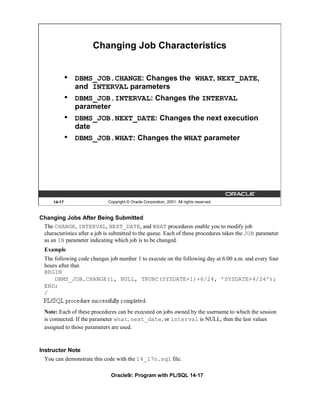
   Changing Job Characteristics 14-17
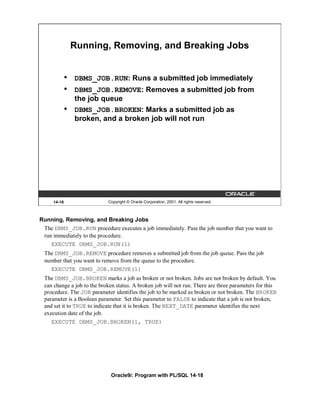
   Running, Removing, and Breaking Jobs 14-18
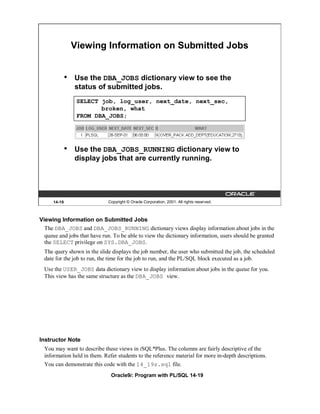
   Viewing Information on Submitted Jobs 14-19
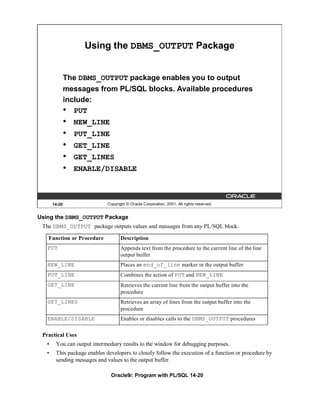
   Using the DBMS_OUTPUT Package 14-20
   Interacting with Operating System Files 14-21
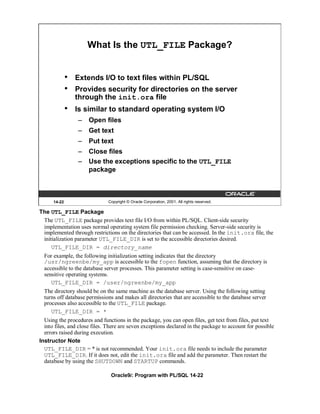
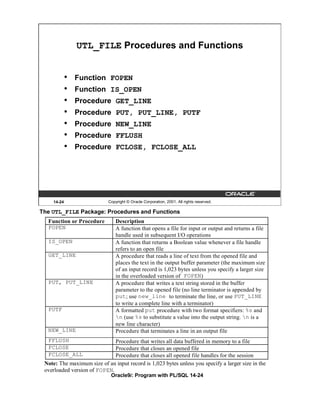
   What Is the UTL_FILE Package? 14-22
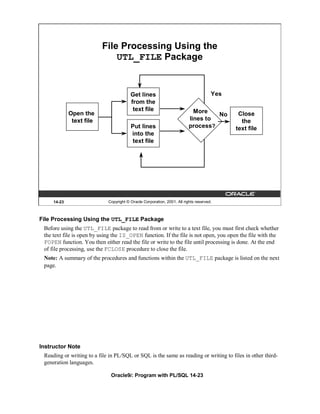
   File Processing Using the UTL_FILE Package 14-23
   UTL_FILE Procedures and Functions 14-24
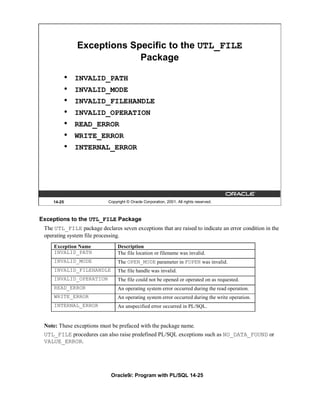
   Exceptions Specific to the UTL_FILE Package 14-25
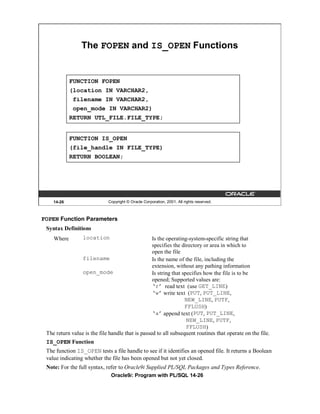
   The FOPEN and IS_OPEN Functions 14-26
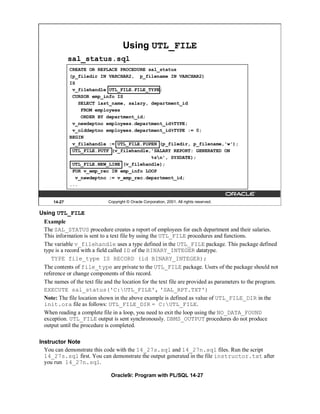
   Using UTL_FILE 14-27
   The UTL_HTTP Package 14-29
   Using the UTL_HTTP Package 14-30
   Using the UTL_TCP Package 14-31
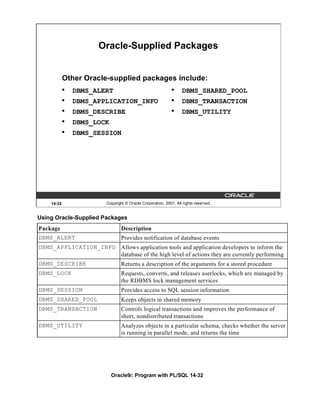
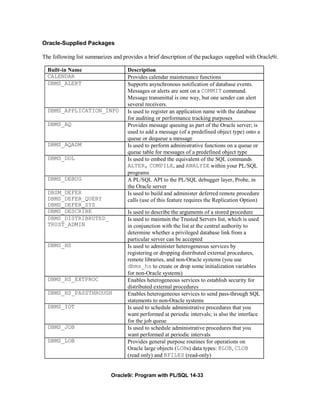
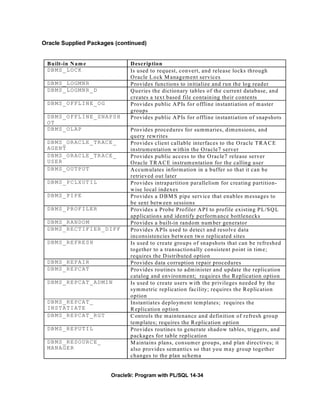
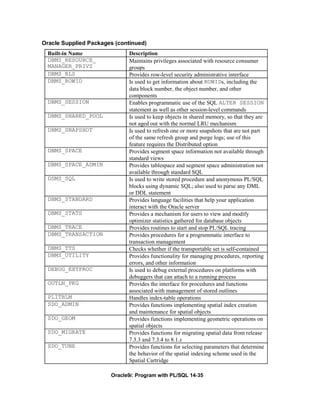
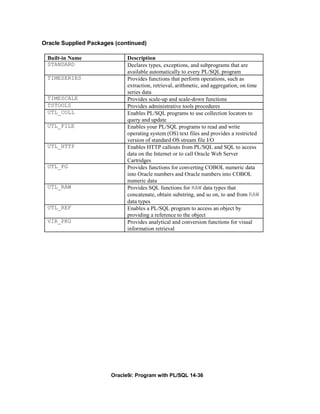
   Oracle-Supplied Packages 14-32
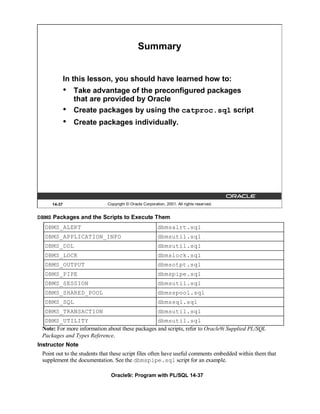
   Summary 14-37
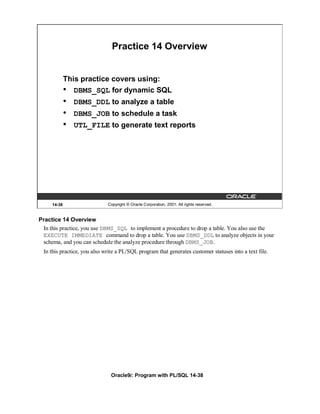
   Practice 14 Overview 14-38


15 Manipulating Large Objects
   Objectives 15-2
   What Is a LOB? 15-3
   Contrasting LONG and LOB Data Types 15-4
   Anatomy of a LOB 15-5
   Internal LOBs 15-6
   Managing Internal LOBs 15-7
   What Are BFILEs? 15-8
   Securing BFILEs 15-9
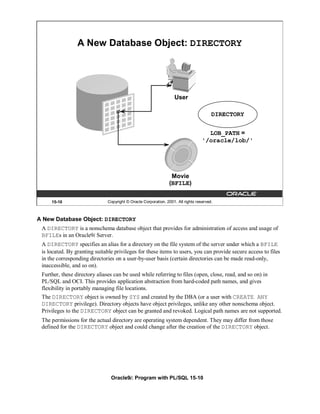
   A New Database Object: DIRECTORY 15-10
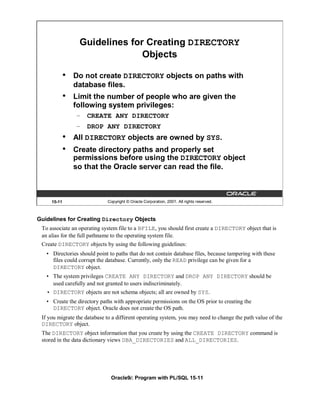
   Guidelines for Creating DIRECTORY Objects 15-11
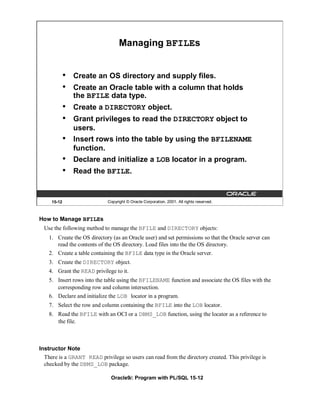
   Managing BFILEs 15-12
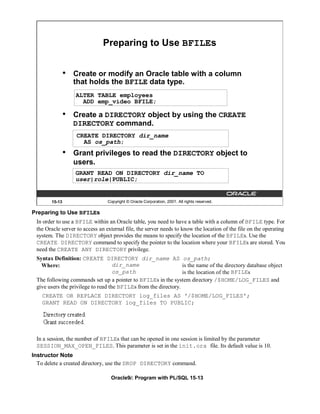
   Preparing to Use BFILEs 15-13
   The BFILENAME Function 15-14
   Loading BFILEs 15-15
   Migrating from LONG to LOB 15-17
   The DBMS_LOB Package 15-19
   DBMS_LOB.READ and DBMS_LOB.WRITE 15-22
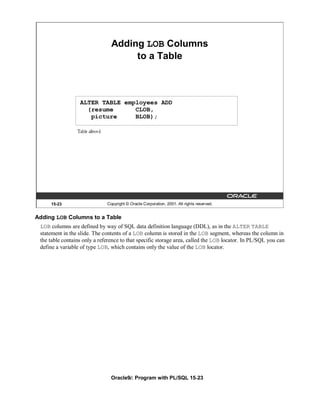
   Adding LOB Columns to a Table 15-23
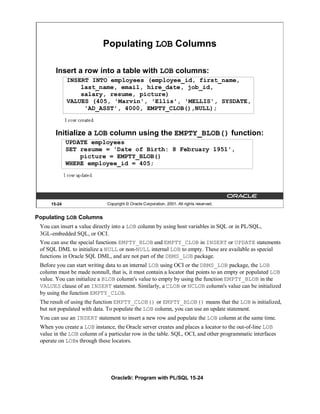
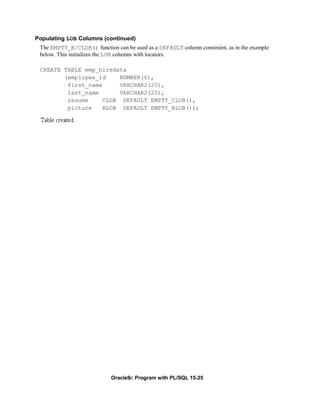
   Populating LOB Columns 15-24
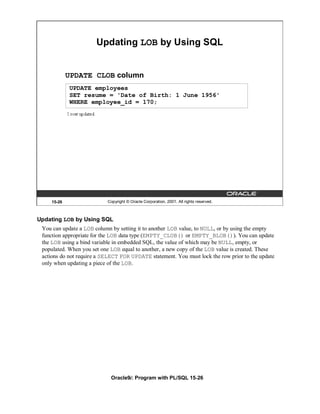
   Updating LOB by Using SQL 15-26
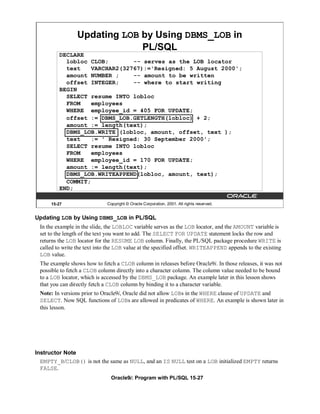
   Updating LOB by Using DBMS_LOB in PL/SQL 15-27
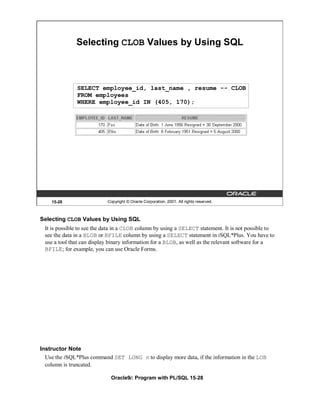
   Selecting CLOB Values by Using SQL 15-28

                                      x
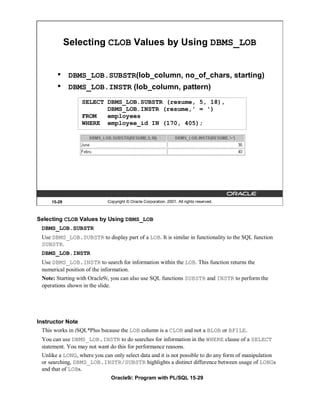
Selecting CLOB Values by Using DBMS_LOB 15-29
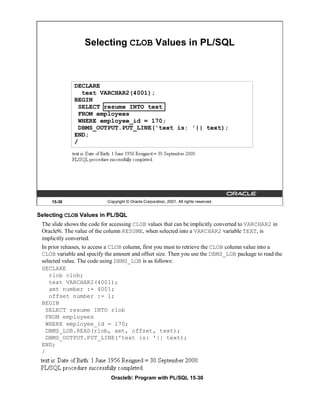
   Selecting CLOB Values in PL/SQL 15-30
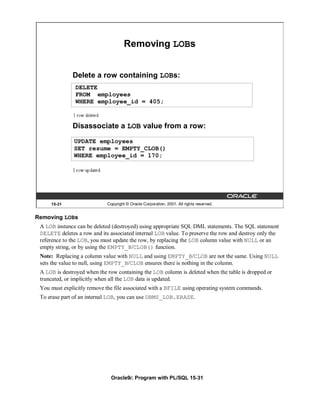
   Removing LOBs 15-31
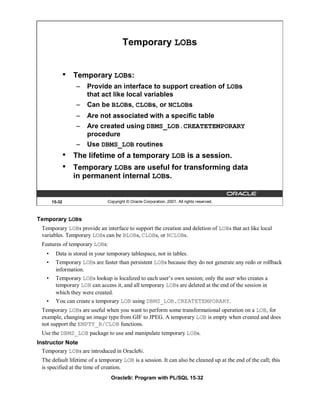
   Temporary LOBs 15-32
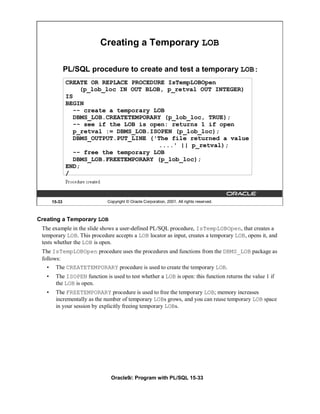
   Creating a Temporary LOB 15-33
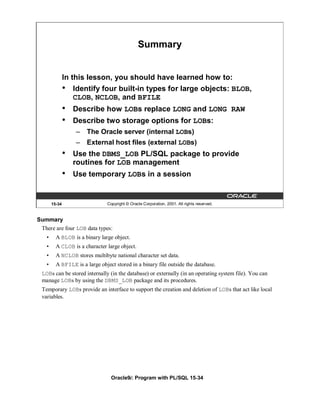
   Summary 15-34
   Practice 15 Overview 15-35


16 Creating Database Triggers
   Objectives 16-2
   Types of Triggers 16-3
   Guidelines for Designing Triggers 16-4
   Database Trigger: Example 16-5
   Creating DML Triggers 16-6
   DML Trigger Components 16-7
   Firing Sequence 16-11
   Syntax for Creating DML Statement Triggers 16-13
   Creating DML Statement Triggers 16-14
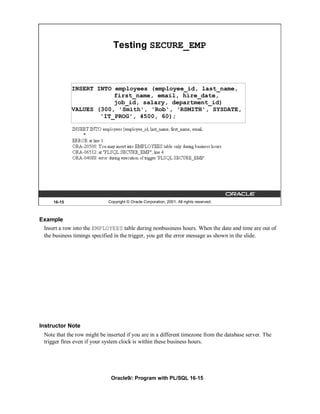
   Testing SECURE_EMP 16-15
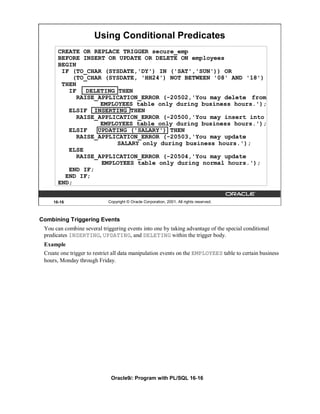
   Using Conditional Predicates 16-16
   Creating a DML Row Trigger 16-17
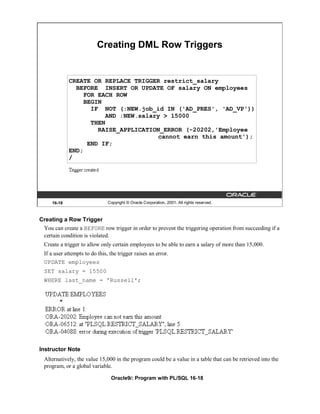
   Creating DML Row Triggers 16-18
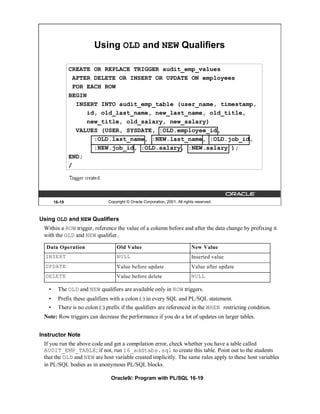
   Using OLD and NEW Qualifiers 16-19
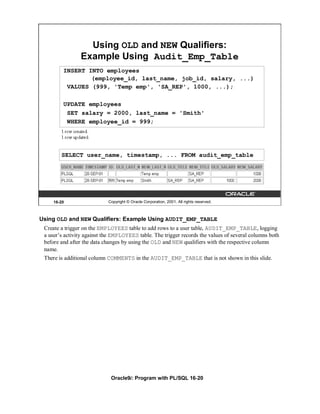
   Using OLD and NEW Qualifiers: Example Using Audit_Emp_Table 16-20
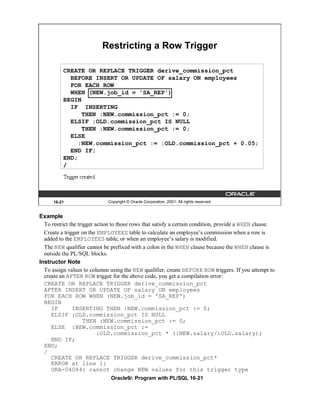
   Restricting a Row Trigger 16-21
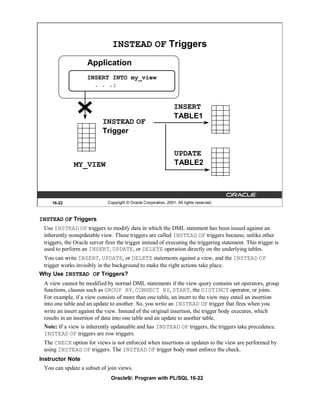
   INSTEAD OF Triggers 16-22
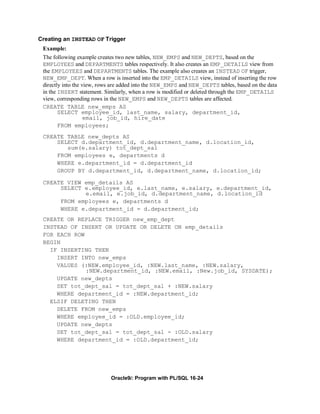
   Creating an INSTEAD OF Trigger 16-23
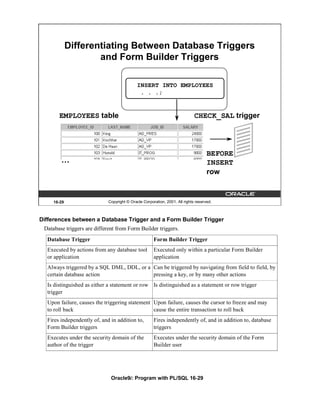
   Differentiating Between Database Triggers and Stored Procedures 16-28
   Differentiating Between Database Triggers and Form Builder Triggers 16-29
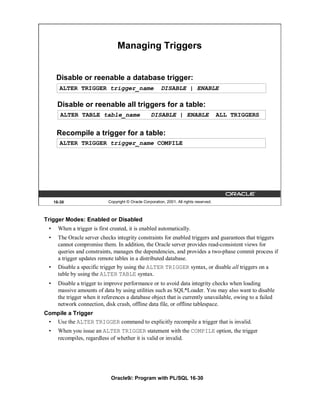
   Managing Triggers 16-30
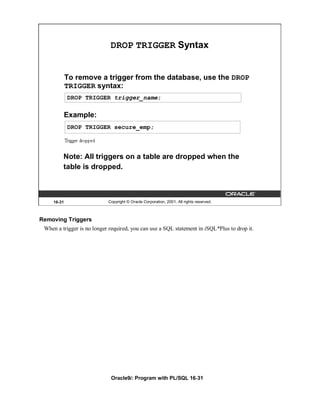
   DROP TRIGGER Syntax 16-31
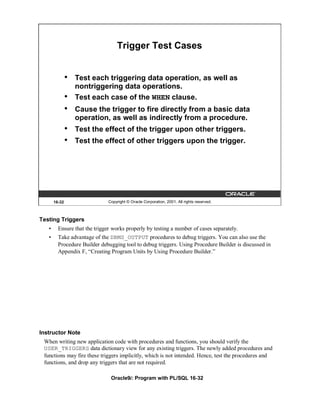
   Trigger Test Cases 16-32
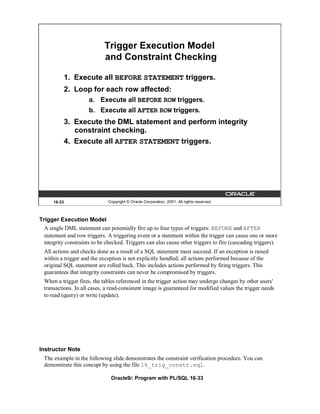
   Trigger Execution Model and Constraint Checking 16-33
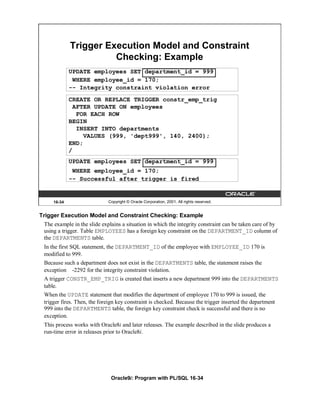
   Trigger Execution Model and Constraint Checking: Example 16-34
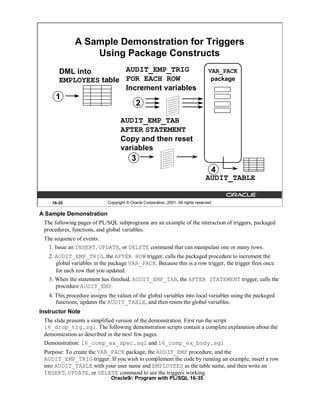
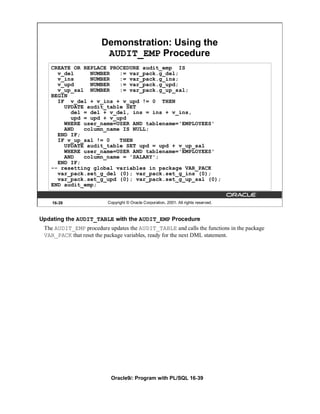
   A Sample Demonstration for Triggers Using Package Constructs 16-35
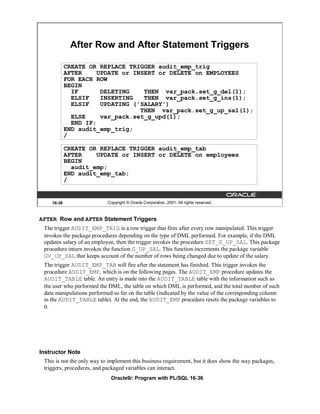
   After Row and After Statement Triggers 16-36
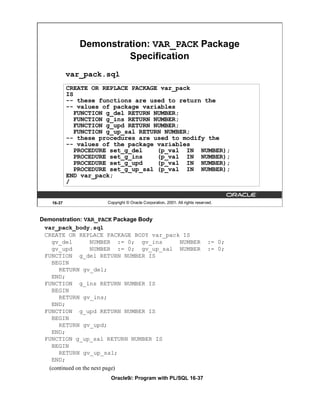
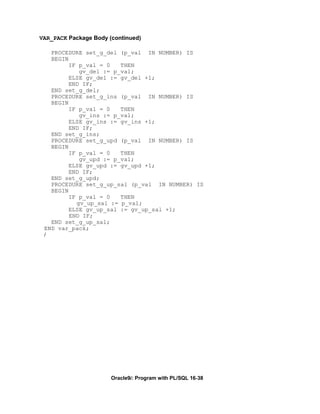
   Demonstration: VAR_PACK Package Specification 16-37
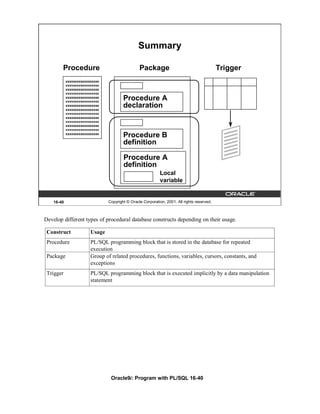
   Summary 16-40
   Practice 16 Overview 16-41


17 More Trigger Concepts
   Objectives 17-2
   Creating Database Triggers 17-3
                                        xi
Creating Triggers on DDL Statements 17-4
   Creating Triggers on System Events 17-5
   LOGON and LOGOFF Trigger Example 17-6
   CALL Statements 17-7
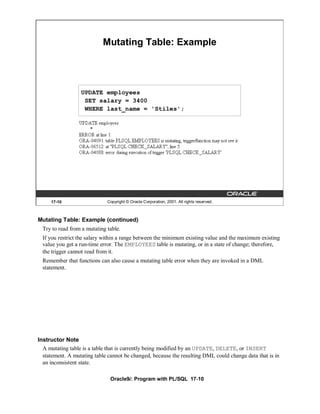
   Reading Data from a Mutating Table 17-8
   Mutating Table: Example 17-9
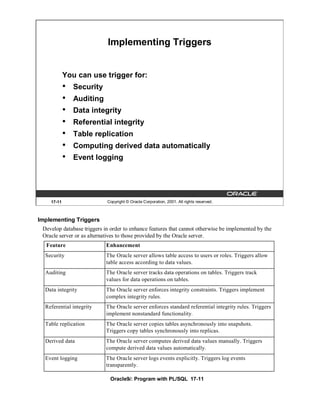
   Implementing Triggers 17-11
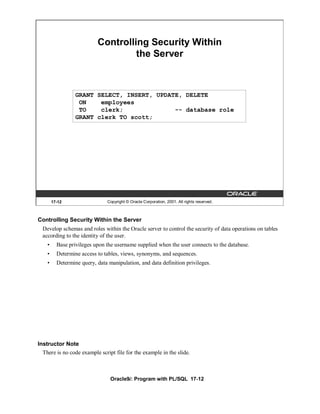
   Controlling Security Within the Server 17-12
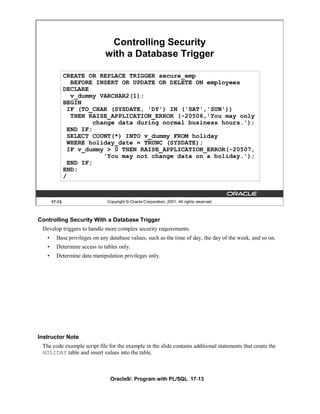
   Controlling Security with a Database Trigger 17-13
   Using the Server Facility to Audit Data Operations 17-14
   Auditing by Using a Trigger 17-15
   Enforcing Data Integrity Within the Server 17-16
   Protecting Data Integrity with a Trigger 17-17
   Enforcing Referential Integrity Within the Server 17-18
   Protecting Referential Integrity with a Trigger 17-19
   Replicating a Table Within the Server 17-20
   Replicating a Table with a Trigger 17-21
   Computing Derived Data Within the Server 17-22
   Computing Derived Values with a Trigger 17-23
   Logging Events with a Trigger 17-24
   Benefits of Database Triggers 17-26
   Managing Triggers 17-27
   Viewing Trigger Information 17-28
   Using USER_TRIGGERS 17-29
   Summary 17-31
   Practice 17 Overview 17-32


18 Managing Dependencies
   Objectives 18-2
   Understanding Dependencies 18-3
   Dependencies 18-4
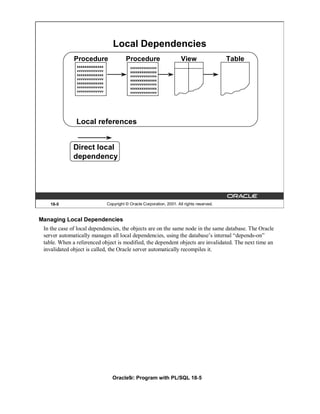
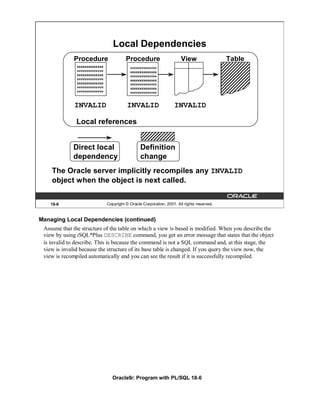
   Local Dependencies 18-5
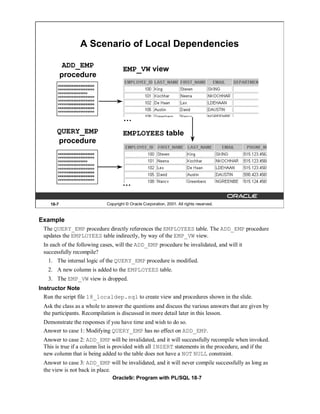
   A Scenario of Local Dependencies 18-7
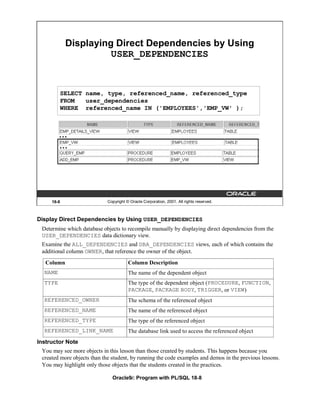
   Displaying Direct Dependencies by Using USER_DEPENDENCIES 18-8
   Displaying Direct and Indirect Dependencies 18-9
   Displaying Dependencies 18-10
   Another Scenario of Local Dependencies 18-11
   A Scenario of Local Naming Dependencies 18-12
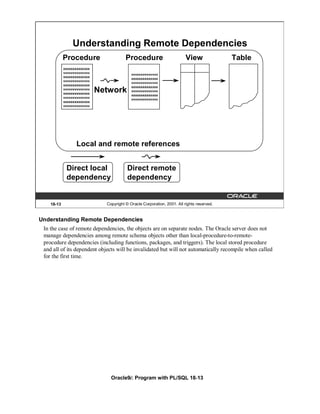
   Understanding Remote Dependencies 18-13
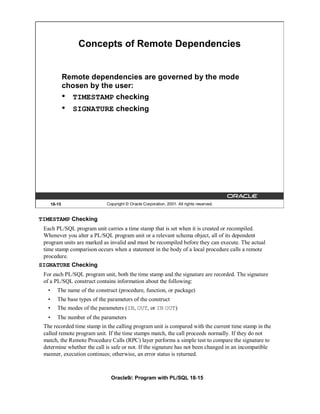
   Concepts of Remote Dependencies 18-15
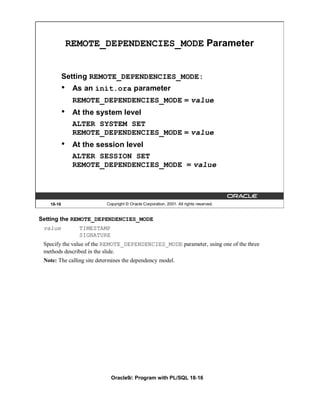
   REMOTE_DEPENDENCIES_MODE Parameter 18-16
   Remote Dependencies and Time Stamp Mode 18-17


                                         xii
Remote Procedure B Compiles at 8:00 a.m. 18-19
    Local Procedure A Compiles at 9:00 a.m. 18-20
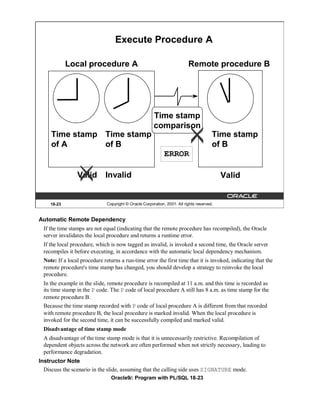
    Execute Procedure A 18-21
    Remote Procedure B Recompiled at 11:00 a.m. 18-22
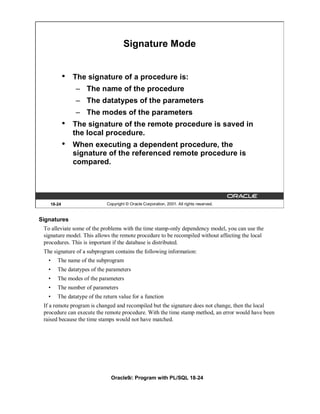
    Signature Mode 18-24
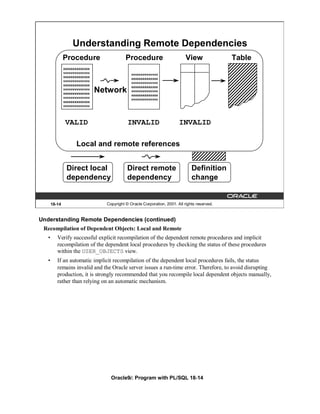
    Recompiling a PL/SQL Program Unit 18-25
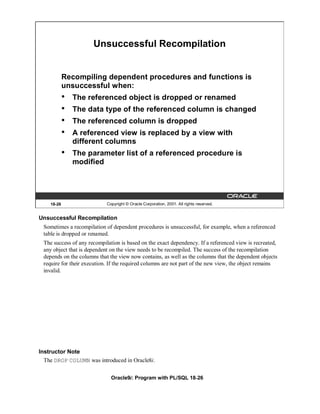
    Unsuccessful Recompilation 18-26
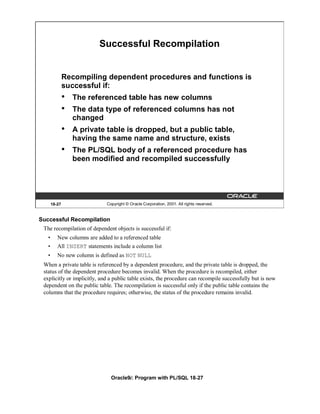
    Successful Recompilation 18-27
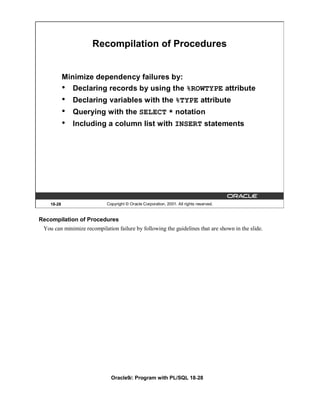
    Recompilation of Procedures 18-28
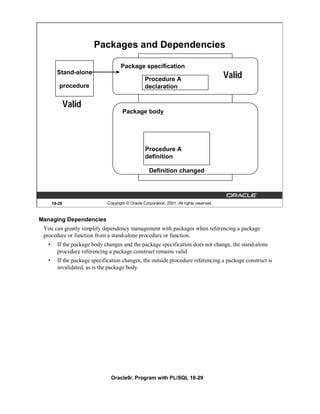
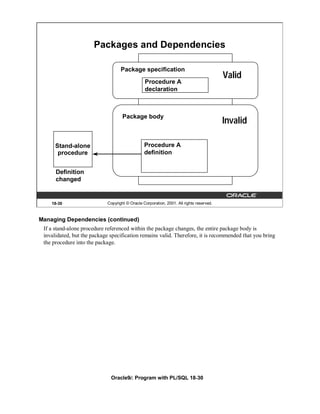
    Packages and Dependencies 18-29
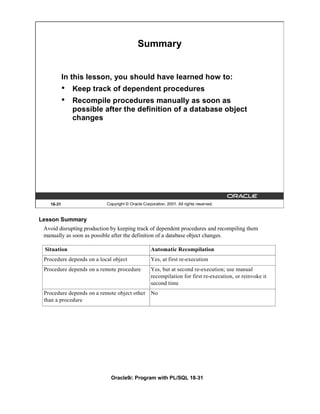
    Summary 18-31
    Practice 18 Overview 18-32


A   Practice Solutions
B   Table Descriptions and Data
C   Creating Program Units by Using Procedure Builder
D   REF Cursors
    Index
    Additional Practices
    Additional Practice Solutions
    Additional Practices: Table Descriptions and Data


                                       xiii
xiv
Creating Packages


                          Copyright © Oracle Corporation, 2001. All rights reserved.


Schedule:   Timing            Topic
            60 minutes        Lecture
            65 minutes        Practice
            125 minutes       Total
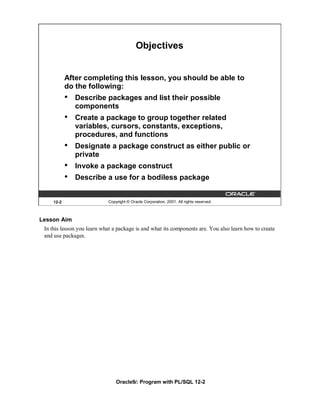
Objectives


            After completing this lesson, you should be able to
            do the following:
            •   Describe packages and list their possible
                components
            •   Create a package to group together related
                variables, cursors, constants, exceptions,
                procedures, and functions
            •   Designate a package construct as either public or
                private
            •   Invoke a package construct
            •   Describe a use for a bodiless package


     12-2                   Copyright © Oracle Corporation, 2001. All rights reserved.


Lesson Aim
 In this lesson you learn what a package is and what its components are. You also learn how to create
 and use packages.


                                Oracle9i: Program with PL/SQL 12-2
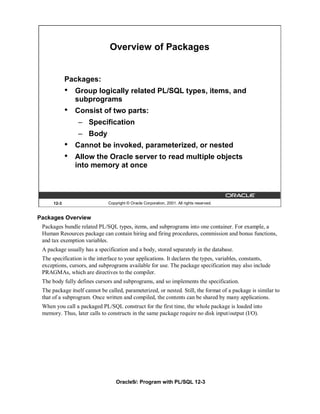
Overview of Packages


             Packages:
             •   Group logically related PL/SQL types, items, and
                 subprograms
             •   Consist of two parts:
                 – Specification
                 – Body
             •   Cannot be invoked, parameterized, or nested
             •   Allow the Oracle server to read multiple objects
                 into memory at once


      12-3                    Copyright © Oracle Corporation, 2001. All rights reserved.


Packages Overview
 Packages bundle related PL/SQL types, items, and subprograms into one container. For example, a
 Human Resources package can contain hiring and firing procedures, commission and bonus functions,
 and tax exemption variables.
 A package usually has a specification and a body, stored separately in the database.
 The specification is the interface to your applications. It declares the types, variables, constants,
 exceptions, cursors, and subprograms available for use. The package specification may also include
 PRAGMAs, which are directives to the compiler.
 The body fully defines cursors and subprograms, and so implements the specification.
 The package itself cannot be called, parameterized, or nested. Still, the format of a package is similar to
 that of a subprogram. Once written and compiled, the contents can be shared by many applications.
 When you call a packaged PL/SQL construct for the first time, the whole package is loaded into
 memory. Thus, later calls to constructs in the same package require no disk input/output (I/O).


                                  Oracle9i: Program with PL/SQL 12-3
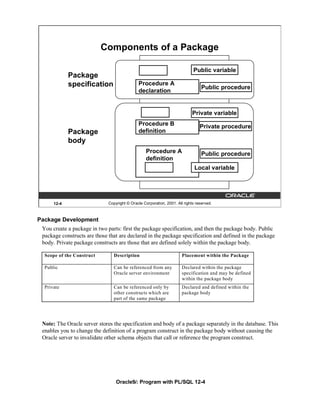
Components of a Package

                                                                             Public variable
             Package
             specification                    Procedure A
                                                                                  Public procedure
                                              declaration


                                                                             Private variable
                                              Procedure B                        Private procedure
             Package                          definition
             body
                                                   Procedure A                    Public procedure
                                                   definition
                                                                              Local variable


      12-4                    Copyright © Oracle Corporation, 2001. All rights reserved.


Package Development
 You create a package in two parts: first the package specification, and then the package body. Public
 package constructs are those that are declared in the package specification and defined in the package
 body. Private package constructs are those that are defined solely within the package body.

  Scope of the Construct         Description                           Placement within the Package

  Public                         Can be referenced from any            Declared within the package
                                 Oracle server environment             specification and may be defined
                                                                       within the package body
  Private                        Can be referenced only by             Declared and defined within the
                                 other constructs which are            package body
                                 part of the same package


 Note: The Oracle server stores the specification and body of a package separately in the database. This
 enables you to change the definition of a program construct in the package body without causing the
 Oracle server to invalidate other schema objects that call or reference the program construct.


                                  Oracle9i: Program with PL/SQL 12-4
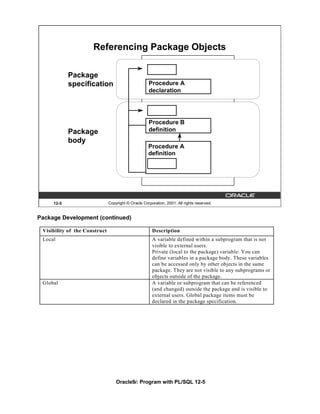
Referencing Package Objects

            Package
            specification                            Procedure A
                                                     declaration


                                                     Procedure B
            Package                                  definition
            body
                                                     Procedure A
                                                     definition


     12-5                      Copyright © Oracle Corporation, 2001. All rights reserved.


Package Development (continued)

 Visibility of the Construct                           Description
 Local                                                 A variable defined within a subprogram that is not
                                                       visible to external users.
                                                       Private (local to the package) variable: You can
                                                       define variables in a package body. These variables
                                                       can be accessed only by other objects in the same
                                                       package. They are not visible to any subprograms or
                                                       objects outside of the package.
 Global                                                A variable or subprogram that can be referenced
                                                       (and changed) outside the package and is visible to
                                                       external users. Global package items must be
                                                       declared in the package specification.


                                   Oracle9i: Program with PL/SQL 12-5
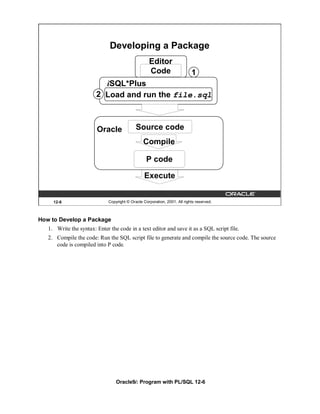
Developing a Package
                                                    Editor
                                                    Code                    1
                          iSQL*Plus
                        2 Load and run the file.sql


                        Oracle               Source code
                                                 Compile

                                                   P code

                                                  Execute


     12-6                     Copyright © Oracle Corporation, 2001. All rights reserved.


How to Develop a Package
   1. Write the syntax: Enter the code in a text editor and save it as a SQL script file.
   2. Compile the code: Run the SQL script file to generate and compile the source code. The source
      code is compiled into P code.


                                  Oracle9i: Program with PL/SQL 12-6
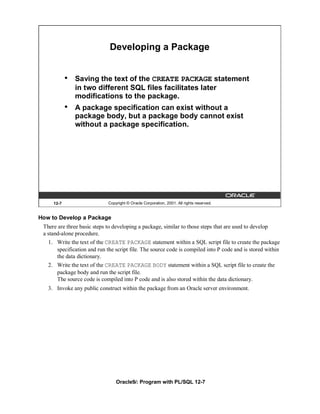
Developing a Package


            •   Saving the text of the CREATE PACKAGE statement
                in two different SQL files facilitates later
                modifications to the package.
            •   A package specification can exist without a
                package body, but a package body cannot exist
                without a package specification.


     12-7                    Copyright © Oracle Corporation, 2001. All rights reserved.


How to Develop a Package
 There are three basic steps to developing a package, similar to those steps that are used to develop
 a stand-alone procedure.
   1. Write the text of the CREATE PACKAGE statement within a SQL script file to create the package
      specification and run the script file. The source code is compiled into P code and is stored within
      the data dictionary.
   2. Write the text of the CREATE PACKAGE BODY statement within a SQL script file to create the
      package body and run the script file.
      The source code is compiled into P code and is also stored within the data dictionary.
   3. Invoke any public construct within the package from an Oracle server environment.


                                 Oracle9i: Program with PL/SQL 12-7
Creating the Package Specification

               Syntax:
               CREATE [OR REPLACE] PACKAGE package_name
               IS|AS
                   public type and item declarations
                   subprogram specifications
               END package_name;

               •   The REPLACE option drops and recreates the
                   package specification.
               •   Variables declared in the package specification are
                   initialized to NULL by default.
               •   All the constructs declared in a package
                   specification are visible to users who are granted
                   privileges on the package.

        12-8                    Copyright © Oracle Corporation, 2001. All rights reserved.


How to Create a Package Specification
 To create packages, you declare all public constructs within the package specification.
   •     Specify the REPLACE option when the package specification already exists.
   •     Initialize a variable with a constant value or formula within the declaration, if required; otherwise,
         the variable is initialized implicitly to NULL.
 Syntax Definition
       P aram eter                   D e s c r ip tio n
       package_name                  N a m e th e p a c k a g e
       public type and               D e c la re v a ria b le s , c o n s ta n ts, c u r so rs, e x c e p tio n s , o r ty p e s
       item declarations
       subprogram                    D e c la re th e P L /S Q L s u b p ro g ra m s
       specifications


                                    Oracle9i: Program with PL/SQL 12-8
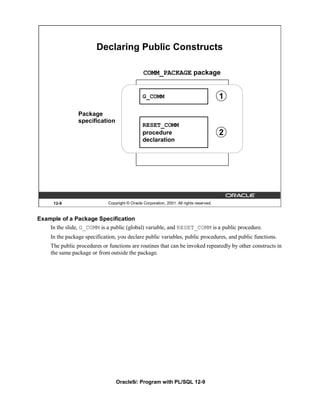
Declaring Public Constructs

                                                 COMM_PACKAGE package


                                                 G_COMM                                    1

                 Package
                 specification
                                                 RESET_COMM
                                                 procedure                                 2
                                                 declaration


      12-9                    Copyright © Oracle Corporation, 2001. All rights reserved.


Example of a Package Specification
    In the slide, G_COMM is a public (global) variable, and RESET_COMM is a public procedure.
     In the package specification, you declare public variables, public procedures, and public functions.
     The public procedures or functions are routines that can be invoked repeatedly by other constructs in
     the same package or from outside the package.


                                  Oracle9i: Program with PL/SQL 12-9
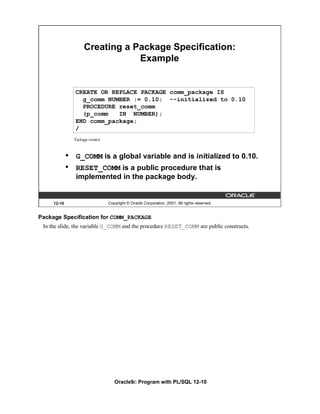
Creating a Package Specification:
                               Example


                 CREATE OR REPLACE PACKAGE comm_package IS
                   g_comm NUMBER := 0.10; --initialized to 0.10
                   PROCEDURE reset_comm
                   (p_comm   IN NUMBER);
                 END comm_package;
                 /


             •   G_COMM is a global variable and is initialized to 0.10.
             •   RESET_COMM is a public procedure that is
                 implemented in the package body.


     12-10                 Copyright © Oracle Corporation, 2001. All rights reserved.


Package Specification for COMM_PACKAGE
 In the slide, the variable G_COMM and the procedure RESET_COMM are public constructs.


                              Oracle9i: Program with PL/SQL 12-10
Creating the Package Body

               Syntax:
               CREATE [OR REPLACE] PACKAGE BODY package_name
               IS|AS
                   private type and item declarations
                   subprogram bodies
               END package_name;

               •   The REPLACE option drops and recreates the
                   package body.
               •   Identifiers defined only in the package body are
                   private constructs. These are not visible outside
                   the package body.
               •   All private constructs must be declared before
                   they are used in the public constructs.

       12-11                  Copyright © Oracle Corporation, 2001. All rights reserved.


Creating the Package Body
 To create packages, define all public and private constructs within the package body.
   •    Specify the REPLACE option when the package body already exists.
   •    The order in which subprograms are defined within the package body is important: you must
        declare a variable before another variable or subprogram can refer to it, and you must declare or
        define private subprograms before calling them from other subprograms. It is quite common in the
        package body to see all private variables and subprograms defined first and the public
        subprograms defined last.
 Syntax Definition
 Define all public and private procedures and functions in the package body.
   Parameter                    Description
   package_name                 Is the name of the package
   private type and             Declares variables, constants, cursors, exceptions, or types
   item declarations
   subprogram bodies            Defines the PL/SQL subprograms, public and private


                                 Oracle9i: Program with PL/SQL 12-11
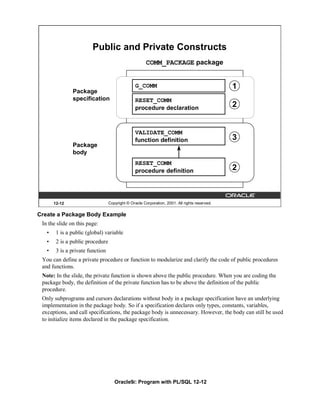
Public and Private Constructs
                                                       COMM_PACKAGE package


                                                 G_COMM                                        1
               Package
               specification                     RESET_COMM
                                                 procedure declaration                         2


                                                 VALIDATE_COMM
                                                 function definition                           3
               Package
               body
                                                 RESET_COMM
                                                 procedure definition                          2


       12-12                      Copyright © Oracle Corporation, 2001. All rights reserved.

Create a Package Body Example
 In the slide on this page:
   •    1 is a public (global) variable
   •    2 is a public procedure
   •    3 is a private function
 You can define a private procedure or function to modularize and clarify the code of public procedures
 and functions.
 Note: In the slide, the private function is shown above the public procedure. When you are coding the
 package body, the definition of the private function has to be above the definition of the public
 procedure.
 Only subprograms and cursors declarations without body in a package specification have an underlying
 implementation in the package body. So if a specification declares only types, constants, variables,
 exceptions, and call specifications, the package body is unnecessary. However, the body can still be used
 to initialize items declared in the package specification.


                                     Oracle9i: Program with PL/SQL 12-12
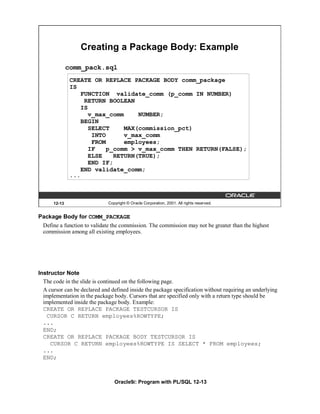
Creating a Package Body: Example

              comm_pack.sql
               CREATE OR REPLACE PACKAGE BODY comm_package
               IS
                   FUNCTION validate_comm (p_comm IN NUMBER)
                    RETURN BOOLEAN
                   IS
                      v_max_comm     NUMBER;
                   BEGIN
                      SELECT     MAX(commission_pct)
                       INTO      v_max_comm
                       FROM      employees;
                      IF    p_comm > v_max_comm THEN RETURN(FALSE);
                      ELSE    RETURN(TRUE);
                      END IF;
                   END validate_comm;
               ...


      12-13                   Copyright © Oracle Corporation, 2001. All rights reserved.


Package Body for COMM_PACKAGE
  Define a function to validate the commission. The commission may not be greater than the highest
  commission among all existing employees.


Instructor Note
  The code in the slide is continued on the following page.
  A cursor can be declared and defined inside the package specification without requiring an underlying
  implementation in the package body. Cursors that are specified only with a return type should be
  implemented inside the package body. Example:
  CREATE OR REPLACE PACKAGE TESTCURSOR IS
   CURSOR C RETURN employees%ROWTYPE;
  ...
  END;
  CREATE OR REPLACE PACKAGE BODY TESTCURSOR IS
     CURSOR C RETURN employees%ROWTYPE IS SELECT * FROM employees;
  ...
  END;


                                 Oracle9i: Program with PL/SQL 12-13
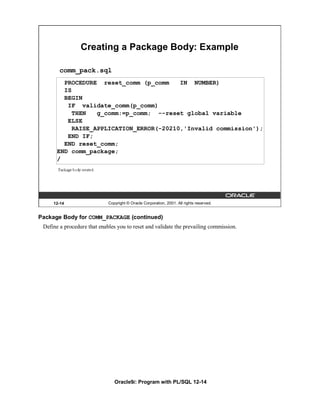
Creating a Package Body: Example

        comm_pack.sql
         PROCEDURE reset_comm (p_comm     IN NUMBER)
         IS
         BEGIN
          IF validate_comm(p_comm)
            THEN   g_comm:=p_comm; --reset global variable
          ELSE
            RAISE_APPLICATION_ERROR(-20210,'Invalid commission');
          END IF;
         END reset_comm;
       END comm_package;
       /


     12-14                   Copyright © Oracle Corporation, 2001. All rights reserved.


Package Body for COMM_PACKAGE (continued)
 Define a procedure that enables you to reset and validate the prevailing commission.


                                Oracle9i: Program with PL/SQL 12-14
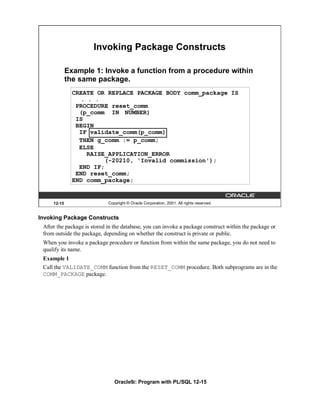
Invoking Package Constructs

             Example 1: Invoke a function from a procedure within
             the same package.
               CREATE OR REPLACE PACKAGE BODY comm_package IS
                 . . .
                PROCEDURE reset_comm
                 (p_comm IN NUMBER)
                IS
                BEGIN
                 IF validate_comm(p_comm)
                 THEN g_comm := p_comm;
                 ELSE
                   RAISE_APPLICATION_ERROR
                         (-20210, 'Invalid commission');
                 END IF;
                END reset_comm;
               END comm_package;


     12-15                   Copyright © Oracle Corporation, 2001. All rights reserved.


Invoking Package Constructs
 After the package is stored in the database, you can invoke a package construct within the package or
 from outside the package, depending on whether the construct is private or public.
 When you invoke a package procedure or function from within the same package, you do not need to
 qualify its name.
 Example 1
 Call the VALIDATE_COMM function from the RESET_COMM procedure. Both subprograms are in the
 COMM_PACKAGE package.


                                Oracle9i: Program with PL/SQL 12-15
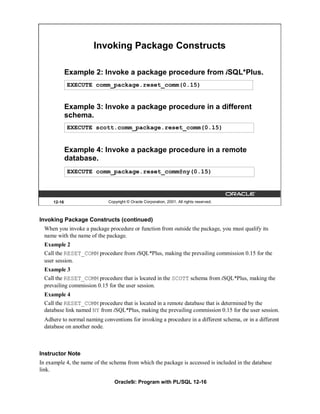
Invoking Package Constructs

             Example 2: Invoke a package procedure from iSQL*Plus.
             EXECUTE comm_package.reset_comm(0.15)


             Example 3: Invoke a package procedure in a different
             schema.
             EXECUTE scott.comm_package.reset_comm(0.15)


             Example 4: Invoke a package procedure in a remote
             database.
             EXECUTE comm_package.reset_comm@ny(0.15)


     12-16                   Copyright © Oracle Corporation, 2001. All rights reserved.


Invoking Package Constructs (continued)
  When you invoke a package procedure or function from outside the package, you must qualify its
  name with the name of the package.
  Example 2
  Call the RESET_COMM procedure from iSQL*Plus, making the prevailing commission 0.15 for the
  user session.
  Example 3
  Call the RESET_COMM procedure that is located in the SCOTT schema from iSQL*Plus, making the
  prevailing commission 0.15 for the user session.
  Example 4
  Call the RESET_COMM procedure that is located in a remote database that is determined by the
  database link named NY from iSQL*Plus, making the prevailing commission 0.15 for the user session.
  Adhere to normal naming conventions for invoking a procedure in a different schema, or in a different
  database on another node.


Instructor Note
In example 4, the name of the schema from which the package is accessed is included in the database
link.

                                Oracle9i: Program with PL/SQL 12-16
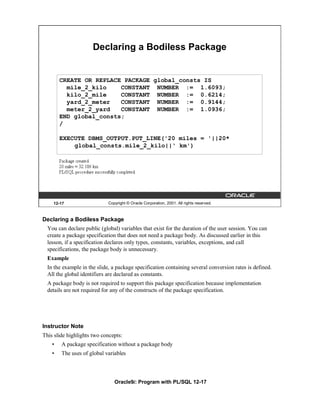
Declaring a Bodiless Package


        CREATE OR REPLACE PACKAGE global_consts IS
          mile_2_kilo    CONSTANT NUMBER := 1.6093;
          kilo_2_mile    CONSTANT NUMBER := 0.6214;
          yard_2_meter   CONSTANT NUMBER := 0.9144;
          meter_2_yard   CONSTANT NUMBER := 1.0936;
        END global_consts;
        /

        EXECUTE DBMS_OUTPUT.PUT_LINE('20 miles = '||20*
            global_consts.mile_2_kilo||' km')


    12-17                    Copyright © Oracle Corporation, 2001. All rights reserved.


Declaring a Bodiless Package
  You can declare public (global) variables that exist for the duration of the user session. You can
  create a package specification that does not need a package body. As discussed earlier in this
  lesson, if a specification declares only types, constants, variables, exceptions, and call
  specifications, the package body is unnecessary.
  Example
  In the example in the slide, a package specification containing several conversion rates is defined.
  All the global identifiers are declared as constants.
  A package body is not required to support this package specification because implementation
  details are not required for any of the constructs of the package specification.


Instructor Note
This slide highlights two concepts:
    •   A package specification without a package body
    •   The uses of global variables


                                Oracle9i: Program with PL/SQL 12-17
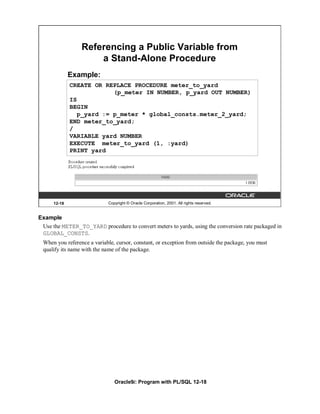
Referencing a Public Variable from
                     a Stand-Alone Procedure
              Example:
              CREATE OR REPLACE PROCEDURE meter_to_yard
                           (p_meter IN NUMBER, p_yard OUT NUMBER)
              IS
              BEGIN
                 p_yard := p_meter * global_consts.meter_2_yard;
              END meter_to_yard;
              /
              VARIABLE yard NUMBER
              EXECUTE meter_to_yard (1, :yard)
              PRINT yard


      12-18                 Copyright © Oracle Corporation, 2001. All rights reserved.


Example
 Use the METER_TO_YARD procedure to convert meters to yards, using the conversion rate packaged in
 GLOBAL_CONSTS.
 When you reference a variable, cursor, constant, or exception from outside the package, you must
 qualify its name with the name of the package.


                               Oracle9i: Program with PL/SQL 12-18
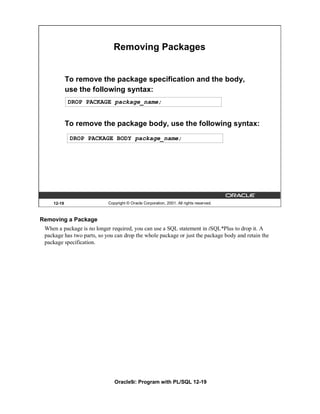
Removing Packages


            To remove the package specification and the body,
            use the following syntax:
            DROP PACKAGE package_name;


            To remove the package body, use the following syntax:
             DROP PACKAGE BODY package_name;


    12-19                   Copyright © Oracle Corporation, 2001. All rights reserved.


Removing a Package
 When a package is no longer required, you can use a SQL statement in iSQL*Plus to drop it. A
 package has two parts, so you can drop the whole package or just the package body and retain the
 package specification.


                               Oracle9i: Program with PL/SQL 12-19
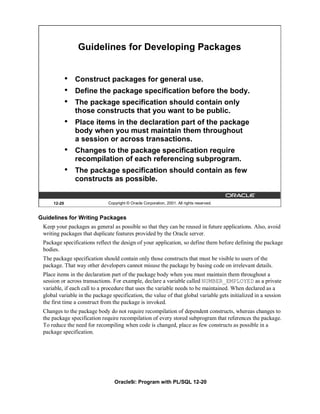
Guidelines for Developing Packages


             •   Construct packages for general use.
             •   Define the package specification before the body.
             •   The package specification should contain only
                 those constructs that you want to be public.
             •   Place items in the declaration part of the package
                 body when you must maintain them throughout
                 a session or across transactions.
             •   Changes to the package specification require
                 recompilation of each referencing subprogram.
             •   The package specification should contain as few
                 constructs as possible.


     12-20                    Copyright © Oracle Corporation, 2001. All rights reserved.


Guidelines for Writing Packages
 Keep your packages as general as possible so that they can be reused in future applications. Also, avoid
 writing packages that duplicate features provided by the Oracle server.
 Package specifications reflect the design of your application, so define them before defining the package
 bodies.
 The package specification should contain only those constructs that must be visible to users of the
 package. That way other developers cannot misuse the package by basing code on irrelevant details.
 Place items in the declaration part of the package body when you must maintain them throughout a
 session or across transactions. For example, declare a variable called NUMBER_EMPLOYED as a private
 variable, if each call to a procedure that uses the variable needs to be maintained. When declared as a
 global variable in the package specification, the value of that global variable gets initialized in a session
 the first time a construct from the package is invoked.
 Changes to the package body do not require recompilation of dependent constructs, whereas changes to
 the package specification require recompilation of every stored subprogram that references the package.
 To reduce the need for recompiling when code is changed, place as few constructs as possible in a
 package specification.


                                 Oracle9i: Program with PL/SQL 12-20
Advantages of Packages


             •   Modularity: Encapsulate related constructs.
             •   Easier application design: Code and compile
                 specification and body separately.
             •   Hiding information:
                 – Only the declarations in the package
                   specification are visible and accessible to
                   applications.
                 – Private constructs in the package body are
                   hidden and inaccessible.
                 – All coding is hidden in the package body.


     12-21                   Copyright © Oracle Corporation, 2001. All rights reserved.


Advantages of Using Packages
 Packages provide an alternative to creating procedures and functions as stand-alone schema objects, and
 they offer several benefits.
 Modularity
 You encapsulate logically related programming structures in a named module. Each package is easy to
 understand, and the interface between packages is simple, clear, and well defined.
 Easier Application Design
 All you need initially is the interface information in the package specification. You can code and
 compile a specification without its body. Then stored subprograms that reference the package can
 compile as well. You need not define the package body fully until you are ready to complete the
 application.
 Hiding Information
 You can decide which constructs are public (visible and accessible) or private (hidden and inaccessible).
 Only the declarations in the package specification are visible and accessible to applications. The package
 body hides the definition of the private constructs so that only the package is affected (not your
 application or any calling programs) if the definition changes. This enables you to change the
 implementation without having to recompile calling programs. Also, by hiding implementation details
 from users, you protect the integrity of the package.


                                Oracle9i: Program with PL/SQL 12-21
Advantages of Packages


             •   Added functionality: Persistency of variables
                 and cursors
             •   Better performance:
                 – The entire package is loaded into memory
                   when the package is first referenced.
                 – There is only one copy in memory for all users.
                 – The dependency hierarchy is simplified.
             •   Overloading: Multiple subprograms of the
                 same name


     12-22                    Copyright © Oracle Corporation, 2001. All rights reserved.


Advantages of Using Packages (continued)
 Added Functionality
 Packaged public variables and cursors persist for the duration of a session. Thus, they can be shared by
 all subprograms that execute in the environment. They also enable you to maintain data across
 transactions without having to store it in the database. Private constructs also persist for the duration of
 the session, but can only be accessed within the package.
 Better Performance
 When you call a packaged subprogram the first time, the entire package is loaded into memory. This
 way, later calls to related subprograms in the package require no further disk I/O. Packaged
 subprograms also stop cascading dependencies and so avoid unnecessary compilation.
 Overloading
 With packages you can overload procedures and functions, which means you can create multiple
 subprograms with the same name in the same package, each taking parameters of different number or
 datatype.


Instructor Note
 Dependencies are covered in a later lesson.

                                 Oracle9i: Program with PL/SQL 12-22
Summary


             In this lesson, you should have learned how to:
             •   Improve organization, management, security, and
                 performance by using packages
             •   Group related procedures and functions together
                 in a package
             •   Change a package body without affecting a
                 package specification
             •   Grant security access to the entire package


     12-23                  Copyright © Oracle Corporation, 2001. All rights reserved.


Summary
 You group related procedures and function together into a package. Packages improve organization,
 management, security, and performance.
 A package consists of package specification and a package body. You can change a package body
 without affecting its package specification.


                               Oracle9i: Program with PL/SQL 12-23
Summary


             In this lesson, you should have learned how to:
             •   Hide the source code from users
             •   Load the entire package into memory on the
                 first call
             •   Reduce disk access for subsequent calls
             •   Provide identifiers for the user session


     12-24                  Copyright © Oracle Corporation, 2001. All rights reserved.


Summary (continued)
 Packages enable you to hide source code from users. When you invoke a package for the first time, the
 entire package is loaded into memory. This reduces the disk access for subsequent calls.


                               Oracle9i: Program with PL/SQL 12-24
Summary


           Command                                   Task

           CREATE [OR REPLACE] PACKAGE Create (or modify) an existing
                                       package specification
           CREATE [OR REPLACE] PACKAGE Create (or modify) an existing
           BODY                        package body

           DROP PACKAGE                              Remove both the package
                                                     specification and the package body
           DROP PACKAGE BODY                         Remove the package body only


   12-25                  Copyright © Oracle Corporation, 2001. All rights reserved.


Summary (continued)
 You can create, delete, and modify packages. You can remove both package specification and body
 by using the DROP PACKAGE command. You can drop the package body without affecting its
 specification.


                             Oracle9i: Program with PL/SQL 12-25
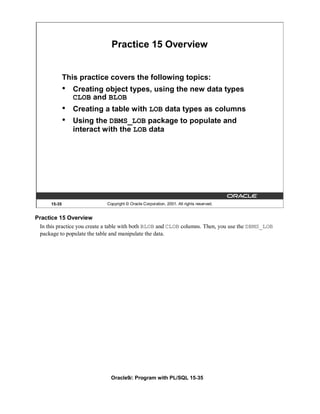
Practice 12 Overview


             This practice covers the following topics:
             •   Creating packages
             •   Invoking package program units


     12-26                   Copyright © Oracle Corporation, 2001. All rights reserved.


Practice 12 Overview
 In this practice, you will create package specifications and package bodies. You will invoke the
 constructs in the packages, using sample data.


                                Oracle9i: Program with PL/SQL 12-26
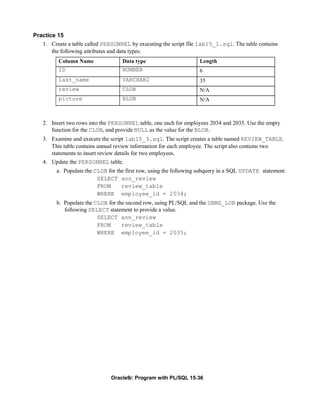
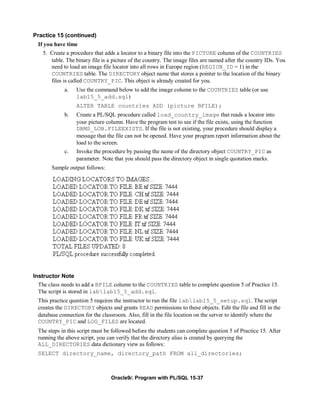
Practice 12
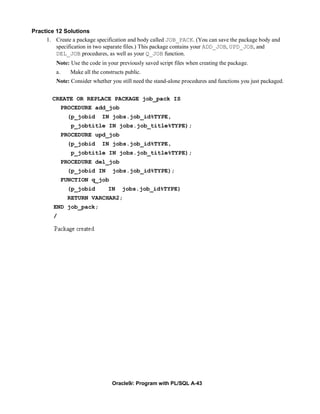
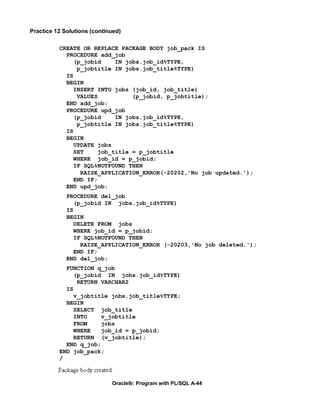
   1. Create a package specification and body called JOB_PACK. (You can save the package body
       and specification in two separate files.) This package contains your ADD_JOB, UPD_JOB, and
       DEL_JOB procedures, as well as your Q_JOB function.
        Note: Use the code in your previously saved script files when creating the package.
          a. Make all the constructs public.
             Note: Consider whether you still need the stand-alone procedures and functions you just
             packaged.
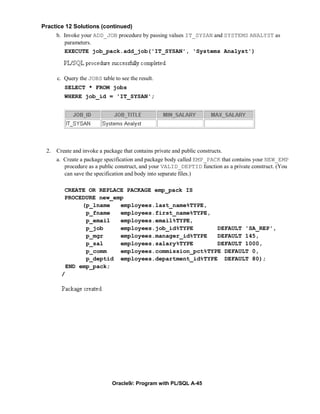
          b. Invoke your ADD_JOB procedure by passing values IT_SYSAN and SYSTEMS
              ANALYST as parameters.
          c. Query the JOBS table to see the result.


   2. Create and invoke a package that contains private and public constructs.
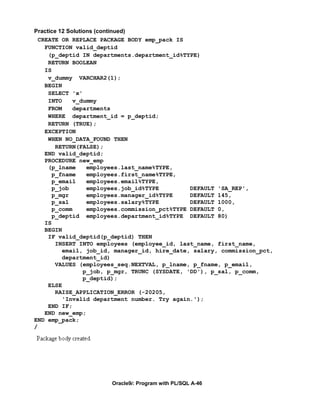
       a. Create a package specification and package body called EMP_PACK that contains your
           NEW_EMP procedure as a public construct, and your VALID_DEPTID function as a
           private construct. (You can save the specification and body into separate files.)
          b. Invoke the NEW_EMP procedure, using 15 as a department number. Because the
              department ID 15 does not exist in the DEPARTMENTS table, you should get an error
              message as specified in the exception handler of your procedure.
          c. Invoke the NEW_EMP procedure, using an existing department ID 80.
 If you have time:
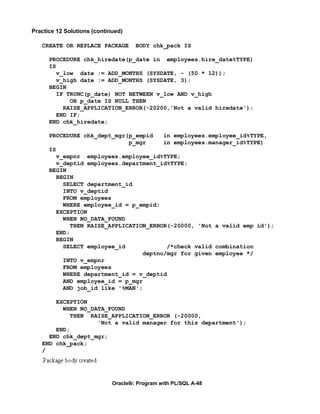
   3.    a. Create a package called CHK_PACK that contains the procedures CHK_HIREDATE and
            CHK_DEPT_MGR. Make both constructs public. (You can save the specification and body
            into separate files.) The procedure CHK_HIREDATE checks whether an employee’s hire
            date is within the following range: [SYSDATE - 50 years, SYSDATE + 3 months].
          Note:
               •     If the date is invalid, you should raise an application error with an appropriate
                     message indicating why the date value is not acceptable.
               •     Make sure the time component in the date value is ignored.
               •     Use a constant to refer to the 50 years boundary.
                • A null value for the hire date should be treated as an invalid hire date.
             The procedure CHK_DEPT_MGR checks the department and manager combination for a
             given employee. The CHK_DEPT_MGR procedure accepts an employee ID and a manager
             ID. The procedure checks that the manager and employee work in the same department.
             The procedure also checks that the job title of the manager ID provided is
             MANAGER.
          Note: If the department ID and manager combination is invalid, you should raise an
          application error with an appropriate message.


                                 Oracle9i: Program with PL/SQL 12-27
Practice 12 (continued)
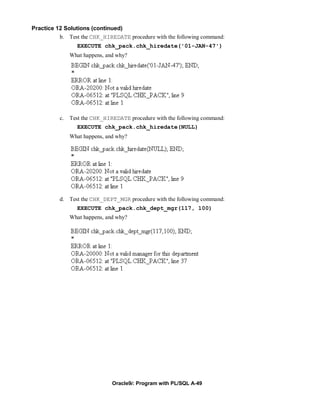
        b. Test the CHK_HIREDATE procedure with the following command:
              EXECUTE chk_pack.chk_hiredate('01-JAN-47')
           What happens, and why?
        c. Test the CHK_HIREDATE procedure with the following command:
              EXECUTE chk_pack.chk_hiredate(NULL)
           What happens, and why?
        d. Test the CHK_DEPT_MGR procedure with the following command:
              EXECUTE chk_pack.chk_dept_mgr(117,100)
           What happens, and why?


                           Oracle9i: Program with PL/SQL 12-28
More Package Concepts


                         Copyright © Oracle Corporation, 2001. All rights reserved.


Schedule:   Timing       Topic
            50 minutes   Lecture
            45 minutes   Practice
            95 minutes   Total
Objectives


               After completing this lesson, you should be able to
               do the following:
               •   Write packages that use the overloading feature
               •   Describe errors with mutually referential
                   subprograms
               •   Initialize variables with a one-time-only procedure
               •   Identify persistent states


        13-2                    Copyright © Oracle Corporation, 2001. All rights reserved.


Lesson Aim
 This lesson introduces more advanced features of PL/SQL, including overloading, forward referencing, a
 one-time-only procedure, and the persistency of variables, constants, exceptions, and cursors. It also looks
 at the effect of packaging functions that are used in SQL statements.


                                 Oracle9i: Program with PL/SQL 13-2
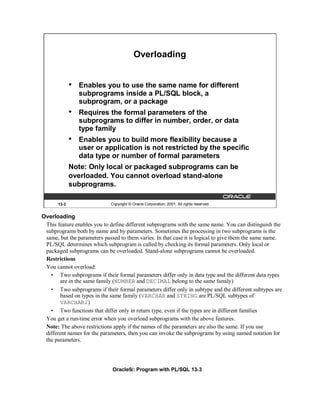
Overloading


              •   Enables you to use the same name for different
                  subprograms inside a PL/SQL block, a
                  subprogram, or a package
              •   Requires the formal parameters of the
                  subprograms to differ in number, order, or data
                  type family
              •   Enables you to build more flexibility because a
                  user or application is not restricted by the specific
                  data type or number of formal parameters
              Note: Only local or packaged subprograms can be
              overloaded. You cannot overload stand-alone
              subprograms.

       13-3                  Copyright © Oracle Corporation, 2001. All rights reserved.


Overloading
 This feature enables you to define different subprograms with the same name. You can distinguish the
 subprograms both by name and by parameters. Sometimes the processing in two subprograms is the
 same, but the parameters passed to them varies. In that case it is logical to give them the same name.
 PL/SQL determines which subprogram is called by checking its formal parameters. Only local or
 packaged subprograms can be overloaded. Stand-alone subprograms cannot be overloaded.
 Restrictions
 You cannot overload:
   • Two subprograms if their formal parameters differ only in data type and the different data types
       are in the same family (NUMBER and DECIMAL belong to the same family)
   • Two subprograms if their formal parameters differ only in subtype and the different subtypes are
       based on types in the same family (VARCHAR and STRING are PL/SQL subtypes of
       VARCHAR2)
   • Two functions that differ only in return type, even if the types are in different families
 You get a run-time error when you overload subprograms with the above features.
 Note: The above restrictions apply if the names of the parameters are also the same. If you use
 different names for the parameters, then you can invoke the subprograms by using named notation for
 the parameters.


                              Oracle9i: Program with PL/SQL 13-3
Overloading (continued)

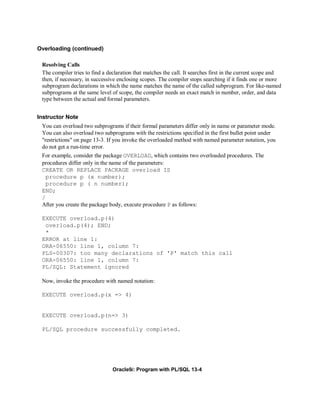
 Resolving Calls
 The compiler tries to find a declaration that matches the call. It searches first in the current scope and
 then, if necessary, in successive enclosing scopes. The compiler stops searching if it finds one or more
 subprogram declarations in which the name matches the name of the called subprogram. For like-named
 subprograms at the same level of scope, the compiler needs an exact match in number, order, and data
 type between the actual and formal parameters.


Instructor Note
 You can overload two subprograms if their formal parameters differ only in name or parameter mode.
 You can also overload two subprograms with the restrictions specified in the first bullet point under
 "restrictions" on page 13-3. If you invoke the overloaded method with named parameter notation, you
 do not get a run-time error.
 For example, consider the package OVERLOAD, which contains two overloaded procedures. The
 procedures differ only in the name of the parameters:
 CREATE OR REPLACE PACKAGE overload IS
   procedure p (x number);
   procedure p ( n number);
 END;
 /
 After you create the package body, execute procedure P as follows:

 EXECUTE overload.p(4)
  overload.p(4); END;
  *
 ERROR at line 1:
 ORA-06550: line 1, column 7:
 PLS-00307: too many declarations of 'P' match this call
 ORA-06550: line 1, column 7:
 PL/SQL: Statement ignored

 Now, invoke the procedure with named notation:

 EXECUTE overload.p(x => 4)


 EXECUTE overload.p(n=> 3)

 PL/SQL procedure successfully completed.


                                Oracle9i: Program with PL/SQL 13-4
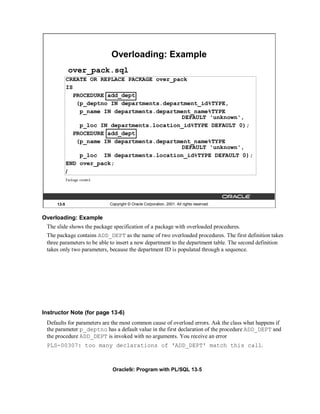
Overloading: Example
            over_pack.sql
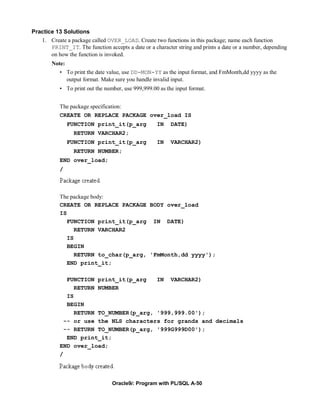
            CREATE OR REPLACE PACKAGE over_pack
            IS
               PROCEDURE add_dept
                (p_deptno IN departments.department_id%TYPE,
                 p_name IN departments.department_name%TYPE
                                              DEFAULT 'unknown',
                 p_loc IN departments.location_id%TYPE DEFAULT 0);
               PROCEDURE add_dept
                (p_name IN departments.department_name%TYPE
                                              DEFAULT 'unknown',
                 p_loc IN departments.location_id%TYPE DEFAULT 0);
            END over_pack;
            /


     13-5                   Copyright © Oracle Corporation, 2001. All rights reserved.


Overloading: Example
 The slide shows the package specification of a package with overloaded procedures.
 The package contains ADD_DEPT as the name of two overloaded procedures. The first definition takes
 three parameters to be able to insert a new department to the department table. The second definition
 takes only two parameters, because the department ID is populated through a sequence.


Instructor Note (for page 13-6)
 Defaults for parameters are the most common cause of overload errors. Ask the class what happens if
 the parameter p_deptno has a default value in the first declaration of the procedure ADD_DEPT and
 the procedure ADD_DEPT is invoked with no arguments. You receive an error
 PLS-00307: too many declarations of 'ADD_DEPT' match this call.


                             Oracle9i: Program with PL/SQL 13-5
Overloading: Example
       over_pack_body.sql
           CREATE OR REPLACE PACKAGE BODY over_pack IS
            PROCEDURE add_dept
            (p_deptno IN departments.department_id%TYPE,
             p_name IN departments.department_name%TYPE DEFAULT 'unknown',
             p_loc IN departments.location_id%TYPE DEFAULT 0)
            IS
            BEGIN
             INSERT INTO departments (department_id,
                                     department_name, location_id)
             VALUES (p_deptno, p_name, p_loc);
            END add_dept;
            PROCEDURE add_dept
            (p_name IN departments.department_name%TYPE DEFAULT 'unknown',
             p_loc IN departments.location_id%TYPE DEFAULT 0)
            IS
            BEGIN
             INSERT INTO departments (department_id,
                                     department_name, location_id)
             VALUES (departments_seq.NEXTVAL, p_name, p_loc);
            END add_dept;
           END over_pack;
       /

      13-6                  Copyright © Oracle Corporation, 2001. All rights reserved.


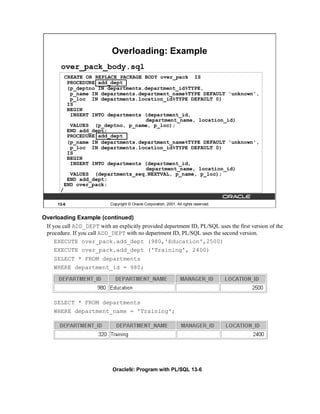
Overloading Example (continued)
 If you call ADD_DEPT with an explicitly provided department ID, PL/SQL uses the first version of the
 procedure. If you call ADD_DEPT with no department ID, PL/SQL uses the second version.
     EXECUTE over_pack.add_dept (980,'Education',2500)
     EXECUTE over_pack.add_dept ('Training', 2400)
    SELECT * FROM departments
    WHERE department_id = 980;


    SELECT * FROM departments
    WHERE department_name = 'Training';


                             Oracle9i: Program with PL/SQL 13-6
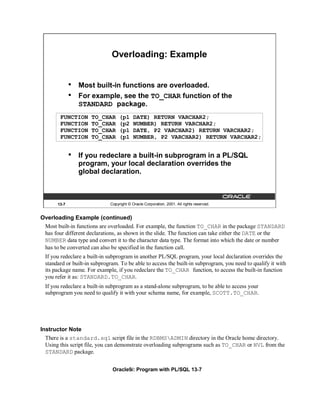
Overloading: Example


              •   Most built-in functions are overloaded.
              •   For example, see the TO_CHAR function of the
                  STANDARD package.
        FUNCTION     TO_CHAR      (p1     DATE) RETURN VARCHAR2;
        FUNCTION     TO_CHAR      (p2     NUMBER) RETURN VARCHAR2;
        FUNCTION     TO_CHAR      (p1     DATE, P2 VARCHAR2) RETURN VARCHAR2;
        FUNCTION     TO_CHAR      (p1     NUMBER, P2 VARCHAR2) RETURN VARCHAR2;


              •   If you redeclare a built-in subprogram in a PL/SQL
                  program, your local declaration overrides the
                  global declaration.


       13-7                  Copyright © Oracle Corporation, 2001. All rights reserved.


Overloading Example (continued)
 Most built-in functions are overloaded. For example, the function TO_CHAR in the package STANDARD
 has four different declarations, as shown in the slide. The function can take either the DATE or the
 NUMBER data type and convert it to the character data type. The format into which the date or number
 has to be converted can also be specified in the function call.
 If you redeclare a built-in subprogram in another PL/SQL program, your local declaration overrides the
 standard or built-in subprogram. To be able to access the built-in subprogram, you need to qualify it with
 its package name. For example, if you redeclare the TO_CHAR function, to access the built-in function
 you refer it as: STANDARD.TO_CHAR.
 If you redeclare a built-in subprogram as a stand-alone subprogram, to be able to access your
 subprogram you need to qualify it with your schema name, for example, SCOTT.TO_CHAR.


Instructor Note
  There is a standard.sql script file in the RDBMSADMIN directory in the Oracle home directory.
  Using this script file, you can demonstrate overloading subprograms such as TO_CHAR or NVL from the
  STANDARD package.


                              Oracle9i: Program with PL/SQL 13-7
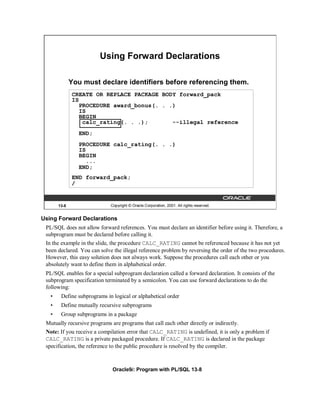
Using Forward Declarations

              You must declare identifiers before referencing them.
              CREATE OR REPLACE PACKAGE BODY forward_pack
              IS
                 PROCEDURE award_bonus(. . .)
                 IS
                 BEGIN
                  calc_rating(. . .);       --illegal reference
                 END;
                 PROCEDURE calc_rating(. . .)
                 IS
                 BEGIN
                    ...
                 END;
              END forward_pack;
              /


       13-8                  Copyright © Oracle Corporation, 2001. All rights reserved.


Using Forward Declarations
 PL/SQL does not allow forward references. You must declare an identifier before using it. Therefore, a
 subprogram must be declared before calling it.
 In the example in the slide, the procedure CALC_RATING cannot be referenced because it has not yet
 been declared. You can solve the illegal reference problem by reversing the order of the two procedures.
 However, this easy solution does not always work. Suppose the procedures call each other or you
 absolutely want to define them in alphabetical order.
 PL/SQL enables for a special subprogram declaration called a forward declaration. It consists of the
 subprogram specification terminated by a semicolon. You can use forward declarations to do the
 following:
   •    Define subprograms in logical or alphabetical order
   •    Define mutually recursive subprograms
   •    Group subprograms in a package
 Mutually recursive programs are programs that call each other directly or indirectly.
 Note: If you receive a compilation error that CALC_RATING is undefined, it is only a problem if
 CALC_RATING is a private packaged procedure. If CALC_RATING is declared in the package
 specification, the reference to the public procedure is resolved by the compiler.


                              Oracle9i: Program with PL/SQL 13-8
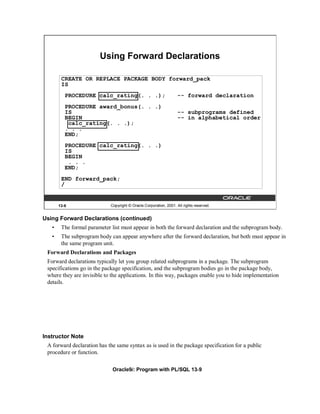
Using Forward Declarations

        CREATE OR REPLACE PACKAGE BODY forward_pack
        IS
          PROCEDURE calc_rating(. . .);                             -- forward declaration
          PROCEDURE award_bonus(. . .)
          IS                                                        -- subprograms defined
          BEGIN                                                     -- in alphabetical order
           calc_rating(. . .);
          . . .
          END;
          PROCEDURE calc_rating(. . .)
          IS
          BEGIN
           . . .
          END;
        END forward_pack;
        /


       13-9                  Copyright © Oracle Corporation, 2001. All rights reserved.


Using Forward Declarations (continued)
   •    The formal parameter list must appear in both the forward declaration and the subprogram body.
   •    The subprogram body can appear anywhere after the forward declaration, but both must appear in
        the same program unit.
 Forward Declarations and Packages
 Forward declarations typically let you group related subprograms in a package. The subprogram
 specifications go in the package specification, and the subprogram bodies go in the package body,
 where they are invisible to the applications. In this way, packages enable you to hide implementation
 details.


Instructor Note
 A forward declaration has the same syntax as is used in the package specification for a public
 procedure or function.

                              Oracle9i: Program with PL/SQL 13-9
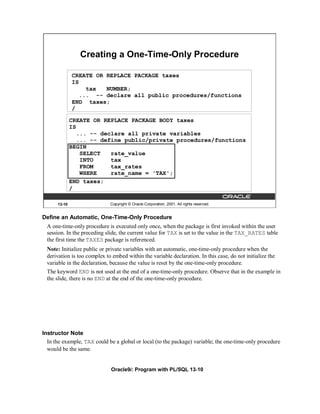
Creating a One-Time-Only Procedure

              CREATE OR REPLACE PACKAGE taxes
              IS
                   tax  NUMBER;
                 ... -- declare all public procedures/functions
              END taxes;
              /

              CREATE OR REPLACE PACKAGE BODY taxes
              IS
                 ... -- declare all private variables
                 ... -- define public/private procedures/functions
              BEGIN
                  SELECT   rate_value
                  INTO     tax
                  FROM     tax_rates
                  WHERE    rate_name = 'TAX';
              END taxes;
              /

      13-10                   Copyright © Oracle Corporation, 2001. All rights reserved.


Define an Automatic, One-Time-Only Procedure
  A one-time-only procedure is executed only once, when the package is first invoked within the user
  session. In the preceding slide, the current value for TAX is set to the value in the TAX_RATES table
  the first time the TAXES package is referenced.
  Note: Initialize public or private variables with an automatic, one-time-only procedure when the
  derivation is too complex to embed within the variable declaration. In this case, do not initialize the
  variable in the declaration, because the value is reset by the one-time-only procedure.
  The keyword END is not used at the end of a one-time-only procedure. Observe that in the example in
  the slide, there is no END at the end of the one-time-only procedure.


Instructor Note
  In the example, TAX could be a global or local (to the package) variable; the one-time-only procedure
  would be the same.


                              Oracle9i: Program with PL/SQL 13-10
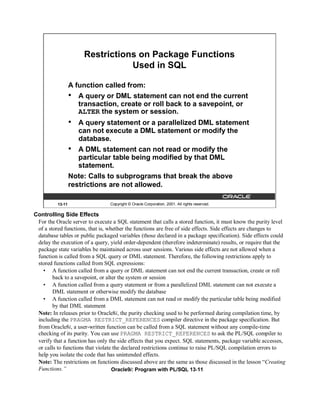
Restrictions on Package Functions
                                 Used in SQL

                  A function called from:
                  • A query or DML statement can not end the current
                     transaction, create or roll back to a savepoint, or
                     ALTER the system or session.
                  •  A query statement or a parallelized DML statement
                     can not execute a DML statement or modify the
                     database.
                  • A DML statement can not read or modify the
                     particular table being modified by that DML
                     statement.
                  Note: Calls to subprograms that break the above
                  restrictions are not allowed.

          13-11                  Copyright © Oracle Corporation, 2001. All rights reserved.

Controlling Side Effects
 For the Oracle server to execute a SQL statement that calls a stored function, it must know the purity level
 of a stored functions, that is, whether the functions are free of side effects. Side effects are changes to
 database tables or public packaged variables (those declared in a package specification). Side effects could
 delay the execution of a query, yield order-dependent (therefore indeterminate) results, or require that the
 package state variables be maintained across user sessions. Various side effects are not allowed when a
 function is called from a SQL query or DML statement. Therefore, the following restrictions apply to
 stored functions called from SQL expressions:
   • A function called from a query or DML statement can not end the current transaction, create or roll
        back to a savepoint, or alter the system or session
   • A function called from a query statement or from a parallelized DML statement can not execute a
        DML statement or otherwise modify the database
   • A function called from a DML statement can not read or modify the particular table being modified
        by that DML statement
 Note: In releases prior to Oracle8i, the purity checking used to be performed during compilation time, by
 including the PRAGMA RESTRICT_REFERENCES compiler directive in the package specification. But
 from Oracle8i, a user-written function can be called from a SQL statement without any compile-time
 checking of its purity. You can use PRAGMA RESTRICT_REFERENCES to ask the PL/SQL compiler to
 verify that a function has only the side effects that you expect. SQL statements, package variable accesses,
 or calls to functions that violate the declared restrictions continue to raise PL/SQL compilation errors to
 help you isolate the code that has unintended effects.
 Note: The restrictions on functions discussed above are the same as those discussed in the lesson “Creating
 Functions.”                       Oracle9i: Program with PL/SQL 13-11
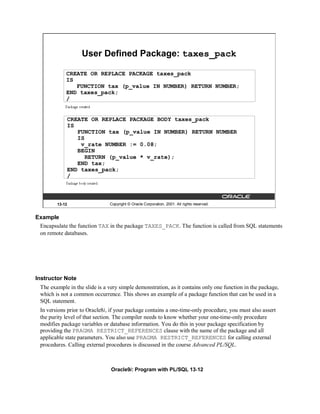
User Defined Package: taxes_pack

            CREATE OR REPLACE PACKAGE taxes_pack
            IS
               FUNCTION tax (p_value IN NUMBER) RETURN NUMBER;
            END taxes_pack;
            /


            CREATE OR REPLACE PACKAGE BODY taxes_pack
            IS
               FUNCTION tax (p_value IN NUMBER) RETURN NUMBER
               IS
                v_rate NUMBER := 0.08;
               BEGIN
                  RETURN (p_value * v_rate);
               END tax;
            END taxes_pack;
            /


        13-12                  Copyright © Oracle Corporation, 2001. All rights reserved.


Example
 Encapsulate the function TAX in the package TAXES_PACK. The function is called from SQL statements
 on remote databases.


Instructor Note
 The example in the slide is a very simple demonstration, as it contains only one function in the package,
 which is not a common occurrence. This shows an example of a package function that can be used in a
 SQL statement.
 In versions prior to Oracle8i, if your package contains a one-time-only procedure, you must also assert
 the purity level of that section. The compiler needs to know whether your one-time-only procedure
 modifies package variables or database information. You do this in your package specification by
 providing the PRAGMA RESTRICT_REFERENCES clause with the name of the package and all
 applicable state parameters. You also use PRAGMA RESTRICT_REFERENCES for calling external
 procedures. Calling external procedures is discussed in the course Advanced PL/SQL.


                                Oracle9i: Program with PL/SQL 13-12
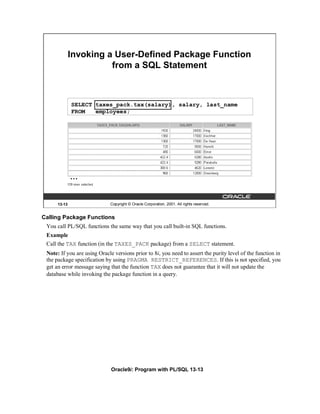
Invoking a User-Defined Package Function
                        from a SQL Statement


              SELECT taxes_pack.tax(salary), salary, last_name
              FROM   employees;


              …


      13-13                  Copyright © Oracle Corporation, 2001. All rights reserved.


Calling Package Functions
 You call PL/SQL functions the same way that you call built-in SQL functions.
 Example
 Call the TAX function (in the TAXES_PACK package) from a SELECT statement.
 Note: If you are using Oracle versions prior to 8i, you need to assert the purity level of the function in
 the package specification by using PRAGMA RESTRICT_REFERENCES. If this is not specified, you
 get an error message saying that the function TAX does not guarantee that it will not update the
 database while invoking the package function in a query.


                              Oracle9i: Program with PL/SQL 13-13
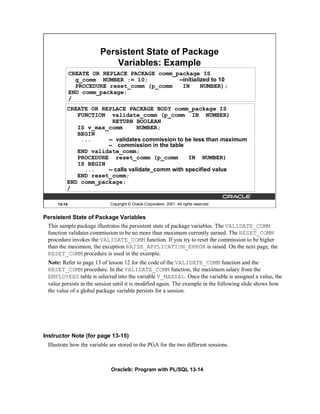
Persistent State of Package
                            Variables: Example
             CREATE OR REPLACE PACKAGE comm_package IS
               g_comm NUMBER := 10;          --initialized to 10
               PROCEDURE reset_comm (p_comm    IN      NUMBER);
             END comm_package;
             /
         CREATE OR REPLACE PACKAGE BODY comm_package IS
            FUNCTION validate_comm (p_comm IN NUMBER)
                       RETURN BOOLEAN
            IS v_max_comm        NUMBER;
            BEGIN
             ...     -- validates commission to be less than maximum
                     -- commission in the table
            END validate_comm;
            PROCEDURE reset_comm (p_comm          IN NUMBER)
            IS BEGIN
              ...    -- calls validate_comm with specified value
            END reset_comm;
         END comm_package;
         /

     13-14                   Copyright © Oracle Corporation, 2001. All rights reserved.


Persistent State of Package Variables
 This sample package illustrates the persistent state of package variables. The VALIDATE_COMM
 function validates commission to be no more than maximum currently earned. The RESET_COMM
 procedure invokes the VALIDATE_COMM function. If you try to reset the commission to be higher
 than the maximum, the exception RAISE_APPLICATION_ERROR is raised. On the next page, the
 RESET_COMM procedure is used in the example.
 Note: Refer to page 13 of lesson 12 for the code of the VALIDATE_COMM function and the
 RESET_COMM procedure. In the VALIDATE_COMM function, the maximum salary from the
 EMPLOYEES table is selected into the variable V_MAXSAL. Once the variable is assigned a value, the
 value persists in the session until it is modified again. The example in the following slide shows how
 the value of a global package variable persists for a session.


Instructor Note (for page 13-15)
 Illustrate how the variable are stored in the PGA for the two different sessions.


                             Oracle9i: Program with PL/SQL 13-14
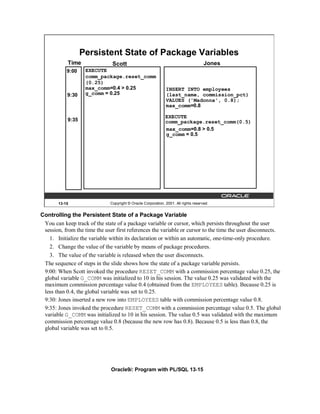
Persistent State of Package Variables
            Time               Scott                                                 Jones
           9:00     EXECUTE
                    comm_package.reset_comm
                    (0.25)
                    max_comm=0.4 > 0.25                       INSERT INTO employees
           9:30     g_comm = 0.25                             (last_name, commission_pct)
                                                              VALUES ('Madonna', 0.8);
                                                              max_comm=0.8

                                                              EXECUTE
            9:35                                              comm_package.reset_comm(0.5)
                                                              max_comm=0.8 > 0.5
                                                              g_comm = 0.5


       13-15                  Copyright © Oracle Corporation, 2001. All rights reserved.


Controlling the Persistent State of a Package Variable
 You can keep track of the state of a package variable or cursor, which persists throughout the user
 session, from the time the user first references the variable or cursor to the time the user disconnects.
   1. Initialize the variable within its declaration or within an automatic, one-time-only procedure.
   2. Change the value of the variable by means of package procedures.
   3. The value of the variable is released when the user disconnects.
 The sequence of steps in the slide shows how the state of a package variable persists.
 9:00: When Scott invoked the procedure RESET_COMM with a commission percentage value 0.25, the
 global variable G_COMM was initialized to 10 in his session. The value 0.25 was validated with the
 maximum commission percentage value 0.4 (obtained from the EMPLOYEES table). Because 0.25 is
 less than 0.4, the global variable was set to 0.25.
 9:30: Jones inserted a new row into EMPLOYEES table with commission percentage value 0.8.
 9:35: Jones invoked the procedure RESET_COMM with a commission percentage value 0.5. The global
 variable G_COMM was initialized to 10 in his session. The value 0.5 was validated with the maximum
 commission percentage value 0.8 (because the new row has 0.8). Because 0.5 is less than 0.8, the
 global variable was set to 0.5.


                               Oracle9i: Program with PL/SQL 13-15
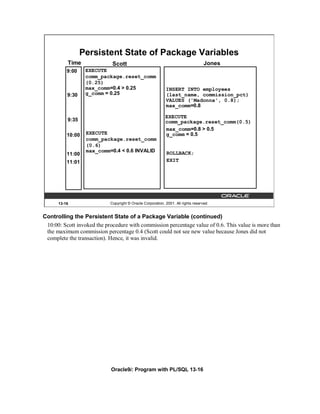
Persistent State of Package Variables
          Time               Scott                                                 Jones
          9:00    EXECUTE
                  comm_package.reset_comm
                  (0.25)
                  max_comm=0.4 > 0.25                       INSERT INTO employees
          9:30    g_comm = 0.25                             (last_name, commission_pct)
                                                            VALUES ('Madonna', 0.8);
                                                            max_comm=0.8

                                                            EXECUTE
          9:35                                              comm_package.reset_comm(0.5)
                                                            max_comm=0.8 > 0.5
          10:00   EXECUTE                                   g_comm = 0.5
                  comm_package.reset_comm
                  (0.6)
                  max_comm=0.4 < 0.6 INVALID                 ROLLBACK;
          11:00
          11:01                                              EXIT


      13-16                 Copyright © Oracle Corporation, 2001. All rights reserved.


Controlling the Persistent State of a Package Variable (continued)
 10:00: Scott invoked the procedure with commission percentage value of 0.6. This value is more than
 the maximum commission percentage 0.4 (Scott could not see new value because Jones did not
 complete the transaction). Hence, it was invalid.


                            Oracle9i: Program with PL/SQL 13-16
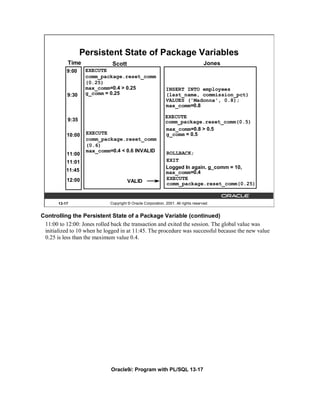
Persistent State of Package Variables
           Time               Scott                                                 Jones
           9:00    EXECUTE
                   comm_package.reset_comm
                   (0.25)
                   max_comm=0.4 > 0.25                       INSERT INTO employees
           9:30    g_comm = 0.25                             (last_name, commission_pct)
                                                             VALUES ('Madonna', 0.8);
                                                             max_comm=0.8

                                                             EXECUTE
           9:35                                              comm_package.reset_comm(0.5)
                                                             max_comm=0.8 > 0.5
           10:00   EXECUTE                                   g_comm = 0.5
                   comm_package.reset_comm
                   (0.6)
                   max_comm=0.4 < 0.6 INVALID                ROLLBACK;
           11:00
           11:01                                             EXIT
                                                             Logged In again. g_comm = 10,
           11:45                                             max_comm=0.4
           12:00                                             EXECUTE
                                      VALID                  comm_package.reset_comm(0.25)


       13-17                 Copyright © Oracle Corporation, 2001. All rights reserved.


Controlling the Persistent State of a Package Variable (continued)
 11:00 to 12:00: Jones rolled back the transaction and exited the session. The global value was
 initialized to 10 when he logged in at 11:45. The procedure was successful because the new value
 0.25 is less than the maximum value 0.4.


                             Oracle9i: Program with PL/SQL 13-17
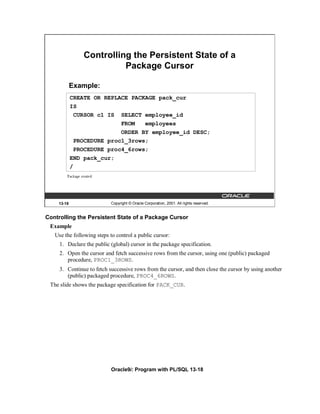
Controlling the Persistent State of a
                          Package Cursor

            Example:
            CREATE OR REPLACE PACKAGE pack_cur
            IS
             CURSOR c1 IS SELECT employee_id
                           FROM   employees
                           ORDER BY employee_id DESC;
             PROCEDURE proc1_3rows;
             PROCEDURE proc4_6rows;
            END pack_cur;
            /


    13-18                  Copyright © Oracle Corporation, 2001. All rights reserved.


Controlling the Persistent State of a Package Cursor
 Example
   Use the following steps to control a public cursor:
     1. Declare the public (global) cursor in the package specification.
     2. Open the cursor and fetch successive rows from the cursor, using one (public) packaged
        procedure, PROC1_3ROWS.
     3. Continue to fetch successive rows from the cursor, and then close the cursor by using another
        (public) packaged procedure, PROC4_6ROWS.
 The slide shows the package specification for PACK_CUR.


                           Oracle9i: Program with PL/SQL 13-18
Controlling the Persistent State of a
                           Package Cursor
              CREATE OR REPLACE PACKAGE BODY pack_cur IS
                v_empno NUMBER;
                PROCEDURE proc1_3rows IS
                BEGIN
                  OPEN c1;
                  LOOP
                   FETCH c1 INTO v_empno;
                   DBMS_OUTPUT.PUT_LINE('Id :' ||(v_empno));
                   EXIT WHEN c1%ROWCOUNT >= 3;
                  END LOOP;
                END proc1_3rows;
                PROCEDURE proc4_6rows IS
                BEGIN
                  LOOP
                   FETCH c1 INTO v_empno;
                   DBMS_OUTPUT.PUT_LINE('Id :' ||(v_empno));
                   EXIT WHEN c1%ROWCOUNT >= 6;
                  END LOOP;
                  CLOSE c1;
                END proc4_6rows;
              END pack_cur;
              /

      13-19                 Copyright © Oracle Corporation, 2001. All rights reserved.


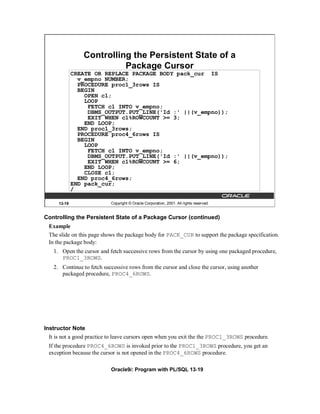
Controlling the Persistent State of a Package Cursor (continued)
 Example
 The slide on this page shows the package body for PACK_CUR to support the package specification.
 In the package body:
   1. Open the cursor and fetch successive rows from the cursor by using one packaged procedure,
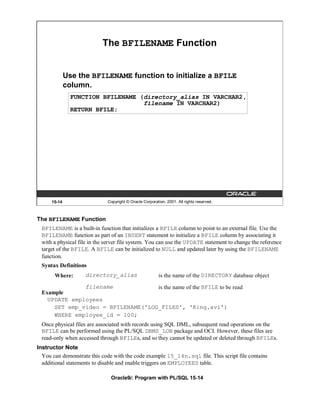
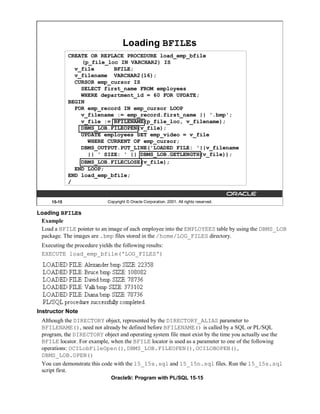
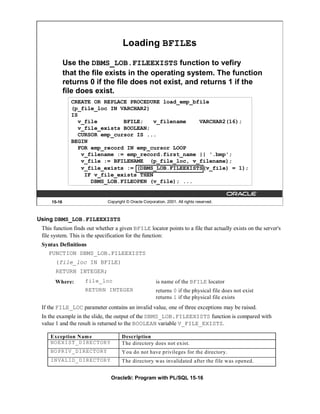
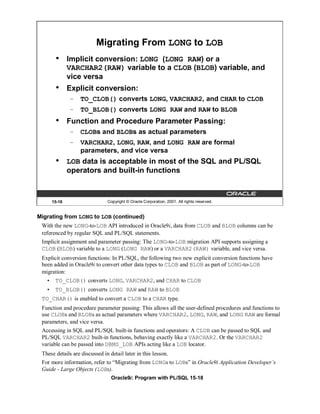
      PROC1_3ROWS.
   2. Continue to fetch successive rows from the cursor and close the cursor, using another
      packaged procedure, PROC4_6ROWS.


Instructor Note
  It is not a good practice to leave cursors open when you exit the the PROC1_3ROWS procedure.
 If the procedure PROC4_6ROWS is invoked prior to the PROC1_3ROWS procedure, you get an
 exception because the cursor is not opened in the PROC4_6ROWS procedure.

                            Oracle9i: Program with PL/SQL 13-19
Executing PACK_CUR


             SET SERVEROUTPUT ON
             EXECUTE pack_cur.proc1_3rows
             EXECUTE pack_cur.proc4_6rows


     13-20                  Copyright © Oracle Corporation, 2001. All rights reserved.


Result of Executing PACK_CUR
 The state of a package variable or cursor persists across transactions within a session. The state does
 not persist from session to session for the same user, nor does it persist from user to user.


Instructor Note
 If you demonstrate this procedure, the results may vary because you may have added employees.
 A more realistic way of sharing a result set between two procedures would be to use a cursor
 variable as a parameter.


                            Oracle9i: Program with PL/SQL 13-20
PL/SQL Tables
                       and Records in Packages
             CREATE OR REPLACE PACKAGE emp_package IS
               TYPE emp_table_type IS TABLE OF employees%ROWTYPE
                  INDEX BY BINARY_INTEGER;
               PROCEDURE read_emp_table
                           (p_emp_table OUT emp_table_type);
             END emp_package;
             /
             CREATE OR REPLACE PACKAGE BODY emp_package IS
               PROCEDURE read_emp_table
                            (p_emp_table OUT emp_table_type) IS
               i BINARY_INTEGER := 0;
               BEGIN
                 FOR emp_record IN (SELECT * FROM employees)
                 LOOP
                   p_emp_table(i) := emp_record;
                   i:= i+1;
                 END LOOP;
               END read_emp_table;
             END emp_package;
             /

     13-21               Copyright © Oracle Corporation, 2001. All rights reserved.


Passing Tables of Records to Procedures or Functions Inside a Package
 Invoke the READ_EMP_TABLE procedure from an anonymous PL/SQL block, using iSQL*Plus.
 DECLARE
    v_emp_table emp_package.emp_table_type;
    BEGIN
      emp_package.read_emp_table(v_emp_table);
      DBMS_OUTPUT.PUT_LINE('An example: '||v_emp_table(4).last_name);
 END;
 /


 To invoke the READ_EMP_TABLE procedure from another procedure or any PL/SQL block outside
 the package, the actual parameter referring to the OUT parameter P_EMP_TABLE must be prefixed
 with its package name. In the example above, the V_EMP_TABLE variable is declared of the
 EMP_TABLE_TYPE type with the package name added as a prefix.
Instructor Note
  In the anonymous block above, EMP_PACKAGE.EMP_TABLE_TYPE refers to the user-defined
  packaged table that is shown in the slide.
                         Oracle9i: Program with PL/SQL 13-21
Summary


             In this lesson, you should have learned how to:
             •   Overload subprograms
             •   Use forward referencing
             •   Use one-time-only procedures
             •   Describe the purity level of package functions
             •   Identify the persistent state of packaged objects


     13-22                  Copyright © Oracle Corporation, 2001. All rights reserved.


Summary
 Overloading is a feature that enables you to define different subprograms with the same name. It is
 logical to give two subprograms the same name in situations when the processing in both the
 subprograms is the same, but the parameters passed to them varies.
 PL/SQL allows for a special subprogram declaration called a forward declaration. Forward
 declaration enables you to define subprograms in logical or alphabetical order, define mutually
 recursive subprograms, and group subprograms in a package.
 A one-time-only procedure is executed only when the package is first invoked within the other user
 session. You can use this feature to initialize variables only once per session.
 You can keep track of the state of a package variable or cursor, which persists throughout the user
 session, from the time the user first references the variable or cursor to the time that the user
 disconnects.


                            Oracle9i: Program with PL/SQL 13-22
Practice 13 Overview


            This practice covers the following topics:
            •   Using overloaded subprograms
            •   Creating a one-time-only procedure


    13-23                  Copyright © Oracle Corporation, 2001. All rights reserved.


Practice 13 Overview
 In this practice you create a package containing an overloaded function. You also create a one-time-
 only procedure within a package to populate a PL/SQL table.


                           Oracle9i: Program with PL/SQL 13-23
Practice 13
   1. Create a package called OVER_LOAD. Create two functions in this package; name each function
       PRINT_IT. The function accepts a date or character string and prints a date or a number, depending
       on how the function is invoked.
       Note:
         • To print the date value, use DD-MON-YY as the input format, and FmMonth,dd yyyy as the
             output format. Make sure you handle invalid input.
         • To print out the number, use 999,999.00 as the input format.
          a.   Test the first version of PRINT_IT with the following set of commands:
          VARIABLE display_date VARCHAR2(20)
          EXECUTE :display_date := over_load.print_it (TO_DATE('08-MAR-01'))
          PRINT display_date


          b. Test the second version of PRINT_IT with the following set of commands:
          VARIABLE g_emp_sal NUMBER
          EXECUTE :g_emp_sal := over_load.print_it('33,600')
          PRINT g_emp_sal


    2. Create a new package, called CHECK_PACK, to implement a new business rule.
         a. Create a procedure called CHK_DEPT_JOB to verify whether a given combination of
             department ID and job is a valid one. In this case valid means that it must be a combination that
             currently exists in the EMPLOYEES table.
               Note:
                 • Use a PL/SQL table to store the valid department and job combination.
                 • The PL/SQL table needs to be populated only once.
                 • Raise an application error with an appropriate message if the combination is not valid.
          b.   Test your CHK_DEPT_JOB package procedure by executing the following command:
               EXECUTE check_pack.chk_dept_job(50,'ST_CLERK')
               What happens?
          c.   Test your CHK_DEPT_JOB package procedure by executing the following command:
               EXECUTE check_pack.chk_dept_job(20,'ST_CLERK')
               What happens, and why?
                                 Oracle9i: Program with PL/SQL 13-24
Oracle Supplied Packages


                          Copyright © Oracle Corporation, 2001. All rights reserved.


Schedule:   Timing          Topic
             50 minutes     Lecture
             50 minutes     Practice
            100 minutes     Total
Objectives


           After completing this lesson, you should be able to
           do the following:
           • Write dynamic SQL statements using DBMS_SQL
              and EXECUTE IMMEDIATE
           •   Describe the use and application of some Oracle
               server-supplied packages:
               – DBMS_DDL
               – DBMS_JOB
               – DBMS_OUTPUT
               – UTL_FILE
               – UTL_HTTP and UTL_TCP


    14-2                     Copyright © Oracle Corporation, 2001. All rights reserved.


Lesson Aim
 In this lesson, you learn how to use some of the Oracle server supplied packages and to take advantage
 of their capabilities.


Instructor Note
 In this lesson, only a few of the many Oracle server supplied packages and their procedures, functions,
 and parameters are explained.

                               Oracle9i: Program with PL/SQL 14-2
Using Supplied Packages


             Oracle-supplied packages:
             •   Are provided with the Oracle server
             •   Extend the functionality of the database
             •   Enable access to certain SQL features normally
                 restricted for PL/SQL


      14-3                    Copyright © Oracle Corporation, 2001. All rights reserved.


Using Supplied Packages
  Packages are provided with the Oracle server to allow either PL/SQL access to certain SQL features, or
  to extend the functionality of the database.
  You can take advantage of the functionality provided by these packages when creating your application,
  or you may simply want to use these packages as ideas when you create your own stored procedures.
  Most of the standard packages are created by running catproc.sql.


Instructor Note
  The catproc.sql script is found in the $ORACLE_HOME/rdbms/admin directory. Other
  packages may have to be created in the SYS schema by running corresponding scripts located in the
  directory $ORACLE_HOME/rdbms/admin. The scripts to create supplied packages have prefix
  DBMS_.
                                Oracle9i: Program with PL/SQL 14-3
Using Native Dynamic SQL


            Dynamic SQL:
            •   Is a SQL statement that contains variables that can
                change during runtime
            •   Is a SQL statement with placeholders and is stored
                as a character string
            •   Enables general-purpose code to be written
            •   Enables data-definition, data-control, or session-
                control statements to be written and executed
                from PL/SQL
            •   Is written using either DBMS_SQL or native dynamic
                SQL


     14-4                     Copyright © Oracle Corporation, 2001. All rights reserved.


Using Native Dynamic SQL (Dynamic SQL)
 You can write PL/SQL blocks that use dynamic SQL. Dynamic SQL statements are not embedded in
 your source program but rather are stored in character strings that are input to, or built by, the program.
 That is, the SQL statements can be created dynamically at run time by using variables. For example,
 you use dynamic SQL to create a procedure that operates on a table whose name is not known until run
 time, or to write and execute a data definition language (DDL) statement (such as CREATE TABLE), a
 data control statement (such as GRANT), or a session control statement (such as ALTER SESSION). In
 PL/SQL, such statements cannot be executed statically.
 In Oracle8, and earlier, you have to use DBMS_SQL to write dynamic SQL.
 In Oracle 8i, you can use DBMS_SQL or native dynamic SQL. The EXECUTE IMMEDIATE statement
 can perform dynamic single-row queries. Also, this is used for functionality such as objects and
 collections, which are not supported by DBMS_SQL. If the statement is a multirow SELECT statement,
 you use OPEN-FOR, FETCH, and CLOSE statements.


                                Oracle9i: Program with PL/SQL 14-4
Execution Flow


             SQL statements go through various stages:
             •   Parse
             •   Bind
             •   Execute
             •   Fetch
             Note: Some stages may be skipped.


      14-5                    Copyright © Oracle Corporation, 2001. All rights reserved.


Steps to Process SQL Statements
  All SQL statements have to go through various stages. Some stages may be skipped.
  Parse
  Every SQL statement must be parsed. Parsing the statement includes checking the statement's syntax
  and validating the statement, ensuring that all references to objects are correct, and ensuring that the
  relevant privileges to those objects exist.
  Bind
  After parsing, the Oracle server knows the meaning of the Oracle statement but still may not have
  enough information to execute the statement. The Oracle server may need values for any bind variable
  in the statement. The process of obtaining these values is called binding variables.
  Execute
  At this point, the Oracle server has all necessary information and resources, and the statement is
  executed.
  Fetch
  In the fetch stage, rows are selected and ordered (if requested by the query), and each successive fetch
  retrieves another row of the result, until the last row has been fetched. You can fetch queries, but not
  the DML statements.
Instructor Note
  Do not go into too much detail when discussing this topic. Processing of SQL statements is covered in
  more detail in other courses.

                                 Oracle9i: Program with PL/SQL 14-5
Using the DBMS_SQL Package


            The DBMS_SQL package is used to write dynamic SQL
            in stored procedures and to parse DDL statements.
            Some of the procedures and functions of the package
            include:
                – OPEN_CURSOR
                – PARSE
                – BIND_VARIABLE
                – EXECUTE
                – FETCH_ROWS
                – CLOSE_CURSOR


     14-6                     Copyright © Oracle Corporation, 2001. All rights reserved.


Using the DBMS_SQL Package
 Using DBMS_SQL, you can write stored procedures and anonymous PL/SQL blocks that use dynamic
 SQL.
 DBMS_SQL can issue data definition language statements in PL/SQL. For example, you can choose to
 issue a DROP TABLE statement from within a stored procedure.
 The operations provided by this package are performed under the current user, not under the package
 owner SYS. Therefore, if the caller is an anonymous PL/SQL block, the operations are performed
 according to the privileges of the current user; if the caller is a stored procedure, the operations are
 performed according to the owner of the stored procedure.
 Using this package to execute DDL statements can result in a deadlock. The most likely reason for this
 is that the package is being used to drop a procedure that you are still using.


                                Oracle9i: Program with PL/SQL 14-6
Components of the DBMS_SQL Package
  The DBMS_SQL package uses dynamic SQL to access the database.

  Function or Procedure Description
  OPEN_CURSOR              Opens a new cursor and assigns a cursor ID number
  PARSE                    Parses the DDL or DML statement: that is, checks the statement’s syntax
                           and associates it with the opened cursor (DDL statements are immediately
                           executed when parsed)
  BIND_VARIABLE            Binds the given value to the variable identified by its name in the parsed
                           statement in the given cursor
  EXECUTE                  Executes the SQL statement and returns the number of rows processed
  FETCH_ROWS               Retrieves a row for the specified cursor (for multiple rows, call in a loop)
  CLOSE_CURSOR             Closes the specified cursor


Instructor Note
  DBMS_SQL has many more procedures and functions than are shown here. The procedures and
  functions in the table should show the main stages of dynamic SQL statements. If you want to cover
  DBMS_SQL in more detail, start by showing the data dictionary information on DBMS_SQL.
  SELECT text FROM all_source WHERE name ='DBMS_SQL' ORDER BY LINE;
  or
  Use DESC DBMS_SQL to view the description of the procedures and functions in the package.
  The above SELECT statement returns 1050 rows.


                                Oracle9i: Program with PL/SQL 14-7
Using DBMS_SQL
       CREATE OR REPLACE PROCEDURE delete_all_rows
          (p_tab_name IN VARCHAR2, p_rows_del OUT NUMBER)
        IS
          cursor_name   INTEGER;
        BEGIN
          cursor_name := DBMS_SQL.OPEN_CURSOR;
          DBMS_SQL.PARSE(cursor_name, 'DELETE FROM '||p_tab_name,
                            DBMS_SQL.NATIVE );
          p_rows_del := DBMS_SQL.EXECUTE (cursor_name);
          DBMS_SQL.CLOSE_CURSOR(cursor_name);
       END;
       /
       Use dynamic SQL to delete rows
        VARIABLE deleted NUMBER
        EXECUTE delete_all_rows('employees', :deleted)
        PRINT deleted


      14-8                   Copyright © Oracle Corporation, 2001. All rights reserved.


Example of a DBMS_SQL Package
     In the slide, the table name is passed into the DELETE_ALL_ROWS procedure by using an IN
     parameter. The procedure uses dynamic SQL to delete rows from the specified table. The number
     of rows that are deleted as a result of the successful execution of the dynamic SQL are passed to
     the calling environment through an OUT parameter.
     How to Process Dynamic DML
       1. Use OPEN_CURSOR to establish an area in memory to process a SQL statement.
       2. Use PARSE to establish the validity of the SQL statement.
       3. Use the EXECUTE function to run the SQL statement. This function returns the number of
          row processed.
       4. Use CLOSE_CURSOR to close the cursor.

Instructor Note
     If you want to demonstrate this code, remember to do a ROLLBACK in order to undo the deletion.
     The sample code contains DELETE command on another test table that is created in the script.
     Demonstration: 14_dmldynam.sql, 14_ddldynam.sql, and 14_seldynam.sql
     Purpose: The first two scripts create a table to perform either a DROP TABLE or a DELETE
     command on it. The last script accepts three parameters and selects data from the table. Use
     EMPLOYEES, JOB, and MANAGER as the values when prompted. The values are not case-
     sensitive.
                               Oracle9i: Program with PL/SQL 14-8
Using the EXECUTE IMMEDIATE Statement
            Use the EXECUTE IMMEDIATE statement for native
            dynamic SQL with better performance.

             EXECUTE IMMEDIATE dynamic_string
              [INTO {define_variable
                  [, define_variable] ... | record}]
              [USING [IN|OUT|IN OUT] bind_argument
                  [, [IN|OUT|IN OUT] bind_argument] ... ];


            •   INTO is used for single-row queries and specifies
                the variables or records into which column values
                are retrieved.
            •   USING is used to hold all bind arguments. The
                default parameter mode is IN.


     14-9                    Copyright © Oracle Corporation, 2001. All rights reserved.


Using the EXECUTE IMMEDIATE Statement
 Syntax Definition
   Parameter                 Description
   dynamic_string            A string expression that represents a dynamic SQL statement (without
                             terminator) or a PL/SQL block (with terminator)
   define_variable           A variable that stores the selected column value
   record                    A user-defined or %ROWTYPE record that stores a selected row
   bind_argument             An expression whose value is passed to the dynamic SQL statement or
                             PL/SQL block

 You can use the INTO clause for a single-row query, but you must use OPEN-FOR, FETCH, and
 CLOSE for a multirow query.
 Note: The syntax shown in the slide is not complete. The other clauses of the statement are discussed in
 the Advanced PL/SQL course.


Instructor Note
  To process most dynamic SQL statements, you use the EXECUTE IMMEDIATE statement. However,
  to process a multirow query (SELECT statement), you must use the OPEN-FOR, FETCH, and CLOSE
  statements.
 OPEN-FOR, FETCH, and CLOSE are not covered in this course, because they use cursor variables.
                               Oracle9i: Program with PL/SQL 14-9
Using the EXECUTE IMMEDIATE Statement (continued)
 In the EXECUTE IMMEDIATE statement:
   •   The INTO clause specifies the variables or record into which column values are retrieved. It is
       used only for single-row queries. For each value retrieved by the query, there must be a
       corresponding, type-compatible variable or field in the INTO clause.
   •   The RETURNING INTO clause specifies the variables into which column values are returned.
       It is used only for DML statements that have a RETURNING clause (without a BULK
       COLLECT clause). For each value returned by the DML statement, there must be a
       corresponding, type-compatible variable in the RETURNING INTO clause.
   •   The USING clause holds all bind arguments. The default parameter mode is IN. For DML
       statements that have a RETURNING clause, you can place OUT arguments in the RETURNING
       INTO clause without specifying the parameter mode, which, by definition, is OUT. If you use
       both the USING clause and the RETURNING INTO clause, the USING clause can contain only
       IN arguments.
 At run time, bind arguments replace corresponding placeholders in the dynamic string. Thus, every
 placeholder must be associated with a bind argument in the USING clause or RETURNING INTO
 clause. You can use numeric, character, and string literals as bind arguments, but you cannot use
 Boolean literals (TRUE, FALSE, and NULL).
 Dynamic SQL supports all the SQL data types. For example, define variables and bind arguments can
 be collections, LOBs, instances of an object type, and REFs. As a rule, dynamic SQL does not support
 PL/SQL-specific types. For example, define variables and bind arguments cannot be Booleans or
 index-by tables. The only exception is that a PL/SQL record can appear in the INTO clause.
 You can execute a dynamic SQL statement repeatedly, using new values for the bind arguments.
 However, you incur some overhead because EXECUTE IMMEDIATE reparses the dynamic string
 before every execution.


                              Oracle9i: Program with PL/SQL 14-10
Dynamic SQL Using EXECUTE IMMEDIATE

             CREATE PROCEDURE del_rows
               (p_table_name IN VARCHAR2,
                p_rows_deld   OUT NUMBER)
             IS
             BEGIN
               EXECUTE IMMEDIATE 'delete from '||p_table_name;
               p_rows_deld := SQL%ROWCOUNT;
             END;
             /


             VARIABLE deleted NUMBER
             EXECUTE del_rows('test_employees',:deleted)
             PRINT deleted


     14-11                  Copyright © Oracle Corporation, 2001. All rights reserved.


Dynamic SQL Using EXECUTE IMMEDIATE
  This is the same dynamic SQL as seen with DBMS_SQL, using the Oracle8i statement EXECUTE
  IMMEDIATE. The EXECUTE IMMEDIATE statement prepares (parses) and immediately executes the
  dynamic SQL statement.


Instructor Note
  If you run this example, remember to use ROLLBACK to undo the deletion.

                              Oracle9i: Program with PL/SQL 14-11
Using the DBMS_DDL Package

               The DBMS_DDL Package:
               •   Provides access to some SQL DDL statements
                   from stored procedures
               •   Includes some procedures:
                   – ALTER_COMPILE (object_type, owner, object_name)
         DBMS_DDL.ALTER_COMPILE('PROCEDURE','A_USER','QUERY_EMP')

                   – ANALYZE_OBJECT (object_type, owner, name,
                     method)
         DBMS_DDL.ANALYZE_OBJECT('TABLE','A_USER','JOBS','COMPUTE')

               Note: This package runs with the privileges of calling
               user, rather than the package owner SYS.

       14-12                 Copyright © Oracle Corporation, 2001. All rights reserved.


Using the DBMS_DDL package
 This package provides access to some SQL DDL statements, which you can use in PL/SQL programs.
 DBMS_DDL is not allowed in triggers, in procedures called from Forms Builder, or in remote sessions.
 This package runs with the privileges of calling user, rather than the package owner SYS.
 Practical Uses
   •      You can recompile your modified PL/SQL program units by using
          DBMS_DDL.ALTER_COMPILE. The object type must be either procedure, function, package,
          package body, or trigger.
   •      You can analyze a single object, using DBMS_DDL.ANALYZE_OBJECT. (There is a way of
          analyzing more than one object at a time, using DBMS_UTILITY.) The object type should be
          TABLE, CLUSTER, or INDEX. The method must be COMPUTE, ESTIMATE, or DELETE.
   •      This package gives developers access to ALTER and ANALYZE SQL statements through PL/SQL
          environments.


Instructor Note
  You can check the column LAST_DDL_TIME in USER_OBJECTS and LAST_ANALYZED in
  USER_TABLES to monitor the results of these operations.
                              Oracle9i: Program with PL/SQL 14-12
Using DBMS_JOB for Scheduling


             DBMS_JOB Enables the scheduling and execution of
             PL/SQL programs:
             •   Submitting jobs
             •   Executing jobs
             •   Changing execution parameters of jobs
             •   Removing jobs
             •   Suspending Jobs


     14-13                  Copyright © Oracle Corporation, 2001. All rights reserved.


Scheduling Jobs by Using DBMS_JOB
 The package DBMS_JOB is used to schedule PL/SQL programs to run. Using DBMS_JOB, you can
 submit PL/SQL programs for execution, execute PL/SQL programs on a schedule, identify when
 PL/SQL programs should run, remove PL/SQL programs from the schedule, and suspend PL/SQL
 programs from running.
 It can be used to schedule batch jobs during nonpeak hours or to run maintenance programs during
 times of low usage.


Instructor Note
  In the init.ora file, the JOB_QUEUE_PROCESSES parameter must be set to greater than zero (at
  least 1), because this parameter enables job queue processing in the background.

                             Oracle9i: Program with PL/SQL 14-13
DBMS_JOB Subprograms


            Available subprograms include:
            • SUBMIT
            •   REMOVE
            •   CHANGE
            •   WHAT
            •   NEXT_DATE
            •   INTERVAL
            •   BROKEN
            •   RUN


    14-14                Copyright © Oracle Corporation, 2001. All rights reserved.


DBMS_JOB Subprograms
 Subprogram                   Description
 SUBMIT                       Submits a job to the job queue
 REMOVE                       Removes a specified job from the job queue
 CHANGE                       Alters a specified job that has already been submitted to the
                              job queue (you can alter the job description, the time at
                              which the job w ill be run, or the interval betw een executions
                              of the job)
 WHAT                         Alters the job description for a specified job
 NEXT_DATE                    Alters the next execution time for a specified job
 INTERVAL                     Alters the interval between executions for a specified job
 BROKEN                       Disables job execution (if a job is m arked as broken, the
                              Oracle server does not attempt to execute it)
 RUN                          Forces a specified job to run


                           Oracle9i: Program with PL/SQL 14-14
Submitting Jobs


             You can submit jobs by using DBMS_JOB.SUBMIT.
             Available parameters include:
             • JOB OUT BINARY_INTEGER
             •   WHAT IN VARCHAR2
             •   NEXT_DATE IN DATE DEFAULT SYSDATE
             •   INTERVAL IN VARCHAR2 DEFAULT 'NULL'
             •   NO_PARSE IN BOOLEAN DEFAULT FALSE


     14-15                    Copyright © Oracle Corporation, 2001. All rights reserved.


DBMS_JOB.SUBMIT Parameters
 The DBMS_JOB.SUBMIT procedure adds a new job to the job queue. It accepts five parameters and
 returns the number of a job submitted through the OUT parameter JOB. The descriptions of the
 parameters are listed below.
  P a ra m e ter       M od e     D e scr ip t io n
  JOB                  OUT        U n iq u e id e n tifier o f th e jo b
  WHAT                 IN         P L /S Q L c o d e to e x e cu te a s a jo b
  NEXT_DATE            IN         N ex t ex e cu tio n d a te o f th e jo b
  INTERVAL             IN         D ate fu n c tio n to c o m p u te th e n ex t e x e cu tio n d a te o f a jo b
  NO_PARSE             IN         B o o le an fla g th a t in d ic ates w h eth e r to p a rse th e jo b at jo b
                                  su b m issio n (th e d e fa u lt is fa lse )

 Note: An exception is raised if the interval does not evaluate to a time in the future.


                                Oracle9i: Program with PL/SQL 14-15
Submitting Jobs
              Use DBMS_JOB.SUBMIT to place a job to be executed
              in the job queue.
              VARIABLE jobno NUMBER
              BEGIN
                DBMS_JOB.SUBMIT (
                 job => :jobno,
                 what => 'OVER_PACK.ADD_DEPT(''EDUCATION'',2710);',
                 next_date => TRUNC(SYSDATE + 1),
                 interval => 'TRUNC(SYSDATE + 1)'
                );
                COMMIT;
              END;
              /
              PRINT jobno


      14-16                   Copyright © Oracle Corporation, 2001. All rights reserved.


Example
 The block of code in the slide submits the ADD_DEPT procedure of the OVER_PACK package to the
 job queue. The job number is returned through the JOB parameter. The WHAT parameter must be
 enclosed in single quotation marks and must include a semicolon at the end of the text string. This job
 is submitted to run every day at midnight.
  Note: In the example, the parameters are passed using named notation.
  The transactions in the submitted job are not committed until either COMMIT is issued, or
  DBMS_JOB.RUN is executed to run the job. COMMIT in the slide commits the transaction.


Instructor Note
  You can demonstrate this code with the 14_16s.sql file.


                               Oracle9i: Program with PL/SQL 14-16
Changing Job Characteristics


              •   DBMS_JOB.CHANGE: Changes the WHAT, NEXT_DATE,
                  and INTERVAL parameters
              •   DBMS_JOB.INTERVAL: Changes the INTERVAL
                  parameter
              •   DBMS_JOB.NEXT_DATE: Changes the next execution
                  date
              •   DBMS_JOB.WHAT: Changes the WHAT parameter


      14-17                  Copyright © Oracle Corporation, 2001. All rights reserved.


Changing Jobs After Being Submitted
 The CHANGE, INTERVAL, NEXT_DATE, and WHAT procedures enable you to modify job
 characteristics after a job is submitted to the queue. Each of these procedures takes the JOB parameter
 as an IN parameter indicating which job is to be changed.
  Example
  The following code changes job number 1 to execute on the following day at 6:00 a.m. and every four
  hours after that.
  BEGIN
      DBMS_JOB.CHANGE(1, NULL, TRUNC(SYSDATE+1)+6/24, ’SYSDATE+4/24');
  END;
  /


  Note: Each of these procedures can be executed on jobs owned by the username to which the session
  is connected. If the parameter what, next_date, or interval is NULL, then the last values
  assigned to those parameters are used.


Instructor Note
  You can demonstrate this code with the 14_17n.sql file.

                               Oracle9i: Program with PL/SQL 14-17
Running, Removing, and Breaking Jobs


             •   DBMS_JOB.RUN: Runs a submitted job immediately
             •   DBMS_JOB.REMOVE: Removes a submitted job from
                 the job queue
             •   DBMS_JOB.BROKEN: Marks a submitted job as
                 broken, and a broken job will not run


     14-18                  Copyright © Oracle Corporation, 2001. All rights reserved.


Running, Removing, and Breaking Jobs
 The DBMS_JOB.RUN procedure executes a job immediately. Pass the job number that you want to
 run immediately to the procedure.
    EXECUTE DBMS_JOB.RUN(1)
 The DBMS_JOB.REMOVE procedure removes a submitted job from the job queue. Pass the job
 number that you want to remove from the queue to the procedure.
   EXECUTE DBMS_JOB.REMOVE(1)
 The DBMS_JOB.BROKEN marks a job as broken or not broken. Jobs are not broken by default. You
 can change a job to the broken status. A broken job will not run. There are three parameters for this
 procedure. The JOB parameter identifies the job to be marked as broken or not broken. The BROKEN
 parameter is a Boolean parameter. Set this parameter to FALSE to indicate that a job is not broken,
 and set it to TRUE to indicate that it is broken. The NEXT_DATE parameter identifies the next
 execution date of the job.
    EXECUTE DBMS_JOB.BROKEN(1, TRUE)


                              Oracle9i: Program with PL/SQL 14-18
Viewing Information on Submitted Jobs


              •   Use the DBA_JOBS dictionary view to see the
                  status of submitted jobs.
                   SELECT job, log_user, next_date, next_sec,
                          broken, what
                   FROM DBA_JOBS;


              •   Use the DBA_JOBS_RUNNING dictionary view to
                  display jobs that are currently running.


      14-19                   Copyright © Oracle Corporation, 2001. All rights reserved.


Viewing Information on Submitted Jobs
  The DBA_JOBS and DBA_JOBS_RUNNING dictionary views display information about jobs in the
  queue and jobs that have run. To be able to view the dictionary information, users should be granted
  the SELECT privilege on SYS.DBA_JOBS.
  The query shown in the slide displays the job number, the user who submitted the job, the scheduled
  date for the job to run, the time for the job to run, and the PL/SQL block executed as a job.
  Use the USER_JOBS data dictionary view to display information about jobs in the queue for you.
  This view has the same structure as the DBA_JOBS view.


Instructor Note
  You may want to describe these views in iSQL*Plus. The columns are fairly descriptive of the
  information held in them. Refer students to the reference material for more in-depth descriptions.
  You can demonstrate this code with the 14_19s.sql file.
                               Oracle9i: Program with PL/SQL 14-19
Using the DBMS_OUTPUT Package


               The DBMS_OUTPUT package enables you to output
               messages from PL/SQL blocks. Available procedures
               include:
               • PUT
               •   NEW_LINE
               •   PUT_LINE
               •   GET_LINE
               •   GET_LINES
               •   ENABLE/DISABLE


       14-20                  Copyright © Oracle Corporation, 2001. All rights reserved.


Using the DBMS_OUTPUT Package
 The DBMS_OUTPUT package outputs values and messages from any PL/SQL block.

   Function or Procedure             Description
   PUT                               Appends text from the procedure to the current line of the line
                                     output buffer
   NEW_LINE                          Places an end_of_line marker in the output buffer
   PUT_LINE                          Combines the action of PUT and NEW_LINE
   GET_LINE                          Retrieves the current line from the output buffer into the
                                     procedure
   GET_LINES                         Retrieves an array of lines from the output buffer into the
                                     procedure
   ENABLE/DISABLE                    Enables or disables calls to the DBMS_OUTPUT procedures

 Practical Uses
   •    You can output intermediary results to the window for debugging purposes.
   •    This package enables developers to closely follow the execution of a function or procedure by
        sending messages and values to the output buffer.

                               Oracle9i: Program with PL/SQL 14-20
Interacting with Operating System Files


             •   UTL_FILE Oracle-supplied package:
                  – Provides text file I/O capabilities
                  – Is available with version 7.3 and later
             •   The DBMS_LOB Oracle-supplied package:
                  – Provides read-only operations on external BFILES
                  – Is available with version 8 and later
                  – Enables read and write operations on internal LOBs


     14-21                   Copyright © Oracle Corporation, 2001. All rights reserved.


Interacting with Operating System Files
 Two Oracle-supplied packages are provided. You can use them to access operating system files.
 With the Oracle-supplied UTL_FILE package, you can read from and write to operating system files.
 This package is available with database version 7.3 and later and the PL/SQL version 2.3 and later.
 With the Oracle-supplied package DBMS_LOB, you can read from binary files on the operating
 system. This package is available from the database version 8.0 and later. This package is discussed
 later in the lesson “Manipulating Large Objects.”


                              Oracle9i: Program with PL/SQL 14-21
What Is the UTL_FILE Package?


              •   Extends I/O to text files within PL/SQL
              •   Provides security for directories on the server
                  through the init.ora file
              •   Is similar to standard operating system I/O
                  – Open files
                  – Get text
                  – Put text
                  – Close files
                  – Use the exceptions specific to the UTL_FILE
                    package


      14-22                   Copyright © Oracle Corporation, 2001. All rights reserved.

The UTL_FILE Package
 The UTL_FILE package provides text file I/O from within PL/SQL. Client-side security
 implementation uses normal operating system file permission checking. Server-side security is
 implemented through restrictions on the directories that can be accessed. In the init.ora file, the
 initialization parameter UTL_FILE_DIR is set to the accessible directories desired.
     UTL_FILE_DIR = directory_name
  For example, the following initialization setting indicates that the directory
  /usr/ngreenbe/my_app is accessible to the fopen function, assuming that the directory is
  accessible to the database server processes. This parameter setting is case-sensitive on case-
  sensitive operating systems.
     UTL_FILE_DIR = /user/ngreenbe/my_app
  The directory should be on the same machine as the database server. Using the following setting
  turns off database permissions and makes all directories that are accessible to the database server
  processes also accessible to the UTL_FILE package.
     UTL_FILE_DIR = *
  Using the procedures and functions in the package, you can open files, get text from files, put text
  into files, and close files. There are seven exceptions declared in the package to account for possible
  errors raised during execution.
Instructor Note
  UTL_FILE_DIR = * is not recommended. Your init.ora file needs to include the parameter
  UTL_FILE_DIR. If it does not, edit the init.ora file and add the parameter. Then restart the
  database by using the SHUTDOWN and STARTUP commands.

                                Oracle9i: Program with PL/SQL 14-22
File Processing Using the
                              UTL_FILE Package


                                         Get lines                                    Yes
                                         from the
                                          text file                         More
             Open the                                                              No        Close
              text file                                                   lines to            the
                                         Put lines                        process?          text file
                                         into the
                                         text file


     14-23                   Copyright © Oracle Corporation, 2001. All rights reserved.


File Processing Using the UTL_FILE Package
 Before using the UTL_FILE package to read from or write to a text file, you must first check whether
 the text file is open by using the IS_OPEN function. If the file is not open, you open the file with the
 FOPEN function. You then either read the file or write to the file until processing is done. At the end
 of file processing, use the FCLOSE procedure to close the file.
 Note: A summary of the procedures and functions within the UTL_FILE package is listed on the next
 page.


Instructor Note
 Reading or writing to a file in PL/SQL or SQL is the same as reading or writing to files in other third-
 generation languages.

                              Oracle9i: Program with PL/SQL 14-23
UTL_FILE Procedures and Functions


            •   Function FOPEN
            •   Function IS_OPEN
            •   Procedure GET_LINE
            •   Procedure PUT, PUT_LINE, PUTF
            •   Procedure NEW_LINE
            •   Procedure FFLUSH
            •   Procedure FCLOSE, FCLOSE_ALL


    14-24                   Copyright © Oracle Corporation, 2001. All rights reserved.

The UTL_FILE Package: Procedures and Functions
  Function or Procedure         Description
  FOPEN                         A function that opens a file for input or output and returns a file
                                handle used in subsequent I/O operations
  IS_OPEN                       A function that returns a Boolean value whenever a file handle
                                refers to an open file
  GET_LINE                      A procedure that reads a line of text from the opened file and
                                places the text in the output buffer parameter (the maximum size
                                of an input record is 1,023 bytes unless you specify a larger size
                                in the overloaded version of FOPEN)
  PUT, PUT_LINE                 A procedure that writes a text string stored in the buffer
                                parameter to the opened file (no line terminator is appended by
                                put; use new_line to terminate the line, or use PUT_LINE
                                to write a complete line with a terminator)
  PUTF                          A formatted put procedure with two format specifiers: %s and
                                n (use %s to substitute a value into the output string. n is a
                                new line character)
  NEW_LINE                      Procedure that terminates a line in an output file
  FFLUSH                      Procedure that writes all data buffered in memory to a file
  FCLOSE                      Procedure that closes an opened file
  FCLOSE_ALL                  Procedure that closes all opened file handles for the session
 Note: The maximum size of an input record is 1,023 bytes unless you specify a larger size in the
 overloaded version of FOPEN.
                             Oracle9i: Program with PL/SQL 14-24
Exceptions Specific to the UTL_FILE
                              Package

             •   INVALID_PATH
             •   INVALID_MODE
             •   INVALID_FILEHANDLE
             •   INVALID_OPERATION
             •   READ_ERROR
             •   WRITE_ERROR
             •   INTERNAL_ERROR


     14-25                  Copyright © Oracle Corporation, 2001. All rights reserved.


Exceptions to the UTL_FILE Package
 The UTL_FILE package declares seven exceptions that are raised to indicate an error condition in the
 operating system file processing.
     Exception Name              Description
     INVALID_PATH                The file location or filename was invalid.
     INVALID_MODE                The OPEN_MODE parameter in FOPEN was invalid.
     INVALID_FILEHANDLE          The file handle was invalid.
     INVALID_OPERATION           The file could not be opened or operated on as requested.
     READ_ERROR                  An operating system error occurred during the read operation.
     WRITE_ERROR                 An operating system error occurred during the write operation.
     INTERNAL_ERROR              An unspecified error occurred in PL/SQL.


 Note: These exceptions must be prefaced with the package name.
 UTL_FILE procedures can also raise predefined PL/SQL exceptions such as NO_DATA_FOUND or
 VALUE_ERROR.


                             Oracle9i: Program with PL/SQL 14-25
The FOPEN and IS_OPEN Functions


            FUNCTION FOPEN
            (location IN VARCHAR2,
             filename IN VARCHAR2,
             open_mode IN VARCHAR2)
            RETURN UTL_FILE.FILE_TYPE;


            FUNCTION IS_OPEN
            (file_handle IN FILE_TYPE)
            RETURN BOOLEAN;


    14-26                    Copyright © Oracle Corporation, 2001. All rights reserved.


FOPEN Function Parameters
 Syntax Definitions
    Where        location                         Is the operating-system-specific string that
                                                  specifies the directory or area in which to
                                                  open the file
                filename                          Is the name of the file, including the
                                                  extension, without any pathing information
                open_mode                         Is string that specifies how the file is to be
                                                  opened; Supported values are:
                                                  ‘r’ read text (use GET_LINE)
                                                  ‘w’ write text (PUT, PUT_LINE,
                                                                  NEW_LINE, PUTF,
                                                                  FFLUSH)
                                                  ‘a’ append text (PUT, PUT_LINE,
                                                                   NEW_LINE, PUTF,
                                                                   FFLUSH)
 The return value is the file handle that is passed to all subsequent routines that operate on the file.
 IS_OPEN Function
 The function IS_OPEN tests a file handle to see if it identifies an opened file. It returns a Boolean
 value indicating whether the file has been opened but not yet closed.
 Note: For the full syntax, refer to Oracle9i Supplied PL/SQL Packages and Types Reference.
                              Oracle9i: Program with PL/SQL 14-26
Using UTL_FILE
             sal_status.sql
             CREATE OR REPLACE PROCEDURE sal_status
             (p_filedir IN VARCHAR2, p_filename IN VARCHAR2)
             IS
              v_filehandle UTL_FILE.FILE_TYPE;
              CURSOR emp_info IS
                 SELECT last_name, salary, department_id
                  FROM employees
                  ORDER BY department_id;
              v_newdeptno employees.department_id%TYPE;
              v_olddeptno employees.department_id%TYPE := 0;
             BEGIN
              v_filehandle := UTL_FILE.FOPEN (p_filedir, p_filename,'w');
              UTL_FILE.PUTF (v_filehandle,'SALARY REPORT: GENERATED ON
                                           %sn', SYSDATE);
              UTL_FILE.NEW_LINE (v_filehandle);
              FOR v_emp_rec IN emp_info LOOP
               v_newdeptno := v_emp_rec.department_id;
             ...


     14-27                   Copyright © Oracle Corporation, 2001. All rights reserved.

Using UTL_FILE
 Example
 The SAL_STATUS procedure creates a report of employees for each department and their salaries.
 This information is sent to a text file by using the UTL_FILE procedures and functions.
 The variable v_filehandle uses a type defined in the UTL_FILE package. This package defined
 type is a record with a field called ID of the BINARY_INTEGER datatype.
    TYPE file_type IS RECORD (id BINARY_INTEGER);
 The contents of file_type are private to the UTL_FILE package. Users of the package should not
 reference or change components of this record.
 The names of the text file and the location for the text file are provided as parameters to the program.
 EXECUTE sal_status('C:UTL_FILE', 'SAL_RPT.TXT')
 Note: The file location shown in the above example is defined as value of UTL_FILE_DIR in the
 init.ora file as follows: UTL_FILE_DIR = C:UTL_FILE.
 When reading a complete file in a loop, you need to exit the loop using the NO_DATA_FOUND
 exception. UTL_FILE output is sent synchronously. DBMS_OUTPUT procedures do not produce
 output until the procedure is completed.

Instructor Note
  You can demonstrate this code with the 14_27s.sql and 14_27n.sql files. Run the script
  14_27s.sql first. You can demonstrate the output generated in the file instructor.txt after
  you run 14_27n.sql.

                              Oracle9i: Program with PL/SQL 14-27
Using UTL_FILE
             sal_status.sql
                 ...
                 IF v_newdeptno <> v_olddeptno THEN
                   UTL_FILE.PUTF (v_filehandle, 'DEPARTMENT: %sn',
                                  v_emp_rec.department_id);
                 END IF;
                 UTL_FILE.PUTF (v_filehandle,' EMPLOYEE: %s earns: %sn',
                                v_emp_rec.last_name, v_emp_rec.salary);
                 v_olddeptno := v_newdeptno;
               END LOOP;
               UTL_FILE.PUT_LINE (v_filehandle, '*** END OF REPORT ***');
               UTL_FILE.FCLOSE (v_filehandle);
             EXCEPTION
               WHEN UTL_FILE.INVALID_FILEHANDLE THEN
                 RAISE_APPLICATION_ERROR (-20001, 'Invalid File.');
               WHEN UTL_FILE.WRITE_ERROR THEN
                RAISE_APPLICATION_ERROR (-20002, 'Unable to write to
                                                  file');
             END sal_status;
             /


     14-28                  Copyright © Oracle Corporation, 2001. All rights reserved.


Using UTL_FILE (continued)
 The output for this report in the sal_rpt.txt file is as follows:

       SALARY REPORT: GENERATED ON 08-MAR-01

       DEPARTMENT: 10
           EMPLOYEE: Whalen earns: 4400
       DEPARTMENT: 20
           EMPLOYEE: Hartstein earns: 13000
           EMPLOYEE: Fay earns: 6000
       DEPARTMENT: 30
           EMPLOYEE: Raphaely earns: 11000
           EMPLOYEE: Khoo earns: 3100
           ...
       DEPARTMENT: 100
           EMPLOYEE: Greenberg earns: 12000
           ...
       DEPARTMENT: 110
           EMPLOYEE: Higgins earns: 12000
           EMPLOYEE: Gietz earns: 8300
           EMPLOYEE: Grant earns: 7000
       *** END OF REPORT ***
                             Oracle9i: Program with PL/SQL 14-28
The UTL_HTTP Package

             The UTL_HTTP package:
             •   Enables HTTP callouts from PL/SQL and SQL to
                 access data on the Internet
             •   Contains the functions REQUEST and
                 REQUEST_PIECES which take the URL of a site as a
                 parameter, contact that site, and return the data
                 obtained from that site
             •   Requires a proxy parameter to be specified in the
                 above functions, if the client is behind a firewall
             •   Raises INIT_FAILED or REQUEST_FAILED
                 exceptions if HTTP call fails
             •   Reports an HTML error message if specified URL
                 is not accessible

     14-29                   Copyright © Oracle Corporation, 2001. All rights reserved.


The UTL_HTTP Package
 UTL_HTTP is a package that allows you to make HTTP requests directly from the database. The
 UTL_HTTP package makes hypertext transfer protocol (HTTP) callouts from PL/SQL and SQL. You
 can use it to access data on the Internet or to call Oracle Web Server Cartridges. By coupling
 UTL_HTTP with the DBMS_JOBS package, you can easily schedule reoccurring requests be made from
 your database server out to the Web.
 This package contains two entry point functions: REQUEST and REQUEST_PIECES. Both functions
 take a string universal resource locator (URL) as a parameter, contact the site, and return the HTML data
 obtained from the site. The REQUEST function returns up to the first 2000 bytes of data retrieved from
 the given URL. The REQUEST_PIECES function returns a PL/SQL table of 2000-byte pieces of the
 data retrieved from the given URL.
 If the HTTP call fails, for a reason such as that the URL is not properly specified in the HTTP syntax
 then the REQUEST_FAILED exception is raised. If initialization of the HTTP-callout subsystem fails,
 for a reason such as a lack of available memory, then the INIT_FAILED exception is raised.
 If there is no response from the specified URL, then a formatted HTML error message may be returned.
 If REQUEST or REQUEST_PIECES fails by returning either an exception or an error message, then
 verify the URL with a browser, to verify network availability from your machine. If you are behind a
 firewall, then you need to specify proxy as a parameter, in addition to the URL.
 This package is covered in more detail in the course Administering Oracle9i Application Server.
 For more information, refer to Oracle9i Supplied PL/SQL Packages Reference.
                              Oracle9i: Program with PL/SQL 14-29
Using the UTL_HTTP Package


               SELECT UTL_HTTP.REQUEST('http://www.oracle.com',
                                         'edu-proxy.us.oracle.com')
               FROM DUAL;


       14-30                  Copyright © Oracle Corporation, 2001. All rights reserved.

Using the UTL_HTTP Package
 The SELECT statement and the output in the slide show how to use the REQUEST function of the
 UTL_HTTP package to retrieve contents from the URL www.oracle.com. The second parameter to the
 function indicates the proxy because the client being tested is behind a firewall.
 The retrieved output is in HTML format.
 You can use the function in a PL/SQL block as shown below. The function retrieves up to 100 pieces of
 data, each of a maximum 2000 bytes from the URL. The number of pieces and the total length of the data
 retrieved are printed.
 DECLARE
   x UTL_HTTP.HTML_PIECES;
 BEGIN
   x := UTL_HTTP.REQUEST_PIECES('http://www.oracle.com/',100,
                                             'edu-proxy.us.oracle.com');
   DBMS_OUTPUT.PUT_LINE(x.COUNT || ' pieces were retrieved.');
   DBMS_OUTPUT.PUT_LINE('with total length ');
   IF x.COUNT < 1 THEN DBMS_OUTPUT.PUT_LINE('0');
   ELSE DBMS_OUTPUT.PUT_LINE((2000*(x.COUNT - 1))+LENGTH(x(x.COUNT)));
   END IF;
 END;
 /


                               Oracle9i: Program with PL/SQL 14-30
Using the UTL_TCP Package

               The UTL_TCP Package:
               •   Enables PL/SQL applications to communicate with
                   external TCP/IP-based servers using TCP/IP
               •   Contains functions to open and close connections,
                   to read or write binary or text data to or from a
                   service on an open connection
               •   Requires remote host and port as well as local host
                   and port as arguments to its functions
               •   Raises exceptions if the buffer size is too small,
                   when no more data is available to read from a
                   connection, when a generic network error occurs, or
                   when bad arguments are passed to a function call


       14-31                   Copyright © Oracle Corporation, 2001. All rights reserved.


Using the UTL_TCP Package
 The UTL_TCP package enables PL/SQL applications to communicate with external TCP/IP-based servers
 using TCP/IP. Because many Internet application protocols are based on TCP/IP, this package is useful to
 PL/SQL applications that use Internet protocols.
 The package contains functions such as:
 OPEN_CONNECTION: This function opens a TCP/IP connection with the specified remote and local host
 and port details. The remote host is the host providing the service. The remote port is the port number on
 which the service is listening for connections. The local host and port numbers represent those of the host
 providing the service. The function returns a connection of PL/SQL record type.
 CLOSE_CONNECTION: This procedure closes an open TCP/IP connection. It takes the connection details
 of a previously opened connection as parameter. The procedure CLOSE_ALL_CONNECTIONS closes all
 open connections.
 READ_BINARY()/TEXT()/LINE(): This function receives binary, text, or text line data from a
 service on an open connection.
 WRITE_BINARY()/TEXT()/LINE(): This function transmits binary, text, or text line message to a
 service on an open connection.
 Exceptions are raised when buffer size for the input is too small, when generic network error occurs, when
 no more data is available to read from the connection, or when bad arguments are passed in a function call.
 This package is discussed in detail in the course Administering Oracle9i Application Server. For more
 information, refer to Oracle 9i Supplied PL/SQL Packages Reference.
                                Oracle9i: Program with PL/SQL 14-31
Oracle-Supplied Packages


            Other Oracle-supplied packages include:
            •   DBMS_ALERT                                  •     DBMS_SHARED_POOL
            •   DBMS_APPLICATION_INFO                       •     DBMS_TRANSACTION
            •   DBMS_DESCRIBE                               •     DBMS_UTILITY
            •   DBMS_LOCK
            •   DBMS_SESSION


    14-32               Copyright © Oracle Corporation, 2001. All rights reserved.


Using Oracle-Supplied Packages
Package                         Description
DBMS_ALERT                      Provides notification of database events
DBMS_APPLICATION_INFO Allows application tools and application developers to inform the
                      database of the high level of actions they are currently performing
DBMS_DESCRIBE                   Returns a description of the arguments for a stored procedure
DBMS_LOCK                       Requests, converts, and releases userlocks, which are managed by
                                the RDBMS lock management services
DBMS_SESSION                    Provides access to SQL session information
DBMS_SHARED_POOL                Keeps objects in shared memory
DBMS_TRANSACTION                Controls logical transactions and improves the performance of
                                short, nondistributed transactions
DBMS_UTILITY                    Analyzes objects in a particular schema, checks whether the server
                                is running in parallel mode, and returns the time


                            Oracle9i: Program with PL/SQL 14-32
Oracle-Supplied Packages

The following list summarizes and provides a brief description of the packages supplied with Oracle9i.

  Built-in Name                     Description
  CALENDAR                          Provides calendar maintenance functions
  DBMS_ALERT                        Supports asynchronous notification of database events.
                                    Messages or alerts are sent on a COMMIT command.
                                    Message transmittal is one way, but one sender can alert
                                    several receivers.
  DBMS_APPLICATION_INFO             Is used to register an application name with the database
                                    for auditing or performance tracking purposes
  DBMS_AQ                           Provides message queuing as part of the Oracle server; is
                                    used to add a message (of a predefined object type) onto a
                                    queue or dequeue a message
  DBMS_AQADM                        Is used to perform administrative functions on a queue or
                                    queue table for messages of a predefined object type
  DBMS_DDL                          Is used to embed the equivalent of the SQL commands
                                    ALTER, COMPILE, and ANALYZE within your PL/SQL
                                    programs
  DBMS_DEBUG                        A PL/SQL API to the PL/SQL debugger layer, Probe, in
                                    the Oracle server
  DBSM_DEFER                        Is used to build and administer deferred remote procedure
  DBMS_DEFER_QUERY                  calls (use of this feature requires the Replication Option)
  DBMS_DEFER_SYS
  DBMS_DESCRIBE                     Is used to describe the arguments of a stored procedure
  DBMS_DISTRIBRUTED_                Is used to maintain the Trusted Servers list, which is used
  TRUST_ADMIN                       in conjunction with the list at the central authority to
                                    determine whether a privileged database link from a
                                    particular server can be accepted
  DBMS_HS                           Is used to administer heterogeneous services by
                                    registering or dropping distributed external procedures,
                                    remote libraries, and non-Oracle systems (you use
                                    dbms_hs to create or drop some initialization variables
                                    for non-Oracle systems)
  DBMS_HS_EXTPROC                   Enables heterogeneous services to establish security for
                                    distributed external procedures
  DBMS_HS_PASSTHROUGH               Enables heterogeneous services to send pass-through SQL
                                    statements to non-Oracle systems
  DBMS_IOT                          Is used to schedule administrative procedures that you
                                    want performed at periodic intervals; is also the interface
                                    for the job queue
  DBMS_JOB                          Is used to schedule administrative procedures that you
                                    want performed at periodic intervals
  DBMS_LOB                          Provides general purpose routines for operations on
                                    Oracle large objects (LOBs) data types: BLOB, CLOB
                                    (read only) and BFILES (read-only)


                             Oracle9i: Program with PL/SQL 14-33
Oracle Supplied Packages (continued)


 B u ilt-in N am e                    D escrip tion
 DB M S _ L O CK                      Is used to request, convert, and release locks through
                                      O racle L ock M anagem ent services
 DB M S _ L O GM N R                  P rovides functions to initialize and run the log reader
 DB M S _ L O GM N R _ D              Q ueries the dictionary tables of the current database, and
                                      creates a text based file containing their contents
 DB M S _ O F FL I N E _ O G          P rovides public A P Is for offline instantiation of m aster
                                      groups
 DB M S _ O F FL I N E _ S NA P S H   P rovides public A P Is for offline instantiation of snapshots
 OT
 DB M S _ O L AP                      P rovides procedures for sum m aries, dim ensions, and
                                      query rew rites
 DB M S _ O R AC L E _ T R AC E _     P rovides client callable interfaces to the O racle T R A C E
 AG E N T                             instrum entation w ithin the O racle7 server
 DB M S _ O R AC L E _ T R AC E _     P rovides public access to the O racle7 release server
 US E R                               O racle T R A C E instrum entation for the calling user
 DB M S _ O U TP U T                  A ccum ulates inform ation in a buffer so that it can be
                                      retrieved out later
 DB M S _ P C LX U T I L              P rovides intrapartition parallelism for creating partition-
                                      w ise local indexes
 DB M S _ P I PE                      P rovides a D B M S pipe service that enables m essages to
                                      be sent betw een sessions
 DB M S _ P R OF I L E R              P rovides a Probe P rofiler A P I to profile existing P L/S Q L
                                      applications and identify perform ance bottlenecks
 DB M S _ R A ND O M                  P rovides a built-in random num ber generator
 DB M S _ R E CT I F I E R _D I F F   P rovides A P Is used to detect and resolve data
                                      inconsistencies betw een tw o replicated sites
 DB M S _ R E FR E S H                Is used to create groups of snapshots that can be refreshed
                                      together to a transactionally consistent point in tim e;
                                      requires the D istributed option
 DB M S _ R E PA I R                  P rovides data corruption repair procedures
 DB M S _ R E PC A T                  P rovides routines to adm inister and update the replication
                                      catalog and environm ent; requires the R eplication option
 DB M S _ R E PC A T _ A D MI N       Is used to create users w ith the privileges needed by the
                                      sym m etric replication facility; requires the R eplication
                                      option
 DB M S _ R E PC A T _                Instantiates deploym ent tem plates; requires the
 IN S T A T I AT E                    R eplication option
 DB M S _ R E PC A T _ R G T          C ontrols the m aintenance and definition of refresh group
                                      tem plates; requires the R eplication option
 DB M S _ R E PU T I L                P rovides routines to generate shadow tables, triggers, and
                                      packages for table replication
 DB M S _ R E SO U R C E _            M aintains plans, consum er groups, and plan directives; it
 MA N A G E R                         also provides sem antics so that you m ay group together
                                      changes to the plan schem a


                               Oracle9i: Program with PL/SQL 14-34
Oracle Supplied Packages (continued)
  Built-in Name              Description
  DBMS_RESOURCE_             Maintains privileges associated with resource consumer
  MANAGER_PRIVS              groups
  DBMS_RLS                   Provides row-level security administrative interface
  DBMS_ROWID                 Is used to get information about ROWIDs, including the
                             data block number, the object number, and other
                             components
  DBMS_SESSION               Enables programmatic use of the SQL ALTER SESSION
                             statement as well as other session-level commands
  DBMS_SHARED_POOL           Is used to keep objects in shared memory, so that they are
                             not aged out with the normal LRU mechanism
  DBMS_SNAPSHOT              Is used to refresh one or more snapshots that are not part
                             of the same refresh group and purge logs; use of this
                             feature requires the Distributed option
  DBMS_SPACE                 Provides segment space information not available through
                             standard views
  DBMS_SPACE_ADMIN           Provides tablespace and segment space administration not
                             available through standard SQL
  DSMS_SQL                   Is used to write stored procedure and anonymous PL/SQL
                             blocks using dynamic SQL; also used to parse any DML
                             or DDL statement
  DBMS_STANDARD              Provides language facilities that help your application
                             interact with the Oracle server
  DBMS_STATS                 Provides a mechanism for users to view and modify
                             optimizer statistics gathered for database objects
  DBMS_TRACE                 Provides routines to start and stop PL/SQL tracing
  DBMS_TRANSACTION           Provides procedures for a programmatic interface to
                             transaction management
  DBMS_TTS                   Checks whether if the transportable set is self-contained
  DBMS_UTILITY               Provides functionality for managing procedures, reporting
                             errors, and other information
  DEBUG_EXTPROC              Is used to debug external procedures on platforms with
                             debuggers that can attach to a running process
  OUTLN_PKG                  Provides the interface for procedures and functions
                             associated with management of stored outlines
  PLITBLM                    Handles index-table operations
  SDO_ADMIN                  Provides functions implementing spatial index creation
                             and maintenance for spatial objects
  SDO_GEOM                   Provides functions implementing geometric operations on
                             spatial objects
  SDO_MIGRATE                Provides functions for migrating spatial data from release
                             7.3.3 and 7.3.4 to 8.1.x
  SDO_TUNE                   Provides functions for selecting parameters that determine
                             the behavior of the spatial indexing scheme used in the
                             Spatial Cartridge

                       Oracle9i: Program with PL/SQL 14-35
Oracle Supplied Packages (continued)

 Built-in Name               Description
 STANDARD                    Declares types, exceptions, and subprograms that are
                             available automatically to every PL/SQL program
 TIMESERIES                  Provides functions that perform operations, such as
                             extraction, retrieval, arithmetic, and aggregation, on time
                             series data
 TIMESCALE                   Provides scale-up and scale-down functions
 TSTOOLS                     Provides administrative tools procedures
 UTL_COLL                    Enables PL/SQL programs to use collection locators to
                             query and update
 UTL_FILE                    Enables your PL/SQL programs to read and write
                             operating system (OS) text files and provides a restricted
                             version of standard OS stream file I/O
 UTL_HTTP                    Enables HTTP callouts from PL/SQL and SQL to access
                             data on the Internet or to call Oracle Web Server
                             Cartridges
 UTL_PG                      Provides functions for converting COBOL numeric data
                             into Oracle numbers and Oracle numbers into COBOL
                             numeric data
 UTL_RAW                     Provides SQL functions for RAW data types that
                             concatenate, obtain substring, and so on, to and from RAW
                             data types
 UTL_REF                     Enables a PL/SQL program to access an object by
                             providing a reference to the object
 VIR_PKG                     Provides analytical and conversion functions for visual
                             information retrieval


                       Oracle9i: Program with PL/SQL 14-36
Summary


             In this lesson, you should have learned how to:
             •   Take advantage of the preconfigured packages
                 that are provided by Oracle
             •   Create packages by using the catproc.sql script
             •   Create packages individually.


     14-37                   Copyright © Oracle Corporation, 2001. All rights reserved.


DBMS Packages and the Scripts to Execute Them
  DBMS_ALERT                                            dbmsalrt.sql
  DBMS_APPLICATION_INFO                                 dbmsutil.sql
  DBMS_DDL                                              dbmsutil.sql
  DBMS_LOCK                                             dbmslock.sql
  DBMS_OUTPUT                                           dbmsotpt.sql
  DBMS_PIPE                                             dbmspipe.sql
  DBMS_SESSION                                          dbmsutil.sql
  DBMS_SHARED_POOL                                      dbmsspool.sql
  DBMS_SQL                                              dbmssql.sql
  DBMS_TRANSACTION                                      dbmsutil.sql
  DBMS_UTILITY                                   dbmsutil.sql
 Note: For more information about these packages and scripts, refer to Oracle9i Supplied PL/SQL
 Packages and Types Reference.
Instructor Note
 Point out to the students that these script files often have useful comments embedded within them that
 supplement the documentation. See the dbmspipe.sql script for an example.

                               Oracle9i: Program with PL/SQL 14-37
Practice 14 Overview


             This practice covers using:
             • DBMS_SQL for dynamic SQL
             •   DBMS_DDL to analyze a table
             •   DBMS_JOB to schedule a task
             •   UTL_FILE to generate text reports


     14-38                   Copyright © Oracle Corporation, 2001. All rights reserved.


Practice 14 Overview
 In this practice, you use DBMS_SQL to implement a procedure to drop a table. You also use the
 EXECUTE IMMEDIATE command to drop a table. You use DBMS_DDL to analyze objects in your
 schema, and you can schedule the analyze procedure through DBMS_JOB.
 In this practice, you also write a PL/SQL program that generates customer statuses into a text file.


                               Oracle9i: Program with PL/SQL 14-38
Practice 14
         1. a. Create a DROP_TABLE procedure that drops the table specified in the input parameter.
               Use the procedures and functions from the supplied DBMS_SQL package.
               b. To test the DROP_TABLE procedure, first create a new table called EMP_DUP as a
                  copy of the EMPLOYEES table.
               c. Execute the DROP_TABLE procedure to drop the EMP_DUP table.
         2. a. Create another procedure called DROP_TABLE2 that drops the table specified in the
               input parameter. Use the EXECUTE IMMEDIATE statement.
            b. Repeat the test outlined in steps 1-b and 1-c.
         3. a. Create a procedure called ANALYZE_OBJECT that analyzes the given object that you
               specified in the input parameters. Use the DBMS_DDL package, and use the COMPUTE
               method.
            b. Test the procedure using the EMPLOYEES table. Confirm that the
               ANALYZE_OBJECT procedure has run by querying the LAST_ANALYZED column in
               the USER_TABLES data dictionary view.


       If you have time:
           4. a. Schedule ANALYZE_OBJECT by using DBMS_JOB. Analyze the DEPARTMENTS
                 table, and schedule the job to run in five minutes time from now. (To start the job in
                 five minutes from now, set the parameter NEXT_DATE = 5/(24*60) = 1/288.)
               b. Confirm that the job has been scheduled by using USER_JOBS.
          5.      Create a procedure called CROSS_AVGSAL that generates a text file report of
                  employees who have exceeded the average salary of their department. The partial
                  code is provided for you in the file lab14_5.sql.
               a. Your program should accept two parameters. The first parameter identifies the output
                  directory. The second parameter identifies the text file name to which your procedure
                  writes.
               b. Your instructor will inform you of the directory location. When you invoke the
                  program, name the second parameter sal_rptxx.txt where xx stands for your
                  user number, such as 01, 15, and so on.
               c. Add an exception handling section to handle errors that may be encountered from
                  using the UTL_FILE package.
                  Sample output from this file follows:
                  EMPLOYEES OVER THE AVERAGE SALARY OF THEIR DEPARTMENT:
                  REPORT GENERATED ON 26-FEB-01
                  Hartstein                                     20          $13,000.00
                  Raphaely                                      30          $11,000.00
                  Marvis                                        40          $6,500.00
                  ...
                  *** END OF REPORT ***

                               Oracle9i: Program with PL/SQL 14-39
Instructor Note
  You can locate the directory name UTL_FILE, where the students write their files as follows:
  Use Telnet to connect to the server provided by the ESS group. Log in to the server operating system
  using the username and password supplied by ESS.
  Type the command ls to list the contents and observe that the directory UTL_FILE is listed.
  Type the command pwd to display the present working directory. Give this value to the students to
  use as a parameter in their practice.


                              Oracle9i: Program with PL/SQL 14-40
Manipulating Large Objects


                     Copyright © Oracle Corporation, 2001. All rights reserved.


Schedule:   Timing                Topic
             70 minutes           Lecture
             45 minutes           Practice
            115 minutes           Total
Objectives


             After completing this lesson, you should be able to
             do the following:
             • Compare and contrast LONG and large object (LOB)
                data types
             • Create and maintain LOB data types
             •   Differentiate between internal and external LOBs
             •   Use the DBMS_LOB PL/SQL package
             •   Describe the use of temporary LOBs


      15-2                    Copyright © Oracle Corporation, 2001. All rights reserved.


Lesson Aim
  Databases have long been used to store large objects. However, the mechanisms built into databases
  have never been as useful as the new large object (LOB) data types provided in Oracle8. This lesson
  describes the characteristics of the new data types, comparing and contrasting them with earlier data
  types. Examples, syntax, and issues regarding the LOB types are also presented.
  Note: A LOB is a data type and should not be confused with an object type.


Instructor Note
  LOBs are available with Oracle8. They are not part of any option.
                                 Oracle9i: Program with PL/SQL 15-2
What Is a LOB?
                 LOBs are used to store large unstructured data such as
                 text, graphic images, films, and sound waveforms.


                   “Four score and seven years ago
                   our fathers brought forth upon
                   this continent, a new nation,
                   conceived in LIBERTY, and dedicated
                   to the proposition that all men
                   are created equal.”
                                                                                                        Movie
                                                                                                       (BFILE)
                               Text                           Photo
                              (CLOB)                          (BLOB)

          15-3                            Copyright © Oracle Corporation, 2001. All rights reserved.


Overview
 A LOB is a data type that is used to store large, unstructured data such as text, graphic images, video clippings,
 and so on. Structured data such as a customer record may be a few hundred bytes, but even small amounts of
 multimedia data can be thousands of times larger. Also, multimedia data may reside on operating system (OS)
 files, which may need to be accessed from a database.
 There are four large object data types:
    • BLOB represents a binary large object, such as a video clip.
    • CLOB represents a character large object.
    •   NCLOB represents a multibyte character large object.
    •   BFILE represents a binary file stored in an operating system binary file outside the database. The BFILE
        column or attribute stores a file locator that points to the external file.
    •   LOBs are characterized in two ways, according to their interpretation by the Oracle server (binary or
        character) and their storage aspects. LOBs can be stored internally (inside the database) or in host files.
        There are two categories of LOBs:
    •   Internal LOBs (CLOB, NCLOB, BLOB) are stored in the database.
    •   External files (BFILE) are stored outside the database.
  The Oracle9i Server performs implicit conversion between CLOB and VARCHAR2 data types. The other implicit
  conversions between LOBs are not possible. For example, if the user creates a table T with a CLOB column and
  a table S with a BLOB column, the data is not directly transferable between these two columns.
  BFILEs can be accessed only in read-only mode from an Oracle server.
                                             Oracle9i: Program with PL/SQL 15-3
Contrasting LONG and LOB Data Types


              LONG and LONG RAW                              LOB

              Single LONG column per table                   Multiple LOB columns per table

              Up to 2 GB                                     Up to 4 GB

              SELECT returns data                            SELECT returns locator

              Data stored in-line                            Data stored in-line or out-of-line

              Sequential access to data                      Random access to data


       15-4                    Copyright © Oracle Corporation, 2001. All rights reserved.


LONG and LOB Data Types
 LONG and LONG RAW data types were previously used for unstructured data, such as binary images,
 documents, or geographical information. These data types are superseded by the LOB data types. Oracle
 9i provides a LONG-to-LOB API to migrate from LONG columns to LOB columns.
 It is beneficial to discuss LOB functionality in comparison to the older types. In the bulleted list below,
 LONGs refers to LONG and LONG RAW, and LOBs refers to all LOB data types:
   •    A table can have multiple LOB columns and object type attributes. A table can have only one LONG
        column.
   •    The maximum size of LONGs is 2 gigabytes; LOBs can be up to 4 gigabytes.
   • LOBs return the locator; LONGs return the data.
   • LOBs store a locator in the table and the data in a different segment, unless the data is less than
     4,000 bytes; LONGs store all data in the same data block. In addition, LOBs allow data to be stored
     in a separate segment and tablespace, or in a host file.
   • LOBs can be object type attributes; LONGs cannot.
   • LOBs support random piecewise access to the data through a file-like interface; LONGs are
      restricted to sequential piecewise access.
 The TO_LOB function can be used to covert LONG and LONG RAW values in a column to LOB values.
 You use this in the SELECT list of a subquery in an INSERT statement.


                                 Oracle9i: Program with PL/SQL 15-4
Anatomy of a LOB


               The LOB column stores a locator to the LOB's value.


                 LOB locator


                                                                                    LOB value
                                     LOB column
                                      of a table


        15-5                    Copyright © Oracle Corporation, 2001. All rights reserved.


Components of a LOB
  There are two distinct parts of a LOB:
    •    LOB value: The data that constitutes the real object being stored.
    •    LOB locator: A pointer to the location of the LOB value stored in the database.
  Regardless of where the value of the LOB is stored, a locator is stored in the row. You can think of a LOB
  locator as a pointer to the actual location of the LOB value.
  A LOB column does not contain the data; it contains the locator of the LOB value.
  When a user creates an internal LOB, the value is stored in the LOB segment and a locator to the out-of-
  line LOB value is placed in the LOB column of the corresponding row in the table. External LOBs store the
  data outside the database, so only a locator to the LOB value is stored in the table.
  To access and manipulate LOBs without SQL DML, you must create a LOB locator. Programmatic
  interfaces operate on the LOB values, using these locators in a manner similar to operating system file
  handles.
Instructor Note
  An internal LOB’s value is stored in-line with the other row data if the size of the LOB value is less than
  4,000 bytes. When the LOB value is larger than 4,000 bytes, the LOB value is automatically moved out of
  the row.
  When you are creating a table with a LOB column, the default storage is ENABLE STORAGE IN ROW. If
  you do not want the LOB value stored in the row, even if the size is less than 4,000 bytes, use the storage
  clause option DISABLE STORAGE IN ROW.
                                   Oracle9i: Program with PL/SQL 15-5
Internal LOBs


              The LOB value is stored in the database.


                       “Four score and seven years ago
                       our fathers brought forth upon
                       this continent, a new nation,
                       conceived in LIBERTY, and dedicated
                       to the proposition that all men
                       are created equal.”


                                   CLOB                                        BLOB


       15-6                       Copyright © Oracle Corporation, 2001. All rights reserved.


Features of Internal LOBs
 The internal LOB is stored inside the Oracle server. A BLOB, NCLOB, or CLOB can be one of the
 following:
   •    An attribute of a user-defined type
   •    A column in a table
   •    A bind or host variable
   •    A PL/SQL variable, parameter, or result
 Internal LOBs can take advantage of Oracle features such as:
   •    Concurrency mechanisms
   •    Redo logging and recovery mechanisms
   •    Transactions with commit or rollbacks
 The BLOB data type is interpreted by the Oracle server as a bitstream, similar to the LONG RAW data type.
 The CLOB data type is interpreted as a single-byte character stream.
 The NCLOB data type is interpreted as a multiple-byte character stream, based on the byte length of the
 database national character set.


                                     Oracle9i: Program with PL/SQL 15-6
Managing Internal LOBs


            •   To interact fully with LOB, file-like interfaces are
                provided in:
                –   PL/SQL package DBMS_LOB
                –   Oracle Call Interface (OCI)
                –   Oracle Objects for object linking and embedding
                    (OLE)
                –   Pro*C/C++ and Pro*COBOL precompilers
                –   JDBC
            •   The Oracle server provides some support for LOB
                management through SQL.


     15-7                     Copyright © Oracle Corporation, 2001. All rights reserved.


How to Manage LOBs
 Use the following method to manage an internal LOB:
   1. Create and populate the table containing the LOB data type.
   2. Declare and initialize the LOB locator in the program.
   3. Use SELECT FOR UPDATE to lock the row containing the LOB into the LOB locator.
   4. Manipulate the LOB with DBMS_LOB package procedures, OCI calls, Oracle Objects for OLE,
      Oracle precompilers, or JDBC using the LOB locator as a reference to the LOB value.
       You can also manage LOBs through SQL.
   5. Use the COMMIT command to make any changes permanent.


Instructor Note
 OCI: Oracle Call Interface
 Oracle Objects for OLE (OO4O): Oracle Objects for object linking and embedding
 JDBC: Java Database Connectivity


                                Oracle9i: Program with PL/SQL 15-7
What Are BFILEs?


                                                      The BFILE data type
                                                      supports an external or
                                                      file-based large object as:
                                                      • Attributes in an object type
                                                      •     Column values in a table


                                                                 Movie
                                                                (BFILE)

       15-8                   Copyright © Oracle Corporation, 2001. All rights reserved.

What Are BFILEs?
 BFILEs are external large objects (LOBs) stored in operating system files outside of the database
 tablespaces. The Oracle SQL data type to support these large objects is BFILE. The BFILE data type
 stores a locator to the physical file. A BFILE can be in GIF, JPEG, MPEG, MPEG2, text, or other
 formats. The External LOBs may be located on hard disks, CDROMs, photo CDs, or any such device,
 but a single LOB cannot extend from one device to another.
 The BFILE data type is available so that database users can access the external file system. The
 Oracle9i server provides for:
  • Definition of BFILE objects
   •    Association of BFILE objects to corresponding external files
   •    Security for BFILEs
 The rest of the operations required to use BFILEs are possible through the DBMS_LOB package and the
 Oracle Call Interface.
 BFILEs are read-only, so they do not participate in transactions. Any support for integrity and durability
 must be provided by the operating system. The user must create the file and place it in the appropriate
 directory, giving the Oracle process privileges to read the file. When the LOB is deleted, the Oracle
 server does not delete the file. The administration of the actual files and the OS directory structures to
 house the files is the responsibility of the database administrator (DBA), system administrator, or user.
 The maximum size of an external large object is operating system dependent but cannot exceed four
 gigabytes.
 Note: BFILEs are available in the Oracle8 database and in later releases.
                                Oracle9i: Program with PL/SQL 15-8
Securing BFILEs


                                                                   User
                                                                                       Access
                                                                                       permissions


                                                                  Movie
                                                                 (BFILE)

       15-9                    Copyright © Oracle Corporation, 2001. All rights reserved.


Securing BFILEs
 Unauthenticated access to files on a server presents a security risk. The Oracle9i Server can act as a
 security mechanism to shield the operating system from unsecured access while removing the need to
 manage additional user accounts on an enterprise computer system.
 File Location and Access Privileges
 The file must reside on the machine where the database exists. A time-out to read a nonexistent BFILE
 is based on the operating system value.
 You can read a BFILE in the same way as you read an internal LOB. However, there could be
 restrictions related to the file itself, such as:
   •    Access permissions
   •    File system space limits
   •    Non-Oracle manipulations of files
   • OS maximum file size
 The Oracle9i RDBMS does not provide transactional support on BFILEs. Any support for integrity and
 durability must be provided by the underlying file system and the OS. Oracle backup and recovery
 methods support only the LOB locators, not the physical BFILEs.


                                   Oracle9i: Program with PL/SQL 15-9
A New Database Object: DIRECTORY


                                                                   User

                                                                                        DIRECTORY


                                                                                     LOB_PATH =
                                                                                   '/oracle/lob/'


                                                                  Movie
                                                                 (BFILE)

     15-10                     Copyright © Oracle Corporation, 2001. All rights reserved.


A New Database Object: DIRECTORY
 A DIRECTORY is a nonschema database object that provides for administration of access and usage of
 BFILEs in an Oracle9i Server.
 A DIRECTORY specifies an alias for a directory on the file system of the server under which a BFILE
 is located. By granting suitable privileges for these items to users, you can provide secure access to files
 in the corresponding directories on a user-by-user basis (certain directories can be made read-only,
 inaccessible, and so on).
 Further, these directory aliases can be used while referring to files (open, close, read, and so on) in
 PL/SQL and OCI. This provides application abstraction from hard-coded path names, and gives
 flexibility in portably managing file locations.
 The DIRECTORY object is owned by SYS and created by the DBA (or a user with CREATE ANY
 DIRECTORY privilege). Directory objects have object privileges, unlike any other nonschema object.
 Privileges to the DIRECTORY object can be granted and revoked. Logical path names are not supported.
 The permissions for the actual directory are operating system dependent. They may differ from those
 defined for the DIRECTORY object and could change after the creation of the DIRECTORY object.


                                Oracle9i: Program with PL/SQL 15-10
Guidelines for Creating DIRECTORY
                                Objects

             •   Do not create DIRECTORY objects on paths with
                 database files.
             •   Limit the number of people who are given the
                 following system privileges:
                 – CREATE ANY DIRECTORY
                 – DROP ANY DIRECTORY
             •   All DIRECTORY objects are owned by SYS.
             •   Create directory paths and properly set
                 permissions before using the DIRECTORY object
                 so that the Oracle server can read the file.


     15-11                   Copyright © Oracle Corporation, 2001. All rights reserved.


Guidelines for Creating Directory Objects
 To associate an operating system file to a BFILE, you should first create a DIRECTORY object that is
 an alias for the full pathname to the operating system file.
 Create DIRECTORY objects by using the following guidelines:
   • Directories should point to paths that do not contain database files, because tampering with these
     files could corrupt the database. Currently, only the READ privilege can be given for a
     DIRECTORY object.
   • The system privileges CREATE ANY DIRECTORY and DROP ANY DIRECTORY should be
     used carefully and not granted to users indiscriminately.
   • DIRECTORY objects are not schema objects; all are owned by SYS.
   • Create the directory paths with appropriate permissions on the OS prior to creating the
     DIRECTORY object. Oracle does not create the OS path.
 If you migrate the database to a different operating system, you may need to change the path value of the
 DIRECTORY object.
 The DIRECTORY object information that you create by using the CREATE DIRECTORY command is
 stored in the data dictionary views DBA_DIRECTORIES and ALL_DIRECTORIES.


                               Oracle9i: Program with PL/SQL 15-11
Managing BFILEs


             •   Create an OS directory and supply files.
             •   Create an Oracle table with a column that holds
                 the BFILE data type.
             •   Create a DIRECTORY object.
             •   Grant privileges to read the DIRECTORY object to
                 users.
             •   Insert rows into the table by using the BFILENAME
                 function.
             •   Declare and initialize a LOB locator in a program.
             •   Read the BFILE.


     15-12                   Copyright © Oracle Corporation, 2001. All rights reserved.


How to Manage BFILEs
  Use the following method to manage the BFILE and DIRECTORY objects:
    1. Create the OS directory (as an Oracle user) and set permissions so that the Oracle server can
       read the contents of the OS directory. Load files into the the OS directory.
    2. Create a table containing the BFILE data type in the Oracle server.
    3. Create the DIRECTORY object.
    4. Grant the READ privilege to it.
    5. Insert rows into the table using the BFILENAME function and associate the OS files with the
       corresponding row and column intersection.
    6. Declare and initialize the LOB locator in a program.
    7. Select the row and column containing the BFILE into the LOB locator.
    8. Read the BFILE with an OCI or a DBMS_LOB function, using the locator as a reference to
       the file.


Instructor Note
  There is a GRANT READ privilege so users can read from the directory created. This privilege is
  checked by the DBMS_LOB package.

                               Oracle9i: Program with PL/SQL 15-12
Preparing to Use BFILEs


               •   Create or modify an Oracle table with a column
                   that holds the BFILE data type.
                   ALTER TABLE employees
                     ADD emp_video BFILE;

               •   Create a DIRECTORY object by using the CREATE
                   DIRECTORY command.
                   CREATE DIRECTORY dir_name
                     AS os_path;
               •   Grant privileges to read the DIRECTORY object to
                   users.
                   GRANT READ ON DIRECTORY dir_name TO
                   user|role|PUBLIC;


       15-13                     Copyright © Oracle Corporation, 2001. All rights reserved.

Preparing to Use BFILEs
 In order to use a BFILE within an Oracle table, you need to have a table with a column of BFILE type. For
 the Oracle server to access an external file, the server needs to know the location of the file on the operating
 system. The DIRECTORY object provides the means to specify the location of the BFILEs. Use the
 CREATE DIRECTORY command to specify the pointer to the location where your BFILEs are stored. You
 need the CREATE ANY DIRECTORY privilege.
 Syntax Definition: CREATE DIRECTORY dir_name AS os_path;
   Where:                           dir_name                     is the name of the directory database object
                                    os_path                      is the location of the BFILEs
 The following commands set up a pointer to BFILEs in the system directory /$HOME/LOG_FILES and
 give users the privilege to read the BFILEs from the directory.
    CREATE OR REPLACE DIRECTORY log_files AS '/$HOME/LOG_FILES';
    GRANT READ ON DIRECTORY log_files TO PUBLIC;


 In a session, the number of BFILEs that can be opened in one session is limited by the parameter
 SESSION_MAX_OPEN_FILES. This parameter is set in the init.ora file. Its default value is 10.
Instructor Note
  To delete a created directory, use the DROP DIRECTORY command.

                                  Oracle9i: Program with PL/SQL 15-13
The BFILENAME Function


              Use the BFILENAME function to initialize a BFILE
              column.
                FUNCTION BFILENAME (directory_alias IN VARCHAR2,
                                    filename IN VARCHAR2)
                RETURN BFILE;


      15-14                  Copyright © Oracle Corporation, 2001. All rights reserved.


The BFILENAME Function
 BFILENAME is a built-in function that initializes a BFILE column to point to an external file. Use the
 BFILENAME function as part of an INSERT statement to initialize a BFILE column by associating it
 with a physical file in the server file system. You can use the UPDATE statement to change the reference
 target of the BFILE. A BFILE can be initialized to NULL and updated later by using the BFILENAME
 function.
 Syntax Definitions
       Where:       directory_alias                      is the name of the DIRECTORY database object
              filename             is the name of the BFILE to be read
 Example
   UPDATE employees
     SET emp_video = BFILENAME('LOG_FILES', 'King.avi')
     WHERE employee_id = 100;
 Once physical files are associated with records using SQL DML, subsequent read operations on the
 BFILE can be performed using the PL/SQL DBMS_LOB package and OCI. However, these files are
 read-only when accessed through BFILEs, and so they cannot be updated or deleted through BFILEs.
Instructor Note
  You can demonstrate this code with the code example 15_14n.sql file. This script file contains
  additional statements to disable and enable triggers on EMPLOYEES table.

                               Oracle9i: Program with PL/SQL 15-14
Loading BFILEs
             CREATE OR REPLACE PROCEDURE load_emp_bfile
                 (p_file_loc IN VARCHAR2) IS
               v_file      BFILE;
               v_filename VARCHAR2(16);
               CURSOR emp_cursor IS
                 SELECT first_name FROM employees
                 WHERE department_id = 60 FOR UPDATE;
             BEGIN
               FOR emp_record IN emp_cursor LOOP
                 v_filename := emp_record.first_name || '.bmp';
                 v_file := BFILENAME(p_file_loc, v_filename);
                 DBMS_LOB.FILEOPEN(v_file);
                 UPDATE employees SET emp_video = v_file
                   WHERE CURRENT OF emp_cursor;
                 DBMS_OUTPUT.PUT_LINE('LOADED FILE: '||v_filename
                   || ' SIZE: ' || DBMS_LOB.GETLENGTH(v_file));
                 DBMS_LOB.FILECLOSE(v_file);
               END LOOP;
             END load_emp_bfile;
             /


     15-15                   Copyright © Oracle Corporation, 2001. All rights reserved.

Loading BFILEs
 Example
 Load a BFILE pointer to an image of each employee into the EMPLOYEES table by using the DBMS_LOB
 package. The images are .bmp files stored in the /home/LOG_FILES directory.
 Executing the procedure yields the following results:
 EXECUTE load_emp_bfile('LOG_FILES')


Instructor Note
 Although the DIRECTORY object, represented by the DIRECTORY_ALIAS parameter to
 BFILENAME(), need not already be defined before BFILENAME() is called by a SQL or PL/SQL
 program, the DIRECTORY object and operating system file must exist by the time you actually use the
 BFILE locator. For example, when the BFILE locator is used as a parameter to one of the following
 operations: OCILobFileOpen(), DBMS_LOB.FILEOPEN(), OCILOBOPEN(),
 DBMS_LOB.OPEN()
 You can demonstrate this code with the 15_15s.sql and 15_15n.sql files. Run the 15_15s.sql
 script first.
                               Oracle9i: Program with PL/SQL 15-15
Loading BFILEs

             Use the DBMS_LOB.FILEEXISTS function to vefiry
             that the file exists in the operating system. The function
             returns 0 if the file does not exist, and returns 1 if the
             file does exist.
               CREATE OR REPLACE PROCEDURE load_emp_bfile
               (p_file_loc IN VARCHAR2)
               IS
                 v_file        BFILE;   v_filename    VARCHAR2(16);
                 v_file_exists BOOLEAN;
                 CURSOR emp_cursor IS ...
               BEGIN
                 FOR emp_record IN emp_cursor LOOP
                  v_filename := emp_record.first_name || '.bmp';
                  v_file := BFILENAME (p_file_loc, v_filename);
                  v_file_exists := (DBMS_LOB.FILEEXISTS(v_file) = 1);
                   IF v_file_exists THEN
                     DBMS_LOB.FILEOPEN (v_file); ...


     15-16                    Copyright © Oracle Corporation, 2001. All rights reserved.


Using DBMS_LOB.FILEEXISTS
 This function finds out whether a given BFILE locator points to a file that actually exists on the server's
 file system. This is the specification for the function:
 Syntax Definitions
   FUNCTION DBMS_LOB.FILEEXISTS
       (file_loc IN BFILE)
       RETURN INTEGER;
       Where:       file_loc                            is name of the BFILE locator
                    RETURN INTEGER                      returns 0 if the physical file does not exist
                                                        returns 1 if the physical file exists
 If the FILE_LOC parameter contains an invalid value, one of three exceptions may be raised.
 In the example in the slide, the output of the DBMS_LOB.FILEEXISTS function is compared with
 value 1 and the result is returned to the BOOLEAN variable V_FILE_EXISTS.

    Exception Nam e                  Description
    NOEXIST_DIRECTORY                T he directory does not exist.
    NOPRIV_DIRECTORY                 You do not have privileges for the directory.
    INVALID_DIRECTORY                T he directory was invalidated after the file was opened.


                                Oracle9i: Program with PL/SQL 15-16
Migrating from LONG to LOB


       The Oracle9i server allows migration of LONG columns to
       LOB columns.
       •       Data migration consists of the procedure to move
               existing tables containing LONG columns to use LOBs.
               ALTER TABLE [<schema>.] <table_name>
                   MODIFY (<long_col_name> {CLOB | BLOB | NCLOB}

       •       Application migration consists of changing existing LONG
               applications for using LOBs.


       15-17                Copyright © Oracle Corporation, 2001. All rights reserved.

Migrating from LONG to LOB
 Oracle9i Server supports the LONG-to-LOB migration using API.
 Data migration: Where existing tables that contain LONG columns need to be moved to use LOB columns.
 This can be done using the ALTER TABLE command. In Oracle8i, an operator named TO_LOB had to be
 used to copy a LONG to a LOB. In Oracle9i, this operation can be performed using the syntax shown in the
 slide.
 You can use the syntax shown to:
   •    Modify a LONG column to a CLOB or an NCLOB column
   •    Modify a LONG RAW column to a BLOB column
 The constraints of the LONG column (NULL and NOT-NULL are the only allowed constraints) are
 maintained for the new LOB columns. The default value specified for the LONG column is also copied to
 the new LOB column.
 For example, if you had a table with the following definition:
 CREATE TABLE Long_tab (id NUMBER, long_col LONG);
 you can change the LONG_COL column in table LONG_TAB to the CLOB data type as follows:
 ALTER TABLE Long_tab MODIFY ( long_col CLOB );
 For limitations on the LONG-to-LOB migration, refer to Oracle9i Application Developer’s Guide - Large
 Objects.
 Application Migration: Where the existing LONG applications change for using LOBs. You can use SQL
 and PL/SQL to access LONGs and LOBs. This API is provided for both OCI and PL/SQL.
                              Oracle9i: Program with PL/SQL 15-17
Migrating From LONG to LOB
      •      Implicit conversion: LONG (LONG RAW) or a
             VARCHAR2(RAW) variable to a CLOB (BLOB) variable, and
             vice versa
      •      Explicit conversion:
             – TO_CLOB() converts LONG, VARCHAR2, and CHAR to CLOB
             – TO_BLOB() converts LONG RAW and RAW to BLOB
      •      Function and Procedure Parameter Passing:
             – CLOBs and BLOBs as actual parameters
             – VARCHAR2, LONG, RAW, and LONG RAW are formal
               parameters, and vice versa
      •      LOB data is acceptable in most of the SQL and PL/SQL
             operators and built-in functions


     15-18                   Copyright © Oracle Corporation, 2001. All rights reserved.


Migrating from LONG to LOB (continued)
 With the new LONG-to-LOB API introduced in Oracle9i, data from CLOB and BLOB columns can be
 referenced by regular SQL and PL/SQL statements.
 Implicit assignment and parameter passing: The LONG-to-LOB migration API supports assigning a
 CLOB (BLOB) variable to a LONG (LONG RAW) or a VARCHAR2(RAW) variable, and vice versa.
 Explicit conversion functions: In PL/SQL, the following two new explicit conversion functions have
 been added in Oracle9i to convert other data types to CLOB and BLOB as part of LONG-to-LOB
 migration:
   • TO_CLOB() converts LONG, VARCHAR2, and CHAR to CLOB
   • TO_BLOB() converts LONG RAW and RAW to BLOB
 TO_CHAR() is enabled to convert a CLOB to a CHAR type.
 Function and procedure parameter passing: This allows all the user-defined procedures and functions to
 use CLOBs and BLOBs as actual parameters where VARCHAR2, LONG, RAW, and LONG RAW are formal
 parameters, and vice versa.
 Accessing in SQL and PL/SQL built-in functions and operators: A CLOB can be passed to SQL and
 PL/SQL VARCHAR2 built-in functions, behaving exactly like a VARCHAR2. Or the VARCHAR2
 variable can be passed into DBMS_LOB APIs acting like a LOB locator.
 These details are discussed in detail later in this lesson.
 For more information, refer to “Migrating from LONGs to LOBs” in Oracle9i Application Developer’s
 Guide - Large Objects (LOBs).
                              Oracle9i: Program with PL/SQL 15-18
The DBMS_LOB Package


             •   Working with LOB often requires the use of the
                 Oracle-supplied package DBMS_LOB.
             •   DBMS_LOB provides routines to access and
                 manipulate internal and external LOBs.
             •   Oracle9i enables retrieving LOB data directly using
                 SQL, without using any special LOB API.
             •   In PL/SQL you can define a VARCHAR2 for a CLOB
                 and a RAW for BLOB.


     15-19                   Copyright © Oracle Corporation, 2001. All rights reserved.


The DBMS_LOB Package
 In releases prior to Oracle9i, you need to use the DBMS_LOB package for retrieving data from LOBs.
 To create the DBMS_LOB package, the dbmslob.sql and prvtlob.plb scripts must be executed as
 SYS. The catproc.sql script executes the scripts. Then users can be granted appropriate privileges to
 use the package.
 The package does not support any concurrency control mechanism for BFILE operations.
 The user is responsible for locking the row containing the destination internal LOB before calling any
 subprograms that involve writing to the LOB value. These DBMS_LOB routines do not implicitly lock the
 row containing the LOB.
 Two constants are used in the specification of procedures in this package: LOBMAXSIZE and
 FILE_READONLY. These constants are used in the procedures and functions of DBMS_LOB; for
 example, you can use them to achieve the maximum possible level of purity so that they can be used in
 SQL expressions.
 Using the DBMS_LOB Routines
 Functions and procedures in this package can be broadly classified into two types: mutators or observers.
 Mutators can modify LOB values, whereas observers can only read LOB values.
   • Mutators: APPEND, COPY, ERASE, TRIM, WRITE, FILECLOSE, FILECLOSEALL, and
     FILEOPEN
   • Observers: COMPARE, FILEGETNAME, INSTR, GETLENGTH, READ, SUBSTR, FILEEXISTS,
     and FILEISOPEN
                               Oracle9i: Program with PL/SQL 15-19
The DBMS_LOB Package


            •   Modify LOB values:
                APPEND, COPY, ERASE, TRIM, WRITE, LOADFROMFILE
            •   Read or examine LOB values:
                GETLENGTH, INSTR, READ, SUBSTR
            •   Specific to BFILEs:
                FILECLOSE, FILECLOSEALL, FILEEXISTS,
                FILEGETNAME, FILEISOPEN, FILEOPEN


    15-20                   Copyright © Oracle Corporation, 2001. All rights reserved.


The DBMS_LOB Package (continued)
 APPEND            Append the contents of the source LOB to the destination LOB
 COPY              Copy all or part of the source LOB to the destination LOB
 ERASE             Erase all or part of a LOB
 LOADFROMFILE      Load BFILE data into an internal LOB
 TRIM              Trim the LOB value to a specified shorter length
 WRITE             Write data to the LOB from a specified offset
 GETLENGTH         Get the length of the LOB value
 INSTR             Return the matching position of the nth occurrence of the pattern in the LOB
 READ              Read data from the LOB starting at the specified offset
 SUBSTR            Return part of the LOB value starting at the specified offset
 FILECLOSE         Close the file
 FILECLOSEALL      Close all previously opened files
 FILEEXISTS        Check if the file exists on the server
 FILEGETNAME       Get the directory alias and file name
 FILEISOPEN        Check if the file was opened using the input BFILE locators
 FILEOPEN          Open a file


                              Oracle9i: Program with PL/SQL 15-20
The DBMS_LOB Package


               •   NULL parameters get NULL returns.
               •   Offsets:
                   – BLOB, BFILE: Measured in bytes
                   – CLOB, NCLOB: Measured in characters
               •   There are no negative values for parameters.


       15-21                   Copyright © Oracle Corporation, 2001. All rights reserved.


Using the DBMS_LOB Routines
  All functions in the DBMS_LOB package return NULL if any input parameters are NULL . All mutator
  procedures in the DBMS_LOB package raise an exception if the destination LOB /BFILE is input as NULL.
  Only positive, absolute offsets are allowed. They represent the number of bytes or characters from the
  beginning of LOB data from which to start the operation. Negative offsets and ranges observed in SQL
  string functions and operators are not allowed. Corresponding exceptions are raised upon violation. The
  default value for an offset is 1, which indicates the first byte or character in the LOB value.
  Similarly, only natural number values are allowed for the amount (BUFSIZ) parameter. Negative values
  are not allowed.


Instructor Note
  The offset indicates the starting point when reading from or writing to a large object. If the LOB is a CLOB
  or NCLOB, this is the nth character; if it is a BLOB or BFILE, this is the nth byte.


                                 Oracle9i: Program with PL/SQL 15-21
DBMS_LOB.READ and DBMS_LOB.WRITE


               PROCEDURE READ (
                 lobsrc IN BFILE|BLOB|CLOB ,
                 amount IN OUT BINARY_INTEGER,
                 offset IN INTEGER,
                 buffer OUT RAW|VARCHAR2 )


               PROCEDURE WRITE (
                 lobdst IN OUT BLOB|CLOB,
                 amount IN OUT BINARY_INTEGER,
                 offset IN INTEGER := 1,
                 buffer IN RAW|VARCHAR2 ) -- RAW for BLOB


       15-22                   Copyright © Oracle Corporation, 2001. All rights reserved.


DBMS_LOB.READ
 Call the READ procedure to read and return piecewise a specified AMOUNT of data from a given LOB,
 starting from OFFSET. An exception is raised when no more data remains to be read from the source
 LOB. The value returned in AMOUNT will be less than the one specified, if the end of the LOB is reached
 before the specified number of bytes or characters could be read. In the case of CLOBs, the character set of
 data in BUFFER is the same as that in the LOB.
 PL/SQL allows a maximum length of 32767 for RAW and VARCHAR2 parameters. Make sure the
 allocated system resources are adequate to support these buffer sizes for the given number of user
 sessions. Otherwise, the Oracle server raises the appropriate memory exceptions.
 Note: BLOB and BFILE return RAW; the others return VARCHAR2.
DBMS_LOB.WRITE
 Call the WRITE procedure to write piecewise a specified AMOUNT of data into a given LOB, from the
 user-specified BUFFER, starting from an absolute OFFSET from the beginning of the LOB value.
  Make sure (especially with multibyte characters) that the amount in bytes corresponds to the amount of
  buffer data. WRITE has no means of checking whether they match, and will write AMOUNT bytes of the
  buffer contents into the LOB.

Instructor Note
  These two procedures are given as examples of the routines used from DBMS_LOB. Depending on the
  audience, you can go through more of the routines using ALL_SOURCE:
         SELECT text FROM ALL_SOURCE WHERE name = 'DBMS_LOB';
                                 Oracle9i: Program with PL/SQL 15-22
Adding LOB Columns
                                     to a Table


                  ALTER TABLE employees ADD
                    (resume      CLOB,
                     picture     BLOB);


     15-23                    Copyright © Oracle Corporation, 2001. All rights reserved.


Adding LOB Columns to a Table
 LOB columns are defined by way of SQL data definition language (DDL), as in the ALTER TABLE
 statement in the slide. The contents of a LOB column is stored in the LOB segment, whereas the column in
 the table contains only a reference to that specific storage area, called the LOB locator. In PL/SQL you can
 define a variable of type LOB, which contains only the value of the LOB locator.


                                Oracle9i: Program with PL/SQL 15-23
Populating LOB Columns

       Insert a row into a table with LOB columns:
             INSERT INTO employees (employee_id, first_name,
                 last_name, email, hire_date, job_id,
                 salary, resume, picture)
             VALUES (405, 'Marvin', 'Ellis', 'MELLIS', SYSDATE,
                  'AD_ASST', 4000, EMPTY_CLOB(),NULL);


       Initialize a LOB column using the EMPTY_BLOB() function:
             UPDATE employees
             SET resume = 'Date of Birth: 8 February 1951',
                 picture = EMPTY_BLOB()
             WHERE employee_id = 405;


     15-24                    Copyright © Oracle Corporation, 2001. All rights reserved.


Populating LOB Columns
 You can insert a value directly into a LOB column by using host variables in SQL or in PL/SQL,
 3GL-embedded SQL, or OCI.
 You can use the special functions EMPTY_BLOB and EMPTY_CLOB in INSERT or UPDATE statements
 of SQL DML to initialize a NULL or non-NULL internal LOB to empty. These are available as special
 functions in Oracle SQL DML, and are not part of the DBMS_LOB package.
 Before you can start writing data to an internal LOB using OCI or the DBMS_LOB package, the LOB
 column must be made nonnull, that is, it must contain a locator that points to an empty or populated LOB
 value. You can initialize a BLOB column's value to empty by using the function EMPTY_BLOB in the
 VALUES clause of an INSERT statement. Similarly, a CLOB or NCLOB column's value can be initialized
 by using the function EMPTY_CLOB.
 The result of using the function EMPTY_CLOB() or EMPTY_BLOB() means that the LOB is initialized,
 but not populated with data. To populate the LOB column, you can use an update statement.
 You can use an INSERT statement to insert a new row and populate the LOB column at the same time.
 When you create a LOB instance, the Oracle server creates and places a locator to the out-of-line LOB
 value in the LOB column of a particular row in the table. SQL, OCI, and other programmatic interfaces
 operate on LOBs through these locators.


                                Oracle9i: Program with PL/SQL 15-24
Populating LOB Columns (continued)
 The EMPTY_B/CLOB() function can be used as a DEFAULT column constraint, as in the example
 below. This initializes the LOB columns with locators.

 CREATE TABLE emp_hiredata
        (employee_id    NUMBER(6),
         first_name     VARCHAR2(20),
         last_name      VARCHAR2(25),
         resume    CLOB DEFAULT EMPTY_CLOB(),
         picture   BLOB DEFAULT EMPTY_BLOB());


                            Oracle9i: Program with PL/SQL 15-25
Updating LOB by Using SQL


            UPDATE CLOB column
            UPDATE employees
            SET resume = 'Date of Birth: 1 June 1956'
            WHERE employee_id = 170;


    15-26                  Copyright © Oracle Corporation, 2001. All rights reserved.


Updating LOB by Using SQL
 You can update a LOB column by setting it to another LOB value, to NULL, or by using the empty
 function appropriate for the LOB data type (EMPTY_CLOB() or EMPTY_BLOB()). You can update
 the LOB using a bind variable in embedded SQL, the value of which may be NULL, empty, or
 populated. When you set one LOB equal to another, a new copy of the LOB value is created. These
 actions do not require a SELECT FOR UPDATE statement. You must lock the row prior to the update
 only when updating a piece of the LOB.


                             Oracle9i: Program with PL/SQL 15-26
Updating LOB by Using DBMS_LOB in
                              PL/SQL
         DECLARE
           lobloc CLOB;        -- serves as the LOB locator
           text    VARCHAR2(32767):='Resigned: 5 August 2000';
           amount NUMBER ;     -- amount to be written
           offset INTEGER;     -- where to start writing
         BEGIN
           SELECT resume INTO lobloc
           FROM    employees
           WHERE employee_id = 405 FOR UPDATE;
           offset := DBMS_LOB.GETLENGTH(lobloc) + 2;
           amount := length(text);
           DBMS_LOB.WRITE (lobloc, amount, offset, text );
           text    := ' Resigned: 30 September 2000';
           SELECT resume INTO lobloc
           FROM    employees
           WHERE employee_id = 170 FOR UPDATE;
           amount := length(text);
           DBMS_LOB.WRITEAPPEND(lobloc, amount, text);
           COMMIT;
         END;

      15-27                   Copyright © Oracle Corporation, 2001. All rights reserved.


Updating LOB by Using DBMS_LOB in PL/SQL
 In the example in the slide, the LOBLOC variable serves as the LOB locator, and the AMOUNT variable is
 set to the length of the text you want to add. The SELECT FOR UPDATE statement locks the row and
 returns the LOB locator for the RESUME LOB column. Finally, the PL/SQL package procedure WRITE is
 called to write the text into the LOB value at the specified offset. WRITEAPPEND appends to the existing
 LOB value.
 The example shows how to fetch a CLOB column in releases before Oracle9i. In those releases, it was not
 possible to fetch a CLOB column directly into a character column. The column value needed to be bound
 to a LOB locator, which is accessed by the DBMS_LOB package. An example later in this lesson shows
 that you can directly fetch a CLOB column by binding it to a character variable.
 Note: In versions prior to Oracle9i, Oracle did not allow LOBs in the WHERE clause of UPDATE and
 SELECT. Now SQL functions of LOBs are allowed in predicates of WHERE. An example is shown later in
 this lesson.


Instructor Note
  EMPTY_B/CLOB() is not the same as NULL, and an IS NULL test on a LOB initialized EMPTY returns
  FALSE.
                                Oracle9i: Program with PL/SQL 15-27
Selecting CLOB Values by Using SQL


              SELECT employee_id, last_name , resume -- CLOB
              FROM employees
              WHERE employee_id IN (405, 170);


    15-28                  Copyright © Oracle Corporation, 2001. All rights reserved.


Selecting CLOB Values by Using SQL
 It is possible to see the data in a CLOB column by using a SELECT statement. It is not possible to
 see the data in a BLOB or BFILE column by using a SELECT statement in iSQL*Plus. You have to
 use a tool that can display binary information for a BLOB, as well as the relevant software for a
 BFILE; for example, you can use Oracle Forms.


Instructor Note
  Use the iSQL*Plus command SET LONG n to display more data, if the information in the LOB
  column is truncated.

                             Oracle9i: Program with PL/SQL 15-28
Selecting CLOB Values by Using DBMS_LOB


        •     DBMS_LOB.SUBSTR(lob_column, no_of_chars, starting)
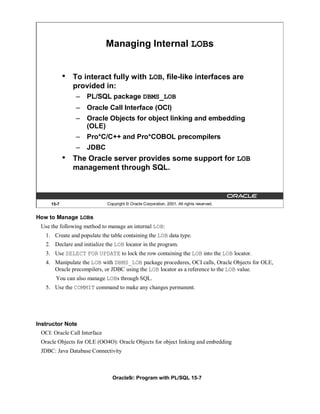
        •     DBMS_LOB.INSTR (lob_column, pattern)
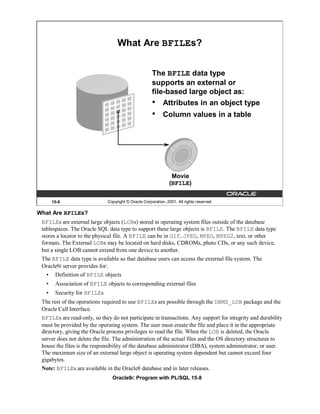
                 SELECT DBMS_LOB.SUBSTR (resume, 5, 18),
                        DBMS_LOB.INSTR (resume,' = ')
                 FROM   employees
                 WHERE employee_id IN (170, 405);


     15-29                  Copyright © Oracle Corporation, 2001. All rights reserved.


Selecting CLOB Values by Using DBMS_LOB
 DBMS_LOB.SUBSTR
 Use DBMS_LOB.SUBSTR to display part of a LOB. It is similar in functionality to the SQL function
 SUBSTR.
 DBMS_LOB.INSTR
 Use DBMS_LOB.INSTR to search for information within the LOB. This function returns the
 numerical position of the information.
 Note: Starting with Oracle9i, you can also use SQL functions SUBSTR and INSTR to perform the
 operations shown in the slide.


Instructor Note
  This works in iSQL*Plus because the LOB column is a CLOB and not a BLOB or BFILE.
 You can use DBMS_LOB.INSTR to do searches for information in the WHERE clause of a SELECT
 statement. You may not want do this for performance reasons.
 Unlike a LONG, where you can only select data and it is not possible to do any form of manipulation
 or searching, DBMS_LOB.INSTR/SUBSTR highlights a distinct difference between usage of LONGs
 and that of LOBs.
                              Oracle9i: Program with PL/SQL 15-29
Selecting CLOB Values in PL/SQL


              DECLARE
                text VARCHAR2(4001);
              BEGIN
               SELECT resume INTO text
               FROM employees
               WHERE employee_id = 170;
               DBMS_OUTPUT.PUT_LINE('text is: '|| text);
              END;
              /


     15-30                  Copyright © Oracle Corporation, 2001. All rights reserved.


Selecting CLOB Values in PL/SQL
 The slide shows the code for accessing CLOB values that can be implicitly converted to VARCHAR2 in
 Oracle9i. The value of the column RESUME, when selected into a VARCHAR2 variable TEXT, is
 implicitly converted.
 In prior releases, to access a CLOB column, first you must to retrieve the CLOB column value into a
 CLOB variable and specify the amount and offset size. Then you use the DBMS_LOB package to read the
 selected value. The code using DBMS_LOB is as follows:
 DECLARE
    rlob clob;
    text VARCHAR2(4001);
    amt number := 4001;
    offset number := 1;
 BEGIN
   SELECT resume INTO rlob
   FROM employees
   WHERE employee_id = 170;
   DBMS_LOB.READ(rlob, amt, offset, text);
   DBMS_OUTPUT.PUT_LINE('text is: '|| text);
 END;
 /


                             Oracle9i: Program with PL/SQL 15-30
Removing LOBs


              Delete a row containing LOBs:
               DELETE
               FROM employees
               WHERE employee_id = 405;


              Disassociate a LOB value from a row:
               UPDATE employees
               SET resume = EMPTY_CLOB()
               WHERE employee_id = 170;


     15-31                   Copyright © Oracle Corporation, 2001. All rights reserved.


Removing LOBs
 A LOB instance can be deleted (destroyed) using appropriate SQL DML statements. The SQL statement
 DELETE deletes a row and its associated internal LOB value. To preserve the row and destroy only the
 reference to the LOB, you must update the row, by replacing the LOB column value with NULL or an
 empty string, or by using the EMPTY_B/CLOB() function.
 Note: Replacing a column value with NULL and using EMPTY_B/CLOB are not the same. Using NULL
 sets the value to null, using EMPTY_B/CLOB ensures there is nothing in the column.
 A LOB is destroyed when the row containing the LOB column is deleted when the table is dropped or
 truncated, or implicitly when all the LOB data is updated.
 You must explicitly remove the file associated with a BFILE using operating system commands.
 To erase part of an internal LOB, you can use DBMS_LOB.ERASE.


                               Oracle9i: Program with PL/SQL 15-31
Temporary LOBs


                •   Temporary LOBs:
                    –   Provide an interface to support creation of LOBs
                        that act like local variables
                    –   Can be BLOBs, CLOBs, or NCLOBs
                    –   Are not associated with a specific table
                    –   Are created using DBMS_LOB.CREATETEMPORARY
                        procedure
                    –   Use DBMS_LOB routines
                •   The lifetime of a temporary LOB is a session.
                •   Temporary LOBs are useful for transforming data
                    in permanent internal LOBs.


        15-32                   Copyright © Oracle Corporation, 2001. All rights reserved.


Temporary LOBs
  Temporary LOBs provide an interface to support the creation and deletion of LOBs that act like local
  variables. Temporary LOBs can be BLOBs, CLOBs, or NCLOBs.
  Features of temporary LOBs:
    •    Data is stored in your temporary tablespace, not in tables.
    •    Temporary LOBs are faster than persistent LOBs because they do not generate any redo or rollback
         information.
    •    Temporary LOBs lookup is localized to each user’s own session; only the user who creates a
         temporary LOB can access it, and all temporary LOBs are deleted at the end of the session in
         which they were created.
    •    You can create a temporary LOB using DBMS_LOB.CREATETEMPORARY.
  Temporary LOBs are useful when you want to perform some transformational operation on a LOB, for
  example, changing an image type from GIF to JPEG. A temporary LOB is empty when created and does
  not support the EMPTY_B/CLOB functions.
  Use the DBMS_LOB package to use and manipulate temporary LOBs.
Instructor Note
  Temporary LOBs are introduced in Oracle8i.
  The default lifetime of a temporary LOB is a session. It can also be cleaned up at the end of the call; this
  is specified at the time of creation.
                                 Oracle9i: Program with PL/SQL 15-32
Creating a Temporary LOB

               PL/SQL procedure to create and test a temporary LOB:
               CREATE OR REPLACE PROCEDURE IsTempLOBOpen
                   (p_lob_loc IN OUT BLOB, p_retval OUT INTEGER)
               IS
               BEGIN
                 -- create a temporary LOB
                 DBMS_LOB.CREATETEMPORARY (p_lob_loc, TRUE);
                 -- see if the LOB is open: returns 1 if open
                 p_retval := DBMS_LOB.ISOPEN (p_lob_loc);
                 DBMS_OUTPUT.PUT_LINE ('The file returned a value
                                         ....' || p_retval);
                 -- free the temporary LOB
                 DBMS_LOB.FREETEMPORARY (p_lob_loc);
               END;
               /


       15-33                  Copyright © Oracle Corporation, 2001. All rights reserved.


Creating a Temporary LOB
 The example in the slide shows a user-defined PL/SQL procedure, IsTempLOBOpen, that creates a
 temporary LOB. This procedure accepts a LOB locator as input, creates a temporary LOB, opens it, and
 tests whether the LOB is open.
 The IsTempLOBOpen procedure uses the procedures and functions from the DBMS_LOB package as
 follows:
   •    The CREATETEMPORARY procedure is used to create the temporary LOB.
   •    The ISOPEN function is used to test whether a LOB is open: this function returns the value 1 if
        the LOB is open.
   •    The FREETEMPORARY procedure is used to free the temporary LOB; memory increases
        incrementally as the number of temporary LOBs grows, and you can reuse temporary LOB space
        in your session by explicitly freeing temporary LOBs.


                                Oracle9i: Program with PL/SQL 15-33
Summary


                In this lesson, you should have learned how to:
                •   Identify four built-in types for large objects: BLOB,
                    CLOB, NCLOB, and BFILE
                •   Describe how LOBs replace LONG and LONG RAW
                •   Describe two storage options for LOBs:
                    –   The Oracle server (internal LOBs)
                    –   External host files (external LOBs)
                •   Use the DBMS_LOB PL/SQL package to provide
                    routines for LOB management
                •   Use temporary LOBs in a session


        15-34                   Copyright © Oracle Corporation, 2001. All rights reserved.


Summary
 There are four LOB data types:
    •     A BLOB is a binary large object.
    •     A CLOB is a character large object.
    •     A NCLOB stores multibyte national character set data.
    •     A BFILE is a large object stored in a binary file outside the database.
  LOBs can be stored internally (in the database) or externally (in an operating system file). You can
  manage LOBs by using the DBMS_LOB package and its procedures.
  Temporary LOBs provide an interface to support the creation and deletion of LOBs that act like local
  variables.


                                  Oracle9i: Program with PL/SQL 15-34
Practice 15 Overview


              This practice covers the following topics:
              •   Creating object types, using the new data types
                  CLOB and BLOB
              •   Creating a table with LOB data types as columns
              •   Using the DBMS_LOB package to populate and
                  interact with the LOB data


      15-35                  Copyright © Oracle Corporation, 2001. All rights reserved.


Practice 15 Overview
 In this practice you create a table with both BLOB and CLOB columns. Then, you use the DBMS_LOB
 package to populate the table and manipulate the data.


                               Oracle9i: Program with PL/SQL 15-35
Practice 15
   1. Create a table called PERSONNEL by executing the script file lab15_1.sql. The table contains
       the following attributes and data types:
          Column Name               Data type                       Length
          ID                        NUMBER                          6
          last_name                 VARCHAR2                        35
          review                    CLOB                            N/A
          picture                   BLOB                            N/A


   2. Insert two rows into the PERSONNEL table, one each for employees 2034 and 2035. Use the empty
      function for the CLOB, and provide NULL as the value for the BLOB.
   3. Examine and execute the script lab15_3.sql. The script creates a table named REVIEW_TABLE.
      This table contains annual review information for each employee. The script also contains two
      statements to insert review details for two employees.
   4. Update the PERSONNEL table.
         a. Populate the CLOB for the first row, using the following subquery in a SQL UPDATE statement:
                          SELECT ann_review
                          FROM      review_table
                          WHERE employee_id = 2034;
         b. Populate the CLOB for the second row, using PL/SQL and the DBMS_LOB package. Use the
            following SELECT statement to provide a value.
                          SELECT ann_review
                          FROM      review_table
                          WHERE employee_id = 2035;


                               Oracle9i: Program with PL/SQL 15-36
Practice 15 (continued)
  If you have time
    5. Create a procedure that adds a locator to a binary file into the PICTURE column of the COUNTRIES
        table. The binary file is a picture of the country. The image files are named after the country IDs. You
        need to load an image file locator into all rows in Europe region (REGION_ID = 1) in the
        COUNTRIES table. The DIRECTORY object name that stores a pointer to the location of the binary
        files is called COUNTRY_PIC. This object is already created for you.
             a.    Use the command below to add the image column to the COUNTRIES table (or use
                   lab15_5_add.sql)
                   ALTER TABLE countries ADD (picture BFILE);
             b.    Create a PL/SQL procedure called load_country_image that reads a locator into
                   your picture column. Have the program test to see if the file exists, using the function
                   DBMS_LOB.FILEEXISTS. If the file is not existing, your procedure should display a
                   message that the file can not be opened. Have your program report information about the
                   load to the screen.
             c.    Invoke the procedure by passing the name of the directory object COUNTRY_PIC as
                   parameter. Note that you should pass the directory object in single quotation marks.
        Sample output follows:


Instructor Note
  The class needs to add a BFILE column to the COUNTRIES table to complete question 5 of Practice 15.
  The script is stored in lablab15_5_add.sql.
  This practice question 5 requires the instructor to run the file lablab15_5_setup.sql. The script
  creates the DIRECTORY objects and grants READ permissions to these objects. Edit the file and fill in the
  database connection for the classroom. Also, fill in the file location on the server to identify where the
  COUNTRY_PIC and LOG_FILES are located.
  The steps in this script must be followed before the students can complete question 5 of Practice 15. After
  running the above script, you can verify that the directory alias is created by querying the
  ALL_DIRECTORIES data dictionary view as follows:
  SELECT directory_name, directory_path FROM all_directories;


                                  Oracle9i: Program with PL/SQL 15-37
Oracle9i: Program with PL/SQL 15-38
Creating Database Triggers


                      Copyright © Oracle Corporation, 2001. All rights reserved.


Schedule:    Timing                 Topic
             60 minutes             Lecture
             60 minutes             Practice
            120 minutes             Total
Objectives


            After completing this lesson, you should be able to
            do the following:
            •   Describe different types of triggers
            •   Describe database triggers and their use
            •   Create database triggers
            •   Describe database trigger firing rules
            •   Remove database triggers


     16-2                    Copyright © Oracle Corporation, 2001. All rights reserved.


Lesson Aim
 In this lesson, you learn how to create and use database triggers.


                               Oracle9i: Program with PL/SQL 16-2
Types of Triggers

            A trigger:
            •   Is a PL/SQL block or a PL/SQL procedure
                associated with a table, view, schema, or the
                database
            •   Executes implicitly whenever a particular event
                takes place
            •   Can be either:
                – Application trigger: Fires whenever an event occurs
                  with a particular application
                – Database trigger: Fires whenever a data event (such
                  as DML) or system event (such as logon or
                  shutdown) occurs on a schema or database


     16-3                     Copyright © Oracle Corporation, 2001. All rights reserved.


Types of Triggers
 Application triggers execute implicitly whenever a particular data manipulation language (DML)
 event occurs within an application. An example of an application that uses triggers extensively is one
 developed with Oracle Forms Developer.
 Database triggers execute implicitly when a data event such as DML on a table (an INSERT,
 UPDATE, or DELETE triggering statement), an INSTEAD OF trigger on a view, or data definition
 language (DDL) statements such as CREATE and ALTER are issued, no matter which user is
 connected or which application is used. Database triggers also execute implicitly when some user
 actions or database system actions occur, for example, when a user logs on, or the DBA shut downs
 the database.
 Note: Database triggers can be defined on tables and on views. If a DML operation is issued on a
 view, the INSTEAD OF trigger defines what actions take place. If these actions include DML
 operations on tables, then any triggers on the base tables are fired.
 Database triggers can be system triggers on a database or a schema. With a database, triggers fire for
 each event for all users; with a schema, triggers fire for each event for that specific user.
 This course covers creating database triggers. Creating database triggers based on system events is
 discussed in the lesson “More Trigger Concepts.”
Instructor Note
 Database administration type triggers have been introduced in Oracle8i. Some of the triggers that can
 be created include user actions of logging on and off, and database shutdown and startup.
 These types of triggers are covered in a later lesson.
                                Oracle9i: Program with PL/SQL 16-3
Guidelines for Designing Triggers

              •   Design triggers to:
                  – Perform related actions
                  – Centralize global operations
              •   Do not design triggers:
                  – Where functionality is already built into the Oracle
                    server
                  – That duplicate other triggers
              •   Create stored procedures and invoke them in a
                  trigger, if the PL/SQL code is very lengthy.
              •   The excessive use of triggers can result in
                  complex interdependencies, which may be difficult
                  to maintain in large applications.


       16-4                   Copyright © Oracle Corporation, 2001. All rights reserved.


Guidelines for Designing Triggers
   • Use triggers to guarantee that when a specific operation is performed, related actions are
       performed.
   • Use database triggers only for centralized, global operations that should be fired for the triggering
       statement, regardless of which user or application issues the statement.
   • Do not define triggers to duplicate or replace the functionality already built into the Oracle
       database. For example do not define triggers to implement integrity rules that can be done by using
       declarative constraints. An easy way to remember the design order for a business rule is to:
           – Use built-in constraints in the Oracle server such as, primary key, foreign key and so on
           – Develop a database trigger or develop an application such as a servlet or Enterprise
               JavaBean (EJB) on your middle tier
           – Use a presentation interface such as Oracle Forms, dynamic HTML, Java ServerPages
               (JSP) and so on, if you cannot develop your business rule as mentioned above, which might
               be a presentation rule.
   • The excessive use of triggers can result in complex interdependencies, which may be difficult to
       maintain in large applications. Only use triggers when necessary, and beware of recursive and
       cascading effects.
   • If the logic for the trigger is very lengthy, create stored procedures with the logic and invoke them
       in the trigger body.
   • Note that database triggers fire for every user each time the event occurs on which the trigger is
       created.

                                Oracle9i: Program with PL/SQL 16-4
Database Trigger: Example

                                                           Application
                                                  INSERT INTO EMPLOYEES
                                                    . . .;


               EMPLOYEES table                                                  CHECK_SAL trigger


               …


        16-5                    Copyright © Oracle Corporation, 2001. All rights reserved.


Example of a Database Trigger
 In this example, the database trigger CHECK_SAL checks salary values whenever any application tries
 to insert a row into the EMPLOYEES table. Values that are out of range according to the job category
 can be rejected, or can be allowed and recorded in an audit table.


Instructor Note (for page 16-4)
    •     Recursive trigger: This is a trigger that contains a DML operation changing the very same table.
    •     Cascading trigger: The action of one trigger cascades to another trigger, causing this second
          trigger to fire. The Oracle server allows up to 32 triggers to cascade at any one time. However,
          the number of cascading triggers can be limited by changing the value of the OPEN_CURSORS
          database initialization parameter, which is set to 50 by default.


                                  Oracle9i: Program with PL/SQL 16-5
Creating DML Triggers


            A triggering statement contains:
            •   Trigger timing
                 – For table: BEFORE, AFTER
                 – For view: INSTEAD OF
            •   Triggering event: INSERT, UPDATE, or DELETE
            •   Table name: On table, view
            •   Trigger type: Row or statement
            •   WHEN clause: Restricting condition
            •   Trigger body: PL/SQL block


     16-6                     Copyright © Oracle Corporation, 2001. All rights reserved.


Database Trigger
 Before coding the trigger body, decide on the values of the components of the trigger: the trigger
 timing, the triggering event, and the trigger type.

  Part                   Description                                             Possible Values
  Trigger timing         When the trigger fires in relation to the               BEFORE
                         triggering event                                        AFTER
                                                                                 INSTEAD OF
  Triggering event       Which data manipulation operation on the INSERT
                         table or view causes the trigger to fire UPDATE
                                                                  DELETE
  Trigger type           How many times the trigger body                         Statement
                         executes                                                Row
  Trigger body           What action the trigger performs                        Complete PL/SQL block


 If multiple triggers are defined for a table, be aware that the order in which multiple triggers of the
 same type fire is arbitrary. To ensure that triggers of the same type are fired in a particular order,
 consolidate the triggers into one trigger that calls separate procedures in the desired order.


                                Oracle9i: Program with PL/SQL 16-6
DML Trigger Components


              Trigger timing: When should the trigger fire?
              • BEFORE: Execute the trigger body before the
                 triggering DML event on a table.
              • AFTER: Execute the trigger body after the
                 triggering DML event on a table.
              • INSTEAD OF: Execute the trigger body instead of
                 the triggering statement. This is used for views
                 that are not otherwise modifiable.


       16-7                   Copyright © Oracle Corporation, 2001. All rights reserved.


BEFORE Triggers
 This type of trigger is frequently used in the following situations:
   •    To determine whether that triggering statement should be allowed to complete. (This situation
        enables you to eliminate unnecessary processing of the triggering statement and its eventual
        rollback in cases where an exception is raised in the triggering action.)
   •    To derive column values before completing a triggering INSERT or UPDATE statement.
    • To initialize global variables or flags, and to validate complex business rules.
 AFTER Triggers
 This type of trigger is frequently used in the following situations:
    • To complete the triggering statement before executing the triggering action.
    • To perform different actions on the same triggering statement if a BEFORE trigger is already
        present.
 INSTEAD OF Triggers
 This type of trigger is used to provide a transparent way of modifying views that cannot be modified
 directly through SQL DML statements because the view is not inherently modifiable.
 You can write INSERT, UPDATE, and DELETE statements against the view. The INSTEAD OF
 trigger works invisibly in the background performing the action coded in the trigger body directly on
 the underlying tables.


                                Oracle9i: Program with PL/SQL 16-7
DML Trigger Components


              Triggering user event: Which DML statement causes
              the trigger to execute? You can use any of the
              following:
              • INSERT
              •    UPDATE
              •    DELETE


       16-8                   Copyright © Oracle Corporation, 2001. All rights reserved.


The Triggering Event
 The triggering event or statement can be an INSERT, UPDATE, or DELETE statement on a table.
   •     When the triggering event is an UPDATE statement, you can include a column list to identify
         which columns must be changed to fire the trigger. You cannot specify a column list for an
         INSERT or for a DELETE statement, because they always affect entire rows.
                  . . . UPDATE OF salary . . .


   •     The triggering event can contain one, two, or all three of these DML operations.
              . . . INSERT or UPDATE or DELETE


                  . . . INSERT or UPDATE OF job_id . . .


                                Oracle9i: Program with PL/SQL 16-8
DML Trigger Components


            Trigger type: Should the trigger body execute for each
            row the statement affects or only once?
            •   Statement: The trigger body executes once for the
                triggering event. This is the default. A statement
                trigger fires once, even if no rows are affected at all.
            •   Row: The trigger body executes once for each row
                affected by the triggering event. A row trigger is not
                executed if the triggering event affects no rows.


     16-9                     Copyright © Oracle Corporation, 2001. All rights reserved.


Statement Triggers and Row Triggers
 You can specify that the trigger will be executed once for every row affected by the triggering
 statement (such as a multiple row UPDATE) or once for the triggering statement, no matter how many
 rows it affects.
 Statement Trigger
 A statement trigger is fired once on behalf of the triggering event, even if no rows are affected at all.
 Statement triggers are useful if the trigger action does not depend on the data from rows that are
 affected or on data provided by the triggering event itself: for example, a trigger that performs a
 complex security check on the current user.
 Row Trigger
 A row trigger fires each time the table is affected by the triggering event. If the triggering event affects
 no rows, a row trigger is not executed.
 Row triggers are useful if the trigger action depends on data of rows that are affected or on data
 provided by the triggering event itself.


                                Oracle9i: Program with PL/SQL 16-9
DML Trigger Components


             Trigger body: What action should the trigger perform?
             The trigger body is a PL/SQL block or a call to a
             procedure.


     16-10                   Copyright © Oracle Corporation, 2001. All rights reserved.


Trigger Body
 The trigger action defines what needs to be done when the triggering event is issued. The PL/SQL block
 can contain SQL and PL/SQL statements, and can define PL/SQL constructs such as variables, cursors,
 exceptions, and so on. You can also call a PL/SQL procedure or a Java procedure.
 Additionally, row triggers use correlation names to access the old and new column values of the row
 being processed by the trigger.
 Note: The size of a trigger cannot be more than 32 K.


Instructor Note
 The Java procedure needs to be encapsulated in a PL/SQL wrapper. To call a Java procedure, you use the
 CALL statement. The syntax for the CALL statement to call a PL/SQL procedure is shown in a later
 lesson.
 Before creating any triggers, run the catproc.sql script while connected as SYS. This script
 automatically runs all of the scripts required for, or used within, the procedural extensions to the Oracle
 server.
                               Oracle9i: Program with PL/SQL 16-10
Firing Sequence
             Use the following firing sequence for a trigger on a
             table, when a single row is manipulated:
             DML statement
              INSERT INTO departments (department_id,
                               department_name, location_id)
              VALUES (400, 'CONSULTING', 2400);


         Triggering action
                                                                                 BEFORE statement
                                                                                 trigger


              …                                                                 BEFORE row trigger
                                                                                 AFTER row trigger
                                                                               AFTER statement trigger


     16-11                   Copyright © Oracle Corporation, 2001. All rights reserved.


Creating Row or Statement Triggers
 Create a statement trigger or a row trigger based on the requirement that the trigger must fire once for
 each row affected by the triggering statement, or just once for the triggering statement, regardless of
 the number of rows affected.
 When the triggering data manipulation statement affects a single row, both the statement trigger and
 the row trigger fire exactly once.
 Example
 This SQL statement does not differentiate statement triggers from row triggers, because exactly one
 row is inserted into the table using this syntax.


                              Oracle9i: Program with PL/SQL 16-11
Firing Sequence

             Use the following firing sequence for a trigger on a
             table, when many rows are manipulated:
              UPDATE employees
                  SET salary = salary * 1.1
                  WHERE department_id = 30;


                                                                           BEFORE statement trigger
                                                                               BEFORE row trigger
                                                                               AFTER row trigger
                                                                               ...
                                                                               BEFORE row trigger
                                                                               AFTER row trigger
                                                                               ...
                                                                            AFTER statement trigger


     16-12                   Copyright © Oracle Corporation, 2001. All rights reserved.


Creating Row or Statement Triggers (continued)
 When the triggering data manipulation statement affects many rows, the statement trigger fires exactly
 once, and the row trigger fires once for every row affected by the statement.
 Example
 The SQL statement in the slide above causes a row-level trigger to fire a number of times equal to the
 number of rows that satisfy the WHERE clause, that is, the number of employees reporting to
 department 30.


                              Oracle9i: Program with PL/SQL 16-12
Syntax for Creating
                          DML Statement Triggers
             Syntax:

             CREATE [OR REPLACE] TRIGGER trigger_name
                timing
                   event1 [OR event2 OR event3]
                       ON table_name
             trigger_body


        Note: Trigger names must be unique with respect to
        other triggers in the same schema.


     16-13                  Copyright © Oracle Corporation, 2001. All rights reserved.


Syntax for Creating a Statement Trigger
   trigger name            Is the name of the trigger
   timing                  Indicates the time when the trigger fires in relation to the
                           triggering event:
                           BEFORE
                           AFTER
   event                   Identifies the data manipulation operation that causes the
                           trigger to fire:
                           INSERT
                           UPDATE [OF column]
                           DELETE
   table/view_name         Indicates the table associated with the trigger
   trigger body            Is the trigger body that defines the action performed by the
                           trigger, beginning with either DECLARE or BEGIN, ending
                           with END, or a call to a procedure


 Trigger names must be unique with respect to other triggers in the same schema. Trigger names do not
 need to be unique with respect to other schema objects, such as tables, views, and procedures.
 Using column names along with the UPDATE clause in the trigger improves performance, because the
 trigger fires only when that particular column is updated and thus avoids unintended firing when any
 other column is updated.

                             Oracle9i: Program with PL/SQL 16-13
Creating DML Statement Triggers

              Example:
              CREATE OR REPLACE TRIGGER secure_emp
                BEFORE INSERT ON employees
                BEGIN
                 IF (TO_CHAR(SYSDATE,'DY') IN ('SAT','SUN')) OR
                    (TO_CHAR(SYSDATE,'HH24:MI')
                             NOT BETWEEN '08:00' AND '18:00')
                  THEN RAISE_APPLICATION_ERROR (-20500,'You may
                            insert into EMPLOYEES table only
                                    during business hours.');
                 END IF;
              END;
              /


      16-14                   Copyright © Oracle Corporation, 2001. All rights reserved.


Creating DML Statement Triggers
 You can create a BEFORE statement trigger in order to prevent the triggering operation from
 succeeding if a certain condition is violated.
 For example, create a trigger to restrict inserts into the EMPLOYEES table to certain business hours,
 Monday through Friday.
 If a user attempts to insert a row into the EMPLOYEES table on Saturday, the user sees the message,
 the trigger fails, and the triggering statement is rolled back. Remember that the
 RAISE_APPLICATION_ERROR is a server-side built-in procedure that returns an error to the user
 and causes the PL/SQL block to fail.
  When a database trigger fails, the triggering statement is automatically rolled back by the Oracle
  server.


Instructor Note
  The time specified in the trigger in the slide is based on the database server system time. Hence, if you
  are in a different time zone from the database server, your DML may not work even if your system
  clock is within the time specified in the code.

                               Oracle9i: Program with PL/SQL 16-14
Testing SECURE_EMP


             INSERT INTO employees (employee_id, last_name,
                         first_name, email, hire_date,
                         job_id, salary, department_id)
             VALUES (300, 'Smith', 'Rob', 'RSMITH', SYSDATE,
                     'IT_PROG', 4500, 60);


     16-15                   Copyright © Oracle Corporation, 2001. All rights reserved.


Example
 Insert a row into the EMPLOYEES table during nonbusiness hours. When the date and time are out of
 the business timings specified in the trigger, you get the error message as shown in the slide.


Instructor Note
 Note that the row might be inserted if you are in a different timezone from the database server. The
 trigger fires even if your system clock is within these business hours.


                              Oracle9i: Program with PL/SQL 16-15
Using Conditional Predicates
       CREATE OR REPLACE TRIGGER secure_emp
       BEFORE INSERT OR UPDATE OR DELETE ON employees
       BEGIN
        IF (TO_CHAR (SYSDATE,'DY') IN ('SAT','SUN')) OR
            (TO_CHAR (SYSDATE, 'HH24') NOT BETWEEN '08' AND '18')
        THEN
          IF    DELETING THEN
             RAISE_APPLICATION_ERROR (-20502,'You may delete from
                    EMPLOYEES table only during business hours.');
          ELSIF INSERTING THEN
             RAISE_APPLICATION_ERROR (-20500,'You may insert into
                    EMPLOYEES table only during business hours.');
          ELSIF    UPDATING ('SALARY') THEN
             RAISE_APPLICATION_ERROR (-20503,'You may update
                         SALARY only during business hours.');
          ELSE
             RAISE_APPLICATION_ERROR (-20504,'You may update
                    EMPLOYEES table only during normal hours.');
          END IF;
         END IF;
       END;


     16-16                  Copyright © Oracle Corporation, 2001. All rights reserved.


Combining Triggering Events
 You can combine several triggering events into one by taking advantage of the special conditional
 predicates INSERTING, UPDATING, and DELETING within the trigger body.
 Example
 Create one trigger to restrict all data manipulation events on the EMPLOYEES table to certain business
 hours, Monday through Friday.


                              Oracle9i: Program with PL/SQL 16-16
Creating a DML Row Trigger

             Syntax:
             CREATE [OR REPLACE] TRIGGER trigger_name
               timing
                 event1 [OR event2 OR event3]
                   ON table_name
               [REFERENCING OLD AS old | NEW AS new]
             FOR EACH ROW
               [WHEN (condition)]
             trigger_body


     16-17                 Copyright © Oracle Corporation, 2001. All rights reserved.


Syntax for Creating a Row Trigger
   trigger_name         Is the name of the trigger
   timing               Indicates the time when the trigger fires in relation to the triggering event:
                        BEFORE
                        AFTER
                        INSTEAD OF
   event                Identifies the data manipulation operation that causes the trigger to fire:
                        INSERT
                        UPDATE [OF column]
                        DELETE
   table_name           Indicates the table associated with the trigger
   REFERENCING          Specifies correlation names for the old and new values of the current row
                        (The default values are OLD and NEW)
   FOR EACH ROW         Designates that the trigger is a row trigger
   WHEN                 Specifies the trigger restriction; (This conditional predicate must be
                        enclosed in parenthesis and is evaluated for each row to determine whether
                        or not the trigger body is executed.)
   trigger body         Is the trigger body that defines the action performed by the trigger,
                        beginning with either DECLARE or BEGIN, ending with END, or a call to a
                        procedure

                            Oracle9i: Program with PL/SQL 16-17
Creating DML Row Triggers


             CREATE OR REPLACE TRIGGER restrict_salary
               BEFORE INSERT OR UPDATE OF salary ON employees
                 FOR EACH ROW
                 BEGIN
                   IF NOT (:NEW.job_id IN ('AD_PRES', 'AD_VP'))
                       AND :NEW.salary > 15000
                   THEN
                     RAISE_APPLICATION_ERROR (-20202,'Employee
                                     cannot earn this amount');
                  END IF;
             END;
             /


     16-18                      Copyright © Oracle Corporation, 2001. All rights reserved.


Creating a Row Trigger
 You can create a BEFORE row trigger in order to prevent the triggering operation from succeeding if a
 certain condition is violated.
  Create a trigger to allow only certain employees to be able to earn a salary of more than 15,000.
  If a user attempts to do this, the trigger raises an error.
  UPDATE employees
  SET salary = 15500
  WHERE last_name = 'Russell';


Instructor Note
  Alternatively, the value 15,000 in the program could be a value in a table that can be retrieved into the
  program, or a global variable.

                                 Oracle9i: Program with PL/SQL 16-18
Using OLD and NEW Qualifiers

               CREATE OR REPLACE TRIGGER audit_emp_values
                 AFTER DELETE OR INSERT OR UPDATE ON employees
                 FOR EACH ROW
               BEGIN
                  INSERT INTO audit_emp_table (user_name, timestamp,
                     id, old_last_name, new_last_name, old_title,
                     new_title, old_salary, new_salary)
                  VALUES (USER, SYSDATE, :OLD.employee_id,
                       :OLD.last_name, :NEW.last_name, :OLD.job_id,
                       :NEW.job_id, :OLD.salary, :NEW.salary );
               END;
               /


       16-19                   Copyright © Oracle Corporation, 2001. All rights reserved.


Using OLD and NEW Qualifiers
 Within a ROW trigger, reference the value of a column before and after the data change by prefixing it
 with the OLD and NEW qualifier.

  Data Operation                   Old Value                                 New Value
  INSERT                           NULL                                      Inserted value
  UPDATE                           Value before update                       Value after update
  DELETE                           Value before delete                       NULL

   •     The OLD and NEW qualifiers are available only in ROW triggers.
   •     Prefix these qualifiers with a colon (:) in every SQL and PL/SQL statement.
   •     There is no colon (:) prefix if the qualifiers are referenced in the WHEN restricting condition.
 Note: Row triggers can decrease the performance if you do a lot of updates on larger tables.


Instructor Note
 If you run the above code and get a compilation error, check whether you have a table called
 AUDIT_EMP_TABLE; if not, run 16_addtabs.sql to create this table. Point out to the students
 that the OLD and NEW are host variable created implicitly. The same rules apply to these host variables
 in PL/SQL bodies as in anonymous PL/SQL blocks.

                                Oracle9i: Program with PL/SQL 16-19
Using OLD and NEW Qualifiers:
                Example Using Audit_Emp_Table
         INSERT INTO employees
                 (employee_id, last_name, job_id, salary, ...)
          VALUES (999, 'Temp emp', 'SA_REP', 1000, ...);

         UPDATE employees
          SET salary = 2000, last_name = 'Smith'
          WHERE employee_id = 999;


        SELECT user_name, timestamp, ... FROM audit_emp_table


     16-20                  Copyright © Oracle Corporation, 2001. All rights reserved.


Using OLD and NEW Qualifiers: Example Using AUDIT_EMP_TABLE
 Create a trigger on the EMPLOYEES table to add rows to a user table, AUDIT_EMP_TABLE, logging
 a user’s activity against the EMPLOYEES table. The trigger records the values of several columns both
 before and after the data changes by using the OLD and NEW qualifiers with the respective column
 name.
 There is additional column COMMENTS in the AUDIT_EMP_TABLE that is not shown in this slide.


                             Oracle9i: Program with PL/SQL 16-20
Restricting a Row Trigger

          CREATE OR REPLACE TRIGGER derive_commission_pct
            BEFORE INSERT OR UPDATE OF salary ON employees
            FOR EACH ROW
            WHEN (NEW.job_id = 'SA_REP')
          BEGIN
            IF INSERTING
                THEN :NEW.commission_pct := 0;
            ELSIF :OLD.commission_pct IS NULL
                THEN :NEW.commission_pct := 0;
            ELSE
               :NEW.commission_pct := :OLD.commission_pct + 0.05;
            END IF;
          END;
          /


      16-21                   Copyright © Oracle Corporation, 2001. All rights reserved.


Example
  To restrict the trigger action to those rows that satisfy a certain condition, provide a WHEN clause.
  Create a trigger on the EMPLOYEES table to calculate an employee’s commission when a row is
  added to the EMPLOYEES table, or when an employee’s salary is modified.
  The NEW qualifier cannot be prefixed with a colon in the WHEN clause because the WHEN clause is
  outside the PL/SQL blocks.
Instructor Note
  To assign values to columns using the NEW qualifier, create BEFORE ROW triggers. If you attempt to
  create an AFTER ROW trigger for the above code, you get a compilation error:
  CREATE OR REPLACE TRIGGER derive_commission_pct
  AFTER INSERT OR UPDATE OF salary ON employees
  FOR EACH ROW WHEN (NEW.job_id = 'SA_REP')
  BEGIN
     IF        INSERTING THEN :NEW.commission_pct := 0;
     ELSIF :OLD.commission_pct IS NULL
                     THEN :NEW.commission_pct := 0;
     ELSE :NEW.commission_pct :=
                           :OLD.commission_pct * (:NEW.salary/:OLD.salary);
     END IF;
  END;
  /
     CREATE OR REPLACE TRIGGER derive_commission_pct*
     ERROR at line 1:
     ORA-04084: cannot change NEW values for this trigger type
                               Oracle9i: Program with PL/SQL 16-21
INSTEAD OF Triggers
                    Application
                    INSERT INTO my_view
                      . . .;


                                                                  INSERT
                                                                  TABLE1
                           INSTEAD OF
                           Trigger

                                                                  UPDATE
              MY_VIEW                                             TABLE2


    16-22                     Copyright © Oracle Corporation, 2001. All rights reserved.


INSTEAD OF Triggers
 Use INSTEAD OF triggers to modify data in which the DML statement has been issued against an
 inherently nonupdatable view. These triggers are called INSTEAD OF triggers because, unlike other
 triggers, the Oracle server fires the trigger instead of executing the triggering statement. This trigger is
 used to perform an INSERT, UPDATE, or DELETE operation directly on the underlying tables.
 You can write INSERT, UPDATE, or DELETE statements against a view, and the INSTEAD OF
 trigger works invisibly in the background to make the right actions take place.
Why Use INSTEAD OF Triggers?
 A view cannot be modified by normal DML statements if the view query contains set operators, group
 functions, clauses such as GROUP BY, CONNECT BY, START, the DISTINCT operator, or joins.
 For example, if a view consists of more than one table, an insert to the view may entail an insertion
 into one table and an update to another. So, you write an INSTEAD OF trigger that fires when you
 write an insert against the view. Instead of the original insertion, the trigger body executes, which
 results in an insertion of data into one table and an update to another table.
 Note: If a view is inherently updateable and has INSTEAD OF triggers, the triggers take precedence.
 INSTEAD OF triggers are row triggers.
 The CHECK option for views is not enforced when insertions or updates to the view are performed by
 using INSTEAD OF triggers. The INSTEAD OF trigger body must enforce the check.
Instructor Note
 You can update a subset of join views.
                               Oracle9i: Program with PL/SQL 16-22
Creating an INSTEAD OF Trigger

            Syntax:
            CREATE [OR REPLACE] TRIGGER trigger_name
              INSTEAD OF
                event1 [OR event2 OR event3]
                  ON view_name
               [REFERENCING OLD AS old | NEW AS new]
            [FOR EACH ROW]
            trigger_body


    16-23                   Copyright © Oracle Corporation, 2001. All rights reserved.


Syntax for Creating an INSTEAD OF Trigger
  trigger_name        Is the name of the trigger.
  INSTEAD OF          Indicates that the trigger belongs to a view
  event               Identifies the data manipulation operation that causes the trigger
                      to fire:
                      INSERT
                      UPDATE [OF column]
                      DELETE
  view_name           Indicates the view associated with trigger
  REFERENCING         Specifies correlation names for the old and new values of the
                      current row (The defaults are OLD and NEW)
  FOR EACH            Designates the trigger to be a row trigger; INSTEAD OF triggers
  ROW                 can only be row triggers: if this is omitted, the trigger is still
                      defined as a row trigger.
  trigger body        Is the trigger body that defines the action performed by the
                      trigger, beginning with either DECLARE or BEGIN, and ending
                      with END or a call to a procedure

 Note: INSTEAD OF triggers can be written only for views. BEFORE and AFTER options are not
 valid.

                             Oracle9i: Program with PL/SQL 16-23
Creating an INSTEAD OF Trigger
 Example:
 The following example creates two new tables, NEW_EMPS and NEW_DEPTS, based on the
 EMPLOYEES and DEPARTMENTS tables respectively. It also creates an EMP_DETAILS view from
 the EMPLOYEES and DEPARTMENTS tables. The example also creates an INSTEAD OF trigger,
 NEW_EMP_DEPT. When a row is inserted into the EMP_DETAILS view, instead of inserting the row
 directly into the view, rows are added into the NEW_EMPS and NEW_DEPTS tables, based on the data
 in the INSERT statement. Similarly, when a row is modified or deleted through the EMP_DETAILS
 view, corresponding rows in the NEW_EMPS and NEW_DEPTS tables are affected.
 CREATE TABLE new_emps AS
        SELECT employee_id, last_name, salary, department_id,
                    email, job_id, hire_date
        FROM employees;
 CREATE TABLE new_depts AS
     SELECT d.department_id, d.department_name, d.location_id,
        sum(e.salary) tot_dept_sal
     FROM employees e, departments d
     WHERE e.department_id = d.department_id
     GROUP BY d.department_id, d.department_name, d.location_id;

 CREATE VIEW emp_details AS
      SELECT e.employee_id, e.last_name, e.salary, e.department_id,
             e.email, e.job_id, d.department_name, d.location_id
      FROM employees e, departments d
      WHERE e.department_id = d.department_id;
 CREATE OR REPLACE TRIGGER new_emp_dept
 INSTEAD OF INSERT OR UPDATE OR DELETE ON emp_details
 FOR EACH ROW
 BEGIN
   IF INSERTING THEN
     INSERT INTO new_emps
     VALUES (:NEW.employee_id, :NEW.last_name, :NEW.salary,
              :NEW.department_id, :NEW.email, :New.job_id, SYSDATE);
     UPDATE new_depts
     SET tot_dept_sal = tot_dept_sal + :NEW.salary
     WHERE department_id = :NEW.department_id;
   ELSIF DELETING THEN
     DELETE FROM new_emps
     WHERE employee_id = :OLD.employee_id;
     UPDATE new_depts
     SET tot_dept_sal = tot_dept_sal - :OLD.salary
     WHERE department_id = :OLD.department_id;


                            Oracle9i: Program with PL/SQL 16-24
Creating an INSTEAD OF Trigger (continued)
 Example:

    ELSIF UPDATING ('salary')
    THEN
       UPDATE new_emps
       SET salary = :NEW.salary
       WHERE employee_id = :OLD.employee_id;
       UPDATE new_depts
       SET tot_dept_sal = tot_dept_sal + (:NEW.salary - :OLD.salary)
       WHERE department_id = :OLD.department_id;
    ELSIF UPDATING ('department_id')
    THEN
       UPDATE new_emps
       SET department_id = :NEW.department_id
       WHERE employee_id = :OLD.employee_id;
       UPDATE new_depts
       SET tot_dept_sal = tot_dept_sal - :OLD.salary
       WHERE department_id = :OLD.department_id;
       UPDATE new_depts
       SET tot_dept_sal = tot_dept_sal + :NEW.salary
       WHERE department_id = :NEW.department_id;
    END IF;
  END;
  /

  Note: This example is explained in the next page by using graphics.


Instructor Note
  Demonstration: 16_inst_of.sql
  Purpose: Creates the two new tables, a view and the trigger. The script shows the data in the view and
  the tables. A direct INSERT into the view implicitly executes the trigger, which INSERTs into the
  NEW_EMPS table and UPDATEs the NEW_DEPTS table.
  The trigger is not complete. It is programmed to handle the INSERT and UPDATE of the SALARY or
  DEPARTMENT_ID, and a DELETE. Any other form of UPDATE is not programmed.


                               Oracle9i: Program with PL/SQL 16-25
Creating an INSTEAD OF Trigger

            INSERT into EMP_DETAILS that is based on EMPLOYEES and
            DEPARTMENTS tables
        INSERT INTO emp_details(employee_id, ... )
    1   VALUES(9001,'ABBOTT',3000,10,'abbott.mail.com','HR_MAN');


      INSTEAD OF INSERT
      into EMP_DETAILS
                                         …


    16-26                   Copyright © Oracle Corporation, 2001. All rights reserved.


Creating an INSTEAD OF Trigger
 You can create an INSTEAD OF trigger in order to maintain the base tables on which a view is based.
 Assume that an employee name will be inserted using the view EMP_DETAILS that is created based
 on the EMPLOYEES and DEPARTMENTS tables. Create a trigger that results in the appropriate
 INSERT and UPDATE to the base tables. The slide in the next page explains how an INSTEAD OF
 TRIGGER behaves in this situation.


                             Oracle9i: Program with PL/SQL 16-26
Creating an INSTEAD OF Trigger

               INSERT into EMP_DETAILS that is based on EMPLOYEES and
               DEPARTMENTS tables
             INSERT INTO emp_details(employee_id, ... )
       1     VALUES(9001,'ABBOTT',3000,10,'abbott.mail.com','HR_MAN');

            INSTEAD OF INSERT
            into EMP_DETAILS
                                              …
               INSERT into                                                     UPDATE
       2       NEW_EMPS
                                                                        3      NEW_DEPTS


       …                                                            …


       16-27                    Copyright © Oracle Corporation, 2001. All rights reserved.


Creating an INSTEAD OF Trigger
 Because of the INSTEAD OF TRIGGER on the view EMP_DETAILS, instead of inserting the new
 employee record into the EMPLOYEES table:
   •       A row is inserted into the NEW_EMPS table.
   •       The TOTAL_DEPT_SAL column of the NEW_DEPTS table is updated. The salary value
           supplied for the new employee is added to the existing total salary of the department to which
           the new employee has been assigned.


                                  Oracle9i: Program with PL/SQL 16-27
Differentiating Between Database Triggers
                       and Stored Procedures

      Triggers                                           Procedures

      Defined with CREATE TRIGGER                        Defined with CREATE PROCEDURE

      Data dictionary contains source                    Data dictionary contains source code
      code in USER_TRIGGERS                              in USER_SOURCE

      Implicitly invoked                                 Explicitly invoked

      COMMIT, SAVEPOINT, and                             COMMIT, SAVEPOINT, and ROLLBACK
      ROLLBACK are not allowed                           are allowed


     16-28                     Copyright © Oracle Corporation, 2001. All rights reserved.


Database Triggers and Stored Procedures
 There are differences between database triggers and stored procedures:
   Database Trigger                                     Stored Procedure
  Invoked implicitly                                    Invoked explicitly
  COMMIT, ROLLBACK, and                                 COMMIT, ROLLBACK, and SAVEPOINT
  SAVEPOINT statements are not allowed                  statements are permitted within the procedure
  within the trigger body. It is possible to            body.
  commit or rollback indirectly by calling a
  procedure, but it is not recommended
  because of side effects to transactions.


 Triggers are fully compiled when the CREATE TRIGGER command is issued and the P code is
 stored in the data dictionary.
 If errors occur during the compilation of a trigger, the trigger is still created.


                                Oracle9i: Program with PL/SQL 16-28
Differentiating Between Database Triggers
                     and Form Builder Triggers

                                             INSERT INTO EMPLOYEES
                                              . . .;


       EMPLOYEES table                                                       CHECK_SAL trigger


                                                                                    BEFORE
        …                                                                           INSERT
                                                                                    row


     16-29                   Copyright © Oracle Corporation, 2001. All rights reserved.


Differences between a Database Trigger and a Form Builder Trigger
 Database triggers are different from Form Builder triggers.
  Database Trigger                                    Form Builder Trigger
  Executed by actions from any database tool          Executed only within a particular Form Builder
  or application                                      application
  Always triggered by a SQL DML, DDL, or a Can be triggered by navigating from field to field, by
  certain database action                  pressing a key, or by many other actions
  Is distinguished as either a statement or row Is distinguished as a statement or row trigger
  trigger
  Upon failure, causes the triggering statement Upon failure, causes the cursor to freeze and may
  to roll back                                  cause the entire transaction to roll back
  Fires independently of, and in addition to,         Fires independently of, and in addition to, database
  Form Builder triggers                               triggers
  Executes under the security domain of the           Executes under the security domain of the Form
  author of the trigger                               Builder user


                              Oracle9i: Program with PL/SQL 16-29
Managing Triggers


      Disable or reenable a database trigger:
       ALTER TRIGGER trigger_name                          DISABLE | ENABLE

      Disable or reenable all triggers for a table:
        ALTER TABLE table_name                       DISABLE | ENABLE                      ALL TRIGGERS


      Recompile a trigger for a table:
       ALTER TRIGGER trigger_name COMPILE


     16-30                    Copyright © Oracle Corporation, 2001. All rights reserved.


Trigger Modes: Enabled or Disabled
 •     When a trigger is first created, it is enabled automatically.
 •     The Oracle server checks integrity constraints for enabled triggers and guarantees that triggers
       cannot compromise them. In addition, the Oracle server provides read-consistent views for
       queries and constraints, manages the dependencies, and provides a two-phase commit process if
       a trigger updates remote tables in a distributed database.
 •     Disable a specific trigger by using the ALTER TRIGGER syntax, or disable all triggers on a
       table by using the ALTER TABLE syntax.
 •     Disable a trigger to improve performance or to avoid data integrity checks when loading
       massive amounts of data by using utilities such as SQL*Loader. You may also want to disable
       the trigger when it references a database object that is currently unavailable, owing to a failed
       network connection, disk crash, offline data file, or offline tablespace.
Compile a Trigger
 • Use the ALTER TRIGGER command to explicitly recompile a trigger that is invalid.
 •     When you issue an ALTER TRIGGER statement with the COMPILE option, the trigger
       recompiles, regardless of whether it is valid or invalid.


                               Oracle9i: Program with PL/SQL 16-30
DROP TRIGGER Syntax


             To remove a trigger from the database, use the DROP
             TRIGGER syntax:
             DROP TRIGGER trigger_name;

             Example:
             DROP TRIGGER secure_emp;


         Note: All triggers on a table are dropped when the
         table is dropped.


     16-31                  Copyright © Oracle Corporation, 2001. All rights reserved.


Removing Triggers
 When a trigger is no longer required, you can use a SQL statement in iSQL*Plus to drop it.


                             Oracle9i: Program with PL/SQL 16-31
Trigger Test Cases


               •   Test each triggering data operation, as well as
                   nontriggering data operations.
               •   Test each case of the WHEN clause.
               •   Cause the trigger to fire directly from a basic data
                   operation, as well as indirectly from a procedure.
               •   Test the effect of the trigger upon other triggers.
               •   Test the effect of other triggers upon the trigger.


       16-32                   Copyright © Oracle Corporation, 2001. All rights reserved.


Testing Triggers
   •     Ensure that the trigger works properly by testing a number of cases separately.
   •     Take advantage of the DBMS_OUTPUT procedures to debug triggers. You can also use the
         Procedure Builder debugging tool to debug triggers. Using Procedure Builder is discussed in
         Appendix F, “Creating Program Units by Using Procedure Builder.”


Instructor Note
 When writing new application code with procedures and functions, you should verify the
 USER_TRIGGERS data dictionary view for any existing triggers. The newly added procedures and
 functions may fire these triggers implicitly, which is not intended. Hence, test the procedures and
 functions, and drop any triggers that are not required.

                                Oracle9i: Program with PL/SQL 16-32
Trigger Execution Model
                             and Constraint Checking

              1. Execute all BEFORE STATEMENT triggers.
              2. Loop for each row affected:
                      a. Execute all BEFORE ROW triggers.
                      b. Execute all AFTER ROW triggers.
              3. Execute the DML statement and perform integrity
                 constraint checking.
              4. Execute all AFTER STATEMENT triggers.


      16-33                    Copyright © Oracle Corporation, 2001. All rights reserved.


Trigger Execution Model
  A single DML statement can potentially fire up to four types of triggers: BEFORE and AFTER
  statement and row triggers. A triggering event or a statement within the trigger can cause one or more
  integrity constraints to be checked. Triggers can also cause other triggers to fire (cascading triggers).
  All actions and checks done as a result of a SQL statement must succeed. If an exception is raised
  within a trigger and the exception is not explicitly handled, all actions performed because of the
  original SQL statement are rolled back. This includes actions performed by firing triggers. This
  guarantees that integrity constraints can never be compromised by triggers.
  When a trigger fires, the tables referenced in the trigger action may undergo changes by other users'
  transactions. In all cases, a read-consistent image is guaranteed for modified values the trigger needs
  to read (query) or write (update).


Instructor Note
  The example in the following slide demonstrates the constraint verification procedure. You can
  demonstrate this concept by using the file 16_trig_constr.sql.

                                Oracle9i: Program with PL/SQL 16-33
Trigger Execution Model and Constraint
                       Checking: Example
             UPDATE employees SET department_id = 999
              WHERE employee_id = 170;
             -- Integrity constraint violation error
             CREATE OR REPLACE TRIGGER constr_emp_trig
               AFTER UPDATE ON employees
                FOR EACH ROW
             BEGIN
                INSERT INTO departments
                  VALUES (999, 'dept999', 140, 2400);
             END;
             /
             UPDATE employees SET department_id = 999
              WHERE employee_id = 170;
             -- Successful after trigger is fired


     16-34                   Copyright © Oracle Corporation, 2001. All rights reserved.


Trigger Execution Model and Constraint Checking: Example
 The example in the slide explains a situation in which the integrity constraint can be taken care of by
 using a trigger. Table EMPLOYEES has a foreign key constraint on the DEPARTMENT_ID column of
 the DEPARTMENTS table.
 In the first SQL statement, the DEPARTMENT_ID of the employee with EMPLOYEE_ID 170 is
 modified to 999.
 Because such a department does not exist in the DEPARTMENTS table, the statement raises the
 exception -2292 for the integrity constraint violation.
 A trigger CONSTR_EMP_TRIG is created that inserts a new department 999 into the DEPARTMENTS
 table.
 When the UPDATE statement that modifies the department of employee 170 to 999 is issued, the
 trigger fires. Then, the foreign key constraint is checked. Because the trigger inserted the department
 999 into the DEPARTMENTS table, the foreign key constraint check is successful and there is no
 exception.
 This process works with Oracle8i and later releases. The example described in the slide produces a
 run-time error in releases prior to Oracle8i.


                              Oracle9i: Program with PL/SQL 16-34
A Sample Demonstration for Triggers
                  Using Package Constructs
       DML into        AUDIT_EMP_TRIG                                               VAR_PACK
       EMPLOYEES table FOR EACH ROW                                                  package
                       Increment variables
      1
                                            2

                                    AUDIT_EMP_TAB
                                    AFTER STATEMENT
                                    Copy and then reset
                                    variables
                                          3
                                                                                      4
                                                                                   AUDIT_TABLE


    16-35                    Copyright © Oracle Corporation, 2001. All rights reserved.

A Sample Demonstration
 The following pages of PL/SQL subprograms are an example of the interaction of triggers, packaged
 procedures, functions, and global variables.
 The sequence of events:
  1. Issue an INSERT, UPDATE, or DELETE command that can manipulate one or many rows.
   2. AUDIT_EMP_TRIG, the AFTER ROW trigger, calls the packaged procedure to increment the
      global variables in the package VAR_PACK. Because this is a row trigger, the trigger fires once
      for each row that you updated.
   3. When the statement has finished, AUDIT_EMP_TAB, the AFTER STATEMENT trigger, calls the
      procedure AUDIT_EMP.
   4. This procedure assigns the values of the global variables into local variables using the packaged
      functions, updates the AUDIT_TABLE, and then resets the global variables.
Instructor Note
 The slide presents a simplified version of the demonstration. First run the script
 16_drop_trg.sql. The following demonstration scripts contain a complete explanation about the
 demonstration as described in the next few pages.
 Demonstration: 16_comp_ex_spec.sql and 16_comp_ex_body.sql
 Purpose: To create the VAR_PACK package, the AUDIT_EMP procedure, and the
 AUDIT_EMP_TRIG trigger. If you wish to complement the code by running an example, insert a row
 into AUDIT_TABLE with your user name and EMPLOYEES as the table name, and then write an
 INSERT, UPDATE, or DELETE command to see the triggers working.
                              Oracle9i: Program with PL/SQL 16-35
After Row and After Statement Triggers

            CREATE OR REPLACE TRIGGER audit_emp_trig
            AFTER    UPDATE or INSERT or DELETE on EMPLOYEES
            FOR EACH ROW
            BEGIN
              IF      DELETING    THEN var_pack.set_g_del(1);
              ELSIF   INSERTING   THEN var_pack.set_g_ins(1);
              ELSIF   UPDATING ('SALARY')
                                 THEN var_pack.set_g_up_sal(1);
              ELSE    var_pack.set_g_upd(1);
              END IF;
            END audit_emp_trig;
            /

            CREATE OR REPLACE TRIGGER audit_emp_tab
            AFTER    UPDATE or INSERT or DELETE on employees
            BEGIN
              audit_emp;
            END audit_emp_tab;
            /


    16-36                   Copyright © Oracle Corporation, 2001. All rights reserved.


AFTER Row and AFTER Statement Triggers
 The trigger AUDIT_EMP_TRIG is a row trigger that fires after every row manipulated. This trigger
 invokes the package procedures depending on the type of DML performed. For example, if the DML
 updates salary of an employee, then the trigger invokes the procedure SET_G_UP_SAL. This package
 procedure inturn invokes the function G_UP_SAL. This function increments the package variable
 GV_UP_SAL that keeps account of the number of rows being changed due to update of the salary.
 The trigger AUDIT_EMP_TAB will fire after the statement has finished. This trigger invokes the
 procedure AUDIT_EMP, which is on the following pages. The AUDIT_EMP procedure updates the
 AUDIT_TABLE table. An entry is made into the AUDIT_TABLE table with the information such as
 the user who performed the DML, the table on which DML is performed, and the total number of such
 data manipulations performed so far on the table (indicated by the value of the corresponding column
 in the AUDIT_TABLE table). At the end, the AUDIT_EMP procedure resets the package variables to
 0.


Instructor Note
 This is not the only way to implement this business requirement, but it does show the way packages,
 triggers, procedures, and packaged variables can interact.
                             Oracle9i: Program with PL/SQL 16-36
Demonstration: VAR_PACK Package
                       Specification
           var_pack.sql
           CREATE OR REPLACE PACKAGE var_pack
           IS
           -- these functions are used to return the
           -- values of package variables
             FUNCTION g_del RETURN NUMBER;
             FUNCTION g_ins RETURN NUMBER;
             FUNCTION g_upd RETURN NUMBER;
             FUNCTION g_up_sal RETURN NUMBER;
           -- these procedures are used to modify the
           -- values of the package variables
             PROCEDURE set_g_del    (p_val IN NUMBER);
             PROCEDURE set_g_ins    (p_val IN NUMBER);
             PROCEDURE set_g_upd    (p_val IN NUMBER);
             PROCEDURE set_g_up_sal (p_val IN NUMBER);
           END var_pack;
           /


   16-37             Copyright © Oracle Corporation, 2001. All rights reserved.


Demonstration: VAR_PACK Package Body
 var_pack_body.sql
 CREATE OR REPLACE PACKAGE BODY var_pack IS
   gv_del          NUMBER := 0; gv_ins    NUMBER                            := 0;
   gv_upd          NUMBER := 0; gv_up_sal NUMBER                            := 0;
 FUNCTION g_del RETURN NUMBER IS
   BEGIN
      RETURN gv_del;
   END;
 FUNCTION g_ins RETURN NUMBER IS
   BEGIN
      RETURN gv_ins;
   END;
 FUNCTION g_upd RETURN NUMBER IS
   BEGIN
      RETURN gv_upd;
   END;
 FUNCTION g_up_sal RETURN NUMBER IS
   BEGIN
      RETURN gv_up_sal;
   END;
  (continued on the next page)
                      Oracle9i: Program with PL/SQL 16-37
VAR_PACK Package Body (continued)

   PROCEDURE set_g_del (p_val IN NUMBER) IS
   BEGIN
         IF p_val = 0   THEN
            gv_del := p_val;
         ELSE gv_del := gv_del +1;
         END IF;
   END set_g_del;
   PROCEDURE set_g_ins (p_val IN NUMBER) IS
   BEGIN
         IF p_val = 0   THEN
            gv_ins := p_val;
         ELSE gv_ins := gv_ins +1;
         END IF;
   END set_g_ins;
   PROCEDURE set_g_upd (p_val IN NUMBER) IS
   BEGIN
         IF p_val = 0   THEN
            gv_upd := p_val;
         ELSE gv_upd := gv_upd +1;
         END IF;
   END set_g_upd;
   PROCEDURE set_g_up_sal (p_val IN NUMBER) IS
   BEGIN
         IF p_val = 0   THEN
           gv_up_sal := p_val;
         ELSE gv_up_sal := gv_up_sal +1;
         END IF;
   END set_g_up_sal;
 END var_pack;
 /


                       Oracle9i: Program with PL/SQL 16-38
Demonstration: Using the
                        AUDIT_EMP Procedure
   CREATE OR REPLACE PROCEDURE audit_emp IS
     v_del     NUMBER   := var_pack.g_del;
     v_ins     NUMBER   := var_pack.g_ins;
     v_upd     NUMBER   := var_pack.g_upd;
     v_up_sal NUMBER    := var_pack.g_up_sal;
   BEGIN
     IF v_del + v_ins + v_upd != 0 THEN
       UPDATE audit_table SET
         del = del + v_del, ins = ins + v_ins,
         upd = upd + v_upd
       WHERE user_name=USER AND tablename='EMPLOYEES'
       AND   column_name IS NULL;
     END IF;
     IF v_up_sal != 0   THEN
       UPDATE audit_table SET upd = upd + v_up_sal
       WHERE user_name=USER AND tablename='EMPLOYEES'
       AND   column_name = 'SALARY';
     END IF;
   -- resetting global variables in package VAR_PACK
     var_pack.set_g_del (0); var_pack.set_g_ins (0);
     var_pack.set_g_upd (0); var_pack.set_g_up_sal (0);
   END audit_emp;


    16-39                Copyright © Oracle Corporation, 2001. All rights reserved.


Updating the AUDIT_TABLE with the AUDIT_EMP Procedure
 The AUDIT_EMP procedure updates the AUDIT_TABLE and calls the functions in the package
 VAR_PACK that reset the package variables, ready for the next DML statement.


                           Oracle9i: Program with PL/SQL 16-39
Summary

        Procedure                                 Package                                     Trigger
            xxxxxxxxxxxxxxxxxx
            vvvvvvvvvvvvvvvvvv
            xxxxxxxxxxxxxxxxxx
            vvvvvvvvvvvvvvvvvv
            xxxxxxxxxxxxxxxxxx
            vvvvvvvvvvvvvvvvvv
                                         Procedure A
            xxxxxxxxxxxxxxxxxx
            xxxxxxxxxxxxxxxxxx
                                         declaration
            vvvvvvvvvvvvvvvvvv
            xxxxxxxxxxxxxxxxxx
            vvvvvvvvvvvvvvvvvv
            xxxxxxxxxxxxxxxxxx
            vvvvvvvvvvvvvvvvvv
            xxxxxxxxxxxxxxxxxx
                                         Procedure B
                                         definition

                                         Procedure A
                                         definition
                                                              Local
                                                              variable


    16-40                        Copyright © Oracle Corporation, 2001. All rights reserved.


Develop different types of procedural database constructs depending on their usage.

 Construct               Usage
 Procedure               PL/SQL programming block that is stored in the database for repeated
                         execution
 Package                 Group of related procedures, functions, variables, cursors, constants, and
                         exceptions
 Trigger                 PL/SQL programming block that is executed implicitly by a data manipulation
                         statement


                                  Oracle9i: Program with PL/SQL 16-40
Practice 16 Overview


            This practice covers the following topics:
            •   Creating statement and row triggers
            •   Creating advanced triggers to add to the
                capabilities of the Oracle database


    16-41                   Copyright © Oracle Corporation, 2001. All rights reserved.


Practice 16 Overview
 You create statement and row triggers in this practice. You create procedures that will be invoked
 from the triggers.


                             Oracle9i: Program with PL/SQL 16-41
Practice 16
      1. Changes to data are allowed on tables only during normal office hours of 8:45 a.m. until 5:30
         p.m., Monday through Friday.
          Create a stored procedure called SECURE_DML that prevents the DML statement from
          executing outside of normal office hours, returning the message, “You may only make
          changes during normal office hours.”
      2. a. Create a statement trigger on the JOBS table that calls the above procedure.
          b. Test the procedure by temporarily modifying the hours in the procedure and attempting to
             insert a new record into the JOBS table. (Example: replace 08:45 with 16:45; This attempt
             results in an error message)
               After testing, reset the procedure hours asspecified in question 1 and recreate the
               procedure as in question 1 above.
      If you have time:
      3. Employees should receive an automatic increase in salary if the minimum salary for a job is
         increased. Implement this requirement through a trigger on the JOBS table.
         a. Create a stored procedure named UPD_EMP_SAL to update the salary amount. This
            procedure accepts two parameters: the job ID for which salary has to be updated, and the
            new minimum salary for this job ID. This procedure is executed from the trigger on the
            JOBS table.
          b. Create a row trigger named UPDATE_EMP_SALARY on the JOBS table that invokes the
             procedure UPD_EMP_SAL, when the minimum salary in the JOBS table is updated for a
             specified job ID.
          c. Query the EMPLOYEES table to see the current salary for employees who are
             programmers.


          d.    Increase the minimum salary for the Programmer job from 4,000 to 5,000.
          e.    Employee Lorentz (employee ID 107) had a salary of less than 4,500. Verify that her
                salary has been increased to the new minimum of 5,000.


Instructor Note
    If you encounter errors while performing practice question 3d, verify that you do not have the
    triggers trig_constr_emp and constr_emp_trig in your schema. These triggers are
    created and dropped when you run the demo 16_trig_constr.sql and code example
    16_34s.sql. Students did not create these triggers earlier.
                               Oracle9i: Program with PL/SQL 16-42
More Trigger Concepts


                     Copyright © Oracle Corporation, 2001. All rights reserved.


Schedule:   Timing                Topic
            50 minutes            Lecture
            45 minutes            Practice
            95 minutes            Total
Objectives


           After completing this lesson, you should be able to
           do the following:
           •   Create additional database triggers
           •   Explain the rules governing triggers
           •   Implement triggers


    17-2                     Copyright © Oracle Corporation, 2001. All rights reserved.


Lesson Aim
 In this lesson, you learn how to create more database triggers and learn the rules governing triggers.
 You also learn many applications of triggers.


Instructor Note
 This lesson contains several sections with discrete concepts that do not tie in with one another.
 Towards the end of this lesson, there are many practical examples of triggers. You do not need to go
 through each example. Gauge the level of detail to the audience requirements.


                                Oracle9i: Program with PL/SQL 17-2
Creating Database Triggers


              •   Triggering user event:
                  – CREATE, ALTER, or DROP
                  –    Logging on or off
              •   Triggering database or system event:
                  –    Shutting down or starting up the database
                  –    A specific error (or any error) being raised


       17-3                     Copyright © Oracle Corporation, 2001. All rights reserved.


Creating Database Triggers
 Before coding the trigger body, decide on the components of the trigger.
 Triggers on system events can be defined at the database or schema level. For example, a database
 shutdown trigger is defined at the database level. Triggers on data definition language (DDL)
 statements, or a user logging on or off, can also be defined at either the database level or schema level.
 Triggers on DML statements are defined on a specific table or a view.
 A trigger defined at the database level fires for all users, and a trigger defined at the schema or table
 level fires only when the triggering event involves that schema or table.
 Triggering events that can cause a trigger to fire:
   •      A data definition statement on an object in the database or schema
   •      A specific user (or any user) logging on or off
   •      A database shutdown or startup
   •      A specific or any error that occurs


Instructor Note
 The trigger concepts described above were introduced in Oracle8i and are intended primarily for use by
 DBAs.

                                  Oracle9i: Program with PL/SQL 17-3
Creating Triggers on DDL Statements

           Syntax:

           CREATE [OR REPLACE] TRIGGER trigger_name
              timing
                 [ddl_event1 [OR ddl_event2 OR ...]]
                     ON {DATABASE|SCHEMA}
           trigger_body


    17-4                      Copyright © Oracle Corporation, 2001. All rights reserved.


Create Trigger Syntax
   DDL_Event              Possible Values
  CREATE                  Causes the Oracle server to fire the trigger whenever a CREATE statement
                          adds a new database object to the dictionary
  ALTER                   Causes the Oracle server to fire the trigger whenever an ALTER statement
                          modifies a database object in the data dictionary
  DROP                    Causes the Oracle server to fire the trigger whenever a DROP statement
                          removes a database object in the data dictionary


 The trigger body represents a complete PL/SQL block.
 You can create triggers for these events on DATABASE or SCHEMA. You also specify BEFORE or
 AFTER for the timing of the trigger.
 DDL triggers fire only if the object being created is a cluster, function, index, package, procedure, role,
 sequence, synonym, table, tablespace, trigger, type, view, or user.


Instructor Note
 The Oracle server fires the trigger in the existing user transaction.


                                Oracle9i: Program with PL/SQL 17-4
Creating Triggers on System Events


           CREATE [OR REPLACE] TRIGGER trigger_name
              timing
                 [database_event1 [OR database_event2 OR ...]]
                     ON {DATABASE|SCHEMA}
           trigger_body


    17-5                     Copyright © Oracle Corporation, 2001. All rights reserved.


Create Trigger Syntax
 Database_event       Possible Values
 AFTER                Causes the Oracle server to fire the trigger whenever a server error message is
 SERVERERROR          logged
 AFTER LOGON          Causes the Oracle server to fire the trigger whenever a user logs on to the
                      database
 BEFORE LOGOFF Causes the Oracle server to fire the trigger whenever a user logs off the database
 AFTER STARTUP Causes the Oracle server to fire the trigger whenever the database is opened
 BEFORE               Causes the Oracle server to fire the trigger whenever the database is shut down
 SHUTDOWN

 You can create triggers for these events on DATABASE or SCHEMA except SHUTDOWN and STARTUP,
 which apply only to the DATABASE.
Instructor Note
 For each of these triggering events, the Oracle server opens an autonomous transaction scope, fires the
 trigger, and commits any separate transaction (regardless of any existing user transaction).
 An autonomous transaction scope is an independent transaction that can be committed without affecting
 the existing transaction. This was introduced in Oracle8i. Autonomous transactions are not covered in
 this course.
                               Oracle9i: Program with PL/SQL 17-5
LOGON and LOGOFF Trigger Example


           CREATE OR REPLACE TRIGGER logon_trig
           AFTER LOGON ON SCHEMA
           BEGIN
             INSERT INTO log_trig_table(user_id, log_date, action)
             VALUES (USER, SYSDATE, 'Logging on');
           END;
           /

           CREATE OR REPLACE TRIGGER logoff_trig
           BEFORE LOGOFF ON SCHEMA
           BEGIN
             INSERT INTO log_trig_table(user_id, log_date, action)
             VALUES (USER, SYSDATE, 'Logging off');
           END;
           /


    17-6                    Copyright © Oracle Corporation, 2001. All rights reserved.


LOGON and LOGOFF Trigger Example
 You can create this trigger to monitor how often you log on and off, or you may want to write a report
 that monitors the length of time for which you are logged on. When you specify ON SCHEMA, the
 trigger fires for the specific user. If you specify ON DATABASE, the trigger fires for all users.


Instructor Note
  Sample LOG_TRIG_TABLE:
       DESCRIBE log_trig_table


       SELECT * FROM log_trig_table;


                               Oracle9i: Program with PL/SQL 17-6
CALL Statements


            CREATE [OR REPLACE] TRIGGER trigger_name
              timing
                event1 [OR event2 OR event3]
                  ON table_name
              [REFERENCING OLD AS old | NEW AS new]
            [FOR EACH ROW]
              [WHEN condition]
            CALL procedure_name


            CREATE OR REPLACE TRIGGER log_employee
            BEFORE INSERT ON EMPLOYEES
              CALL log_execution
            /


     17-7                     Copyright © Oracle Corporation, 2001. All rights reserved.


CALL Statements
  A CALL statement enables you to call a stored procedure, rather than coding the PL/SQL body in the
  trigger itself. The procedure can be implemented in PL/SQL, C, or Java.
  The call can reference the trigger attributes :NEW and :OLD as parameters as in the following example:
      CREATE TRIGGER salary_check
        BEFORE UPDATE OF salary, job_id ON employees
        FOR EACH ROW
        WHEN (NEW.job_id <> 'AD_PRES')
            CALL check_sal(:NEW.job_id, :NEW.salary)
  /
  Note: There is no semicolon at the end of the CALL statement.
  In the example above, the trigger calls a procedure check_sal. The procedure compares the new
  salary with the salary range for the new job ID from the JOBS table.
Instructor Note
  Code example 17_7n.sql creates a procedure check_sal that compares the new salary with the
  range of the salary allowed for that job ID. The script also contains the above code for the trigger and
  statements to fire the trigger. The trigger is disabled at the end of the script of the next page.
  If you receive compilation errors while creating the trigger shown in the slide, re-create the
  LOG_EXECTION procedure by running the script demo09_logexec.sql.

                                 Oracle9i: Program with PL/SQL 17-7
Reading Data
                               from a Mutating Table
                UPDATE employees
                  SET salary = 3400
                  WHERE last_name = 'Stiles';

                                                                                           CHECK_SALARY
                                                                           Failure
            EMPLOYEES table                                                                trigger


            …
                                                                 3400         BEFORE UPDATE row
            …
        Triggered table/
        mutating table                                   Trigger event


     17-8                     Copyright © Oracle Corporation, 2001. All rights reserved.


Rules Governing Triggers
 Reading and writing data using triggers is subject to certain rules. The restrictions apply only to row
 triggers, unless a statement trigger is fired as a result of ON DELETE CASCADE.
Mutating Table
 A mutating table is a table that is currently being modified by an UPDATE, DELETE, or INSERT
 statement, or a table that might need to be updated by the effects of a declarative DELETE CASCADE
 referential integrity action. A table is not considered mutating for STATEMENT triggers.
 The triggered table itself is a mutating table, as well as any table referencing it with the FOREIGN KEY
 constraint. This restriction prevents a row trigger from seeing an inconsistent set of data.


Instructor Note
 Before Oracle8i, it was not possible to change data in the primary key, foreign key, or unique key
 columns of a constraining table. This rule no longer applies in Oracle8i.


                                Oracle9i: Program with PL/SQL 17-8
Mutating Table: Example
            CREATE OR REPLACE TRIGGER check_salary
              BEFORE INSERT OR UPDATE OF salary, job_id
              ON employees
              FOR EACH ROW
              WHEN (NEW.job_id <> 'AD_PRES')
            DECLARE
              v_minsalary employees.salary%TYPE;
              v_maxsalary employees.salary%TYPE;
            BEGIN
              SELECT MIN(salary), MAX(salary)
               INTO v_minsalary, v_maxsalary
               FROM employees
               WHERE job_id = :NEW.job_id;
              IF :NEW.salary < v_minsalary OR
                 :NEW.salary > v_maxsalary THEN
                 RAISE_APPLICATION_ERROR(-20505,'Out of range');
              END IF;
            END;
            /


     17-9                   Copyright © Oracle Corporation, 2001. All rights reserved.


Mutating Table: Example
 The CHECK_SALARY trigger in the example, attempts to guarantee that whenever a new employee is
 added to the EMPLOYEES table or whenever an existing employee’s salary or job ID is changed, the
 employee’s salary falls within the established salary range for the employee’s job.
 When an employee record is updated, the CHECK_SALARY trigger is fired for each row that is updated.
 The trigger code queries the same table that is being updated. Hence, it is said that the EMPLOYEES
 table is mutating table.


                              Oracle9i: Program with PL/SQL 17-9
Mutating Table: Example


                  UPDATE employees
                   SET salary = 3400
                   WHERE last_name = 'Stiles';


     17-10                    Copyright © Oracle Corporation, 2001. All rights reserved.


Mutating Table: Example (continued)
  Try to read from a mutating table.
  If you restrict the salary within a range between the minimum existing value and the maximum existing
  value you get a run-time error. The EMPLOYEES table is mutating, or in a state of change; therefore,
  the trigger cannot read from it.
  Remember that functions can also cause a mutating table error when they are invoked in a DML
  statement.


Instructor Note
  A mutating table is a table that is currently being modified by an UPDATE, DELETE, or INSERT
  statement. A mutating table cannot be changed, because the resulting DML could change data that is in
  an inconsistent state.

                               Oracle9i: Program with PL/SQL 17-10
Implementing Triggers


            You can use trigger for:
            •   Security
            •   Auditing
            •   Data integrity
            •   Referential integrity
            •   Table replication
            •   Computing derived data automatically
            •   Event logging


    17-11                   Copyright © Oracle Corporation, 2001. All rights reserved.


Implementing Triggers
 Develop database triggers in order to enhance features that cannot otherwise be implemented by the
 Oracle server or as alternatives to those provided by the Oracle server.
  Feature                   Enhancement
  Security                  The Oracle server allows table access to users or roles. Triggers allow
                            table access according to data values.
  Auditing                  The Oracle server tracks data operations on tables. Triggers track
                            values for data operations on tables.
  Data integrity            The Oracle server enforces integrity constraints. Triggers implement
                            complex integrity rules.
  Referential integrity     The Oracle server enforces standard referential integrity rules. Triggers
                            implement nonstandard functionality.
  Table replication         The Oracle server copies tables asynchronously into snapshots.
                            Triggers copy tables synchronously into replicas.
  Derived data              The Oracle server computes derived data values manually. Triggers
                            compute derived data values automatically.
  Event logging             The Oracle server logs events explicitly. Triggers log events
                            transparently.

                              Oracle9i: Program with PL/SQL 17-11
Controlling Security Within
                                    the Server


                  GRANT SELECT, INSERT, UPDATE, DELETE
                   ON    employees
                   TO    clerk;              -- database role
                  GRANT clerk TO scott;


        17-12                   Copyright © Oracle Corporation, 2001. All rights reserved.


Controlling Security Within the Server
  Develop schemas and roles within the Oracle server to control the security of data operations on tables
  according to the identity of the user.
    •     Base privileges upon the username supplied when the user connects to the database.
    •     Determine access to tables, views, synonyms, and sequences.
    •     Determine query, data manipulation, and data definition privileges.


Instructor Note
  There is no code example script file for the example in the slide.


                                 Oracle9i: Program with PL/SQL 17-12
Controlling Security
                              with a Database Trigger

               CREATE OR REPLACE TRIGGER secure_emp
                 BEFORE INSERT OR UPDATE OR DELETE ON employees
               DECLARE
                 v_dummy VARCHAR2(1);
               BEGIN
                IF (TO_CHAR (SYSDATE, 'DY') IN ('SAT','SUN'))
                 THEN RAISE_APPLICATION_ERROR (-20506,'You may only
                        change data during normal business hours.');
                END IF;
                SELECT COUNT(*) INTO v_dummy FROM holiday
                WHERE holiday_date = TRUNC (SYSDATE);
                IF v_dummy > 0 THEN RAISE_APPLICATION_ERROR(-20507,
                           'You may not change data on a holiday.');
                END IF;
               END;
               /


       17-13                   Copyright © Oracle Corporation, 2001. All rights reserved.


Controlling Security With a Database Trigger
 Develop triggers to handle more complex security requirements.
   •     Base privileges on any database values, such as the time of day, the day of the week, and so on.
   •     Determine access to tables only.
   •     Determine data manipulation privileges only.


Instructor Note
 The code example script file for the example in the slide contains additional statements that create the
 HOLIDAY table and insert values into the table.


                                Oracle9i: Program with PL/SQL 17-13
Using the Server Facility to
                           Audit Data Operations


              AUDIT INSERT, UPDATE, DELETE
                ON departments
                BY ACCESS
              WHENEVER SUCCESSFUL;


             The Oracle server stores the audit information in a
             data dictionary table or operating system file.


     17-14                   Copyright © Oracle Corporation, 2001. All rights reserved.

Auditing Data Operations
  You can audit data operations within the Oracle server. Database auditing is used to monitor and gather
  data about specific database activities. The DBA can gather statistics about which tables are being
  updated, how many I/Os are performed, how many concurrent users connect at peak time, and so on.
    • Audit users, statements, or objects.
    • Audit data retrieval, data manipulation, and data definition statements.
    • Write the audit trail to a centralized audit table.
    • Generate audit records once per session or once per access attempt.
    • Capture successful attempts, unsuccessful attempts, or both.
    • Enable and disable dynamically.
  Executing SQL through PL/SQL program units may generate several audit records because the program
  units may refer to other database objects.
Instructor Note
  The data dictionary view SYS.AUD$ contains all information regarding audit. Access the view as
  SYSTEM user.
  AUDIT statement_opt|system_priv[, ...] [BY user[, ...]] [BY
  [SESSION|ACCESS]] [WHENEVER [NOT] SUCCESSFUL];
  Examples:
  AUDIT ROLE;       AUDIT ROLE WHENEVER SUCCESSFUL;
  AUDIT ROLE WHENEVER NOT SUCCESSFUL;
  AUDIT SELECT TABLE, UPDATE TABLE BY scott, blake;
                               Oracle9i: Program with PL/SQL 17-14
Auditing by Using a Trigger
             CREATE OR REPLACE TRIGGER audit_emp_values
              AFTER DELETE OR INSERT OR UPDATE ON employees
              FOR EACH ROW
             BEGIN
              IF (audit_emp_package.g_reason IS NULL) THEN
                  RAISE_APPLICATION_ERROR (-20059, 'Specify a reason
                   for the data operation through the procedure SET_REASON
                   of the AUDIT_EMP_PACKAGE before proceeding.');
              ELSE
                  INSERT INTO audit_emp_table (user_name, timestamp, id,
                    old_last_name, new_last_name, old_title, new_title,
                    old_salary, new_salary, comments)
                  VALUES (USER, SYSDATE, :OLD.employee_id, :OLD.last_name,
                    :NEW.last_name, :OLD.job_id, :NEW.job_id, :OLD.salary,
                    :NEW.salary, audit_emp_package.g_reason);
              END IF;
             END;
             CREATE OR REPLACE TRIGGER cleanup_audit_emp
              AFTER INSERT OR UPDATE OR DELETE ON employees
             BEGIN
               audit_emp_package.g_reason := NULL;
             END;


        17-15                     Copyright © Oracle Corporation, 2001. All rights reserved.


Audit Data Values
  Audit actual data values with triggers.
  You can:
    •   Audit data manipulation statements only
    •   Write the audit trail to a user-defined audit table
    •   Generate audit records once for the statement or once for each row
    •   Capture successful attempts only
    •   Enable and disable dynamically
  Using the Oracle server, you can perform database auditing. Database auditing cannot record changes to
  specific column values. If the changes to the table columns need to be tracked and column values need to be
  stored for each change, use application auditing. Application auditing can be done either through stored
  procedures or database triggers, as shown in the example in the slide.
Instructor Note
  The user makes a call to the AUDIT_EMP_PACKAGE and sets the variable G_REASON. During a DML
  operation, the trigger checks the reason for the data manipulation operation. If G_REASON is not set, an error
  is raised; if it is set, the DML operation is successful, and it is recorded in the AUDIT_EMP_TABLE. If the
  AUDIT_EMP_TABLE is not already existing, run the script file demo09_addtabs.sql.
  The second trigger clears the variable G_REASON of a value.
  The code example script file for this example contains additional statements that you can use to create the
  package used by the trigger and the statements to test the trigger.
                                   Oracle9i: Program with PL/SQL 17-15
Enforcing Data Integrity
                                 Within the Server


               ALTER TABLE employees ADD
                 CONSTRAINT ck_salary CHECK (salary >= 500);


       17-16                   Copyright © Oracle Corporation, 2001. All rights reserved.


Enforcing Data Integrity within the Server
 You can enforce data integrity within the Oracle server and develop triggers to handle more complex
 data integrity rules.
 The standard data integrity rules are not null, unique, primary key, and foreign key.
 Use these rules to:
   •     Provide constant default values
   •     Enforce static constraints
   •     Enable and disable dynamically
 Example
 The code sample in the slide ensures that the salary is at least $500.


                                 Oracle9i: Program with PL/SQL 17-16
Protecting Data Integrity
                                   with a Trigger

               CREATE OR REPLACE TRIGGER check_salary
                 BEFORE UPDATE OF salary ON employees
                 FOR EACH ROW
                 WHEN (NEW.salary < OLD.salary)
               BEGIN
                 RAISE_APPLICATION_ERROR (-20508,
                     'Do not decrease salary.');
               END;
               /


       17-17                    Copyright © Oracle Corporation, 2001. All rights reserved.


Protecting Data Integrity with a Trigger
 Protect data integrity with a trigger and enforce nonstandard data integrity checks.
   •     Provide variable default values.
   •     Enforce dynamic constraints.
   •     Enable and disable dynamically.
   •     Incorporate declarative constraints within the definition of a table to protect data integrity.
 Example
 The code sample in the slide ensures that the salary is never decreased.


Instructor Note
 The code example script file for this example contains additional statements to test the trigger.


                                 Oracle9i: Program with PL/SQL 17-17
Enforcing Referential Integrity
                              Within the Server


               ALTER TABLE employees
                 ADD CONSTRAINT emp_deptno_fk
                 FOREIGN KEY (department_id)
                    REFERENCES departments(department_id)
               ON DELETE CASCADE;


       17-18                   Copyright © Oracle Corporation, 2001. All rights reserved.


Enforcing Referential Integrity within the Server
 Incorporate referential integrity constraints within the definition of a table to prevent data inconsistency
 and enforce referential integrity within the server.
   •     Restrict updates and deletes.
   •     Cascade deletes.
   •     Enable and disable dynamically.
 Example
 When a department is removed from the DEPARTMENTS parent table, cascade the deletion to the
 corresponding rows in the EMPLOYEES child table.


Instructor Note
 Do not run the code example for the code in the slide. The code produces an error message because the
 foreign key constraint mentioned in the code is already existing in the table.


                                Oracle9i: Program with PL/SQL 17-18
Protecting Referential Integrity
                                with a Trigger

         CREATE OR REPLACE TRIGGER cascade_updates
          AFTER UPDATE OF department_id ON departments
          FOR EACH ROW
         BEGIN
           UPDATE employees
            SET employees.department_id=:NEW.department_id
            WHERE employees.department_id=:OLD.department_id;
           UPDATE job_history
            SET department_id=:NEW.department_id
            WHERE department_id=:OLD.department_id;
         END;
         /


       17-19                    Copyright © Oracle Corporation, 2001. All rights reserved.


Protecting Referential Integrity with a Trigger
 Develop triggers to implement referential integrity rules that are not supported by declarative
 constraints.
   •     Cascade updates.
   •     Set to NULL for updates and deletions.
   •     Set to a default value on updates and deletions.
   •     Enforce referential integrity in a distributed system.
   •     Enable and disable dynamically.
 Example
 Enforce referential integrity with a trigger. When the value of DEPARTMENT_ID changes in the
 DEPARTMENTS parent table, cascade the update to the corresponding rows in the EMPLOYEES child
 table.
 For a complete referential integrity solution using triggers, a single trigger is not enough.


Instructor Note
 The code example script file for this page contains additional statements that temporarily disable
 constraints on the EMPLOYEES and JOB_HISTORY tables. The script file also tests the triggers, rolls
 back the transaction, and re-enables the triggers.

                                 Oracle9i: Program with PL/SQL 17-19
Replicating a Table
                                    Within the Server


               CREATE SNAPSHOT emp_copy AS
                 SELECT * FROM employees@ny;


       17-20                   Copyright © Oracle Corporation, 2001. All rights reserved.


Creating a Snapshot
 A snapshot is a local copy of a table data that originates from one or more remote master tables. An
 application can query the data in a read-only table snapshot, but cannot insert, update, or delete rows in
 the snapshot. To keep a snapshot's data current with the data of its master, the Oracle server must
 periodically refresh the snapshot.
 When this statement is used in SQL, replication is performed implicitly by the Oracle server by using
 internal triggers. This has better performance over using user-defined PL/SQL triggers for replication.
Copying Tables with Server Snapshots
 Copy a table with a snapshot.
   •     Copy tables asynchronously, at user-defined intervals.
   •     Base snapshots on multiple master tables.
   •     Read from snapshots only.
   •     Improve the performance of data manipulation on the master table, particularly if the network fails.
 Alternatively, you can replicate tables using triggers.
 Example
 In San Francisco, create a snapshot of the remote EMPLOYEES table in New York.
Instructor Note
 Replication of snapshots or materialized views is done within the database kernel and is faster than a
 trigger. There are no code example script files that you can use to demonstrate replication.

                                 Oracle9i: Program with PL/SQL 17-20
Replicating a Table with a Trigger
               CREATE OR REPLACE TRIGGER emp_replica
                BEFORE INSERT OR UPDATE ON employees
                FOR EACH ROW
               BEGIN /*Only proceed if user initiates a data operation,
                        NOT through the cascading trigger.*/
                  IF INSERTING THEN
                     IF :NEW.flag IS NULL THEN
                       INSERT INTO employees@sf
                       VALUES(:new.employee_id, :new.last_name,..., 'B');
                       :NEW.flag := 'A';
                     END IF;
                     ELSE   /* Updating. */
                      IF :NEW.flag = :OLD.flag THEN
                        UPDATE employees@sf
                        SET ename = :NEW.last_name, ...,
                            flag = :NEW.flag
                        WHERE employee_id = :NEW.employee_id;
                      END IF;
                      IF :OLD.flag = 'A' THEN :NEW.flag := 'B';
                      ELSE :NEW.flag := 'A';
                      END IF;
                    END IF;
               END;


       17-21                   Copyright © Oracle Corporation, 2001. All rights reserved.


Replicating a Table with a Trigger
 Replicate a table with a trigger.
   •     Copy tables synchronously, in real time.
   •     Base replicas on a single master table.
   •     Read from replicas, as well as write to them.
   •     Impair the performance of data manipulation on the master table, particularly if the network fails.
 Maintain copies of tables automatically with snapshots, particularly on remote nodes.
 Example
 In New York, replicate the local EMPLOYEES table to San Francisco.


Instructor Note
 If the network were to fail and you used the snapshot method, the Oracle server capabilities ensure that
 the users on the main node are not affected, and that the snapshot is maintained asynchronously.
 If you used the trigger method of replication, the user is not able to work because the trigger would not
 be able to write to the remote database.


                                 Oracle9i: Program with PL/SQL 17-21
Computing Derived Data Within the Server


                 UPDATE departments
                  SET total_sal=(SELECT SUM(salary)
                                 FROM employees
                                 WHERE employees.department_id =
                                      departments.department_id);


       17-22                   Copyright © Oracle Corporation, 2001. All rights reserved.


Computing Derived Data within the Server
 Compute derived values in a batch job.
   •     Compute derived column values asynchronously, at user-defined intervals.
   •     Store derived values only within database tables.
   •     Modify data in one pass to the database and calculate derived data in a second pass.
 Alternatively, you can use triggers to keep running computations of derived data.
 Example
 Keep the salary total for each department within a special TOTAL_SALARY column of the
 DEPARTMENTS table.


Instructor Note
 The code example script file for this topic contains additional statements that you can use to add the
 TOTAL_SAL column to the DEPARTMENTS table and then drop it from the table.


                                Oracle9i: Program with PL/SQL 17-22
Computing Derived Values with a Trigger
       CREATE OR REPLACE PROCEDURE increment_salary
         (p_id     IN departments.department_id%TYPE,
          p_salary IN departments.total_sal%TYPE)
       IS
       BEGIN
          UPDATE departments
          SET    total_sal = NVL (total_sal, 0)+ p_salary
          WHERE department_id = p_id;
       END increment_salary;
       CREATE OR REPLACE TRIGGER compute_salary
       AFTER INSERT OR UPDATE OF salary OR DELETE ON employees
       FOR EACH ROW
       BEGIN
        IF DELETING THEN
           increment_salary(:OLD.department_id,(-1*:OLD.salary));
        ELSIF UPDATING THEN
        increment_salary(:NEW.department_id,(:NEW.salary-:OLD.salary));
        ELSE increment_salary(:NEW.department_id,:NEW.salary);--INSERT
        END IF;
       END;


       17-23                   Copyright © Oracle Corporation, 2001. All rights reserved.


Computing Derived Data Values with a Trigger
 Compute derived values with a trigger.
   •     Compute derived columns synchronously, in real time.
   •     Store derived values within database tables or within package global variables.
   •     Modify data and calculate derived data in a single pass to the database.
 Example
 Keep a running total of the salary for each department within the special TOTAL_SALARY column of
 the DEPARTMENTS table.


Instructor Note
 The code example script file for this topic contains additional statements that you can use to add the
 TOTAL_SAL column to the DEPARTMENTS table and then drop it from the table. The script also
 contains statements to test the trigger and roll back the transaction at the end.


                                Oracle9i: Program with PL/SQL 17-23
Logging Events with a Trigger

           CREATE OR REPLACE TRIGGER notify_reorder_rep
           BEFORE UPDATE OF quantity_on_hand, reorder_point
            ON inventories FOR EACH ROW
            DECLARE
            v_descrip product_descriptions.product_description%TYPE;
            v_msg_text VARCHAR2(2000);
            stat_send number(1);
           BEGIN
             IF :NEW.quantity_on_hand <= :NEW.reorder_point THEN
              SELECT product_description INTO v_descrip
              FROM product_descriptions
              WHERE product_id = :NEW.product_id;
              v_msg_text := 'ALERT: INVENTORY LOW ORDER:'||CHR(10)||
              ...'Yours,' ||CHR(10) ||user || '.'|| CHR(10)|| CHR(10);
             ELSIF
              :OLD.quantity_on_hand < :NEW.quantity_on_hand THEN NULL;
             ELSE
              v_msg_text := 'Product #'||... CHR(10);
             END IF;
             DBMS_PIPE.PACK_MESSAGE(v_msg_text);
             stat_send := DBMS_PIPE.SEND_MESSAGE('INV_PIPE');
           END;


       17-24                   Copyright © Oracle Corporation, 2001. All rights reserved.


Logging Events with a Trigger
 Within the server, you can log events by querying data and performing operations manually. This sends
 a message using a pipe when the inventory for a particular product has fallen below the acceptable
 limit. This trigger uses the Oracle-supplied package DBMS_PIPE to send the message.
 Logging Events within the Server
   •     Query data explicitly to determine whether an operation is necessary.
   •     In a second step, perform the operation, such as sending a message.
 Using Triggers to Log Events
   •     Perform operations implicitly, such as firing off an automatic electronic memo.
   •     Modify data and perform its dependent operation in a single step.
   •     Log events automatically as data is changing.


Instructor Note
 There are no code example script files for logging events with triggers.


                                Oracle9i: Program with PL/SQL 17-24
Logging Events with a Trigger (continued)
 Logging Events Transparently
 In the trigger code:
   • CHR(10) is a carriage return
   • Reorder_point is not null
   •   Another transaction can receive and read the message in the pipe
 Example
  CREATE OR REPLACE TRIGGER notify_reorder_rep
  BEFORE UPDATE OF amount_in_stock, reorder_point
  ON inventory FOR EACH ROW
  DECLARE
    v_descrip product.descrip%TYPE;
    v_msg_text VARCHAR2(2000);
    stat_send number(1);
  BEGIN
    IF :NEW.amount_in_stock <= :NEW.reorder_point THEN
      SELECT descrip INTO v_descrip
      FROM PRODUCT WHERE prodid = :NEW.product_id;
      v_msg_text := 'ALERT: INVENTORY LOW ORDER:'||CHR(10)||
      'It has come to my personal attention that, due to recent'
      ||CHR(10)||'transactions, our inventory for product # '||
      TO_CHAR(:NEW.product_id)||'-- '||v_descrip ||
      ' -- has fallen below acceptable levels.' || CHR(10) ||
      'Yours,' ||CHR(10) ||user || '.'|| CHR(10)|| CHR(10);
    ELSIF
      :OLD.amount_in_stock<:NEW.amount_in_stock THEN NULL;
    ELSE
      v_msg_text := 'Product #'|| TO_CHAR(:NEW.product_id)
      ||' ordered. '|| CHR(10)|| CHR(10);    END IF;
    DBMS_PIPE.PACK_MESSAGE(v_msg_text);
    stat_send := DBMS_PIPE.SEND_MESSAGE('INV_PIPE');
 END;


                              Oracle9i: Program with PL/SQL 17-25
Benefits of Database Triggers


               •   Improved data security:
                   – Provide enhanced and complex security
                     checks
                   – Provide enhanced and complex auditing
               •   Improved data integrity:
                   – Enforce dynamic data integrity constraints
                   – Enforce complex referential integrity
                     constraints
                   – Ensure that related operations are performed
                     together implicitly


       17-26                   Copyright © Oracle Corporation, 2001. All rights reserved.


Benefits of Database Triggers
 You can use database triggers:
   •     As alternatives to features provided by the Oracle server
   •     If your requirements are more complex or more simple than those provided by the Oracle server
   •     If your requirements are not provided by the Oracle server at all


                                Oracle9i: Program with PL/SQL 17-26
Managing Triggers

        The following system privileges are required to
        manage triggers:
        • The CREATE/ALTER/DROP (ANY) TRIGGER
           privilege enables you to create a trigger in any
           schema
        • The ADMINISTER DATABASE TRIGGER privilege
           enables you to create a trigger on DATABASE
            •   The EXECUTE privilege (if your trigger refers to any
                objects that are not in your schema)
            Note: Statements in the trigger body operate under
            the privilege of the trigger owner, not the trigger user.


    17-27                   Copyright © Oracle Corporation, 2001. All rights reserved.


Managing Triggers
 In order to create a trigger in your schema, you need the CREATE TRIGGER system privilege, and
 you must either own the table specified in the triggering statement, have the ALTER privilege for
 the table in the triggering statement, or have the ALTER ANY TABLE system privilege. You can
 alter or drop your triggers without any further privileges being required.
 If the ANY keyword is used, you can create, alter, or drop your own triggers and those in another
 schema and can be associated with any user’s table.
 You do not need any privileges to invoke a trigger in your schema. A trigger is invoked by DML
 statements that you issue. But if your trigger refers to any objects that are not in your schema, the
 user creating the trigger must have the EXECUTE privilege on the referenced procedures, functions,
 or packages, and not through roles. As with stored procedures, the statement in the trigger body
 operates under the privilege domain of the trigger’s owner, not that of the user issuing the
 triggering statement.
 To create a trigger on DATABASE, you must have the ADMINISTER DATABASE TRIGGER
 privilege. If this privilege is later revoked, you can drop the trigger, but you cannot alter it.


                              Oracle9i: Program with PL/SQL 17-27
Viewing Trigger Information


           You can view the following trigger information:
           • USER_OBJECTS data dictionary view: object
             information
           • USER_TRIGGERS data dictionary view: the text of
             the trigger
           • USER_ERRORS data dictionary view: PL/SQL syntax
             errors (compilation errors) of the trigger


   17-28                    Copyright © Oracle Corporation, 2001. All rights reserved.


Viewing Trigger Information
 The slide shows the data dictionary views that you can access to get information regarding the
 triggers.
 The USER_OBJECTS view contains the name and status of the trigger and the date and time when
 the trigger was created.
 The USER_ERRORS view contains the details of the compilation errors that occurred while a
 trigger was compiling. The contents of these views are similar to those for subprograms.
 The USER_TRIGGERS view contains details such as name, type, triggering event, the table on
 which the trigger is created, and the body of the trigger.
 The SELECT Username FROM USER_USERS; statement gives the name of the owner of the
 trigger, not the name of the user who is updating the table.


                             Oracle9i: Program with PL/SQL 17-28
Using USER_TRIGGERS *
             Column                             Column Description

             TRIGGER_NAME                       Name of the trigger

             TRIGGER_TYPE                       The type is BEFORE, AFTER, INSTEAD OF

             TRIGGERING_EVENT                   The DML operation firing the trigger

             TABLE_NAME                         Name of the database table

             REFERENCING_NAMES                  Name used for :OLD and :NEW

             WHEN_CLAUSE                        The when_clause used

             STATUS                             The status of the trigger

             TRIGGER_BODY                       The action to take
            * Abridged column list


    17-29                    Copyright © Oracle Corporation, 2001. All rights reserved.


Using USER_TRIGGERS
  If the source file is unavailable, you can use iSQL*Plus to regenerate it from USER_TRIGGERS.
  You can also examine the ALL_TRIGGERS and DBA_TRIGGERS views, each of which contains the
  additional column OWNER, for the owner of the object.


Instructor Note
  The TRIGGER_BODY column of the USER_TRIGGERS data dictionary view is of the LONG data
  type. To view the data in this column, you may need to use the SET LONG option in iSQL*Plus to
  increase the number of characters displayed. By default, the value of the LONG data type is set to 80.


                               Oracle9i: Program with PL/SQL 17-29
Listing the Code of Triggers


       SELECT trigger_name, trigger_type, triggering_event,
                table_name, referencing_names,
                status, trigger_body
       FROM   user_triggers
       WHERE trigger_name = 'RESTRICT_SALARY';


   17-30                 Copyright © Oracle Corporation, 2001. All rights reserved.


Example
 Use the USER_TRIGGERS data dictionary view to display information about the RESTRICT_SAL
 trigger.


                          Oracle9i: Program with PL/SQL 17-30
Summary


        In this lesson, you should have learned how to:
        •   Use advanced database triggers
        •   List mutating and constraining rules for triggers
        •   Describe the real-world application of triggers
        •   Manage triggers
        •   View trigger information


17-31                Copyright © Oracle Corporation, 2001. All rights reserved.


                      Oracle9i: Program with PL/SQL 17-31
Practice 17 Overview


            This practice covers creating advanced triggers to
            add to the capabilities of the Oracle database.


    17-32                     Copyright © Oracle Corporation, 2001. All rights reserved.


Practice 17 Overview
  In this practice you decide how to implement a number of business rules. You will create triggers for
  those rules that should be implemented as triggers. The triggers will execute procedures that you
  have placed in a package.


Instructor Note
  If you have created the CHECK_SALARY trigger, you need to drop it if you want to do some of the
  practices in this lesson and the following lessons. It conflicts with a trigger that is created in the
  practices.

                               Oracle9i: Program with PL/SQL 17-32
Practice 17
 A number of business rules that apply to the EMPLOYEES and DEPARTMENTS tables are listed below.
 Decide how to implement each of these business rules, by means of declarative constraints or by using
 triggers.
 Which constraints or triggers are needed and are there any problems to be expected?
 Implement the business rules by defining the triggers or constraints that you decided to create.
 A partial package is provided in file lab17_1.sql to which you should add any necessary procedures
 or functions that are to be called from triggers that you may create for the following rules.
 (The triggers should execute procedures or functions that you have defined in the package.)
   Business Rules
       Rule 1. Sales managers and sales representatives should always receive commission. Employees
               who are not sales managers or sales representatives should never receive a commission.
               Ensure that this restriction does not validate the existing records of the EMPLOYEES
               table. It should be effective only for the subsequent inserts and updates on the table.
       Rule 2. The EMPLOYEES table should contain exactly one president.
               Test your answer by inserting an employee record with the following details: employee
               ID 400, last name Harris, first name Alice, e-mail ID AHARRIS, job ID AD_PRES,
               hire date SYSDATE , salary 20000, and department ID 20.
               Note: You do not need to implement a rule for case sensitivity; instead you need to test
               for the number of people with the job title of President.
       Rule 3. An employee should never be a manager of more than 15 employees.
               Test your answer by inserting the following records into the EMPLOYEES table (perform
               a query to count the number of employees currently working for manager 100 before
               inserting these rows):
               i.    Employee ID 401, last name Johnson, first name Brian, e-mail ID
                     BJOHNSON, job ID SA_MAN, hire date SYSDATE, salary 11000, manager
                     ID 100, and department ID 80. (This insertion should be successful, because
                     there are only 14 employees working for manager 100 so far.)
               ii.   Employee ID 402, last name Kellogg, first name Tony, e-mail ID
                     TKELLOG, job ID ST_MAN, hire date SYSDATE , salary 7500, manager
                     ID 100, and department ID 50. (This insertion should be unsuccessful, because there
                     are already 15 employees working for manager 100.)
       Rule 4. Salaries can only be increased, never decreased.
               The present salary of employee 105 is 5000. Test your answer by decreasing the salary of
               employee 105 to 4500.


                              Oracle9i: Program with PL/SQL 17-33
Practice 17 (continued)


   Rule 5. If a department moves to another location, each employee of that department automatically
           receives a salary raise of 2 percent.
          View the current salaries of employees in department 90.


          Test your answer by moving department 90 to location 1600. Query the new salaries of
          employees of department 90.


                             Oracle9i: Program with PL/SQL 17-34
Managing Dependencies


                     Copyright © Oracle Corporation, 2001. All rights reserved.


Schedule:   Timing            Topic
            45 minutes        Lecture
            40 minutes        Practice
            85 minutes        Total
Objectives


           After completing this lesson, you should be able to
           do the following:
           •   Track procedural dependencies
           •   Predict the effect of changing a database object
               upon stored procedures and functions
           •   Manage procedural dependencies


    18-2                    Copyright © Oracle Corporation, 2001. All rights reserved.


Lesson Aim
 This lesson introduces you to object dependencies and implicit and explicit recompilation of invalid
 objects.


                               Oracle9i: Program with PL/SQL 18-2
Understanding Dependencies

           Dependent Objects                                        Referenced Objects

           Table                                                     Function
           View                                                      Package Specification
           Database Trigger                                          Procedure
           Procedure                                                 Sequence
           Function                                                  Synonym
           Package Body                                              Table
           Package Specification                                     View
           User-Defined Object                                       User-Defined Object
           and Collection Types                                      and Collection Types


    18-3                      Copyright © Oracle Corporation, 2001. All rights reserved.


Dependent and Referenced Objects
 Some objects reference other objects as part of their definition. For example, a stored procedure
 could contain a SELECT statement that selects columns from a table. For this reason, the stored
 procedure is called a dependent object, whereas the table is called a referenced object.
 Dependency Issues
 If you alter the definition of a referenced object, dependent objects may or may not continue to
 work properly. For example, if the table definition is changed, the procedure may or may not
 continue to work without error.
 The Oracle server automatically records dependencies among objects. To manage dependencies, all
 schema objects have a status (valid or invalid) that is recorded in the data dictionary, and you can
 view the status in the USER_OBJECTS data dictionary view.

  Status           Significance
 VALID             The schema object has been compiled and can be immediately used when
                   referenced.
 INVALID           The schema object must be compiled before it can be used.


                                  Oracle9i: Program with PL/SQL 18-3
Dependencies

                                                     View or
              Procedure                             procedure                                     Table
               xxxxxxxxxxxxxx
               vvvvvvvvvvvvvv
               xxxxxxxxxxxxxx
                                Direct                                    Direct
               vvvvvvvvvvvvvv
               xxxxxxxxxxxxxx   dependency                                dependency
               vvvvvvvvvvvvvv
               xxxxxxxxxxxxxx
               vvvvvvvvvvvvvv
               xxxxxxxxxxxxxx
               vvvvvvvvvvvvvv                         Referenced
                                                      Dependent


              Dependent                            Indirect                                   Referenced
                                                   dependency


       18-4                      Copyright © Oracle Corporation, 2001. All rights reserved.


Dependent and Referenced Objects (continued)
 A procedure or a function can directly or indirectly (through an intermediate view,
 procedure, function, or packaged procedure or function) reference the following objects:
   •      Tables
   •      Views
   •      Sequences
   •      Procedures
   •      Functions
   •      Packaged procedures or functions


                                    Oracle9i: Program with PL/SQL 18-4
Local Dependencies
              Procedure                   Procedure                     View                 Table
               xxxxxxxxxxxxxx               vvvvvvvvvvvvvv
               vvvvvvvvvvvvvv               xxxxxxxxxxxxxx
               xxxxxxxxxxxxxx               vvvvvvvvvvvvvv
               vvvvvvvvvvvvvv               xxxxxxxxxxxxxx
               xxxxxxxxxxxxxx               vvvvvvvvvvvvvv
               vvvvvvvvvvvvvv               xxxxxxxxxxxxxx
               vvvvvvvvvvvvvv               vvvvvvvvvvvvvv


               Local references


             Direct local
             dependency


    18-5                        Copyright © Oracle Corporation, 2001. All rights reserved.


Managing Local Dependencies
 In the case of local dependencies, the objects are on the same node in the same database. The Oracle
 server automatically manages all local dependencies, using the database’s internal “depends-on”
 table. When a referenced object is modified, the dependent objects are invalidated. The next time an
 invalidated object is called, the Oracle server automatically recompiles it.


                                   Oracle9i: Program with PL/SQL 18-5
Local Dependencies
             Procedure                    Procedure                     View                 Table
               xxxxxxxxxxxxxx               vvvvvvvvvvvvvv
               vvvvvvvvvvvvvv               xxxxxxxxxxxxxx
               xxxxxxxxxxxxxx               vvvvvvvvvvvvvv
               vvvvvvvvvvvvvv               xxxxxxxxxxxxxx
               xxxxxxxxxxxxxx               vvvvvvvvvvvvvv
               vvvvvvvvvvvvvv               xxxxxxxxxxxxxx
               vvvvvvvvvvvvvv               vvvvvvvvvvvvvv


              INVALID                      INVALID                  INVALID

               Local references


             Direct local                         Definition
             dependency                           change
    The Oracle server implicitly recompiles any INVALID
    object when the object is next called.


   18-6                         Copyright © Oracle Corporation, 2001. All rights reserved.


Managing Local Dependencies (continued)
 Assume that the structure of the table on which a view is based is modified. When you describe the
 view by using iSQL*Plus DESCRIBE command, you get an error message that states that the object
 is invalid to describe. This is because the command is not a SQL command and, at this stage, the
 view is invalid because the structure of its base table is changed. If you query the view now, the
 view is recompiled automatically and you can see the result if it is successfully recompiled.


                                   Oracle9i: Program with PL/SQL 18-6
A Scenario of Local Dependencies

            ADD_EMP
                                       EMP_VW view
           procedure
       xxxxxxxxxxxxxxxxxxxxx
       vvvvvvvvvvvvvvvvvvvvv
       vvvvvvvvvvvvvvvvv
       vvvvvvvvvvvvvvvvvvvvv
       vvvvvvvvvvvvvvvvvvvvv
       vvvvvvxxxxxxxxxxxxxxx
       xxxxxxxxxxxxxxxxxxxxx
       vvvvvvvvvvvvvvvvvvvvv

                                        …
       QUERY_EMP                       EMPLOYEES table
       procedure
       xxxxxxxxxxxxxxxxxxxxx
       vvvvvvvvvvvvvvvvvvvvv
       vvvvvvvvvvvvvvvvv
       vvvvvvvvvvvvvvvvvvvvv
       vvvvvvvvvvvvvvvvvvvvv
       vvvvvvxxxxxxxxxxxxxxx
       xxxxxxxxxxxxxxxxxxxxx
       vvvvvvvvvvvvvvvvvvvvv
                                       …

    18-7                       Copyright © Oracle Corporation, 2001. All rights reserved.


Example
 The QUERY_EMP procedure directly references the EMPLOYEES table. The ADD_EMP procedure
 updates the EMPLOYEES table indirectly, by way of the EMP_VW view.
 In each of the following cases, will the ADD_EMP procedure be invalidated, and will it
 successfully recompile?
   1. The internal logic of the QUERY_EMP procedure is modified.
   2. A new column is added to the EMPLOYEES table.
   3. The EMP_VW view is dropped.
Instructor Note
  Run the script file 18_localdep.sql to create view and procedures shown in the slide.
 Ask the class as a whole to answer the questions and discuss the various answers that are given by
 the participants. Recompilation is discussed in more detail later in this lesson.
 Demonstrate the responses if you have time and wish to do so.
 Answer to case 1: Modifying QUERY_EMP has no effect on ADD_EMP.
 Answer to case 2: ADD_EMP will be invalidated, and it will successfully recompile when invoked.
 This is true if a column list is provided with all INSERT statements in the procedure, and if the
 new column that is being added to the table does not have a NOT NULL constraint.
 Answer to case 3: ADD_EMP will be invalidated, and it will never compile successfully as long as
 the view is not back in place.
                                  Oracle9i: Program with PL/SQL 18-7
Displaying Direct Dependencies by Using
                      USER_DEPENDENCIES


         SELECT name, type, referenced_name, referenced_type
         FROM   user_dependencies
         WHERE referenced_name IN ('EMPLOYEES','EMP_VW' );


         …
         …


     18-8                    Copyright © Oracle Corporation, 2001. All rights reserved.


Display Direct Dependencies by Using USER_DEPENDENCIES
 Determine which database objects to recompile manually by displaying direct dependencies from the
 USER_DEPENDENCIES data dictionary view.
 Examine the ALL_DEPENDENCIES and DBA_DEPENDENCIES views, each of which contains the
 additional column OWNER, that reference the owner of the object.
   Column                               Column Description
  NAME                                  The name of the dependent object
  TYPE                                  The type of the dependent object (PROCEDURE, FUNCTION,
                                        PACKAGE, PACKAGE BODY, TRIGGER, or VIEW)
  REFERENCED_OWNER                      The schema of the referenced object
  REFERENCED_NAME                       The name of the referenced object
  REFERENCED_TYPE                       The type of the referenced object
  REFERENCED_LINK_NAME                  The database link used to access the referenced object
Instructor Note
 You may see more objects in this lesson than those created by students. This happens because you
 created more objects than the student, by running the code examples and demos in the previous lessons.
 You may highlight only those objects that the students created in the practices.

                               Oracle9i: Program with PL/SQL 18-8
Displaying Direct and Indirect
                            Dependencies

           1. Run the script utldtree.sql that creates the
              objects that enable you to display the direct and
              indirect dependencies.
           2. Execute the DEPTREE_FILL procedure.

           EXECUTE deptree_fill('TABLE','SCOTT','EMPLOYEES')


    18-9                    Copyright © Oracle Corporation, 2001. All rights reserved.


Displaying Direct and Indirect Dependencies by Using Views Provided by Oracle
 Display direct and indirect dependencies from additional user views called DEPTREE and
 IDEPTREE; these view are provided by Oracle.
 Example
  1. Make sure the utldtree.sql script has been executed. This script is located in the
     $ORACLE_HOME/rdbms/admin folder. (This script is supplied in the lab folder of
     your class files.)
  2. Populate the DEPTREE_TEMPTAB table with information for a particular referenced object
     by invoking the DEPTREE_FILL procedure. There are three parameters for this procedure:
       object_type             Is the type of the referenced object
       object_owner            Is the schema of the referenced object
       object_name             Is the name of the referenced object


Instructor Note
  The code example script file for the example above uses TEACH instead of SCOTT. Replace it
  with your username if you are using a different schema.

                               Oracle9i: Program with PL/SQL 18-9
Displaying Dependencies


            DEPTREE View

             SELECT   nested_level, type, name
             FROM     deptree
             ORDER BY seq#;


              …


             …


    18-10                    Copyright © Oracle Corporation, 2001. All rights reserved.


Example
 Display a tabular representation of all dependent objects by querying the DEPTREE view.
 Display an indented representation of the same information by querying the IDEPTREE view, which
 consists of a single column named DEPENDENCIES.
 For example,
 SELECT *
  FROM     ideptree;
 provides a single column of indented output of the dependencies in a hierarchical structure.


Instructor Note
  The IDEPTREE view shows indented output only with SQL*Plus. With iSQL*Plus, the output is
  shown as a single column with the dependent objects following in a hierarchy.
                               Oracle9i: Program with PL/SQL 18-10
Another Scenario of Local Dependencies

                                                                                          xxxxxxxxxxxxxxxxxxxxx
                                                                                          vvvvvvvvvvvvvvvvvvvvv

                                                      REDUCE_SAL                          vvvvvvvvvvvvvvvvv
                                                                                          vvvvvvvvvvvvvvvvvvvvv
                                                                                          vvvvvvvvvvvvvvvvvvvvv
                                                      procedure                           vvvvvvxxxxxxxxxxxxxxx
                                                                                          xxxxxxxxxxxxxxxxxxxxx
                                                                                          vvvvvvvvvvvvvvvvvvvvv


                                                      RAISE_SAL
                                                      procedure                           xxxxxxxxxxxxxxxxxxxxx
                                                                                          vvvvvvvvvvvvvvvvvvvvv
                                                                                          vvvvvvvvvvvvvvvvv

        EMPLOYEES table                                                                   vvvvvvvvvvvvvvvvvvvvv
                                                                                          vvvvvvvvvvvvvvvvvvvvv
                                                                                          vvvvvvxxxxxxxxxxxxxxx
                                                                                          xxxxxxxxxxxxxxxxxxxxx
                                                                                          vvvvvvvvvvvvvvvvvvvvv


            …


    18-11                    Copyright © Oracle Corporation, 2001. All rights reserved.


Predicting the Effects of Changes on Dependent Objects
 Example 1
 Predict the effect that a change in the definition of a procedure has on the recompilation of a
 dependent procedure.
 Suppose that the RAISE_SAL procedure updates the EMPLOYEES table directly, and that the
 REDUCE_SAL procedure updates the EMPLOYEES table indirectly by way of RAISE_SAL.
 In each of the following cases, will the REDUCE_SAL procedure successfully recompile?
   1. The internal logic of the RAISE_SAL procedure is modified.
   2. One of the formal parameters to the RAISE_SAL procedure is eliminated.


Instructor Note
 Pose the questions above to the class as a whole and discuss the various answers that are given by
 the participants. There is more information on recompilation later in this lesson.
 Do a demonstration if you have time and wish to do so.
 Answer to case 1: REDUCE_SAL will successfully recompile if RAISE_SAL has successfully
 compiled.
 Answer to case 2: REDUCE_SAL will not successfully recompile.

                              Oracle9i: Program with PL/SQL 18-11
A Scenario of Local Naming
                                  Dependencies
        QUERY_EMP
                                               EMPLOYEES public synonym
        procedure
        xxxxxxxxxxxxxxxxxxxxx
        vvvvvvvvvvvvvvvvvvvvv
        vvvvvvvvvvvvvvvvv
        vvvvvvvvvvvvvvvvvvvvv
        vvvvvvvvvvvvvvvvvvvvv
        vvvvvvxxxxxxxxxxxxxxx
        xxxxxxxxxxxxxxxxxxxxx
                                X
        vvvvvvvvvvvvvvvvvvvvv

                                        …
       EMPLOYEES
       table


        …

    18-12                       Copyright © Oracle Corporation, 2001. All rights reserved.


Predicting Effects of Changes on Dependent Objects (continued)
 Example 2
 Be aware of the subtle case in which the creation of a table, view, or synonym may unexpectedly
 invalidate a dependent object because it interferes with the Oracle server hierarchy for resolving
 name references.
 Predict the effect that the name of a new object has upon a dependent procedure.
 Suppose that your QUERY_EMP procedure originally referenced a public synonym called
 EMPLOYEES. However, you have just created a new table called EMPLOYEES within your own
 schema. Will this change invalidate the procedure? Which of the two EMPLOYEES objects will
 QUERY_EMP reference when the procedure recompiles?
 Now suppose that you drop your private EMPLOYEES table. Will this invalidate the procedure?
 What will happen when the procedure recompiles?
 You can track security dependencies within the USER_TAB_PRIVS data dictionary view.
Instructor Note
  If your EMPLOYEES table is a test copy of the public synonym EMPLOYEES table, then, yes,
  recompilation of QUERY_EMP will be successful and will reference your test EMPLOYEES table. If
  your EMPLOYEES table has different column names, then QUERY_EMP gives compile errors and
  remains invalid.
  Also, if you drop your private EMPLOYEES table, your dependent objects become invalid. If you
  have access to a public object called EMPLOYEES through a public synonym, that has the same
  structure, the recompiled objects now refer to the public EMPLOYEES object.
                                  Oracle9i: Program with PL/SQL 18-12
Understanding Remote Dependencies
            Procedure                    Procedure                        View              Table
            xxxxxxxxxxxxxx
            vvvvvvvvvvvvvv                  vvvvvvvvvvvvvv
            xxxxxxxxxxxxxx
                                            xxxxxxxxxxxxxx
            vvvvvvvvvvvvvv
                                            vvvvvvvvvvvvvv
            xxxxxxxxxxxxxx
                                            xxxxxxxxxxxxxx
            vvvvvvvvvvvvvv
            xxxxxxxxxxxxxx
                             Network        vvvvvvvvvvvvvv
                                            xxxxxxxxxxxxxx
            vvvvvvvvvvvvvv
                                            vvvvvvvvvvvvvv
            xxxxxxxxxxxxxx
            vvvvvvvvvvvvvv


                  Local and remote references


             Direct local                 Direct remote
             dependency                   dependency


    18-13                      Copyright © Oracle Corporation, 2001. All rights reserved.


Understanding Remote Dependencies
 In the case of remote dependencies, the objects are on separate nodes. The Oracle server does not
 manage dependencies among remote schema objects other than local-procedure-to-remote-
 procedure dependencies (including functions, packages, and triggers). The local stored procedure
 and all of its dependent objects will be invalidated but will not automatically recompile when called
 for the first time.


                                 Oracle9i: Program with PL/SQL 18-13
Understanding Remote Dependencies
               Procedure                    Procedure                        View              Table
               xxxxxxxxxxxxxx
               vvvvvvvvvvvvvv                  vvvvvvvvvvvvvv
               xxxxxxxxxxxxxx
                                               xxxxxxxxxxxxxx
               vvvvvvvvvvvvvv
                                               vvvvvvvvvvvvvv
               xxxxxxxxxxxxxx
                                               xxxxxxxxxxxxxx
               vvvvvvvvvvvvvv
               xxxxxxxxxxxxxx
                                Network        vvvvvvvvvvvvvv
                                               xxxxxxxxxxxxxx
               vvvvvvvvvvvvvv
                                               vvvvvvvvvvvvvv
               xxxxxxxxxxxxxx
               vvvvvvvvvvvvvv


                VALID                        INVALID                     INVALID

                     Local and remote references


                Direct local                 Direct remote                      Definition
                dependency                   dependency                         change


       18-14                      Copyright © Oracle Corporation, 2001. All rights reserved.


Understanding Remote Dependencies (continued)
 Recompilation of Dependent Objects: Local and Remote
   •      Verify successful explicit recompilation of the dependent remote procedures and implicit
          recompilation of the dependent local procedures by checking the status of these procedures
          within the USER_OBJECTS view.
   •      If an automatic implicit recompilation of the dependent local procedures fails, the status
          remains invalid and the Oracle server issues a run-time error. Therefore, to avoid disrupting
          production, it is strongly recommended that you recompile local dependent objects manually,
          rather than relying on an automatic mechanism.


                                    Oracle9i: Program with PL/SQL 18-14
Concepts of Remote Dependencies


               Remote dependencies are governed by the mode
               chosen by the user:
               • TIMESTAMP checking
               •   SIGNATURE checking


       18-15                   Copyright © Oracle Corporation, 2001. All rights reserved.


TIMESTAMP Checking
 Each PL/SQL program unit carries a time stamp that is set when it is created or recompiled.
 Whenever you alter a PL/SQL program unit or a relevant schema object, all of its dependent
 program units are marked as invalid and must be recompiled before they can execute. The actual
 time stamp comparison occurs when a statement in the body of a local procedure calls a remote
 procedure.
SIGNATURE Checking
 For each PL/SQL program unit, both the time stamp and the signature are recorded. The signature
 of a PL/SQL construct contains information about the following:
   •      The name of the construct (procedure, function, or package)
   •      The base types of the parameters of the construct
   •      The modes of the parameters (IN, OUT, or IN OUT)
   •      The number of the parameters
 The recorded time stamp in the calling program unit is compared with the current time stamp in the
 called remote program unit. If the time stamps match, the call proceeds normally. If they do not
 match, the Remote Procedure Calls (RPC) layer performs a simple test to compare the signature to
 determine whether the call is safe or not. If the signature has not been changed in an incompatible
 manner, execution continues; otherwise, an error status is returned.


                                 Oracle9i: Program with PL/SQL 18-15
REMOTE_DEPENDENCIES_MODE Parameter


           Setting REMOTE_DEPENDENCIES_MODE:
           •    As an init.ora parameter
                REMOTE_DEPENDENCIES_MODE = value
           •    At the system level
                ALTER SYSTEM SET
                REMOTE_DEPENDENCIES_MODE = value
           •    At the session level
                ALTER SESSION SET
                REMOTE_DEPENDENCIES_MODE = value


   18-16                   Copyright © Oracle Corporation, 2001. All rights reserved.


Setting the REMOTE_DEPENDENCIES_MODE
 value           TIMESTAMP
                 SIGNATURE
 Specify the value of the REMOTE_DEPENDENCIES_MODE parameter, using one of the three
 methods described in the slide.
 Note: The calling site determines the dependency model.


                             Oracle9i: Program with PL/SQL 18-16
Remote Dependencies and
                                Time Stamp Mode

        Procedure                        Procedure                       View              Table
            xxxxxxxxxxxxxx
            vvvvvvvvvvvvvv
            xxxxxxxxxxxxxx
            vvvvvvvvvvvvvv                   vvvvvvvvvvvvvv
            xxxxxxxxxxxxxx                   xxxxxxxxxxxxxx
            vvvvvvvvvvvvvv                   vvvvvvvvvvvvvv
            xxxxxxxxxxxxxx
            vvvvvvvvvvvvvv
                             Network         xxxxxxxxxxxxxx
                                             vvvvvvvvvvvvvv
            xxxxxxxxxxxxxx                   xxxxxxxxxxxxxx
            vvvvvvvvvvvvvv                   vvvvvvvvvvvvvv


            Network


    18-17                     Copyright © Oracle Corporation, 2001. All rights reserved.


Using Time Stamp Mode for Automatic Recompilation of Local and Remote Objects
 If time stamps are used to handle dependencies among PL/SQL program units, then whenever you
 alter a program unit or a relevant schema object, all of its dependent units are marked as invalid and
 must be recompiled before they can be run.


                                Oracle9i: Program with PL/SQL 18-17
Remote Dependencies and
                                   Time Stamp Mode

           Procedure                        Procedure                       View                Table
               xxxxxxxxxxxxxx
               vvvvvvvvvvvvvv
               xxxxxxxxxxxxxx
               vvvvvvvvvvvvvv                   vvvvvvvvvvvvvv
               xxxxxxxxxxxxxx                   xxxxxxxxxxxxxx
               vvvvvvvvvvvvvv                   vvvvvvvvvvvvvv
               xxxxxxxxxxxxxx
               vvvvvvvvvvvvvv
                                Network         xxxxxxxxxxxxxx
                                                vvvvvvvvvvvvvv
               xxxxxxxxxxxxxx                   xxxxxxxxxxxxxx
               vvvvvvvvvvvvvv                   vvvvvvvvvvvvvv


                VALID                           INVALID                  INVALID


               Network                                                                        Definition
                                                                                              change

       18-18                     Copyright © Oracle Corporation, 2001. All rights reserved.


Using Time Stamp Mode for Automatic Recompilation of Local and Remote Objects
 In the example in the slide, the definition of the table changes. Hence, all of its dependent units are
 marked as invalid and must be recompiled before they can be run.
   •      When remote objects change, it is strongly recommended that you recompile local dependent
          objects manually in order to avoid disrupting production.
   •      The remote dependency mechanism is different from the automatic local dependency
          mechanism already discussed. The first time a recompiled remote subprogram is invoked by a
          local subprogram, you get an execution error and the local subprogram is invalidated; the
          second time it is invoked, implicit automatic recompilation takes place.


                                   Oracle9i: Program with PL/SQL 18-18
Remote Procedure B Compiles
                            at 8:00 a.m.

                                      Remote procedure B


                                                   Compiles
                                                        Valid

    18-19                    Copyright © Oracle Corporation, 2001. All rights reserved.


Local Procedures Referencing Remote Procedures
 A local procedure that references a remote procedure is invalidated by the Oracle server if the
 remote procedure is recompiled after the local procedure is compiled.
 Automatic Remote Dependency Mechanism
 When a procedure compiles, the Oracle server records the time stamp of that compilation within
 the P code of the procedure.
 In the slide, when the remote procedure B was successfully compiled at 8 a.m., this time was
 recorded as its time stamp


                               Oracle9i: Program with PL/SQL 18-19
Local Procedure A Compiles
                              at 9:00 a.m.
            Local procedure A                                            Remote procedure B


    Time stamp Record                                                                    Time stamp
    of A       Time stamp                                                                of B
               of B

                     Valid                                                                Valid

    18-20                   Copyright © Oracle Corporation, 2001. All rights reserved.


Automatic Remote Dependency Mechanism
 When a local procedure referencing a remote procedure compiles, the Oracle server also records the time
 stamp of the remote procedure into the P code of the local procedure.
 In the slide, local procedure A which is dependent on remote procedure B is compiled at 9:00 a.m. The
 time stamps of both procedure A and remote procedure B are recorded in the P code of procedure A.


                              Oracle9i: Program with PL/SQL 18-20
Execute Procedure A


            Local procedure A                                            Remote procedure B


                                                      Time stamp
                                                      comparison
    Time stamp Time stamp                                                                Time stamp
    of A       of B                                                                      of B
                                                      Execute B

                      Valid                                                               Valid
    18-21                   Copyright © Oracle Corporation, 2001. All rights reserved.


Automatic Remote Dependency
 When the local procedure is invoked, at run time the Oracle server compares the two time stamps
 of the referenced remote procedure.
 If the time stamps are equal (indicating that the remote procedure has not recompiled), the Oracle
 server executes the local procedure.
 In the example in the slide, the time stamp recorded with P code of remote procedure B is the same
 as that recorded with local procedure A. Hence, local procedure A is valid.


                              Oracle9i: Program with PL/SQL 18-21
Remote Procedure B Recompiled
                          at 11:00 a.m.

                                    Remote procedure B


                                                 Compiles
                                                      Valid

   18-22                   Copyright © Oracle Corporation, 2001. All rights reserved.


Local Procedures Referencing Remote Procedures
 Assume that the remote procedure B is successfully recompiled at 11a.m. The new time stamp is
 recorded along with its P code.


                             Oracle9i: Program with PL/SQL 18-22
Execute Procedure A

             Local procedure A                                             Remote procedure B


                                                        Time stamp
                                                        comparison
     Time stamp Time stamp                                                              Time stamp
     of A       of B                                                                    of B
                                                              ERROR

                 Valid        Invalid                                                       Valid


     18-23                     Copyright © Oracle Corporation, 2001. All rights reserved.


Automatic Remote Dependency
  If the time stamps are not equal (indicating that the remote procedure has recompiled), the Oracle
  server invalidates the local procedure and returns a runtime error.
  If the local procedure, which is now tagged as invalid, is invoked a second time, the Oracle server
  recompiles it before executing, in accordance with the automatic local dependency mechanism.
  Note: If a local procedure returns a run-time error the first time that it is invoked, indicating that the
  remote procedure's time stamp has changed, you should develop a strategy to reinvoke the local
  procedure.
  In the example in the slide, remote procedure is recompiled at 11 a.m. and this time is recorded as
  its time stamp in the P code. The P code of local procedure A still has 8 a.m. as time stamp for the
  remote procedure B.
  Because the time stamp recorded with P code of local procedure A is different from that recorded
  with remote procedure B, the local procedure is marked invalid. When the local procedure is
  invoked for the second time, it can be successfully compiled and marked valid.
  Disadvantage of time stamp mode
  A disadvantage of the time stamp mode is that it is unnecessarily restrictive. Recompilation of
  dependent objects across the network are often performed when not strictly necessary, leading to
  performance degradation.
Instructor Note
  Discuss the scenario in the slide, assuming that the calling side uses SIGNATURE mode.
                                 Oracle9i: Program with PL/SQL 18-23
Signature Mode


           •   The signature of a procedure is:
               – The name of the procedure
               – The datatypes of the parameters
               – The modes of the parameters
           •   The signature of the remote procedure is saved in
               the local procedure.
           •   When executing a dependent procedure, the
               signature of the referenced remote procedure is
               compared.


   18-24                    Copyright © Oracle Corporation, 2001. All rights reserved.


Signatures
 To alleviate some of the problems with the time stamp-only dependency model, you can use the
 signature model. This allows the remote procedure to be recompiled without affecting the local
 procedures. This is important if the database is distributed.
 The signature of a subprogram contains the following information:
   •   The name of the subprogram
   •   The datatypes of the parameters
   •   The modes of the parameters
   •   The number of parameters
   •   The datatype of the return value for a function
 If a remote program is changed and recompiled but the signature does not change, then the local
 procedure can execute the remote procedure. With the time stamp method, an error would have been
 raised because the time stamps would not have matched.


                              Oracle9i: Program with PL/SQL 18-24
Recompiling a PL/SQL
                                 Program Unit
             Recompilation:
             •   Is handled automatically through implicit run-time
                 recompilation
             •   Is handled through explicit recompilation with the
                 ALTER statement
         ALTER PROCEDURE [SCHEMA.]procedure_name COMPILE;

         ALTER FUNCTION            [SCHEMA.]function_name                           COMPILE;

         ALTER PACKAGE [SCHEMA.]package_name COMPILE [PACKAGE];
         ALTER PACKAGE [SCHEMA.]package_name COMPILE BODY;

         ALTER TRIGGER trigger_name [COMPILE[DEBUG]];


     18-25                   Copyright © Oracle Corporation, 2001. All rights reserved.

Recompiling PL/SQL Objects
 If the recompilation is successful, the object becomes valid. If not, the Oracle server returns an error
 and the object remains invalid.
 When you recompile a PL/SQL object, the Oracle server first recompiles any invalid objects on which
 it depends.
 Procedure
 Any local objects that depend on a procedure (such as procedures that call the recompiled procedure or
 package bodies that define the procedures that call the recompiled procedure) are also invalidated.
 Packages
 The COMPILE PACKAGE option recompiles both the package specification and the body, regardless of
 whether it is invalid. The COMPILE BODY option recompiles only the package body.
 Recompiling a package specification invalidates any local objects that depend on the specification, such
 as procedures that call procedures or functions in the package. Note that the body of a package also
 depends on its specification.
 Triggers
 Explicit recompilation eliminates the need for implicit run-time recompilation and prevents associated
 run-time compilation errors and performance overhead.
 The DEBUG option instructs the PL/SQL compiler to generate and store the code for use by the
 PL/SQL debugger.
Instructor Note
  Explicit compiling of subprograms can also be done programmatically, using the DBMS_DDL or
  DBMS_UTILITY packages.
                               Oracle9i: Program with PL/SQL 18-25
Unsuccessful Recompilation


            Recompiling dependent procedures and functions is
            unsuccessful when:
            •   The referenced object is dropped or renamed
            •   The data type of the referenced column is changed
            •   The referenced column is dropped
            •   A referenced view is replaced by a view with
                different columns
            •   The parameter list of a referenced procedure is
                modified


    18-26                   Copyright © Oracle Corporation, 2001. All rights reserved.


Unsuccessful Recompilation
 Sometimes a recompilation of dependent procedures is unsuccessful, for example, when a referenced
 table is dropped or renamed.
 The success of any recompilation is based on the exact dependency. If a referenced view is recreated,
 any object that is dependent on the view needs to be recompiled. The success of the recompilation
 depends on the columns that the view now contains, as well as the columns that the dependent objects
 require for their execution. If the required columns are not part of the new view, the object remains
 invalid.


Instructor Note
  The DROP COLUMN was introduced in Oracle8i.


                              Oracle9i: Program with PL/SQL 18-26
Successful Recompilation


               Recompiling dependent procedures and functions is
               successful if:
               •   The referenced table has new columns
               •   The data type of referenced columns has not
                   changed
               •   A private table is dropped, but a public table,
                   having the same name and structure, exists
               •   The PL/SQL body of a referenced procedure has
                   been modified and recompiled successfully


       18-27                  Copyright © Oracle Corporation, 2001. All rights reserved.


Successful Recompilation
 The recompilation of dependent objects is successful if:
   •      New columns are added to a referenced table
   •      All INSERT statements include a column list
   •      No new column is defined as NOT NULL
 When a private table is referenced by a dependent procedure, and the private table is dropped, the
 status of the dependent procedure becomes invalid. When the procedure is recompiled, either
 explicitly or implicitly, and a public table exists, the procedure can recompile successfully but is now
 dependent on the public table. The recompilation is successful only if the public table contains the
 columns that the procedure requires; otherwise, the status of the procedure remains invalid.


                                Oracle9i: Program with PL/SQL 18-27
Recompilation of Procedures


            Minimize dependency failures by:
            •   Declaring records by using the %ROWTYPE attribute
            •   Declaring variables with the %TYPE attribute
            •   Querying with the SELECT * notation
            •   Including a column list with INSERT statements


    18-28                   Copyright © Oracle Corporation, 2001. All rights reserved.


Recompilation of Procedures
 You can minimize recompilation failure by following the guidelines that are shown in the slide.


                              Oracle9i: Program with PL/SQL 18-28
Packages and Dependencies

                                    Package specification
        Stand-alone
                                                 Procedure A                              Valid
         procedure                               declaration


              Valid
                                     Package body


                                                 Procedure A
                                                 definition

                                                    Definition changed


      18-29                  Copyright © Oracle Corporation, 2001. All rights reserved.


Managing Dependencies
 You can greatly simplify dependency management with packages when referencing a package
 procedure or function from a stand-alone procedure or function.
  •     If the package body changes and the package specification does not change, the stand-alone
        procedure referencing a package construct remains valid.
  •     If the package specification changes, the outside procedure referencing a package construct is
        invalidated, as is the package body.


                               Oracle9i: Program with PL/SQL 18-29
Packages and Dependencies

                                   Package specification
                                                                                         Valid
                                                Procedure A
                                                declaration


                                    Package body
                                                                                         Invalid

      Stand-alone                               Procedure A
       procedure                                definition


      Definition
      changed


    18-30                   Copyright © Oracle Corporation, 2001. All rights reserved.


Managing Dependencies (continued)
 If a stand-alone procedure referenced within the package changes, the entire package body is
 invalidated, but the package specification remains valid. Therefore, it is recommended that you bring
 the procedure into the package.


                              Oracle9i: Program with PL/SQL 18-30
Summary


           In this lesson, you should have learned how to:
           •   Keep track of dependent procedures
           •   Recompile procedures manually as soon as
               possible after the definition of a database object
               changes


   18-31                   Copyright © Oracle Corporation, 2001. All rights reserved.


Lesson Summary
 Avoid disrupting production by keeping track of dependent procedures and recompiling them
 manually as soon as possible after the definition of a database object changes.

 Situation                                         Automatic Recompilation
 Procedure depends on a local object               Yes, at first re-execution
 Procedure depends on a remote procedure           Yes, but at second re-execution; use manual
                                                   recompilation for first re-execution, or reinvoke it
                                                   second time
 Procedure depends on a remote object other No
 than a procedure


                             Oracle9i: Program with PL/SQL 18-31
Practice 18 Overview


             This practice covers the following topics:
             •   Using DEPTREE_FILL and IDEPTREE to view
                 dependencies
             •   Recompiling procedures, functions, and packages


     18-32                   Copyright © Oracle Corporation, 2001. All rights reserved.


Practice 18 Overview
 In this practice you use the DEPTREE_FILL procedure and the IDEPTREE view to investigate
 dependencies in your schema.
 In addition, you recompile invalid procedures, functions, packages, and views.


                               Oracle9i: Program with PL/SQL 18-32
Practice 18
   1. Answer the following questions.
        a. Can a table or a synonym be invalid?
        b. Assuming the following scenario, is the stand-alone procedure MY_PROC invalidated?
                The stand-alone procedure MY_PROC depends on the packaged procedure
                MY_PROC_PACK.
                The MY_PROC_PACK procedure’s definition is changed by recompiling the package
                body.
                The MY_PROC_PACK procedure’s declaration is not altered in the package specification.
   2. Execute the utldtree.sql script. This script is available in your lab folder. Print a tree
      structure showing all dependencies involving your NEW_EMP procedure and your
      VALID_DEPTID function.


      Query the IDEPTREE view to see your results. (NEW_EMP and VALID_DEPTID were created in
      lesson 10, “Creating Functions.” You can run the solution scripts for the practice if you need to
      create the procedure and function.)


   If you have time:
   3. Dynamically validate invalid objects.
       a. Make a copy of your EMPLOYEES table, called EMP_COP.
        b. Alter your EMPLOYEES table and add the column TOTSAL with data type NUMBER(9,2).
        c. Create a script file to print the name, type, and status of all objects that are invalid.
        d. Create a procedure called COMPILE_OBJ that recompiles all invalid procedures, functions,
           and packages in your schema.
           Make use of the ALTER_COMPILE procedure in the DBMS_DDL package.
              Execute the COMPILE_OBJ procedure.
        e. Run the script file that you created in question 3c again and check the status column value.
           Do you still have INVALID objects? If you do, why are they INVALID?


                               Oracle9i: Program with PL/SQL 18-33
Oracle9i: Program with PL/SQL 18-34
A
Practice Solutions
Practice 1 Solutions
     1. Evaluate each of the following declarations. Determine which of them are not legal and explain
        why.
          a.   DECLARE
                 v_id       NUMBER(4);
               Legal

          b.   DECLARE
                 v_x, v_y, v_z VARCHAR2(10);
               Illegal because only one identifier per declaration is allowed.

          c.   DECLARE
                 v_birthdate         DATE NOT NULL;
               Illegal because the NOT NULL variable must be initialized.


          d.   DECLARE
                 v_in_stock BOOLEAN := 1;
               Illegal because 1 is not a Boolean expression.
                  PL/SQL returns the following error:
                    PLS-00382: expression is of wrong type


                                  Oracle9i: Program with PL/SQL A-2
Practice 1 Solutions (continued)
     2. In each of the following assignments, indicate whether the statement is valid and what the valid data
        type of the result will be.
          a. v_days_to_go := v_due_date - SYSDATE;
              Valid; Number


          b. v_sender := USER || ': ' || TO_CHAR(v_dept_no);
              Valid; Character string


          c. v_sum := $100,000 + $250,000;
              Illegal; PL/SQL cannot convert special symbols from VARCHAR2 to NUMBER.


          d. v_flag := TRUE;
              Valid; Boolean


          e. v_n1 := v_n2 > (2 * v_n3);
              Valid; Boolean


          f. v_value := NULL;
              Valid; Any scalar data type


       3. Create an anonymous block to output the phrase “My PL/SQL Block Works” to the screen.


          VARIABLE g_message VARCHAR2(30)
          BEGIN
            :g_message := 'My PL/SQL Block Works';
          END;
          /
          PRINT g_message


          Alternate Solution:

          SET SERVEROUTPUT ON
          BEGIN
                DBMS_OUTPUT.PUT_LINE('My PL/SQL Block Works');
          END;
          /


                                  Oracle9i: Program with PL/SQL A-3
Practice 1 Solutions (continued)
 If you have time, complete the following exercise:
   4. Create a block that declares two variables. Assign the value of these PL/SQL variables to
      iSQL*Plus host variables and print the results of the PL/SQL variables to the screen. Execute
      your PL/SQL block. Save your PL/SQL block in a file named p1q4.sql, by clicking the Save
      Script button. Remember to save the script with a .sql extension.


          V_CHAR Character (variable length)
          V_NUM     Number
      Assign values to these variables as follows:
        Variable          Value
          ---------- ----------------------------------------
          V_CHAR           The literal '42 is the answer'
          V_NUM            The first two characters from V_CHAR


          VARIABLE g_char VARCHAR2(30)
          VARIABLE g_num NUMBER
          DECLARE
            v_char VARCHAR2(30);
            v_num NUMBER(11,2);
          BEGIN
            v_char := '42 is the answer';
            v_num := TO_NUMBER(SUBSTR(v_char,1,2));
            :g_char := v_char;
            :g_num := v_num;
          END;
          /
          PRINT g_char
          PRINT g_num


                                  Oracle9i: Program with PL/SQL A-4
Practice 2 Solutions


    DECLARE
        v_weight      NUMBER(3) := 600;
        v_message     VARCHAR2(255) := 'Product 10012';
    BEGIN
                             /*SUBBLOCK*/
         DECLARE
              v_weight        NUMBER(3) := 1;
              v_message       VARCHAR2(255) := 'Product 11001';
              v_new_locn      VARCHAR2(50) := 'Europe';
         BEGIN
              v_weight := v_weight + 1;
              v_new_locn := 'Western ' || v_new_locn;
1        END;


        v_weight := v_weight + 1;
        v_message := v_message || ' is in stock';
        v_new_locn := 'Western ' || v_new_locn;
2   END;
    /
     1. Evaluate the PL/SQL block above and determine the data type and value of each of the following
        variables according to the rules of scoping.
         a.     The value of V_WEIGHT at position 1 is:
                2
               The data type is NUMBER.
         b.     The value of V_NEW_LOCN at position 1 is:
               Western Europe
               The data type is VARCHAR2.
         c.     The value of V_WEIGHT at position 2 is:
                601
                The data type is NUMBER.
         d.     The value of V_MESSAGE at position 2 is:
                Product 10012 is in stock
                The data type is VARCHAR2.
         e.     The value of V_NEW_LOCN at position 2 is:
                Illegal because v_new_locn is not visible outside the subblock.


                                   Oracle9i: Program with PL/SQL A-5
Practice 2 Solutions (continued)
Scope Example
   DECLARE
       v_customer            VARCHAR2(50) := 'Womansport';
       v_credit_rating       VARCHAR2(50) := 'EXCELLENT';
   BEGIN
       DECLARE
          v_customer   NUMBER(7) := 201;
          v_name VARCHAR2(25) := 'Unisports';
       BEGIN
          v_customer         v_name      v_credit_rating
       END;


       v_customer            v_name      v_credit_rating


   END;
   /


                               Oracle9i: Program with PL/SQL A-6
Practice 2 Solutions (continued)
   2. Suppose you embed a subblock within a block, as shown on the previous page. You declare two
      variables, V_CUSTOMER and V_CREDIT_RATING, in the main block. You also declare two variables,
      V_CUSTOMER and V_NAME, in the subblock. Determine the values and data types for each of the
      following cases.
      a. The value of V_CUSTOMER in the subblock is:
        201
        The data type is NUMBER.
      b. The value of V_NAME in the subblock is:
         Unisports and
         The data type is VARCHAR2.
      c. The value of V_CREDIT_RATING in the subblock is:
         EXCELLENT
         The data type is VARCHAR2.
      d. The value of V_CUSTOMER in the main block is:
         Womansport
         The data type is VARCHAR2.
      e. The value of V_NAME in the main block is:
         V_NAME is not visible in the main block and you would see an error.
      f. The value of V_CREDIT_RATING in the main block is:
         EXCELLENT
         The data type is VARCHAR2.


                                 Oracle9i: Program with PL/SQL A-7
Practice 2 Solutions (continued)
   3. Create and execute a PL/SQL block that accepts two numbers through iSQL*Plus substitution
      variables.
      a. Use the DEFINE command to provide the two values.
          DEFINE p_num1=2 -- example
          DEFINE p_num2=4 -- example


      b. Pass these two values defined in step a above, to the PL/SQL block through iSQL*Plus
         substitution variables. The first number should be divided by the second number and have the
         second number added to the result. The result should be stored in a PL/SQL variable and printed
         on the screen.
         Note: SET VERIFY OFF in the PL/SQL block.


                  SET ECHO OFF
                  SET VERIFY OFF
                  SET SERVEROUTPUT ON
                  DECLARE
                      v_num1    NUMBER(9,2) := &p_num1;
                      v_num2    NUMBER(9,2) := &p_num2;
                      v_result      NUMBER(9,2) ;
                  BEGIN
                      v_result :=       (v_num1/v_num2) + v_num2;
                      /* Printing the PL/SQL variable */
                      DBMS_OUTPUT.PUT_LINE (v_result);
                  END;
                  /
                  SET SERVEROUTPUT OFF
                  SET VERIFY ON
                  SET ECHO ON


                                Oracle9i: Program with PL/SQL A-8
Practice 2 Solutions (continued)
 4.   Build a PL/SQL block that computes the total compensation for one year.
      a.    The annual salary and the annual bonus percentage values are defined using the DEFINE
            command.
      b.     Pass the values defined in the above step to the PL/SQL block through iSQL*Plus
             substitution variables. The bonus must be converted from a whole number to a decimal (for
             example, 15 to .15). If the salary is null, set it to zero before computing the total
             compensation. Execute the PL/SQL block. Reminder: Use the NVL function to handle
             null values.
             Note: Total compensation is the sum of the annual salary and the annual bonus.


 Method 1: When an iSQL*Plus variable is used:
      a. VARIABLE g_total NUMBER
           DEFINE p_salary=50000
           DEFINE p_bonus=10

      b. SET VERIFY OFF
           DECLARE
             v_salary NUMBER := &p_salary;
             v_bonus NUMBER := &p_bonus;
           BEGIN
             :g_total := NVL(v_salary, 0) * (1 + NVL(v_bonus, 0) / 100);
           END;
           /
           PRINT g_total
           SET VERIFY ON

 Alternate Solution: When a PL/SQL variable is used:
      a.     DEFINE p_salary=50000
             DEFINE p_bonus=10

      b.    SET VERIFY OFF
            SET SERVEROUTPUT ON
           DECLARE
              v_salary NUMBER := &p_salary;
              v_bonus NUMBER := &p_bonus;
           BEGIN
              dbms_output.put_line(TO_CHAR(NVL(v_salary, 0) *
                                  (1 + NVL(v_bonus, 0) / 100)));
            END;
            /
            SET VERIFY ON
            SET SERVEROUTPUT OFF


                                Oracle9i: Program with PL/SQL A-9
Practice 3 Solutions
   1. Create a PL/SQL block that selects the maximum department number in the DEPARTMENTS table and
       stores it in an iSQL*Plus variable. Print the results to the screen. Save your PL/SQL block in a file
       named p3q1.sql by clicking the Save Script button. Save the script with a .sql extension.


           VARIABLE g_max_deptno NUMBER
           DECLARE
                   v_max_deptno   NUMBER;
           BEGIN
                   SELECT max(department_id)
                   INTO v_max_deptno
                   FROM departments;
                   :g_max_deptno := v_max_deptno;
           END;
           /
    PRINT g_max_deptno


    Alternate Solution:
           SET SERVEROUTPUT ON
           DECLARE
                   v_max_deptno NUMBER;
           BEGIN
                   SELECT MAX(department_id)           INTO v_max_deptno            FROM departments;
                   dbms_output.put_line(v_max_deptno);
                   END;
               /
    2. Modify the PL/SQL block you created in exercise 1 to insert a new department into the DEPARTMENTS
       table. Save the PL/SQL block in a file named p3q2.sql by clicking the Save Script button. Save the
       script with a .sql extension.
       a. Use the DEFINE command to provide the department name. Name the new department Education.
          SET ECHO OFF
          SET VERIFY OFF
          DEFINE p_dname = Education
       b. Pass the value to the PL/SQL block through a iSQL*Plus substitution variable. Rather than printing
          the department number retrieved from exercise 1, add 10 to it and use it as the department number for
          the new department.
       c. Leave the location number as null for now.


                                   Oracle9i: Program with PL/SQL A-10
Practice 3 Solutions (continued)

         DECLARE
           v_max_deptno departments.department_id%TYPE;
         BEGIN
           SELECT MAX(department_id) + 10
           INTO v_max_deptno
           FROM    departments;
           INSERT INTO departments (department_id, department_name,
            location_id)
           VALUES (v_max_deptno, '&p_dname', NULL);
           COMMIT;
         END;
         /
         SET VERIFY ON
         SET ECHO ON

      d. Execute the PL/SQL block.
      e. Display the new department that you created.
         SELECT *
         FROM       departments
         WHERE department_name = 'Education';
   3. Create a PL/SQL block that updates the location ID for the new department that you added in the
      previous practice. Save your PL/SQL block in a file named p3q3.sql by clicking the Save Script
      button. Save the script with a .sql extension.
      a. Use an iSQL*Plus variable for the department ID number that you added in the previous practice.
      b. Use the DEFINE command to provide the location ID. Name the new location ID 1700.
         SET VERIFY OFF
         DEFINE p_deptno = 280
         DEFINE p_loc = 1700
      c. Pass the value to the PL/SQL block through a iSQL*Plus substitution variable. Test the PL/SQL
         block.
         BEGIN
            UPDATE departments
            SET location_id = &p_loc
            WHERE department_id = &p_deptno;
            COMMIT;
         END;
         /
         SET VERIFY ON

      d. Display the department that you updated.
         SELECT * FROM          departments
         WHERE department_id = &p_deptno;


                                   Oracle9i: Program with PL/SQL A-11
Practice 3 Solutions (continued)


   4. Create a PL/SQL block that deletes the department that you created in exercise 2. Save the PL/SQL
      block in a file named p3q4.sql by clicking the Save Script button. Save the script with a .sql
      extension.
      a. Use the DEFINE command to provide the department ID.
         SET VERIFY OFF
         VARIABLE g_result VARCHAR2(40)
         DEFINE p_deptno = 280
      b. Pass the value to the PL/SQL block through a iSQL*Plus substitution variable Print to the screen the
         number of rows affected.
      c. Test the PL/SQL block.
         DECLARE
             v_result NUMBER(2);
         BEGIN
             DELETE
             FROM         departments
             WHERE        department_id = &p_deptno;
             v_result := SQL%ROWCOUNT;
             :g_result := (TO_CHAR(v_result) || ' row(s) deleted.');
             COMMIT;
         END;
         /
         PRINT g_result
         SET VERIFY ON


   d. Confirm that the department has been deleted.
             SELECT       *
             FROM         departments
             WHERE        department_id = 280;


                                  Oracle9i: Program with PL/SQL A-12
Practice 4 Solutions
   1. Execute the command in the file lab04_1.sql to create the MESSAGES table. Write a PL/SQL
       block to insert numbers into the MESSAGES table.
       CREATE TABLE messages (results VARCHAR2 (60));
       a. Insert the numbers 1 to 10, excluding 6 and 8.
       b. Commit before the end of the block.
        BEGIN
        FOR i IN 1..10 LOOP
           IF i = 6 or i = 8 THEN
             null;
           ELSE
        INSERT INTO messages(results)
        VALUES (i);
           END IF;
           COMMIT;
        END LOOP;
        END;
        /


 Note: i is being implicitly converted. A better way to code would be to explicitly convert the NUMBER
 to VARCHAR2.
       c. Select from the MESSAGES table to verify that your PL/SQL block worked.
         SELECT *
         FROM   messages;
   2. Create a PL/SQL block that computes the commission amount for a given employee based
      on the employee’s salary.
       a. Use the DEFINE command to provide the employee ID. Pass the value to the PL/SQL block
           through a iSQL*Plus substitution variable.
          SET SERVEROUTPUT ON
          SET VERIFY OFF
          DEFINE p_empno = 100
       b. If the employee’s salary is less than $5,000, display the bonus amount for the employee
          as 10% of the salary.
       c. If the employee’s salary is between $5,000 and $10,000, display the bonus amount for the
          employee as 15% of the salary.
       d. If the employee’s salary exceeds $10,000, display the bonus amount for the employee as
          20% of the salary.
       e. If the employee’s salary is NULL, display the bonus amount for the employee as 0.
       f. Test the PL/SQL block for each case using the following test cases, and check each
          bonus amount.
 Note: Include SET VERIFY OFF in your solution.


                               Oracle9i: Program with PL/SQL A-13
Practice 4 Solutions (continued)


 DECLARE
      v_empno           employees.employee_id%TYPE := &p_empno;
      v_sal           employees.salary%TYPE;
      v_bonus_per       NUMBER(7,2);
     v_bonus           NUMBER(7,2);
 BEGIN
     SELECT salary
     INTO v_sal
     FROM employees
     WHERE employee_id = v_empno;
      IF v_sal < 5000 THEN
              v_bonus_per := .10;
      ELSIF v_sal BETWEEN 5000 and 10000 THEN
              v_bonus_per := .15;
      ELSIF v_sal > 10000 THEN
              v_bonus_per := .20;
     ELSE
              v_bonus_per := 0;
     END IF;
 v_bonus := v_sal * v_bonus_per;
 DBMS_OUTPUT.PUT_LINE ('The bonus for the employee with employee_id '
 || v_empno || ' and salary ' || v_sal || ' is ' || v_bonus);
 END;
 /


                             Oracle9i: Program with PL/SQL A-14
Practice 4 Solutions (continued)
 If you have time, complete the following exercises:
 3. Create an EMP table that is a replica of the EMPLOYEES table. You can do this by executing the
     script lab04_3.sql. Add a new column, STARS, of VARCHAR2 data type and length 50 to
     the EMP table for storing asterisk (*).
       ALTER TABLE         emp
       ADD stars           VARCHAR2(50);
 4. Create a PL/SQL block that rewards an employee by appending an asterisk in the STARS column
    for every $1000 of the employee’s salary. Save your PL/SQL block in a file called p4q4.sql by
    clicking on the Save Script button. Remember to save the script with a .sql extension.
     a. Use the DEFINE command to provide the employee ID. Pass the value to the PL/SQL block
        through a iSQL*Plus substitution variable.
          SET VERIFY OFF
          DEFINE p_empno = 104
     b. Initialize a v_asterisk variable that contains a NULL.
     c. Append an asterisk to the string for every $1000 of the salary amount. For example, if the
         employee has a salary amount of $8000, the string of asterisks should contain eight asterisks.
        If the employee has a salary amount of $12500, the string of asterisks should contain 13
        asterisks.
     d. Update the STARS column for the employee with the string of asterisks.
     e. Commit.
     f. Test the block for the following values:
             DEFINE p_empno=104
             DEFINE p_empno=174
             DEFINE p_empno=176


            Employee Number          Salary                       Resulting Bonus

            100                      24000                        4800
            149                      10500                        2100
            178                      7000                         1050

 Note: SET VERIFY OFF in the PL/SQL block


                                 Oracle9i: Program with PL/SQL A-15
Practice 4 Solutions (continued)


 DECLARE
     v_empno              emp.employee_id%TYPE := TO_NUMBER(&p_empno);
     v_asterisk          emp.stars%TYPE := NULL;
     v_sal                emp.salary%TYPE;
 BEGIN
     SELECT NVL(ROUND(salary/1000), 0)
     INTO v_sal
     FROM emp
     WHERE employee_id = v_empno;
     FOR i IN 1..v_sal LOOP
      v_asterisk := v_asterisk ||'*';
     END LOOP;
     UPDATE emp
     SET stars = v_asterisk
     WHERE employee_id = v_empno;
     COMMIT;
 END;
 /
 SET VERIFY ON


 g. Display the rows from the EMP table to verify whether your PL/SQL block has executed
    successfully.

 SELECT employee_id,salary, stars
 FROM emp
 WHERE employee_id IN (104,174,176);


                               Oracle9i: Program with PL/SQL A-16
Practice 5 Solutions
   1. Write a PL/SQL block to print information about a given country.
       a. Declare a PL/SQL record based on the structure of the COUNTRIES table.
        b. Use the DEFINE command to provide the country ID. Pass the value to the PL/SQL block
           through a iSQL*Plus substitution variable.
           SET SERVEROUTPUT ON
            SET VERIFY OFF
            DEFINE p_countryid = CA
        c. Use DBMS_OUTPUT.PUT_LINE to print selected information about the country. A sample
           output is shown below.
            DECLARE
                   country_record countries%ROWTYPE;
            BEGIN
                   SELECT      *
                   INTO   country_record
                   FROM   countries
                   WHERE country_id = UPPER('&p_countryid');
                   DBMS_OUTPUT.PUT_LINE ('Country Id: ' ||
                        country_record.country_id || ' Country Name: ' ||
                        country_record.country_name || ' Region: ' ||
                        country_record.region_id);
            END;
            /
         d. Execute and test the PL/SQL block for the countries with the IDs CA, DE, UK, US


                               Oracle9i: Program with PL/SQL A-17
Practice 5 Solutions (continued)
   2. Create a PL/SQL block to retrieve the name of each department from the DEPARTMENTS table and print
       each department name on the screen, incorporating an INDEX BY table. Save the code in a
       file called p5q2.sql by clicking the Save Script button. Save the script with a .sql extension.
         a. Declare an INDEX BY table, MY_DEPT_TABLE, to temporarily store the name of the
            departments.
         b. Using a loop, retrieve the name of all departments currently in the DEPARTMENTS table and store
            them in the INDEX BY table. Use the following table to assign the value for DEPARTMENT_ID
            based on the value of the counter used in the loop.
                 COUNTER          DEPARTMENT_ID
                     1                    10
                     2                    20
                     3                    50
                     4                    60
                     5                    80
                     6                    90
                     7                   110

         c. Using another loop, retrieve the department names from the PL/SQL table and print them to the
            screen, using DBMS_OUTPUT.PUT_LINE.
            SET SERVEROUTPUT ON
             DECLARE
                TYPE DEPT_TABLE_TYPE IS
                       TABLE OF departments.department_name%TYPE
                       INDEX BY BINARY_INTEGER;
                my_dept_table   dept_table_type;
                v_count         NUMBER (2);
                v_deptno departments.department_id%TYPE;
             BEGIN
               SELECT COUNT(*) INTO   v_count FROM departments;
               FOR i IN 1..v_count
               LOOP
                  IF i = 1 THEN
                     v_deptno := 10;
                ELSIF i = 2 THEN
                      v_deptno := 20;
                  ELSIF i = 3 THEN
                      v_deptno := 50;
                ELSIF i = 4 THEN
                      v_deptno := 60;
                 ELSIF i = 5 THEN
                       v_deptno := 80;
                 ELSIF i = 6 THEN
                       v_deptno := 90;
                ELSIF i = 7 THEN
                      v_deptno := 110;
               END IF;


                                  Oracle9i: Program with PL/SQL A-18
Practice 5 Solutions (continued)

     SELECT department_name INTO my_dept_table(i) FROM departments
      WHERE department_id = v_deptno;
    END LOOP;
   FOR i IN 1..v_count
    LOOP
      DBMS_OUTPUT.PUT_LINE (my_dept_table(i));
    END LOOP;
 END;
 /
 SET SERVEROUTPUT OFF


 If you have time, complete the following exercise.


   3. Modify the block you created in practice 2 to retrieve all information about each department from
      the DEPARTMENTS table and print the information to the screen, incorporating an INDEX BY
      table of records.
      a. Declare an INDEX BY table, MY_DEPT_TABLE, to temporarily store the number, name, and
         location of all the departments.
      b. Using a loop, retrieve all department information currently in the DEPARTMENTS table and
         store it in the PL/SQL table. Use the following table to assign the value for DEPARTMENT_ID
         based on the value of the counter used in the loop. Exit the loop when the counter reaches
         the value 7.

                 COUNTER           DEPARTMENT_ID
                     1                    10
                     2                    20
                     3                    50
                     4                    60
                     5                    80
                     6                    90
                     7                    110


      c. Using another loop, retrieve the department information from the PL/SQL table and print it
         to the screen, using DBMS_OUTPUT.PUT_LINE.


                               Oracle9i: Program with PL/SQL A-19
Practice 5 Solutions (continued)
SET SERVEROUTPUT ON
DECLARE
    TYPE dept_table_type is table of departments%ROWTYPE
    INDEX BY BINARY_INTEGER;
    my_dept_table        dept_table_type;
    v_deptno departments.department_id%TYPE;
    v_count NUMBER := 7;
BEGIN
   FOR i IN 1..v_count
   LOOP
       IF i = 1 THEN
           v_deptno := 10;
          ELSIF i = 2 THEN
            v_deptno := 20;
       ELSIF i = 3 THEN
            v_deptno := 50;
          ELSIF i = 4 THEN
            v_deptno := 60;
          ELSIF i = 5 THEN
            v_deptno := 80;
       ELSIF i = 6 THEN
            v_deptno := 90;
       ELSIF i = 7 THEN
            v_deptno := 110;
          END IF;
       SELECT *
       INTO my_dept_table(i)
       FROM departments
       WHERE department_id = v_deptno;
   END LOOP;
  FOR i IN 1..v_count
   LOOP
     DBMS_OUTPUT.PUT_LINE ('Department Number: ' ||
                                 my_dept_table(i).department_id
      || ' Department Name: ' || my_dept_table(i).department_name
      || ' Manager Id: '|| my_dept_table(i).manager_id
      || ' Location Id: ' || my_dept_table(i).location_id);
   END LOOP;
END;
/


                      Oracle9i: Program with PL/SQL A-20
Practice 6 Solutions
   1. Run the command in the script lab06_1.sql to create a new table for storing the salaries of the
       employees.
       CREATE TABLE top_dogs
             (salary     NUMBER(8,2));
   2. Create a PL/SQL block that determines the top employees with respect to salaries.
         a. Accept a number n from the user where n represents the number of top n earners from the
            EMPLOYEES table. For example, to view the top five earners, enter 5.
            Note: Use the DEFINE command to provide the value for n. Pass the value to the PL/SQL
            block through a iSQL*Plus substitution variable.
         DELETE FROM top_dogs;
         DEFINE p_num = 5
         b. In a loop use the iSQL*Plus substitution parameter created in step 1 and gather the salaries of
            the top n people from the EMPLOYEES table. There should be no duplication in the salaries. If
            two employees earn the same salary, the salary should be picked up only once.
         c. Store the salaries in the TOP_DOGS table.
         d. Test a variety of special cases, such as n = 0 or where n is greater than the number of employees
            in the EMPLOYEES table. Empty the TOP_DOGS table after each test. The output shown
            represents the five highest salaries in the EMPLOYEES table.
         DECLARE
             v_num               NUMBER(3) := &p_num;
             v_sal               employees.salary%TYPE;
             CURSOR              emp_cursor IS
                SELECT           distinct salary
                FROM             employees
                ORDER BY         salary DESC;
         BEGIN
             OPEN emp_cursor;
             FETCH emp_cursor INTO             v_sal;
             WHILE emp_cursor%ROWCOUNT <= v_num AND emp_cursor%FOUND LOOP
                           INSERT INTO top_dogs (salary)
                           VALUES (v_sal);
                FETCH emp_cursor INTO v_sal;
             END LOOP;
             CLOSE emp_cursor;
             COMMIT;
         END;
         /
         SELECT * FROM top_dogs:


                                  Oracle9i: Program with PL/SQL A-21
Practice 6 Solutions (continued)
   3. Create a PL/SQL block that does the following:
         a. Use the DEFINE command to provide the department ID. Pass the value to the PL/SQL block
             through a iSQL*Plus substitution variable.
            SET SERVEROUTPUT ON
            SET ECHO OFF
            DEFINE p_dept_no = 10
         b. In a PL/SQL block, retrieve the last name, salary and MANAGER ID of the employees working
            in that department.
         c. If the salary of the employee is less than 5000 and if the manager ID is either 101 or 124,
            display the message <<last_name>> Due for a raise. Otherwise, display a
            message <<last_name>> Not due for a raise.
      Note: SET ECHO OFF to avoid displaying the PL/SQL code every time you execute the script
         d. Test the PL/SQL block for the following cases:


          Department ID         Message
          10                    Whalen Due for a raise

          20                    Hartstein Not Due for a raise
                                Fay Not Due for a raise
          50                    Weiss Not Due for a raise
                                Fripp Due for a raise
                                Kaufling Due for a raise
                                Vollman Due for a raise
                                Mourgas Due for a raise
                                . . .
                                . . .
          80                    Russel Not Due for a raise
                                Partners Not Due for a raise
                                Errazuriz Not Due for a raise
                                Cambrault Not Due for a raise
                                . . .
                                . . .


                                 Oracle9i: Program with PL/SQL A-22
Practice 6 Solutions (continued)
   DECLARE
        v_deptno NUMBER(4) := &p_dept_no;
        v_ename    employees.last_name%TYPE;
        v_sal                  employees.salary%TYPE;
        v_manager employees.manager_id%TYPE;
        CURSOR    emp_cursor IS
       SELECT           last_name, salary,manager_id
       FROM        employees
       WHERE       department_id = v_deptno;
   BEGIN
        OPEN emp_cursor;
        FETCH emp_cursor INTO v_ename, v_sal,v_manager;
   WHILE emp_cursor%FOUND LOOP
        IF v_sal < 5000 AND (v_manager = 101 OR v_manager = 124) THEN
       DBMS_OUTPUT.PUT_LINE (v_ename || ' Due for a raise');
        ELSE
       DBMS_OUTPUT.PUT_LINE (v_ename || ' Not Due for a raise');
        END IF;
   FETCH emp_cursor INTO v_ename, v_sal,v_manager;
   END LOOP;
       CLOSE emp_cursor;
   END;
   /
   SET SERVEROUTPUT OFF


                               Oracle9i: Program with PL/SQL A-23
Practice 7 Solutions
   1. In a loop, use a cursor to retrieve the department number and the department name from the
      DEPARTMENTS table for those departments whose DEPARTMENT_ID is less than 100. Pass the
      department number to another cursor to retrieve from the EMPLOYEES table the details of employee
      last name, job, hire date, and salary of those employees whose EMPLOYEE_ID is less than 120 and
      who work in that department.
   SET SERVEROUTPUT ON
   DECLARE
      CURSOR dept_cursor IS
              SELECT department_id,department_name
              FROM        departments
              WHERE department_id < 100
              ORDER BY         department_id;
              CURSOR emp_cursor(v_deptno NUMBER) IS
              SELECT last_name,job_id,hire_date,salary
              FROM        employees
              WHERE       department_id = v_deptno
              AND employee_id < 120;
               v_current_deptno departments.department_id%TYPE;
              v_current_dname         departments.department_name%TYPE;
              v_ename employees.last_name%TYPE;
              v_job employees.job_id%TYPE;
      v_hiredate employees.hire_date%TYPE;
      v_sal employees.salary%TYPE;
              v_line     varchar2(100);
   BEGIN
      v_line := '
                                                     ';
      OPEN dept_cursor;
             LOOP
                     FETCH dept_cursor INTO v_current_deptno,v_current_dname;
             EXIT WHEN dept_cursor%NOTFOUND;
           DBMS_OUTPUT.PUT_LINE ('Department Number : ' ||
      v_current_deptno || ' Department Name : ' || v_current_dname);


                              Oracle9i: Program with PL/SQL A-24
Practice 7 Solutions (continued)


             DBMS_OUTPUT.PUT_LINE(v_line);
                    IF emp_cursor%ISOPEN THEN
                           CLOSE emp_cursor;
                   END IF;
                                   OPEN emp_cursor (v_current_deptno);
                    LOOP
                     FETCH emp_cursor INTO
       v_ename,v_job,v_hiredate,v_sal;
            EXIT WHEN emp_cursor%NOTFOUND;
            DBMS_OUTPUT.PUT_LINE (v_ename || '                 ' ||   v_job || '   '
       ||   v_hiredate || '   ' || v_sal);
                    END LOOP;
        IF emp_cursor%ISOPEN THEN
                           CLOSE emp_cursor;
                    END IF;
       DBMS_OUTPUT.PUT_LINE(v_line);
             END LOOP;
            IF emp_cursor%ISOPEN THEN
            CLOSE emp_cursor;
       END IF;
            CLOSE dept_cursor;
   END;
   /
   SET SERVEROUTPUT OFF


   Alternative Solution:

 SET SERVEROUTPUT ON
 DECLARE
   CURSOR DEPT_CUR IS
   SELECT DEPARTMENT_ID DEPTNO, DEPARTMENT_NAME DNAME
   FROM DEPARTMENTS
   WHERE DEPARTMENT_ID < 100;
   CURSOR EMP_CUR (P_DEPTNO NUMBER) IS
   SELECT * FROM EMPLOYEES
   WHERE DEPARTMENT_ID = P_DEPTNO AND EMPLOYEE_ID < 120;


                              Oracle9i: Program with PL/SQL A-25
Practice 7 Solutions (continued)

 BEGIN
   FOR DEPT_REC IN DEPT_CUR LOOP
         DBMS_OUTPUT.PUT_LINE
         ('DEPARTMENT NUMBER: ' || DEPT_REC.DEPTNO ||'
         DEPARTMENT NAME: ' || DEPT_REC.DNAME);
         FOR EMP_REC IN EMP_CUR(DEPT_REC.DEPTNO) LOOP
              DBMS_OUTPUT.PUT_LINE
              (EMP_REC.LAST_NAME ||' '||EMP_REC.JOB_ID||'
              '||EMP_REC.HIRE_DATE||' '||EMP_REC.SALARY);
         END LOOP;
   DBMS_OUTPUT.PUT_LINE(CHR(10));
   END LOOP;
 END;
 /


                           Oracle9i: Program with PL/SQL A-26
Practice 7 Solutions (continued)
   2. Modify the code in sol04_4.sql to incorporate a cursor using the FOR UPDATE and WHERE
       CURRENT OF functionality in cursor processing.
      a. Define the host variables.
      SET VERIFY OFF
      DEFINE p_empno = 104

       b. Execute the modified PL/SQL block
          DECLARE
             v_empno emp.employee_id%TYPE := &p_empno;
             v_asterisk          emp.stars%TYPE := NULL;
             CURSOR emp_cursor IS
               SELECT employee_id, NVL(ROUND(salary/1000), 0) sal
               FROM       emp
               WHERE employee_id = v_empno
               FOR UPDATE;
          BEGIN
             FOR emp_record IN emp_cursor LOOP
               FOR i IN 1..emp_record.sal LOOP
                   v_asterisk := v_asterisk ||'*';
                   DBMS_OUTPUT.PUT_LINE(v_asterisk);
               END LOOP;
               UPDATE emp
               SET stars = v_asterisk
               WHERE CURRENT OF emp_cursor;
               v_asterisk := NULL;
             END LOOP;
             COMMIT;
          END;
          /
          SET VERIFY ON

     c. Execute the following command to check if your PL/SQL block has worked successfully:

     SELECT employee_id,salary,stars
     FROM EMP
     WHERE employee_id IN (176,174,104);


                                Oracle9i: Program with PL/SQL A-27
Practice 8 Solutions
   1. Write a PL/SQL block to select the name of the employee with a given salary value.
       a. Use the DEFINE command to provide the salary.
          SET VERIFY OFF
          DEFINE p_sal = 6000
       b. Pass the value to the PL/SQL block through a iSQL*Plus substitution variable. If the salary
          entered returns more than one row, handle the exception with an appropriate exception
          handler and insert into the MESSAGES table the message “More than one employee with a
          salary of <salary>.”
       c. If the salary entered does not return any rows, handle the exception with an appropriate
          exception handler and insert into the MESSAGES table the message “No employee with a
          salary of <salary>.”
       d. If the salary entered returns only one row, insert into the MESSAGES table the employee’s
          name and the salary amount.
       e. Handle any other exception with an appropriate exception handler and insert into the
          MESSAGES table the message “Some other error occurred.”
       f. Test the block for a variety of test cases. Display the rows from the MESSAGES table to check
          whether the PL/SQL block has executed successfully
          DECLARE
              v_ename employees.last_name%TYPE;
              v_sal          employees.salary%TYPE := &p_sal;
          BEGIN
             SELECT   last_name
             INTO     v_ename
             FROM     employees
             WHERE    salary = v_sal;
             INSERT INTO messages (results)
            VALUES (v_ename || ' - ' || v_sal);
          EXCEPTION
            WHEN no_data_found THEN
              INSERT INTO messages (results)
               VALUES ('No employee with a salary of '|| TO_CHAR(v_sal));
             WHEN too_many_rows THEN
               INSERT INTO messages (results)
               VALUES ('More than one employee with a salary of '||
                        TO_CHAR(v_sal));
            WHEN others THEN
               INSERT INTO messages (results)
               VALUES ('Some other error occurred.');
          END;
          /
          SET VERIFY ON


                                  Oracle9i: Program with PL/SQL A-28
Practice 8 Solutions (continued)
   2. Modify the code in p3q3.sql to add an exception handler.
       a. Use the DEFINE command to provide the department ID and department location. Pass the
          values to the PL/SQL block through a iSQL*Plus substitution variables.
         SET VERIFY OFF
         VARIABLE g_message VARCHAR2(100)
         DEFINE p_deptno = 200
         DEFINE p_loc = 1400

       b. Write an exception handler for the error to pass a message to the user that the specified
          department does not exist. Use a bind variable to pass the message to the user.
       c. Execute the PL/SQL block by entering a department that does not exist.

         DECLARE
             e_invalid_dept EXCEPTION;
             v_deptno              departments.department_id%TYPE := &p_deptno;
         BEGIN
             UPDATE departments
             SET location_id = &p_loc
             WHERE department_id = &p_deptno;
             COMMIT;
         IF SQL%NOTFOUND THEN
                raise e_invalid_dept;
             END IF;
         EXCEPTION
             WHEN e_invalid_dept THEN
             :g_message := 'Department '|| TO_CHAR(v_deptno) ||' is an
         invalid department';
         END;
         /
         SET VERIFY ON
         PRINT g_message


                                  Oracle9i: Program with PL/SQL A-29
Practice 8 Solutions (continued)
   3. Write a PL/SQL block that prints the number of employees who earn plus or minus $100 of the salary
      value set for an iSQL*Plus substitution variable. Use the DEFINE command to provide the salary
      value. Pass the value to the PL/SQL block through a iSQL*Plus substitution variable.
      a. If there is no employee within that salary range, print a message to the user indicating
         that is the case. Use an exception for this case.
         VARIABLE g_message VARCHAR2(100)
         SET VERIFY OFF
         DEFINE p_sal = 7000
      b. If there are one or more employees within that range, the message should indicate how many
         employees are in that salary range.
      c. Handle any other exception with an appropriate exception handler. The message should indicate
         that some other error occurred.

      DECLARE
        v_sal           employees.salary%TYPE := &p_sal;
        v_low_sal       employees.salary%TYPE := v_sal - 100;
        v_high_sal      employees.salary%TYPE := v_sal + 100;
        v_no_emp        NUMBER(7);
        e_no_emp_returned    EXCEPTION;
        e_more_than_one_emp EXCEPTION;
      BEGIN
        SELECT count(last_name)
        INTO   _no_emp
        FROM    employees
        WHERE   salary between v_low_sal and v_high_sal;
        IF v_no_emp = 0 THEN
          RAISE e_no_emp_returned;
        ELSIF v_no_emp > 0 THEN
          RAISE e_more_than_one_emp;
      END IF;


                                 Oracle9i: Program with PL/SQL A-30
Practice 8 Solutions (continued)
 EXCEPTION
    WHEN e_no_emp_returned THEN
       :g_message := 'There is no employee salary between '||
                         TO_CHAR(v_low_sal) || ' and '||
            TO_CHAR(v_high_sal);
    WHEN e_more_than_one_emp THEN
       :g_message := 'There is/are '|| TO_CHAR(v_no_emp) ||
                         ' employee(s) with a salary between '||
                         TO_CHAR(v_low_sal) || ' and '||
            TO_CHAR(v_high_sal);
    WHEN others THEN
    :g_message := 'Some other error occurred.';
 END;
 /
 SET VERIFY ON
 PRINT g_message


                      Oracle9i: Program with PL/SQL A-31
Practice 9 Solutions
       Note: Save your subprograms as .sql files, using the Save Script button.
       Remember to set the SERVEROUTPUT ON if you set it off previously.
       1. Create and invoke the ADD_JOB procedure and consider the results.
         a. Create a procedure called ADD_JOB to insert a new job into the JOBS table. Provide the ID and
            title of the job, using two parameters.
            CREATE OR REPLACE PROCEDURE add_job
               (p_jobid       IN   jobs.job_id%TYPE,
                 p_jobtitle IN        jobs.job_title%TYPE)
            IS
            BEGIN
               INSERT INTO jobs (job_id, job_title)
               VALUES (p_jobid, p_jobtitle);
               COMMIT;
            END add_job;
         b. Compile the code, and invoke the procedure with IT_DBA as job ID and Database
            Administrator as job title. Query the JOBS table to view the results.
            In iSQL*Plus, load and run the script file created in question 1a above.


          EXECUTE add_job ('IT_DBA', 'Database Administrator')
           SELECT * FROM jobs WHERE job_id = 'IT_DBA';


         c. Invoke your procedure again, passing a job ID of ST_MAN and a job title of Stock Manager.
            What happens and why?
           EXECUTE add_job ('ST_MAN', 'Stock Manager')


   There is a primary key integrity constraint on the JOB_ID column.


                                Oracle9i: Program with PL/SQL A-32
Practice 9 Solutions (continued)
       2. Create a procedure called UPD_JOB to modify a job in the JOBS table.
          a. Create a procedure called UPD_JOB to update the job title. Provide the job ID and a new title,
             using two parameters. Include the necessary exception handling if no update occurs.
             CREATE OR REPLACE PROCEDURE upd_job
             (p_jobid       IN jobs.job_id%TYPE,
             p_jobtitle IN jobs.job_title%TYPE)
             IS
             BEGIN
             UPDATE jobs
             SET       job_title = p_jobtitle
             WHERE     job_id = p_jobid;
             IF SQL%NOTFOUND THEN
             RAISE_APPLICATION_ERROR(-20202,'No job updated.');
             END IF;
             END upd_job;
             /
          b. Compile the code; invoke the procedure to change the job title of the job ID IT_DBA to Data
             Administrator. Query the JOBS table to view the results. Also check the exception
             handling by trying to update a job that does not exist (you can use job ID IT_WEB and job title
             Web Master).
         In iSQL*Plus, load and run the script file created in the above question.


          EXECUTE upd_job ('IT_DBA', 'Data Administrator')
           SELECT * FROM jobs WHERE job_id = 'IT_DBA';


          EXECUTE upd_job ('IT_WEB', 'Web Master')


                                  Oracle9i: Program with PL/SQL A-33
Practice 9 Solutions (continued)
       3. Create a procedure called DEL_JOB to delete a job from the JOBS table.
          a. Create a procedure called DEL_JOB to delete a job from the JOBS table. Include the
             necessary exception handling if no job is deleted.


          CREATE OR REPLACE PROCEDURE del_job
               (p_jobid IN jobs.job_id%TYPE)
          IS
          BEGIN
               DELETE FROM jobs
               WHERE   job_id = p_jobid;
               IF SQL%NOTFOUND THEN
                RAISE_APPLICATION_ERROR(-20203,'No jobs deleted.');
               END IF;
          END DEL_JOB;
         /
          b. Compile the code; invoke the procedure using job ID IT_DBA. Query the JOBS table to
             view the results.
        In iSQL*Plus, load and run the script file created in the above question.


             EXECUTE del_job ('IT_DBA')
             SELECT * FROM jobs WHERE job_id = 'IT_DBA';


          Also, check the exception handling by trying to delete a job that does not exist (use job ID
          IT_WEB). You should get the message you used in the exception-handling section of the procedure
          as output.
          EXECUTE del_job ('IT_WEB')


                                 Oracle9i: Program with PL/SQL A-34
Practice 9 Solutions (continued)
   4. Create a procedure called QUERY_EMP to query the EMPLOYEES table, retrieving the salary and job
       ID for an employee when provided with the employee ID.
        a. Create a procedure that returns a value from the SALARY and JOB_ID columns for a
           specified employee ID.
          Use host variables for the two OUT parameters salary and job ID.
              CREATE OR REPLACE PROCEDURE query_emp
                  (p_empid IN      employees.employee_id%TYPE,
                   p_sal     OUT employees.salary%TYPE,
                   p_job     OUT employees.job_id%TYPE)
             IS
             BEGIN
                  SELECT   salary, job_id
                  INTO     p_sal, p_job
                  FROM     employees
                  WHERE    employee_id = p_empid;
             END query_emp;
             /
          b. Compile the code, invoke the procedure to display the salary and job ID for employee ID 120.


           In iSQL*Plus, load and run the script file created in the above question.


           VARIABLE g_sal         NUMBER
           VARIABLE g_job           VARCHAR2(15)
           EXECUTE query_emp (120, :g_sal, :g_job)
           PRINT g_sal
           PRINT g_job


                                 Oracle9i: Program with PL/SQL A-35
Practice 9 Solutions (continued)
          c.   Invoke the procedure again, passing an EMPLOYEE_ID of 300. What happens and why?
                EXECUTE query_emp (300, :g_sal, :g_job)


       There is no employee in the EMPLOYEES table with an EMPLOYEE_ID of 300. The SELECT
       statement retrieved no data from the database, resulting in a fatal PL/SQL error,
       NO_DATA_FOUND.


                               Oracle9i: Program with PL/SQL A-36
Practice 10 Solutions
   1. Create and invoke the Q_JOB function to return a job title.
        a. Create a function called Q_JOB to return a job title to a host variable.
           CREATE OR REPLACE FUNCTION q_job
               (p_jobid     IN    jobs.job_id%TYPE)
                RETURN VARCHAR2
           IS
                v_jobtitle jobs.job_title%TYPE;
            BEGIN
                SELECT     job_title
                INTO       v_jobtitle
                FROM       jobs
                WHERE      job_id = p_jobid;
                RETURN     (v_jobtitle);
           END q_job;
           /
        b. Compile the code; create a host variable G_TITLE and invoke the function with job ID SA_REP.
           Query the host variable to view the result.


                 In iSQL*Plus, load and run the script file created in the above question.


                  VARIABLE g_title VARCHAR2(30)
                  EXECUTE :g_title := q_job ('SA_REP')
                  PRINT g_title


                                   Oracle9i: Program with PL/SQL A-37
Practice 10 Solutions (continued)
   2. Create a function called ANNUAL_COMP to return the annual salary by accepting two parameters: an
       employee’s monthly salary and commission. The function should address NULL values.
           a. Create and invoke the function ANNUAL_COMP, passing in values for monthly salary and
              commission. Either or both values passed can be NULL, but the function should still return an
              annual salary, which is not NULL. The annual salary is defined by the basic formula:
                 (salary*12) + (commission_pct*salary*12)


            CREATE OR REPLACE FUNCTION annual_comp
                (p_sal     IN employees.salary%TYPE,
                 p_comm IN employees.commission_pct%TYPE)
                 RETURN NUMBER
            IS
            BEGIN
                RETURN (NVL(p_sal,0) * 12 + (NVL(p_comm,0)* p_sal * 12));
            END annual_comp;
            /
           b. Use the function in a SELECT statement against the EMPLOYEES table for department 80.


           SELECT employee_id, last_name, annual_comp(salary,commission_pct)
              "Annual Compensation"
           FROM      employees
           WHERE department_id=80;


                …


                                 Oracle9i: Program with PL/SQL A-38
Practice 10 Solutions (continued)
   3. Create a procedure, NEW_EMP, to insert a new employee into the EMPLOYEES table. The procedure
       should contain a call to the VALID_DEPTID function to check whether the department ID specified
       for the new employee exists in the DEPARTMENTS table.
           a. Create a function VALID_DEPTID to validate a specified department ID. The function should
              return a BOOLEAN value.


               CREATE OR REPLACE FUNCTION valid_deptid
                    (p_deptid IN departments.department_id%TYPE)
                    RETURN BOOLEAN
               IS
                    v_dummy   VARCHAR2(1);
               BEGIN
                    SELECT    'x'
                    INTO      v_dummy
                    FROM      departments
                    WHERE     department_id = p_deptid;
                    RETURN (TRUE);
                    EXCEPTION
                     WHEN NO_DATA_FOUND THEN
                       RETURN (FALSE);
               END valid_deptid;
           /


                                    Oracle9i: Program with PL/SQL A-39
Practice 10 Solutions (continued)
         b. Create the procedure NEW_EMP to add an employee to the EMPLOYEES table. A new row should
             be added to EMPLOYEES table if the function returns TRUE. If the function returns FALSE, the
             procedure should alert the user with an appropriate message.
             Define DEFAULT values for most parameters. The default commission is 0, the default salary is
             1000, the default department ID is 30, the default job is SA_REP and the default manager ID is
             145. For the employee’s ID, use the sequence EMPLOYEES _SEQ. Provide the last name, first
             name and e-mail address of the employee.
          CREATE OR REPLACE PROCEDURE new_emp
               (p_lname     employees.last_name%TYPE,
               p_fname      employees.first_name%TYPE,
               p_email      employees.email%TYPE,
               p_job        employees.job_id%TYPE                       DEFAULT 'SA_REP',
               p_mgr        employees.manager_id%TYPE                   DEFAULT 145,
               p_sal        employees.salary%TYPE                       DEFAULT 1000,
               p_comm       employees.commission_pct%TYPE DEFAULT 0,
               p_deptid     employees.department_id%TYPE                DEFAULT 30)
          IS
          BEGIN
              IF valid_deptid(p_deptid) THEN
                 INSERT INTO employees(employee_id, last_name, first_name,
                                          email, job_id, manager_id, hire_date,
                                          salary, commission_pct, department_id)
                 VALUES (employees_seq.NEXTVAL, p_lname, p_fname, p_email,
                          p_job, p_mgr, TRUNC (SYSDATE, 'DD'), p_sal,
                          p_comm, p_deptid);
              ELSE
               RAISE_APPLICATION_ERROR (-20204,
                                                    'Invalid department ID.             Try again.');
              END IF;
          END new_emp;
          /


                                 Oracle9i: Program with PL/SQL A-40
Practice 10 Solutions (continued)
         c. Test your NEW_EMP procedure by adding a new employee named Jane Harris to department 15.
             Allow all other parameters to default. What was the result?

         EXECUTE new_emp(p_lname=>'Harris', p_fname=>'Jane',
                           p_email=>'JAHARRIS', p_deptid => 15)


         d. Test your NEW_EMP procedure by adding a new employee named Joe Harris to department 80.
             Allow all other parameters to default. What was the result?
         EXECUTE new_emp(p_lname=>'Harris',p_fname=>'Joe',
                               p_email=>'JOHARRIS',p_deptno => 80)


                               Oracle9i: Program with PL/SQL A-41
Practice 11 Solutions
       Suppose you have lost the code for the NEW_EMP procedure and the VALID_DEPTID function that
       you created in lesson 10. (If you did not complete the practices in lesson 10, you can run the solution
       scripts to create the procedure and function.)
        Create an iSQL*Plus spool file to query the appropriate data dictionary view to regenerate the code.
        Hint:
           SET                      -- options ON|OFF
            SELECT                  -- statement(s) to extract the code
            SET                     -- reset options ON|OFF
        To spool the output of the file to a .sql file from iSQL*Plus, select the Save option for the
        Output and execute the code.


            SET ECHO OFF HEADING OFF FEEDBACK OFF VERIFY OFF
            COLUMN      LINE NOPRINT
            SET PAGESIZE 0


            SELECT 'CREATE OR REPLACE ', 0 line
            FROM      DUAL
            UNION
            SELECT text, line
            FROM      USER_SOURCE
            WHERE     name IN ('NEW_EMP', 'VALID_DEPTNO')
            ORDER BY line;


            SELECT '/'
            FROM DUAL;


            SET PAGESIZE 24
            COLUMN      LINE     CLEAR
            SET FEEDBACK ON VERIFY ON HEADING ON


                                   Oracle9i: Program with PL/SQL A-42
Practice 12 Solutions
     1. Create a package specification and body called JOB_PACK. (You can save the package body and
         specification in two separate files.) This package contains your ADD_JOB, UPD_JOB, and
         DEL_JOB procedures, as well as your Q_JOB function.
         Note: Use the code in your previously saved script files when creating the package.
         a.     Make all the constructs public.
         Note: Consider whether you still need the stand-alone procedures and functions you just packaged.


        CREATE OR REPLACE PACKAGE job_pack IS
              PROCEDURE add_job
               (p_jobid      IN jobs.job_id%TYPE,
                 p_jobtitle IN jobs.job_title%TYPE);
              PROCEDURE upd_job
               (p_jobid      IN jobs.job_id%TYPE,
                 p_jobtitle IN jobs.job_title%TYPE);
              PROCEDURE del_job
               (p_jobid IN        jobs.job_id%TYPE);
              FUNCTION q_job
               (p_jobid         IN    jobs.job_id%TYPE)
               RETURN VARCHAR2;
        END job_pack;
        /


                                  Oracle9i: Program with PL/SQL A-43
Practice 12 Solutions (continued)

          CREATE OR REPLACE PACKAGE BODY job_pack IS
            PROCEDURE add_job
               (p_jobid    IN jobs.job_id%TYPE,
                p_jobtitle IN jobs.job_title%TYPE)
            IS
            BEGIN
               INSERT INTO jobs (job_id, job_title)
                VALUES          (p_jobid, p_jobtitle);
            END add_job;
            PROCEDURE upd_job
               (p_jobid    IN jobs.job_id%TYPE,
                p_jobtitle IN jobs.job_title%TYPE)
            IS
            BEGIN
               UPDATE jobs
               SET    job_title = p_jobtitle
               WHERE job_id = p_jobid;
               IF SQL%NOTFOUND THEN
                 RAISE_APPLICATION_ERROR(-20202,'No job updated.');
               END IF;
            END upd_job;
             PROCEDURE del_job
                (p_jobid IN jobs.job_id%TYPE)
             IS
             BEGIN
                DELETE FROM jobs
                WHERE job_id = p_jobid;
                IF SQL%NOTFOUND THEN
                  RAISE_APPLICATION_ERROR (-20203,'No job deleted.');
                END IF;
             END del_job;
            FUNCTION q_job
               (p_jobid IN jobs.job_id%TYPE)
                RETURN VARCHAR2
            IS
               v_jobtitle jobs.job_title%TYPE;
            BEGIN
               SELECT job_title
               INTO    v_jobtitle
               FROM    jobs
               WHERE   job_id = p_jobid;
               RETURN (v_jobtitle);
            END q_job;
          END job_pack;
          /


                             Oracle9i: Program with PL/SQL A-44
Practice 12 Solutions (continued)
     b. Invoke your ADD_JOB procedure by passing values IT_SYSAN and SYSTEMS ANALYST as
        parameters.
        EXECUTE job_pack.add_job('IT_SYSAN', 'Systems Analyst')


     c. Query the JOBS table to see the result.
        SELECT * FROM jobs
        WHERE job_id = 'IT_SYSAN';


 2. Create and invoke a package that contains private and public constructs.
     a. Create a package specification and package body called EMP_PACK that contains your NEW_EMP
        procedure as a public construct, and your VALID_DEPTID function as a private construct. (You
        can save the specification and body into separate files.)

        CREATE OR REPLACE PACKAGE emp_pack IS
        PROCEDURE new_emp
              (p_lname  employees.last_name%TYPE,
               p_fname  employees.first_name%TYPE,
               p_email  employees.email%TYPE,
               p_job    employees.job_id%TYPE       DEFAULT 'SA_REP',
               p_mgr    employees.manager_id%TYPE   DEFAULT 145,
               p_sal    employees.salary%TYPE       DEFAULT 1000,
               p_comm   employees.commission_pct%TYPE DEFAULT 0,
               p_deptid employees.department_id%TYPE DEFAULT 80);
         END emp_pack;
       /


                             Oracle9i: Program with PL/SQL A-45
Practice 12 Solutions (continued)
  CREATE OR REPLACE PACKAGE BODY emp_pack IS
    FUNCTION valid_deptid
     (p_deptid IN departments.department_id%TYPE)
     RETURN BOOLEAN
    IS
     v_dummy VARCHAR2(1);
    BEGIN
     SELECT 'x'
     INTO     v_dummy
     FROM     departments
     WHERE department_id = p_deptid;
     RETURN (TRUE);
    EXCEPTION
     WHEN NO_DATA_FOUND THEN
        RETURN(FALSE);
    END valid_deptid;
    PROCEDURE new_emp
     (p_lname      employees.last_name%TYPE,
       p_fname     employees.first_name%TYPE,
       p_email     employees.email%TYPE,
       p_job       employees.job_id%TYPE         DEFAULT 'SA_REP',
       p_mgr       employees.manager_id%TYPE     DEFAULT 145,
       p_sal       employees.salary%TYPE         DEFAULT 1000,
       p_comm      employees.commission_pct%TYPE DEFAULT 0,
       p_deptid employees.department_id%TYPE DEFAULT 80)
    IS
    BEGIN
     IF valid_deptid(p_deptid) THEN
        INSERT INTO employees (employee_id, last_name, first_name,
          email, job_id, manager_id, hire_date, salary, commission_pct,
          department_id)
        VALUES (employees_seq.NEXTVAL, p_lname, p_fname, p_email,
                  p_job, p_mgr, TRUNC (SYSDATE, 'DD'), p_sal, p_comm,
                  p_deptid);
     ELSE
        RAISE_APPLICATION_ERROR (-20205,
          'Invalid department number. Try again.');
     END IF;
    END new_emp;
END emp_pack;
/


                       Oracle9i: Program with PL/SQL A-46
Practice 12 Solutions (continued)


         b. Invoke the NEW_EMP procedure, using 15 as a department number. As the department ID 15
            does not exist in the DEPARTMENTS table, you should get an error message as specified in the
            exception handler of your procedure.
          EXECUTE emp_pack.new_emp(p_lname=>'Harris',p_fname=>'Jane',
          p_email=>'JAHARRIS', p_deptid => 15)


         c. Invoke the NEW_EMP procedure, using an exising department ID 80.
          EXECUTE emp_pack.new_emp(p_lname =>'Smith', p_fname=>'David',
          p_email=>'DASMITH', p_deptid=>80)


   If you have time:
   3.    a. Create a package called CHK_PACK that contains the procedures CHK_HIREDATE and
             CHK_DEPT_MGR. Make both constructs public. (You can save the specification and body into
             separate files.)
             The procedure CHK_HIREDATE checks whether an employee’s hire date is within the following
             range: [SYSDATE - 50 years, SYSDATE + 3 months].
          Note:
               • If the date is invalid, you should raise an application error with an appropriate message
                   indicating why the date value is not acceptable.
               • Make sure the time component in the date value is ignored.
               • Use a constant to refer to the 50 years boundary.
               • A null value for the hire date should be treated as an invalid hire date.
          The procedure CHK_DEPT_MGR checks the department and manager combination for a given
          employee. The CHK_DEPT_MGR procedure accepts an employee ID and a manager ID. The
           procedure checks that the manager and employee work in the same department. The procedure also
           checks that the job title of the manager ID provided is MANAGER.
          Note: If the department ID and manager combination is invalid, you should raise an application error
           with an appropriate message.
           CREATE OR REPLACE PACKAGE chk_pack IS
              PROCEDURE chk_hiredate
                 (p_date in employees.hire_date%type);
              PROCEDURE chk_dept_mgr
                 (p_empid           in employees.employee_id%type,
                  p_mgr            in employees.manager_id%type);
           END chk_pack;
         /


                                 Oracle9i: Program with PL/SQL A-47
Practice 12 Solutions (continued)

   CREATE OR REPLACE PACKAGE         BODY chk_pack IS

      PROCEDURE chk_hiredate(p_date in employees.hire_date%TYPE)
      IS
         v_low date := ADD_MONTHS (SYSDATE, - (50 * 12));
         v_high date := ADD_MONTHS (SYSDATE, 3);
      BEGIN
         IF TRUNC(p_date) NOT BETWEEN v_low AND v_high
             OR p_date IS NULL THEN
           RAISE_APPLICATION_ERROR(-20200,'Not a valid hiredate');
         END IF;
      END chk_hiredate;

      PROCEDURE chk_dept_mgr(p_empid    in employees.employee_id%TYPE,
                              p_mgr     in employees.manager_id%TYPE)
      IS
         v_empnr employees.employee_id%TYPE;
         v_deptid employees.department_id%TYPE;
      BEGIN
         BEGIN
           SELECT department_id
           INTO v_deptid
           FROM employees
           WHERE employee_id = p_empid;
         EXCEPTION
           WHEN NO_DATA_FOUND
             THEN RAISE_APPLICATION_ERROR(-20000, 'Not a valid emp id');
         END;
         BEGIN
           SELECT employee_id            /*check valid combination
                                  deptno/mgr for given employee */
           INTO v_empnr
           FROM employees
           WHERE department_id = v_deptid
           AND employee_id = p_mgr
           AND job_id like '%MAN';

       EXCEPTION
         WHEN NO_DATA_FOUND
           THEN RAISE_APPLICATION_ERROR (-20000,
                   'Not a valid manager for this department');
       END;
     END chk_dept_mgr;
   END chk_pack;
   /


                             Oracle9i: Program with PL/SQL A-48
Practice 12 Solutions (continued)
          b. Test the CHK_HIREDATE procedure with the following command:
                 EXECUTE chk_pack.chk_hiredate('01-JAN-47')
               What happens, and why?


          c.   Test the CHK_HIREDATE procedure with the following command:
                 EXECUTE chk_pack.chk_hiredate(NULL)
               What happens, and why?


          d. Test the CHK_DEPT_MGR procedure with the following command:
                 EXECUTE chk_pack.chk_dept_mgr(117, 100)
               What happens, and why?


                               Oracle9i: Program with PL/SQL A-49
Practice 13 Solutions
   1. Create a package called OVER_LOAD. Create two functions in this package; name each function
       PRINT_IT. The function accepts a date or a character string and prints a date or a number, depending
       on how the function is invoked.
        Note:
           • To print the date value, use DD-MON-YY as the input format, and FmMonth,dd yyyy as the
              output format. Make sure you handle invalid input.
           • To print out the number, use 999,999.00 as the input format.


           The package specification:
           CREATE OR REPLACE PACKAGE over_load IS
               FUNCTION print_it(p_arg              IN    DATE)
                 RETURN VARCHAR2;
               FUNCTION print_it(p_arg              IN    VARCHAR2)
                 RETURN NUMBER;
           END over_load;
           /


           The package body:
           CREATE OR REPLACE PACKAGE BODY over_load
           IS
              FUNCTION print_it(p_arg IN DATE)
                 RETURN VARCHAR2
              IS
              BEGIN
                 RETURN to_char(p_arg, 'FmMonth,dd yyyy');
              END print_it;

              FUNCTION print_it(p_arg    IN VARCHAR2)
                 RETURN NUMBER
              IS
              BEGIN
                 RETURN TO_NUMBER(p_arg, '999,999.00');
             -- or use the NLS characters for grands and decimals
             -- RETURN TO_NUMBER(p_arg, '999G999D00');
              END print_it;
           END over_load;
           /


                                 Oracle9i: Program with PL/SQL A-50
Practice 13 Solutions (continued)
         a. Test the first version of PRINT_IT with the following set of commands:
            VARIABLE display_date VARCHAR2(20)
            EXECUTE :display_date := over_load.print_it(TO_DATE('08-MAR-01'))
             PRINT display_date


          b. Test the second version of PRINT_IT with the following set of commands:
                VARIABLE g_emp_sal number
                EXECUTE :g_emp_sal := over_load.print_it('33,600')
                PRINT g_emp_sal


    2.   Create a new package, called CHECK_PACK, to implement a new business rule.
          a. Create a procedure called CHK_DEPT_JOB to verify whether a given combination of department
             ID and job is a valid one. In this case valid means that it must be a combination that currently
             exists in the EMPLOYEES table.
             Note:
                • Use a PL/SQL table to store the valid department and job combination.
                • The PL/SQL table needs to be populated only once.
                • Raise an application error with an appropriate message if the combination is not valid.


                     CREATE OR REPLACE PACKAGE check_pack IS
                         PROCEDURE chk_dept_job
                          (p_deptid IN employees.department_id%TYPE,
                            p_job       IN employees.job_id%TYPE);
                     END check_pack;
                     /


                                    Oracle9i: Program with PL/SQL A-51
Practice 13 Solutions (continued)
           CREATE OR REPLACE PACKAGE BODY check_pack
           IS
                i NUMBER := 0;
                CURSOR emp_cur IS
                SELECT department_id, job_id
                FROM employees;
                TYPE emp_table_type IS TABLE OF emp_cur%ROWTYPE
                INDEX BY BINARY_INTEGER;
                deptid_job emp_table_type;


                PROCEDURE chk_dept_job
                     (p_deptid in employees.department_id%TYPE,
                      p_job      in employees.job_id%TYPE)
                IS
                BEGIN
                     FOR k IN deptid_job.FIRST .. deptid_job.LAST LOOP
                      IF p_deptid = deptid_job(k).department_id
                        AND p_job = deptid_job(k).job_id THEN
                        RETURN;
                      END IF;
                     END LOOP;
                     RAISE_APPLICATION_ERROR
                      (-20500, 'Not a valid job for this dept');
                END chk_dept_job;


           BEGIN -- one-time-only-procedure
                FOR emp_rec IN emp_cur LOOP
                     deptid_job(i) := emp_rec;
                     i := i + 1;
                END LOOP;
           END check_pack;
           /


                                 Oracle9i: Program with PL/SQL A-52
Practice 13 Solutions (continued)
       b. Test your CHK_DEPT_JOB package procedure by executing the following command:
            EXECUTE check_pack.chk_dept_job(50,'ST_CLERK')
            What happens?


       c.   Test your CHK_DEPT_JOB package procedure by executing the following command:
            EXECUTE check_pack.chk_dept_job(20,'ST_CLERK')
            What happens, and why?


                              Oracle9i: Program with PL/SQL A-53
Practice 14 Solutions
       1a. Create a procedure DROP_TABLE that drops the table specified in the input parameter. Use
           the procedures and functions from the supplied DBMS_SQL package.


           CREATE OR REPLACE PROCEDURE drop_table
                (p_table_name IN VARCHAR2)
           IS
                dyn_cur NUMBER;
                dyn_err VARCHAR2(255);
           BEGIN
                dyn_cur := DBMS_SQL.OPEN_CURSOR;
                DBMS_SQL.PARSE(dyn_cur, 'DROP TABLE '||
                                       p_table_name, DBMS_SQL.NATIVE);
                DBMS_SQL.CLOSE_CURSOR(dyn_cur);
           EXCEPTION
                WHEN OTHERS THEN dyn_err := SQLERRM;
                  DBMS_SQL.CLOSE_CURSOR(dyn_cur);
                  RAISE_APPLICATION_ERROR(-20600, dyn_err);
           END drop_table;
           /


        b. To test the DROP_TABLE procedure, first create a new table called EMP_DUP as a copy of
           the EMPLOYEES table.
               CREATE TABLE emp_dup AS
               SELECT * FROM employees;


        c. Execute the DROP_TABLE procedure to drop the EMP_DUP table.
           EXECUTE drop_table('emp_dup')
           SELECT * FROM emp_dup;


                                 Oracle9i: Program with PL/SQL A-54
Practice 14 Solutions (continued)
       2a. Create another procedure called DROP_TABLE2 that drops the table specified in the input
           parameter. Use the EXECUTE IMMEDIATE statement.
           CREATE PROCEDURE DROP_TABLE2
                (p_table_name        IN     VARCHAR2)
           IS
           BEGIN
                EXECUTE IMMEDIATE 'DROP TABLE ' || p_table_name;
           END;
           /


           b. Repeat the test outlined in steps 1b and 1c.
           CREATE TABLE emp_dup AS
               SELECT * FROM employees;


           EXECUTE drop_table2('emp_dup')
           SELECT * FROM emp_dup;


                                  Oracle9i: Program with PL/SQL A-55
Practice 14 Solutions (continued)
       3a. Create a procedure called ANALYZE_OBJECT that analyzes the given object that you specified in
           the input parameters. Use the DBMS_DDL package, and use the COMPUTE method.


           CREATE OR REPLACE procedure analyze_object
               (p_obj_type IN VARCHAR2,
                p_obj_name IN VARCHAR2)
           IS
           BEGIN
              DBMS_DDL.ANALYZE_OBJECT(
                        p_obj_type,
                        USER,
                        UPPER(p_obj_name),
                       'COMPUTE');
           END;
           /


        b. Test the procedure using the table EMPLOYEES.
          Confirm that the ANALYZE_OBJECT procedure has run by querying the LAST_ANALYZED
          column in the USER_TABLES data dictionary view.
           EXECUTE ANALYZE_OBJECT ('TABLE', 'EMPLOYEES')
           SELECT LAST_ANALYZED FROM USER_TABLES
             WHERE TABLE_NAME = 'EMPLOYEES';


                                 Oracle9i: Program with PL/SQL A-56
Practice 14 Solutions (continued)
          If you have time:
          4a. Schedule ANALYZE_OBJECT by using DBMS_JOB. Analyze the DEPARTMENTS table, and
              schedule the job to run in five minutes time from now. (To start the job in five minutes from
              now, set the parameter NEXT_DATE = 5/(24*60) = 1/288.)
         VARIABLE jobno NUMBER

          EXECUTE DBMS_JOB.SUBMIT(:jobno,
                 'ANALYZE_OBJECT (''TABLE'', ''DEPARTMENTS'');',
                  SYSDATE + 1/288)
          PRINT jobno


            b. Confirm that the job has been scheduled by using USER_JOBS.

          SELECT JOB, NEXT_DATE, NEXT_SEC, WHAT FROM USER_JOBS;


                                Oracle9i: Program with PL/SQL A-57
Practice 14 Solutions (continued)

   5.      Create a procedure called CROSS_AVGSAL that generates a text file report of employees who have
           exceeded the average salary of their department. The partial code is provided for you in the file
           lab14_5.sql.
      a. Your program should accept two parameters. The first parameter identifies the output directory. The
         second parameter identifies the text file name to which your procedure writes.
      CREATE OR REPLACE PROCEDURE cross_avgsal
      (p_filedir IN VARCHAR2,               p_filename1 IN VARCHAR2)
      IS
      v_fh_1 UTL_FILE.FILE_TYPE;
      CURSOR cross_avg IS
      SELECT last_name, department_id, salary
            FROM employees outer
            WHERE salary > (SELECT AVG(salary)
                       FROM       employees inner
                             GROUP BY outer.department_id)
        ORDER BY department_id;
      BEGIN
        v_fh_1 := UTL_FILE.FOPEN(p_filedir, p_filename1, 'w');
      UTL_FILE.PUTF(v_fh_1,'Employees with more than average salary:n');
        UTL_FILE.PUTF(v_fh_1, 'REPORT GENERATED ON                       %snn', SYSDATE);
      FOR v_emp_info IN cross_avg
        LOOP
               UTL_FILE.PUTF(v_fh_1, '%s                %s n',
             RPAD(v_emp_info.last_name, 30, ' '),
            LPAD(TO_CHAR(v_emp_info.salary, '$99,999.00'), 12, ' '));
           END LOOP;
        UTL_FILE.NEW_LINE(v_fh_1);
        UTL_FILE.PUT_LINE(v_fh_1, '*** END OF REPORT ***');
        UTL_FILE.FCLOSE(v_fh_1);
  END cross_avgsal;
  /


                                    Oracle9i: Program with PL/SQL A-58
Practice 14 Solutions (continued)
   b. Your instructor will inform you of the directory location. When you invoke the program,
       name the second parameter sal_rptxx.txt where xx stands for your user number,
       such as 01, 15, and so on.

      EXECUTE cross_avgsal('$HOME/Utlfile', 'sal_rptxx.txt')
      (Replace $HOME with the path to the directory Utlfile and xx with your user number)
   c. Add an exception handling section to handle errors that may be encountered from using
      the UTL_FILE package.
      Sample output from this file follows:

                EMPLOYEES OVER THE AVERAGE SALARY OF THEIR DEPARTMENT:
                REPORT GENERATED ON 26-FEB-01

                Hartstein                                    20          $13,000.00
                Raphaely                                     30          $11,000.00
                Marvis                                       40          $6,500.00
                Weiss                                        50          $8,000.00
                      ...
                *** END OF REPORT ***

   Note: The solution appers on the next page.


                                Oracle9i: Program with PL/SQL A-59
Practice 14 Solutions (continued)

CREATE OR REPLACE PROCEDURE cross_avgsal
    (p_filedir IN VARCHAR2,     p_filename1 IN VARCHAR2)
IS
    v_fh_1 UTL_FILE.FILE_TYPE;
    CURSOR cross_avg IS
     SELECT last_name, department_id, salary
        FROM employees outer
        WHERE salary > (SELECT AVG(salary)
                   FROM     employees inner
                   GROUP BY outer.department_id)
     ORDER BY department_id;
BEGIN
     v_fh_1 := UTL_FILE.FOPEN(p_filedir, p_filename1, 'w');
     UTL_FILE.PUTF(v_fh_1,'Employees with more than average salary:n');
     UTL_FILE.PUTF(v_fh_1, 'REPORT GENERATED ON           %snn', SYSDATE);
     FOR v_emp_info IN cross_avg
     LOOP
       UTL_FILE.PUTF(v_fh_1, '%s        %s n',
       RPAD(v_emp_info.last_name, 30, ' '),
       LPAD(TO_CHAR(v_emp_info.salary, '$99,999.00'), 12, ' '));
     END LOOP;
     UTL_FILE.NEW_LINE(v_fh_1);
     UTL_FILE.PUT_LINE(v_fh_1, '*** END OF REPORT ***');
     UTL_FILE.FCLOSE(v_fh_1);


EXCEPTION
     WHEN UTL_FILE.INVALID_FILEHANDLE THEN
       RAISE_APPLICATION_ERROR (-20001, 'Invalid File.');
       UTL_FILE.FCLOSE_ALL;
     WHEN UTL_FILE.WRITE_ERROR THEN
       RAISE_APPLICATION_ERROR (-20002,
                                     'Unable to write to file');
       UTL_FILE.FCLOSE_ALL;
END cross_avgsal;
/


                            Oracle9i: Program with PL/SQL A-60
Practice 15 Solutions
   1. Create a table called PERSONNEL by executing the script file lab15_1.sql. The table contains the
       following attributes and data types:
                      Column Name          Data Type             Length
                      ID                   NUMBER                6
                      last_name            VARCHAR2              35
                      review               CLOB                  N/A
                      picture              BLOB                  N/A

           CREATE TABLE personnel
              (id NUMBER(6) constraint personnel_id_pk PRIMARY KEY,
                last_name VARCHAR2(35),
                review CLOB,
                picture BLOB);


    2. Insert two rows into the PERSONNEL table, one each for employees 2034 and 2035. Use the empty
       function for the CLOB, and provide NULL as the value for the BLOB.
           INSERT INTO        personnel
              VALUES(2034, 'Allen', EMPTY_CLOB(), NULL);


           INSERT INTO        personnel
              VALUES(2035, 'Bond', EMPTY_CLOB(), NULL);


    3. Execute the script lab15_3.sql. The script creates a table named REVIEW_TABLE. This table
       contains annual review information for each employee. The script also contains two statements to insert
       review details for two employees.
           CREATE TABLE review_table
           (employee_id number,
             ann_review VARCHAR2(2000));


           INSERT INTO review_table
           VALUES(2034,'Very good performance this year. Recommended to
              increase salary by $500');


           INSERT INTO review_table
           VALUES(2035,'Excellent performance this year. Recommended to
              increase salary by $1000');
           COMMIT;


                                 Oracle9i: Program with PL/SQL A-61
Practice 15 Solutions (continued)
   4. Update the PERSONNEL table.
          a. Populate the CLOB for the first row, using the following query in a SQL UPDATE statement:
                         SELECT ann_review
                         FROM      review_table
                         WHERE employee_id = 2034;
                UPDATE personnel
                    SET review = (SELECT ann_review
                                      FROM      review_table
                                      WHERE     employee_id = 2034)
                    WHERE last_name = 'Allen';


          b. Populate the CLOB for the second row, using PL/SQL and the DBMS_LOB package.
             Use the following SELECT statement to provide a value:
                          SELECT ann_review
                          FROM    review_table
                          WHERE employee_id = 2035;


                DECLARE
                     lobloc CLOB;
                     text VARCHAR2(2000);
                     amount NUMBER ;
                     offset INTEGER;
                BEGIN
                     SELECT ann_review INTO text
                     FROM review_table
                     WHERE employee_id =2035;
                     SELECT review INTO lobloc
                     FROM personnel
                     WHERE last_name = 'Bond' FOR UPDATE;
                     offset := 1;
                     amount := length(text);
                     DBMS_LOB.WRITE ( lobloc, amount, offset, text );
                END;
                /


                               Oracle9i: Program with PL/SQL A-62
Practice 15 Solutions (continued)
    If you have time...
    5. Create a procedure that adds a locator to a binary file into the PICTURE column of the COUNTRIES
        table. The binary file is a picture of the country. The image files are named after the country IDs. You
        need to load an image file locator into all rows in Europe region (REGION_ID = 1) in the
        COUNTRIES table. The DIRECTORY object name that stores a pointer to the location of the binary
        files is called COUNTRY_PIC. This object is already created for you.
        a. Use the command below to add the image column to the COUNTRIES table. (or run
           lab15_5_add.sql)
               ALTER TABLE countries ADD (picture BFILE);
        b. Create a PL/SQL procedure called load_country_image that reads a locator into your
           picture column. Have the program test to see if the file exists, using the function
           DBMS_LOB.FILEEXISTS. If the file is not existing, your procedure should display a
           message that the file can not be opened. Have your program report information about the load
           to the screen.
           Note: The solution appears on the next page.
        c. Invoke the procedure by passing the name of the directory object COUNTRY_PIC as the
            parameter. Note that you should pass the directory object in single quotation marks.
           EXECUTE load_country_image('COUNTRY_PIC')


Instructor Note
  The class needs to add a BFILE column to the COUNTRIES table to complete question 5 of Practice 15.
  The script is stored in lablab15_5_add.sql.
  This practice question 5 requires the instructor to follow the steps in the file lablab15_5_setup.sql.
  The script creates the DIRECTORY objects and grants permissions to these objects. Edit the file and fill in
  the database connection for the classroom. Also fill in the file location on the server to identify where the
  COUNTRY_PIC and LOG_FILES are located.
  The steps in this script must be followed before the students can complete question 5 of Practice 15. After
  running the above script, you can verify that the directory alias is created by querying the
  ALL_DIRECTORIES data dictionary view as follows:
  SELECT directory_name, directory_path FROM all_directories;


                                   Oracle9i: Program with PL/SQL A-63
Practice 15 Solutions (continued)

       CREATE OR REPLACE PROCEDURE load_country_image
                                (p_file_loc IN VARCHAR2)
       IS
         v_file            BFILE;
         v_filename        VARCHAR2(40);
         v_record_number NUMBER;
         v_file_exists     BOOLEAN;
         CURSOR country_pic_cursor IS
          SELECT country_id
          FROM countries
          WHERE region_id = 1
          FOR UPDATE;
       BEGIN
          DBMS_OUTPUT.PUT_LINE('LOADING LOCATORS TO IMAGES...');
          FOR country_record IN country_pic_cursor
           LOOP
            v_filename := country_record.country_id || '.tif';
            v_file := bfilename(p_file_loc, v_filename);
            v_file_exists := (DBMS_LOB.FILEEXISTS(v_file) = 1);
            IF v_file_exists THEN
             DBMS_LOB.FILEOPEN(v_file);
             UPDATE countries
              SET picture = bfilename(p_file_loc, v_filename)
              WHERE CURRENT OF country_pic_cursor;
             DBMS_OUTPUT.PUT_LINE('LOADED LOCATOR TO FILE: '||v_filename
                         || ' SIZE: ' || DBMS_LOB.GETLENGTH(v_file));
             DBMS_LOB.FILECLOSE(v_file);
             v_record_number := country_pic_cursor%ROWCOUNT;
             ELSE
              DBMS_OUTPUT.PUT_LINE('Can not open the file '||v_filename);
             END IF;
           END LOOP;
          DBMS_OUTPUT.PUT_LINE('TOTAL FILES UPDATED: '||v_record_number);
         EXCEPTION
            WHEN OTHERS THEN
              DBMS_LOB.FILECLOSE(v_file);
              DBMS_OUTPUT.PUT_LINE('Program Error Occurred: '
                                      || to_char(SQLCODE) || SQLERRM);
       END load_country_image;
       /


                             Oracle9i: Program with PL/SQL A-64
Practice 16 Solutions
   1. Changes to data are allowed on tables only during normal office hours of 8:45 a.m. until 5:30 p.m.,
      Monday through Friday.
        Create a stored procedure called SECURE_DML that prevents the DML statement from executing outside
        of normal office hours, returning the message, “You may make changes only during normal office
        hours.”
          CREATE OR REPLACE PROCEDURE secure_dml
          IS
          BEGIN
               IF TO_CHAR (SYSDATE, 'HH24:MI') NOT BETWEEN '08:45' AND '17:30'
                             OR TO_CHAR (SYSDATE, 'DY') IN ('SAT', 'SUN')
                THEN     RAISE_APPLICATION_ERROR (-20205,
                         'You may make changes only during normal office hours');
               END IF;
          END secure_dml;
          /


   2.     a. Create a statement trigger on the JOBS table that calls the above procedure.
          CREATE OR REPLACE TRIGGER secure_prod
               BEFORE INSERT OR UPDATE OR DELETE ON jobs
               BEGIN
                secure_dml;
          END secure_prod;
          /


          b. Test the procedure by temporarily modifying the hours in the procedure and attempting to insert a
             new record into the JOBS table. (Example: replace 08:45 with 16:45)
            After testing, reset the procedure hours as specified in question 1 and recreate the procedure as in
            question 1 above.
          INSERT INTO jobs (job_id, job_title)
               VALUES ('HR_MAN', 'Human Resources Manager');


                                  Oracle9i: Program with PL/SQL A-65
Practice 16 Solutions (continued)
   3. Employees should receive an automatic increase in salary if the minimum salary for a job is increased.
      Implement this requirement through a trigger on the JOBS table.
       a. Create a stored procedure named UPD_EMP_SAL to update the salary amount. This procedure
         accepts two parameters: the job ID for which salary has to be updated, and the new minimum
         salary for this job ID. This procedure is executed from the trigger on the JOBS table.

         CREATE OR REPLACE PROCEDURE upd_emp_sal
           (p_jobid IN employees.job_id%TYPE,
            p_minsal IN employees.salary%TYPE)
         IS
         BEGIN
            UPDATE employees
             SET salary = p_minsal
             WHERE job_id = p_jobid
             AND SALARY < p_minsal;
         END upd_emp_sal;
         /


         b. Create a row trigger named UPDATE_EMP_SALARY on the JOBS table that invokes the
            procedure UPD_EMP_SAL when the minimum salary in the JOBS table is updated for a
            specified job ID.
         CREATE OR REPLACE TRIGGER update_emp_salary
             AFTER UPDATE OF min_salary ON jobs
             FOR EACH ROW
         BEGIN
             upd_emp_sal(:NEW.job_id, :NEW.min_salary);
         END;
         /


         c. Query the EMPLOYEES table to see the current salary for employees who are programmers.
         SELECT last_name, first_name, salary
         FROM employees
         WHERE job_id = 'IT_PROG';


                                 Oracle9i: Program with PL/SQL A-66
Practice 16 Solutions (continued)
          d. Increase the minimum salary for the programmer job from 4,000 to 5,000.
              UPDATE jobs
              SET min_salary = 5000
              WHERE job_id = 'IT_PROG';

           e. Employee Lorentz (employee ID 107) had a salary of less than 4,500. Verify that her salary has
              been increased to the new minimum of 5,000.
              SELECT last_name, first_name, salary
              FROM employees
              WHERE employee_id = 107;


Instructor Note
  If you encounter errors while performing practice question 3d, verify that you do not have the triggers
  trig_constr_emp and constr_emp_trig in your schema. These triggers are created and dropped
  when you run the demo 16_trig_constr.sql and code example 16_34s.sql. Students did not create
  these triggers earlier.


                                 Oracle9i: Program with PL/SQL A-67
Practice 17 Solutions
 A number of business rules that apply to the EMPLOYEES and DEPARTMENTS tables are listed below.
 Decide how to implement each of these business rules, by means of declarative constraints or by using triggers.
 Which constraints or triggers are needed and are there any problems to be expected?
 Implement the business rules by defining the triggers or constraints that you decided to create.
 A partial package is provided in file lab17_1.sql to which you should add any necessary procedures or
 functions that are to be called from triggers that you may create for the following rules.
 (The triggers should execute procedures or functions that you have defined in the package.)


   The following code is from the lab17_1.sql file:
     REM      Package specification with sample procedure specifications
     CREATE OR REPLACE PACKAGE mgr_constraints_pkg
     IS
         PROCEDURE check_president;
         PROCEDURE check_mgr;
      PROCEDURE new_location(p_deptid IN departments.department_id%TYPE);
      new_mgr employees.manager_id%TYPE := NULL;
     END mgr_constraints_pkg;
     /


     REM      Package Body - fill in the code for the procedures
     CREATE OR REPLACE PACKAGE BODY mgr_constraints_pkg
     IS
         PROCEDURE check_president IS


         END check_president;
         PROCEDURE check_mgr IS


         END check_mgr;
         PROCEDURE new_location(p_deptid IN departments.department_id%TYPE)
         IS


         END new_location;


     END mgr_constraints_pkg;
     /


                                 Oracle9i: Program with PL/SQL A-68
Practice 17 Solutions (continued)
          The following code is the complete solution for the package specification.
           CREATE OR REPLACE PACKAGE mgr_constraints_pkg
           IS
                PROCEDURE check_president;
                PROCEDURE check_mgr;
                PROCEDURE new_location
                 (p_deptid        IN   departments.department_id%TYPE);
                new_mgr employees.manager_id%TYPE := NULL;
           END mgr_constraints_pkg;


                                  Oracle9i: Program with PL/SQL A-69
Practice 17 Solutions (continued)
          The following code is the solution for the package body.
          CREATE OR REPLACE PACKAGE BODY mgr_constraints_pkg
          IS
          PROCEDURE check_president
             IS
                v_dummy CHAR(1);
             BEGIN
                SELECT ‘x’
                INTO      v_dummy
                FROM      employees
                WHERE job_id = 'AD_PRES';
             EXCEPTION
                WHEN NO_DATA_FOUND THEN
                    NULL;
                WHEN TOO_MANY_ROWS THEN
                   RAISE_APPLICATION_ERROR(-20001,'President title
                     already exists');
          END check_president;
          PROCEDURE check_mgr
             IS
                 count_emps            NUMBER := 0;
             BEGIN
                IF new_mgr IS NOT NULL
                THEN
                    -- count the number of people
                    -- working for the mgr
                   SELECT count(*)
                   INTO     count_emps
                   FROM     employees
                   WHERE manager_id = new_mgr;
                END IF;
                 -- if there are now more than 15,
                 -- raise an error
                IF count_emps > 15
                THEN RAISE_APPLICATION_ERROR (-20202,
                    'Max number of emps exceeded for '|| TO_CHAR(new_mgr));
                END IF;
             END check_mgr;


                        Oracle9i: Program with PL/SQL A-70
Practice 17 Solutions (continued)
       PROCEDURE new_location
              (p_deptid    IN   departments.department_id%TYPE)
      IS
              v_sal   employees.salary%TYPE;
      BEGIN
              UPDATE employees
               SET salary = salary*1.02
               WHERE department_id = p_deptid;
      END new_location;
 END mgr_constraints_pkg;
 /


                           Oracle9i: Program with PL/SQL A-71
Practice 17 Solutions (continued)
 Business Rules
   Rule 1. Sales managers and sales representatives should always receive commission. Employees
           who are not sales managers or sales representatives should never receive a commission.
           Ensure that this restriction does not validate the existing records of the EMPLOYEES
           table. It should be effective only for the subsequent inserts and updates on the table.
           Implement rule 1 with a constraint.

               ALTER TABLE employees
                  ADD CONSTRAINT emp_comm_chk
                  CHECK ((job_id = 'SA_REP' and commission_pct>0) OR
                   (job_id = 'SA_MAN' and commission_pct>0) OR
                   (job_id != 'SA_REP' and commission_pct=0))
                  NOVALIDATE;


   Rule 2. The EMPLOYEES table should contain exactly one president.
           Test your answer by inserting an employee record with the following details: employee ID
           400, last name Harris, first name Alice, e-mail ID AHARRIS, job ID AD_PRES, hire
           date SYSDATE , salary 20000, and department ID 20.
           Note: You do not need to implement a rule for case sensitivity; instead, you need to test
           for the number of people with the job title of President.
          Implement rule 2 with a trigger.

               CREATE OR REPLACE TRIGGER check_pres_title
                 AFTER INSERT OR UPDATE OF job_id ON employees
               BEGIN
                   mgr_constraints_pkg.check_president;
               END check_pres_title;
               /


               INSERT INTO employees
                     (employee_id, last_name, first_name, email, job_id,
                      hire_date, salary, department_id)
               VALUES (400,'Harris','Alice', 'AHARRIS', 'AD_PRES',
                        SYSDATE, 20000, 20);


                                 Oracle9i: Program with PL/SQL A-72
Practice 17 Solutions (continued)
   Rule 3. An employee should never be a manager of more than 15 employees.
           Test your answer by inserting the following records into the EMPLOYEES table (perform a
           query to count the number of employees currently working for manager 100 before inserting
           these rows):
          i. Employee ID 401, last name Johnson, first name Brian, e-mail ID BJOHNSON, job ID
             SA_MAN, hire date SYSDATE , salary 11000, manager ID 100, and department ID 80.
             (This insertion should be successful, because there are only 14 employees working for
             manager 100 so far.)
          ii. Employee ID 402, last name Kellogg, first name Tony, e-mail ID TKELLOG, job ID
              ST_MAN, hire date SYSDATE , salary 7500, manager ID 100, and department ID 50.
              (This insertion should be unsuccessful, because there are already 15 employees working for
              manager 100.)
         Implement rule 3 with a trigger.


          CREATE OR REPLACE TRIGGER set_mgr
          AFTER INSERT or UPDATE of manager_id on employees
          FOR EACH ROW
          BEGIN
                  -- To get round MUTATING TABLE ERROR
               mgr_constraints_pkg.new_mgr := :NEW.manager_id;
          END set_mgr;


          CREATE OR REPLACE TRIGGER chk_emps
          AFTER INSERT or UPDATE of manager_id on employees
          BEGIN
               mgr_constraints_pkg.check_mgr;
                  -- if for some reason, SET_MGR is disabled,
                  -- the global variable is set to null
                  -- to stop the SELECT COUNT running
               mgr_constraints_pkg.new_mgr := NULL;
          END chk_emps;
          /


          INSERT INTO employees
              (employee_id, last_name, first_name, email, job_id,
               hire_date, salary, manager_id, department_id)
          VALUES (401,'Johnson','Brian', 'BJOHNSON', 'SA_MAN',
                      SYSDATE, 11000, 100, 80);


                                 Oracle9i: Program with PL/SQL A-73
Practice 17 Solutions (continued)
         SELECT count(*)
        FROM employees
        WHERE manager_id = 100;


        INSERT INTO employees
             (employee_id, last_name, first_name, email, job_id,
               hire_date, salary, manager_id, department_id)
        VALUES (402,'Kellogg','Tony', 'TKELLOGG', 'ST_MAN',
                SYSDATE, 7500, 100, 50);


                             Oracle9i: Program with PL/SQL A-74
Practice 17 Solutions (continued)
   Rule 4. Salaries can only be increased, never decreased.
           The present salary of employee 105 is 5000. Test your answer by decreasing the salary of
           employee 105 to 4500.


        Implement rule 4 with a trigger.


         CREATE OR REPLACE TRIGGER check_sal
               BEFORE UPDATE OF salary ON employees
               FOR EACH ROW
               WHEN (NEW.salary < OLD.salary)
          BEGIN
               RAISE_APPLICATION_ERROR(-20002,'Salary may not be reduced');
          END check_sal;
          /


          UPDATE employees
              SET     salary = 4500
              WHERE   employee_id = 105;


                                 Oracle9i: Program with PL/SQL A-75
Practice 17 Solutions (continued)
   Rule 5. If a department moves to another location, each employee of that department automatically
           receives a salary raise of 2 percent.
            View the current salaries of employees in department 90.
            Test your answer by moving department 90 to location 1600. Query the new salaries of employees
            of department 90.
       Implement rule 5 with a trigger.
       CREATE OR REPLACE TRIGGER change_location
       BEFORE UPDATE OF location_id ON departments
       FOR EACH ROW
       BEGIN
            mgr_constraints_pkg.new_location(:OLD.department_id);
       END change_location;
       /


       SELECT last_name, salary, department_id
       FROM        employees
       WHERE       department_id = 90;


           UPDATE departments
           SET      location_id = 1600
           WHERE    department_id = 90;


           SELECT last_name, salary, department_id
           FROM     employees
           WHERE    department_id = 90;


                                 Oracle9i: Program with PL/SQL A-76
Practice 18 Solutions
   1. Answer the following questions.
          a. Can a table or a synonym be invalid?
             A table or a synonym can never be invalidated; however, dependent objects can be
             invalidated.
          b. Assuming the following scenario, is the stand-alone procedure MY_PROC invalidated?
                 •    The stand-alone procedure MY_PROC depends on the packaged procedure
                      MY_PROC_PACK.
                 •    The MY_PROC_PACK procedure’s definition is changed by recompiling the package
                      body.
                 •    The MY_PROC_PACK procedure’s declaration is not altered in the package
                      specification.
      Although the package body is recompiled, the stand-alone procedure MY_PROC that depends
      on the packaged procedure MY_PROC_PACK is not invalidated because the package
      specification is not altered
   2. Execute the utldtree.sql script. This script is available in your lab folder. Print a tree structure
      showing all dependencies involving your NEW_EMP procedure and your VALID_DEPTID function.
      Query the ideptree view to see your results. (NEW_EMP and VALID_DEPTID were created in
      lesson 10, “Creating Functions.” You can run the solution scripts for the practice if you need to create
      the procedure and function.)
      Replace 'your USERNAME' with your username in the following statements.
           EXECUTE deptree_fill('PROCEDURE', 'your USERNAME', 'NEW_EMP')


            SELECT * FROM ideptree;


           EXECUTE deptree_fill('FUNCTION', 'your USERNAME',
                                                'VALID_DEPTID')


            SELECT * FROM ideptree;


                                 Oracle9i: Program with PL/SQL A-77
Practice 18 Solutions (continued)
   If you have time:
   3. Dynamically validate invalid objects.
        a. Make a copy of your EMPLOYEES table, called EMP_COP.
               CREATE TABLE emp_cop AS
               SELECT * FROM employees;
          b. Alter your EMPLOYEES table and add the column TOTSAL with data type NUMBER(9,2).
               ALTER TABLE employees
               ADD (totsal NUMBER(9,2));
          c.   Create a script file to print the name, type, and status of all objects that are invalid.
               This is the code that your script file should contain:
               SELECT object_name, object_type, status
               FROM user_objects
               WHERE status = 'INVALID';


               ...


          d. Create a procedure called COMPILE_OBJ that recompiles all invalid procedures, functions,
              and packages in your schema.
             Make use of the ALTER_COMPILE procedure in the DBMS_DDL package.
             CREATE OR REPLACE PROCEDURE compile_obj
             IS
             CURSOR obj_cur IS
               SELECT object_type, object_name
               FROM user_objects
               WHERE status = 'INVALID'
               AND object_type IN ('PROCEDURE', 'FUNCTION', 'PACKAGE',
                                           'PACKAGE BODY')
               ORDER BY object_type;
             BEGIN
                FOR obj_rec IN obj_cur LOOP
                   DBMS_DDL.ALTER_COMPILE(obj_rec.object_type, user,
                                              obj_rec.object_name);
                END LOOP;
             END compile_obj;
             /
                                   Oracle9i: Program with PL/SQL A-78
Practice 18 Solutions (continued)


          Execute the COMPILE_OBJ procedure.
          EXECUTE compile_obj


          e. Run the script file that you created in question 3c again and check the status column
             value.
             Do you still have INVALID objects? If you do, why are they INVALID?
          SELECT object_name, object_type, status
          FROM user_objects
          WHERE status = 'INVALID';

          You may still have invalid objects because the procedure does not take into account object
          dependencies.


                                Oracle9i: Program with PL/SQL A-79
Oracle9i: Program with PL/SQL A-80
B
Table Descriptions
         and Data
ENTITY RELATIONSHIP DIAGRAM


                    Oracle9i: Program with PL/SQL B-2
Tables in the Schema


    SELECT * FROM tab;


                       Oracle9i: Program with PL/SQL B-3
REGIONS Table


 DESCRIBE regions


SELECT * FROM regions;


                    Oracle9i: Program with PL/SQL B-4
COUNTRIES Table

  DESCRIBE countries


  SELECT * FROM countries;


                    Oracle9i: Program with PL/SQL B-5
LOCATIONS Table

 DESCRIBE locations;


 SELECT * FROM locations;


                   Oracle9i: Program with PL/SQL B-6
DEPARTMENTS Table
 DESCRIBE departments


SELECT * FROM departments;


                    Oracle9i: Program with PL/SQL B-7
JOBS Table

 DESCRIBE jobs


 SELECT * FROM jobs;


                   Oracle9i: Program with PL/SQL B-8
EMPLOYEES Table


DESCRIBE employees


                     Oracle9i: Program with PL/SQL B-9
EMPLOYEES Table

The headings for columns COMMISSION_PCT, MANAGER_ID, and DEPARTMENT_ID are set to
COMM, MGRID, and DEPTID in the following screenshot, to fit the table values across the page.

SELECT * FROM employees;


                            Oracle9i: Program with PL/SQL B-10
EMPLOYEES Table (continued)


                      Oracle9i: Program with PL/SQL B-11
EMPLOYEES Table (continued)


                      Oracle9i: Program with PL/SQL B-12
JOB_HISTORY Table

 DESCRIBE job_history


 SELECT * FROM job_history;


                    Oracle9i: Program with PL/SQL B-13
Oracle9i: Program with PL/SQL B-14
Creating Program Units by Using
                      Procedure Builder


                         Copyright © Oracle Corporation, 2001. All rights reserved.


Schedule:   Timing           Topic
            60 minutes       Lecture
            65 minutes       Total
Objectives

           After completing this appendix, you should be able to
           do the following:
           •   Describe the features of Oracle Procedure Builder
           •   Manage program units using the Object Navigator
           •   Create and compile program units using the
               Program Unit Editor
           •   Invoke program units using the PL/SQL Interpreter
           •   Debug subprograms using the debugger
           •   Control execution of an interrupted PL/SQL
               program unit
           •   Test possible solutions at run time


     C-2                    Copyright © Oracle Corporation, 2001. All rights reserved.


Lesson Aim
 You can use different development environments to create PL/SQL program units. In this appendix you
 learn to use Oracle Procedure Builder as one of the development environments to create and debug
 different types of program units. You also learn about the features of the Procedure Builder tool and
 how they can be used to create, compile, and invoke subprograms.


                                 Oracle9i: Program with PL/SQL C-2
PL/SQL Program Constructs
                                             <header> IS|AS
                                              or DECLARE


                                               BEGIN

                                               EXCEPTION
                                                                               Database Server
           Tools Constructs                                                      Constructs
             Anonymous blocks                  END;
                                                                                  Anonymous blocks
           Application procedures or
                                                                                 Stored procedures or
                  functions
                                                                                       functions
            Application packages
                                                                                   Stored packages
             Application triggers
                                                                                    Database triggers
                 Object types
                                                                                       Object types


     C-3                      Copyright © Oracle Corporation, 2001. All rights reserved.


PL/SQL Program Constructs
 The diagram above displays a variety of different PL/SQL program constructs using the basic PL/SQL
 block. In general, a block is either an anonymous block or a named block (subprogram or program unit).
 PL/SQL Block Structure
 Every PL/SQL construct is composed of one or more blocks. These blocks can be entirely separate or
 nested within one another. Therefore, one block can represent a small part of another block, which in
 turn can be part of the whole unit of code.
 Note: In the slide, the word “or” prior to the keyword DECLARE is not part of the syntax. It is used in
 the diagram to differentiate between starting subprograms and anonymous blocks.
 The PL/SQL blocks can be constructed on and use the Oracle server (stored PL/SQL program units).
 They can also be constructed using the Oracle Developer tools such as Oracle Forms Developer, Oracle
 Report Developer, and so on (application or client-side PL/SQL program units).
 Object types are user-defined composite data types that encapsulate a data structure along with the
 functions and procedures needed to manipulate the data. You can create object types either on the Oracle
 server or using the Oracle Developer tools.
 You can create both application program units and stored program units using Oracle Procedure Builder.
 Application program units are used in graphical user environment tools such as Oracle Forms. Stored
 program units are stored on the database server and can be shared by multiple applications.


                                   Oracle9i: Program with PL/SQL C-3
Development Environments


           •   iSQL*Plus uses the PL/SQL engine in the Oracle
               Server
           •   Oracle Procedure Builder uses the PL/SQL engine
               in the client tool or in the Oracle Server. It
               includes:
                –    A GUI development environment for PL/SQL code
                –    Built-in editors
                –    The ability to compile, test, and debug code
                –    Application partitioning that allows drag-and-drop
                     of program units between client and server


     C-4                      Copyright © Oracle Corporation, 2001. All rights reserved.


iSQL*Plus and Oracle Procedure Builder
 PL/SQL is not an Oracle product in its own right. It is a technology employed by the Oracle Server
 and by certain Oracle development tools. Blocks of PL/SQL are passed to, and processed by, a PL/SQL
 engine. That engine may reside within the tool or within the Oracle Server.
 There are two main development environments for PL/SQL: iSQL*Plus and Oracle Procedure Builder.
 This course covers creating program units using iSQL*Plus.
 About Procedure Builder
 Oracle Procedure Builder is a tool you can use to create, execute, and debug PL/SQL programs used in
 your application tools, such as a form or report, or on the Oracle server through its graphical interface.
 Integrated PL/SQL Development Environment
 Procedure Builder's development environment contains a build-in editor for you to create or edit
 subprograms. You can compile, test, and debug your code.
 Unified Client-Server PL/SQL Development
 Application partitioning through Procedure Builder is available to assist you with distribution of logic
 between client and server. Users can drag and drop a PL/SQL program unit between the client and the
 server.


                                   Oracle9i: Program with PL/SQL C-4
Developing Procedures and Functions
                        Using iSQL*Plus


     C-5                      Copyright © Oracle Corporation, 2001. All rights reserved.


Using iSQL*Plus
 Use a text editor to create a script to define your procedure or function. Browse and upload the script
 into the iSQL*Plus input window. Execute the script by clicking the EXECUTE button.
 The example in the slide creates a stored procedure without any parameters. The procedure records
 the username and current date in a database table.


                                   Oracle9i: Program with PL/SQL C-5
Developing Procedures and Functions Using
                Oracle Procedure Builder


     C-6                     Copyright © Oracle Corporation, 2001. All rights reserved.


Start Procedure Builder from Windows
 Procedure Builder contains object navigator where you can see all the program units that you created.
 You can open, edit, compile, debug, and save the program units by using a graphical editor.


Instructor Note
  Demonstration: Cut and paste code from 09_logexec.sql.
 Purpose: To show how to create a procedure using Procedure Builder.
   1. Invoke Procedure Builder.
   2. Click Program Units in the Object Navigator pane.
   3. Click the Create button.
   4. Cut and paste code from 09_logexec.sql into the Program Unit editor. Do not include
      CREATE OR REPLACE, or the forward slash, in the code.
   5. Click the Compile button.


                                  Oracle9i: Program with PL/SQL C-6
Components of
                                  Procedure Builder
           Component                                  Function
           Object Navigator                           Manages PL/SQL constructs;
                                                      performs debug actions
           PL/SQL Interpreter                         Debugs PL/SQL code; evaluates
                                                      PL/SQL code in real time
           Program Unit Editor                        Creates and edits PL/SQL source
                                                      code
           Stored Program                             Creates and edits server-side
           Unit Editor                                PL/SQL source code
           Database Trigger Editor                    Creates and edits database triggers


     C-7                     Copyright © Oracle Corporation, 2001. All rights reserved.


Components of Procedure Builder
 Procedure Builder is an integrated development environment. It enables you to edit, compile, test, and
 debug client-side and server-side PL/SQL program units within a single tool.
 The Object Navigator
 The Object Navigator provides an outline-style interface to browse objects, view the relationships
 between them, and edit their properties.
 The Interpreter Pane
 The Interpreter pane is the central debugging workspace of the Oracle Procedure Builder. It is a window
 with two regions where you display, debug, and run PL/SQL program units. It also interactively
 supports the evaluation of PL/SQL constructs, SQL commands, and Procedure Builder commands.
 The Program Unit Editor
 The easiest and most common place to enter PL/SQL source code is in the Program Unit Editor. You
 can use it to edit, compile, and browse warning and error messages during application development. The
 Stored Program Unit Editor is a GUI environment for editing server-side packages and subprograms.
 The compile operation submits the source text to the server-side PL/SQL compiler.
 The Database Trigger Editor
 The Database Trigger Editor is a GUI environment for editing database triggers. The compile operation
 submits the source text to the server-side PL/SQL compiler.


                                  Oracle9i: Program with PL/SQL C-7
Developing Program Units
                           and Stored Programs Units
                                                  Procedure
                                                   Builder
             Client-side                                                                   Server-side
                code                                                                          code


                     Program units                                    Stored program units
                  in a PL/SQL library                                  in the Oracle server


       C-8                    Copyright © Oracle Corporation, 2001. All rights reserved.


Program Units and Stored Program Units
 Use Procedure Builder to develop PL/SQL subprograms that can be used by client and server
 applications.
 Program units are client-side PL/SQL subprograms that you use with client applications, such as Oracle
 Developer. Stored program units are server-side PL/SQL subprograms that you use with all
 applications, client or server.
 Developing PL/SQL Code
 Client-side code:
   •    Create program units by using the Program Unit Editor
   •    Drag a server-side subprogram to the client by using the Object Navigator
 Server-side code:
   •    Create stored programs by using the Stored Program Unit Editor
   •    Drag a client-side program unit to the server by using the Object Navigator


                                   Oracle9i: Program with PL/SQL C-8
Procedure Builder Components:
                         The Object Navigator

           1                                                                              5
                2
                     3                                                                    4


     C-9                     Copyright © Oracle Corporation, 2001. All rights reserved.


Components of the Object Navigator
 The following descriptions correspond to the numbered components on the slide:
   1. Location indicator: Shows your current location in the hierarchy.
   2. Subobject indicator: Allows you to expand and collapse nodes to view or hide object information.
      Different icons represent different classes of objects.
   3. Type icon: Indicates the type of object, followed by the name of the object. In the example, the
      icon indicates that LOG_EXECUTION is a PL/SQL block. If you double-click the icon, Procedure
      Builder opens the Program Unit Editor and displays the code of that object.
   4. Object name: Shows you the names of the objects.
   5. Find field: Allows you to search for objects.
Object Navigator
 The Object Navigator is Procedure Builder's browser for locating and working with both client and
 server program units, libraries, and triggers.
 The Object Navigator allows you to expand and collapse nodes, cut and paste, search for an object, and
 drag PL/SQL program units between the client and the server side.


                                  Oracle9i: Program with PL/SQL C-9
Procedure Builder Components:
                         The Object Navigator


            1

            2

            3

            4


     C-10                     Copyright © Oracle Corporation, 2001. All rights reserved.


Components of the Object Navigator: Vertical Button Bar
 The vertical button bar on the Object Navigator provides convenient access for many of the actions
 frequently performed from the File, Edit, and Navigator menus.
   1. Open: Opens a library from the file system or from the Oracle server.
      Save: Saves a library in the file system or on the Oracle server.
   2. Cut: Cuts the selected object and stores it in the clipboard. Cutting an object also cuts any objects
      owned by that object.
       Copy: Makes a copy of the selected object and stored it in the clipboard. Copying an object also
       copies any objects owned by that object.
       Paste: Pastes the cut or copied module into the selected location. Note that objects must be copied
       to a valid location in the object hierarchy.
   3. Create: Creates a new instance of the currently selected object.
       Delete: Deletes the selected object with confirmation.
   4. Expand, Collapse, Expand All, and Collapse All: Expands or collapses one or all levels of
      subobjects of the currently selected object.


                                  Oracle9i: Program with PL/SQL C-10
Procedure Builder Components:
                         Objects of the Navigator

            •   Program Units
                 –   Specification
                 –   References
                 –   Referenced By
            •   Libraries
            •   Attached Libraries
            •   Built-in Packages
            •   Debug Actions
            •   Stack
            •   Database Objects


     C-11                     Copyright © Oracle Corporation, 2001. All rights reserved.


Objects of the Object Navigator
 By using the Object Navigator, you can display a hierarchical listing of all objects you have access to
 during your session.
  Object Nodes                                         Description
  Program Units       PL/SQL constructs that can be independently recognized and processed by the
                      PL/SQL compiler.
  Program Units:      Name, parameter, and return type (functions only) of the program unit.
  Specification
  Program Units:      Procedures, functions, anonymous blocks, and tables that the program unit
  References          references.
  Program Units:      Procedures, functions, anonymous blocks, and tables that reference the
  Referenced By       program unit.
  Libraries           Collection of PL/SQL packages, procedures, and functions stored in the
                      database or the file system.
  Attached            Referenced libraries stored in the database or the file system.
  Libraries
  Built-in            PL/SQL constructs that can be referenced while debugging program units.
  Packages
  Debug Actions       Actions that enable you to monitor or interrupt the execution of PL/SQL
                      program units.
  Stack               Chain of subprogram calls, from the initial entry point down to the currently
                      executing subprogram.
  Database            Collection of server-side stored program units, libraries, tables, and views.
  Objects
                                  Oracle9i: Program with PL/SQL C-11
Developing Stored Procedures

                          Oracle                    Code
                        Procedure
                          Builder
                                Compile and Save


                        Oracle             Source code


                                                 P code

                                                Execute

     C-12                    Copyright © Oracle Corporation, 2001. All rights reserved.


How to Develop Stored Program Units
 Use the following steps to develop a stored program unit:
   1. Enter the syntax in the Program Unit editor.
   2. Click the Save button to compile and save the code.
      The source code is compiled into P code.


Instructor Note
 The PL/SQL compiler generates the pseudocode or P code, based on the parsed code. The PL/SQL
 engine executes this code when the procedure is invoked.


                                 Oracle9i: Program with PL/SQL C-12
Procedure Builder Components:
                      The Program Unit Editor


                                                                                          1
                                                                                              2

                                                                                                  3


     C-13                    Copyright © Oracle Corporation, 2001. All rights reserved.


Program Unit Editor
 The following descriptions correspond to the numbered components on the slide:
   1. Compile, Apply, Revert, New, Delete, Close, and Help buttons
   2. Name drop-down list
   3. Source text pane
Program Unit Editor
 Use the Program Unit Editor to edit, compile, and browse warning and error messages during
 development of client-side PL/SQL subprograms.
 To bring a subprogram into the source text pane, select an option from the Name drop-down list. Use the
 buttons to decide which action to take once you are in the Program Unit Editor.


                                 Oracle9i: Program with PL/SQL C-13
Procedure Builder Components:
                   The Stored Program Unit Editor


     C-14                   Copyright © Oracle Corporation, 2001. All rights reserved.


The Stored Program Unit Editor
 Use the Stored Program Unit Editor to edit server-side PL/SQL constructs. The Save operation submits
 the source text to the server-side PL/SQL compiler.


                                Oracle9i: Program with PL/SQL C-14
Creating a Client-Side
                                  Program Unit


                                                                                            5
            1
                                                                                            4


            2

            3


     C-15                    Copyright © Oracle Corporation, 2001. All rights reserved.


How to Create a Client-Side Program Unit
   1. Select the Program Units object or subobject.
   2. Click the Create button. The New Program Unit dialog box appears.
   3. Enter the name of your subprogram, select the subprogram type, and click the OK button to accept
      the entries.
   4. The Program Unit editor is displayed. It contains the skeleton for your PL/SQL construct. The
      cursor is automatically positioned on the line beneath the BEGIN keyword. You can now write the
      code.
   5. When you finish writing the code, click Compile in the Program Unit Editor.
       Error messages generated during compilation are displayed in the compilation message pane in the
       Program Unit window. When you select an error message, the cursor moves to the location of the
       error in the program screen.
       When your PL/SQL code is error free, the compilation message disappears, and the Successfully
       Compiled message appears in the status line of the Program Unit Editor.
 Note: Program units that reside in the Program Units node are lost when you exit Procedure Builder.
 You must export them to a file, save them in a PL/SQL library, or store them in the database.


                                 Oracle9i: Program with PL/SQL C-15
Creating a Server-Side
                                  Program Unit


                                                                                              5


         1                                                                                   4

         2

         3


      C-16                    Copyright © Oracle Corporation, 2001. All rights reserved.


How to Create a Server-Side Program Unit
   1. Select the Database Objects node in the Object Navigator, expand the schema name, and click Stored
      Program Units.
   2. Click Create.
   3. In the New Program Unit window, enter the name of the subprogram, select the subprogram type,
      and click OK to accept the entries.
   4. The Stored Program Unit editor is displayed. It contains the skeleton for your PL/SQL construct. The
      cursor is automatically positioned on the line beneath the BEGIN keyword. You can now write the
      code.
   5. When you finish writing the code, click Save in the Stored Program Unit Editor.
      Error messages generated during compilation are displayed in a compilation message at the bottom
      of the window. Click an error message to move to the location of the error.
      When the PL/SQL code is error-free, the compilation message does not appear. The Successfully
      Compiled message appears in the status line at the bottom of the Stored Program Unit Editor
      window.


                                  Oracle9i: Program with PL/SQL C-16
Transferring Program Units Between
                          Client and Server


     C-17                     Copyright © Oracle Corporation, 2001. All rights reserved.


Application Partitioning
 Using Procedure Builder you can create PL/SQL program units on both the client and the server. You
 can also use Procedure Builder to copy program units created on the client into stored program units on
 the server (or vice versa). You can do this by a dragging the program unit to the destination Stored
 Program Units node in the appropriate schema.
 PL/SQL code that is stored in the server is processed by the server-side PL/SQL engine; therefore, any
 SQL statements contained within the program unit do not have to be transferred between a client
 application and the server.
 Program units on the server are potentially accessible to all applications (subject to user security
 privileges).


                                  Oracle9i: Program with PL/SQL C-17
Procedure Builder Components:
                       The PL/SQL Interpreter


             1


             2


             3


     C-18                   Copyright © Oracle Corporation, 2001. All rights reserved.


Components of the PL/SQL Interpreter
   1. Source pane: Displays the PL/SQL code of your program.
   2. Navigator pane: Displays the same information as the Object Navigator, but within the PL/SQL
      Interpreter.
   3. Interpreter pane: Allows you to execute subprograms, Procedure Builder commands, and SQL
      statements.
 To execute subprograms, enter the name of your PL/SQL program at the PL/SQL prompt, provide any
 parameters, and terminate with a semicolon.
          PL/SQL> construct_name [parameter1|parameter2,…];
 To execute SQL statements, enter your SQL statement and terminate with a semicolon.
         PL/SQL> SELECT            *
                  +> FROM           departments;


Instructor Note
 To demonstrate this concept, use the View menu option, and then select which of the panes you wish to
 see at any time. There must always be one pane on display.


                                Oracle9i: Program with PL/SQL C-18
Creating Client-Side Program Units


     C-19                      Copyright © Oracle Corporation, 2001. All rights reserved.


How to Create a Client-Side Program Units
   1. Select the Program Units node in the Object Navigator.
   2. Click Create. The New Program Unit dialog box appears.
   3. Enter a name for the procedure. Note that the default program unit type is Procedure. Click OK to
      accept these entries. The program unit name appears in the Object Navigator.
            –   The Program Unit editor appears, containing the procedure name and IS, BEGIN, and END
                statements.
            –   The cursor is automatically positioned on the line beneath the BEGIN keyword.
   4. Enter the source code.
   5. Click Compile. Error messages generated during compilation are displayed in the compilation
      message pane (the lower half of the window).
   6. Select an error message to go to the location of the error in the source text pane.
      When successfully compiled, a message is displayed in the lower right hand corner of the Program
      Unit Editor window.
   7. Save the source code in a file (M) File > Export.
 Note: The keywords CREATE, and CREATE OR REPLACE and the forward slash are invalid in
 Procedure Builder.


                                   Oracle9i: Program with PL/SQL C-19
Creating Server-Side Program Units


    Create
    Delete


     C-20                    Copyright © Oracle Corporation, 2001. All rights reserved.


How to Create a Server-Side Program Units
   1. Select File > Connect. Then enter your username, password, and database connect string.
   2. Expand the Database Objects node in the Object Navigator.
   3. Expand your schema name.
   4. Click the Stored Program Units node under that schema.
   5. Click Create in the Object Navigator.
   6. Enter the name for the procedure in the New Program Unit dialog box.
   7. Click OK to accept.
   8. Enter the source code and click save.
 Note: The keywords CREATE, and CREATE OR REPLACE and the forward slash are invalid in
 Procedure Builder.


                                 Oracle9i: Program with PL/SQL C-20
The DESCRIBE Command in
                            Procedure Builder


    C-21                    Copyright © Oracle Corporation, 2001. All rights reserved.


Describing Procedures and Functions
 To display a procedure or function, its parameter list, and other information, use the .DESCRIBE
 command in Procedure Builder.
  Example
  Display information about the FORMAT_PHONE procedure.


                                Oracle9i: Program with PL/SQL C-21
Listing Code of Stored Program Units


           Stored
           procedure
           icon
           Expand
           and
           Collapse
           buttons


    C-22                    Copyright © Oracle Corporation, 2001. All rights reserved.


Listing Code of a Stored Procedure
   1. Select File > Connect and enter your username, password, and database.
   2. Select Database Objects and click the Expand button.
   3. Select the schema of the procedure owner and click the Expand button.
   4. Select Stored Program Units and click the Expand button.
   5. Double-click the icon of the stored procedure. The Stored Program Unit editor appears in the
      window and contains the code of the procedure.
 The ADD_DEPT Procedure Code
 The example above shows the PL/SQL Program Unit editor with the code for the ADD_DEPT
 procedure.
 The code can now be saved to a file.
   1. Select File > Export and enter the name of your file in the Open dialog box.
   2. Click OK. A file containing your stored procedure text (.pls extension) is created.


                                Oracle9i: Program with PL/SQL C-22
Navigating Compilation Errors
                           in Procedure Builder


     C-23                    Copyright © Oracle Corporation, 2001. All rights reserved.


How to Resolve Compilation Errors
   1. Click Compile.
   2. Select an error message.
      The cursor moves to the location of the error in the source pane.
   3. Resolve the syntax error and click Compile.


                                 Oracle9i: Program with PL/SQL C-23
Procedure Builder Built-in Package:
                               TEXT_IO

              •   The TEXT_IO package:
                  –   Contains a procedure PUT_LINE, which writes
                      information to the PL/SQL Interpreter window
                  –   Is used for client-side program units
              •   The TEXT_IO.PUT_LINE accepts one parameter


              PL/SQL> TEXT_IO.PUT_LINE(1);
              1


       C-24                  Copyright © Oracle Corporation, 2001. All rights reserved.


TEXT_IO Built-in Package
 You can use TEXT_IO packaged procedures to output values and messages from a client-side
 procedure or function to the PL/SQL Interpreter window.
 TEXT_IO is a built-in package that is part of Procedure Builder.
 Use the Oracle supplied package DBMS_OUTPUT to debug server-side procedures, and the Procedure
 Builder built-in, TEXT_IO, to debug client-side procedures.
 Note:
  • You cannot use TEXT_IO to debug server-side procedures. The program will fail to compile
       successfully because TEXT_IO is not stored in the database.
   •     DBMS_OUTPUT does not display messages in the PL/SQL Interpreter window if you execute a
         procedure from Procedure Builder.


                                 Oracle9i: Program with PL/SQL C-24
Executing Functions in
                        Procedure Builder: Example
             Calling environment                         TAX     function

                                1000                                                      v_value

                                                             RETURN (computed value)


             Display the tax based on a specified value.

              PL/SQL> .CREATE NUMBER x PRECISION 4
              PL/SQL> :x := tax(1000);
              PL/SQL> TEXT_IO.PUT_LINE (TO_CHAR(:x));
              80


      C-25                   Copyright © Oracle Corporation, 2001. All rights reserved.


Example
 Execute the TAX function from Procedure Builder:
    1. Create a host variable to hold the value returned from the function. Use the .CREATE syntax at
       the Interpreter prompt.
    2. Create a PL/SQL expression to invoke the function TAX, passing a numeric value to the function.
       Note the use of the colon (:) to reference a host variable.
    3. View the result of the function call by using the PUT_LINE procedure in the TEXT_IO package.


                                 Oracle9i: Program with PL/SQL C-25
Creating Statement Triggers


      C-26                        Copyright © Oracle Corporation, 2001. All rights reserved.


How to Create a Statement Trigger When Using Procedure Builder
   You can also create the same BEFORE statement trigger in Procedure Builder.
     1.      Connect to the database.
     2.      Click the Database Objects node in the Object Navigator.
     3.      Select the Database Trigger editor from the Program menu.
     4.      Select a table owner and a table from the Table owner and Table drop-down lists.
     5.      Click New to start creating the trigger.
     6.      Select one of the Triggering option buttons to choose the timing component.
     7.      Select Statement to choose the event component.
     8.      In the Trigger Body region, enter the trigger code.
     9.      Click Save. Your trigger code will now be compiled by the PL/SQL engine in the server. Once
             successfully compiled, your trigger is stored in the database and automatically enabled.
    Note: If the trigger has compilation errors, the error message appears in a separate window.


                                      Oracle9i: Program with PL/SQL C-26
Creating Row Triggers


      C-27                    Copyright © Oracle Corporation, 2001. All rights reserved.


How to Create a Row Trigger When Using Procedure Builder
  You can also create the same BEFORE row trigger in Procedure Builder.
     1. Connect to the database.
     2. Click the Database Objects node in the Object Navigator.
     3. Select the Database Trigger Editor from the Program menu.
     4. Select a table owner and a table from the corresponding drop-down lists.
     5. Click New to start creating the trigger.
     6. Select the Triggering option button to choose the timing component.
     7. Select the appropriate Statement check boxes to choose the events component.
     8. In the For Each region, select the Row option button to designate the trigger as a row trigger.
     9. Complete the Referencing OLD As and NEW As fields if you want to modify the correlation
        names. In the When field, enter a WHEN condition to restrict the execution of the trigger. These
        fields are optional and are available only with row triggers.
     10. Enter the trigger code.
     11. Click Save. The trigger code is now compiled by the PL/SQL engine in the server. When
         successfully compiled, the trigger is stored in the database and automatically enabled.


                                   Oracle9i: Program with PL/SQL C-27
Removing Server-Side Program Units

       Using Procedure Builder:
       1. Connect to the database.
       2. Expand the Database Objects node.
       3. Expand the schema of the owner of the program unit.
       4. Expand the Stored Program Units node.
       5. Click the program unit that you want to drop.
       6. Click Delete in the Object Navigator.
       7. Click Yes to confirm.


     C-28                    Copyright © Oracle Corporation, 2001. All rights reserved.


Removing a Server-Side Program Unit
 When you decide to delete a stored program unit, an alert box displays with the following message:
 "Do you really want to drop stored program unit <program unit name>?". Click Yes to drop the unit.
 In the Stored Program Units Editor, you can also click DROP to remove the procedure from the server.


                                 Oracle9i: Program with PL/SQL C-28
Removing Client-Side
                                  Program Units

            Using Procedure Builder:
            1. Expand the Program Units node.
            2. Click the program unit that you want to remove.
            3. Click Delete in the Object Navigator.
            4. Click Yes to confirm.


     C-29                     Copyright © Oracle Corporation, 2001. All rights reserved.


Removing a Client-Side Program Unit
 Follow the steps in the slide to remove a procedure from Procedure Builder.
 If you have exported the code that built your procedure to a text file and you want to delete that file from
 the client, you must use the appropriate operating system command.


                                  Oracle9i: Program with PL/SQL C-29
Debugging Subprograms by Using
                       Procedure Builder


   C-30                     Copyright © Oracle Corporation, 2001. All rights reserved.


Debugging Subprograms by Using Procedure Builder
 You can perform debug actions on a server-side or client-side subprogram using Procedure Builder.
 Use the following steps to load the subprogram:
   1. From the Object Navigator, select Program > PL/SQL Interpreter.
   2. In the menu, select View > Navigator Pane.
   3. From the Navigator pane, expand either the Program Units or the Database objects node.
   4. Locate the program unit that you want to debug and click it.


                                Oracle9i: Program with PL/SQL C-30
Listing Code in the Source Pane


                1


                2


                3


     C-31                       Copyright © Oracle Corporation, 2001. All rights reserved.


Listing Code in the Source Pane
 Performing Debug Actions in the Interpreter
 You can use the Object Navigator to examine and modify parameters in an interrupted program. By
 invoking the Object Navigator within the Interpreter, you can perform debugging actions entirely within
 the Interpreter window. Alternatively, you can interact with the Object Navigator and Interpreter
 windows separately.
 1. Invoking the Object Navigator Pane
            –   Select PL/SQL Interpreter from the Tools menu to open the Interpreter if it is not already
                open.
            –   Select Navigator Pane from the View menu.
            –   The Navigator pane is inserted between the Source and the Interpreter panes.
            –   Drag the split bars to adjust the size of each pane.
 2. Listing Source Text in the Source Pane
            –   Click the Program Units node in the Navigator pane to expand the list.
                The list of program units is displayed.
            –   Click the object icon of the program unit to be listed.
 3. The source code is listed in the Source pane of the Interpreter.


                                    Oracle9i: Program with PL/SQL C-31
Setting a Breakpoint


                 1


                2


     C-32                     Copyright © Oracle Corporation, 2001. All rights reserved.


Setting a Breakpoint
 If you encounter errors while compiling or running your application, you should test the code and
 determine the cause for the error. To determine the cause of the error effectively, review the code, line
 by line. Eventually, you should identify the exact line of code causing the error. You can use a
 breakpoint to halt execution at any given point and to permit you to examine the status of the code on a
 line-by-line basis.
 Setting a Breakpoint
   1. Double click the executable line of code on which to break. A "B(n)" is placed in the line where
      the break is set.
   2. The message Breakpoint #n installed at line i of name is shown in the
      Interpreter pane.
 Note: Breakpoints also can be set using debugger commands in the Interpreter pane. Test breakpoints by
 entering the program unit name at the Interpreter PL/SQL prompt.
 Monitoring Debug Actions
 Debug actions, like breakpoints, can be viewed in the Object Navigator under the heading Debug
 Actions. Double-click the Debug Actions icon to view a description of the breakpoint. Remove
 breakpoints by double-clicking the breakpoint line number


                                  Oracle9i: Program with PL/SQL C-32
Debug Commands

                            Step Over


                                                                               Reset
                           Step
                           Into


                                      Step Out


                                     Go


   C-33                   Copyright © Oracle Corporation, 2001. All rights reserved.


Debug Commands
   Reviewing Code
   When a breakpoint is reached, you can use a set of commands to step through the code. You can
   execute these commands by clicking the command buttons on the Interpreter toolbar or by entering
   the command at the Interpreter prompt.
   Commands for Stepping through Code

          Command     Description
          Step Into   Advances execution into the next executable line of code
          Step Over   Bypasses the next executable line of code and advances to the
                      subsequent line
          Step Out    Resumes to the end of the current level of code, such as the
                      subprogram
          Go          Resumes execution until either the program unit ends or is
                      interrupted again by a debug action
          Reset       Aborts the execution at the current levels of debugging


                              Oracle9i: Program with PL/SQL C-33
Stepping through Code


                 1


                 2


                 3


     C-34                     Copyright © Oracle Corporation, 2001. All rights reserved.


Stepping Through Code
 Determining the Cause of Error
 After the breakpoint is found at run time, you can begin stepping through the code. An arrow (=>)
 indicates the next line of code to execute.
   1. Click the Step Into button.
   2. A single line of code is executed. The arrow moves to the next line of code.
   3. Repeat step 1 as necessary until the line causing the error is found.
 The arrow continues to move forward until the erroneous line of code is found. At that time, PL/SQL
 displays an error message.


                                  Oracle9i: Program with PL/SQL C-34
Changing a Value


                                                                                                4


              1
              2


                               3


       C-35                   Copyright © Oracle Corporation, 2001. All rights reserved.


Changing a Value
 Examining Local Variables
 Using Procedure Builder, you can examine and modify local variables and parameters in an interrupted
 program. Use the Stack node in the Navigator pane to view and change the values of local variables and
 parameters associated with the current program unit located in the call stack. When debugging code,
 check for the absence of values as well as incorrect values.
 Examining Values and Testing the Possible Solution
   1. Click the Stack node in the Object Navigator or Navigator pane to expand it.
   2. Clock the value of the variable to edit. For example, select variable 1.
        The value 1 becomes an editable field.
   3. Enter the new value and click anywhere in the Navigator pane to end the variable editing, for
      example, enter 3.
   The following statement is displayed in the Interpreter pane:
   (debug1) PL/SQL> debug.seti('I',3);
   4    Click the Go button to resume execution through the end of the program unit.
 Note: Variables and parameters can also be changed by using commands at the Interpreter PL/SQL
 prompt.


                                   Oracle9i: Program with PL/SQL C-35
Summary


       In this appendix, you should have learned how to:
       •   Use Procedure Builder:
           –   Application partitioning
           –   Built-in editors
           –   GUI execution environment
       •   Describe the components of Procedure Builder
           –   Object Navigator
           –   Program Unit Editor
           –   PL/SQL Interpreter
           –   Debugger


C-36                 Copyright © Oracle Corporation, 2001. All rights reserved.


                         Oracle9i: Program with PL/SQL C-36
REF Cursors


Copyright © Oracle Corporation, 2001. All rights reserved.
Cursor Variables


         •   Cursor variables are like C or Pascal pointers,
             which hold the memory location (address) of an
             item instead of the item itself
         •   In PL/SQL, a pointer is declared as REF X, where
             REF is short for REFERENCE and X stands for a
             class of objects
         •   A cursor variable has the data type REF CURSOR
         •   A cursor is static, but a cursor variable is dynamic
         •   Cursor variables give you more flexibility


   D-2                       Copyright © Oracle Corporation, 2001. All rights reserved.


Cursor Variables
 Cursor variables are like C or Pascal pointers, which hold the memory location (address) of some item
 instead of the item itself. Thus, declaring a cursor variable creates a pointer, not an item. In PL/SQL, a
 pointer has the datatype REF X, where REF is short for REFERENCE and X stands for a class of
 objects. A cursor variable has datatype REF CURSOR.
 Like a cursor, a cursor variable points to the current row in the result set of a multirow query.
 However, cursors differ from cursor variables the way constants differ from variables. A cursor is
 static, but a cursor variable is dynamic because it is not tied to a specific query. You can open a cursor
 variable for any type-compatible query. This gives you more flexibility.
 Cursor variables are available to every PL/SQL client. For example, you can declare a cursor variable
 in a PL/SQL host environment such as an OCI or Pro*C program, and then pass it as an input host
 variable (bind variable) to PL/SQL. Moreover, application development tools such as Oracle Forms
 and Oracle Reports, which have a PL/SQL engine, can use cursor variables entirely on the client side.
 The Oracle server also has a PL/SQL engine. You can pass cursor variables back and forth between an
 application and server through remote procedure calls (RPCs).


                                Oracle9i: Program with PL/SQL D-2
Why Use Cursor Variables?


         •   You can use cursor variables to pass query result
             sets between PL/SQL stored subprograms and
             various clients.
         •   PL/SQL can share a pointer to the query work area
             in which the result set is stored.
         •   You can pass the value of a cursor variable freely
             from one scope to another.
         •   You can reduce network traffic by having a
             PL/SQL block open (or close) several host cursor
             variables in a single round trip.


   D-3                      Copyright © Oracle Corporation, 2001. All rights reserved.


Why Use Cursor Variables?
 You use cursor variables to pass query result sets between PL/SQL stored subprograms and various
 clients. Neither PL/SQL nor any of its clients owns a result set; they simply share a pointer to the
 query work area in which the result set is stored. For example, an OCI client, an Oracle Forms
 application, and the Oracle server can all refer to the same work area.
 A query work area remains accessible as long as any cursor variable points to it. Therefore, you can
 pass the value of a cursor variable freely from one scope to another. For example, if you pass a host
 cursor variable to a PL/SQL block that is embedded in a Pro*C program, the work area to which the
 cursor variable points remains accessible after the block completes.
 If you have a PL/SQL engine on the client side, calls from client to server impose no restrictions. For
 example, you can declare a cursor variable on the client side, open and fetch from it on the server side,
 then continue to fetch from it back on the client side. Also, you can reduce network traffic by having a
 PL/SQL block open (or close) several host cursor variables in a single round trip.
 A cursor variable holds a reference to the cursor work area in the PGA instead of addressing it with a
 static name. Because you address this area by a reference, you gain the flexibility of a variable.


                               Oracle9i: Program with PL/SQL D-3
Defining REF CURSOR Types

          •    Define a REF CURSOR type.
          Define a REF CURSOR type
          TYPE ref_type_name IS REF CURSOR [RETURN return_type];


          •    Declare a cursor variable of that type.
          ref_cv ref_type_name;


          •    Example:
              DECLARE
              TYPE DeptCurTyp IS REF CURSOR RETURN
              departments%ROWTYPE;
              dept_cv DeptCurTyp;


    D-4                     Copyright © Oracle Corporation, 2001. All rights reserved.


Defining REF CURSOR Types
 To define a REF CURSOR, you perform two steps. First, you define a REF CURSOR type, and then
 you declare cursor variables of that type. You can define REF CURSOR types in any PL/SQL block,
 subprogram, or package using the following syntax:
 TYPE ref_type_name IS REF CURSOR [RETURN return_type];
 in which:
    ref_type_name is a type specifier used in subsequent declarations of cursor variables
    return_type represents a record or a row in a database table
 In the following example, you specify a return type that represents a row in the database table
 DEPARTMENT.
 REF CURSOR types can be strong (restrictive) or weak (nonrestrictive). As the next example shows, a
 strong REF CURSOR type definition specifies a return type, but a weak definition does not:
 DECLARE
      TYPE EmpCurTyp IS REF CURSOR RETURN employees%ROWTYPE;                               -- strong
      TYPE GenericCurTyp IS REF CURSOR; -- weak


                               Oracle9i: Program with PL/SQL D-4
Defining REF CURSOR Types (continued)
 Strong REF CURSOR types are less error prone because the PL/SQL compiler lets you associate a
 strongly typed cursor variable only with type-compatible queries. However, weak REF CURSOR
 types are more flexible because the compiler lets you associate a weakly typed cursor variable with
 any query.
Declaring Cursor Variables
 After you define a REF CURSOR type, you can declare cursor variables of that type in any PL/SQL
 block or subprogram. In the following example, you declare the cursor variable DEPT_CV:
 DECLARE
      TYPE DeptCurTyp IS REF CURSOR RETURN departments%ROWTYPE;
      dept_cv DeptCurTyp; -- declare cursor variable
  Note: You cannot declare cursor variables in a package. Unlike packaged variables, cursor variables
  do not have persistent states. Remember, declaring a cursor variable creates a pointer, not an item.
  Cursor variables cannot be saved in the database; they follow the usual scoping and instantiation rules.
  In the RETURN clause of a REF CURSOR type definition, you can use %ROWTYPE to specify a
  record type that represents a row returned by a strongly (not weakly) typed cursor variable, as follows:
  DECLARE
      TYPE TmpCurTyp IS REF CURSOR RETURN employees%ROWTYPE;
      tmp_cv TmpCurTyp; -- declare cursor variable
      TYPE EmpCurTyp IS REF CURSOR RETURN tmp_cv%ROWTYPE;
      emp_cv EmpCurTyp;            -- declare cursor variable
  Likewise, you can use %TYPE to provide the datatype of a record variable, as the following example
  shows:
  DECLARE
      dept_rec departments%ROWTYPE;                   -- declare record variable
      TYPE DeptCurTyp IS REF CURSOR RETURN dept_rec%TYPE;
      dept_cv DeptCurTyp;             -- declare cursor variable
  In the final example, you specify a user-defined RECORD type in the RETURN clause:
  DECLARE
      TYPE EmpRecTyp IS RECORD (
           empno NUMBER(4),
           ename VARCHAR2(1O),
           sal      NUMBER(7,2));
      TYPE EmpCurTyp IS REF CURSOR RETURN EmpRecTyp;
      emp_cv EmpCurTyp;            -- declare cursor variable
Cursor Variables As Parameters
  You can declare cursor variables as the formal parameters of functions and procedures. In the
  following example, you define the REF CURSOR type EmpCurTyp, and then declare a cursor
  variable of that type as the formal parameter of a procedure:
  DECLARE
      TYPE EmpCurTyp IS REF CURSOR RETURN emp%ROWTYPE;
      PROCEDURE open_emp_cv (emp_cv IN OUT EmpCurTyp) IS ...
                                Oracle9i: Program with PL/SQL D-5
Using the OPEN-FOR, FETCH, and CLOSE
                            Statements

           •   The OPEN-FOR statement associates a cursor
               variable with a multirow query, executes the
               query, identifies the result set, and positions the
               cursor to point to the first row of the result set.
           •   The FETCH statement returns a row from the result
               set of a multirow query, assigns the values of
               select-list items to corresponding variables or
               fields in the INTO clause, increments the count
               kept by %ROWCOUNT, and advances the cursor to
               the next row.
           •   The CLOSE statement disables a cursor variable.


    D-6                        Copyright © Oracle Corporation, 2001. All rights reserved.


Using the OPEN-FOR, FETCH, and CLOSE Statements
 You use three statements to process a dynamic multirow query: OPEN-FOR, FETCH, and CLOSE.
 First, you OPEN a cursor variable FOR a multirow query. Then, you FETCH rows from the result set
 one at a time. When all the rows are processed, you CLOSE the cursor variable.
 Opening the Cursor Variable
 The OPEN-FOR statement associates a cursor variable with a multirow query, executes the query,
 identifies the result set, positions the cursor to point to the first row of the results set, then sets the
 rows-processed count kept by %ROWCOUNT to zero. Unlike the static form of OPEN-FOR, the
 dynamic form has an optional USING clause. At run time, bind arguments in the USING clause
 replace corresponding placeholders in the dynamic SELECT statement. The syntax is:
 OPEN {cursor_variable | :host_cursor_variable} FOR dynamic_string
          [USING bind_argument[, bind_argument]...];
 where CURSOR_VARIABLE is a weakly typed cursor variable (one without a return type),
 HOST_CURSOR_VARIABLE is a cursor variable declared in a PL/SQL host environment such as an
 OCI program, and dynamic_string is a string expression that represents a multirow query.


                                  Oracle9i: Program with PL/SQL D-6
Using the OPEN-FOR, FETCH, and CLOSE Statements (continued)
 In the following example, the syntax declares a cursor variable, and then associates it with a dynamic
 SELECT statement that returns rows from the EMPLOYEES table:
  DECLARE
    TYPE EmpCurTyp IS REF CURSOR; -- define weak REF CURSOR type
    emp_cv         EmpCurTyp; -- declare cursor variable
    my_ename VARCHAR2(15);
    my_sal         NUMBER := 1000;
  BEGIN
    OPEN emp_cv FOR -- open cursor variable
         'SELECT last_name, salary FROM employees WHERE salary > :s'
           USING my_sal;
    ...
  END;
 Any bind arguments in the query are evaluated only when the cursor variable is opened. Thus, to fetch
 rows from the cursor using different bind values, you must reopen the cursor variable with the bind
 arguments set to their new values.
 Fetching from the Cursor Variable
 The FETCH statement returns a row from the result set of a multirow query, assigns the values of
 select-list items to corresponding variables or fields in the INTO clause, increments the count kept by
 %ROWCOUNT, and advances the cursor to the next row. Use the following syntax:
  FETCH {cursor_variable | :host_cursor_variable}
    INTO {define_variable[, define_variable]... | record};
 Continuing the example, fetch rows from cursor variable EMP_CV into define variables MY_ENAME
 and MY_SAL:
  LOOP
    FETCH emp_cv INTO my_ename, my_sal; -- fetch next row
    EXIT WHEN emp_cv%NOTFOUND; -- exit loop when last row is fetched
    -- process row
  END LOOP;
 For each column value returned by the query associated with the cursor variable, there must be a
 corresponding, type-compatible variable or field in the INTO clause. You can use a different INTO
 clause on separate fetches with the same cursor variable. Each fetch retrieves another row from the
 same result set. If you try to fetch from a closed or never-opened cursor variable, PL/SQL raises the
 predefined exception INVALID_CURSOR.
 Closing the Cursor Variable
 The CLOSE statement disables a cursor variable. After that, the associated result set is undefined. Use
 the following syntax:
  CLOSE {cursor_variable | :host_cursor_variable};
 In this example, when the last row is processed, close cursor variable EMP_CV:
  LOOP
    FETCH emp_cv INTO my_ename, my_sal;
    EXIT WHEN emp_cv%NOTFOUND;
    -- process row
  END LOOP;
  CLOSE emp_cv; -- close cursor variable
 If you try to close an already-closed or never-opened cursor variable, PL/SQL raises
 INVALID_CURSOR.
                                Oracle9i: Program with PL/SQL D-7
An Example of Fetching
         DECLARE
            TYPE EmpCurTyp IS REF CURSOR;
            emp_cv   EmpCurTyp;
            emp_rec employees%ROWTYPE;
            sql_stmt VARCHAR2(200);
            my_job   VARCHAR2(10) := 'ST_CLERK';
         BEGIN
            sql_stmt := 'SELECT * FROM employees
                          WHERE job_id = :j';
            OPEN emp_cv FOR sql_stmt USING my_job;
            LOOP
               FETCH emp_cv INTO emp_rec;
               EXIT WHEN emp_cv%NOTFOUND;
               -- process record
            END LOOP;
            CLOSE emp_cv;
         END;
         /


   D-8                     Copyright © Oracle Corporation, 2001. All rights reserved.


An Example of Fetching
 The example in the preceding slide shows that you can fetch rows from the result set of a dynamic
 multirow query into a record. First you must define a REF CURSOR type, EmpCurTyp. Next you
 define a cursor variable emp_cv, of the type EmpcurTyp. In the executable section of the PL/SQL
 block, the OPEN-FOR statement associates the cursor variable EMP_CV with the multirow query,
 sql_stmt. The FETCH statement returns a row from the result set of a multirow query and assigns
 the values of select-list items to EMP_REC in the INTO clause. When the last row is processed, close
 the cursor variable EMP_CV.


                              Oracle9i: Program with PL/SQL D-8
Index
A
actual parameter 2-6
anonymous blocks 1-7
application trigger 9-3
aUTHID CURRENT_USE 4-5
B
BEFORE statement trigger 9-14
BEGIN 1-7
benefits 2-26
BFILE 8-12
BFILENAME 8-12
binding 7-5
C
CALL statement 10-7
CLOSE_CONNECTION 7-31
CREATE PROCEDURE 2-5
CREATE ANY DIRECTORY 8-13
D
database trigger 9-3, 10-11
DBA_JOB 7-19
DBA_JOBS_RUNNING 7-19
DBMS_DDL 7-12
DBMS_JOB 7-13
DBMS_JOB.BROKEN 7-18
DBMS_JOB.REMOVE 7-18
DBMS_JOB.RUN 7-18
DBMS_LOB 7-21, 8-12
data dictionary view 4-9, 4-11
data type 3-4
DBMS_OUTPUT 4-16
DBMS_SQL 7-6
DECLARE 1-7
definer's-rights 4-4
DEPTREE 11-8
DIRECTORY 8-10
DROP PROCEDURE 2-25
dynamic SQL 7-4


                                 Oracle9i: Program with PL/SQL Index-3
E
EMPTY_BLOB 8-24
EMPTY_CLOB 8-24
END 1-7
environments 1-13
EXCEPTION 1-7, 2-21
EXECUTE 4-3, 7-11
external large object 8-8
F
fetch 7-5
FILE_LOCATOR 8-16
file_type 7-27
formal parameter 2-6
forward declaration 6-8
function 3-3, 8-12
H
host variable 2-14
I
IDEPTREE 11-8
IMMEDIATE 7-11
INSTEAD OF 9-22
INSTEAD OF 9-7
internal 8-6
invoke a procedure 2-9
IS_OPEN 7-26
L
LOB 8-3, 8-5, 8-32
LOB locator 8-5
local dependencies 11-5
locator 8-12
LONG 8-4
LONG-to-LOB 8-17
M
migration 8-17
modularization 1-6
modules 1-6
mutating table 10-8
N
NEW 9-19


                            Oracle9i: Program with PL/SQL Index-4
O
object privilege 4-3
OCI 8-10
OLD 9-19
one-time-only procedure 6-10
OPEN_CONNECTION 7-31
Oracle Internet Platform 1-4
overload 6-3
OLD and NEW qualifiers 9-19
P
package 4-16, 5-3, 7-22, 8-9, 8-19
package body 5-11
package specification 5-8
parameter mode 2-8, 3-8
Parsing 7-5
persistent state 6-14
PL/SQL block 2-4
PL/SQL construct 1-5
PROCEDURE 2-5, 2-25
procedures and functions within the 7-23
purity level 6-11
R
recompile a PL/SQL object 11-22
remote dependencies 11-12
row trigger 9-18
READ 8-12
REPLACE 2-4
REQUEST 7-29
REQUEST_PIECES 7-29
RETURN 3-4
row trigger 9-9
S
schedule batch job 7-13
security mechanism 8-9
SESSION_MAX_OPEN_FILE 8-13
SHOW ERROR 4-11


                                     Oracle9i: Program with PL/SQL Index-5
signature 11-13
SQL*Plus 1-4
statement trigger 9-9, 9-14
SUBMIT 7-15
submit PL/SQL program 7-13
subprogram 1-6
system event 10-3
system privileges 4-3
T
temporary 8-32
time stamp 11-13, 11-20
TO_BLOB 8-18
TO_CLOB 8-18
trigger action 9-10
trigger name 9-13
trigger timing 9-6
trigger type 9-6
triggering event 9-8
U
user-defined PL/SQL function 3-13
USER_DEPENDENCIES 11-7
USER_ERRORS 4-11
USER_JOBS 7-19
USER_OBJECTS 4-7
USER_SOURCE 4-9
USER_TRIGGER 10-28
UTL_FILE 7-21
UTL_FILE_DIR 7-22
UTL_HTTP 7-29
UTL_TCP 7-31


                                Oracle9i: Program with PL/SQL Index-6

Plsql 9i vol2

  • 1.
    Oracle9i: Program withPL/SQL Instructor Guide • Volume 2 40054GC11 Production 1.1 October 2001 D34008
  • 2.
    Authors Copyright © Oracle Corporation, 1999, 2000, 2001. All rights reserved. Nagavalli Pataballa This documentation contains proprietary information of Oracle Corporation. It is provided under a license agreement containing restrictions on use and disclosure and Priya Nathan is also protected by copyright law. Reverse engineering of the software is prohibited. If this documentation is delivered to a U.S. Government Agency of the Department of Defense, then it is delivered with Restricted Rights and the following legend is applicable: Technical Contributors Restricted Rights Legend and Reviewers Use, duplication or disclosure by the Government is subject to restrictions for Anna Atkinson commercial computer software and shall be deemed to be Restricted Rights software Bryan Roberts under Federal law, as set forth in subparagraph (c)(1)(ii) of DFARS 252.227-7013, Caroline Pereda Rights in Technical Data and Computer Software (October 1988). Cesljas Zarco This material or any portion of it may not be copied in any form or by any means Coley William without the express prior written permission of Oracle Corporation. Any other copying Daniel Gabel is a violation of copyright law and may result in civil and/or criminal penalties. Dr. Christoph Burandt If this documentation is delivered to a U.S. Government Agency not within the Hakan Lindfors Department of Defense, then it is delivered with “Restricted Rights,” as defined in Helen Robertson FAR 52.227-14, Rights in Data-General, including Alternate III (June 1987). John Hoff Lachlan Williams The information in this document is subject to change without notice. If you find any problems in the documentation, please report them in writing to Education Products, Laszlo Czinkoczki Oracle Corporation, 500 Oracle Parkway, Box SB-6, Redwood Shores, CA 94065. Laura Pezzini Oracle Corporation does not warrant that this document is error-free. Linda Boldt Marco Verbeek All references to Oracle and Oracle products are trademarks or registered trademarks of Oracle Corporation. Natarajan Senthil Priya Vennapusa All other products or company names are used for identification purposes only, and Roger Abuzalaf may be trademarks of their respective owners. Ruediger Steffan Sarah Jones Stefan Lindblad Susan Dee Publisher Sheryl Domingue
  • 3.
    Contents Curriculum Map I Introduction Course Objectives I-2 About PL/SQL I-3 PL/SQL Environment I-4 Benefits of PL/SQL I-5 Benefits of Subprograms I-10 Invoking Stored Procedures and Functions I-11 Summary I-12 1 Declaring Variables Objectives 1-2 PL/SQL Block Structure 1-3 Executing Statements and PL/SQL Blocks 1-4 Block Types 1-5 Program Constructs 1-6 Use of Variables 1-7 Handling Variables in PL/SQL 1-8 Types of Variables 1-9 Using iSQL*Plus Variables Within PL/SQL Blocks 1-10 Types of Variables 1-11 Declaring PL/SQL Variables 1-12 Guidelines for Declaring PL/SQL Variables 1-13 Naming Rules 1-14 Variable Initialization and Keywords 1-15 Scalar Data Types 1-17 Base Scalar Data Types 1-18 Scalar Variable Declarations 1-22 The %TYPE Attribute 1-23 Declaring Variables with the %TYPE Attribute 1-24 Declaring Boolean Variables 1-25 Composite Data Types 1-26 LOB Data Type Variables 1-27 Bind Variables 1-28 Using Bind Variables 1-30 Referencing Non-PL/SQL Variables 1-31 DBMS_OUTPUT.PUT_LINE 1-32 Summary 1-33 Practice 1 Overview 1-35 iii
  • 4.
    2 Writing Executable Statements Objectives 2-2 PL/SQL Block Syntax and Guidelines 2-3 Identifiers 2-5 PL/SQL Block Syntax and Guidelines 2-6 Commenting Code 2-7 SQL Functions in PL/SQL 2-8 SQL Functions in PL/SQL: Examples 2-9 Data Type Conversion 2-10 Nested Blocks and Variable Scope 2-13 Identifier Scope 2-15 Qualify an Identifier 2-16 Determining Variable Scope 2-17 Operators in PL/SQL 2-18 Programming Guidelines 2-20 Indenting Code 2-21 Summary 2-22 Practice 2 Overview 2-23 3 Interacting with the Oracle Server Objectives 3-2 SQL Statements in PL/SQL 3-3 SELECT Statements in PL/SQL 3-4 Retrieving Data in PL/SQL 3-7 Naming Conventions 3-9 Manipulating Data Using PL/SQL 3-10 Inserting Data 3-11 Updating Data 3-12 Deleting Data 3-13 Merging Rows 3-14 Naming Conventions 3-16 SQL Cursor 3-18 SQL Cursor Attributes 3-19 Transaction Control Statements 3-21 Summary 3-22 Practice 3 Overview 3-24 iv
  • 5.
    4 Writing Control Structures Objectives 4-2 Controlling PL/SQL Flow of Execution 4-3 IF Statements 4-4 Simple IF Statements 4-5 Compound IF Statements 4-6 IF-THEN-ELSE Statement Execution Flow 4-7 IF-THEN-ELSE Statements 4-8 IF-THEN-ELSIF Statement Execution Flow 4-9 IF-THEN-ELSIF Statements 4-11 CASE Expressions 4-12 CASE Expressions: Example 4-13 Handling Nulls 4-15 Logic Tables 4-16 Boolean Conditions 4-17 Iterative Control: LOOP Statements 4-18 Basic Loops 4-19 WHILE Loops 4-21 FOR Loops 4-23 Guidelines While Using Loops 4-26 Nested Loops and Labels 4-27 Summary 4-29 Practice 4 Overview 4-30 5 Working with Composite Data Types Objectives 5-2 Composite Data Types 5-3 PL/SQL Records 5-4 Creating a PL/SQL Record 5-5 PL/SQL Record Structure 5-7 The %ROWTYPE Attribute 5-8 Advantages of Using %ROWTYPE 5-10 The %ROWTYPE Attribute 5-11 INDEX BY Tables 5-13 Creating an INDEX BY Table 5-14 INDEX BY Table Structure 5-15 Creating an INDEX BY Table 5-16 Using INDEX BY Table Methods 5-17 INDEX BY Table of Records 5-18 Example of INDEX BY Table of Records 5-19 Summary 5-20 Practice 5 Overview 5-21 v
  • 6.
    6 Writing Explicit Cursors Objectives 6-2 About Cursors 6-3 Explicit Cursor Functions 6-4 Controlling Explicit Cursors 6-5 Declaring the Cursor 6-9 Opening the Cursor 6-11 Fetching Data from the Cursor 6-12 Closing the Cursor 6-14 Explicit Cursor Attributes 6-15 The %ISOPEN Attribute 6-16 Controlling Multiple Fetches 6-17 The %NOTFOUND and %ROWCOUNT Attributes 6-18 Example 6-20 Cursors and Records 6-21 Cursor FOR Loops 6-22 Cursor FOR Loops Using Subqueries 6-24 Summary 6-26 Practice 6 Overview 6-27 7 Advanced Explicit Cursor Concepts Objectives 7-2 Cursors with Parameters 7-3 The FOR UPDATE Clause 7-5 The WHERE CURRENT OF Clause 7-7 Cursors with Subqueries 7-9 Summary 7-10 Practice 7 Overview 7-11 8 Handling Exceptions Objectives 8-2 Handling Exceptions with PL/SQL 8-3 Handling Exceptions 8-4 Exception Types 8-5 Trapping Exceptions 8-6 Trapping Exceptions Guidelines 8-7 Trapping Predefined Oracle Server Errors 8-8 Predefined Exceptions 8-11 Trapping Nonpredefined Oracle Server Errors 8-12 Nonpredefined Error 8-13 Functions for Trapping Exceptions 8-14 Trapping User-Defined Exceptions 8-16 User-Defined Exceptions 8-17 vi
  • 7.
    Calling Environments 8-18 Propagating Exceptions 8-19 The RAISE_APPLICATION_ERROR Procedure 8-20 RAISE_APPLICATION_ERROR 8-22 Summary 8-23 Practice 8 Overview 8-24 9 Creating Procedures Objectives 9-2 PL/SQL Program Constructs 9-4 Overview of Subprograms 9-5 Block Structure for Anonymous PL/SQL Blocks 9-6 Block Structure for PL/SQL Subprograms 9-7 PL/SQL Subprograms 9-8 Benefits of Subprograms 9-9 Developing Subprograms by Using iSQL*Plus 9-10 Invoking Stored Procedures and Functions 9-11 What Is a Procedure? 9-12 Syntax for Creating Procedures 9-13 Developing Procedures 9-14 Formal Versus Actual Parameters 9-15 Procedural Parameter Modes 9-16 Creating Procedures with Parameters 9-17 IN Parameters: Example 9-18 OUT Parameters: Example 9-19 Viewing OUT Parameters 9-21 IN OUT Parameters 9-22 Viewing IN OUT Parameters 9-23 Methods for Passing Parameters 9-24 DEFAULT Option for Parameters 9-25 Examples of Passing Parameters 9-26 Declaring Subprograms 9-27 Invoking a Procedure from an Anonymous PL/SQL Block 9-28 Invoking a Procedure from Another Procedure 9-29 Handled Exceptions 9-30 Unhandled Exceptions 9-32 Removing Procedures 9-34 Summary 9-35 Practice 9 Overview 9-37 10 Creating Functions Objectives 10-2 Overview of Stored Functions 10-3 vii
  • 8.
    Syntax for CreatingFunctions 10-4 Creating a Function 10-5 Creating a Stored Function by Using iSQL*Plus 10-6 Creating a Stored Function by Using iSQL*Plus: Example 10-7 Executing Functions 10-8 Executing Functions: Example 10-9 Advantages of User-Defined Functions in SQL Expressions 10-10 Invoking Functions in SQL Expressions: Example 10-11 Locations to Call User-Defined Functions 10-12 Restrictions on Calling Functions from SQL Expressions 10-13 Restrictions on Calling from SQL 10-15 Removing Functions 10-16 Procedure or Function? 10-17 Comparing Procedures and Functions 10-18 Benefits of Stored Procedures and Functions 10-19 Summary 10-20 Practice 10 Overview 10-21 11 Managing Subprograms Objectives 11-2 Required Privileges 11-3 Granting Access to Data 11-4 Using Invoker's-Rights 11-5 Managing Stored PL/SQL Objects 11-6 USER_OBJECTS 11-7 List All Procedures and Functions 11-8 USER_SOURCE Data Dictionary View 11-9 List the Code of Procedures and Functions 11-10 USER_ERRORS 11-11 Detecting Compilation Errors: Example 11-12 List Compilation Errors by Using USER_ERRORS 11-13 List Compilation Errors by Using SHOW ERRORS 11-14 ESCRIBE in iSQL*Plus 11-15 Debugging PL/SQL Program Units 11-16 Summary 11-17 Practice 11 Overview 11-19 12 Creating Packages Objectives 12-2 Overview of Packages 12-3 Components of a Package 12-4 Referencing Package Objects 12-5 Developing a Package 12-6 viii
  • 9.
    Creating the PackageSpecification 12-8 Declaring Public Constructs 12-9 Creating a Package Specification: Example 12-10 Creating the Package Body 12-11 Public and Private Constructs 12-12 Creating a Package Body: Example 12-13 Invoking Package Constructs 12-15 Declaring a Bodiless Package 12-17 Referencing a Public Variable from a Stand-Alone Procedure 12-18 Removing Packages 12-19 Guidelines for Developing Packages 12-20 Advantages of Packages 12-21 Summary 12-23 Practice 12 Overview 12-26 13 More Package Concepts Objectives 13-2 Overloading 13-3 Overloading: Example 13-5 Using Forward Declarations 13-8 Creating a One-Time-Only Procedure 13-10 Restrictions on Package Functions Used in SQL 13-11 User Defined Package: taxes_pack 13-12 Invoking a User-Defined Package Function from a SQL Statement 13-13 Persistent State of Package Variables: Example 13-14 Persistent State of Package Variables 13-15 Controlling the Persistent State of a Package Cursor 13-18 Executing PACK_CUR 13-20 PL/SQL Tables and Records in Packages 13-21 Summary 13-22 Practice 13 Overview 13-23 14 Oracle Supplied Packages Objectives 14-2 Using Supplied Packages 14-3 Using Native Dynamic SQL 14-4 Execution Flow 14-5 Using the DBMS_SQL Package 14-6 Using DBMS_SQL 14-8 Using the EXECUTE IMMEDIATE Statement 14-9 Dynamic SQL Using EXECUTE IMMEDIATE 14-11 Using the DBMS_DDL Package 14-12 Using DBMS_JOB for Scheduling 14-13 ix
  • 10.
    DBMS_JOB Subprograms 14-14 Submitting Jobs 14-15 Changing Job Characteristics 14-17 Running, Removing, and Breaking Jobs 14-18 Viewing Information on Submitted Jobs 14-19 Using the DBMS_OUTPUT Package 14-20 Interacting with Operating System Files 14-21 What Is the UTL_FILE Package? 14-22 File Processing Using the UTL_FILE Package 14-23 UTL_FILE Procedures and Functions 14-24 Exceptions Specific to the UTL_FILE Package 14-25 The FOPEN and IS_OPEN Functions 14-26 Using UTL_FILE 14-27 The UTL_HTTP Package 14-29 Using the UTL_HTTP Package 14-30 Using the UTL_TCP Package 14-31 Oracle-Supplied Packages 14-32 Summary 14-37 Practice 14 Overview 14-38 15 Manipulating Large Objects Objectives 15-2 What Is a LOB? 15-3 Contrasting LONG and LOB Data Types 15-4 Anatomy of a LOB 15-5 Internal LOBs 15-6 Managing Internal LOBs 15-7 What Are BFILEs? 15-8 Securing BFILEs 15-9 A New Database Object: DIRECTORY 15-10 Guidelines for Creating DIRECTORY Objects 15-11 Managing BFILEs 15-12 Preparing to Use BFILEs 15-13 The BFILENAME Function 15-14 Loading BFILEs 15-15 Migrating from LONG to LOB 15-17 The DBMS_LOB Package 15-19 DBMS_LOB.READ and DBMS_LOB.WRITE 15-22 Adding LOB Columns to a Table 15-23 Populating LOB Columns 15-24 Updating LOB by Using SQL 15-26 Updating LOB by Using DBMS_LOB in PL/SQL 15-27 Selecting CLOB Values by Using SQL 15-28 x
  • 11.
    Selecting CLOB Valuesby Using DBMS_LOB 15-29 Selecting CLOB Values in PL/SQL 15-30 Removing LOBs 15-31 Temporary LOBs 15-32 Creating a Temporary LOB 15-33 Summary 15-34 Practice 15 Overview 15-35 16 Creating Database Triggers Objectives 16-2 Types of Triggers 16-3 Guidelines for Designing Triggers 16-4 Database Trigger: Example 16-5 Creating DML Triggers 16-6 DML Trigger Components 16-7 Firing Sequence 16-11 Syntax for Creating DML Statement Triggers 16-13 Creating DML Statement Triggers 16-14 Testing SECURE_EMP 16-15 Using Conditional Predicates 16-16 Creating a DML Row Trigger 16-17 Creating DML Row Triggers 16-18 Using OLD and NEW Qualifiers 16-19 Using OLD and NEW Qualifiers: Example Using Audit_Emp_Table 16-20 Restricting a Row Trigger 16-21 INSTEAD OF Triggers 16-22 Creating an INSTEAD OF Trigger 16-23 Differentiating Between Database Triggers and Stored Procedures 16-28 Differentiating Between Database Triggers and Form Builder Triggers 16-29 Managing Triggers 16-30 DROP TRIGGER Syntax 16-31 Trigger Test Cases 16-32 Trigger Execution Model and Constraint Checking 16-33 Trigger Execution Model and Constraint Checking: Example 16-34 A Sample Demonstration for Triggers Using Package Constructs 16-35 After Row and After Statement Triggers 16-36 Demonstration: VAR_PACK Package Specification 16-37 Summary 16-40 Practice 16 Overview 16-41 17 More Trigger Concepts Objectives 17-2 Creating Database Triggers 17-3 xi
  • 12.
    Creating Triggers onDDL Statements 17-4 Creating Triggers on System Events 17-5 LOGON and LOGOFF Trigger Example 17-6 CALL Statements 17-7 Reading Data from a Mutating Table 17-8 Mutating Table: Example 17-9 Implementing Triggers 17-11 Controlling Security Within the Server 17-12 Controlling Security with a Database Trigger 17-13 Using the Server Facility to Audit Data Operations 17-14 Auditing by Using a Trigger 17-15 Enforcing Data Integrity Within the Server 17-16 Protecting Data Integrity with a Trigger 17-17 Enforcing Referential Integrity Within the Server 17-18 Protecting Referential Integrity with a Trigger 17-19 Replicating a Table Within the Server 17-20 Replicating a Table with a Trigger 17-21 Computing Derived Data Within the Server 17-22 Computing Derived Values with a Trigger 17-23 Logging Events with a Trigger 17-24 Benefits of Database Triggers 17-26 Managing Triggers 17-27 Viewing Trigger Information 17-28 Using USER_TRIGGERS 17-29 Summary 17-31 Practice 17 Overview 17-32 18 Managing Dependencies Objectives 18-2 Understanding Dependencies 18-3 Dependencies 18-4 Local Dependencies 18-5 A Scenario of Local Dependencies 18-7 Displaying Direct Dependencies by Using USER_DEPENDENCIES 18-8 Displaying Direct and Indirect Dependencies 18-9 Displaying Dependencies 18-10 Another Scenario of Local Dependencies 18-11 A Scenario of Local Naming Dependencies 18-12 Understanding Remote Dependencies 18-13 Concepts of Remote Dependencies 18-15 REMOTE_DEPENDENCIES_MODE Parameter 18-16 Remote Dependencies and Time Stamp Mode 18-17 xii
  • 13.
    Remote Procedure BCompiles at 8:00 a.m. 18-19 Local Procedure A Compiles at 9:00 a.m. 18-20 Execute Procedure A 18-21 Remote Procedure B Recompiled at 11:00 a.m. 18-22 Signature Mode 18-24 Recompiling a PL/SQL Program Unit 18-25 Unsuccessful Recompilation 18-26 Successful Recompilation 18-27 Recompilation of Procedures 18-28 Packages and Dependencies 18-29 Summary 18-31 Practice 18 Overview 18-32 A Practice Solutions B Table Descriptions and Data C Creating Program Units by Using Procedure Builder D REF Cursors Index Additional Practices Additional Practice Solutions Additional Practices: Table Descriptions and Data xiii
  • 14.
  • 15.
    Creating Packages Copyright © Oracle Corporation, 2001. All rights reserved. Schedule: Timing Topic 60 minutes Lecture 65 minutes Practice 125 minutes Total
  • 16.
    Objectives After completing this lesson, you should be able to do the following: • Describe packages and list their possible components • Create a package to group together related variables, cursors, constants, exceptions, procedures, and functions • Designate a package construct as either public or private • Invoke a package construct • Describe a use for a bodiless package 12-2 Copyright © Oracle Corporation, 2001. All rights reserved. Lesson Aim In this lesson you learn what a package is and what its components are. You also learn how to create and use packages. Oracle9i: Program with PL/SQL 12-2
  • 17.
    Overview of Packages Packages: • Group logically related PL/SQL types, items, and subprograms • Consist of two parts: – Specification – Body • Cannot be invoked, parameterized, or nested • Allow the Oracle server to read multiple objects into memory at once 12-3 Copyright © Oracle Corporation, 2001. All rights reserved. Packages Overview Packages bundle related PL/SQL types, items, and subprograms into one container. For example, a Human Resources package can contain hiring and firing procedures, commission and bonus functions, and tax exemption variables. A package usually has a specification and a body, stored separately in the database. The specification is the interface to your applications. It declares the types, variables, constants, exceptions, cursors, and subprograms available for use. The package specification may also include PRAGMAs, which are directives to the compiler. The body fully defines cursors and subprograms, and so implements the specification. The package itself cannot be called, parameterized, or nested. Still, the format of a package is similar to that of a subprogram. Once written and compiled, the contents can be shared by many applications. When you call a packaged PL/SQL construct for the first time, the whole package is loaded into memory. Thus, later calls to constructs in the same package require no disk input/output (I/O). Oracle9i: Program with PL/SQL 12-3
  • 18.
    Components of aPackage Public variable Package specification Procedure A Public procedure declaration Private variable Procedure B Private procedure Package definition body Procedure A Public procedure definition Local variable 12-4 Copyright © Oracle Corporation, 2001. All rights reserved. Package Development You create a package in two parts: first the package specification, and then the package body. Public package constructs are those that are declared in the package specification and defined in the package body. Private package constructs are those that are defined solely within the package body. Scope of the Construct Description Placement within the Package Public Can be referenced from any Declared within the package Oracle server environment specification and may be defined within the package body Private Can be referenced only by Declared and defined within the other constructs which are package body part of the same package Note: The Oracle server stores the specification and body of a package separately in the database. This enables you to change the definition of a program construct in the package body without causing the Oracle server to invalidate other schema objects that call or reference the program construct. Oracle9i: Program with PL/SQL 12-4
  • 19.
    Referencing Package Objects Package specification Procedure A declaration Procedure B Package definition body Procedure A definition 12-5 Copyright © Oracle Corporation, 2001. All rights reserved. Package Development (continued) Visibility of the Construct Description Local A variable defined within a subprogram that is not visible to external users. Private (local to the package) variable: You can define variables in a package body. These variables can be accessed only by other objects in the same package. They are not visible to any subprograms or objects outside of the package. Global A variable or subprogram that can be referenced (and changed) outside the package and is visible to external users. Global package items must be declared in the package specification. Oracle9i: Program with PL/SQL 12-5
  • 20.
    Developing a Package Editor Code 1 iSQL*Plus 2 Load and run the file.sql Oracle Source code Compile P code Execute 12-6 Copyright © Oracle Corporation, 2001. All rights reserved. How to Develop a Package 1. Write the syntax: Enter the code in a text editor and save it as a SQL script file. 2. Compile the code: Run the SQL script file to generate and compile the source code. The source code is compiled into P code. Oracle9i: Program with PL/SQL 12-6
  • 21.
    Developing a Package • Saving the text of the CREATE PACKAGE statement in two different SQL files facilitates later modifications to the package. • A package specification can exist without a package body, but a package body cannot exist without a package specification. 12-7 Copyright © Oracle Corporation, 2001. All rights reserved. How to Develop a Package There are three basic steps to developing a package, similar to those steps that are used to develop a stand-alone procedure. 1. Write the text of the CREATE PACKAGE statement within a SQL script file to create the package specification and run the script file. The source code is compiled into P code and is stored within the data dictionary. 2. Write the text of the CREATE PACKAGE BODY statement within a SQL script file to create the package body and run the script file. The source code is compiled into P code and is also stored within the data dictionary. 3. Invoke any public construct within the package from an Oracle server environment. Oracle9i: Program with PL/SQL 12-7
  • 22.
    Creating the PackageSpecification Syntax: CREATE [OR REPLACE] PACKAGE package_name IS|AS public type and item declarations subprogram specifications END package_name; • The REPLACE option drops and recreates the package specification. • Variables declared in the package specification are initialized to NULL by default. • All the constructs declared in a package specification are visible to users who are granted privileges on the package. 12-8 Copyright © Oracle Corporation, 2001. All rights reserved. How to Create a Package Specification To create packages, you declare all public constructs within the package specification. • Specify the REPLACE option when the package specification already exists. • Initialize a variable with a constant value or formula within the declaration, if required; otherwise, the variable is initialized implicitly to NULL. Syntax Definition P aram eter D e s c r ip tio n package_name N a m e th e p a c k a g e public type and D e c la re v a ria b le s , c o n s ta n ts, c u r so rs, e x c e p tio n s , o r ty p e s item declarations subprogram D e c la re th e P L /S Q L s u b p ro g ra m s specifications Oracle9i: Program with PL/SQL 12-8
  • 23.
    Declaring Public Constructs COMM_PACKAGE package G_COMM 1 Package specification RESET_COMM procedure 2 declaration 12-9 Copyright © Oracle Corporation, 2001. All rights reserved. Example of a Package Specification In the slide, G_COMM is a public (global) variable, and RESET_COMM is a public procedure. In the package specification, you declare public variables, public procedures, and public functions. The public procedures or functions are routines that can be invoked repeatedly by other constructs in the same package or from outside the package. Oracle9i: Program with PL/SQL 12-9
  • 24.
    Creating a PackageSpecification: Example CREATE OR REPLACE PACKAGE comm_package IS g_comm NUMBER := 0.10; --initialized to 0.10 PROCEDURE reset_comm (p_comm IN NUMBER); END comm_package; / • G_COMM is a global variable and is initialized to 0.10. • RESET_COMM is a public procedure that is implemented in the package body. 12-10 Copyright © Oracle Corporation, 2001. All rights reserved. Package Specification for COMM_PACKAGE In the slide, the variable G_COMM and the procedure RESET_COMM are public constructs. Oracle9i: Program with PL/SQL 12-10
  • 25.
    Creating the PackageBody Syntax: CREATE [OR REPLACE] PACKAGE BODY package_name IS|AS private type and item declarations subprogram bodies END package_name; • The REPLACE option drops and recreates the package body. • Identifiers defined only in the package body are private constructs. These are not visible outside the package body. • All private constructs must be declared before they are used in the public constructs. 12-11 Copyright © Oracle Corporation, 2001. All rights reserved. Creating the Package Body To create packages, define all public and private constructs within the package body. • Specify the REPLACE option when the package body already exists. • The order in which subprograms are defined within the package body is important: you must declare a variable before another variable or subprogram can refer to it, and you must declare or define private subprograms before calling them from other subprograms. It is quite common in the package body to see all private variables and subprograms defined first and the public subprograms defined last. Syntax Definition Define all public and private procedures and functions in the package body. Parameter Description package_name Is the name of the package private type and Declares variables, constants, cursors, exceptions, or types item declarations subprogram bodies Defines the PL/SQL subprograms, public and private Oracle9i: Program with PL/SQL 12-11
  • 26.
    Public and PrivateConstructs COMM_PACKAGE package G_COMM 1 Package specification RESET_COMM procedure declaration 2 VALIDATE_COMM function definition 3 Package body RESET_COMM procedure definition 2 12-12 Copyright © Oracle Corporation, 2001. All rights reserved. Create a Package Body Example In the slide on this page: • 1 is a public (global) variable • 2 is a public procedure • 3 is a private function You can define a private procedure or function to modularize and clarify the code of public procedures and functions. Note: In the slide, the private function is shown above the public procedure. When you are coding the package body, the definition of the private function has to be above the definition of the public procedure. Only subprograms and cursors declarations without body in a package specification have an underlying implementation in the package body. So if a specification declares only types, constants, variables, exceptions, and call specifications, the package body is unnecessary. However, the body can still be used to initialize items declared in the package specification. Oracle9i: Program with PL/SQL 12-12
  • 27.
    Creating a PackageBody: Example comm_pack.sql CREATE OR REPLACE PACKAGE BODY comm_package IS FUNCTION validate_comm (p_comm IN NUMBER) RETURN BOOLEAN IS v_max_comm NUMBER; BEGIN SELECT MAX(commission_pct) INTO v_max_comm FROM employees; IF p_comm > v_max_comm THEN RETURN(FALSE); ELSE RETURN(TRUE); END IF; END validate_comm; ... 12-13 Copyright © Oracle Corporation, 2001. All rights reserved. Package Body for COMM_PACKAGE Define a function to validate the commission. The commission may not be greater than the highest commission among all existing employees. Instructor Note The code in the slide is continued on the following page. A cursor can be declared and defined inside the package specification without requiring an underlying implementation in the package body. Cursors that are specified only with a return type should be implemented inside the package body. Example: CREATE OR REPLACE PACKAGE TESTCURSOR IS CURSOR C RETURN employees%ROWTYPE; ... END; CREATE OR REPLACE PACKAGE BODY TESTCURSOR IS CURSOR C RETURN employees%ROWTYPE IS SELECT * FROM employees; ... END; Oracle9i: Program with PL/SQL 12-13
  • 28.
    Creating a PackageBody: Example comm_pack.sql PROCEDURE reset_comm (p_comm IN NUMBER) IS BEGIN IF validate_comm(p_comm) THEN g_comm:=p_comm; --reset global variable ELSE RAISE_APPLICATION_ERROR(-20210,'Invalid commission'); END IF; END reset_comm; END comm_package; / 12-14 Copyright © Oracle Corporation, 2001. All rights reserved. Package Body for COMM_PACKAGE (continued) Define a procedure that enables you to reset and validate the prevailing commission. Oracle9i: Program with PL/SQL 12-14
  • 29.
    Invoking Package Constructs Example 1: Invoke a function from a procedure within the same package. CREATE OR REPLACE PACKAGE BODY comm_package IS . . . PROCEDURE reset_comm (p_comm IN NUMBER) IS BEGIN IF validate_comm(p_comm) THEN g_comm := p_comm; ELSE RAISE_APPLICATION_ERROR (-20210, 'Invalid commission'); END IF; END reset_comm; END comm_package; 12-15 Copyright © Oracle Corporation, 2001. All rights reserved. Invoking Package Constructs After the package is stored in the database, you can invoke a package construct within the package or from outside the package, depending on whether the construct is private or public. When you invoke a package procedure or function from within the same package, you do not need to qualify its name. Example 1 Call the VALIDATE_COMM function from the RESET_COMM procedure. Both subprograms are in the COMM_PACKAGE package. Oracle9i: Program with PL/SQL 12-15
  • 30.
    Invoking Package Constructs Example 2: Invoke a package procedure from iSQL*Plus. EXECUTE comm_package.reset_comm(0.15) Example 3: Invoke a package procedure in a different schema. EXECUTE scott.comm_package.reset_comm(0.15) Example 4: Invoke a package procedure in a remote database. EXECUTE comm_package.reset_comm@ny(0.15) 12-16 Copyright © Oracle Corporation, 2001. All rights reserved. Invoking Package Constructs (continued) When you invoke a package procedure or function from outside the package, you must qualify its name with the name of the package. Example 2 Call the RESET_COMM procedure from iSQL*Plus, making the prevailing commission 0.15 for the user session. Example 3 Call the RESET_COMM procedure that is located in the SCOTT schema from iSQL*Plus, making the prevailing commission 0.15 for the user session. Example 4 Call the RESET_COMM procedure that is located in a remote database that is determined by the database link named NY from iSQL*Plus, making the prevailing commission 0.15 for the user session. Adhere to normal naming conventions for invoking a procedure in a different schema, or in a different database on another node. Instructor Note In example 4, the name of the schema from which the package is accessed is included in the database link. Oracle9i: Program with PL/SQL 12-16
  • 31.
    Declaring a BodilessPackage CREATE OR REPLACE PACKAGE global_consts IS mile_2_kilo CONSTANT NUMBER := 1.6093; kilo_2_mile CONSTANT NUMBER := 0.6214; yard_2_meter CONSTANT NUMBER := 0.9144; meter_2_yard CONSTANT NUMBER := 1.0936; END global_consts; / EXECUTE DBMS_OUTPUT.PUT_LINE('20 miles = '||20* global_consts.mile_2_kilo||' km') 12-17 Copyright © Oracle Corporation, 2001. All rights reserved. Declaring a Bodiless Package You can declare public (global) variables that exist for the duration of the user session. You can create a package specification that does not need a package body. As discussed earlier in this lesson, if a specification declares only types, constants, variables, exceptions, and call specifications, the package body is unnecessary. Example In the example in the slide, a package specification containing several conversion rates is defined. All the global identifiers are declared as constants. A package body is not required to support this package specification because implementation details are not required for any of the constructs of the package specification. Instructor Note This slide highlights two concepts: • A package specification without a package body • The uses of global variables Oracle9i: Program with PL/SQL 12-17
  • 32.
    Referencing a PublicVariable from a Stand-Alone Procedure Example: CREATE OR REPLACE PROCEDURE meter_to_yard (p_meter IN NUMBER, p_yard OUT NUMBER) IS BEGIN p_yard := p_meter * global_consts.meter_2_yard; END meter_to_yard; / VARIABLE yard NUMBER EXECUTE meter_to_yard (1, :yard) PRINT yard 12-18 Copyright © Oracle Corporation, 2001. All rights reserved. Example Use the METER_TO_YARD procedure to convert meters to yards, using the conversion rate packaged in GLOBAL_CONSTS. When you reference a variable, cursor, constant, or exception from outside the package, you must qualify its name with the name of the package. Oracle9i: Program with PL/SQL 12-18
  • 33.
    Removing Packages To remove the package specification and the body, use the following syntax: DROP PACKAGE package_name; To remove the package body, use the following syntax: DROP PACKAGE BODY package_name; 12-19 Copyright © Oracle Corporation, 2001. All rights reserved. Removing a Package When a package is no longer required, you can use a SQL statement in iSQL*Plus to drop it. A package has two parts, so you can drop the whole package or just the package body and retain the package specification. Oracle9i: Program with PL/SQL 12-19
  • 34.
    Guidelines for DevelopingPackages • Construct packages for general use. • Define the package specification before the body. • The package specification should contain only those constructs that you want to be public. • Place items in the declaration part of the package body when you must maintain them throughout a session or across transactions. • Changes to the package specification require recompilation of each referencing subprogram. • The package specification should contain as few constructs as possible. 12-20 Copyright © Oracle Corporation, 2001. All rights reserved. Guidelines for Writing Packages Keep your packages as general as possible so that they can be reused in future applications. Also, avoid writing packages that duplicate features provided by the Oracle server. Package specifications reflect the design of your application, so define them before defining the package bodies. The package specification should contain only those constructs that must be visible to users of the package. That way other developers cannot misuse the package by basing code on irrelevant details. Place items in the declaration part of the package body when you must maintain them throughout a session or across transactions. For example, declare a variable called NUMBER_EMPLOYED as a private variable, if each call to a procedure that uses the variable needs to be maintained. When declared as a global variable in the package specification, the value of that global variable gets initialized in a session the first time a construct from the package is invoked. Changes to the package body do not require recompilation of dependent constructs, whereas changes to the package specification require recompilation of every stored subprogram that references the package. To reduce the need for recompiling when code is changed, place as few constructs as possible in a package specification. Oracle9i: Program with PL/SQL 12-20
  • 35.
    Advantages of Packages • Modularity: Encapsulate related constructs. • Easier application design: Code and compile specification and body separately. • Hiding information: – Only the declarations in the package specification are visible and accessible to applications. – Private constructs in the package body are hidden and inaccessible. – All coding is hidden in the package body. 12-21 Copyright © Oracle Corporation, 2001. All rights reserved. Advantages of Using Packages Packages provide an alternative to creating procedures and functions as stand-alone schema objects, and they offer several benefits. Modularity You encapsulate logically related programming structures in a named module. Each package is easy to understand, and the interface between packages is simple, clear, and well defined. Easier Application Design All you need initially is the interface information in the package specification. You can code and compile a specification without its body. Then stored subprograms that reference the package can compile as well. You need not define the package body fully until you are ready to complete the application. Hiding Information You can decide which constructs are public (visible and accessible) or private (hidden and inaccessible). Only the declarations in the package specification are visible and accessible to applications. The package body hides the definition of the private constructs so that only the package is affected (not your application or any calling programs) if the definition changes. This enables you to change the implementation without having to recompile calling programs. Also, by hiding implementation details from users, you protect the integrity of the package. Oracle9i: Program with PL/SQL 12-21
  • 36.
    Advantages of Packages • Added functionality: Persistency of variables and cursors • Better performance: – The entire package is loaded into memory when the package is first referenced. – There is only one copy in memory for all users. – The dependency hierarchy is simplified. • Overloading: Multiple subprograms of the same name 12-22 Copyright © Oracle Corporation, 2001. All rights reserved. Advantages of Using Packages (continued) Added Functionality Packaged public variables and cursors persist for the duration of a session. Thus, they can be shared by all subprograms that execute in the environment. They also enable you to maintain data across transactions without having to store it in the database. Private constructs also persist for the duration of the session, but can only be accessed within the package. Better Performance When you call a packaged subprogram the first time, the entire package is loaded into memory. This way, later calls to related subprograms in the package require no further disk I/O. Packaged subprograms also stop cascading dependencies and so avoid unnecessary compilation. Overloading With packages you can overload procedures and functions, which means you can create multiple subprograms with the same name in the same package, each taking parameters of different number or datatype. Instructor Note Dependencies are covered in a later lesson. Oracle9i: Program with PL/SQL 12-22
  • 37.
    Summary In this lesson, you should have learned how to: • Improve organization, management, security, and performance by using packages • Group related procedures and functions together in a package • Change a package body without affecting a package specification • Grant security access to the entire package 12-23 Copyright © Oracle Corporation, 2001. All rights reserved. Summary You group related procedures and function together into a package. Packages improve organization, management, security, and performance. A package consists of package specification and a package body. You can change a package body without affecting its package specification. Oracle9i: Program with PL/SQL 12-23
  • 38.
    Summary In this lesson, you should have learned how to: • Hide the source code from users • Load the entire package into memory on the first call • Reduce disk access for subsequent calls • Provide identifiers for the user session 12-24 Copyright © Oracle Corporation, 2001. All rights reserved. Summary (continued) Packages enable you to hide source code from users. When you invoke a package for the first time, the entire package is loaded into memory. This reduces the disk access for subsequent calls. Oracle9i: Program with PL/SQL 12-24
  • 39.
    Summary Command Task CREATE [OR REPLACE] PACKAGE Create (or modify) an existing package specification CREATE [OR REPLACE] PACKAGE Create (or modify) an existing BODY package body DROP PACKAGE Remove both the package specification and the package body DROP PACKAGE BODY Remove the package body only 12-25 Copyright © Oracle Corporation, 2001. All rights reserved. Summary (continued) You can create, delete, and modify packages. You can remove both package specification and body by using the DROP PACKAGE command. You can drop the package body without affecting its specification. Oracle9i: Program with PL/SQL 12-25
  • 40.
    Practice 12 Overview This practice covers the following topics: • Creating packages • Invoking package program units 12-26 Copyright © Oracle Corporation, 2001. All rights reserved. Practice 12 Overview In this practice, you will create package specifications and package bodies. You will invoke the constructs in the packages, using sample data. Oracle9i: Program with PL/SQL 12-26
  • 41.
    Practice 12 1. Create a package specification and body called JOB_PACK. (You can save the package body and specification in two separate files.) This package contains your ADD_JOB, UPD_JOB, and DEL_JOB procedures, as well as your Q_JOB function. Note: Use the code in your previously saved script files when creating the package. a. Make all the constructs public. Note: Consider whether you still need the stand-alone procedures and functions you just packaged. b. Invoke your ADD_JOB procedure by passing values IT_SYSAN and SYSTEMS ANALYST as parameters. c. Query the JOBS table to see the result. 2. Create and invoke a package that contains private and public constructs. a. Create a package specification and package body called EMP_PACK that contains your NEW_EMP procedure as a public construct, and your VALID_DEPTID function as a private construct. (You can save the specification and body into separate files.) b. Invoke the NEW_EMP procedure, using 15 as a department number. Because the department ID 15 does not exist in the DEPARTMENTS table, you should get an error message as specified in the exception handler of your procedure. c. Invoke the NEW_EMP procedure, using an existing department ID 80. If you have time: 3. a. Create a package called CHK_PACK that contains the procedures CHK_HIREDATE and CHK_DEPT_MGR. Make both constructs public. (You can save the specification and body into separate files.) The procedure CHK_HIREDATE checks whether an employee’s hire date is within the following range: [SYSDATE - 50 years, SYSDATE + 3 months]. Note: • If the date is invalid, you should raise an application error with an appropriate message indicating why the date value is not acceptable. • Make sure the time component in the date value is ignored. • Use a constant to refer to the 50 years boundary. • A null value for the hire date should be treated as an invalid hire date. The procedure CHK_DEPT_MGR checks the department and manager combination for a given employee. The CHK_DEPT_MGR procedure accepts an employee ID and a manager ID. The procedure checks that the manager and employee work in the same department. The procedure also checks that the job title of the manager ID provided is MANAGER. Note: If the department ID and manager combination is invalid, you should raise an application error with an appropriate message. Oracle9i: Program with PL/SQL 12-27
  • 42.
    Practice 12 (continued) b. Test the CHK_HIREDATE procedure with the following command: EXECUTE chk_pack.chk_hiredate('01-JAN-47') What happens, and why? c. Test the CHK_HIREDATE procedure with the following command: EXECUTE chk_pack.chk_hiredate(NULL) What happens, and why? d. Test the CHK_DEPT_MGR procedure with the following command: EXECUTE chk_pack.chk_dept_mgr(117,100) What happens, and why? Oracle9i: Program with PL/SQL 12-28
  • 43.
    More Package Concepts Copyright © Oracle Corporation, 2001. All rights reserved. Schedule: Timing Topic 50 minutes Lecture 45 minutes Practice 95 minutes Total
  • 44.
    Objectives After completing this lesson, you should be able to do the following: • Write packages that use the overloading feature • Describe errors with mutually referential subprograms • Initialize variables with a one-time-only procedure • Identify persistent states 13-2 Copyright © Oracle Corporation, 2001. All rights reserved. Lesson Aim This lesson introduces more advanced features of PL/SQL, including overloading, forward referencing, a one-time-only procedure, and the persistency of variables, constants, exceptions, and cursors. It also looks at the effect of packaging functions that are used in SQL statements. Oracle9i: Program with PL/SQL 13-2
  • 45.
    Overloading • Enables you to use the same name for different subprograms inside a PL/SQL block, a subprogram, or a package • Requires the formal parameters of the subprograms to differ in number, order, or data type family • Enables you to build more flexibility because a user or application is not restricted by the specific data type or number of formal parameters Note: Only local or packaged subprograms can be overloaded. You cannot overload stand-alone subprograms. 13-3 Copyright © Oracle Corporation, 2001. All rights reserved. Overloading This feature enables you to define different subprograms with the same name. You can distinguish the subprograms both by name and by parameters. Sometimes the processing in two subprograms is the same, but the parameters passed to them varies. In that case it is logical to give them the same name. PL/SQL determines which subprogram is called by checking its formal parameters. Only local or packaged subprograms can be overloaded. Stand-alone subprograms cannot be overloaded. Restrictions You cannot overload: • Two subprograms if their formal parameters differ only in data type and the different data types are in the same family (NUMBER and DECIMAL belong to the same family) • Two subprograms if their formal parameters differ only in subtype and the different subtypes are based on types in the same family (VARCHAR and STRING are PL/SQL subtypes of VARCHAR2) • Two functions that differ only in return type, even if the types are in different families You get a run-time error when you overload subprograms with the above features. Note: The above restrictions apply if the names of the parameters are also the same. If you use different names for the parameters, then you can invoke the subprograms by using named notation for the parameters. Oracle9i: Program with PL/SQL 13-3
  • 46.
    Overloading (continued) ResolvingCalls The compiler tries to find a declaration that matches the call. It searches first in the current scope and then, if necessary, in successive enclosing scopes. The compiler stops searching if it finds one or more subprogram declarations in which the name matches the name of the called subprogram. For like-named subprograms at the same level of scope, the compiler needs an exact match in number, order, and data type between the actual and formal parameters. Instructor Note You can overload two subprograms if their formal parameters differ only in name or parameter mode. You can also overload two subprograms with the restrictions specified in the first bullet point under "restrictions" on page 13-3. If you invoke the overloaded method with named parameter notation, you do not get a run-time error. For example, consider the package OVERLOAD, which contains two overloaded procedures. The procedures differ only in the name of the parameters: CREATE OR REPLACE PACKAGE overload IS procedure p (x number); procedure p ( n number); END; / After you create the package body, execute procedure P as follows: EXECUTE overload.p(4) overload.p(4); END; * ERROR at line 1: ORA-06550: line 1, column 7: PLS-00307: too many declarations of 'P' match this call ORA-06550: line 1, column 7: PL/SQL: Statement ignored Now, invoke the procedure with named notation: EXECUTE overload.p(x => 4) EXECUTE overload.p(n=> 3) PL/SQL procedure successfully completed. Oracle9i: Program with PL/SQL 13-4
  • 47.
    Overloading: Example over_pack.sql CREATE OR REPLACE PACKAGE over_pack IS PROCEDURE add_dept (p_deptno IN departments.department_id%TYPE, p_name IN departments.department_name%TYPE DEFAULT 'unknown', p_loc IN departments.location_id%TYPE DEFAULT 0); PROCEDURE add_dept (p_name IN departments.department_name%TYPE DEFAULT 'unknown', p_loc IN departments.location_id%TYPE DEFAULT 0); END over_pack; / 13-5 Copyright © Oracle Corporation, 2001. All rights reserved. Overloading: Example The slide shows the package specification of a package with overloaded procedures. The package contains ADD_DEPT as the name of two overloaded procedures. The first definition takes three parameters to be able to insert a new department to the department table. The second definition takes only two parameters, because the department ID is populated through a sequence. Instructor Note (for page 13-6) Defaults for parameters are the most common cause of overload errors. Ask the class what happens if the parameter p_deptno has a default value in the first declaration of the procedure ADD_DEPT and the procedure ADD_DEPT is invoked with no arguments. You receive an error PLS-00307: too many declarations of 'ADD_DEPT' match this call. Oracle9i: Program with PL/SQL 13-5
  • 48.
    Overloading: Example over_pack_body.sql CREATE OR REPLACE PACKAGE BODY over_pack IS PROCEDURE add_dept (p_deptno IN departments.department_id%TYPE, p_name IN departments.department_name%TYPE DEFAULT 'unknown', p_loc IN departments.location_id%TYPE DEFAULT 0) IS BEGIN INSERT INTO departments (department_id, department_name, location_id) VALUES (p_deptno, p_name, p_loc); END add_dept; PROCEDURE add_dept (p_name IN departments.department_name%TYPE DEFAULT 'unknown', p_loc IN departments.location_id%TYPE DEFAULT 0) IS BEGIN INSERT INTO departments (department_id, department_name, location_id) VALUES (departments_seq.NEXTVAL, p_name, p_loc); END add_dept; END over_pack; / 13-6 Copyright © Oracle Corporation, 2001. All rights reserved. Overloading Example (continued) If you call ADD_DEPT with an explicitly provided department ID, PL/SQL uses the first version of the procedure. If you call ADD_DEPT with no department ID, PL/SQL uses the second version. EXECUTE over_pack.add_dept (980,'Education',2500) EXECUTE over_pack.add_dept ('Training', 2400) SELECT * FROM departments WHERE department_id = 980; SELECT * FROM departments WHERE department_name = 'Training'; Oracle9i: Program with PL/SQL 13-6
  • 49.
    Overloading: Example • Most built-in functions are overloaded. • For example, see the TO_CHAR function of the STANDARD package. FUNCTION TO_CHAR (p1 DATE) RETURN VARCHAR2; FUNCTION TO_CHAR (p2 NUMBER) RETURN VARCHAR2; FUNCTION TO_CHAR (p1 DATE, P2 VARCHAR2) RETURN VARCHAR2; FUNCTION TO_CHAR (p1 NUMBER, P2 VARCHAR2) RETURN VARCHAR2; • If you redeclare a built-in subprogram in a PL/SQL program, your local declaration overrides the global declaration. 13-7 Copyright © Oracle Corporation, 2001. All rights reserved. Overloading Example (continued) Most built-in functions are overloaded. For example, the function TO_CHAR in the package STANDARD has four different declarations, as shown in the slide. The function can take either the DATE or the NUMBER data type and convert it to the character data type. The format into which the date or number has to be converted can also be specified in the function call. If you redeclare a built-in subprogram in another PL/SQL program, your local declaration overrides the standard or built-in subprogram. To be able to access the built-in subprogram, you need to qualify it with its package name. For example, if you redeclare the TO_CHAR function, to access the built-in function you refer it as: STANDARD.TO_CHAR. If you redeclare a built-in subprogram as a stand-alone subprogram, to be able to access your subprogram you need to qualify it with your schema name, for example, SCOTT.TO_CHAR. Instructor Note There is a standard.sql script file in the RDBMSADMIN directory in the Oracle home directory. Using this script file, you can demonstrate overloading subprograms such as TO_CHAR or NVL from the STANDARD package. Oracle9i: Program with PL/SQL 13-7
  • 50.
    Using Forward Declarations You must declare identifiers before referencing them. CREATE OR REPLACE PACKAGE BODY forward_pack IS PROCEDURE award_bonus(. . .) IS BEGIN calc_rating(. . .); --illegal reference END; PROCEDURE calc_rating(. . .) IS BEGIN ... END; END forward_pack; / 13-8 Copyright © Oracle Corporation, 2001. All rights reserved. Using Forward Declarations PL/SQL does not allow forward references. You must declare an identifier before using it. Therefore, a subprogram must be declared before calling it. In the example in the slide, the procedure CALC_RATING cannot be referenced because it has not yet been declared. You can solve the illegal reference problem by reversing the order of the two procedures. However, this easy solution does not always work. Suppose the procedures call each other or you absolutely want to define them in alphabetical order. PL/SQL enables for a special subprogram declaration called a forward declaration. It consists of the subprogram specification terminated by a semicolon. You can use forward declarations to do the following: • Define subprograms in logical or alphabetical order • Define mutually recursive subprograms • Group subprograms in a package Mutually recursive programs are programs that call each other directly or indirectly. Note: If you receive a compilation error that CALC_RATING is undefined, it is only a problem if CALC_RATING is a private packaged procedure. If CALC_RATING is declared in the package specification, the reference to the public procedure is resolved by the compiler. Oracle9i: Program with PL/SQL 13-8
  • 51.
    Using Forward Declarations CREATE OR REPLACE PACKAGE BODY forward_pack IS PROCEDURE calc_rating(. . .); -- forward declaration PROCEDURE award_bonus(. . .) IS -- subprograms defined BEGIN -- in alphabetical order calc_rating(. . .); . . . END; PROCEDURE calc_rating(. . .) IS BEGIN . . . END; END forward_pack; / 13-9 Copyright © Oracle Corporation, 2001. All rights reserved. Using Forward Declarations (continued) • The formal parameter list must appear in both the forward declaration and the subprogram body. • The subprogram body can appear anywhere after the forward declaration, but both must appear in the same program unit. Forward Declarations and Packages Forward declarations typically let you group related subprograms in a package. The subprogram specifications go in the package specification, and the subprogram bodies go in the package body, where they are invisible to the applications. In this way, packages enable you to hide implementation details. Instructor Note A forward declaration has the same syntax as is used in the package specification for a public procedure or function. Oracle9i: Program with PL/SQL 13-9
  • 52.
    Creating a One-Time-OnlyProcedure CREATE OR REPLACE PACKAGE taxes IS tax NUMBER; ... -- declare all public procedures/functions END taxes; / CREATE OR REPLACE PACKAGE BODY taxes IS ... -- declare all private variables ... -- define public/private procedures/functions BEGIN SELECT rate_value INTO tax FROM tax_rates WHERE rate_name = 'TAX'; END taxes; / 13-10 Copyright © Oracle Corporation, 2001. All rights reserved. Define an Automatic, One-Time-Only Procedure A one-time-only procedure is executed only once, when the package is first invoked within the user session. In the preceding slide, the current value for TAX is set to the value in the TAX_RATES table the first time the TAXES package is referenced. Note: Initialize public or private variables with an automatic, one-time-only procedure when the derivation is too complex to embed within the variable declaration. In this case, do not initialize the variable in the declaration, because the value is reset by the one-time-only procedure. The keyword END is not used at the end of a one-time-only procedure. Observe that in the example in the slide, there is no END at the end of the one-time-only procedure. Instructor Note In the example, TAX could be a global or local (to the package) variable; the one-time-only procedure would be the same. Oracle9i: Program with PL/SQL 13-10
  • 53.
    Restrictions on PackageFunctions Used in SQL A function called from: • A query or DML statement can not end the current transaction, create or roll back to a savepoint, or ALTER the system or session. • A query statement or a parallelized DML statement can not execute a DML statement or modify the database. • A DML statement can not read or modify the particular table being modified by that DML statement. Note: Calls to subprograms that break the above restrictions are not allowed. 13-11 Copyright © Oracle Corporation, 2001. All rights reserved. Controlling Side Effects For the Oracle server to execute a SQL statement that calls a stored function, it must know the purity level of a stored functions, that is, whether the functions are free of side effects. Side effects are changes to database tables or public packaged variables (those declared in a package specification). Side effects could delay the execution of a query, yield order-dependent (therefore indeterminate) results, or require that the package state variables be maintained across user sessions. Various side effects are not allowed when a function is called from a SQL query or DML statement. Therefore, the following restrictions apply to stored functions called from SQL expressions: • A function called from a query or DML statement can not end the current transaction, create or roll back to a savepoint, or alter the system or session • A function called from a query statement or from a parallelized DML statement can not execute a DML statement or otherwise modify the database • A function called from a DML statement can not read or modify the particular table being modified by that DML statement Note: In releases prior to Oracle8i, the purity checking used to be performed during compilation time, by including the PRAGMA RESTRICT_REFERENCES compiler directive in the package specification. But from Oracle8i, a user-written function can be called from a SQL statement without any compile-time checking of its purity. You can use PRAGMA RESTRICT_REFERENCES to ask the PL/SQL compiler to verify that a function has only the side effects that you expect. SQL statements, package variable accesses, or calls to functions that violate the declared restrictions continue to raise PL/SQL compilation errors to help you isolate the code that has unintended effects. Note: The restrictions on functions discussed above are the same as those discussed in the lesson “Creating Functions.” Oracle9i: Program with PL/SQL 13-11
  • 54.
    User Defined Package:taxes_pack CREATE OR REPLACE PACKAGE taxes_pack IS FUNCTION tax (p_value IN NUMBER) RETURN NUMBER; END taxes_pack; / CREATE OR REPLACE PACKAGE BODY taxes_pack IS FUNCTION tax (p_value IN NUMBER) RETURN NUMBER IS v_rate NUMBER := 0.08; BEGIN RETURN (p_value * v_rate); END tax; END taxes_pack; / 13-12 Copyright © Oracle Corporation, 2001. All rights reserved. Example Encapsulate the function TAX in the package TAXES_PACK. The function is called from SQL statements on remote databases. Instructor Note The example in the slide is a very simple demonstration, as it contains only one function in the package, which is not a common occurrence. This shows an example of a package function that can be used in a SQL statement. In versions prior to Oracle8i, if your package contains a one-time-only procedure, you must also assert the purity level of that section. The compiler needs to know whether your one-time-only procedure modifies package variables or database information. You do this in your package specification by providing the PRAGMA RESTRICT_REFERENCES clause with the name of the package and all applicable state parameters. You also use PRAGMA RESTRICT_REFERENCES for calling external procedures. Calling external procedures is discussed in the course Advanced PL/SQL. Oracle9i: Program with PL/SQL 13-12
  • 55.
    Invoking a User-DefinedPackage Function from a SQL Statement SELECT taxes_pack.tax(salary), salary, last_name FROM employees; … 13-13 Copyright © Oracle Corporation, 2001. All rights reserved. Calling Package Functions You call PL/SQL functions the same way that you call built-in SQL functions. Example Call the TAX function (in the TAXES_PACK package) from a SELECT statement. Note: If you are using Oracle versions prior to 8i, you need to assert the purity level of the function in the package specification by using PRAGMA RESTRICT_REFERENCES. If this is not specified, you get an error message saying that the function TAX does not guarantee that it will not update the database while invoking the package function in a query. Oracle9i: Program with PL/SQL 13-13
  • 56.
    Persistent State ofPackage Variables: Example CREATE OR REPLACE PACKAGE comm_package IS g_comm NUMBER := 10; --initialized to 10 PROCEDURE reset_comm (p_comm IN NUMBER); END comm_package; / CREATE OR REPLACE PACKAGE BODY comm_package IS FUNCTION validate_comm (p_comm IN NUMBER) RETURN BOOLEAN IS v_max_comm NUMBER; BEGIN ... -- validates commission to be less than maximum -- commission in the table END validate_comm; PROCEDURE reset_comm (p_comm IN NUMBER) IS BEGIN ... -- calls validate_comm with specified value END reset_comm; END comm_package; / 13-14 Copyright © Oracle Corporation, 2001. All rights reserved. Persistent State of Package Variables This sample package illustrates the persistent state of package variables. The VALIDATE_COMM function validates commission to be no more than maximum currently earned. The RESET_COMM procedure invokes the VALIDATE_COMM function. If you try to reset the commission to be higher than the maximum, the exception RAISE_APPLICATION_ERROR is raised. On the next page, the RESET_COMM procedure is used in the example. Note: Refer to page 13 of lesson 12 for the code of the VALIDATE_COMM function and the RESET_COMM procedure. In the VALIDATE_COMM function, the maximum salary from the EMPLOYEES table is selected into the variable V_MAXSAL. Once the variable is assigned a value, the value persists in the session until it is modified again. The example in the following slide shows how the value of a global package variable persists for a session. Instructor Note (for page 13-15) Illustrate how the variable are stored in the PGA for the two different sessions. Oracle9i: Program with PL/SQL 13-14
  • 57.
    Persistent State ofPackage Variables Time Scott Jones 9:00 EXECUTE comm_package.reset_comm (0.25) max_comm=0.4 > 0.25 INSERT INTO employees 9:30 g_comm = 0.25 (last_name, commission_pct) VALUES ('Madonna', 0.8); max_comm=0.8 EXECUTE 9:35 comm_package.reset_comm(0.5) max_comm=0.8 > 0.5 g_comm = 0.5 13-15 Copyright © Oracle Corporation, 2001. All rights reserved. Controlling the Persistent State of a Package Variable You can keep track of the state of a package variable or cursor, which persists throughout the user session, from the time the user first references the variable or cursor to the time the user disconnects. 1. Initialize the variable within its declaration or within an automatic, one-time-only procedure. 2. Change the value of the variable by means of package procedures. 3. The value of the variable is released when the user disconnects. The sequence of steps in the slide shows how the state of a package variable persists. 9:00: When Scott invoked the procedure RESET_COMM with a commission percentage value 0.25, the global variable G_COMM was initialized to 10 in his session. The value 0.25 was validated with the maximum commission percentage value 0.4 (obtained from the EMPLOYEES table). Because 0.25 is less than 0.4, the global variable was set to 0.25. 9:30: Jones inserted a new row into EMPLOYEES table with commission percentage value 0.8. 9:35: Jones invoked the procedure RESET_COMM with a commission percentage value 0.5. The global variable G_COMM was initialized to 10 in his session. The value 0.5 was validated with the maximum commission percentage value 0.8 (because the new row has 0.8). Because 0.5 is less than 0.8, the global variable was set to 0.5. Oracle9i: Program with PL/SQL 13-15
  • 58.
    Persistent State ofPackage Variables Time Scott Jones 9:00 EXECUTE comm_package.reset_comm (0.25) max_comm=0.4 > 0.25 INSERT INTO employees 9:30 g_comm = 0.25 (last_name, commission_pct) VALUES ('Madonna', 0.8); max_comm=0.8 EXECUTE 9:35 comm_package.reset_comm(0.5) max_comm=0.8 > 0.5 10:00 EXECUTE g_comm = 0.5 comm_package.reset_comm (0.6) max_comm=0.4 < 0.6 INVALID ROLLBACK; 11:00 11:01 EXIT 13-16 Copyright © Oracle Corporation, 2001. All rights reserved. Controlling the Persistent State of a Package Variable (continued) 10:00: Scott invoked the procedure with commission percentage value of 0.6. This value is more than the maximum commission percentage 0.4 (Scott could not see new value because Jones did not complete the transaction). Hence, it was invalid. Oracle9i: Program with PL/SQL 13-16
  • 59.
    Persistent State ofPackage Variables Time Scott Jones 9:00 EXECUTE comm_package.reset_comm (0.25) max_comm=0.4 > 0.25 INSERT INTO employees 9:30 g_comm = 0.25 (last_name, commission_pct) VALUES ('Madonna', 0.8); max_comm=0.8 EXECUTE 9:35 comm_package.reset_comm(0.5) max_comm=0.8 > 0.5 10:00 EXECUTE g_comm = 0.5 comm_package.reset_comm (0.6) max_comm=0.4 < 0.6 INVALID ROLLBACK; 11:00 11:01 EXIT Logged In again. g_comm = 10, 11:45 max_comm=0.4 12:00 EXECUTE VALID comm_package.reset_comm(0.25) 13-17 Copyright © Oracle Corporation, 2001. All rights reserved. Controlling the Persistent State of a Package Variable (continued) 11:00 to 12:00: Jones rolled back the transaction and exited the session. The global value was initialized to 10 when he logged in at 11:45. The procedure was successful because the new value 0.25 is less than the maximum value 0.4. Oracle9i: Program with PL/SQL 13-17
  • 60.
    Controlling the PersistentState of a Package Cursor Example: CREATE OR REPLACE PACKAGE pack_cur IS CURSOR c1 IS SELECT employee_id FROM employees ORDER BY employee_id DESC; PROCEDURE proc1_3rows; PROCEDURE proc4_6rows; END pack_cur; / 13-18 Copyright © Oracle Corporation, 2001. All rights reserved. Controlling the Persistent State of a Package Cursor Example Use the following steps to control a public cursor: 1. Declare the public (global) cursor in the package specification. 2. Open the cursor and fetch successive rows from the cursor, using one (public) packaged procedure, PROC1_3ROWS. 3. Continue to fetch successive rows from the cursor, and then close the cursor by using another (public) packaged procedure, PROC4_6ROWS. The slide shows the package specification for PACK_CUR. Oracle9i: Program with PL/SQL 13-18
  • 61.
    Controlling the PersistentState of a Package Cursor CREATE OR REPLACE PACKAGE BODY pack_cur IS v_empno NUMBER; PROCEDURE proc1_3rows IS BEGIN OPEN c1; LOOP FETCH c1 INTO v_empno; DBMS_OUTPUT.PUT_LINE('Id :' ||(v_empno)); EXIT WHEN c1%ROWCOUNT >= 3; END LOOP; END proc1_3rows; PROCEDURE proc4_6rows IS BEGIN LOOP FETCH c1 INTO v_empno; DBMS_OUTPUT.PUT_LINE('Id :' ||(v_empno)); EXIT WHEN c1%ROWCOUNT >= 6; END LOOP; CLOSE c1; END proc4_6rows; END pack_cur; / 13-19 Copyright © Oracle Corporation, 2001. All rights reserved. Controlling the Persistent State of a Package Cursor (continued) Example The slide on this page shows the package body for PACK_CUR to support the package specification. In the package body: 1. Open the cursor and fetch successive rows from the cursor by using one packaged procedure, PROC1_3ROWS. 2. Continue to fetch successive rows from the cursor and close the cursor, using another packaged procedure, PROC4_6ROWS. Instructor Note It is not a good practice to leave cursors open when you exit the the PROC1_3ROWS procedure. If the procedure PROC4_6ROWS is invoked prior to the PROC1_3ROWS procedure, you get an exception because the cursor is not opened in the PROC4_6ROWS procedure. Oracle9i: Program with PL/SQL 13-19
  • 62.
    Executing PACK_CUR SET SERVEROUTPUT ON EXECUTE pack_cur.proc1_3rows EXECUTE pack_cur.proc4_6rows 13-20 Copyright © Oracle Corporation, 2001. All rights reserved. Result of Executing PACK_CUR The state of a package variable or cursor persists across transactions within a session. The state does not persist from session to session for the same user, nor does it persist from user to user. Instructor Note If you demonstrate this procedure, the results may vary because you may have added employees. A more realistic way of sharing a result set between two procedures would be to use a cursor variable as a parameter. Oracle9i: Program with PL/SQL 13-20
  • 63.
    PL/SQL Tables and Records in Packages CREATE OR REPLACE PACKAGE emp_package IS TYPE emp_table_type IS TABLE OF employees%ROWTYPE INDEX BY BINARY_INTEGER; PROCEDURE read_emp_table (p_emp_table OUT emp_table_type); END emp_package; / CREATE OR REPLACE PACKAGE BODY emp_package IS PROCEDURE read_emp_table (p_emp_table OUT emp_table_type) IS i BINARY_INTEGER := 0; BEGIN FOR emp_record IN (SELECT * FROM employees) LOOP p_emp_table(i) := emp_record; i:= i+1; END LOOP; END read_emp_table; END emp_package; / 13-21 Copyright © Oracle Corporation, 2001. All rights reserved. Passing Tables of Records to Procedures or Functions Inside a Package Invoke the READ_EMP_TABLE procedure from an anonymous PL/SQL block, using iSQL*Plus. DECLARE v_emp_table emp_package.emp_table_type; BEGIN emp_package.read_emp_table(v_emp_table); DBMS_OUTPUT.PUT_LINE('An example: '||v_emp_table(4).last_name); END; / To invoke the READ_EMP_TABLE procedure from another procedure or any PL/SQL block outside the package, the actual parameter referring to the OUT parameter P_EMP_TABLE must be prefixed with its package name. In the example above, the V_EMP_TABLE variable is declared of the EMP_TABLE_TYPE type with the package name added as a prefix. Instructor Note In the anonymous block above, EMP_PACKAGE.EMP_TABLE_TYPE refers to the user-defined packaged table that is shown in the slide. Oracle9i: Program with PL/SQL 13-21
  • 64.
    Summary In this lesson, you should have learned how to: • Overload subprograms • Use forward referencing • Use one-time-only procedures • Describe the purity level of package functions • Identify the persistent state of packaged objects 13-22 Copyright © Oracle Corporation, 2001. All rights reserved. Summary Overloading is a feature that enables you to define different subprograms with the same name. It is logical to give two subprograms the same name in situations when the processing in both the subprograms is the same, but the parameters passed to them varies. PL/SQL allows for a special subprogram declaration called a forward declaration. Forward declaration enables you to define subprograms in logical or alphabetical order, define mutually recursive subprograms, and group subprograms in a package. A one-time-only procedure is executed only when the package is first invoked within the other user session. You can use this feature to initialize variables only once per session. You can keep track of the state of a package variable or cursor, which persists throughout the user session, from the time the user first references the variable or cursor to the time that the user disconnects. Oracle9i: Program with PL/SQL 13-22
  • 65.
    Practice 13 Overview This practice covers the following topics: • Using overloaded subprograms • Creating a one-time-only procedure 13-23 Copyright © Oracle Corporation, 2001. All rights reserved. Practice 13 Overview In this practice you create a package containing an overloaded function. You also create a one-time- only procedure within a package to populate a PL/SQL table. Oracle9i: Program with PL/SQL 13-23
  • 66.
    Practice 13 1. Create a package called OVER_LOAD. Create two functions in this package; name each function PRINT_IT. The function accepts a date or character string and prints a date or a number, depending on how the function is invoked. Note: • To print the date value, use DD-MON-YY as the input format, and FmMonth,dd yyyy as the output format. Make sure you handle invalid input. • To print out the number, use 999,999.00 as the input format. a. Test the first version of PRINT_IT with the following set of commands: VARIABLE display_date VARCHAR2(20) EXECUTE :display_date := over_load.print_it (TO_DATE('08-MAR-01')) PRINT display_date b. Test the second version of PRINT_IT with the following set of commands: VARIABLE g_emp_sal NUMBER EXECUTE :g_emp_sal := over_load.print_it('33,600') PRINT g_emp_sal 2. Create a new package, called CHECK_PACK, to implement a new business rule. a. Create a procedure called CHK_DEPT_JOB to verify whether a given combination of department ID and job is a valid one. In this case valid means that it must be a combination that currently exists in the EMPLOYEES table. Note: • Use a PL/SQL table to store the valid department and job combination. • The PL/SQL table needs to be populated only once. • Raise an application error with an appropriate message if the combination is not valid. b. Test your CHK_DEPT_JOB package procedure by executing the following command: EXECUTE check_pack.chk_dept_job(50,'ST_CLERK') What happens? c. Test your CHK_DEPT_JOB package procedure by executing the following command: EXECUTE check_pack.chk_dept_job(20,'ST_CLERK') What happens, and why? Oracle9i: Program with PL/SQL 13-24
  • 67.
    Oracle Supplied Packages Copyright © Oracle Corporation, 2001. All rights reserved. Schedule: Timing Topic 50 minutes Lecture 50 minutes Practice 100 minutes Total
  • 68.
    Objectives After completing this lesson, you should be able to do the following: • Write dynamic SQL statements using DBMS_SQL and EXECUTE IMMEDIATE • Describe the use and application of some Oracle server-supplied packages: – DBMS_DDL – DBMS_JOB – DBMS_OUTPUT – UTL_FILE – UTL_HTTP and UTL_TCP 14-2 Copyright © Oracle Corporation, 2001. All rights reserved. Lesson Aim In this lesson, you learn how to use some of the Oracle server supplied packages and to take advantage of their capabilities. Instructor Note In this lesson, only a few of the many Oracle server supplied packages and their procedures, functions, and parameters are explained. Oracle9i: Program with PL/SQL 14-2
  • 69.
    Using Supplied Packages Oracle-supplied packages: • Are provided with the Oracle server • Extend the functionality of the database • Enable access to certain SQL features normally restricted for PL/SQL 14-3 Copyright © Oracle Corporation, 2001. All rights reserved. Using Supplied Packages Packages are provided with the Oracle server to allow either PL/SQL access to certain SQL features, or to extend the functionality of the database. You can take advantage of the functionality provided by these packages when creating your application, or you may simply want to use these packages as ideas when you create your own stored procedures. Most of the standard packages are created by running catproc.sql. Instructor Note The catproc.sql script is found in the $ORACLE_HOME/rdbms/admin directory. Other packages may have to be created in the SYS schema by running corresponding scripts located in the directory $ORACLE_HOME/rdbms/admin. The scripts to create supplied packages have prefix DBMS_. Oracle9i: Program with PL/SQL 14-3
  • 70.
    Using Native DynamicSQL Dynamic SQL: • Is a SQL statement that contains variables that can change during runtime • Is a SQL statement with placeholders and is stored as a character string • Enables general-purpose code to be written • Enables data-definition, data-control, or session- control statements to be written and executed from PL/SQL • Is written using either DBMS_SQL or native dynamic SQL 14-4 Copyright © Oracle Corporation, 2001. All rights reserved. Using Native Dynamic SQL (Dynamic SQL) You can write PL/SQL blocks that use dynamic SQL. Dynamic SQL statements are not embedded in your source program but rather are stored in character strings that are input to, or built by, the program. That is, the SQL statements can be created dynamically at run time by using variables. For example, you use dynamic SQL to create a procedure that operates on a table whose name is not known until run time, or to write and execute a data definition language (DDL) statement (such as CREATE TABLE), a data control statement (such as GRANT), or a session control statement (such as ALTER SESSION). In PL/SQL, such statements cannot be executed statically. In Oracle8, and earlier, you have to use DBMS_SQL to write dynamic SQL. In Oracle 8i, you can use DBMS_SQL or native dynamic SQL. The EXECUTE IMMEDIATE statement can perform dynamic single-row queries. Also, this is used for functionality such as objects and collections, which are not supported by DBMS_SQL. If the statement is a multirow SELECT statement, you use OPEN-FOR, FETCH, and CLOSE statements. Oracle9i: Program with PL/SQL 14-4
  • 71.
    Execution Flow SQL statements go through various stages: • Parse • Bind • Execute • Fetch Note: Some stages may be skipped. 14-5 Copyright © Oracle Corporation, 2001. All rights reserved. Steps to Process SQL Statements All SQL statements have to go through various stages. Some stages may be skipped. Parse Every SQL statement must be parsed. Parsing the statement includes checking the statement's syntax and validating the statement, ensuring that all references to objects are correct, and ensuring that the relevant privileges to those objects exist. Bind After parsing, the Oracle server knows the meaning of the Oracle statement but still may not have enough information to execute the statement. The Oracle server may need values for any bind variable in the statement. The process of obtaining these values is called binding variables. Execute At this point, the Oracle server has all necessary information and resources, and the statement is executed. Fetch In the fetch stage, rows are selected and ordered (if requested by the query), and each successive fetch retrieves another row of the result, until the last row has been fetched. You can fetch queries, but not the DML statements. Instructor Note Do not go into too much detail when discussing this topic. Processing of SQL statements is covered in more detail in other courses. Oracle9i: Program with PL/SQL 14-5
  • 72.
    Using the DBMS_SQLPackage The DBMS_SQL package is used to write dynamic SQL in stored procedures and to parse DDL statements. Some of the procedures and functions of the package include: – OPEN_CURSOR – PARSE – BIND_VARIABLE – EXECUTE – FETCH_ROWS – CLOSE_CURSOR 14-6 Copyright © Oracle Corporation, 2001. All rights reserved. Using the DBMS_SQL Package Using DBMS_SQL, you can write stored procedures and anonymous PL/SQL blocks that use dynamic SQL. DBMS_SQL can issue data definition language statements in PL/SQL. For example, you can choose to issue a DROP TABLE statement from within a stored procedure. The operations provided by this package are performed under the current user, not under the package owner SYS. Therefore, if the caller is an anonymous PL/SQL block, the operations are performed according to the privileges of the current user; if the caller is a stored procedure, the operations are performed according to the owner of the stored procedure. Using this package to execute DDL statements can result in a deadlock. The most likely reason for this is that the package is being used to drop a procedure that you are still using. Oracle9i: Program with PL/SQL 14-6
  • 73.
    Components of theDBMS_SQL Package The DBMS_SQL package uses dynamic SQL to access the database. Function or Procedure Description OPEN_CURSOR Opens a new cursor and assigns a cursor ID number PARSE Parses the DDL or DML statement: that is, checks the statement’s syntax and associates it with the opened cursor (DDL statements are immediately executed when parsed) BIND_VARIABLE Binds the given value to the variable identified by its name in the parsed statement in the given cursor EXECUTE Executes the SQL statement and returns the number of rows processed FETCH_ROWS Retrieves a row for the specified cursor (for multiple rows, call in a loop) CLOSE_CURSOR Closes the specified cursor Instructor Note DBMS_SQL has many more procedures and functions than are shown here. The procedures and functions in the table should show the main stages of dynamic SQL statements. If you want to cover DBMS_SQL in more detail, start by showing the data dictionary information on DBMS_SQL. SELECT text FROM all_source WHERE name ='DBMS_SQL' ORDER BY LINE; or Use DESC DBMS_SQL to view the description of the procedures and functions in the package. The above SELECT statement returns 1050 rows. Oracle9i: Program with PL/SQL 14-7
  • 74.
    Using DBMS_SQL CREATE OR REPLACE PROCEDURE delete_all_rows (p_tab_name IN VARCHAR2, p_rows_del OUT NUMBER) IS cursor_name INTEGER; BEGIN cursor_name := DBMS_SQL.OPEN_CURSOR; DBMS_SQL.PARSE(cursor_name, 'DELETE FROM '||p_tab_name, DBMS_SQL.NATIVE ); p_rows_del := DBMS_SQL.EXECUTE (cursor_name); DBMS_SQL.CLOSE_CURSOR(cursor_name); END; / Use dynamic SQL to delete rows VARIABLE deleted NUMBER EXECUTE delete_all_rows('employees', :deleted) PRINT deleted 14-8 Copyright © Oracle Corporation, 2001. All rights reserved. Example of a DBMS_SQL Package In the slide, the table name is passed into the DELETE_ALL_ROWS procedure by using an IN parameter. The procedure uses dynamic SQL to delete rows from the specified table. The number of rows that are deleted as a result of the successful execution of the dynamic SQL are passed to the calling environment through an OUT parameter. How to Process Dynamic DML 1. Use OPEN_CURSOR to establish an area in memory to process a SQL statement. 2. Use PARSE to establish the validity of the SQL statement. 3. Use the EXECUTE function to run the SQL statement. This function returns the number of row processed. 4. Use CLOSE_CURSOR to close the cursor. Instructor Note If you want to demonstrate this code, remember to do a ROLLBACK in order to undo the deletion. The sample code contains DELETE command on another test table that is created in the script. Demonstration: 14_dmldynam.sql, 14_ddldynam.sql, and 14_seldynam.sql Purpose: The first two scripts create a table to perform either a DROP TABLE or a DELETE command on it. The last script accepts three parameters and selects data from the table. Use EMPLOYEES, JOB, and MANAGER as the values when prompted. The values are not case- sensitive. Oracle9i: Program with PL/SQL 14-8
  • 75.
    Using the EXECUTEIMMEDIATE Statement Use the EXECUTE IMMEDIATE statement for native dynamic SQL with better performance. EXECUTE IMMEDIATE dynamic_string [INTO {define_variable [, define_variable] ... | record}] [USING [IN|OUT|IN OUT] bind_argument [, [IN|OUT|IN OUT] bind_argument] ... ]; • INTO is used for single-row queries and specifies the variables or records into which column values are retrieved. • USING is used to hold all bind arguments. The default parameter mode is IN. 14-9 Copyright © Oracle Corporation, 2001. All rights reserved. Using the EXECUTE IMMEDIATE Statement Syntax Definition Parameter Description dynamic_string A string expression that represents a dynamic SQL statement (without terminator) or a PL/SQL block (with terminator) define_variable A variable that stores the selected column value record A user-defined or %ROWTYPE record that stores a selected row bind_argument An expression whose value is passed to the dynamic SQL statement or PL/SQL block You can use the INTO clause for a single-row query, but you must use OPEN-FOR, FETCH, and CLOSE for a multirow query. Note: The syntax shown in the slide is not complete. The other clauses of the statement are discussed in the Advanced PL/SQL course. Instructor Note To process most dynamic SQL statements, you use the EXECUTE IMMEDIATE statement. However, to process a multirow query (SELECT statement), you must use the OPEN-FOR, FETCH, and CLOSE statements. OPEN-FOR, FETCH, and CLOSE are not covered in this course, because they use cursor variables. Oracle9i: Program with PL/SQL 14-9
  • 76.
    Using the EXECUTEIMMEDIATE Statement (continued) In the EXECUTE IMMEDIATE statement: • The INTO clause specifies the variables or record into which column values are retrieved. It is used only for single-row queries. For each value retrieved by the query, there must be a corresponding, type-compatible variable or field in the INTO clause. • The RETURNING INTO clause specifies the variables into which column values are returned. It is used only for DML statements that have a RETURNING clause (without a BULK COLLECT clause). For each value returned by the DML statement, there must be a corresponding, type-compatible variable in the RETURNING INTO clause. • The USING clause holds all bind arguments. The default parameter mode is IN. For DML statements that have a RETURNING clause, you can place OUT arguments in the RETURNING INTO clause without specifying the parameter mode, which, by definition, is OUT. If you use both the USING clause and the RETURNING INTO clause, the USING clause can contain only IN arguments. At run time, bind arguments replace corresponding placeholders in the dynamic string. Thus, every placeholder must be associated with a bind argument in the USING clause or RETURNING INTO clause. You can use numeric, character, and string literals as bind arguments, but you cannot use Boolean literals (TRUE, FALSE, and NULL). Dynamic SQL supports all the SQL data types. For example, define variables and bind arguments can be collections, LOBs, instances of an object type, and REFs. As a rule, dynamic SQL does not support PL/SQL-specific types. For example, define variables and bind arguments cannot be Booleans or index-by tables. The only exception is that a PL/SQL record can appear in the INTO clause. You can execute a dynamic SQL statement repeatedly, using new values for the bind arguments. However, you incur some overhead because EXECUTE IMMEDIATE reparses the dynamic string before every execution. Oracle9i: Program with PL/SQL 14-10
  • 77.
    Dynamic SQL UsingEXECUTE IMMEDIATE CREATE PROCEDURE del_rows (p_table_name IN VARCHAR2, p_rows_deld OUT NUMBER) IS BEGIN EXECUTE IMMEDIATE 'delete from '||p_table_name; p_rows_deld := SQL%ROWCOUNT; END; / VARIABLE deleted NUMBER EXECUTE del_rows('test_employees',:deleted) PRINT deleted 14-11 Copyright © Oracle Corporation, 2001. All rights reserved. Dynamic SQL Using EXECUTE IMMEDIATE This is the same dynamic SQL as seen with DBMS_SQL, using the Oracle8i statement EXECUTE IMMEDIATE. The EXECUTE IMMEDIATE statement prepares (parses) and immediately executes the dynamic SQL statement. Instructor Note If you run this example, remember to use ROLLBACK to undo the deletion. Oracle9i: Program with PL/SQL 14-11
  • 78.
    Using the DBMS_DDLPackage The DBMS_DDL Package: • Provides access to some SQL DDL statements from stored procedures • Includes some procedures: – ALTER_COMPILE (object_type, owner, object_name) DBMS_DDL.ALTER_COMPILE('PROCEDURE','A_USER','QUERY_EMP') – ANALYZE_OBJECT (object_type, owner, name, method) DBMS_DDL.ANALYZE_OBJECT('TABLE','A_USER','JOBS','COMPUTE') Note: This package runs with the privileges of calling user, rather than the package owner SYS. 14-12 Copyright © Oracle Corporation, 2001. All rights reserved. Using the DBMS_DDL package This package provides access to some SQL DDL statements, which you can use in PL/SQL programs. DBMS_DDL is not allowed in triggers, in procedures called from Forms Builder, or in remote sessions. This package runs with the privileges of calling user, rather than the package owner SYS. Practical Uses • You can recompile your modified PL/SQL program units by using DBMS_DDL.ALTER_COMPILE. The object type must be either procedure, function, package, package body, or trigger. • You can analyze a single object, using DBMS_DDL.ANALYZE_OBJECT. (There is a way of analyzing more than one object at a time, using DBMS_UTILITY.) The object type should be TABLE, CLUSTER, or INDEX. The method must be COMPUTE, ESTIMATE, or DELETE. • This package gives developers access to ALTER and ANALYZE SQL statements through PL/SQL environments. Instructor Note You can check the column LAST_DDL_TIME in USER_OBJECTS and LAST_ANALYZED in USER_TABLES to monitor the results of these operations. Oracle9i: Program with PL/SQL 14-12
  • 79.
    Using DBMS_JOB forScheduling DBMS_JOB Enables the scheduling and execution of PL/SQL programs: • Submitting jobs • Executing jobs • Changing execution parameters of jobs • Removing jobs • Suspending Jobs 14-13 Copyright © Oracle Corporation, 2001. All rights reserved. Scheduling Jobs by Using DBMS_JOB The package DBMS_JOB is used to schedule PL/SQL programs to run. Using DBMS_JOB, you can submit PL/SQL programs for execution, execute PL/SQL programs on a schedule, identify when PL/SQL programs should run, remove PL/SQL programs from the schedule, and suspend PL/SQL programs from running. It can be used to schedule batch jobs during nonpeak hours or to run maintenance programs during times of low usage. Instructor Note In the init.ora file, the JOB_QUEUE_PROCESSES parameter must be set to greater than zero (at least 1), because this parameter enables job queue processing in the background. Oracle9i: Program with PL/SQL 14-13
  • 80.
    DBMS_JOB Subprograms Available subprograms include: • SUBMIT • REMOVE • CHANGE • WHAT • NEXT_DATE • INTERVAL • BROKEN • RUN 14-14 Copyright © Oracle Corporation, 2001. All rights reserved. DBMS_JOB Subprograms Subprogram Description SUBMIT Submits a job to the job queue REMOVE Removes a specified job from the job queue CHANGE Alters a specified job that has already been submitted to the job queue (you can alter the job description, the time at which the job w ill be run, or the interval betw een executions of the job) WHAT Alters the job description for a specified job NEXT_DATE Alters the next execution time for a specified job INTERVAL Alters the interval between executions for a specified job BROKEN Disables job execution (if a job is m arked as broken, the Oracle server does not attempt to execute it) RUN Forces a specified job to run Oracle9i: Program with PL/SQL 14-14
  • 81.
    Submitting Jobs You can submit jobs by using DBMS_JOB.SUBMIT. Available parameters include: • JOB OUT BINARY_INTEGER • WHAT IN VARCHAR2 • NEXT_DATE IN DATE DEFAULT SYSDATE • INTERVAL IN VARCHAR2 DEFAULT 'NULL' • NO_PARSE IN BOOLEAN DEFAULT FALSE 14-15 Copyright © Oracle Corporation, 2001. All rights reserved. DBMS_JOB.SUBMIT Parameters The DBMS_JOB.SUBMIT procedure adds a new job to the job queue. It accepts five parameters and returns the number of a job submitted through the OUT parameter JOB. The descriptions of the parameters are listed below. P a ra m e ter M od e D e scr ip t io n JOB OUT U n iq u e id e n tifier o f th e jo b WHAT IN P L /S Q L c o d e to e x e cu te a s a jo b NEXT_DATE IN N ex t ex e cu tio n d a te o f th e jo b INTERVAL IN D ate fu n c tio n to c o m p u te th e n ex t e x e cu tio n d a te o f a jo b NO_PARSE IN B o o le an fla g th a t in d ic ates w h eth e r to p a rse th e jo b at jo b su b m issio n (th e d e fa u lt is fa lse ) Note: An exception is raised if the interval does not evaluate to a time in the future. Oracle9i: Program with PL/SQL 14-15
  • 82.
    Submitting Jobs Use DBMS_JOB.SUBMIT to place a job to be executed in the job queue. VARIABLE jobno NUMBER BEGIN DBMS_JOB.SUBMIT ( job => :jobno, what => 'OVER_PACK.ADD_DEPT(''EDUCATION'',2710);', next_date => TRUNC(SYSDATE + 1), interval => 'TRUNC(SYSDATE + 1)' ); COMMIT; END; / PRINT jobno 14-16 Copyright © Oracle Corporation, 2001. All rights reserved. Example The block of code in the slide submits the ADD_DEPT procedure of the OVER_PACK package to the job queue. The job number is returned through the JOB parameter. The WHAT parameter must be enclosed in single quotation marks and must include a semicolon at the end of the text string. This job is submitted to run every day at midnight. Note: In the example, the parameters are passed using named notation. The transactions in the submitted job are not committed until either COMMIT is issued, or DBMS_JOB.RUN is executed to run the job. COMMIT in the slide commits the transaction. Instructor Note You can demonstrate this code with the 14_16s.sql file. Oracle9i: Program with PL/SQL 14-16
  • 83.
    Changing Job Characteristics • DBMS_JOB.CHANGE: Changes the WHAT, NEXT_DATE, and INTERVAL parameters • DBMS_JOB.INTERVAL: Changes the INTERVAL parameter • DBMS_JOB.NEXT_DATE: Changes the next execution date • DBMS_JOB.WHAT: Changes the WHAT parameter 14-17 Copyright © Oracle Corporation, 2001. All rights reserved. Changing Jobs After Being Submitted The CHANGE, INTERVAL, NEXT_DATE, and WHAT procedures enable you to modify job characteristics after a job is submitted to the queue. Each of these procedures takes the JOB parameter as an IN parameter indicating which job is to be changed. Example The following code changes job number 1 to execute on the following day at 6:00 a.m. and every four hours after that. BEGIN DBMS_JOB.CHANGE(1, NULL, TRUNC(SYSDATE+1)+6/24, ’SYSDATE+4/24'); END; / Note: Each of these procedures can be executed on jobs owned by the username to which the session is connected. If the parameter what, next_date, or interval is NULL, then the last values assigned to those parameters are used. Instructor Note You can demonstrate this code with the 14_17n.sql file. Oracle9i: Program with PL/SQL 14-17
  • 84.
    Running, Removing, andBreaking Jobs • DBMS_JOB.RUN: Runs a submitted job immediately • DBMS_JOB.REMOVE: Removes a submitted job from the job queue • DBMS_JOB.BROKEN: Marks a submitted job as broken, and a broken job will not run 14-18 Copyright © Oracle Corporation, 2001. All rights reserved. Running, Removing, and Breaking Jobs The DBMS_JOB.RUN procedure executes a job immediately. Pass the job number that you want to run immediately to the procedure. EXECUTE DBMS_JOB.RUN(1) The DBMS_JOB.REMOVE procedure removes a submitted job from the job queue. Pass the job number that you want to remove from the queue to the procedure. EXECUTE DBMS_JOB.REMOVE(1) The DBMS_JOB.BROKEN marks a job as broken or not broken. Jobs are not broken by default. You can change a job to the broken status. A broken job will not run. There are three parameters for this procedure. The JOB parameter identifies the job to be marked as broken or not broken. The BROKEN parameter is a Boolean parameter. Set this parameter to FALSE to indicate that a job is not broken, and set it to TRUE to indicate that it is broken. The NEXT_DATE parameter identifies the next execution date of the job. EXECUTE DBMS_JOB.BROKEN(1, TRUE) Oracle9i: Program with PL/SQL 14-18
  • 85.
    Viewing Information onSubmitted Jobs • Use the DBA_JOBS dictionary view to see the status of submitted jobs. SELECT job, log_user, next_date, next_sec, broken, what FROM DBA_JOBS; • Use the DBA_JOBS_RUNNING dictionary view to display jobs that are currently running. 14-19 Copyright © Oracle Corporation, 2001. All rights reserved. Viewing Information on Submitted Jobs The DBA_JOBS and DBA_JOBS_RUNNING dictionary views display information about jobs in the queue and jobs that have run. To be able to view the dictionary information, users should be granted the SELECT privilege on SYS.DBA_JOBS. The query shown in the slide displays the job number, the user who submitted the job, the scheduled date for the job to run, the time for the job to run, and the PL/SQL block executed as a job. Use the USER_JOBS data dictionary view to display information about jobs in the queue for you. This view has the same structure as the DBA_JOBS view. Instructor Note You may want to describe these views in iSQL*Plus. The columns are fairly descriptive of the information held in them. Refer students to the reference material for more in-depth descriptions. You can demonstrate this code with the 14_19s.sql file. Oracle9i: Program with PL/SQL 14-19
  • 86.
    Using the DBMS_OUTPUTPackage The DBMS_OUTPUT package enables you to output messages from PL/SQL blocks. Available procedures include: • PUT • NEW_LINE • PUT_LINE • GET_LINE • GET_LINES • ENABLE/DISABLE 14-20 Copyright © Oracle Corporation, 2001. All rights reserved. Using the DBMS_OUTPUT Package The DBMS_OUTPUT package outputs values and messages from any PL/SQL block. Function or Procedure Description PUT Appends text from the procedure to the current line of the line output buffer NEW_LINE Places an end_of_line marker in the output buffer PUT_LINE Combines the action of PUT and NEW_LINE GET_LINE Retrieves the current line from the output buffer into the procedure GET_LINES Retrieves an array of lines from the output buffer into the procedure ENABLE/DISABLE Enables or disables calls to the DBMS_OUTPUT procedures Practical Uses • You can output intermediary results to the window for debugging purposes. • This package enables developers to closely follow the execution of a function or procedure by sending messages and values to the output buffer. Oracle9i: Program with PL/SQL 14-20
  • 87.
    Interacting with OperatingSystem Files • UTL_FILE Oracle-supplied package: – Provides text file I/O capabilities – Is available with version 7.3 and later • The DBMS_LOB Oracle-supplied package: – Provides read-only operations on external BFILES – Is available with version 8 and later – Enables read and write operations on internal LOBs 14-21 Copyright © Oracle Corporation, 2001. All rights reserved. Interacting with Operating System Files Two Oracle-supplied packages are provided. You can use them to access operating system files. With the Oracle-supplied UTL_FILE package, you can read from and write to operating system files. This package is available with database version 7.3 and later and the PL/SQL version 2.3 and later. With the Oracle-supplied package DBMS_LOB, you can read from binary files on the operating system. This package is available from the database version 8.0 and later. This package is discussed later in the lesson “Manipulating Large Objects.” Oracle9i: Program with PL/SQL 14-21
  • 88.
    What Is theUTL_FILE Package? • Extends I/O to text files within PL/SQL • Provides security for directories on the server through the init.ora file • Is similar to standard operating system I/O – Open files – Get text – Put text – Close files – Use the exceptions specific to the UTL_FILE package 14-22 Copyright © Oracle Corporation, 2001. All rights reserved. The UTL_FILE Package The UTL_FILE package provides text file I/O from within PL/SQL. Client-side security implementation uses normal operating system file permission checking. Server-side security is implemented through restrictions on the directories that can be accessed. In the init.ora file, the initialization parameter UTL_FILE_DIR is set to the accessible directories desired. UTL_FILE_DIR = directory_name For example, the following initialization setting indicates that the directory /usr/ngreenbe/my_app is accessible to the fopen function, assuming that the directory is accessible to the database server processes. This parameter setting is case-sensitive on case- sensitive operating systems. UTL_FILE_DIR = /user/ngreenbe/my_app The directory should be on the same machine as the database server. Using the following setting turns off database permissions and makes all directories that are accessible to the database server processes also accessible to the UTL_FILE package. UTL_FILE_DIR = * Using the procedures and functions in the package, you can open files, get text from files, put text into files, and close files. There are seven exceptions declared in the package to account for possible errors raised during execution. Instructor Note UTL_FILE_DIR = * is not recommended. Your init.ora file needs to include the parameter UTL_FILE_DIR. If it does not, edit the init.ora file and add the parameter. Then restart the database by using the SHUTDOWN and STARTUP commands. Oracle9i: Program with PL/SQL 14-22
  • 89.
    File Processing Usingthe UTL_FILE Package Get lines Yes from the text file More Open the No Close text file lines to the Put lines process? text file into the text file 14-23 Copyright © Oracle Corporation, 2001. All rights reserved. File Processing Using the UTL_FILE Package Before using the UTL_FILE package to read from or write to a text file, you must first check whether the text file is open by using the IS_OPEN function. If the file is not open, you open the file with the FOPEN function. You then either read the file or write to the file until processing is done. At the end of file processing, use the FCLOSE procedure to close the file. Note: A summary of the procedures and functions within the UTL_FILE package is listed on the next page. Instructor Note Reading or writing to a file in PL/SQL or SQL is the same as reading or writing to files in other third- generation languages. Oracle9i: Program with PL/SQL 14-23
  • 90.
    UTL_FILE Procedures andFunctions • Function FOPEN • Function IS_OPEN • Procedure GET_LINE • Procedure PUT, PUT_LINE, PUTF • Procedure NEW_LINE • Procedure FFLUSH • Procedure FCLOSE, FCLOSE_ALL 14-24 Copyright © Oracle Corporation, 2001. All rights reserved. The UTL_FILE Package: Procedures and Functions Function or Procedure Description FOPEN A function that opens a file for input or output and returns a file handle used in subsequent I/O operations IS_OPEN A function that returns a Boolean value whenever a file handle refers to an open file GET_LINE A procedure that reads a line of text from the opened file and places the text in the output buffer parameter (the maximum size of an input record is 1,023 bytes unless you specify a larger size in the overloaded version of FOPEN) PUT, PUT_LINE A procedure that writes a text string stored in the buffer parameter to the opened file (no line terminator is appended by put; use new_line to terminate the line, or use PUT_LINE to write a complete line with a terminator) PUTF A formatted put procedure with two format specifiers: %s and n (use %s to substitute a value into the output string. n is a new line character) NEW_LINE Procedure that terminates a line in an output file FFLUSH Procedure that writes all data buffered in memory to a file FCLOSE Procedure that closes an opened file FCLOSE_ALL Procedure that closes all opened file handles for the session Note: The maximum size of an input record is 1,023 bytes unless you specify a larger size in the overloaded version of FOPEN. Oracle9i: Program with PL/SQL 14-24
  • 91.
    Exceptions Specific tothe UTL_FILE Package • INVALID_PATH • INVALID_MODE • INVALID_FILEHANDLE • INVALID_OPERATION • READ_ERROR • WRITE_ERROR • INTERNAL_ERROR 14-25 Copyright © Oracle Corporation, 2001. All rights reserved. Exceptions to the UTL_FILE Package The UTL_FILE package declares seven exceptions that are raised to indicate an error condition in the operating system file processing. Exception Name Description INVALID_PATH The file location or filename was invalid. INVALID_MODE The OPEN_MODE parameter in FOPEN was invalid. INVALID_FILEHANDLE The file handle was invalid. INVALID_OPERATION The file could not be opened or operated on as requested. READ_ERROR An operating system error occurred during the read operation. WRITE_ERROR An operating system error occurred during the write operation. INTERNAL_ERROR An unspecified error occurred in PL/SQL. Note: These exceptions must be prefaced with the package name. UTL_FILE procedures can also raise predefined PL/SQL exceptions such as NO_DATA_FOUND or VALUE_ERROR. Oracle9i: Program with PL/SQL 14-25
  • 92.
    The FOPEN andIS_OPEN Functions FUNCTION FOPEN (location IN VARCHAR2, filename IN VARCHAR2, open_mode IN VARCHAR2) RETURN UTL_FILE.FILE_TYPE; FUNCTION IS_OPEN (file_handle IN FILE_TYPE) RETURN BOOLEAN; 14-26 Copyright © Oracle Corporation, 2001. All rights reserved. FOPEN Function Parameters Syntax Definitions Where location Is the operating-system-specific string that specifies the directory or area in which to open the file filename Is the name of the file, including the extension, without any pathing information open_mode Is string that specifies how the file is to be opened; Supported values are: ‘r’ read text (use GET_LINE) ‘w’ write text (PUT, PUT_LINE, NEW_LINE, PUTF, FFLUSH) ‘a’ append text (PUT, PUT_LINE, NEW_LINE, PUTF, FFLUSH) The return value is the file handle that is passed to all subsequent routines that operate on the file. IS_OPEN Function The function IS_OPEN tests a file handle to see if it identifies an opened file. It returns a Boolean value indicating whether the file has been opened but not yet closed. Note: For the full syntax, refer to Oracle9i Supplied PL/SQL Packages and Types Reference. Oracle9i: Program with PL/SQL 14-26
  • 93.
    Using UTL_FILE sal_status.sql CREATE OR REPLACE PROCEDURE sal_status (p_filedir IN VARCHAR2, p_filename IN VARCHAR2) IS v_filehandle UTL_FILE.FILE_TYPE; CURSOR emp_info IS SELECT last_name, salary, department_id FROM employees ORDER BY department_id; v_newdeptno employees.department_id%TYPE; v_olddeptno employees.department_id%TYPE := 0; BEGIN v_filehandle := UTL_FILE.FOPEN (p_filedir, p_filename,'w'); UTL_FILE.PUTF (v_filehandle,'SALARY REPORT: GENERATED ON %sn', SYSDATE); UTL_FILE.NEW_LINE (v_filehandle); FOR v_emp_rec IN emp_info LOOP v_newdeptno := v_emp_rec.department_id; ... 14-27 Copyright © Oracle Corporation, 2001. All rights reserved. Using UTL_FILE Example The SAL_STATUS procedure creates a report of employees for each department and their salaries. This information is sent to a text file by using the UTL_FILE procedures and functions. The variable v_filehandle uses a type defined in the UTL_FILE package. This package defined type is a record with a field called ID of the BINARY_INTEGER datatype. TYPE file_type IS RECORD (id BINARY_INTEGER); The contents of file_type are private to the UTL_FILE package. Users of the package should not reference or change components of this record. The names of the text file and the location for the text file are provided as parameters to the program. EXECUTE sal_status('C:UTL_FILE', 'SAL_RPT.TXT') Note: The file location shown in the above example is defined as value of UTL_FILE_DIR in the init.ora file as follows: UTL_FILE_DIR = C:UTL_FILE. When reading a complete file in a loop, you need to exit the loop using the NO_DATA_FOUND exception. UTL_FILE output is sent synchronously. DBMS_OUTPUT procedures do not produce output until the procedure is completed. Instructor Note You can demonstrate this code with the 14_27s.sql and 14_27n.sql files. Run the script 14_27s.sql first. You can demonstrate the output generated in the file instructor.txt after you run 14_27n.sql. Oracle9i: Program with PL/SQL 14-27
  • 94.
    Using UTL_FILE sal_status.sql ... IF v_newdeptno <> v_olddeptno THEN UTL_FILE.PUTF (v_filehandle, 'DEPARTMENT: %sn', v_emp_rec.department_id); END IF; UTL_FILE.PUTF (v_filehandle,' EMPLOYEE: %s earns: %sn', v_emp_rec.last_name, v_emp_rec.salary); v_olddeptno := v_newdeptno; END LOOP; UTL_FILE.PUT_LINE (v_filehandle, '*** END OF REPORT ***'); UTL_FILE.FCLOSE (v_filehandle); EXCEPTION WHEN UTL_FILE.INVALID_FILEHANDLE THEN RAISE_APPLICATION_ERROR (-20001, 'Invalid File.'); WHEN UTL_FILE.WRITE_ERROR THEN RAISE_APPLICATION_ERROR (-20002, 'Unable to write to file'); END sal_status; / 14-28 Copyright © Oracle Corporation, 2001. All rights reserved. Using UTL_FILE (continued) The output for this report in the sal_rpt.txt file is as follows: SALARY REPORT: GENERATED ON 08-MAR-01 DEPARTMENT: 10 EMPLOYEE: Whalen earns: 4400 DEPARTMENT: 20 EMPLOYEE: Hartstein earns: 13000 EMPLOYEE: Fay earns: 6000 DEPARTMENT: 30 EMPLOYEE: Raphaely earns: 11000 EMPLOYEE: Khoo earns: 3100 ... DEPARTMENT: 100 EMPLOYEE: Greenberg earns: 12000 ... DEPARTMENT: 110 EMPLOYEE: Higgins earns: 12000 EMPLOYEE: Gietz earns: 8300 EMPLOYEE: Grant earns: 7000 *** END OF REPORT *** Oracle9i: Program with PL/SQL 14-28
  • 95.
    The UTL_HTTP Package The UTL_HTTP package: • Enables HTTP callouts from PL/SQL and SQL to access data on the Internet • Contains the functions REQUEST and REQUEST_PIECES which take the URL of a site as a parameter, contact that site, and return the data obtained from that site • Requires a proxy parameter to be specified in the above functions, if the client is behind a firewall • Raises INIT_FAILED or REQUEST_FAILED exceptions if HTTP call fails • Reports an HTML error message if specified URL is not accessible 14-29 Copyright © Oracle Corporation, 2001. All rights reserved. The UTL_HTTP Package UTL_HTTP is a package that allows you to make HTTP requests directly from the database. The UTL_HTTP package makes hypertext transfer protocol (HTTP) callouts from PL/SQL and SQL. You can use it to access data on the Internet or to call Oracle Web Server Cartridges. By coupling UTL_HTTP with the DBMS_JOBS package, you can easily schedule reoccurring requests be made from your database server out to the Web. This package contains two entry point functions: REQUEST and REQUEST_PIECES. Both functions take a string universal resource locator (URL) as a parameter, contact the site, and return the HTML data obtained from the site. The REQUEST function returns up to the first 2000 bytes of data retrieved from the given URL. The REQUEST_PIECES function returns a PL/SQL table of 2000-byte pieces of the data retrieved from the given URL. If the HTTP call fails, for a reason such as that the URL is not properly specified in the HTTP syntax then the REQUEST_FAILED exception is raised. If initialization of the HTTP-callout subsystem fails, for a reason such as a lack of available memory, then the INIT_FAILED exception is raised. If there is no response from the specified URL, then a formatted HTML error message may be returned. If REQUEST or REQUEST_PIECES fails by returning either an exception or an error message, then verify the URL with a browser, to verify network availability from your machine. If you are behind a firewall, then you need to specify proxy as a parameter, in addition to the URL. This package is covered in more detail in the course Administering Oracle9i Application Server. For more information, refer to Oracle9i Supplied PL/SQL Packages Reference. Oracle9i: Program with PL/SQL 14-29
  • 96.
    Using the UTL_HTTPPackage SELECT UTL_HTTP.REQUEST('http://www.oracle.com', 'edu-proxy.us.oracle.com') FROM DUAL; 14-30 Copyright © Oracle Corporation, 2001. All rights reserved. Using the UTL_HTTP Package The SELECT statement and the output in the slide show how to use the REQUEST function of the UTL_HTTP package to retrieve contents from the URL www.oracle.com. The second parameter to the function indicates the proxy because the client being tested is behind a firewall. The retrieved output is in HTML format. You can use the function in a PL/SQL block as shown below. The function retrieves up to 100 pieces of data, each of a maximum 2000 bytes from the URL. The number of pieces and the total length of the data retrieved are printed. DECLARE x UTL_HTTP.HTML_PIECES; BEGIN x := UTL_HTTP.REQUEST_PIECES('http://www.oracle.com/',100, 'edu-proxy.us.oracle.com'); DBMS_OUTPUT.PUT_LINE(x.COUNT || ' pieces were retrieved.'); DBMS_OUTPUT.PUT_LINE('with total length '); IF x.COUNT < 1 THEN DBMS_OUTPUT.PUT_LINE('0'); ELSE DBMS_OUTPUT.PUT_LINE((2000*(x.COUNT - 1))+LENGTH(x(x.COUNT))); END IF; END; / Oracle9i: Program with PL/SQL 14-30
  • 97.
    Using the UTL_TCPPackage The UTL_TCP Package: • Enables PL/SQL applications to communicate with external TCP/IP-based servers using TCP/IP • Contains functions to open and close connections, to read or write binary or text data to or from a service on an open connection • Requires remote host and port as well as local host and port as arguments to its functions • Raises exceptions if the buffer size is too small, when no more data is available to read from a connection, when a generic network error occurs, or when bad arguments are passed to a function call 14-31 Copyright © Oracle Corporation, 2001. All rights reserved. Using the UTL_TCP Package The UTL_TCP package enables PL/SQL applications to communicate with external TCP/IP-based servers using TCP/IP. Because many Internet application protocols are based on TCP/IP, this package is useful to PL/SQL applications that use Internet protocols. The package contains functions such as: OPEN_CONNECTION: This function opens a TCP/IP connection with the specified remote and local host and port details. The remote host is the host providing the service. The remote port is the port number on which the service is listening for connections. The local host and port numbers represent those of the host providing the service. The function returns a connection of PL/SQL record type. CLOSE_CONNECTION: This procedure closes an open TCP/IP connection. It takes the connection details of a previously opened connection as parameter. The procedure CLOSE_ALL_CONNECTIONS closes all open connections. READ_BINARY()/TEXT()/LINE(): This function receives binary, text, or text line data from a service on an open connection. WRITE_BINARY()/TEXT()/LINE(): This function transmits binary, text, or text line message to a service on an open connection. Exceptions are raised when buffer size for the input is too small, when generic network error occurs, when no more data is available to read from the connection, or when bad arguments are passed in a function call. This package is discussed in detail in the course Administering Oracle9i Application Server. For more information, refer to Oracle 9i Supplied PL/SQL Packages Reference. Oracle9i: Program with PL/SQL 14-31
  • 98.
    Oracle-Supplied Packages Other Oracle-supplied packages include: • DBMS_ALERT • DBMS_SHARED_POOL • DBMS_APPLICATION_INFO • DBMS_TRANSACTION • DBMS_DESCRIBE • DBMS_UTILITY • DBMS_LOCK • DBMS_SESSION 14-32 Copyright © Oracle Corporation, 2001. All rights reserved. Using Oracle-Supplied Packages Package Description DBMS_ALERT Provides notification of database events DBMS_APPLICATION_INFO Allows application tools and application developers to inform the database of the high level of actions they are currently performing DBMS_DESCRIBE Returns a description of the arguments for a stored procedure DBMS_LOCK Requests, converts, and releases userlocks, which are managed by the RDBMS lock management services DBMS_SESSION Provides access to SQL session information DBMS_SHARED_POOL Keeps objects in shared memory DBMS_TRANSACTION Controls logical transactions and improves the performance of short, nondistributed transactions DBMS_UTILITY Analyzes objects in a particular schema, checks whether the server is running in parallel mode, and returns the time Oracle9i: Program with PL/SQL 14-32
  • 99.
    Oracle-Supplied Packages The followinglist summarizes and provides a brief description of the packages supplied with Oracle9i. Built-in Name Description CALENDAR Provides calendar maintenance functions DBMS_ALERT Supports asynchronous notification of database events. Messages or alerts are sent on a COMMIT command. Message transmittal is one way, but one sender can alert several receivers. DBMS_APPLICATION_INFO Is used to register an application name with the database for auditing or performance tracking purposes DBMS_AQ Provides message queuing as part of the Oracle server; is used to add a message (of a predefined object type) onto a queue or dequeue a message DBMS_AQADM Is used to perform administrative functions on a queue or queue table for messages of a predefined object type DBMS_DDL Is used to embed the equivalent of the SQL commands ALTER, COMPILE, and ANALYZE within your PL/SQL programs DBMS_DEBUG A PL/SQL API to the PL/SQL debugger layer, Probe, in the Oracle server DBSM_DEFER Is used to build and administer deferred remote procedure DBMS_DEFER_QUERY calls (use of this feature requires the Replication Option) DBMS_DEFER_SYS DBMS_DESCRIBE Is used to describe the arguments of a stored procedure DBMS_DISTRIBRUTED_ Is used to maintain the Trusted Servers list, which is used TRUST_ADMIN in conjunction with the list at the central authority to determine whether a privileged database link from a particular server can be accepted DBMS_HS Is used to administer heterogeneous services by registering or dropping distributed external procedures, remote libraries, and non-Oracle systems (you use dbms_hs to create or drop some initialization variables for non-Oracle systems) DBMS_HS_EXTPROC Enables heterogeneous services to establish security for distributed external procedures DBMS_HS_PASSTHROUGH Enables heterogeneous services to send pass-through SQL statements to non-Oracle systems DBMS_IOT Is used to schedule administrative procedures that you want performed at periodic intervals; is also the interface for the job queue DBMS_JOB Is used to schedule administrative procedures that you want performed at periodic intervals DBMS_LOB Provides general purpose routines for operations on Oracle large objects (LOBs) data types: BLOB, CLOB (read only) and BFILES (read-only) Oracle9i: Program with PL/SQL 14-33
  • 100.
    Oracle Supplied Packages(continued) B u ilt-in N am e D escrip tion DB M S _ L O CK Is used to request, convert, and release locks through O racle L ock M anagem ent services DB M S _ L O GM N R P rovides functions to initialize and run the log reader DB M S _ L O GM N R _ D Q ueries the dictionary tables of the current database, and creates a text based file containing their contents DB M S _ O F FL I N E _ O G P rovides public A P Is for offline instantiation of m aster groups DB M S _ O F FL I N E _ S NA P S H P rovides public A P Is for offline instantiation of snapshots OT DB M S _ O L AP P rovides procedures for sum m aries, dim ensions, and query rew rites DB M S _ O R AC L E _ T R AC E _ P rovides client callable interfaces to the O racle T R A C E AG E N T instrum entation w ithin the O racle7 server DB M S _ O R AC L E _ T R AC E _ P rovides public access to the O racle7 release server US E R O racle T R A C E instrum entation for the calling user DB M S _ O U TP U T A ccum ulates inform ation in a buffer so that it can be retrieved out later DB M S _ P C LX U T I L P rovides intrapartition parallelism for creating partition- w ise local indexes DB M S _ P I PE P rovides a D B M S pipe service that enables m essages to be sent betw een sessions DB M S _ P R OF I L E R P rovides a Probe P rofiler A P I to profile existing P L/S Q L applications and identify perform ance bottlenecks DB M S _ R A ND O M P rovides a built-in random num ber generator DB M S _ R E CT I F I E R _D I F F P rovides A P Is used to detect and resolve data inconsistencies betw een tw o replicated sites DB M S _ R E FR E S H Is used to create groups of snapshots that can be refreshed together to a transactionally consistent point in tim e; requires the D istributed option DB M S _ R E PA I R P rovides data corruption repair procedures DB M S _ R E PC A T P rovides routines to adm inister and update the replication catalog and environm ent; requires the R eplication option DB M S _ R E PC A T _ A D MI N Is used to create users w ith the privileges needed by the sym m etric replication facility; requires the R eplication option DB M S _ R E PC A T _ Instantiates deploym ent tem plates; requires the IN S T A T I AT E R eplication option DB M S _ R E PC A T _ R G T C ontrols the m aintenance and definition of refresh group tem plates; requires the R eplication option DB M S _ R E PU T I L P rovides routines to generate shadow tables, triggers, and packages for table replication DB M S _ R E SO U R C E _ M aintains plans, consum er groups, and plan directives; it MA N A G E R also provides sem antics so that you m ay group together changes to the plan schem a Oracle9i: Program with PL/SQL 14-34
  • 101.
    Oracle Supplied Packages(continued) Built-in Name Description DBMS_RESOURCE_ Maintains privileges associated with resource consumer MANAGER_PRIVS groups DBMS_RLS Provides row-level security administrative interface DBMS_ROWID Is used to get information about ROWIDs, including the data block number, the object number, and other components DBMS_SESSION Enables programmatic use of the SQL ALTER SESSION statement as well as other session-level commands DBMS_SHARED_POOL Is used to keep objects in shared memory, so that they are not aged out with the normal LRU mechanism DBMS_SNAPSHOT Is used to refresh one or more snapshots that are not part of the same refresh group and purge logs; use of this feature requires the Distributed option DBMS_SPACE Provides segment space information not available through standard views DBMS_SPACE_ADMIN Provides tablespace and segment space administration not available through standard SQL DSMS_SQL Is used to write stored procedure and anonymous PL/SQL blocks using dynamic SQL; also used to parse any DML or DDL statement DBMS_STANDARD Provides language facilities that help your application interact with the Oracle server DBMS_STATS Provides a mechanism for users to view and modify optimizer statistics gathered for database objects DBMS_TRACE Provides routines to start and stop PL/SQL tracing DBMS_TRANSACTION Provides procedures for a programmatic interface to transaction management DBMS_TTS Checks whether if the transportable set is self-contained DBMS_UTILITY Provides functionality for managing procedures, reporting errors, and other information DEBUG_EXTPROC Is used to debug external procedures on platforms with debuggers that can attach to a running process OUTLN_PKG Provides the interface for procedures and functions associated with management of stored outlines PLITBLM Handles index-table operations SDO_ADMIN Provides functions implementing spatial index creation and maintenance for spatial objects SDO_GEOM Provides functions implementing geometric operations on spatial objects SDO_MIGRATE Provides functions for migrating spatial data from release 7.3.3 and 7.3.4 to 8.1.x SDO_TUNE Provides functions for selecting parameters that determine the behavior of the spatial indexing scheme used in the Spatial Cartridge Oracle9i: Program with PL/SQL 14-35
  • 102.
    Oracle Supplied Packages(continued) Built-in Name Description STANDARD Declares types, exceptions, and subprograms that are available automatically to every PL/SQL program TIMESERIES Provides functions that perform operations, such as extraction, retrieval, arithmetic, and aggregation, on time series data TIMESCALE Provides scale-up and scale-down functions TSTOOLS Provides administrative tools procedures UTL_COLL Enables PL/SQL programs to use collection locators to query and update UTL_FILE Enables your PL/SQL programs to read and write operating system (OS) text files and provides a restricted version of standard OS stream file I/O UTL_HTTP Enables HTTP callouts from PL/SQL and SQL to access data on the Internet or to call Oracle Web Server Cartridges UTL_PG Provides functions for converting COBOL numeric data into Oracle numbers and Oracle numbers into COBOL numeric data UTL_RAW Provides SQL functions for RAW data types that concatenate, obtain substring, and so on, to and from RAW data types UTL_REF Enables a PL/SQL program to access an object by providing a reference to the object VIR_PKG Provides analytical and conversion functions for visual information retrieval Oracle9i: Program with PL/SQL 14-36
  • 103.
    Summary In this lesson, you should have learned how to: • Take advantage of the preconfigured packages that are provided by Oracle • Create packages by using the catproc.sql script • Create packages individually. 14-37 Copyright © Oracle Corporation, 2001. All rights reserved. DBMS Packages and the Scripts to Execute Them DBMS_ALERT dbmsalrt.sql DBMS_APPLICATION_INFO dbmsutil.sql DBMS_DDL dbmsutil.sql DBMS_LOCK dbmslock.sql DBMS_OUTPUT dbmsotpt.sql DBMS_PIPE dbmspipe.sql DBMS_SESSION dbmsutil.sql DBMS_SHARED_POOL dbmsspool.sql DBMS_SQL dbmssql.sql DBMS_TRANSACTION dbmsutil.sql DBMS_UTILITY dbmsutil.sql Note: For more information about these packages and scripts, refer to Oracle9i Supplied PL/SQL Packages and Types Reference. Instructor Note Point out to the students that these script files often have useful comments embedded within them that supplement the documentation. See the dbmspipe.sql script for an example. Oracle9i: Program with PL/SQL 14-37
  • 104.
    Practice 14 Overview This practice covers using: • DBMS_SQL for dynamic SQL • DBMS_DDL to analyze a table • DBMS_JOB to schedule a task • UTL_FILE to generate text reports 14-38 Copyright © Oracle Corporation, 2001. All rights reserved. Practice 14 Overview In this practice, you use DBMS_SQL to implement a procedure to drop a table. You also use the EXECUTE IMMEDIATE command to drop a table. You use DBMS_DDL to analyze objects in your schema, and you can schedule the analyze procedure through DBMS_JOB. In this practice, you also write a PL/SQL program that generates customer statuses into a text file. Oracle9i: Program with PL/SQL 14-38
  • 105.
    Practice 14 1. a. Create a DROP_TABLE procedure that drops the table specified in the input parameter. Use the procedures and functions from the supplied DBMS_SQL package. b. To test the DROP_TABLE procedure, first create a new table called EMP_DUP as a copy of the EMPLOYEES table. c. Execute the DROP_TABLE procedure to drop the EMP_DUP table. 2. a. Create another procedure called DROP_TABLE2 that drops the table specified in the input parameter. Use the EXECUTE IMMEDIATE statement. b. Repeat the test outlined in steps 1-b and 1-c. 3. a. Create a procedure called ANALYZE_OBJECT that analyzes the given object that you specified in the input parameters. Use the DBMS_DDL package, and use the COMPUTE method. b. Test the procedure using the EMPLOYEES table. Confirm that the ANALYZE_OBJECT procedure has run by querying the LAST_ANALYZED column in the USER_TABLES data dictionary view. If you have time: 4. a. Schedule ANALYZE_OBJECT by using DBMS_JOB. Analyze the DEPARTMENTS table, and schedule the job to run in five minutes time from now. (To start the job in five minutes from now, set the parameter NEXT_DATE = 5/(24*60) = 1/288.) b. Confirm that the job has been scheduled by using USER_JOBS. 5. Create a procedure called CROSS_AVGSAL that generates a text file report of employees who have exceeded the average salary of their department. The partial code is provided for you in the file lab14_5.sql. a. Your program should accept two parameters. The first parameter identifies the output directory. The second parameter identifies the text file name to which your procedure writes. b. Your instructor will inform you of the directory location. When you invoke the program, name the second parameter sal_rptxx.txt where xx stands for your user number, such as 01, 15, and so on. c. Add an exception handling section to handle errors that may be encountered from using the UTL_FILE package. Sample output from this file follows: EMPLOYEES OVER THE AVERAGE SALARY OF THEIR DEPARTMENT: REPORT GENERATED ON 26-FEB-01 Hartstein 20 $13,000.00 Raphaely 30 $11,000.00 Marvis 40 $6,500.00 ... *** END OF REPORT *** Oracle9i: Program with PL/SQL 14-39
  • 106.
    Instructor Note You can locate the directory name UTL_FILE, where the students write their files as follows: Use Telnet to connect to the server provided by the ESS group. Log in to the server operating system using the username and password supplied by ESS. Type the command ls to list the contents and observe that the directory UTL_FILE is listed. Type the command pwd to display the present working directory. Give this value to the students to use as a parameter in their practice. Oracle9i: Program with PL/SQL 14-40
  • 107.
    Manipulating Large Objects Copyright © Oracle Corporation, 2001. All rights reserved. Schedule: Timing Topic 70 minutes Lecture 45 minutes Practice 115 minutes Total
  • 108.
    Objectives After completing this lesson, you should be able to do the following: • Compare and contrast LONG and large object (LOB) data types • Create and maintain LOB data types • Differentiate between internal and external LOBs • Use the DBMS_LOB PL/SQL package • Describe the use of temporary LOBs 15-2 Copyright © Oracle Corporation, 2001. All rights reserved. Lesson Aim Databases have long been used to store large objects. However, the mechanisms built into databases have never been as useful as the new large object (LOB) data types provided in Oracle8. This lesson describes the characteristics of the new data types, comparing and contrasting them with earlier data types. Examples, syntax, and issues regarding the LOB types are also presented. Note: A LOB is a data type and should not be confused with an object type. Instructor Note LOBs are available with Oracle8. They are not part of any option. Oracle9i: Program with PL/SQL 15-2
  • 109.
    What Is aLOB? LOBs are used to store large unstructured data such as text, graphic images, films, and sound waveforms. “Four score and seven years ago our fathers brought forth upon this continent, a new nation, conceived in LIBERTY, and dedicated to the proposition that all men are created equal.” Movie (BFILE) Text Photo (CLOB) (BLOB) 15-3 Copyright © Oracle Corporation, 2001. All rights reserved. Overview A LOB is a data type that is used to store large, unstructured data such as text, graphic images, video clippings, and so on. Structured data such as a customer record may be a few hundred bytes, but even small amounts of multimedia data can be thousands of times larger. Also, multimedia data may reside on operating system (OS) files, which may need to be accessed from a database. There are four large object data types: • BLOB represents a binary large object, such as a video clip. • CLOB represents a character large object. • NCLOB represents a multibyte character large object. • BFILE represents a binary file stored in an operating system binary file outside the database. The BFILE column or attribute stores a file locator that points to the external file. • LOBs are characterized in two ways, according to their interpretation by the Oracle server (binary or character) and their storage aspects. LOBs can be stored internally (inside the database) or in host files. There are two categories of LOBs: • Internal LOBs (CLOB, NCLOB, BLOB) are stored in the database. • External files (BFILE) are stored outside the database. The Oracle9i Server performs implicit conversion between CLOB and VARCHAR2 data types. The other implicit conversions between LOBs are not possible. For example, if the user creates a table T with a CLOB column and a table S with a BLOB column, the data is not directly transferable between these two columns. BFILEs can be accessed only in read-only mode from an Oracle server. Oracle9i: Program with PL/SQL 15-3
  • 110.
    Contrasting LONG andLOB Data Types LONG and LONG RAW LOB Single LONG column per table Multiple LOB columns per table Up to 2 GB Up to 4 GB SELECT returns data SELECT returns locator Data stored in-line Data stored in-line or out-of-line Sequential access to data Random access to data 15-4 Copyright © Oracle Corporation, 2001. All rights reserved. LONG and LOB Data Types LONG and LONG RAW data types were previously used for unstructured data, such as binary images, documents, or geographical information. These data types are superseded by the LOB data types. Oracle 9i provides a LONG-to-LOB API to migrate from LONG columns to LOB columns. It is beneficial to discuss LOB functionality in comparison to the older types. In the bulleted list below, LONGs refers to LONG and LONG RAW, and LOBs refers to all LOB data types: • A table can have multiple LOB columns and object type attributes. A table can have only one LONG column. • The maximum size of LONGs is 2 gigabytes; LOBs can be up to 4 gigabytes. • LOBs return the locator; LONGs return the data. • LOBs store a locator in the table and the data in a different segment, unless the data is less than 4,000 bytes; LONGs store all data in the same data block. In addition, LOBs allow data to be stored in a separate segment and tablespace, or in a host file. • LOBs can be object type attributes; LONGs cannot. • LOBs support random piecewise access to the data through a file-like interface; LONGs are restricted to sequential piecewise access. The TO_LOB function can be used to covert LONG and LONG RAW values in a column to LOB values. You use this in the SELECT list of a subquery in an INSERT statement. Oracle9i: Program with PL/SQL 15-4
  • 111.
    Anatomy of aLOB The LOB column stores a locator to the LOB's value. LOB locator LOB value LOB column of a table 15-5 Copyright © Oracle Corporation, 2001. All rights reserved. Components of a LOB There are two distinct parts of a LOB: • LOB value: The data that constitutes the real object being stored. • LOB locator: A pointer to the location of the LOB value stored in the database. Regardless of where the value of the LOB is stored, a locator is stored in the row. You can think of a LOB locator as a pointer to the actual location of the LOB value. A LOB column does not contain the data; it contains the locator of the LOB value. When a user creates an internal LOB, the value is stored in the LOB segment and a locator to the out-of- line LOB value is placed in the LOB column of the corresponding row in the table. External LOBs store the data outside the database, so only a locator to the LOB value is stored in the table. To access and manipulate LOBs without SQL DML, you must create a LOB locator. Programmatic interfaces operate on the LOB values, using these locators in a manner similar to operating system file handles. Instructor Note An internal LOB’s value is stored in-line with the other row data if the size of the LOB value is less than 4,000 bytes. When the LOB value is larger than 4,000 bytes, the LOB value is automatically moved out of the row. When you are creating a table with a LOB column, the default storage is ENABLE STORAGE IN ROW. If you do not want the LOB value stored in the row, even if the size is less than 4,000 bytes, use the storage clause option DISABLE STORAGE IN ROW. Oracle9i: Program with PL/SQL 15-5
  • 112.
    Internal LOBs The LOB value is stored in the database. “Four score and seven years ago our fathers brought forth upon this continent, a new nation, conceived in LIBERTY, and dedicated to the proposition that all men are created equal.” CLOB BLOB 15-6 Copyright © Oracle Corporation, 2001. All rights reserved. Features of Internal LOBs The internal LOB is stored inside the Oracle server. A BLOB, NCLOB, or CLOB can be one of the following: • An attribute of a user-defined type • A column in a table • A bind or host variable • A PL/SQL variable, parameter, or result Internal LOBs can take advantage of Oracle features such as: • Concurrency mechanisms • Redo logging and recovery mechanisms • Transactions with commit or rollbacks The BLOB data type is interpreted by the Oracle server as a bitstream, similar to the LONG RAW data type. The CLOB data type is interpreted as a single-byte character stream. The NCLOB data type is interpreted as a multiple-byte character stream, based on the byte length of the database national character set. Oracle9i: Program with PL/SQL 15-6
  • 113.
    Managing Internal LOBs • To interact fully with LOB, file-like interfaces are provided in: – PL/SQL package DBMS_LOB – Oracle Call Interface (OCI) – Oracle Objects for object linking and embedding (OLE) – Pro*C/C++ and Pro*COBOL precompilers – JDBC • The Oracle server provides some support for LOB management through SQL. 15-7 Copyright © Oracle Corporation, 2001. All rights reserved. How to Manage LOBs Use the following method to manage an internal LOB: 1. Create and populate the table containing the LOB data type. 2. Declare and initialize the LOB locator in the program. 3. Use SELECT FOR UPDATE to lock the row containing the LOB into the LOB locator. 4. Manipulate the LOB with DBMS_LOB package procedures, OCI calls, Oracle Objects for OLE, Oracle precompilers, or JDBC using the LOB locator as a reference to the LOB value. You can also manage LOBs through SQL. 5. Use the COMMIT command to make any changes permanent. Instructor Note OCI: Oracle Call Interface Oracle Objects for OLE (OO4O): Oracle Objects for object linking and embedding JDBC: Java Database Connectivity Oracle9i: Program with PL/SQL 15-7
  • 114.
    What Are BFILEs? The BFILE data type supports an external or file-based large object as: • Attributes in an object type • Column values in a table Movie (BFILE) 15-8 Copyright © Oracle Corporation, 2001. All rights reserved. What Are BFILEs? BFILEs are external large objects (LOBs) stored in operating system files outside of the database tablespaces. The Oracle SQL data type to support these large objects is BFILE. The BFILE data type stores a locator to the physical file. A BFILE can be in GIF, JPEG, MPEG, MPEG2, text, or other formats. The External LOBs may be located on hard disks, CDROMs, photo CDs, or any such device, but a single LOB cannot extend from one device to another. The BFILE data type is available so that database users can access the external file system. The Oracle9i server provides for: • Definition of BFILE objects • Association of BFILE objects to corresponding external files • Security for BFILEs The rest of the operations required to use BFILEs are possible through the DBMS_LOB package and the Oracle Call Interface. BFILEs are read-only, so they do not participate in transactions. Any support for integrity and durability must be provided by the operating system. The user must create the file and place it in the appropriate directory, giving the Oracle process privileges to read the file. When the LOB is deleted, the Oracle server does not delete the file. The administration of the actual files and the OS directory structures to house the files is the responsibility of the database administrator (DBA), system administrator, or user. The maximum size of an external large object is operating system dependent but cannot exceed four gigabytes. Note: BFILEs are available in the Oracle8 database and in later releases. Oracle9i: Program with PL/SQL 15-8
  • 115.
    Securing BFILEs User Access permissions Movie (BFILE) 15-9 Copyright © Oracle Corporation, 2001. All rights reserved. Securing BFILEs Unauthenticated access to files on a server presents a security risk. The Oracle9i Server can act as a security mechanism to shield the operating system from unsecured access while removing the need to manage additional user accounts on an enterprise computer system. File Location and Access Privileges The file must reside on the machine where the database exists. A time-out to read a nonexistent BFILE is based on the operating system value. You can read a BFILE in the same way as you read an internal LOB. However, there could be restrictions related to the file itself, such as: • Access permissions • File system space limits • Non-Oracle manipulations of files • OS maximum file size The Oracle9i RDBMS does not provide transactional support on BFILEs. Any support for integrity and durability must be provided by the underlying file system and the OS. Oracle backup and recovery methods support only the LOB locators, not the physical BFILEs. Oracle9i: Program with PL/SQL 15-9
  • 116.
    A New DatabaseObject: DIRECTORY User DIRECTORY LOB_PATH = '/oracle/lob/' Movie (BFILE) 15-10 Copyright © Oracle Corporation, 2001. All rights reserved. A New Database Object: DIRECTORY A DIRECTORY is a nonschema database object that provides for administration of access and usage of BFILEs in an Oracle9i Server. A DIRECTORY specifies an alias for a directory on the file system of the server under which a BFILE is located. By granting suitable privileges for these items to users, you can provide secure access to files in the corresponding directories on a user-by-user basis (certain directories can be made read-only, inaccessible, and so on). Further, these directory aliases can be used while referring to files (open, close, read, and so on) in PL/SQL and OCI. This provides application abstraction from hard-coded path names, and gives flexibility in portably managing file locations. The DIRECTORY object is owned by SYS and created by the DBA (or a user with CREATE ANY DIRECTORY privilege). Directory objects have object privileges, unlike any other nonschema object. Privileges to the DIRECTORY object can be granted and revoked. Logical path names are not supported. The permissions for the actual directory are operating system dependent. They may differ from those defined for the DIRECTORY object and could change after the creation of the DIRECTORY object. Oracle9i: Program with PL/SQL 15-10
  • 117.
    Guidelines for CreatingDIRECTORY Objects • Do not create DIRECTORY objects on paths with database files. • Limit the number of people who are given the following system privileges: – CREATE ANY DIRECTORY – DROP ANY DIRECTORY • All DIRECTORY objects are owned by SYS. • Create directory paths and properly set permissions before using the DIRECTORY object so that the Oracle server can read the file. 15-11 Copyright © Oracle Corporation, 2001. All rights reserved. Guidelines for Creating Directory Objects To associate an operating system file to a BFILE, you should first create a DIRECTORY object that is an alias for the full pathname to the operating system file. Create DIRECTORY objects by using the following guidelines: • Directories should point to paths that do not contain database files, because tampering with these files could corrupt the database. Currently, only the READ privilege can be given for a DIRECTORY object. • The system privileges CREATE ANY DIRECTORY and DROP ANY DIRECTORY should be used carefully and not granted to users indiscriminately. • DIRECTORY objects are not schema objects; all are owned by SYS. • Create the directory paths with appropriate permissions on the OS prior to creating the DIRECTORY object. Oracle does not create the OS path. If you migrate the database to a different operating system, you may need to change the path value of the DIRECTORY object. The DIRECTORY object information that you create by using the CREATE DIRECTORY command is stored in the data dictionary views DBA_DIRECTORIES and ALL_DIRECTORIES. Oracle9i: Program with PL/SQL 15-11
  • 118.
    Managing BFILEs • Create an OS directory and supply files. • Create an Oracle table with a column that holds the BFILE data type. • Create a DIRECTORY object. • Grant privileges to read the DIRECTORY object to users. • Insert rows into the table by using the BFILENAME function. • Declare and initialize a LOB locator in a program. • Read the BFILE. 15-12 Copyright © Oracle Corporation, 2001. All rights reserved. How to Manage BFILEs Use the following method to manage the BFILE and DIRECTORY objects: 1. Create the OS directory (as an Oracle user) and set permissions so that the Oracle server can read the contents of the OS directory. Load files into the the OS directory. 2. Create a table containing the BFILE data type in the Oracle server. 3. Create the DIRECTORY object. 4. Grant the READ privilege to it. 5. Insert rows into the table using the BFILENAME function and associate the OS files with the corresponding row and column intersection. 6. Declare and initialize the LOB locator in a program. 7. Select the row and column containing the BFILE into the LOB locator. 8. Read the BFILE with an OCI or a DBMS_LOB function, using the locator as a reference to the file. Instructor Note There is a GRANT READ privilege so users can read from the directory created. This privilege is checked by the DBMS_LOB package. Oracle9i: Program with PL/SQL 15-12
  • 119.
    Preparing to UseBFILEs • Create or modify an Oracle table with a column that holds the BFILE data type. ALTER TABLE employees ADD emp_video BFILE; • Create a DIRECTORY object by using the CREATE DIRECTORY command. CREATE DIRECTORY dir_name AS os_path; • Grant privileges to read the DIRECTORY object to users. GRANT READ ON DIRECTORY dir_name TO user|role|PUBLIC; 15-13 Copyright © Oracle Corporation, 2001. All rights reserved. Preparing to Use BFILEs In order to use a BFILE within an Oracle table, you need to have a table with a column of BFILE type. For the Oracle server to access an external file, the server needs to know the location of the file on the operating system. The DIRECTORY object provides the means to specify the location of the BFILEs. Use the CREATE DIRECTORY command to specify the pointer to the location where your BFILEs are stored. You need the CREATE ANY DIRECTORY privilege. Syntax Definition: CREATE DIRECTORY dir_name AS os_path; Where: dir_name is the name of the directory database object os_path is the location of the BFILEs The following commands set up a pointer to BFILEs in the system directory /$HOME/LOG_FILES and give users the privilege to read the BFILEs from the directory. CREATE OR REPLACE DIRECTORY log_files AS '/$HOME/LOG_FILES'; GRANT READ ON DIRECTORY log_files TO PUBLIC; In a session, the number of BFILEs that can be opened in one session is limited by the parameter SESSION_MAX_OPEN_FILES. This parameter is set in the init.ora file. Its default value is 10. Instructor Note To delete a created directory, use the DROP DIRECTORY command. Oracle9i: Program with PL/SQL 15-13
  • 120.
    The BFILENAME Function Use the BFILENAME function to initialize a BFILE column. FUNCTION BFILENAME (directory_alias IN VARCHAR2, filename IN VARCHAR2) RETURN BFILE; 15-14 Copyright © Oracle Corporation, 2001. All rights reserved. The BFILENAME Function BFILENAME is a built-in function that initializes a BFILE column to point to an external file. Use the BFILENAME function as part of an INSERT statement to initialize a BFILE column by associating it with a physical file in the server file system. You can use the UPDATE statement to change the reference target of the BFILE. A BFILE can be initialized to NULL and updated later by using the BFILENAME function. Syntax Definitions Where: directory_alias is the name of the DIRECTORY database object filename is the name of the BFILE to be read Example UPDATE employees SET emp_video = BFILENAME('LOG_FILES', 'King.avi') WHERE employee_id = 100; Once physical files are associated with records using SQL DML, subsequent read operations on the BFILE can be performed using the PL/SQL DBMS_LOB package and OCI. However, these files are read-only when accessed through BFILEs, and so they cannot be updated or deleted through BFILEs. Instructor Note You can demonstrate this code with the code example 15_14n.sql file. This script file contains additional statements to disable and enable triggers on EMPLOYEES table. Oracle9i: Program with PL/SQL 15-14
  • 121.
    Loading BFILEs CREATE OR REPLACE PROCEDURE load_emp_bfile (p_file_loc IN VARCHAR2) IS v_file BFILE; v_filename VARCHAR2(16); CURSOR emp_cursor IS SELECT first_name FROM employees WHERE department_id = 60 FOR UPDATE; BEGIN FOR emp_record IN emp_cursor LOOP v_filename := emp_record.first_name || '.bmp'; v_file := BFILENAME(p_file_loc, v_filename); DBMS_LOB.FILEOPEN(v_file); UPDATE employees SET emp_video = v_file WHERE CURRENT OF emp_cursor; DBMS_OUTPUT.PUT_LINE('LOADED FILE: '||v_filename || ' SIZE: ' || DBMS_LOB.GETLENGTH(v_file)); DBMS_LOB.FILECLOSE(v_file); END LOOP; END load_emp_bfile; / 15-15 Copyright © Oracle Corporation, 2001. All rights reserved. Loading BFILEs Example Load a BFILE pointer to an image of each employee into the EMPLOYEES table by using the DBMS_LOB package. The images are .bmp files stored in the /home/LOG_FILES directory. Executing the procedure yields the following results: EXECUTE load_emp_bfile('LOG_FILES') Instructor Note Although the DIRECTORY object, represented by the DIRECTORY_ALIAS parameter to BFILENAME(), need not already be defined before BFILENAME() is called by a SQL or PL/SQL program, the DIRECTORY object and operating system file must exist by the time you actually use the BFILE locator. For example, when the BFILE locator is used as a parameter to one of the following operations: OCILobFileOpen(), DBMS_LOB.FILEOPEN(), OCILOBOPEN(), DBMS_LOB.OPEN() You can demonstrate this code with the 15_15s.sql and 15_15n.sql files. Run the 15_15s.sql script first. Oracle9i: Program with PL/SQL 15-15
  • 122.
    Loading BFILEs Use the DBMS_LOB.FILEEXISTS function to vefiry that the file exists in the operating system. The function returns 0 if the file does not exist, and returns 1 if the file does exist. CREATE OR REPLACE PROCEDURE load_emp_bfile (p_file_loc IN VARCHAR2) IS v_file BFILE; v_filename VARCHAR2(16); v_file_exists BOOLEAN; CURSOR emp_cursor IS ... BEGIN FOR emp_record IN emp_cursor LOOP v_filename := emp_record.first_name || '.bmp'; v_file := BFILENAME (p_file_loc, v_filename); v_file_exists := (DBMS_LOB.FILEEXISTS(v_file) = 1); IF v_file_exists THEN DBMS_LOB.FILEOPEN (v_file); ... 15-16 Copyright © Oracle Corporation, 2001. All rights reserved. Using DBMS_LOB.FILEEXISTS This function finds out whether a given BFILE locator points to a file that actually exists on the server's file system. This is the specification for the function: Syntax Definitions FUNCTION DBMS_LOB.FILEEXISTS (file_loc IN BFILE) RETURN INTEGER; Where: file_loc is name of the BFILE locator RETURN INTEGER returns 0 if the physical file does not exist returns 1 if the physical file exists If the FILE_LOC parameter contains an invalid value, one of three exceptions may be raised. In the example in the slide, the output of the DBMS_LOB.FILEEXISTS function is compared with value 1 and the result is returned to the BOOLEAN variable V_FILE_EXISTS. Exception Nam e Description NOEXIST_DIRECTORY T he directory does not exist. NOPRIV_DIRECTORY You do not have privileges for the directory. INVALID_DIRECTORY T he directory was invalidated after the file was opened. Oracle9i: Program with PL/SQL 15-16
  • 123.
    Migrating from LONGto LOB The Oracle9i server allows migration of LONG columns to LOB columns. • Data migration consists of the procedure to move existing tables containing LONG columns to use LOBs. ALTER TABLE [<schema>.] <table_name> MODIFY (<long_col_name> {CLOB | BLOB | NCLOB} • Application migration consists of changing existing LONG applications for using LOBs. 15-17 Copyright © Oracle Corporation, 2001. All rights reserved. Migrating from LONG to LOB Oracle9i Server supports the LONG-to-LOB migration using API. Data migration: Where existing tables that contain LONG columns need to be moved to use LOB columns. This can be done using the ALTER TABLE command. In Oracle8i, an operator named TO_LOB had to be used to copy a LONG to a LOB. In Oracle9i, this operation can be performed using the syntax shown in the slide. You can use the syntax shown to: • Modify a LONG column to a CLOB or an NCLOB column • Modify a LONG RAW column to a BLOB column The constraints of the LONG column (NULL and NOT-NULL are the only allowed constraints) are maintained for the new LOB columns. The default value specified for the LONG column is also copied to the new LOB column. For example, if you had a table with the following definition: CREATE TABLE Long_tab (id NUMBER, long_col LONG); you can change the LONG_COL column in table LONG_TAB to the CLOB data type as follows: ALTER TABLE Long_tab MODIFY ( long_col CLOB ); For limitations on the LONG-to-LOB migration, refer to Oracle9i Application Developer’s Guide - Large Objects. Application Migration: Where the existing LONG applications change for using LOBs. You can use SQL and PL/SQL to access LONGs and LOBs. This API is provided for both OCI and PL/SQL. Oracle9i: Program with PL/SQL 15-17
  • 124.
    Migrating From LONGto LOB • Implicit conversion: LONG (LONG RAW) or a VARCHAR2(RAW) variable to a CLOB (BLOB) variable, and vice versa • Explicit conversion: – TO_CLOB() converts LONG, VARCHAR2, and CHAR to CLOB – TO_BLOB() converts LONG RAW and RAW to BLOB • Function and Procedure Parameter Passing: – CLOBs and BLOBs as actual parameters – VARCHAR2, LONG, RAW, and LONG RAW are formal parameters, and vice versa • LOB data is acceptable in most of the SQL and PL/SQL operators and built-in functions 15-18 Copyright © Oracle Corporation, 2001. All rights reserved. Migrating from LONG to LOB (continued) With the new LONG-to-LOB API introduced in Oracle9i, data from CLOB and BLOB columns can be referenced by regular SQL and PL/SQL statements. Implicit assignment and parameter passing: The LONG-to-LOB migration API supports assigning a CLOB (BLOB) variable to a LONG (LONG RAW) or a VARCHAR2(RAW) variable, and vice versa. Explicit conversion functions: In PL/SQL, the following two new explicit conversion functions have been added in Oracle9i to convert other data types to CLOB and BLOB as part of LONG-to-LOB migration: • TO_CLOB() converts LONG, VARCHAR2, and CHAR to CLOB • TO_BLOB() converts LONG RAW and RAW to BLOB TO_CHAR() is enabled to convert a CLOB to a CHAR type. Function and procedure parameter passing: This allows all the user-defined procedures and functions to use CLOBs and BLOBs as actual parameters where VARCHAR2, LONG, RAW, and LONG RAW are formal parameters, and vice versa. Accessing in SQL and PL/SQL built-in functions and operators: A CLOB can be passed to SQL and PL/SQL VARCHAR2 built-in functions, behaving exactly like a VARCHAR2. Or the VARCHAR2 variable can be passed into DBMS_LOB APIs acting like a LOB locator. These details are discussed in detail later in this lesson. For more information, refer to “Migrating from LONGs to LOBs” in Oracle9i Application Developer’s Guide - Large Objects (LOBs). Oracle9i: Program with PL/SQL 15-18
  • 125.
    The DBMS_LOB Package • Working with LOB often requires the use of the Oracle-supplied package DBMS_LOB. • DBMS_LOB provides routines to access and manipulate internal and external LOBs. • Oracle9i enables retrieving LOB data directly using SQL, without using any special LOB API. • In PL/SQL you can define a VARCHAR2 for a CLOB and a RAW for BLOB. 15-19 Copyright © Oracle Corporation, 2001. All rights reserved. The DBMS_LOB Package In releases prior to Oracle9i, you need to use the DBMS_LOB package for retrieving data from LOBs. To create the DBMS_LOB package, the dbmslob.sql and prvtlob.plb scripts must be executed as SYS. The catproc.sql script executes the scripts. Then users can be granted appropriate privileges to use the package. The package does not support any concurrency control mechanism for BFILE operations. The user is responsible for locking the row containing the destination internal LOB before calling any subprograms that involve writing to the LOB value. These DBMS_LOB routines do not implicitly lock the row containing the LOB. Two constants are used in the specification of procedures in this package: LOBMAXSIZE and FILE_READONLY. These constants are used in the procedures and functions of DBMS_LOB; for example, you can use them to achieve the maximum possible level of purity so that they can be used in SQL expressions. Using the DBMS_LOB Routines Functions and procedures in this package can be broadly classified into two types: mutators or observers. Mutators can modify LOB values, whereas observers can only read LOB values. • Mutators: APPEND, COPY, ERASE, TRIM, WRITE, FILECLOSE, FILECLOSEALL, and FILEOPEN • Observers: COMPARE, FILEGETNAME, INSTR, GETLENGTH, READ, SUBSTR, FILEEXISTS, and FILEISOPEN Oracle9i: Program with PL/SQL 15-19
  • 126.
    The DBMS_LOB Package • Modify LOB values: APPEND, COPY, ERASE, TRIM, WRITE, LOADFROMFILE • Read or examine LOB values: GETLENGTH, INSTR, READ, SUBSTR • Specific to BFILEs: FILECLOSE, FILECLOSEALL, FILEEXISTS, FILEGETNAME, FILEISOPEN, FILEOPEN 15-20 Copyright © Oracle Corporation, 2001. All rights reserved. The DBMS_LOB Package (continued) APPEND Append the contents of the source LOB to the destination LOB COPY Copy all or part of the source LOB to the destination LOB ERASE Erase all or part of a LOB LOADFROMFILE Load BFILE data into an internal LOB TRIM Trim the LOB value to a specified shorter length WRITE Write data to the LOB from a specified offset GETLENGTH Get the length of the LOB value INSTR Return the matching position of the nth occurrence of the pattern in the LOB READ Read data from the LOB starting at the specified offset SUBSTR Return part of the LOB value starting at the specified offset FILECLOSE Close the file FILECLOSEALL Close all previously opened files FILEEXISTS Check if the file exists on the server FILEGETNAME Get the directory alias and file name FILEISOPEN Check if the file was opened using the input BFILE locators FILEOPEN Open a file Oracle9i: Program with PL/SQL 15-20
  • 127.
    The DBMS_LOB Package • NULL parameters get NULL returns. • Offsets: – BLOB, BFILE: Measured in bytes – CLOB, NCLOB: Measured in characters • There are no negative values for parameters. 15-21 Copyright © Oracle Corporation, 2001. All rights reserved. Using the DBMS_LOB Routines All functions in the DBMS_LOB package return NULL if any input parameters are NULL . All mutator procedures in the DBMS_LOB package raise an exception if the destination LOB /BFILE is input as NULL. Only positive, absolute offsets are allowed. They represent the number of bytes or characters from the beginning of LOB data from which to start the operation. Negative offsets and ranges observed in SQL string functions and operators are not allowed. Corresponding exceptions are raised upon violation. The default value for an offset is 1, which indicates the first byte or character in the LOB value. Similarly, only natural number values are allowed for the amount (BUFSIZ) parameter. Negative values are not allowed. Instructor Note The offset indicates the starting point when reading from or writing to a large object. If the LOB is a CLOB or NCLOB, this is the nth character; if it is a BLOB or BFILE, this is the nth byte. Oracle9i: Program with PL/SQL 15-21
  • 128.
    DBMS_LOB.READ and DBMS_LOB.WRITE PROCEDURE READ ( lobsrc IN BFILE|BLOB|CLOB , amount IN OUT BINARY_INTEGER, offset IN INTEGER, buffer OUT RAW|VARCHAR2 ) PROCEDURE WRITE ( lobdst IN OUT BLOB|CLOB, amount IN OUT BINARY_INTEGER, offset IN INTEGER := 1, buffer IN RAW|VARCHAR2 ) -- RAW for BLOB 15-22 Copyright © Oracle Corporation, 2001. All rights reserved. DBMS_LOB.READ Call the READ procedure to read and return piecewise a specified AMOUNT of data from a given LOB, starting from OFFSET. An exception is raised when no more data remains to be read from the source LOB. The value returned in AMOUNT will be less than the one specified, if the end of the LOB is reached before the specified number of bytes or characters could be read. In the case of CLOBs, the character set of data in BUFFER is the same as that in the LOB. PL/SQL allows a maximum length of 32767 for RAW and VARCHAR2 parameters. Make sure the allocated system resources are adequate to support these buffer sizes for the given number of user sessions. Otherwise, the Oracle server raises the appropriate memory exceptions. Note: BLOB and BFILE return RAW; the others return VARCHAR2. DBMS_LOB.WRITE Call the WRITE procedure to write piecewise a specified AMOUNT of data into a given LOB, from the user-specified BUFFER, starting from an absolute OFFSET from the beginning of the LOB value. Make sure (especially with multibyte characters) that the amount in bytes corresponds to the amount of buffer data. WRITE has no means of checking whether they match, and will write AMOUNT bytes of the buffer contents into the LOB. Instructor Note These two procedures are given as examples of the routines used from DBMS_LOB. Depending on the audience, you can go through more of the routines using ALL_SOURCE: SELECT text FROM ALL_SOURCE WHERE name = 'DBMS_LOB'; Oracle9i: Program with PL/SQL 15-22
  • 129.
    Adding LOB Columns to a Table ALTER TABLE employees ADD (resume CLOB, picture BLOB); 15-23 Copyright © Oracle Corporation, 2001. All rights reserved. Adding LOB Columns to a Table LOB columns are defined by way of SQL data definition language (DDL), as in the ALTER TABLE statement in the slide. The contents of a LOB column is stored in the LOB segment, whereas the column in the table contains only a reference to that specific storage area, called the LOB locator. In PL/SQL you can define a variable of type LOB, which contains only the value of the LOB locator. Oracle9i: Program with PL/SQL 15-23
  • 130.
    Populating LOB Columns Insert a row into a table with LOB columns: INSERT INTO employees (employee_id, first_name, last_name, email, hire_date, job_id, salary, resume, picture) VALUES (405, 'Marvin', 'Ellis', 'MELLIS', SYSDATE, 'AD_ASST', 4000, EMPTY_CLOB(),NULL); Initialize a LOB column using the EMPTY_BLOB() function: UPDATE employees SET resume = 'Date of Birth: 8 February 1951', picture = EMPTY_BLOB() WHERE employee_id = 405; 15-24 Copyright © Oracle Corporation, 2001. All rights reserved. Populating LOB Columns You can insert a value directly into a LOB column by using host variables in SQL or in PL/SQL, 3GL-embedded SQL, or OCI. You can use the special functions EMPTY_BLOB and EMPTY_CLOB in INSERT or UPDATE statements of SQL DML to initialize a NULL or non-NULL internal LOB to empty. These are available as special functions in Oracle SQL DML, and are not part of the DBMS_LOB package. Before you can start writing data to an internal LOB using OCI or the DBMS_LOB package, the LOB column must be made nonnull, that is, it must contain a locator that points to an empty or populated LOB value. You can initialize a BLOB column's value to empty by using the function EMPTY_BLOB in the VALUES clause of an INSERT statement. Similarly, a CLOB or NCLOB column's value can be initialized by using the function EMPTY_CLOB. The result of using the function EMPTY_CLOB() or EMPTY_BLOB() means that the LOB is initialized, but not populated with data. To populate the LOB column, you can use an update statement. You can use an INSERT statement to insert a new row and populate the LOB column at the same time. When you create a LOB instance, the Oracle server creates and places a locator to the out-of-line LOB value in the LOB column of a particular row in the table. SQL, OCI, and other programmatic interfaces operate on LOBs through these locators. Oracle9i: Program with PL/SQL 15-24
  • 131.
    Populating LOB Columns(continued) The EMPTY_B/CLOB() function can be used as a DEFAULT column constraint, as in the example below. This initializes the LOB columns with locators. CREATE TABLE emp_hiredata (employee_id NUMBER(6), first_name VARCHAR2(20), last_name VARCHAR2(25), resume CLOB DEFAULT EMPTY_CLOB(), picture BLOB DEFAULT EMPTY_BLOB()); Oracle9i: Program with PL/SQL 15-25
  • 132.
    Updating LOB byUsing SQL UPDATE CLOB column UPDATE employees SET resume = 'Date of Birth: 1 June 1956' WHERE employee_id = 170; 15-26 Copyright © Oracle Corporation, 2001. All rights reserved. Updating LOB by Using SQL You can update a LOB column by setting it to another LOB value, to NULL, or by using the empty function appropriate for the LOB data type (EMPTY_CLOB() or EMPTY_BLOB()). You can update the LOB using a bind variable in embedded SQL, the value of which may be NULL, empty, or populated. When you set one LOB equal to another, a new copy of the LOB value is created. These actions do not require a SELECT FOR UPDATE statement. You must lock the row prior to the update only when updating a piece of the LOB. Oracle9i: Program with PL/SQL 15-26
  • 133.
    Updating LOB byUsing DBMS_LOB in PL/SQL DECLARE lobloc CLOB; -- serves as the LOB locator text VARCHAR2(32767):='Resigned: 5 August 2000'; amount NUMBER ; -- amount to be written offset INTEGER; -- where to start writing BEGIN SELECT resume INTO lobloc FROM employees WHERE employee_id = 405 FOR UPDATE; offset := DBMS_LOB.GETLENGTH(lobloc) + 2; amount := length(text); DBMS_LOB.WRITE (lobloc, amount, offset, text ); text := ' Resigned: 30 September 2000'; SELECT resume INTO lobloc FROM employees WHERE employee_id = 170 FOR UPDATE; amount := length(text); DBMS_LOB.WRITEAPPEND(lobloc, amount, text); COMMIT; END; 15-27 Copyright © Oracle Corporation, 2001. All rights reserved. Updating LOB by Using DBMS_LOB in PL/SQL In the example in the slide, the LOBLOC variable serves as the LOB locator, and the AMOUNT variable is set to the length of the text you want to add. The SELECT FOR UPDATE statement locks the row and returns the LOB locator for the RESUME LOB column. Finally, the PL/SQL package procedure WRITE is called to write the text into the LOB value at the specified offset. WRITEAPPEND appends to the existing LOB value. The example shows how to fetch a CLOB column in releases before Oracle9i. In those releases, it was not possible to fetch a CLOB column directly into a character column. The column value needed to be bound to a LOB locator, which is accessed by the DBMS_LOB package. An example later in this lesson shows that you can directly fetch a CLOB column by binding it to a character variable. Note: In versions prior to Oracle9i, Oracle did not allow LOBs in the WHERE clause of UPDATE and SELECT. Now SQL functions of LOBs are allowed in predicates of WHERE. An example is shown later in this lesson. Instructor Note EMPTY_B/CLOB() is not the same as NULL, and an IS NULL test on a LOB initialized EMPTY returns FALSE. Oracle9i: Program with PL/SQL 15-27
  • 134.
    Selecting CLOB Valuesby Using SQL SELECT employee_id, last_name , resume -- CLOB FROM employees WHERE employee_id IN (405, 170); 15-28 Copyright © Oracle Corporation, 2001. All rights reserved. Selecting CLOB Values by Using SQL It is possible to see the data in a CLOB column by using a SELECT statement. It is not possible to see the data in a BLOB or BFILE column by using a SELECT statement in iSQL*Plus. You have to use a tool that can display binary information for a BLOB, as well as the relevant software for a BFILE; for example, you can use Oracle Forms. Instructor Note Use the iSQL*Plus command SET LONG n to display more data, if the information in the LOB column is truncated. Oracle9i: Program with PL/SQL 15-28
  • 135.
    Selecting CLOB Valuesby Using DBMS_LOB • DBMS_LOB.SUBSTR(lob_column, no_of_chars, starting) • DBMS_LOB.INSTR (lob_column, pattern) SELECT DBMS_LOB.SUBSTR (resume, 5, 18), DBMS_LOB.INSTR (resume,' = ') FROM employees WHERE employee_id IN (170, 405); 15-29 Copyright © Oracle Corporation, 2001. All rights reserved. Selecting CLOB Values by Using DBMS_LOB DBMS_LOB.SUBSTR Use DBMS_LOB.SUBSTR to display part of a LOB. It is similar in functionality to the SQL function SUBSTR. DBMS_LOB.INSTR Use DBMS_LOB.INSTR to search for information within the LOB. This function returns the numerical position of the information. Note: Starting with Oracle9i, you can also use SQL functions SUBSTR and INSTR to perform the operations shown in the slide. Instructor Note This works in iSQL*Plus because the LOB column is a CLOB and not a BLOB or BFILE. You can use DBMS_LOB.INSTR to do searches for information in the WHERE clause of a SELECT statement. You may not want do this for performance reasons. Unlike a LONG, where you can only select data and it is not possible to do any form of manipulation or searching, DBMS_LOB.INSTR/SUBSTR highlights a distinct difference between usage of LONGs and that of LOBs. Oracle9i: Program with PL/SQL 15-29
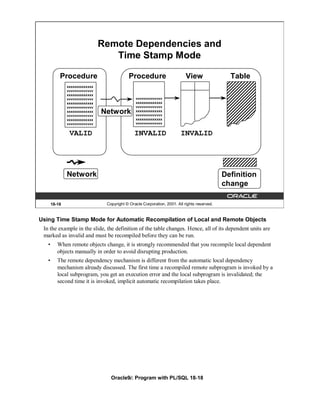
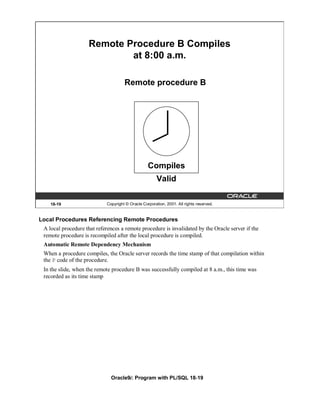
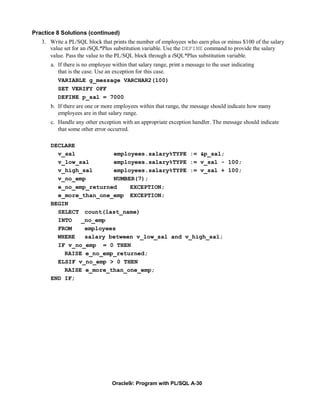
  • 136.
    Selecting CLOB Valuesin PL/SQL DECLARE text VARCHAR2(4001); BEGIN SELECT resume INTO text FROM employees WHERE employee_id = 170; DBMS_OUTPUT.PUT_LINE('text is: '|| text); END; / 15-30 Copyright © Oracle Corporation, 2001. All rights reserved. Selecting CLOB Values in PL/SQL The slide shows the code for accessing CLOB values that can be implicitly converted to VARCHAR2 in Oracle9i. The value of the column RESUME, when selected into a VARCHAR2 variable TEXT, is implicitly converted. In prior releases, to access a CLOB column, first you must to retrieve the CLOB column value into a CLOB variable and specify the amount and offset size. Then you use the DBMS_LOB package to read the selected value. The code using DBMS_LOB is as follows: DECLARE rlob clob; text VARCHAR2(4001); amt number := 4001; offset number := 1; BEGIN SELECT resume INTO rlob FROM employees WHERE employee_id = 170; DBMS_LOB.READ(rlob, amt, offset, text); DBMS_OUTPUT.PUT_LINE('text is: '|| text); END; / Oracle9i: Program with PL/SQL 15-30
  • 137.
    Removing LOBs Delete a row containing LOBs: DELETE FROM employees WHERE employee_id = 405; Disassociate a LOB value from a row: UPDATE employees SET resume = EMPTY_CLOB() WHERE employee_id = 170; 15-31 Copyright © Oracle Corporation, 2001. All rights reserved. Removing LOBs A LOB instance can be deleted (destroyed) using appropriate SQL DML statements. The SQL statement DELETE deletes a row and its associated internal LOB value. To preserve the row and destroy only the reference to the LOB, you must update the row, by replacing the LOB column value with NULL or an empty string, or by using the EMPTY_B/CLOB() function. Note: Replacing a column value with NULL and using EMPTY_B/CLOB are not the same. Using NULL sets the value to null, using EMPTY_B/CLOB ensures there is nothing in the column. A LOB is destroyed when the row containing the LOB column is deleted when the table is dropped or truncated, or implicitly when all the LOB data is updated. You must explicitly remove the file associated with a BFILE using operating system commands. To erase part of an internal LOB, you can use DBMS_LOB.ERASE. Oracle9i: Program with PL/SQL 15-31
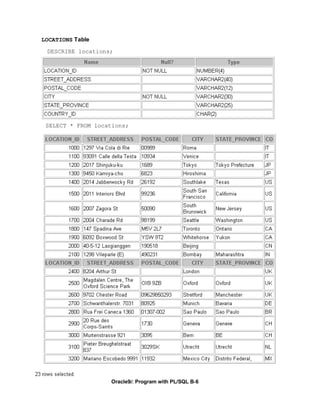
  • 138.
    Temporary LOBs • Temporary LOBs: – Provide an interface to support creation of LOBs that act like local variables – Can be BLOBs, CLOBs, or NCLOBs – Are not associated with a specific table – Are created using DBMS_LOB.CREATETEMPORARY procedure – Use DBMS_LOB routines • The lifetime of a temporary LOB is a session. • Temporary LOBs are useful for transforming data in permanent internal LOBs. 15-32 Copyright © Oracle Corporation, 2001. All rights reserved. Temporary LOBs Temporary LOBs provide an interface to support the creation and deletion of LOBs that act like local variables. Temporary LOBs can be BLOBs, CLOBs, or NCLOBs. Features of temporary LOBs: • Data is stored in your temporary tablespace, not in tables. • Temporary LOBs are faster than persistent LOBs because they do not generate any redo or rollback information. • Temporary LOBs lookup is localized to each user’s own session; only the user who creates a temporary LOB can access it, and all temporary LOBs are deleted at the end of the session in which they were created. • You can create a temporary LOB using DBMS_LOB.CREATETEMPORARY. Temporary LOBs are useful when you want to perform some transformational operation on a LOB, for example, changing an image type from GIF to JPEG. A temporary LOB is empty when created and does not support the EMPTY_B/CLOB functions. Use the DBMS_LOB package to use and manipulate temporary LOBs. Instructor Note Temporary LOBs are introduced in Oracle8i. The default lifetime of a temporary LOB is a session. It can also be cleaned up at the end of the call; this is specified at the time of creation. Oracle9i: Program with PL/SQL 15-32
  • 139.
    Creating a TemporaryLOB PL/SQL procedure to create and test a temporary LOB: CREATE OR REPLACE PROCEDURE IsTempLOBOpen (p_lob_loc IN OUT BLOB, p_retval OUT INTEGER) IS BEGIN -- create a temporary LOB DBMS_LOB.CREATETEMPORARY (p_lob_loc, TRUE); -- see if the LOB is open: returns 1 if open p_retval := DBMS_LOB.ISOPEN (p_lob_loc); DBMS_OUTPUT.PUT_LINE ('The file returned a value ....' || p_retval); -- free the temporary LOB DBMS_LOB.FREETEMPORARY (p_lob_loc); END; / 15-33 Copyright © Oracle Corporation, 2001. All rights reserved. Creating a Temporary LOB The example in the slide shows a user-defined PL/SQL procedure, IsTempLOBOpen, that creates a temporary LOB. This procedure accepts a LOB locator as input, creates a temporary LOB, opens it, and tests whether the LOB is open. The IsTempLOBOpen procedure uses the procedures and functions from the DBMS_LOB package as follows: • The CREATETEMPORARY procedure is used to create the temporary LOB. • The ISOPEN function is used to test whether a LOB is open: this function returns the value 1 if the LOB is open. • The FREETEMPORARY procedure is used to free the temporary LOB; memory increases incrementally as the number of temporary LOBs grows, and you can reuse temporary LOB space in your session by explicitly freeing temporary LOBs. Oracle9i: Program with PL/SQL 15-33
  • 140.
    Summary In this lesson, you should have learned how to: • Identify four built-in types for large objects: BLOB, CLOB, NCLOB, and BFILE • Describe how LOBs replace LONG and LONG RAW • Describe two storage options for LOBs: – The Oracle server (internal LOBs) – External host files (external LOBs) • Use the DBMS_LOB PL/SQL package to provide routines for LOB management • Use temporary LOBs in a session 15-34 Copyright © Oracle Corporation, 2001. All rights reserved. Summary There are four LOB data types: • A BLOB is a binary large object. • A CLOB is a character large object. • A NCLOB stores multibyte national character set data. • A BFILE is a large object stored in a binary file outside the database. LOBs can be stored internally (in the database) or externally (in an operating system file). You can manage LOBs by using the DBMS_LOB package and its procedures. Temporary LOBs provide an interface to support the creation and deletion of LOBs that act like local variables. Oracle9i: Program with PL/SQL 15-34
  • 141.
    Practice 15 Overview This practice covers the following topics: • Creating object types, using the new data types CLOB and BLOB • Creating a table with LOB data types as columns • Using the DBMS_LOB package to populate and interact with the LOB data 15-35 Copyright © Oracle Corporation, 2001. All rights reserved. Practice 15 Overview In this practice you create a table with both BLOB and CLOB columns. Then, you use the DBMS_LOB package to populate the table and manipulate the data. Oracle9i: Program with PL/SQL 15-35
  • 142.
    Practice 15 1. Create a table called PERSONNEL by executing the script file lab15_1.sql. The table contains the following attributes and data types: Column Name Data type Length ID NUMBER 6 last_name VARCHAR2 35 review CLOB N/A picture BLOB N/A 2. Insert two rows into the PERSONNEL table, one each for employees 2034 and 2035. Use the empty function for the CLOB, and provide NULL as the value for the BLOB. 3. Examine and execute the script lab15_3.sql. The script creates a table named REVIEW_TABLE. This table contains annual review information for each employee. The script also contains two statements to insert review details for two employees. 4. Update the PERSONNEL table. a. Populate the CLOB for the first row, using the following subquery in a SQL UPDATE statement: SELECT ann_review FROM review_table WHERE employee_id = 2034; b. Populate the CLOB for the second row, using PL/SQL and the DBMS_LOB package. Use the following SELECT statement to provide a value. SELECT ann_review FROM review_table WHERE employee_id = 2035; Oracle9i: Program with PL/SQL 15-36
  • 143.
    Practice 15 (continued) If you have time 5. Create a procedure that adds a locator to a binary file into the PICTURE column of the COUNTRIES table. The binary file is a picture of the country. The image files are named after the country IDs. You need to load an image file locator into all rows in Europe region (REGION_ID = 1) in the COUNTRIES table. The DIRECTORY object name that stores a pointer to the location of the binary files is called COUNTRY_PIC. This object is already created for you. a. Use the command below to add the image column to the COUNTRIES table (or use lab15_5_add.sql) ALTER TABLE countries ADD (picture BFILE); b. Create a PL/SQL procedure called load_country_image that reads a locator into your picture column. Have the program test to see if the file exists, using the function DBMS_LOB.FILEEXISTS. If the file is not existing, your procedure should display a message that the file can not be opened. Have your program report information about the load to the screen. c. Invoke the procedure by passing the name of the directory object COUNTRY_PIC as parameter. Note that you should pass the directory object in single quotation marks. Sample output follows: Instructor Note The class needs to add a BFILE column to the COUNTRIES table to complete question 5 of Practice 15. The script is stored in lablab15_5_add.sql. This practice question 5 requires the instructor to run the file lablab15_5_setup.sql. The script creates the DIRECTORY objects and grants READ permissions to these objects. Edit the file and fill in the database connection for the classroom. Also, fill in the file location on the server to identify where the COUNTRY_PIC and LOG_FILES are located. The steps in this script must be followed before the students can complete question 5 of Practice 15. After running the above script, you can verify that the directory alias is created by querying the ALL_DIRECTORIES data dictionary view as follows: SELECT directory_name, directory_path FROM all_directories; Oracle9i: Program with PL/SQL 15-37
  • 144.
  • 145.
    Creating Database Triggers Copyright © Oracle Corporation, 2001. All rights reserved. Schedule: Timing Topic 60 minutes Lecture 60 minutes Practice 120 minutes Total
  • 146.
    Objectives After completing this lesson, you should be able to do the following: • Describe different types of triggers • Describe database triggers and their use • Create database triggers • Describe database trigger firing rules • Remove database triggers 16-2 Copyright © Oracle Corporation, 2001. All rights reserved. Lesson Aim In this lesson, you learn how to create and use database triggers. Oracle9i: Program with PL/SQL 16-2
  • 147.
    Types of Triggers A trigger: • Is a PL/SQL block or a PL/SQL procedure associated with a table, view, schema, or the database • Executes implicitly whenever a particular event takes place • Can be either: – Application trigger: Fires whenever an event occurs with a particular application – Database trigger: Fires whenever a data event (such as DML) or system event (such as logon or shutdown) occurs on a schema or database 16-3 Copyright © Oracle Corporation, 2001. All rights reserved. Types of Triggers Application triggers execute implicitly whenever a particular data manipulation language (DML) event occurs within an application. An example of an application that uses triggers extensively is one developed with Oracle Forms Developer. Database triggers execute implicitly when a data event such as DML on a table (an INSERT, UPDATE, or DELETE triggering statement), an INSTEAD OF trigger on a view, or data definition language (DDL) statements such as CREATE and ALTER are issued, no matter which user is connected or which application is used. Database triggers also execute implicitly when some user actions or database system actions occur, for example, when a user logs on, or the DBA shut downs the database. Note: Database triggers can be defined on tables and on views. If a DML operation is issued on a view, the INSTEAD OF trigger defines what actions take place. If these actions include DML operations on tables, then any triggers on the base tables are fired. Database triggers can be system triggers on a database or a schema. With a database, triggers fire for each event for all users; with a schema, triggers fire for each event for that specific user. This course covers creating database triggers. Creating database triggers based on system events is discussed in the lesson “More Trigger Concepts.” Instructor Note Database administration type triggers have been introduced in Oracle8i. Some of the triggers that can be created include user actions of logging on and off, and database shutdown and startup. These types of triggers are covered in a later lesson. Oracle9i: Program with PL/SQL 16-3
  • 148.
    Guidelines for DesigningTriggers • Design triggers to: – Perform related actions – Centralize global operations • Do not design triggers: – Where functionality is already built into the Oracle server – That duplicate other triggers • Create stored procedures and invoke them in a trigger, if the PL/SQL code is very lengthy. • The excessive use of triggers can result in complex interdependencies, which may be difficult to maintain in large applications. 16-4 Copyright © Oracle Corporation, 2001. All rights reserved. Guidelines for Designing Triggers • Use triggers to guarantee that when a specific operation is performed, related actions are performed. • Use database triggers only for centralized, global operations that should be fired for the triggering statement, regardless of which user or application issues the statement. • Do not define triggers to duplicate or replace the functionality already built into the Oracle database. For example do not define triggers to implement integrity rules that can be done by using declarative constraints. An easy way to remember the design order for a business rule is to: – Use built-in constraints in the Oracle server such as, primary key, foreign key and so on – Develop a database trigger or develop an application such as a servlet or Enterprise JavaBean (EJB) on your middle tier – Use a presentation interface such as Oracle Forms, dynamic HTML, Java ServerPages (JSP) and so on, if you cannot develop your business rule as mentioned above, which might be a presentation rule. • The excessive use of triggers can result in complex interdependencies, which may be difficult to maintain in large applications. Only use triggers when necessary, and beware of recursive and cascading effects. • If the logic for the trigger is very lengthy, create stored procedures with the logic and invoke them in the trigger body. • Note that database triggers fire for every user each time the event occurs on which the trigger is created. Oracle9i: Program with PL/SQL 16-4
  • 149.
    Database Trigger: Example Application INSERT INTO EMPLOYEES . . .; EMPLOYEES table CHECK_SAL trigger … 16-5 Copyright © Oracle Corporation, 2001. All rights reserved. Example of a Database Trigger In this example, the database trigger CHECK_SAL checks salary values whenever any application tries to insert a row into the EMPLOYEES table. Values that are out of range according to the job category can be rejected, or can be allowed and recorded in an audit table. Instructor Note (for page 16-4) • Recursive trigger: This is a trigger that contains a DML operation changing the very same table. • Cascading trigger: The action of one trigger cascades to another trigger, causing this second trigger to fire. The Oracle server allows up to 32 triggers to cascade at any one time. However, the number of cascading triggers can be limited by changing the value of the OPEN_CURSORS database initialization parameter, which is set to 50 by default. Oracle9i: Program with PL/SQL 16-5
  • 150.
    Creating DML Triggers A triggering statement contains: • Trigger timing – For table: BEFORE, AFTER – For view: INSTEAD OF • Triggering event: INSERT, UPDATE, or DELETE • Table name: On table, view • Trigger type: Row or statement • WHEN clause: Restricting condition • Trigger body: PL/SQL block 16-6 Copyright © Oracle Corporation, 2001. All rights reserved. Database Trigger Before coding the trigger body, decide on the values of the components of the trigger: the trigger timing, the triggering event, and the trigger type. Part Description Possible Values Trigger timing When the trigger fires in relation to the BEFORE triggering event AFTER INSTEAD OF Triggering event Which data manipulation operation on the INSERT table or view causes the trigger to fire UPDATE DELETE Trigger type How many times the trigger body Statement executes Row Trigger body What action the trigger performs Complete PL/SQL block If multiple triggers are defined for a table, be aware that the order in which multiple triggers of the same type fire is arbitrary. To ensure that triggers of the same type are fired in a particular order, consolidate the triggers into one trigger that calls separate procedures in the desired order. Oracle9i: Program with PL/SQL 16-6
  • 151.
    DML Trigger Components Trigger timing: When should the trigger fire? • BEFORE: Execute the trigger body before the triggering DML event on a table. • AFTER: Execute the trigger body after the triggering DML event on a table. • INSTEAD OF: Execute the trigger body instead of the triggering statement. This is used for views that are not otherwise modifiable. 16-7 Copyright © Oracle Corporation, 2001. All rights reserved. BEFORE Triggers This type of trigger is frequently used in the following situations: • To determine whether that triggering statement should be allowed to complete. (This situation enables you to eliminate unnecessary processing of the triggering statement and its eventual rollback in cases where an exception is raised in the triggering action.) • To derive column values before completing a triggering INSERT or UPDATE statement. • To initialize global variables or flags, and to validate complex business rules. AFTER Triggers This type of trigger is frequently used in the following situations: • To complete the triggering statement before executing the triggering action. • To perform different actions on the same triggering statement if a BEFORE trigger is already present. INSTEAD OF Triggers This type of trigger is used to provide a transparent way of modifying views that cannot be modified directly through SQL DML statements because the view is not inherently modifiable. You can write INSERT, UPDATE, and DELETE statements against the view. The INSTEAD OF trigger works invisibly in the background performing the action coded in the trigger body directly on the underlying tables. Oracle9i: Program with PL/SQL 16-7
  • 152.
    DML Trigger Components Triggering user event: Which DML statement causes the trigger to execute? You can use any of the following: • INSERT • UPDATE • DELETE 16-8 Copyright © Oracle Corporation, 2001. All rights reserved. The Triggering Event The triggering event or statement can be an INSERT, UPDATE, or DELETE statement on a table. • When the triggering event is an UPDATE statement, you can include a column list to identify which columns must be changed to fire the trigger. You cannot specify a column list for an INSERT or for a DELETE statement, because they always affect entire rows. . . . UPDATE OF salary . . . • The triggering event can contain one, two, or all three of these DML operations. . . . INSERT or UPDATE or DELETE . . . INSERT or UPDATE OF job_id . . . Oracle9i: Program with PL/SQL 16-8
  • 153.
    DML Trigger Components Trigger type: Should the trigger body execute for each row the statement affects or only once? • Statement: The trigger body executes once for the triggering event. This is the default. A statement trigger fires once, even if no rows are affected at all. • Row: The trigger body executes once for each row affected by the triggering event. A row trigger is not executed if the triggering event affects no rows. 16-9 Copyright © Oracle Corporation, 2001. All rights reserved. Statement Triggers and Row Triggers You can specify that the trigger will be executed once for every row affected by the triggering statement (such as a multiple row UPDATE) or once for the triggering statement, no matter how many rows it affects. Statement Trigger A statement trigger is fired once on behalf of the triggering event, even if no rows are affected at all. Statement triggers are useful if the trigger action does not depend on the data from rows that are affected or on data provided by the triggering event itself: for example, a trigger that performs a complex security check on the current user. Row Trigger A row trigger fires each time the table is affected by the triggering event. If the triggering event affects no rows, a row trigger is not executed. Row triggers are useful if the trigger action depends on data of rows that are affected or on data provided by the triggering event itself. Oracle9i: Program with PL/SQL 16-9
  • 154.
    DML Trigger Components Trigger body: What action should the trigger perform? The trigger body is a PL/SQL block or a call to a procedure. 16-10 Copyright © Oracle Corporation, 2001. All rights reserved. Trigger Body The trigger action defines what needs to be done when the triggering event is issued. The PL/SQL block can contain SQL and PL/SQL statements, and can define PL/SQL constructs such as variables, cursors, exceptions, and so on. You can also call a PL/SQL procedure or a Java procedure. Additionally, row triggers use correlation names to access the old and new column values of the row being processed by the trigger. Note: The size of a trigger cannot be more than 32 K. Instructor Note The Java procedure needs to be encapsulated in a PL/SQL wrapper. To call a Java procedure, you use the CALL statement. The syntax for the CALL statement to call a PL/SQL procedure is shown in a later lesson. Before creating any triggers, run the catproc.sql script while connected as SYS. This script automatically runs all of the scripts required for, or used within, the procedural extensions to the Oracle server. Oracle9i: Program with PL/SQL 16-10
  • 155.
    Firing Sequence Use the following firing sequence for a trigger on a table, when a single row is manipulated: DML statement INSERT INTO departments (department_id, department_name, location_id) VALUES (400, 'CONSULTING', 2400); Triggering action BEFORE statement trigger … BEFORE row trigger AFTER row trigger AFTER statement trigger 16-11 Copyright © Oracle Corporation, 2001. All rights reserved. Creating Row or Statement Triggers Create a statement trigger or a row trigger based on the requirement that the trigger must fire once for each row affected by the triggering statement, or just once for the triggering statement, regardless of the number of rows affected. When the triggering data manipulation statement affects a single row, both the statement trigger and the row trigger fire exactly once. Example This SQL statement does not differentiate statement triggers from row triggers, because exactly one row is inserted into the table using this syntax. Oracle9i: Program with PL/SQL 16-11
  • 156.
    Firing Sequence Use the following firing sequence for a trigger on a table, when many rows are manipulated: UPDATE employees SET salary = salary * 1.1 WHERE department_id = 30; BEFORE statement trigger BEFORE row trigger AFTER row trigger ... BEFORE row trigger AFTER row trigger ... AFTER statement trigger 16-12 Copyright © Oracle Corporation, 2001. All rights reserved. Creating Row or Statement Triggers (continued) When the triggering data manipulation statement affects many rows, the statement trigger fires exactly once, and the row trigger fires once for every row affected by the statement. Example The SQL statement in the slide above causes a row-level trigger to fire a number of times equal to the number of rows that satisfy the WHERE clause, that is, the number of employees reporting to department 30. Oracle9i: Program with PL/SQL 16-12
  • 157.
    Syntax for Creating DML Statement Triggers Syntax: CREATE [OR REPLACE] TRIGGER trigger_name timing event1 [OR event2 OR event3] ON table_name trigger_body Note: Trigger names must be unique with respect to other triggers in the same schema. 16-13 Copyright © Oracle Corporation, 2001. All rights reserved. Syntax for Creating a Statement Trigger trigger name Is the name of the trigger timing Indicates the time when the trigger fires in relation to the triggering event: BEFORE AFTER event Identifies the data manipulation operation that causes the trigger to fire: INSERT UPDATE [OF column] DELETE table/view_name Indicates the table associated with the trigger trigger body Is the trigger body that defines the action performed by the trigger, beginning with either DECLARE or BEGIN, ending with END, or a call to a procedure Trigger names must be unique with respect to other triggers in the same schema. Trigger names do not need to be unique with respect to other schema objects, such as tables, views, and procedures. Using column names along with the UPDATE clause in the trigger improves performance, because the trigger fires only when that particular column is updated and thus avoids unintended firing when any other column is updated. Oracle9i: Program with PL/SQL 16-13
  • 158.
    Creating DML StatementTriggers Example: CREATE OR REPLACE TRIGGER secure_emp BEFORE INSERT ON employees BEGIN IF (TO_CHAR(SYSDATE,'DY') IN ('SAT','SUN')) OR (TO_CHAR(SYSDATE,'HH24:MI') NOT BETWEEN '08:00' AND '18:00') THEN RAISE_APPLICATION_ERROR (-20500,'You may insert into EMPLOYEES table only during business hours.'); END IF; END; / 16-14 Copyright © Oracle Corporation, 2001. All rights reserved. Creating DML Statement Triggers You can create a BEFORE statement trigger in order to prevent the triggering operation from succeeding if a certain condition is violated. For example, create a trigger to restrict inserts into the EMPLOYEES table to certain business hours, Monday through Friday. If a user attempts to insert a row into the EMPLOYEES table on Saturday, the user sees the message, the trigger fails, and the triggering statement is rolled back. Remember that the RAISE_APPLICATION_ERROR is a server-side built-in procedure that returns an error to the user and causes the PL/SQL block to fail. When a database trigger fails, the triggering statement is automatically rolled back by the Oracle server. Instructor Note The time specified in the trigger in the slide is based on the database server system time. Hence, if you are in a different time zone from the database server, your DML may not work even if your system clock is within the time specified in the code. Oracle9i: Program with PL/SQL 16-14
  • 159.
    Testing SECURE_EMP INSERT INTO employees (employee_id, last_name, first_name, email, hire_date, job_id, salary, department_id) VALUES (300, 'Smith', 'Rob', 'RSMITH', SYSDATE, 'IT_PROG', 4500, 60); 16-15 Copyright © Oracle Corporation, 2001. All rights reserved. Example Insert a row into the EMPLOYEES table during nonbusiness hours. When the date and time are out of the business timings specified in the trigger, you get the error message as shown in the slide. Instructor Note Note that the row might be inserted if you are in a different timezone from the database server. The trigger fires even if your system clock is within these business hours. Oracle9i: Program with PL/SQL 16-15
  • 160.
    Using Conditional Predicates CREATE OR REPLACE TRIGGER secure_emp BEFORE INSERT OR UPDATE OR DELETE ON employees BEGIN IF (TO_CHAR (SYSDATE,'DY') IN ('SAT','SUN')) OR (TO_CHAR (SYSDATE, 'HH24') NOT BETWEEN '08' AND '18') THEN IF DELETING THEN RAISE_APPLICATION_ERROR (-20502,'You may delete from EMPLOYEES table only during business hours.'); ELSIF INSERTING THEN RAISE_APPLICATION_ERROR (-20500,'You may insert into EMPLOYEES table only during business hours.'); ELSIF UPDATING ('SALARY') THEN RAISE_APPLICATION_ERROR (-20503,'You may update SALARY only during business hours.'); ELSE RAISE_APPLICATION_ERROR (-20504,'You may update EMPLOYEES table only during normal hours.'); END IF; END IF; END; 16-16 Copyright © Oracle Corporation, 2001. All rights reserved. Combining Triggering Events You can combine several triggering events into one by taking advantage of the special conditional predicates INSERTING, UPDATING, and DELETING within the trigger body. Example Create one trigger to restrict all data manipulation events on the EMPLOYEES table to certain business hours, Monday through Friday. Oracle9i: Program with PL/SQL 16-16
  • 161.
    Creating a DMLRow Trigger Syntax: CREATE [OR REPLACE] TRIGGER trigger_name timing event1 [OR event2 OR event3] ON table_name [REFERENCING OLD AS old | NEW AS new] FOR EACH ROW [WHEN (condition)] trigger_body 16-17 Copyright © Oracle Corporation, 2001. All rights reserved. Syntax for Creating a Row Trigger trigger_name Is the name of the trigger timing Indicates the time when the trigger fires in relation to the triggering event: BEFORE AFTER INSTEAD OF event Identifies the data manipulation operation that causes the trigger to fire: INSERT UPDATE [OF column] DELETE table_name Indicates the table associated with the trigger REFERENCING Specifies correlation names for the old and new values of the current row (The default values are OLD and NEW) FOR EACH ROW Designates that the trigger is a row trigger WHEN Specifies the trigger restriction; (This conditional predicate must be enclosed in parenthesis and is evaluated for each row to determine whether or not the trigger body is executed.) trigger body Is the trigger body that defines the action performed by the trigger, beginning with either DECLARE or BEGIN, ending with END, or a call to a procedure Oracle9i: Program with PL/SQL 16-17
  • 162.
    Creating DML RowTriggers CREATE OR REPLACE TRIGGER restrict_salary BEFORE INSERT OR UPDATE OF salary ON employees FOR EACH ROW BEGIN IF NOT (:NEW.job_id IN ('AD_PRES', 'AD_VP')) AND :NEW.salary > 15000 THEN RAISE_APPLICATION_ERROR (-20202,'Employee cannot earn this amount'); END IF; END; / 16-18 Copyright © Oracle Corporation, 2001. All rights reserved. Creating a Row Trigger You can create a BEFORE row trigger in order to prevent the triggering operation from succeeding if a certain condition is violated. Create a trigger to allow only certain employees to be able to earn a salary of more than 15,000. If a user attempts to do this, the trigger raises an error. UPDATE employees SET salary = 15500 WHERE last_name = 'Russell'; Instructor Note Alternatively, the value 15,000 in the program could be a value in a table that can be retrieved into the program, or a global variable. Oracle9i: Program with PL/SQL 16-18
  • 163.
    Using OLD andNEW Qualifiers CREATE OR REPLACE TRIGGER audit_emp_values AFTER DELETE OR INSERT OR UPDATE ON employees FOR EACH ROW BEGIN INSERT INTO audit_emp_table (user_name, timestamp, id, old_last_name, new_last_name, old_title, new_title, old_salary, new_salary) VALUES (USER, SYSDATE, :OLD.employee_id, :OLD.last_name, :NEW.last_name, :OLD.job_id, :NEW.job_id, :OLD.salary, :NEW.salary ); END; / 16-19 Copyright © Oracle Corporation, 2001. All rights reserved. Using OLD and NEW Qualifiers Within a ROW trigger, reference the value of a column before and after the data change by prefixing it with the OLD and NEW qualifier. Data Operation Old Value New Value INSERT NULL Inserted value UPDATE Value before update Value after update DELETE Value before delete NULL • The OLD and NEW qualifiers are available only in ROW triggers. • Prefix these qualifiers with a colon (:) in every SQL and PL/SQL statement. • There is no colon (:) prefix if the qualifiers are referenced in the WHEN restricting condition. Note: Row triggers can decrease the performance if you do a lot of updates on larger tables. Instructor Note If you run the above code and get a compilation error, check whether you have a table called AUDIT_EMP_TABLE; if not, run 16_addtabs.sql to create this table. Point out to the students that the OLD and NEW are host variable created implicitly. The same rules apply to these host variables in PL/SQL bodies as in anonymous PL/SQL blocks. Oracle9i: Program with PL/SQL 16-19
  • 164.
    Using OLD andNEW Qualifiers: Example Using Audit_Emp_Table INSERT INTO employees (employee_id, last_name, job_id, salary, ...) VALUES (999, 'Temp emp', 'SA_REP', 1000, ...); UPDATE employees SET salary = 2000, last_name = 'Smith' WHERE employee_id = 999; SELECT user_name, timestamp, ... FROM audit_emp_table 16-20 Copyright © Oracle Corporation, 2001. All rights reserved. Using OLD and NEW Qualifiers: Example Using AUDIT_EMP_TABLE Create a trigger on the EMPLOYEES table to add rows to a user table, AUDIT_EMP_TABLE, logging a user’s activity against the EMPLOYEES table. The trigger records the values of several columns both before and after the data changes by using the OLD and NEW qualifiers with the respective column name. There is additional column COMMENTS in the AUDIT_EMP_TABLE that is not shown in this slide. Oracle9i: Program with PL/SQL 16-20
  • 165.
    Restricting a RowTrigger CREATE OR REPLACE TRIGGER derive_commission_pct BEFORE INSERT OR UPDATE OF salary ON employees FOR EACH ROW WHEN (NEW.job_id = 'SA_REP') BEGIN IF INSERTING THEN :NEW.commission_pct := 0; ELSIF :OLD.commission_pct IS NULL THEN :NEW.commission_pct := 0; ELSE :NEW.commission_pct := :OLD.commission_pct + 0.05; END IF; END; / 16-21 Copyright © Oracle Corporation, 2001. All rights reserved. Example To restrict the trigger action to those rows that satisfy a certain condition, provide a WHEN clause. Create a trigger on the EMPLOYEES table to calculate an employee’s commission when a row is added to the EMPLOYEES table, or when an employee’s salary is modified. The NEW qualifier cannot be prefixed with a colon in the WHEN clause because the WHEN clause is outside the PL/SQL blocks. Instructor Note To assign values to columns using the NEW qualifier, create BEFORE ROW triggers. If you attempt to create an AFTER ROW trigger for the above code, you get a compilation error: CREATE OR REPLACE TRIGGER derive_commission_pct AFTER INSERT OR UPDATE OF salary ON employees FOR EACH ROW WHEN (NEW.job_id = 'SA_REP') BEGIN IF INSERTING THEN :NEW.commission_pct := 0; ELSIF :OLD.commission_pct IS NULL THEN :NEW.commission_pct := 0; ELSE :NEW.commission_pct := :OLD.commission_pct * (:NEW.salary/:OLD.salary); END IF; END; / CREATE OR REPLACE TRIGGER derive_commission_pct* ERROR at line 1: ORA-04084: cannot change NEW values for this trigger type Oracle9i: Program with PL/SQL 16-21
  • 166.
    INSTEAD OF Triggers Application INSERT INTO my_view . . .; INSERT TABLE1 INSTEAD OF Trigger UPDATE MY_VIEW TABLE2 16-22 Copyright © Oracle Corporation, 2001. All rights reserved. INSTEAD OF Triggers Use INSTEAD OF triggers to modify data in which the DML statement has been issued against an inherently nonupdatable view. These triggers are called INSTEAD OF triggers because, unlike other triggers, the Oracle server fires the trigger instead of executing the triggering statement. This trigger is used to perform an INSERT, UPDATE, or DELETE operation directly on the underlying tables. You can write INSERT, UPDATE, or DELETE statements against a view, and the INSTEAD OF trigger works invisibly in the background to make the right actions take place. Why Use INSTEAD OF Triggers? A view cannot be modified by normal DML statements if the view query contains set operators, group functions, clauses such as GROUP BY, CONNECT BY, START, the DISTINCT operator, or joins. For example, if a view consists of more than one table, an insert to the view may entail an insertion into one table and an update to another. So, you write an INSTEAD OF trigger that fires when you write an insert against the view. Instead of the original insertion, the trigger body executes, which results in an insertion of data into one table and an update to another table. Note: If a view is inherently updateable and has INSTEAD OF triggers, the triggers take precedence. INSTEAD OF triggers are row triggers. The CHECK option for views is not enforced when insertions or updates to the view are performed by using INSTEAD OF triggers. The INSTEAD OF trigger body must enforce the check. Instructor Note You can update a subset of join views. Oracle9i: Program with PL/SQL 16-22
  • 167.
    Creating an INSTEADOF Trigger Syntax: CREATE [OR REPLACE] TRIGGER trigger_name INSTEAD OF event1 [OR event2 OR event3] ON view_name [REFERENCING OLD AS old | NEW AS new] [FOR EACH ROW] trigger_body 16-23 Copyright © Oracle Corporation, 2001. All rights reserved. Syntax for Creating an INSTEAD OF Trigger trigger_name Is the name of the trigger. INSTEAD OF Indicates that the trigger belongs to a view event Identifies the data manipulation operation that causes the trigger to fire: INSERT UPDATE [OF column] DELETE view_name Indicates the view associated with trigger REFERENCING Specifies correlation names for the old and new values of the current row (The defaults are OLD and NEW) FOR EACH Designates the trigger to be a row trigger; INSTEAD OF triggers ROW can only be row triggers: if this is omitted, the trigger is still defined as a row trigger. trigger body Is the trigger body that defines the action performed by the trigger, beginning with either DECLARE or BEGIN, and ending with END or a call to a procedure Note: INSTEAD OF triggers can be written only for views. BEFORE and AFTER options are not valid. Oracle9i: Program with PL/SQL 16-23
  • 168.
    Creating an INSTEADOF Trigger Example: The following example creates two new tables, NEW_EMPS and NEW_DEPTS, based on the EMPLOYEES and DEPARTMENTS tables respectively. It also creates an EMP_DETAILS view from the EMPLOYEES and DEPARTMENTS tables. The example also creates an INSTEAD OF trigger, NEW_EMP_DEPT. When a row is inserted into the EMP_DETAILS view, instead of inserting the row directly into the view, rows are added into the NEW_EMPS and NEW_DEPTS tables, based on the data in the INSERT statement. Similarly, when a row is modified or deleted through the EMP_DETAILS view, corresponding rows in the NEW_EMPS and NEW_DEPTS tables are affected. CREATE TABLE new_emps AS SELECT employee_id, last_name, salary, department_id, email, job_id, hire_date FROM employees; CREATE TABLE new_depts AS SELECT d.department_id, d.department_name, d.location_id, sum(e.salary) tot_dept_sal FROM employees e, departments d WHERE e.department_id = d.department_id GROUP BY d.department_id, d.department_name, d.location_id; CREATE VIEW emp_details AS SELECT e.employee_id, e.last_name, e.salary, e.department_id, e.email, e.job_id, d.department_name, d.location_id FROM employees e, departments d WHERE e.department_id = d.department_id; CREATE OR REPLACE TRIGGER new_emp_dept INSTEAD OF INSERT OR UPDATE OR DELETE ON emp_details FOR EACH ROW BEGIN IF INSERTING THEN INSERT INTO new_emps VALUES (:NEW.employee_id, :NEW.last_name, :NEW.salary, :NEW.department_id, :NEW.email, :New.job_id, SYSDATE); UPDATE new_depts SET tot_dept_sal = tot_dept_sal + :NEW.salary WHERE department_id = :NEW.department_id; ELSIF DELETING THEN DELETE FROM new_emps WHERE employee_id = :OLD.employee_id; UPDATE new_depts SET tot_dept_sal = tot_dept_sal - :OLD.salary WHERE department_id = :OLD.department_id; Oracle9i: Program with PL/SQL 16-24
  • 169.
    Creating an INSTEADOF Trigger (continued) Example: ELSIF UPDATING ('salary') THEN UPDATE new_emps SET salary = :NEW.salary WHERE employee_id = :OLD.employee_id; UPDATE new_depts SET tot_dept_sal = tot_dept_sal + (:NEW.salary - :OLD.salary) WHERE department_id = :OLD.department_id; ELSIF UPDATING ('department_id') THEN UPDATE new_emps SET department_id = :NEW.department_id WHERE employee_id = :OLD.employee_id; UPDATE new_depts SET tot_dept_sal = tot_dept_sal - :OLD.salary WHERE department_id = :OLD.department_id; UPDATE new_depts SET tot_dept_sal = tot_dept_sal + :NEW.salary WHERE department_id = :NEW.department_id; END IF; END; / Note: This example is explained in the next page by using graphics. Instructor Note Demonstration: 16_inst_of.sql Purpose: Creates the two new tables, a view and the trigger. The script shows the data in the view and the tables. A direct INSERT into the view implicitly executes the trigger, which INSERTs into the NEW_EMPS table and UPDATEs the NEW_DEPTS table. The trigger is not complete. It is programmed to handle the INSERT and UPDATE of the SALARY or DEPARTMENT_ID, and a DELETE. Any other form of UPDATE is not programmed. Oracle9i: Program with PL/SQL 16-25
  • 170.
    Creating an INSTEADOF Trigger INSERT into EMP_DETAILS that is based on EMPLOYEES and DEPARTMENTS tables INSERT INTO emp_details(employee_id, ... ) 1 VALUES(9001,'ABBOTT',3000,10,'abbott.mail.com','HR_MAN'); INSTEAD OF INSERT into EMP_DETAILS … 16-26 Copyright © Oracle Corporation, 2001. All rights reserved. Creating an INSTEAD OF Trigger You can create an INSTEAD OF trigger in order to maintain the base tables on which a view is based. Assume that an employee name will be inserted using the view EMP_DETAILS that is created based on the EMPLOYEES and DEPARTMENTS tables. Create a trigger that results in the appropriate INSERT and UPDATE to the base tables. The slide in the next page explains how an INSTEAD OF TRIGGER behaves in this situation. Oracle9i: Program with PL/SQL 16-26
  • 171.
    Creating an INSTEADOF Trigger INSERT into EMP_DETAILS that is based on EMPLOYEES and DEPARTMENTS tables INSERT INTO emp_details(employee_id, ... ) 1 VALUES(9001,'ABBOTT',3000,10,'abbott.mail.com','HR_MAN'); INSTEAD OF INSERT into EMP_DETAILS … INSERT into UPDATE 2 NEW_EMPS 3 NEW_DEPTS … … 16-27 Copyright © Oracle Corporation, 2001. All rights reserved. Creating an INSTEAD OF Trigger Because of the INSTEAD OF TRIGGER on the view EMP_DETAILS, instead of inserting the new employee record into the EMPLOYEES table: • A row is inserted into the NEW_EMPS table. • The TOTAL_DEPT_SAL column of the NEW_DEPTS table is updated. The salary value supplied for the new employee is added to the existing total salary of the department to which the new employee has been assigned. Oracle9i: Program with PL/SQL 16-27
  • 172.
    Differentiating Between DatabaseTriggers and Stored Procedures Triggers Procedures Defined with CREATE TRIGGER Defined with CREATE PROCEDURE Data dictionary contains source Data dictionary contains source code code in USER_TRIGGERS in USER_SOURCE Implicitly invoked Explicitly invoked COMMIT, SAVEPOINT, and COMMIT, SAVEPOINT, and ROLLBACK ROLLBACK are not allowed are allowed 16-28 Copyright © Oracle Corporation, 2001. All rights reserved. Database Triggers and Stored Procedures There are differences between database triggers and stored procedures: Database Trigger Stored Procedure Invoked implicitly Invoked explicitly COMMIT, ROLLBACK, and COMMIT, ROLLBACK, and SAVEPOINT SAVEPOINT statements are not allowed statements are permitted within the procedure within the trigger body. It is possible to body. commit or rollback indirectly by calling a procedure, but it is not recommended because of side effects to transactions. Triggers are fully compiled when the CREATE TRIGGER command is issued and the P code is stored in the data dictionary. If errors occur during the compilation of a trigger, the trigger is still created. Oracle9i: Program with PL/SQL 16-28
  • 173.
    Differentiating Between DatabaseTriggers and Form Builder Triggers INSERT INTO EMPLOYEES . . .; EMPLOYEES table CHECK_SAL trigger BEFORE … INSERT row 16-29 Copyright © Oracle Corporation, 2001. All rights reserved. Differences between a Database Trigger and a Form Builder Trigger Database triggers are different from Form Builder triggers. Database Trigger Form Builder Trigger Executed by actions from any database tool Executed only within a particular Form Builder or application application Always triggered by a SQL DML, DDL, or a Can be triggered by navigating from field to field, by certain database action pressing a key, or by many other actions Is distinguished as either a statement or row Is distinguished as a statement or row trigger trigger Upon failure, causes the triggering statement Upon failure, causes the cursor to freeze and may to roll back cause the entire transaction to roll back Fires independently of, and in addition to, Fires independently of, and in addition to, database Form Builder triggers triggers Executes under the security domain of the Executes under the security domain of the Form author of the trigger Builder user Oracle9i: Program with PL/SQL 16-29
  • 174.
    Managing Triggers Disable or reenable a database trigger: ALTER TRIGGER trigger_name DISABLE | ENABLE Disable or reenable all triggers for a table: ALTER TABLE table_name DISABLE | ENABLE ALL TRIGGERS Recompile a trigger for a table: ALTER TRIGGER trigger_name COMPILE 16-30 Copyright © Oracle Corporation, 2001. All rights reserved. Trigger Modes: Enabled or Disabled • When a trigger is first created, it is enabled automatically. • The Oracle server checks integrity constraints for enabled triggers and guarantees that triggers cannot compromise them. In addition, the Oracle server provides read-consistent views for queries and constraints, manages the dependencies, and provides a two-phase commit process if a trigger updates remote tables in a distributed database. • Disable a specific trigger by using the ALTER TRIGGER syntax, or disable all triggers on a table by using the ALTER TABLE syntax. • Disable a trigger to improve performance or to avoid data integrity checks when loading massive amounts of data by using utilities such as SQL*Loader. You may also want to disable the trigger when it references a database object that is currently unavailable, owing to a failed network connection, disk crash, offline data file, or offline tablespace. Compile a Trigger • Use the ALTER TRIGGER command to explicitly recompile a trigger that is invalid. • When you issue an ALTER TRIGGER statement with the COMPILE option, the trigger recompiles, regardless of whether it is valid or invalid. Oracle9i: Program with PL/SQL 16-30
  • 175.
    DROP TRIGGER Syntax To remove a trigger from the database, use the DROP TRIGGER syntax: DROP TRIGGER trigger_name; Example: DROP TRIGGER secure_emp; Note: All triggers on a table are dropped when the table is dropped. 16-31 Copyright © Oracle Corporation, 2001. All rights reserved. Removing Triggers When a trigger is no longer required, you can use a SQL statement in iSQL*Plus to drop it. Oracle9i: Program with PL/SQL 16-31
  • 176.
    Trigger Test Cases • Test each triggering data operation, as well as nontriggering data operations. • Test each case of the WHEN clause. • Cause the trigger to fire directly from a basic data operation, as well as indirectly from a procedure. • Test the effect of the trigger upon other triggers. • Test the effect of other triggers upon the trigger. 16-32 Copyright © Oracle Corporation, 2001. All rights reserved. Testing Triggers • Ensure that the trigger works properly by testing a number of cases separately. • Take advantage of the DBMS_OUTPUT procedures to debug triggers. You can also use the Procedure Builder debugging tool to debug triggers. Using Procedure Builder is discussed in Appendix F, “Creating Program Units by Using Procedure Builder.” Instructor Note When writing new application code with procedures and functions, you should verify the USER_TRIGGERS data dictionary view for any existing triggers. The newly added procedures and functions may fire these triggers implicitly, which is not intended. Hence, test the procedures and functions, and drop any triggers that are not required. Oracle9i: Program with PL/SQL 16-32
  • 177.
    Trigger Execution Model and Constraint Checking 1. Execute all BEFORE STATEMENT triggers. 2. Loop for each row affected: a. Execute all BEFORE ROW triggers. b. Execute all AFTER ROW triggers. 3. Execute the DML statement and perform integrity constraint checking. 4. Execute all AFTER STATEMENT triggers. 16-33 Copyright © Oracle Corporation, 2001. All rights reserved. Trigger Execution Model A single DML statement can potentially fire up to four types of triggers: BEFORE and AFTER statement and row triggers. A triggering event or a statement within the trigger can cause one or more integrity constraints to be checked. Triggers can also cause other triggers to fire (cascading triggers). All actions and checks done as a result of a SQL statement must succeed. If an exception is raised within a trigger and the exception is not explicitly handled, all actions performed because of the original SQL statement are rolled back. This includes actions performed by firing triggers. This guarantees that integrity constraints can never be compromised by triggers. When a trigger fires, the tables referenced in the trigger action may undergo changes by other users' transactions. In all cases, a read-consistent image is guaranteed for modified values the trigger needs to read (query) or write (update). Instructor Note The example in the following slide demonstrates the constraint verification procedure. You can demonstrate this concept by using the file 16_trig_constr.sql. Oracle9i: Program with PL/SQL 16-33
  • 178.
    Trigger Execution Modeland Constraint Checking: Example UPDATE employees SET department_id = 999 WHERE employee_id = 170; -- Integrity constraint violation error CREATE OR REPLACE TRIGGER constr_emp_trig AFTER UPDATE ON employees FOR EACH ROW BEGIN INSERT INTO departments VALUES (999, 'dept999', 140, 2400); END; / UPDATE employees SET department_id = 999 WHERE employee_id = 170; -- Successful after trigger is fired 16-34 Copyright © Oracle Corporation, 2001. All rights reserved. Trigger Execution Model and Constraint Checking: Example The example in the slide explains a situation in which the integrity constraint can be taken care of by using a trigger. Table EMPLOYEES has a foreign key constraint on the DEPARTMENT_ID column of the DEPARTMENTS table. In the first SQL statement, the DEPARTMENT_ID of the employee with EMPLOYEE_ID 170 is modified to 999. Because such a department does not exist in the DEPARTMENTS table, the statement raises the exception -2292 for the integrity constraint violation. A trigger CONSTR_EMP_TRIG is created that inserts a new department 999 into the DEPARTMENTS table. When the UPDATE statement that modifies the department of employee 170 to 999 is issued, the trigger fires. Then, the foreign key constraint is checked. Because the trigger inserted the department 999 into the DEPARTMENTS table, the foreign key constraint check is successful and there is no exception. This process works with Oracle8i and later releases. The example described in the slide produces a run-time error in releases prior to Oracle8i. Oracle9i: Program with PL/SQL 16-34
  • 179.
    A Sample Demonstrationfor Triggers Using Package Constructs DML into AUDIT_EMP_TRIG VAR_PACK EMPLOYEES table FOR EACH ROW package Increment variables 1 2 AUDIT_EMP_TAB AFTER STATEMENT Copy and then reset variables 3 4 AUDIT_TABLE 16-35 Copyright © Oracle Corporation, 2001. All rights reserved. A Sample Demonstration The following pages of PL/SQL subprograms are an example of the interaction of triggers, packaged procedures, functions, and global variables. The sequence of events: 1. Issue an INSERT, UPDATE, or DELETE command that can manipulate one or many rows. 2. AUDIT_EMP_TRIG, the AFTER ROW trigger, calls the packaged procedure to increment the global variables in the package VAR_PACK. Because this is a row trigger, the trigger fires once for each row that you updated. 3. When the statement has finished, AUDIT_EMP_TAB, the AFTER STATEMENT trigger, calls the procedure AUDIT_EMP. 4. This procedure assigns the values of the global variables into local variables using the packaged functions, updates the AUDIT_TABLE, and then resets the global variables. Instructor Note The slide presents a simplified version of the demonstration. First run the script 16_drop_trg.sql. The following demonstration scripts contain a complete explanation about the demonstration as described in the next few pages. Demonstration: 16_comp_ex_spec.sql and 16_comp_ex_body.sql Purpose: To create the VAR_PACK package, the AUDIT_EMP procedure, and the AUDIT_EMP_TRIG trigger. If you wish to complement the code by running an example, insert a row into AUDIT_TABLE with your user name and EMPLOYEES as the table name, and then write an INSERT, UPDATE, or DELETE command to see the triggers working. Oracle9i: Program with PL/SQL 16-35
  • 180.
    After Row andAfter Statement Triggers CREATE OR REPLACE TRIGGER audit_emp_trig AFTER UPDATE or INSERT or DELETE on EMPLOYEES FOR EACH ROW BEGIN IF DELETING THEN var_pack.set_g_del(1); ELSIF INSERTING THEN var_pack.set_g_ins(1); ELSIF UPDATING ('SALARY') THEN var_pack.set_g_up_sal(1); ELSE var_pack.set_g_upd(1); END IF; END audit_emp_trig; / CREATE OR REPLACE TRIGGER audit_emp_tab AFTER UPDATE or INSERT or DELETE on employees BEGIN audit_emp; END audit_emp_tab; / 16-36 Copyright © Oracle Corporation, 2001. All rights reserved. AFTER Row and AFTER Statement Triggers The trigger AUDIT_EMP_TRIG is a row trigger that fires after every row manipulated. This trigger invokes the package procedures depending on the type of DML performed. For example, if the DML updates salary of an employee, then the trigger invokes the procedure SET_G_UP_SAL. This package procedure inturn invokes the function G_UP_SAL. This function increments the package variable GV_UP_SAL that keeps account of the number of rows being changed due to update of the salary. The trigger AUDIT_EMP_TAB will fire after the statement has finished. This trigger invokes the procedure AUDIT_EMP, which is on the following pages. The AUDIT_EMP procedure updates the AUDIT_TABLE table. An entry is made into the AUDIT_TABLE table with the information such as the user who performed the DML, the table on which DML is performed, and the total number of such data manipulations performed so far on the table (indicated by the value of the corresponding column in the AUDIT_TABLE table). At the end, the AUDIT_EMP procedure resets the package variables to 0. Instructor Note This is not the only way to implement this business requirement, but it does show the way packages, triggers, procedures, and packaged variables can interact. Oracle9i: Program with PL/SQL 16-36
  • 181.
    Demonstration: VAR_PACK Package Specification var_pack.sql CREATE OR REPLACE PACKAGE var_pack IS -- these functions are used to return the -- values of package variables FUNCTION g_del RETURN NUMBER; FUNCTION g_ins RETURN NUMBER; FUNCTION g_upd RETURN NUMBER; FUNCTION g_up_sal RETURN NUMBER; -- these procedures are used to modify the -- values of the package variables PROCEDURE set_g_del (p_val IN NUMBER); PROCEDURE set_g_ins (p_val IN NUMBER); PROCEDURE set_g_upd (p_val IN NUMBER); PROCEDURE set_g_up_sal (p_val IN NUMBER); END var_pack; / 16-37 Copyright © Oracle Corporation, 2001. All rights reserved. Demonstration: VAR_PACK Package Body var_pack_body.sql CREATE OR REPLACE PACKAGE BODY var_pack IS gv_del NUMBER := 0; gv_ins NUMBER := 0; gv_upd NUMBER := 0; gv_up_sal NUMBER := 0; FUNCTION g_del RETURN NUMBER IS BEGIN RETURN gv_del; END; FUNCTION g_ins RETURN NUMBER IS BEGIN RETURN gv_ins; END; FUNCTION g_upd RETURN NUMBER IS BEGIN RETURN gv_upd; END; FUNCTION g_up_sal RETURN NUMBER IS BEGIN RETURN gv_up_sal; END; (continued on the next page) Oracle9i: Program with PL/SQL 16-37
  • 182.
    VAR_PACK Package Body(continued) PROCEDURE set_g_del (p_val IN NUMBER) IS BEGIN IF p_val = 0 THEN gv_del := p_val; ELSE gv_del := gv_del +1; END IF; END set_g_del; PROCEDURE set_g_ins (p_val IN NUMBER) IS BEGIN IF p_val = 0 THEN gv_ins := p_val; ELSE gv_ins := gv_ins +1; END IF; END set_g_ins; PROCEDURE set_g_upd (p_val IN NUMBER) IS BEGIN IF p_val = 0 THEN gv_upd := p_val; ELSE gv_upd := gv_upd +1; END IF; END set_g_upd; PROCEDURE set_g_up_sal (p_val IN NUMBER) IS BEGIN IF p_val = 0 THEN gv_up_sal := p_val; ELSE gv_up_sal := gv_up_sal +1; END IF; END set_g_up_sal; END var_pack; / Oracle9i: Program with PL/SQL 16-38
  • 183.
    Demonstration: Using the AUDIT_EMP Procedure CREATE OR REPLACE PROCEDURE audit_emp IS v_del NUMBER := var_pack.g_del; v_ins NUMBER := var_pack.g_ins; v_upd NUMBER := var_pack.g_upd; v_up_sal NUMBER := var_pack.g_up_sal; BEGIN IF v_del + v_ins + v_upd != 0 THEN UPDATE audit_table SET del = del + v_del, ins = ins + v_ins, upd = upd + v_upd WHERE user_name=USER AND tablename='EMPLOYEES' AND column_name IS NULL; END IF; IF v_up_sal != 0 THEN UPDATE audit_table SET upd = upd + v_up_sal WHERE user_name=USER AND tablename='EMPLOYEES' AND column_name = 'SALARY'; END IF; -- resetting global variables in package VAR_PACK var_pack.set_g_del (0); var_pack.set_g_ins (0); var_pack.set_g_upd (0); var_pack.set_g_up_sal (0); END audit_emp; 16-39 Copyright © Oracle Corporation, 2001. All rights reserved. Updating the AUDIT_TABLE with the AUDIT_EMP Procedure The AUDIT_EMP procedure updates the AUDIT_TABLE and calls the functions in the package VAR_PACK that reset the package variables, ready for the next DML statement. Oracle9i: Program with PL/SQL 16-39
  • 184.
    Summary Procedure Package Trigger xxxxxxxxxxxxxxxxxx vvvvvvvvvvvvvvvvvv xxxxxxxxxxxxxxxxxx vvvvvvvvvvvvvvvvvv xxxxxxxxxxxxxxxxxx vvvvvvvvvvvvvvvvvv Procedure A xxxxxxxxxxxxxxxxxx xxxxxxxxxxxxxxxxxx declaration vvvvvvvvvvvvvvvvvv xxxxxxxxxxxxxxxxxx vvvvvvvvvvvvvvvvvv xxxxxxxxxxxxxxxxxx vvvvvvvvvvvvvvvvvv xxxxxxxxxxxxxxxxxx Procedure B definition Procedure A definition Local variable 16-40 Copyright © Oracle Corporation, 2001. All rights reserved. Develop different types of procedural database constructs depending on their usage. Construct Usage Procedure PL/SQL programming block that is stored in the database for repeated execution Package Group of related procedures, functions, variables, cursors, constants, and exceptions Trigger PL/SQL programming block that is executed implicitly by a data manipulation statement Oracle9i: Program with PL/SQL 16-40
  • 185.
    Practice 16 Overview This practice covers the following topics: • Creating statement and row triggers • Creating advanced triggers to add to the capabilities of the Oracle database 16-41 Copyright © Oracle Corporation, 2001. All rights reserved. Practice 16 Overview You create statement and row triggers in this practice. You create procedures that will be invoked from the triggers. Oracle9i: Program with PL/SQL 16-41
  • 186.
    Practice 16 1. Changes to data are allowed on tables only during normal office hours of 8:45 a.m. until 5:30 p.m., Monday through Friday. Create a stored procedure called SECURE_DML that prevents the DML statement from executing outside of normal office hours, returning the message, “You may only make changes during normal office hours.” 2. a. Create a statement trigger on the JOBS table that calls the above procedure. b. Test the procedure by temporarily modifying the hours in the procedure and attempting to insert a new record into the JOBS table. (Example: replace 08:45 with 16:45; This attempt results in an error message) After testing, reset the procedure hours asspecified in question 1 and recreate the procedure as in question 1 above. If you have time: 3. Employees should receive an automatic increase in salary if the minimum salary for a job is increased. Implement this requirement through a trigger on the JOBS table. a. Create a stored procedure named UPD_EMP_SAL to update the salary amount. This procedure accepts two parameters: the job ID for which salary has to be updated, and the new minimum salary for this job ID. This procedure is executed from the trigger on the JOBS table. b. Create a row trigger named UPDATE_EMP_SALARY on the JOBS table that invokes the procedure UPD_EMP_SAL, when the minimum salary in the JOBS table is updated for a specified job ID. c. Query the EMPLOYEES table to see the current salary for employees who are programmers. d. Increase the minimum salary for the Programmer job from 4,000 to 5,000. e. Employee Lorentz (employee ID 107) had a salary of less than 4,500. Verify that her salary has been increased to the new minimum of 5,000. Instructor Note If you encounter errors while performing practice question 3d, verify that you do not have the triggers trig_constr_emp and constr_emp_trig in your schema. These triggers are created and dropped when you run the demo 16_trig_constr.sql and code example 16_34s.sql. Students did not create these triggers earlier. Oracle9i: Program with PL/SQL 16-42
  • 187.
    More Trigger Concepts Copyright © Oracle Corporation, 2001. All rights reserved. Schedule: Timing Topic 50 minutes Lecture 45 minutes Practice 95 minutes Total
  • 188.
    Objectives After completing this lesson, you should be able to do the following: • Create additional database triggers • Explain the rules governing triggers • Implement triggers 17-2 Copyright © Oracle Corporation, 2001. All rights reserved. Lesson Aim In this lesson, you learn how to create more database triggers and learn the rules governing triggers. You also learn many applications of triggers. Instructor Note This lesson contains several sections with discrete concepts that do not tie in with one another. Towards the end of this lesson, there are many practical examples of triggers. You do not need to go through each example. Gauge the level of detail to the audience requirements. Oracle9i: Program with PL/SQL 17-2
  • 189.
    Creating Database Triggers • Triggering user event: – CREATE, ALTER, or DROP – Logging on or off • Triggering database or system event: – Shutting down or starting up the database – A specific error (or any error) being raised 17-3 Copyright © Oracle Corporation, 2001. All rights reserved. Creating Database Triggers Before coding the trigger body, decide on the components of the trigger. Triggers on system events can be defined at the database or schema level. For example, a database shutdown trigger is defined at the database level. Triggers on data definition language (DDL) statements, or a user logging on or off, can also be defined at either the database level or schema level. Triggers on DML statements are defined on a specific table or a view. A trigger defined at the database level fires for all users, and a trigger defined at the schema or table level fires only when the triggering event involves that schema or table. Triggering events that can cause a trigger to fire: • A data definition statement on an object in the database or schema • A specific user (or any user) logging on or off • A database shutdown or startup • A specific or any error that occurs Instructor Note The trigger concepts described above were introduced in Oracle8i and are intended primarily for use by DBAs. Oracle9i: Program with PL/SQL 17-3
  • 190.
    Creating Triggers onDDL Statements Syntax: CREATE [OR REPLACE] TRIGGER trigger_name timing [ddl_event1 [OR ddl_event2 OR ...]] ON {DATABASE|SCHEMA} trigger_body 17-4 Copyright © Oracle Corporation, 2001. All rights reserved. Create Trigger Syntax DDL_Event Possible Values CREATE Causes the Oracle server to fire the trigger whenever a CREATE statement adds a new database object to the dictionary ALTER Causes the Oracle server to fire the trigger whenever an ALTER statement modifies a database object in the data dictionary DROP Causes the Oracle server to fire the trigger whenever a DROP statement removes a database object in the data dictionary The trigger body represents a complete PL/SQL block. You can create triggers for these events on DATABASE or SCHEMA. You also specify BEFORE or AFTER for the timing of the trigger. DDL triggers fire only if the object being created is a cluster, function, index, package, procedure, role, sequence, synonym, table, tablespace, trigger, type, view, or user. Instructor Note The Oracle server fires the trigger in the existing user transaction. Oracle9i: Program with PL/SQL 17-4
  • 191.
    Creating Triggers onSystem Events CREATE [OR REPLACE] TRIGGER trigger_name timing [database_event1 [OR database_event2 OR ...]] ON {DATABASE|SCHEMA} trigger_body 17-5 Copyright © Oracle Corporation, 2001. All rights reserved. Create Trigger Syntax Database_event Possible Values AFTER Causes the Oracle server to fire the trigger whenever a server error message is SERVERERROR logged AFTER LOGON Causes the Oracle server to fire the trigger whenever a user logs on to the database BEFORE LOGOFF Causes the Oracle server to fire the trigger whenever a user logs off the database AFTER STARTUP Causes the Oracle server to fire the trigger whenever the database is opened BEFORE Causes the Oracle server to fire the trigger whenever the database is shut down SHUTDOWN You can create triggers for these events on DATABASE or SCHEMA except SHUTDOWN and STARTUP, which apply only to the DATABASE. Instructor Note For each of these triggering events, the Oracle server opens an autonomous transaction scope, fires the trigger, and commits any separate transaction (regardless of any existing user transaction). An autonomous transaction scope is an independent transaction that can be committed without affecting the existing transaction. This was introduced in Oracle8i. Autonomous transactions are not covered in this course. Oracle9i: Program with PL/SQL 17-5
  • 192.
    LOGON and LOGOFFTrigger Example CREATE OR REPLACE TRIGGER logon_trig AFTER LOGON ON SCHEMA BEGIN INSERT INTO log_trig_table(user_id, log_date, action) VALUES (USER, SYSDATE, 'Logging on'); END; / CREATE OR REPLACE TRIGGER logoff_trig BEFORE LOGOFF ON SCHEMA BEGIN INSERT INTO log_trig_table(user_id, log_date, action) VALUES (USER, SYSDATE, 'Logging off'); END; / 17-6 Copyright © Oracle Corporation, 2001. All rights reserved. LOGON and LOGOFF Trigger Example You can create this trigger to monitor how often you log on and off, or you may want to write a report that monitors the length of time for which you are logged on. When you specify ON SCHEMA, the trigger fires for the specific user. If you specify ON DATABASE, the trigger fires for all users. Instructor Note Sample LOG_TRIG_TABLE: DESCRIBE log_trig_table SELECT * FROM log_trig_table; Oracle9i: Program with PL/SQL 17-6
  • 193.
    CALL Statements CREATE [OR REPLACE] TRIGGER trigger_name timing event1 [OR event2 OR event3] ON table_name [REFERENCING OLD AS old | NEW AS new] [FOR EACH ROW] [WHEN condition] CALL procedure_name CREATE OR REPLACE TRIGGER log_employee BEFORE INSERT ON EMPLOYEES CALL log_execution / 17-7 Copyright © Oracle Corporation, 2001. All rights reserved. CALL Statements A CALL statement enables you to call a stored procedure, rather than coding the PL/SQL body in the trigger itself. The procedure can be implemented in PL/SQL, C, or Java. The call can reference the trigger attributes :NEW and :OLD as parameters as in the following example: CREATE TRIGGER salary_check BEFORE UPDATE OF salary, job_id ON employees FOR EACH ROW WHEN (NEW.job_id <> 'AD_PRES') CALL check_sal(:NEW.job_id, :NEW.salary) / Note: There is no semicolon at the end of the CALL statement. In the example above, the trigger calls a procedure check_sal. The procedure compares the new salary with the salary range for the new job ID from the JOBS table. Instructor Note Code example 17_7n.sql creates a procedure check_sal that compares the new salary with the range of the salary allowed for that job ID. The script also contains the above code for the trigger and statements to fire the trigger. The trigger is disabled at the end of the script of the next page. If you receive compilation errors while creating the trigger shown in the slide, re-create the LOG_EXECTION procedure by running the script demo09_logexec.sql. Oracle9i: Program with PL/SQL 17-7
  • 194.
    Reading Data from a Mutating Table UPDATE employees SET salary = 3400 WHERE last_name = 'Stiles'; CHECK_SALARY Failure EMPLOYEES table trigger … 3400 BEFORE UPDATE row … Triggered table/ mutating table Trigger event 17-8 Copyright © Oracle Corporation, 2001. All rights reserved. Rules Governing Triggers Reading and writing data using triggers is subject to certain rules. The restrictions apply only to row triggers, unless a statement trigger is fired as a result of ON DELETE CASCADE. Mutating Table A mutating table is a table that is currently being modified by an UPDATE, DELETE, or INSERT statement, or a table that might need to be updated by the effects of a declarative DELETE CASCADE referential integrity action. A table is not considered mutating for STATEMENT triggers. The triggered table itself is a mutating table, as well as any table referencing it with the FOREIGN KEY constraint. This restriction prevents a row trigger from seeing an inconsistent set of data. Instructor Note Before Oracle8i, it was not possible to change data in the primary key, foreign key, or unique key columns of a constraining table. This rule no longer applies in Oracle8i. Oracle9i: Program with PL/SQL 17-8
  • 195.
    Mutating Table: Example CREATE OR REPLACE TRIGGER check_salary BEFORE INSERT OR UPDATE OF salary, job_id ON employees FOR EACH ROW WHEN (NEW.job_id <> 'AD_PRES') DECLARE v_minsalary employees.salary%TYPE; v_maxsalary employees.salary%TYPE; BEGIN SELECT MIN(salary), MAX(salary) INTO v_minsalary, v_maxsalary FROM employees WHERE job_id = :NEW.job_id; IF :NEW.salary < v_minsalary OR :NEW.salary > v_maxsalary THEN RAISE_APPLICATION_ERROR(-20505,'Out of range'); END IF; END; / 17-9 Copyright © Oracle Corporation, 2001. All rights reserved. Mutating Table: Example The CHECK_SALARY trigger in the example, attempts to guarantee that whenever a new employee is added to the EMPLOYEES table or whenever an existing employee’s salary or job ID is changed, the employee’s salary falls within the established salary range for the employee’s job. When an employee record is updated, the CHECK_SALARY trigger is fired for each row that is updated. The trigger code queries the same table that is being updated. Hence, it is said that the EMPLOYEES table is mutating table. Oracle9i: Program with PL/SQL 17-9
  • 196.
    Mutating Table: Example UPDATE employees SET salary = 3400 WHERE last_name = 'Stiles'; 17-10 Copyright © Oracle Corporation, 2001. All rights reserved. Mutating Table: Example (continued) Try to read from a mutating table. If you restrict the salary within a range between the minimum existing value and the maximum existing value you get a run-time error. The EMPLOYEES table is mutating, or in a state of change; therefore, the trigger cannot read from it. Remember that functions can also cause a mutating table error when they are invoked in a DML statement. Instructor Note A mutating table is a table that is currently being modified by an UPDATE, DELETE, or INSERT statement. A mutating table cannot be changed, because the resulting DML could change data that is in an inconsistent state. Oracle9i: Program with PL/SQL 17-10
  • 197.
    Implementing Triggers You can use trigger for: • Security • Auditing • Data integrity • Referential integrity • Table replication • Computing derived data automatically • Event logging 17-11 Copyright © Oracle Corporation, 2001. All rights reserved. Implementing Triggers Develop database triggers in order to enhance features that cannot otherwise be implemented by the Oracle server or as alternatives to those provided by the Oracle server. Feature Enhancement Security The Oracle server allows table access to users or roles. Triggers allow table access according to data values. Auditing The Oracle server tracks data operations on tables. Triggers track values for data operations on tables. Data integrity The Oracle server enforces integrity constraints. Triggers implement complex integrity rules. Referential integrity The Oracle server enforces standard referential integrity rules. Triggers implement nonstandard functionality. Table replication The Oracle server copies tables asynchronously into snapshots. Triggers copy tables synchronously into replicas. Derived data The Oracle server computes derived data values manually. Triggers compute derived data values automatically. Event logging The Oracle server logs events explicitly. Triggers log events transparently. Oracle9i: Program with PL/SQL 17-11
  • 198.
    Controlling Security Within the Server GRANT SELECT, INSERT, UPDATE, DELETE ON employees TO clerk; -- database role GRANT clerk TO scott; 17-12 Copyright © Oracle Corporation, 2001. All rights reserved. Controlling Security Within the Server Develop schemas and roles within the Oracle server to control the security of data operations on tables according to the identity of the user. • Base privileges upon the username supplied when the user connects to the database. • Determine access to tables, views, synonyms, and sequences. • Determine query, data manipulation, and data definition privileges. Instructor Note There is no code example script file for the example in the slide. Oracle9i: Program with PL/SQL 17-12
  • 199.
    Controlling Security with a Database Trigger CREATE OR REPLACE TRIGGER secure_emp BEFORE INSERT OR UPDATE OR DELETE ON employees DECLARE v_dummy VARCHAR2(1); BEGIN IF (TO_CHAR (SYSDATE, 'DY') IN ('SAT','SUN')) THEN RAISE_APPLICATION_ERROR (-20506,'You may only change data during normal business hours.'); END IF; SELECT COUNT(*) INTO v_dummy FROM holiday WHERE holiday_date = TRUNC (SYSDATE); IF v_dummy > 0 THEN RAISE_APPLICATION_ERROR(-20507, 'You may not change data on a holiday.'); END IF; END; / 17-13 Copyright © Oracle Corporation, 2001. All rights reserved. Controlling Security With a Database Trigger Develop triggers to handle more complex security requirements. • Base privileges on any database values, such as the time of day, the day of the week, and so on. • Determine access to tables only. • Determine data manipulation privileges only. Instructor Note The code example script file for the example in the slide contains additional statements that create the HOLIDAY table and insert values into the table. Oracle9i: Program with PL/SQL 17-13
  • 200.
    Using the ServerFacility to Audit Data Operations AUDIT INSERT, UPDATE, DELETE ON departments BY ACCESS WHENEVER SUCCESSFUL; The Oracle server stores the audit information in a data dictionary table or operating system file. 17-14 Copyright © Oracle Corporation, 2001. All rights reserved. Auditing Data Operations You can audit data operations within the Oracle server. Database auditing is used to monitor and gather data about specific database activities. The DBA can gather statistics about which tables are being updated, how many I/Os are performed, how many concurrent users connect at peak time, and so on. • Audit users, statements, or objects. • Audit data retrieval, data manipulation, and data definition statements. • Write the audit trail to a centralized audit table. • Generate audit records once per session or once per access attempt. • Capture successful attempts, unsuccessful attempts, or both. • Enable and disable dynamically. Executing SQL through PL/SQL program units may generate several audit records because the program units may refer to other database objects. Instructor Note The data dictionary view SYS.AUD$ contains all information regarding audit. Access the view as SYSTEM user. AUDIT statement_opt|system_priv[, ...] [BY user[, ...]] [BY [SESSION|ACCESS]] [WHENEVER [NOT] SUCCESSFUL]; Examples: AUDIT ROLE; AUDIT ROLE WHENEVER SUCCESSFUL; AUDIT ROLE WHENEVER NOT SUCCESSFUL; AUDIT SELECT TABLE, UPDATE TABLE BY scott, blake; Oracle9i: Program with PL/SQL 17-14
  • 201.
    Auditing by Usinga Trigger CREATE OR REPLACE TRIGGER audit_emp_values AFTER DELETE OR INSERT OR UPDATE ON employees FOR EACH ROW BEGIN IF (audit_emp_package.g_reason IS NULL) THEN RAISE_APPLICATION_ERROR (-20059, 'Specify a reason for the data operation through the procedure SET_REASON of the AUDIT_EMP_PACKAGE before proceeding.'); ELSE INSERT INTO audit_emp_table (user_name, timestamp, id, old_last_name, new_last_name, old_title, new_title, old_salary, new_salary, comments) VALUES (USER, SYSDATE, :OLD.employee_id, :OLD.last_name, :NEW.last_name, :OLD.job_id, :NEW.job_id, :OLD.salary, :NEW.salary, audit_emp_package.g_reason); END IF; END; CREATE OR REPLACE TRIGGER cleanup_audit_emp AFTER INSERT OR UPDATE OR DELETE ON employees BEGIN audit_emp_package.g_reason := NULL; END; 17-15 Copyright © Oracle Corporation, 2001. All rights reserved. Audit Data Values Audit actual data values with triggers. You can: • Audit data manipulation statements only • Write the audit trail to a user-defined audit table • Generate audit records once for the statement or once for each row • Capture successful attempts only • Enable and disable dynamically Using the Oracle server, you can perform database auditing. Database auditing cannot record changes to specific column values. If the changes to the table columns need to be tracked and column values need to be stored for each change, use application auditing. Application auditing can be done either through stored procedures or database triggers, as shown in the example in the slide. Instructor Note The user makes a call to the AUDIT_EMP_PACKAGE and sets the variable G_REASON. During a DML operation, the trigger checks the reason for the data manipulation operation. If G_REASON is not set, an error is raised; if it is set, the DML operation is successful, and it is recorded in the AUDIT_EMP_TABLE. If the AUDIT_EMP_TABLE is not already existing, run the script file demo09_addtabs.sql. The second trigger clears the variable G_REASON of a value. The code example script file for this example contains additional statements that you can use to create the package used by the trigger and the statements to test the trigger. Oracle9i: Program with PL/SQL 17-15
  • 202.
    Enforcing Data Integrity Within the Server ALTER TABLE employees ADD CONSTRAINT ck_salary CHECK (salary >= 500); 17-16 Copyright © Oracle Corporation, 2001. All rights reserved. Enforcing Data Integrity within the Server You can enforce data integrity within the Oracle server and develop triggers to handle more complex data integrity rules. The standard data integrity rules are not null, unique, primary key, and foreign key. Use these rules to: • Provide constant default values • Enforce static constraints • Enable and disable dynamically Example The code sample in the slide ensures that the salary is at least $500. Oracle9i: Program with PL/SQL 17-16
  • 203.
    Protecting Data Integrity with a Trigger CREATE OR REPLACE TRIGGER check_salary BEFORE UPDATE OF salary ON employees FOR EACH ROW WHEN (NEW.salary < OLD.salary) BEGIN RAISE_APPLICATION_ERROR (-20508, 'Do not decrease salary.'); END; / 17-17 Copyright © Oracle Corporation, 2001. All rights reserved. Protecting Data Integrity with a Trigger Protect data integrity with a trigger and enforce nonstandard data integrity checks. • Provide variable default values. • Enforce dynamic constraints. • Enable and disable dynamically. • Incorporate declarative constraints within the definition of a table to protect data integrity. Example The code sample in the slide ensures that the salary is never decreased. Instructor Note The code example script file for this example contains additional statements to test the trigger. Oracle9i: Program with PL/SQL 17-17
  • 204.
    Enforcing Referential Integrity Within the Server ALTER TABLE employees ADD CONSTRAINT emp_deptno_fk FOREIGN KEY (department_id) REFERENCES departments(department_id) ON DELETE CASCADE; 17-18 Copyright © Oracle Corporation, 2001. All rights reserved. Enforcing Referential Integrity within the Server Incorporate referential integrity constraints within the definition of a table to prevent data inconsistency and enforce referential integrity within the server. • Restrict updates and deletes. • Cascade deletes. • Enable and disable dynamically. Example When a department is removed from the DEPARTMENTS parent table, cascade the deletion to the corresponding rows in the EMPLOYEES child table. Instructor Note Do not run the code example for the code in the slide. The code produces an error message because the foreign key constraint mentioned in the code is already existing in the table. Oracle9i: Program with PL/SQL 17-18
  • 205.
    Protecting Referential Integrity with a Trigger CREATE OR REPLACE TRIGGER cascade_updates AFTER UPDATE OF department_id ON departments FOR EACH ROW BEGIN UPDATE employees SET employees.department_id=:NEW.department_id WHERE employees.department_id=:OLD.department_id; UPDATE job_history SET department_id=:NEW.department_id WHERE department_id=:OLD.department_id; END; / 17-19 Copyright © Oracle Corporation, 2001. All rights reserved. Protecting Referential Integrity with a Trigger Develop triggers to implement referential integrity rules that are not supported by declarative constraints. • Cascade updates. • Set to NULL for updates and deletions. • Set to a default value on updates and deletions. • Enforce referential integrity in a distributed system. • Enable and disable dynamically. Example Enforce referential integrity with a trigger. When the value of DEPARTMENT_ID changes in the DEPARTMENTS parent table, cascade the update to the corresponding rows in the EMPLOYEES child table. For a complete referential integrity solution using triggers, a single trigger is not enough. Instructor Note The code example script file for this page contains additional statements that temporarily disable constraints on the EMPLOYEES and JOB_HISTORY tables. The script file also tests the triggers, rolls back the transaction, and re-enables the triggers. Oracle9i: Program with PL/SQL 17-19
  • 206.
    Replicating a Table Within the Server CREATE SNAPSHOT emp_copy AS SELECT * FROM employees@ny; 17-20 Copyright © Oracle Corporation, 2001. All rights reserved. Creating a Snapshot A snapshot is a local copy of a table data that originates from one or more remote master tables. An application can query the data in a read-only table snapshot, but cannot insert, update, or delete rows in the snapshot. To keep a snapshot's data current with the data of its master, the Oracle server must periodically refresh the snapshot. When this statement is used in SQL, replication is performed implicitly by the Oracle server by using internal triggers. This has better performance over using user-defined PL/SQL triggers for replication. Copying Tables with Server Snapshots Copy a table with a snapshot. • Copy tables asynchronously, at user-defined intervals. • Base snapshots on multiple master tables. • Read from snapshots only. • Improve the performance of data manipulation on the master table, particularly if the network fails. Alternatively, you can replicate tables using triggers. Example In San Francisco, create a snapshot of the remote EMPLOYEES table in New York. Instructor Note Replication of snapshots or materialized views is done within the database kernel and is faster than a trigger. There are no code example script files that you can use to demonstrate replication. Oracle9i: Program with PL/SQL 17-20
  • 207.
    Replicating a Tablewith a Trigger CREATE OR REPLACE TRIGGER emp_replica BEFORE INSERT OR UPDATE ON employees FOR EACH ROW BEGIN /*Only proceed if user initiates a data operation, NOT through the cascading trigger.*/ IF INSERTING THEN IF :NEW.flag IS NULL THEN INSERT INTO employees@sf VALUES(:new.employee_id, :new.last_name,..., 'B'); :NEW.flag := 'A'; END IF; ELSE /* Updating. */ IF :NEW.flag = :OLD.flag THEN UPDATE employees@sf SET ename = :NEW.last_name, ..., flag = :NEW.flag WHERE employee_id = :NEW.employee_id; END IF; IF :OLD.flag = 'A' THEN :NEW.flag := 'B'; ELSE :NEW.flag := 'A'; END IF; END IF; END; 17-21 Copyright © Oracle Corporation, 2001. All rights reserved. Replicating a Table with a Trigger Replicate a table with a trigger. • Copy tables synchronously, in real time. • Base replicas on a single master table. • Read from replicas, as well as write to them. • Impair the performance of data manipulation on the master table, particularly if the network fails. Maintain copies of tables automatically with snapshots, particularly on remote nodes. Example In New York, replicate the local EMPLOYEES table to San Francisco. Instructor Note If the network were to fail and you used the snapshot method, the Oracle server capabilities ensure that the users on the main node are not affected, and that the snapshot is maintained asynchronously. If you used the trigger method of replication, the user is not able to work because the trigger would not be able to write to the remote database. Oracle9i: Program with PL/SQL 17-21
  • 208.
    Computing Derived DataWithin the Server UPDATE departments SET total_sal=(SELECT SUM(salary) FROM employees WHERE employees.department_id = departments.department_id); 17-22 Copyright © Oracle Corporation, 2001. All rights reserved. Computing Derived Data within the Server Compute derived values in a batch job. • Compute derived column values asynchronously, at user-defined intervals. • Store derived values only within database tables. • Modify data in one pass to the database and calculate derived data in a second pass. Alternatively, you can use triggers to keep running computations of derived data. Example Keep the salary total for each department within a special TOTAL_SALARY column of the DEPARTMENTS table. Instructor Note The code example script file for this topic contains additional statements that you can use to add the TOTAL_SAL column to the DEPARTMENTS table and then drop it from the table. Oracle9i: Program with PL/SQL 17-22
  • 209.
    Computing Derived Valueswith a Trigger CREATE OR REPLACE PROCEDURE increment_salary (p_id IN departments.department_id%TYPE, p_salary IN departments.total_sal%TYPE) IS BEGIN UPDATE departments SET total_sal = NVL (total_sal, 0)+ p_salary WHERE department_id = p_id; END increment_salary; CREATE OR REPLACE TRIGGER compute_salary AFTER INSERT OR UPDATE OF salary OR DELETE ON employees FOR EACH ROW BEGIN IF DELETING THEN increment_salary(:OLD.department_id,(-1*:OLD.salary)); ELSIF UPDATING THEN increment_salary(:NEW.department_id,(:NEW.salary-:OLD.salary)); ELSE increment_salary(:NEW.department_id,:NEW.salary);--INSERT END IF; END; 17-23 Copyright © Oracle Corporation, 2001. All rights reserved. Computing Derived Data Values with a Trigger Compute derived values with a trigger. • Compute derived columns synchronously, in real time. • Store derived values within database tables or within package global variables. • Modify data and calculate derived data in a single pass to the database. Example Keep a running total of the salary for each department within the special TOTAL_SALARY column of the DEPARTMENTS table. Instructor Note The code example script file for this topic contains additional statements that you can use to add the TOTAL_SAL column to the DEPARTMENTS table and then drop it from the table. The script also contains statements to test the trigger and roll back the transaction at the end. Oracle9i: Program with PL/SQL 17-23
  • 210.
    Logging Events witha Trigger CREATE OR REPLACE TRIGGER notify_reorder_rep BEFORE UPDATE OF quantity_on_hand, reorder_point ON inventories FOR EACH ROW DECLARE v_descrip product_descriptions.product_description%TYPE; v_msg_text VARCHAR2(2000); stat_send number(1); BEGIN IF :NEW.quantity_on_hand <= :NEW.reorder_point THEN SELECT product_description INTO v_descrip FROM product_descriptions WHERE product_id = :NEW.product_id; v_msg_text := 'ALERT: INVENTORY LOW ORDER:'||CHR(10)|| ...'Yours,' ||CHR(10) ||user || '.'|| CHR(10)|| CHR(10); ELSIF :OLD.quantity_on_hand < :NEW.quantity_on_hand THEN NULL; ELSE v_msg_text := 'Product #'||... CHR(10); END IF; DBMS_PIPE.PACK_MESSAGE(v_msg_text); stat_send := DBMS_PIPE.SEND_MESSAGE('INV_PIPE'); END; 17-24 Copyright © Oracle Corporation, 2001. All rights reserved. Logging Events with a Trigger Within the server, you can log events by querying data and performing operations manually. This sends a message using a pipe when the inventory for a particular product has fallen below the acceptable limit. This trigger uses the Oracle-supplied package DBMS_PIPE to send the message. Logging Events within the Server • Query data explicitly to determine whether an operation is necessary. • In a second step, perform the operation, such as sending a message. Using Triggers to Log Events • Perform operations implicitly, such as firing off an automatic electronic memo. • Modify data and perform its dependent operation in a single step. • Log events automatically as data is changing. Instructor Note There are no code example script files for logging events with triggers. Oracle9i: Program with PL/SQL 17-24
  • 211.
    Logging Events witha Trigger (continued) Logging Events Transparently In the trigger code: • CHR(10) is a carriage return • Reorder_point is not null • Another transaction can receive and read the message in the pipe Example CREATE OR REPLACE TRIGGER notify_reorder_rep BEFORE UPDATE OF amount_in_stock, reorder_point ON inventory FOR EACH ROW DECLARE v_descrip product.descrip%TYPE; v_msg_text VARCHAR2(2000); stat_send number(1); BEGIN IF :NEW.amount_in_stock <= :NEW.reorder_point THEN SELECT descrip INTO v_descrip FROM PRODUCT WHERE prodid = :NEW.product_id; v_msg_text := 'ALERT: INVENTORY LOW ORDER:'||CHR(10)|| 'It has come to my personal attention that, due to recent' ||CHR(10)||'transactions, our inventory for product # '|| TO_CHAR(:NEW.product_id)||'-- '||v_descrip || ' -- has fallen below acceptable levels.' || CHR(10) || 'Yours,' ||CHR(10) ||user || '.'|| CHR(10)|| CHR(10); ELSIF :OLD.amount_in_stock<:NEW.amount_in_stock THEN NULL; ELSE v_msg_text := 'Product #'|| TO_CHAR(:NEW.product_id) ||' ordered. '|| CHR(10)|| CHR(10); END IF; DBMS_PIPE.PACK_MESSAGE(v_msg_text); stat_send := DBMS_PIPE.SEND_MESSAGE('INV_PIPE'); END; Oracle9i: Program with PL/SQL 17-25
  • 212.
    Benefits of DatabaseTriggers • Improved data security: – Provide enhanced and complex security checks – Provide enhanced and complex auditing • Improved data integrity: – Enforce dynamic data integrity constraints – Enforce complex referential integrity constraints – Ensure that related operations are performed together implicitly 17-26 Copyright © Oracle Corporation, 2001. All rights reserved. Benefits of Database Triggers You can use database triggers: • As alternatives to features provided by the Oracle server • If your requirements are more complex or more simple than those provided by the Oracle server • If your requirements are not provided by the Oracle server at all Oracle9i: Program with PL/SQL 17-26
  • 213.
    Managing Triggers The following system privileges are required to manage triggers: • The CREATE/ALTER/DROP (ANY) TRIGGER privilege enables you to create a trigger in any schema • The ADMINISTER DATABASE TRIGGER privilege enables you to create a trigger on DATABASE • The EXECUTE privilege (if your trigger refers to any objects that are not in your schema) Note: Statements in the trigger body operate under the privilege of the trigger owner, not the trigger user. 17-27 Copyright © Oracle Corporation, 2001. All rights reserved. Managing Triggers In order to create a trigger in your schema, you need the CREATE TRIGGER system privilege, and you must either own the table specified in the triggering statement, have the ALTER privilege for the table in the triggering statement, or have the ALTER ANY TABLE system privilege. You can alter or drop your triggers without any further privileges being required. If the ANY keyword is used, you can create, alter, or drop your own triggers and those in another schema and can be associated with any user’s table. You do not need any privileges to invoke a trigger in your schema. A trigger is invoked by DML statements that you issue. But if your trigger refers to any objects that are not in your schema, the user creating the trigger must have the EXECUTE privilege on the referenced procedures, functions, or packages, and not through roles. As with stored procedures, the statement in the trigger body operates under the privilege domain of the trigger’s owner, not that of the user issuing the triggering statement. To create a trigger on DATABASE, you must have the ADMINISTER DATABASE TRIGGER privilege. If this privilege is later revoked, you can drop the trigger, but you cannot alter it. Oracle9i: Program with PL/SQL 17-27
  • 214.
    Viewing Trigger Information You can view the following trigger information: • USER_OBJECTS data dictionary view: object information • USER_TRIGGERS data dictionary view: the text of the trigger • USER_ERRORS data dictionary view: PL/SQL syntax errors (compilation errors) of the trigger 17-28 Copyright © Oracle Corporation, 2001. All rights reserved. Viewing Trigger Information The slide shows the data dictionary views that you can access to get information regarding the triggers. The USER_OBJECTS view contains the name and status of the trigger and the date and time when the trigger was created. The USER_ERRORS view contains the details of the compilation errors that occurred while a trigger was compiling. The contents of these views are similar to those for subprograms. The USER_TRIGGERS view contains details such as name, type, triggering event, the table on which the trigger is created, and the body of the trigger. The SELECT Username FROM USER_USERS; statement gives the name of the owner of the trigger, not the name of the user who is updating the table. Oracle9i: Program with PL/SQL 17-28
  • 215.
    Using USER_TRIGGERS * Column Column Description TRIGGER_NAME Name of the trigger TRIGGER_TYPE The type is BEFORE, AFTER, INSTEAD OF TRIGGERING_EVENT The DML operation firing the trigger TABLE_NAME Name of the database table REFERENCING_NAMES Name used for :OLD and :NEW WHEN_CLAUSE The when_clause used STATUS The status of the trigger TRIGGER_BODY The action to take * Abridged column list 17-29 Copyright © Oracle Corporation, 2001. All rights reserved. Using USER_TRIGGERS If the source file is unavailable, you can use iSQL*Plus to regenerate it from USER_TRIGGERS. You can also examine the ALL_TRIGGERS and DBA_TRIGGERS views, each of which contains the additional column OWNER, for the owner of the object. Instructor Note The TRIGGER_BODY column of the USER_TRIGGERS data dictionary view is of the LONG data type. To view the data in this column, you may need to use the SET LONG option in iSQL*Plus to increase the number of characters displayed. By default, the value of the LONG data type is set to 80. Oracle9i: Program with PL/SQL 17-29
  • 216.
    Listing the Codeof Triggers SELECT trigger_name, trigger_type, triggering_event, table_name, referencing_names, status, trigger_body FROM user_triggers WHERE trigger_name = 'RESTRICT_SALARY'; 17-30 Copyright © Oracle Corporation, 2001. All rights reserved. Example Use the USER_TRIGGERS data dictionary view to display information about the RESTRICT_SAL trigger. Oracle9i: Program with PL/SQL 17-30
  • 217.
    Summary In this lesson, you should have learned how to: • Use advanced database triggers • List mutating and constraining rules for triggers • Describe the real-world application of triggers • Manage triggers • View trigger information 17-31 Copyright © Oracle Corporation, 2001. All rights reserved. Oracle9i: Program with PL/SQL 17-31
  • 218.
    Practice 17 Overview This practice covers creating advanced triggers to add to the capabilities of the Oracle database. 17-32 Copyright © Oracle Corporation, 2001. All rights reserved. Practice 17 Overview In this practice you decide how to implement a number of business rules. You will create triggers for those rules that should be implemented as triggers. The triggers will execute procedures that you have placed in a package. Instructor Note If you have created the CHECK_SALARY trigger, you need to drop it if you want to do some of the practices in this lesson and the following lessons. It conflicts with a trigger that is created in the practices. Oracle9i: Program with PL/SQL 17-32
  • 219.
    Practice 17 Anumber of business rules that apply to the EMPLOYEES and DEPARTMENTS tables are listed below. Decide how to implement each of these business rules, by means of declarative constraints or by using triggers. Which constraints or triggers are needed and are there any problems to be expected? Implement the business rules by defining the triggers or constraints that you decided to create. A partial package is provided in file lab17_1.sql to which you should add any necessary procedures or functions that are to be called from triggers that you may create for the following rules. (The triggers should execute procedures or functions that you have defined in the package.) Business Rules Rule 1. Sales managers and sales representatives should always receive commission. Employees who are not sales managers or sales representatives should never receive a commission. Ensure that this restriction does not validate the existing records of the EMPLOYEES table. It should be effective only for the subsequent inserts and updates on the table. Rule 2. The EMPLOYEES table should contain exactly one president. Test your answer by inserting an employee record with the following details: employee ID 400, last name Harris, first name Alice, e-mail ID AHARRIS, job ID AD_PRES, hire date SYSDATE , salary 20000, and department ID 20. Note: You do not need to implement a rule for case sensitivity; instead you need to test for the number of people with the job title of President. Rule 3. An employee should never be a manager of more than 15 employees. Test your answer by inserting the following records into the EMPLOYEES table (perform a query to count the number of employees currently working for manager 100 before inserting these rows): i. Employee ID 401, last name Johnson, first name Brian, e-mail ID BJOHNSON, job ID SA_MAN, hire date SYSDATE, salary 11000, manager ID 100, and department ID 80. (This insertion should be successful, because there are only 14 employees working for manager 100 so far.) ii. Employee ID 402, last name Kellogg, first name Tony, e-mail ID TKELLOG, job ID ST_MAN, hire date SYSDATE , salary 7500, manager ID 100, and department ID 50. (This insertion should be unsuccessful, because there are already 15 employees working for manager 100.) Rule 4. Salaries can only be increased, never decreased. The present salary of employee 105 is 5000. Test your answer by decreasing the salary of employee 105 to 4500. Oracle9i: Program with PL/SQL 17-33
  • 220.
    Practice 17 (continued) Rule 5. If a department moves to another location, each employee of that department automatically receives a salary raise of 2 percent. View the current salaries of employees in department 90. Test your answer by moving department 90 to location 1600. Query the new salaries of employees of department 90. Oracle9i: Program with PL/SQL 17-34
  • 221.
    Managing Dependencies Copyright © Oracle Corporation, 2001. All rights reserved. Schedule: Timing Topic 45 minutes Lecture 40 minutes Practice 85 minutes Total
  • 222.
    Objectives After completing this lesson, you should be able to do the following: • Track procedural dependencies • Predict the effect of changing a database object upon stored procedures and functions • Manage procedural dependencies 18-2 Copyright © Oracle Corporation, 2001. All rights reserved. Lesson Aim This lesson introduces you to object dependencies and implicit and explicit recompilation of invalid objects. Oracle9i: Program with PL/SQL 18-2
  • 223.
    Understanding Dependencies Dependent Objects Referenced Objects Table Function View Package Specification Database Trigger Procedure Procedure Sequence Function Synonym Package Body Table Package Specification View User-Defined Object User-Defined Object and Collection Types and Collection Types 18-3 Copyright © Oracle Corporation, 2001. All rights reserved. Dependent and Referenced Objects Some objects reference other objects as part of their definition. For example, a stored procedure could contain a SELECT statement that selects columns from a table. For this reason, the stored procedure is called a dependent object, whereas the table is called a referenced object. Dependency Issues If you alter the definition of a referenced object, dependent objects may or may not continue to work properly. For example, if the table definition is changed, the procedure may or may not continue to work without error. The Oracle server automatically records dependencies among objects. To manage dependencies, all schema objects have a status (valid or invalid) that is recorded in the data dictionary, and you can view the status in the USER_OBJECTS data dictionary view. Status Significance VALID The schema object has been compiled and can be immediately used when referenced. INVALID The schema object must be compiled before it can be used. Oracle9i: Program with PL/SQL 18-3
  • 224.
    Dependencies View or Procedure procedure Table xxxxxxxxxxxxxx vvvvvvvvvvvvvv xxxxxxxxxxxxxx Direct Direct vvvvvvvvvvvvvv xxxxxxxxxxxxxx dependency dependency vvvvvvvvvvvvvv xxxxxxxxxxxxxx vvvvvvvvvvvvvv xxxxxxxxxxxxxx vvvvvvvvvvvvvv Referenced Dependent Dependent Indirect Referenced dependency 18-4 Copyright © Oracle Corporation, 2001. All rights reserved. Dependent and Referenced Objects (continued) A procedure or a function can directly or indirectly (through an intermediate view, procedure, function, or packaged procedure or function) reference the following objects: • Tables • Views • Sequences • Procedures • Functions • Packaged procedures or functions Oracle9i: Program with PL/SQL 18-4
  • 225.
    Local Dependencies Procedure Procedure View Table xxxxxxxxxxxxxx vvvvvvvvvvvvvv vvvvvvvvvvvvvv xxxxxxxxxxxxxx xxxxxxxxxxxxxx vvvvvvvvvvvvvv vvvvvvvvvvvvvv xxxxxxxxxxxxxx xxxxxxxxxxxxxx vvvvvvvvvvvvvv vvvvvvvvvvvvvv xxxxxxxxxxxxxx vvvvvvvvvvvvvv vvvvvvvvvvvvvv Local references Direct local dependency 18-5 Copyright © Oracle Corporation, 2001. All rights reserved. Managing Local Dependencies In the case of local dependencies, the objects are on the same node in the same database. The Oracle server automatically manages all local dependencies, using the database’s internal “depends-on” table. When a referenced object is modified, the dependent objects are invalidated. The next time an invalidated object is called, the Oracle server automatically recompiles it. Oracle9i: Program with PL/SQL 18-5
  • 226.
    Local Dependencies Procedure Procedure View Table xxxxxxxxxxxxxx vvvvvvvvvvvvvv vvvvvvvvvvvvvv xxxxxxxxxxxxxx xxxxxxxxxxxxxx vvvvvvvvvvvvvv vvvvvvvvvvvvvv xxxxxxxxxxxxxx xxxxxxxxxxxxxx vvvvvvvvvvvvvv vvvvvvvvvvvvvv xxxxxxxxxxxxxx vvvvvvvvvvvvvv vvvvvvvvvvvvvv INVALID INVALID INVALID Local references Direct local Definition dependency change The Oracle server implicitly recompiles any INVALID object when the object is next called. 18-6 Copyright © Oracle Corporation, 2001. All rights reserved. Managing Local Dependencies (continued) Assume that the structure of the table on which a view is based is modified. When you describe the view by using iSQL*Plus DESCRIBE command, you get an error message that states that the object is invalid to describe. This is because the command is not a SQL command and, at this stage, the view is invalid because the structure of its base table is changed. If you query the view now, the view is recompiled automatically and you can see the result if it is successfully recompiled. Oracle9i: Program with PL/SQL 18-6
  • 227.
    A Scenario ofLocal Dependencies ADD_EMP EMP_VW view procedure xxxxxxxxxxxxxxxxxxxxx vvvvvvvvvvvvvvvvvvvvv vvvvvvvvvvvvvvvvv vvvvvvvvvvvvvvvvvvvvv vvvvvvvvvvvvvvvvvvvvv vvvvvvxxxxxxxxxxxxxxx xxxxxxxxxxxxxxxxxxxxx vvvvvvvvvvvvvvvvvvvvv … QUERY_EMP EMPLOYEES table procedure xxxxxxxxxxxxxxxxxxxxx vvvvvvvvvvvvvvvvvvvvv vvvvvvvvvvvvvvvvv vvvvvvvvvvvvvvvvvvvvv vvvvvvvvvvvvvvvvvvvvv vvvvvvxxxxxxxxxxxxxxx xxxxxxxxxxxxxxxxxxxxx vvvvvvvvvvvvvvvvvvvvv … 18-7 Copyright © Oracle Corporation, 2001. All rights reserved. Example The QUERY_EMP procedure directly references the EMPLOYEES table. The ADD_EMP procedure updates the EMPLOYEES table indirectly, by way of the EMP_VW view. In each of the following cases, will the ADD_EMP procedure be invalidated, and will it successfully recompile? 1. The internal logic of the QUERY_EMP procedure is modified. 2. A new column is added to the EMPLOYEES table. 3. The EMP_VW view is dropped. Instructor Note Run the script file 18_localdep.sql to create view and procedures shown in the slide. Ask the class as a whole to answer the questions and discuss the various answers that are given by the participants. Recompilation is discussed in more detail later in this lesson. Demonstrate the responses if you have time and wish to do so. Answer to case 1: Modifying QUERY_EMP has no effect on ADD_EMP. Answer to case 2: ADD_EMP will be invalidated, and it will successfully recompile when invoked. This is true if a column list is provided with all INSERT statements in the procedure, and if the new column that is being added to the table does not have a NOT NULL constraint. Answer to case 3: ADD_EMP will be invalidated, and it will never compile successfully as long as the view is not back in place. Oracle9i: Program with PL/SQL 18-7
  • 228.
    Displaying Direct Dependenciesby Using USER_DEPENDENCIES SELECT name, type, referenced_name, referenced_type FROM user_dependencies WHERE referenced_name IN ('EMPLOYEES','EMP_VW' ); … … 18-8 Copyright © Oracle Corporation, 2001. All rights reserved. Display Direct Dependencies by Using USER_DEPENDENCIES Determine which database objects to recompile manually by displaying direct dependencies from the USER_DEPENDENCIES data dictionary view. Examine the ALL_DEPENDENCIES and DBA_DEPENDENCIES views, each of which contains the additional column OWNER, that reference the owner of the object. Column Column Description NAME The name of the dependent object TYPE The type of the dependent object (PROCEDURE, FUNCTION, PACKAGE, PACKAGE BODY, TRIGGER, or VIEW) REFERENCED_OWNER The schema of the referenced object REFERENCED_NAME The name of the referenced object REFERENCED_TYPE The type of the referenced object REFERENCED_LINK_NAME The database link used to access the referenced object Instructor Note You may see more objects in this lesson than those created by students. This happens because you created more objects than the student, by running the code examples and demos in the previous lessons. You may highlight only those objects that the students created in the practices. Oracle9i: Program with PL/SQL 18-8
  • 229.
    Displaying Direct andIndirect Dependencies 1. Run the script utldtree.sql that creates the objects that enable you to display the direct and indirect dependencies. 2. Execute the DEPTREE_FILL procedure. EXECUTE deptree_fill('TABLE','SCOTT','EMPLOYEES') 18-9 Copyright © Oracle Corporation, 2001. All rights reserved. Displaying Direct and Indirect Dependencies by Using Views Provided by Oracle Display direct and indirect dependencies from additional user views called DEPTREE and IDEPTREE; these view are provided by Oracle. Example 1. Make sure the utldtree.sql script has been executed. This script is located in the $ORACLE_HOME/rdbms/admin folder. (This script is supplied in the lab folder of your class files.) 2. Populate the DEPTREE_TEMPTAB table with information for a particular referenced object by invoking the DEPTREE_FILL procedure. There are three parameters for this procedure: object_type Is the type of the referenced object object_owner Is the schema of the referenced object object_name Is the name of the referenced object Instructor Note The code example script file for the example above uses TEACH instead of SCOTT. Replace it with your username if you are using a different schema. Oracle9i: Program with PL/SQL 18-9
  • 230.
    Displaying Dependencies DEPTREE View SELECT nested_level, type, name FROM deptree ORDER BY seq#; … … 18-10 Copyright © Oracle Corporation, 2001. All rights reserved. Example Display a tabular representation of all dependent objects by querying the DEPTREE view. Display an indented representation of the same information by querying the IDEPTREE view, which consists of a single column named DEPENDENCIES. For example, SELECT * FROM ideptree; provides a single column of indented output of the dependencies in a hierarchical structure. Instructor Note The IDEPTREE view shows indented output only with SQL*Plus. With iSQL*Plus, the output is shown as a single column with the dependent objects following in a hierarchy. Oracle9i: Program with PL/SQL 18-10
  • 231.
    Another Scenario ofLocal Dependencies xxxxxxxxxxxxxxxxxxxxx vvvvvvvvvvvvvvvvvvvvv REDUCE_SAL vvvvvvvvvvvvvvvvv vvvvvvvvvvvvvvvvvvvvv vvvvvvvvvvvvvvvvvvvvv procedure vvvvvvxxxxxxxxxxxxxxx xxxxxxxxxxxxxxxxxxxxx vvvvvvvvvvvvvvvvvvvvv RAISE_SAL procedure xxxxxxxxxxxxxxxxxxxxx vvvvvvvvvvvvvvvvvvvvv vvvvvvvvvvvvvvvvv EMPLOYEES table vvvvvvvvvvvvvvvvvvvvv vvvvvvvvvvvvvvvvvvvvv vvvvvvxxxxxxxxxxxxxxx xxxxxxxxxxxxxxxxxxxxx vvvvvvvvvvvvvvvvvvvvv … 18-11 Copyright © Oracle Corporation, 2001. All rights reserved. Predicting the Effects of Changes on Dependent Objects Example 1 Predict the effect that a change in the definition of a procedure has on the recompilation of a dependent procedure. Suppose that the RAISE_SAL procedure updates the EMPLOYEES table directly, and that the REDUCE_SAL procedure updates the EMPLOYEES table indirectly by way of RAISE_SAL. In each of the following cases, will the REDUCE_SAL procedure successfully recompile? 1. The internal logic of the RAISE_SAL procedure is modified. 2. One of the formal parameters to the RAISE_SAL procedure is eliminated. Instructor Note Pose the questions above to the class as a whole and discuss the various answers that are given by the participants. There is more information on recompilation later in this lesson. Do a demonstration if you have time and wish to do so. Answer to case 1: REDUCE_SAL will successfully recompile if RAISE_SAL has successfully compiled. Answer to case 2: REDUCE_SAL will not successfully recompile. Oracle9i: Program with PL/SQL 18-11
  • 232.
    A Scenario ofLocal Naming Dependencies QUERY_EMP EMPLOYEES public synonym procedure xxxxxxxxxxxxxxxxxxxxx vvvvvvvvvvvvvvvvvvvvv vvvvvvvvvvvvvvvvv vvvvvvvvvvvvvvvvvvvvv vvvvvvvvvvvvvvvvvvvvv vvvvvvxxxxxxxxxxxxxxx xxxxxxxxxxxxxxxxxxxxx X vvvvvvvvvvvvvvvvvvvvv … EMPLOYEES table … 18-12 Copyright © Oracle Corporation, 2001. All rights reserved. Predicting Effects of Changes on Dependent Objects (continued) Example 2 Be aware of the subtle case in which the creation of a table, view, or synonym may unexpectedly invalidate a dependent object because it interferes with the Oracle server hierarchy for resolving name references. Predict the effect that the name of a new object has upon a dependent procedure. Suppose that your QUERY_EMP procedure originally referenced a public synonym called EMPLOYEES. However, you have just created a new table called EMPLOYEES within your own schema. Will this change invalidate the procedure? Which of the two EMPLOYEES objects will QUERY_EMP reference when the procedure recompiles? Now suppose that you drop your private EMPLOYEES table. Will this invalidate the procedure? What will happen when the procedure recompiles? You can track security dependencies within the USER_TAB_PRIVS data dictionary view. Instructor Note If your EMPLOYEES table is a test copy of the public synonym EMPLOYEES table, then, yes, recompilation of QUERY_EMP will be successful and will reference your test EMPLOYEES table. If your EMPLOYEES table has different column names, then QUERY_EMP gives compile errors and remains invalid. Also, if you drop your private EMPLOYEES table, your dependent objects become invalid. If you have access to a public object called EMPLOYEES through a public synonym, that has the same structure, the recompiled objects now refer to the public EMPLOYEES object. Oracle9i: Program with PL/SQL 18-12
  • 233.
    Understanding Remote Dependencies Procedure Procedure View Table xxxxxxxxxxxxxx vvvvvvvvvvvvvv vvvvvvvvvvvvvv xxxxxxxxxxxxxx xxxxxxxxxxxxxx vvvvvvvvvvvvvv vvvvvvvvvvvvvv xxxxxxxxxxxxxx xxxxxxxxxxxxxx vvvvvvvvvvvvvv xxxxxxxxxxxxxx Network vvvvvvvvvvvvvv xxxxxxxxxxxxxx vvvvvvvvvvvvvv vvvvvvvvvvvvvv xxxxxxxxxxxxxx vvvvvvvvvvvvvv Local and remote references Direct local Direct remote dependency dependency 18-13 Copyright © Oracle Corporation, 2001. All rights reserved. Understanding Remote Dependencies In the case of remote dependencies, the objects are on separate nodes. The Oracle server does not manage dependencies among remote schema objects other than local-procedure-to-remote- procedure dependencies (including functions, packages, and triggers). The local stored procedure and all of its dependent objects will be invalidated but will not automatically recompile when called for the first time. Oracle9i: Program with PL/SQL 18-13
  • 234.
    Understanding Remote Dependencies Procedure Procedure View Table xxxxxxxxxxxxxx vvvvvvvvvvvvvv vvvvvvvvvvvvvv xxxxxxxxxxxxxx xxxxxxxxxxxxxx vvvvvvvvvvvvvv vvvvvvvvvvvvvv xxxxxxxxxxxxxx xxxxxxxxxxxxxx vvvvvvvvvvvvvv xxxxxxxxxxxxxx Network vvvvvvvvvvvvvv xxxxxxxxxxxxxx vvvvvvvvvvvvvv vvvvvvvvvvvvvv xxxxxxxxxxxxxx vvvvvvvvvvvvvv VALID INVALID INVALID Local and remote references Direct local Direct remote Definition dependency dependency change 18-14 Copyright © Oracle Corporation, 2001. All rights reserved. Understanding Remote Dependencies (continued) Recompilation of Dependent Objects: Local and Remote • Verify successful explicit recompilation of the dependent remote procedures and implicit recompilation of the dependent local procedures by checking the status of these procedures within the USER_OBJECTS view. • If an automatic implicit recompilation of the dependent local procedures fails, the status remains invalid and the Oracle server issues a run-time error. Therefore, to avoid disrupting production, it is strongly recommended that you recompile local dependent objects manually, rather than relying on an automatic mechanism. Oracle9i: Program with PL/SQL 18-14
  • 235.
    Concepts of RemoteDependencies Remote dependencies are governed by the mode chosen by the user: • TIMESTAMP checking • SIGNATURE checking 18-15 Copyright © Oracle Corporation, 2001. All rights reserved. TIMESTAMP Checking Each PL/SQL program unit carries a time stamp that is set when it is created or recompiled. Whenever you alter a PL/SQL program unit or a relevant schema object, all of its dependent program units are marked as invalid and must be recompiled before they can execute. The actual time stamp comparison occurs when a statement in the body of a local procedure calls a remote procedure. SIGNATURE Checking For each PL/SQL program unit, both the time stamp and the signature are recorded. The signature of a PL/SQL construct contains information about the following: • The name of the construct (procedure, function, or package) • The base types of the parameters of the construct • The modes of the parameters (IN, OUT, or IN OUT) • The number of the parameters The recorded time stamp in the calling program unit is compared with the current time stamp in the called remote program unit. If the time stamps match, the call proceeds normally. If they do not match, the Remote Procedure Calls (RPC) layer performs a simple test to compare the signature to determine whether the call is safe or not. If the signature has not been changed in an incompatible manner, execution continues; otherwise, an error status is returned. Oracle9i: Program with PL/SQL 18-15
  • 236.
    REMOTE_DEPENDENCIES_MODE Parameter Setting REMOTE_DEPENDENCIES_MODE: • As an init.ora parameter REMOTE_DEPENDENCIES_MODE = value • At the system level ALTER SYSTEM SET REMOTE_DEPENDENCIES_MODE = value • At the session level ALTER SESSION SET REMOTE_DEPENDENCIES_MODE = value 18-16 Copyright © Oracle Corporation, 2001. All rights reserved. Setting the REMOTE_DEPENDENCIES_MODE value TIMESTAMP SIGNATURE Specify the value of the REMOTE_DEPENDENCIES_MODE parameter, using one of the three methods described in the slide. Note: The calling site determines the dependency model. Oracle9i: Program with PL/SQL 18-16
  • 237.
    Remote Dependencies and Time Stamp Mode Procedure Procedure View Table xxxxxxxxxxxxxx vvvvvvvvvvvvvv xxxxxxxxxxxxxx vvvvvvvvvvvvvv vvvvvvvvvvvvvv xxxxxxxxxxxxxx xxxxxxxxxxxxxx vvvvvvvvvvvvvv vvvvvvvvvvvvvv xxxxxxxxxxxxxx vvvvvvvvvvvvvv Network xxxxxxxxxxxxxx vvvvvvvvvvvvvv xxxxxxxxxxxxxx xxxxxxxxxxxxxx vvvvvvvvvvvvvv vvvvvvvvvvvvvv Network 18-17 Copyright © Oracle Corporation, 2001. All rights reserved. Using Time Stamp Mode for Automatic Recompilation of Local and Remote Objects If time stamps are used to handle dependencies among PL/SQL program units, then whenever you alter a program unit or a relevant schema object, all of its dependent units are marked as invalid and must be recompiled before they can be run. Oracle9i: Program with PL/SQL 18-17
  • 238.
    Remote Dependencies and Time Stamp Mode Procedure Procedure View Table xxxxxxxxxxxxxx vvvvvvvvvvvvvv xxxxxxxxxxxxxx vvvvvvvvvvvvvv vvvvvvvvvvvvvv xxxxxxxxxxxxxx xxxxxxxxxxxxxx vvvvvvvvvvvvvv vvvvvvvvvvvvvv xxxxxxxxxxxxxx vvvvvvvvvvvvvv Network xxxxxxxxxxxxxx vvvvvvvvvvvvvv xxxxxxxxxxxxxx xxxxxxxxxxxxxx vvvvvvvvvvvvvv vvvvvvvvvvvvvv VALID INVALID INVALID Network Definition change 18-18 Copyright © Oracle Corporation, 2001. All rights reserved. Using Time Stamp Mode for Automatic Recompilation of Local and Remote Objects In the example in the slide, the definition of the table changes. Hence, all of its dependent units are marked as invalid and must be recompiled before they can be run. • When remote objects change, it is strongly recommended that you recompile local dependent objects manually in order to avoid disrupting production. • The remote dependency mechanism is different from the automatic local dependency mechanism already discussed. The first time a recompiled remote subprogram is invoked by a local subprogram, you get an execution error and the local subprogram is invalidated; the second time it is invoked, implicit automatic recompilation takes place. Oracle9i: Program with PL/SQL 18-18
  • 239.
    Remote Procedure BCompiles at 8:00 a.m. Remote procedure B Compiles Valid 18-19 Copyright © Oracle Corporation, 2001. All rights reserved. Local Procedures Referencing Remote Procedures A local procedure that references a remote procedure is invalidated by the Oracle server if the remote procedure is recompiled after the local procedure is compiled. Automatic Remote Dependency Mechanism When a procedure compiles, the Oracle server records the time stamp of that compilation within the P code of the procedure. In the slide, when the remote procedure B was successfully compiled at 8 a.m., this time was recorded as its time stamp Oracle9i: Program with PL/SQL 18-19
  • 240.
    Local Procedure ACompiles at 9:00 a.m. Local procedure A Remote procedure B Time stamp Record Time stamp of A Time stamp of B of B Valid Valid 18-20 Copyright © Oracle Corporation, 2001. All rights reserved. Automatic Remote Dependency Mechanism When a local procedure referencing a remote procedure compiles, the Oracle server also records the time stamp of the remote procedure into the P code of the local procedure. In the slide, local procedure A which is dependent on remote procedure B is compiled at 9:00 a.m. The time stamps of both procedure A and remote procedure B are recorded in the P code of procedure A. Oracle9i: Program with PL/SQL 18-20
  • 241.
    Execute Procedure A Local procedure A Remote procedure B Time stamp comparison Time stamp Time stamp Time stamp of A of B of B Execute B Valid Valid 18-21 Copyright © Oracle Corporation, 2001. All rights reserved. Automatic Remote Dependency When the local procedure is invoked, at run time the Oracle server compares the two time stamps of the referenced remote procedure. If the time stamps are equal (indicating that the remote procedure has not recompiled), the Oracle server executes the local procedure. In the example in the slide, the time stamp recorded with P code of remote procedure B is the same as that recorded with local procedure A. Hence, local procedure A is valid. Oracle9i: Program with PL/SQL 18-21
  • 242.
    Remote Procedure BRecompiled at 11:00 a.m. Remote procedure B Compiles Valid 18-22 Copyright © Oracle Corporation, 2001. All rights reserved. Local Procedures Referencing Remote Procedures Assume that the remote procedure B is successfully recompiled at 11a.m. The new time stamp is recorded along with its P code. Oracle9i: Program with PL/SQL 18-22
  • 243.
    Execute Procedure A Local procedure A Remote procedure B Time stamp comparison Time stamp Time stamp Time stamp of A of B of B ERROR Valid Invalid Valid 18-23 Copyright © Oracle Corporation, 2001. All rights reserved. Automatic Remote Dependency If the time stamps are not equal (indicating that the remote procedure has recompiled), the Oracle server invalidates the local procedure and returns a runtime error. If the local procedure, which is now tagged as invalid, is invoked a second time, the Oracle server recompiles it before executing, in accordance with the automatic local dependency mechanism. Note: If a local procedure returns a run-time error the first time that it is invoked, indicating that the remote procedure's time stamp has changed, you should develop a strategy to reinvoke the local procedure. In the example in the slide, remote procedure is recompiled at 11 a.m. and this time is recorded as its time stamp in the P code. The P code of local procedure A still has 8 a.m. as time stamp for the remote procedure B. Because the time stamp recorded with P code of local procedure A is different from that recorded with remote procedure B, the local procedure is marked invalid. When the local procedure is invoked for the second time, it can be successfully compiled and marked valid. Disadvantage of time stamp mode A disadvantage of the time stamp mode is that it is unnecessarily restrictive. Recompilation of dependent objects across the network are often performed when not strictly necessary, leading to performance degradation. Instructor Note Discuss the scenario in the slide, assuming that the calling side uses SIGNATURE mode. Oracle9i: Program with PL/SQL 18-23
  • 244.
    Signature Mode • The signature of a procedure is: – The name of the procedure – The datatypes of the parameters – The modes of the parameters • The signature of the remote procedure is saved in the local procedure. • When executing a dependent procedure, the signature of the referenced remote procedure is compared. 18-24 Copyright © Oracle Corporation, 2001. All rights reserved. Signatures To alleviate some of the problems with the time stamp-only dependency model, you can use the signature model. This allows the remote procedure to be recompiled without affecting the local procedures. This is important if the database is distributed. The signature of a subprogram contains the following information: • The name of the subprogram • The datatypes of the parameters • The modes of the parameters • The number of parameters • The datatype of the return value for a function If a remote program is changed and recompiled but the signature does not change, then the local procedure can execute the remote procedure. With the time stamp method, an error would have been raised because the time stamps would not have matched. Oracle9i: Program with PL/SQL 18-24
  • 245.
    Recompiling a PL/SQL Program Unit Recompilation: • Is handled automatically through implicit run-time recompilation • Is handled through explicit recompilation with the ALTER statement ALTER PROCEDURE [SCHEMA.]procedure_name COMPILE; ALTER FUNCTION [SCHEMA.]function_name COMPILE; ALTER PACKAGE [SCHEMA.]package_name COMPILE [PACKAGE]; ALTER PACKAGE [SCHEMA.]package_name COMPILE BODY; ALTER TRIGGER trigger_name [COMPILE[DEBUG]]; 18-25 Copyright © Oracle Corporation, 2001. All rights reserved. Recompiling PL/SQL Objects If the recompilation is successful, the object becomes valid. If not, the Oracle server returns an error and the object remains invalid. When you recompile a PL/SQL object, the Oracle server first recompiles any invalid objects on which it depends. Procedure Any local objects that depend on a procedure (such as procedures that call the recompiled procedure or package bodies that define the procedures that call the recompiled procedure) are also invalidated. Packages The COMPILE PACKAGE option recompiles both the package specification and the body, regardless of whether it is invalid. The COMPILE BODY option recompiles only the package body. Recompiling a package specification invalidates any local objects that depend on the specification, such as procedures that call procedures or functions in the package. Note that the body of a package also depends on its specification. Triggers Explicit recompilation eliminates the need for implicit run-time recompilation and prevents associated run-time compilation errors and performance overhead. The DEBUG option instructs the PL/SQL compiler to generate and store the code for use by the PL/SQL debugger. Instructor Note Explicit compiling of subprograms can also be done programmatically, using the DBMS_DDL or DBMS_UTILITY packages. Oracle9i: Program with PL/SQL 18-25
  • 246.
    Unsuccessful Recompilation Recompiling dependent procedures and functions is unsuccessful when: • The referenced object is dropped or renamed • The data type of the referenced column is changed • The referenced column is dropped • A referenced view is replaced by a view with different columns • The parameter list of a referenced procedure is modified 18-26 Copyright © Oracle Corporation, 2001. All rights reserved. Unsuccessful Recompilation Sometimes a recompilation of dependent procedures is unsuccessful, for example, when a referenced table is dropped or renamed. The success of any recompilation is based on the exact dependency. If a referenced view is recreated, any object that is dependent on the view needs to be recompiled. The success of the recompilation depends on the columns that the view now contains, as well as the columns that the dependent objects require for their execution. If the required columns are not part of the new view, the object remains invalid. Instructor Note The DROP COLUMN was introduced in Oracle8i. Oracle9i: Program with PL/SQL 18-26
  • 247.
    Successful Recompilation Recompiling dependent procedures and functions is successful if: • The referenced table has new columns • The data type of referenced columns has not changed • A private table is dropped, but a public table, having the same name and structure, exists • The PL/SQL body of a referenced procedure has been modified and recompiled successfully 18-27 Copyright © Oracle Corporation, 2001. All rights reserved. Successful Recompilation The recompilation of dependent objects is successful if: • New columns are added to a referenced table • All INSERT statements include a column list • No new column is defined as NOT NULL When a private table is referenced by a dependent procedure, and the private table is dropped, the status of the dependent procedure becomes invalid. When the procedure is recompiled, either explicitly or implicitly, and a public table exists, the procedure can recompile successfully but is now dependent on the public table. The recompilation is successful only if the public table contains the columns that the procedure requires; otherwise, the status of the procedure remains invalid. Oracle9i: Program with PL/SQL 18-27
  • 248.
    Recompilation of Procedures Minimize dependency failures by: • Declaring records by using the %ROWTYPE attribute • Declaring variables with the %TYPE attribute • Querying with the SELECT * notation • Including a column list with INSERT statements 18-28 Copyright © Oracle Corporation, 2001. All rights reserved. Recompilation of Procedures You can minimize recompilation failure by following the guidelines that are shown in the slide. Oracle9i: Program with PL/SQL 18-28
  • 249.
    Packages and Dependencies Package specification Stand-alone Procedure A Valid procedure declaration Valid Package body Procedure A definition Definition changed 18-29 Copyright © Oracle Corporation, 2001. All rights reserved. Managing Dependencies You can greatly simplify dependency management with packages when referencing a package procedure or function from a stand-alone procedure or function. • If the package body changes and the package specification does not change, the stand-alone procedure referencing a package construct remains valid. • If the package specification changes, the outside procedure referencing a package construct is invalidated, as is the package body. Oracle9i: Program with PL/SQL 18-29
  • 250.
    Packages and Dependencies Package specification Valid Procedure A declaration Package body Invalid Stand-alone Procedure A procedure definition Definition changed 18-30 Copyright © Oracle Corporation, 2001. All rights reserved. Managing Dependencies (continued) If a stand-alone procedure referenced within the package changes, the entire package body is invalidated, but the package specification remains valid. Therefore, it is recommended that you bring the procedure into the package. Oracle9i: Program with PL/SQL 18-30
  • 251.
    Summary In this lesson, you should have learned how to: • Keep track of dependent procedures • Recompile procedures manually as soon as possible after the definition of a database object changes 18-31 Copyright © Oracle Corporation, 2001. All rights reserved. Lesson Summary Avoid disrupting production by keeping track of dependent procedures and recompiling them manually as soon as possible after the definition of a database object changes. Situation Automatic Recompilation Procedure depends on a local object Yes, at first re-execution Procedure depends on a remote procedure Yes, but at second re-execution; use manual recompilation for first re-execution, or reinvoke it second time Procedure depends on a remote object other No than a procedure Oracle9i: Program with PL/SQL 18-31
  • 252.
    Practice 18 Overview This practice covers the following topics: • Using DEPTREE_FILL and IDEPTREE to view dependencies • Recompiling procedures, functions, and packages 18-32 Copyright © Oracle Corporation, 2001. All rights reserved. Practice 18 Overview In this practice you use the DEPTREE_FILL procedure and the IDEPTREE view to investigate dependencies in your schema. In addition, you recompile invalid procedures, functions, packages, and views. Oracle9i: Program with PL/SQL 18-32
  • 253.
    Practice 18 1. Answer the following questions. a. Can a table or a synonym be invalid? b. Assuming the following scenario, is the stand-alone procedure MY_PROC invalidated? The stand-alone procedure MY_PROC depends on the packaged procedure MY_PROC_PACK. The MY_PROC_PACK procedure’s definition is changed by recompiling the package body. The MY_PROC_PACK procedure’s declaration is not altered in the package specification. 2. Execute the utldtree.sql script. This script is available in your lab folder. Print a tree structure showing all dependencies involving your NEW_EMP procedure and your VALID_DEPTID function. Query the IDEPTREE view to see your results. (NEW_EMP and VALID_DEPTID were created in lesson 10, “Creating Functions.” You can run the solution scripts for the practice if you need to create the procedure and function.) If you have time: 3. Dynamically validate invalid objects. a. Make a copy of your EMPLOYEES table, called EMP_COP. b. Alter your EMPLOYEES table and add the column TOTSAL with data type NUMBER(9,2). c. Create a script file to print the name, type, and status of all objects that are invalid. d. Create a procedure called COMPILE_OBJ that recompiles all invalid procedures, functions, and packages in your schema. Make use of the ALTER_COMPILE procedure in the DBMS_DDL package. Execute the COMPILE_OBJ procedure. e. Run the script file that you created in question 3c again and check the status column value. Do you still have INVALID objects? If you do, why are they INVALID? Oracle9i: Program with PL/SQL 18-33
  • 254.
  • 255.
  • 256.
    Practice 1 Solutions 1. Evaluate each of the following declarations. Determine which of them are not legal and explain why. a. DECLARE v_id NUMBER(4); Legal b. DECLARE v_x, v_y, v_z VARCHAR2(10); Illegal because only one identifier per declaration is allowed. c. DECLARE v_birthdate DATE NOT NULL; Illegal because the NOT NULL variable must be initialized. d. DECLARE v_in_stock BOOLEAN := 1; Illegal because 1 is not a Boolean expression. PL/SQL returns the following error: PLS-00382: expression is of wrong type Oracle9i: Program with PL/SQL A-2
  • 257.
    Practice 1 Solutions(continued) 2. In each of the following assignments, indicate whether the statement is valid and what the valid data type of the result will be. a. v_days_to_go := v_due_date - SYSDATE; Valid; Number b. v_sender := USER || ': ' || TO_CHAR(v_dept_no); Valid; Character string c. v_sum := $100,000 + $250,000; Illegal; PL/SQL cannot convert special symbols from VARCHAR2 to NUMBER. d. v_flag := TRUE; Valid; Boolean e. v_n1 := v_n2 > (2 * v_n3); Valid; Boolean f. v_value := NULL; Valid; Any scalar data type 3. Create an anonymous block to output the phrase “My PL/SQL Block Works” to the screen. VARIABLE g_message VARCHAR2(30) BEGIN :g_message := 'My PL/SQL Block Works'; END; / PRINT g_message Alternate Solution: SET SERVEROUTPUT ON BEGIN DBMS_OUTPUT.PUT_LINE('My PL/SQL Block Works'); END; / Oracle9i: Program with PL/SQL A-3
  • 258.
    Practice 1 Solutions(continued) If you have time, complete the following exercise: 4. Create a block that declares two variables. Assign the value of these PL/SQL variables to iSQL*Plus host variables and print the results of the PL/SQL variables to the screen. Execute your PL/SQL block. Save your PL/SQL block in a file named p1q4.sql, by clicking the Save Script button. Remember to save the script with a .sql extension. V_CHAR Character (variable length) V_NUM Number Assign values to these variables as follows: Variable Value ---------- ---------------------------------------- V_CHAR The literal '42 is the answer' V_NUM The first two characters from V_CHAR VARIABLE g_char VARCHAR2(30) VARIABLE g_num NUMBER DECLARE v_char VARCHAR2(30); v_num NUMBER(11,2); BEGIN v_char := '42 is the answer'; v_num := TO_NUMBER(SUBSTR(v_char,1,2)); :g_char := v_char; :g_num := v_num; END; / PRINT g_char PRINT g_num Oracle9i: Program with PL/SQL A-4
  • 259.
    Practice 2 Solutions DECLARE v_weight NUMBER(3) := 600; v_message VARCHAR2(255) := 'Product 10012'; BEGIN /*SUBBLOCK*/ DECLARE v_weight NUMBER(3) := 1; v_message VARCHAR2(255) := 'Product 11001'; v_new_locn VARCHAR2(50) := 'Europe'; BEGIN v_weight := v_weight + 1; v_new_locn := 'Western ' || v_new_locn; 1 END; v_weight := v_weight + 1; v_message := v_message || ' is in stock'; v_new_locn := 'Western ' || v_new_locn; 2 END; / 1. Evaluate the PL/SQL block above and determine the data type and value of each of the following variables according to the rules of scoping. a. The value of V_WEIGHT at position 1 is: 2 The data type is NUMBER. b. The value of V_NEW_LOCN at position 1 is: Western Europe The data type is VARCHAR2. c. The value of V_WEIGHT at position 2 is: 601 The data type is NUMBER. d. The value of V_MESSAGE at position 2 is: Product 10012 is in stock The data type is VARCHAR2. e. The value of V_NEW_LOCN at position 2 is: Illegal because v_new_locn is not visible outside the subblock. Oracle9i: Program with PL/SQL A-5
  • 260.
    Practice 2 Solutions(continued) Scope Example DECLARE v_customer VARCHAR2(50) := 'Womansport'; v_credit_rating VARCHAR2(50) := 'EXCELLENT'; BEGIN DECLARE v_customer NUMBER(7) := 201; v_name VARCHAR2(25) := 'Unisports'; BEGIN v_customer v_name v_credit_rating END; v_customer v_name v_credit_rating END; / Oracle9i: Program with PL/SQL A-6
  • 261.
    Practice 2 Solutions(continued) 2. Suppose you embed a subblock within a block, as shown on the previous page. You declare two variables, V_CUSTOMER and V_CREDIT_RATING, in the main block. You also declare two variables, V_CUSTOMER and V_NAME, in the subblock. Determine the values and data types for each of the following cases. a. The value of V_CUSTOMER in the subblock is: 201 The data type is NUMBER. b. The value of V_NAME in the subblock is: Unisports and The data type is VARCHAR2. c. The value of V_CREDIT_RATING in the subblock is: EXCELLENT The data type is VARCHAR2. d. The value of V_CUSTOMER in the main block is: Womansport The data type is VARCHAR2. e. The value of V_NAME in the main block is: V_NAME is not visible in the main block and you would see an error. f. The value of V_CREDIT_RATING in the main block is: EXCELLENT The data type is VARCHAR2. Oracle9i: Program with PL/SQL A-7
  • 262.
    Practice 2 Solutions(continued) 3. Create and execute a PL/SQL block that accepts two numbers through iSQL*Plus substitution variables. a. Use the DEFINE command to provide the two values. DEFINE p_num1=2 -- example DEFINE p_num2=4 -- example b. Pass these two values defined in step a above, to the PL/SQL block through iSQL*Plus substitution variables. The first number should be divided by the second number and have the second number added to the result. The result should be stored in a PL/SQL variable and printed on the screen. Note: SET VERIFY OFF in the PL/SQL block. SET ECHO OFF SET VERIFY OFF SET SERVEROUTPUT ON DECLARE v_num1 NUMBER(9,2) := &p_num1; v_num2 NUMBER(9,2) := &p_num2; v_result NUMBER(9,2) ; BEGIN v_result := (v_num1/v_num2) + v_num2; /* Printing the PL/SQL variable */ DBMS_OUTPUT.PUT_LINE (v_result); END; / SET SERVEROUTPUT OFF SET VERIFY ON SET ECHO ON Oracle9i: Program with PL/SQL A-8
  • 263.
    Practice 2 Solutions(continued) 4. Build a PL/SQL block that computes the total compensation for one year. a. The annual salary and the annual bonus percentage values are defined using the DEFINE command. b. Pass the values defined in the above step to the PL/SQL block through iSQL*Plus substitution variables. The bonus must be converted from a whole number to a decimal (for example, 15 to .15). If the salary is null, set it to zero before computing the total compensation. Execute the PL/SQL block. Reminder: Use the NVL function to handle null values. Note: Total compensation is the sum of the annual salary and the annual bonus. Method 1: When an iSQL*Plus variable is used: a. VARIABLE g_total NUMBER DEFINE p_salary=50000 DEFINE p_bonus=10 b. SET VERIFY OFF DECLARE v_salary NUMBER := &p_salary; v_bonus NUMBER := &p_bonus; BEGIN :g_total := NVL(v_salary, 0) * (1 + NVL(v_bonus, 0) / 100); END; / PRINT g_total SET VERIFY ON Alternate Solution: When a PL/SQL variable is used: a. DEFINE p_salary=50000 DEFINE p_bonus=10 b. SET VERIFY OFF SET SERVEROUTPUT ON DECLARE v_salary NUMBER := &p_salary; v_bonus NUMBER := &p_bonus; BEGIN dbms_output.put_line(TO_CHAR(NVL(v_salary, 0) * (1 + NVL(v_bonus, 0) / 100))); END; / SET VERIFY ON SET SERVEROUTPUT OFF Oracle9i: Program with PL/SQL A-9
  • 264.
    Practice 3 Solutions 1. Create a PL/SQL block that selects the maximum department number in the DEPARTMENTS table and stores it in an iSQL*Plus variable. Print the results to the screen. Save your PL/SQL block in a file named p3q1.sql by clicking the Save Script button. Save the script with a .sql extension. VARIABLE g_max_deptno NUMBER DECLARE v_max_deptno NUMBER; BEGIN SELECT max(department_id) INTO v_max_deptno FROM departments; :g_max_deptno := v_max_deptno; END; / PRINT g_max_deptno Alternate Solution: SET SERVEROUTPUT ON DECLARE v_max_deptno NUMBER; BEGIN SELECT MAX(department_id) INTO v_max_deptno FROM departments; dbms_output.put_line(v_max_deptno); END; / 2. Modify the PL/SQL block you created in exercise 1 to insert a new department into the DEPARTMENTS table. Save the PL/SQL block in a file named p3q2.sql by clicking the Save Script button. Save the script with a .sql extension. a. Use the DEFINE command to provide the department name. Name the new department Education. SET ECHO OFF SET VERIFY OFF DEFINE p_dname = Education b. Pass the value to the PL/SQL block through a iSQL*Plus substitution variable. Rather than printing the department number retrieved from exercise 1, add 10 to it and use it as the department number for the new department. c. Leave the location number as null for now. Oracle9i: Program with PL/SQL A-10
  • 265.
    Practice 3 Solutions(continued) DECLARE v_max_deptno departments.department_id%TYPE; BEGIN SELECT MAX(department_id) + 10 INTO v_max_deptno FROM departments; INSERT INTO departments (department_id, department_name, location_id) VALUES (v_max_deptno, '&p_dname', NULL); COMMIT; END; / SET VERIFY ON SET ECHO ON d. Execute the PL/SQL block. e. Display the new department that you created. SELECT * FROM departments WHERE department_name = 'Education'; 3. Create a PL/SQL block that updates the location ID for the new department that you added in the previous practice. Save your PL/SQL block in a file named p3q3.sql by clicking the Save Script button. Save the script with a .sql extension. a. Use an iSQL*Plus variable for the department ID number that you added in the previous practice. b. Use the DEFINE command to provide the location ID. Name the new location ID 1700. SET VERIFY OFF DEFINE p_deptno = 280 DEFINE p_loc = 1700 c. Pass the value to the PL/SQL block through a iSQL*Plus substitution variable. Test the PL/SQL block. BEGIN UPDATE departments SET location_id = &p_loc WHERE department_id = &p_deptno; COMMIT; END; / SET VERIFY ON d. Display the department that you updated. SELECT * FROM departments WHERE department_id = &p_deptno; Oracle9i: Program with PL/SQL A-11
  • 266.
    Practice 3 Solutions(continued) 4. Create a PL/SQL block that deletes the department that you created in exercise 2. Save the PL/SQL block in a file named p3q4.sql by clicking the Save Script button. Save the script with a .sql extension. a. Use the DEFINE command to provide the department ID. SET VERIFY OFF VARIABLE g_result VARCHAR2(40) DEFINE p_deptno = 280 b. Pass the value to the PL/SQL block through a iSQL*Plus substitution variable Print to the screen the number of rows affected. c. Test the PL/SQL block. DECLARE v_result NUMBER(2); BEGIN DELETE FROM departments WHERE department_id = &p_deptno; v_result := SQL%ROWCOUNT; :g_result := (TO_CHAR(v_result) || ' row(s) deleted.'); COMMIT; END; / PRINT g_result SET VERIFY ON d. Confirm that the department has been deleted. SELECT * FROM departments WHERE department_id = 280; Oracle9i: Program with PL/SQL A-12
  • 267.
    Practice 4 Solutions 1. Execute the command in the file lab04_1.sql to create the MESSAGES table. Write a PL/SQL block to insert numbers into the MESSAGES table. CREATE TABLE messages (results VARCHAR2 (60)); a. Insert the numbers 1 to 10, excluding 6 and 8. b. Commit before the end of the block. BEGIN FOR i IN 1..10 LOOP IF i = 6 or i = 8 THEN null; ELSE INSERT INTO messages(results) VALUES (i); END IF; COMMIT; END LOOP; END; / Note: i is being implicitly converted. A better way to code would be to explicitly convert the NUMBER to VARCHAR2. c. Select from the MESSAGES table to verify that your PL/SQL block worked. SELECT * FROM messages; 2. Create a PL/SQL block that computes the commission amount for a given employee based on the employee’s salary. a. Use the DEFINE command to provide the employee ID. Pass the value to the PL/SQL block through a iSQL*Plus substitution variable. SET SERVEROUTPUT ON SET VERIFY OFF DEFINE p_empno = 100 b. If the employee’s salary is less than $5,000, display the bonus amount for the employee as 10% of the salary. c. If the employee’s salary is between $5,000 and $10,000, display the bonus amount for the employee as 15% of the salary. d. If the employee’s salary exceeds $10,000, display the bonus amount for the employee as 20% of the salary. e. If the employee’s salary is NULL, display the bonus amount for the employee as 0. f. Test the PL/SQL block for each case using the following test cases, and check each bonus amount. Note: Include SET VERIFY OFF in your solution. Oracle9i: Program with PL/SQL A-13
  • 268.
    Practice 4 Solutions(continued) DECLARE v_empno employees.employee_id%TYPE := &p_empno; v_sal employees.salary%TYPE; v_bonus_per NUMBER(7,2); v_bonus NUMBER(7,2); BEGIN SELECT salary INTO v_sal FROM employees WHERE employee_id = v_empno; IF v_sal < 5000 THEN v_bonus_per := .10; ELSIF v_sal BETWEEN 5000 and 10000 THEN v_bonus_per := .15; ELSIF v_sal > 10000 THEN v_bonus_per := .20; ELSE v_bonus_per := 0; END IF; v_bonus := v_sal * v_bonus_per; DBMS_OUTPUT.PUT_LINE ('The bonus for the employee with employee_id ' || v_empno || ' and salary ' || v_sal || ' is ' || v_bonus); END; / Oracle9i: Program with PL/SQL A-14
  • 269.
    Practice 4 Solutions(continued) If you have time, complete the following exercises: 3. Create an EMP table that is a replica of the EMPLOYEES table. You can do this by executing the script lab04_3.sql. Add a new column, STARS, of VARCHAR2 data type and length 50 to the EMP table for storing asterisk (*). ALTER TABLE emp ADD stars VARCHAR2(50); 4. Create a PL/SQL block that rewards an employee by appending an asterisk in the STARS column for every $1000 of the employee’s salary. Save your PL/SQL block in a file called p4q4.sql by clicking on the Save Script button. Remember to save the script with a .sql extension. a. Use the DEFINE command to provide the employee ID. Pass the value to the PL/SQL block through a iSQL*Plus substitution variable. SET VERIFY OFF DEFINE p_empno = 104 b. Initialize a v_asterisk variable that contains a NULL. c. Append an asterisk to the string for every $1000 of the salary amount. For example, if the employee has a salary amount of $8000, the string of asterisks should contain eight asterisks. If the employee has a salary amount of $12500, the string of asterisks should contain 13 asterisks. d. Update the STARS column for the employee with the string of asterisks. e. Commit. f. Test the block for the following values: DEFINE p_empno=104 DEFINE p_empno=174 DEFINE p_empno=176 Employee Number Salary Resulting Bonus 100 24000 4800 149 10500 2100 178 7000 1050 Note: SET VERIFY OFF in the PL/SQL block Oracle9i: Program with PL/SQL A-15
  • 270.
    Practice 4 Solutions(continued) DECLARE v_empno emp.employee_id%TYPE := TO_NUMBER(&p_empno); v_asterisk emp.stars%TYPE := NULL; v_sal emp.salary%TYPE; BEGIN SELECT NVL(ROUND(salary/1000), 0) INTO v_sal FROM emp WHERE employee_id = v_empno; FOR i IN 1..v_sal LOOP v_asterisk := v_asterisk ||'*'; END LOOP; UPDATE emp SET stars = v_asterisk WHERE employee_id = v_empno; COMMIT; END; / SET VERIFY ON g. Display the rows from the EMP table to verify whether your PL/SQL block has executed successfully. SELECT employee_id,salary, stars FROM emp WHERE employee_id IN (104,174,176); Oracle9i: Program with PL/SQL A-16
  • 271.
    Practice 5 Solutions 1. Write a PL/SQL block to print information about a given country. a. Declare a PL/SQL record based on the structure of the COUNTRIES table. b. Use the DEFINE command to provide the country ID. Pass the value to the PL/SQL block through a iSQL*Plus substitution variable. SET SERVEROUTPUT ON SET VERIFY OFF DEFINE p_countryid = CA c. Use DBMS_OUTPUT.PUT_LINE to print selected information about the country. A sample output is shown below. DECLARE country_record countries%ROWTYPE; BEGIN SELECT * INTO country_record FROM countries WHERE country_id = UPPER('&p_countryid'); DBMS_OUTPUT.PUT_LINE ('Country Id: ' || country_record.country_id || ' Country Name: ' || country_record.country_name || ' Region: ' || country_record.region_id); END; / d. Execute and test the PL/SQL block for the countries with the IDs CA, DE, UK, US Oracle9i: Program with PL/SQL A-17
  • 272.
    Practice 5 Solutions(continued) 2. Create a PL/SQL block to retrieve the name of each department from the DEPARTMENTS table and print each department name on the screen, incorporating an INDEX BY table. Save the code in a file called p5q2.sql by clicking the Save Script button. Save the script with a .sql extension. a. Declare an INDEX BY table, MY_DEPT_TABLE, to temporarily store the name of the departments. b. Using a loop, retrieve the name of all departments currently in the DEPARTMENTS table and store them in the INDEX BY table. Use the following table to assign the value for DEPARTMENT_ID based on the value of the counter used in the loop. COUNTER DEPARTMENT_ID 1 10 2 20 3 50 4 60 5 80 6 90 7 110 c. Using another loop, retrieve the department names from the PL/SQL table and print them to the screen, using DBMS_OUTPUT.PUT_LINE. SET SERVEROUTPUT ON DECLARE TYPE DEPT_TABLE_TYPE IS TABLE OF departments.department_name%TYPE INDEX BY BINARY_INTEGER; my_dept_table dept_table_type; v_count NUMBER (2); v_deptno departments.department_id%TYPE; BEGIN SELECT COUNT(*) INTO v_count FROM departments; FOR i IN 1..v_count LOOP IF i = 1 THEN v_deptno := 10; ELSIF i = 2 THEN v_deptno := 20; ELSIF i = 3 THEN v_deptno := 50; ELSIF i = 4 THEN v_deptno := 60; ELSIF i = 5 THEN v_deptno := 80; ELSIF i = 6 THEN v_deptno := 90; ELSIF i = 7 THEN v_deptno := 110; END IF; Oracle9i: Program with PL/SQL A-18
  • 273.
    Practice 5 Solutions(continued) SELECT department_name INTO my_dept_table(i) FROM departments WHERE department_id = v_deptno; END LOOP; FOR i IN 1..v_count LOOP DBMS_OUTPUT.PUT_LINE (my_dept_table(i)); END LOOP; END; / SET SERVEROUTPUT OFF If you have time, complete the following exercise. 3. Modify the block you created in practice 2 to retrieve all information about each department from the DEPARTMENTS table and print the information to the screen, incorporating an INDEX BY table of records. a. Declare an INDEX BY table, MY_DEPT_TABLE, to temporarily store the number, name, and location of all the departments. b. Using a loop, retrieve all department information currently in the DEPARTMENTS table and store it in the PL/SQL table. Use the following table to assign the value for DEPARTMENT_ID based on the value of the counter used in the loop. Exit the loop when the counter reaches the value 7. COUNTER DEPARTMENT_ID 1 10 2 20 3 50 4 60 5 80 6 90 7 110 c. Using another loop, retrieve the department information from the PL/SQL table and print it to the screen, using DBMS_OUTPUT.PUT_LINE. Oracle9i: Program with PL/SQL A-19
  • 274.
    Practice 5 Solutions(continued) SET SERVEROUTPUT ON DECLARE TYPE dept_table_type is table of departments%ROWTYPE INDEX BY BINARY_INTEGER; my_dept_table dept_table_type; v_deptno departments.department_id%TYPE; v_count NUMBER := 7; BEGIN FOR i IN 1..v_count LOOP IF i = 1 THEN v_deptno := 10; ELSIF i = 2 THEN v_deptno := 20; ELSIF i = 3 THEN v_deptno := 50; ELSIF i = 4 THEN v_deptno := 60; ELSIF i = 5 THEN v_deptno := 80; ELSIF i = 6 THEN v_deptno := 90; ELSIF i = 7 THEN v_deptno := 110; END IF; SELECT * INTO my_dept_table(i) FROM departments WHERE department_id = v_deptno; END LOOP; FOR i IN 1..v_count LOOP DBMS_OUTPUT.PUT_LINE ('Department Number: ' || my_dept_table(i).department_id || ' Department Name: ' || my_dept_table(i).department_name || ' Manager Id: '|| my_dept_table(i).manager_id || ' Location Id: ' || my_dept_table(i).location_id); END LOOP; END; / Oracle9i: Program with PL/SQL A-20
  • 275.
    Practice 6 Solutions 1. Run the command in the script lab06_1.sql to create a new table for storing the salaries of the employees. CREATE TABLE top_dogs (salary NUMBER(8,2)); 2. Create a PL/SQL block that determines the top employees with respect to salaries. a. Accept a number n from the user where n represents the number of top n earners from the EMPLOYEES table. For example, to view the top five earners, enter 5. Note: Use the DEFINE command to provide the value for n. Pass the value to the PL/SQL block through a iSQL*Plus substitution variable. DELETE FROM top_dogs; DEFINE p_num = 5 b. In a loop use the iSQL*Plus substitution parameter created in step 1 and gather the salaries of the top n people from the EMPLOYEES table. There should be no duplication in the salaries. If two employees earn the same salary, the salary should be picked up only once. c. Store the salaries in the TOP_DOGS table. d. Test a variety of special cases, such as n = 0 or where n is greater than the number of employees in the EMPLOYEES table. Empty the TOP_DOGS table after each test. The output shown represents the five highest salaries in the EMPLOYEES table. DECLARE v_num NUMBER(3) := &p_num; v_sal employees.salary%TYPE; CURSOR emp_cursor IS SELECT distinct salary FROM employees ORDER BY salary DESC; BEGIN OPEN emp_cursor; FETCH emp_cursor INTO v_sal; WHILE emp_cursor%ROWCOUNT <= v_num AND emp_cursor%FOUND LOOP INSERT INTO top_dogs (salary) VALUES (v_sal); FETCH emp_cursor INTO v_sal; END LOOP; CLOSE emp_cursor; COMMIT; END; / SELECT * FROM top_dogs: Oracle9i: Program with PL/SQL A-21
  • 276.
    Practice 6 Solutions(continued) 3. Create a PL/SQL block that does the following: a. Use the DEFINE command to provide the department ID. Pass the value to the PL/SQL block through a iSQL*Plus substitution variable. SET SERVEROUTPUT ON SET ECHO OFF DEFINE p_dept_no = 10 b. In a PL/SQL block, retrieve the last name, salary and MANAGER ID of the employees working in that department. c. If the salary of the employee is less than 5000 and if the manager ID is either 101 or 124, display the message <<last_name>> Due for a raise. Otherwise, display a message <<last_name>> Not due for a raise. Note: SET ECHO OFF to avoid displaying the PL/SQL code every time you execute the script d. Test the PL/SQL block for the following cases: Department ID Message 10 Whalen Due for a raise 20 Hartstein Not Due for a raise Fay Not Due for a raise 50 Weiss Not Due for a raise Fripp Due for a raise Kaufling Due for a raise Vollman Due for a raise Mourgas Due for a raise . . . . . . 80 Russel Not Due for a raise Partners Not Due for a raise Errazuriz Not Due for a raise Cambrault Not Due for a raise . . . . . . Oracle9i: Program with PL/SQL A-22
  • 277.
    Practice 6 Solutions(continued) DECLARE v_deptno NUMBER(4) := &p_dept_no; v_ename employees.last_name%TYPE; v_sal employees.salary%TYPE; v_manager employees.manager_id%TYPE; CURSOR emp_cursor IS SELECT last_name, salary,manager_id FROM employees WHERE department_id = v_deptno; BEGIN OPEN emp_cursor; FETCH emp_cursor INTO v_ename, v_sal,v_manager; WHILE emp_cursor%FOUND LOOP IF v_sal < 5000 AND (v_manager = 101 OR v_manager = 124) THEN DBMS_OUTPUT.PUT_LINE (v_ename || ' Due for a raise'); ELSE DBMS_OUTPUT.PUT_LINE (v_ename || ' Not Due for a raise'); END IF; FETCH emp_cursor INTO v_ename, v_sal,v_manager; END LOOP; CLOSE emp_cursor; END; / SET SERVEROUTPUT OFF Oracle9i: Program with PL/SQL A-23
  • 278.
    Practice 7 Solutions 1. In a loop, use a cursor to retrieve the department number and the department name from the DEPARTMENTS table for those departments whose DEPARTMENT_ID is less than 100. Pass the department number to another cursor to retrieve from the EMPLOYEES table the details of employee last name, job, hire date, and salary of those employees whose EMPLOYEE_ID is less than 120 and who work in that department. SET SERVEROUTPUT ON DECLARE CURSOR dept_cursor IS SELECT department_id,department_name FROM departments WHERE department_id < 100 ORDER BY department_id; CURSOR emp_cursor(v_deptno NUMBER) IS SELECT last_name,job_id,hire_date,salary FROM employees WHERE department_id = v_deptno AND employee_id < 120; v_current_deptno departments.department_id%TYPE; v_current_dname departments.department_name%TYPE; v_ename employees.last_name%TYPE; v_job employees.job_id%TYPE; v_hiredate employees.hire_date%TYPE; v_sal employees.salary%TYPE; v_line varchar2(100); BEGIN v_line := ' '; OPEN dept_cursor; LOOP FETCH dept_cursor INTO v_current_deptno,v_current_dname; EXIT WHEN dept_cursor%NOTFOUND; DBMS_OUTPUT.PUT_LINE ('Department Number : ' || v_current_deptno || ' Department Name : ' || v_current_dname); Oracle9i: Program with PL/SQL A-24
  • 279.
    Practice 7 Solutions(continued) DBMS_OUTPUT.PUT_LINE(v_line); IF emp_cursor%ISOPEN THEN CLOSE emp_cursor; END IF; OPEN emp_cursor (v_current_deptno); LOOP FETCH emp_cursor INTO v_ename,v_job,v_hiredate,v_sal; EXIT WHEN emp_cursor%NOTFOUND; DBMS_OUTPUT.PUT_LINE (v_ename || ' ' || v_job || ' ' || v_hiredate || ' ' || v_sal); END LOOP; IF emp_cursor%ISOPEN THEN CLOSE emp_cursor; END IF; DBMS_OUTPUT.PUT_LINE(v_line); END LOOP; IF emp_cursor%ISOPEN THEN CLOSE emp_cursor; END IF; CLOSE dept_cursor; END; / SET SERVEROUTPUT OFF Alternative Solution: SET SERVEROUTPUT ON DECLARE CURSOR DEPT_CUR IS SELECT DEPARTMENT_ID DEPTNO, DEPARTMENT_NAME DNAME FROM DEPARTMENTS WHERE DEPARTMENT_ID < 100; CURSOR EMP_CUR (P_DEPTNO NUMBER) IS SELECT * FROM EMPLOYEES WHERE DEPARTMENT_ID = P_DEPTNO AND EMPLOYEE_ID < 120; Oracle9i: Program with PL/SQL A-25
  • 280.
    Practice 7 Solutions(continued) BEGIN FOR DEPT_REC IN DEPT_CUR LOOP DBMS_OUTPUT.PUT_LINE ('DEPARTMENT NUMBER: ' || DEPT_REC.DEPTNO ||' DEPARTMENT NAME: ' || DEPT_REC.DNAME); FOR EMP_REC IN EMP_CUR(DEPT_REC.DEPTNO) LOOP DBMS_OUTPUT.PUT_LINE (EMP_REC.LAST_NAME ||' '||EMP_REC.JOB_ID||' '||EMP_REC.HIRE_DATE||' '||EMP_REC.SALARY); END LOOP; DBMS_OUTPUT.PUT_LINE(CHR(10)); END LOOP; END; / Oracle9i: Program with PL/SQL A-26
  • 281.
    Practice 7 Solutions(continued) 2. Modify the code in sol04_4.sql to incorporate a cursor using the FOR UPDATE and WHERE CURRENT OF functionality in cursor processing. a. Define the host variables. SET VERIFY OFF DEFINE p_empno = 104 b. Execute the modified PL/SQL block DECLARE v_empno emp.employee_id%TYPE := &p_empno; v_asterisk emp.stars%TYPE := NULL; CURSOR emp_cursor IS SELECT employee_id, NVL(ROUND(salary/1000), 0) sal FROM emp WHERE employee_id = v_empno FOR UPDATE; BEGIN FOR emp_record IN emp_cursor LOOP FOR i IN 1..emp_record.sal LOOP v_asterisk := v_asterisk ||'*'; DBMS_OUTPUT.PUT_LINE(v_asterisk); END LOOP; UPDATE emp SET stars = v_asterisk WHERE CURRENT OF emp_cursor; v_asterisk := NULL; END LOOP; COMMIT; END; / SET VERIFY ON c. Execute the following command to check if your PL/SQL block has worked successfully: SELECT employee_id,salary,stars FROM EMP WHERE employee_id IN (176,174,104); Oracle9i: Program with PL/SQL A-27
  • 282.
    Practice 8 Solutions 1. Write a PL/SQL block to select the name of the employee with a given salary value. a. Use the DEFINE command to provide the salary. SET VERIFY OFF DEFINE p_sal = 6000 b. Pass the value to the PL/SQL block through a iSQL*Plus substitution variable. If the salary entered returns more than one row, handle the exception with an appropriate exception handler and insert into the MESSAGES table the message “More than one employee with a salary of <salary>.” c. If the salary entered does not return any rows, handle the exception with an appropriate exception handler and insert into the MESSAGES table the message “No employee with a salary of <salary>.” d. If the salary entered returns only one row, insert into the MESSAGES table the employee’s name and the salary amount. e. Handle any other exception with an appropriate exception handler and insert into the MESSAGES table the message “Some other error occurred.” f. Test the block for a variety of test cases. Display the rows from the MESSAGES table to check whether the PL/SQL block has executed successfully DECLARE v_ename employees.last_name%TYPE; v_sal employees.salary%TYPE := &p_sal; BEGIN SELECT last_name INTO v_ename FROM employees WHERE salary = v_sal; INSERT INTO messages (results) VALUES (v_ename || ' - ' || v_sal); EXCEPTION WHEN no_data_found THEN INSERT INTO messages (results) VALUES ('No employee with a salary of '|| TO_CHAR(v_sal)); WHEN too_many_rows THEN INSERT INTO messages (results) VALUES ('More than one employee with a salary of '|| TO_CHAR(v_sal)); WHEN others THEN INSERT INTO messages (results) VALUES ('Some other error occurred.'); END; / SET VERIFY ON Oracle9i: Program with PL/SQL A-28
  • 283.
    Practice 8 Solutions(continued) 2. Modify the code in p3q3.sql to add an exception handler. a. Use the DEFINE command to provide the department ID and department location. Pass the values to the PL/SQL block through a iSQL*Plus substitution variables. SET VERIFY OFF VARIABLE g_message VARCHAR2(100) DEFINE p_deptno = 200 DEFINE p_loc = 1400 b. Write an exception handler for the error to pass a message to the user that the specified department does not exist. Use a bind variable to pass the message to the user. c. Execute the PL/SQL block by entering a department that does not exist. DECLARE e_invalid_dept EXCEPTION; v_deptno departments.department_id%TYPE := &p_deptno; BEGIN UPDATE departments SET location_id = &p_loc WHERE department_id = &p_deptno; COMMIT; IF SQL%NOTFOUND THEN raise e_invalid_dept; END IF; EXCEPTION WHEN e_invalid_dept THEN :g_message := 'Department '|| TO_CHAR(v_deptno) ||' is an invalid department'; END; / SET VERIFY ON PRINT g_message Oracle9i: Program with PL/SQL A-29
  • 284.
    Practice 8 Solutions(continued) 3. Write a PL/SQL block that prints the number of employees who earn plus or minus $100 of the salary value set for an iSQL*Plus substitution variable. Use the DEFINE command to provide the salary value. Pass the value to the PL/SQL block through a iSQL*Plus substitution variable. a. If there is no employee within that salary range, print a message to the user indicating that is the case. Use an exception for this case. VARIABLE g_message VARCHAR2(100) SET VERIFY OFF DEFINE p_sal = 7000 b. If there are one or more employees within that range, the message should indicate how many employees are in that salary range. c. Handle any other exception with an appropriate exception handler. The message should indicate that some other error occurred. DECLARE v_sal employees.salary%TYPE := &p_sal; v_low_sal employees.salary%TYPE := v_sal - 100; v_high_sal employees.salary%TYPE := v_sal + 100; v_no_emp NUMBER(7); e_no_emp_returned EXCEPTION; e_more_than_one_emp EXCEPTION; BEGIN SELECT count(last_name) INTO _no_emp FROM employees WHERE salary between v_low_sal and v_high_sal; IF v_no_emp = 0 THEN RAISE e_no_emp_returned; ELSIF v_no_emp > 0 THEN RAISE e_more_than_one_emp; END IF; Oracle9i: Program with PL/SQL A-30
  • 285.
    Practice 8 Solutions(continued) EXCEPTION WHEN e_no_emp_returned THEN :g_message := 'There is no employee salary between '|| TO_CHAR(v_low_sal) || ' and '|| TO_CHAR(v_high_sal); WHEN e_more_than_one_emp THEN :g_message := 'There is/are '|| TO_CHAR(v_no_emp) || ' employee(s) with a salary between '|| TO_CHAR(v_low_sal) || ' and '|| TO_CHAR(v_high_sal); WHEN others THEN :g_message := 'Some other error occurred.'; END; / SET VERIFY ON PRINT g_message Oracle9i: Program with PL/SQL A-31
  • 286.
    Practice 9 Solutions Note: Save your subprograms as .sql files, using the Save Script button. Remember to set the SERVEROUTPUT ON if you set it off previously. 1. Create and invoke the ADD_JOB procedure and consider the results. a. Create a procedure called ADD_JOB to insert a new job into the JOBS table. Provide the ID and title of the job, using two parameters. CREATE OR REPLACE PROCEDURE add_job (p_jobid IN jobs.job_id%TYPE, p_jobtitle IN jobs.job_title%TYPE) IS BEGIN INSERT INTO jobs (job_id, job_title) VALUES (p_jobid, p_jobtitle); COMMIT; END add_job; b. Compile the code, and invoke the procedure with IT_DBA as job ID and Database Administrator as job title. Query the JOBS table to view the results. In iSQL*Plus, load and run the script file created in question 1a above. EXECUTE add_job ('IT_DBA', 'Database Administrator') SELECT * FROM jobs WHERE job_id = 'IT_DBA'; c. Invoke your procedure again, passing a job ID of ST_MAN and a job title of Stock Manager. What happens and why? EXECUTE add_job ('ST_MAN', 'Stock Manager') There is a primary key integrity constraint on the JOB_ID column. Oracle9i: Program with PL/SQL A-32
  • 287.
    Practice 9 Solutions(continued) 2. Create a procedure called UPD_JOB to modify a job in the JOBS table. a. Create a procedure called UPD_JOB to update the job title. Provide the job ID and a new title, using two parameters. Include the necessary exception handling if no update occurs. CREATE OR REPLACE PROCEDURE upd_job (p_jobid IN jobs.job_id%TYPE, p_jobtitle IN jobs.job_title%TYPE) IS BEGIN UPDATE jobs SET job_title = p_jobtitle WHERE job_id = p_jobid; IF SQL%NOTFOUND THEN RAISE_APPLICATION_ERROR(-20202,'No job updated.'); END IF; END upd_job; / b. Compile the code; invoke the procedure to change the job title of the job ID IT_DBA to Data Administrator. Query the JOBS table to view the results. Also check the exception handling by trying to update a job that does not exist (you can use job ID IT_WEB and job title Web Master). In iSQL*Plus, load and run the script file created in the above question. EXECUTE upd_job ('IT_DBA', 'Data Administrator') SELECT * FROM jobs WHERE job_id = 'IT_DBA'; EXECUTE upd_job ('IT_WEB', 'Web Master') Oracle9i: Program with PL/SQL A-33
  • 288.
    Practice 9 Solutions(continued) 3. Create a procedure called DEL_JOB to delete a job from the JOBS table. a. Create a procedure called DEL_JOB to delete a job from the JOBS table. Include the necessary exception handling if no job is deleted. CREATE OR REPLACE PROCEDURE del_job (p_jobid IN jobs.job_id%TYPE) IS BEGIN DELETE FROM jobs WHERE job_id = p_jobid; IF SQL%NOTFOUND THEN RAISE_APPLICATION_ERROR(-20203,'No jobs deleted.'); END IF; END DEL_JOB; / b. Compile the code; invoke the procedure using job ID IT_DBA. Query the JOBS table to view the results. In iSQL*Plus, load and run the script file created in the above question. EXECUTE del_job ('IT_DBA') SELECT * FROM jobs WHERE job_id = 'IT_DBA'; Also, check the exception handling by trying to delete a job that does not exist (use job ID IT_WEB). You should get the message you used in the exception-handling section of the procedure as output. EXECUTE del_job ('IT_WEB') Oracle9i: Program with PL/SQL A-34
  • 289.
    Practice 9 Solutions(continued) 4. Create a procedure called QUERY_EMP to query the EMPLOYEES table, retrieving the salary and job ID for an employee when provided with the employee ID. a. Create a procedure that returns a value from the SALARY and JOB_ID columns for a specified employee ID. Use host variables for the two OUT parameters salary and job ID. CREATE OR REPLACE PROCEDURE query_emp (p_empid IN employees.employee_id%TYPE, p_sal OUT employees.salary%TYPE, p_job OUT employees.job_id%TYPE) IS BEGIN SELECT salary, job_id INTO p_sal, p_job FROM employees WHERE employee_id = p_empid; END query_emp; / b. Compile the code, invoke the procedure to display the salary and job ID for employee ID 120. In iSQL*Plus, load and run the script file created in the above question. VARIABLE g_sal NUMBER VARIABLE g_job VARCHAR2(15) EXECUTE query_emp (120, :g_sal, :g_job) PRINT g_sal PRINT g_job Oracle9i: Program with PL/SQL A-35
  • 290.
    Practice 9 Solutions(continued) c. Invoke the procedure again, passing an EMPLOYEE_ID of 300. What happens and why? EXECUTE query_emp (300, :g_sal, :g_job) There is no employee in the EMPLOYEES table with an EMPLOYEE_ID of 300. The SELECT statement retrieved no data from the database, resulting in a fatal PL/SQL error, NO_DATA_FOUND. Oracle9i: Program with PL/SQL A-36
  • 291.
    Practice 10 Solutions 1. Create and invoke the Q_JOB function to return a job title. a. Create a function called Q_JOB to return a job title to a host variable. CREATE OR REPLACE FUNCTION q_job (p_jobid IN jobs.job_id%TYPE) RETURN VARCHAR2 IS v_jobtitle jobs.job_title%TYPE; BEGIN SELECT job_title INTO v_jobtitle FROM jobs WHERE job_id = p_jobid; RETURN (v_jobtitle); END q_job; / b. Compile the code; create a host variable G_TITLE and invoke the function with job ID SA_REP. Query the host variable to view the result. In iSQL*Plus, load and run the script file created in the above question. VARIABLE g_title VARCHAR2(30) EXECUTE :g_title := q_job ('SA_REP') PRINT g_title Oracle9i: Program with PL/SQL A-37
  • 292.
    Practice 10 Solutions(continued) 2. Create a function called ANNUAL_COMP to return the annual salary by accepting two parameters: an employee’s monthly salary and commission. The function should address NULL values. a. Create and invoke the function ANNUAL_COMP, passing in values for monthly salary and commission. Either or both values passed can be NULL, but the function should still return an annual salary, which is not NULL. The annual salary is defined by the basic formula: (salary*12) + (commission_pct*salary*12) CREATE OR REPLACE FUNCTION annual_comp (p_sal IN employees.salary%TYPE, p_comm IN employees.commission_pct%TYPE) RETURN NUMBER IS BEGIN RETURN (NVL(p_sal,0) * 12 + (NVL(p_comm,0)* p_sal * 12)); END annual_comp; / b. Use the function in a SELECT statement against the EMPLOYEES table for department 80. SELECT employee_id, last_name, annual_comp(salary,commission_pct) "Annual Compensation" FROM employees WHERE department_id=80; … Oracle9i: Program with PL/SQL A-38
  • 293.
    Practice 10 Solutions(continued) 3. Create a procedure, NEW_EMP, to insert a new employee into the EMPLOYEES table. The procedure should contain a call to the VALID_DEPTID function to check whether the department ID specified for the new employee exists in the DEPARTMENTS table. a. Create a function VALID_DEPTID to validate a specified department ID. The function should return a BOOLEAN value. CREATE OR REPLACE FUNCTION valid_deptid (p_deptid IN departments.department_id%TYPE) RETURN BOOLEAN IS v_dummy VARCHAR2(1); BEGIN SELECT 'x' INTO v_dummy FROM departments WHERE department_id = p_deptid; RETURN (TRUE); EXCEPTION WHEN NO_DATA_FOUND THEN RETURN (FALSE); END valid_deptid; / Oracle9i: Program with PL/SQL A-39
  • 294.
    Practice 10 Solutions(continued) b. Create the procedure NEW_EMP to add an employee to the EMPLOYEES table. A new row should be added to EMPLOYEES table if the function returns TRUE. If the function returns FALSE, the procedure should alert the user with an appropriate message. Define DEFAULT values for most parameters. The default commission is 0, the default salary is 1000, the default department ID is 30, the default job is SA_REP and the default manager ID is 145. For the employee’s ID, use the sequence EMPLOYEES _SEQ. Provide the last name, first name and e-mail address of the employee. CREATE OR REPLACE PROCEDURE new_emp (p_lname employees.last_name%TYPE, p_fname employees.first_name%TYPE, p_email employees.email%TYPE, p_job employees.job_id%TYPE DEFAULT 'SA_REP', p_mgr employees.manager_id%TYPE DEFAULT 145, p_sal employees.salary%TYPE DEFAULT 1000, p_comm employees.commission_pct%TYPE DEFAULT 0, p_deptid employees.department_id%TYPE DEFAULT 30) IS BEGIN IF valid_deptid(p_deptid) THEN INSERT INTO employees(employee_id, last_name, first_name, email, job_id, manager_id, hire_date, salary, commission_pct, department_id) VALUES (employees_seq.NEXTVAL, p_lname, p_fname, p_email, p_job, p_mgr, TRUNC (SYSDATE, 'DD'), p_sal, p_comm, p_deptid); ELSE RAISE_APPLICATION_ERROR (-20204, 'Invalid department ID. Try again.'); END IF; END new_emp; / Oracle9i: Program with PL/SQL A-40
  • 295.
    Practice 10 Solutions(continued) c. Test your NEW_EMP procedure by adding a new employee named Jane Harris to department 15. Allow all other parameters to default. What was the result? EXECUTE new_emp(p_lname=>'Harris', p_fname=>'Jane', p_email=>'JAHARRIS', p_deptid => 15) d. Test your NEW_EMP procedure by adding a new employee named Joe Harris to department 80. Allow all other parameters to default. What was the result? EXECUTE new_emp(p_lname=>'Harris',p_fname=>'Joe', p_email=>'JOHARRIS',p_deptno => 80) Oracle9i: Program with PL/SQL A-41
  • 296.
    Practice 11 Solutions Suppose you have lost the code for the NEW_EMP procedure and the VALID_DEPTID function that you created in lesson 10. (If you did not complete the practices in lesson 10, you can run the solution scripts to create the procedure and function.) Create an iSQL*Plus spool file to query the appropriate data dictionary view to regenerate the code. Hint: SET -- options ON|OFF SELECT -- statement(s) to extract the code SET -- reset options ON|OFF To spool the output of the file to a .sql file from iSQL*Plus, select the Save option for the Output and execute the code. SET ECHO OFF HEADING OFF FEEDBACK OFF VERIFY OFF COLUMN LINE NOPRINT SET PAGESIZE 0 SELECT 'CREATE OR REPLACE ', 0 line FROM DUAL UNION SELECT text, line FROM USER_SOURCE WHERE name IN ('NEW_EMP', 'VALID_DEPTNO') ORDER BY line; SELECT '/' FROM DUAL; SET PAGESIZE 24 COLUMN LINE CLEAR SET FEEDBACK ON VERIFY ON HEADING ON Oracle9i: Program with PL/SQL A-42
  • 297.
    Practice 12 Solutions 1. Create a package specification and body called JOB_PACK. (You can save the package body and specification in two separate files.) This package contains your ADD_JOB, UPD_JOB, and DEL_JOB procedures, as well as your Q_JOB function. Note: Use the code in your previously saved script files when creating the package. a. Make all the constructs public. Note: Consider whether you still need the stand-alone procedures and functions you just packaged. CREATE OR REPLACE PACKAGE job_pack IS PROCEDURE add_job (p_jobid IN jobs.job_id%TYPE, p_jobtitle IN jobs.job_title%TYPE); PROCEDURE upd_job (p_jobid IN jobs.job_id%TYPE, p_jobtitle IN jobs.job_title%TYPE); PROCEDURE del_job (p_jobid IN jobs.job_id%TYPE); FUNCTION q_job (p_jobid IN jobs.job_id%TYPE) RETURN VARCHAR2; END job_pack; / Oracle9i: Program with PL/SQL A-43
  • 298.
    Practice 12 Solutions(continued) CREATE OR REPLACE PACKAGE BODY job_pack IS PROCEDURE add_job (p_jobid IN jobs.job_id%TYPE, p_jobtitle IN jobs.job_title%TYPE) IS BEGIN INSERT INTO jobs (job_id, job_title) VALUES (p_jobid, p_jobtitle); END add_job; PROCEDURE upd_job (p_jobid IN jobs.job_id%TYPE, p_jobtitle IN jobs.job_title%TYPE) IS BEGIN UPDATE jobs SET job_title = p_jobtitle WHERE job_id = p_jobid; IF SQL%NOTFOUND THEN RAISE_APPLICATION_ERROR(-20202,'No job updated.'); END IF; END upd_job; PROCEDURE del_job (p_jobid IN jobs.job_id%TYPE) IS BEGIN DELETE FROM jobs WHERE job_id = p_jobid; IF SQL%NOTFOUND THEN RAISE_APPLICATION_ERROR (-20203,'No job deleted.'); END IF; END del_job; FUNCTION q_job (p_jobid IN jobs.job_id%TYPE) RETURN VARCHAR2 IS v_jobtitle jobs.job_title%TYPE; BEGIN SELECT job_title INTO v_jobtitle FROM jobs WHERE job_id = p_jobid; RETURN (v_jobtitle); END q_job; END job_pack; / Oracle9i: Program with PL/SQL A-44
  • 299.
    Practice 12 Solutions(continued) b. Invoke your ADD_JOB procedure by passing values IT_SYSAN and SYSTEMS ANALYST as parameters. EXECUTE job_pack.add_job('IT_SYSAN', 'Systems Analyst') c. Query the JOBS table to see the result. SELECT * FROM jobs WHERE job_id = 'IT_SYSAN'; 2. Create and invoke a package that contains private and public constructs. a. Create a package specification and package body called EMP_PACK that contains your NEW_EMP procedure as a public construct, and your VALID_DEPTID function as a private construct. (You can save the specification and body into separate files.) CREATE OR REPLACE PACKAGE emp_pack IS PROCEDURE new_emp (p_lname employees.last_name%TYPE, p_fname employees.first_name%TYPE, p_email employees.email%TYPE, p_job employees.job_id%TYPE DEFAULT 'SA_REP', p_mgr employees.manager_id%TYPE DEFAULT 145, p_sal employees.salary%TYPE DEFAULT 1000, p_comm employees.commission_pct%TYPE DEFAULT 0, p_deptid employees.department_id%TYPE DEFAULT 80); END emp_pack; / Oracle9i: Program with PL/SQL A-45
  • 300.
    Practice 12 Solutions(continued) CREATE OR REPLACE PACKAGE BODY emp_pack IS FUNCTION valid_deptid (p_deptid IN departments.department_id%TYPE) RETURN BOOLEAN IS v_dummy VARCHAR2(1); BEGIN SELECT 'x' INTO v_dummy FROM departments WHERE department_id = p_deptid; RETURN (TRUE); EXCEPTION WHEN NO_DATA_FOUND THEN RETURN(FALSE); END valid_deptid; PROCEDURE new_emp (p_lname employees.last_name%TYPE, p_fname employees.first_name%TYPE, p_email employees.email%TYPE, p_job employees.job_id%TYPE DEFAULT 'SA_REP', p_mgr employees.manager_id%TYPE DEFAULT 145, p_sal employees.salary%TYPE DEFAULT 1000, p_comm employees.commission_pct%TYPE DEFAULT 0, p_deptid employees.department_id%TYPE DEFAULT 80) IS BEGIN IF valid_deptid(p_deptid) THEN INSERT INTO employees (employee_id, last_name, first_name, email, job_id, manager_id, hire_date, salary, commission_pct, department_id) VALUES (employees_seq.NEXTVAL, p_lname, p_fname, p_email, p_job, p_mgr, TRUNC (SYSDATE, 'DD'), p_sal, p_comm, p_deptid); ELSE RAISE_APPLICATION_ERROR (-20205, 'Invalid department number. Try again.'); END IF; END new_emp; END emp_pack; / Oracle9i: Program with PL/SQL A-46
  • 301.
    Practice 12 Solutions(continued) b. Invoke the NEW_EMP procedure, using 15 as a department number. As the department ID 15 does not exist in the DEPARTMENTS table, you should get an error message as specified in the exception handler of your procedure. EXECUTE emp_pack.new_emp(p_lname=>'Harris',p_fname=>'Jane', p_email=>'JAHARRIS', p_deptid => 15) c. Invoke the NEW_EMP procedure, using an exising department ID 80. EXECUTE emp_pack.new_emp(p_lname =>'Smith', p_fname=>'David', p_email=>'DASMITH', p_deptid=>80) If you have time: 3. a. Create a package called CHK_PACK that contains the procedures CHK_HIREDATE and CHK_DEPT_MGR. Make both constructs public. (You can save the specification and body into separate files.) The procedure CHK_HIREDATE checks whether an employee’s hire date is within the following range: [SYSDATE - 50 years, SYSDATE + 3 months]. Note: • If the date is invalid, you should raise an application error with an appropriate message indicating why the date value is not acceptable. • Make sure the time component in the date value is ignored. • Use a constant to refer to the 50 years boundary. • A null value for the hire date should be treated as an invalid hire date. The procedure CHK_DEPT_MGR checks the department and manager combination for a given employee. The CHK_DEPT_MGR procedure accepts an employee ID and a manager ID. The procedure checks that the manager and employee work in the same department. The procedure also checks that the job title of the manager ID provided is MANAGER. Note: If the department ID and manager combination is invalid, you should raise an application error with an appropriate message. CREATE OR REPLACE PACKAGE chk_pack IS PROCEDURE chk_hiredate (p_date in employees.hire_date%type); PROCEDURE chk_dept_mgr (p_empid in employees.employee_id%type, p_mgr in employees.manager_id%type); END chk_pack; / Oracle9i: Program with PL/SQL A-47
  • 302.
    Practice 12 Solutions(continued) CREATE OR REPLACE PACKAGE BODY chk_pack IS PROCEDURE chk_hiredate(p_date in employees.hire_date%TYPE) IS v_low date := ADD_MONTHS (SYSDATE, - (50 * 12)); v_high date := ADD_MONTHS (SYSDATE, 3); BEGIN IF TRUNC(p_date) NOT BETWEEN v_low AND v_high OR p_date IS NULL THEN RAISE_APPLICATION_ERROR(-20200,'Not a valid hiredate'); END IF; END chk_hiredate; PROCEDURE chk_dept_mgr(p_empid in employees.employee_id%TYPE, p_mgr in employees.manager_id%TYPE) IS v_empnr employees.employee_id%TYPE; v_deptid employees.department_id%TYPE; BEGIN BEGIN SELECT department_id INTO v_deptid FROM employees WHERE employee_id = p_empid; EXCEPTION WHEN NO_DATA_FOUND THEN RAISE_APPLICATION_ERROR(-20000, 'Not a valid emp id'); END; BEGIN SELECT employee_id /*check valid combination deptno/mgr for given employee */ INTO v_empnr FROM employees WHERE department_id = v_deptid AND employee_id = p_mgr AND job_id like '%MAN'; EXCEPTION WHEN NO_DATA_FOUND THEN RAISE_APPLICATION_ERROR (-20000, 'Not a valid manager for this department'); END; END chk_dept_mgr; END chk_pack; / Oracle9i: Program with PL/SQL A-48
  • 303.
    Practice 12 Solutions(continued) b. Test the CHK_HIREDATE procedure with the following command: EXECUTE chk_pack.chk_hiredate('01-JAN-47') What happens, and why? c. Test the CHK_HIREDATE procedure with the following command: EXECUTE chk_pack.chk_hiredate(NULL) What happens, and why? d. Test the CHK_DEPT_MGR procedure with the following command: EXECUTE chk_pack.chk_dept_mgr(117, 100) What happens, and why? Oracle9i: Program with PL/SQL A-49
  • 304.
    Practice 13 Solutions 1. Create a package called OVER_LOAD. Create two functions in this package; name each function PRINT_IT. The function accepts a date or a character string and prints a date or a number, depending on how the function is invoked. Note: • To print the date value, use DD-MON-YY as the input format, and FmMonth,dd yyyy as the output format. Make sure you handle invalid input. • To print out the number, use 999,999.00 as the input format. The package specification: CREATE OR REPLACE PACKAGE over_load IS FUNCTION print_it(p_arg IN DATE) RETURN VARCHAR2; FUNCTION print_it(p_arg IN VARCHAR2) RETURN NUMBER; END over_load; / The package body: CREATE OR REPLACE PACKAGE BODY over_load IS FUNCTION print_it(p_arg IN DATE) RETURN VARCHAR2 IS BEGIN RETURN to_char(p_arg, 'FmMonth,dd yyyy'); END print_it; FUNCTION print_it(p_arg IN VARCHAR2) RETURN NUMBER IS BEGIN RETURN TO_NUMBER(p_arg, '999,999.00'); -- or use the NLS characters for grands and decimals -- RETURN TO_NUMBER(p_arg, '999G999D00'); END print_it; END over_load; / Oracle9i: Program with PL/SQL A-50
  • 305.
    Practice 13 Solutions(continued) a. Test the first version of PRINT_IT with the following set of commands: VARIABLE display_date VARCHAR2(20) EXECUTE :display_date := over_load.print_it(TO_DATE('08-MAR-01')) PRINT display_date b. Test the second version of PRINT_IT with the following set of commands: VARIABLE g_emp_sal number EXECUTE :g_emp_sal := over_load.print_it('33,600') PRINT g_emp_sal 2. Create a new package, called CHECK_PACK, to implement a new business rule. a. Create a procedure called CHK_DEPT_JOB to verify whether a given combination of department ID and job is a valid one. In this case valid means that it must be a combination that currently exists in the EMPLOYEES table. Note: • Use a PL/SQL table to store the valid department and job combination. • The PL/SQL table needs to be populated only once. • Raise an application error with an appropriate message if the combination is not valid. CREATE OR REPLACE PACKAGE check_pack IS PROCEDURE chk_dept_job (p_deptid IN employees.department_id%TYPE, p_job IN employees.job_id%TYPE); END check_pack; / Oracle9i: Program with PL/SQL A-51
  • 306.
    Practice 13 Solutions(continued) CREATE OR REPLACE PACKAGE BODY check_pack IS i NUMBER := 0; CURSOR emp_cur IS SELECT department_id, job_id FROM employees; TYPE emp_table_type IS TABLE OF emp_cur%ROWTYPE INDEX BY BINARY_INTEGER; deptid_job emp_table_type; PROCEDURE chk_dept_job (p_deptid in employees.department_id%TYPE, p_job in employees.job_id%TYPE) IS BEGIN FOR k IN deptid_job.FIRST .. deptid_job.LAST LOOP IF p_deptid = deptid_job(k).department_id AND p_job = deptid_job(k).job_id THEN RETURN; END IF; END LOOP; RAISE_APPLICATION_ERROR (-20500, 'Not a valid job for this dept'); END chk_dept_job; BEGIN -- one-time-only-procedure FOR emp_rec IN emp_cur LOOP deptid_job(i) := emp_rec; i := i + 1; END LOOP; END check_pack; / Oracle9i: Program with PL/SQL A-52
  • 307.
    Practice 13 Solutions(continued) b. Test your CHK_DEPT_JOB package procedure by executing the following command: EXECUTE check_pack.chk_dept_job(50,'ST_CLERK') What happens? c. Test your CHK_DEPT_JOB package procedure by executing the following command: EXECUTE check_pack.chk_dept_job(20,'ST_CLERK') What happens, and why? Oracle9i: Program with PL/SQL A-53
  • 308.
    Practice 14 Solutions 1a. Create a procedure DROP_TABLE that drops the table specified in the input parameter. Use the procedures and functions from the supplied DBMS_SQL package. CREATE OR REPLACE PROCEDURE drop_table (p_table_name IN VARCHAR2) IS dyn_cur NUMBER; dyn_err VARCHAR2(255); BEGIN dyn_cur := DBMS_SQL.OPEN_CURSOR; DBMS_SQL.PARSE(dyn_cur, 'DROP TABLE '|| p_table_name, DBMS_SQL.NATIVE); DBMS_SQL.CLOSE_CURSOR(dyn_cur); EXCEPTION WHEN OTHERS THEN dyn_err := SQLERRM; DBMS_SQL.CLOSE_CURSOR(dyn_cur); RAISE_APPLICATION_ERROR(-20600, dyn_err); END drop_table; / b. To test the DROP_TABLE procedure, first create a new table called EMP_DUP as a copy of the EMPLOYEES table. CREATE TABLE emp_dup AS SELECT * FROM employees; c. Execute the DROP_TABLE procedure to drop the EMP_DUP table. EXECUTE drop_table('emp_dup') SELECT * FROM emp_dup; Oracle9i: Program with PL/SQL A-54
  • 309.
    Practice 14 Solutions(continued) 2a. Create another procedure called DROP_TABLE2 that drops the table specified in the input parameter. Use the EXECUTE IMMEDIATE statement. CREATE PROCEDURE DROP_TABLE2 (p_table_name IN VARCHAR2) IS BEGIN EXECUTE IMMEDIATE 'DROP TABLE ' || p_table_name; END; / b. Repeat the test outlined in steps 1b and 1c. CREATE TABLE emp_dup AS SELECT * FROM employees; EXECUTE drop_table2('emp_dup') SELECT * FROM emp_dup; Oracle9i: Program with PL/SQL A-55
  • 310.
    Practice 14 Solutions(continued) 3a. Create a procedure called ANALYZE_OBJECT that analyzes the given object that you specified in the input parameters. Use the DBMS_DDL package, and use the COMPUTE method. CREATE OR REPLACE procedure analyze_object (p_obj_type IN VARCHAR2, p_obj_name IN VARCHAR2) IS BEGIN DBMS_DDL.ANALYZE_OBJECT( p_obj_type, USER, UPPER(p_obj_name), 'COMPUTE'); END; / b. Test the procedure using the table EMPLOYEES. Confirm that the ANALYZE_OBJECT procedure has run by querying the LAST_ANALYZED column in the USER_TABLES data dictionary view. EXECUTE ANALYZE_OBJECT ('TABLE', 'EMPLOYEES') SELECT LAST_ANALYZED FROM USER_TABLES WHERE TABLE_NAME = 'EMPLOYEES'; Oracle9i: Program with PL/SQL A-56
  • 311.
    Practice 14 Solutions(continued) If you have time: 4a. Schedule ANALYZE_OBJECT by using DBMS_JOB. Analyze the DEPARTMENTS table, and schedule the job to run in five minutes time from now. (To start the job in five minutes from now, set the parameter NEXT_DATE = 5/(24*60) = 1/288.) VARIABLE jobno NUMBER EXECUTE DBMS_JOB.SUBMIT(:jobno, 'ANALYZE_OBJECT (''TABLE'', ''DEPARTMENTS'');', SYSDATE + 1/288) PRINT jobno b. Confirm that the job has been scheduled by using USER_JOBS. SELECT JOB, NEXT_DATE, NEXT_SEC, WHAT FROM USER_JOBS; Oracle9i: Program with PL/SQL A-57
  • 312.
    Practice 14 Solutions(continued) 5. Create a procedure called CROSS_AVGSAL that generates a text file report of employees who have exceeded the average salary of their department. The partial code is provided for you in the file lab14_5.sql. a. Your program should accept two parameters. The first parameter identifies the output directory. The second parameter identifies the text file name to which your procedure writes. CREATE OR REPLACE PROCEDURE cross_avgsal (p_filedir IN VARCHAR2, p_filename1 IN VARCHAR2) IS v_fh_1 UTL_FILE.FILE_TYPE; CURSOR cross_avg IS SELECT last_name, department_id, salary FROM employees outer WHERE salary > (SELECT AVG(salary) FROM employees inner GROUP BY outer.department_id) ORDER BY department_id; BEGIN v_fh_1 := UTL_FILE.FOPEN(p_filedir, p_filename1, 'w'); UTL_FILE.PUTF(v_fh_1,'Employees with more than average salary:n'); UTL_FILE.PUTF(v_fh_1, 'REPORT GENERATED ON %snn', SYSDATE); FOR v_emp_info IN cross_avg LOOP UTL_FILE.PUTF(v_fh_1, '%s %s n', RPAD(v_emp_info.last_name, 30, ' '), LPAD(TO_CHAR(v_emp_info.salary, '$99,999.00'), 12, ' ')); END LOOP; UTL_FILE.NEW_LINE(v_fh_1); UTL_FILE.PUT_LINE(v_fh_1, '*** END OF REPORT ***'); UTL_FILE.FCLOSE(v_fh_1); END cross_avgsal; / Oracle9i: Program with PL/SQL A-58
  • 313.
    Practice 14 Solutions(continued) b. Your instructor will inform you of the directory location. When you invoke the program, name the second parameter sal_rptxx.txt where xx stands for your user number, such as 01, 15, and so on. EXECUTE cross_avgsal('$HOME/Utlfile', 'sal_rptxx.txt') (Replace $HOME with the path to the directory Utlfile and xx with your user number) c. Add an exception handling section to handle errors that may be encountered from using the UTL_FILE package. Sample output from this file follows: EMPLOYEES OVER THE AVERAGE SALARY OF THEIR DEPARTMENT: REPORT GENERATED ON 26-FEB-01 Hartstein 20 $13,000.00 Raphaely 30 $11,000.00 Marvis 40 $6,500.00 Weiss 50 $8,000.00 ... *** END OF REPORT *** Note: The solution appers on the next page. Oracle9i: Program with PL/SQL A-59
  • 314.
    Practice 14 Solutions(continued) CREATE OR REPLACE PROCEDURE cross_avgsal (p_filedir IN VARCHAR2, p_filename1 IN VARCHAR2) IS v_fh_1 UTL_FILE.FILE_TYPE; CURSOR cross_avg IS SELECT last_name, department_id, salary FROM employees outer WHERE salary > (SELECT AVG(salary) FROM employees inner GROUP BY outer.department_id) ORDER BY department_id; BEGIN v_fh_1 := UTL_FILE.FOPEN(p_filedir, p_filename1, 'w'); UTL_FILE.PUTF(v_fh_1,'Employees with more than average salary:n'); UTL_FILE.PUTF(v_fh_1, 'REPORT GENERATED ON %snn', SYSDATE); FOR v_emp_info IN cross_avg LOOP UTL_FILE.PUTF(v_fh_1, '%s %s n', RPAD(v_emp_info.last_name, 30, ' '), LPAD(TO_CHAR(v_emp_info.salary, '$99,999.00'), 12, ' ')); END LOOP; UTL_FILE.NEW_LINE(v_fh_1); UTL_FILE.PUT_LINE(v_fh_1, '*** END OF REPORT ***'); UTL_FILE.FCLOSE(v_fh_1); EXCEPTION WHEN UTL_FILE.INVALID_FILEHANDLE THEN RAISE_APPLICATION_ERROR (-20001, 'Invalid File.'); UTL_FILE.FCLOSE_ALL; WHEN UTL_FILE.WRITE_ERROR THEN RAISE_APPLICATION_ERROR (-20002, 'Unable to write to file'); UTL_FILE.FCLOSE_ALL; END cross_avgsal; / Oracle9i: Program with PL/SQL A-60
  • 315.
    Practice 15 Solutions 1. Create a table called PERSONNEL by executing the script file lab15_1.sql. The table contains the following attributes and data types: Column Name Data Type Length ID NUMBER 6 last_name VARCHAR2 35 review CLOB N/A picture BLOB N/A CREATE TABLE personnel (id NUMBER(6) constraint personnel_id_pk PRIMARY KEY, last_name VARCHAR2(35), review CLOB, picture BLOB); 2. Insert two rows into the PERSONNEL table, one each for employees 2034 and 2035. Use the empty function for the CLOB, and provide NULL as the value for the BLOB. INSERT INTO personnel VALUES(2034, 'Allen', EMPTY_CLOB(), NULL); INSERT INTO personnel VALUES(2035, 'Bond', EMPTY_CLOB(), NULL); 3. Execute the script lab15_3.sql. The script creates a table named REVIEW_TABLE. This table contains annual review information for each employee. The script also contains two statements to insert review details for two employees. CREATE TABLE review_table (employee_id number, ann_review VARCHAR2(2000)); INSERT INTO review_table VALUES(2034,'Very good performance this year. Recommended to increase salary by $500'); INSERT INTO review_table VALUES(2035,'Excellent performance this year. Recommended to increase salary by $1000'); COMMIT; Oracle9i: Program with PL/SQL A-61
  • 316.
    Practice 15 Solutions(continued) 4. Update the PERSONNEL table. a. Populate the CLOB for the first row, using the following query in a SQL UPDATE statement: SELECT ann_review FROM review_table WHERE employee_id = 2034; UPDATE personnel SET review = (SELECT ann_review FROM review_table WHERE employee_id = 2034) WHERE last_name = 'Allen'; b. Populate the CLOB for the second row, using PL/SQL and the DBMS_LOB package. Use the following SELECT statement to provide a value: SELECT ann_review FROM review_table WHERE employee_id = 2035; DECLARE lobloc CLOB; text VARCHAR2(2000); amount NUMBER ; offset INTEGER; BEGIN SELECT ann_review INTO text FROM review_table WHERE employee_id =2035; SELECT review INTO lobloc FROM personnel WHERE last_name = 'Bond' FOR UPDATE; offset := 1; amount := length(text); DBMS_LOB.WRITE ( lobloc, amount, offset, text ); END; / Oracle9i: Program with PL/SQL A-62
  • 317.
    Practice 15 Solutions(continued) If you have time... 5. Create a procedure that adds a locator to a binary file into the PICTURE column of the COUNTRIES table. The binary file is a picture of the country. The image files are named after the country IDs. You need to load an image file locator into all rows in Europe region (REGION_ID = 1) in the COUNTRIES table. The DIRECTORY object name that stores a pointer to the location of the binary files is called COUNTRY_PIC. This object is already created for you. a. Use the command below to add the image column to the COUNTRIES table. (or run lab15_5_add.sql) ALTER TABLE countries ADD (picture BFILE); b. Create a PL/SQL procedure called load_country_image that reads a locator into your picture column. Have the program test to see if the file exists, using the function DBMS_LOB.FILEEXISTS. If the file is not existing, your procedure should display a message that the file can not be opened. Have your program report information about the load to the screen. Note: The solution appears on the next page. c. Invoke the procedure by passing the name of the directory object COUNTRY_PIC as the parameter. Note that you should pass the directory object in single quotation marks. EXECUTE load_country_image('COUNTRY_PIC') Instructor Note The class needs to add a BFILE column to the COUNTRIES table to complete question 5 of Practice 15. The script is stored in lablab15_5_add.sql. This practice question 5 requires the instructor to follow the steps in the file lablab15_5_setup.sql. The script creates the DIRECTORY objects and grants permissions to these objects. Edit the file and fill in the database connection for the classroom. Also fill in the file location on the server to identify where the COUNTRY_PIC and LOG_FILES are located. The steps in this script must be followed before the students can complete question 5 of Practice 15. After running the above script, you can verify that the directory alias is created by querying the ALL_DIRECTORIES data dictionary view as follows: SELECT directory_name, directory_path FROM all_directories; Oracle9i: Program with PL/SQL A-63
  • 318.
    Practice 15 Solutions(continued) CREATE OR REPLACE PROCEDURE load_country_image (p_file_loc IN VARCHAR2) IS v_file BFILE; v_filename VARCHAR2(40); v_record_number NUMBER; v_file_exists BOOLEAN; CURSOR country_pic_cursor IS SELECT country_id FROM countries WHERE region_id = 1 FOR UPDATE; BEGIN DBMS_OUTPUT.PUT_LINE('LOADING LOCATORS TO IMAGES...'); FOR country_record IN country_pic_cursor LOOP v_filename := country_record.country_id || '.tif'; v_file := bfilename(p_file_loc, v_filename); v_file_exists := (DBMS_LOB.FILEEXISTS(v_file) = 1); IF v_file_exists THEN DBMS_LOB.FILEOPEN(v_file); UPDATE countries SET picture = bfilename(p_file_loc, v_filename) WHERE CURRENT OF country_pic_cursor; DBMS_OUTPUT.PUT_LINE('LOADED LOCATOR TO FILE: '||v_filename || ' SIZE: ' || DBMS_LOB.GETLENGTH(v_file)); DBMS_LOB.FILECLOSE(v_file); v_record_number := country_pic_cursor%ROWCOUNT; ELSE DBMS_OUTPUT.PUT_LINE('Can not open the file '||v_filename); END IF; END LOOP; DBMS_OUTPUT.PUT_LINE('TOTAL FILES UPDATED: '||v_record_number); EXCEPTION WHEN OTHERS THEN DBMS_LOB.FILECLOSE(v_file); DBMS_OUTPUT.PUT_LINE('Program Error Occurred: ' || to_char(SQLCODE) || SQLERRM); END load_country_image; / Oracle9i: Program with PL/SQL A-64
  • 319.
    Practice 16 Solutions 1. Changes to data are allowed on tables only during normal office hours of 8:45 a.m. until 5:30 p.m., Monday through Friday. Create a stored procedure called SECURE_DML that prevents the DML statement from executing outside of normal office hours, returning the message, “You may make changes only during normal office hours.” CREATE OR REPLACE PROCEDURE secure_dml IS BEGIN IF TO_CHAR (SYSDATE, 'HH24:MI') NOT BETWEEN '08:45' AND '17:30' OR TO_CHAR (SYSDATE, 'DY') IN ('SAT', 'SUN') THEN RAISE_APPLICATION_ERROR (-20205, 'You may make changes only during normal office hours'); END IF; END secure_dml; / 2. a. Create a statement trigger on the JOBS table that calls the above procedure. CREATE OR REPLACE TRIGGER secure_prod BEFORE INSERT OR UPDATE OR DELETE ON jobs BEGIN secure_dml; END secure_prod; / b. Test the procedure by temporarily modifying the hours in the procedure and attempting to insert a new record into the JOBS table. (Example: replace 08:45 with 16:45) After testing, reset the procedure hours as specified in question 1 and recreate the procedure as in question 1 above. INSERT INTO jobs (job_id, job_title) VALUES ('HR_MAN', 'Human Resources Manager'); Oracle9i: Program with PL/SQL A-65
  • 320.
    Practice 16 Solutions(continued) 3. Employees should receive an automatic increase in salary if the minimum salary for a job is increased. Implement this requirement through a trigger on the JOBS table. a. Create a stored procedure named UPD_EMP_SAL to update the salary amount. This procedure accepts two parameters: the job ID for which salary has to be updated, and the new minimum salary for this job ID. This procedure is executed from the trigger on the JOBS table. CREATE OR REPLACE PROCEDURE upd_emp_sal (p_jobid IN employees.job_id%TYPE, p_minsal IN employees.salary%TYPE) IS BEGIN UPDATE employees SET salary = p_minsal WHERE job_id = p_jobid AND SALARY < p_minsal; END upd_emp_sal; / b. Create a row trigger named UPDATE_EMP_SALARY on the JOBS table that invokes the procedure UPD_EMP_SAL when the minimum salary in the JOBS table is updated for a specified job ID. CREATE OR REPLACE TRIGGER update_emp_salary AFTER UPDATE OF min_salary ON jobs FOR EACH ROW BEGIN upd_emp_sal(:NEW.job_id, :NEW.min_salary); END; / c. Query the EMPLOYEES table to see the current salary for employees who are programmers. SELECT last_name, first_name, salary FROM employees WHERE job_id = 'IT_PROG'; Oracle9i: Program with PL/SQL A-66
  • 321.
    Practice 16 Solutions(continued) d. Increase the minimum salary for the programmer job from 4,000 to 5,000. UPDATE jobs SET min_salary = 5000 WHERE job_id = 'IT_PROG'; e. Employee Lorentz (employee ID 107) had a salary of less than 4,500. Verify that her salary has been increased to the new minimum of 5,000. SELECT last_name, first_name, salary FROM employees WHERE employee_id = 107; Instructor Note If you encounter errors while performing practice question 3d, verify that you do not have the triggers trig_constr_emp and constr_emp_trig in your schema. These triggers are created and dropped when you run the demo 16_trig_constr.sql and code example 16_34s.sql. Students did not create these triggers earlier. Oracle9i: Program with PL/SQL A-67
  • 322.
    Practice 17 Solutions A number of business rules that apply to the EMPLOYEES and DEPARTMENTS tables are listed below. Decide how to implement each of these business rules, by means of declarative constraints or by using triggers. Which constraints or triggers are needed and are there any problems to be expected? Implement the business rules by defining the triggers or constraints that you decided to create. A partial package is provided in file lab17_1.sql to which you should add any necessary procedures or functions that are to be called from triggers that you may create for the following rules. (The triggers should execute procedures or functions that you have defined in the package.) The following code is from the lab17_1.sql file: REM Package specification with sample procedure specifications CREATE OR REPLACE PACKAGE mgr_constraints_pkg IS PROCEDURE check_president; PROCEDURE check_mgr; PROCEDURE new_location(p_deptid IN departments.department_id%TYPE); new_mgr employees.manager_id%TYPE := NULL; END mgr_constraints_pkg; / REM Package Body - fill in the code for the procedures CREATE OR REPLACE PACKAGE BODY mgr_constraints_pkg IS PROCEDURE check_president IS END check_president; PROCEDURE check_mgr IS END check_mgr; PROCEDURE new_location(p_deptid IN departments.department_id%TYPE) IS END new_location; END mgr_constraints_pkg; / Oracle9i: Program with PL/SQL A-68
  • 323.
    Practice 17 Solutions(continued) The following code is the complete solution for the package specification. CREATE OR REPLACE PACKAGE mgr_constraints_pkg IS PROCEDURE check_president; PROCEDURE check_mgr; PROCEDURE new_location (p_deptid IN departments.department_id%TYPE); new_mgr employees.manager_id%TYPE := NULL; END mgr_constraints_pkg; Oracle9i: Program with PL/SQL A-69
  • 324.
    Practice 17 Solutions(continued) The following code is the solution for the package body. CREATE OR REPLACE PACKAGE BODY mgr_constraints_pkg IS PROCEDURE check_president IS v_dummy CHAR(1); BEGIN SELECT ‘x’ INTO v_dummy FROM employees WHERE job_id = 'AD_PRES'; EXCEPTION WHEN NO_DATA_FOUND THEN NULL; WHEN TOO_MANY_ROWS THEN RAISE_APPLICATION_ERROR(-20001,'President title already exists'); END check_president; PROCEDURE check_mgr IS count_emps NUMBER := 0; BEGIN IF new_mgr IS NOT NULL THEN -- count the number of people -- working for the mgr SELECT count(*) INTO count_emps FROM employees WHERE manager_id = new_mgr; END IF; -- if there are now more than 15, -- raise an error IF count_emps > 15 THEN RAISE_APPLICATION_ERROR (-20202, 'Max number of emps exceeded for '|| TO_CHAR(new_mgr)); END IF; END check_mgr; Oracle9i: Program with PL/SQL A-70
  • 325.
    Practice 17 Solutions(continued) PROCEDURE new_location (p_deptid IN departments.department_id%TYPE) IS v_sal employees.salary%TYPE; BEGIN UPDATE employees SET salary = salary*1.02 WHERE department_id = p_deptid; END new_location; END mgr_constraints_pkg; / Oracle9i: Program with PL/SQL A-71
  • 326.
    Practice 17 Solutions(continued) Business Rules Rule 1. Sales managers and sales representatives should always receive commission. Employees who are not sales managers or sales representatives should never receive a commission. Ensure that this restriction does not validate the existing records of the EMPLOYEES table. It should be effective only for the subsequent inserts and updates on the table. Implement rule 1 with a constraint. ALTER TABLE employees ADD CONSTRAINT emp_comm_chk CHECK ((job_id = 'SA_REP' and commission_pct>0) OR (job_id = 'SA_MAN' and commission_pct>0) OR (job_id != 'SA_REP' and commission_pct=0)) NOVALIDATE; Rule 2. The EMPLOYEES table should contain exactly one president. Test your answer by inserting an employee record with the following details: employee ID 400, last name Harris, first name Alice, e-mail ID AHARRIS, job ID AD_PRES, hire date SYSDATE , salary 20000, and department ID 20. Note: You do not need to implement a rule for case sensitivity; instead, you need to test for the number of people with the job title of President. Implement rule 2 with a trigger. CREATE OR REPLACE TRIGGER check_pres_title AFTER INSERT OR UPDATE OF job_id ON employees BEGIN mgr_constraints_pkg.check_president; END check_pres_title; / INSERT INTO employees (employee_id, last_name, first_name, email, job_id, hire_date, salary, department_id) VALUES (400,'Harris','Alice', 'AHARRIS', 'AD_PRES', SYSDATE, 20000, 20); Oracle9i: Program with PL/SQL A-72
  • 327.
    Practice 17 Solutions(continued) Rule 3. An employee should never be a manager of more than 15 employees. Test your answer by inserting the following records into the EMPLOYEES table (perform a query to count the number of employees currently working for manager 100 before inserting these rows): i. Employee ID 401, last name Johnson, first name Brian, e-mail ID BJOHNSON, job ID SA_MAN, hire date SYSDATE , salary 11000, manager ID 100, and department ID 80. (This insertion should be successful, because there are only 14 employees working for manager 100 so far.) ii. Employee ID 402, last name Kellogg, first name Tony, e-mail ID TKELLOG, job ID ST_MAN, hire date SYSDATE , salary 7500, manager ID 100, and department ID 50. (This insertion should be unsuccessful, because there are already 15 employees working for manager 100.) Implement rule 3 with a trigger. CREATE OR REPLACE TRIGGER set_mgr AFTER INSERT or UPDATE of manager_id on employees FOR EACH ROW BEGIN -- To get round MUTATING TABLE ERROR mgr_constraints_pkg.new_mgr := :NEW.manager_id; END set_mgr; CREATE OR REPLACE TRIGGER chk_emps AFTER INSERT or UPDATE of manager_id on employees BEGIN mgr_constraints_pkg.check_mgr; -- if for some reason, SET_MGR is disabled, -- the global variable is set to null -- to stop the SELECT COUNT running mgr_constraints_pkg.new_mgr := NULL; END chk_emps; / INSERT INTO employees (employee_id, last_name, first_name, email, job_id, hire_date, salary, manager_id, department_id) VALUES (401,'Johnson','Brian', 'BJOHNSON', 'SA_MAN', SYSDATE, 11000, 100, 80); Oracle9i: Program with PL/SQL A-73
  • 328.
    Practice 17 Solutions(continued) SELECT count(*) FROM employees WHERE manager_id = 100; INSERT INTO employees (employee_id, last_name, first_name, email, job_id, hire_date, salary, manager_id, department_id) VALUES (402,'Kellogg','Tony', 'TKELLOGG', 'ST_MAN', SYSDATE, 7500, 100, 50); Oracle9i: Program with PL/SQL A-74
  • 329.
    Practice 17 Solutions(continued) Rule 4. Salaries can only be increased, never decreased. The present salary of employee 105 is 5000. Test your answer by decreasing the salary of employee 105 to 4500. Implement rule 4 with a trigger. CREATE OR REPLACE TRIGGER check_sal BEFORE UPDATE OF salary ON employees FOR EACH ROW WHEN (NEW.salary < OLD.salary) BEGIN RAISE_APPLICATION_ERROR(-20002,'Salary may not be reduced'); END check_sal; / UPDATE employees SET salary = 4500 WHERE employee_id = 105; Oracle9i: Program with PL/SQL A-75
  • 330.
    Practice 17 Solutions(continued) Rule 5. If a department moves to another location, each employee of that department automatically receives a salary raise of 2 percent. View the current salaries of employees in department 90. Test your answer by moving department 90 to location 1600. Query the new salaries of employees of department 90. Implement rule 5 with a trigger. CREATE OR REPLACE TRIGGER change_location BEFORE UPDATE OF location_id ON departments FOR EACH ROW BEGIN mgr_constraints_pkg.new_location(:OLD.department_id); END change_location; / SELECT last_name, salary, department_id FROM employees WHERE department_id = 90; UPDATE departments SET location_id = 1600 WHERE department_id = 90; SELECT last_name, salary, department_id FROM employees WHERE department_id = 90; Oracle9i: Program with PL/SQL A-76
  • 331.
    Practice 18 Solutions 1. Answer the following questions. a. Can a table or a synonym be invalid? A table or a synonym can never be invalidated; however, dependent objects can be invalidated. b. Assuming the following scenario, is the stand-alone procedure MY_PROC invalidated? • The stand-alone procedure MY_PROC depends on the packaged procedure MY_PROC_PACK. • The MY_PROC_PACK procedure’s definition is changed by recompiling the package body. • The MY_PROC_PACK procedure’s declaration is not altered in the package specification. Although the package body is recompiled, the stand-alone procedure MY_PROC that depends on the packaged procedure MY_PROC_PACK is not invalidated because the package specification is not altered 2. Execute the utldtree.sql script. This script is available in your lab folder. Print a tree structure showing all dependencies involving your NEW_EMP procedure and your VALID_DEPTID function. Query the ideptree view to see your results. (NEW_EMP and VALID_DEPTID were created in lesson 10, “Creating Functions.” You can run the solution scripts for the practice if you need to create the procedure and function.) Replace 'your USERNAME' with your username in the following statements. EXECUTE deptree_fill('PROCEDURE', 'your USERNAME', 'NEW_EMP') SELECT * FROM ideptree; EXECUTE deptree_fill('FUNCTION', 'your USERNAME', 'VALID_DEPTID') SELECT * FROM ideptree; Oracle9i: Program with PL/SQL A-77
  • 332.
    Practice 18 Solutions(continued) If you have time: 3. Dynamically validate invalid objects. a. Make a copy of your EMPLOYEES table, called EMP_COP. CREATE TABLE emp_cop AS SELECT * FROM employees; b. Alter your EMPLOYEES table and add the column TOTSAL with data type NUMBER(9,2). ALTER TABLE employees ADD (totsal NUMBER(9,2)); c. Create a script file to print the name, type, and status of all objects that are invalid. This is the code that your script file should contain: SELECT object_name, object_type, status FROM user_objects WHERE status = 'INVALID'; ... d. Create a procedure called COMPILE_OBJ that recompiles all invalid procedures, functions, and packages in your schema. Make use of the ALTER_COMPILE procedure in the DBMS_DDL package. CREATE OR REPLACE PROCEDURE compile_obj IS CURSOR obj_cur IS SELECT object_type, object_name FROM user_objects WHERE status = 'INVALID' AND object_type IN ('PROCEDURE', 'FUNCTION', 'PACKAGE', 'PACKAGE BODY') ORDER BY object_type; BEGIN FOR obj_rec IN obj_cur LOOP DBMS_DDL.ALTER_COMPILE(obj_rec.object_type, user, obj_rec.object_name); END LOOP; END compile_obj; / Oracle9i: Program with PL/SQL A-78
  • 333.
    Practice 18 Solutions(continued) Execute the COMPILE_OBJ procedure. EXECUTE compile_obj e. Run the script file that you created in question 3c again and check the status column value. Do you still have INVALID objects? If you do, why are they INVALID? SELECT object_name, object_type, status FROM user_objects WHERE status = 'INVALID'; You may still have invalid objects because the procedure does not take into account object dependencies. Oracle9i: Program with PL/SQL A-79
  • 334.
  • 335.
  • 336.
    ENTITY RELATIONSHIP DIAGRAM Oracle9i: Program with PL/SQL B-2
  • 337.
    Tables in theSchema SELECT * FROM tab; Oracle9i: Program with PL/SQL B-3
  • 338.
    REGIONS Table DESCRIBEregions SELECT * FROM regions; Oracle9i: Program with PL/SQL B-4
  • 339.
    COUNTRIES Table DESCRIBE countries SELECT * FROM countries; Oracle9i: Program with PL/SQL B-5
  • 340.
    LOCATIONS Table DESCRIBElocations; SELECT * FROM locations; Oracle9i: Program with PL/SQL B-6
  • 341.
    DEPARTMENTS Table DESCRIBEdepartments SELECT * FROM departments; Oracle9i: Program with PL/SQL B-7
  • 342.
    JOBS Table DESCRIBEjobs SELECT * FROM jobs; Oracle9i: Program with PL/SQL B-8
  • 343.
    EMPLOYEES Table DESCRIBE employees Oracle9i: Program with PL/SQL B-9
  • 344.
    EMPLOYEES Table The headingsfor columns COMMISSION_PCT, MANAGER_ID, and DEPARTMENT_ID are set to COMM, MGRID, and DEPTID in the following screenshot, to fit the table values across the page. SELECT * FROM employees; Oracle9i: Program with PL/SQL B-10
  • 345.
    EMPLOYEES Table (continued) Oracle9i: Program with PL/SQL B-11
  • 346.
    EMPLOYEES Table (continued) Oracle9i: Program with PL/SQL B-12
  • 347.
    JOB_HISTORY Table DESCRIBEjob_history SELECT * FROM job_history; Oracle9i: Program with PL/SQL B-13
  • 348.
  • 349.
    Creating Program Unitsby Using Procedure Builder Copyright © Oracle Corporation, 2001. All rights reserved. Schedule: Timing Topic 60 minutes Lecture 65 minutes Total
  • 350.
    Objectives After completing this appendix, you should be able to do the following: • Describe the features of Oracle Procedure Builder • Manage program units using the Object Navigator • Create and compile program units using the Program Unit Editor • Invoke program units using the PL/SQL Interpreter • Debug subprograms using the debugger • Control execution of an interrupted PL/SQL program unit • Test possible solutions at run time C-2 Copyright © Oracle Corporation, 2001. All rights reserved. Lesson Aim You can use different development environments to create PL/SQL program units. In this appendix you learn to use Oracle Procedure Builder as one of the development environments to create and debug different types of program units. You also learn about the features of the Procedure Builder tool and how they can be used to create, compile, and invoke subprograms. Oracle9i: Program with PL/SQL C-2
  • 351.
    PL/SQL Program Constructs <header> IS|AS or DECLARE BEGIN EXCEPTION Database Server Tools Constructs Constructs Anonymous blocks END; Anonymous blocks Application procedures or Stored procedures or functions functions Application packages Stored packages Application triggers Database triggers Object types Object types C-3 Copyright © Oracle Corporation, 2001. All rights reserved. PL/SQL Program Constructs The diagram above displays a variety of different PL/SQL program constructs using the basic PL/SQL block. In general, a block is either an anonymous block or a named block (subprogram or program unit). PL/SQL Block Structure Every PL/SQL construct is composed of one or more blocks. These blocks can be entirely separate or nested within one another. Therefore, one block can represent a small part of another block, which in turn can be part of the whole unit of code. Note: In the slide, the word “or” prior to the keyword DECLARE is not part of the syntax. It is used in the diagram to differentiate between starting subprograms and anonymous blocks. The PL/SQL blocks can be constructed on and use the Oracle server (stored PL/SQL program units). They can also be constructed using the Oracle Developer tools such as Oracle Forms Developer, Oracle Report Developer, and so on (application or client-side PL/SQL program units). Object types are user-defined composite data types that encapsulate a data structure along with the functions and procedures needed to manipulate the data. You can create object types either on the Oracle server or using the Oracle Developer tools. You can create both application program units and stored program units using Oracle Procedure Builder. Application program units are used in graphical user environment tools such as Oracle Forms. Stored program units are stored on the database server and can be shared by multiple applications. Oracle9i: Program with PL/SQL C-3
  • 352.
    Development Environments • iSQL*Plus uses the PL/SQL engine in the Oracle Server • Oracle Procedure Builder uses the PL/SQL engine in the client tool or in the Oracle Server. It includes: – A GUI development environment for PL/SQL code – Built-in editors – The ability to compile, test, and debug code – Application partitioning that allows drag-and-drop of program units between client and server C-4 Copyright © Oracle Corporation, 2001. All rights reserved. iSQL*Plus and Oracle Procedure Builder PL/SQL is not an Oracle product in its own right. It is a technology employed by the Oracle Server and by certain Oracle development tools. Blocks of PL/SQL are passed to, and processed by, a PL/SQL engine. That engine may reside within the tool or within the Oracle Server. There are two main development environments for PL/SQL: iSQL*Plus and Oracle Procedure Builder. This course covers creating program units using iSQL*Plus. About Procedure Builder Oracle Procedure Builder is a tool you can use to create, execute, and debug PL/SQL programs used in your application tools, such as a form or report, or on the Oracle server through its graphical interface. Integrated PL/SQL Development Environment Procedure Builder's development environment contains a build-in editor for you to create or edit subprograms. You can compile, test, and debug your code. Unified Client-Server PL/SQL Development Application partitioning through Procedure Builder is available to assist you with distribution of logic between client and server. Users can drag and drop a PL/SQL program unit between the client and the server. Oracle9i: Program with PL/SQL C-4
  • 353.
    Developing Procedures andFunctions Using iSQL*Plus C-5 Copyright © Oracle Corporation, 2001. All rights reserved. Using iSQL*Plus Use a text editor to create a script to define your procedure or function. Browse and upload the script into the iSQL*Plus input window. Execute the script by clicking the EXECUTE button. The example in the slide creates a stored procedure without any parameters. The procedure records the username and current date in a database table. Oracle9i: Program with PL/SQL C-5
  • 354.
    Developing Procedures andFunctions Using Oracle Procedure Builder C-6 Copyright © Oracle Corporation, 2001. All rights reserved. Start Procedure Builder from Windows Procedure Builder contains object navigator where you can see all the program units that you created. You can open, edit, compile, debug, and save the program units by using a graphical editor. Instructor Note Demonstration: Cut and paste code from 09_logexec.sql. Purpose: To show how to create a procedure using Procedure Builder. 1. Invoke Procedure Builder. 2. Click Program Units in the Object Navigator pane. 3. Click the Create button. 4. Cut and paste code from 09_logexec.sql into the Program Unit editor. Do not include CREATE OR REPLACE, or the forward slash, in the code. 5. Click the Compile button. Oracle9i: Program with PL/SQL C-6
  • 355.
    Components of Procedure Builder Component Function Object Navigator Manages PL/SQL constructs; performs debug actions PL/SQL Interpreter Debugs PL/SQL code; evaluates PL/SQL code in real time Program Unit Editor Creates and edits PL/SQL source code Stored Program Creates and edits server-side Unit Editor PL/SQL source code Database Trigger Editor Creates and edits database triggers C-7 Copyright © Oracle Corporation, 2001. All rights reserved. Components of Procedure Builder Procedure Builder is an integrated development environment. It enables you to edit, compile, test, and debug client-side and server-side PL/SQL program units within a single tool. The Object Navigator The Object Navigator provides an outline-style interface to browse objects, view the relationships between them, and edit their properties. The Interpreter Pane The Interpreter pane is the central debugging workspace of the Oracle Procedure Builder. It is a window with two regions where you display, debug, and run PL/SQL program units. It also interactively supports the evaluation of PL/SQL constructs, SQL commands, and Procedure Builder commands. The Program Unit Editor The easiest and most common place to enter PL/SQL source code is in the Program Unit Editor. You can use it to edit, compile, and browse warning and error messages during application development. The Stored Program Unit Editor is a GUI environment for editing server-side packages and subprograms. The compile operation submits the source text to the server-side PL/SQL compiler. The Database Trigger Editor The Database Trigger Editor is a GUI environment for editing database triggers. The compile operation submits the source text to the server-side PL/SQL compiler. Oracle9i: Program with PL/SQL C-7
  • 356.
    Developing Program Units and Stored Programs Units Procedure Builder Client-side Server-side code code Program units Stored program units in a PL/SQL library in the Oracle server C-8 Copyright © Oracle Corporation, 2001. All rights reserved. Program Units and Stored Program Units Use Procedure Builder to develop PL/SQL subprograms that can be used by client and server applications. Program units are client-side PL/SQL subprograms that you use with client applications, such as Oracle Developer. Stored program units are server-side PL/SQL subprograms that you use with all applications, client or server. Developing PL/SQL Code Client-side code: • Create program units by using the Program Unit Editor • Drag a server-side subprogram to the client by using the Object Navigator Server-side code: • Create stored programs by using the Stored Program Unit Editor • Drag a client-side program unit to the server by using the Object Navigator Oracle9i: Program with PL/SQL C-8
  • 357.
    Procedure Builder Components: The Object Navigator 1 5 2 3 4 C-9 Copyright © Oracle Corporation, 2001. All rights reserved. Components of the Object Navigator The following descriptions correspond to the numbered components on the slide: 1. Location indicator: Shows your current location in the hierarchy. 2. Subobject indicator: Allows you to expand and collapse nodes to view or hide object information. Different icons represent different classes of objects. 3. Type icon: Indicates the type of object, followed by the name of the object. In the example, the icon indicates that LOG_EXECUTION is a PL/SQL block. If you double-click the icon, Procedure Builder opens the Program Unit Editor and displays the code of that object. 4. Object name: Shows you the names of the objects. 5. Find field: Allows you to search for objects. Object Navigator The Object Navigator is Procedure Builder's browser for locating and working with both client and server program units, libraries, and triggers. The Object Navigator allows you to expand and collapse nodes, cut and paste, search for an object, and drag PL/SQL program units between the client and the server side. Oracle9i: Program with PL/SQL C-9
  • 358.
    Procedure Builder Components: The Object Navigator 1 2 3 4 C-10 Copyright © Oracle Corporation, 2001. All rights reserved. Components of the Object Navigator: Vertical Button Bar The vertical button bar on the Object Navigator provides convenient access for many of the actions frequently performed from the File, Edit, and Navigator menus. 1. Open: Opens a library from the file system or from the Oracle server. Save: Saves a library in the file system or on the Oracle server. 2. Cut: Cuts the selected object and stores it in the clipboard. Cutting an object also cuts any objects owned by that object. Copy: Makes a copy of the selected object and stored it in the clipboard. Copying an object also copies any objects owned by that object. Paste: Pastes the cut or copied module into the selected location. Note that objects must be copied to a valid location in the object hierarchy. 3. Create: Creates a new instance of the currently selected object. Delete: Deletes the selected object with confirmation. 4. Expand, Collapse, Expand All, and Collapse All: Expands or collapses one or all levels of subobjects of the currently selected object. Oracle9i: Program with PL/SQL C-10
  • 359.
    Procedure Builder Components: Objects of the Navigator • Program Units – Specification – References – Referenced By • Libraries • Attached Libraries • Built-in Packages • Debug Actions • Stack • Database Objects C-11 Copyright © Oracle Corporation, 2001. All rights reserved. Objects of the Object Navigator By using the Object Navigator, you can display a hierarchical listing of all objects you have access to during your session. Object Nodes Description Program Units PL/SQL constructs that can be independently recognized and processed by the PL/SQL compiler. Program Units: Name, parameter, and return type (functions only) of the program unit. Specification Program Units: Procedures, functions, anonymous blocks, and tables that the program unit References references. Program Units: Procedures, functions, anonymous blocks, and tables that reference the Referenced By program unit. Libraries Collection of PL/SQL packages, procedures, and functions stored in the database or the file system. Attached Referenced libraries stored in the database or the file system. Libraries Built-in PL/SQL constructs that can be referenced while debugging program units. Packages Debug Actions Actions that enable you to monitor or interrupt the execution of PL/SQL program units. Stack Chain of subprogram calls, from the initial entry point down to the currently executing subprogram. Database Collection of server-side stored program units, libraries, tables, and views. Objects Oracle9i: Program with PL/SQL C-11
  • 360.
    Developing Stored Procedures Oracle Code Procedure Builder Compile and Save Oracle Source code P code Execute C-12 Copyright © Oracle Corporation, 2001. All rights reserved. How to Develop Stored Program Units Use the following steps to develop a stored program unit: 1. Enter the syntax in the Program Unit editor. 2. Click the Save button to compile and save the code. The source code is compiled into P code. Instructor Note The PL/SQL compiler generates the pseudocode or P code, based on the parsed code. The PL/SQL engine executes this code when the procedure is invoked. Oracle9i: Program with PL/SQL C-12
  • 361.
    Procedure Builder Components: The Program Unit Editor 1 2 3 C-13 Copyright © Oracle Corporation, 2001. All rights reserved. Program Unit Editor The following descriptions correspond to the numbered components on the slide: 1. Compile, Apply, Revert, New, Delete, Close, and Help buttons 2. Name drop-down list 3. Source text pane Program Unit Editor Use the Program Unit Editor to edit, compile, and browse warning and error messages during development of client-side PL/SQL subprograms. To bring a subprogram into the source text pane, select an option from the Name drop-down list. Use the buttons to decide which action to take once you are in the Program Unit Editor. Oracle9i: Program with PL/SQL C-13
  • 362.
    Procedure Builder Components: The Stored Program Unit Editor C-14 Copyright © Oracle Corporation, 2001. All rights reserved. The Stored Program Unit Editor Use the Stored Program Unit Editor to edit server-side PL/SQL constructs. The Save operation submits the source text to the server-side PL/SQL compiler. Oracle9i: Program with PL/SQL C-14
  • 363.
    Creating a Client-Side Program Unit 5 1 4 2 3 C-15 Copyright © Oracle Corporation, 2001. All rights reserved. How to Create a Client-Side Program Unit 1. Select the Program Units object or subobject. 2. Click the Create button. The New Program Unit dialog box appears. 3. Enter the name of your subprogram, select the subprogram type, and click the OK button to accept the entries. 4. The Program Unit editor is displayed. It contains the skeleton for your PL/SQL construct. The cursor is automatically positioned on the line beneath the BEGIN keyword. You can now write the code. 5. When you finish writing the code, click Compile in the Program Unit Editor. Error messages generated during compilation are displayed in the compilation message pane in the Program Unit window. When you select an error message, the cursor moves to the location of the error in the program screen. When your PL/SQL code is error free, the compilation message disappears, and the Successfully Compiled message appears in the status line of the Program Unit Editor. Note: Program units that reside in the Program Units node are lost when you exit Procedure Builder. You must export them to a file, save them in a PL/SQL library, or store them in the database. Oracle9i: Program with PL/SQL C-15
  • 364.
    Creating a Server-Side Program Unit 5 1 4 2 3 C-16 Copyright © Oracle Corporation, 2001. All rights reserved. How to Create a Server-Side Program Unit 1. Select the Database Objects node in the Object Navigator, expand the schema name, and click Stored Program Units. 2. Click Create. 3. In the New Program Unit window, enter the name of the subprogram, select the subprogram type, and click OK to accept the entries. 4. The Stored Program Unit editor is displayed. It contains the skeleton for your PL/SQL construct. The cursor is automatically positioned on the line beneath the BEGIN keyword. You can now write the code. 5. When you finish writing the code, click Save in the Stored Program Unit Editor. Error messages generated during compilation are displayed in a compilation message at the bottom of the window. Click an error message to move to the location of the error. When the PL/SQL code is error-free, the compilation message does not appear. The Successfully Compiled message appears in the status line at the bottom of the Stored Program Unit Editor window. Oracle9i: Program with PL/SQL C-16
  • 365.
    Transferring Program UnitsBetween Client and Server C-17 Copyright © Oracle Corporation, 2001. All rights reserved. Application Partitioning Using Procedure Builder you can create PL/SQL program units on both the client and the server. You can also use Procedure Builder to copy program units created on the client into stored program units on the server (or vice versa). You can do this by a dragging the program unit to the destination Stored Program Units node in the appropriate schema. PL/SQL code that is stored in the server is processed by the server-side PL/SQL engine; therefore, any SQL statements contained within the program unit do not have to be transferred between a client application and the server. Program units on the server are potentially accessible to all applications (subject to user security privileges). Oracle9i: Program with PL/SQL C-17
  • 366.
    Procedure Builder Components: The PL/SQL Interpreter 1 2 3 C-18 Copyright © Oracle Corporation, 2001. All rights reserved. Components of the PL/SQL Interpreter 1. Source pane: Displays the PL/SQL code of your program. 2. Navigator pane: Displays the same information as the Object Navigator, but within the PL/SQL Interpreter. 3. Interpreter pane: Allows you to execute subprograms, Procedure Builder commands, and SQL statements. To execute subprograms, enter the name of your PL/SQL program at the PL/SQL prompt, provide any parameters, and terminate with a semicolon. PL/SQL> construct_name [parameter1|parameter2,…]; To execute SQL statements, enter your SQL statement and terminate with a semicolon. PL/SQL> SELECT * +> FROM departments; Instructor Note To demonstrate this concept, use the View menu option, and then select which of the panes you wish to see at any time. There must always be one pane on display. Oracle9i: Program with PL/SQL C-18
  • 367.
    Creating Client-Side ProgramUnits C-19 Copyright © Oracle Corporation, 2001. All rights reserved. How to Create a Client-Side Program Units 1. Select the Program Units node in the Object Navigator. 2. Click Create. The New Program Unit dialog box appears. 3. Enter a name for the procedure. Note that the default program unit type is Procedure. Click OK to accept these entries. The program unit name appears in the Object Navigator. – The Program Unit editor appears, containing the procedure name and IS, BEGIN, and END statements. – The cursor is automatically positioned on the line beneath the BEGIN keyword. 4. Enter the source code. 5. Click Compile. Error messages generated during compilation are displayed in the compilation message pane (the lower half of the window). 6. Select an error message to go to the location of the error in the source text pane. When successfully compiled, a message is displayed in the lower right hand corner of the Program Unit Editor window. 7. Save the source code in a file (M) File > Export. Note: The keywords CREATE, and CREATE OR REPLACE and the forward slash are invalid in Procedure Builder. Oracle9i: Program with PL/SQL C-19
  • 368.
    Creating Server-Side ProgramUnits Create Delete C-20 Copyright © Oracle Corporation, 2001. All rights reserved. How to Create a Server-Side Program Units 1. Select File > Connect. Then enter your username, password, and database connect string. 2. Expand the Database Objects node in the Object Navigator. 3. Expand your schema name. 4. Click the Stored Program Units node under that schema. 5. Click Create in the Object Navigator. 6. Enter the name for the procedure in the New Program Unit dialog box. 7. Click OK to accept. 8. Enter the source code and click save. Note: The keywords CREATE, and CREATE OR REPLACE and the forward slash are invalid in Procedure Builder. Oracle9i: Program with PL/SQL C-20
  • 369.
    The DESCRIBE Commandin Procedure Builder C-21 Copyright © Oracle Corporation, 2001. All rights reserved. Describing Procedures and Functions To display a procedure or function, its parameter list, and other information, use the .DESCRIBE command in Procedure Builder. Example Display information about the FORMAT_PHONE procedure. Oracle9i: Program with PL/SQL C-21
  • 370.
    Listing Code ofStored Program Units Stored procedure icon Expand and Collapse buttons C-22 Copyright © Oracle Corporation, 2001. All rights reserved. Listing Code of a Stored Procedure 1. Select File > Connect and enter your username, password, and database. 2. Select Database Objects and click the Expand button. 3. Select the schema of the procedure owner and click the Expand button. 4. Select Stored Program Units and click the Expand button. 5. Double-click the icon of the stored procedure. The Stored Program Unit editor appears in the window and contains the code of the procedure. The ADD_DEPT Procedure Code The example above shows the PL/SQL Program Unit editor with the code for the ADD_DEPT procedure. The code can now be saved to a file. 1. Select File > Export and enter the name of your file in the Open dialog box. 2. Click OK. A file containing your stored procedure text (.pls extension) is created. Oracle9i: Program with PL/SQL C-22
  • 371.
    Navigating Compilation Errors in Procedure Builder C-23 Copyright © Oracle Corporation, 2001. All rights reserved. How to Resolve Compilation Errors 1. Click Compile. 2. Select an error message. The cursor moves to the location of the error in the source pane. 3. Resolve the syntax error and click Compile. Oracle9i: Program with PL/SQL C-23
  • 372.
    Procedure Builder Built-inPackage: TEXT_IO • The TEXT_IO package: – Contains a procedure PUT_LINE, which writes information to the PL/SQL Interpreter window – Is used for client-side program units • The TEXT_IO.PUT_LINE accepts one parameter PL/SQL> TEXT_IO.PUT_LINE(1); 1 C-24 Copyright © Oracle Corporation, 2001. All rights reserved. TEXT_IO Built-in Package You can use TEXT_IO packaged procedures to output values and messages from a client-side procedure or function to the PL/SQL Interpreter window. TEXT_IO is a built-in package that is part of Procedure Builder. Use the Oracle supplied package DBMS_OUTPUT to debug server-side procedures, and the Procedure Builder built-in, TEXT_IO, to debug client-side procedures. Note: • You cannot use TEXT_IO to debug server-side procedures. The program will fail to compile successfully because TEXT_IO is not stored in the database. • DBMS_OUTPUT does not display messages in the PL/SQL Interpreter window if you execute a procedure from Procedure Builder. Oracle9i: Program with PL/SQL C-24
  • 373.
    Executing Functions in Procedure Builder: Example Calling environment TAX function 1000 v_value RETURN (computed value) Display the tax based on a specified value. PL/SQL> .CREATE NUMBER x PRECISION 4 PL/SQL> :x := tax(1000); PL/SQL> TEXT_IO.PUT_LINE (TO_CHAR(:x)); 80 C-25 Copyright © Oracle Corporation, 2001. All rights reserved. Example Execute the TAX function from Procedure Builder: 1. Create a host variable to hold the value returned from the function. Use the .CREATE syntax at the Interpreter prompt. 2. Create a PL/SQL expression to invoke the function TAX, passing a numeric value to the function. Note the use of the colon (:) to reference a host variable. 3. View the result of the function call by using the PUT_LINE procedure in the TEXT_IO package. Oracle9i: Program with PL/SQL C-25
  • 374.
    Creating Statement Triggers C-26 Copyright © Oracle Corporation, 2001. All rights reserved. How to Create a Statement Trigger When Using Procedure Builder You can also create the same BEFORE statement trigger in Procedure Builder. 1. Connect to the database. 2. Click the Database Objects node in the Object Navigator. 3. Select the Database Trigger editor from the Program menu. 4. Select a table owner and a table from the Table owner and Table drop-down lists. 5. Click New to start creating the trigger. 6. Select one of the Triggering option buttons to choose the timing component. 7. Select Statement to choose the event component. 8. In the Trigger Body region, enter the trigger code. 9. Click Save. Your trigger code will now be compiled by the PL/SQL engine in the server. Once successfully compiled, your trigger is stored in the database and automatically enabled. Note: If the trigger has compilation errors, the error message appears in a separate window. Oracle9i: Program with PL/SQL C-26
  • 375.
    Creating Row Triggers C-27 Copyright © Oracle Corporation, 2001. All rights reserved. How to Create a Row Trigger When Using Procedure Builder You can also create the same BEFORE row trigger in Procedure Builder. 1. Connect to the database. 2. Click the Database Objects node in the Object Navigator. 3. Select the Database Trigger Editor from the Program menu. 4. Select a table owner and a table from the corresponding drop-down lists. 5. Click New to start creating the trigger. 6. Select the Triggering option button to choose the timing component. 7. Select the appropriate Statement check boxes to choose the events component. 8. In the For Each region, select the Row option button to designate the trigger as a row trigger. 9. Complete the Referencing OLD As and NEW As fields if you want to modify the correlation names. In the When field, enter a WHEN condition to restrict the execution of the trigger. These fields are optional and are available only with row triggers. 10. Enter the trigger code. 11. Click Save. The trigger code is now compiled by the PL/SQL engine in the server. When successfully compiled, the trigger is stored in the database and automatically enabled. Oracle9i: Program with PL/SQL C-27
  • 376.
    Removing Server-Side ProgramUnits Using Procedure Builder: 1. Connect to the database. 2. Expand the Database Objects node. 3. Expand the schema of the owner of the program unit. 4. Expand the Stored Program Units node. 5. Click the program unit that you want to drop. 6. Click Delete in the Object Navigator. 7. Click Yes to confirm. C-28 Copyright © Oracle Corporation, 2001. All rights reserved. Removing a Server-Side Program Unit When you decide to delete a stored program unit, an alert box displays with the following message: "Do you really want to drop stored program unit <program unit name>?". Click Yes to drop the unit. In the Stored Program Units Editor, you can also click DROP to remove the procedure from the server. Oracle9i: Program with PL/SQL C-28
  • 377.
    Removing Client-Side Program Units Using Procedure Builder: 1. Expand the Program Units node. 2. Click the program unit that you want to remove. 3. Click Delete in the Object Navigator. 4. Click Yes to confirm. C-29 Copyright © Oracle Corporation, 2001. All rights reserved. Removing a Client-Side Program Unit Follow the steps in the slide to remove a procedure from Procedure Builder. If you have exported the code that built your procedure to a text file and you want to delete that file from the client, you must use the appropriate operating system command. Oracle9i: Program with PL/SQL C-29
  • 378.
    Debugging Subprograms byUsing Procedure Builder C-30 Copyright © Oracle Corporation, 2001. All rights reserved. Debugging Subprograms by Using Procedure Builder You can perform debug actions on a server-side or client-side subprogram using Procedure Builder. Use the following steps to load the subprogram: 1. From the Object Navigator, select Program > PL/SQL Interpreter. 2. In the menu, select View > Navigator Pane. 3. From the Navigator pane, expand either the Program Units or the Database objects node. 4. Locate the program unit that you want to debug and click it. Oracle9i: Program with PL/SQL C-30
  • 379.
    Listing Code inthe Source Pane 1 2 3 C-31 Copyright © Oracle Corporation, 2001. All rights reserved. Listing Code in the Source Pane Performing Debug Actions in the Interpreter You can use the Object Navigator to examine and modify parameters in an interrupted program. By invoking the Object Navigator within the Interpreter, you can perform debugging actions entirely within the Interpreter window. Alternatively, you can interact with the Object Navigator and Interpreter windows separately. 1. Invoking the Object Navigator Pane – Select PL/SQL Interpreter from the Tools menu to open the Interpreter if it is not already open. – Select Navigator Pane from the View menu. – The Navigator pane is inserted between the Source and the Interpreter panes. – Drag the split bars to adjust the size of each pane. 2. Listing Source Text in the Source Pane – Click the Program Units node in the Navigator pane to expand the list. The list of program units is displayed. – Click the object icon of the program unit to be listed. 3. The source code is listed in the Source pane of the Interpreter. Oracle9i: Program with PL/SQL C-31
  • 380.
    Setting a Breakpoint 1 2 C-32 Copyright © Oracle Corporation, 2001. All rights reserved. Setting a Breakpoint If you encounter errors while compiling or running your application, you should test the code and determine the cause for the error. To determine the cause of the error effectively, review the code, line by line. Eventually, you should identify the exact line of code causing the error. You can use a breakpoint to halt execution at any given point and to permit you to examine the status of the code on a line-by-line basis. Setting a Breakpoint 1. Double click the executable line of code on which to break. A "B(n)" is placed in the line where the break is set. 2. The message Breakpoint #n installed at line i of name is shown in the Interpreter pane. Note: Breakpoints also can be set using debugger commands in the Interpreter pane. Test breakpoints by entering the program unit name at the Interpreter PL/SQL prompt. Monitoring Debug Actions Debug actions, like breakpoints, can be viewed in the Object Navigator under the heading Debug Actions. Double-click the Debug Actions icon to view a description of the breakpoint. Remove breakpoints by double-clicking the breakpoint line number Oracle9i: Program with PL/SQL C-32
  • 381.
    Debug Commands Step Over Reset Step Into Step Out Go C-33 Copyright © Oracle Corporation, 2001. All rights reserved. Debug Commands Reviewing Code When a breakpoint is reached, you can use a set of commands to step through the code. You can execute these commands by clicking the command buttons on the Interpreter toolbar or by entering the command at the Interpreter prompt. Commands for Stepping through Code Command Description Step Into Advances execution into the next executable line of code Step Over Bypasses the next executable line of code and advances to the subsequent line Step Out Resumes to the end of the current level of code, such as the subprogram Go Resumes execution until either the program unit ends or is interrupted again by a debug action Reset Aborts the execution at the current levels of debugging Oracle9i: Program with PL/SQL C-33
  • 382.
    Stepping through Code 1 2 3 C-34 Copyright © Oracle Corporation, 2001. All rights reserved. Stepping Through Code Determining the Cause of Error After the breakpoint is found at run time, you can begin stepping through the code. An arrow (=>) indicates the next line of code to execute. 1. Click the Step Into button. 2. A single line of code is executed. The arrow moves to the next line of code. 3. Repeat step 1 as necessary until the line causing the error is found. The arrow continues to move forward until the erroneous line of code is found. At that time, PL/SQL displays an error message. Oracle9i: Program with PL/SQL C-34
  • 383.
    Changing a Value 4 1 2 3 C-35 Copyright © Oracle Corporation, 2001. All rights reserved. Changing a Value Examining Local Variables Using Procedure Builder, you can examine and modify local variables and parameters in an interrupted program. Use the Stack node in the Navigator pane to view and change the values of local variables and parameters associated with the current program unit located in the call stack. When debugging code, check for the absence of values as well as incorrect values. Examining Values and Testing the Possible Solution 1. Click the Stack node in the Object Navigator or Navigator pane to expand it. 2. Clock the value of the variable to edit. For example, select variable 1. The value 1 becomes an editable field. 3. Enter the new value and click anywhere in the Navigator pane to end the variable editing, for example, enter 3. The following statement is displayed in the Interpreter pane: (debug1) PL/SQL> debug.seti('I',3); 4 Click the Go button to resume execution through the end of the program unit. Note: Variables and parameters can also be changed by using commands at the Interpreter PL/SQL prompt. Oracle9i: Program with PL/SQL C-35
  • 384.
    Summary In this appendix, you should have learned how to: • Use Procedure Builder: – Application partitioning – Built-in editors – GUI execution environment • Describe the components of Procedure Builder – Object Navigator – Program Unit Editor – PL/SQL Interpreter – Debugger C-36 Copyright © Oracle Corporation, 2001. All rights reserved. Oracle9i: Program with PL/SQL C-36
  • 385.
    REF Cursors Copyright ©Oracle Corporation, 2001. All rights reserved.
  • 386.
    Cursor Variables • Cursor variables are like C or Pascal pointers, which hold the memory location (address) of an item instead of the item itself • In PL/SQL, a pointer is declared as REF X, where REF is short for REFERENCE and X stands for a class of objects • A cursor variable has the data type REF CURSOR • A cursor is static, but a cursor variable is dynamic • Cursor variables give you more flexibility D-2 Copyright © Oracle Corporation, 2001. All rights reserved. Cursor Variables Cursor variables are like C or Pascal pointers, which hold the memory location (address) of some item instead of the item itself. Thus, declaring a cursor variable creates a pointer, not an item. In PL/SQL, a pointer has the datatype REF X, where REF is short for REFERENCE and X stands for a class of objects. A cursor variable has datatype REF CURSOR. Like a cursor, a cursor variable points to the current row in the result set of a multirow query. However, cursors differ from cursor variables the way constants differ from variables. A cursor is static, but a cursor variable is dynamic because it is not tied to a specific query. You can open a cursor variable for any type-compatible query. This gives you more flexibility. Cursor variables are available to every PL/SQL client. For example, you can declare a cursor variable in a PL/SQL host environment such as an OCI or Pro*C program, and then pass it as an input host variable (bind variable) to PL/SQL. Moreover, application development tools such as Oracle Forms and Oracle Reports, which have a PL/SQL engine, can use cursor variables entirely on the client side. The Oracle server also has a PL/SQL engine. You can pass cursor variables back and forth between an application and server through remote procedure calls (RPCs). Oracle9i: Program with PL/SQL D-2
  • 387.
    Why Use CursorVariables? • You can use cursor variables to pass query result sets between PL/SQL stored subprograms and various clients. • PL/SQL can share a pointer to the query work area in which the result set is stored. • You can pass the value of a cursor variable freely from one scope to another. • You can reduce network traffic by having a PL/SQL block open (or close) several host cursor variables in a single round trip. D-3 Copyright © Oracle Corporation, 2001. All rights reserved. Why Use Cursor Variables? You use cursor variables to pass query result sets between PL/SQL stored subprograms and various clients. Neither PL/SQL nor any of its clients owns a result set; they simply share a pointer to the query work area in which the result set is stored. For example, an OCI client, an Oracle Forms application, and the Oracle server can all refer to the same work area. A query work area remains accessible as long as any cursor variable points to it. Therefore, you can pass the value of a cursor variable freely from one scope to another. For example, if you pass a host cursor variable to a PL/SQL block that is embedded in a Pro*C program, the work area to which the cursor variable points remains accessible after the block completes. If you have a PL/SQL engine on the client side, calls from client to server impose no restrictions. For example, you can declare a cursor variable on the client side, open and fetch from it on the server side, then continue to fetch from it back on the client side. Also, you can reduce network traffic by having a PL/SQL block open (or close) several host cursor variables in a single round trip. A cursor variable holds a reference to the cursor work area in the PGA instead of addressing it with a static name. Because you address this area by a reference, you gain the flexibility of a variable. Oracle9i: Program with PL/SQL D-3
  • 388.
    Defining REF CURSORTypes • Define a REF CURSOR type. Define a REF CURSOR type TYPE ref_type_name IS REF CURSOR [RETURN return_type]; • Declare a cursor variable of that type. ref_cv ref_type_name; • Example: DECLARE TYPE DeptCurTyp IS REF CURSOR RETURN departments%ROWTYPE; dept_cv DeptCurTyp; D-4 Copyright © Oracle Corporation, 2001. All rights reserved. Defining REF CURSOR Types To define a REF CURSOR, you perform two steps. First, you define a REF CURSOR type, and then you declare cursor variables of that type. You can define REF CURSOR types in any PL/SQL block, subprogram, or package using the following syntax: TYPE ref_type_name IS REF CURSOR [RETURN return_type]; in which: ref_type_name is a type specifier used in subsequent declarations of cursor variables return_type represents a record or a row in a database table In the following example, you specify a return type that represents a row in the database table DEPARTMENT. REF CURSOR types can be strong (restrictive) or weak (nonrestrictive). As the next example shows, a strong REF CURSOR type definition specifies a return type, but a weak definition does not: DECLARE TYPE EmpCurTyp IS REF CURSOR RETURN employees%ROWTYPE; -- strong TYPE GenericCurTyp IS REF CURSOR; -- weak Oracle9i: Program with PL/SQL D-4
  • 389.
    Defining REF CURSORTypes (continued) Strong REF CURSOR types are less error prone because the PL/SQL compiler lets you associate a strongly typed cursor variable only with type-compatible queries. However, weak REF CURSOR types are more flexible because the compiler lets you associate a weakly typed cursor variable with any query. Declaring Cursor Variables After you define a REF CURSOR type, you can declare cursor variables of that type in any PL/SQL block or subprogram. In the following example, you declare the cursor variable DEPT_CV: DECLARE TYPE DeptCurTyp IS REF CURSOR RETURN departments%ROWTYPE; dept_cv DeptCurTyp; -- declare cursor variable Note: You cannot declare cursor variables in a package. Unlike packaged variables, cursor variables do not have persistent states. Remember, declaring a cursor variable creates a pointer, not an item. Cursor variables cannot be saved in the database; they follow the usual scoping and instantiation rules. In the RETURN clause of a REF CURSOR type definition, you can use %ROWTYPE to specify a record type that represents a row returned by a strongly (not weakly) typed cursor variable, as follows: DECLARE TYPE TmpCurTyp IS REF CURSOR RETURN employees%ROWTYPE; tmp_cv TmpCurTyp; -- declare cursor variable TYPE EmpCurTyp IS REF CURSOR RETURN tmp_cv%ROWTYPE; emp_cv EmpCurTyp; -- declare cursor variable Likewise, you can use %TYPE to provide the datatype of a record variable, as the following example shows: DECLARE dept_rec departments%ROWTYPE; -- declare record variable TYPE DeptCurTyp IS REF CURSOR RETURN dept_rec%TYPE; dept_cv DeptCurTyp; -- declare cursor variable In the final example, you specify a user-defined RECORD type in the RETURN clause: DECLARE TYPE EmpRecTyp IS RECORD ( empno NUMBER(4), ename VARCHAR2(1O), sal NUMBER(7,2)); TYPE EmpCurTyp IS REF CURSOR RETURN EmpRecTyp; emp_cv EmpCurTyp; -- declare cursor variable Cursor Variables As Parameters You can declare cursor variables as the formal parameters of functions and procedures. In the following example, you define the REF CURSOR type EmpCurTyp, and then declare a cursor variable of that type as the formal parameter of a procedure: DECLARE TYPE EmpCurTyp IS REF CURSOR RETURN emp%ROWTYPE; PROCEDURE open_emp_cv (emp_cv IN OUT EmpCurTyp) IS ... Oracle9i: Program with PL/SQL D-5
  • 390.
    Using the OPEN-FOR,FETCH, and CLOSE Statements • The OPEN-FOR statement associates a cursor variable with a multirow query, executes the query, identifies the result set, and positions the cursor to point to the first row of the result set. • The FETCH statement returns a row from the result set of a multirow query, assigns the values of select-list items to corresponding variables or fields in the INTO clause, increments the count kept by %ROWCOUNT, and advances the cursor to the next row. • The CLOSE statement disables a cursor variable. D-6 Copyright © Oracle Corporation, 2001. All rights reserved. Using the OPEN-FOR, FETCH, and CLOSE Statements You use three statements to process a dynamic multirow query: OPEN-FOR, FETCH, and CLOSE. First, you OPEN a cursor variable FOR a multirow query. Then, you FETCH rows from the result set one at a time. When all the rows are processed, you CLOSE the cursor variable. Opening the Cursor Variable The OPEN-FOR statement associates a cursor variable with a multirow query, executes the query, identifies the result set, positions the cursor to point to the first row of the results set, then sets the rows-processed count kept by %ROWCOUNT to zero. Unlike the static form of OPEN-FOR, the dynamic form has an optional USING clause. At run time, bind arguments in the USING clause replace corresponding placeholders in the dynamic SELECT statement. The syntax is: OPEN {cursor_variable | :host_cursor_variable} FOR dynamic_string [USING bind_argument[, bind_argument]...]; where CURSOR_VARIABLE is a weakly typed cursor variable (one without a return type), HOST_CURSOR_VARIABLE is a cursor variable declared in a PL/SQL host environment such as an OCI program, and dynamic_string is a string expression that represents a multirow query. Oracle9i: Program with PL/SQL D-6
  • 391.
    Using the OPEN-FOR,FETCH, and CLOSE Statements (continued) In the following example, the syntax declares a cursor variable, and then associates it with a dynamic SELECT statement that returns rows from the EMPLOYEES table: DECLARE TYPE EmpCurTyp IS REF CURSOR; -- define weak REF CURSOR type emp_cv EmpCurTyp; -- declare cursor variable my_ename VARCHAR2(15); my_sal NUMBER := 1000; BEGIN OPEN emp_cv FOR -- open cursor variable 'SELECT last_name, salary FROM employees WHERE salary > :s' USING my_sal; ... END; Any bind arguments in the query are evaluated only when the cursor variable is opened. Thus, to fetch rows from the cursor using different bind values, you must reopen the cursor variable with the bind arguments set to their new values. Fetching from the Cursor Variable The FETCH statement returns a row from the result set of a multirow query, assigns the values of select-list items to corresponding variables or fields in the INTO clause, increments the count kept by %ROWCOUNT, and advances the cursor to the next row. Use the following syntax: FETCH {cursor_variable | :host_cursor_variable} INTO {define_variable[, define_variable]... | record}; Continuing the example, fetch rows from cursor variable EMP_CV into define variables MY_ENAME and MY_SAL: LOOP FETCH emp_cv INTO my_ename, my_sal; -- fetch next row EXIT WHEN emp_cv%NOTFOUND; -- exit loop when last row is fetched -- process row END LOOP; For each column value returned by the query associated with the cursor variable, there must be a corresponding, type-compatible variable or field in the INTO clause. You can use a different INTO clause on separate fetches with the same cursor variable. Each fetch retrieves another row from the same result set. If you try to fetch from a closed or never-opened cursor variable, PL/SQL raises the predefined exception INVALID_CURSOR. Closing the Cursor Variable The CLOSE statement disables a cursor variable. After that, the associated result set is undefined. Use the following syntax: CLOSE {cursor_variable | :host_cursor_variable}; In this example, when the last row is processed, close cursor variable EMP_CV: LOOP FETCH emp_cv INTO my_ename, my_sal; EXIT WHEN emp_cv%NOTFOUND; -- process row END LOOP; CLOSE emp_cv; -- close cursor variable If you try to close an already-closed or never-opened cursor variable, PL/SQL raises INVALID_CURSOR. Oracle9i: Program with PL/SQL D-7
  • 392.
    An Example ofFetching DECLARE TYPE EmpCurTyp IS REF CURSOR; emp_cv EmpCurTyp; emp_rec employees%ROWTYPE; sql_stmt VARCHAR2(200); my_job VARCHAR2(10) := 'ST_CLERK'; BEGIN sql_stmt := 'SELECT * FROM employees WHERE job_id = :j'; OPEN emp_cv FOR sql_stmt USING my_job; LOOP FETCH emp_cv INTO emp_rec; EXIT WHEN emp_cv%NOTFOUND; -- process record END LOOP; CLOSE emp_cv; END; / D-8 Copyright © Oracle Corporation, 2001. All rights reserved. An Example of Fetching The example in the preceding slide shows that you can fetch rows from the result set of a dynamic multirow query into a record. First you must define a REF CURSOR type, EmpCurTyp. Next you define a cursor variable emp_cv, of the type EmpcurTyp. In the executable section of the PL/SQL block, the OPEN-FOR statement associates the cursor variable EMP_CV with the multirow query, sql_stmt. The FETCH statement returns a row from the result set of a multirow query and assigns the values of select-list items to EMP_REC in the INTO clause. When the last row is processed, close the cursor variable EMP_CV. Oracle9i: Program with PL/SQL D-8
  • 393.
  • 395.
    A actual parameter 2-6 anonymousblocks 1-7 application trigger 9-3 aUTHID CURRENT_USE 4-5 B BEFORE statement trigger 9-14 BEGIN 1-7 benefits 2-26 BFILE 8-12 BFILENAME 8-12 binding 7-5 C CALL statement 10-7 CLOSE_CONNECTION 7-31 CREATE PROCEDURE 2-5 CREATE ANY DIRECTORY 8-13 D database trigger 9-3, 10-11 DBA_JOB 7-19 DBA_JOBS_RUNNING 7-19 DBMS_DDL 7-12 DBMS_JOB 7-13 DBMS_JOB.BROKEN 7-18 DBMS_JOB.REMOVE 7-18 DBMS_JOB.RUN 7-18 DBMS_LOB 7-21, 8-12 data dictionary view 4-9, 4-11 data type 3-4 DBMS_OUTPUT 4-16 DBMS_SQL 7-6 DECLARE 1-7 definer's-rights 4-4 DEPTREE 11-8 DIRECTORY 8-10 DROP PROCEDURE 2-25 dynamic SQL 7-4 Oracle9i: Program with PL/SQL Index-3
  • 396.
    E EMPTY_BLOB 8-24 EMPTY_CLOB 8-24 END1-7 environments 1-13 EXCEPTION 1-7, 2-21 EXECUTE 4-3, 7-11 external large object 8-8 F fetch 7-5 FILE_LOCATOR 8-16 file_type 7-27 formal parameter 2-6 forward declaration 6-8 function 3-3, 8-12 H host variable 2-14 I IDEPTREE 11-8 IMMEDIATE 7-11 INSTEAD OF 9-22 INSTEAD OF 9-7 internal 8-6 invoke a procedure 2-9 IS_OPEN 7-26 L LOB 8-3, 8-5, 8-32 LOB locator 8-5 local dependencies 11-5 locator 8-12 LONG 8-4 LONG-to-LOB 8-17 M migration 8-17 modularization 1-6 modules 1-6 mutating table 10-8 N NEW 9-19 Oracle9i: Program with PL/SQL Index-4
  • 397.
    O object privilege 4-3 OCI8-10 OLD 9-19 one-time-only procedure 6-10 OPEN_CONNECTION 7-31 Oracle Internet Platform 1-4 overload 6-3 OLD and NEW qualifiers 9-19 P package 4-16, 5-3, 7-22, 8-9, 8-19 package body 5-11 package specification 5-8 parameter mode 2-8, 3-8 Parsing 7-5 persistent state 6-14 PL/SQL block 2-4 PL/SQL construct 1-5 PROCEDURE 2-5, 2-25 procedures and functions within the 7-23 purity level 6-11 R recompile a PL/SQL object 11-22 remote dependencies 11-12 row trigger 9-18 READ 8-12 REPLACE 2-4 REQUEST 7-29 REQUEST_PIECES 7-29 RETURN 3-4 row trigger 9-9 S schedule batch job 7-13 security mechanism 8-9 SESSION_MAX_OPEN_FILE 8-13 SHOW ERROR 4-11 Oracle9i: Program with PL/SQL Index-5
  • 398.
    signature 11-13 SQL*Plus 1-4 statementtrigger 9-9, 9-14 SUBMIT 7-15 submit PL/SQL program 7-13 subprogram 1-6 system event 10-3 system privileges 4-3 T temporary 8-32 time stamp 11-13, 11-20 TO_BLOB 8-18 TO_CLOB 8-18 trigger action 9-10 trigger name 9-13 trigger timing 9-6 trigger type 9-6 triggering event 9-8 U user-defined PL/SQL function 3-13 USER_DEPENDENCIES 11-7 USER_ERRORS 4-11 USER_JOBS 7-19 USER_OBJECTS 4-7 USER_SOURCE 4-9 USER_TRIGGER 10-28 UTL_FILE 7-21 UTL_FILE_DIR 7-22 UTL_HTTP 7-29 UTL_TCP 7-31 Oracle9i: Program with PL/SQL Index-6