Please help with creating a javascript file to produce the outcome below, using the following
HTML and CSS documents
HTML CODE 1
<!DOCTYPE html>
<html>
<head>
<!--
COMP125 Test Template
Section 402, 403
-->
<meta charset="utf-8" />
<meta name="viewport" content="width=device-width,initial-scale=1.0">
<title>Hands-on Project 6-3</title>
<link rel="stylesheet" href="styles.css" />
</head>
<body>
<header>
<h1>
COMP125
</h1>
</header>
<article>
<h1>Payment Form</h1>
<form id="billShip" name="billShip" method="get">
<section>
<fieldset id="creditcard">
<legend>Payment Information</legend>
<label for="cardName">Name*</label>
<input name="cardName" id="cardName" type="text" />
<label for="cardNumber">Credit Card Number*</label>
<input name="cardNumber" id="cardNumber" type="text" />
<label for="expMonth">Expiration Date*</label>
<select id="expMonth" name="expMonth">
<option value="mm">mm</option>
<option value="01">01</option>
<option value="02">02</option>
<option value="03">03</option>
<option value="04">04</option>
<option value="05">05</option>
<option value="06">06</option>
<option value="07">07</option>
<option value="08">08</option>
<option value="09">09</option>
<option value="10">10</option>
<option value="11">11</option>
<option value="12">12</option>
</select>
<span id="separator"> / </span>
<select id="expYear" name="expYear">
<option value="yy">yy</option>
<option value="2022">2022</option>
<option value="2023">2023</option>
<option value="2024">2024</option>
<option value="2025">2025</option>
<option value="2026">2026</option>
</select>
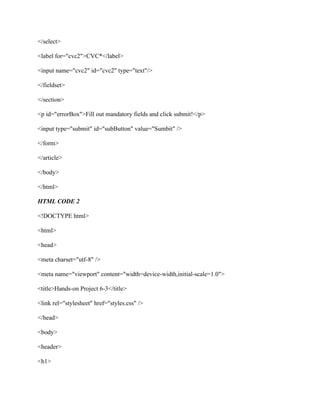
<label for="cvc">CVC*</label>
<input name="cvc" id="cvc" type="text"/>
</fieldset>
</section>
<section>
<fieldset id="billing">
<input type="checkbox" name="copyPayment" id="copyPayment" />
<label id="cbLabel" for="copyPayment">Same as Payment Info</label>
<legend>Payment Info Copy</legend>
<label for="cardName2">Name*</label>
<input name="cardName2" id="cardName2" type="text" />
<label for="cardNumber2">Credit Card Number*</label>
<input name="cardNumber2" id="cardNumber2" type="text" />
<label for="expMonth2">Expiration Date*</label>
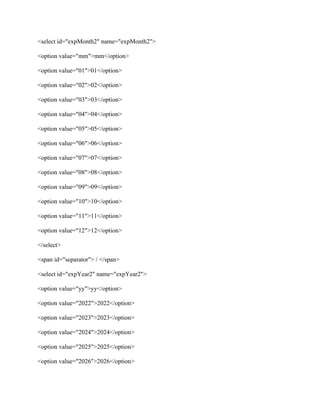
<select id="expMonth2" name="expMonth2">
<option value="mm">mm</option>
<option value="01">01</option>
<option value="02">02</option>
<option value="03">03</option>
<option value="04">04</option>
<option value="05">05</option>
<option value="06">06</option>
<option value="07">07</option>
<option value="08">08</option>
<option value="09">09</option>
<option value="10">10</option>
<option value="11">11</option>
<option value="12">12</option>
</select>
<span id="separator"> / </span>
<select id="expYear2" name="expYear2">
<option value="yy">yy</option>
<option value="2022">2022</option>
<option value="2023">2023</option>
<option value="2024">2024</option>
<option value="2025">2025</option>
<option value="2026">2026</option>
</select>
<label for="cvc2">CVC*</label>
<input name="cvc2" id="cvc2" type="text"/>
</fieldset>
</section>
<p id="errorBox">Fill out mandatory fields and click submit!</p>
<input type="submit" id="subButton" value="Sumbit" />
</form>
</article>
</body>
</html>
HTML CODE 2
<!DOCTYPE html>
<html>
<head>
<meta charset="utf-8" />
<meta name="viewport" content="width=device-width,initial-scale=1.0">
<title>Hands-on Project 6-3</title>
<link rel="stylesheet" href="styles.css" />
</head>
<body>
<header>
<h1>
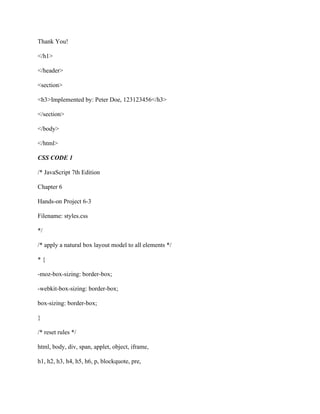
Thank You!
</h1>
</header>
<section>
<h3>Implemented by: Peter Doe, 123123456</h3>
</section>
</body>
</html>
CSS CODE 1
/* JavaScript 7th Edition
Chapter 6
Hands-on Project 6-3
Filename: styles.css
*/
/* apply a natural box layout model to all elements */
* {
-moz-box-sizing: border-box;
-webkit-box-sizing: border-box;
box-sizing: border-box;
}
/* reset rules */
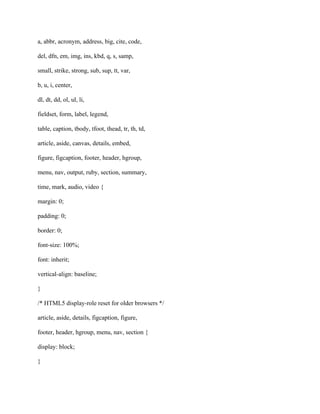
html, body, div, span, applet, object, iframe,
h1, h2, h3, h4, h5, h6, p, blockquote, pre,
a, abbr, acronym, address, big, cite, code,
del, dfn, em, img, ins, kbd, q, s, samp,
small, strike, strong, sub, sup, tt, var,
b, u, i, center,
dl, dt, dd, ol, ul, li,
fieldset, form, label, legend,
table, caption, tbody, tfoot, thead, tr, th, td,
article, aside, canvas, details, embed,
figure, figcaption, footer, header, hgroup,
menu, nav, output, ruby, section, summary,
time, mark, audio, video {
margin: 0;
padding: 0;
border: 0;
font-size: 100%;
font: inherit;
vertical-align: baseline;
}
/* HTML5 display-role reset for older browsers */
article, aside, details, figcaption, figure,
footer, header, hgroup, menu, nav, section {
display: block;
}
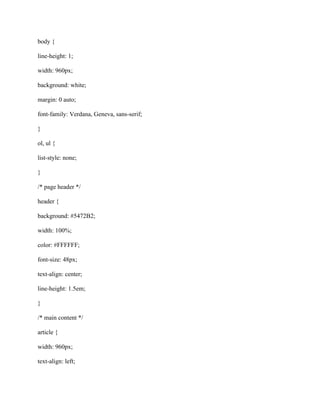
body {
line-height: 1;
width: 960px;
background: white;
margin: 0 auto;
font-family: Verdana, Geneva, sans-serif;
}
ol, ul {
list-style: none;
}
/* page header */
header {
background: #5472B2;
width: 100%;
color: #FFFFFF;
font-size: 48px;
text-align: center;
line-height: 1.5em;
}
/* main content */
article {
width: 960px;
text-align: left;
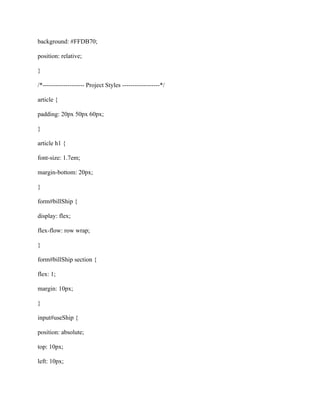
background: #FFDB70;
position: relative;
}
/*-------------------- Project Styles ------------------*/
article {
padding: 20px 50px 60px;
}
article h1 {
font-size: 1.7em;
margin-bottom: 20px;
}
form#billShip {
display: flex;
flex-flow: row wrap;
}
form#billShip section {
flex: 1;
margin: 10px;
}
input#useShip {
position: absolute;
top: 10px;
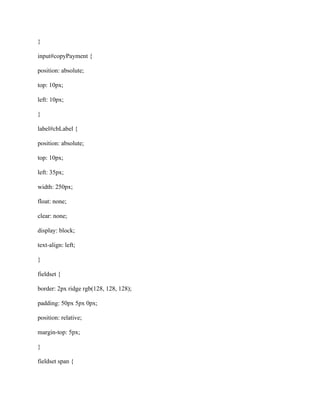
left: 10px;
}
input#copyPayment {
position: absolute;
top: 10px;
left: 10px;
}
label#cbLabel {
position: absolute;
top: 10px;
left: 35px;
width: 250px;
float: none;
clear: none;
display: block;
text-align: left;
}
fieldset {
border: 2px ridge rgb(128, 128, 128);
padding: 50px 5px 0px;
position: relative;
margin-top: 5px;
}
fieldset span {
color: red;
font-weight: bold;
}
fieldset label {
display: block;
float: left;
clear: left;
width: 150px;
text-align: right;
margin: 0 15px 25px 0;
}
fieldset p {
position: absolute;
top: 10px;
right: 10px;
}
fieldset input[type="text"] {
float: left;
width: 200px;
margin: 0 0 25px 0;
}
input[type="submit"] {
display: block;
width: 120px;
height: 30px;
font-size: 1em;
margin: 20px auto;
float: none;
clear: none;
}
p#errorBox {
width: 100%;
font-size: 1.1em;
margin-left: 10px;
margin-top: 10px;
border: 0px;
padding: 15px;
}
input[type="text"]:invalid {
background-color: rgba(255, 0, 0, 0.3);
}
section > h1 {
font-size: 1.4em;
margin: 20px 0 20px 30px;
}
table {
margin-left: 30px;
border-collapse: collapse;
width 48%;
float: left;
margin-right: 1%;
}
table td {
border: 1px solid rgb(150,150,150);
padding: 5px;
}
table tr td:first-of-type {
background-color: #E3E09B;
}
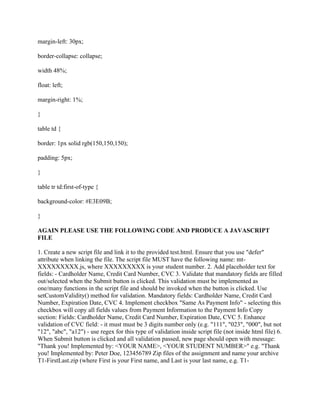
AGAIN PLEASE USE THE FOLLOWING CODE AND PRODUCE A JAVASCRIPT
FILE
1. Create a new script file and link it to the provided test.html. Ensure that you use "defer"
attribute when linking the file. The script file MUST have the following name: mt-
XXXXXXXXX.js, where XXXXXXXXX is your student number. 2. Add placeholder text for
fields: - Cardholder Name, Credit Card Number, CVC 3. Validate that mandatory fields are filled
out/selected when the Submit button is clicked. This validation must be implemented as
one/many functions in the script file and should be invoked when the button is clicked. Use
setCustomValidity() method for validation. Mandatory fields: Cardholder Name, Credit Card
Number, Expiration Date, CVC 4. Implement checkbox "Same As Payment Info" - selecting this
checkbox will copy all fields values from Payment Information to the Payment Info Copy
section: Fields: Cardholder Name, Credit Card Number, Expiration Date, CVC 5. Enhance
validation of CVC field: - it must must be 3 digits number only (e.g. "111", "023", "000", but not
"12", "abc", "a12") - use regex for this type of validation inside script file (not inside html file) 6.
When Submit button is clicked and all validation passed, new page should open with message:
"Thank you! Implemented by: <YOUR NAME>, <YOUR STUDENT NUMBER>" e.g. "Thank
you! Implemented by: Peter Doe, 123456789 Zip files of the assignment and name your archive
T1-FirstLast.zip (where First is your First name, and Last is your last name, e.g. T1-
JohnDoe.zip). Submit to assignment drop box at e.centennial. Name* Name* Credit Card
Number* Expiration Date* Fill out mandatory fields and click submit!

Please help with creating a javascript file to produce the outcome bel (1).pdf

  • 1.
    Please help withcreating a javascript file to produce the outcome below, using the following HTML and CSS documents HTML CODE 1 <!DOCTYPE html> <html> <head> <!-- COMP125 Test Template Section 402, 403 --> <meta charset="utf-8" /> <meta name="viewport" content="width=device-width,initial-scale=1.0"> <title>Hands-on Project 6-3</title> <link rel="stylesheet" href="styles.css" /> </head> <body> <header> <h1> COMP125 </h1> </header> <article> <h1>Payment Form</h1> <form id="billShip" name="billShip" method="get">
  • 2.
    <section> <fieldset id="creditcard"> <legend>Payment Information</legend> <labelfor="cardName">Name*</label> <input name="cardName" id="cardName" type="text" /> <label for="cardNumber">Credit Card Number*</label> <input name="cardNumber" id="cardNumber" type="text" /> <label for="expMonth">Expiration Date*</label> <select id="expMonth" name="expMonth"> <option value="mm">mm</option> <option value="01">01</option> <option value="02">02</option> <option value="03">03</option> <option value="04">04</option> <option value="05">05</option> <option value="06">06</option> <option value="07">07</option> <option value="08">08</option> <option value="09">09</option> <option value="10">10</option> <option value="11">11</option> <option value="12">12</option> </select>
  • 3.
    <span id="separator"> /</span> <select id="expYear" name="expYear"> <option value="yy">yy</option> <option value="2022">2022</option> <option value="2023">2023</option> <option value="2024">2024</option> <option value="2025">2025</option> <option value="2026">2026</option> </select> <label for="cvc">CVC*</label> <input name="cvc" id="cvc" type="text"/> </fieldset> </section> <section> <fieldset id="billing"> <input type="checkbox" name="copyPayment" id="copyPayment" /> <label id="cbLabel" for="copyPayment">Same as Payment Info</label> <legend>Payment Info Copy</legend> <label for="cardName2">Name*</label> <input name="cardName2" id="cardName2" type="text" /> <label for="cardNumber2">Credit Card Number*</label> <input name="cardNumber2" id="cardNumber2" type="text" /> <label for="expMonth2">Expiration Date*</label>
  • 4.
    <select id="expMonth2" name="expMonth2"> <optionvalue="mm">mm</option> <option value="01">01</option> <option value="02">02</option> <option value="03">03</option> <option value="04">04</option> <option value="05">05</option> <option value="06">06</option> <option value="07">07</option> <option value="08">08</option> <option value="09">09</option> <option value="10">10</option> <option value="11">11</option> <option value="12">12</option> </select> <span id="separator"> / </span> <select id="expYear2" name="expYear2"> <option value="yy">yy</option> <option value="2022">2022</option> <option value="2023">2023</option> <option value="2024">2024</option> <option value="2025">2025</option> <option value="2026">2026</option>
  • 5.
    </select> <label for="cvc2">CVC*</label> <input name="cvc2"id="cvc2" type="text"/> </fieldset> </section> <p id="errorBox">Fill out mandatory fields and click submit!</p> <input type="submit" id="subButton" value="Sumbit" /> </form> </article> </body> </html> HTML CODE 2 <!DOCTYPE html> <html> <head> <meta charset="utf-8" /> <meta name="viewport" content="width=device-width,initial-scale=1.0"> <title>Hands-on Project 6-3</title> <link rel="stylesheet" href="styles.css" /> </head> <body> <header> <h1>
  • 6.
    Thank You! </h1> </header> <section> <h3>Implemented by:Peter Doe, 123123456</h3> </section> </body> </html> CSS CODE 1 /* JavaScript 7th Edition Chapter 6 Hands-on Project 6-3 Filename: styles.css */ /* apply a natural box layout model to all elements */ * { -moz-box-sizing: border-box; -webkit-box-sizing: border-box; box-sizing: border-box; } /* reset rules */ html, body, div, span, applet, object, iframe, h1, h2, h3, h4, h5, h6, p, blockquote, pre,
  • 7.
    a, abbr, acronym,address, big, cite, code, del, dfn, em, img, ins, kbd, q, s, samp, small, strike, strong, sub, sup, tt, var, b, u, i, center, dl, dt, dd, ol, ul, li, fieldset, form, label, legend, table, caption, tbody, tfoot, thead, tr, th, td, article, aside, canvas, details, embed, figure, figcaption, footer, header, hgroup, menu, nav, output, ruby, section, summary, time, mark, audio, video { margin: 0; padding: 0; border: 0; font-size: 100%; font: inherit; vertical-align: baseline; } /* HTML5 display-role reset for older browsers */ article, aside, details, figcaption, figure, footer, header, hgroup, menu, nav, section { display: block; }
  • 8.
    body { line-height: 1; width:960px; background: white; margin: 0 auto; font-family: Verdana, Geneva, sans-serif; } ol, ul { list-style: none; } /* page header */ header { background: #5472B2; width: 100%; color: #FFFFFF; font-size: 48px; text-align: center; line-height: 1.5em; } /* main content */ article { width: 960px; text-align: left;
  • 9.
    background: #FFDB70; position: relative; } /*--------------------Project Styles ------------------*/ article { padding: 20px 50px 60px; } article h1 { font-size: 1.7em; margin-bottom: 20px; } form#billShip { display: flex; flex-flow: row wrap; } form#billShip section { flex: 1; margin: 10px; } input#useShip { position: absolute; top: 10px; left: 10px;
  • 10.
    } input#copyPayment { position: absolute; top:10px; left: 10px; } label#cbLabel { position: absolute; top: 10px; left: 35px; width: 250px; float: none; clear: none; display: block; text-align: left; } fieldset { border: 2px ridge rgb(128, 128, 128); padding: 50px 5px 0px; position: relative; margin-top: 5px; } fieldset span {
  • 11.
    color: red; font-weight: bold; } fieldsetlabel { display: block; float: left; clear: left; width: 150px; text-align: right; margin: 0 15px 25px 0; } fieldset p { position: absolute; top: 10px; right: 10px; } fieldset input[type="text"] { float: left; width: 200px; margin: 0 0 25px 0; } input[type="submit"] { display: block;
  • 12.
    width: 120px; height: 30px; font-size:1em; margin: 20px auto; float: none; clear: none; } p#errorBox { width: 100%; font-size: 1.1em; margin-left: 10px; margin-top: 10px; border: 0px; padding: 15px; } input[type="text"]:invalid { background-color: rgba(255, 0, 0, 0.3); } section > h1 { font-size: 1.4em; margin: 20px 0 20px 30px; } table {
  • 13.
    margin-left: 30px; border-collapse: collapse; width48%; float: left; margin-right: 1%; } table td { border: 1px solid rgb(150,150,150); padding: 5px; } table tr td:first-of-type { background-color: #E3E09B; } AGAIN PLEASE USE THE FOLLOWING CODE AND PRODUCE A JAVASCRIPT FILE 1. Create a new script file and link it to the provided test.html. Ensure that you use "defer" attribute when linking the file. The script file MUST have the following name: mt- XXXXXXXXX.js, where XXXXXXXXX is your student number. 2. Add placeholder text for fields: - Cardholder Name, Credit Card Number, CVC 3. Validate that mandatory fields are filled out/selected when the Submit button is clicked. This validation must be implemented as one/many functions in the script file and should be invoked when the button is clicked. Use setCustomValidity() method for validation. Mandatory fields: Cardholder Name, Credit Card Number, Expiration Date, CVC 4. Implement checkbox "Same As Payment Info" - selecting this checkbox will copy all fields values from Payment Information to the Payment Info Copy section: Fields: Cardholder Name, Credit Card Number, Expiration Date, CVC 5. Enhance validation of CVC field: - it must must be 3 digits number only (e.g. "111", "023", "000", but not "12", "abc", "a12") - use regex for this type of validation inside script file (not inside html file) 6. When Submit button is clicked and all validation passed, new page should open with message: "Thank you! Implemented by: <YOUR NAME>, <YOUR STUDENT NUMBER>" e.g. "Thank you! Implemented by: Peter Doe, 123456789 Zip files of the assignment and name your archive T1-FirstLast.zip (where First is your First name, and Last is your last name, e.g. T1-
  • 14.
    JohnDoe.zip). Submit toassignment drop box at e.centennial. Name* Name* Credit Card Number* Expiration Date* Fill out mandatory fields and click submit!