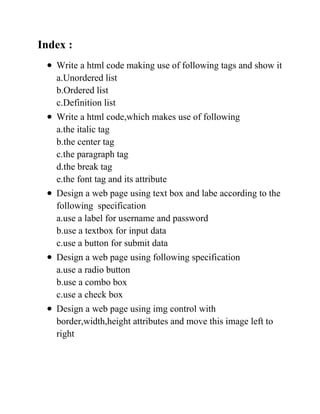
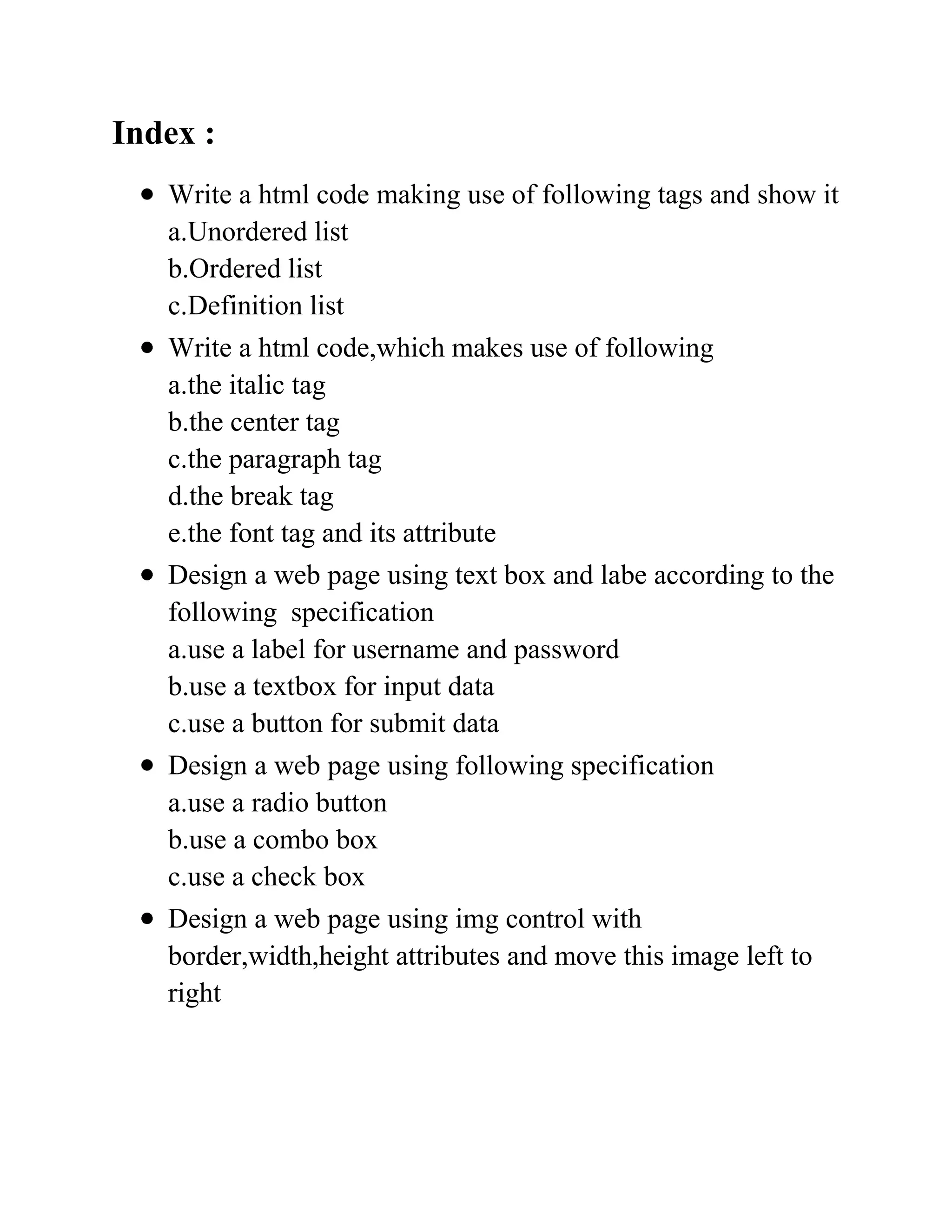

Index :
   Write a html code making use of following tags and show it
   a.Unordered list
   b.Ordered list
   c.Definition list
   Write a html code,which makes use of following
   a.the italic tag
   b.the center tag
   c.the paragraph tag
   d.the break tag
   e.the font tag and its attribute
   Design a web page using text box and labe according to the
   following specification
   a.use a label for username and password
   b.use a textbox for input data
   c.use a button for submit data
   Design a web page using following specification
   a.use a radio button
   b.use a combo box
   c.use a check box
   Design a web page using img control with
   border,width,height attributes and move this image left to
   right
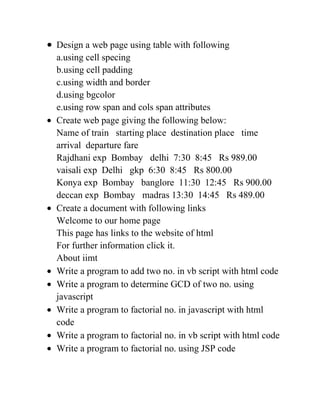
Design a web page using table with following
a.using cell specing
b.using cell padding
c.using width and border
d.using bgcolor
e.using row span and cols span attributes
Create web page giving the following below:
Name of train starting place destination place time
arrival departure fare
Rajdhani exp Bombay delhi 7:30 8:45 Rs 989.00
vaisali exp Delhi gkp 6:30 8:45 Rs 800.00
Konya exp Bombay banglore 11:30 12:45 Rs 900.00
deccan exp Bombay madras 13:30 14:45 Rs 489.00
Create a document with following links
Welcome to our home page
This page has links to the website of html
For further information click it.
About iimt
Write a program to add two no. in vb script with html code
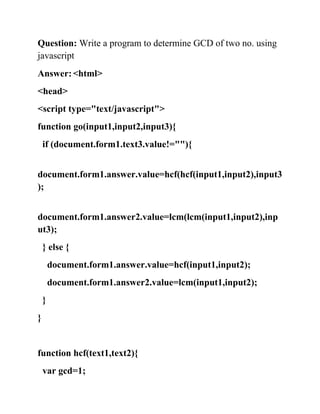
Write a program to determine GCD of two no. using
javascript
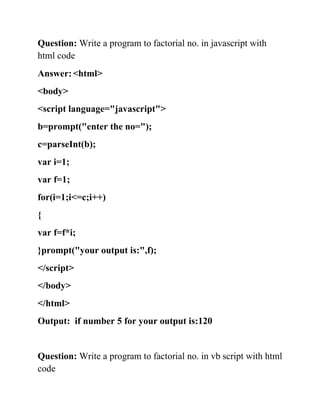
Write a program to factorial no. in javascript with html
code
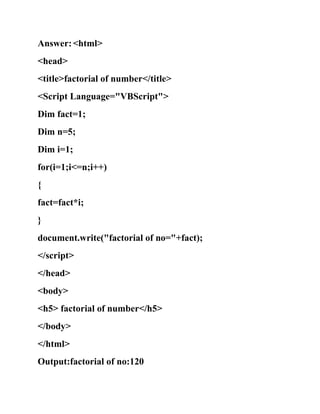
Write a program to factorial no. in vb script with html code
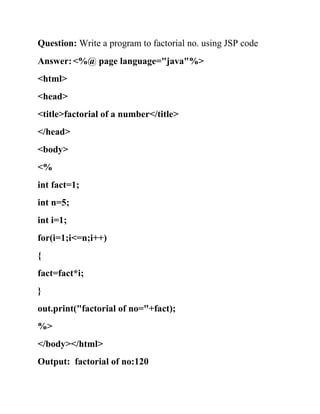
Write a program to factorial no. using JSP code
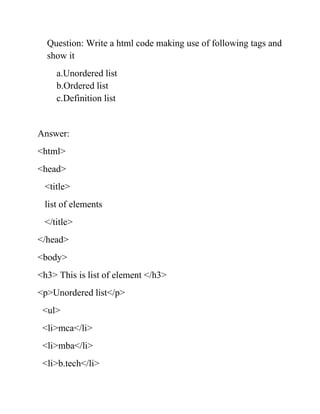
Question: Write a html code making use of following tags and
  show it
    a.Unordered list
    b.Ordered list
    c.Definition list


Answer:
<html>
<head>
 <title>
 list of elements
 </title>
</head>
<body>
<h3> This is list of element </h3>
<p>Unordered list</p>
 <ul>
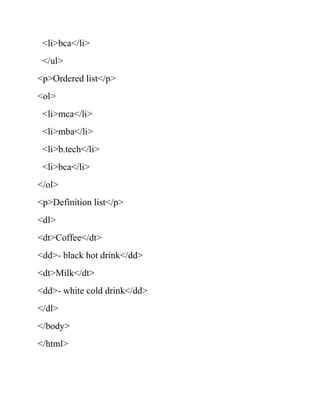
 <li>mca</li>
 <li>mba</li>
 <li>b.tech</li>
<li>bca</li>
 </ul>
<p>Ordered list</p>
<ol>
 <li>mca</li>
 <li>mba</li>
 <li>b.tech</li>
 <li>bca</li>
</ol>
<p>Definition list</p>
<dl>
<dt>Coffee</dt>
<dd>- black hot drink</dd>
<dt>Milk</dt>
<dd>- white cold drink</dd>
</dl>
</body>
</html>
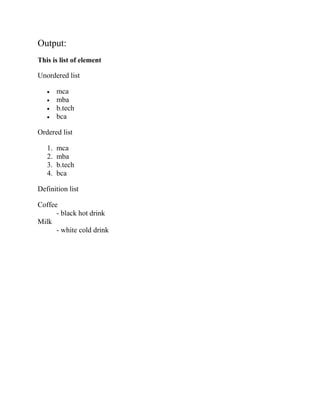
Output:
This is list of element

Unordered list

        mca
        mba
        b.tech
        bca

Ordered list

   1.   mca
   2.   mba
   3.   b.tech
   4.   bca

Definition list

Coffee
      - black hot drink
Milk
      - white cold drink
Question: Write a html code,which makes use of following
    a.the italic tag
    b.the center tag
    c.the paragraph tag
    d.the break tag
    e.the font tag and its attribute
Answer:

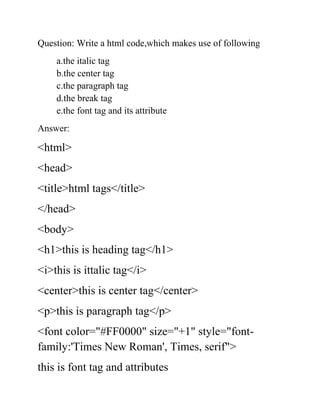
<html>
<head>
<title>html tags</title>
</head>
<body>
<h1>this is heading tag</h1>
<i>this is ittalic tag</i>
<center>this is center tag</center>
<p>this is paragraph tag</p>
<font color="#FF0000" size="+1" style="font-
family:'Times New Roman', Times, serif">
this is font tag and attributes
</font>
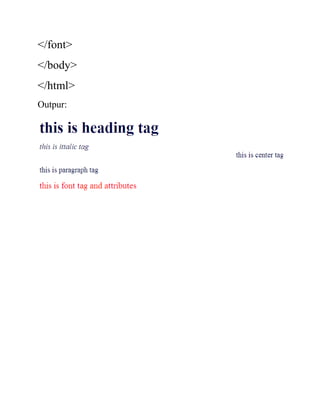
</body>
</html>
Outpur:
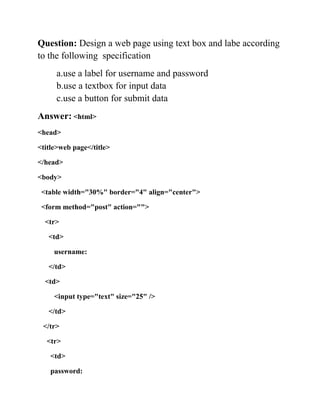
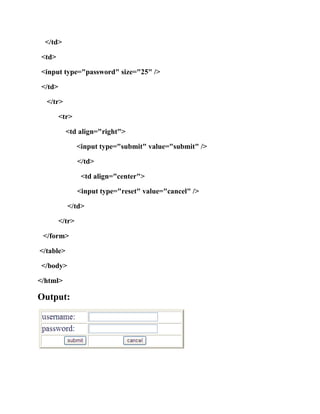
Question: Design a web page using text box and labe according
to the following specification
     a.use a label for username and password
     b.use a textbox for input data
     c.use a button for submit data
Answer: <html>
<head>

<title>web page</title>

</head>

<body>

 <table width="30%" border="4" align="center">

 <form method="post" action="">

  <tr>

   <td>

     username:

   </td>

  <td>

     <input type="text" size="25" />

   </td>

 </tr>

  <tr>

    <td>

    password:
</td>

 <td>

 <input type="password" size="25" />

 </td>

  </tr>

         <tr>

           <td align="right">

                 <input type="submit" value="submit" />

                 </td>

                  <td align="center">

                 <input type="reset" value="cancel" />

           </td>

         </tr>

 </form>

</table>

 </body>

</html>

Output:
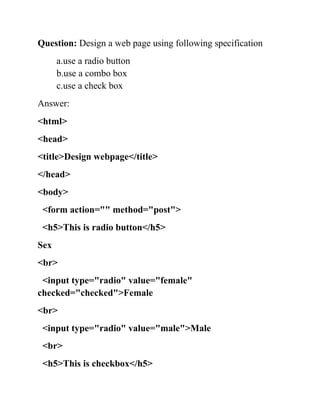
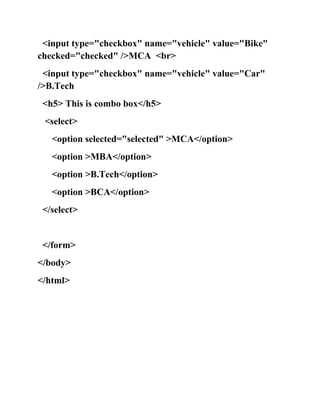
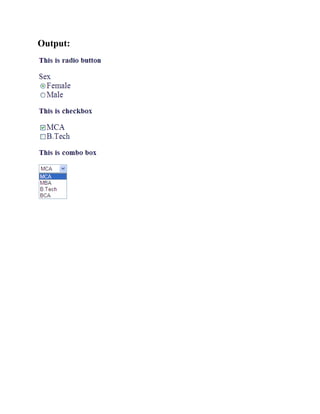
Question: Design a web page using following specification
      a.use a radio button
      b.use a combo box
      c.use a check box
Answer:
<html>
<head>
<title>Design webpage</title>
</head>
<body>
 <form action="" method="post">
 <h5>This is radio button</h5>
Sex
<br>
 <input type="radio" value="female"
checked="checked">Female
<br>
 <input type="radio" value="male">Male
 <br>
 <h5>This is checkbox</h5>
<input type="checkbox" name="vehicle" value="Bike"
checked="checked" />MCA <br>
 <input type="checkbox" name="vehicle" value="Car"
/>B.Tech
 <h5> This is combo box</h5>
 <select>
   <option selected="selected" >MCA</option>
   <option >MBA</option>
   <option >B.Tech</option>
   <option >BCA</option>
 </select>


 </form>
</body>
</html>
Output:
Question: Design a web page using img control with
border,width,height attributes and move this image left to right
Answer:
<html>
<head>
<title>image</title>
</head>
<body>
<h5>This is image tag </h5>
<marquee direction="right">
<img src="logo.jpg" />
</marquee>
</body>
</html>
Output:
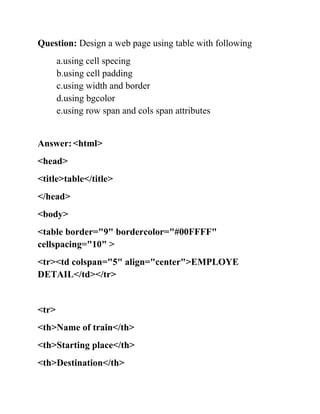
Question: Design a web page using table with following
       a.using cell specing
       b.using cell padding
       c.using width and border
       d.using bgcolor
       e.using row span and cols span attributes


Answer: <html>
<head>
<title>table</title>
</head>
<body>
<table border="9" bordercolor="#00FFFF"
cellspacing="10" >
<tr><td colspan="5" align="center">EMPLOYE
DETAIL</td></tr>


<tr>
<th>Name of train</th>
<th>Starting place</th>
<th>Destination</th>
<th>Time</th>
<th>Arrival</th>
<th>Departure</th>
<th>Fare</th>
</tr>


<tr>
<td>01</td>
<td>a</td>
<td>noida</td>
<td>sir</td>
<td>male</td>
</tr>
<tr>
<td>02</td>
<td>b </td>
<td> grater noida</td>
<td>student</td>
<td>male</td>
</tr>
<tr>
<td>03</td>
<td>c</td>
<td>up</td>
<td>software </td>
<td>male</td>
</tr>
<tr>
<td>04</td>
<td>d</td>
<td>delhi</td>
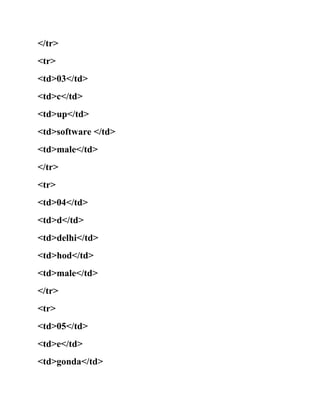
<td>hod</td>
<td>male</td>
</tr>
<tr>
<td>05</td>
<td>e</td>
<td>gonda</td>
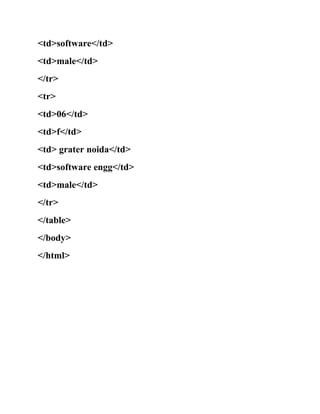
<td>software</td>
<td>male</td>
</tr>
<tr>
<td>06</td>
<td>f</td>
<td> grater noida</td>
<td>software engg</td>
<td>male</td>
</tr>
</table>
</body>
</html>
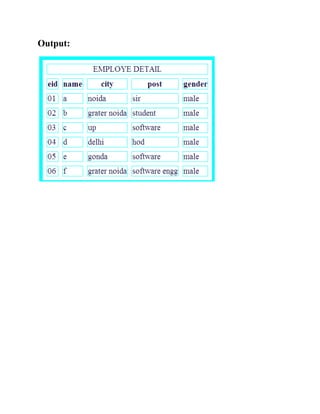
Output:
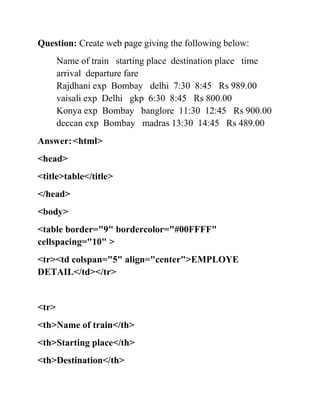
Question: Create web page giving the following below:
       Name of train starting place destination place time
       arrival departure fare
       Rajdhani exp Bombay delhi 7:30 8:45 Rs 989.00
       vaisali exp Delhi gkp 6:30 8:45 Rs 800.00
       Konya exp Bombay banglore 11:30 12:45 Rs 900.00
       deccan exp Bombay madras 13:30 14:45 Rs 489.00
Answer: <html>
<head>
<title>table</title>
</head>
<body>
<table border="9" bordercolor="#00FFFF"
cellspacing="10" >
<tr><td colspan="5" align="center">EMPLOYE
DETAIL</td></tr>


<tr>
<th>Name of train</th>
<th>Starting place</th>
<th>Destination</th>
<th>Time</th>
<th>Arrival</th>
<th>Departure</th>
<th>Fare</th>
</tr>


<tr>
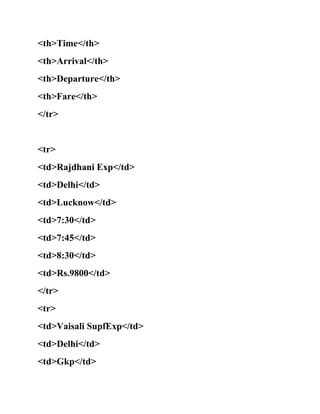
<td>Rajdhani Exp</td>
<td>Delhi</td>
<td>Lucknow</td>
<td>7:30</td>
<td>7:45</td>
<td>8:30</td>
<td>Rs.9800</td>
</tr>
<tr>
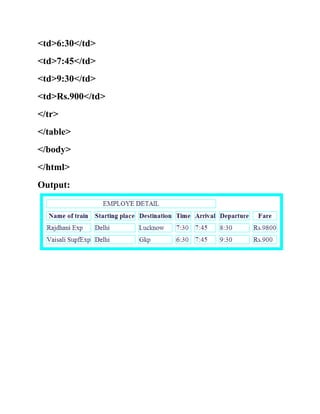
<td>Vaisali SupfExp</td>
<td>Delhi</td>
<td>Gkp</td>
<td>6:30</td>
<td>7:45</td>
<td>9:30</td>
<td>Rs.900</td>
</tr>
</table>
</body>
</html>
Output:
Question: Create a document with following links
    Welcome to our home page
    This page has links to the website of html
    For further information click it.
    About iimt
Answer:
<html>
<head>
<title>Link page</title>
</head>
<body>
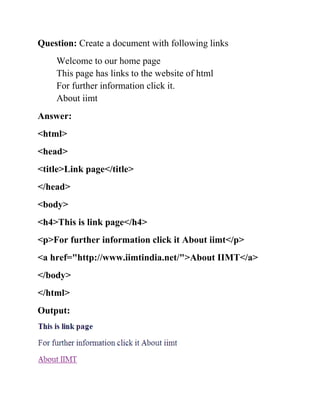
<h4>This is link page</h4>
<p>For further information click it About iimt</p>
<a href="http://www.iimtindia.net/">About IIMT</a>
</body>
</html>
Output:
Question: Write a program to add two no. in vb script with html
code
Answer: <html>
<head>
<title>sum of two number</title>
<Script Language="VBScript">
Dim a=10;
Dim b=10;
Dim sum=a+b;
document.write(sum);
</script>
</head>
<body>
<h5> sum of two number</h5>
</body>
</html>
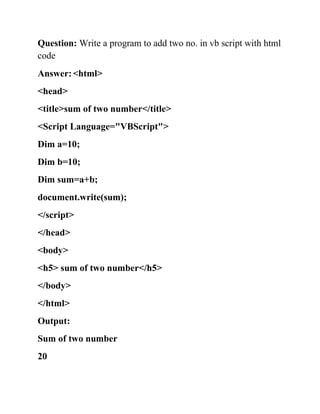
Output:
Sum of two number
20
Question: Write a program to determine GCD of two no. using
javascript
Answer: <html>
<head>
<script type="text/javascript">
function go(input1,input2,input3){
    if (document.form1.text3.value!=""){


document.form1.answer.value=hcf(hcf(input1,input2),input3
);


document.form1.answer2.value=lcm(lcm(input1,input2),inp
ut3);
    } else {
        document.form1.answer.value=hcf(input1,input2);
        document.form1.answer2.value=lcm(input1,input2);
    }
}


function hcf(text1,text2){
    var gcd=1;
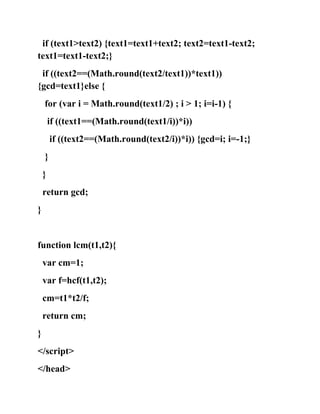
if (text1>text2) {text1=text1+text2; text2=text1-text2;
text1=text1-text2;}
 if ((text2==(Math.round(text2/text1))*text1))
{gcd=text1}else {
    for (var i = Math.round(text1/2) ; i > 1; i=i-1) {
        if ((text1==(Math.round(text1/i))*i))
        if ((text2==(Math.round(text2/i))*i)) {gcd=i; i=-1;}
    }
    }
    return gcd;
}


function lcm(t1,t2){
    var cm=1;
    var f=hcf(t1,t2);
    cm=t1*t2/f;
    return cm;
}
</script>
</head>
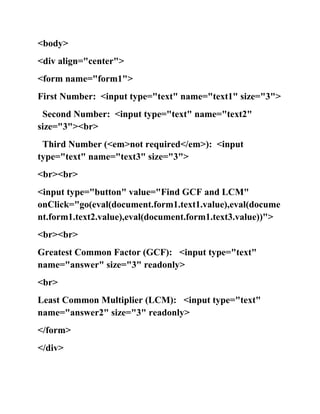
<body>
<div align="center">
<form name="form1">
First Number: <input type="text" name="text1" size="3">
 Second Number: <input type="text" name="text2"
size="3"><br>
 Third Number (<em>not required</em>): <input
type="text" name="text3" size="3">
<br><br>
<input type="button" value="Find GCF and LCM"
onClick="go(eval(document.form1.text1.value),eval(docume
nt.form1.text2.value),eval(document.form1.text3.value))">
<br><br>
Greatest Common Factor (GCF): <input type="text"
name="answer" size="3" readonly>
<br>
Least Common Multiplier (LCM): <input type="text"
name="answer2" size="3" readonly>
</form>
</div>
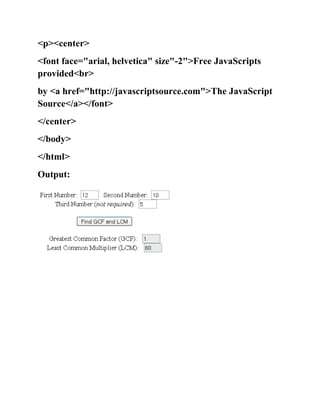
<p><center>
<font face="arial, helvetica" size"-2">Free JavaScripts
provided<br>
by <a href="http://javascriptsource.com">The JavaScript
Source</a></font>
</center>
</body>
</html>
Output:
Question: Write a program to factorial no. in javascript with
html code
Answer: <html>
<body>
<script language="javascript">
b=prompt("enter the no=");
c=parseInt(b);
var i=1;
var f=1;
for(i=1;i<=c;i++)
{
var f=f*i;
}prompt("your output is:",f);
</script>
</body>
</html>
Output: if number 5 for your output is:120


Question: Write a program to factorial no. in vb script with html
code
Answer: <html>
<head>
<title>factorial of number</title>
<Script Language="VBScript">
Dim fact=1;
Dim n=5;
Dim i=1;
for(i=1;i<=n;i++)
{
fact=fact*i;
}
document.write("factorial of no="+fact);
</script>
</head>
<body>
<h5> factorial of number</h5>
</body>
</html>
Output:factorial of no:120
Question: Write a program to factorial no. using JSP code
Answer: <%@ page language="java"%>
<html>
<head>
<title>factorial of a number</title>
</head>
<body>
<%
int fact=1;
int n=5;
int i=1;
for(i=1;i<=n;i++)
{
fact=fact*i;
}
out.print("factorial of no="+fact);
%>
</body></html>
Output: factorial of no:120
Html file

Html file

  • 1.
    Index : Write a html code making use of following tags and show it a.Unordered list b.Ordered list c.Definition list Write a html code,which makes use of following a.the italic tag b.the center tag c.the paragraph tag d.the break tag e.the font tag and its attribute Design a web page using text box and labe according to the following specification a.use a label for username and password b.use a textbox for input data c.use a button for submit data Design a web page using following specification a.use a radio button b.use a combo box c.use a check box Design a web page using img control with border,width,height attributes and move this image left to right
  • 2.
    Design a webpage using table with following a.using cell specing b.using cell padding c.using width and border d.using bgcolor e.using row span and cols span attributes Create web page giving the following below: Name of train starting place destination place time arrival departure fare Rajdhani exp Bombay delhi 7:30 8:45 Rs 989.00 vaisali exp Delhi gkp 6:30 8:45 Rs 800.00 Konya exp Bombay banglore 11:30 12:45 Rs 900.00 deccan exp Bombay madras 13:30 14:45 Rs 489.00 Create a document with following links Welcome to our home page This page has links to the website of html For further information click it. About iimt Write a program to add two no. in vb script with html code Write a program to determine GCD of two no. using javascript Write a program to factorial no. in javascript with html code Write a program to factorial no. in vb script with html code Write a program to factorial no. using JSP code
  • 3.
    Question: Write ahtml code making use of following tags and show it a.Unordered list b.Ordered list c.Definition list Answer: <html> <head> <title> list of elements </title> </head> <body> <h3> This is list of element </h3> <p>Unordered list</p> <ul> <li>mca</li> <li>mba</li> <li>b.tech</li>
  • 4.
    <li>bca</li> </ul> <p>Ordered list</p> <ol> <li>mca</li> <li>mba</li> <li>b.tech</li> <li>bca</li> </ol> <p>Definition list</p> <dl> <dt>Coffee</dt> <dd>- black hot drink</dd> <dt>Milk</dt> <dd>- white cold drink</dd> </dl> </body> </html>
  • 5.
    Output: This is listof element Unordered list mca mba b.tech bca Ordered list 1. mca 2. mba 3. b.tech 4. bca Definition list Coffee - black hot drink Milk - white cold drink
  • 6.
    Question: Write ahtml code,which makes use of following a.the italic tag b.the center tag c.the paragraph tag d.the break tag e.the font tag and its attribute Answer: <html> <head> <title>html tags</title> </head> <body> <h1>this is heading tag</h1> <i>this is ittalic tag</i> <center>this is center tag</center> <p>this is paragraph tag</p> <font color="#FF0000" size="+1" style="font- family:'Times New Roman', Times, serif"> this is font tag and attributes
  • 7.
  • 8.
    Question: Design aweb page using text box and labe according to the following specification a.use a label for username and password b.use a textbox for input data c.use a button for submit data Answer: <html> <head> <title>web page</title> </head> <body> <table width="30%" border="4" align="center"> <form method="post" action=""> <tr> <td> username: </td> <td> <input type="text" size="25" /> </td> </tr> <tr> <td> password:
  • 9.
    </td> <td> <inputtype="password" size="25" /> </td> </tr> <tr> <td align="right"> <input type="submit" value="submit" /> </td> <td align="center"> <input type="reset" value="cancel" /> </td> </tr> </form> </table> </body> </html> Output:
  • 10.
    Question: Design aweb page using following specification a.use a radio button b.use a combo box c.use a check box Answer: <html> <head> <title>Design webpage</title> </head> <body> <form action="" method="post"> <h5>This is radio button</h5> Sex <br> <input type="radio" value="female" checked="checked">Female <br> <input type="radio" value="male">Male <br> <h5>This is checkbox</h5>
  • 11.
    <input type="checkbox" name="vehicle"value="Bike" checked="checked" />MCA <br> <input type="checkbox" name="vehicle" value="Car" />B.Tech <h5> This is combo box</h5> <select> <option selected="selected" >MCA</option> <option >MBA</option> <option >B.Tech</option> <option >BCA</option> </select> </form> </body> </html>
  • 12.
  • 13.
    Question: Design aweb page using img control with border,width,height attributes and move this image left to right Answer: <html> <head> <title>image</title> </head> <body> <h5>This is image tag </h5> <marquee direction="right"> <img src="logo.jpg" /> </marquee> </body> </html> Output:
  • 14.
    Question: Design aweb page using table with following a.using cell specing b.using cell padding c.using width and border d.using bgcolor e.using row span and cols span attributes Answer: <html> <head> <title>table</title> </head> <body> <table border="9" bordercolor="#00FFFF" cellspacing="10" > <tr><td colspan="5" align="center">EMPLOYE DETAIL</td></tr> <tr> <th>Name of train</th> <th>Starting place</th> <th>Destination</th>
  • 15.
  • 16.
  • 17.
  • 18.
  • 19.
    Question: Create webpage giving the following below: Name of train starting place destination place time arrival departure fare Rajdhani exp Bombay delhi 7:30 8:45 Rs 989.00 vaisali exp Delhi gkp 6:30 8:45 Rs 800.00 Konya exp Bombay banglore 11:30 12:45 Rs 900.00 deccan exp Bombay madras 13:30 14:45 Rs 489.00 Answer: <html> <head> <title>table</title> </head> <body> <table border="9" bordercolor="#00FFFF" cellspacing="10" > <tr><td colspan="5" align="center">EMPLOYE DETAIL</td></tr> <tr> <th>Name of train</th> <th>Starting place</th> <th>Destination</th>
  • 20.
  • 21.
  • 22.
    Question: Create adocument with following links Welcome to our home page This page has links to the website of html For further information click it. About iimt Answer: <html> <head> <title>Link page</title> </head> <body> <h4>This is link page</h4> <p>For further information click it About iimt</p> <a href="http://www.iimtindia.net/">About IIMT</a> </body> </html> Output:
  • 23.
    Question: Write aprogram to add two no. in vb script with html code Answer: <html> <head> <title>sum of two number</title> <Script Language="VBScript"> Dim a=10; Dim b=10; Dim sum=a+b; document.write(sum); </script> </head> <body> <h5> sum of two number</h5> </body> </html> Output: Sum of two number 20
  • 24.
    Question: Write aprogram to determine GCD of two no. using javascript Answer: <html> <head> <script type="text/javascript"> function go(input1,input2,input3){ if (document.form1.text3.value!=""){ document.form1.answer.value=hcf(hcf(input1,input2),input3 ); document.form1.answer2.value=lcm(lcm(input1,input2),inp ut3); } else { document.form1.answer.value=hcf(input1,input2); document.form1.answer2.value=lcm(input1,input2); } } function hcf(text1,text2){ var gcd=1;
  • 25.
    if (text1>text2) {text1=text1+text2;text2=text1-text2; text1=text1-text2;} if ((text2==(Math.round(text2/text1))*text1)) {gcd=text1}else { for (var i = Math.round(text1/2) ; i > 1; i=i-1) { if ((text1==(Math.round(text1/i))*i)) if ((text2==(Math.round(text2/i))*i)) {gcd=i; i=-1;} } } return gcd; } function lcm(t1,t2){ var cm=1; var f=hcf(t1,t2); cm=t1*t2/f; return cm; } </script> </head>
  • 26.
    <body> <div align="center"> <form name="form1"> FirstNumber: <input type="text" name="text1" size="3"> Second Number: <input type="text" name="text2" size="3"><br> Third Number (<em>not required</em>): <input type="text" name="text3" size="3"> <br><br> <input type="button" value="Find GCF and LCM" onClick="go(eval(document.form1.text1.value),eval(docume nt.form1.text2.value),eval(document.form1.text3.value))"> <br><br> Greatest Common Factor (GCF): <input type="text" name="answer" size="3" readonly> <br> Least Common Multiplier (LCM): <input type="text" name="answer2" size="3" readonly> </form> </div>
  • 27.
    <p><center> <font face="arial, helvetica"size"-2">Free JavaScripts provided<br> by <a href="http://javascriptsource.com">The JavaScript Source</a></font> </center> </body> </html> Output:
  • 28.
    Question: Write aprogram to factorial no. in javascript with html code Answer: <html> <body> <script language="javascript"> b=prompt("enter the no="); c=parseInt(b); var i=1; var f=1; for(i=1;i<=c;i++) { var f=f*i; }prompt("your output is:",f); </script> </body> </html> Output: if number 5 for your output is:120 Question: Write a program to factorial no. in vb script with html code
  • 29.
    Answer: <html> <head> <title>factorial ofnumber</title> <Script Language="VBScript"> Dim fact=1; Dim n=5; Dim i=1; for(i=1;i<=n;i++) { fact=fact*i; } document.write("factorial of no="+fact); </script> </head> <body> <h5> factorial of number</h5> </body> </html> Output:factorial of no:120
  • 30.
    Question: Write aprogram to factorial no. using JSP code Answer: <%@ page language="java"%> <html> <head> <title>factorial of a number</title> </head> <body> <% int fact=1; int n=5; int i=1; for(i=1;i<=n;i++) { fact=fact*i; } out.print("factorial of no="+fact); %> </body></html> Output: factorial of no:120