Download to read offline






![App.py
def wsgi_app(environ, start_response):
status = '200 OK’
response_headers = [('Content-type', 'text/plain')]
start_response(status, response_headers)
response_body = 'Hello World’
yield response_body.encode()
if __name__ == '__main__':
from wsgiref.simple_server import make_server
httpd = make_server('localhost', 5555, wsgi_app)
httpd.serve_forever()](https://image.slidesharecdn.com/codeeurope-161213101547/85/PL-Code-Europe-2016-Python-and-Microsoft-Azure-8-320.jpg)




![import requests
def get_token_from_client_credentials(endpoint, client_id, client_secret):
payload = {
'grant_type': 'client_credentials',
'client_id': client_id,
'client_secret': client_secret,
'resource': 'https://management.core.windows.net/'
}
response = requests.post(endpoint, data=payload).json()
return response['access_token']
auth_token = get_token_from_client_credentials(
endpoint='https://login.microsoftonline.com/160012ea-8f27-427f-9d00-030d66b90d0f/oauth2/token',
client_id='47bb44d3-c6da-4974-9df8-88598a10eb55',
client_secret='ijoijoufo2'
)
subscription_id = '420288c3-b6f0-45e4-a3f6-e70fe2c18f50'
creds = SubscriptionCloudCredentials(subscription_id, auth_token)](https://image.slidesharecdn.com/codeeurope-161213101547/85/PL-Code-Europe-2016-Python-and-Microsoft-Azure-22-320.jpg)
![result = compute_client.virtual_machines.create_or_update(
GROUP_NAME,
azure.mgmt.compute.VirtualMachine(
location=REGION,
name=VM_NAME,
os_profile=azure.mgmt.compute.OSProfile(
admin_username=ADMIN_USERNAME,
admin_password=ADMIN_PASSWORD,
computer_name=COMPUTER_NAME,
),
hardware_profile=azure.mgmt.compute.HardwareProfile(
virtual_machine_size=azure.mgmt.compute.VirtualMachineSizeTypes.standard_a0
),
network_profile=azure.mgmt.compute.NetworkProfile(
network_interfaces=[
azure.mgmt.compute.NetworkInterfaceReference(
reference_uri=nic_id,
),
],
),
storage_profile=azure.mgmt.compute.StorageProfile(
os_disk=azure.mgmt.compute.OSDisk(
caching=azure.mgmt.compute.CachingTypes.none,
create_option=azure.mgmt.compute.DiskCreateOptionTypes.from_image,
name=OS_DISK_NAME,
virtual_hard_disk=azure.mgmt.compute.VirtualHardDisk(
uri='https://{0}.blob.core.windows.net/vhds/{1}.vhd'.format(
STORAGE_NAME,
OS_DISK_NAME,
),
),
),
image_reference = azure.mgmt.compute.ImageReference(
publisher=IMAGE_PUBLISHER,
offer=IMAGE_OFFER,
sku=IMAGE_SKU,
version=IMAGE_VERSION,
),
),
),
)
TWORZENIEVM](https://image.slidesharecdn.com/codeeurope-161213101547/85/PL-Code-Europe-2016-Python-and-Microsoft-Azure-23-320.jpg)
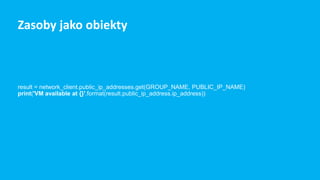


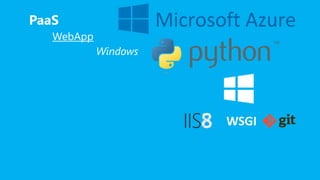
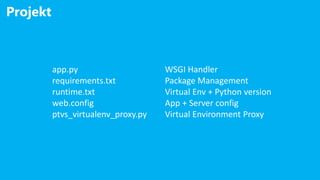
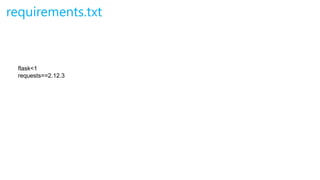
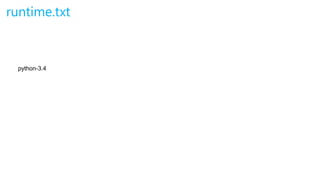
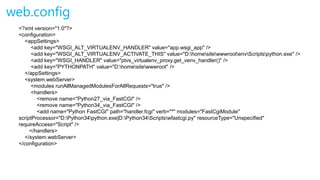
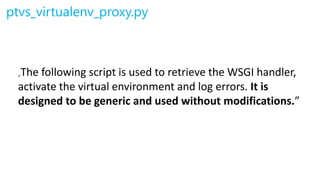
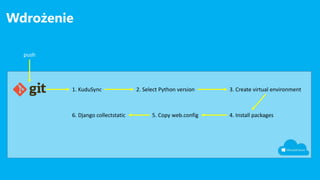
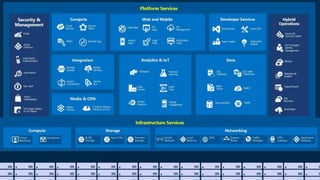
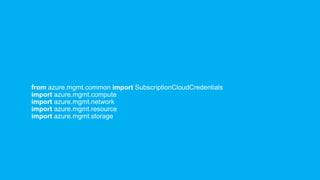
This document provides an overview of using Python applications on the Microsoft Azure platform. It discusses various deployment options on Azure including Infrastructure as a Service (IaaS), Platform as a Service (PaaS), and container services. It then focuses on deploying a Python web app on Azure Web Apps using the PaaS option. Code samples are provided for the Python web app, requirements file, runtime configuration file, and web.config file. Steps for deploying the application via Git push are also outlined. The document concludes with a demonstration of managing Azure resources through the Azure SDK for Python.


