Pivotal Tracker
   Chicago Ruby, Aug 3
About Pivotal Labs

• Software development consultancy, founded in
  1989
• Agile (XP) since mid ‘90s
• Rails since 2006
• Approximately 100 people, and growing (we’re
  hiring)
• HQ in San Francisco, offices in New York, Boulder,
  and Singapore
What is Tracker?

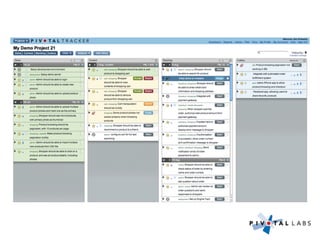
• Shared, predictive, collaborative to-do list for
  software development teams
• Free, open to public: http://www.pivotaltracker.com
• User by thousands of teams and companies, over
  100K users and over 100K projects
• Used on all of our projects at Pivotal (and then
  some)
• Rails app, hosted at Engine Yard (xCloud)
(and the only project
management tool with it’s own
           song)
Typical Pivotal Project

• Small team, 2-8 developers
• Highly involved customer, in the room
• Collective ownership of code
• 100% pairing and TDD/BDD
• Weekly iterations, frequent releases
• 1 team = 1 Tracker project
• Rotation between teams
Tracker in a Nutshell

• Automates manual aspects of agile process, without
  getting in the way
• Maintains prioritized list of work (stories) broken
  down to concrete, estimatable level
• Groups list of work (backlog) into fixed segments
  of calendar time (iterations)
• Predicts progress based on historical performance
  (velocity)
• Provides birds-eye view of project to entire team
  and encourages communication
What’s the Story?
         A story is a feature that provides verifiable
            business value to the team’s customer


• “Shopper can add product to shopping cart”

• “Search for product should take 400ms or less”

• “Ability to add new product via API”

• We estimate a feature on a point scale: “Linear” (1/2/3), “Powers
  of 2” (1/2/4/8), or “Fibonacci” (1/2/3/5/8)

• A point is a team-specific metric representing the effort it will
  take to implement a feature (and risk)
Chores


• A chore is a story that is necessary but provides no
  verifiable business value to the team’s customer
• Chores can represent “code debt”, and/or points of
  dependency on other teams
• Chores are not estimated
Bugs


• A bug is a story representing a defect, that may be
  related to a feature story
• Bugs are typically only entered for stories that have
  already been accepted
• Bugs are also not estimated
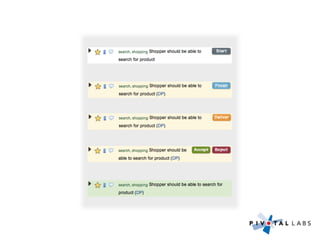
Story Workflow


• Developer (or pair) starts next available story in
  current or backlog
• Developer checks in code and finishes the story
• Team pushes code for new feature to demo/QA
  environment, and delivers story
• Customer/PM accepts or rejects story
• (repeat until backlog empty)
Prioritizing Stories


• Position in backlog is priority
• Stories are ordered by business value weighed
  against development risk
• Consider dependencies when prioritizing
• The next item for team to work on is obvious!
Velocity


• At the end of an iteration, accepted stories in
  current automatically move into “Done”
• The project’s velocity is calculated based on point
  totals from previous iterations
• Future iterations are projected based on updated
  velocity
• Velocity can be overridden locally for “what if”
  scenarios
(demo)
Labels

• You can add any number of labels (tags) to a story
• Space of labels is per-project
• Click on a label to see all stories with that label, or
  use search
• Labels can be used to track related stories, for
  example a larger feature or theme
• Use them for additional process steps, for example
  “needs design”, or “blocked”
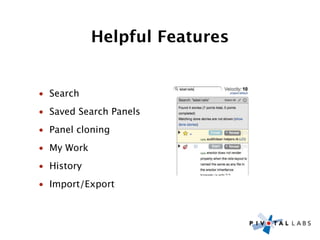
Helpful Features


• Search
• Saved Search Panels
• Panel cloning
• My Work
• History
• Import/Export
Charts

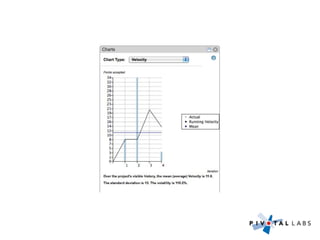
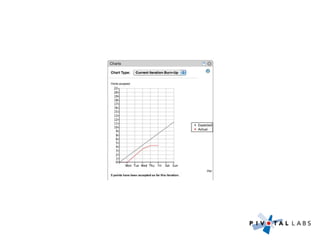
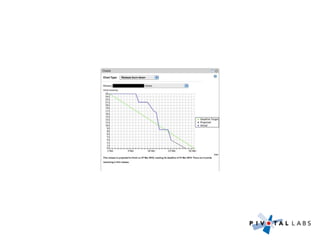
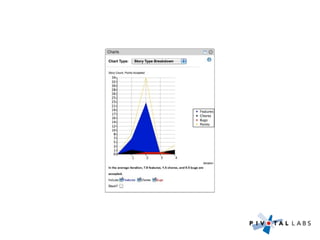
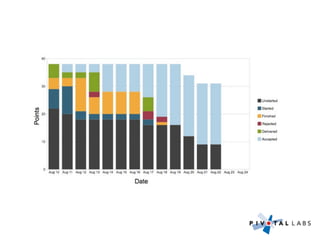
• Velocity chart shows project velocity in past
  iterations
• Iteration burn-up shows progress through current
  iteration
• Release burn-down shows progress through
  chosen release
• Story type breakdown shows work on features vs
  chores and bugs by iteration
• Point count breakdown exposes historical process
  bottlenecks
Multi User


• Project page displays changes in real time
• (why we get 1000+ requests per second)
Integrations


• Drag/drop import and sync of stories from JIRA,
  Lighthouse, Satisfaction, Zendesk
• Campfire and Twitter notifications
• SCM post-commit hooks (including Github)
• More integrations to come
Developer API


• RESTful XML HTTP API
• Read/Write access to projects and stories
• Activity web hook (push HTTP)
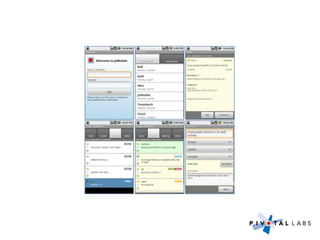
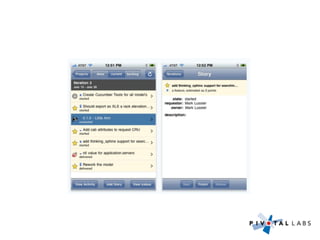
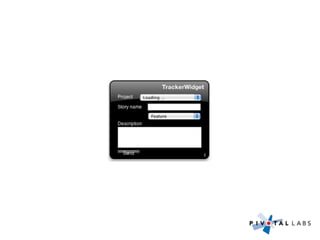
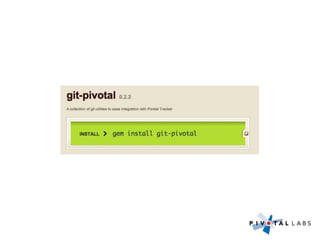
3rd Party Tools


• iPhone and Android clients
• Email integration
• High level planning (Story Mapper)
• http://www.pivotaltracker.com/help/thirdpartytools
Future


• Tools for managing larger projects (drag multiple
  stories, some form of story group)
• Expose release and/or label status outside of
  project, for management visibility
• More integrations
• UX/UI overhaul
• Custom workflow/acceptance steps
Questions?
Thank You


• Chicago Ruby
• ThoughtWorks
• Jon “Lark” Larkowski (@l4rk)
• Wes Maldonado (@wes)
Feedback


• Dan Podsedly (dan@pivotallabs.com)
• @pivotaltracker
• http://community.pivotaltracker.com

Pivotal Tracker Overview

  • 1.
    Pivotal Tracker Chicago Ruby, Aug 3
  • 2.
    About Pivotal Labs •Software development consultancy, founded in 1989 • Agile (XP) since mid ‘90s • Rails since 2006 • Approximately 100 people, and growing (we’re hiring) • HQ in San Francisco, offices in New York, Boulder, and Singapore
  • 3.
    What is Tracker? •Shared, predictive, collaborative to-do list for software development teams • Free, open to public: http://www.pivotaltracker.com • User by thousands of teams and companies, over 100K users and over 100K projects • Used on all of our projects at Pivotal (and then some) • Rails app, hosted at Engine Yard (xCloud)
  • 4.
    (and the onlyproject management tool with it’s own song)
  • 5.
    Typical Pivotal Project •Small team, 2-8 developers • Highly involved customer, in the room • Collective ownership of code • 100% pairing and TDD/BDD • Weekly iterations, frequent releases • 1 team = 1 Tracker project • Rotation between teams
  • 6.
    Tracker in aNutshell • Automates manual aspects of agile process, without getting in the way • Maintains prioritized list of work (stories) broken down to concrete, estimatable level • Groups list of work (backlog) into fixed segments of calendar time (iterations) • Predicts progress based on historical performance (velocity) • Provides birds-eye view of project to entire team and encourages communication
  • 8.
    What’s the Story? A story is a feature that provides verifiable business value to the team’s customer • “Shopper can add product to shopping cart” • “Search for product should take 400ms or less” • “Ability to add new product via API” • We estimate a feature on a point scale: “Linear” (1/2/3), “Powers of 2” (1/2/4/8), or “Fibonacci” (1/2/3/5/8) • A point is a team-specific metric representing the effort it will take to implement a feature (and risk)
  • 9.
    Chores • A choreis a story that is necessary but provides no verifiable business value to the team’s customer • Chores can represent “code debt”, and/or points of dependency on other teams • Chores are not estimated
  • 10.
    Bugs • A bugis a story representing a defect, that may be related to a feature story • Bugs are typically only entered for stories that have already been accepted • Bugs are also not estimated
  • 11.
    Story Workflow • Developer(or pair) starts next available story in current or backlog • Developer checks in code and finishes the story • Team pushes code for new feature to demo/QA environment, and delivers story • Customer/PM accepts or rejects story • (repeat until backlog empty)
  • 13.
    Prioritizing Stories • Positionin backlog is priority • Stories are ordered by business value weighed against development risk • Consider dependencies when prioritizing • The next item for team to work on is obvious!
  • 14.
    Velocity • At theend of an iteration, accepted stories in current automatically move into “Done” • The project’s velocity is calculated based on point totals from previous iterations • Future iterations are projected based on updated velocity • Velocity can be overridden locally for “what if” scenarios
  • 15.
  • 16.
    Labels • You canadd any number of labels (tags) to a story • Space of labels is per-project • Click on a label to see all stories with that label, or use search • Labels can be used to track related stories, for example a larger feature or theme • Use them for additional process steps, for example “needs design”, or “blocked”
  • 17.
    Helpful Features • Search •Saved Search Panels • Panel cloning • My Work • History • Import/Export
  • 18.
    Charts • Velocity chartshows project velocity in past iterations • Iteration burn-up shows progress through current iteration • Release burn-down shows progress through chosen release • Story type breakdown shows work on features vs chores and bugs by iteration • Point count breakdown exposes historical process bottlenecks
  • 24.
    Multi User • Projectpage displays changes in real time • (why we get 1000+ requests per second)
  • 25.
    Integrations • Drag/drop importand sync of stories from JIRA, Lighthouse, Satisfaction, Zendesk • Campfire and Twitter notifications • SCM post-commit hooks (including Github) • More integrations to come
  • 26.
    Developer API • RESTfulXML HTTP API • Read/Write access to projects and stories • Activity web hook (push HTTP)
  • 27.
    3rd Party Tools •iPhone and Android clients • Email integration • High level planning (Story Mapper) • http://www.pivotaltracker.com/help/thirdpartytools
  • 33.
    Future • Tools formanaging larger projects (drag multiple stories, some form of story group) • Expose release and/or label status outside of project, for management visibility • More integrations • UX/UI overhaul • Custom workflow/acceptance steps
  • 34.
  • 35.
    Thank You • ChicagoRuby • ThoughtWorks • Jon “Lark” Larkowski (@l4rk) • Wes Maldonado (@wes)
  • 36.
    Feedback • Dan Podsedly(dan@pivotallabs.com) • @pivotaltracker • http://community.pivotaltracker.com