GeoDjango and HTML5
Lucio Grenzi
l.grenzi@gmail.com
Lucio Grenzi
l.grenzi@gmail.com – Freelance
2
Who am I?
• Delphi developer for 11 years
• Now freelance and Web developer
• Javascript addicted
Nonantolando.blogspot.com
https://plus.google.com/108943068354277861330
http://it.linkedin.com/pub/lucio-grenzi/27/2bb/2a
Lucio Grenzi
l.grenzi@gmail.com – Freelance
3
Agenda
• HTML 5 and geolocalization
• GeoDjango: first introduction
• GIS data format troubles
• GeoDjango api's
• GeoDjango and Google Maps /
OpenStreetMaps
Lucio Grenzi
l.grenzi@gmail.com – Freelance
4
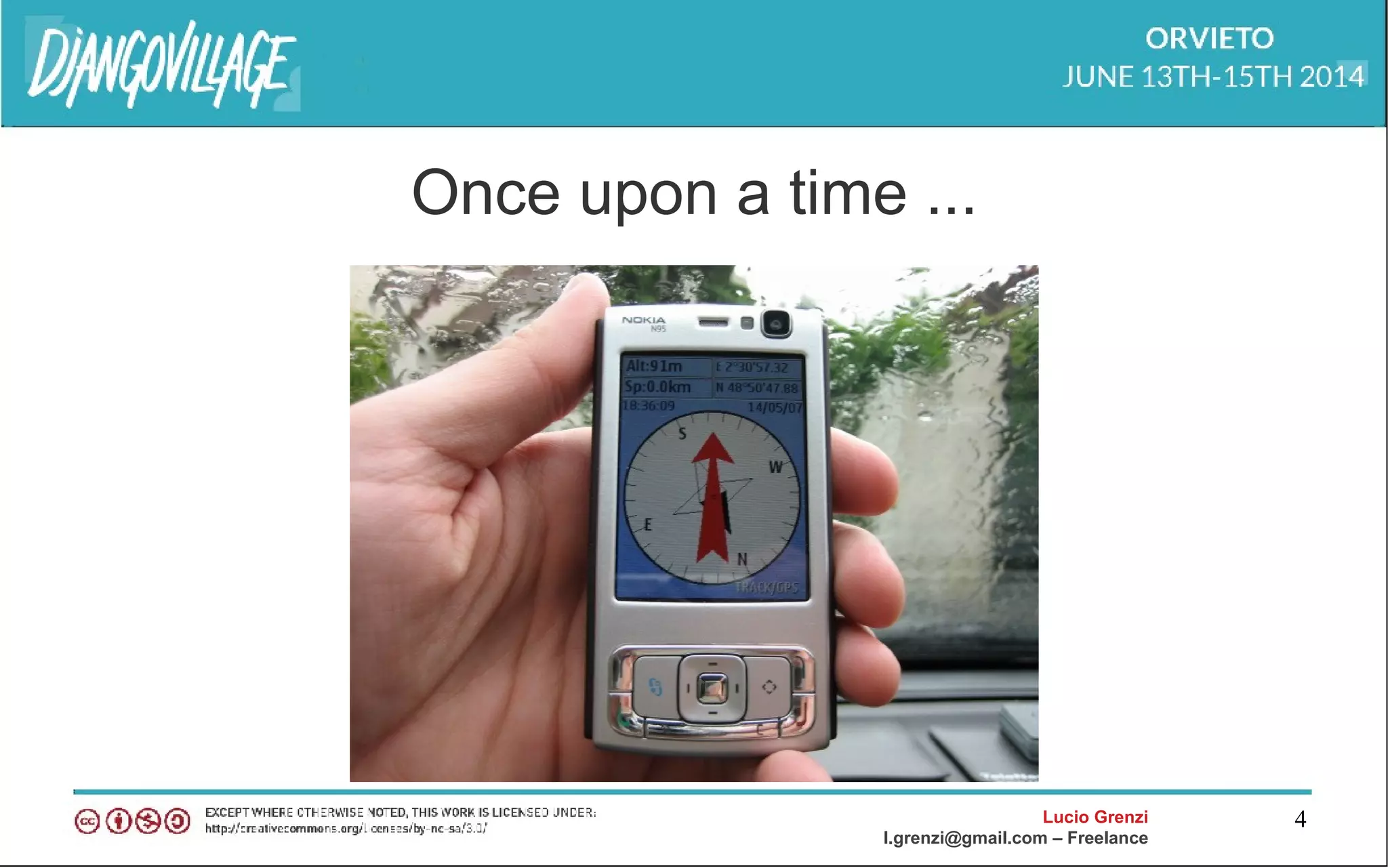
Once upon a time ...
Lucio Grenzi
l.grenzi@gmail.com – Freelance
5
...and now
Lucio Grenzi
l.grenzi@gmail.com – Freelance
6
Lucio Grenzi
l.grenzi@gmail.com – Freelance
7
Lucio Grenzi
l.grenzi@gmail.com – Freelance
8
HTML 5 and Geolocation
• Supported by IE 9,
Firefox, Safari, Chrome
• All the smartphone has a
GPS or a Wifi network
card
• Location based services
Lucio Grenzi
l.grenzi@gmail.com – Freelance
9
HTML 5 Geolocation api's
geolocation.getCurrentPosition(showPosition)
geolocation.watchPosition(showPosition)
Lucio Grenzi
l.grenzi@gmail.com – Freelance
10
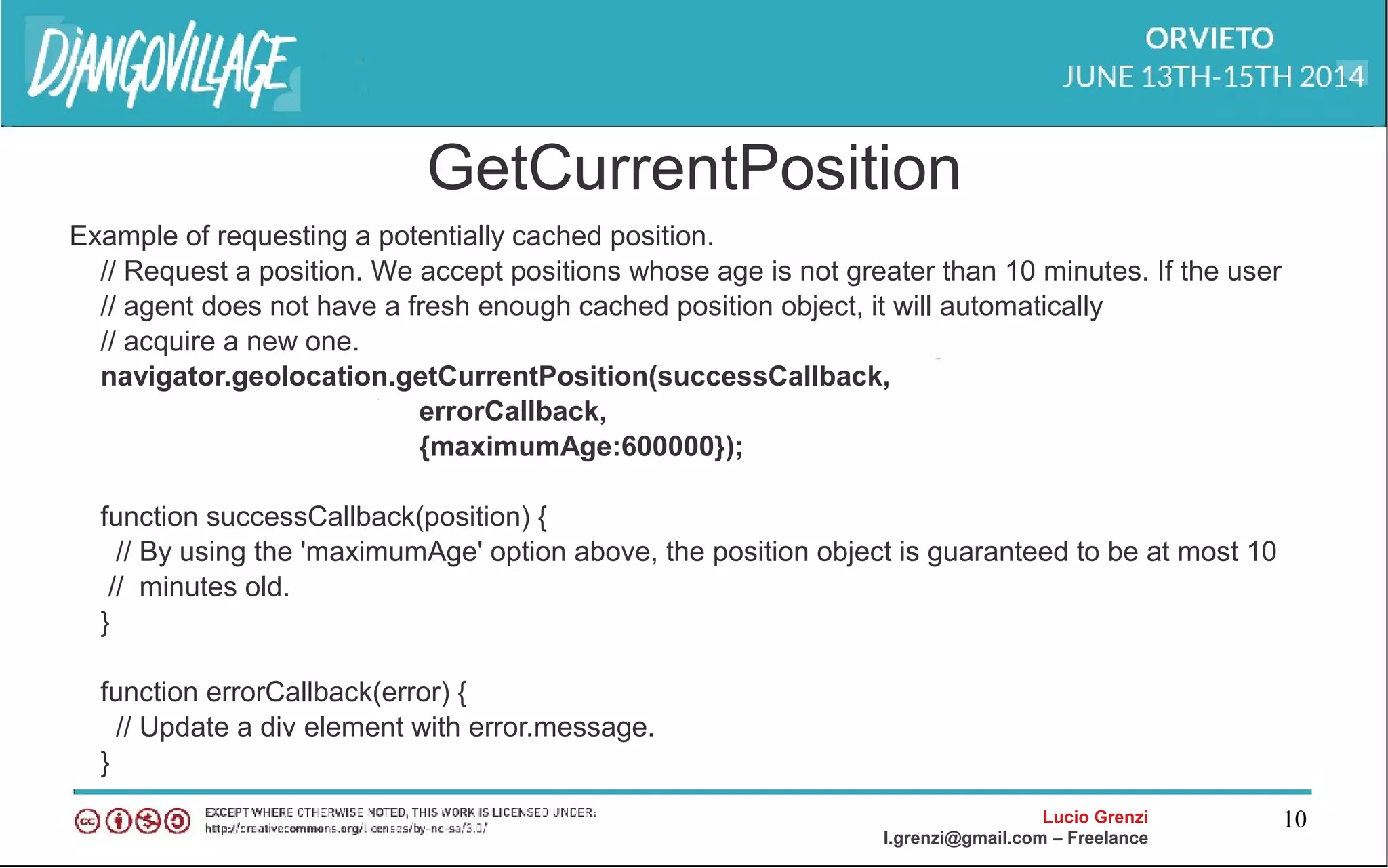
GetCurrentPosition
Example of requesting a potentially cached position.
// Request a position. We accept positions whose age is not greater than 10 minutes. If the user
// agent does not have a fresh enough cached position object, it will automatically
// acquire a new one.
navigator.geolocation.getCurrentPosition(successCallback,
errorCallback,
{maximumAge:600000});
function successCallback(position) {
// By using the 'maximumAge' option above, the position object is guaranteed to be at most 10
// minutes old.
}
function errorCallback(error) {
// Update a div element with error.message.
}
Lucio Grenzi
l.grenzi@gmail.com – Freelance
11
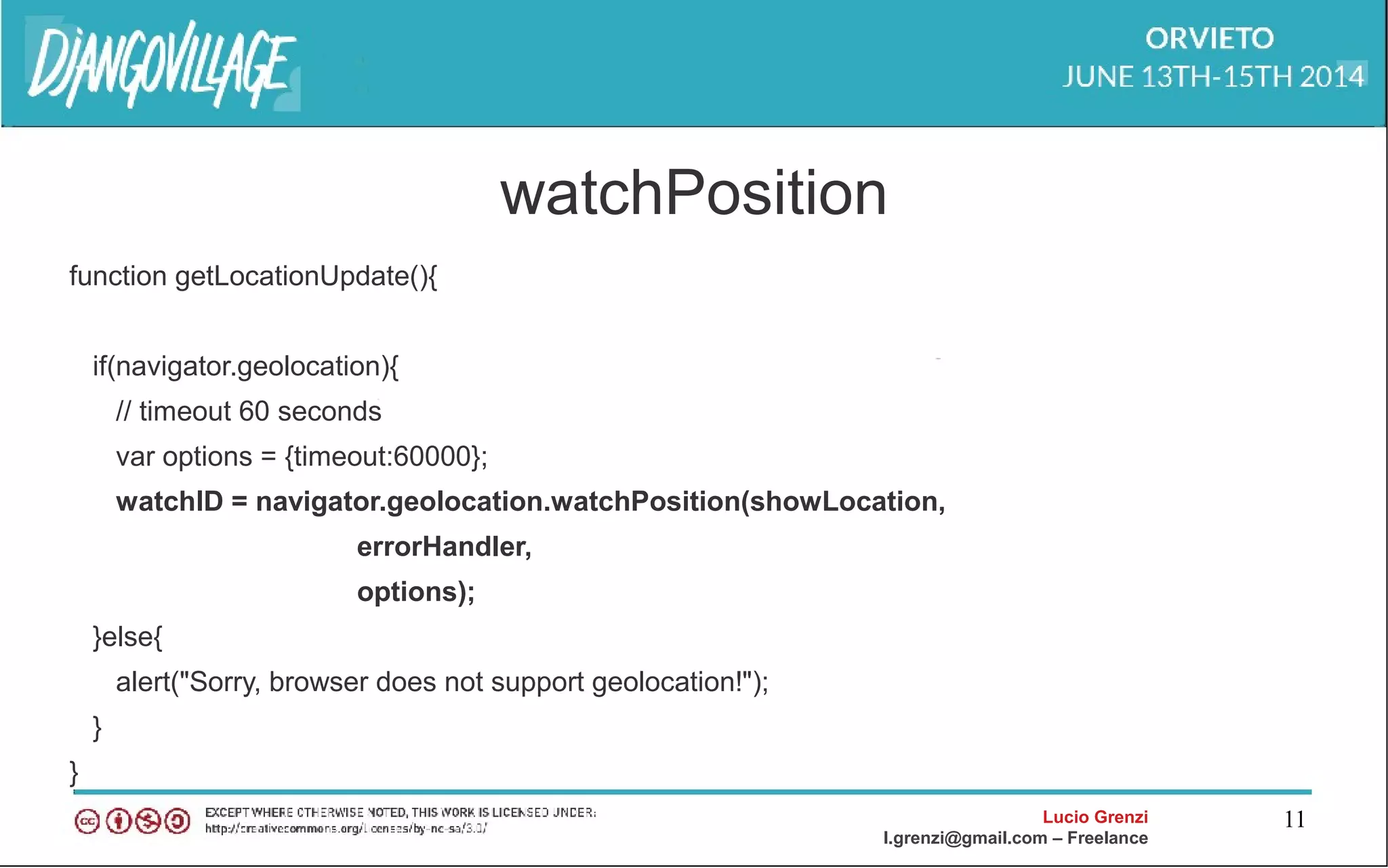
watchPosition
function getLocationUpdate(){
if(navigator.geolocation){
// timeout 60 seconds
var options = {timeout:60000};
watchID = navigator.geolocation.watchPosition(showLocation,
errorHandler,
options);
}else{
alert("Sorry, browser does not support geolocation!");
}
}
Lucio Grenzi
l.grenzi@gmail.com – Freelance
12
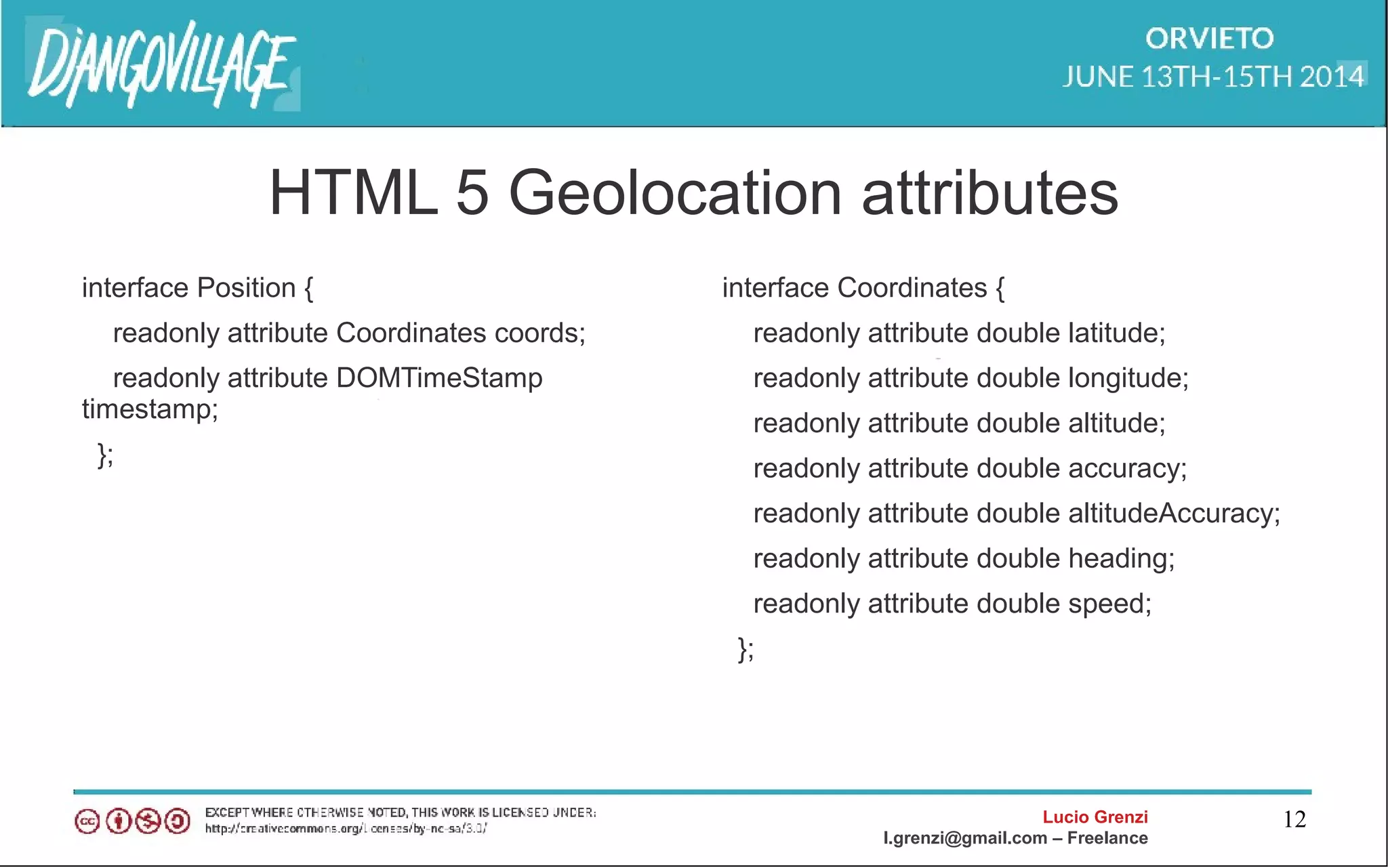
HTML 5 Geolocation attributes
interface Position {
readonly attribute Coordinates coords;
readonly attribute DOMTimeStamp
timestamp;
};
interface Coordinates {
readonly attribute double latitude;
readonly attribute double longitude;
readonly attribute double altitude;
readonly attribute double accuracy;
readonly attribute double altitudeAccuracy;
readonly attribute double heading;
readonly attribute double speed;
};
Lucio Grenzi
l.grenzi@gmail.com – Freelance
13
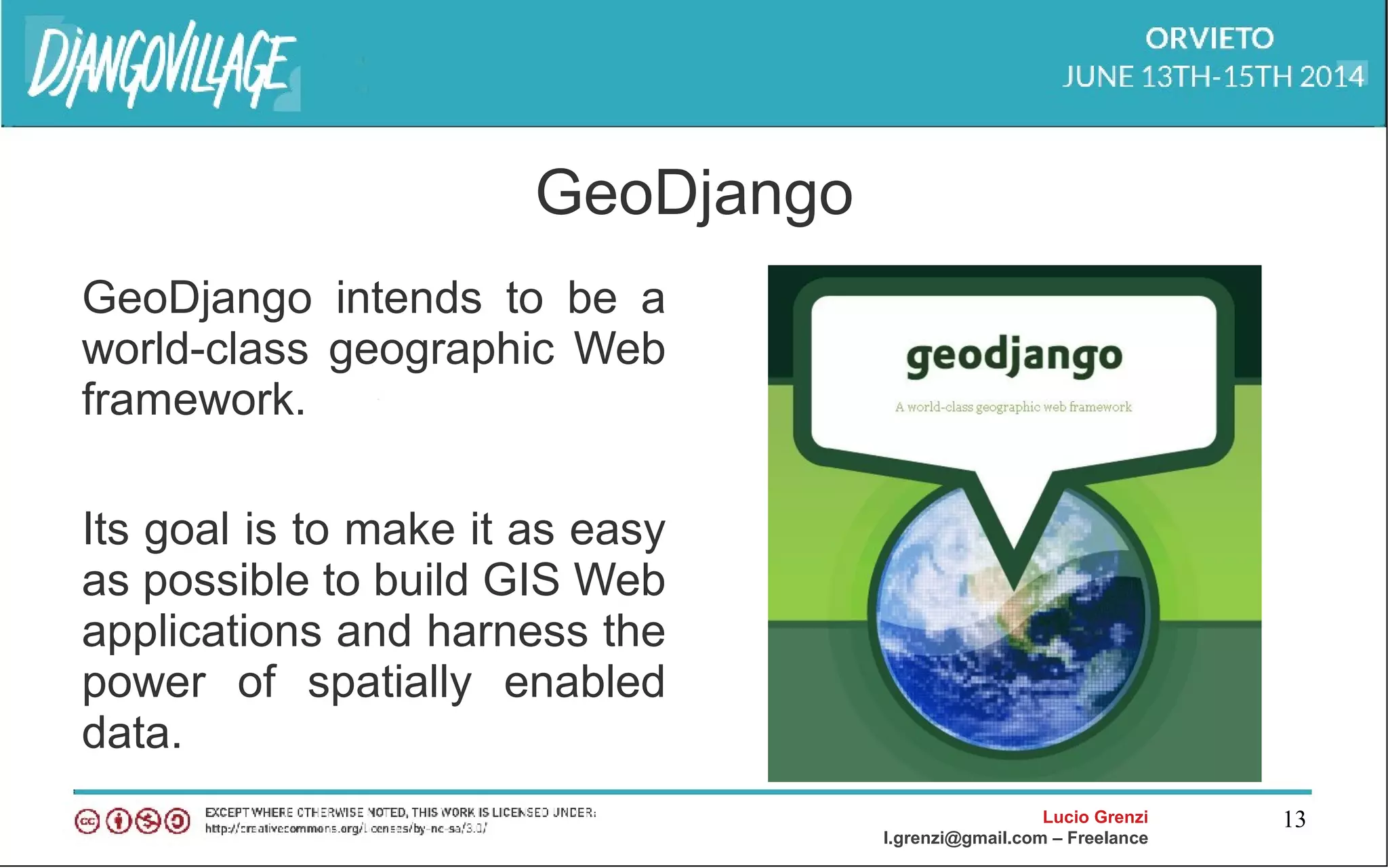
GeoDjango
GeoDjango intends to be a
world-class geographic Web
framework.
Its goal is to make it as easy
as possible to build GIS Web
applications and harness the
power of spatially enabled
data.
Lucio Grenzi
l.grenzi@gmail.com – Freelance
14
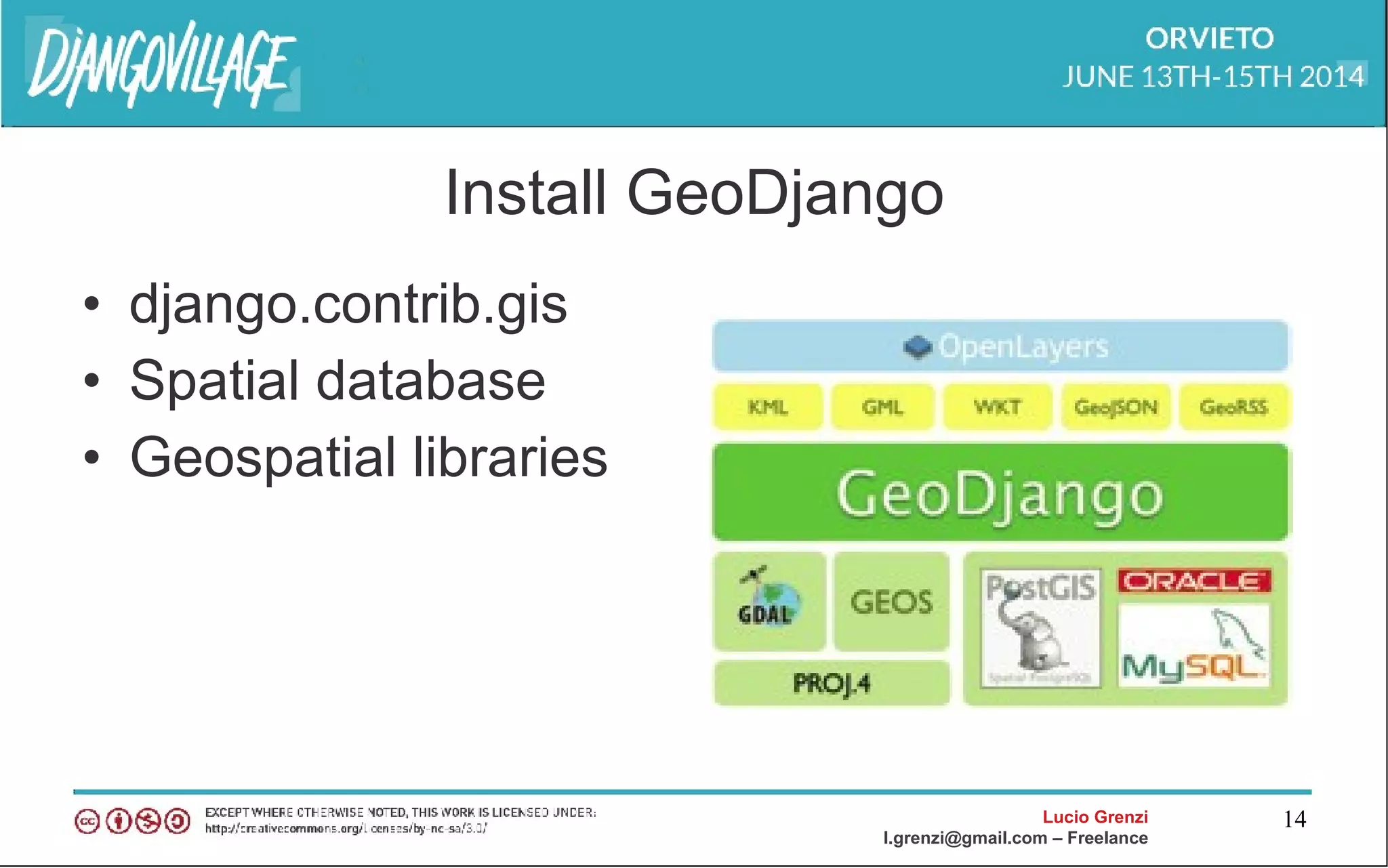
Install GeoDjango
• django.contrib.gis
• Spatial database
• Geospatial libraries
Lucio Grenzi
l.grenzi@gmail.com – Freelance
15
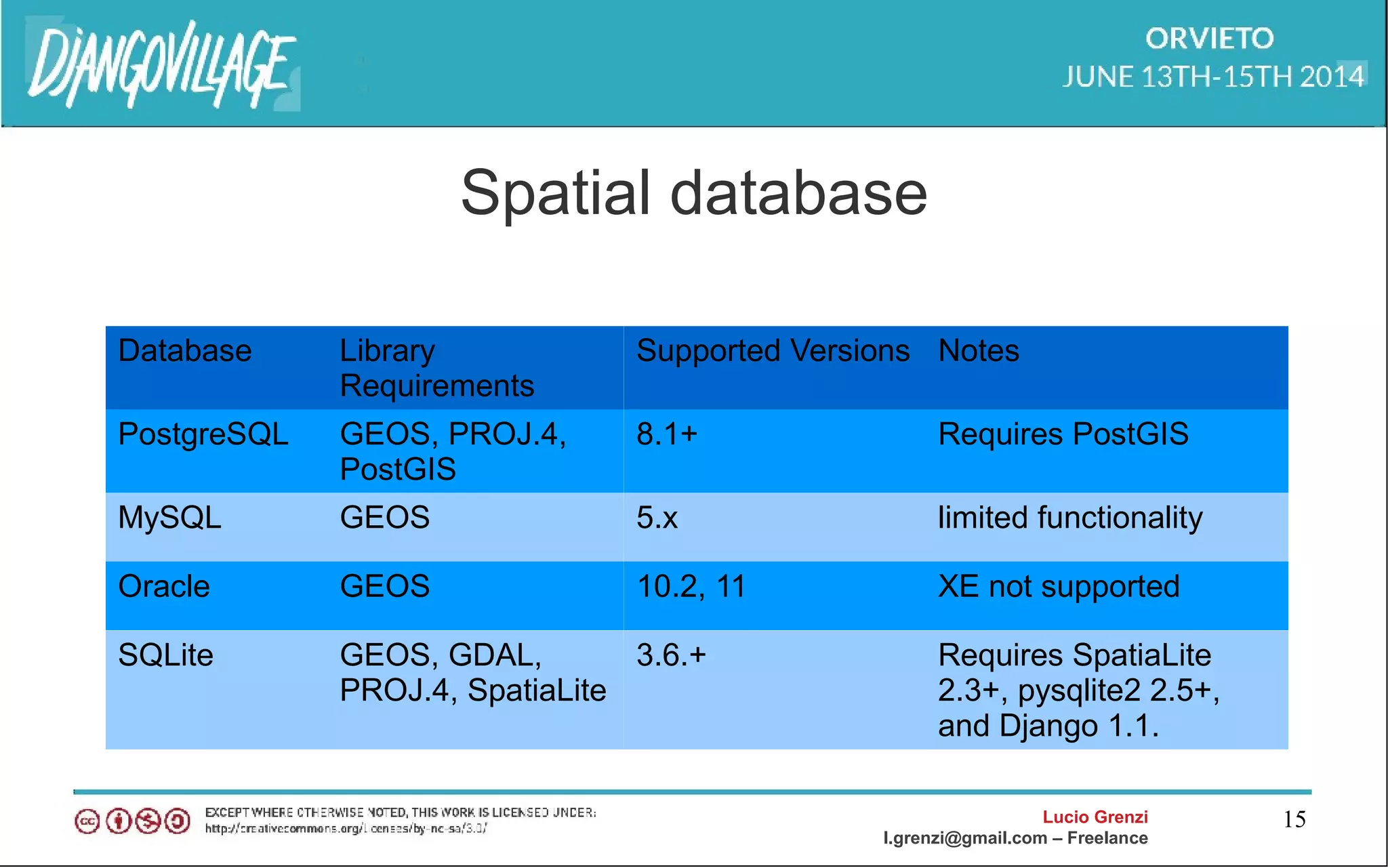
Spatial database
Database Library
Requirements
Supported Versions Notes
PostgreSQL GEOS, PROJ.4,
PostGIS
8.1+ Requires PostGIS
MySQL GEOS 5.x limited functionality
Oracle GEOS 10.2, 11 XE not supported
SQLite GEOS, GDAL,
PROJ.4, SpatiaLite
3.6.+ Requires SpatiaLite
2.3+, pysqlite2 2.5+,
and Django 1.1.
Lucio Grenzi
l.grenzi@gmail.com – Freelance
16
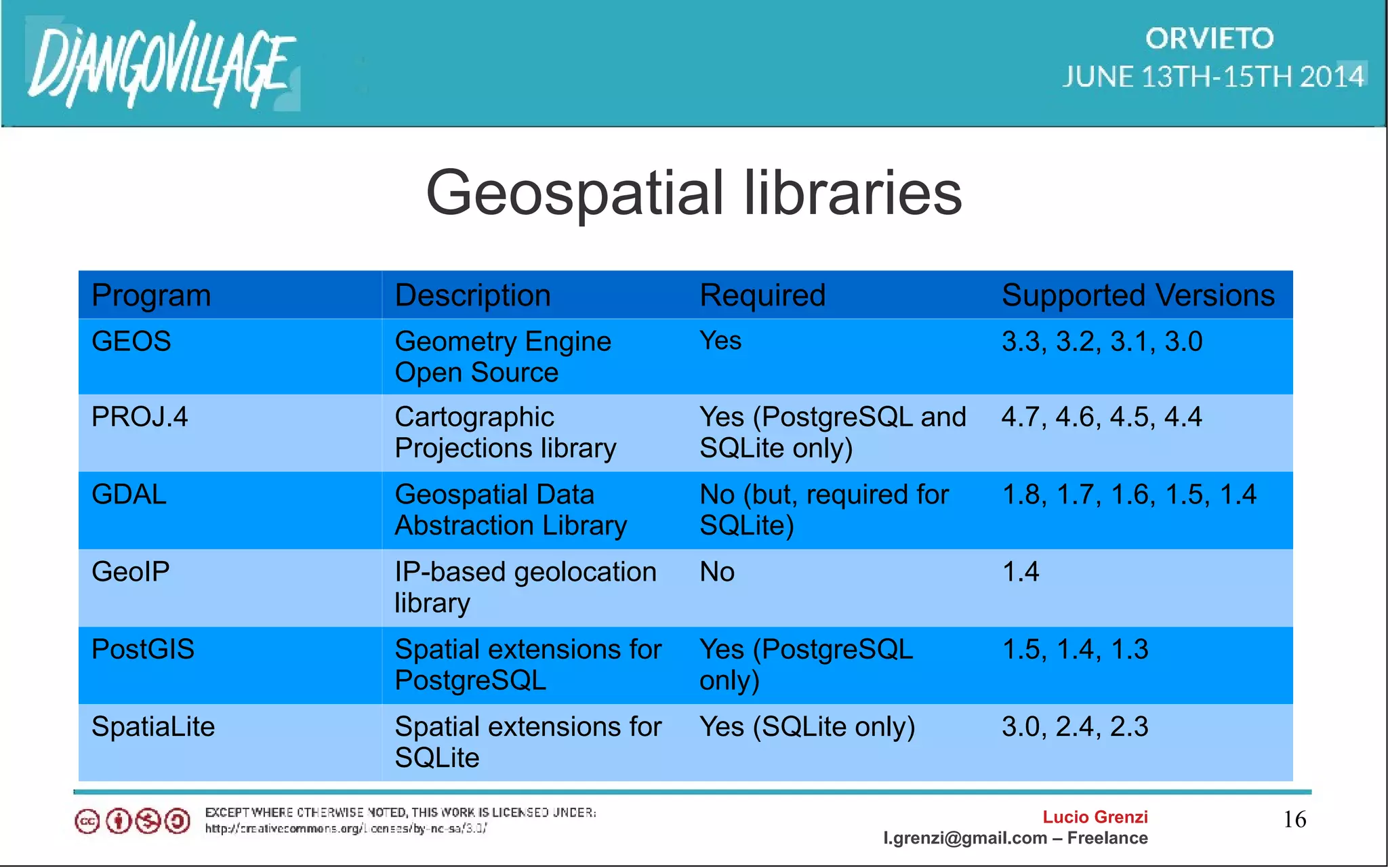
Geospatial libraries
Program Description Required Supported Versions
GEOS Geometry Engine
Open Source
Yes 3.3, 3.2, 3.1, 3.0
PROJ.4 Cartographic
Projections library
Yes (PostgreSQL and
SQLite only)
4.7, 4.6, 4.5, 4.4
GDAL Geospatial Data
Abstraction Library
No (but, required for
SQLite)
1.8, 1.7, 1.6, 1.5, 1.4
GeoIP IP-based geolocation
library
No 1.4
PostGIS Spatial extensions for
PostgreSQL
Yes (PostgreSQL
only)
1.5, 1.4, 1.3
SpatiaLite Spatial extensions for
SQLite
Yes (SQLite only) 3.0, 2.4, 2.3
Lucio Grenzi
l.grenzi@gmail.com – Freelance
17
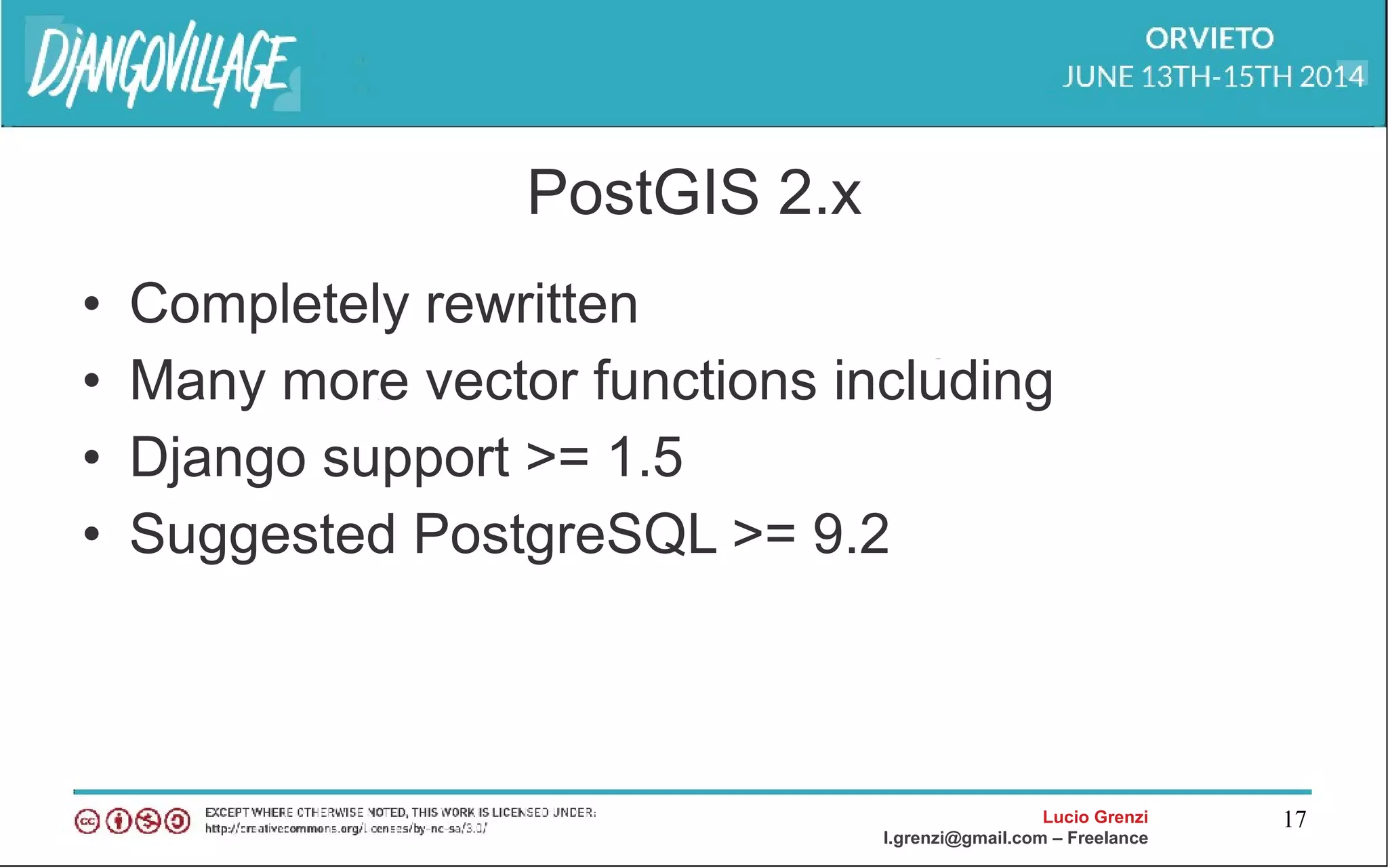
PostGIS 2.x
• Completely rewritten
• Many more vector functions including
• Django support >= 1.5
• Suggested PostgreSQL >= 9.2
Lucio Grenzi
l.grenzi@gmail.com – Freelance
18
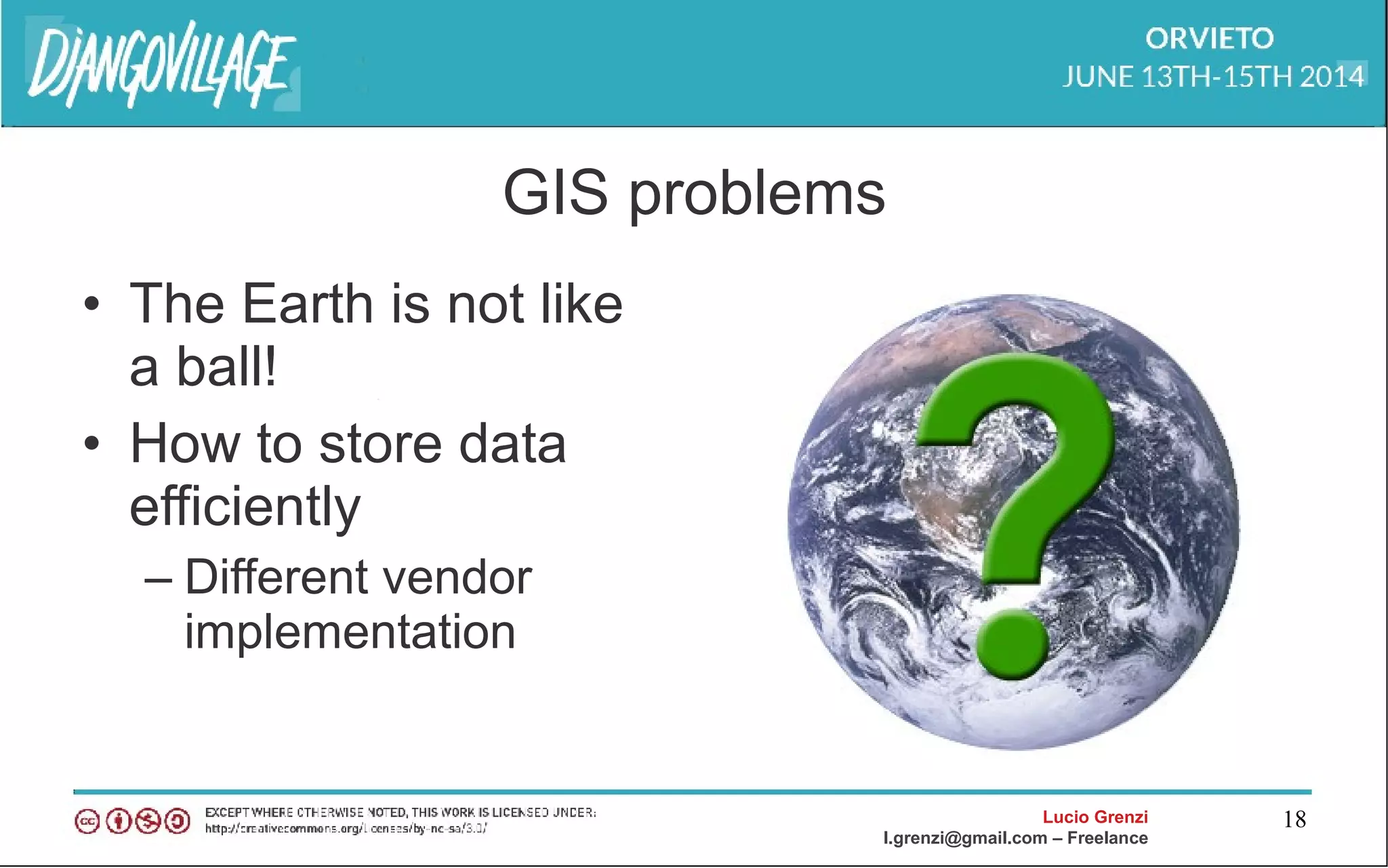
GIS problems
• The Earth is not like
a ball!
• How to store data
efficiently
– Different vendor
implementation
Lucio Grenzi
l.grenzi@gmail.com – Freelance
19
GIS data formats
• Lots of GIS file formats:
– Raster formats: DRG, GeoTIFF, ..
– Vector formats: DXF, GeoJSON, KML, GML
– http://en.wikipedia.org/wiki/GIS_file_formats
Lucio Grenzi
l.grenzi@gmail.com – Freelance
20
GDAL : “swiss army knife” of GIS data
• Geospatial Data Abstraction Library
• A subset of GDAL is specialized in reading and
writing vector geographic data in a variety of
standard formats
• GeoDjango only supports some of the
capabilities
Lucio Grenzi
l.grenzi@gmail.com – Freelance
21
GEOS
• Geometry Engine - Open Source
• GEOS implements the OpenGIS Simple
Features for SQL spatial predicate functions
and spatial operators.
• GeoDjango implements a high-level Python
wrapper for the GEOS library
Lucio Grenzi
l.grenzi@gmail.com – Freelance
22
GEOIP
IP-based geolocation binding MaxMind
• Needed in order to perform IP-based
geolocation( the location, coords)
• requires the GeoIP C library and GeoIP
Country or City datasets
Lucio Grenzi
l.grenzi@gmail.com – Freelance
23
ABC GeoDjango
Lucio Grenzi
l.grenzi@gmail.com – Freelance
24
Geometry field
● GeometryField
● PointField
● LineStringField
● PolygonField
● MultiPointField
● MultiLineStringField
● MultiPolygonField
● GeometryCollectionField
Lucio Grenzi
l.grenzi@gmail.com – Freelance
25
Geometry field option
srid
spatial_index
dim
geography
geography Type
Lucio Grenzi
l.grenzi@gmail.com – Freelance
26
GeoQuerySet API
• Measurement: distance,area, length, perimeter
• Relationship: centroid, envelop, point_on_surface
• Editor: force_rhr, reverse_geom, scale, snap_to_grid,
transform(srid), translate
• Operation: difference, intersection, sym_difference, union
• Output: geohash, geojson, gml, kml, svg
• Miscellaneous: mem_size, num_geom, num_points
Lucio Grenzi
l.grenzi@gmail.com – Freelance
27
GeoQuerySet API
• Measurement: distance,area, length, perimeter
GeoQuerySet.distance(geom, **kwargs)
Lucio Grenzi
l.grenzi@gmail.com – Freelance
28
GeoQuerySet API
• Relationship: centroid, envelop, point_on_surface
GeoQuerySet.envelope(**kwargs)
Lucio Grenzi
l.grenzi@gmail.com – Freelance
29
GeoQuerySet API
• Editor: force_rhr, reverse_geom, scale, snap_to_grid,
transform(srid), translate
GeoQuerySet.transform(srid=4326, **kwargs)
Lucio Grenzi
l.grenzi@gmail.com – Freelance
30
GeoQuerySet API
• Opertion: difference, intersection, sym_difference, union
GeoQuerySet.intersection(geom)
Lucio Grenzi
l.grenzi@gmail.com – Freelance
31
GeoQuerySet API
• Output: geohash, geojson, gml, kml, svg
GeoQuerySet.svg(**kwargs)
Lucio Grenzi
l.grenzi@gmail.com – Freelance
32
Front-end api making map interactions
• Google maps API
• OpenLayer
• Polymaps
• Wax
Lucio Grenzi
l.grenzi@gmail.com – Freelance
33
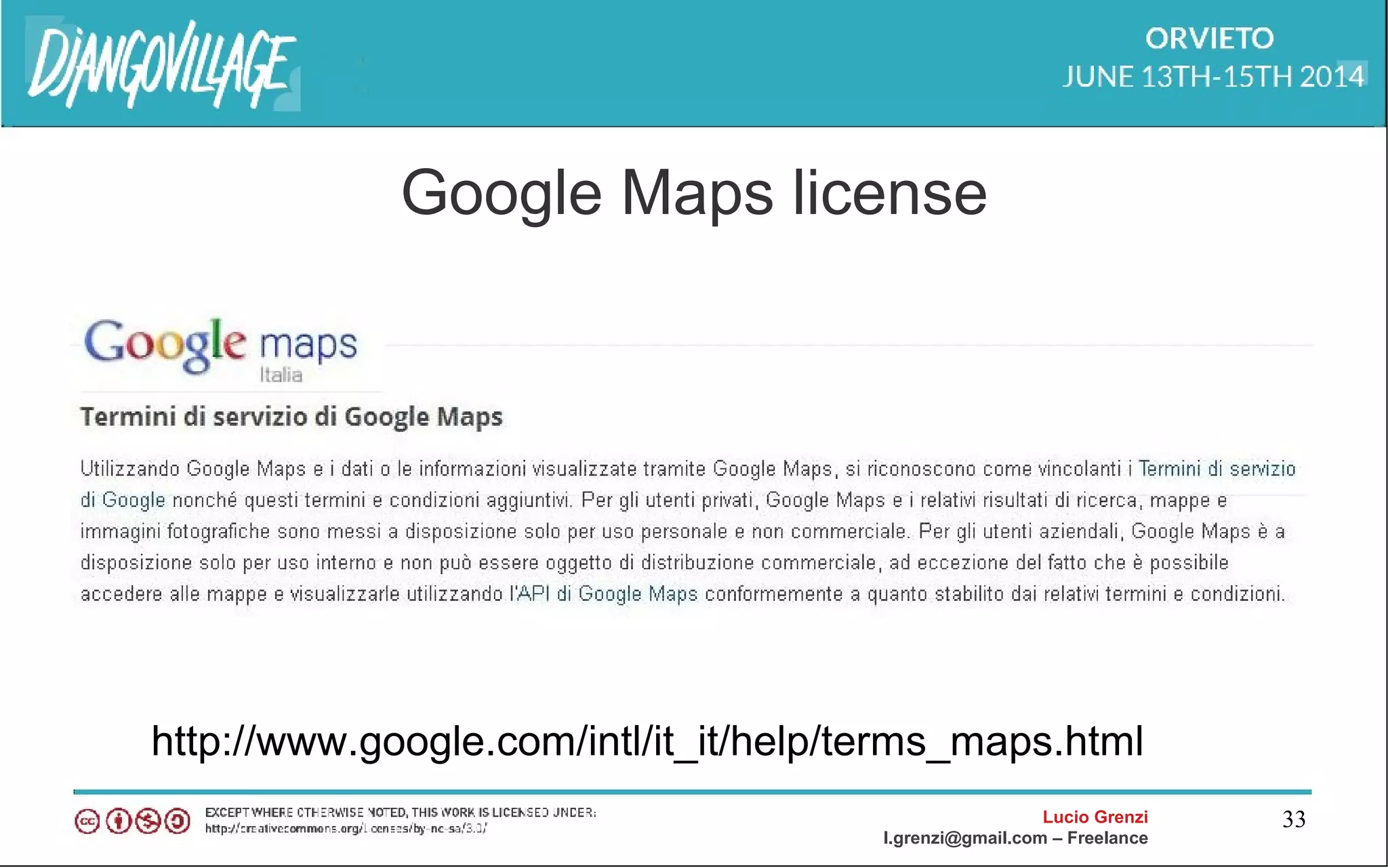
Google Maps license
http://www.google.com/intl/it_it/help/terms_maps.html
Lucio Grenzi
l.grenzi@gmail.com – Freelance
34
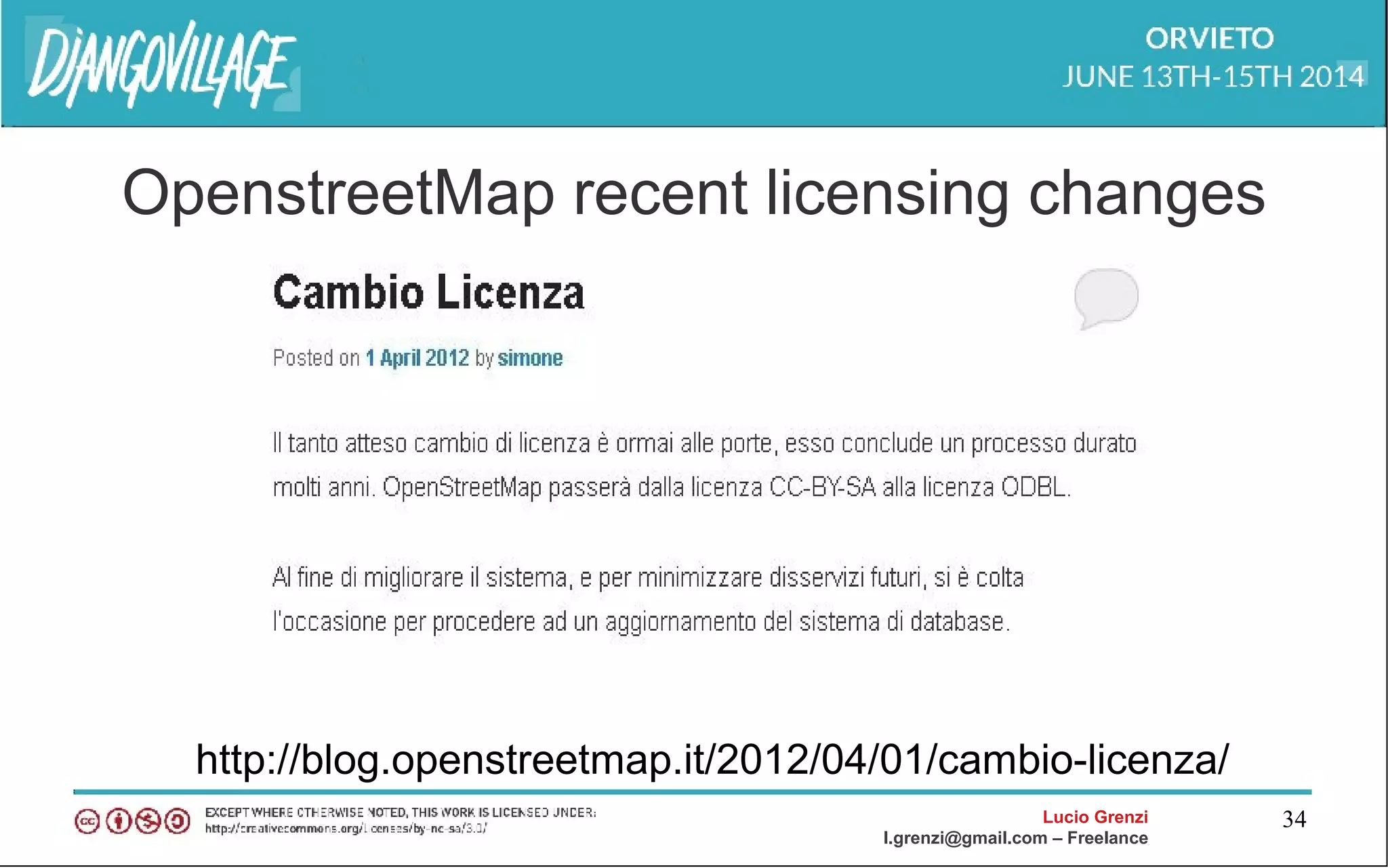
OpenstreetMap recent licensing changes
http://blog.openstreetmap.it/2012/04/01/cambio-licenza/
Lucio Grenzi
l.grenzi@gmail.com – Freelance
35
GeoDjango & Google Maps
Lucio Grenzi
l.grenzi@gmail.com – Freelance
36
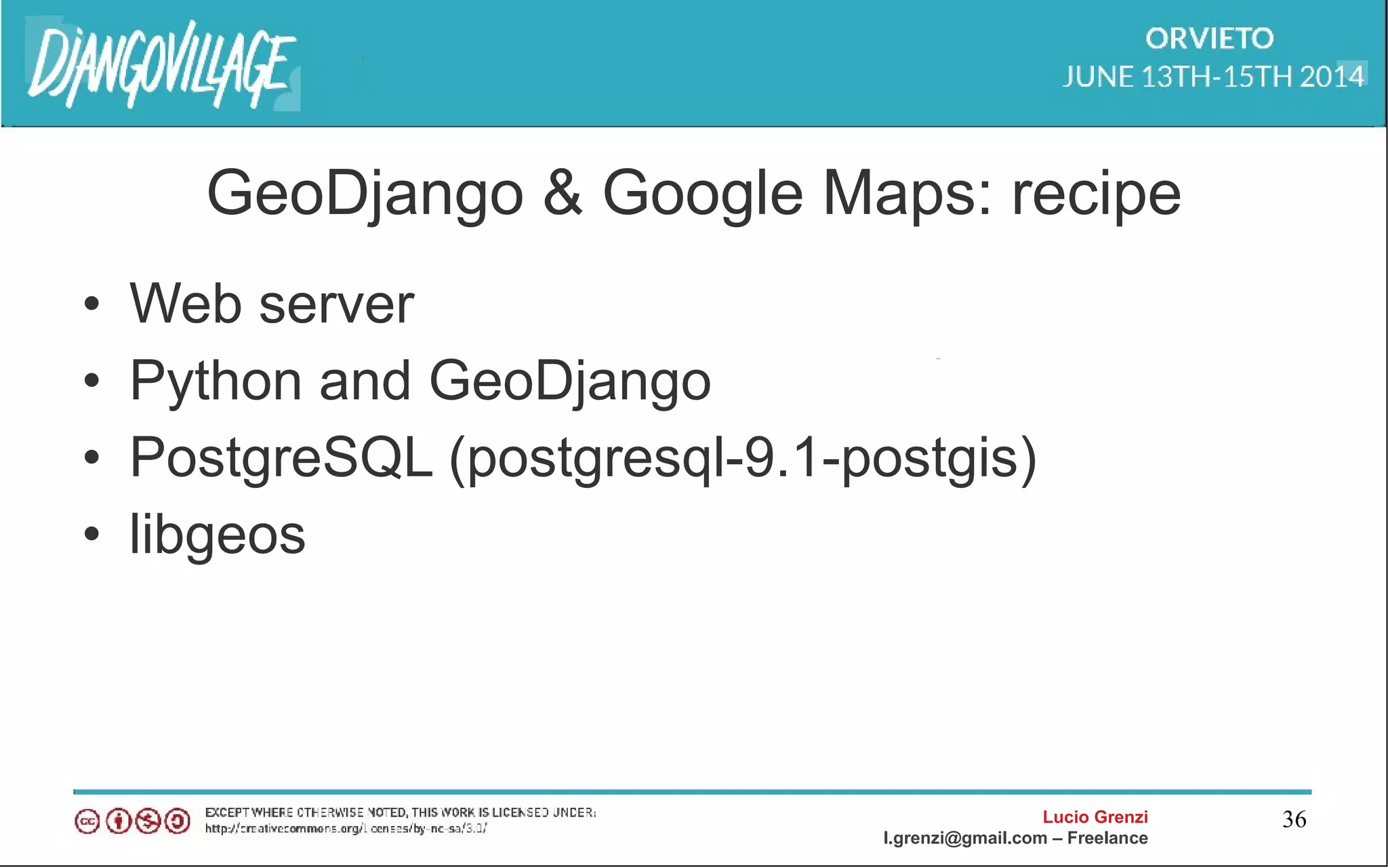
GeoDjango & Google Maps: recipe
• Web server
• Python and GeoDjango
• PostgreSQL (postgresql-9.1-postgis)
• libgeos
Lucio Grenzi
l.grenzi@gmail.com – Freelance
37
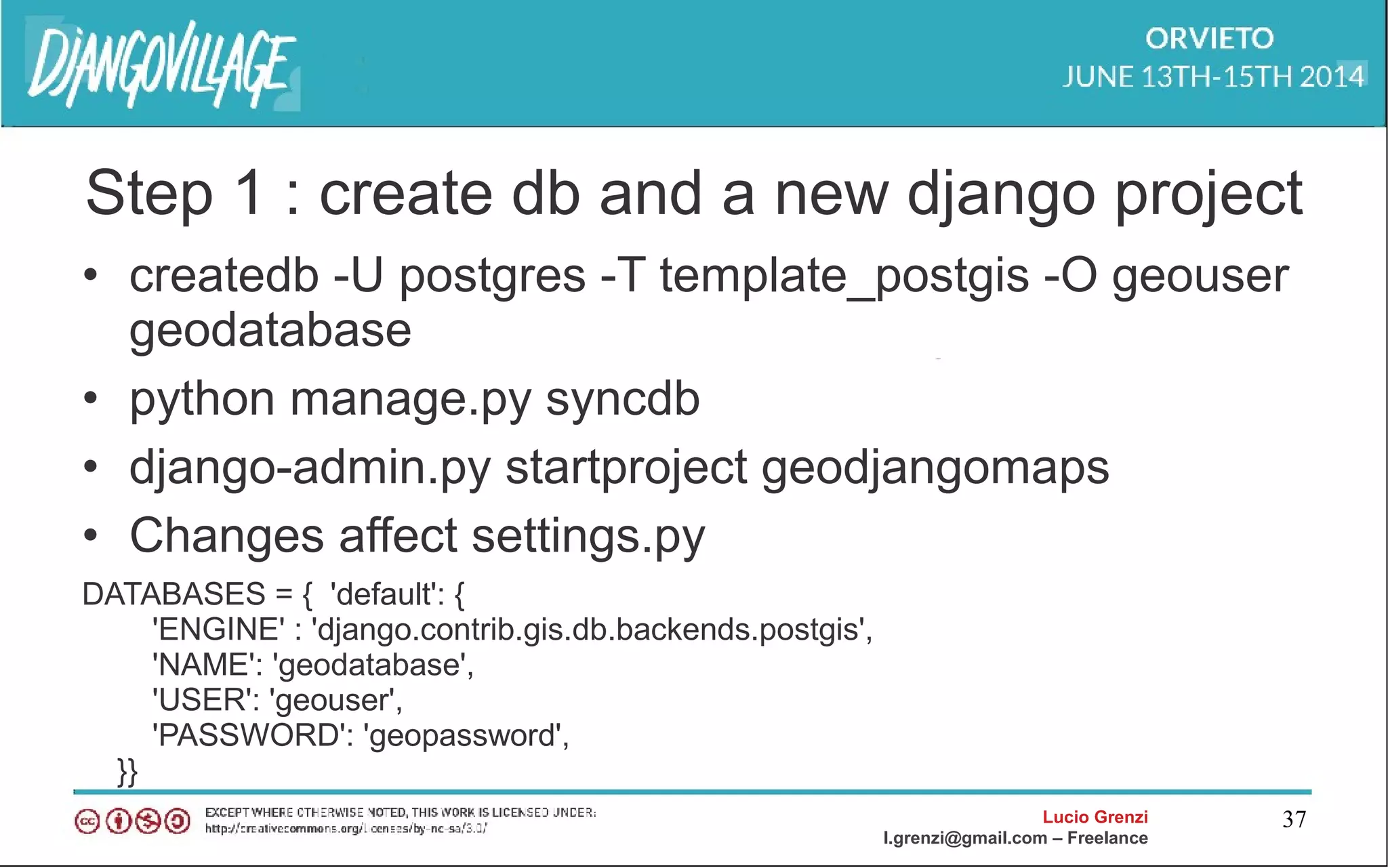
Step 1 : create db and a new django project
• createdb -U postgres -T template_postgis -O geouser
geodatabase
• python manage.py syncdb
• django-admin.py startproject geodjangomaps
• Changes affect settings.py
DATABASES = { 'default': {
'ENGINE' : 'django.contrib.gis.db.backends.postgis',
'NAME': 'geodatabase',
'USER': 'geouser',
'PASSWORD': 'geopassword',
}}
Lucio Grenzi
l.grenzi@gmail.com – Freelance
38
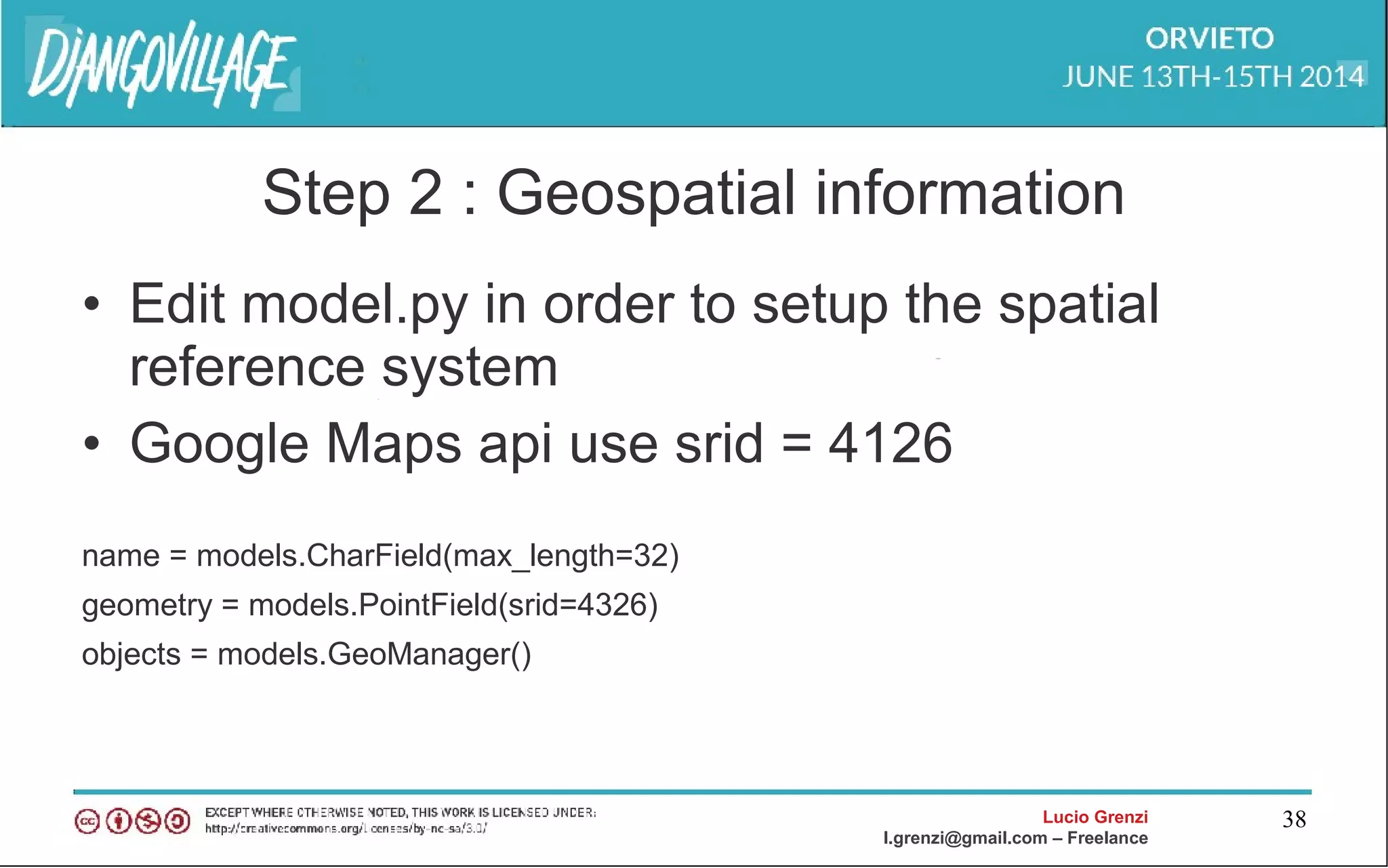
Step 2 : Geospatial information
• Edit model.py in order to setup the spatial
reference system
• Google Maps api use srid = 4126
name = models.CharField(max_length=32)
geometry = models.PointField(srid=4326)
objects = models.GeoManager()
Lucio Grenzi
l.grenzi@gmail.com – Freelance
39
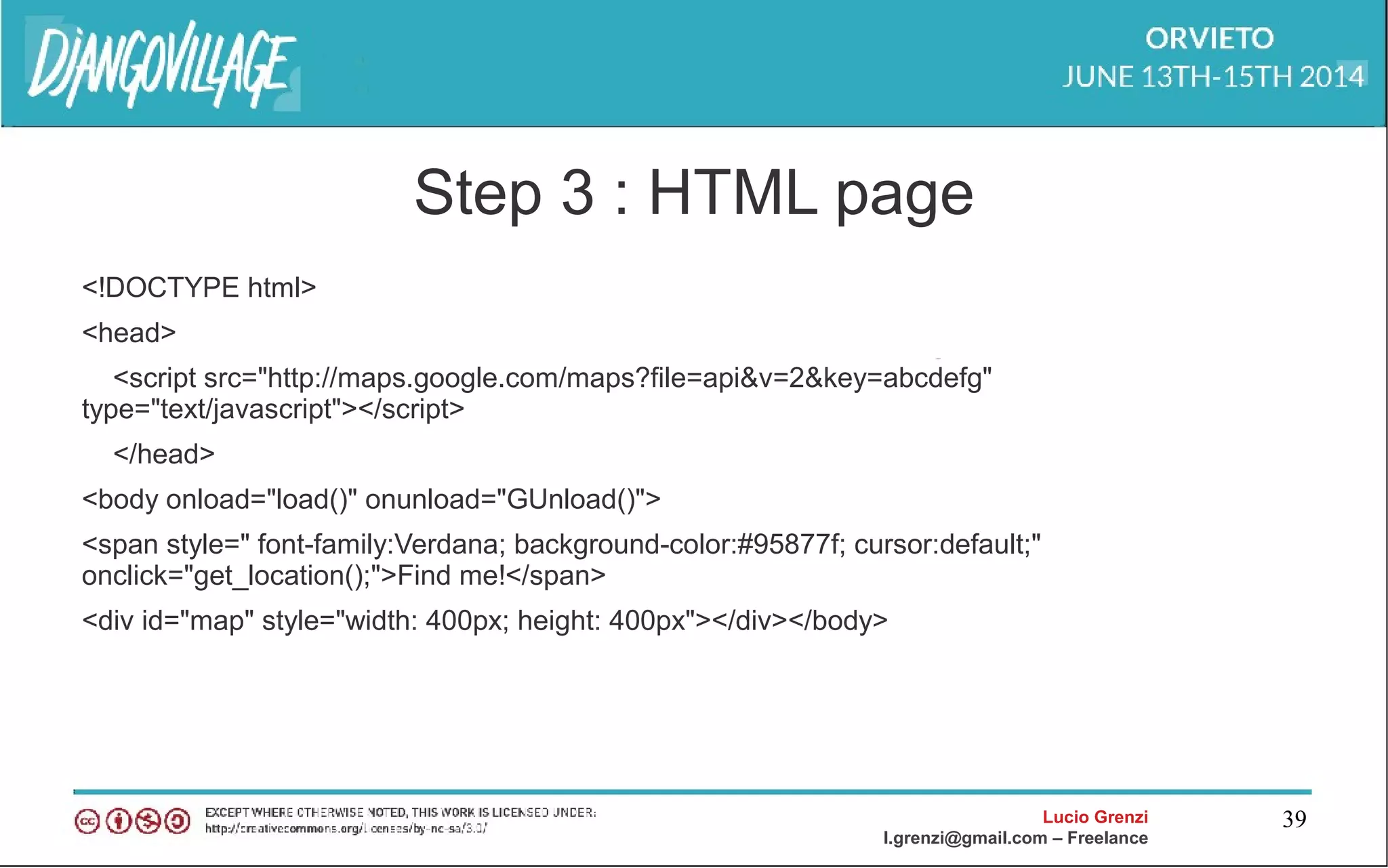
Step 3 : HTML page
<!DOCTYPE html>
<head>
<script src="http://maps.google.com/maps?file=api&v=2&key=abcdefg"
type="text/javascript"></script>
</head>
<body onload="load()" onunload="GUnload()">
<span style=" font-family:Verdana; background-color:#95877f; cursor:default;"
onclick="get_location();">Find me!</span>
<div id="map" style="width: 400px; height: 400px"></div></body>
Lucio Grenzi
l.grenzi@gmail.com – Freelance
40
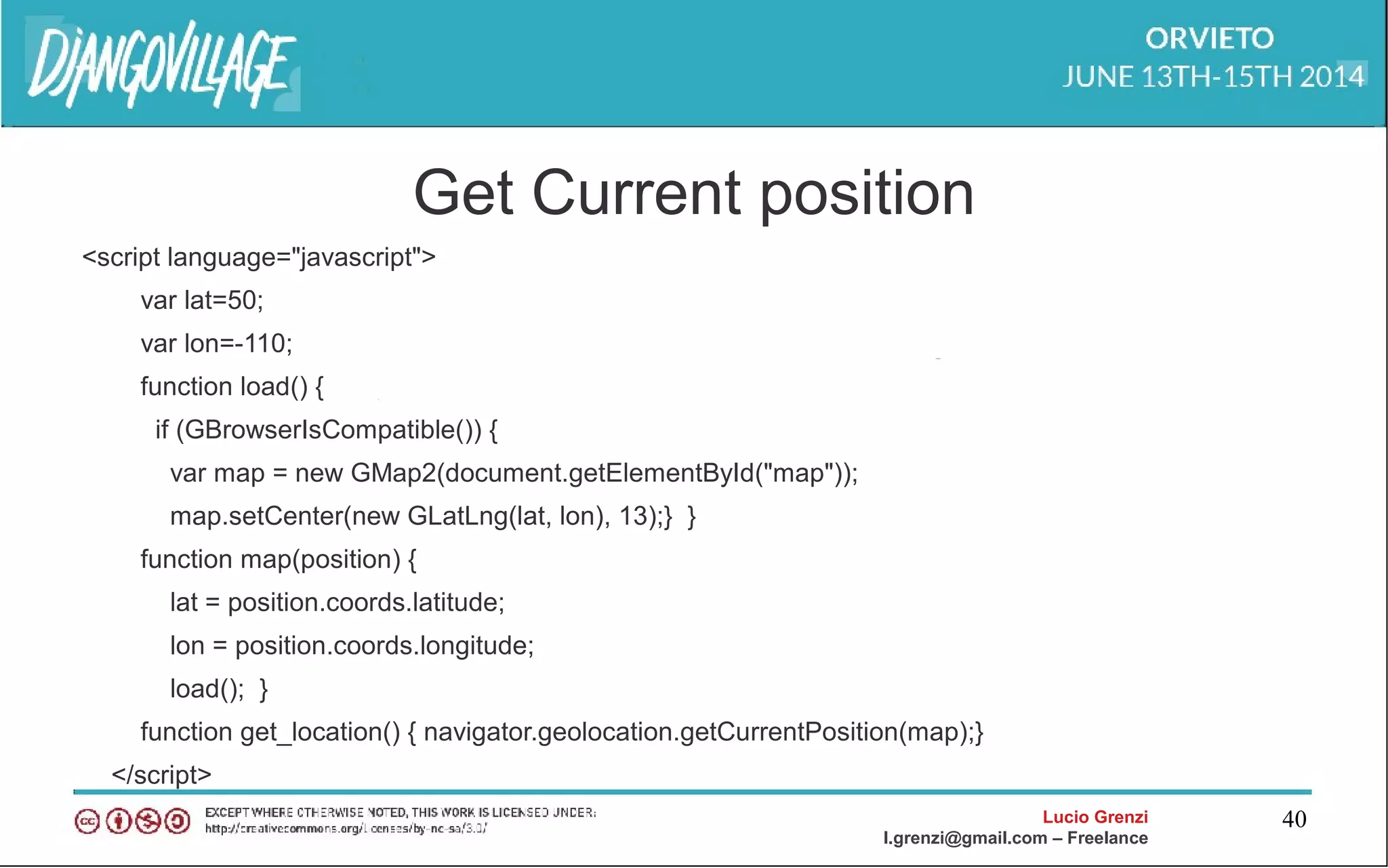
Get Current position
<script language="javascript">
var lat=50;
var lon=-110;
function load() {
if (GBrowserIsCompatible()) {
var map = new GMap2(document.getElementById("map"));
map.setCenter(new GLatLng(lat, lon), 13);} }
function map(position) {
lat = position.coords.latitude;
lon = position.coords.longitude;
load(); }
function get_location() { navigator.geolocation.getCurrentPosition(map);}
</script>
Lucio Grenzi
l.grenzi@gmail.com – Freelance
41
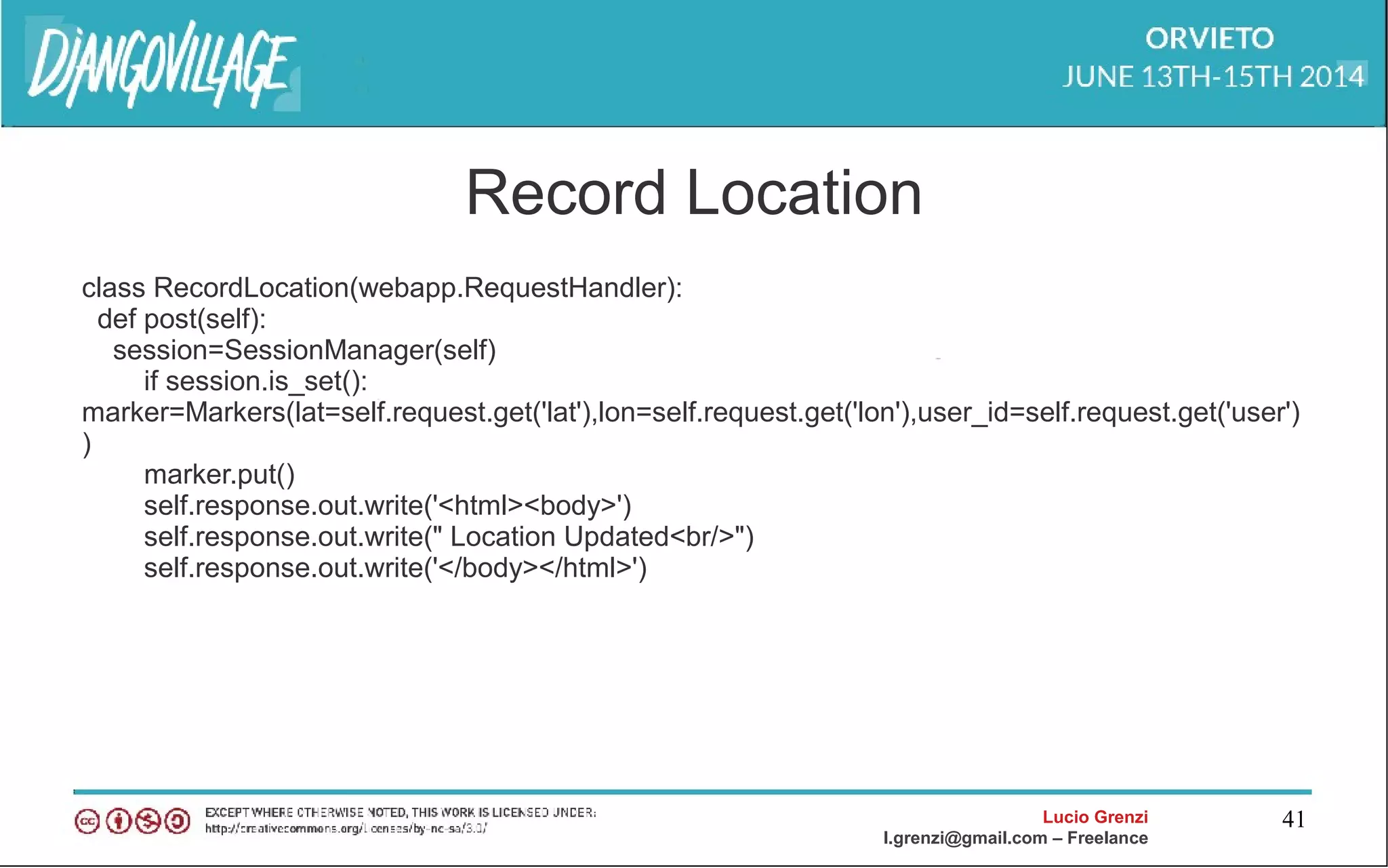
Record Location
class RecordLocation(webapp.RequestHandler):
def post(self):
session=SessionManager(self)
if session.is_set():
marker=Markers(lat=self.request.get('lat'),lon=self.request.get('lon'),user_id=self.request.get('user')
)
marker.put()
self.response.out.write('<html><body>')
self.response.out.write(" Location Updated<br/>")
self.response.out.write('</body></html>')
Lucio Grenzi
l.grenzi@gmail.com – Freelance
42
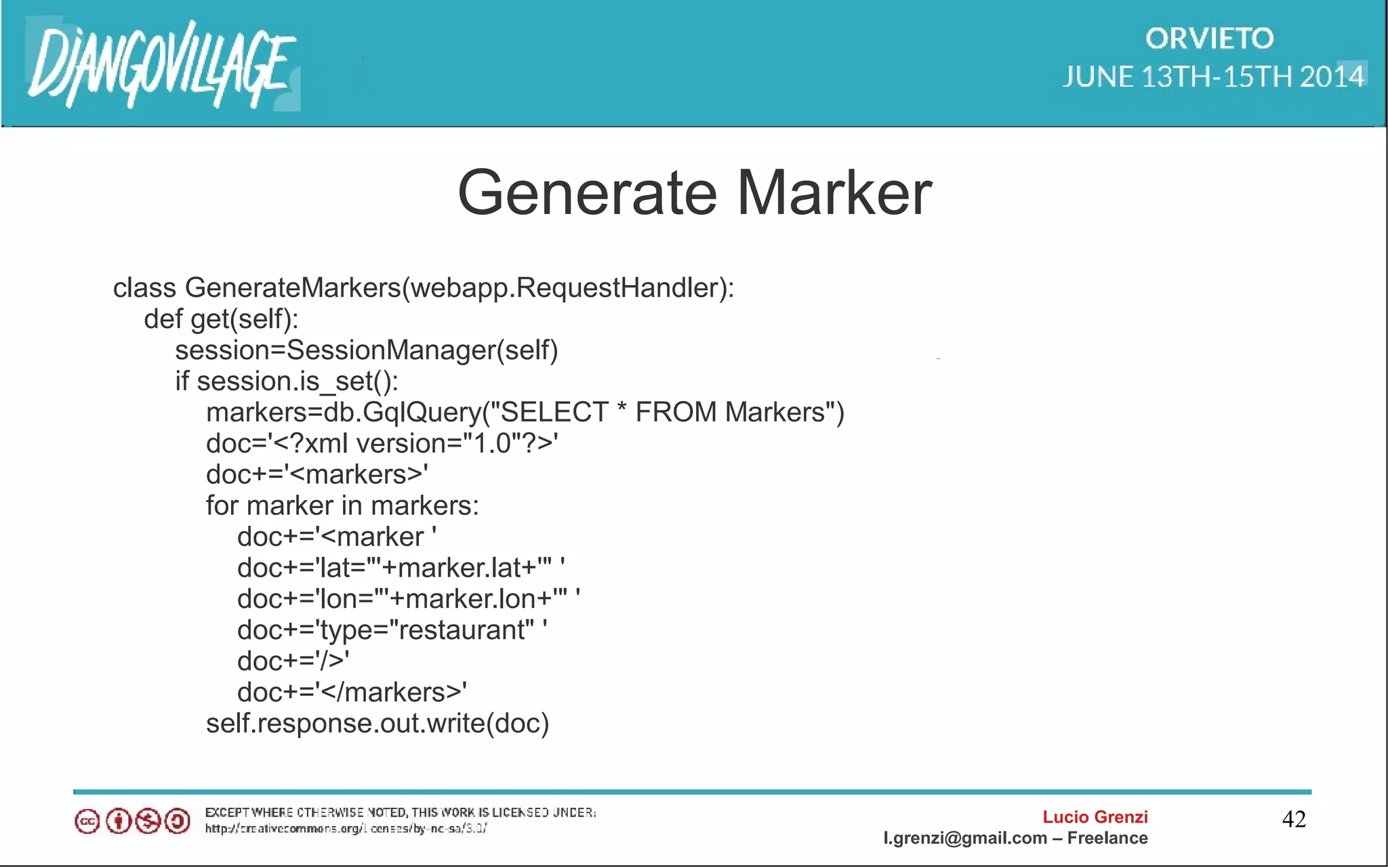
Generate Marker
class GenerateMarkers(webapp.RequestHandler):
def get(self):
session=SessionManager(self)
if session.is_set():
markers=db.GqlQuery("SELECT * FROM Markers")
doc='<?xml version="1.0"?>'
doc+='<markers>'
for marker in markers:
doc+='<marker '
doc+='lat="'+marker.lat+'" '
doc+='lon="'+marker.lon+'" '
doc+='type="restaurant" '
doc+='/>'
doc+='</markers>'
self.response.out.write(doc)
Lucio Grenzi
l.grenzi@gmail.com – Freelance
43
Openlayer
<html>
<head>
<script src="http://openlayers.org/api/OpenLayers.js"></script>
<script> var points = []; </script>
<ul>
{% for point in interesting_points %}
<li>{{ point.name }} -- {{point.interestingness}}</li>
<script>points.push({{point.geometry.geojson|safe}});</script>
{% endfor %}
</ul> </scrpit>
</head>
<body onload="init()">
Intersting Points.<br />
<div id="map"></div>
</body></html>
Lucio Grenzi
l.grenzi@gmail.com – Freelance
44
Openlayer js script
<script type="text/javascript">
var map, base_layer, kml;
function init(){
map = new OpenLayers.Map('map');
base_layer = new OpenLayers.Layer.WMS( "OpenLayers WMS",
"http://labs.metacarta.com/wms/vmap0", {layers: 'basic'} );
var vectorLayer = new OpenLayers.Layer.Vector("Simple Geometry");
var point = new OpenLayers.Geometry.Point(-100.01, 55.78);
var pointFeature = new OpenLayers.Feature.Vector(point,null,null);
map.addLayer(vectorLayer);
map.setCenter(new OpenLayers.LonLat(point.x, point.y), 5);
vectorLayer.addFeatures([pointFeature]);
}
</script>
Lucio Grenzi
l.grenzi@gmail.com – Freelance
45
Openlayer django script
vectors = OpenLayers.Layer.Vector("Simple Geometry");
for (var i = 0; i < points.length; i++) {
point = format.read(points[i])[0];
point.attributes = {'type':'point'};
vectors.addFeatures(point);
}
Lucio Grenzi
l.grenzi@gmail.com – Freelance
46
References
• http://www.geodjango.com
• http://invisibleroads.com/tutorials/geodjango-googlemaps-build.html
• http://code.google.com/p/geodjango-basic-apps/wiki/FOSS4GWorkshop
Lucio Grenzi
l.grenzi@gmail.com – Freelance
47
Questions?
Lucio Grenzi
l.grenzi@gmail.com – Freelance
48
Thank you
Creative Commons via tcmaker.org

Geodjango and HTML 5

  • 1.
    GeoDjango and HTML5 LucioGrenzi l.grenzi@gmail.com
  • 2.
    Lucio Grenzi l.grenzi@gmail.com –Freelance 2 Who am I? • Delphi developer for 11 years • Now freelance and Web developer • Javascript addicted Nonantolando.blogspot.com https://plus.google.com/108943068354277861330 http://it.linkedin.com/pub/lucio-grenzi/27/2bb/2a
  • 3.
    Lucio Grenzi l.grenzi@gmail.com –Freelance 3 Agenda • HTML 5 and geolocalization • GeoDjango: first introduction • GIS data format troubles • GeoDjango api's • GeoDjango and Google Maps / OpenStreetMaps
  • 4.
    Lucio Grenzi l.grenzi@gmail.com –Freelance 4 Once upon a time ...
  • 5.
  • 6.
  • 7.
  • 8.
    Lucio Grenzi l.grenzi@gmail.com –Freelance 8 HTML 5 and Geolocation • Supported by IE 9, Firefox, Safari, Chrome • All the smartphone has a GPS or a Wifi network card • Location based services
  • 9.
    Lucio Grenzi l.grenzi@gmail.com –Freelance 9 HTML 5 Geolocation api's geolocation.getCurrentPosition(showPosition) geolocation.watchPosition(showPosition)
  • 10.
    Lucio Grenzi l.grenzi@gmail.com –Freelance 10 GetCurrentPosition Example of requesting a potentially cached position. // Request a position. We accept positions whose age is not greater than 10 minutes. If the user // agent does not have a fresh enough cached position object, it will automatically // acquire a new one. navigator.geolocation.getCurrentPosition(successCallback, errorCallback, {maximumAge:600000}); function successCallback(position) { // By using the 'maximumAge' option above, the position object is guaranteed to be at most 10 // minutes old. } function errorCallback(error) { // Update a div element with error.message. }
  • 11.
    Lucio Grenzi l.grenzi@gmail.com –Freelance 11 watchPosition function getLocationUpdate(){ if(navigator.geolocation){ // timeout 60 seconds var options = {timeout:60000}; watchID = navigator.geolocation.watchPosition(showLocation, errorHandler, options); }else{ alert("Sorry, browser does not support geolocation!"); } }
  • 12.
    Lucio Grenzi l.grenzi@gmail.com –Freelance 12 HTML 5 Geolocation attributes interface Position { readonly attribute Coordinates coords; readonly attribute DOMTimeStamp timestamp; }; interface Coordinates { readonly attribute double latitude; readonly attribute double longitude; readonly attribute double altitude; readonly attribute double accuracy; readonly attribute double altitudeAccuracy; readonly attribute double heading; readonly attribute double speed; };
  • 13.
    Lucio Grenzi l.grenzi@gmail.com –Freelance 13 GeoDjango GeoDjango intends to be a world-class geographic Web framework. Its goal is to make it as easy as possible to build GIS Web applications and harness the power of spatially enabled data.
  • 14.
    Lucio Grenzi l.grenzi@gmail.com –Freelance 14 Install GeoDjango • django.contrib.gis • Spatial database • Geospatial libraries
  • 15.
    Lucio Grenzi l.grenzi@gmail.com –Freelance 15 Spatial database Database Library Requirements Supported Versions Notes PostgreSQL GEOS, PROJ.4, PostGIS 8.1+ Requires PostGIS MySQL GEOS 5.x limited functionality Oracle GEOS 10.2, 11 XE not supported SQLite GEOS, GDAL, PROJ.4, SpatiaLite 3.6.+ Requires SpatiaLite 2.3+, pysqlite2 2.5+, and Django 1.1.
  • 16.
    Lucio Grenzi l.grenzi@gmail.com –Freelance 16 Geospatial libraries Program Description Required Supported Versions GEOS Geometry Engine Open Source Yes 3.3, 3.2, 3.1, 3.0 PROJ.4 Cartographic Projections library Yes (PostgreSQL and SQLite only) 4.7, 4.6, 4.5, 4.4 GDAL Geospatial Data Abstraction Library No (but, required for SQLite) 1.8, 1.7, 1.6, 1.5, 1.4 GeoIP IP-based geolocation library No 1.4 PostGIS Spatial extensions for PostgreSQL Yes (PostgreSQL only) 1.5, 1.4, 1.3 SpatiaLite Spatial extensions for SQLite Yes (SQLite only) 3.0, 2.4, 2.3
  • 17.
    Lucio Grenzi l.grenzi@gmail.com –Freelance 17 PostGIS 2.x • Completely rewritten • Many more vector functions including • Django support >= 1.5 • Suggested PostgreSQL >= 9.2
  • 18.
    Lucio Grenzi l.grenzi@gmail.com –Freelance 18 GIS problems • The Earth is not like a ball! • How to store data efficiently – Different vendor implementation
  • 19.
    Lucio Grenzi l.grenzi@gmail.com –Freelance 19 GIS data formats • Lots of GIS file formats: – Raster formats: DRG, GeoTIFF, .. – Vector formats: DXF, GeoJSON, KML, GML – http://en.wikipedia.org/wiki/GIS_file_formats
  • 20.
    Lucio Grenzi l.grenzi@gmail.com –Freelance 20 GDAL : “swiss army knife” of GIS data • Geospatial Data Abstraction Library • A subset of GDAL is specialized in reading and writing vector geographic data in a variety of standard formats • GeoDjango only supports some of the capabilities
  • 21.
    Lucio Grenzi l.grenzi@gmail.com –Freelance 21 GEOS • Geometry Engine - Open Source • GEOS implements the OpenGIS Simple Features for SQL spatial predicate functions and spatial operators. • GeoDjango implements a high-level Python wrapper for the GEOS library
  • 22.
    Lucio Grenzi l.grenzi@gmail.com –Freelance 22 GEOIP IP-based geolocation binding MaxMind • Needed in order to perform IP-based geolocation( the location, coords) • requires the GeoIP C library and GeoIP Country or City datasets
  • 23.
    Lucio Grenzi l.grenzi@gmail.com –Freelance 23 ABC GeoDjango
  • 24.
    Lucio Grenzi l.grenzi@gmail.com –Freelance 24 Geometry field ● GeometryField ● PointField ● LineStringField ● PolygonField ● MultiPointField ● MultiLineStringField ● MultiPolygonField ● GeometryCollectionField
  • 25.
    Lucio Grenzi l.grenzi@gmail.com –Freelance 25 Geometry field option srid spatial_index dim geography geography Type
  • 26.
    Lucio Grenzi l.grenzi@gmail.com –Freelance 26 GeoQuerySet API • Measurement: distance,area, length, perimeter • Relationship: centroid, envelop, point_on_surface • Editor: force_rhr, reverse_geom, scale, snap_to_grid, transform(srid), translate • Operation: difference, intersection, sym_difference, union • Output: geohash, geojson, gml, kml, svg • Miscellaneous: mem_size, num_geom, num_points
  • 27.
    Lucio Grenzi l.grenzi@gmail.com –Freelance 27 GeoQuerySet API • Measurement: distance,area, length, perimeter GeoQuerySet.distance(geom, **kwargs)
  • 28.
    Lucio Grenzi l.grenzi@gmail.com –Freelance 28 GeoQuerySet API • Relationship: centroid, envelop, point_on_surface GeoQuerySet.envelope(**kwargs)
  • 29.
    Lucio Grenzi l.grenzi@gmail.com –Freelance 29 GeoQuerySet API • Editor: force_rhr, reverse_geom, scale, snap_to_grid, transform(srid), translate GeoQuerySet.transform(srid=4326, **kwargs)
  • 30.
    Lucio Grenzi l.grenzi@gmail.com –Freelance 30 GeoQuerySet API • Opertion: difference, intersection, sym_difference, union GeoQuerySet.intersection(geom)
  • 31.
    Lucio Grenzi l.grenzi@gmail.com –Freelance 31 GeoQuerySet API • Output: geohash, geojson, gml, kml, svg GeoQuerySet.svg(**kwargs)
  • 32.
    Lucio Grenzi l.grenzi@gmail.com –Freelance 32 Front-end api making map interactions • Google maps API • OpenLayer • Polymaps • Wax
  • 33.
    Lucio Grenzi l.grenzi@gmail.com –Freelance 33 Google Maps license http://www.google.com/intl/it_it/help/terms_maps.html
  • 34.
    Lucio Grenzi l.grenzi@gmail.com –Freelance 34 OpenstreetMap recent licensing changes http://blog.openstreetmap.it/2012/04/01/cambio-licenza/
  • 35.
    Lucio Grenzi l.grenzi@gmail.com –Freelance 35 GeoDjango & Google Maps
  • 36.
    Lucio Grenzi l.grenzi@gmail.com –Freelance 36 GeoDjango & Google Maps: recipe • Web server • Python and GeoDjango • PostgreSQL (postgresql-9.1-postgis) • libgeos
  • 37.
    Lucio Grenzi l.grenzi@gmail.com –Freelance 37 Step 1 : create db and a new django project • createdb -U postgres -T template_postgis -O geouser geodatabase • python manage.py syncdb • django-admin.py startproject geodjangomaps • Changes affect settings.py DATABASES = { 'default': { 'ENGINE' : 'django.contrib.gis.db.backends.postgis', 'NAME': 'geodatabase', 'USER': 'geouser', 'PASSWORD': 'geopassword', }}
  • 38.
    Lucio Grenzi l.grenzi@gmail.com –Freelance 38 Step 2 : Geospatial information • Edit model.py in order to setup the spatial reference system • Google Maps api use srid = 4126 name = models.CharField(max_length=32) geometry = models.PointField(srid=4326) objects = models.GeoManager()
  • 39.
    Lucio Grenzi l.grenzi@gmail.com –Freelance 39 Step 3 : HTML page <!DOCTYPE html> <head> <script src="http://maps.google.com/maps?file=api&v=2&key=abcdefg" type="text/javascript"></script> </head> <body onload="load()" onunload="GUnload()"> <span style=" font-family:Verdana; background-color:#95877f; cursor:default;" onclick="get_location();">Find me!</span> <div id="map" style="width: 400px; height: 400px"></div></body>
  • 40.
    Lucio Grenzi l.grenzi@gmail.com –Freelance 40 Get Current position <script language="javascript"> var lat=50; var lon=-110; function load() { if (GBrowserIsCompatible()) { var map = new GMap2(document.getElementById("map")); map.setCenter(new GLatLng(lat, lon), 13);} } function map(position) { lat = position.coords.latitude; lon = position.coords.longitude; load(); } function get_location() { navigator.geolocation.getCurrentPosition(map);} </script>
  • 41.
    Lucio Grenzi l.grenzi@gmail.com –Freelance 41 Record Location class RecordLocation(webapp.RequestHandler): def post(self): session=SessionManager(self) if session.is_set(): marker=Markers(lat=self.request.get('lat'),lon=self.request.get('lon'),user_id=self.request.get('user') ) marker.put() self.response.out.write('<html><body>') self.response.out.write(" Location Updated<br/>") self.response.out.write('</body></html>')
  • 42.
    Lucio Grenzi l.grenzi@gmail.com –Freelance 42 Generate Marker class GenerateMarkers(webapp.RequestHandler): def get(self): session=SessionManager(self) if session.is_set(): markers=db.GqlQuery("SELECT * FROM Markers") doc='<?xml version="1.0"?>' doc+='<markers>' for marker in markers: doc+='<marker ' doc+='lat="'+marker.lat+'" ' doc+='lon="'+marker.lon+'" ' doc+='type="restaurant" ' doc+='/>' doc+='</markers>' self.response.out.write(doc)
  • 43.
    Lucio Grenzi l.grenzi@gmail.com –Freelance 43 Openlayer <html> <head> <script src="http://openlayers.org/api/OpenLayers.js"></script> <script> var points = []; </script> <ul> {% for point in interesting_points %} <li>{{ point.name }} -- {{point.interestingness}}</li> <script>points.push({{point.geometry.geojson|safe}});</script> {% endfor %} </ul> </scrpit> </head> <body onload="init()"> Intersting Points.<br /> <div id="map"></div> </body></html>
  • 44.
    Lucio Grenzi l.grenzi@gmail.com –Freelance 44 Openlayer js script <script type="text/javascript"> var map, base_layer, kml; function init(){ map = new OpenLayers.Map('map'); base_layer = new OpenLayers.Layer.WMS( "OpenLayers WMS", "http://labs.metacarta.com/wms/vmap0", {layers: 'basic'} ); var vectorLayer = new OpenLayers.Layer.Vector("Simple Geometry"); var point = new OpenLayers.Geometry.Point(-100.01, 55.78); var pointFeature = new OpenLayers.Feature.Vector(point,null,null); map.addLayer(vectorLayer); map.setCenter(new OpenLayers.LonLat(point.x, point.y), 5); vectorLayer.addFeatures([pointFeature]); } </script>
  • 45.
    Lucio Grenzi l.grenzi@gmail.com –Freelance 45 Openlayer django script vectors = OpenLayers.Layer.Vector("Simple Geometry"); for (var i = 0; i < points.length; i++) { point = format.read(points[i])[0]; point.attributes = {'type':'point'}; vectors.addFeatures(point); }
  • 46.
    Lucio Grenzi l.grenzi@gmail.com –Freelance 46 References • http://www.geodjango.com • http://invisibleroads.com/tutorials/geodjango-googlemaps-build.html • http://code.google.com/p/geodjango-basic-apps/wiki/FOSS4GWorkshop
  • 47.
    Lucio Grenzi l.grenzi@gmail.com –Freelance 47 Questions?
  • 48.
    Lucio Grenzi l.grenzi@gmail.com –Freelance 48 Thank you Creative Commons via tcmaker.org