© Middlesex University
Finding research evidence
http:// unihub.mdx.ac.uk / study / library
PSY 4011, 4012, 4025 October 2015
© Middlesex University
What we will cover today
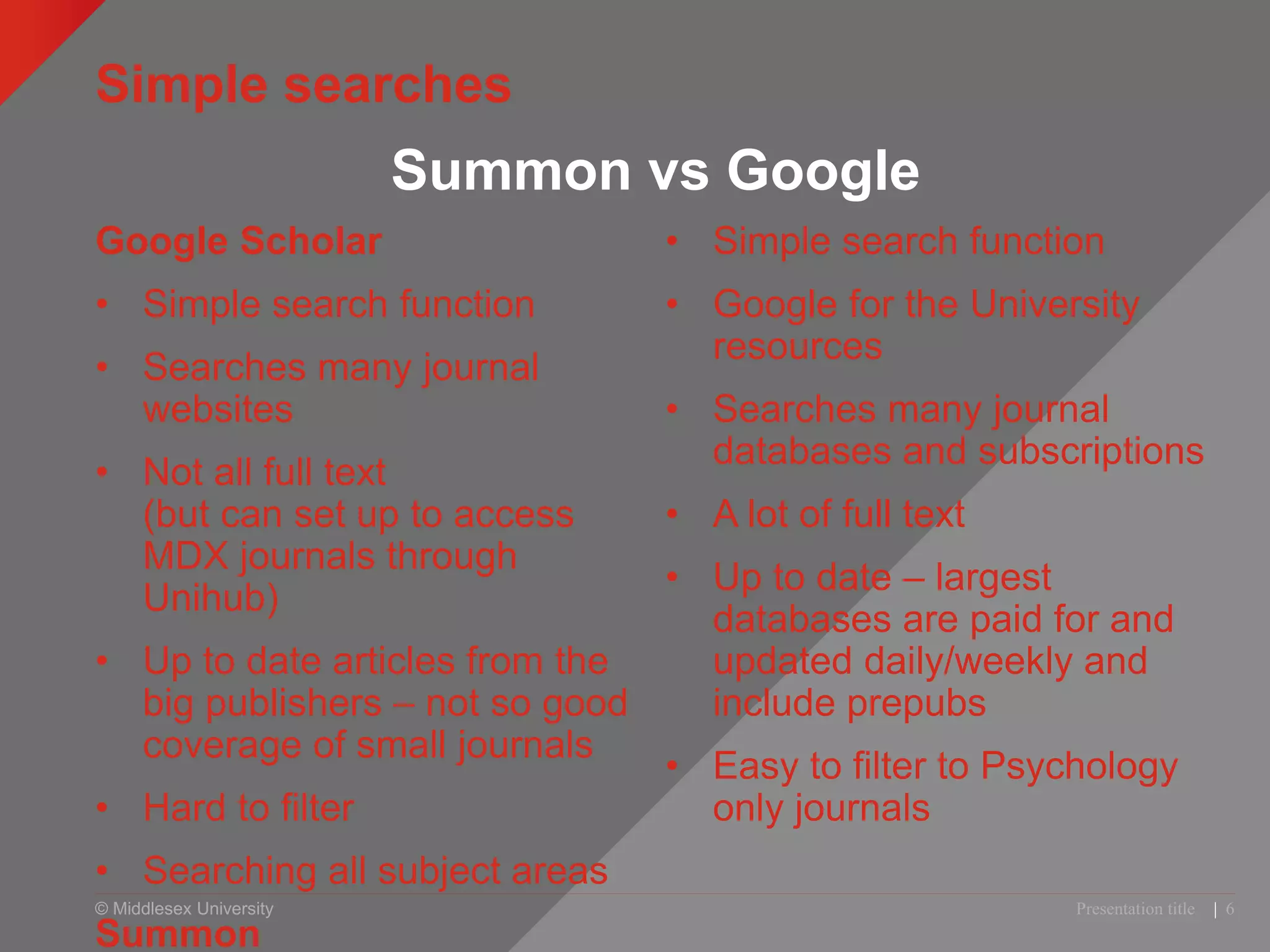
• Simple searches: Summon vs Google
• Keywords and search operators (* “ ” etc)
• Advanced searches: WOS and PsycINFO
• Evaluation
• Referencing
• Where you can get help
Presentation title | 2
© Middlesex University
Example of coursework marking criteria
10% Introduction
15% Overview
30% Critical analysis
15% Discussion
10% Conclusion
10% Referencing
10% Quality etc
Maximum marks for a well
referenced and accurate
description of [subject]
using suitable references
Maximum of 10 marks for a list of
references which is both relevant,
and correctly given in APA style
Maximum of 10 marks for quality,
style of writing and presentation
© Middlesex University
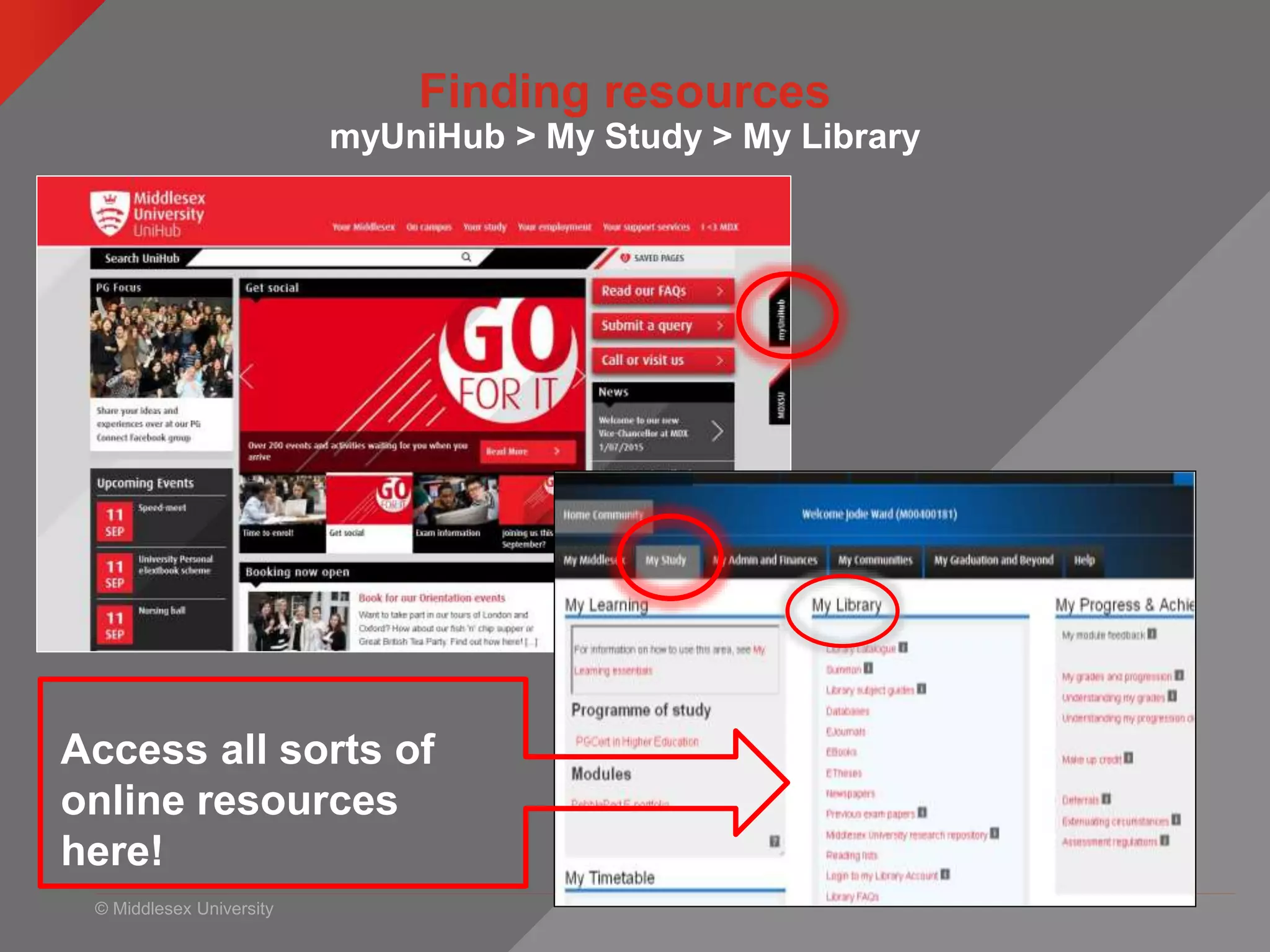
Finding resources
myUniHub > My Study > My Library
Access all sorts of
online resources
here!
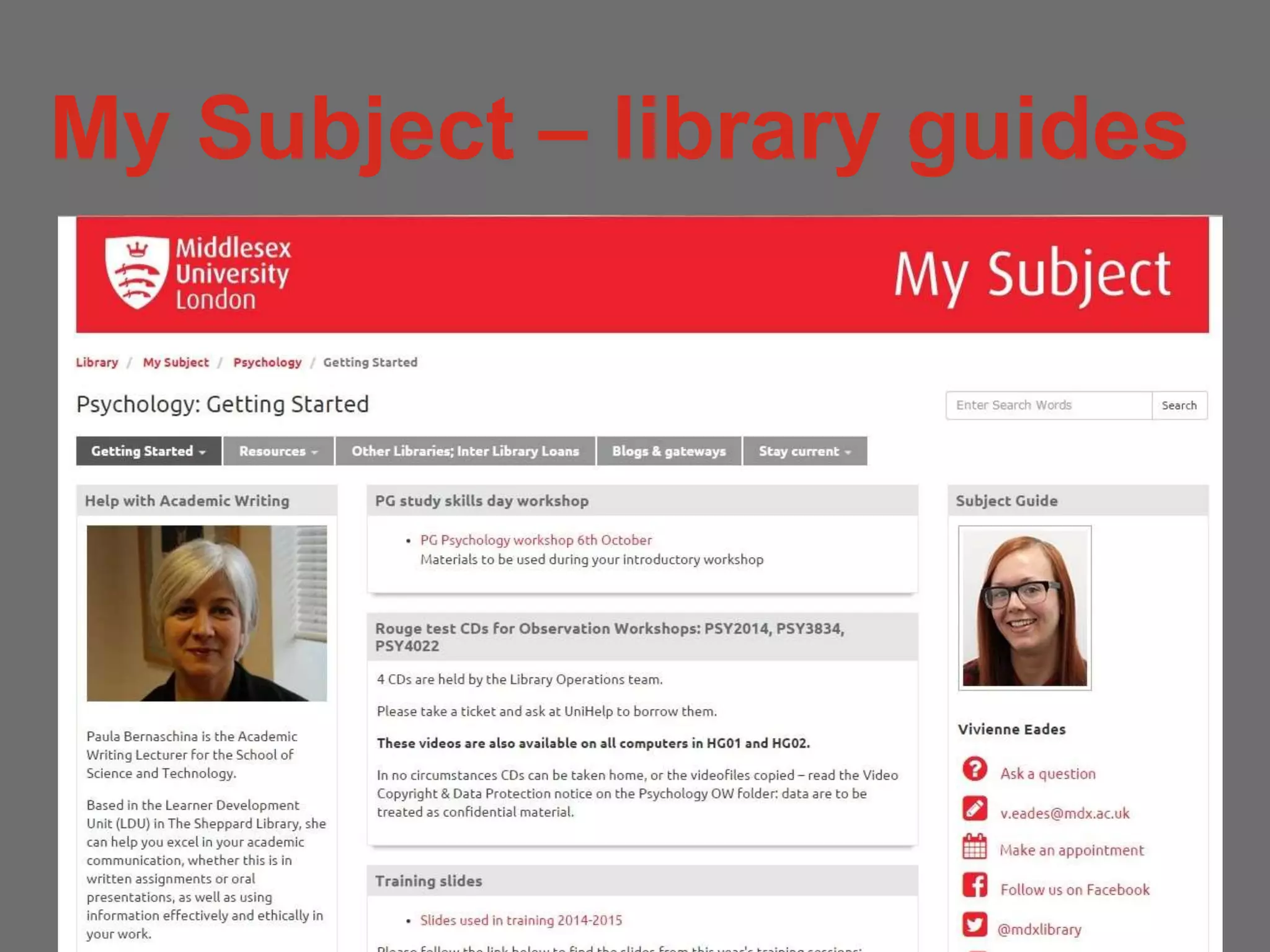
My Subject – library guides
© Middlesex University
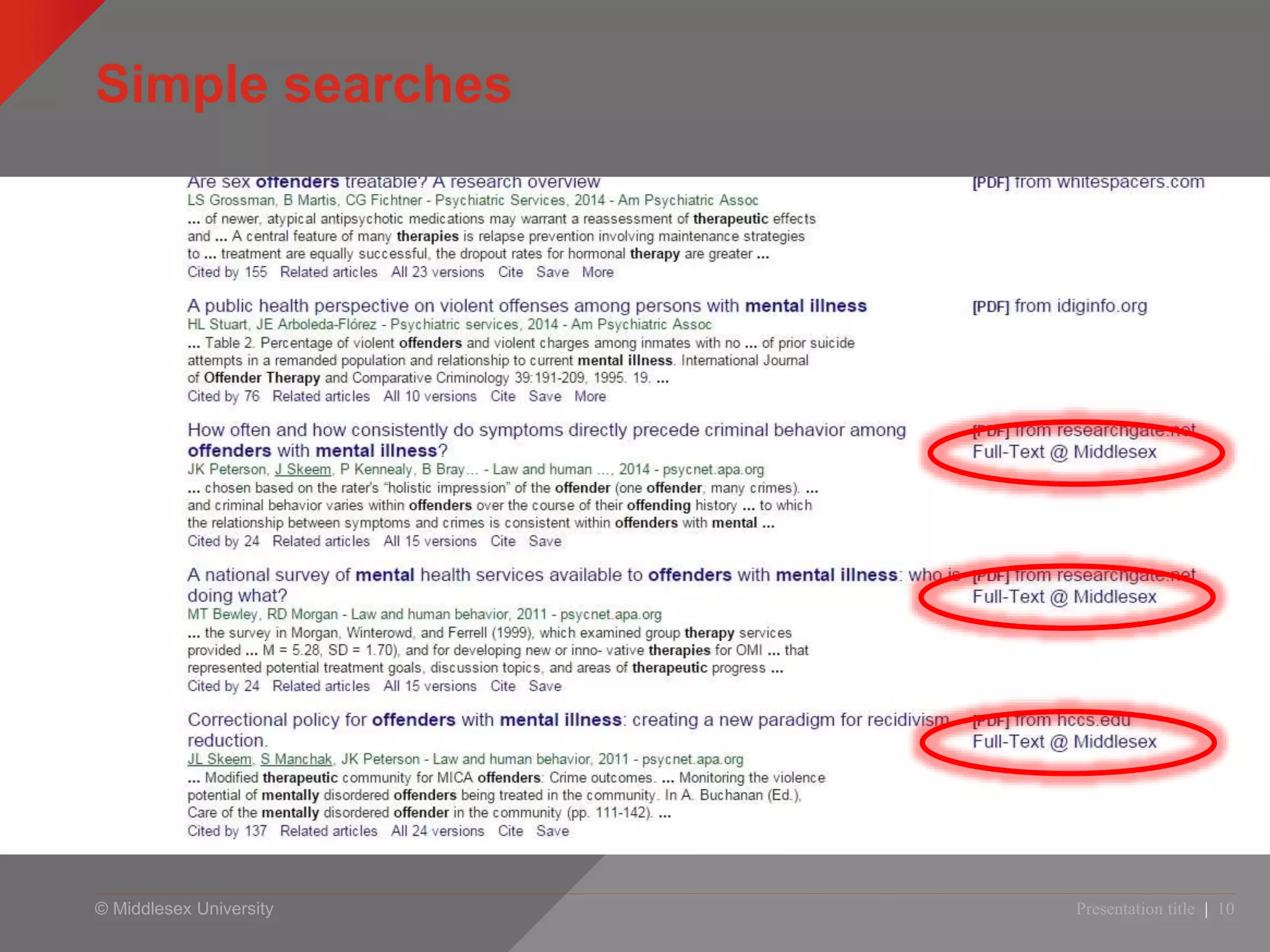
Simple searches
Google Scholar
• Simple search function
• Searches many journal
websites
• Not all full text
(but can set up to access
MDX journals through
Unihub)
• Up to date articles from the
big publishers – not so good
coverage of small journals
• Hard to filter
• Searching all subject areas
Summon
• Simple search function
• Google for the University
resources
• Searches many journal
databases and subscriptions
• A lot of full text
• Up to date – largest
databases are paid for and
updated daily/weekly and
include prepubs
• Easy to filter to Psychology
only journals
Presentation title | 6
Summon vs Google
© Middlesex University
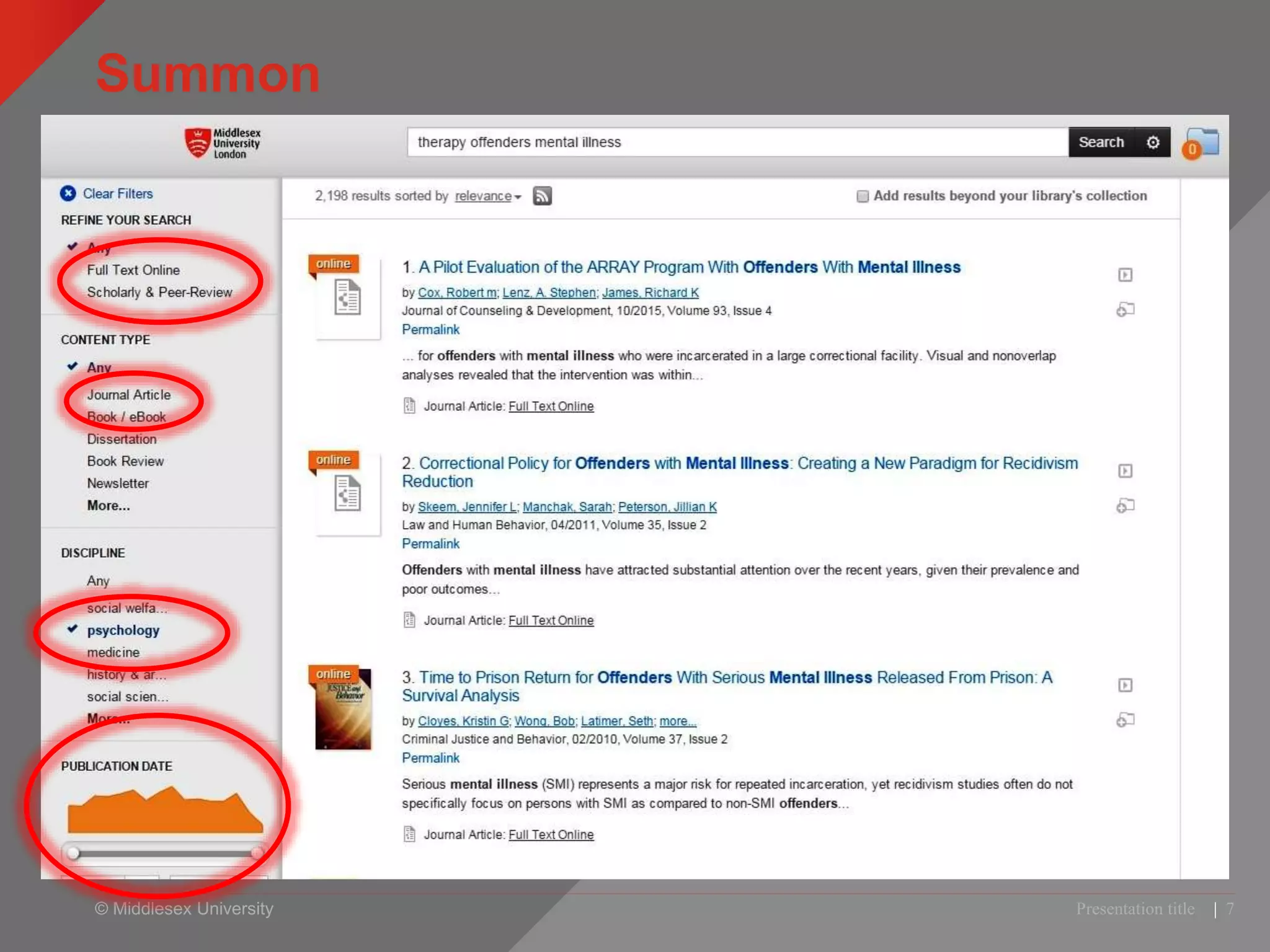
Summon
Presentation title | 7
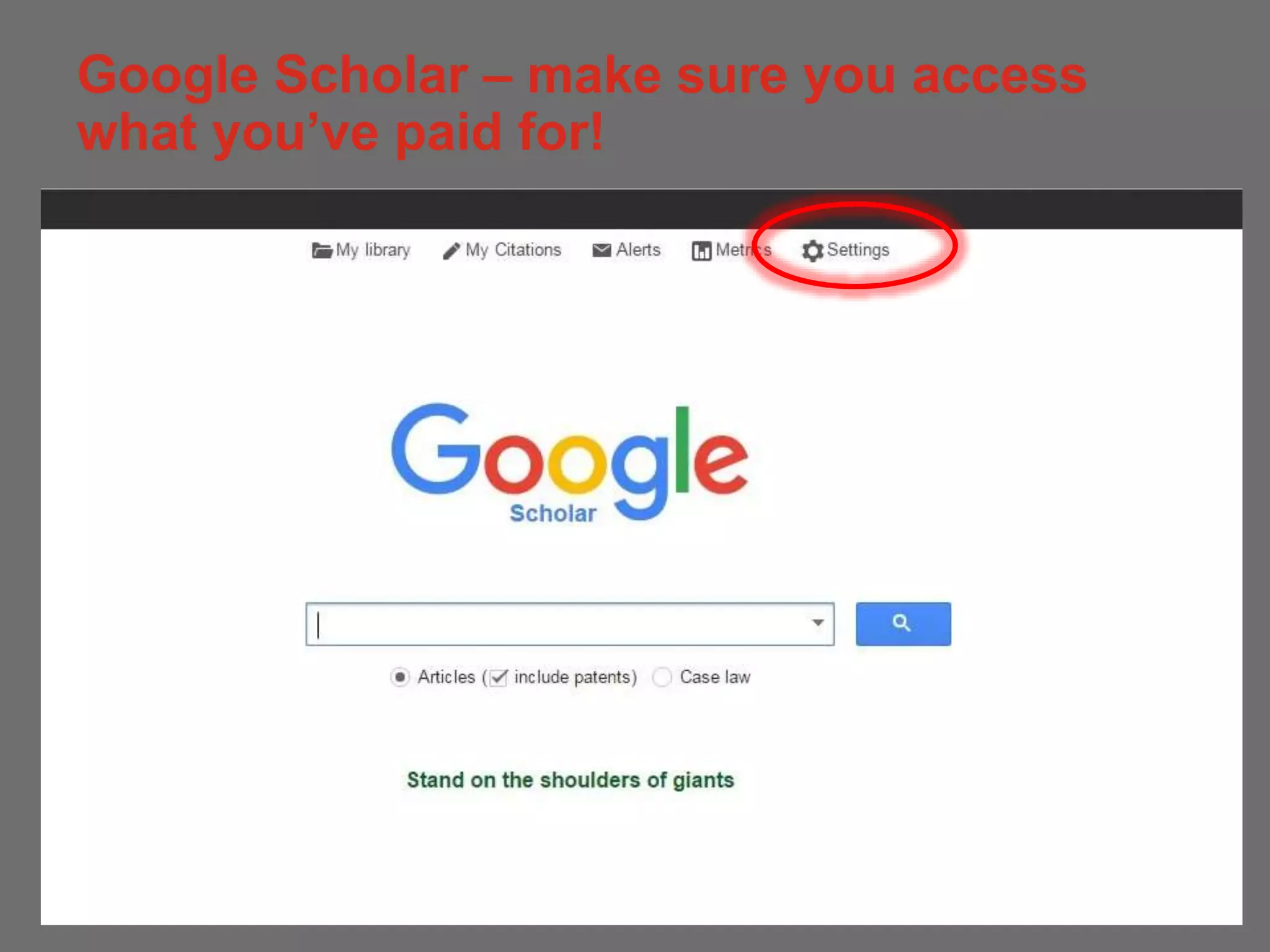
Google Scholar – make sure you access
what you’ve paid for!
8
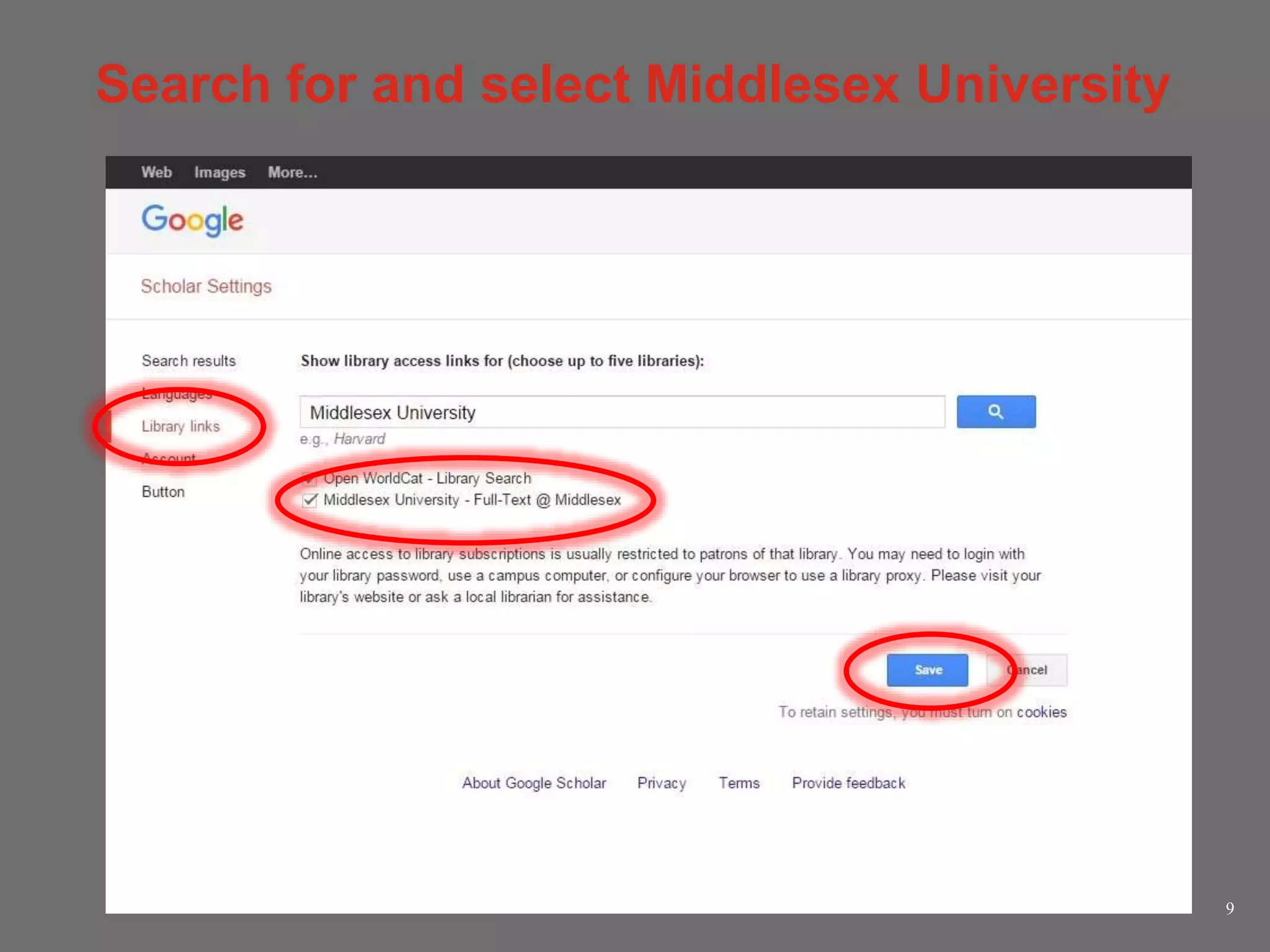
Search for and select Middlesex University
9
© Middlesex University
Simple searches
Presentation title | 10
© Middlesex University
Have a go!
• Look for a topic you’re interested in.
• Make sure you use the filters on Summon to narrow your
results to Psychology and full text etc.
• Personalise Google Scholar
• Feedback: which do you prefer?
which allowed you to get better results?
© Middlesex University
Thinking about keywords
http://www.flickr.com/photos/rossjamesparker/89414788/
• Work in groups of at least 3
• Use the worksheet to look at:
— Synonyms
— Combining terms
— Search symbols and operators ( * “ ” AND OR NOT)
• EXTRA TASK - After task 1 swap papers with another
group to see if they can help you with synonyms /
narrower terms
• Ask me if you need help!
© Middlesex University
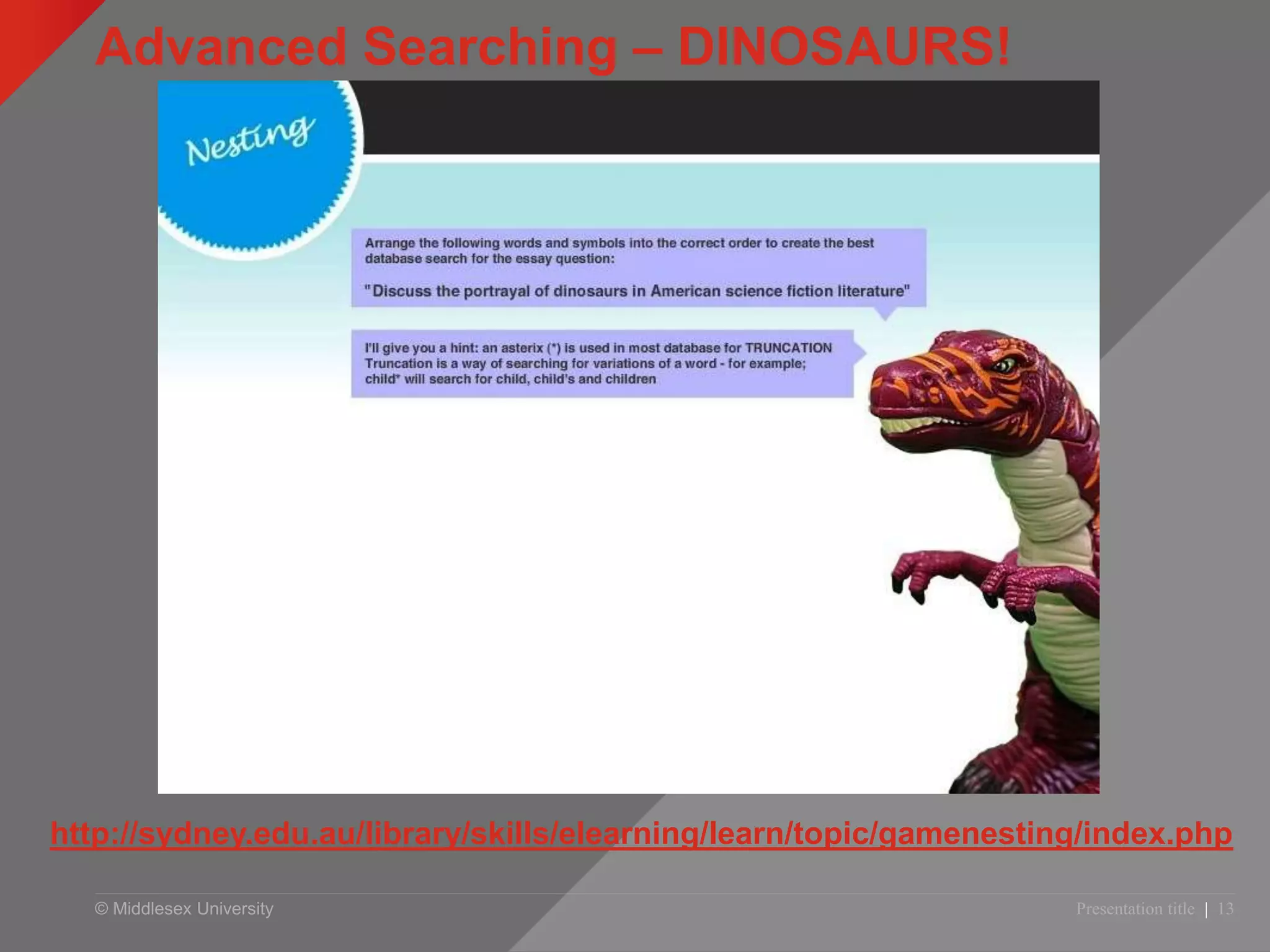
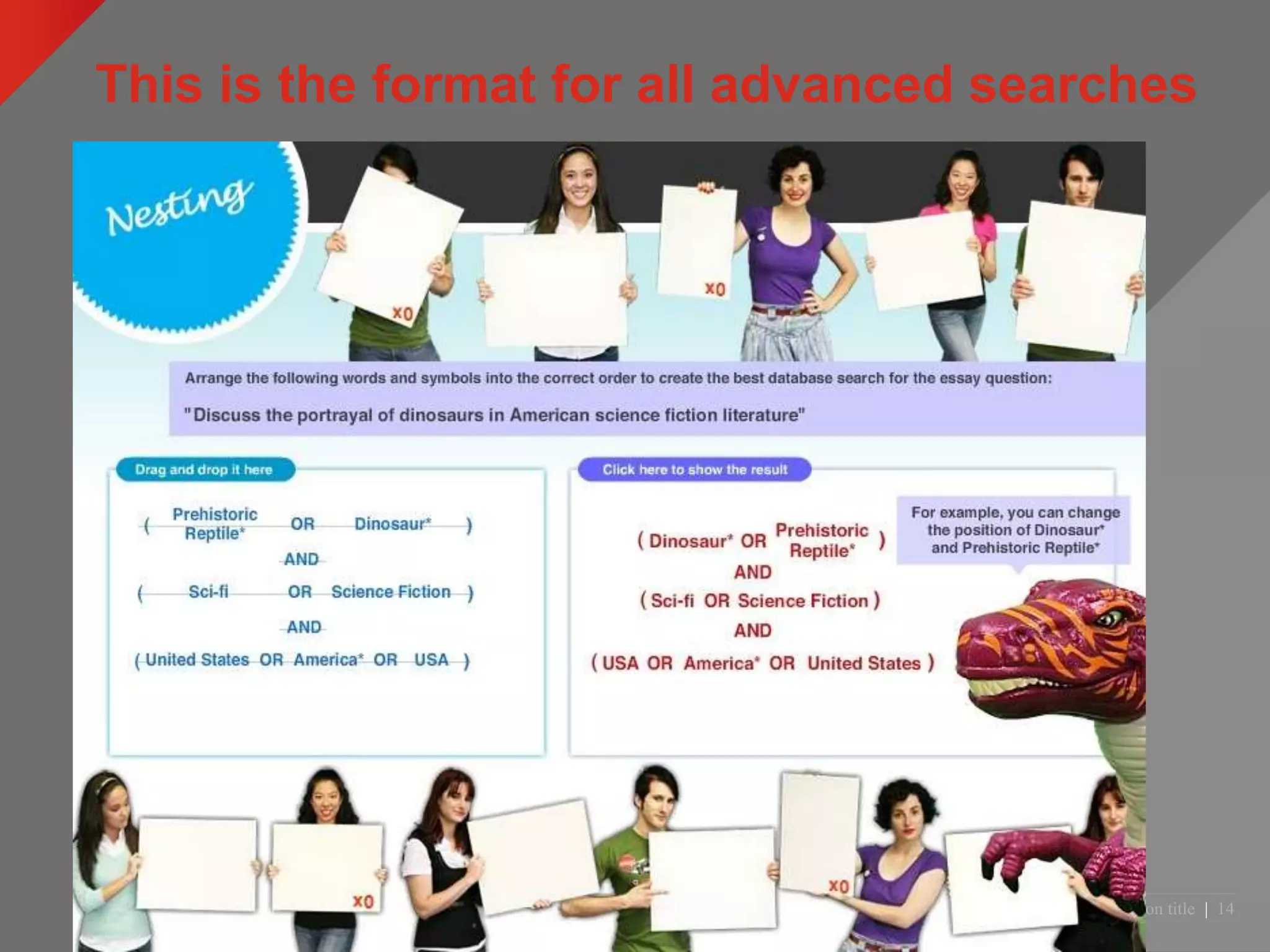
Advanced Searching – DINOSAURS!
Presentation title | 13
http://sydney.edu.au/library/skills/elearning/learn/topic/gamenesting/index.php
© Middlesex University
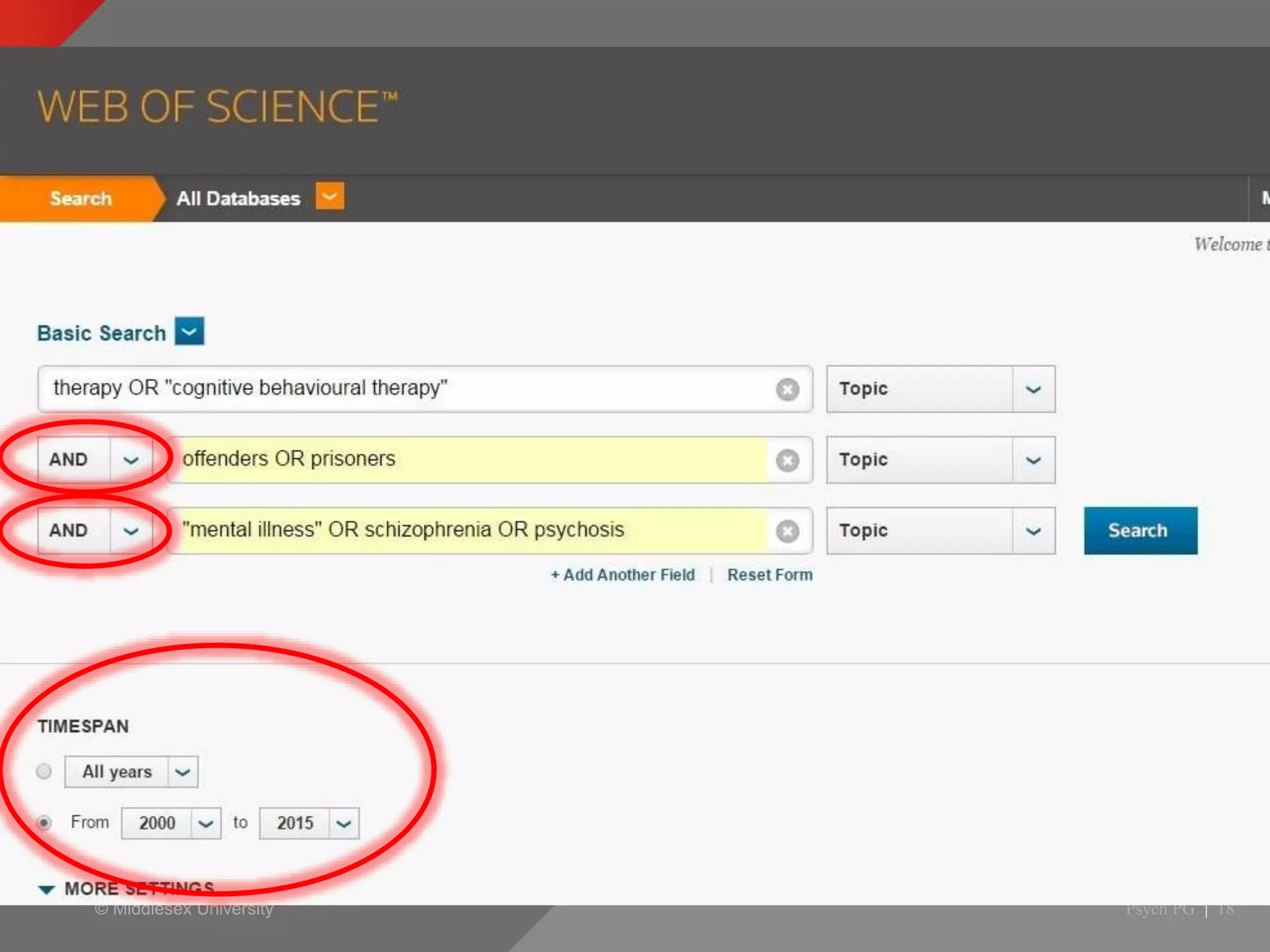
This is the format for all advanced searches
Presentation title | 14
© Middlesex University
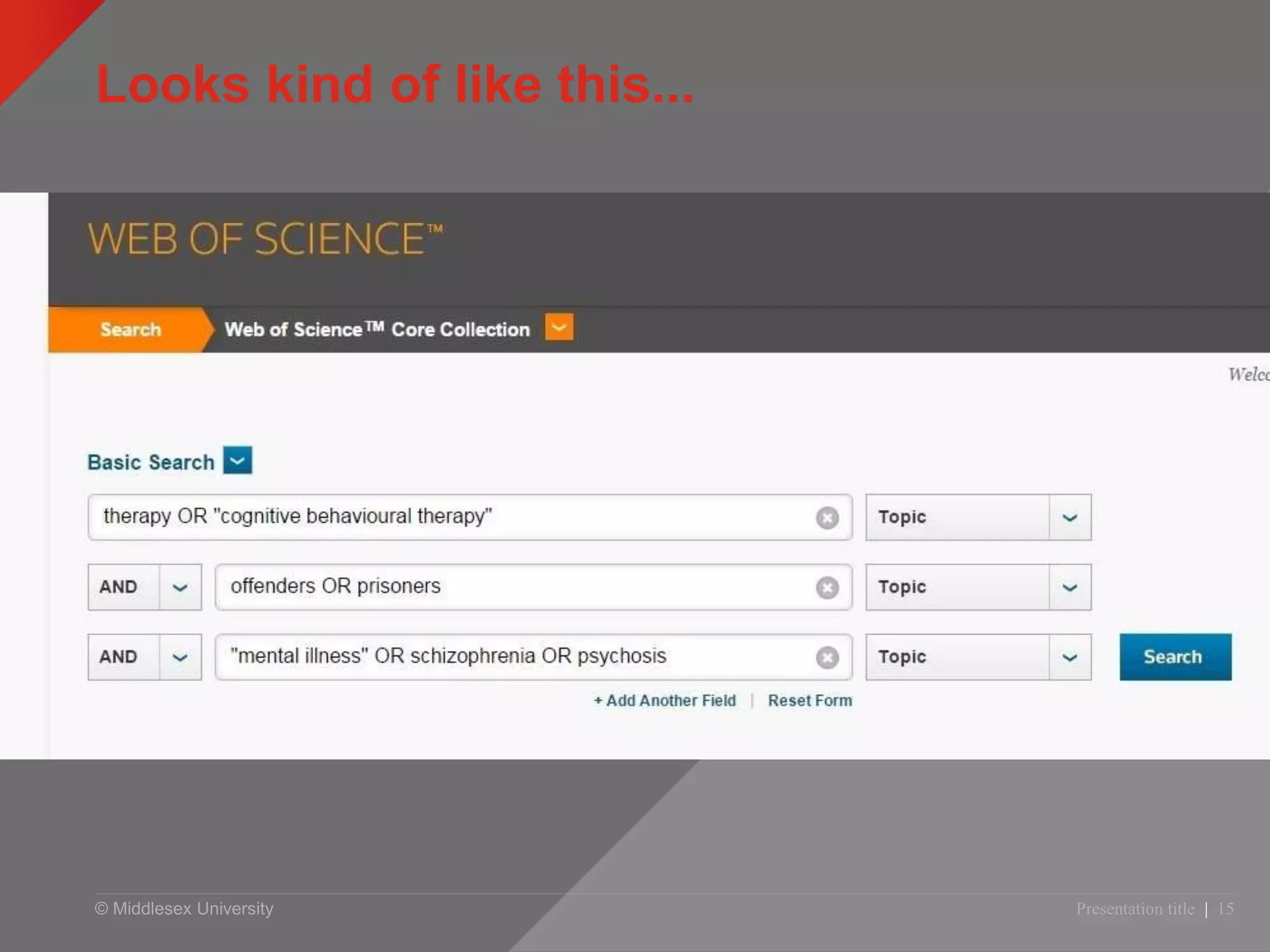
Looks kind of like this...
Presentation title | 15
© Middlesex University
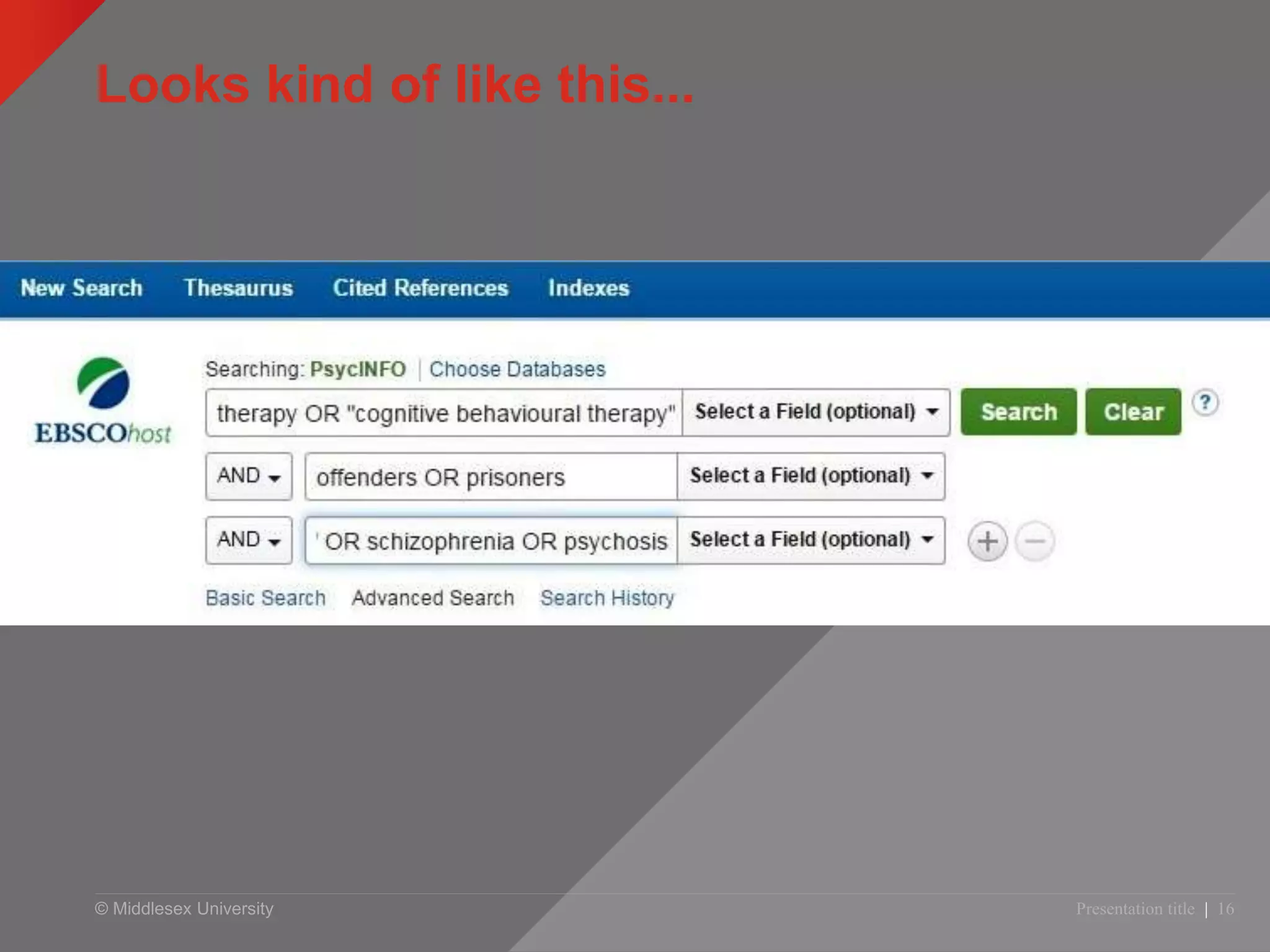
Looks kind of like this...
Presentation title | 16
© Middlesex University
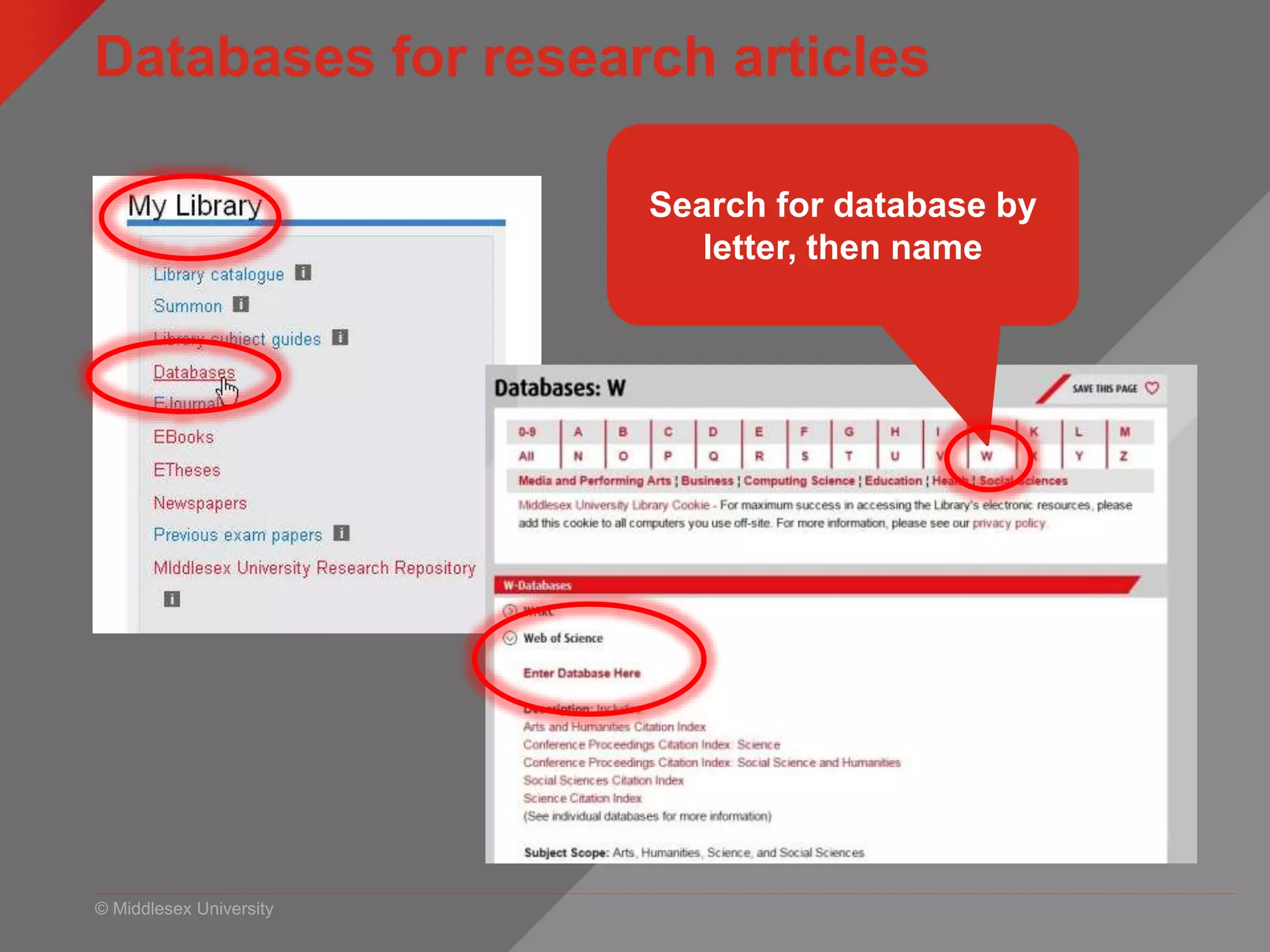
Databases for research articles
myUniHub > My Study > My Library > Databases
Search for database by
letter, then name
© Middlesex University Psych PG | 18
Web of Science
© Middlesex University
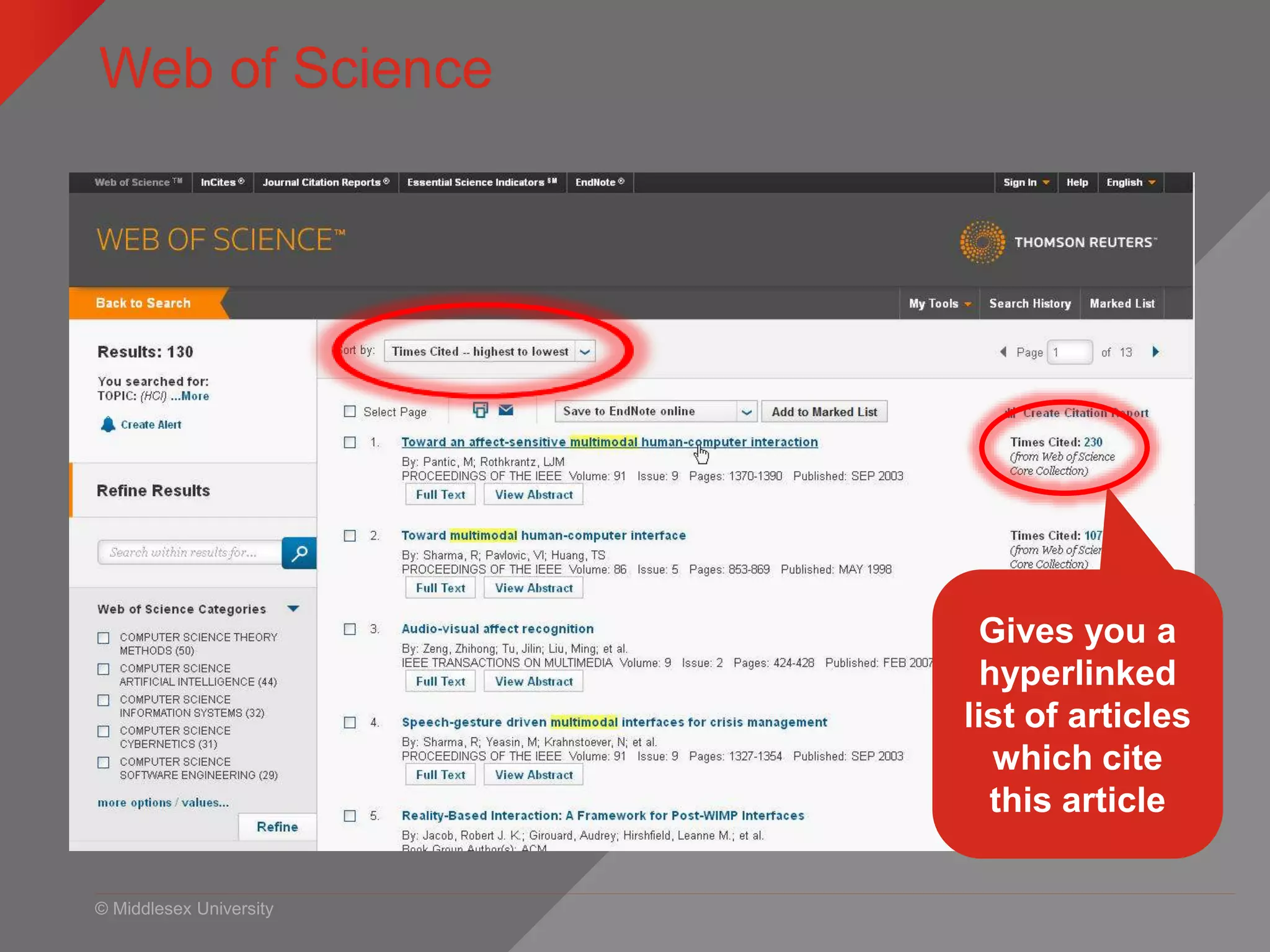
Web of Science
MyUniHub > MyStudy > MyLibrary > Databases > W > Web of Science
Gives you a
hyperlinked
list of articles
which cite
this article
© Middlesex University
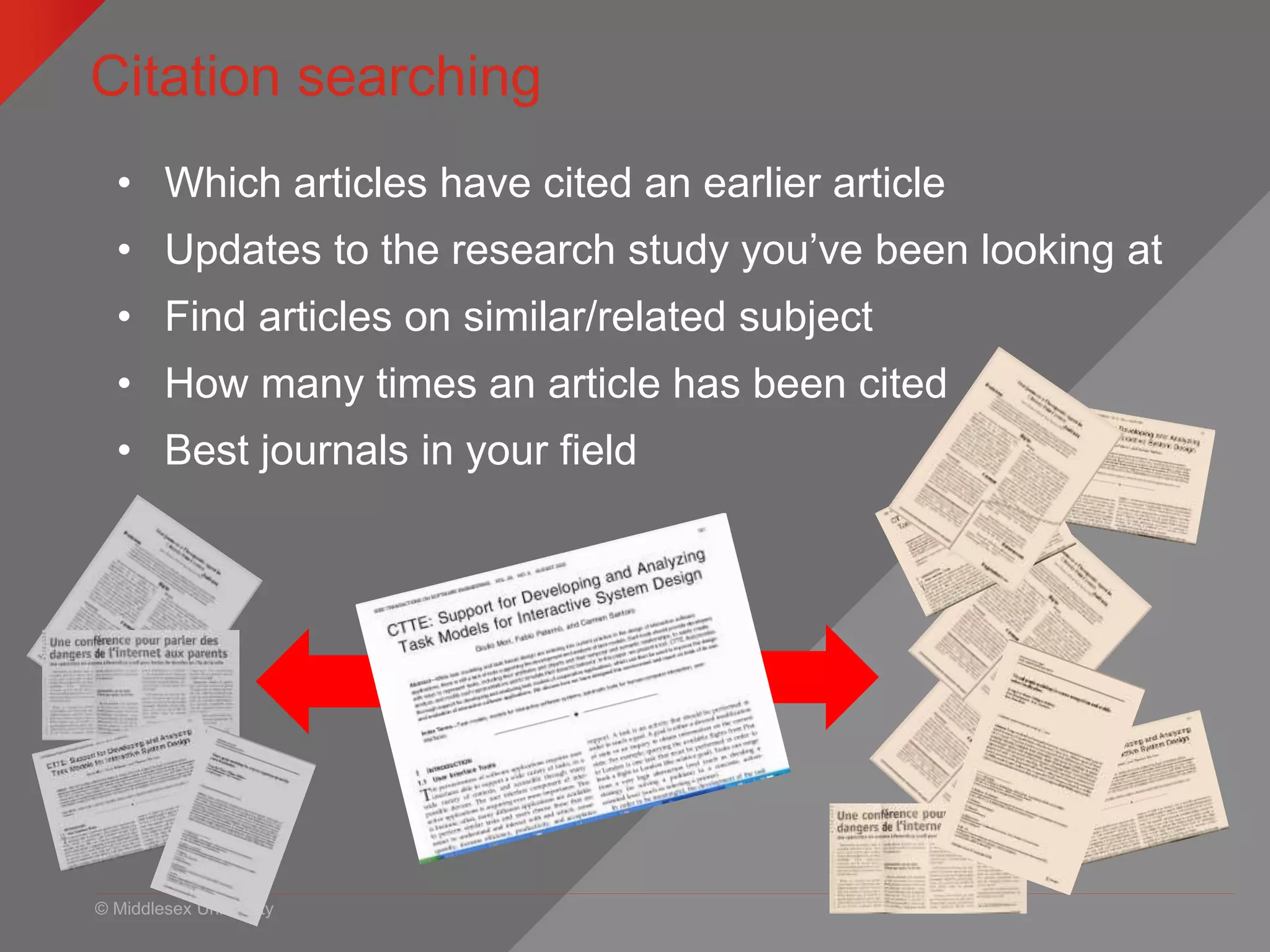
Citation searching
• Which articles have cited an earlier article
• Updates to the research study you’ve been looking at
• Find articles on similar/related subject
• How many times an article has been cited
• Best journals in your field
© Middlesex University Presentation title | 21
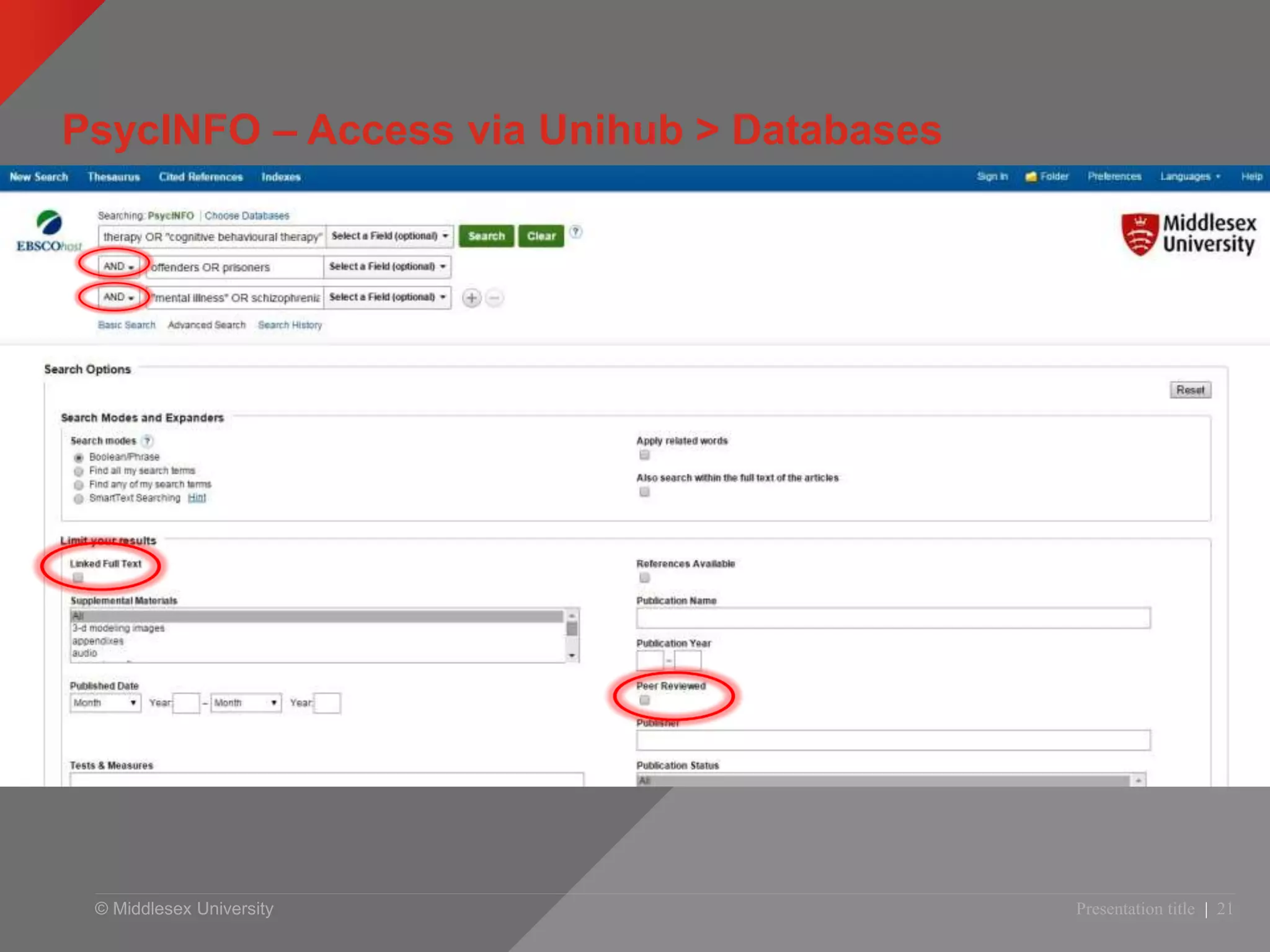
PsycINFO – Access via Unihub > Databases
© Middlesex University Presentation title | 22
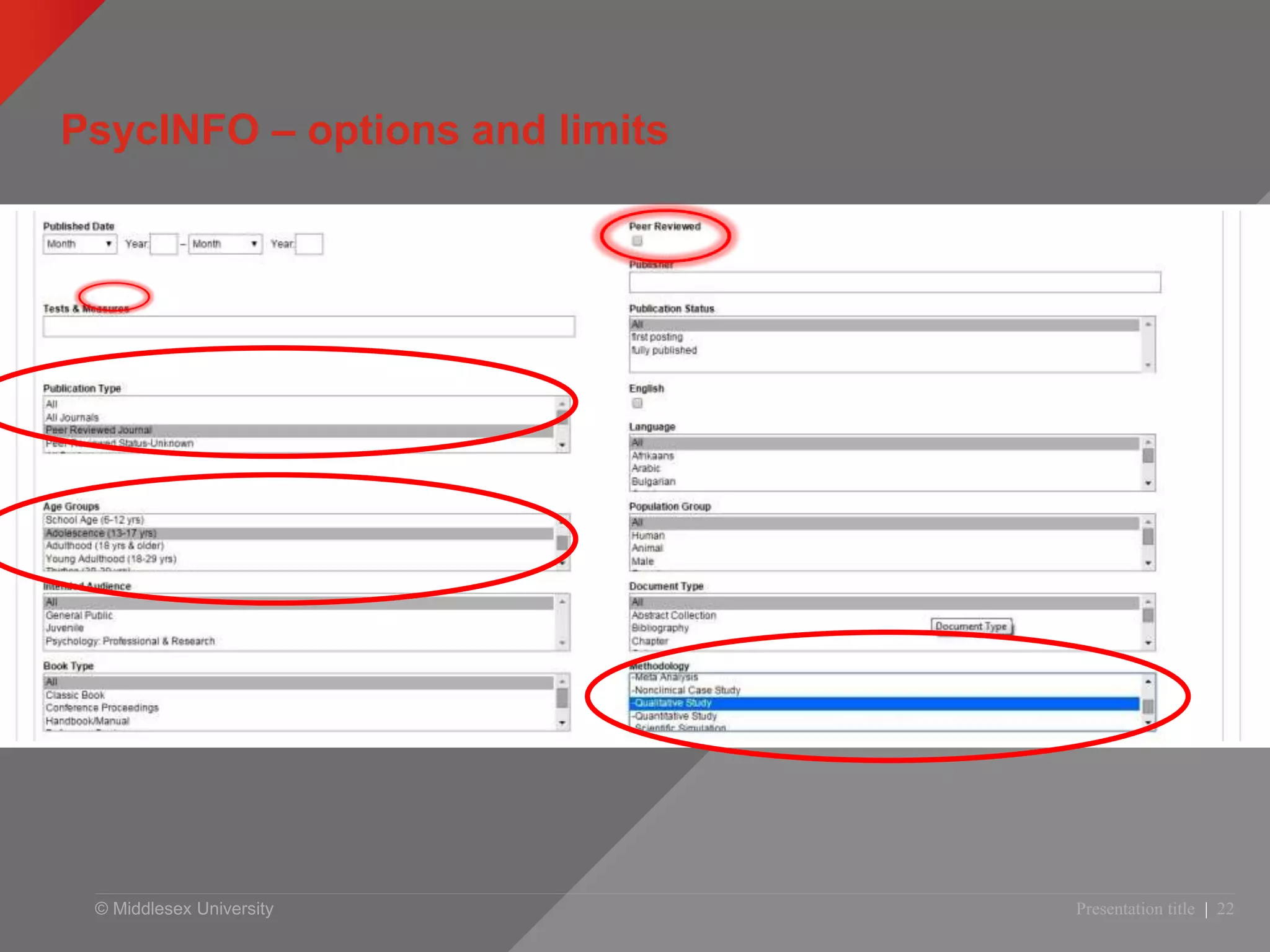
PsycINFO – options and limits
© Middlesex University Presentation title | 23
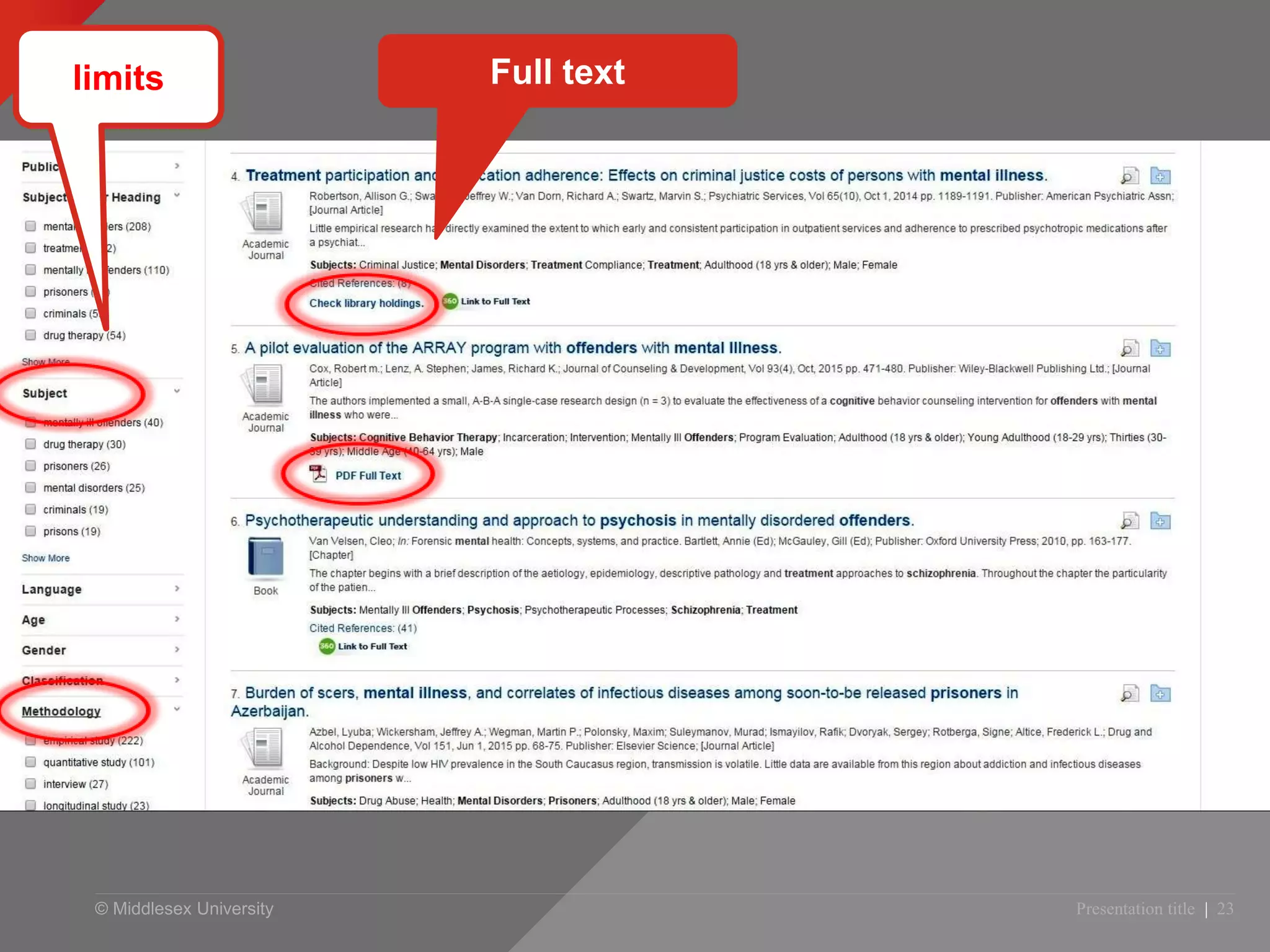
limits Full text
© Middlesex University
Have a go!
• Use the searches from your worksheet and
have a go at either Web of Science or
PsycINFO
•Ask me for help!
© Middlesex University
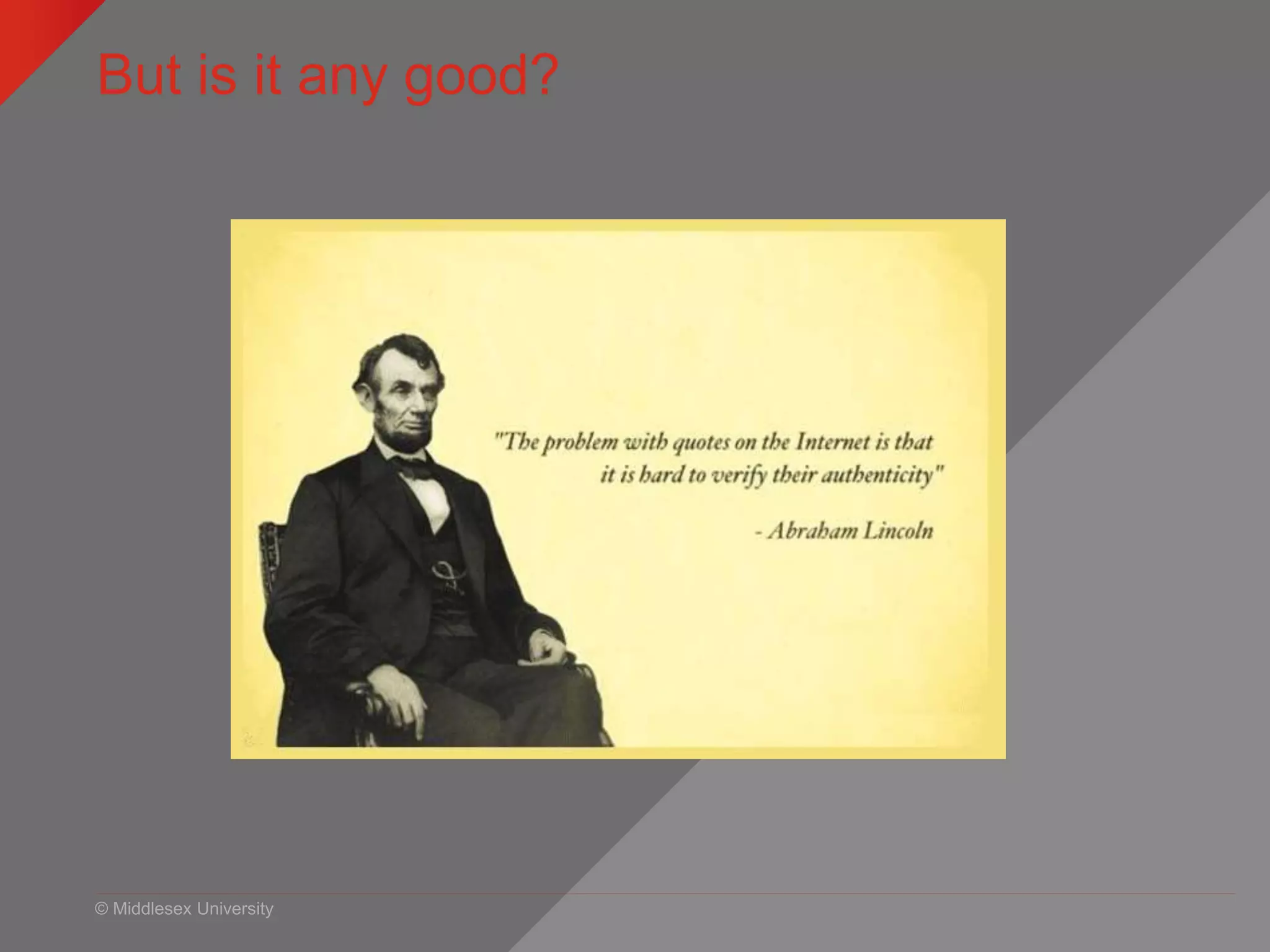
But is it any good?
© Middlesex University
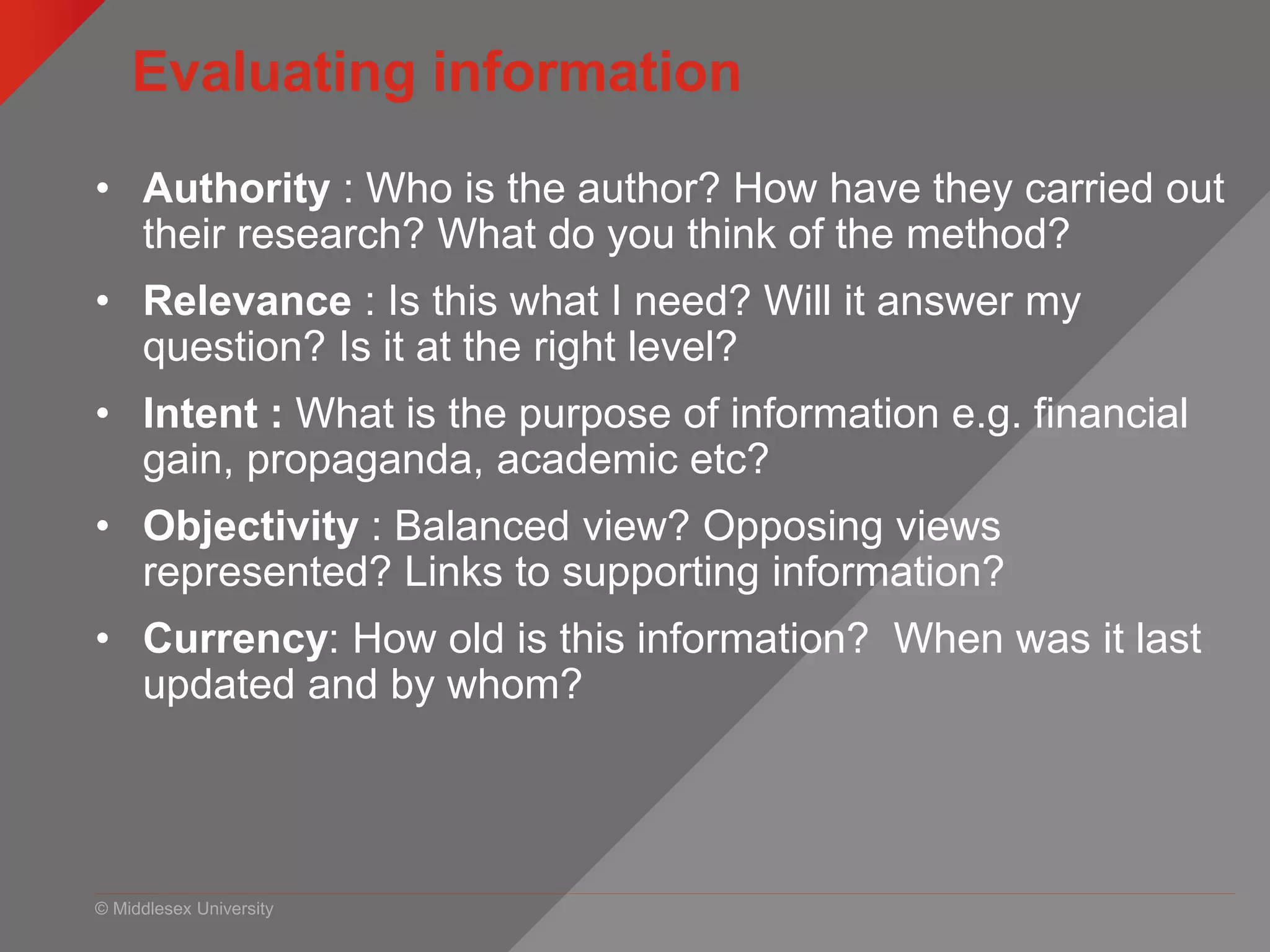
Evaluating information
• Authority : Who is the author? How have they carried out
their research? What do you think of the method?
• Relevance : Is this what I need? Will it answer my
question? Is it at the right level?
• Intent : What is the purpose of information e.g. financial
gain, propaganda, academic etc?
• Objectivity : Balanced view? Opposing views
represented? Links to supporting information?
• Currency: How old is this information? When was it last
updated and by whom?
© Middlesex University
Evaluation activity
• Please discuss the articles you’ve been given – the
content is not important you ONLY need to read
publication details and the title/abstract
• Think about what we’ve just discussed
• Which would you be more likely to use and why?
• 10 minutes – feed back
Presentation title | 27
© Middlesex University
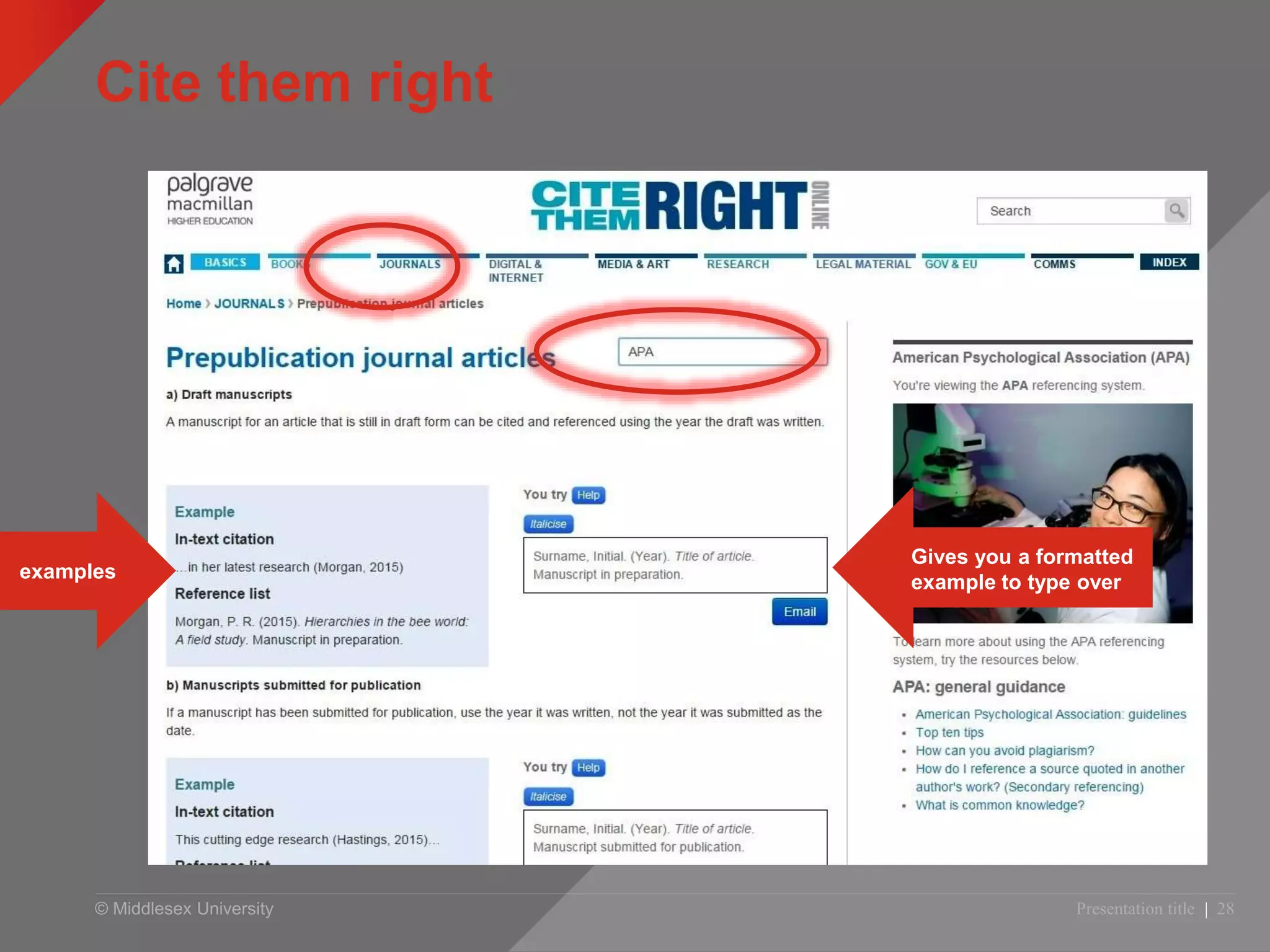
Cite them right
Presentation title | 28
examples
Gives you a formatted
example to type over
© Middlesex University
Managing your references
• 2 choices of referencing software at MDX
• Flow – simple to use, limited functionality, fine for essays
• Refworks – slightly more complex to use but more functional
• Both will allow you to import citations from databases and
both will format your reference list for you.
• Go to Psychology Library Subject Guide and find the section
on referencing
libguides.mdx.ac.uk/psy/referencing
© Middlesex University
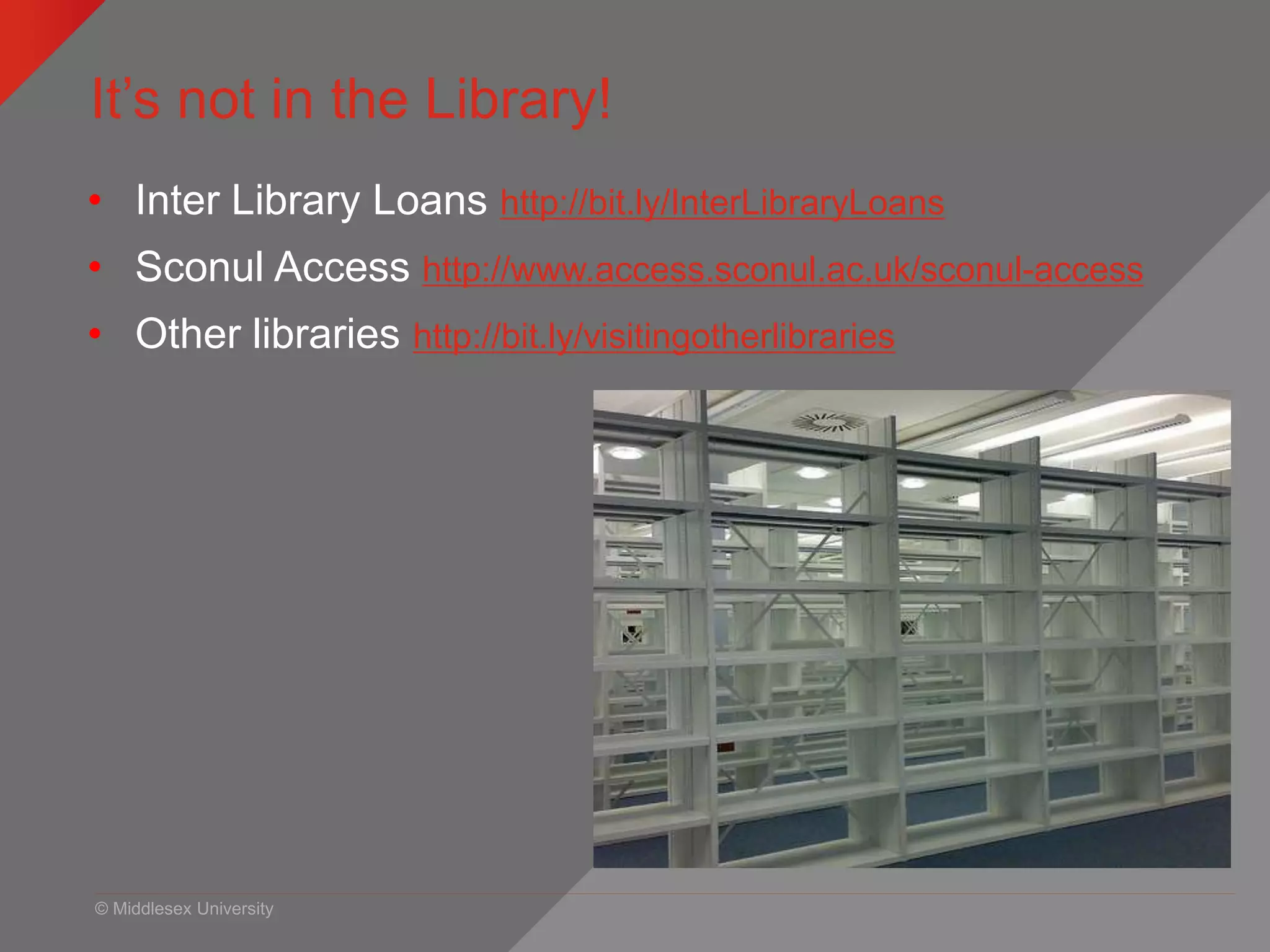
It’s not in the Library!
• Inter Library Loans http://bit.ly/InterLibraryLoans
• Sconul Access http://www.access.sconul.ac.uk/sconul-access
• Other libraries http://bit.ly/visitingotherlibraries
© Middlesex University
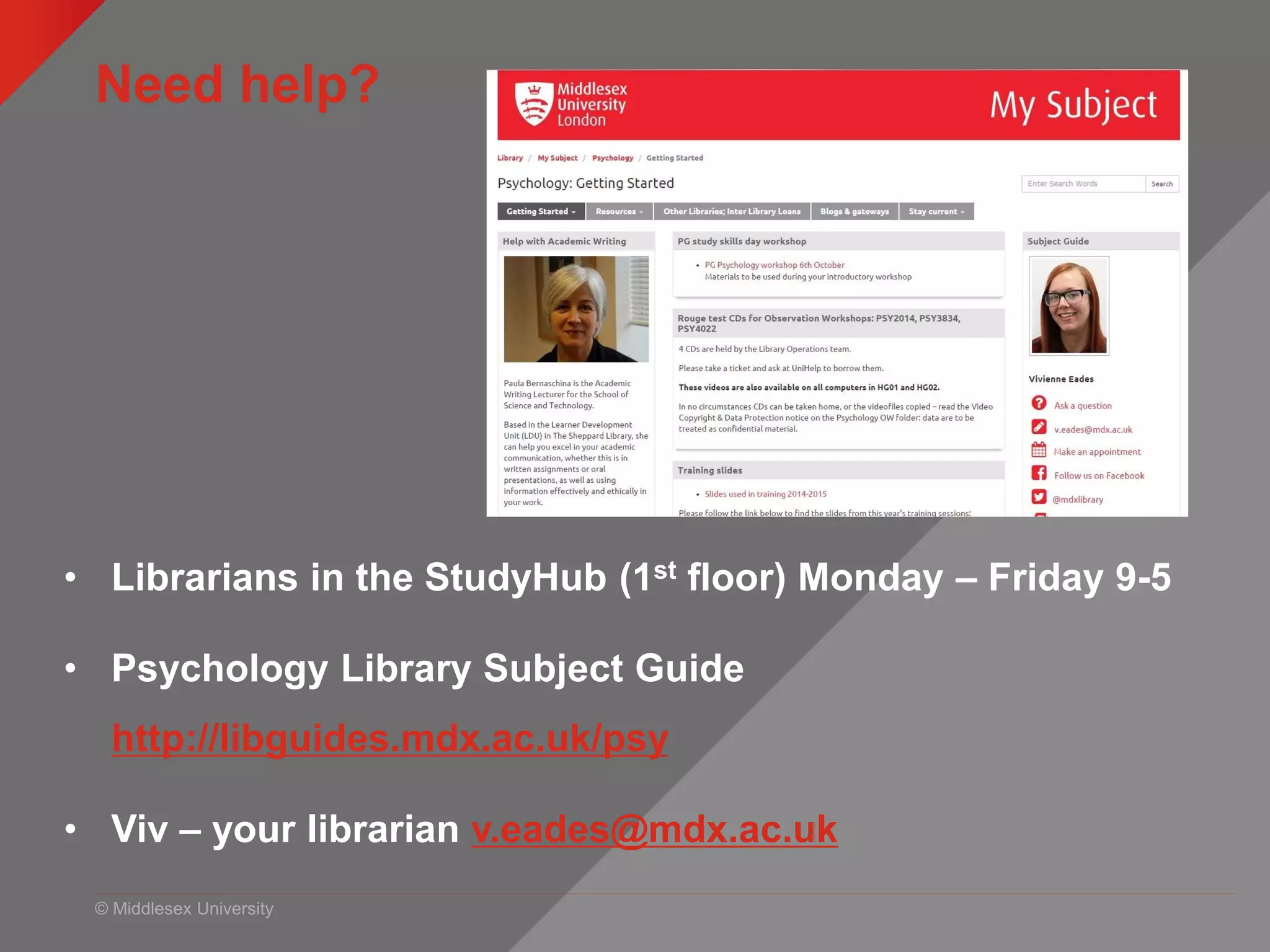
Need help?
• Librarians in the StudyHub (1st floor) Monday – Friday 9-5
• Psychology Library Subject Guide
http://libguides.mdx.ac.uk/psy
• Viv – your librarian v.eades@mdx.ac.uk

PG finding research information PSY4011 and PSY4012

  • 1.
    © Middlesex University Findingresearch evidence http:// unihub.mdx.ac.uk / study / library PSY 4011, 4012, 4025 October 2015
  • 2.
    © Middlesex University Whatwe will cover today • Simple searches: Summon vs Google • Keywords and search operators (* “ ” etc) • Advanced searches: WOS and PsycINFO • Evaluation • Referencing • Where you can get help Presentation title | 2
  • 3.
    © Middlesex University Exampleof coursework marking criteria 10% Introduction 15% Overview 30% Critical analysis 15% Discussion 10% Conclusion 10% Referencing 10% Quality etc Maximum marks for a well referenced and accurate description of [subject] using suitable references Maximum of 10 marks for a list of references which is both relevant, and correctly given in APA style Maximum of 10 marks for quality, style of writing and presentation
  • 4.
    © Middlesex University Findingresources myUniHub > My Study > My Library Access all sorts of online resources here!
  • 5.
    My Subject –library guides
  • 6.
    © Middlesex University Simplesearches Google Scholar • Simple search function • Searches many journal websites • Not all full text (but can set up to access MDX journals through Unihub) • Up to date articles from the big publishers – not so good coverage of small journals • Hard to filter • Searching all subject areas Summon • Simple search function • Google for the University resources • Searches many journal databases and subscriptions • A lot of full text • Up to date – largest databases are paid for and updated daily/weekly and include prepubs • Easy to filter to Psychology only journals Presentation title | 6 Summon vs Google
  • 7.
  • 8.
    Google Scholar –make sure you access what you’ve paid for! 8
  • 9.
    Search for andselect Middlesex University 9
  • 10.
    © Middlesex University Simplesearches Presentation title | 10
  • 11.
    © Middlesex University Havea go! • Look for a topic you’re interested in. • Make sure you use the filters on Summon to narrow your results to Psychology and full text etc. • Personalise Google Scholar • Feedback: which do you prefer? which allowed you to get better results?
  • 12.
    © Middlesex University Thinkingabout keywords http://www.flickr.com/photos/rossjamesparker/89414788/ • Work in groups of at least 3 • Use the worksheet to look at: — Synonyms — Combining terms — Search symbols and operators ( * “ ” AND OR NOT) • EXTRA TASK - After task 1 swap papers with another group to see if they can help you with synonyms / narrower terms • Ask me if you need help!
  • 13.
    © Middlesex University AdvancedSearching – DINOSAURS! Presentation title | 13 http://sydney.edu.au/library/skills/elearning/learn/topic/gamenesting/index.php
  • 14.
    © Middlesex University Thisis the format for all advanced searches Presentation title | 14
  • 15.
    © Middlesex University Lookskind of like this... Presentation title | 15
  • 16.
    © Middlesex University Lookskind of like this... Presentation title | 16
  • 17.
    © Middlesex University Databasesfor research articles myUniHub > My Study > My Library > Databases Search for database by letter, then name
  • 18.
    © Middlesex UniversityPsych PG | 18 Web of Science
  • 19.
    © Middlesex University Webof Science MyUniHub > MyStudy > MyLibrary > Databases > W > Web of Science Gives you a hyperlinked list of articles which cite this article
  • 20.
    © Middlesex University Citationsearching • Which articles have cited an earlier article • Updates to the research study you’ve been looking at • Find articles on similar/related subject • How many times an article has been cited • Best journals in your field
  • 21.
    © Middlesex UniversityPresentation title | 21 PsycINFO – Access via Unihub > Databases
  • 22.
    © Middlesex UniversityPresentation title | 22 PsycINFO – options and limits
  • 23.
    © Middlesex UniversityPresentation title | 23 limits Full text
  • 24.
    © Middlesex University Havea go! • Use the searches from your worksheet and have a go at either Web of Science or PsycINFO •Ask me for help!
  • 25.
  • 26.
    © Middlesex University Evaluatinginformation • Authority : Who is the author? How have they carried out their research? What do you think of the method? • Relevance : Is this what I need? Will it answer my question? Is it at the right level? • Intent : What is the purpose of information e.g. financial gain, propaganda, academic etc? • Objectivity : Balanced view? Opposing views represented? Links to supporting information? • Currency: How old is this information? When was it last updated and by whom?
  • 27.
    © Middlesex University Evaluationactivity • Please discuss the articles you’ve been given – the content is not important you ONLY need to read publication details and the title/abstract • Think about what we’ve just discussed • Which would you be more likely to use and why? • 10 minutes – feed back Presentation title | 27
  • 28.
    © Middlesex University Citethem right Presentation title | 28 examples Gives you a formatted example to type over
  • 29.
    © Middlesex University Managingyour references • 2 choices of referencing software at MDX • Flow – simple to use, limited functionality, fine for essays • Refworks – slightly more complex to use but more functional • Both will allow you to import citations from databases and both will format your reference list for you. • Go to Psychology Library Subject Guide and find the section on referencing libguides.mdx.ac.uk/psy/referencing
  • 30.
    © Middlesex University It’snot in the Library! • Inter Library Loans http://bit.ly/InterLibraryLoans • Sconul Access http://www.access.sconul.ac.uk/sconul-access • Other libraries http://bit.ly/visitingotherlibraries
  • 31.
    © Middlesex University Needhelp? • Librarians in the StudyHub (1st floor) Monday – Friday 9-5 • Psychology Library Subject Guide http://libguides.mdx.ac.uk/psy • Viv – your librarian v.eades@mdx.ac.uk

Editor's Notes

  • #2  Welcome and intros.
  • #3 How to find information for your projects How to develop an effective search strategy when you need to find information for an essay or project The range of resources available and how to use them to find good quality and relevant information Evaluating information for quality and relevance Managing references Research from Uni of Huddersfield shows that correlation between library usage and good grades.
  • #4 VH Example marking criteria for this project. In this session we are going to show you how to improve your marks. Worth considering this: Max points awarded to work which is based on good research and well referenced Max marks awarded if refs used are relevant and correctly written ie. Harvard style LDU can help with style of writing and presentation
  • #5  Explain Unihub as a gateway
  • #6 One of the links in MyUnihub is your Library Subject Guide. Where slides from this class and help using library resources can be found.
  • #13 Preparation – chicken analogy. If type ‘fruit’ into database will get millions of hits, how can you break it down ie. search for something more specific to get more manageable results Can you be more specific ie. Type of fruit: apples, oranges, bananas etc Location: Stall, market, outdoor market, fruit market, Britain Detail: boxes, signs, astroturf, prices, colour of fruit, lights, pound £ signs, special offer etc People in background: old, young, male, female > stall holder, customers, browsers etc Think of related subjects eg. retail, commercial, financial, point-of-sale Shopping, shops, fish/meat/clothes market, shopping centres, high street Town, city, centre, British town Nutrition: vits and mins Also: Orange or Blackberry: fruit NOT telephone Apple: fruit NOT computer Thinking beyond the obvious, looking for the detail that might make a difference.
  • #14 http://sydney.edu.au/library/skills/elearning/learn/topic/gamenesting/index.php
  • #18 Students can also search individual databases. Select ‘Computing science’ for a list of subject specific resources.
  • #21  Which articles have cited an earlier article ie. Way of looking forward in the literature-if have found excellent article, can use a citation index to see which articles have subsequently cited it Find articles on similar/related subjects: Citation implies subject relationship, so can find papers on a similar topic without using any keywords or subject terms Find out how many times a paper has been cited ie. gauge the usefulness/quality. esteem of a paper Determine which are the best journals in your field: citation data used to rank journals within particular subject areas…..useful way of seeing how journals perform in relation to others in the same subject area
  • #26 How do you decide if the information is any good? Especially important with the Internet. What do you think about this quote?
  • #27 Take feedback and discuss. Authority : Who is the author? What is their knowledge base/qualifications? How have they carried out their research? Relevance : Is this what I need? Will it answer my question? Is it at the right level? Intent : What is the purpose of information e.g. financial gain, propaganda, academic etc? Objectivity : Balanced view? Opposing views represented? Links to supporting information? Currency: How old is this information? When was it last updated and by whom?
  • #31 Inter Library Loan service: request copies of books and journals not held by MDX. £3 charge. Register as DL first. More info on our website. SCONUL Access http://www.access.sconul.ac.uk/ The SCONUL Access Scheme provides reciprocal access and borrowing rights for staff and students to approximately 170 member institutions in the UK. Apply online. Other libraries (specialist, catalogues etc): British Library http://www.bl.uk/ COPAC http://copac.ac.uk/ COPAC is a union catalogue that gives access to the merged online catalogues of members of the Consortium of University Research Libraries (CURL). Twenty  major university libraries currently contribute to COPAC. Search25 http://www.search25.ac.uk/: helps you discover library resources across London and the South East. You can also see where the libraries are and find out how to visit them. SUNCAT http://www.suncat.ac.uk/ SUNCAT, a union catalogue of serials (periodicals) for the UK, is a tool for locating serials held in UK libraries.
  • #32 Mention that they can make appointments through LibGuide (next month!)