© Middlesex University
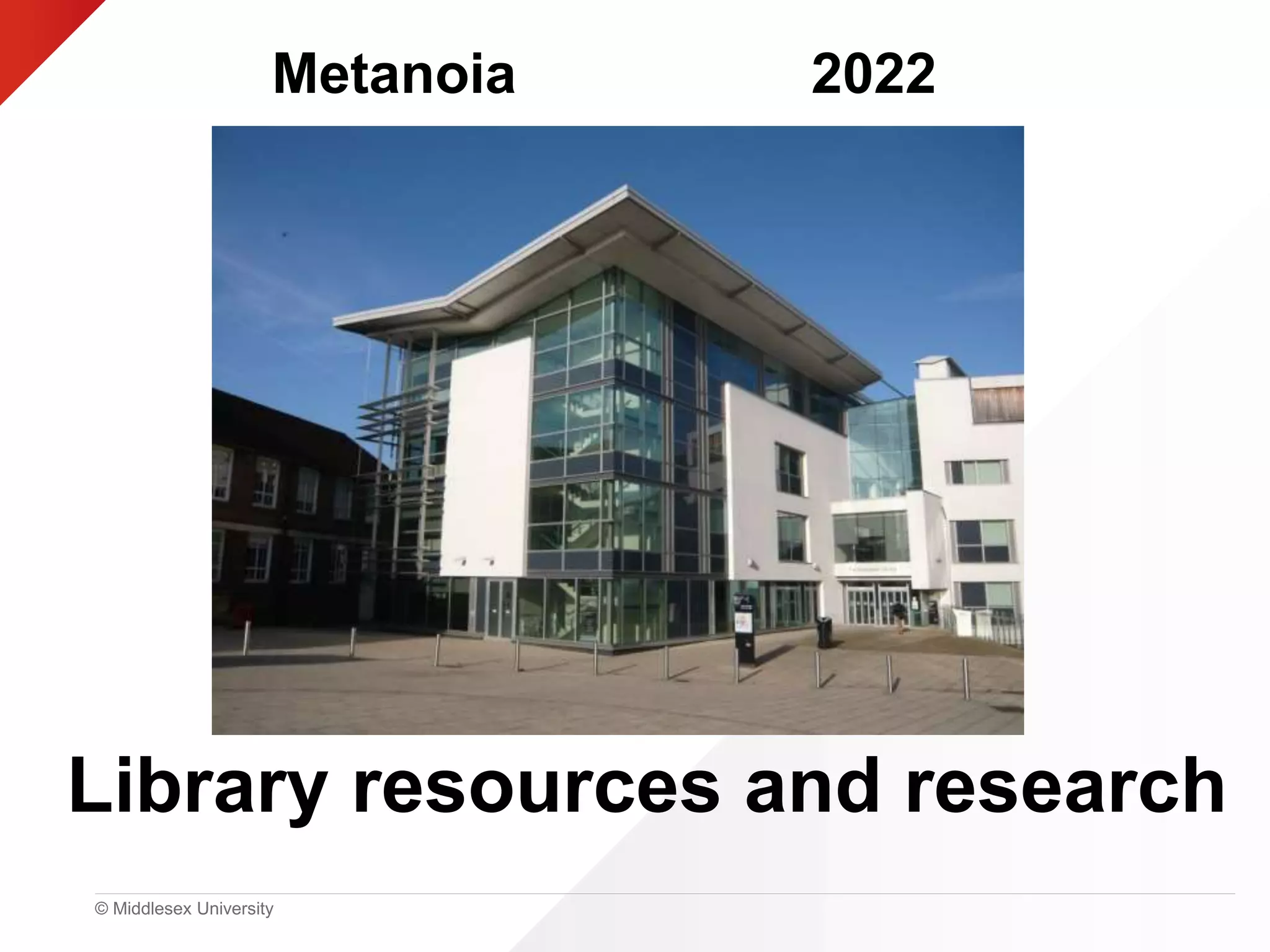
Library resources and research
Metanoia 2022
© Middlesex University
By the end of the workshop…
• Know what is available to you
• How to access and use MDX resources to start your
research
• What to do next if you want to know more, or just get
stuck
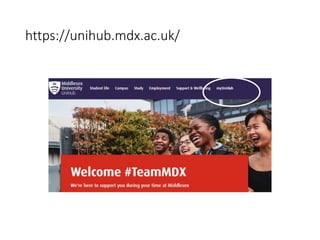
https://unihub.mdx.ac.uk/
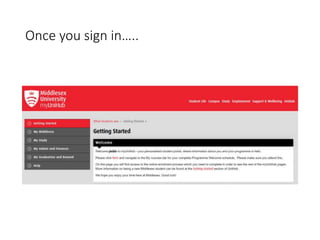
Once you sign in…..
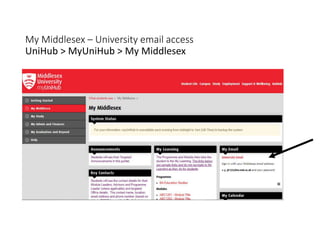
My Middlesex – University email access
UniHub > MyUniHub > My Middlesex
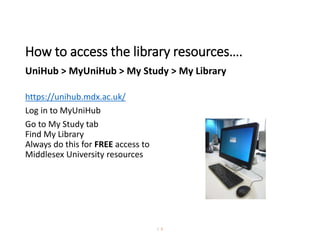
How to access the library resources….
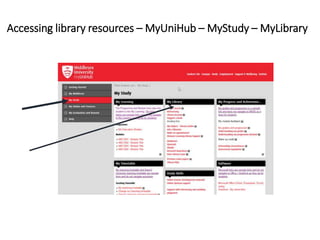
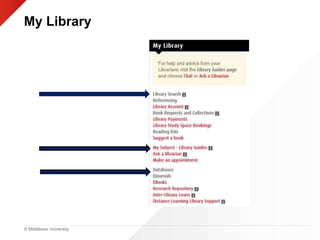
UniHub > MyUniHub > My Study > My Library
https://unihub.mdx.ac.uk/
Log in to MyUniHub
Go to My Study tab
Find My Library
Always do this for FREE access to
Middlesex University resources
| 6
© Middlesex University
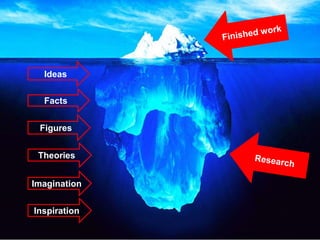
Ideas
Facts
Figures
Theories
Imagination
Inspiration
© Middlesex University
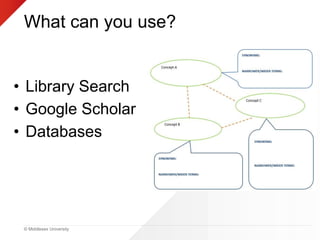
What can you use?
• Library Search
• Google Scholar
• Databases
Accessing library resources – MyUniHub – MyStudy – MyLibrary
© Middlesex University
My Library
© Middlesex University
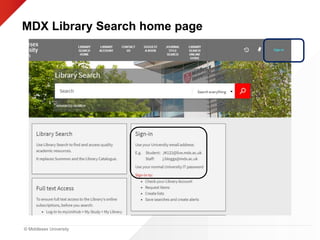
MDX Library Search home page
© Middlesex University
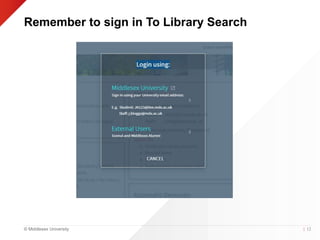
Remember to sign in To Library Search
| 12
© Middlesex University
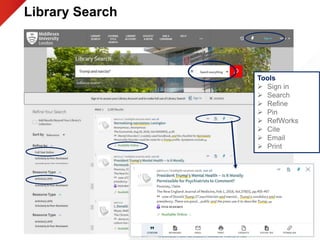
Library Search
Presentation title
Tools
 Sign in
 Search
 Refine
 Pin
 RefWorks
 Cite
 Email
 Print
© Middlesex University
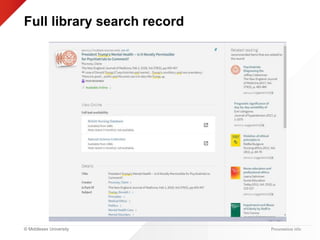
Full library search record
Presentation title
© Middlesex University
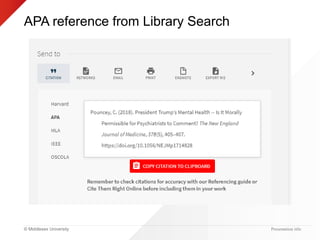
APA reference from Library Search
Presentation title
© Middlesex University
When you are looking for
information about anything
where do you go first?
Presentation title
© Middlesex University
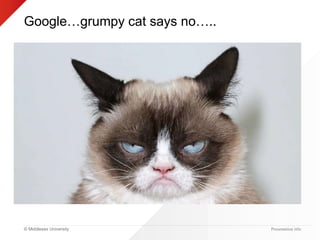
Google…grumpy cat says no…..
Presentation title
© Middlesex University
Good Google….
Presentation title
Google Scholar provides a simple way to broadly
search for scholarly literature. From one place, you
can search across many disciplines and sources:
articles, theses, books, abstracts and court
opinions, from academic publishers, professional
societies, online repositories, universities and other
web sites
© Middlesex University Presentation title
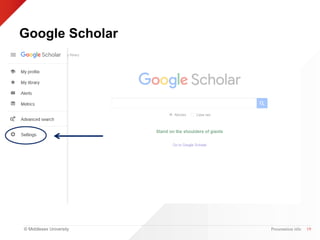
Google Scholar
19
© Middlesex University Presentation title
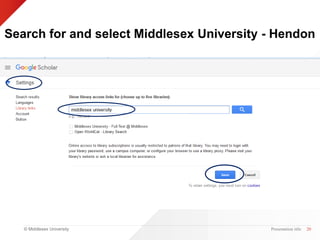
Search for and select Middlesex University - Hendon
20
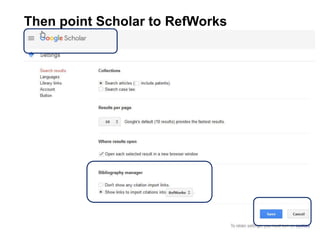
Then point Scholar to RefWorks
21
© Middlesex University
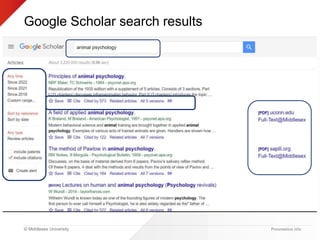
Google Scholar search results
Presentation title
© Middlesex University
• Simple search function
• Searches huge range of
journal websites
• Not all full text (but can set
up to access MDX journals
through Unihub)
• Up-to-date articles from the
big publishers – not so good
coverage of small journals
• Hard to filter
• Searching all subject areas
• Simple search function
• Google for the University
resources
• Searches many journal
databases and subscriptions
• A lot of full-text
• Up-to-date – largest
databases are paid for,
updated daily/weekly and
include prepublications
• Easy to filter to Psychology-
only journals
Presentation title | 23
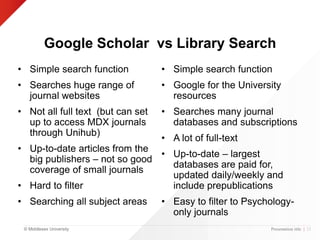
Google Scholar vs Library Search
© Middlesex University
Evaluate Your Sources
C
A
R
P
• Currency
• Authority/Accuracy
• Relevance
• Purpose/Point of
View
© Middlesex University
Reliable Resources
With all the information out
there what can you
trust……
Presentation title
© Middlesex University
Databases
• A database is a collection of data or information that is
specifically organised for rapid search and retrieval by a
computer
• They can be free or commercial
• They can cover one subject or many subjects
• Remember that you are the brains in this relationship! The
computer will only respond to your keywords so think
about those before you begin your searches.
Presentation title
© Middlesex University
Databases available via Middlesex University
• PsycInfo
• PsycTests
• PsycArticles
• PEP-web
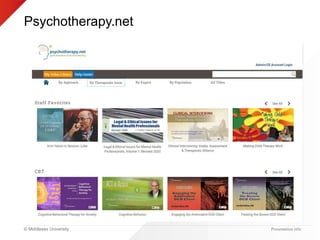
• Psychotherapy.net
• PubMed
• Medline
• Cinahl
• Web of Science
Presentation title
© Middlesex University
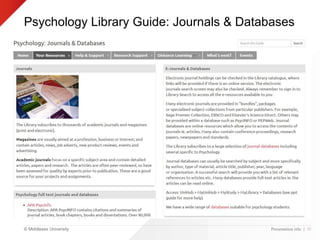
Psychology Library Guide: Journals & Databases
Presentation title | 30
© Middlesex University
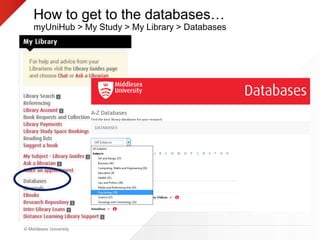
How to get to the databases…
myUniHub > My Study > My Library > Databases
© Middlesex University
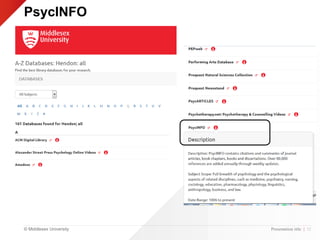
PsycINFO
Presentation title | 32
© Middlesex University
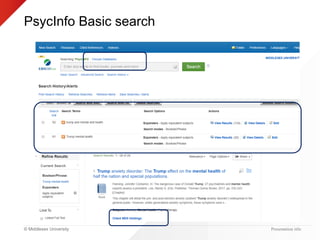
PsycInfo Basic search
Presentation title
© Middlesex University
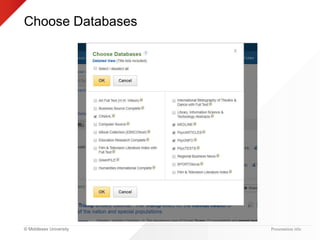
Choose Databases
Presentation title
© Middlesex University
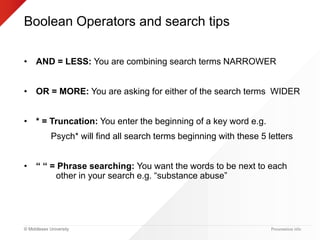
Boolean Operators and search tips
• AND = LESS: You are combining search terms NARROWER
• OR = MORE: You are asking for either of the search terms WIDER
• * = Truncation: You enter the beginning of a key word e.g.
Psych* will find all search terms beginning with these 5 letters
• “ “ = Phrase searching: You want the words to be next to each
other in your search e.g. “substance abuse”
Presentation title
© Middlesex University
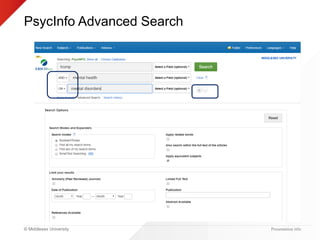
PsycInfo Advanced Search
Presentation title
© Middlesex University
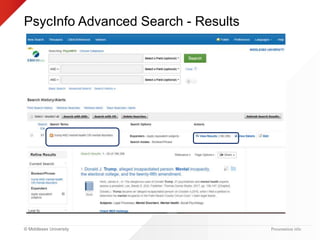
PsycInfo Advanced Search - Results
Presentation title
© Middlesex University
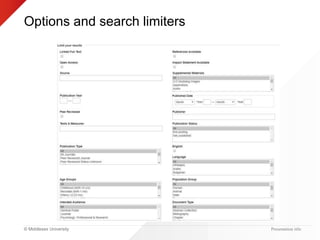
Options and search limiters
Presentation title
© Middlesex University
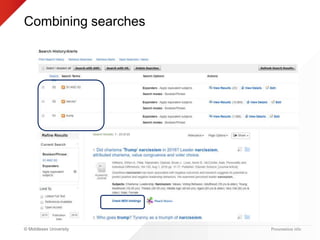
Combining searches
Presentation title
© Middlesex University
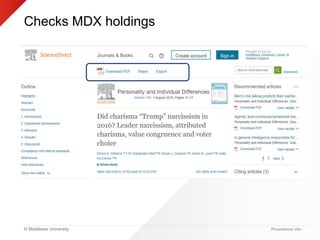
Checks MDX holdings
Presentation title
© Middlesex University
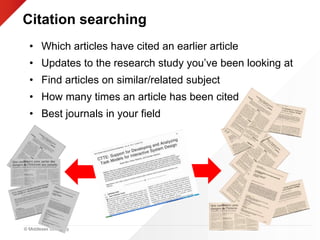
Citation searching
• Which articles have cited an earlier article
• Updates to the research study you’ve been looking at
• Find articles on similar/related subject
• How many times an article has been cited
• Best journals in your field
© Middlesex University
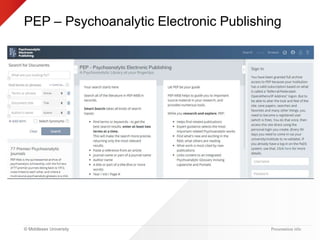
PEP – Psychoanalytic Electronic Publishing
Presentation title
© Middlesex University
Psychotherapy.net
Presentation title
© Middlesex University Presentation title
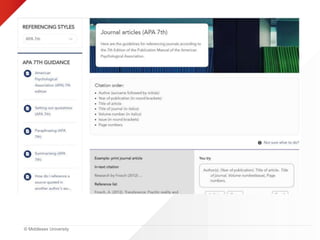
Referencing…
© Middlesex University
Referencing
• Create references using Library Search
“ quotation marks link
• The same “ symbol is used on Google
Scholar
• Make sure you use the right style - APA
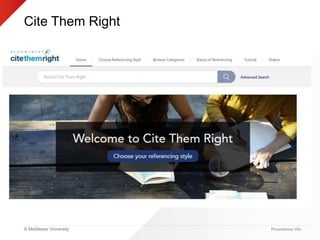
• Use Cite Them Right to check references
• Be consistent
© Middlesex University
Cite Them Right
Presentation title
© Middlesex University
© Middlesex University Presentation title
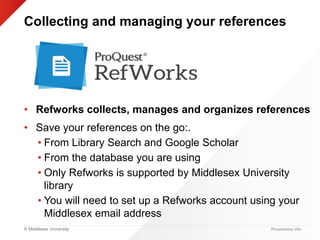
Collecting and managing your references
• Refworks collects, manages and organizes references
• Save your references on the go:.
• From Library Search and Google Scholar
• From the database you are using
• Only Refworks is supported by Middlesex University
library
• You will need to set up a Refworks account using your
Middlesex email address
© Middlesex University
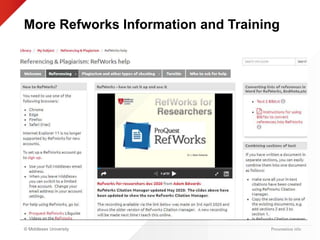
More Refworks Information and Training
Presentation title
© Middlesex University
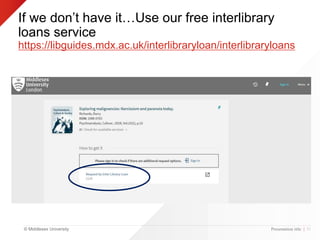
If we don’t have it…Use our free interlibrary
loans service
https://libguides.mdx.ac.uk/interlibraryloan/interlibraryloans
Presentation title | 51
© Middlesex University
Distance learning…..
As your programme is a distance learning programme you
have been automatically registered as such with the library,
If you have any issues (e.g. not being offered Home Delivery
/ if you require postal loans to be sent to an address different
than on MISIS for placement etc. reasons) then email
lrdlsu@mdx.ac.uk
© Middlesex University
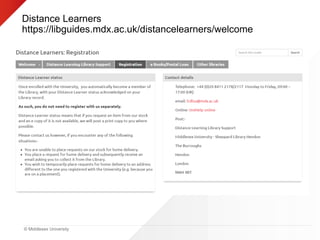
Distance Learners
https://libguides.mdx.ac.uk/distancelearners/welcome
© Middlesex University
Other libraries and resources
• Sconul Access to use any other library in UK and Ireland
https://www.sconul.ac.uk/sconul-access
• Eduroam: Login at another University to access MDX e-
resources
http://unihub.mdx.ac.uk/__data/assets/pdf_file/0034/166948/
Eduroam-guide.pdf
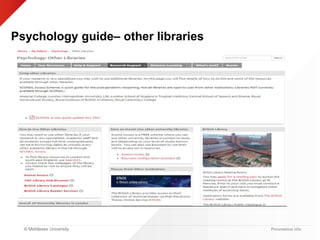
• The Senate House Library/BPS Library
https://london.ac.uk/senate-house-library/our-
collections/research-collections/psychology/shl-bps-library
| 54
© Middlesex University
Psychology guide– other libraries
Presentation title
© Middlesex University
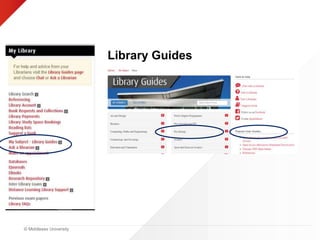
Library Guides
© Middlesex University
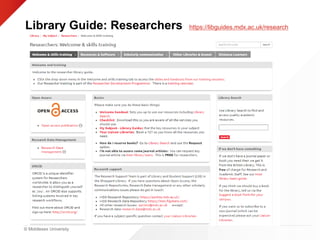
Library Guide: Researchers https://libguides.mdx.ac.uk/research
57
© Middlesex University
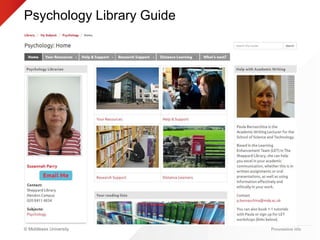
Psychology Library Guide
Presentation title
© Middlesex University
Top Tips
• MyUniHub>MyStudy >
MyLibrary
• Library Search
• Cite them right
• Library Guides
© Middlesex University
Any Questions?
Librarian Online Chat – Monday- Friday,
9am – 5pm
https://libguides.mdx.ac.uk/chat
Psychology Library Subject Guide
https://libguides.mdx.ac.uk/psych
Library Information
https://unihub.mdx.ac.uk/study/library
Susannah Parry – s.parry@mdx.ac.uk

Metanoia: Library Resources and Research (2002)

Editor's Notes

  • #2  Hello and welcome to this online presentation on library resources and research available to students through Middlesex University. My name is Susannah Parry and I am the Psychology librarian at Middlesex. My colleague is Dr Adam Edwards who is the Liaison librarian manager for science and technology…my boss! He will be monitoring the chat and helping me answer any tough questions you might have for us. Depending on the numbers switch off videos and mute mics Do we go through accessing MDX or do we just demo?
  • #4 Log into myUnihub
  • #7 How to log-in to get to Library resources…
  • #8 Your finished piece of work is just the tip of the iceberg. Below it is should be loads of research ie. looking at theory and facts, being inspired, getting ideas, stimulating your imagination etc.
  • #9 What library resources can you use to find research material? Library Search is the Middlesex University catalogue/database Google Scholar is a freely accessible web search engine which indexes the full text of scholarly literature MDX has a wide range of general and specialised databases available to students
  • #10 Always use MyUniHub – MyStudy - MyLibrary
  • #11 Where you will find access to key library resources e.g. Library Search, Library guides, databases and e-journals Also a useful link to Referencing and Interlibrary loans
  • #12 Sign in using your university email address
  • #13 Always remember to sign in to library search using your university email to access your library account, save your searches and access electronic resources like e-books and e-journal articles.
  • #14 Demonstrate: Sign in Searching Refinement tools (all the usual) Pinning
  • #16 APA good on library search but check using Cite them right online Defaults to APA7th ed
  • #17 Google
  • #18 Do you agree with Grumpy Cat? Why?
  • #19 What is Google Scholar? Google Scholar allows users to search for digital or physical copies of articles, whether online or in libraries. It indexes "full-text journal articles, technical reports, preprints, theses, books, and other documents, including selected Web pages that are deemed to be 'scholarly.'“ Because many of Google Scholar's search results link to commercial journal articles, most people will be able to access only an abstract and the citation details of an article, and have to pay a fee to access the entire article. The most relevant results for the searched keywords will be listed first, in order of the author's ranking, the number of references that are linked to it and their relevance to other scholarly literature, and the ranking of the publication that the journal appears in. Features of Google Scholar Search all scholarly literature from one convenient place Explore related works, citations, authors, and publications Locate the complete document through your library or on the web Keep up with recent developments in any area of research Check who's citing your publications, create a public author profile Limitations Google Scholar does not publish a list of journals crawled or publishers included, and the frequency of its updates is uncertain. Google Scholar puts high weight on citation counts in its ranking system and is criticized for strengthening the citation cycle as highly cited papers appear in top positions they gain more citations while new papers hardly appear in top positions and therefore get less attention by the users of Google Scholar and hence fewer citations Google is also vulnerable to spam and some scholars have created fake articles to show its vulnerability
  • #20 Locate the full-text document through your library or on the web: Change settings etc to link to MDX resources. You only need to do this once on your own laptop/device, but need to be logged on to MyUniHub.
  • #22 Point Scholar to refworks and click save then click on coloured google scholar link top left of the page RefWorks is a web-based commercial reference software package. Users' reference databases are stored online, allowing them to be accessed and updated from any computer with an internet connection. Institutional licenses allow universities to subscribe to RefWorks on behalf of all their students. So create your Refworks account through Middlesex University
  • #25 10-15 mins??
  • #26 Don’t’ forget to evaluate your resources Currency – how old is the information? Has it been revised or updated? - You will probably require more recent information in your work Authority – Is the information supported by evidence e.g. data, references. Has the information been reviewed or refereed. Is there contact information about the author, where do they work, are they being sponsored? Relevance – Does the information relate to your topic? Is it at the right academic level. Have you looked at a variety of sources before deciding to use this source? Sometimes students get so excited at finding information they forget to assess if it is actually relevant to their topic Purpose – What is the purpose of the information? Is it to inform, teach, sell, entertain or persuade. Do the authors make their intentions clear, Is it objective and impartial?
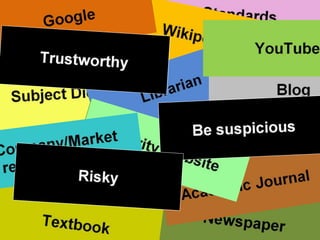
  • #28 Possibly if group v large 3 A3 posters for Trustworthy, Risky, Be suspicious and have 3 volunteers to stand holding the posters then we hand out the cards randomly and get student to read out their card, discuss and go up and give their card to the person holding the poster Or use one set of cards per group and feedback Sources game Magazine (A regular publication aimed at a profession, business or interest....trade/popular) Good: Latest news: events, jobs, products etc., concise info, easy to obtain Bad: lacks detail, can be bias, old issues hard to come by Standards (An agreed, often legally binding level of quality or way of doing something....regional, national, International, profession/sector) Good: Created by experts, confidence Company/market research report (Well researched overview of a company or product market. Could contain future trends, financial data, competitors and SWOT analysis) Good: Up-to-date: latest research/data, Insider information: information not freely available elsewhere, objective, accurate Bad: Hard to locate Webpage Good: All subjects covered, easy to use, mobile Bad: accuracy, no editorial control, anyone can add information, provenance Newspapers Good: Daily information i.e.. up-to-date, edited, current issues accessible Bad: Sensationalist, biased (unbalanced), harder to get back issues Conference proceedings (Collection of papers distributed after a conference, containing the contributions made by researchers, academics etc) Good: Up-to-date: latest research, ideas, thinking on a subject, focussed/specialist, stringent quality control Bad: Can be too specific Journals Good: Up-to-date, Focussed: specialist subject areas, quality resources, peer reviewed Bad: Too specific Books Good: overview, background knowledge, edited/quality Bad: Currency, detailed/specific information
  • #29 Decide if you want to be systematic in your searching and use the same key words and combinations in all your searches before you start entering random search terms
  • #30 PsycInfo – Psychology PEPweb – Psychoanalytics Psychotherapy.net video library showing clinical interviews sessions
  • #31 This is the page on the Psychology library guide about journals and databases Mention ppt on accessing journal databases
  • #32 Remember to go in through MyUnihub so you are signed in to get full online access Access via subject heading or by name of database if known
  • #33 Remember to go in through MyUnihub so you are signed in to get full online access
  • #34 Even in basic search see the difference in result numbers when I use Boolean operators
  • #35 Mention you can search Cinahl, PsycInfo, Medline, PsycArticles and PsycTests in one go as all provided by same host company EBSCO
  • #37 Searched for Trump on the first row AND mental health on the second row OR mental disorders on the third row Click on the + sign to add extra search rows Use limiters to narrow your search e.g. Scholarly peer reviewed journals, publication date etc.
  • #38 Note the number of results for this search…..
  • #39 Limiters include – Full text, publication year, language, peer reviewed, publication type…. All familiar with the term peer reviewed?
  • #40 Recommend that if you are searching for individual keywords do each search individually then combine using the search numbers on the left You get more results than putting everything into 1 search box Mention Check MDX Holdings
  • #41 Remember to see how many other authors have cited the article Usually more citations the better Also check the references at the end of an article for further sources Also look at the Related articles if there are any
  • #42  Which articles have cited an earlier article ie. Way of looking forward in the literature-if have found excellent article, can use a citation index to see which articles have subsequently cited it Find articles on similar/related subjects: Citation implies subject relationship, so can find papers on a similar topic without using any keywords or subject terms Find out how many times a paper has been cited ie. gauge the usefulness/quality. esteem of a paper Determine which are the best journals in your field: citation data used to rank journals within particular subject areas…..useful way of seeing how journals perform in relation to others in the same subject area
  • #45 Let students use either or both databases
  • #46 Remind them they can get references from library search and databases but always check against Cite them Right online Remember to use the correct referencing style
  • #47 A few reminders about referencing You must always reference any ideas you use which are not your own to avoid plagiarism. It also allows anyone reading your work to locate the original material you used. Good use of referencing allows you to distinguish between your own ideas and opinions and those of others. To highlight and back-up relevant points by quoting, paraphrasing or summarising from the original text and to achieve a better mark or grade. Remember that your reference style is APA 7th edition
  • #48 Recommend that they read the basics section
  • #49 DOI’s may need some explanation
  • #50 RefWorks is a web-based commercial reference software package. Users' reference databases are stored online, allowing them to be accessed and updated from any computer with an internet connection. Institutional licenses allow universities to subscribe to RefWorks on behalf of all their students. So create your Refworks account through Middlesex University Only RefWorks is supported by MDX – other systems are available e.g. Endnote and Mendeley
  • #51 Separate PPT presentation on Refworks as it has changed slightly
  • #52 Free to PhD students
  • #54 Based within the Sheppard Library at Hendon, they provide library materials, support and advice, to Hendon registered* Distance Learner. They aim to provide distance learners with a similar or equivalent service to students who are based on campus. The service provides library materials, support and advice.
  • #55 SCONUL Access is a reciprocal scheme which allows many university library users to borrow or use books and journals at other libraries which belong to the scheme. The scheme covers most of the university libraries in the UK and Ireland. Middlesex University now provides an Eduroam wireless service—this is a free wireless service that allows students and visitors access to the internet when visiting a participating organisation. Eduroam - is an international internet roaming service for users in research, higher education and further education. It provides researchers, teachers, and students easy and secure network access when visiting an institution other than their own. If you want access to the internet when visiting another organisation, you will need to connect to their eduroam network with your Middlesex University credentials. You only need to do this once—you will then connect automatically whenever you visit any participating eduroam organisation. BPS chartered and BPS graduate members can join the Library free of charge for reference-only access for one calendar year. If you wish to borrow up to 10 books at a time, you can join the Library for 3 months or 1 year.   BPS student members are only eligible to join the Library with borrowing rights for 3 months or 1 year. This membership includes a 10 book borrowing allowance. Duration Cost 3 months £70 year £210
  • #57 There are lots of library guides written by librarians available to students covering subjects taught at Middlesex You can see here I have highlighted the one for Psychology
  • #58 And this one is for researchers
  • #60 These are our top tips: To access Library resources log into MyUniHub > select MyStudy >scroll down to MyLibrary Always start your research by checking Library Search Remember your references and check them against Cite them right Use our Library Guides to find out more about specialist resources and support for your subject area.