PG Introduction to
learning resources
Psychology 2021
© Middlesex University
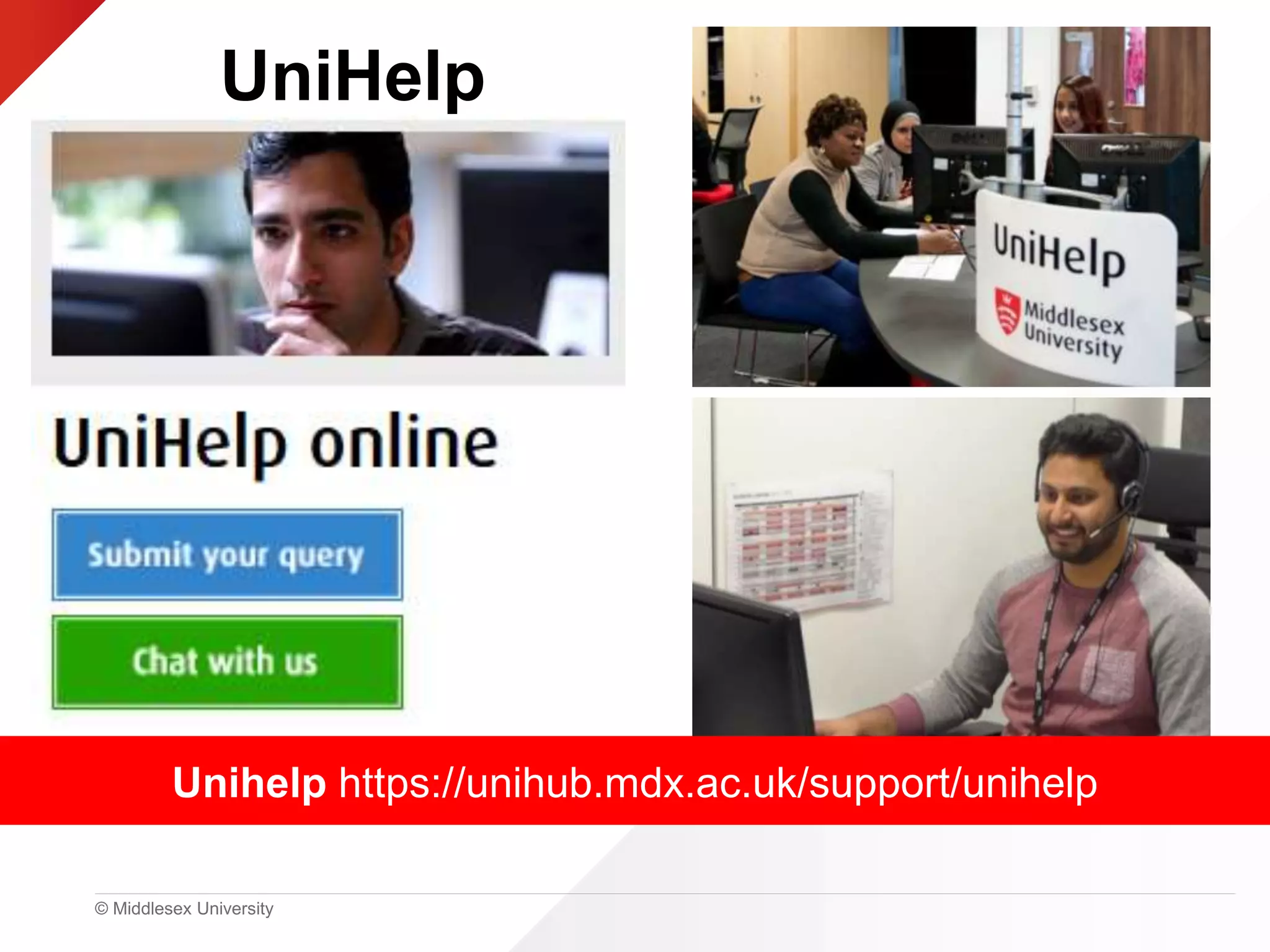
Unihelp https://unihub.mdx.ac.uk/support/unihelp
UniHelp
© Middlesex University
Getting started …
• Library Search
• Reading lists and Kortext: free e-textbooks
• Referencing help; Cite Them Right
• Library subject guide
• Research support
© Middlesex University
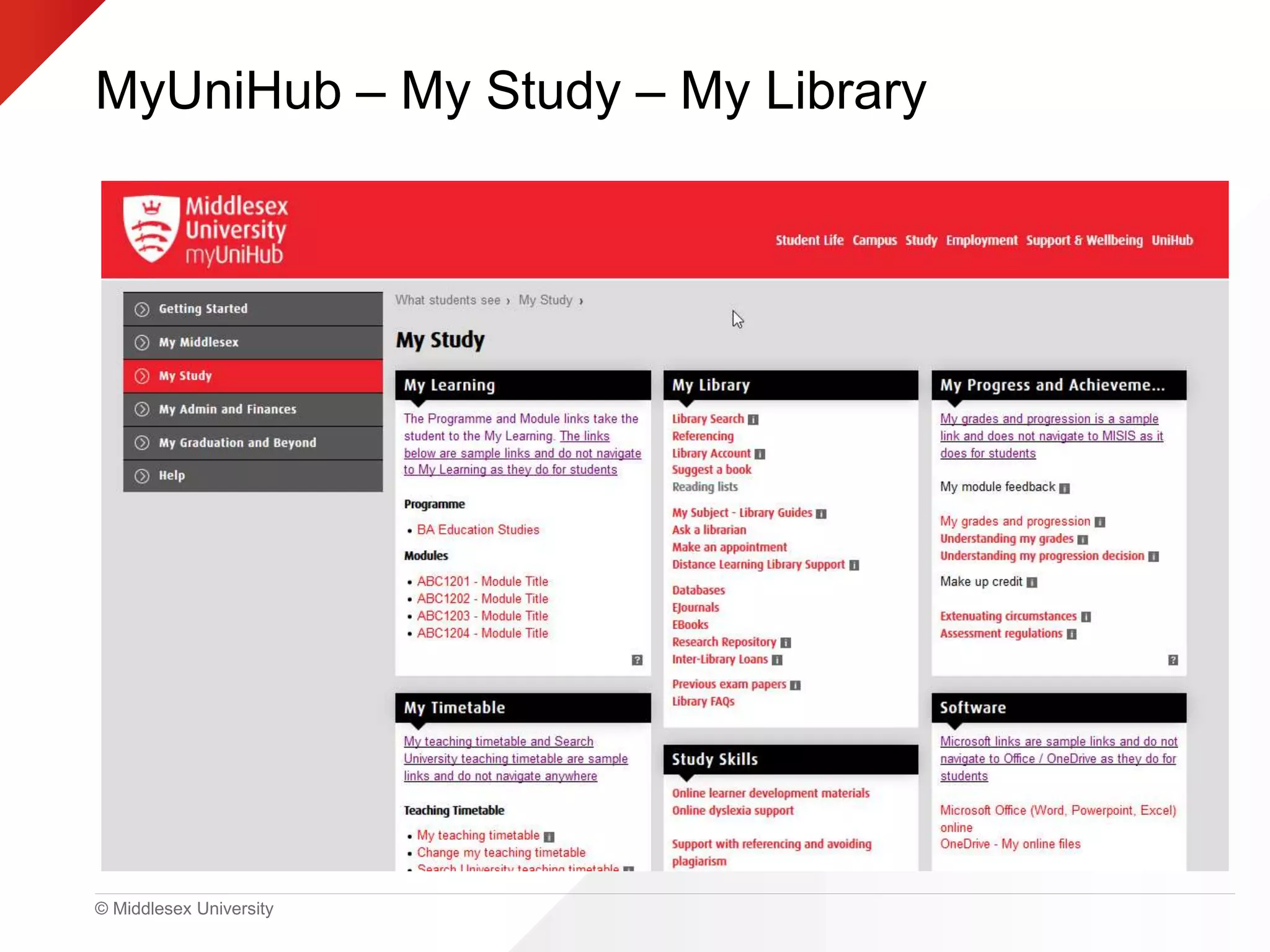
MyUniHub – My Study – My Library
© Middlesex University
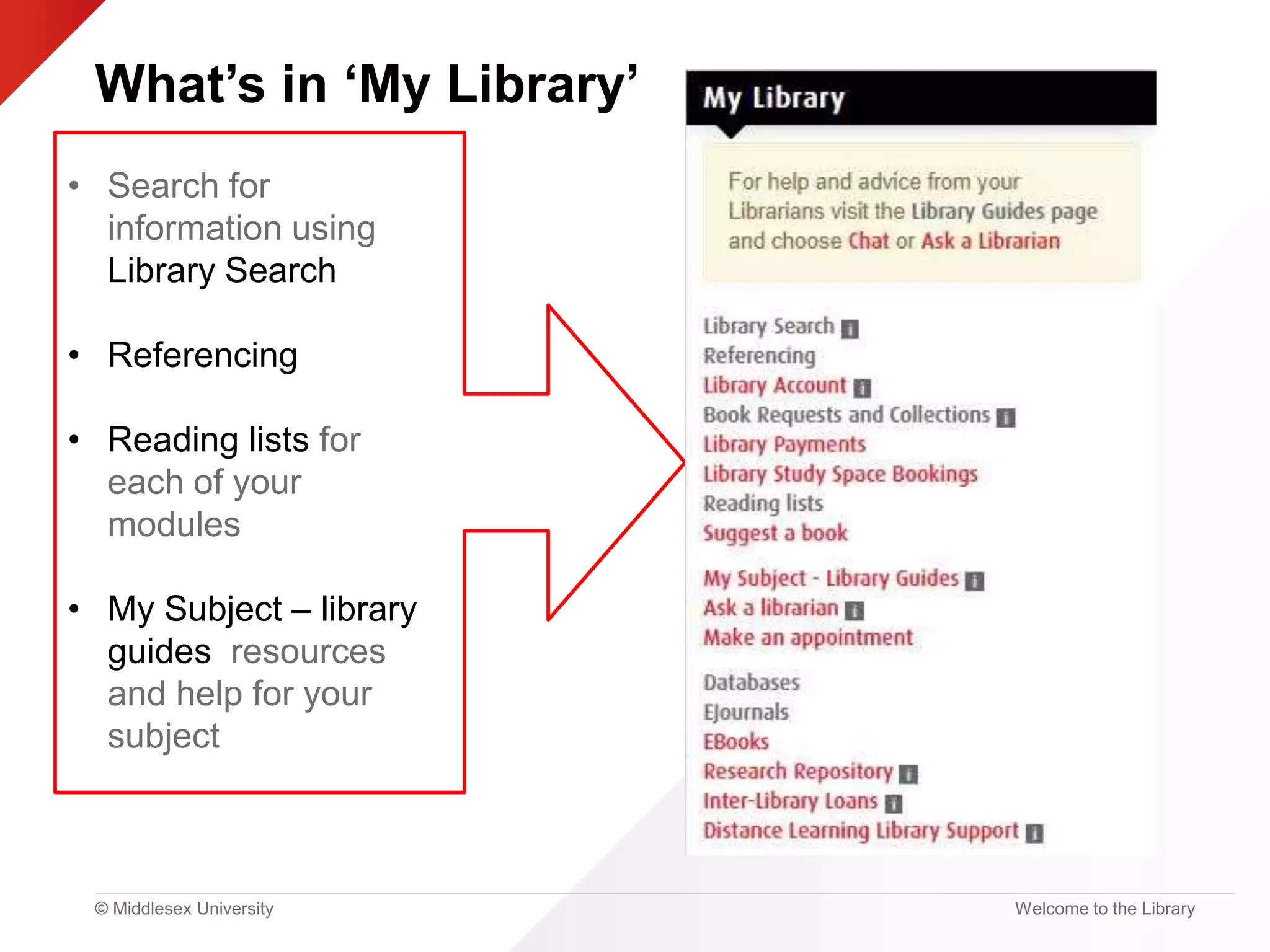
What’s in ‘My Library’
Welcome to the Library
• Search for
information using
Library Search
• Referencing
• Reading lists for
each of your
modules
• My Subject – library
guides resources
and help for your
subject
© Middlesex University
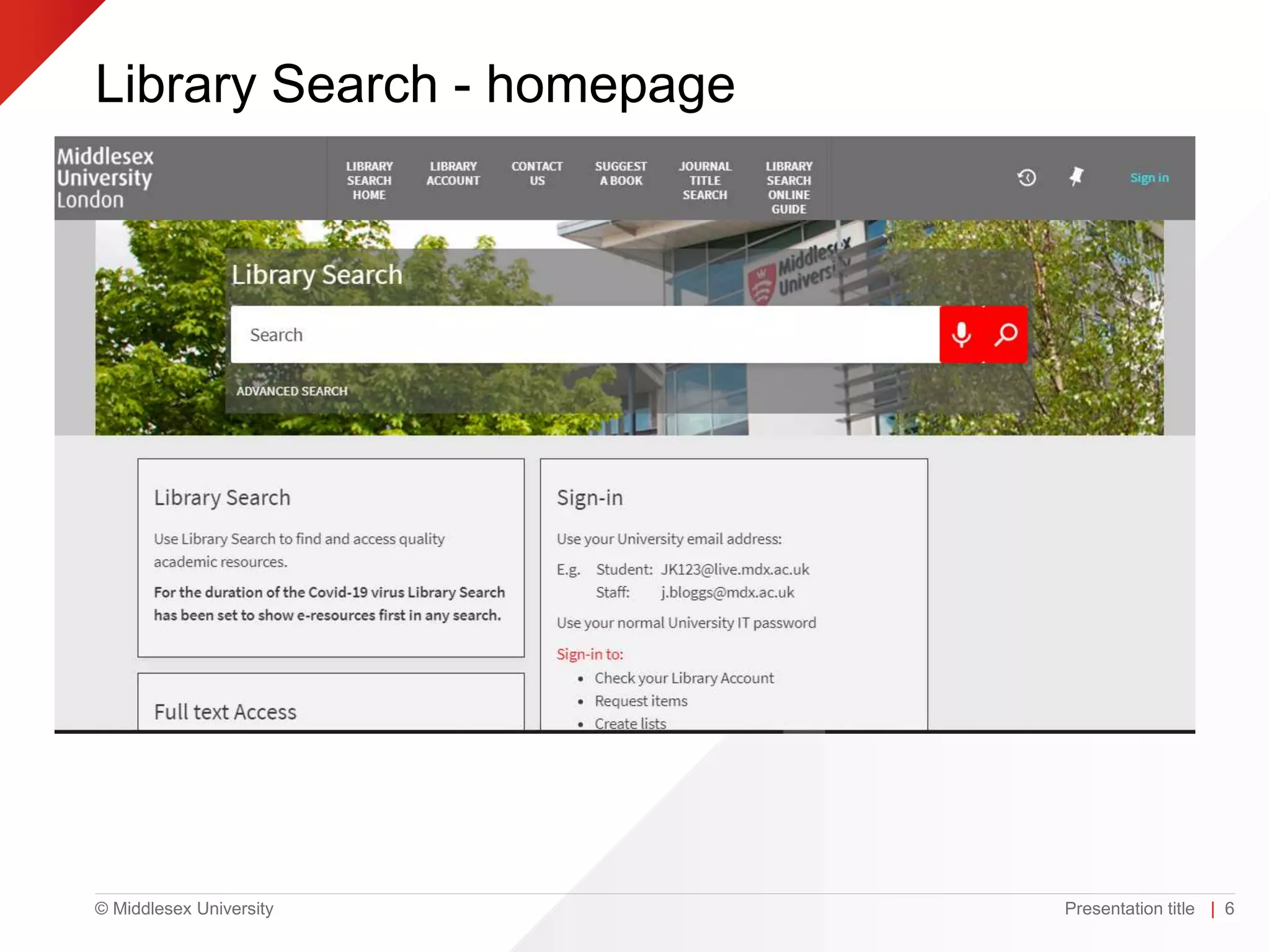
Library Search - homepage
Presentation title | 6
© Middlesex University
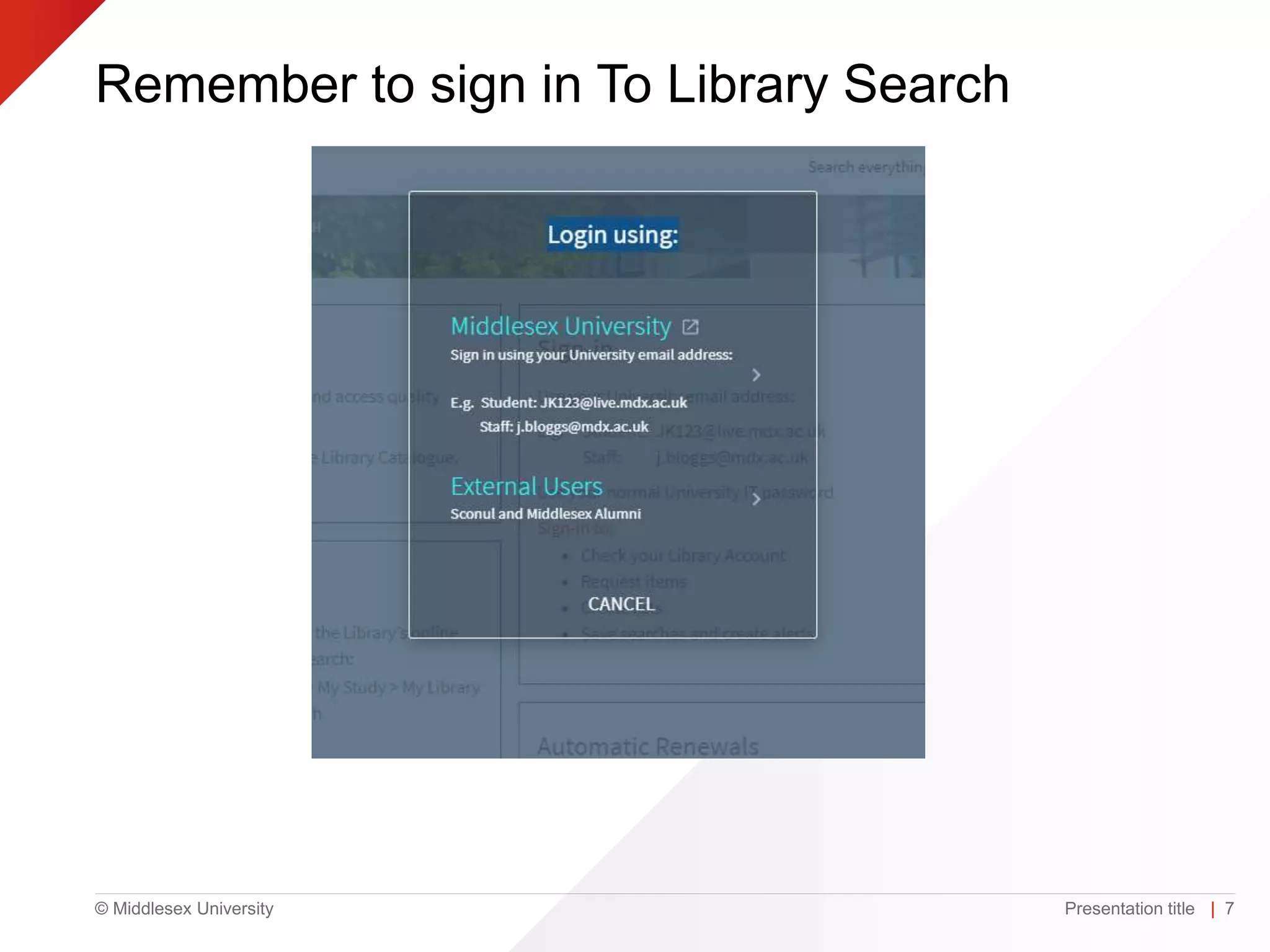
Remember to sign in To Library Search
Presentation title | 7
© Middlesex University
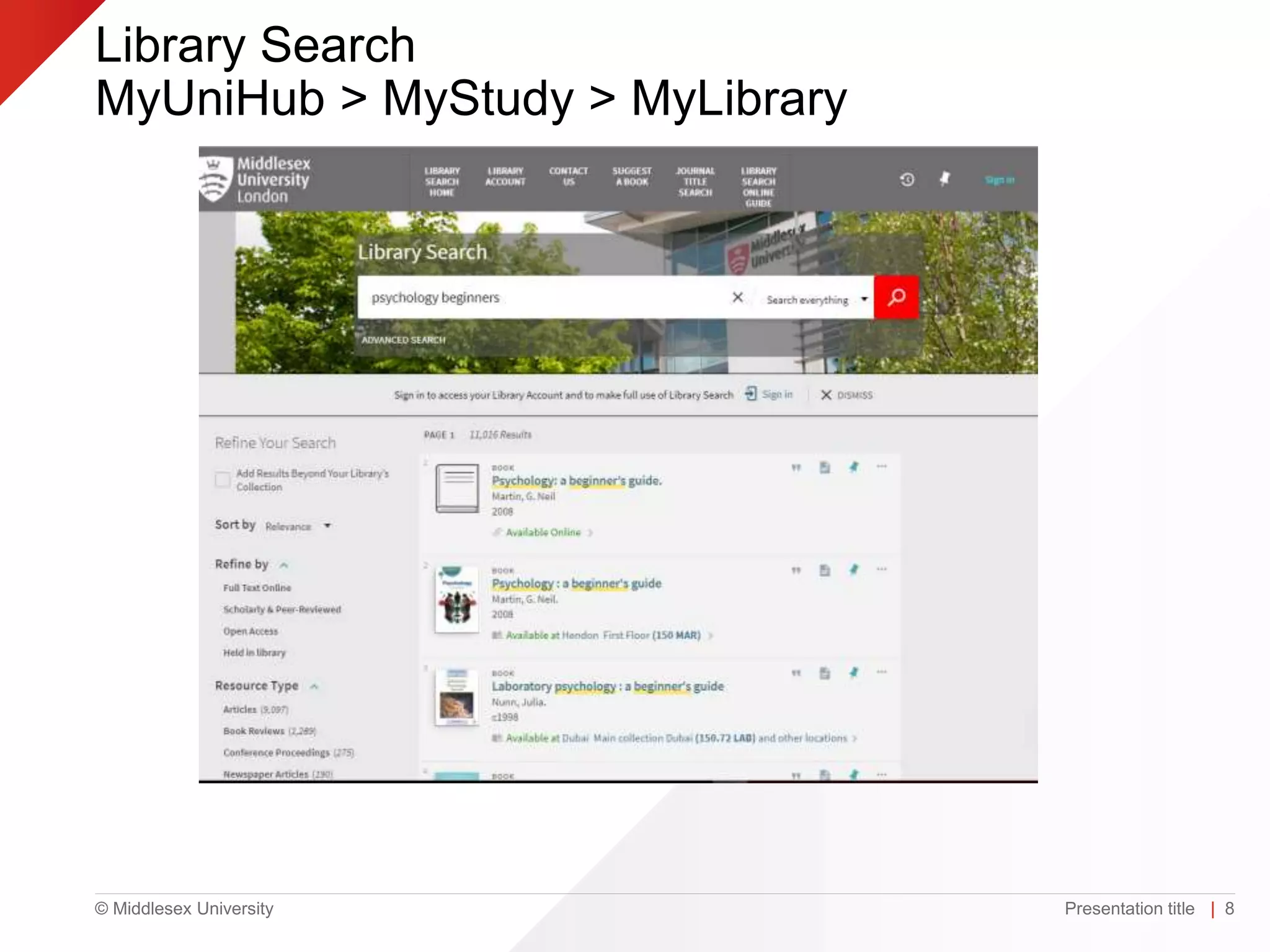
Library Search
MyUniHub > MyStudy > MyLibrary
Presentation title | 8
© Middlesex University
Library Search
Presentation title | 9
© Middlesex University
Item details on library search
Presentation title | 10
© Middlesex University
Citation example: APA
Presentation title | 11
© Middlesex University
Library Search help https://libguides.mdx.ac.uk/psych/librarysearch
© Middlesex University
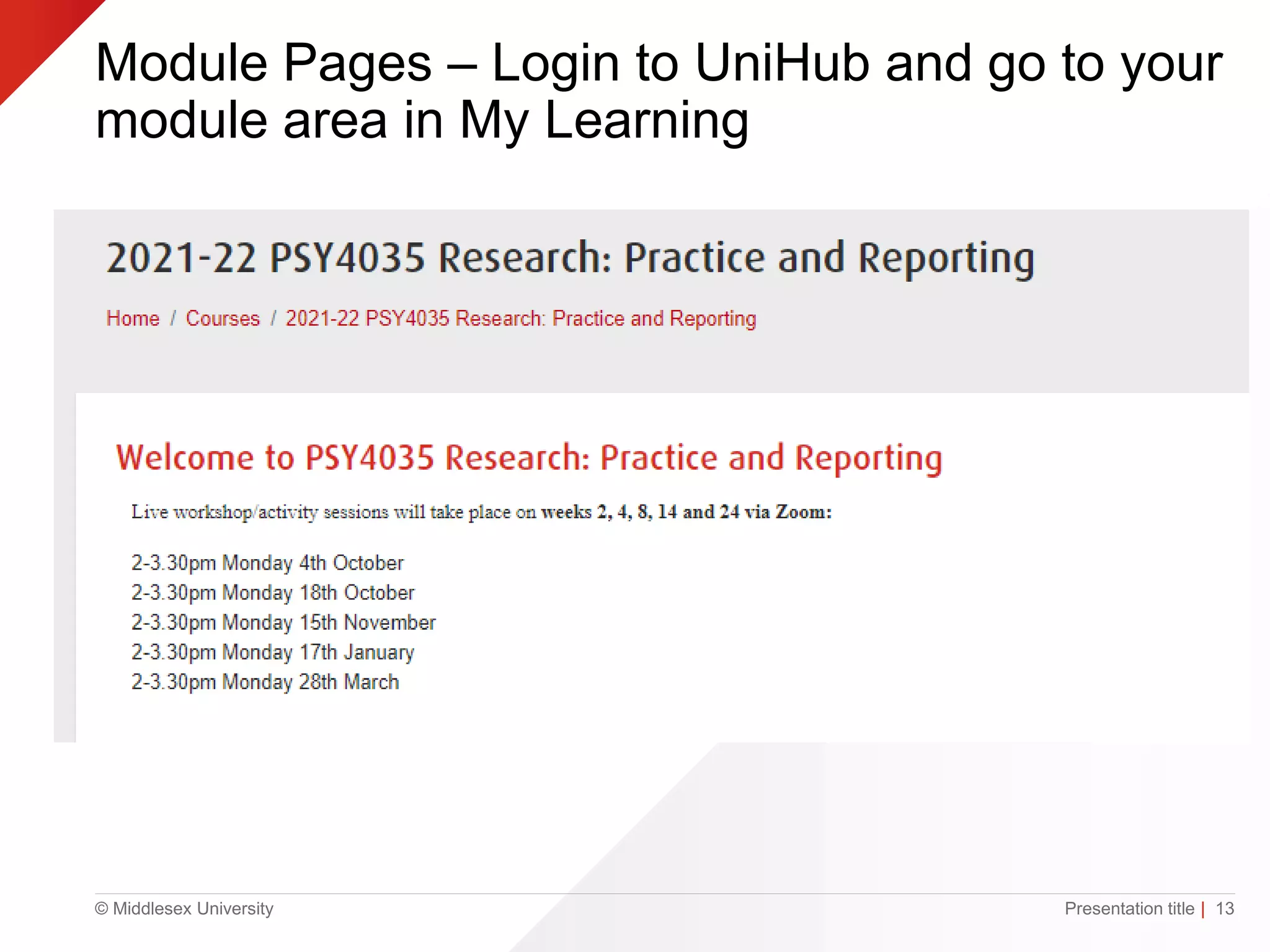
Module Pages – Login to UniHub and go to your
module area in My Learning
Presentation title | 13
© Middlesex University
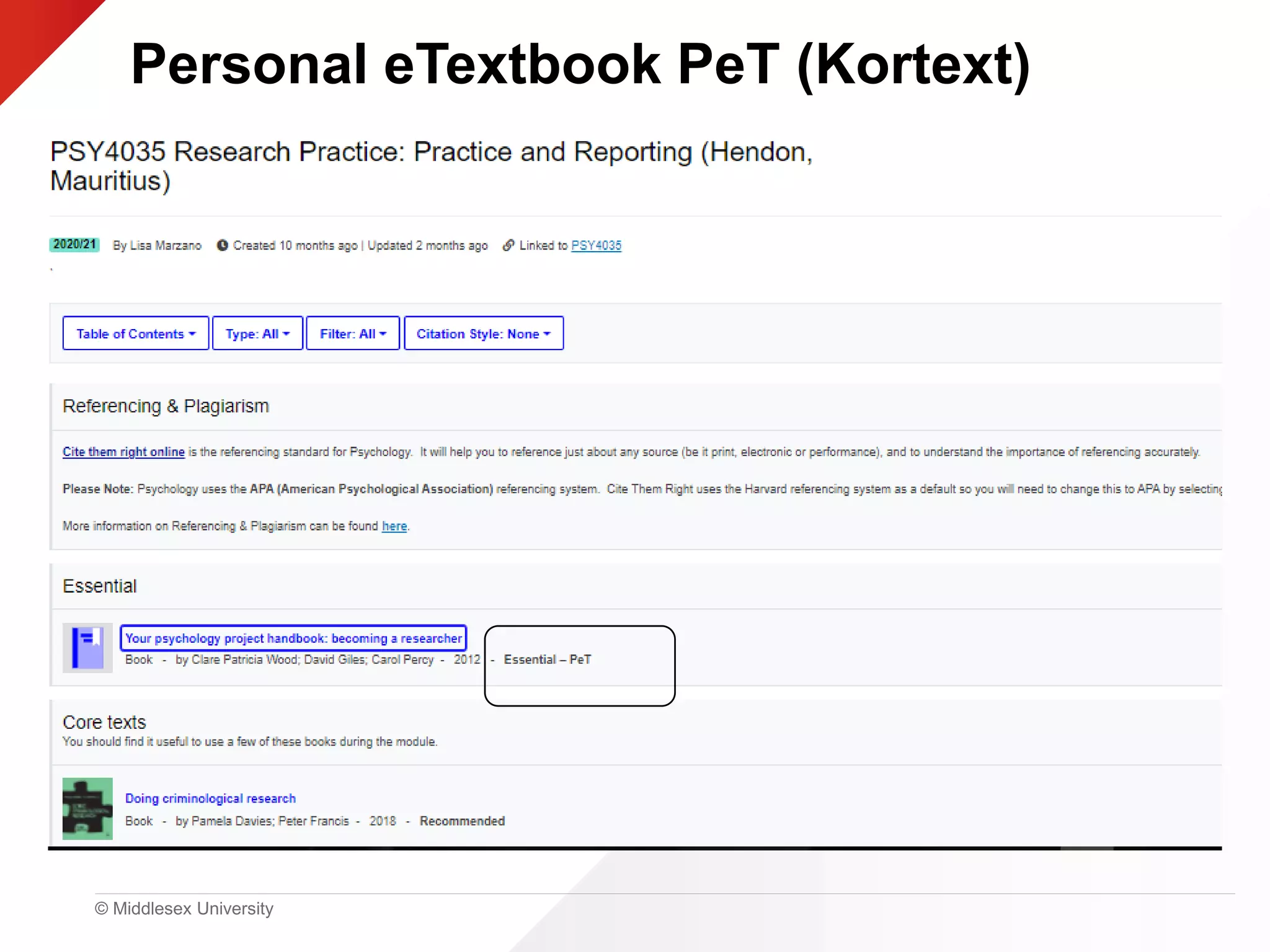
Personal eTextbook PeT (Kortext)
© Middlesex University Presentation title | 15
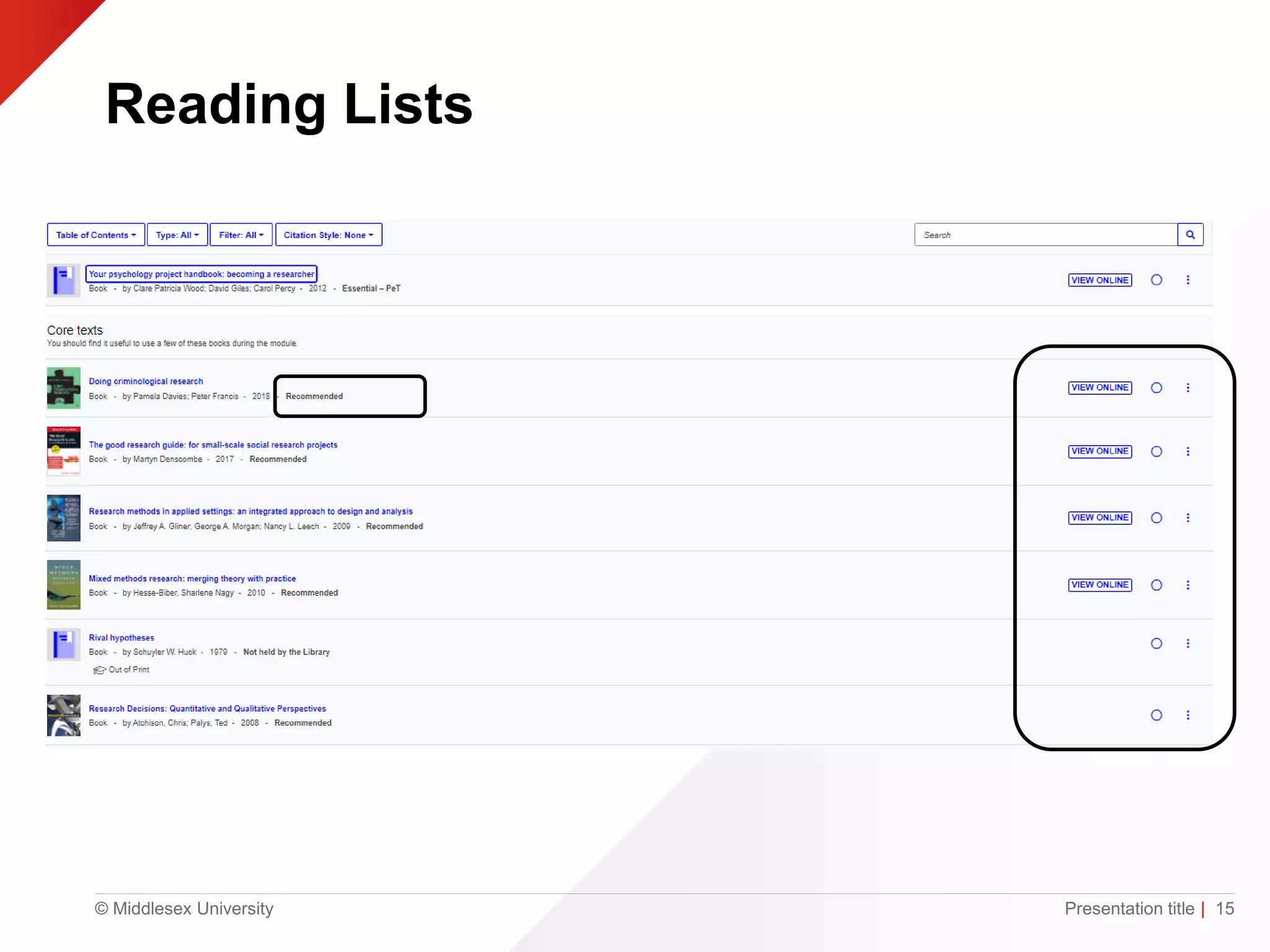
Reading Lists
© Middlesex University
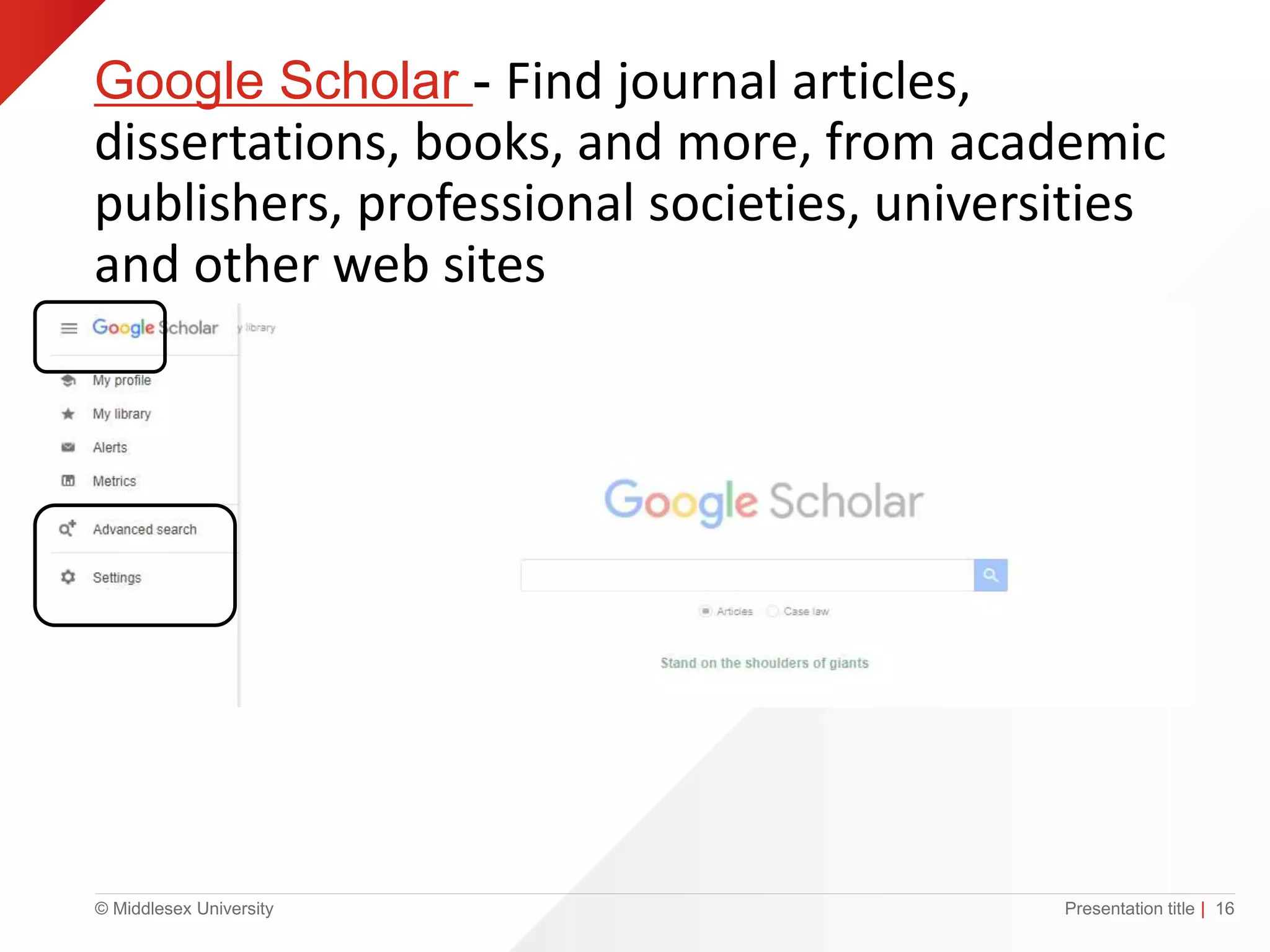
Google Scholar - Find journal articles,
dissertations, books, and more, from academic
publishers, professional societies, universities
and other web sites
Presentation title | 16
© Middlesex University
Click on library links…..
Presentation title | 17
© Middlesex University
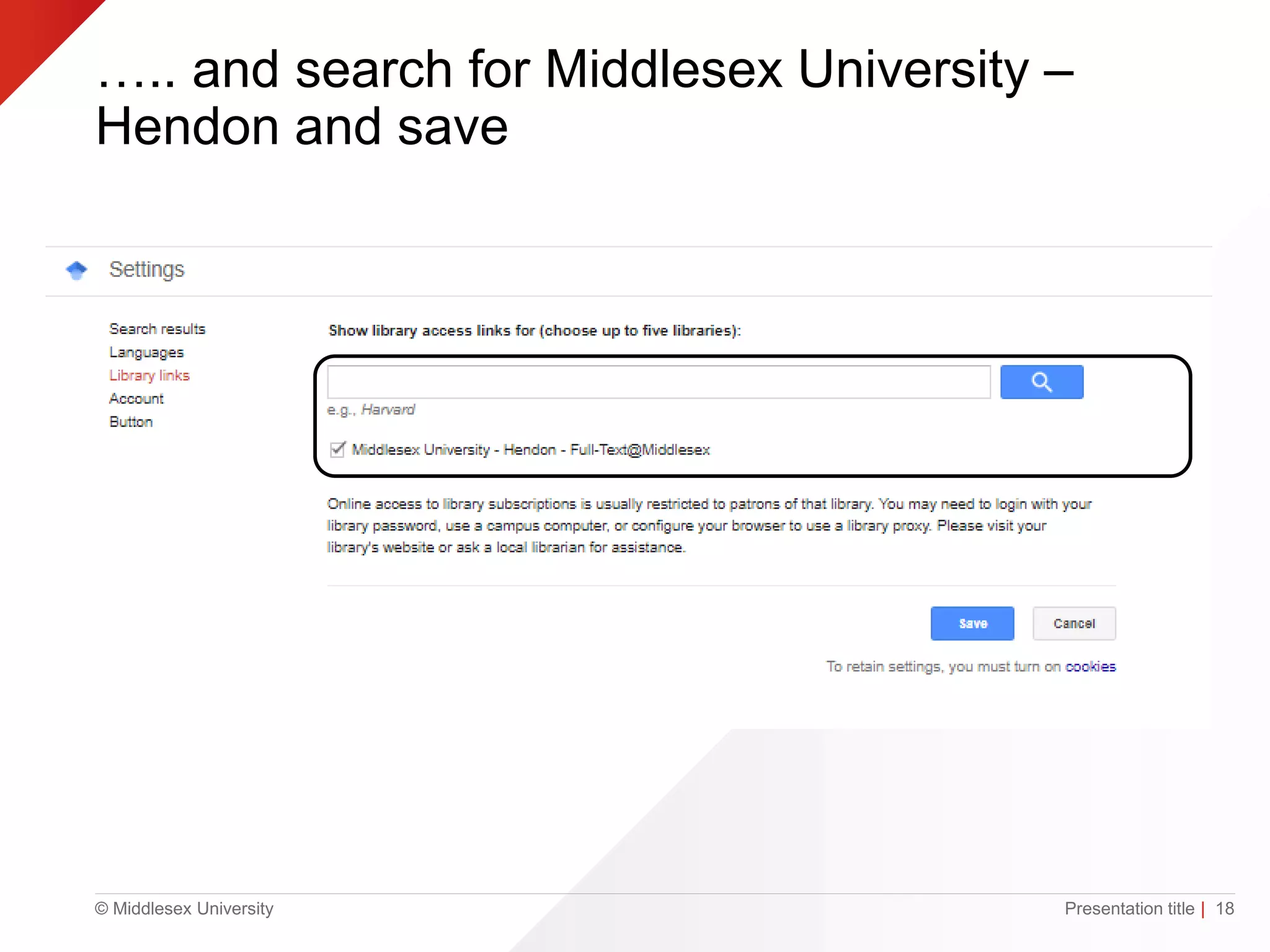
….. and search for Middlesex University –
Hendon and save
Presentation title | 18
© Middlesex University
Referencing
• Create references using Library Search
• Make sure you use the right style APA
• Use Cite Them Right to check
• Be consistent
© Middlesex University
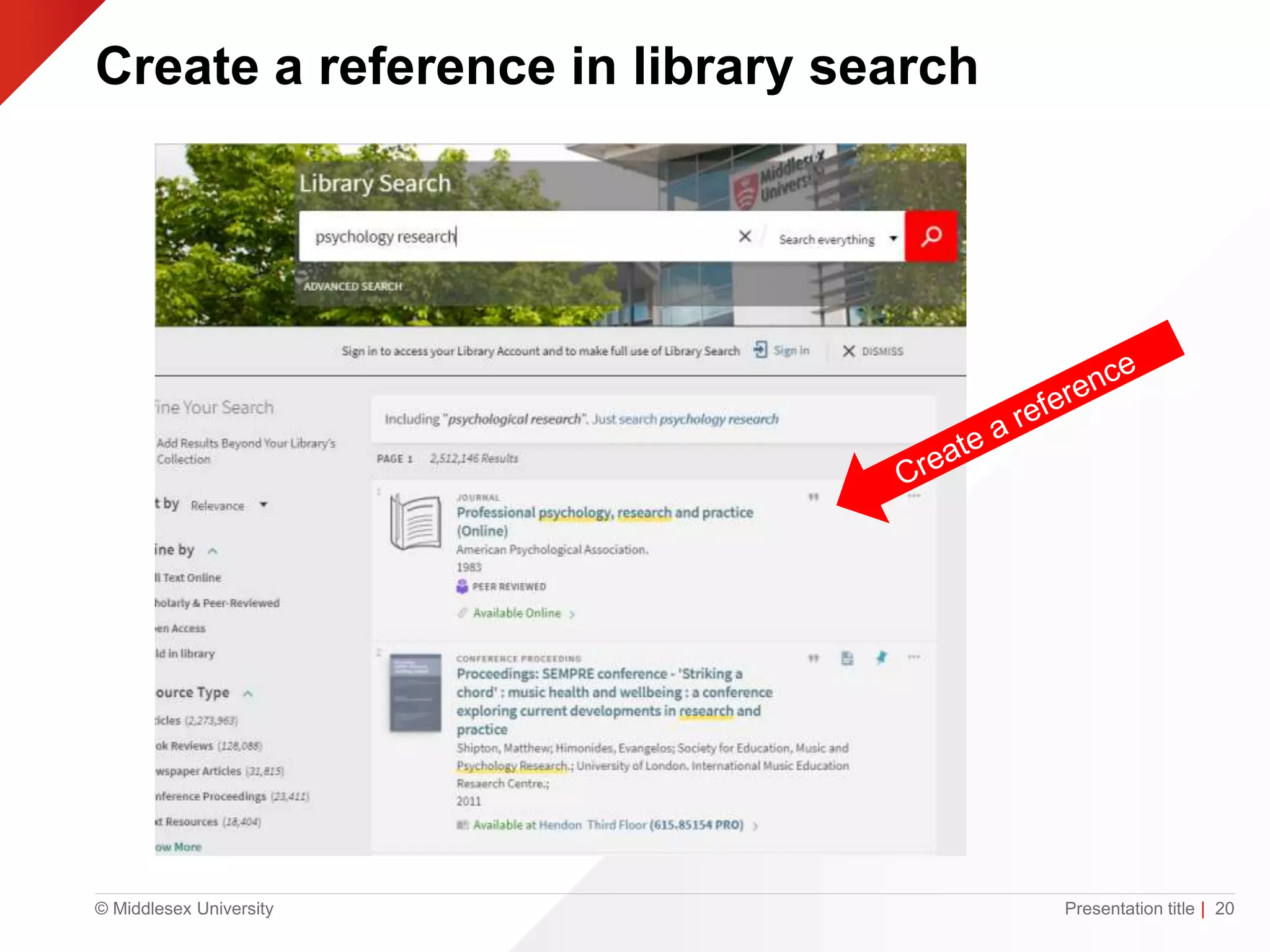
Create a reference in library search
Presentation title | 20
© Middlesex University
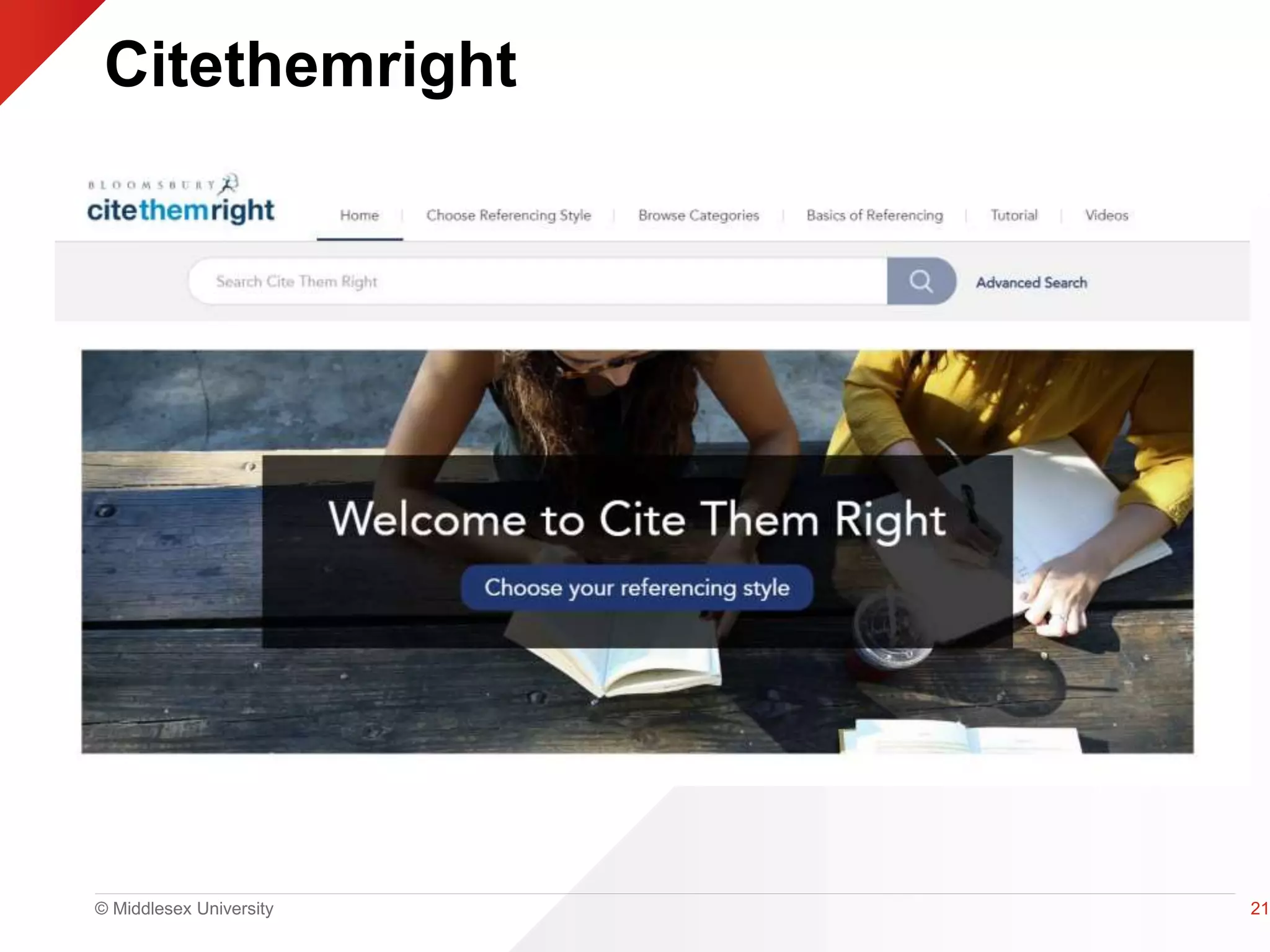
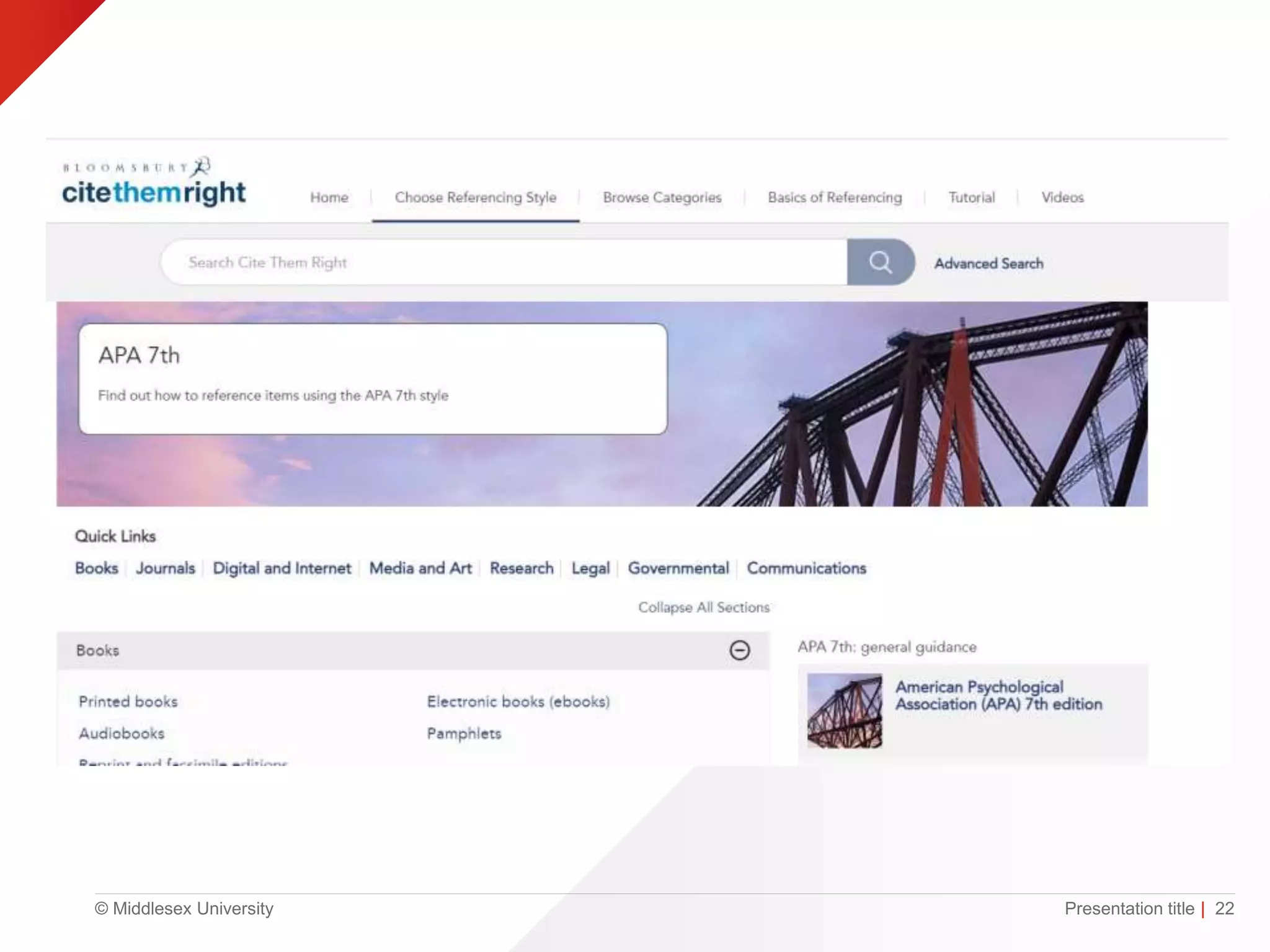
Citethemright
21
© Middlesex University Presentation title | 22
© Middlesex University
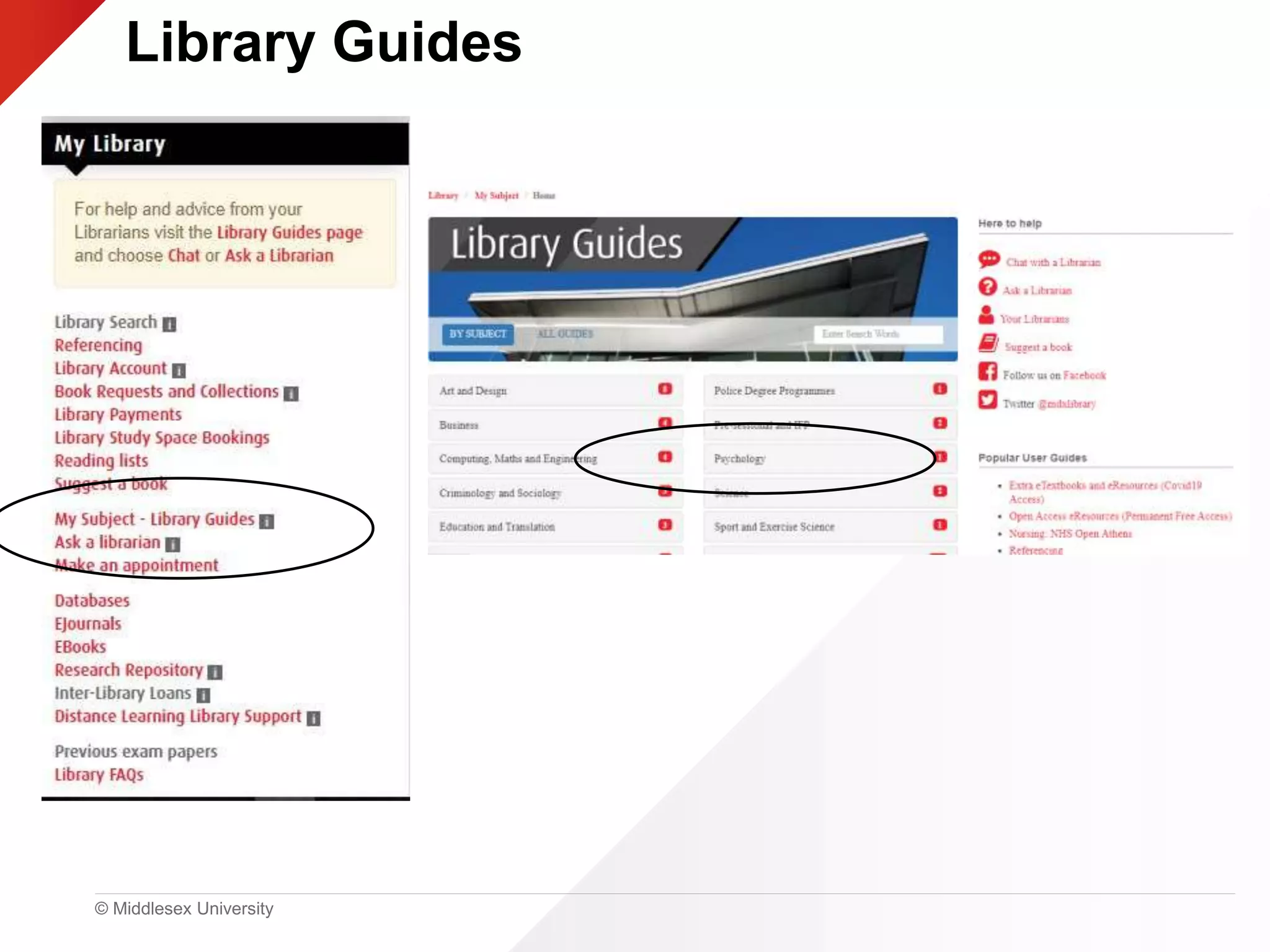
Library Guides
© Middlesex University
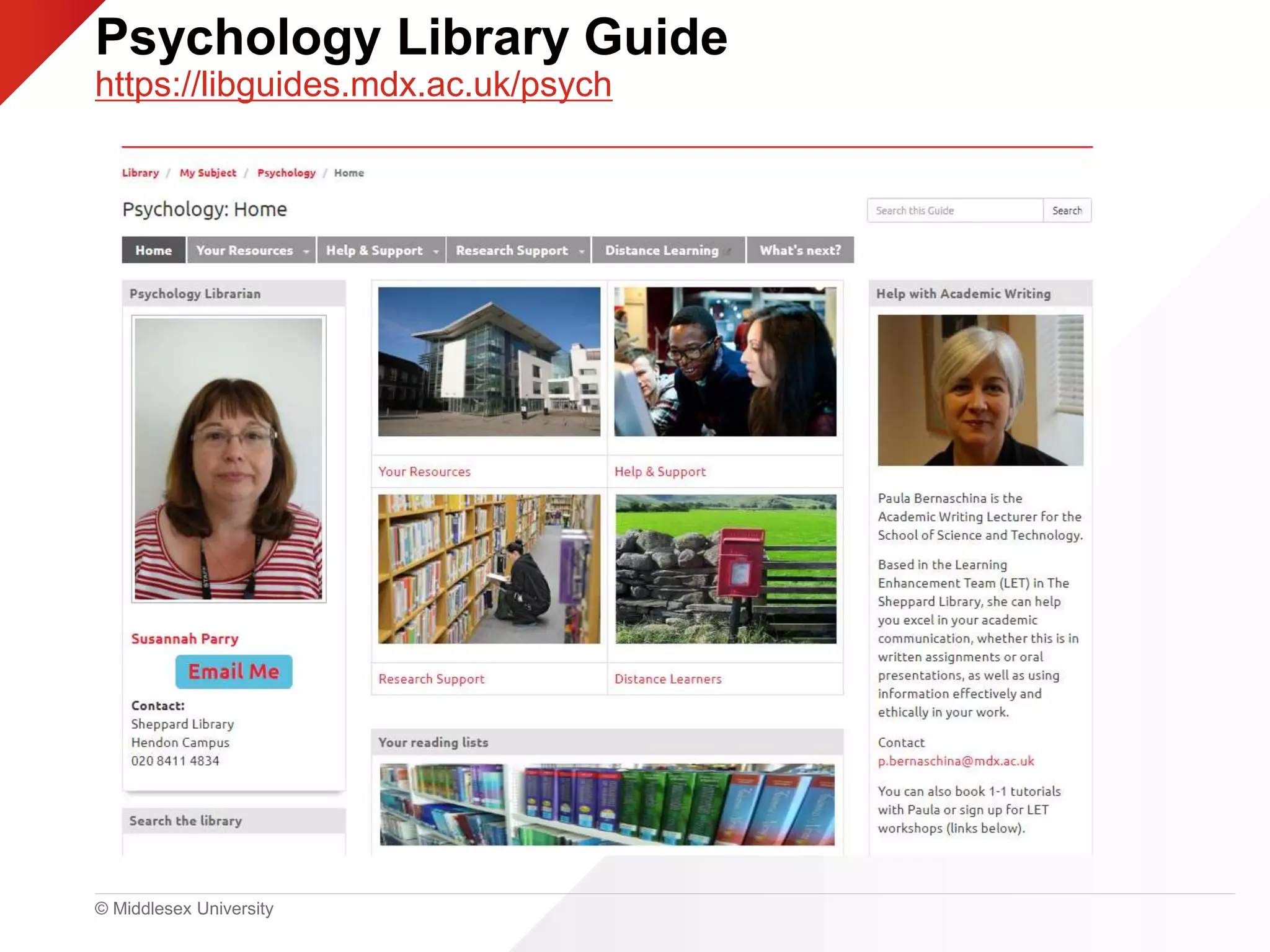
Psychology Library Guide
https://libguides.mdx.ac.uk/psych
© Middlesex University Presentation title | 25
© Middlesex University
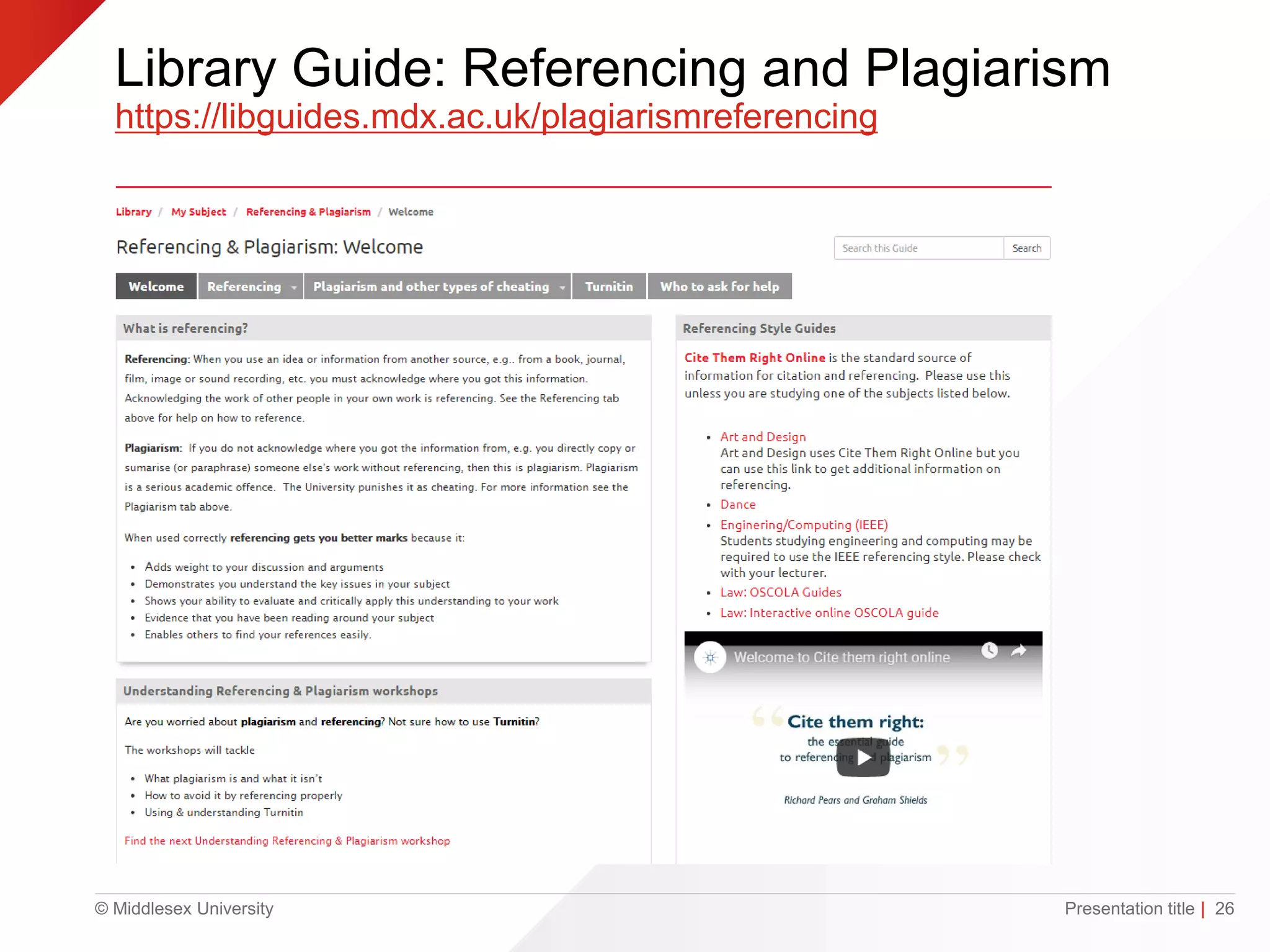
Library Guide: Referencing and Plagiarism
https://libguides.mdx.ac.uk/plagiarismreferencing
Presentation title | 26
© Middlesex University
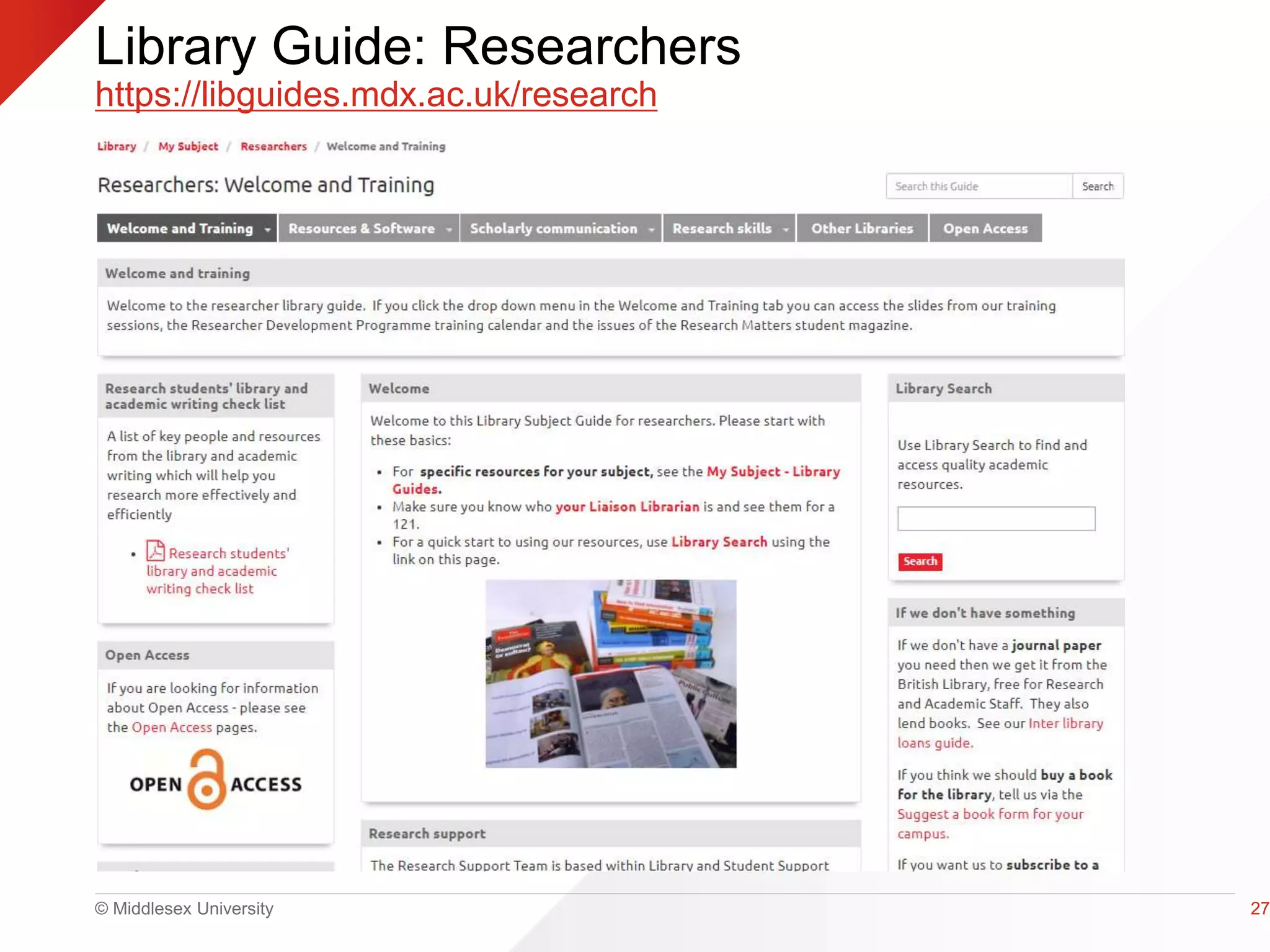
Library Guide: Researchers
https://libguides.mdx.ac.uk/research
27
© Middlesex University
Top Tips
• MyUniHub>MyStudy >
MyLibrary
• Library Search
• Cite them right
• Library Guides
• Unihelp
https://unihub.mdx.ac.uk/support/unihelp
© Middlesex University
Need help?
Face to Face Librarian: Mon – Fri 11-3 Study Help
Librarian Online Chat – Monday- Friday, 9am – 5pm
https://libguides.mdx.ac.uk/chat
Psychology Library Subject Guide
https://libguides.mdx.ac.uk/psych
Library Information https://unihub.mdx.ac.uk/study/library
Susannah Parry – s.parry@mdx.ac.uk

PG Skills Day: Introduction to Learning Resources (PSY4035) 2022

Editor's Notes

  • #2 Welcome to the psychology PG skills day. I am Susannah Parry the psychology librarian and I am going to give you a quick introduction some library services and show how to access them.
  • #3 UniHelp is your first point of call for general student enquiries and provides information, help and support for all aspects of student life including: Finance – fees/student loans/benefits Course related issues such as exams, timetables and enrolment Use of library resources Wellbeing If UniHelp staff are unable to answer your enquiry, they will refer you to the appropriate specialist experts. You contact UniHelp in person, by phone, using ‘Chat’ or by submitting a query online. You can do this by going to the link on the screen (https://unihub.mdx.ac.uk/support/unihelp) or look-out for the green ‘Chat with us’ pop-up tab when you go to UniHub.
  • #4 I am going to talk about Library search, which is the Middlesex University library database, Module reading lists, Kortexts, Referencing, Library subject guides and research support
  • #5 You have all already got full library access and your library card number is on the back of your ID pass Make sure when you access the library you go through My Uni Hub then go to My Study then My Library
  • #6 My Library is the best way to access the range of library resources you will need during your time at Middlesex. I have highlighted Library search which is the library database of books, journal articles, conference papers and multi media resources. There are links to your module reading lists and databases You can also access your library account as well as lots of library guides on different subjects including of course psychology
  • #7 This is the Middlesex Library Search homepage There is a basic and an advanced search option You should always begin your search for information here. Use keywords to search for topics.
  • #8 Always remember to sign in to library search using your university email to access your library account, save your searches and access electronic resources like e-books and e-journal articles.
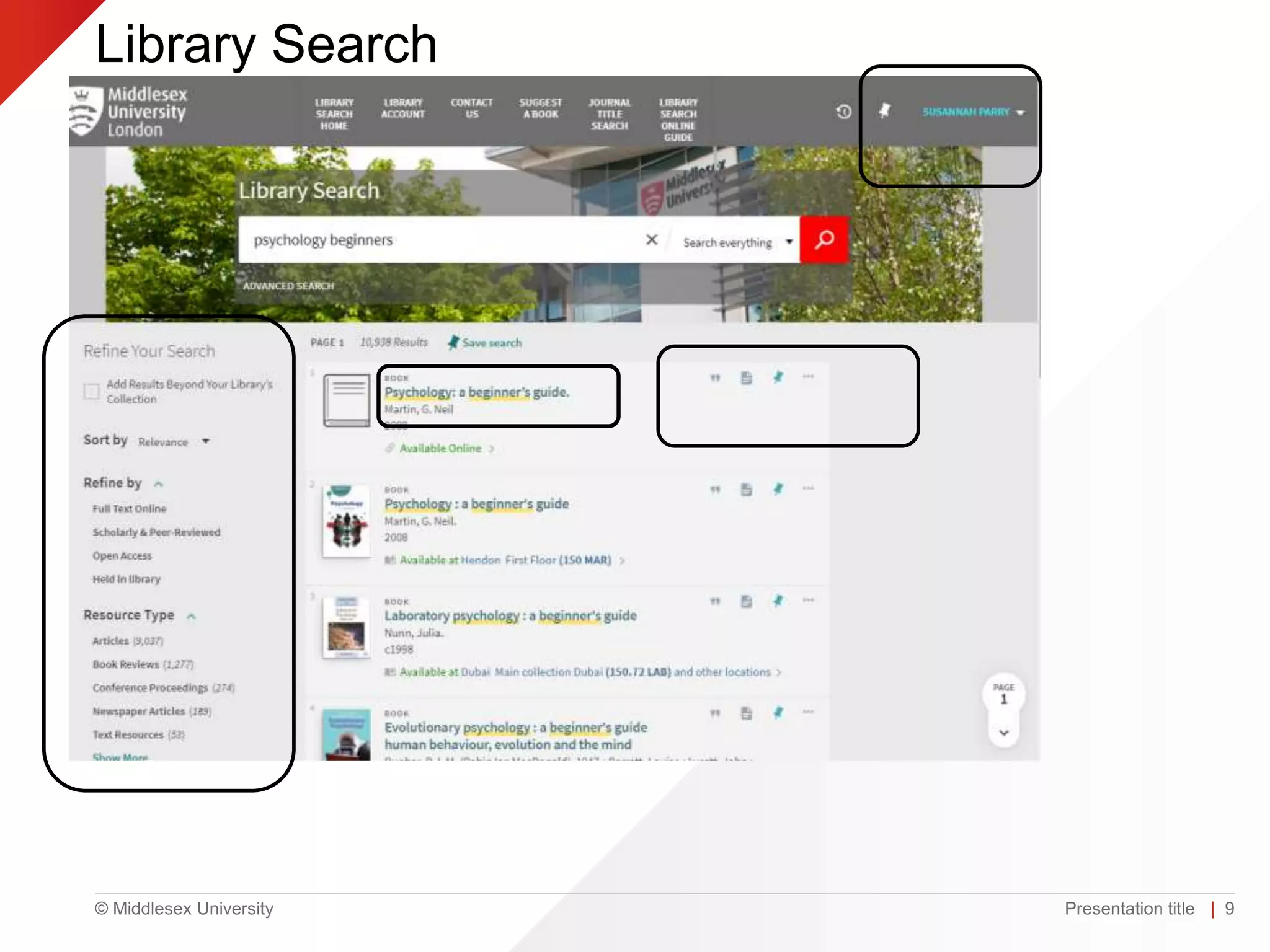
  • #9 This shows a search using the keywords psychology and beginners You can see that the search tells you if you are looking at a book or an article, if it is available online or in print. At the moment library search automatically looks for online material first.
  • #10 You can now see I have signed in to library search. You can also see on the left hand side of the screen that you can narrow your search, for example by date or resource type . Other things to notice on this screenshot are the pin symbol to save either the whole search or individual records. You can click on the quotation marks next to a record to get a reference using APA for this book or article. The folded page symbol allows you to save this item to RefWorks the bibliographic system supported by Middlesex.
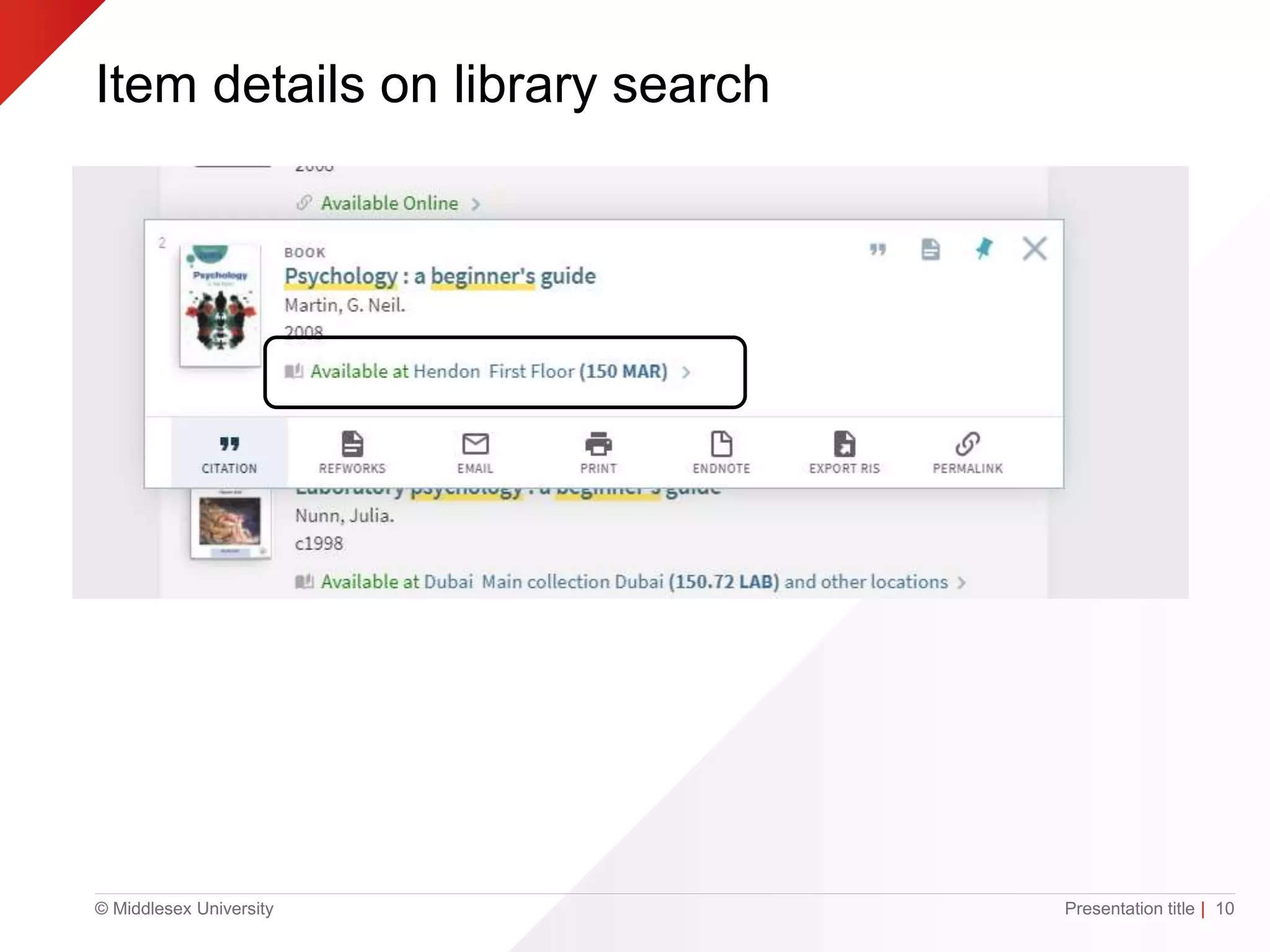
  • #11 This shows a book record in more detail You can see it tells you it is a print title and it is available from the Hendon campus on the first floor at the shelf number 150MAR Underneath you can see the symbols I mentioned previously, the citation option, refworks as well as email and print options
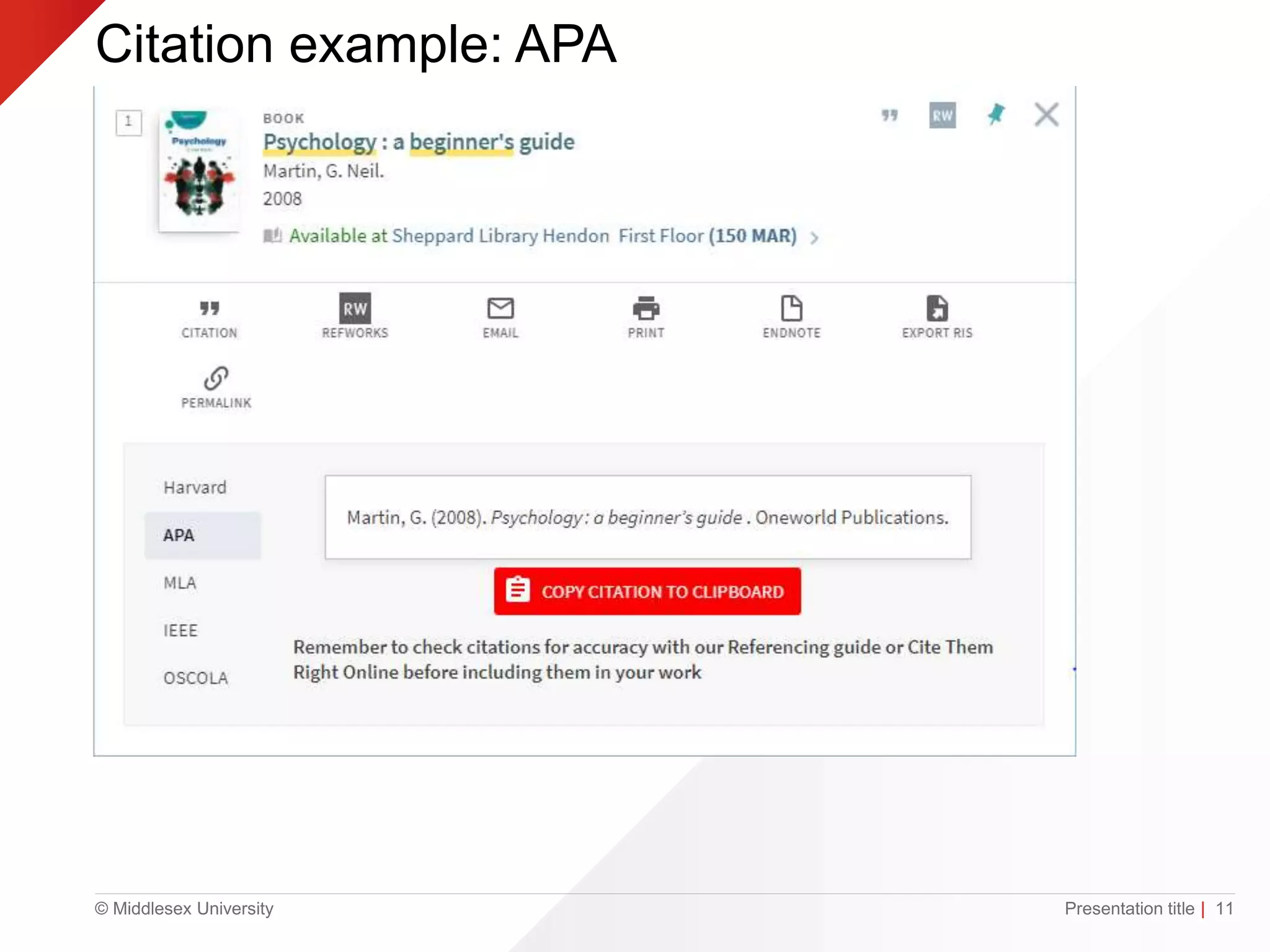
  • #12 This shows an example of a citation or reference for the book we searched for. You can see it is showing the reference in the APA format for your assignment. Also notice that you are reminded to always check your references using Cite Them Right Online which I will mention later on
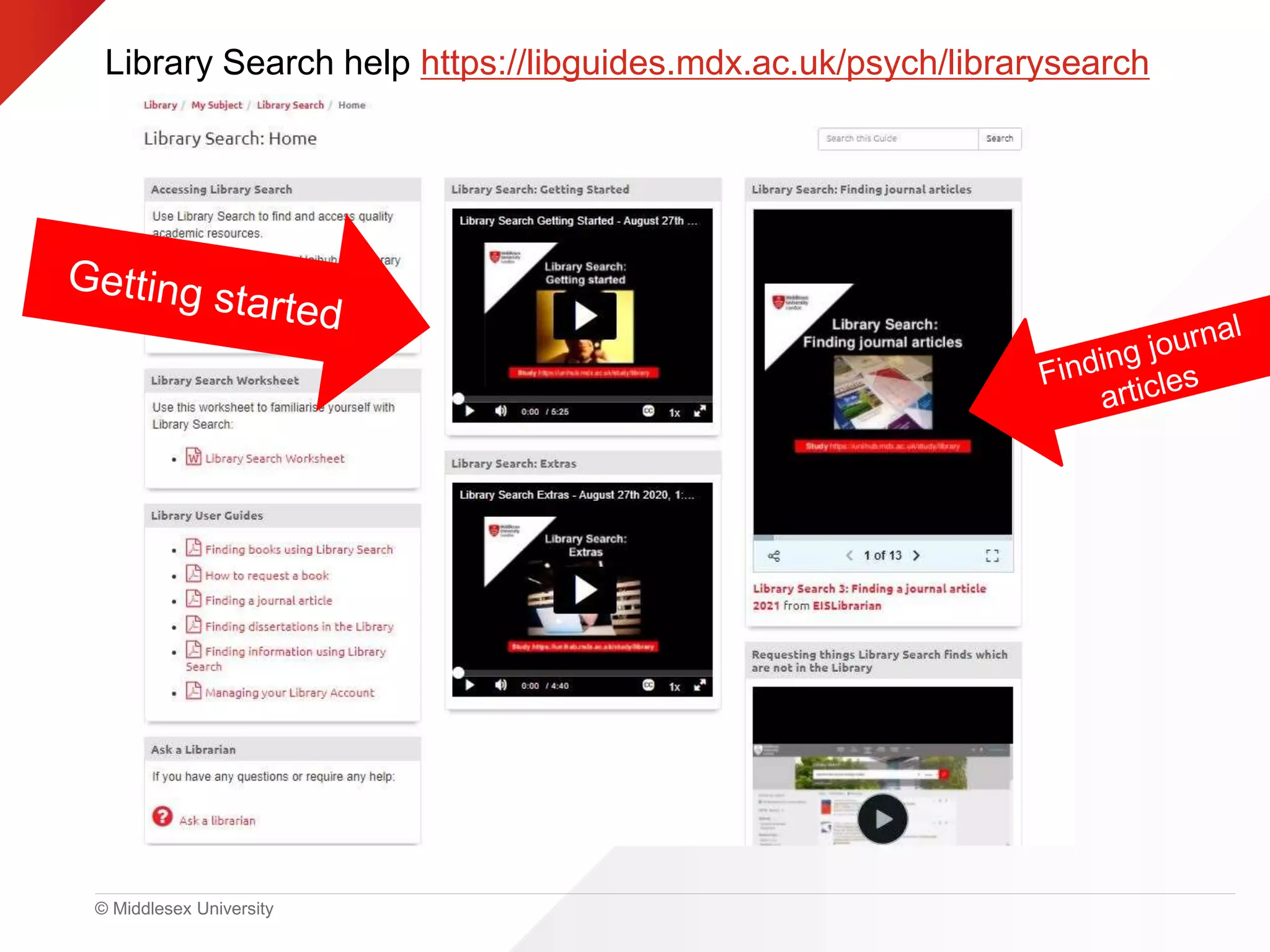
  • #13 There is more help available on using Library search in the psychology library guide.
  • #14 To find your Module pages you should log into UniHub and go to your module area in My Learning You will find all the information on your module here for example Kortexts, reading lists and lecture notes
  • #15 A personal eTextbook or Kortext chosen by the Module Leader has been purchased for each Middlesex University student studying at the London Hendon campus These Personal eTextbooks (Kortext) can be accessed from the module area in myUniHub Students will be emailed with their account details for the Kortext App. Make sure you check your university email for an email from Kortext to activate your account Students receive a Kortext for each module they study at Middlesex and students keep these books after they graduate
  • #16 Each module has a reading list created by the module leader It should have your personal e-textbook or Kortext for the module at the top with other items for you to read shown below Some items are shown as essential reading and some are recommended or additional. Module leaders have been asked to make as much material available online as possible If you have questions about the list speak to your module leader
  • #17 Have you used Google Scholar? Librarians often call it Good Google! You can use it to find articles books and other resources You can also link it to the Middlesex Library Search to see if Middlesex have full text electronic versions of articles Go to google scholar and click on the settings icon
  • #18 Click on Library Links
  • #19 Search for Middlesex University - Hendon in the search box Tick and click on save You only need to do this once on your laptop
  • #20 A few reminders about referencing You must always reference any ideas you use which are not your own to avoid plagiarism. It also allows anyone reading your work to locate the original material you used. Good use of referencing allows you to distinguish between your own ideas and opinions and those of others. To highlight and back-up relevant points by quoting, paraphrasing or summarising from the original text and to achieve a better mark or grade. Remember that your reference style is APA 7th edition
  • #21 A reminder on how to create a basic reference from Library search just click on the quotation symbol next to the item
  • #22 Cite Them Right is the recommended system for referencing used by Middlesex University You can use it to see how to create in-text citations and references using a range of different referencing styles such as Harvard and APA
  • #23 Here you can see an example of all the options to reference items just under the Books heading using the APA 7th edition referencing style
  • #24 There are lots of library guides written by librarians available to students covering subjects taught at Middlesex You can see here I have highlighted the one for Psychology
  • #25 This is the homepage for the Psychology library guide There is a lot of useful information in the guide covering resources, research support, how to use the library, databases and referencing help Please take some time to have a look and see what is available
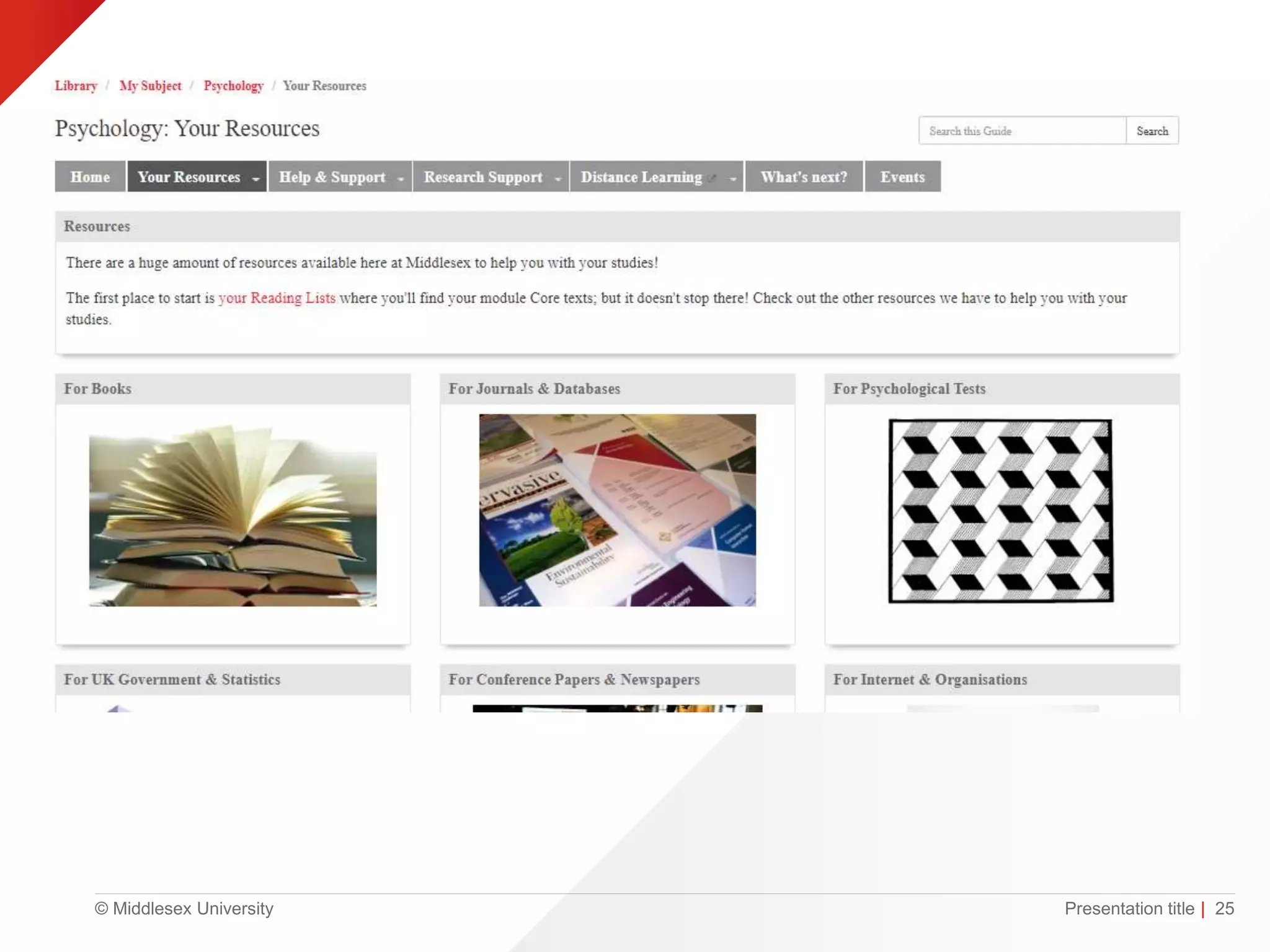
  • #26 This is the resources page of the guide showing information about Books, Journals and databases, Psychological tests, Statistics, Conference papers and Organisations
  • #27 This is another of the library guides available, this one is on referencing and plagiarism
  • #28 And this one is for researchers
  • #29 These are our top tips: To access Library resources log into MyUniHub > select MyStudy >scroll down to MyLibrary Always start your research by checking Library Search Remember your references and check them against Cite them right Use our Library Guides to find out more about specialist resources and support for your subject area. Remember that you can get help with all aspects of student life including counselling and mental health, welfare, disability, visas, academic writing, maths & stats and using library resources to find information. If in doubt ask UniHelp for assistance
  • #30 If you need any help just send me an email or visit the online librarian chat Monday to Friday 9-5. Library staff are available at study help1st floor on the Sheppard library Monday- Friday 11-3 IT support and academic writing support is also available there