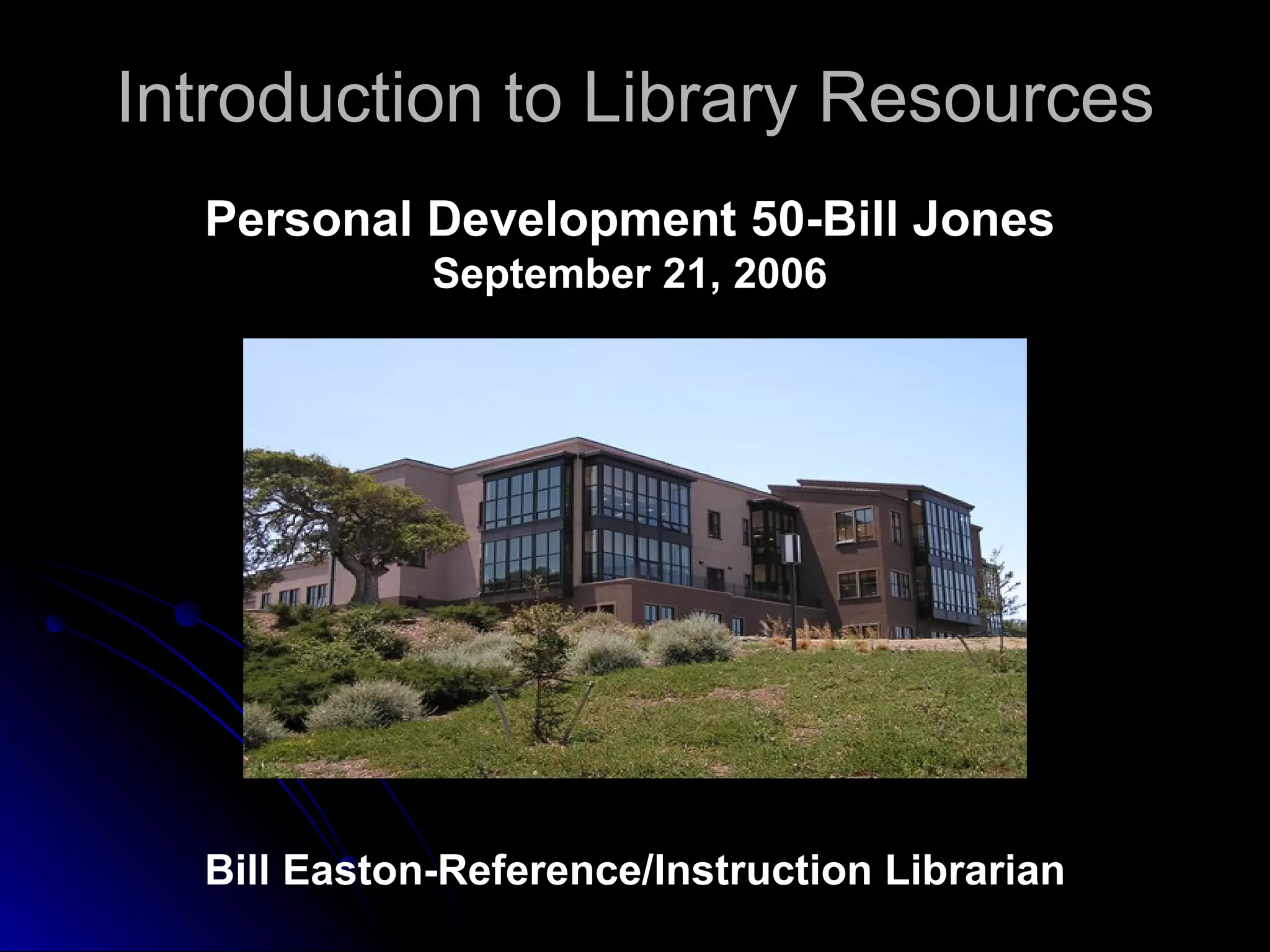
Introduction to Library Resources Bill Easton-Reference/Instruction Librarian Personal Development 50-Bill Jones September 21, 2006
Library Hours: Monday – Thursday  8:00 am -  9:00 pm Friday  8:00 am – 2:00 pm Saturday  Closed Sunday  1:00 pm – 5:00 pm
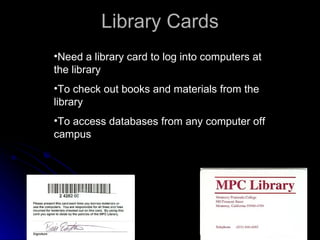
Library Cards Need a library card to log into computers at the library To check out books and materials from the library To access databases from any computer off campus
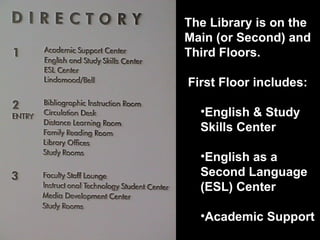
The Library is on the Main (or Second) and Third Floors.  First Floor includes: English & Study Skills Center English as a Second Language (ESL) Center Academic Support
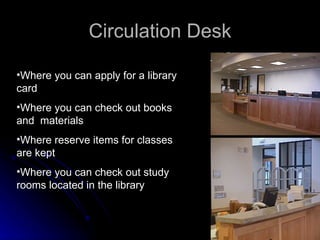
Circulation Desk Where you can apply for a library card Where you can check out books and  materials Where reserve items for classes are kept Where you can check out study rooms located in the library
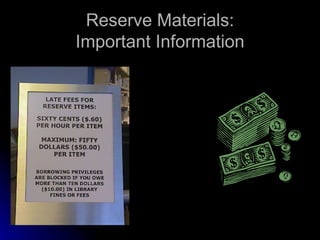
Reserve Materials: Important Information
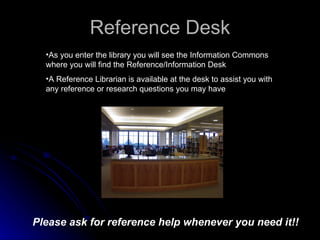
Reference Desk As you enter the library you will see the Information Commons where you will find the Reference/Information Desk A Reference Librarian is available at the desk to assist you with any reference or research questions you may have Please ask for reference help whenever you need it!!
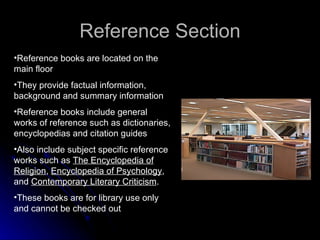
Reference Section Reference books are located on the main floor They provide factual information, background and summary information Reference books include general works of reference such as dictionaries, encyclopedias and citation guides Also include subject specific reference works such as  The Encyclopedia of Religion ,  Encyclopedia of Psychology , and  Contemporary Literary Criticism . These books are for library use only and cannot be checked out
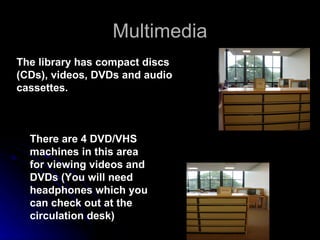
Multimedia There are 4 DVD/VHS machines in this area for viewing videos and DVDs (You will need headphones which you can check out at the circulation desk) The library has compact discs (CDs), videos, DVDs and audio cassettes.
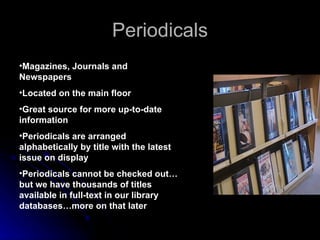
Periodicals Magazines, Journals and Newspapers   Located on the main floor Great source for more up-to-date information Periodicals are arranged alphabetically by title with the latest issue on display Periodicals cannot be checked out…but we have thousands of titles available in full-text in our library databases…more on that later
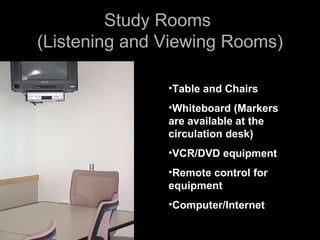
Study Rooms  (Listening and Viewing Rooms) Table and Chairs Whiteboard (Markers are available at the circulation desk) VCR/DVD equipment Remote control for equipment Computer/Internet
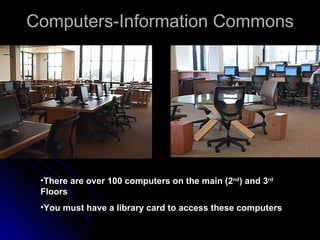
Computers-Information Commons There are over 100 computers on the main (2 nd ) and 3 rd  Floors You must have a library card to access these computers
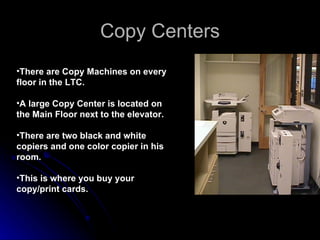
Copy Centers There are Copy Machines on every floor in the LTC.  A large Copy Center is located on the Main Floor next to the elevator.  There are two black and white copiers and one color copier in his room. This is where you buy your copy/print cards.
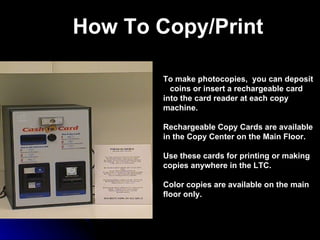
How To Copy/Print To make photocopies,  you can deposit  coins or insert a rechargeable card  into the card reader at each copy machine. Rechargeable Copy Cards are available  in the Copy Center on the Main Floor. Use these cards for printing or making copies anywhere in the LTC. Color copies are available on the main floor only.
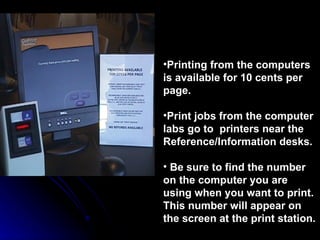
Printing from the computers is available for 10 cents per page. Print jobs from the computer labs go to  printers near the Reference/Information desks.  Be sure to find the number on the computer you are using when you want to print. This number will appear on the screen at the print station.
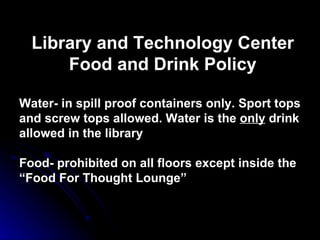
Library and Technology Center Food and Drink Policy Water- in spill proof containers only. Sport tops and screw tops allowed. Water is the  only  drink allowed in the library Food- prohibited on all floors except inside the “Food For Thought Lounge”
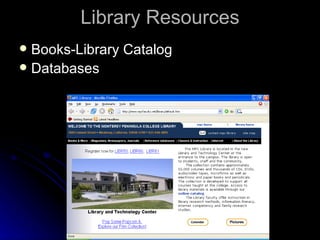
Library Resources Books-Library Catalog Databases
Books MPC Library Catalog  (OPAC...Online Public Access Catalog) Interlibrary Loan (ILL)
Boolean Operators (Combination Searching) Use  Quotation Marks  to keep multi-worded terms or phrases together. For Example: “skin cancer”, “Monterey Peninsula College”
Use the word  AND  to link different  search terms and to narrow your  topic For Example: “skin cancer” AND treatment, surfing AND “shark attack” AND California Boolean Operators (Combination Searching)
Library Databases EBSCOHost Biography Resource Center Newsbank
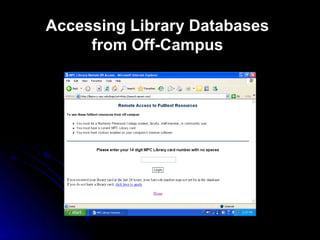
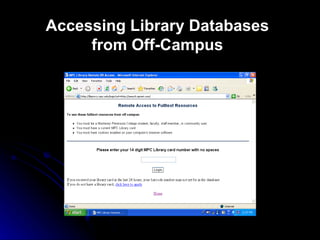
Accessing Library Databases from Off-Campus
Internet Resources Be Very Critical of All Websites You Come Across
Evaluating Web Pages ACCURACY anyone can publish on the Web  many Web resources are not verified by editors and/or fact checkers  Web standards to ensure accuracy have yet to be developed
2. AUTHORITY often difficult to determine authorship of Web resources  if author's name is listed, his/her qualifications are frequently absent  Evaluating Web Pages
3. OBJECTIVITY goals/aims of persons or groups presenting material often not clearly stated  are they trying to sell you something, persuade you, educate or inform you?  Web often functions as a 'virtual soap box'  Evaluating Web Pages
Evaluating Web Pages 4. CURRENCY dates are not always included on Web pages  if included, a date may have various meanings  the date the information was first written the date the information was placed on the Web the date the Web site was last revised
5. OTHER FACTORS  is the Web page well designed, does it make good use of graphics  does the page load efficiently  are all the links active  Evaluating Web Pages Domain names may tell you something:   .com, .edu, .gov, .org, .mil
Questionable Websites Northwest Tree Octopus Dihydrogen Monoxide California Velcro Crop RYT Hospital Lacuna Inc. Martin Luther King The King Center Be Critical Of All Websites You Come Across!!
Accessing Library Databases from Off-Campus
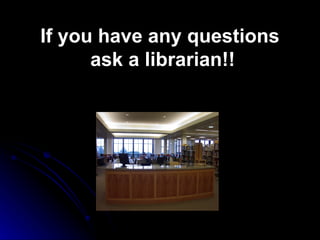
If you have any questions  ask a librarian!!

Personal Development Presentation

  • 1.
    Introduction to LibraryResources Bill Easton-Reference/Instruction Librarian Personal Development 50-Bill Jones September 21, 2006
  • 2.
    Library Hours: Monday– Thursday 8:00 am - 9:00 pm Friday 8:00 am – 2:00 pm Saturday Closed Sunday 1:00 pm – 5:00 pm
  • 3.
    Library Cards Needa library card to log into computers at the library To check out books and materials from the library To access databases from any computer off campus
  • 4.
    The Library ison the Main (or Second) and Third Floors. First Floor includes: English & Study Skills Center English as a Second Language (ESL) Center Academic Support
  • 5.
    Circulation Desk Whereyou can apply for a library card Where you can check out books and materials Where reserve items for classes are kept Where you can check out study rooms located in the library
  • 6.
  • 7.
    Reference Desk Asyou enter the library you will see the Information Commons where you will find the Reference/Information Desk A Reference Librarian is available at the desk to assist you with any reference or research questions you may have Please ask for reference help whenever you need it!!
  • 8.
    Reference Section Referencebooks are located on the main floor They provide factual information, background and summary information Reference books include general works of reference such as dictionaries, encyclopedias and citation guides Also include subject specific reference works such as The Encyclopedia of Religion , Encyclopedia of Psychology , and Contemporary Literary Criticism . These books are for library use only and cannot be checked out
  • 9.
    Multimedia There are4 DVD/VHS machines in this area for viewing videos and DVDs (You will need headphones which you can check out at the circulation desk) The library has compact discs (CDs), videos, DVDs and audio cassettes.
  • 10.
    Periodicals Magazines, Journalsand Newspapers Located on the main floor Great source for more up-to-date information Periodicals are arranged alphabetically by title with the latest issue on display Periodicals cannot be checked out…but we have thousands of titles available in full-text in our library databases…more on that later
  • 11.
    Study Rooms (Listening and Viewing Rooms) Table and Chairs Whiteboard (Markers are available at the circulation desk) VCR/DVD equipment Remote control for equipment Computer/Internet
  • 12.
    Computers-Information Commons Thereare over 100 computers on the main (2 nd ) and 3 rd Floors You must have a library card to access these computers
  • 13.
    Copy Centers Thereare Copy Machines on every floor in the LTC. A large Copy Center is located on the Main Floor next to the elevator. There are two black and white copiers and one color copier in his room. This is where you buy your copy/print cards.
  • 14.
    How To Copy/PrintTo make photocopies, you can deposit coins or insert a rechargeable card into the card reader at each copy machine. Rechargeable Copy Cards are available in the Copy Center on the Main Floor. Use these cards for printing or making copies anywhere in the LTC. Color copies are available on the main floor only.
  • 15.
    Printing from thecomputers is available for 10 cents per page. Print jobs from the computer labs go to printers near the Reference/Information desks. Be sure to find the number on the computer you are using when you want to print. This number will appear on the screen at the print station.
  • 16.
    Library and TechnologyCenter Food and Drink Policy Water- in spill proof containers only. Sport tops and screw tops allowed. Water is the only drink allowed in the library Food- prohibited on all floors except inside the “Food For Thought Lounge”
  • 17.
  • 18.
    Books MPC LibraryCatalog (OPAC...Online Public Access Catalog) Interlibrary Loan (ILL)
  • 19.
    Boolean Operators (CombinationSearching) Use Quotation Marks to keep multi-worded terms or phrases together. For Example: “skin cancer”, “Monterey Peninsula College”
  • 20.
    Use the word AND to link different search terms and to narrow your topic For Example: “skin cancer” AND treatment, surfing AND “shark attack” AND California Boolean Operators (Combination Searching)
  • 21.
    Library Databases EBSCOHostBiography Resource Center Newsbank
  • 22.
  • 23.
    Internet Resources BeVery Critical of All Websites You Come Across
  • 24.
    Evaluating Web PagesACCURACY anyone can publish on the Web many Web resources are not verified by editors and/or fact checkers Web standards to ensure accuracy have yet to be developed
  • 25.
    2. AUTHORITY oftendifficult to determine authorship of Web resources if author's name is listed, his/her qualifications are frequently absent Evaluating Web Pages
  • 26.
    3. OBJECTIVITY goals/aimsof persons or groups presenting material often not clearly stated are they trying to sell you something, persuade you, educate or inform you? Web often functions as a 'virtual soap box' Evaluating Web Pages
  • 27.
    Evaluating Web Pages4. CURRENCY dates are not always included on Web pages if included, a date may have various meanings the date the information was first written the date the information was placed on the Web the date the Web site was last revised
  • 28.
    5. OTHER FACTORS is the Web page well designed, does it make good use of graphics does the page load efficiently are all the links active Evaluating Web Pages Domain names may tell you something: .com, .edu, .gov, .org, .mil
  • 29.
    Questionable Websites NorthwestTree Octopus Dihydrogen Monoxide California Velcro Crop RYT Hospital Lacuna Inc. Martin Luther King The King Center Be Critical Of All Websites You Come Across!!
  • 30.
  • 31.
    If you haveany questions ask a librarian!!