Yonatan Levin
Android
Academy
How to create great apps
that also working well
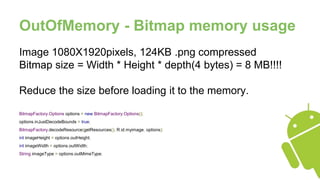
OutOfMemory - Bitmap memory usage
Image 1080X1920pixels, 124KB .png compressed
Bitmap size = Width * Height * depth(4 bytes) = 8 MB!!!!
Reduce the size before loading it to the memory.
BitmapFactory.Options options = new BitmapFactory.Options();
options.inJustDecodeBounds = true;
BitmapFactory.decodeResource(getResources(), R.id.myimage, options);
int imageHeight = options.outHeight;
int imageWidth = options.outWidth;
String imageType = options.outMimeType;
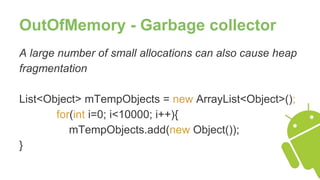
OutOfMemory - Garbage collector
A large number of small allocations can also cause heap
fragmentation
List<Object> mTempObjects = new ArrayList<Object>();
for(int i=0; i<10000; i++){
mTempObjects.add(new Object());
}
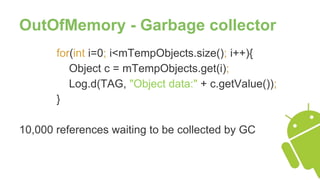
OutOfMemory - Garbage collector
for(int i=0; i<mTempObjects.size(); i++){
Object c = mTempObjects.get(i);
Log.d(TAG, "Object data:" + c.getValue());
}
10,000 references waiting to be collected by GC
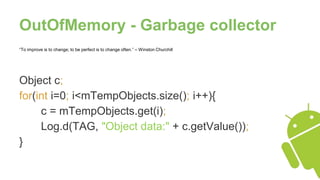
OutOfMemory - Garbage collector
“To improve is to change; to be perfect is to change often.” – Winston Churchill
Object c;
for(int i=0; i<mTempObjects.size(); i++){
c = mTempObjects.get(i);
Log.d(TAG, "Object data:" + c.getValue());
}
OutOfMemory - Garbage collector
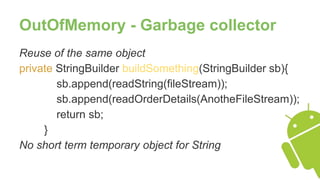
Reuse of the same object
private StringBuilder buildSomething(StringBuilder sb){
sb.append(readString(fileStream));
sb.append(readOrderDetails(AnotheFileStream));
return sb;
}
No short term temporary object for String
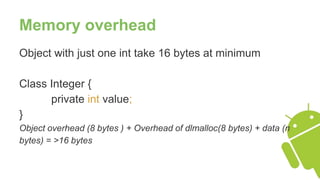
Memory overhead
Object with just one int take 16 bytes at minimum
Class Integer {
private int value;
}
Object overhead (8 bytes ) + Overhead of dlmalloc(8 bytes) + data (n
bytes) = >16 bytes
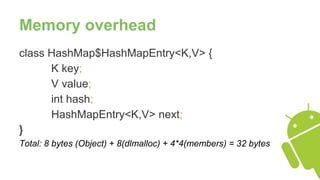
Memory overhead
class HashMap$HashMapEntry<K,V> {
K key;
V value;
int hash;
HashMapEntry<K,V> next;
}
Total: 8 bytes (Object) + 8(dlmalloc) + 4*4(members) = 32 bytes
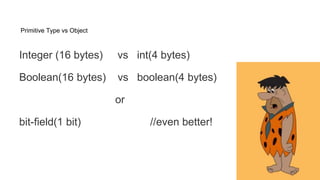
Primitive Type vs Object
Integer (16 bytes) vs int(4 bytes)
Boolean(16 bytes) vs boolean(4 bytes)
or
bit-field(1 bit) //even better!
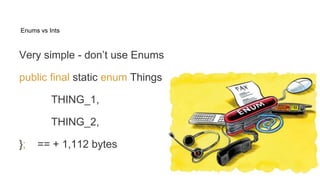
Enums vs Ints
Very simple - don’t use Enums
public final static enum Things {
THING_1,
THING_2,
}; == + 1,112 bytes
Enums vs Ints
Use final static variable:
public static int THING_1 = 1;
public static int THING_2 = 2;
------------------------
128 bytes
Discover by yourself
import java.lang.instrument.Instrumentation;
public class ObjectSizeFetcher {
private static Instrumentation instrumentation;
public static void premain(String args, Instrumentation inst) { instrumentation = inst; }
public static long getObjectSize(Object o) { return instrumentation.getObjectSize(o); } }
Use getObjectSize:
public class C { private int x; private int y;
public static void main(String [] args) {
System.out.println(ObjectSizeFetcher.getObjectSize(new C())); } }
Anonymous and Inner Classes
~500 bytes of code
button.setOnClickListener(new Runnable() {
public void run(){
//do some stuff
}
});
unregister as soon as possible
Service
- Very usefull, but overused.
- Bind to Lifecycle
- Stop it when no need.
- Use IntentService instead (will stop when job is done)
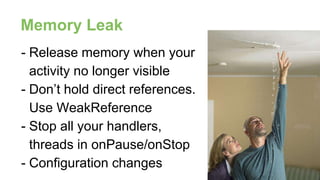
- Release memory when your
activity no longer visible
- Don’t hold direct references.
Use WeakReference
- Stop all your handlers,
threads in onPause/onStop
- Configuration changes
Memory Leak
Proguard
Tool to shrink, optimize and obfuscate the
code.
Very usefull, hard to configure.
levinyon@gmail.com
https://plus.google.com/+YonatanLevin

Performance

  • 1.
  • 2.
    How to creategreat apps that also working well
  • 3.
    OutOfMemory - Bitmapmemory usage Image 1080X1920pixels, 124KB .png compressed Bitmap size = Width * Height * depth(4 bytes) = 8 MB!!!! Reduce the size before loading it to the memory. BitmapFactory.Options options = new BitmapFactory.Options(); options.inJustDecodeBounds = true; BitmapFactory.decodeResource(getResources(), R.id.myimage, options); int imageHeight = options.outHeight; int imageWidth = options.outWidth; String imageType = options.outMimeType;
  • 4.
    OutOfMemory - Garbagecollector A large number of small allocations can also cause heap fragmentation List<Object> mTempObjects = new ArrayList<Object>(); for(int i=0; i<10000; i++){ mTempObjects.add(new Object()); }
  • 5.
    OutOfMemory - Garbagecollector for(int i=0; i<mTempObjects.size(); i++){ Object c = mTempObjects.get(i); Log.d(TAG, "Object data:" + c.getValue()); } 10,000 references waiting to be collected by GC
  • 6.
    OutOfMemory - Garbagecollector “To improve is to change; to be perfect is to change often.” – Winston Churchill Object c; for(int i=0; i<mTempObjects.size(); i++){ c = mTempObjects.get(i); Log.d(TAG, "Object data:" + c.getValue()); }
  • 7.
    OutOfMemory - Garbagecollector Reuse of the same object private StringBuilder buildSomething(StringBuilder sb){ sb.append(readString(fileStream)); sb.append(readOrderDetails(AnotheFileStream)); return sb; } No short term temporary object for String
  • 8.
    Memory overhead Object withjust one int take 16 bytes at minimum Class Integer { private int value; } Object overhead (8 bytes ) + Overhead of dlmalloc(8 bytes) + data (n bytes) = >16 bytes
  • 9.
    Memory overhead class HashMap$HashMapEntry<K,V>{ K key; V value; int hash; HashMapEntry<K,V> next; } Total: 8 bytes (Object) + 8(dlmalloc) + 4*4(members) = 32 bytes
  • 10.
    Primitive Type vsObject Integer (16 bytes) vs int(4 bytes) Boolean(16 bytes) vs boolean(4 bytes) or bit-field(1 bit) //even better!
  • 11.
    Enums vs Ints Verysimple - don’t use Enums public final static enum Things { THING_1, THING_2, }; == + 1,112 bytes
  • 12.
    Enums vs Ints Usefinal static variable: public static int THING_1 = 1; public static int THING_2 = 2; ------------------------ 128 bytes
  • 13.
    Discover by yourself importjava.lang.instrument.Instrumentation; public class ObjectSizeFetcher { private static Instrumentation instrumentation; public static void premain(String args, Instrumentation inst) { instrumentation = inst; } public static long getObjectSize(Object o) { return instrumentation.getObjectSize(o); } } Use getObjectSize: public class C { private int x; private int y; public static void main(String [] args) { System.out.println(ObjectSizeFetcher.getObjectSize(new C())); } }
  • 14.
    Anonymous and InnerClasses ~500 bytes of code button.setOnClickListener(new Runnable() { public void run(){ //do some stuff } }); unregister as soon as possible
  • 15.
    Service - Very usefull,but overused. - Bind to Lifecycle - Stop it when no need. - Use IntentService instead (will stop when job is done)
  • 16.
    - Release memorywhen your activity no longer visible - Don’t hold direct references. Use WeakReference - Stop all your handlers, threads in onPause/onStop - Configuration changes Memory Leak
  • 17.
    Proguard Tool to shrink,optimize and obfuscate the code. Very usefull, hard to configure.
  • 18.

Editor's Notes

  • #4 http://developer.android.com/training/displaying-bitmaps/load-bitmap.html
  • #17 http://www.androiddesignpatterns.com/2013/01/inner-class-handler-memory-leak.html