Introduction to Python
   A side-by-side comparison with Java


Tamer Mohammed Abdul-Radi
Backend Software Engineer at Cloud9ers ltd
  tamer_radi
  tamerradi
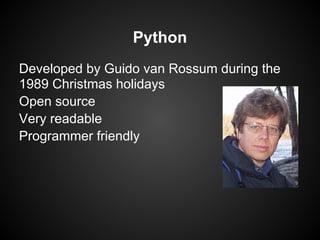
Python
Developed by Guido van Rossum during the
1989 Christmas holidays
Open source
Very readable
Programmer friendly
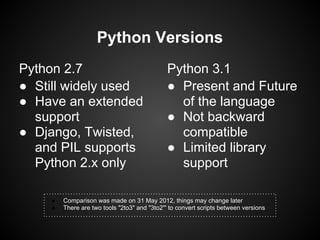
Python Versions
Python 2.7                                    Python 3.1
● Still widely used                           ● Present and Future
● Have an extended                              of the language
  support                                     ● Not backward
● Django, Twisted,                              compatible
  and PIL supports                            ● Limited library
  Python 2.x only                               support

    ●   Comparison was made on 31 May 2012, things may change later
    ●   There are two tools "2to3" and "3to2"' to convert scripts between versions
Python Tour
Compared to Java
Hello World
                 Java                                Python 2.7
public class Main {                          print "Hello World"
  public static void main(String[] args) {
     System.out.println("Hello World");
  }
}
                                                      Python 3.x
                                             print("Hello World")
Lists
                 Java                             Python
import java.util.Vector                       x = ['a', 'b', 'c', 'd']
public class Main {                           for item in x:
  public static void main(String[] args) {       print item
     Vector x = new Vector();
     x.addElement("a")
     x.addElement("b")
     x.addElement("c")
     x.addElement("d")
     for (int i = 0 ; i < x.length; i++) {
        System.out.println(x.elementAt(i));
     }
  }
}
Lists vs Arrays
           Java                        Python
             Array                        Array
int[] a = {1, 2, 3};           import array
System.out.println(a[0])       a = array.array('i',
a[0] = 55                      [1,2,3])
                               print a[0]
            List
                               a[0] = 55
List<Integer> a = new
       ArrayList<Integer>();                 List
a.add(new Integer(1))          a = [1,2,3]
System.out.println(a.get(0))   print a[0]
                               a[0] = 55
Hashtables
                 Java                        Python
import java.util.Hashtable                   x = {}
public class Main {                          x['a'] = 1
  public static void main(String[] args) {   print x['a']
     Hashtable x = new Hashtable();
     x.put("a", new Integer(1))
     System.out.println(x.get("a"));
                                                 OR
  }
                                             x = {'a' : 1}
}
                                             print x['a']
IO
                     Java                                      Python
public class Main {                                  f = open('file.txt', 'w')
  public static void main(String[] args) {           f.write('Hello World')
     try {                                           f.close()
        File f = new File('file.txt');
        PrintWriter ps = new PrintWriter(
                  new OutputStreamWriter(
                       new File OutputStream(f)));
                                                                  OR
        ps.print("Hello World")
     }
     catch (IOException e) {
                                                     with open('file.txt, 'w') as f:
        e.printStackTrace();
                                                          f.write('Hello World')
     }
  }
}
Classes
                      Java                            Python
public class Point {                         class Point():
  public int x;                                 def __init__(self, x, y) {
  public int y;                                   self.x = x
  public MyClass(int x, int y) {                  self.y = y
     this.x = x                                 }
     this.y = y                              p = Point(1, 2)
  }
  public static void main(String[] args) {
     p = new Point(1, 2)
  }
}
Interesting Features
in Python Programming Language
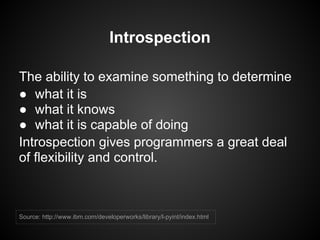
Introspection

The ability to examine something to determine
● what it is
● what it knows
● what it is capable of doing
Introspection gives programmers a great deal
of flexibility and control.


Source: http://www.ibm.com/developerworks/library/l-pyint/index.html
Syntactic Sugar for very high level
            data structures
Lists                         Tuples
l = ['a', 'b', 'c', 'd']      t = ('a', 'b', 'c', 'd')
print l[0]                    print t[0]
l[0] = 'z'
                              Strings
Hashtables                    s = 'abcd'
d = {0:'a', 100:'b', 5:'c'}   print s[0]
print d[0]
d['strings_too'] = 'z'        Sets
                              s = {0, 1, 2, 3}
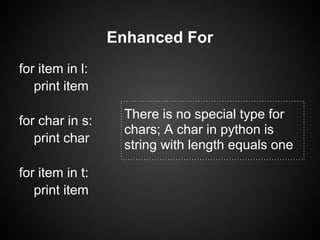
Enhanced For
for item in l:
   print item

for char in s:    There is no special type for
                  chars; A char in python is
   print char
                  string with length equals one

for item in t:
   print item
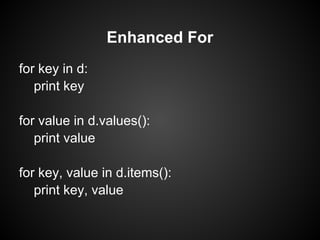
Enhanced For
for key in d:
   print key

for value in d.values():
   print value

for key, value in d.items():
   print key, value
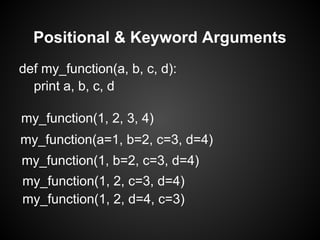
Positional & Keyword Arguments
def my_function(a, b, c, d):
  print a, b, c, d

my_function(1, 2, 3, 4)
my_function(a=1, b=2, c=3, d=4)
my_function(1, b=2, c=3, d=4)
my_function(1, 2, c=3, d=4)
my_function(1, 2, d=4, c=3)
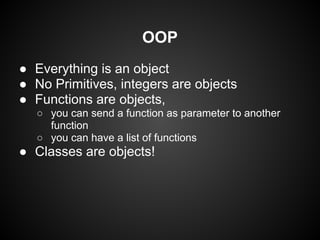
OOP
● Everything is an object
● No Primitives, integers are objects
● Functions are objects,
  ○ you can send a function as parameter to another
    function
  ○ you can have a list of functions
● Classes are objects!
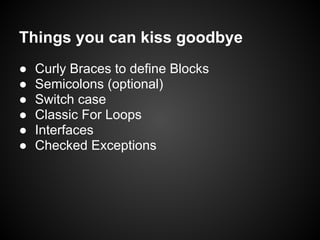
Things you can kiss goodbye
●   Curly Braces to define Blocks
●   Semicolons (optional)
●   Switch case
●   Classic For Loops
●   Interfaces
●   Checked Exceptions
Things you won't miss in Python
●   Simplicity
●   Readability
●   True OOP
●   Fun!
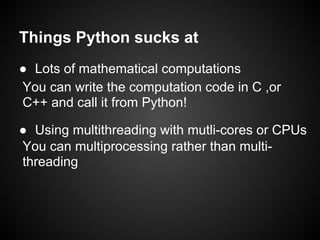
Things Python sucks at
● Lots of mathematical computations
You can write the computation code in C ,or
C++ and call it from Python!

● Using multithreading with mutli-cores or CPUs
You can multiprocessing rather than multi-
threading
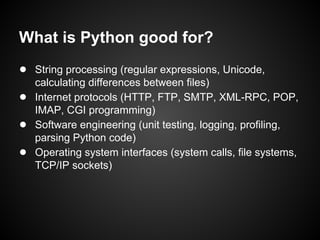
What is Python good for?
● String processing (regular expressions, Unicode,
    calculating differences between files)
●   Internet protocols (HTTP, FTP, SMTP, XML-RPC, POP,
    IMAP, CGI programming)
●   Software engineering (unit testing, logging, profiling,
    parsing Python code)
●   Operating system interfaces (system calls, file systems,
    TCP/IP sockets)

Python tour

  • 1.
    Introduction to Python A side-by-side comparison with Java Tamer Mohammed Abdul-Radi Backend Software Engineer at Cloud9ers ltd tamer_radi tamerradi
  • 2.
    Python Developed by Guidovan Rossum during the 1989 Christmas holidays Open source Very readable Programmer friendly
  • 3.
    Python Versions Python 2.7 Python 3.1 ● Still widely used ● Present and Future ● Have an extended of the language support ● Not backward ● Django, Twisted, compatible and PIL supports ● Limited library Python 2.x only support ● Comparison was made on 31 May 2012, things may change later ● There are two tools "2to3" and "3to2"' to convert scripts between versions
  • 4.
  • 5.
    Hello World Java Python 2.7 public class Main { print "Hello World" public static void main(String[] args) { System.out.println("Hello World"); } } Python 3.x print("Hello World")
  • 6.
    Lists Java Python import java.util.Vector x = ['a', 'b', 'c', 'd'] public class Main { for item in x: public static void main(String[] args) { print item Vector x = new Vector(); x.addElement("a") x.addElement("b") x.addElement("c") x.addElement("d") for (int i = 0 ; i < x.length; i++) { System.out.println(x.elementAt(i)); } } }
  • 7.
    Lists vs Arrays Java Python Array Array int[] a = {1, 2, 3}; import array System.out.println(a[0]) a = array.array('i', a[0] = 55 [1,2,3]) print a[0] List a[0] = 55 List<Integer> a = new ArrayList<Integer>(); List a.add(new Integer(1)) a = [1,2,3] System.out.println(a.get(0)) print a[0] a[0] = 55
  • 8.
    Hashtables Java Python import java.util.Hashtable x = {} public class Main { x['a'] = 1 public static void main(String[] args) { print x['a'] Hashtable x = new Hashtable(); x.put("a", new Integer(1)) System.out.println(x.get("a")); OR } x = {'a' : 1} } print x['a']
  • 9.
    IO Java Python public class Main { f = open('file.txt', 'w') public static void main(String[] args) { f.write('Hello World') try { f.close() File f = new File('file.txt'); PrintWriter ps = new PrintWriter( new OutputStreamWriter( new File OutputStream(f))); OR ps.print("Hello World") } catch (IOException e) { with open('file.txt, 'w') as f: e.printStackTrace(); f.write('Hello World') } } }
  • 10.
    Classes Java Python public class Point { class Point(): public int x; def __init__(self, x, y) { public int y; self.x = x public MyClass(int x, int y) { self.y = y this.x = x } this.y = y p = Point(1, 2) } public static void main(String[] args) { p = new Point(1, 2) } }
  • 11.
    Interesting Features in PythonProgramming Language
  • 12.
    Introspection The ability toexamine something to determine ● what it is ● what it knows ● what it is capable of doing Introspection gives programmers a great deal of flexibility and control. Source: http://www.ibm.com/developerworks/library/l-pyint/index.html
  • 13.
    Syntactic Sugar forvery high level data structures Lists Tuples l = ['a', 'b', 'c', 'd'] t = ('a', 'b', 'c', 'd') print l[0] print t[0] l[0] = 'z' Strings Hashtables s = 'abcd' d = {0:'a', 100:'b', 5:'c'} print s[0] print d[0] d['strings_too'] = 'z' Sets s = {0, 1, 2, 3}
  • 14.
    Enhanced For for itemin l: print item for char in s: There is no special type for chars; A char in python is print char string with length equals one for item in t: print item
  • 15.
    Enhanced For for keyin d: print key for value in d.values(): print value for key, value in d.items(): print key, value
  • 16.
    Positional & KeywordArguments def my_function(a, b, c, d): print a, b, c, d my_function(1, 2, 3, 4) my_function(a=1, b=2, c=3, d=4) my_function(1, b=2, c=3, d=4) my_function(1, 2, c=3, d=4) my_function(1, 2, d=4, c=3)
  • 17.
    OOP ● Everything isan object ● No Primitives, integers are objects ● Functions are objects, ○ you can send a function as parameter to another function ○ you can have a list of functions ● Classes are objects!
  • 18.
    Things you cankiss goodbye ● Curly Braces to define Blocks ● Semicolons (optional) ● Switch case ● Classic For Loops ● Interfaces ● Checked Exceptions
  • 19.
    Things you won'tmiss in Python ● Simplicity ● Readability ● True OOP ● Fun!
  • 20.
    Things Python sucksat ● Lots of mathematical computations You can write the computation code in C ,or C++ and call it from Python! ● Using multithreading with mutli-cores or CPUs You can multiprocessing rather than multi- threading
  • 21.
    What is Pythongood for? ● String processing (regular expressions, Unicode, calculating differences between files) ● Internet protocols (HTTP, FTP, SMTP, XML-RPC, POP, IMAP, CGI programming) ● Software engineering (unit testing, logging, profiling, parsing Python code) ● Operating system interfaces (system calls, file systems, TCP/IP sockets)