Unpacking Malware, Trojans and Worms PE Packers Used in Malicious Software Presented by Paul Craig Ruxcon 2006
Mental Refresher Course! #1 - PE-COFF: The Windows Executable Format. #2 - Who How What of Windows Import Address Tables. What is a PE Packer? PE Packers in Malicious Software. Detecting a PE Packer. Fundamental Weaknesses. PE Unpacking Automation Getting Tricky Unpacking NSPack Conclusion Overview
Refresher #1 -    PE-COFF:  The Windows Executable Format. Section-By-Section
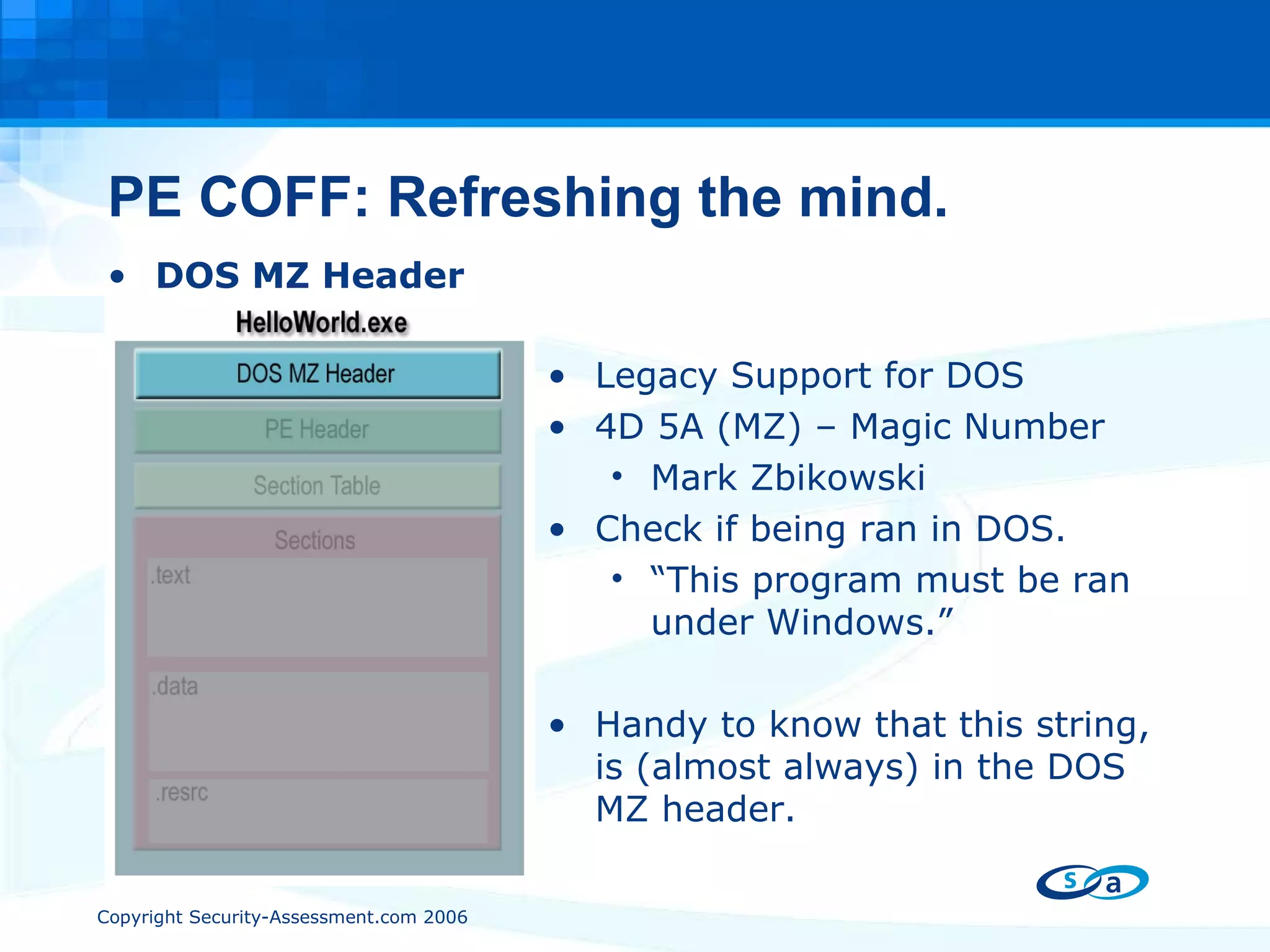
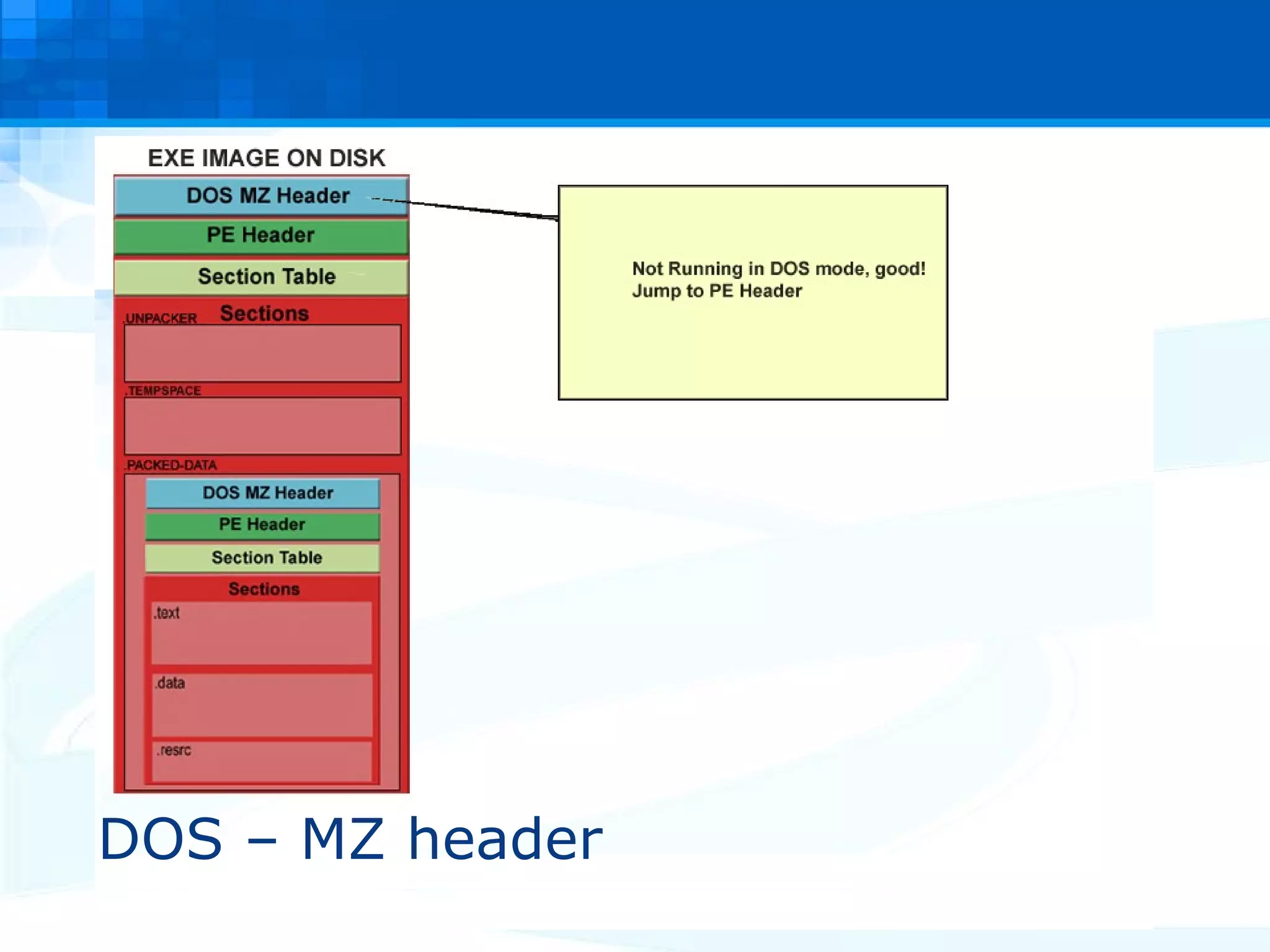
PE COFF: Refreshing the mind. DOS MZ Header Legacy Support for DOS 4D 5A (MZ) – Magic Number Mark Zbikowski Check if being ran in DOS. “ This program must be ran under Windows.” Handy to know that this string, is (almost always) in the DOS MZ header.
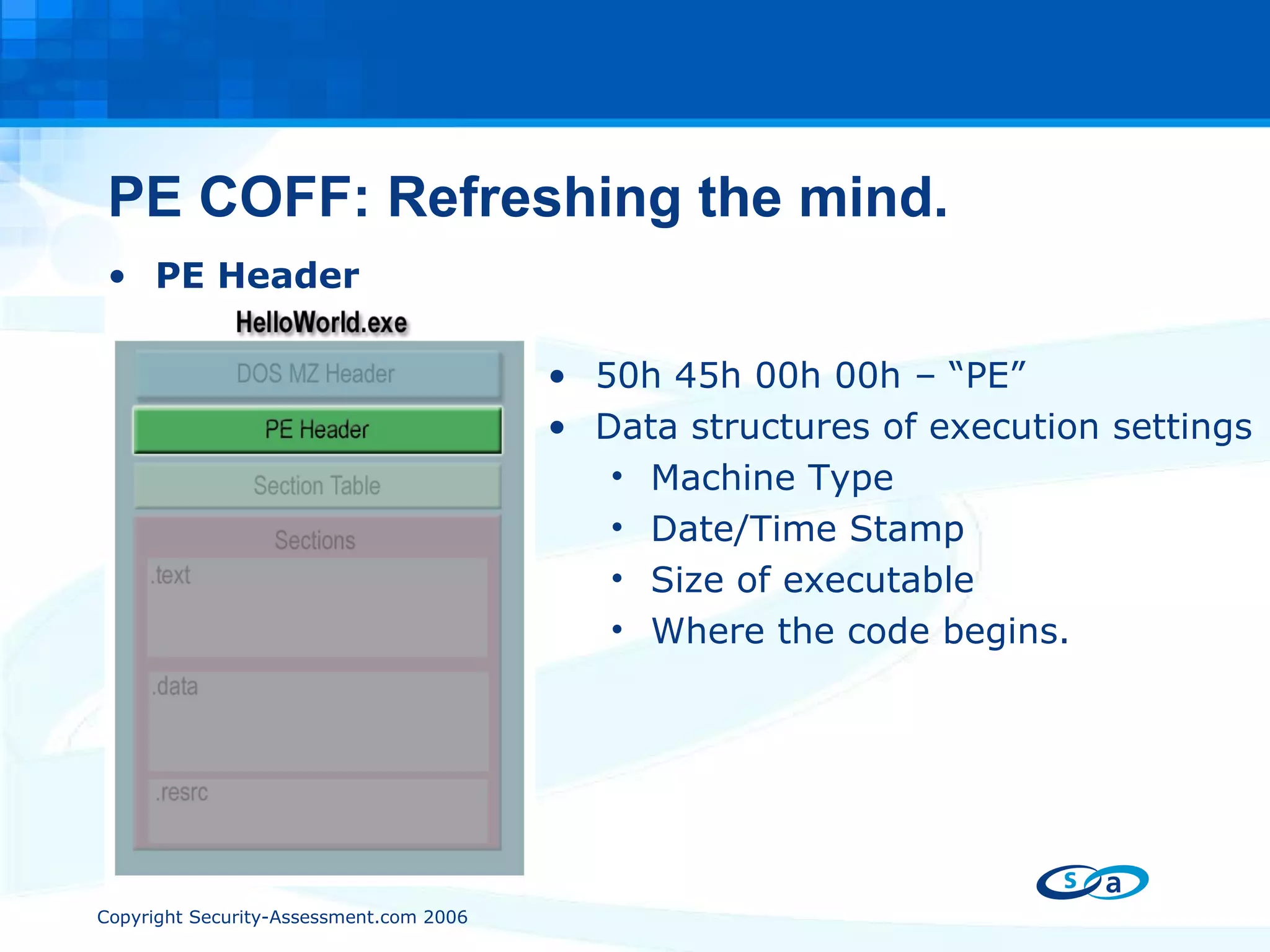
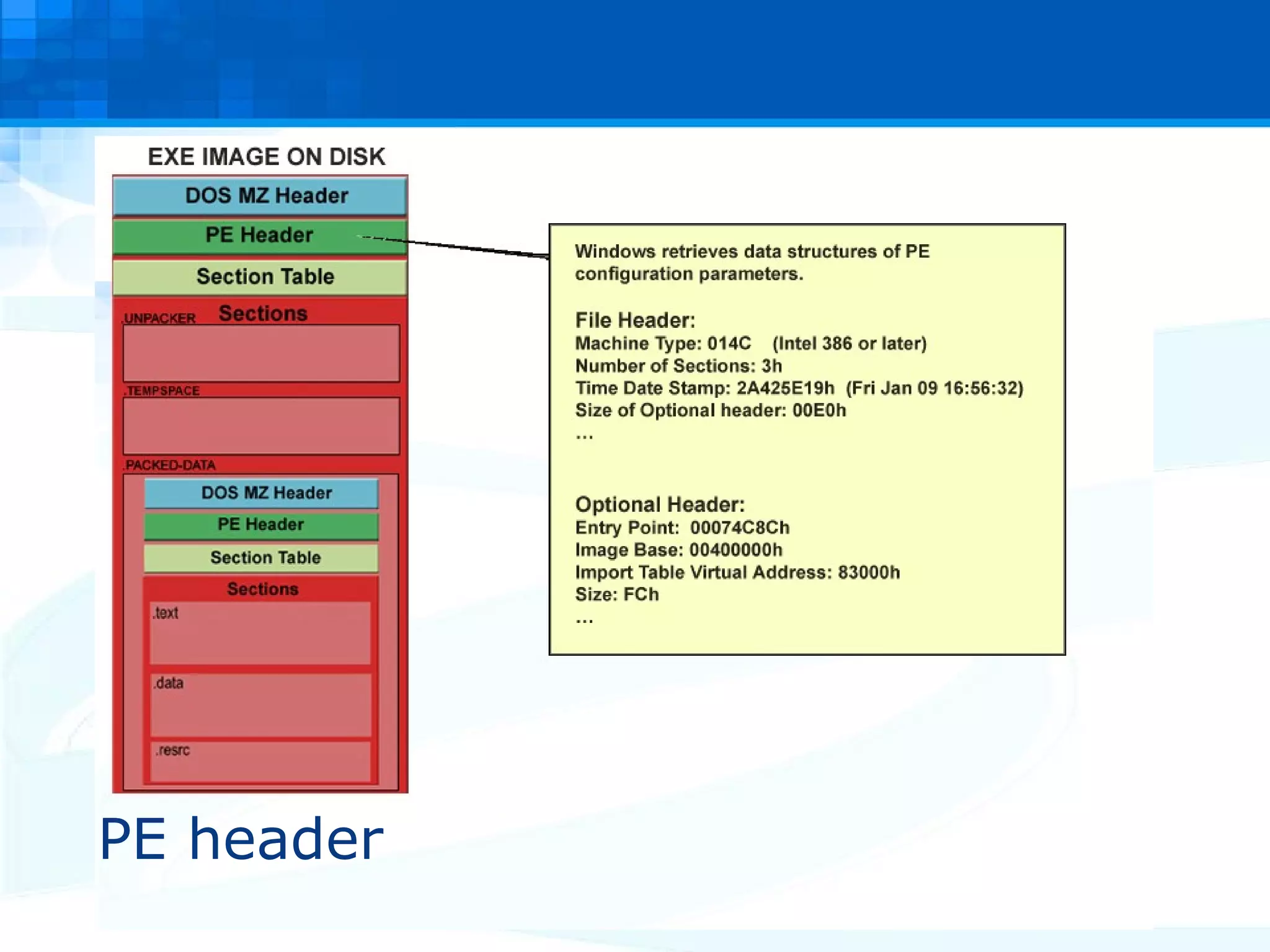
PE COFF: Refreshing the mind. PE Header 50h 45h 00h 00h – “PE” Data structures of execution settings Machine Type Date/Time Stamp Size of executable Where the code begins.
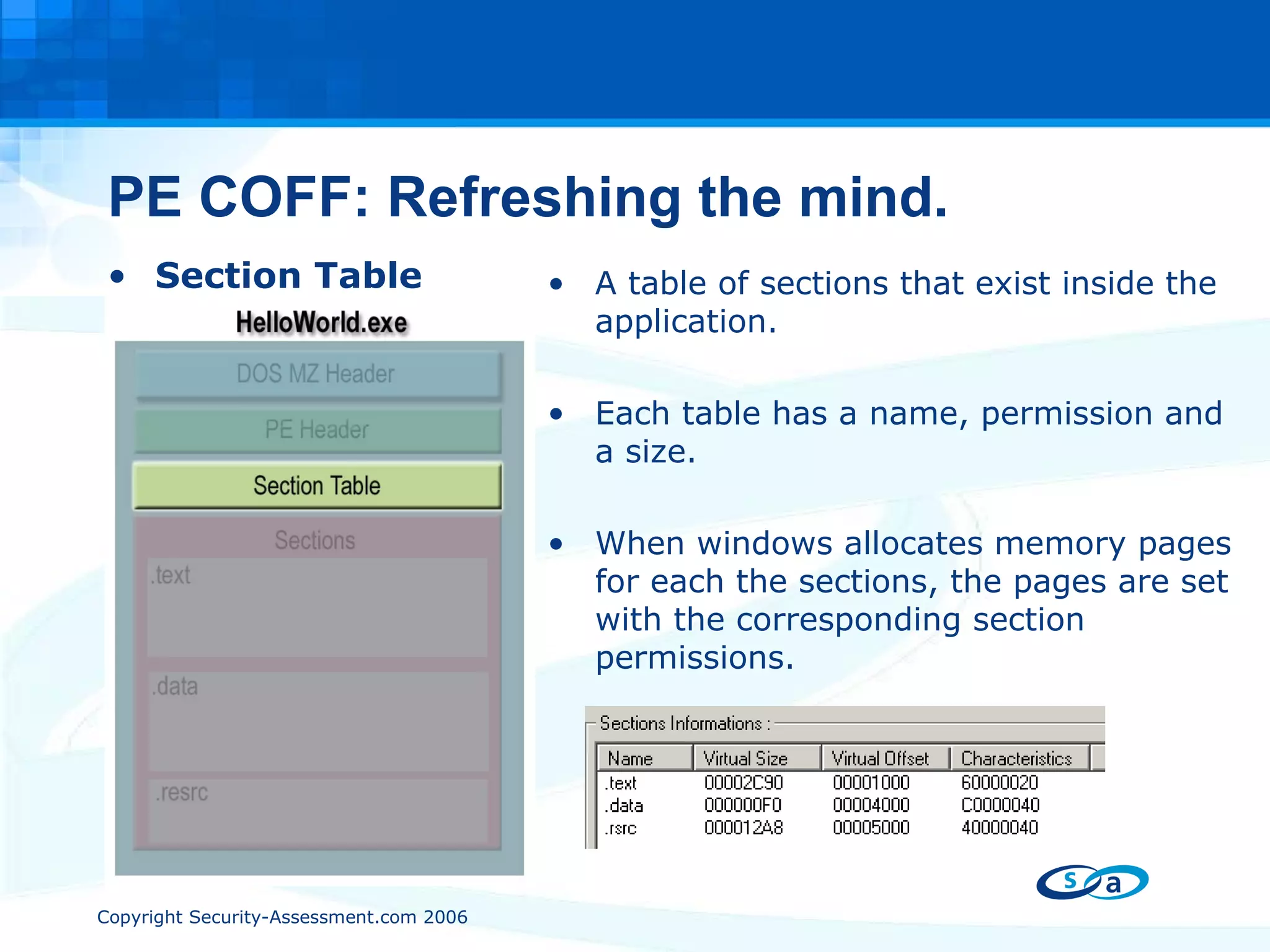
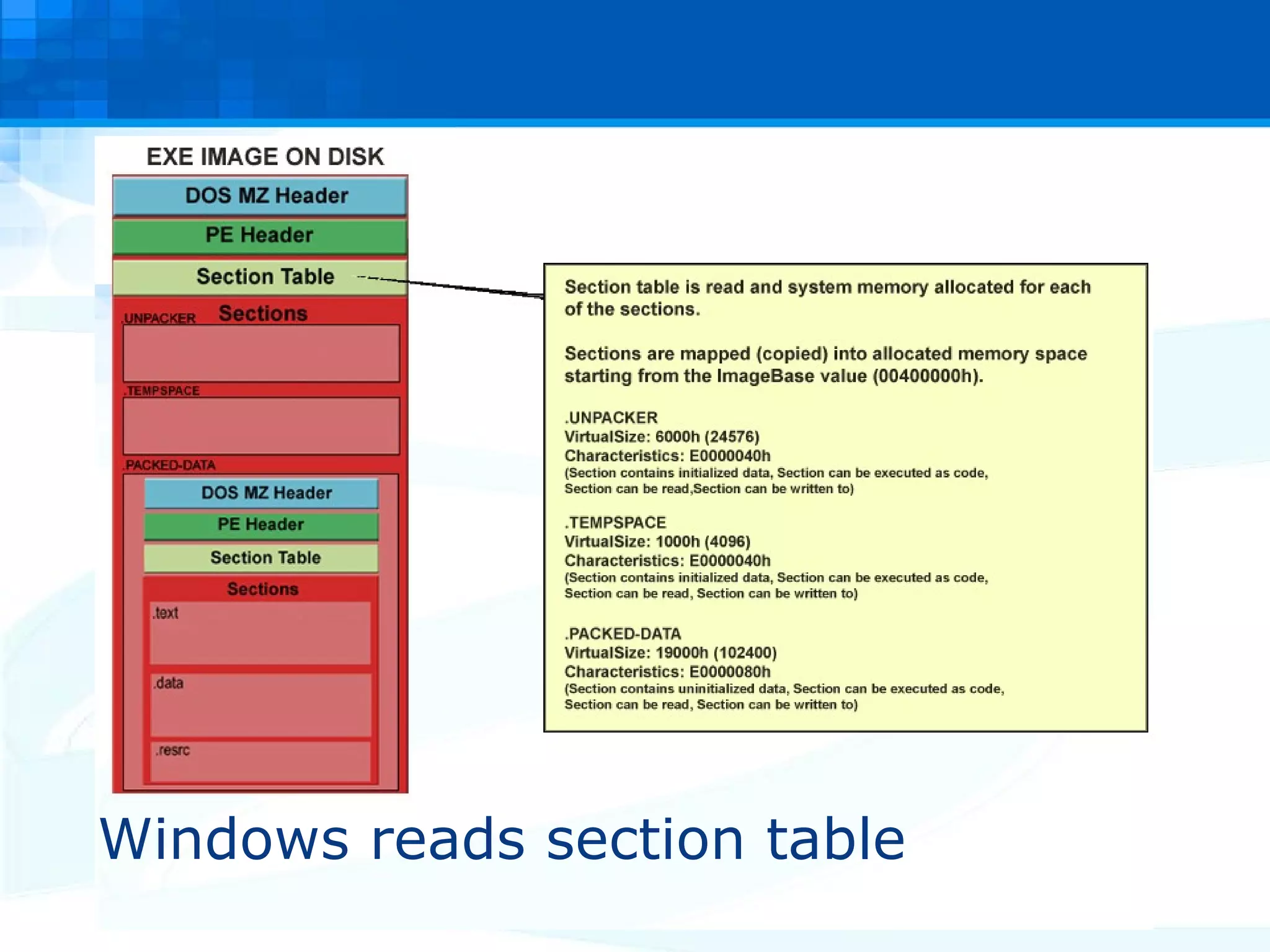
PE COFF: Refreshing the mind. Section Table A table of sections that exist inside the application. Each table has a name, permission and a size. When windows allocates memory pages for each the sections, the pages are set with the corresponding section permissions.
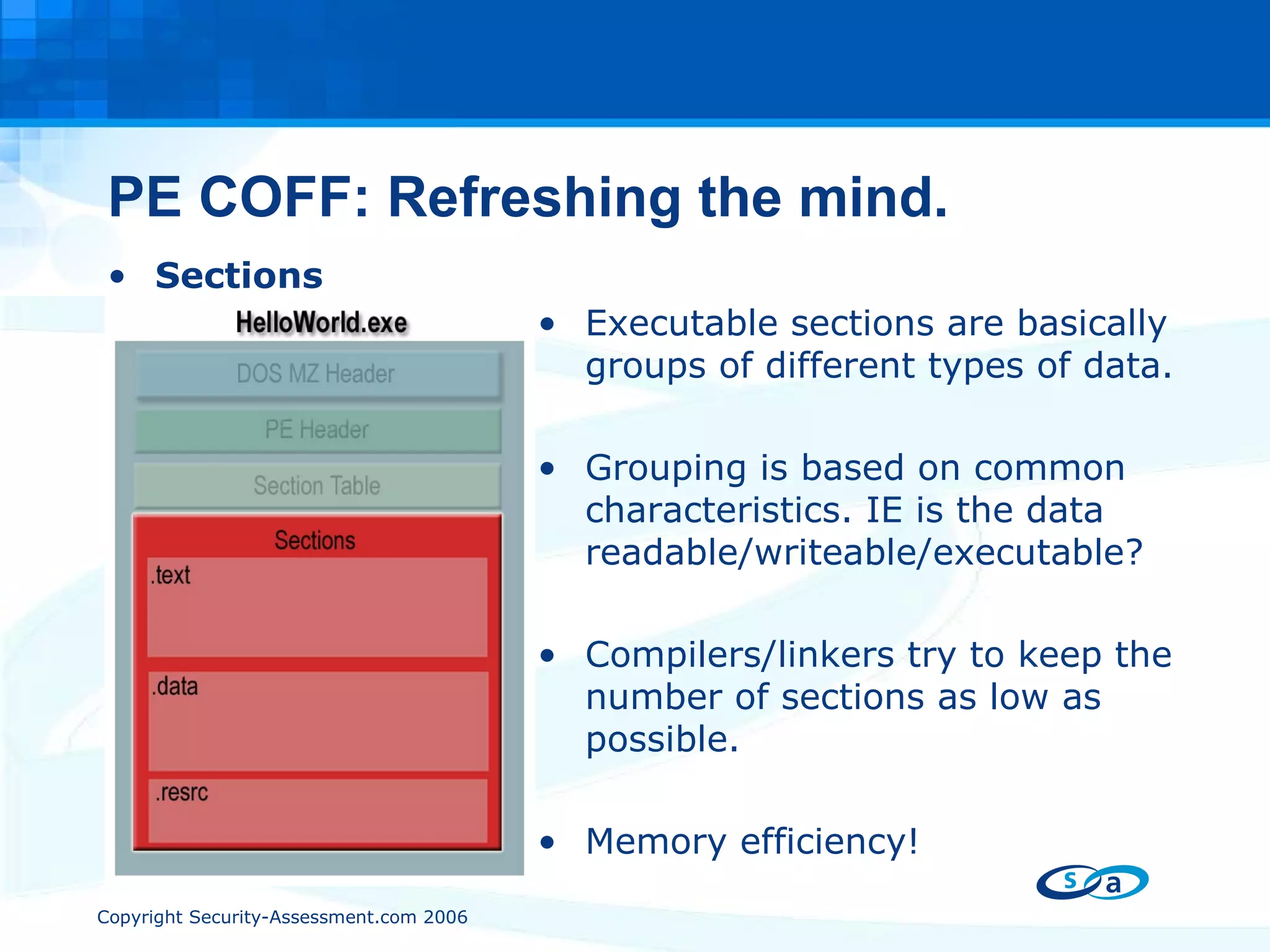
PE COFF: Refreshing the mind. Sections Executable sections are basically groups of different types of data. Grouping is based on common characteristics. IE is the data readable/writeable/executable? Compilers/linkers try to keep the number of sections as low as possible. Memory efficiency!
Refresher #2 -  The Who, How, What, Why of  Windows Import Address Tables
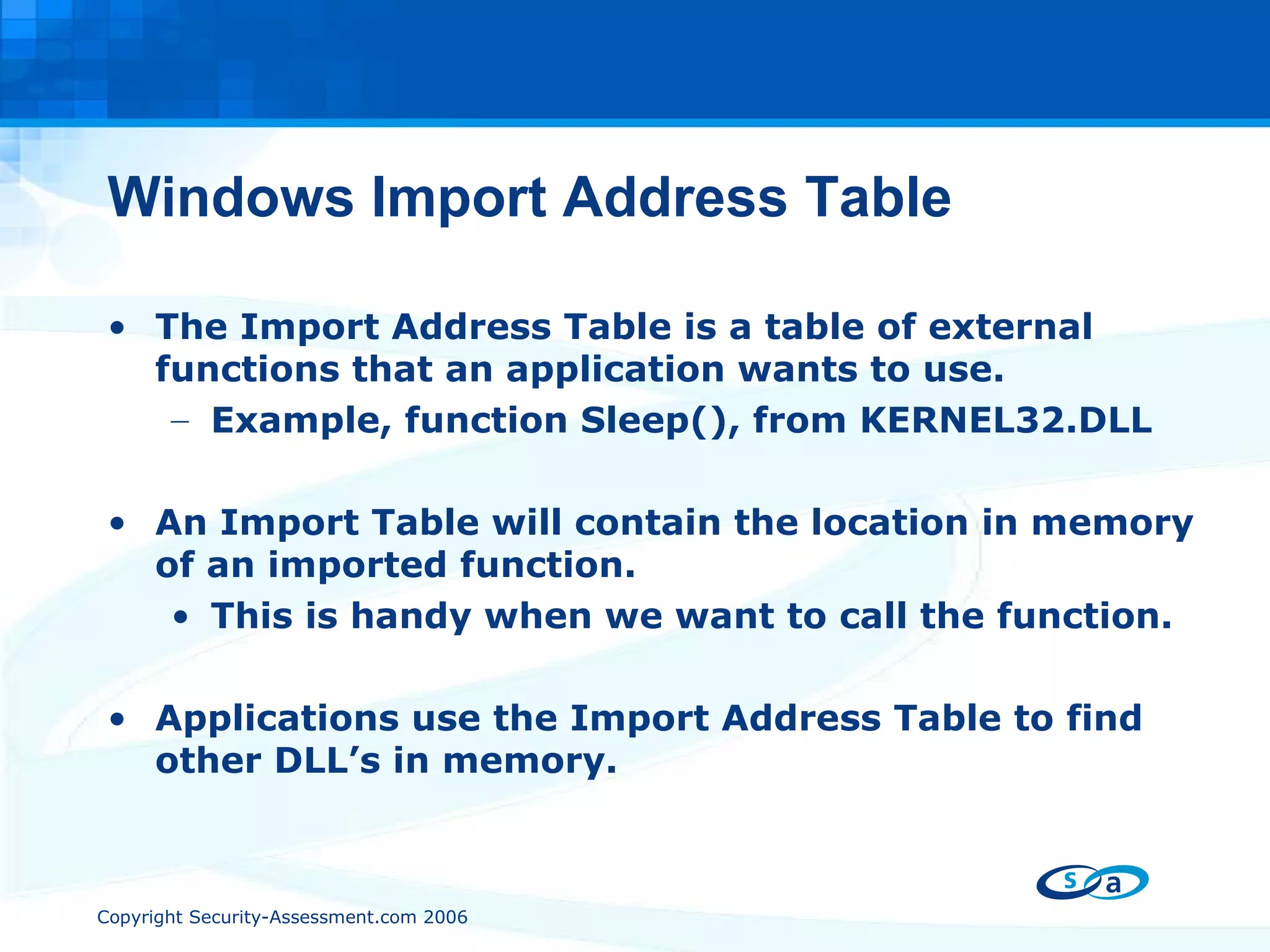
Windows Import Address Table The Import Address Table is a table of external functions that an application wants to use.  Example, function Sleep(), from KERNEL32.DLL An Import Table will contain the location in memory of an imported function.  This is handy when we want to call the function. Applications use the Import Address Table to find other DLL’s in memory.
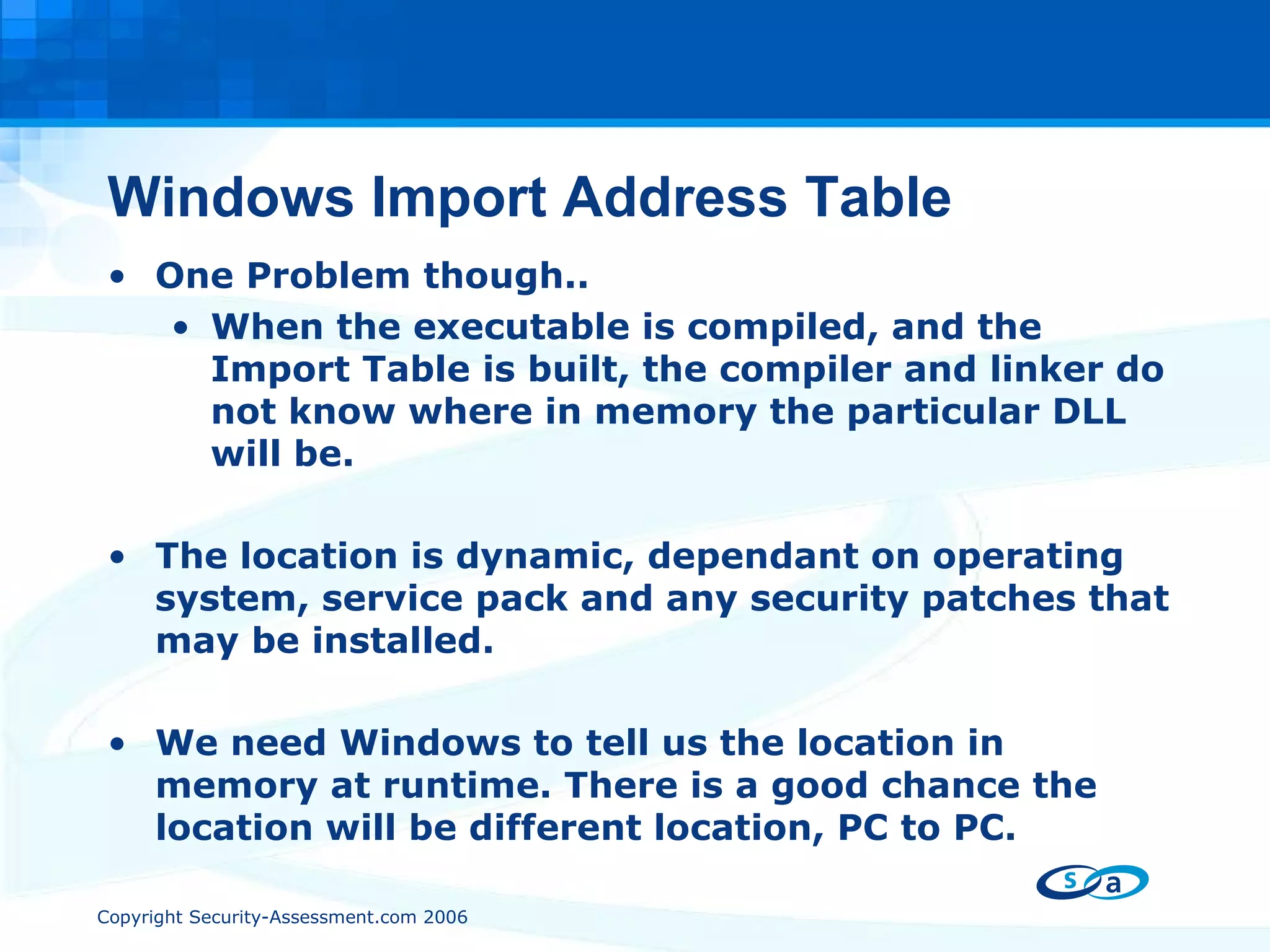
Windows Import Address Table One Problem though.. When the executable is compiled, and the Import Table is built, the compiler and linker do not know where in memory the particular DLL will be. The location is dynamic, dependant on operating system, service pack and any security patches that may be installed. We need Windows to tell us the location in memory at runtime. There is a good chance the location will be different location, PC to PC.
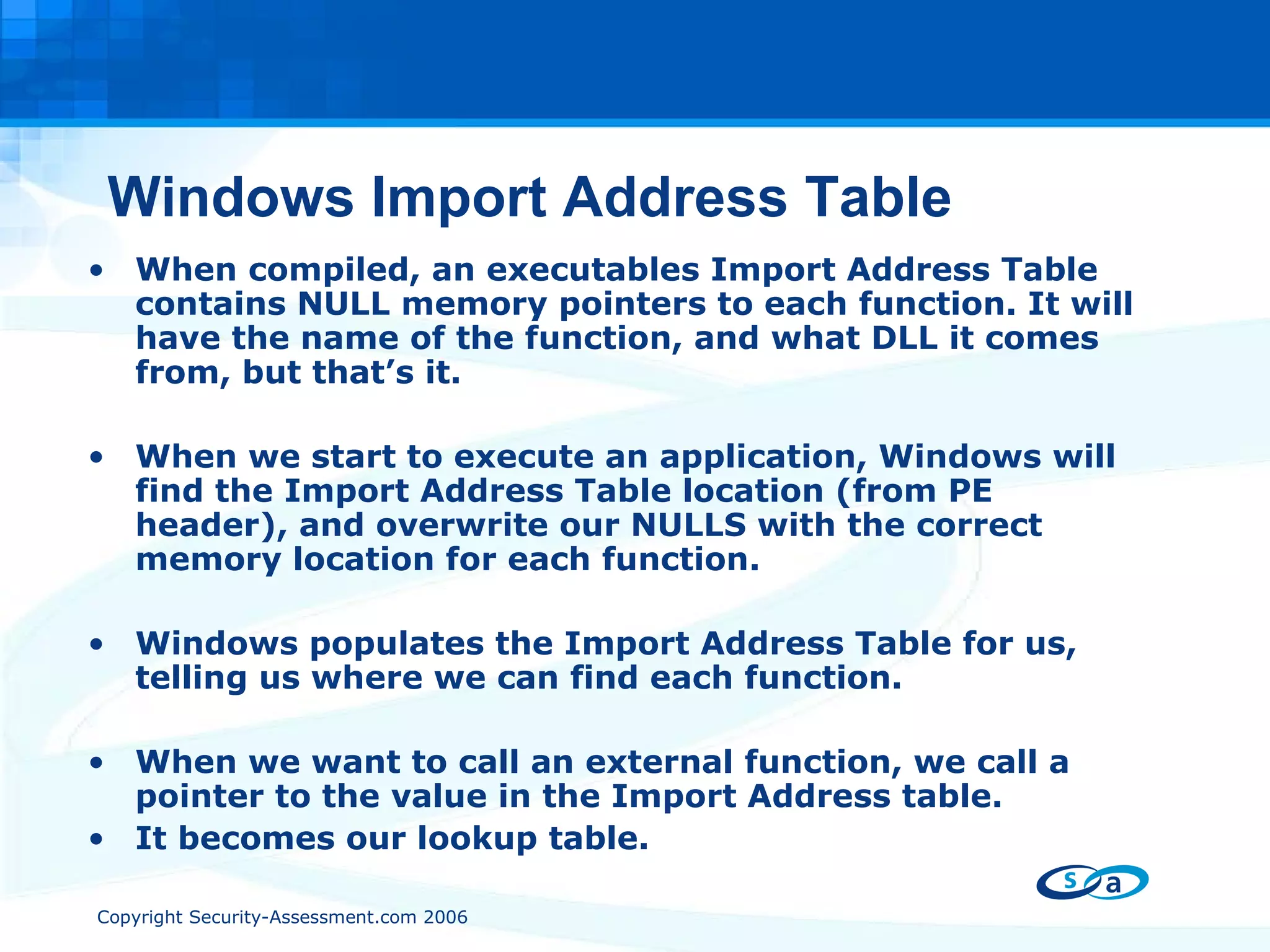
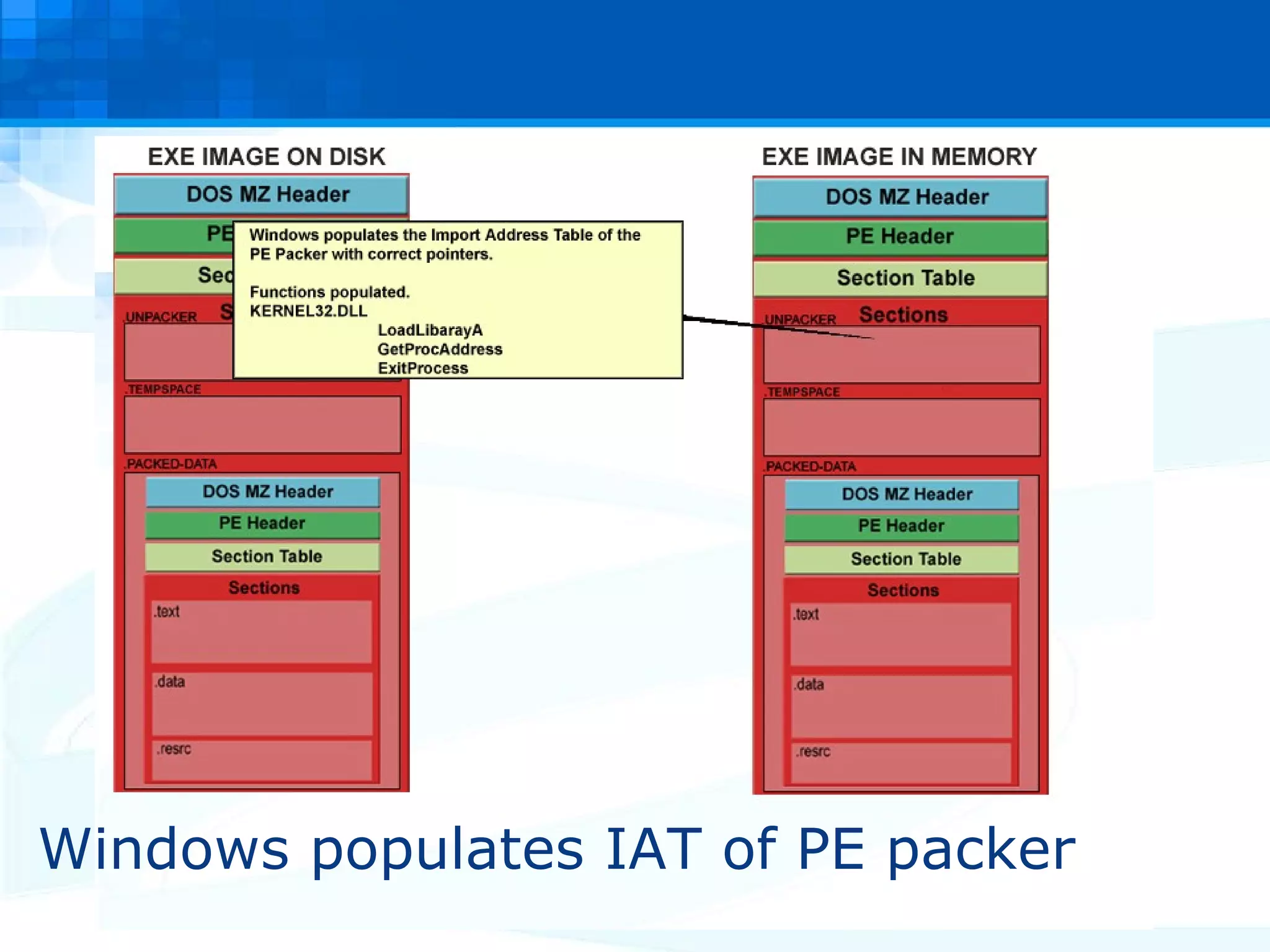
Windows Import Address Table When compiled, an executables Import Address Table contains NULL memory pointers to each function. It will have the name of the function, and what DLL it comes from, but that’s it. When we start to execute an application, Windows will find the Import Address Table location (from PE header), and overwrite our NULLS with the correct memory location for each function. Windows populates the Import Address Table for us, telling us where we can find each function. When we want to call an external function, we call a pointer to the value in the Import Address table. It becomes our lookup table.
Windows Import Address Table Example: Application wants to call GetProcAddress from KERNEL32.DLL. PUSH EBP CALL DWORD PTR [0041302C]  - (Call whatever is stored at 0041302C) Look at the executable in a hex editor, the Import Table contains NULL’s. 0041302C =  00 00 00 00 However, if we look at the same location once the application is running from inside a debugger, we see. 0041302C =  AB 0C 59 7C Windows populated the Import Table with the correct value. 7C590CAB = Location of GetProcAddress
Ok, enough mental refreshing!! What is a PE packer?
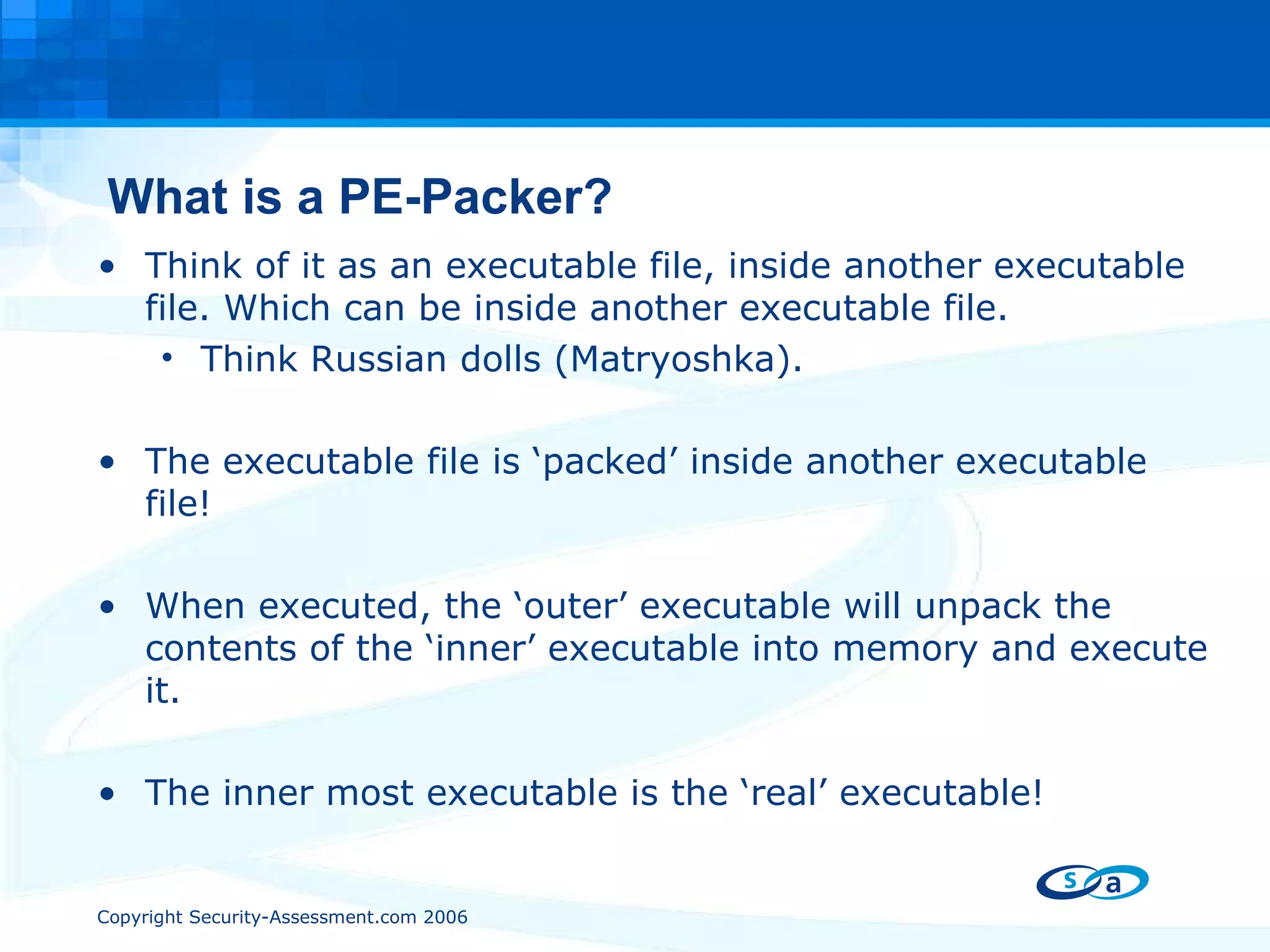
What is a PE-Packer? Think of it as an executable file, inside another executable file. Which can be inside another executable file. Think Russian dolls ( Matryoshka). The executable file is ‘packed’ inside another executable file! When executed, the ‘outer’ executable will unpack the contents of the ‘inner’ executable into memory and execute it. The inner most executable is the ‘real’ executable!
What is a PE-Packer? The first PE packers were designed as a method of reducing the size of an executable on disk, through compression. Pklite from PKWARE (think PKZIP) PkLite ‘wraps’ around the target application, and compresses it. The packed executable is smaller on disk, but when ran will ‘unzip’ itself into memory. Once uncompressed in memory, the enclosed executable file is executed normally.
Step by Step PE Packer. I just double clicked HelloWorld.exe a packed .exe file.  What happens now?
DOS – MZ header
PE header
Windows reads section table
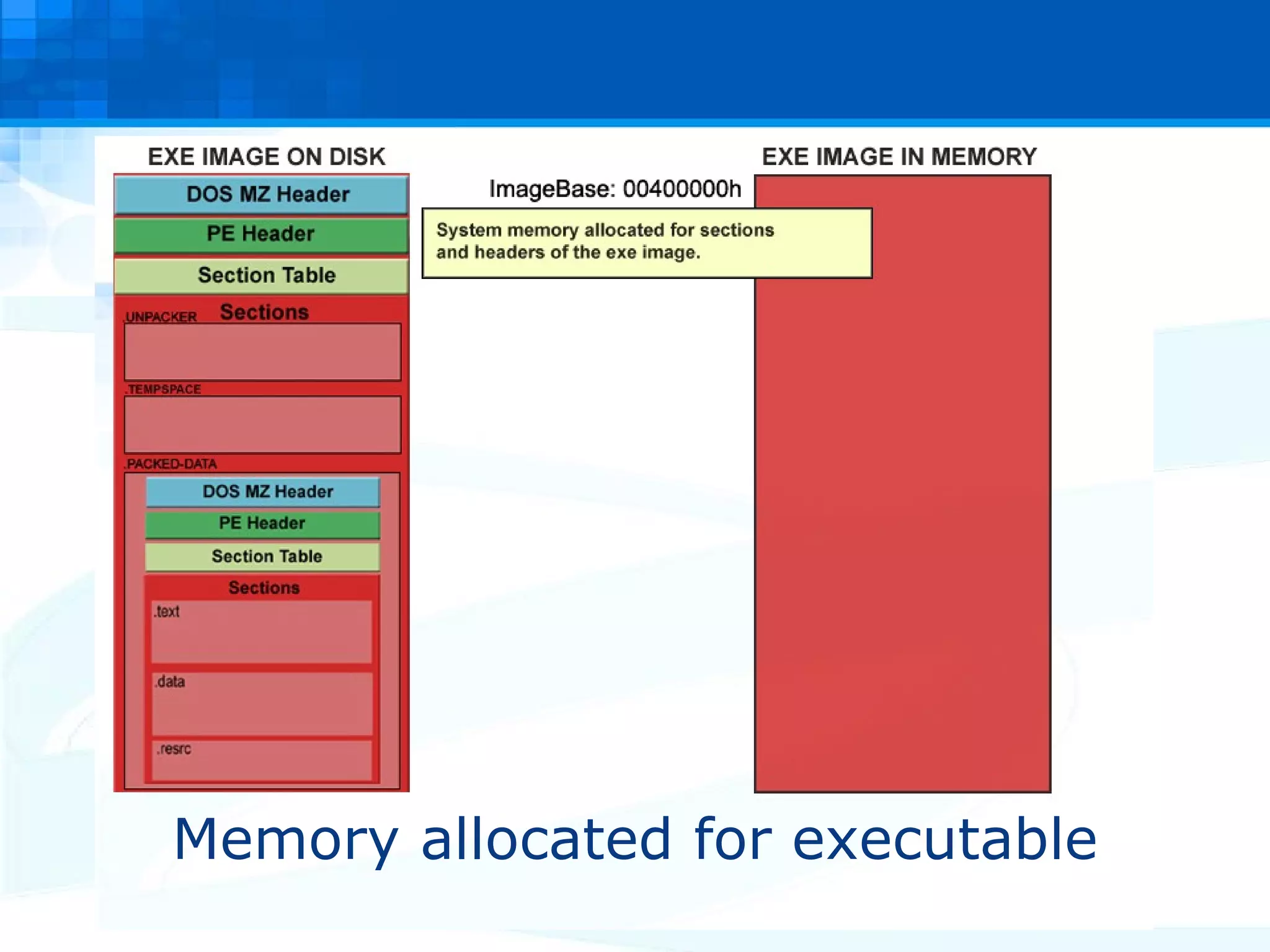
Memory allocated for executable
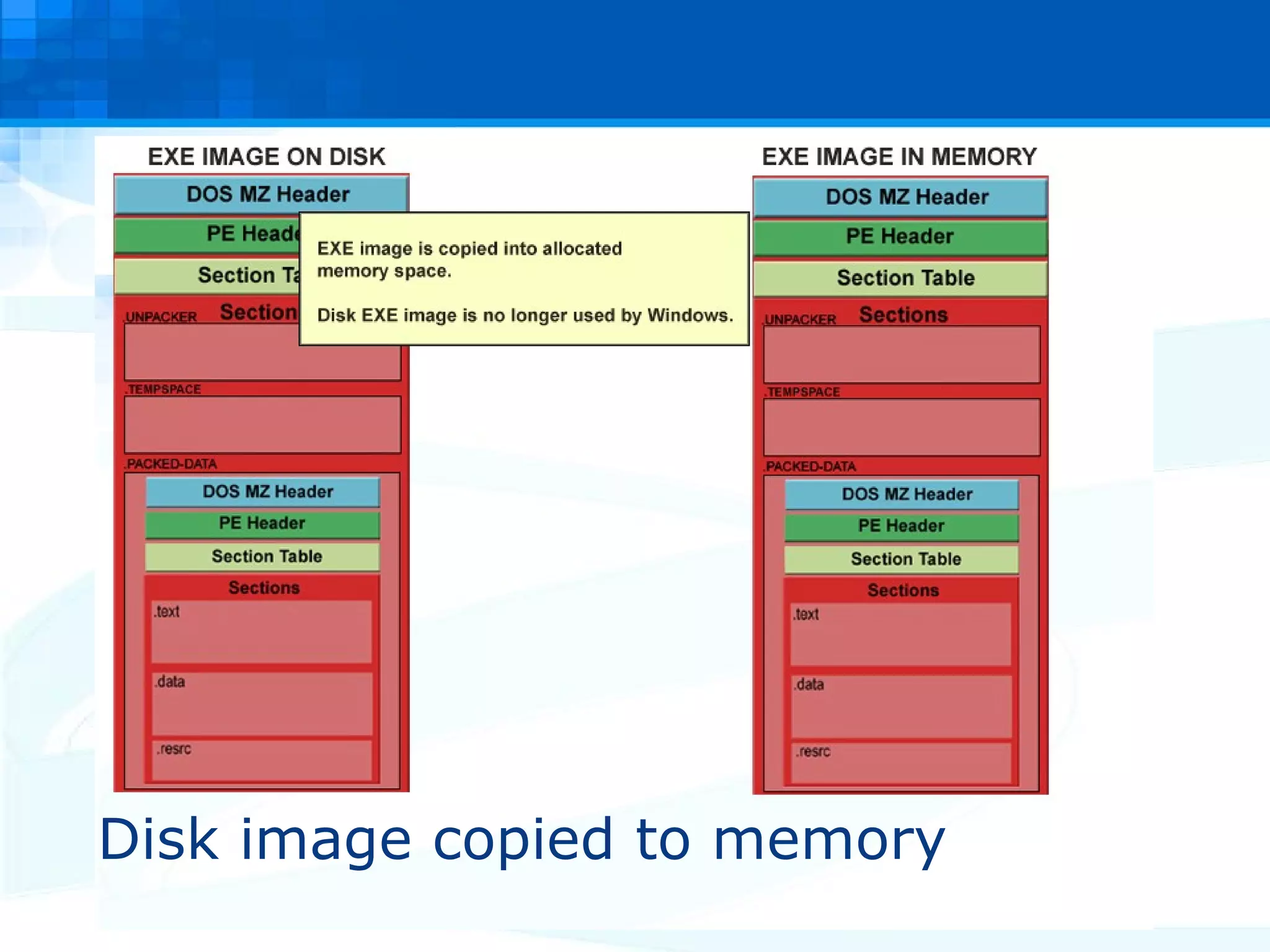
Disk image copied to memory
Windows populates IAT of PE packer
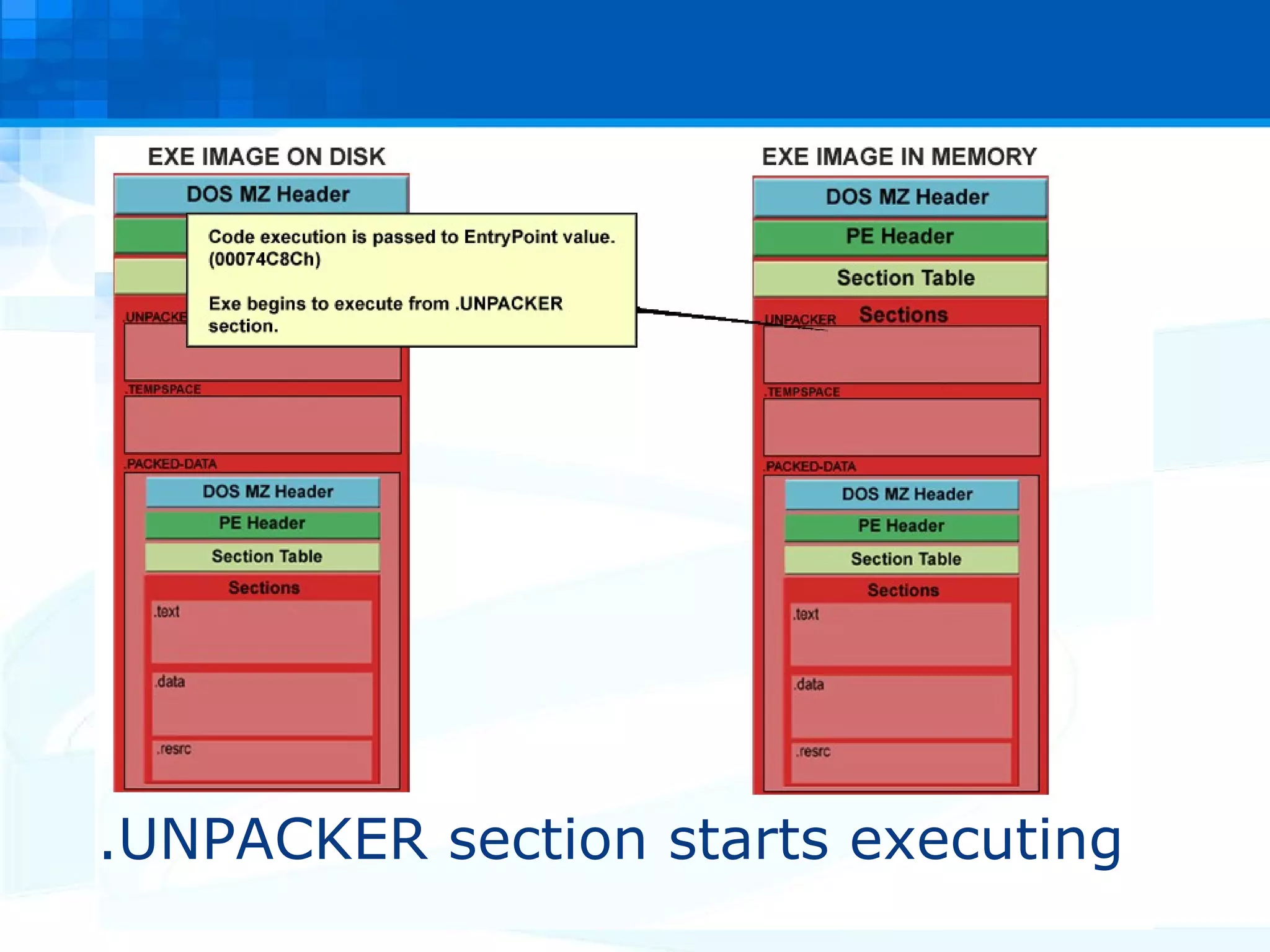
.UNPACKER section starts executing
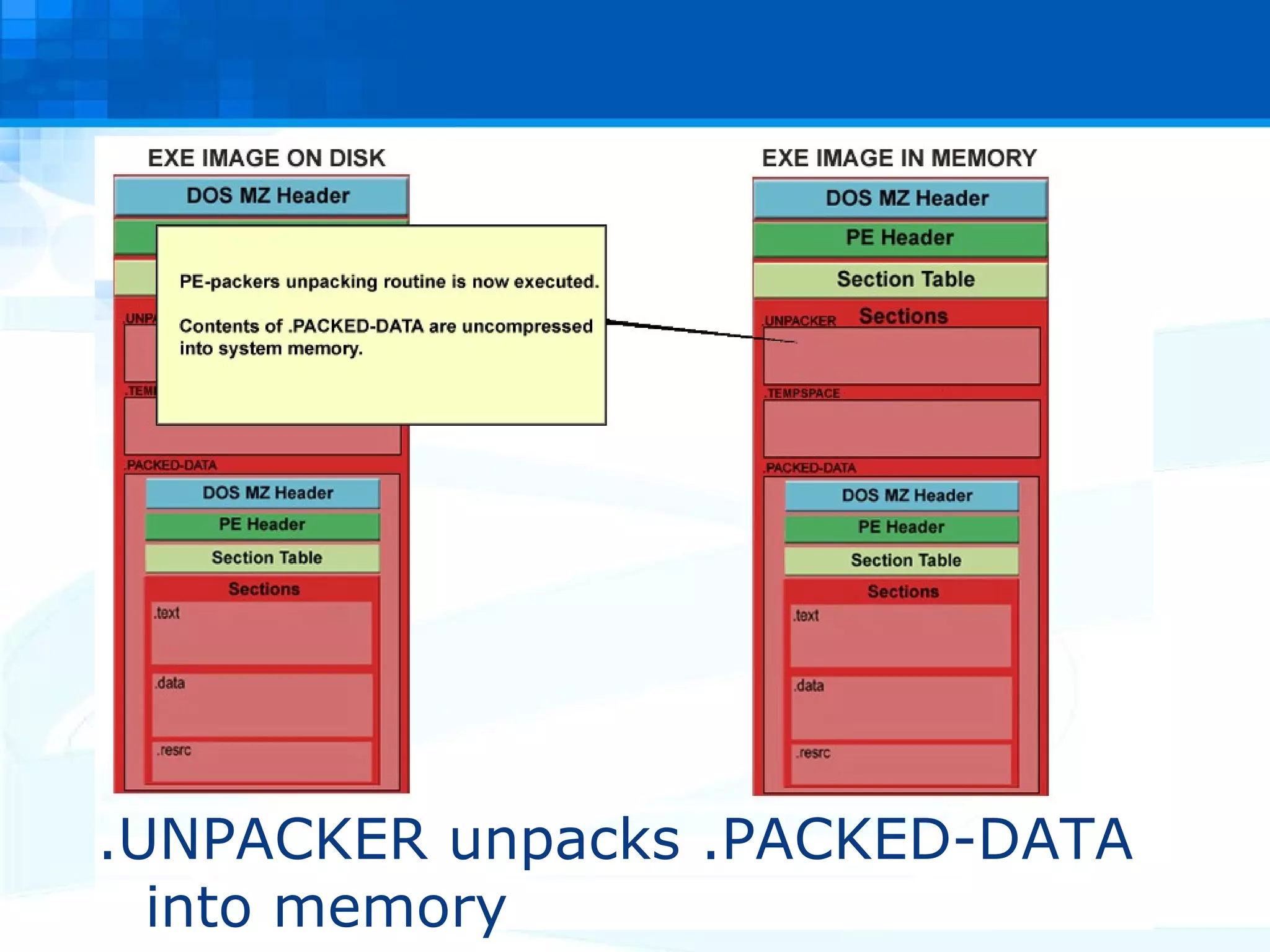
.UNPACKER unpacks .PACKED-DATA into memory
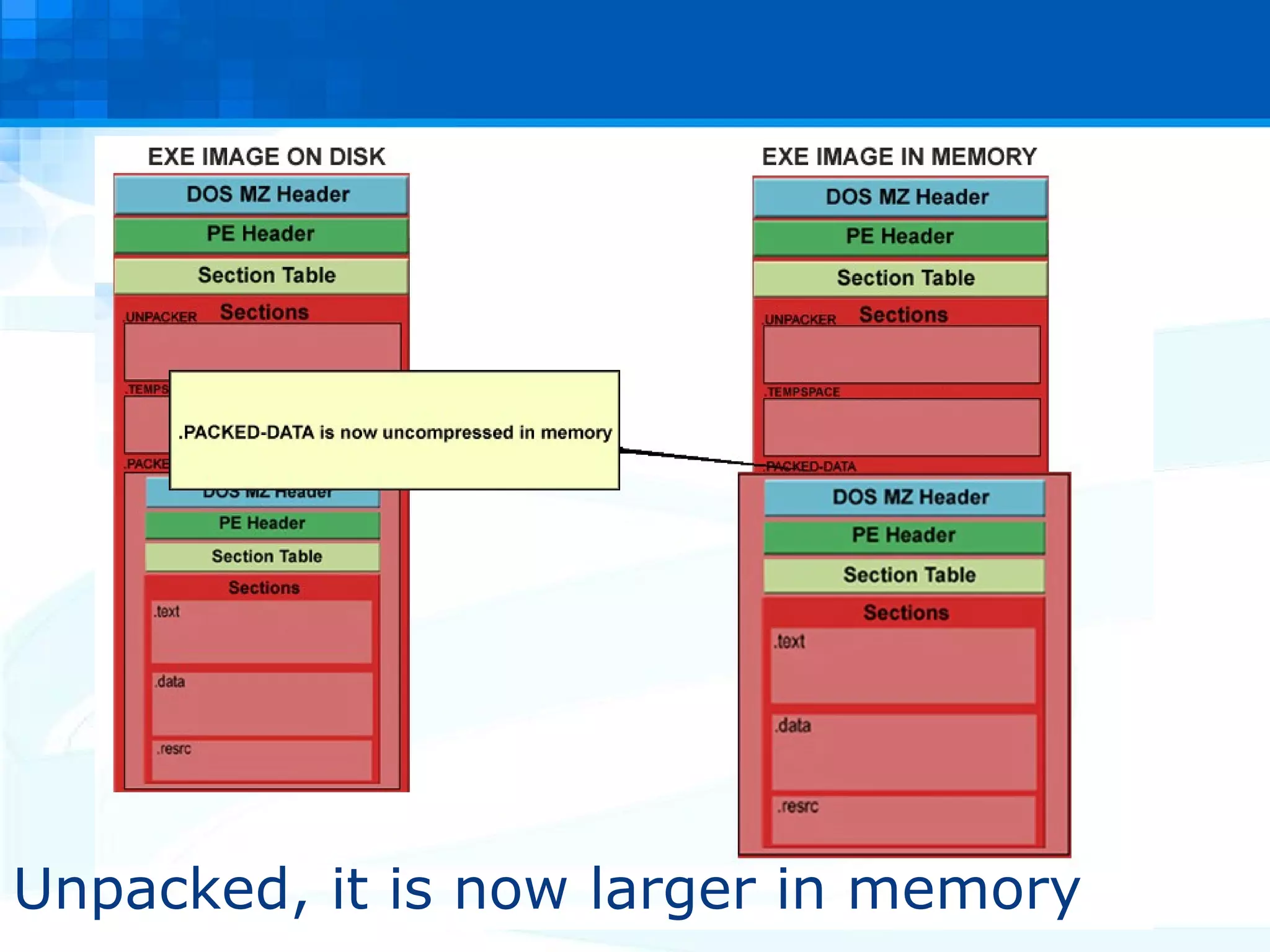
Unpacked, it is now larger in memory
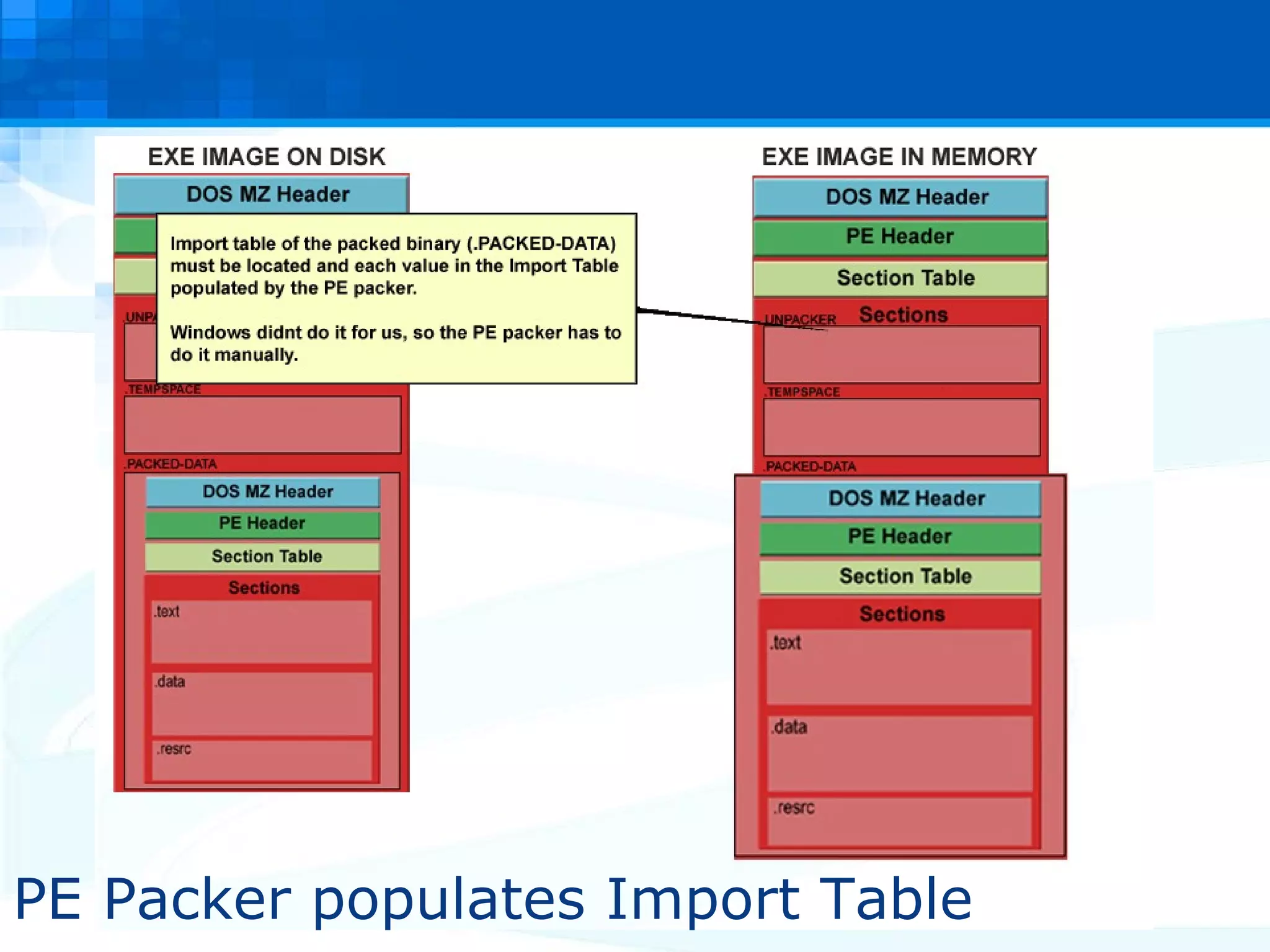
PE Packer populates Import Table
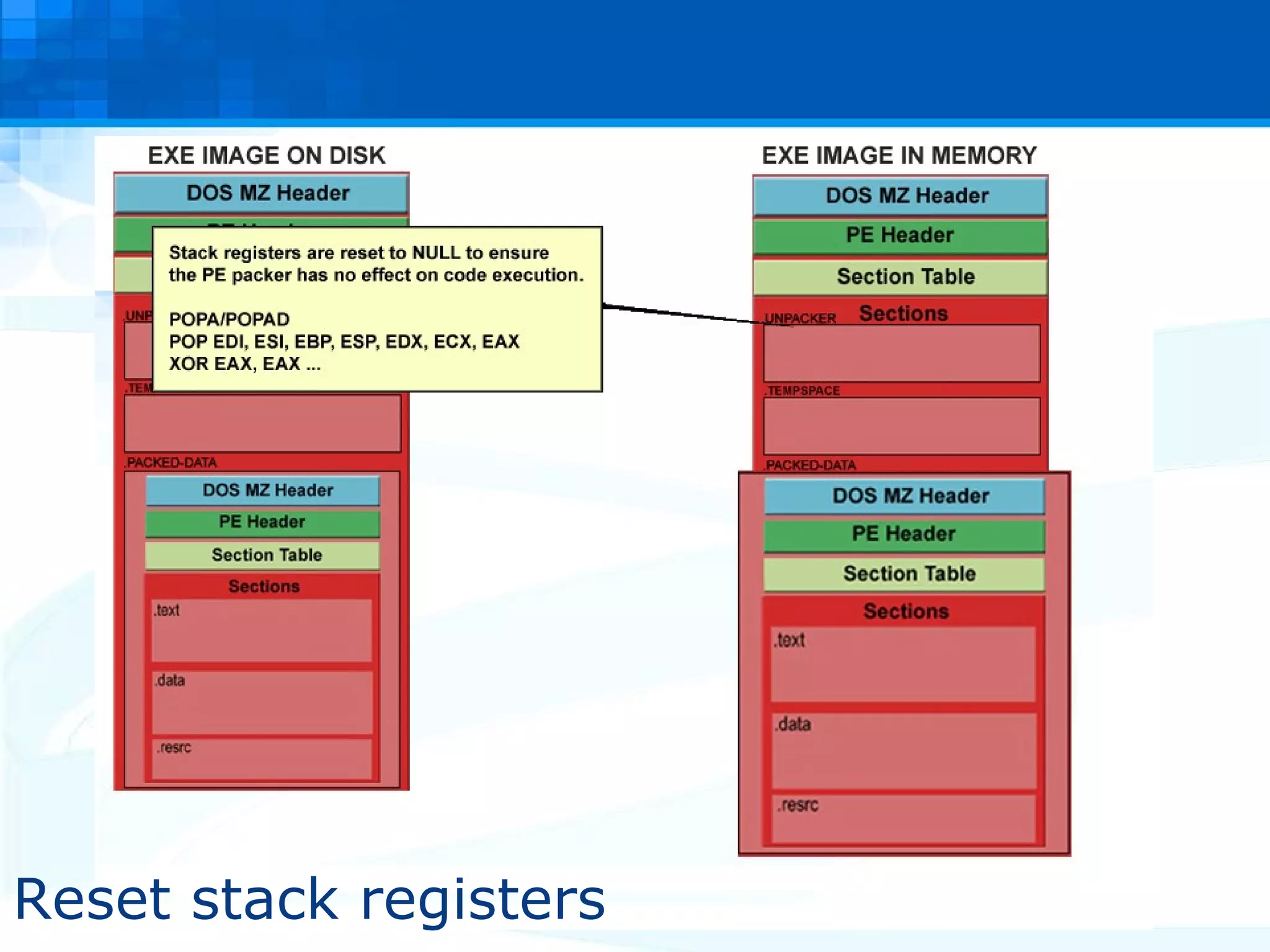
Reset stack registers
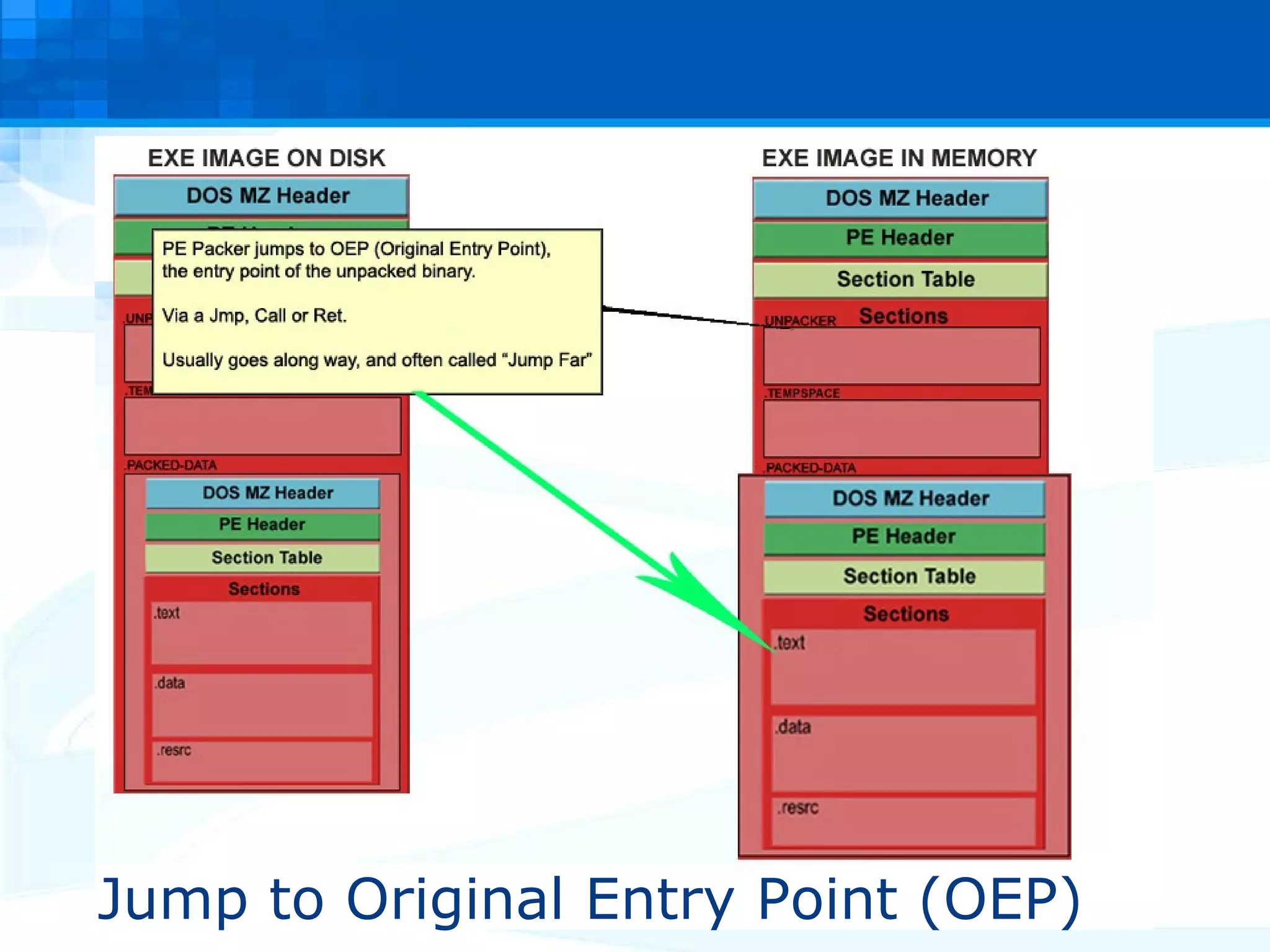
Jump to Original Entry Point (OEP)
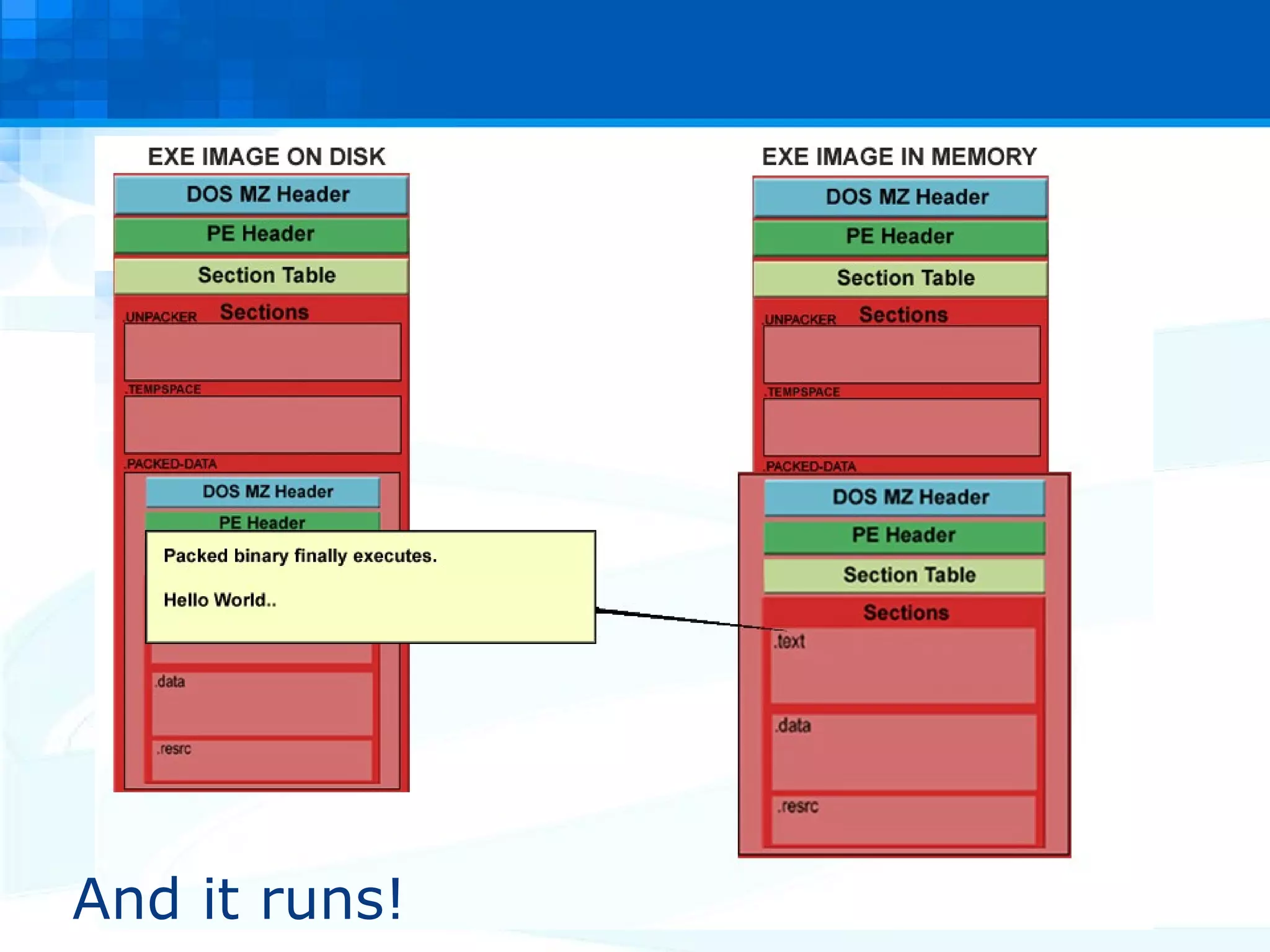
And it runs!
PE Packers In Malicious Software So what’s the big deal with PE packing? Static analysis of PE packed data is not possible. The payload is only unpacked at runtime! It physically does not exist on disk, only in memory. Packed binaries can evade signature based AV. A malicious executable is hiding inside an innocent executable.  Unless a virus scanner uses sandbox technology, it can be practically impossible to determine what's ‘inside’ the executable.
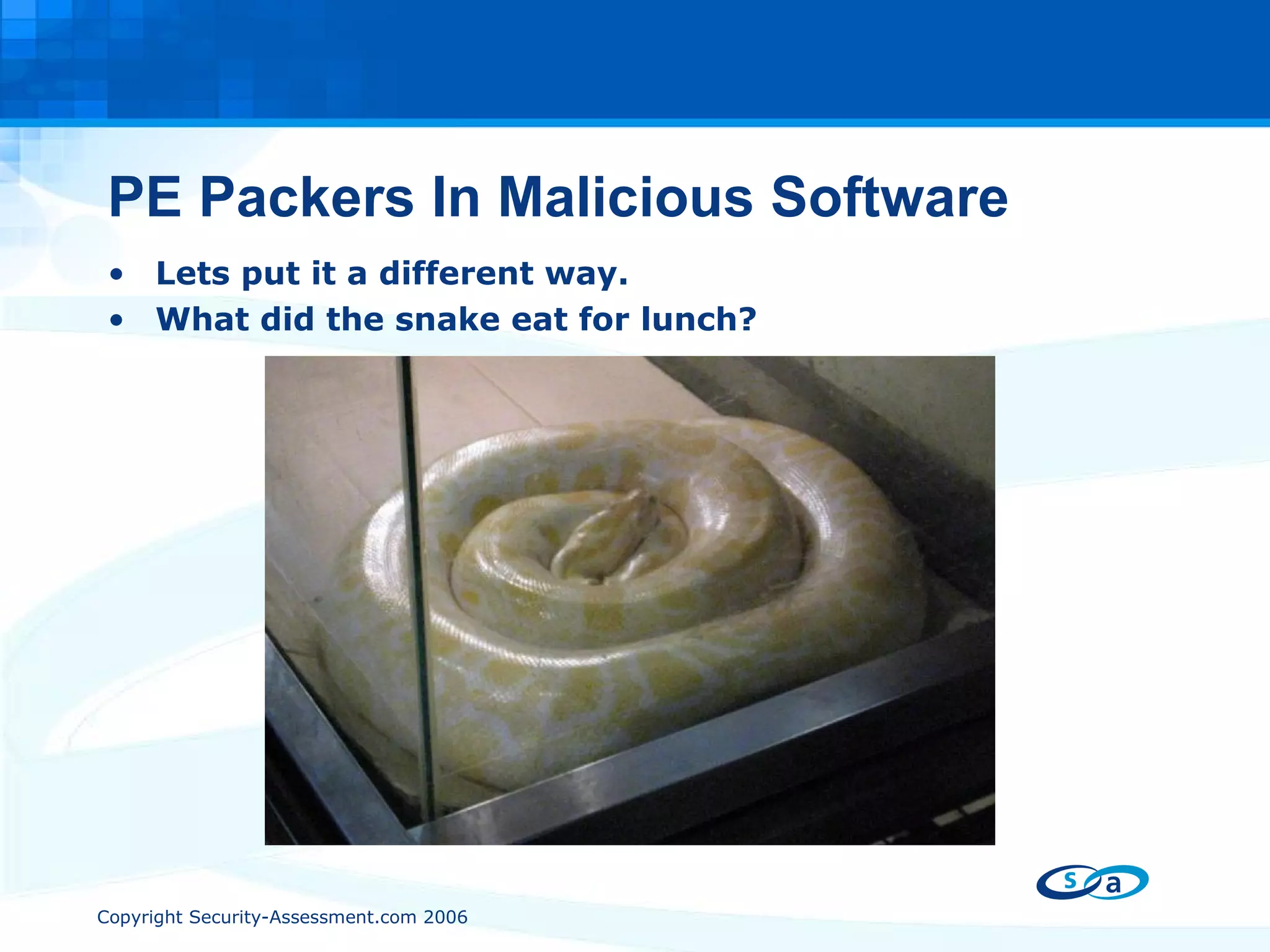
PE Packers In Malicious Software Lets put it a different way. What did the snake eat for lunch?
PE Packers In Malicious Software I have a phobia of snakes! Look at the snake all you want, it is not going to help! Static analysis is impossible. The snake might have eaten a weapon of mass destruction for all we know! Analysis is only possible when the snake is ‘unpacked’. Trojans/malicious software rely on ‘Snakes’  to hide themselves from anti virus software.
Detecting a PE-Packer
Detecting a PE Packer The first step in PE unpacking is to detect if a PE packer is being used. Do not rely solely on automated tools. They can be defeated, evaded. Custom PE packers can be used which are unknown to the tool. Analyzing the PE header and executable layout will tell us more than enough.
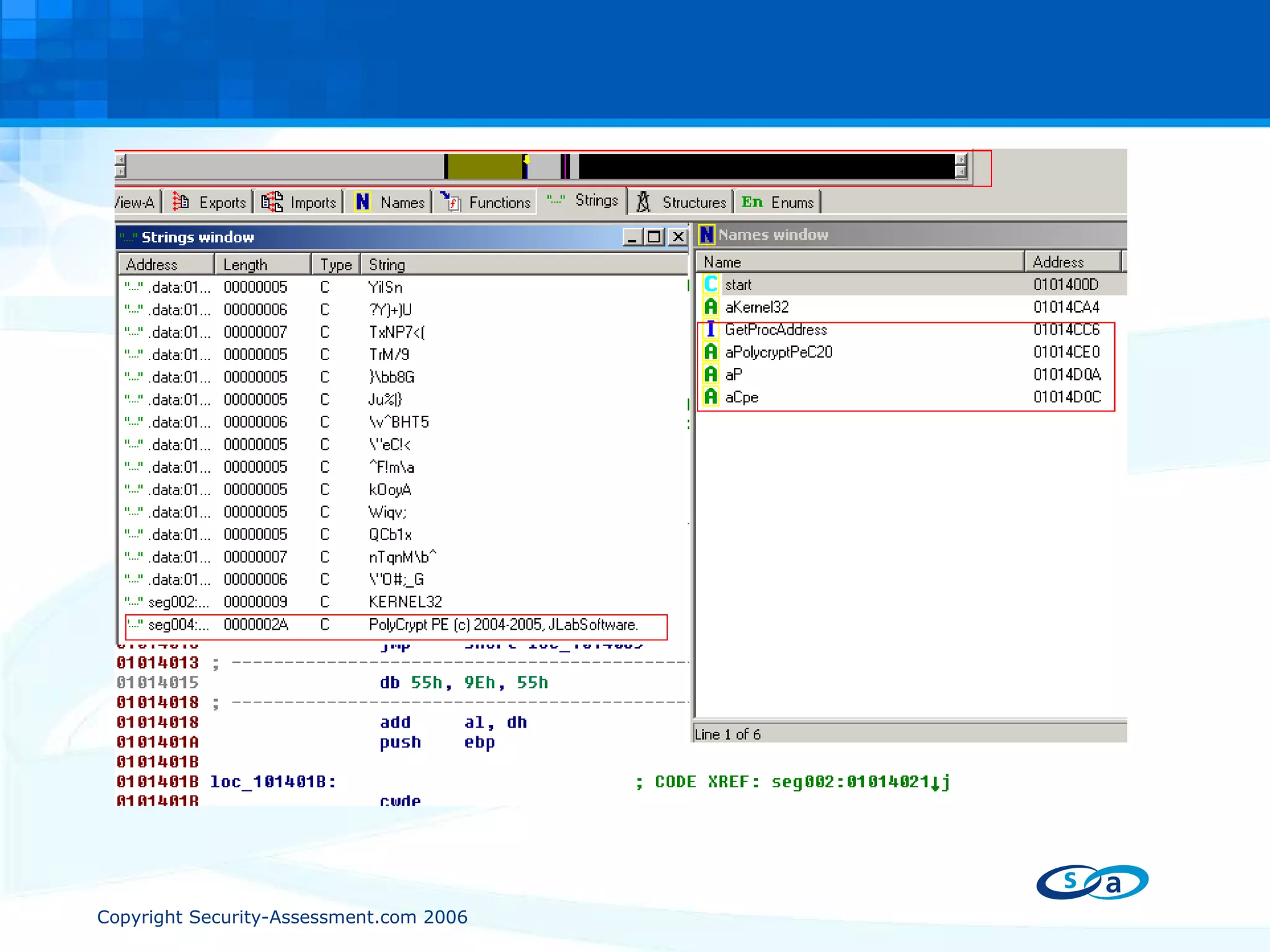
Detecting a PE Packer Acting suspiciously draws suspicion! ‘ Only dodgy people act dodgy.’ There are 4 simple steps that will tell us if an exe has been packed. #1 - Very small import table. A large application that only uses a few imports? Example: LoadLibaryA, GetProcAddress … These functions are used to locate other functions. IE, when populating an import table manually.
Detecting a PE Packer #2 - String table is missing or contains only garbage. The string table is a table of commonly used strings in the application. Strings stored in one location so the compiler/linker do not need to keep multiple copies of the string in memory. A missing, corrupted or encrypted string table is usually a pointer that a PE packer has been used. PE packers like to add entries into the string table.
Detecting a PE Packer #3 - Code body is far smaller than expected. Remember, disassembly would only show the PE packer stub routine. You will see large amounts of ‘data’ inside the executable. Its packed, so we don’t see it as code #4 - Weird looking section names. Compilers/linkers will try to have a standard naming convention for each code/data section. Easy to spot something ‘strange’.
 
Detecting a PE Packer Once we have analyzed the executable ourselves, THEN we then use PE scanning tools to help identify the  packer that’s being used. PEiD (http://peid.has.it) GT2 (http://www.programmerstools.com/) Tools can be wrong, don’t be lazy.

PE Packers Used in Malicious Software - Part 1

  • 1.
    Unpacking Malware, Trojansand Worms PE Packers Used in Malicious Software Presented by Paul Craig Ruxcon 2006
  • 2.
    Mental Refresher Course!#1 - PE-COFF: The Windows Executable Format. #2 - Who How What of Windows Import Address Tables. What is a PE Packer? PE Packers in Malicious Software. Detecting a PE Packer. Fundamental Weaknesses. PE Unpacking Automation Getting Tricky Unpacking NSPack Conclusion Overview
  • 3.
    Refresher #1 - PE-COFF: The Windows Executable Format. Section-By-Section
  • 4.
    PE COFF: Refreshingthe mind. DOS MZ Header Legacy Support for DOS 4D 5A (MZ) – Magic Number Mark Zbikowski Check if being ran in DOS. “ This program must be ran under Windows.” Handy to know that this string, is (almost always) in the DOS MZ header.
  • 5.
    PE COFF: Refreshingthe mind. PE Header 50h 45h 00h 00h – “PE” Data structures of execution settings Machine Type Date/Time Stamp Size of executable Where the code begins.
  • 6.
    PE COFF: Refreshingthe mind. Section Table A table of sections that exist inside the application. Each table has a name, permission and a size. When windows allocates memory pages for each the sections, the pages are set with the corresponding section permissions.
  • 7.
    PE COFF: Refreshingthe mind. Sections Executable sections are basically groups of different types of data. Grouping is based on common characteristics. IE is the data readable/writeable/executable? Compilers/linkers try to keep the number of sections as low as possible. Memory efficiency!
  • 8.
    Refresher #2 - The Who, How, What, Why of Windows Import Address Tables
  • 9.
    Windows Import AddressTable The Import Address Table is a table of external functions that an application wants to use. Example, function Sleep(), from KERNEL32.DLL An Import Table will contain the location in memory of an imported function. This is handy when we want to call the function. Applications use the Import Address Table to find other DLL’s in memory.
  • 10.
    Windows Import AddressTable One Problem though.. When the executable is compiled, and the Import Table is built, the compiler and linker do not know where in memory the particular DLL will be. The location is dynamic, dependant on operating system, service pack and any security patches that may be installed. We need Windows to tell us the location in memory at runtime. There is a good chance the location will be different location, PC to PC.
  • 11.
    Windows Import AddressTable When compiled, an executables Import Address Table contains NULL memory pointers to each function. It will have the name of the function, and what DLL it comes from, but that’s it. When we start to execute an application, Windows will find the Import Address Table location (from PE header), and overwrite our NULLS with the correct memory location for each function. Windows populates the Import Address Table for us, telling us where we can find each function. When we want to call an external function, we call a pointer to the value in the Import Address table. It becomes our lookup table.
  • 12.
    Windows Import AddressTable Example: Application wants to call GetProcAddress from KERNEL32.DLL. PUSH EBP CALL DWORD PTR [0041302C] - (Call whatever is stored at 0041302C) Look at the executable in a hex editor, the Import Table contains NULL’s. 0041302C = 00 00 00 00 However, if we look at the same location once the application is running from inside a debugger, we see. 0041302C = AB 0C 59 7C Windows populated the Import Table with the correct value. 7C590CAB = Location of GetProcAddress
  • 13.
    Ok, enough mentalrefreshing!! What is a PE packer?
  • 14.
    What is aPE-Packer? Think of it as an executable file, inside another executable file. Which can be inside another executable file. Think Russian dolls ( Matryoshka). The executable file is ‘packed’ inside another executable file! When executed, the ‘outer’ executable will unpack the contents of the ‘inner’ executable into memory and execute it. The inner most executable is the ‘real’ executable!
  • 15.
    What is aPE-Packer? The first PE packers were designed as a method of reducing the size of an executable on disk, through compression. Pklite from PKWARE (think PKZIP) PkLite ‘wraps’ around the target application, and compresses it. The packed executable is smaller on disk, but when ran will ‘unzip’ itself into memory. Once uncompressed in memory, the enclosed executable file is executed normally.
  • 16.
    Step by StepPE Packer. I just double clicked HelloWorld.exe a packed .exe file. What happens now?
  • 17.
  • 18.
  • 19.
  • 20.
  • 21.
  • 22.
  • 23.
  • 24.
  • 25.
    Unpacked, it isnow larger in memory
  • 26.
    PE Packer populatesImport Table
  • 27.
  • 28.
    Jump to OriginalEntry Point (OEP)
  • 29.
  • 30.
    PE Packers InMalicious Software So what’s the big deal with PE packing? Static analysis of PE packed data is not possible. The payload is only unpacked at runtime! It physically does not exist on disk, only in memory. Packed binaries can evade signature based AV. A malicious executable is hiding inside an innocent executable. Unless a virus scanner uses sandbox technology, it can be practically impossible to determine what's ‘inside’ the executable.
  • 31.
    PE Packers InMalicious Software Lets put it a different way. What did the snake eat for lunch?
  • 32.
    PE Packers InMalicious Software I have a phobia of snakes! Look at the snake all you want, it is not going to help! Static analysis is impossible. The snake might have eaten a weapon of mass destruction for all we know! Analysis is only possible when the snake is ‘unpacked’. Trojans/malicious software rely on ‘Snakes’ to hide themselves from anti virus software.
  • 33.
  • 34.
    Detecting a PEPacker The first step in PE unpacking is to detect if a PE packer is being used. Do not rely solely on automated tools. They can be defeated, evaded. Custom PE packers can be used which are unknown to the tool. Analyzing the PE header and executable layout will tell us more than enough.
  • 35.
    Detecting a PEPacker Acting suspiciously draws suspicion! ‘ Only dodgy people act dodgy.’ There are 4 simple steps that will tell us if an exe has been packed. #1 - Very small import table. A large application that only uses a few imports? Example: LoadLibaryA, GetProcAddress … These functions are used to locate other functions. IE, when populating an import table manually.
  • 36.
    Detecting a PEPacker #2 - String table is missing or contains only garbage. The string table is a table of commonly used strings in the application. Strings stored in one location so the compiler/linker do not need to keep multiple copies of the string in memory. A missing, corrupted or encrypted string table is usually a pointer that a PE packer has been used. PE packers like to add entries into the string table.
  • 37.
    Detecting a PEPacker #3 - Code body is far smaller than expected. Remember, disassembly would only show the PE packer stub routine. You will see large amounts of ‘data’ inside the executable. Its packed, so we don’t see it as code #4 - Weird looking section names. Compilers/linkers will try to have a standard naming convention for each code/data section. Easy to spot something ‘strange’.
  • 38.
  • 39.
    Detecting a PEPacker Once we have analyzed the executable ourselves, THEN we then use PE scanning tools to help identify the packer that’s being used. PEiD (http://peid.has.it) GT2 (http://www.programmerstools.com/) Tools can be wrong, don’t be lazy.