Submitted by,
s.aarthi
Task creation
 A task in PVM(parallel virtual machice) can be started
manually or can be spawned from another task.
 The initiating task is always activated manually by simply
running its executable code on one of the hots.
 Other PVM task can be created dynamic task in other task.
 Dynamic task creation function used
Pvm_spawn()
 Pvm_spawn() refered to as the parent and newly
created task are called children.
The create child from a running parent programmer
must at least specify the following:
1. The machine on which the child will be
started.
2. A path to the executable file on the specified
machine.
3. The number of copies of the child to be
created.
4. An array of arguments to the child task(S).
 As all PVM task are identified by an integer Task
Identifier(TID).
 Task identification can be used to identify sender and
receivers communication.
Task identifier reterival
 Parallel virtual machine provides a number of
functions to retrieve TID values so that a particular
task can identify itself, its parent, and other tasks in
the system.
Task’s TID
 A running task can retrieve its own TID by calling the
PVM function.
pvm_myid() as follows:
mytid=pvm_mytid(); /* get my own tid */
Child’s TID
When a task calls the function pvm_spawn(), an array
containing the TIDs of the children created by this call will be
returned.
For example,
The array tid in the following pvm_spawn() call will
have the TIDs of all the children.
pvm_spawn(...,...,...,...,...,&tid)
/* The TIDs of the children created by this call are saved in the
array tid */
Parent’s TID
A task can retrieve the TID of its parent by
calling the function pvm_parent() as follows:
my_parent_tid=pvm_parent(); /* get my parent’s tid*/
•The value PvmNoParent will be returned if the
calling task is the one that was created manually and
does not have a parent.
•This is an easy way to distinguish the supervisor
from the workers in an application.
Daemon’s TID
A task can retrieve the TID of the daemon running on
the same host as another task whose TID is id by
calling the function pvm_tidtohost() as follows:
daemon_tid =pvm_tidtohost(id);
* get tid of daemon running on the same host as the
task whose TID is id*/
•This function is useful for determining on which host
a given task is running.
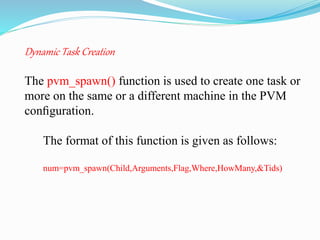
Dynamic Task Creation
The pvm_spawn() function is used to create one task or
more on the same or a different machine in the PVM
configuration.
The format of this function is given as follows:
num=pvm_spawn(Child,Arguments,Flag,Where,HowMany,&Tids)
•This function has six parameters and returns the actual
number of the successfully created tasks in the variable
num.
• The first two parameters are the executable file name of
the program to be activated and the arguments to be passed
to the executable .
•The next two parameters specify where to start the
process. The Flag parameter controls the target of the
spawn operation.
• A value of zero lets PVM decides on the appropriate
machine on which to start the task.
•Other values specify that the where parameter signifies a
machine name, or an architecture type.
• Specifying an architecture type may be more appropriate in
some cases.
•Especially when the virtual machine is configured from a
widely dispersed set of architectures.
•One of the requirements of the spawn command is that the
executable must already existon whatever machine it is to run
on.
•The final two parameters contain control information, such as
the number of processes to spawn with this call.
•An array in which to return information, such as task identifiers
and error codes.
The different parameters and their meanings are summarized in
Table 8.1
PARAMETER MEANING
Child The executable file name of the program to be started. The
executable must reside on the host on which it will run.
Arguments A pointer to an array of arguments to the program. If the
program takes no arguments this pointer should be NULL.
Flag A flag value of zero lets the PVM system decides what
machine will run the spawned task(s). Other values signify
that a particular host name or architecture type will be
specified to run the spawned tasks
Where A host name or an architecture type to run the created tasks
depending on the value of the above flag.
HowMany The number of identical children to be started.
Tids The TIDs of the children created by this call.
THANKYOU

parallel programming in the PVM- task creation-Advanced system architecture

  • 1.
  • 2.
    Task creation  Atask in PVM(parallel virtual machice) can be started manually or can be spawned from another task.  The initiating task is always activated manually by simply running its executable code on one of the hots.  Other PVM task can be created dynamic task in other task.  Dynamic task creation function used Pvm_spawn()
  • 3.
     Pvm_spawn() referedto as the parent and newly created task are called children. The create child from a running parent programmer must at least specify the following: 1. The machine on which the child will be started. 2. A path to the executable file on the specified machine. 3. The number of copies of the child to be created. 4. An array of arguments to the child task(S).
  • 4.
     As allPVM task are identified by an integer Task Identifier(TID).  Task identification can be used to identify sender and receivers communication.
  • 5.
    Task identifier reterival Parallel virtual machine provides a number of functions to retrieve TID values so that a particular task can identify itself, its parent, and other tasks in the system. Task’s TID  A running task can retrieve its own TID by calling the PVM function. pvm_myid() as follows: mytid=pvm_mytid(); /* get my own tid */
  • 6.
    Child’s TID When atask calls the function pvm_spawn(), an array containing the TIDs of the children created by this call will be returned. For example, The array tid in the following pvm_spawn() call will have the TIDs of all the children. pvm_spawn(...,...,...,...,...,&tid) /* The TIDs of the children created by this call are saved in the array tid */
  • 7.
    Parent’s TID A taskcan retrieve the TID of its parent by calling the function pvm_parent() as follows: my_parent_tid=pvm_parent(); /* get my parent’s tid*/ •The value PvmNoParent will be returned if the calling task is the one that was created manually and does not have a parent. •This is an easy way to distinguish the supervisor from the workers in an application.
  • 8.
    Daemon’s TID A taskcan retrieve the TID of the daemon running on the same host as another task whose TID is id by calling the function pvm_tidtohost() as follows: daemon_tid =pvm_tidtohost(id); * get tid of daemon running on the same host as the task whose TID is id*/ •This function is useful for determining on which host a given task is running.
  • 11.
    Dynamic Task Creation Thepvm_spawn() function is used to create one task or more on the same or a different machine in the PVM configuration. The format of this function is given as follows: num=pvm_spawn(Child,Arguments,Flag,Where,HowMany,&Tids)
  • 12.
    •This function hassix parameters and returns the actual number of the successfully created tasks in the variable num. • The first two parameters are the executable file name of the program to be activated and the arguments to be passed to the executable . •The next two parameters specify where to start the process. The Flag parameter controls the target of the spawn operation. • A value of zero lets PVM decides on the appropriate machine on which to start the task. •Other values specify that the where parameter signifies a machine name, or an architecture type.
  • 13.
    • Specifying anarchitecture type may be more appropriate in some cases. •Especially when the virtual machine is configured from a widely dispersed set of architectures. •One of the requirements of the spawn command is that the executable must already existon whatever machine it is to run on. •The final two parameters contain control information, such as the number of processes to spawn with this call. •An array in which to return information, such as task identifiers and error codes. The different parameters and their meanings are summarized in Table 8.1
  • 14.
    PARAMETER MEANING Child Theexecutable file name of the program to be started. The executable must reside on the host on which it will run. Arguments A pointer to an array of arguments to the program. If the program takes no arguments this pointer should be NULL. Flag A flag value of zero lets the PVM system decides what machine will run the spawned task(s). Other values signify that a particular host name or architecture type will be specified to run the spawned tasks Where A host name or an architecture type to run the created tasks depending on the value of the above flag. HowMany The number of identical children to be started. Tids The TIDs of the children created by this call.
  • 15.