Functions
Presented by:
Faizan Janjua #103
Hamza Tariq Ansari #121
Muhammad Usman #128
Objective
• What is Function?
• Definition, Declaration and Call
• Declaration
• Ways to define a function
• Formal and actual arguments
• Types of formal arguments
• Call by value, call by address and call by
reference
What is function?
• Function is a block on code performing a
unit task.
• Function is a way to achieve modularization.
• Function has a name, return type and
arguments.
• Functions are pre-defined and user-defined.
• Pre-defined functions are declared in header
files and defined in library files.
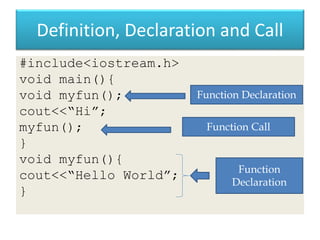
Definition, Declaration and Call
#include<iostream.h>
void main(){
void myfun();
cout<<“Hi”;
myfun();
}
void myfun(){
cout<<“Hello World”;
}
Function Declaration
Function Call
Function
Declaration
Declaration
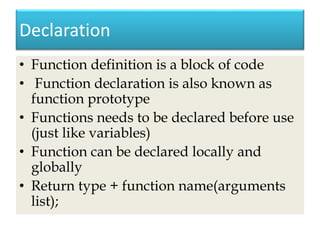
• Function definition is a block of code
• Function declaration is also known as
function prototype
• Functions needs to be declared before use
(just like variables)
• Function can be declared locally and
globally
• Return type + function name(arguments
list);
Ways to define a function
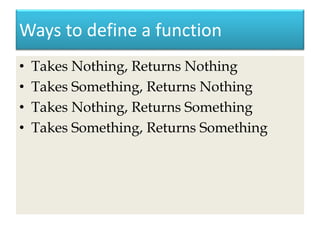
• Takes Nothing, Returns Nothing
• Takes Something, Returns Nothing
• Takes Nothing, Returns Something
• Takes Something, Returns Something
Formal and Actual Arguments
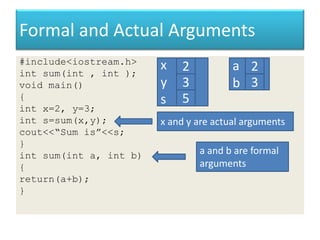
#include<iostream.h>
int sum(int , int );
void main()
{
int x=2, y=3;
int s=sum(x,y);
cout<<“Sum is”<<s;
}
int sum(int a, int b)
{
return(a+b);
}
x
y
s
2
3
5
x and y are actual arguments
a
b
2
3
a and b are formal
arguments
Types of formal arguments
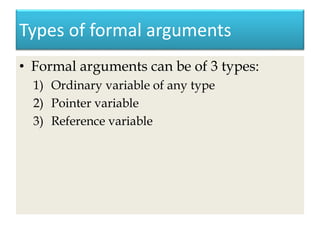
• Formal arguments can be of 3 types:
1) Ordinary variable of any type
2) Pointer variable
3) Reference variable
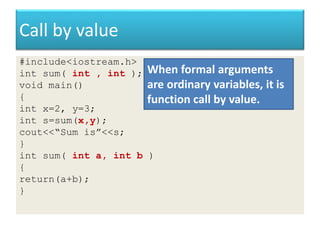
Call by value
#include<iostream.h>
int sum( int , int );
void main()
{
int x=2, y=3;
int s=sum(x,y);
cout<<“Sum is”<<s;
}
int sum( int a, int b )
{
return(a+b);
}
When formal arguments
are ordinary variables, it is
function call by value.
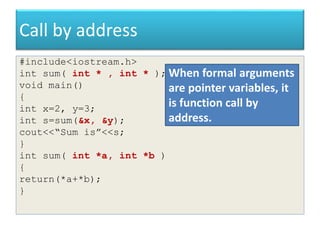
Call by address
#include<iostream.h>
int sum( int * , int * );
void main()
{
int x=2, y=3;
int s=sum(&x, &y);
cout<<“Sum is”<<s;
}
int sum( int *a, int *b )
{
return(*a+*b);
}
When formal arguments
are pointer variables, it
is function call by
address.
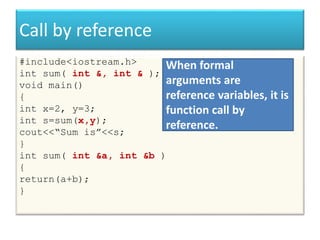
Call by reference
#include<iostream.h>
int sum( int &, int & );
void main()
{
int x=2, y=3;
int s=sum(x,y);
cout<<“Sum is”<<s;
}
int sum( int &a, int &b )
{
return(a+b);
}
When formal
arguments are
reference variables, it is
function call by
reference.
Objective
• Inline function
Benefits of functions
• Easy to read
• Easy to modify
• Avoids re-writing of same code
• Easy to debug
• Better memory utilization
Function saves memory
• Function in a program is for save memory
space which becomes appreciable when a
function is likely to be called many times.
Function is time consuming
• However every time a function is called, it
takes lot of extra time in executing a series
of instructions for tasks such as jumping
to the functions, saving registers, pushing
arguments into the stack and returning to
calling function.
So…
• So when function is small, it took
worthless to spend so much extra time in
such tasks in cost of saving comparatively
small space.
Inline function
• To eliminate the cost of call of small
functions, C++ proposes a new feature
called Inline function.
• An Inline function is a function that is
expended in line when it is invoked.
• Compiler replaces the function call with
the corresponding function code.
Inline is a request
• Inline is a request not a command
• The benefit of speed of inline functions
reduces as the function grown in size
• So the compiler may ignore the request in
some situations, some of them are:
– Function containing loops, switches, goto.
– Functions with recursion.
– Containing static variables.
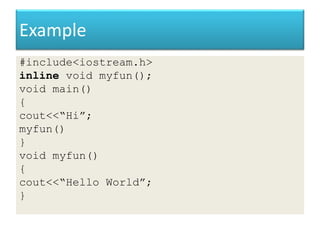
Example
#include<iostream.h>
inline void myfun();
void main()
{
cout<<“Hi”;
myfun()
}
void myfun()
{
cout<<“Hello World”;
}
Objective
• Default arguments in functions
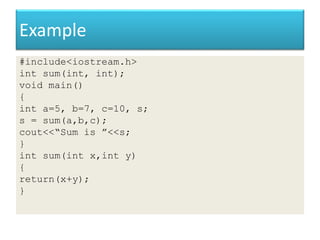
Example
#include<iostream.h>
int sum(int, int);
void main()
{
int a=5, b=7, c=10, s;
s = sum(a,b,c);
cout<<“Sum is ”<<s;
}
int sum(int x,int y)
{
return(x+y);
}
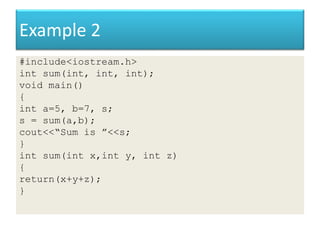
Example 2
#include<iostream.h>
int sum(int, int, int);
void main()
{
int a=5, b=7, s;
s = sum(a,b);
cout<<“Sum is ”<<s;
}
int sum(int x,int y, int z)
{
return(x+y+z);
}
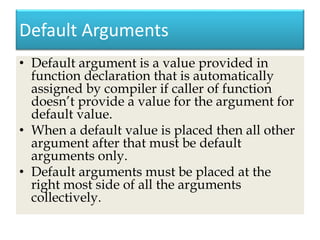
Default Arguments
• Default argument is a value provided in
function declaration that is automatically
assigned by compiler if caller of function
doesn’t provide a value for the argument for
default value.
• When a default value is placed then all other
argument after that must be default
arguments only.
• Default arguments must be placed at the
right most side of all the arguments
collectively.
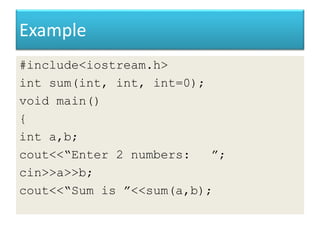
Example
#include<iostream.h>
int sum(int, int, int=0);
void main()
{
int a,b;
cout<<“Enter 2 numbers: ”;
cin>>a>>b;
cout<<“Sum is ”<<sum(a,b);
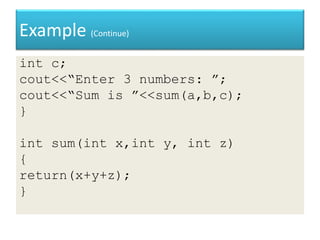
Example (Continue)
int c;
cout<<“Enter 3 numbers: ”;
cout<<“Sum is ”<<sum(a,b,c);
}
int sum(int x,int y, int z)
{
return(x+y+z);
}
Objective
• Function Overloading
Introduction
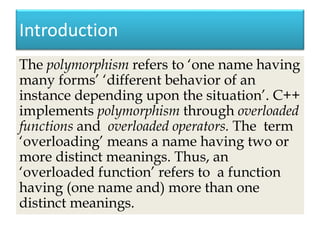
The polymorphism refers to ‘one name having
many forms’ ‘different behavior of an
instance depending upon the situation’. C++
implements polymorphism through overloaded
functions and overloaded operators. The term
‘overloading’ means a name having two or
more distinct meanings. Thus, an
‘overloaded function’ refers to a function
having (one name and) more than one
distinct meanings.
Function Overloading
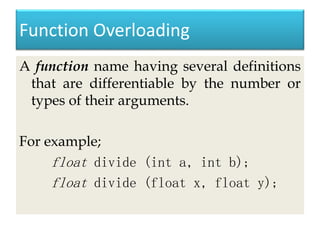
A function name having several definitions
that are differentiable by the number or
types of their arguments.
For example;
float divide (int a, int b);
float divide (float x, float y);
Declaration and Definition
The key to function overloading is a
function’s argument list which is also
known as the function signature. It is the
signature, not the function type that enables
function overloading
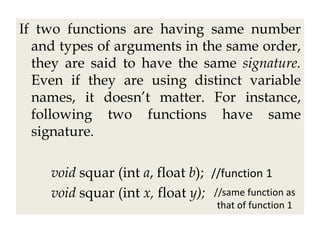
If two functions are having same number
and types of arguments in the same order,
they are said to have the same signature.
Even if they are using distinct variable
names, it doesn’t matter. For instance,
following two functions have same
signature.
void squar (int a, float b); //function 1
void squar (int x, float y); //same function as
that of function 1
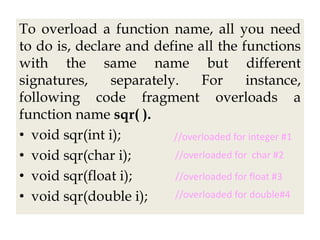
To overload a function name, all you need
to do is, declare and define all the functions
with the same name but different
signatures, separately. For instance,
following code fragment overloads a
function name sqr( ).
• void sqr(int i);
• void sqr(char i);
• void sqr(float i);
• void sqr(double i);
//overloaded for integer #1
//overloaded for char #2
//overloaded for float #3
//overloaded for double#4
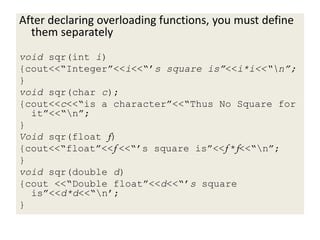
After declaring overloading functions, you must define
them separately
void sqr(int i)
{cout<<“Integer”<<i<<“’s square is”<<i*i<<“n”;
}
void sqr(char c);
{cout<<c<<“is a character”<<“Thus No Square for
it”<<“n”;
}
Void sqr(float f)
{cout<<“float”<<f <<“’s square is”<<f *f<<“n”;
}
void sqr(double d)
{cout <<“Double float”<<d<<“’s square
is”<<d*d<<“n’;
}
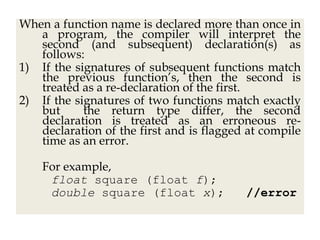
When a function name is declared more than once in
a program, the compiler will interpret the
second (and subsequent) declaration(s) as
follows:
1) If the signatures of subsequent functions match
the previous function’s, then the second is
treated as a re-declaration of the first.
2) If the signatures of two functions match exactly
but the return type differ, the second
declaration is treated as an erroneous re-
declaration of the first and is flagged at compile
time as an error.
For example,
float square (float f);
double square (float x); //error
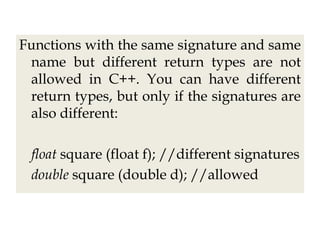
Functions with the same signature and same
name but different return types are not
allowed in C++. You can have different
return types, but only if the signatures are
also different:
float square (float f); //different signatures
double square (double d); //allowed
• If the signature of the two functions differ
in either the number or type of their
arguments, the two functions are
considered to be overloaded.
Calling Overloaded Functions
Overloaded functions are called just like
other functions. The number and type of
arguments determine which function should
be invoked
Restrictions on Function Overloading
Several restrictions governs an acceptable set of
overloaded functions:
• Any two functions in a set of overloaded
functions must have different argument lists.
• Overloading functions with argument lists of
the same types, based on return type alone, is
an error.
• Member functions cannot be overloaded
solely on the basis of one being static and the
other non-static.

Functions in C++ (OOP)

  • 1.
    Functions Presented by: Faizan Janjua#103 Hamza Tariq Ansari #121 Muhammad Usman #128
  • 2.
    Objective • What isFunction? • Definition, Declaration and Call • Declaration • Ways to define a function • Formal and actual arguments • Types of formal arguments • Call by value, call by address and call by reference
  • 3.
    What is function? •Function is a block on code performing a unit task. • Function is a way to achieve modularization. • Function has a name, return type and arguments. • Functions are pre-defined and user-defined. • Pre-defined functions are declared in header files and defined in library files.
  • 4.
    Definition, Declaration andCall #include<iostream.h> void main(){ void myfun(); cout<<“Hi”; myfun(); } void myfun(){ cout<<“Hello World”; } Function Declaration Function Call Function Declaration
  • 5.
    Declaration • Function definitionis a block of code • Function declaration is also known as function prototype • Functions needs to be declared before use (just like variables) • Function can be declared locally and globally • Return type + function name(arguments list);
  • 6.
    Ways to definea function • Takes Nothing, Returns Nothing • Takes Something, Returns Nothing • Takes Nothing, Returns Something • Takes Something, Returns Something
  • 7.
    Formal and ActualArguments #include<iostream.h> int sum(int , int ); void main() { int x=2, y=3; int s=sum(x,y); cout<<“Sum is”<<s; } int sum(int a, int b) { return(a+b); } x y s 2 3 5 x and y are actual arguments a b 2 3 a and b are formal arguments
  • 8.
    Types of formalarguments • Formal arguments can be of 3 types: 1) Ordinary variable of any type 2) Pointer variable 3) Reference variable
  • 9.
    Call by value #include<iostream.h> intsum( int , int ); void main() { int x=2, y=3; int s=sum(x,y); cout<<“Sum is”<<s; } int sum( int a, int b ) { return(a+b); } When formal arguments are ordinary variables, it is function call by value.
  • 10.
    Call by address #include<iostream.h> intsum( int * , int * ); void main() { int x=2, y=3; int s=sum(&x, &y); cout<<“Sum is”<<s; } int sum( int *a, int *b ) { return(*a+*b); } When formal arguments are pointer variables, it is function call by address.
  • 11.
    Call by reference #include<iostream.h> intsum( int &, int & ); void main() { int x=2, y=3; int s=sum(x,y); cout<<“Sum is”<<s; } int sum( int &a, int &b ) { return(a+b); } When formal arguments are reference variables, it is function call by reference.
  • 12.
  • 13.
    Benefits of functions •Easy to read • Easy to modify • Avoids re-writing of same code • Easy to debug • Better memory utilization
  • 14.
    Function saves memory •Function in a program is for save memory space which becomes appreciable when a function is likely to be called many times.
  • 15.
    Function is timeconsuming • However every time a function is called, it takes lot of extra time in executing a series of instructions for tasks such as jumping to the functions, saving registers, pushing arguments into the stack and returning to calling function.
  • 16.
    So… • So whenfunction is small, it took worthless to spend so much extra time in such tasks in cost of saving comparatively small space.
  • 17.
    Inline function • Toeliminate the cost of call of small functions, C++ proposes a new feature called Inline function. • An Inline function is a function that is expended in line when it is invoked. • Compiler replaces the function call with the corresponding function code.
  • 18.
    Inline is arequest • Inline is a request not a command • The benefit of speed of inline functions reduces as the function grown in size • So the compiler may ignore the request in some situations, some of them are: – Function containing loops, switches, goto. – Functions with recursion. – Containing static variables.
  • 19.
    Example #include<iostream.h> inline void myfun(); voidmain() { cout<<“Hi”; myfun() } void myfun() { cout<<“Hello World”; }
  • 20.
  • 21.
    Example #include<iostream.h> int sum(int, int); voidmain() { int a=5, b=7, c=10, s; s = sum(a,b,c); cout<<“Sum is ”<<s; } int sum(int x,int y) { return(x+y); }
  • 22.
    Example 2 #include<iostream.h> int sum(int,int, int); void main() { int a=5, b=7, s; s = sum(a,b); cout<<“Sum is ”<<s; } int sum(int x,int y, int z) { return(x+y+z); }
  • 23.
    Default Arguments • Defaultargument is a value provided in function declaration that is automatically assigned by compiler if caller of function doesn’t provide a value for the argument for default value. • When a default value is placed then all other argument after that must be default arguments only. • Default arguments must be placed at the right most side of all the arguments collectively.
  • 24.
    Example #include<iostream.h> int sum(int, int,int=0); void main() { int a,b; cout<<“Enter 2 numbers: ”; cin>>a>>b; cout<<“Sum is ”<<sum(a,b);
  • 25.
    Example (Continue) int c; cout<<“Enter3 numbers: ”; cout<<“Sum is ”<<sum(a,b,c); } int sum(int x,int y, int z) { return(x+y+z); }
  • 26.
  • 27.
    Introduction The polymorphism refersto ‘one name having many forms’ ‘different behavior of an instance depending upon the situation’. C++ implements polymorphism through overloaded functions and overloaded operators. The term ‘overloading’ means a name having two or more distinct meanings. Thus, an ‘overloaded function’ refers to a function having (one name and) more than one distinct meanings.
  • 28.
    Function Overloading A functionname having several definitions that are differentiable by the number or types of their arguments. For example; float divide (int a, int b); float divide (float x, float y);
  • 29.
    Declaration and Definition Thekey to function overloading is a function’s argument list which is also known as the function signature. It is the signature, not the function type that enables function overloading
  • 30.
    If two functionsare having same number and types of arguments in the same order, they are said to have the same signature. Even if they are using distinct variable names, it doesn’t matter. For instance, following two functions have same signature. void squar (int a, float b); //function 1 void squar (int x, float y); //same function as that of function 1
  • 31.
    To overload afunction name, all you need to do is, declare and define all the functions with the same name but different signatures, separately. For instance, following code fragment overloads a function name sqr( ). • void sqr(int i); • void sqr(char i); • void sqr(float i); • void sqr(double i); //overloaded for integer #1 //overloaded for char #2 //overloaded for float #3 //overloaded for double#4
  • 32.
    After declaring overloadingfunctions, you must define them separately void sqr(int i) {cout<<“Integer”<<i<<“’s square is”<<i*i<<“n”; } void sqr(char c); {cout<<c<<“is a character”<<“Thus No Square for it”<<“n”; } Void sqr(float f) {cout<<“float”<<f <<“’s square is”<<f *f<<“n”; } void sqr(double d) {cout <<“Double float”<<d<<“’s square is”<<d*d<<“n’; }
  • 33.
    When a functionname is declared more than once in a program, the compiler will interpret the second (and subsequent) declaration(s) as follows: 1) If the signatures of subsequent functions match the previous function’s, then the second is treated as a re-declaration of the first. 2) If the signatures of two functions match exactly but the return type differ, the second declaration is treated as an erroneous re- declaration of the first and is flagged at compile time as an error. For example, float square (float f); double square (float x); //error
  • 34.
    Functions with thesame signature and same name but different return types are not allowed in C++. You can have different return types, but only if the signatures are also different: float square (float f); //different signatures double square (double d); //allowed
  • 35.
    • If thesignature of the two functions differ in either the number or type of their arguments, the two functions are considered to be overloaded.
  • 36.
    Calling Overloaded Functions Overloadedfunctions are called just like other functions. The number and type of arguments determine which function should be invoked
  • 37.
    Restrictions on FunctionOverloading Several restrictions governs an acceptable set of overloaded functions: • Any two functions in a set of overloaded functions must have different argument lists. • Overloading functions with argument lists of the same types, based on return type alone, is an error. • Member functions cannot be overloaded solely on the basis of one being static and the other non-static.