Please look at the attach: See.doc. I am getting this error all the
time
4
Lecture 1
The Socket API
For Chapter 4 of your second textbook
You need to read your book and practice the exercises. This is
just an extra note for the chapter.
Read this lecture after you have read chapter 4 of your second
textbook.
Note: I included extra file for those students who do not have
SSH on their Windows.
Introduction
For the first part of the semester we study distributed
programming. The programs are in Java. You can either use
windows (XP, Vista, 7), and/or Linux. I assume you have a
good knowledge in Java. However if you need tutorial in this
language I can post or email my tutorial. But this tutorial is
rather sizeable and may take a lot of your time. We use eclipse.
I have a small tutorial about installing Java, eclipse, a couple of
simple java programs to help you to trace a Java program using
the debugging facilities of eclipse.
As always I try to clarify the subject by small programs rather
than the big programs in the book to make it easier to follow.
Note: A good website on sockets is:
http://docs.oracle.com/javase/tutorial/networking/TOC.html
4.1 Background
Through this part we like to have access to 2-3 computers. Let
us assume a client program would like to request
implementation of a task via a number server programs. I
suggest having one server program in your Windows operating
system and one in your account in our school server. Below are
a couple of simple examples. I explain the APIs later. Just run
those to make sure things are under control.
Example 1: In the following program the client asks a server to
add numbers 5 and 7.
The server program:
import java.io.*;
import java.net.*;
publicclass MyServer {
publicstaticvoid main(String[] args) throws IOException {
ServerSocket serverSocket = null;
try {//Keep this number. For the pace server this is the number
we must use.
serverSocket = new ServerSocket(16790);
Socket clientSocket = null;
clientSocket = serverSocket.accept();
PrintWriter out = new
PrintWriter(clientSocket.getOutputStream(), true);
out.println("5 + 7 is: 12");
out.close();
clientSocket.close();
serverSocket.close();
} catch (IOException e) {
System.out.println("Error: " + e);
System.exit(0);
}
}
}
The client program:
import java.io.*;
import java.net.*;
publicclass MyClient {
publicstaticvoid main(String[] args) throws IOException {
Socket clientSocket = null;
BufferedReader in = null;
int ip;
try {//Keep this number. For the pace server this is the number
we must use.
ip = 16790;
InetAddress host =
InetAddress.getByName("localhost");//("vulcan.seidenberg.pace
.edu");
clientSocket = new Socket(host, ip);
in = new BufferedReader(new
InputStreamReader(clientSocket.getInputStream()));
String s = in.readLine();
while(s != null){
System.out.println(s);
s = in.readLine();
}
in.close();
clientSocket.close();
}catch (IOException e) {
System.out.println("Error: " + e);
System.exit(0);
}
}
}
Description:
The sever program:
· serverSocket = new ServerSocket(16790): Creates a server
socket object and opens a gate by the port number: 16790 to
communicate with a client program.
· clientSocket = serverSocket.accept(): Upton the execution of
this instruction he server waits for a client to contact. Note that
at this point the control of execution does not go to the next
line.
· PrintWriter out=new
PrintWriter(clientSocket.getOutputStream(),true): Creates and
open an output stream to send its output to a client. Note that at
this point has connected to the server’s port (that is why the
control of execution did not wait anymore).
· out.println("5 + 7 is: 12"): The server program sending
(outputting) the string to the client. Note that the server always
sends strings. Therefore if the client program need a number it
should convert the string to a number.
· The rest of the code is for server to close its output stream and
its port. If the client requests more string it gets: null.
The Client Program:
· InetAddress host = InetAddress.getByName("localhost"): Gets
an InetAddress object through the name of the location of the
server on the internet.
· clientSocket = new Socket(host, ip): Establishes a connect to
the server on the port of the server. Here the value of: ip is the
same port number (i.e. 16790) used in the server program. Note
that if the server computer is not executing the server program
and the server program is not sitting on: serverSocket.accept()
the client gets an error message.
· in=new BufferedReader(new
InputStreamReader(clientSocket.getInputStream())): The client
program creates an input stream. The stream is connected to the
server program.
· String s = in.readLine(): The client program gets a string that
the server program sent (here: "5 + 7 is: 12").
· System.out.println(s): The client displays the string on its
console. Note that in the client program we do not need the
while-loop. The server program only sends one string and the
client also gets one string. I put the while-loop in the program
to get an idea for your project.
At this point I explain how to run these programs. The names in
the following steps are optional.
How to run:
A) To run both the server and the client with your local
machine:
Step I:
a) Make a folder (I named it: Practice).
b) Inside this folder make two folders (I named them: Client and
Server).
c) Click on the eclipse icon and let it go to the folder: Client.
d) Make a java project for the folder (I named it:
ClientProject).
e) Make a class named: MyClient.java.
f) Copy/paste the class: MyClient of the example over this
class.
g) Click on the eclipse icon and let it go to the folder: Server.
h) Make a java project for the folder (I named it:
ServerProject).
i) Make a class named: MyServer.java
j) Copy/paste the class: MyServer from the following example
over this class.
Step II:
a) First run the server program from eclipse which is for the
folder: Server.
b) Now run the client program from eclipse which is for the
folder: Client. You should see:
5 + 7 is: 12
B) To run the server from the school server and the client from
your local machine:
Step I:
1) Login to the school server
2) To be more organized make a directory (I named it “Server”).
3. Upload the class MyServer.java to this folder.
4. From the command cd to this folder (i.e. cd Server).
5. Enter: Javac *.java to compile all the java programs (you
have one).
6. Enter: Java MyServer to rum the program MyServer.
Step II:
1. In the client program change: "localhost" to:
"vulcan.seidenberg.pace.edu".
2. Run the class MyClient (But do not run the class MyServer).
Example 2: In the following program the client asks the local
server to add numbers 5 and 7, the school server to subtract
numbers 5 and 7.
import java.io.*;
import java.net.*;
publicclass MyClient {
publicstaticvoid main(String[] args) throws IOException {
Socket clientSocket = null;
BufferedReader in = null;
int port;
try {
port = 16790;
InetAddress host = InetAddress.getByName("localhost");
clientSocket = new Socket(host, port);
in = new BufferedReader(new
InputStreamReader(clientSocket.getInputStream()));
String s = in.readLine();
System.out.println(s);
in.close();
clientSocket.close();
port = 16790;
host =
InetAddress.getByName("vulcan.seidenberg.pace.edu");
clientSocket = new Socket(host, port);
in = new BufferedReader(new
InputStreamReader(clientSocket.getInputStream()));
s = in.readLine();
System.out.println(s);
in.close();
clientSocket.close();
}catch (IOException e) {
System.out.println("Error: " + e);
System.exit(0);
}
}
}
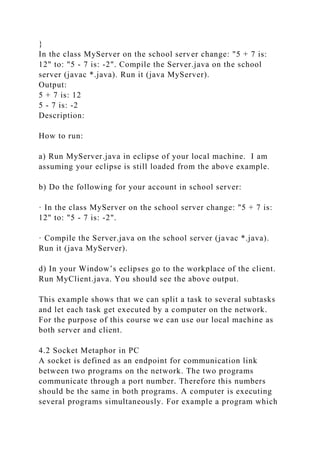
In the class MyServer on the school server change: "5 + 7 is:
12" to: "5 - 7 is: -2". Compile the Server.java on the school
server (javac *.java). Run it (java MyServer).
Output:
5 + 7 is: 12
5 - 7 is: -2
Description:
How to run:
a) Run MyServer.java in eclipse of your local machine. I am
assuming your eclipse is still loaded from the above example.
b) Do the following for your account in school server:
· In the class MyServer on the school server change: "5 + 7 is:
12" to: "5 - 7 is: -2".
· Compile the Server.java on the school server (javac *.java).
Run it (java MyServer).
d) In your Window’s eclipses go to the workplace of the client.
Run MyClient.java. You should see the above output.
This example shows that we can split a task to several subtasks
and let each task get executed by a computer on the network.
For the purpose of this course we can use our local machine as
both server and client.
4.2 Socket Metaphor in PC
A socket is defined as an endpoint for communication link
between two programs on the network. The two programs
communicate through a port number. Therefore this numbers
should be the same in both programs. A computer is executing
several programs simultaneously. For example a program which
is updating window needs data from a server and a program that
is downloading a file needs data from a different server.
Therefore the computer needs two different ports for receiving
data. It is like having two telephone numbers (port) one for
sending/receiving fax and one for telephone conversation. Some
ports have been reserved for the known services. For example
the port: 80 are reserved for http and 23 for telnet. The user port
number should be greater than 1024. The communication
between the client and the server programs may be connection-
oriented or connectionless.
There are two protocols for communication between computers
over the network: Transmission Control Protocol (TCP) and
User Datagram Protocol (UDP) and the connection is:
connectionless. In TCP a message is transferred like a stream
(continuously) and the connection is: connection-oriented. A
socket that uses TCP is called: stream socket. In UDP a message
is divided into a number of packets (segments) and sent. A
socket that uses UDP is called: datagram socket.
4.3 The Datagram Socket API
The protocol of this method is UDP. Independent packets sent
over the network with no guarantees about arrival and
sequencing. In UDP the sender sends packets m1 and then m2
but the receiver may receive m2 first and then m1. Example
applications that use such service is Ping (in the Dos window
enter ping to see the output of this program). We use ping to
test whether or not our internet is working. It is not important a
packet is not received. Obviously transferring packets by UDP
is faster but less reliable with respect the one uses TCP.
Note that the sender sends a packet and continue executing the
instructions of the program but the receiver is blocked (has to
wait) to get the packet.
In java the package: java.net contains classes for UDP. Some of
these classes are clarified in the description of the following
program.
Example 3: In the following program the server sends a message
to the client using UDP.
The server program:
import java.io.*;
import java.net.*;
import java.util.*;
publicclass MyServer {
publicstaticvoid main(String[] args) throws IOException {
try {
Scanner keyboard = new Scanner(System.in);
System.out.print("Enter a message to send: ");
String message = keyboard.nextLine();
byte[] buffer = message.getBytes();
int port = 16790;
InetAddress host = InetAddress.getByName("localhost");
DatagramSocket serverSocket = new DatagramSocket();
DatagramPacket datagram = new DatagramPacket(buffer,
buffer.length, host, port);
serverSocket.send(datagram);
serverSocket.close();
} catch (IOException e) {
System.out.println("Error: " + e);
System.exit(0);
}
}
}
The client program:
import java.io.*;
import java.net.*;
publicclass MyClient {
publicstaticvoid main(String[] args) throws IOException {
try {
finalint MAX_LEN = 100;
byte[] buffer = newbyte[MAX_LEN];
int port = 16790;
DatagramPacket datagram = new DatagramPacket(buffer,
buffer.length);
DatagramSocket clientSocket = new DatagramSocket(port);
clientSocket.receive(datagram);
String message = new String(buffer);
System.out.println(message);
clientSocket.close();
} catch (IOException e) {
System.out.println("Error: " + e);
System.exit(0);
}
}
}
Description:
First run the server. Next run the client. Now come back to the
server and enter a line.
The server program:
try {
serverSocket.send(datagram);
serverSocket.close();
}
byte[] buffer = message.getBytes(): This is an array of type:
byte. The characters of the message are byte oriented (even if
we enter numbers). The method: getBytes() is retuning the size
of the string which is the content of the variable: message.
Therefore the size of the array: buffer would be the size of the
message.
InetAddress host = InetAddress.getByName("localhost");: This
instruction makes an object for the host. The server needs to
know where to send the message and which port to choose. I am
using my local machine ("localhost") for the client. If you are
using the school server you need to change: "localhost" to:
"vulcan.seidenberg.pace.edu".
DatagramSocket serverSocket = new DatagramSocket(): To
make a socket object to send a message via this object.
DatagramPacket datagram = new DatagramPacket(buffer,
buffer.length, host, port): Declares an object of type class:
DatagramPacket to be able to make a packet. A packet contains
the bytes of the message, the length of the message, the host
name and its port. Note that we cannot just send the string. The
host and the port arguments are needed because we may like to
send messages to different clients over the internet. The port
number can be any number bigger than 1023 (but if you are
using the school’s server this number must be: 16790). Both the
server and the client must use the same port number.
serverSocket.send(datagram): Sends the packet to the specific
client.
serverSocket.close(): Finally we close the socket.
The client program:
DatagramPacket datagram = new DatagramPacket(buffer,
buffer.length): A packet with an empty buffer to be able to fill
it when receiving the message. Note that the constructor of this
class is different from the one used for the server. In the server
program we included the host and the port. The client does not
need to find out from which server receiving the message.
However the client should know on which port is receiving the
message. If we have a client program that receives packets from
two different servers we only need to have two different ports.
clientSocket.receive(datagram): Receives the message into its
empty buffer. Note that the control of execution of this program
is blocked on this instruction (and cannot execute the next
instruction) until a message is received.
String message = new String(buffer): The class: String has
different constructors. This is one of them. You probably have
not used this class using its constructors. The instruction: new
String(buffer) creates a string out of an array.
Finally the message is printed and the socket is closed.
Exercise 1: Run the server and enter a message. Now run the
client. Does the client receive the message? Why? Why not?
Question: The idea of specifying a maximum length
(MAX_LEN) for the buffer is not good when the server sends a
message bigger than maximum length. We can change the
programs to let the server first send the length of the message
and then the message itself. Is this approach working?
Hints: Imagine you change the above programs such that the
server sends two messages m1 and m2 to the client.
Note: Read example 2 on page 107. This example is a 2-way
communication example. It is a good example for your project.
In your project you need to have a 2-way communication using
TCP rather than UDP.
4.4 The Stream-Mode Socket API
This is for the connection-oriented communication. The server
sends a stream of characters rather than packets using TCP.
Obviously the API is different than the one for connectionless
communication.
Example 4: In the following program the server program sends
several lines to a client on the port: 4321. The client reads these
lines and displays them.
The server program:
import java.io.*;
import java.net.*;
import java.util.*;
publicclass MyServer {
publicstaticvoid main(String[] args) throws IOException {
Scanner keyboard = new Scanner(System.in);
try {
int port = 4321;
ServerSocket serverSocket = new ServerSocket(port);
Socket clientSocket = serverSocket.accept();
PrintWriter out = new
PrintWriter(clientSocket.getOutputStream(), true);
String message = "";
do{
System.out.print("Enter a line or end to quit: ");
message = keyboard.nextLine();
out.println(message);
}while(!message.equalsIgnoreCase("end"));
out.close();
clientSocket.close();
serverSocket.close();
} catch (IOException e) {
System.out.println("Error: " + e);
}
}
}
Note: Once again: If you like to run the server program on the
school server you must change the port number (i.e. 4321) to:
16790.
The client program:
import java.io.*;
import java.net.Socket;
publicclass MyClient {
publicstaticvoid main(String[] args) throws IOException {
try {
int port = 4321;
String host = "localhost";
Socket clientSocket = new Socket(host, port);
BufferedReader in = new BufferedReader(
new InputStreamReader(clientSocket.getInputStream()));
String s = in.readLine();
while(s != null){
System.out.println(s);
s = in.readLine();
}
in.close();
clientSocket.close();
}catch (IOException e) {
System.out.println("Error: " + e);
System.exit(0);
}
}
}
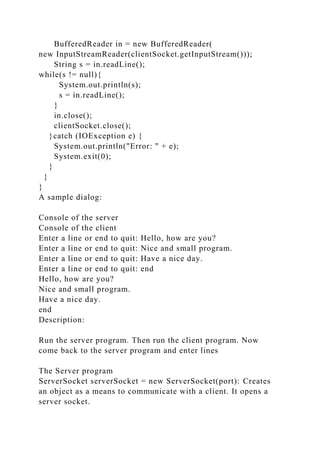
A sample dialog:
Console of the server
Console of the client
Enter a line or end to quit: Hello, how are you?
Enter a line or end to quit: Nice and small program.
Enter a line or end to quit: Have a nice day.
Enter a line or end to quit: end
Hello, how are you?
Nice and small program.
Have a nice day.
end
Description:
Run the server program. Then run the client program. Now
come back to the server program and enter lines
The Server program
ServerSocket serverSocket = new ServerSocket(port): Creates
an object as a means to communicate with a client. It opens a
server socket.
Socket clientSocket = serverSocket.accept(): The call to
method: causes the control of execution blocks (waits) until a
client makes a request.
PrintWriter out = new
PrintWriter(clientSocket.getOutputStream(), true): An object of
type: PrintWriter makes a path to output. Here this object makes
a path to output to the socket. It is like a channel. The server
program writes data to this channel (stream). A client that is
connected to this server can input from this channel.
out.println(message): Outputs (writes) the content of the
variable: message to the output stream.
Finally the program closes the output stream and the socket.
The Client
try {
int port = 4321;
String host = "localhost";
Socket clientSocket = new Socket(host, port);
BufferedReader in = new BufferedReader(
new InputStreamReader(clientSocket.getInputStream()));
String s = in.readLine();
while(s != null){
System.out.println(s);
s = in.readLine();
}
in.close();
clientSocket.close();
Socket clientSocket = new Socket(host, port): Creates a client
socket. The arguments: host and: port let the program to connect
to a server computer on a specific port. The port number of both
programs must be the same.
The instruction:
BufferedReader in = new BufferedReader(new
InputStreamReader(clientSocket.getInputStream()))
Creates an input stream. Here the program inputs (reads) from a
socket rather than the keyboard.
in.readLine(): Reads a line from the input stream.
The loop:
while(s != null){
System.out.println(s);
s = in.readLine();
}
Keeps reading lines until there is nothing in the stream. At this
time the input is null.
Finally we close the input stream and the socket.
Note that the socket classes for the server and the client are
different. For the server is: ServerSocket and for the client is:
Socket.
4.5 Sockets with non-blocking I/O operations
In the above programs the server always block until a
connection with a client is established. If we desire to write a
non-blocking server we need to create two threads. One thread
blocks until a connection is established and one passes the
blocking point [For example passes: serverSocket.accept()].
In the next lecture I present a solution using java threads.
Meanwhile read your java book (or tutorials on the internet) to
learn java threads.

Please look at the attach See.doc. I am getting this error all th.docx

  • 1.
    Please look atthe attach: See.doc. I am getting this error all the time 4 Lecture 1 The Socket API For Chapter 4 of your second textbook You need to read your book and practice the exercises. This is just an extra note for the chapter. Read this lecture after you have read chapter 4 of your second textbook. Note: I included extra file for those students who do not have SSH on their Windows. Introduction For the first part of the semester we study distributed programming. The programs are in Java. You can either use windows (XP, Vista, 7), and/or Linux. I assume you have a good knowledge in Java. However if you need tutorial in this language I can post or email my tutorial. But this tutorial is rather sizeable and may take a lot of your time. We use eclipse. I have a small tutorial about installing Java, eclipse, a couple of simple java programs to help you to trace a Java program using the debugging facilities of eclipse. As always I try to clarify the subject by small programs rather than the big programs in the book to make it easier to follow. Note: A good website on sockets is: http://docs.oracle.com/javase/tutorial/networking/TOC.html 4.1 Background
  • 2.
    Through this partwe like to have access to 2-3 computers. Let us assume a client program would like to request implementation of a task via a number server programs. I suggest having one server program in your Windows operating system and one in your account in our school server. Below are a couple of simple examples. I explain the APIs later. Just run those to make sure things are under control. Example 1: In the following program the client asks a server to add numbers 5 and 7. The server program: import java.io.*; import java.net.*; publicclass MyServer { publicstaticvoid main(String[] args) throws IOException { ServerSocket serverSocket = null; try {//Keep this number. For the pace server this is the number we must use. serverSocket = new ServerSocket(16790); Socket clientSocket = null; clientSocket = serverSocket.accept(); PrintWriter out = new PrintWriter(clientSocket.getOutputStream(), true); out.println("5 + 7 is: 12"); out.close(); clientSocket.close(); serverSocket.close(); } catch (IOException e) { System.out.println("Error: " + e); System.exit(0); } } } The client program:
  • 3.
    import java.io.*; import java.net.*; publicclassMyClient { publicstaticvoid main(String[] args) throws IOException { Socket clientSocket = null; BufferedReader in = null; int ip; try {//Keep this number. For the pace server this is the number we must use. ip = 16790; InetAddress host = InetAddress.getByName("localhost");//("vulcan.seidenberg.pace .edu"); clientSocket = new Socket(host, ip); in = new BufferedReader(new InputStreamReader(clientSocket.getInputStream())); String s = in.readLine(); while(s != null){ System.out.println(s); s = in.readLine(); } in.close(); clientSocket.close(); }catch (IOException e) { System.out.println("Error: " + e); System.exit(0); } } } Description: The sever program: · serverSocket = new ServerSocket(16790): Creates a server socket object and opens a gate by the port number: 16790 to communicate with a client program.
  • 4.
    · clientSocket =serverSocket.accept(): Upton the execution of this instruction he server waits for a client to contact. Note that at this point the control of execution does not go to the next line. · PrintWriter out=new PrintWriter(clientSocket.getOutputStream(),true): Creates and open an output stream to send its output to a client. Note that at this point has connected to the server’s port (that is why the control of execution did not wait anymore). · out.println("5 + 7 is: 12"): The server program sending (outputting) the string to the client. Note that the server always sends strings. Therefore if the client program need a number it should convert the string to a number. · The rest of the code is for server to close its output stream and its port. If the client requests more string it gets: null. The Client Program: · InetAddress host = InetAddress.getByName("localhost"): Gets an InetAddress object through the name of the location of the server on the internet. · clientSocket = new Socket(host, ip): Establishes a connect to the server on the port of the server. Here the value of: ip is the same port number (i.e. 16790) used in the server program. Note that if the server computer is not executing the server program and the server program is not sitting on: serverSocket.accept() the client gets an error message. · in=new BufferedReader(new InputStreamReader(clientSocket.getInputStream())): The client program creates an input stream. The stream is connected to the server program. · String s = in.readLine(): The client program gets a string that
  • 5.
    the server programsent (here: "5 + 7 is: 12"). · System.out.println(s): The client displays the string on its console. Note that in the client program we do not need the while-loop. The server program only sends one string and the client also gets one string. I put the while-loop in the program to get an idea for your project. At this point I explain how to run these programs. The names in the following steps are optional. How to run: A) To run both the server and the client with your local machine: Step I: a) Make a folder (I named it: Practice). b) Inside this folder make two folders (I named them: Client and Server). c) Click on the eclipse icon and let it go to the folder: Client. d) Make a java project for the folder (I named it: ClientProject). e) Make a class named: MyClient.java. f) Copy/paste the class: MyClient of the example over this class. g) Click on the eclipse icon and let it go to the folder: Server. h) Make a java project for the folder (I named it: ServerProject).
  • 6.
    i) Make aclass named: MyServer.java j) Copy/paste the class: MyServer from the following example over this class. Step II: a) First run the server program from eclipse which is for the folder: Server. b) Now run the client program from eclipse which is for the folder: Client. You should see: 5 + 7 is: 12 B) To run the server from the school server and the client from your local machine: Step I: 1) Login to the school server 2) To be more organized make a directory (I named it “Server”). 3. Upload the class MyServer.java to this folder. 4. From the command cd to this folder (i.e. cd Server). 5. Enter: Javac *.java to compile all the java programs (you have one). 6. Enter: Java MyServer to rum the program MyServer. Step II: 1. In the client program change: "localhost" to: "vulcan.seidenberg.pace.edu". 2. Run the class MyClient (But do not run the class MyServer).
  • 7.
    Example 2: Inthe following program the client asks the local server to add numbers 5 and 7, the school server to subtract numbers 5 and 7. import java.io.*; import java.net.*; publicclass MyClient { publicstaticvoid main(String[] args) throws IOException { Socket clientSocket = null; BufferedReader in = null; int port; try { port = 16790; InetAddress host = InetAddress.getByName("localhost"); clientSocket = new Socket(host, port); in = new BufferedReader(new InputStreamReader(clientSocket.getInputStream())); String s = in.readLine(); System.out.println(s); in.close(); clientSocket.close(); port = 16790; host = InetAddress.getByName("vulcan.seidenberg.pace.edu"); clientSocket = new Socket(host, port); in = new BufferedReader(new InputStreamReader(clientSocket.getInputStream())); s = in.readLine(); System.out.println(s); in.close(); clientSocket.close(); }catch (IOException e) { System.out.println("Error: " + e); System.exit(0); } }
  • 8.
    } In the classMyServer on the school server change: "5 + 7 is: 12" to: "5 - 7 is: -2". Compile the Server.java on the school server (javac *.java). Run it (java MyServer). Output: 5 + 7 is: 12 5 - 7 is: -2 Description: How to run: a) Run MyServer.java in eclipse of your local machine. I am assuming your eclipse is still loaded from the above example. b) Do the following for your account in school server: · In the class MyServer on the school server change: "5 + 7 is: 12" to: "5 - 7 is: -2". · Compile the Server.java on the school server (javac *.java). Run it (java MyServer). d) In your Window’s eclipses go to the workplace of the client. Run MyClient.java. You should see the above output. This example shows that we can split a task to several subtasks and let each task get executed by a computer on the network. For the purpose of this course we can use our local machine as both server and client. 4.2 Socket Metaphor in PC A socket is defined as an endpoint for communication link between two programs on the network. The two programs communicate through a port number. Therefore this numbers should be the same in both programs. A computer is executing several programs simultaneously. For example a program which
  • 9.
    is updating windowneeds data from a server and a program that is downloading a file needs data from a different server. Therefore the computer needs two different ports for receiving data. It is like having two telephone numbers (port) one for sending/receiving fax and one for telephone conversation. Some ports have been reserved for the known services. For example the port: 80 are reserved for http and 23 for telnet. The user port number should be greater than 1024. The communication between the client and the server programs may be connection- oriented or connectionless. There are two protocols for communication between computers over the network: Transmission Control Protocol (TCP) and User Datagram Protocol (UDP) and the connection is: connectionless. In TCP a message is transferred like a stream (continuously) and the connection is: connection-oriented. A socket that uses TCP is called: stream socket. In UDP a message is divided into a number of packets (segments) and sent. A socket that uses UDP is called: datagram socket. 4.3 The Datagram Socket API The protocol of this method is UDP. Independent packets sent over the network with no guarantees about arrival and sequencing. In UDP the sender sends packets m1 and then m2 but the receiver may receive m2 first and then m1. Example applications that use such service is Ping (in the Dos window enter ping to see the output of this program). We use ping to test whether or not our internet is working. It is not important a packet is not received. Obviously transferring packets by UDP is faster but less reliable with respect the one uses TCP. Note that the sender sends a packet and continue executing the instructions of the program but the receiver is blocked (has to wait) to get the packet. In java the package: java.net contains classes for UDP. Some of these classes are clarified in the description of the following program.
  • 10.
    Example 3: Inthe following program the server sends a message to the client using UDP. The server program: import java.io.*; import java.net.*; import java.util.*; publicclass MyServer { publicstaticvoid main(String[] args) throws IOException { try { Scanner keyboard = new Scanner(System.in); System.out.print("Enter a message to send: "); String message = keyboard.nextLine(); byte[] buffer = message.getBytes(); int port = 16790; InetAddress host = InetAddress.getByName("localhost"); DatagramSocket serverSocket = new DatagramSocket(); DatagramPacket datagram = new DatagramPacket(buffer, buffer.length, host, port); serverSocket.send(datagram); serverSocket.close(); } catch (IOException e) { System.out.println("Error: " + e); System.exit(0); } } } The client program: import java.io.*; import java.net.*; publicclass MyClient { publicstaticvoid main(String[] args) throws IOException { try { finalint MAX_LEN = 100; byte[] buffer = newbyte[MAX_LEN];
  • 11.
    int port =16790; DatagramPacket datagram = new DatagramPacket(buffer, buffer.length); DatagramSocket clientSocket = new DatagramSocket(port); clientSocket.receive(datagram); String message = new String(buffer); System.out.println(message); clientSocket.close(); } catch (IOException e) { System.out.println("Error: " + e); System.exit(0); } } } Description: First run the server. Next run the client. Now come back to the server and enter a line. The server program: try { serverSocket.send(datagram); serverSocket.close(); } byte[] buffer = message.getBytes(): This is an array of type: byte. The characters of the message are byte oriented (even if we enter numbers). The method: getBytes() is retuning the size of the string which is the content of the variable: message. Therefore the size of the array: buffer would be the size of the message. InetAddress host = InetAddress.getByName("localhost");: This instruction makes an object for the host. The server needs to know where to send the message and which port to choose. I am using my local machine ("localhost") for the client. If you are using the school server you need to change: "localhost" to: "vulcan.seidenberg.pace.edu". DatagramSocket serverSocket = new DatagramSocket(): To
  • 12.
    make a socketobject to send a message via this object. DatagramPacket datagram = new DatagramPacket(buffer, buffer.length, host, port): Declares an object of type class: DatagramPacket to be able to make a packet. A packet contains the bytes of the message, the length of the message, the host name and its port. Note that we cannot just send the string. The host and the port arguments are needed because we may like to send messages to different clients over the internet. The port number can be any number bigger than 1023 (but if you are using the school’s server this number must be: 16790). Both the server and the client must use the same port number. serverSocket.send(datagram): Sends the packet to the specific client. serverSocket.close(): Finally we close the socket. The client program: DatagramPacket datagram = new DatagramPacket(buffer, buffer.length): A packet with an empty buffer to be able to fill it when receiving the message. Note that the constructor of this class is different from the one used for the server. In the server program we included the host and the port. The client does not need to find out from which server receiving the message. However the client should know on which port is receiving the message. If we have a client program that receives packets from two different servers we only need to have two different ports. clientSocket.receive(datagram): Receives the message into its empty buffer. Note that the control of execution of this program is blocked on this instruction (and cannot execute the next instruction) until a message is received. String message = new String(buffer): The class: String has different constructors. This is one of them. You probably have
  • 13.
    not used thisclass using its constructors. The instruction: new String(buffer) creates a string out of an array. Finally the message is printed and the socket is closed. Exercise 1: Run the server and enter a message. Now run the client. Does the client receive the message? Why? Why not? Question: The idea of specifying a maximum length (MAX_LEN) for the buffer is not good when the server sends a message bigger than maximum length. We can change the programs to let the server first send the length of the message and then the message itself. Is this approach working? Hints: Imagine you change the above programs such that the server sends two messages m1 and m2 to the client. Note: Read example 2 on page 107. This example is a 2-way communication example. It is a good example for your project. In your project you need to have a 2-way communication using TCP rather than UDP. 4.4 The Stream-Mode Socket API This is for the connection-oriented communication. The server sends a stream of characters rather than packets using TCP. Obviously the API is different than the one for connectionless communication. Example 4: In the following program the server program sends several lines to a client on the port: 4321. The client reads these lines and displays them. The server program: import java.io.*; import java.net.*; import java.util.*; publicclass MyServer { publicstaticvoid main(String[] args) throws IOException {
  • 14.
    Scanner keyboard =new Scanner(System.in); try { int port = 4321; ServerSocket serverSocket = new ServerSocket(port); Socket clientSocket = serverSocket.accept(); PrintWriter out = new PrintWriter(clientSocket.getOutputStream(), true); String message = ""; do{ System.out.print("Enter a line or end to quit: "); message = keyboard.nextLine(); out.println(message); }while(!message.equalsIgnoreCase("end")); out.close(); clientSocket.close(); serverSocket.close(); } catch (IOException e) { System.out.println("Error: " + e); } } } Note: Once again: If you like to run the server program on the school server you must change the port number (i.e. 4321) to: 16790. The client program: import java.io.*; import java.net.Socket; publicclass MyClient { publicstaticvoid main(String[] args) throws IOException { try { int port = 4321; String host = "localhost"; Socket clientSocket = new Socket(host, port);
  • 15.
    BufferedReader in =new BufferedReader( new InputStreamReader(clientSocket.getInputStream())); String s = in.readLine(); while(s != null){ System.out.println(s); s = in.readLine(); } in.close(); clientSocket.close(); }catch (IOException e) { System.out.println("Error: " + e); System.exit(0); } } } A sample dialog: Console of the server Console of the client Enter a line or end to quit: Hello, how are you? Enter a line or end to quit: Nice and small program. Enter a line or end to quit: Have a nice day. Enter a line or end to quit: end Hello, how are you? Nice and small program. Have a nice day. end Description: Run the server program. Then run the client program. Now come back to the server program and enter lines The Server program ServerSocket serverSocket = new ServerSocket(port): Creates an object as a means to communicate with a client. It opens a server socket.
  • 16.
    Socket clientSocket =serverSocket.accept(): The call to method: causes the control of execution blocks (waits) until a client makes a request. PrintWriter out = new PrintWriter(clientSocket.getOutputStream(), true): An object of type: PrintWriter makes a path to output. Here this object makes a path to output to the socket. It is like a channel. The server program writes data to this channel (stream). A client that is connected to this server can input from this channel. out.println(message): Outputs (writes) the content of the variable: message to the output stream. Finally the program closes the output stream and the socket. The Client try { int port = 4321; String host = "localhost"; Socket clientSocket = new Socket(host, port); BufferedReader in = new BufferedReader( new InputStreamReader(clientSocket.getInputStream())); String s = in.readLine(); while(s != null){ System.out.println(s); s = in.readLine(); } in.close(); clientSocket.close(); Socket clientSocket = new Socket(host, port): Creates a client socket. The arguments: host and: port let the program to connect to a server computer on a specific port. The port number of both programs must be the same. The instruction:
  • 17.
    BufferedReader in =new BufferedReader(new InputStreamReader(clientSocket.getInputStream())) Creates an input stream. Here the program inputs (reads) from a socket rather than the keyboard. in.readLine(): Reads a line from the input stream. The loop: while(s != null){ System.out.println(s); s = in.readLine(); } Keeps reading lines until there is nothing in the stream. At this time the input is null. Finally we close the input stream and the socket. Note that the socket classes for the server and the client are different. For the server is: ServerSocket and for the client is: Socket. 4.5 Sockets with non-blocking I/O operations In the above programs the server always block until a connection with a client is established. If we desire to write a non-blocking server we need to create two threads. One thread blocks until a connection is established and one passes the blocking point [For example passes: serverSocket.accept()]. In the next lecture I present a solution using java threads.
  • 18.
    Meanwhile read yourjava book (or tutorials on the internet) to learn java threads.