- Two basic components of a Java program
PACKAGES AND INTERFACES
IN
JAVA
OVERVIEW
 Interfaces
 Defining an interface
 Implementing interfaces
 Packages
 Defining a package
 Using package
I. INTERFACES
 Basically a kind of class
 specifies what a class must do, but not how it does it
Properties of interfaces-
o Implicitly abstract and public
o No constructors
o Multiple interface extension
o Bytecode appears in .class file
o Appear in packages
II. DEFINING AN INTERFACE
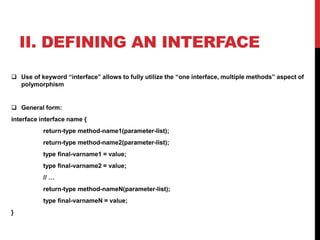
 Use of keyword “interface” allows to fully utilize the “one interface, multiple methods” aspect of
polymorphism
 General form:
interface interface name {
return-type method-name1(parameter-list);
return-type method-name2(parameter-list);
type final-varname1 = value;
type final-varname2 = value;
// …
return-type method-nameN(parameter-list);
type final-varnameN = value;
}
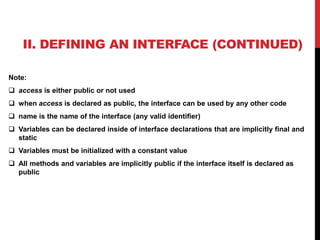
II. DEFINING AN INTERFACE (CONTINUED)
Note:
 access is either public or not used
 when access is declared as public, the interface can be used by any other code
 name is the name of the interface (any valid identifier)
 Variables can be declared inside of interface declarations that are implicitly final and
static
 Variables must be initialized with a constant value
 All methods and variables are implicitly public if the interface itself is declared as
public
III. IMPLEMENTING INTERFACES
 Include the implements clause in a class definition, then create the
methods defined by the interface
 General form of class that includes implements clause:
access class classname [extends superclass]
[implements interface [,interface…]]
{
// class-body
}
Note:
o If a class implements more than one interface, they are separated
with a comma
o Methods that implement an interface must be declared public
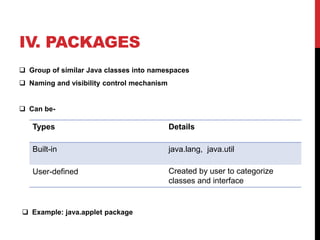
IV. PACKAGES
 Group of similar Java classes into namespaces
 Naming and visibility control mechanism
 Can be-
 Example: java.applet package
Types Details
Built-in java.lang, java.util
User-defined Created by user to categorize
classes and interface
V. DEFINING A PACKAGE
 Include a package command as the 1st statement in a Java source file
 General form of package statement:
package pkg;
[Note: pkg is the name of the package]
 Example:
package MyPackage;
[The above statement creates a package called MyPackage.]
V. DEFINING A PACKAGE (CONTINUED)
 Use of file system directories to store packages
 Same package statement inclusion in multiple files
 Creation of hierarchy of packages-
General form of multileveled package statement:
package pkg1[.pkg2[.pkg3]];
Example: a package declared as
package java.awt.image;
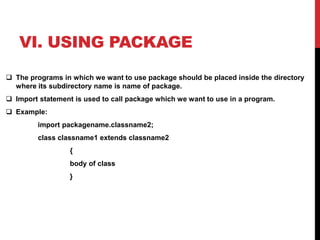
VI. USING PACKAGE
 The programs in which we want to use package should be placed inside the directory
where its subdirectory name is name of package.
 Import statement is used to call package which we want to use in a program.
 Example:
import packagename.classname2;
class classname1 extends classname2
{
body of class
}
CONCLUSION
It is a good coding practice to wrap codes using
packages for organizing similar files in one place
and to use interfaces wherever common
functionality is required more than once.
THANK YOU
FOR THE CONSIDERATION…

Packages and interfaces

  • 1.
    - Two basiccomponents of a Java program PACKAGES AND INTERFACES IN JAVA
  • 2.
    OVERVIEW  Interfaces  Definingan interface  Implementing interfaces  Packages  Defining a package  Using package
  • 3.
    I. INTERFACES  Basicallya kind of class  specifies what a class must do, but not how it does it Properties of interfaces- o Implicitly abstract and public o No constructors o Multiple interface extension o Bytecode appears in .class file o Appear in packages
  • 4.
    II. DEFINING ANINTERFACE  Use of keyword “interface” allows to fully utilize the “one interface, multiple methods” aspect of polymorphism  General form: interface interface name { return-type method-name1(parameter-list); return-type method-name2(parameter-list); type final-varname1 = value; type final-varname2 = value; // … return-type method-nameN(parameter-list); type final-varnameN = value; }
  • 5.
    II. DEFINING ANINTERFACE (CONTINUED) Note:  access is either public or not used  when access is declared as public, the interface can be used by any other code  name is the name of the interface (any valid identifier)  Variables can be declared inside of interface declarations that are implicitly final and static  Variables must be initialized with a constant value  All methods and variables are implicitly public if the interface itself is declared as public
  • 6.
    III. IMPLEMENTING INTERFACES Include the implements clause in a class definition, then create the methods defined by the interface  General form of class that includes implements clause: access class classname [extends superclass] [implements interface [,interface…]] { // class-body } Note: o If a class implements more than one interface, they are separated with a comma o Methods that implement an interface must be declared public
  • 7.
    IV. PACKAGES  Groupof similar Java classes into namespaces  Naming and visibility control mechanism  Can be-  Example: java.applet package Types Details Built-in java.lang, java.util User-defined Created by user to categorize classes and interface
  • 8.
    V. DEFINING APACKAGE  Include a package command as the 1st statement in a Java source file  General form of package statement: package pkg; [Note: pkg is the name of the package]  Example: package MyPackage; [The above statement creates a package called MyPackage.]
  • 9.
    V. DEFINING APACKAGE (CONTINUED)  Use of file system directories to store packages  Same package statement inclusion in multiple files  Creation of hierarchy of packages- General form of multileveled package statement: package pkg1[.pkg2[.pkg3]]; Example: a package declared as package java.awt.image;
  • 10.
    VI. USING PACKAGE The programs in which we want to use package should be placed inside the directory where its subdirectory name is name of package.  Import statement is used to call package which we want to use in a program.  Example: import packagename.classname2; class classname1 extends classname2 { body of class }
  • 11.
    CONCLUSION It is agood coding practice to wrap codes using packages for organizing similar files in one place and to use interfaces wherever common functionality is required more than once.
  • 12.
    THANK YOU FOR THECONSIDERATION…