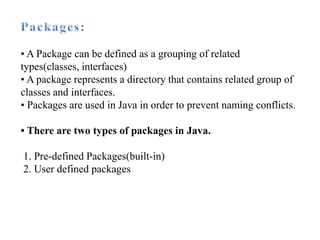
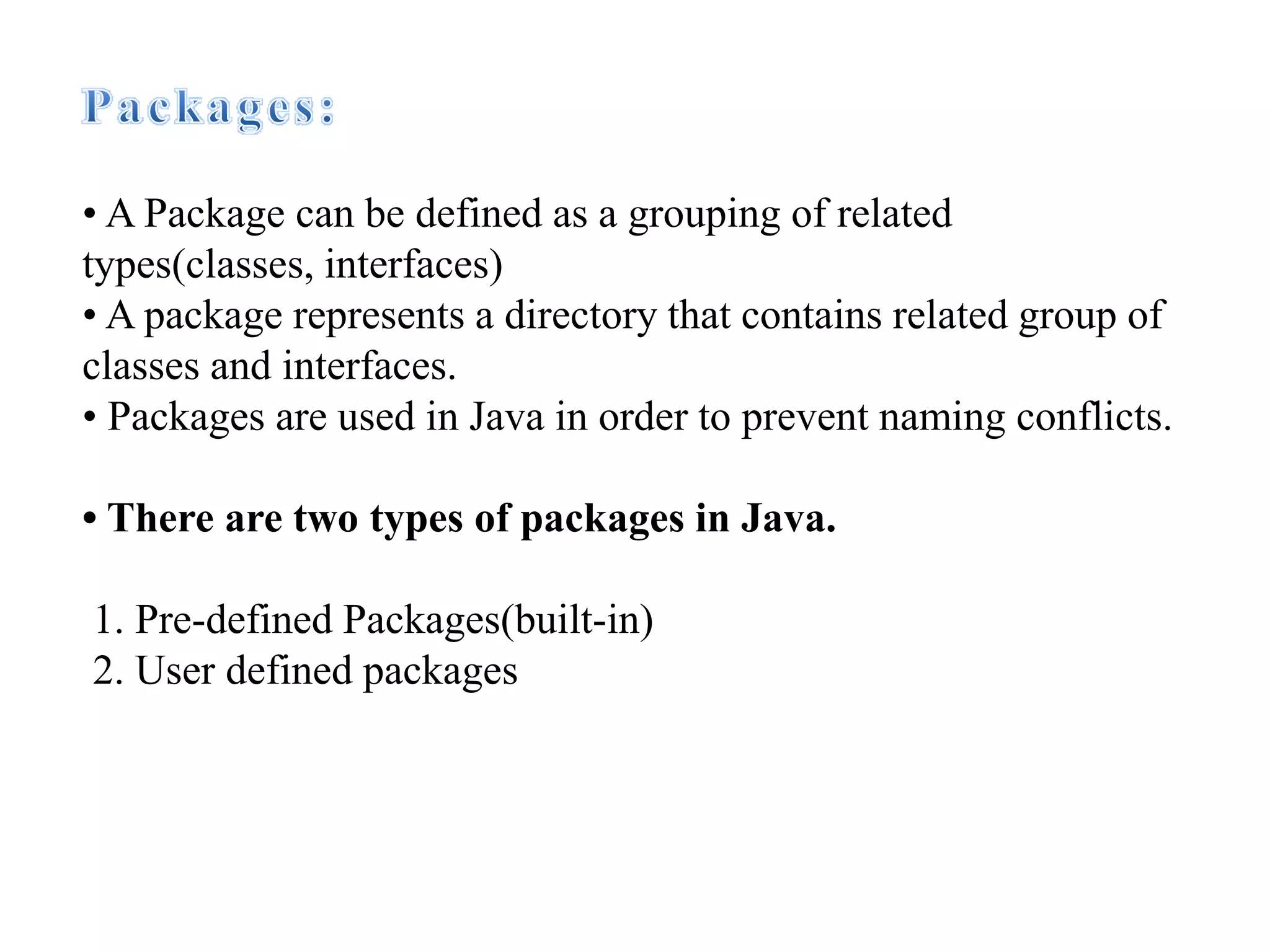
• A Package can be defined as a grouping of related
types(classes, interfaces)
• A package represents a directory that contains related group of
classes and interfaces.
• Packages are used in Java in order to prevent naming conflicts.
• There are two types of packages in Java.
1. Pre-defined Packages(built-in)
2. User defined packages
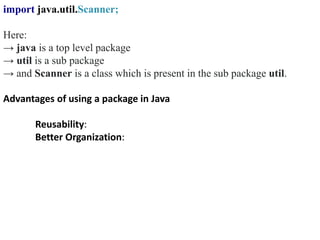
import java.util.Scanner;
Here:
→ java is a top level package
→ util is a sub package
→ and Scanner is a class which is present in the sub package util.
Advantages of using a package in Java
Reusability:
Better Organization:
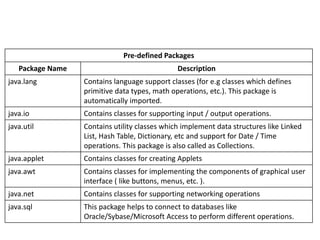
Pre-defined Packages
Package Name Description
java.lang Contains language support classes (for e.g classes which defines
primitive data types, math operations, etc.). This package is
automatically imported.
java.io Contains classes for supporting input / output operations.
java.util Contains utility classes which implement data structures like Linked
List, Hash Table, Dictionary, etc and support for Date / Time
operations. This package is also called as Collections.
java.applet Contains classes for creating Applets
java.awt Contains classes for implementing the components of graphical user
interface ( like buttons, menus, etc. ).
java.net Contains classes for supporting networking operations
java.sql This package helps to connect to databases like
Oracle/Sybase/Microsoft Access to perform different operations.
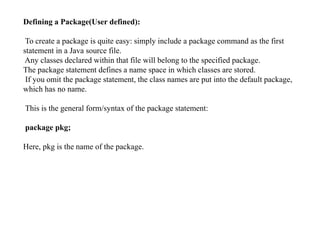
Defining a Package(User defined):
To create a package is quite easy: simply include a package command as the first
statement in a Java source file.
Any classes declared within that file will belong to the specified package.
The package statement defines a name space in which classes are stored.
If you omit the package statement, the class names are put into the default package,
which has no name.
This is the general form/syntax of the package statement:
package pkg;
Here, pkg is the name of the package.
package calculation;
public class Calculator
{
public int add(int a, int b)
{
return a+b;
}
public static void main(String args[])
{
Calculator obj = new Calculator();
System.out.println(obj.add(10, 20));
}
}
Compilation for package program
//this will creates package in your directory
•javac -d . Filename.java
//compile and stores class file in your package
•javac –d .. Filename.java
// this is running command
•java packagename.Filename
Demonstrate user defined package by the help of java programs
import calculation.Calculator;
public class Demo
{
public static void main(String args[])
{
Calculator obj = new Calculator();
System.out.println(obj.add(100, 200));
}
}
package import
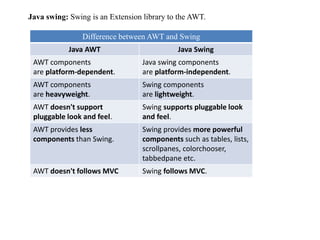
Java swing: Swing is an Extension library to the AWT.
Difference between AWT and Swing
Java AWT Java Swing
AWT components
are platform-dependent.
Java swing components
are platform-independent.
AWT components
are heavyweight.
Swing components
are lightweight.
AWT doesn't support
pluggable look and feel.
Swing supports pluggable look
and feel.
AWT provides less
components than Swing.
Swing provides more powerful
components such as tables, lists,
scrollpanes, colorchooser,
tabbedpane etc.
AWT doesn't follows MVC Swing follows MVC.
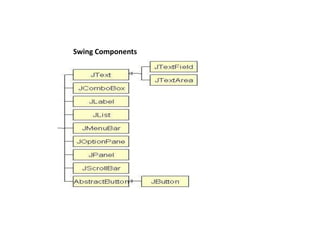
Swing Components
import javax.swing.*;
public class FirstSwingExample
{
public static void main(String[] args)
{
//creating instance of JFrame
JFrame f=new JFrame();
//creating instance of JButton
JButton b=new JButton("click");
//x axis, y axis, width, height
b.setBounds(130,100,100, 40);
//adding button in JFrame
f.add(b);
//400 width and 500 height
f.setSize(400,500);
//using no layout managers
f.setLayout(null);
//making the frame visible
f.setVisible(true);
}
}

Package.pptx

  • 1.
    • A Packagecan be defined as a grouping of related types(classes, interfaces) • A package represents a directory that contains related group of classes and interfaces. • Packages are used in Java in order to prevent naming conflicts. • There are two types of packages in Java. 1. Pre-defined Packages(built-in) 2. User defined packages
  • 2.
    import java.util.Scanner; Here: → javais a top level package → util is a sub package → and Scanner is a class which is present in the sub package util. Advantages of using a package in Java Reusability: Better Organization:
  • 3.
    Pre-defined Packages Package NameDescription java.lang Contains language support classes (for e.g classes which defines primitive data types, math operations, etc.). This package is automatically imported. java.io Contains classes for supporting input / output operations. java.util Contains utility classes which implement data structures like Linked List, Hash Table, Dictionary, etc and support for Date / Time operations. This package is also called as Collections. java.applet Contains classes for creating Applets java.awt Contains classes for implementing the components of graphical user interface ( like buttons, menus, etc. ). java.net Contains classes for supporting networking operations java.sql This package helps to connect to databases like Oracle/Sybase/Microsoft Access to perform different operations.
  • 4.
    Defining a Package(Userdefined): To create a package is quite easy: simply include a package command as the first statement in a Java source file. Any classes declared within that file will belong to the specified package. The package statement defines a name space in which classes are stored. If you omit the package statement, the class names are put into the default package, which has no name. This is the general form/syntax of the package statement: package pkg; Here, pkg is the name of the package.
  • 5.
    package calculation; public classCalculator { public int add(int a, int b) { return a+b; } public static void main(String args[]) { Calculator obj = new Calculator(); System.out.println(obj.add(10, 20)); } } Compilation for package program //this will creates package in your directory •javac -d . Filename.java //compile and stores class file in your package •javac –d .. Filename.java // this is running command •java packagename.Filename Demonstrate user defined package by the help of java programs
  • 6.
    import calculation.Calculator; public classDemo { public static void main(String args[]) { Calculator obj = new Calculator(); System.out.println(obj.add(100, 200)); } } package import
  • 7.
    Java swing: Swingis an Extension library to the AWT. Difference between AWT and Swing Java AWT Java Swing AWT components are platform-dependent. Java swing components are platform-independent. AWT components are heavyweight. Swing components are lightweight. AWT doesn't support pluggable look and feel. Swing supports pluggable look and feel. AWT provides less components than Swing. Swing provides more powerful components such as tables, lists, scrollpanes, colorchooser, tabbedpane etc. AWT doesn't follows MVC Swing follows MVC.
  • 8.
  • 9.
    import javax.swing.*; public classFirstSwingExample { public static void main(String[] args) { //creating instance of JFrame JFrame f=new JFrame(); //creating instance of JButton JButton b=new JButton("click"); //x axis, y axis, width, height b.setBounds(130,100,100, 40); //adding button in JFrame f.add(b); //400 width and 500 height f.setSize(400,500); //using no layout managers f.setLayout(null); //making the frame visible f.setVisible(true); } }