
Mobile security
concepts and
technologies II.
Page 2
Instructor, PACE-IT Program – Edmonds Community College
Areas of Expertise Industry Certifications
 PC Hardware
 Network Administration
 IT Project Management
 Network Design
 User Training
 IT Troubleshooting
Qualifications Summary
Education
 M.B.A., IT Management, Western Governor’s University
 B.S., IT Security, Western Governor’s University
Entrepreneur, executive leader, and proven manger
with 10+ years of experience turning complex issues
into efficient and effective solutions.
Strengths include developing and mentoring diverse
workforces, improving processes, analyzing
business needs and creating the solutions
required— with a focus on technology.
Page 3
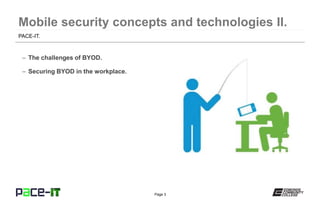
– The challenges of BYOD.
– Securing BYOD in the workplace.
PACE-IT.
Page 4
Mobile security concepts and technologies II.
Page 5
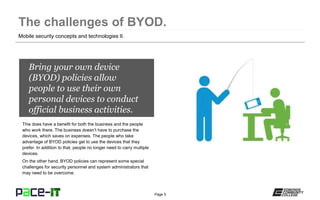
Bring your own device
(BYOD) policies allow
people to use their own
personal devices to conduct
official business activities.
This does have a benefit for both the business and the people
who work there. The business doesn’t have to purchase the
devices, which saves on expenses. The people who take
advantage of BYOD policies get to use the devices that they
prefer. In addition to that, people no longer need to carry multiple
devices.
On the other hand, BYOD policies can represent some special
challenges for security personnel and system administrators that
may need to be overcome.
Mobile security concepts and technologies II.
Page 6
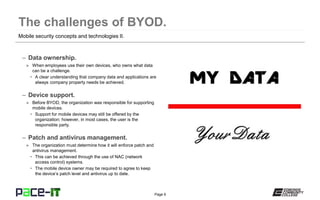
– Data ownership.
» When employees use their own devices, who owns what data
can be a challenge.
• A clear understanding that company data and applications are
always company property needs be achieved.
– Device support.
» Before BYOD, the organization was responsible for supporting
mobile devices.
• Support for mobile devices may still be offered by the
organization; however, in most cases, the user is the
responsible party.
– Patch and antivirus management.
» The organization must determine how it will enforce patch and
antivirus management.
• This can be achieved through the use of NAC (network
access control) systems.
• The mobile device owner may be required to agree to keep
the device’s patch level and antivirus up to date.
Mobile security concepts and technologies II.
Page 7
– Forensics.
» In order to ensure the security of the organization, the device
owner needs to agree that, if a security incident occurs, a
forensic analysis of his or her device can be done.
• This can become an issue with privacy.
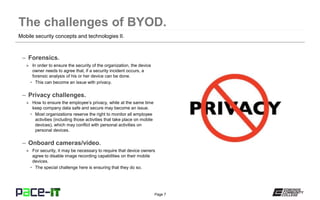
– Privacy challenges.
» How to ensure the employee’s privacy, while at the same time
keep company data safe and secure may become an issue.
• Most organizations reserve the right to monitor all employee
activities (including those activities that take place on mobile
devices), which may conflict with personal activities on
personal devices.
– Onboard cameras/video.
» For security, it may be necessary to require that device owners
agree to disable image recording capabilities on their mobile
devices.
• The special challenge here is ensuring that they do so.
Mobile security concepts and technologies II.
Page 8
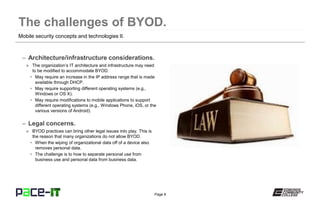
– Architecture/infrastructure considerations.
» The organization’s IT architecture and infrastructure may need
to be modified to accommodate BYOD.
• May require an increase in the IP address range that is made
available through DHCP.
• May require supporting different operating systems (e.g.,
Windows or OS X).
• May require modifications to mobile applications to support
different operating systems (e.g., Windows Phone, iOS, or the
various versions of Android).
– Legal concerns.
» BYOD practices can bring other legal issues into play. This is
the reason that many organizations do not allow BYOD.
• When the wiping of organizational data off of a device also
removes personal data.
• The challenge is to how to separate personal use from
business use and personal data from business data.
Mobile security concepts and technologies II.
Page 9
Mobile security concepts and technologies II.
Page 10
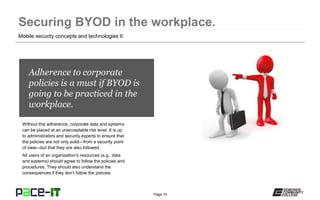
Adherence to corporate
policies is a must if BYOD is
going to be practiced in the
workplace.
Without this adherence, corporate data and systems
can be placed at an unacceptable risk level. It is up
to administrators and security experts to ensure that
the policies are not only solid—from a security point
of view—but that they are also followed.
All users of an organization’s resources (e.g., data
and systems) should agree to follow the policies and
procedures. They should also understand the
consequences if they don’t follow the policies.
Mobile security concepts and technologies II.
Page 11
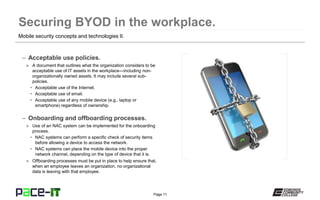
– Acceptable use policies.
» A document that outlines what the organization considers to be
acceptable use of IT assets in the workplace—including non-
organizationally owned assets. It may include several sub-
policies.
• Acceptable use of the Internet.
• Acceptable use of email.
• Acceptable use of any mobile device (e.g., laptop or
smartphone) regardless of ownership.
– Onboarding and offboarding processes.
» Use of an NAC system can be implemented for the onboarding
process.
• NAC systems can perform a specific check of security items
before allowing a device to access the network.
• NAC systems can place the mobile device into the proper
network channel, depending on the type of device that it is.
» Offboarding processes must be put in place to help ensure that,
when an employee leaves an organization, no organizational
data is leaving with that employee.
Mobile security concepts and technologies II.
Page 12
Mobile security concepts and technologies II.
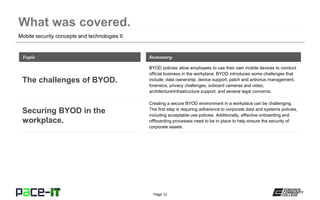
BYOD policies allow employees to use their own mobile devices to conduct
official business in the workplace. BYOD introduces some challenges that
include: data ownership, device support, patch and antivirus management,
forensics, privacy challenges, onboard cameras and video,
architecture/infrastructure support, and several legal concerns.
Topic
The challenges of BYOD.
Summary
Creating a secure BYOD environment in a workplace can be challenging.
The first step is requiring adherence to corporate data and systems policies,
including acceptable use policies. Additionally, effective onboarding and
offboarding processes need to be in place to help ensure the security of
corporate assets.
Securing BYOD in the
workplace.
Page 13
THANK YOU!
This workforce solution was 100 percent funded by a $3 million grant awarded by the
U.S. Department of Labor's Employment and Training Administration. The solution was
created by the grantee and does not necessarily reflect the official position of the U.S.
Department of Labor. The Department of Labor makes no guarantees, warranties, or
assurances of any kind, express or implied, with respect to such information, including
any information on linked sites and including, but not limited to, accuracy of the
information or its completeness, timeliness, usefulness, adequacy, continued availability
or ownership. Funded by the Department of Labor, Employment and Training
Administration, Grant #TC-23745-12-60-A-53.
PACE-IT is an equal opportunity employer/program and auxiliary aids and services are
available upon request to individuals with disabilities. For those that are hearing
impaired, a video phone is available at the Services for Students with Disabilities (SSD)
office in Mountlake Terrace Hall 159. Check www.edcc.edu/ssd for office hours. Call
425.354.3113 on a video phone for more information about the PACE-IT program. For
any additional special accommodations needed, call the SSD office at 425.640.1814.
Edmonds Community College does not discriminate on the basis of race; color; religion;
national origin; sex; disability; sexual orientation; age; citizenship, marital, or veteran
status; or genetic information in its programs and activities.

PACE-IT, Security+ 4.2: Mobile Security Concepts and Technologies (part 2)

  • 1.
  • 2.
    Page 2 Instructor, PACE-ITProgram – Edmonds Community College Areas of Expertise Industry Certifications  PC Hardware  Network Administration  IT Project Management  Network Design  User Training  IT Troubleshooting Qualifications Summary Education  M.B.A., IT Management, Western Governor’s University  B.S., IT Security, Western Governor’s University Entrepreneur, executive leader, and proven manger with 10+ years of experience turning complex issues into efficient and effective solutions. Strengths include developing and mentoring diverse workforces, improving processes, analyzing business needs and creating the solutions required— with a focus on technology.
  • 3.
    Page 3 – Thechallenges of BYOD. – Securing BYOD in the workplace. PACE-IT.
  • 4.
    Page 4 Mobile securityconcepts and technologies II.
  • 5.
    Page 5 Bring yourown device (BYOD) policies allow people to use their own personal devices to conduct official business activities. This does have a benefit for both the business and the people who work there. The business doesn’t have to purchase the devices, which saves on expenses. The people who take advantage of BYOD policies get to use the devices that they prefer. In addition to that, people no longer need to carry multiple devices. On the other hand, BYOD policies can represent some special challenges for security personnel and system administrators that may need to be overcome. Mobile security concepts and technologies II.
  • 6.
    Page 6 – Dataownership. » When employees use their own devices, who owns what data can be a challenge. • A clear understanding that company data and applications are always company property needs be achieved. – Device support. » Before BYOD, the organization was responsible for supporting mobile devices. • Support for mobile devices may still be offered by the organization; however, in most cases, the user is the responsible party. – Patch and antivirus management. » The organization must determine how it will enforce patch and antivirus management. • This can be achieved through the use of NAC (network access control) systems. • The mobile device owner may be required to agree to keep the device’s patch level and antivirus up to date. Mobile security concepts and technologies II.
  • 7.
    Page 7 – Forensics. »In order to ensure the security of the organization, the device owner needs to agree that, if a security incident occurs, a forensic analysis of his or her device can be done. • This can become an issue with privacy. – Privacy challenges. » How to ensure the employee’s privacy, while at the same time keep company data safe and secure may become an issue. • Most organizations reserve the right to monitor all employee activities (including those activities that take place on mobile devices), which may conflict with personal activities on personal devices. – Onboard cameras/video. » For security, it may be necessary to require that device owners agree to disable image recording capabilities on their mobile devices. • The special challenge here is ensuring that they do so. Mobile security concepts and technologies II.
  • 8.
    Page 8 – Architecture/infrastructureconsiderations. » The organization’s IT architecture and infrastructure may need to be modified to accommodate BYOD. • May require an increase in the IP address range that is made available through DHCP. • May require supporting different operating systems (e.g., Windows or OS X). • May require modifications to mobile applications to support different operating systems (e.g., Windows Phone, iOS, or the various versions of Android). – Legal concerns. » BYOD practices can bring other legal issues into play. This is the reason that many organizations do not allow BYOD. • When the wiping of organizational data off of a device also removes personal data. • The challenge is to how to separate personal use from business use and personal data from business data. Mobile security concepts and technologies II.
  • 9.
    Page 9 Mobile securityconcepts and technologies II.
  • 10.
    Page 10 Adherence tocorporate policies is a must if BYOD is going to be practiced in the workplace. Without this adherence, corporate data and systems can be placed at an unacceptable risk level. It is up to administrators and security experts to ensure that the policies are not only solid—from a security point of view—but that they are also followed. All users of an organization’s resources (e.g., data and systems) should agree to follow the policies and procedures. They should also understand the consequences if they don’t follow the policies. Mobile security concepts and technologies II.
  • 11.
    Page 11 – Acceptableuse policies. » A document that outlines what the organization considers to be acceptable use of IT assets in the workplace—including non- organizationally owned assets. It may include several sub- policies. • Acceptable use of the Internet. • Acceptable use of email. • Acceptable use of any mobile device (e.g., laptop or smartphone) regardless of ownership. – Onboarding and offboarding processes. » Use of an NAC system can be implemented for the onboarding process. • NAC systems can perform a specific check of security items before allowing a device to access the network. • NAC systems can place the mobile device into the proper network channel, depending on the type of device that it is. » Offboarding processes must be put in place to help ensure that, when an employee leaves an organization, no organizational data is leaving with that employee. Mobile security concepts and technologies II.
  • 12.
    Page 12 Mobile securityconcepts and technologies II. BYOD policies allow employees to use their own mobile devices to conduct official business in the workplace. BYOD introduces some challenges that include: data ownership, device support, patch and antivirus management, forensics, privacy challenges, onboard cameras and video, architecture/infrastructure support, and several legal concerns. Topic The challenges of BYOD. Summary Creating a secure BYOD environment in a workplace can be challenging. The first step is requiring adherence to corporate data and systems policies, including acceptable use policies. Additionally, effective onboarding and offboarding processes need to be in place to help ensure the security of corporate assets. Securing BYOD in the workplace.
  • 13.
  • 14.
    This workforce solutionwas 100 percent funded by a $3 million grant awarded by the U.S. Department of Labor's Employment and Training Administration. The solution was created by the grantee and does not necessarily reflect the official position of the U.S. Department of Labor. The Department of Labor makes no guarantees, warranties, or assurances of any kind, express or implied, with respect to such information, including any information on linked sites and including, but not limited to, accuracy of the information or its completeness, timeliness, usefulness, adequacy, continued availability or ownership. Funded by the Department of Labor, Employment and Training Administration, Grant #TC-23745-12-60-A-53. PACE-IT is an equal opportunity employer/program and auxiliary aids and services are available upon request to individuals with disabilities. For those that are hearing impaired, a video phone is available at the Services for Students with Disabilities (SSD) office in Mountlake Terrace Hall 159. Check www.edcc.edu/ssd for office hours. Call 425.354.3113 on a video phone for more information about the PACE-IT program. For any additional special accommodations needed, call the SSD office at 425.640.1814. Edmonds Community College does not discriminate on the basis of race; color; religion; national origin; sex; disability; sexual orientation; age; citizenship, marital, or veteran status; or genetic information in its programs and activities.