PaaS Anywhere
Isaac Christoffersen
Architect, Vizuri
Vizuri Division
Java EE & Open Source Solution Provider
Red Hat & JBoss Premier Partner
2009, 2010, 2011, 2012 Middleware Partner of the Year
Preferred JBoss Certified Systems Integrator
4 time Red Hat Innovation Award winner
2006 (Orbitz), 2008 (Federal Government),
2009(eCommerce),
2011 (New York and Company)
Certified Red Hat ProfessionalsAbout Vizuri
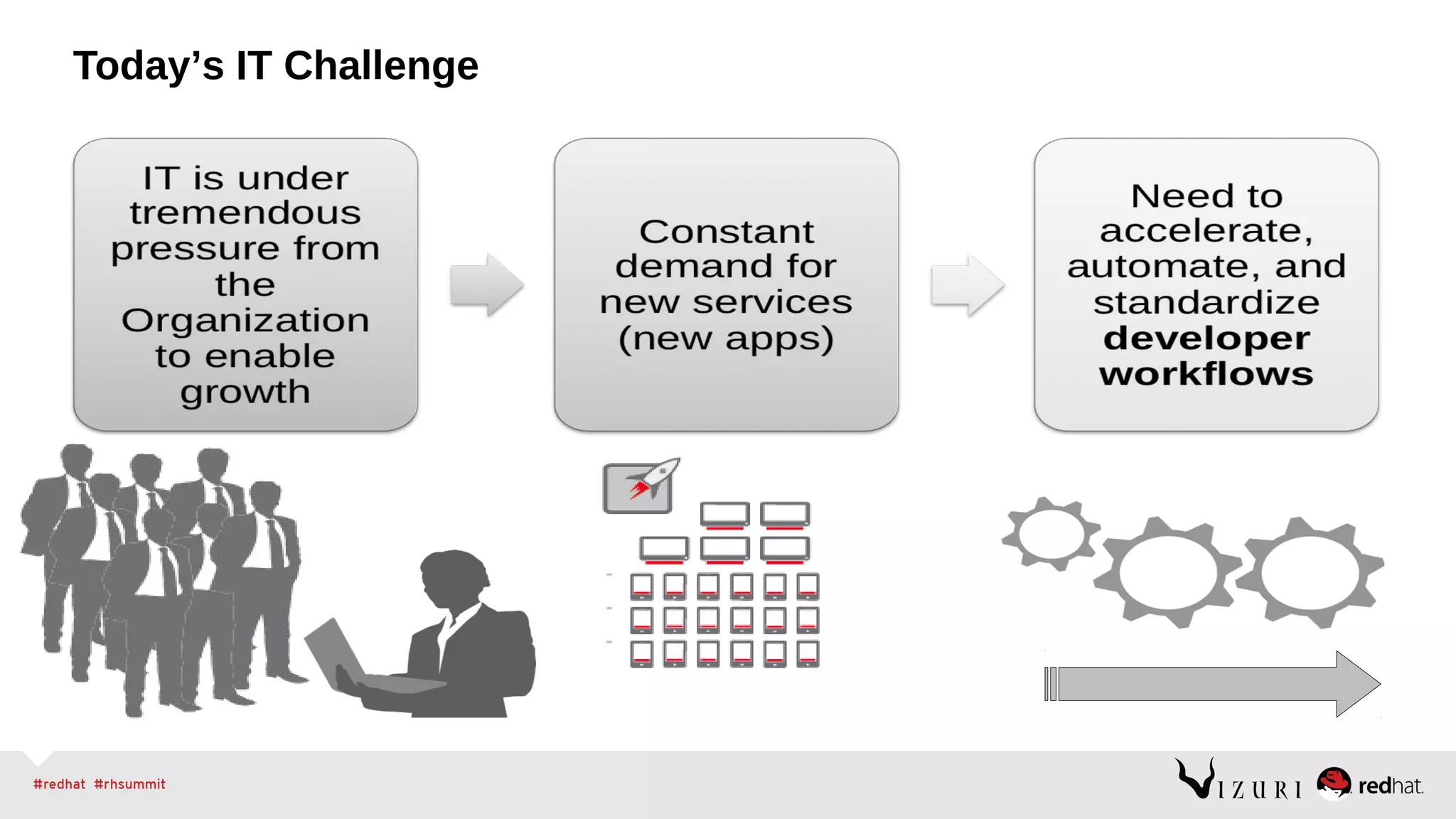
Today’s IT Challenge
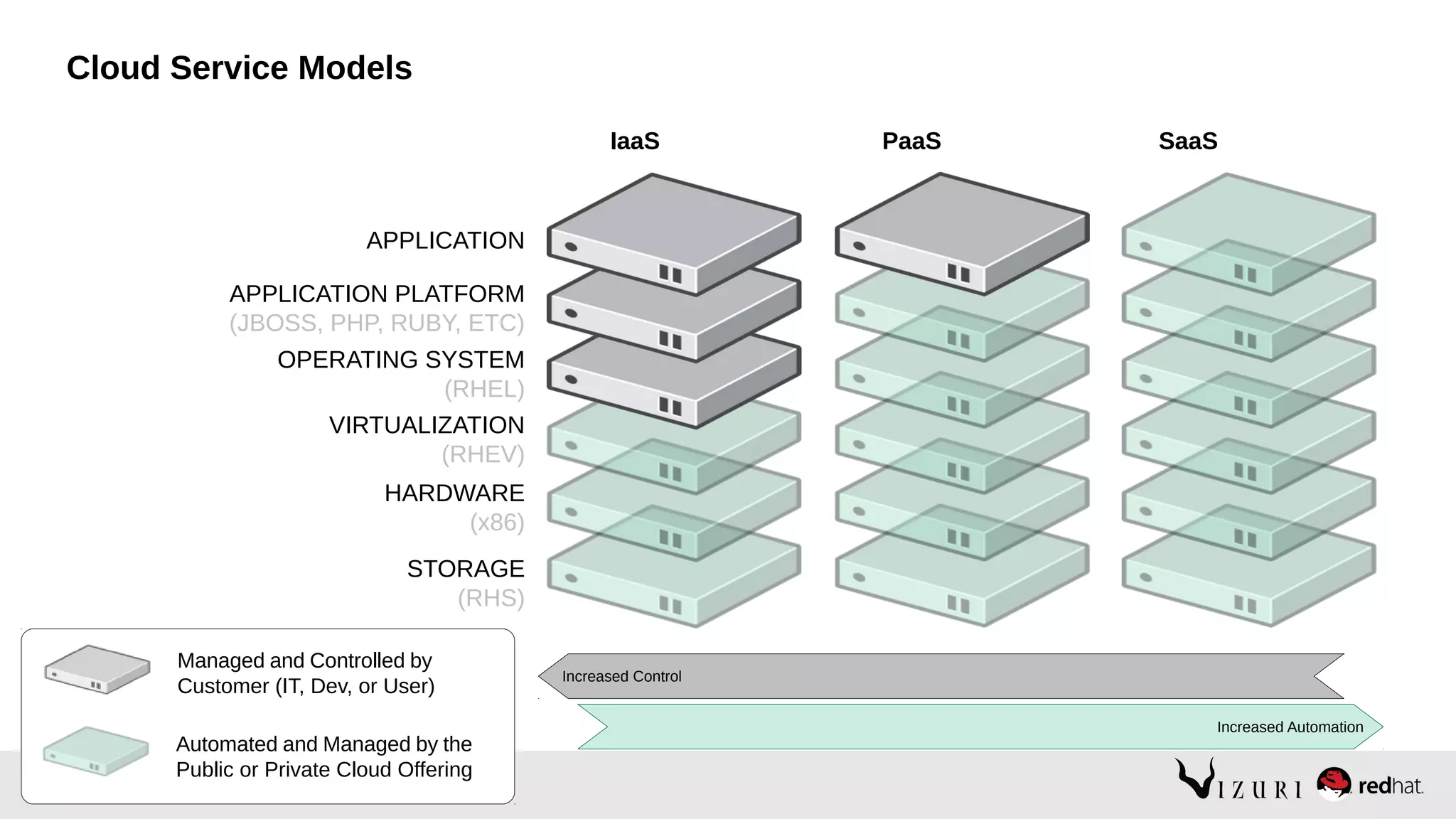
Cloud Service Models
STORAGE
(RHS)
HARDWARE
(x86)
VIRTUALIZATION
(RHEV)
OPERATING SYSTEM
(RHEL)
APPLICATION PLATFORM
(JBOSS, PHP, RUBY, ETC)
APPLICATION
Automated and Managed by the
Public or Private Cloud Offering
Managed and Controlled by
Customer (IT, Dev, or User)
IaaS PaaS SaaS
Increased Control
Increased Automation
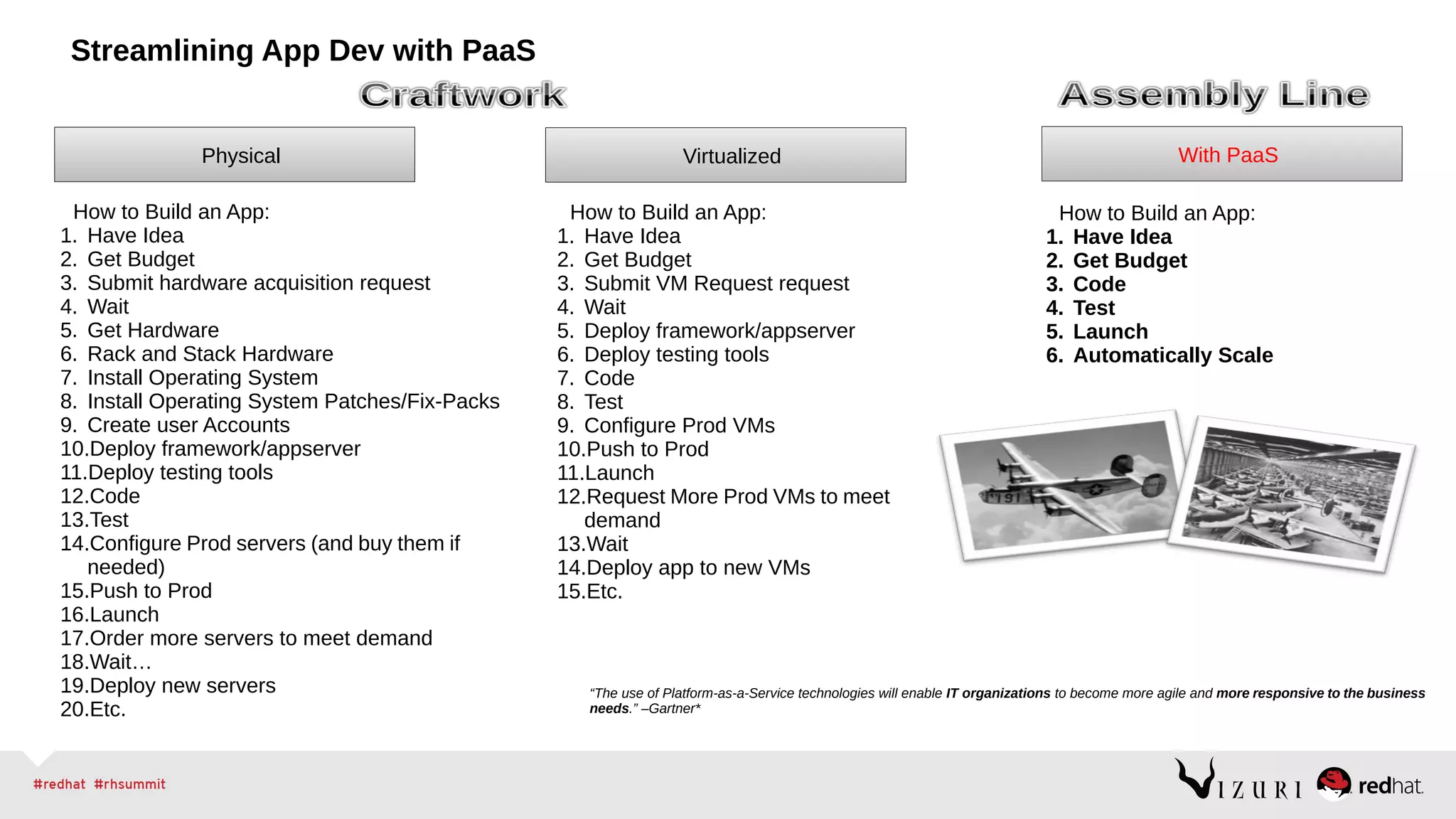
Streamlining App Dev with PaaS
With PaaS
How to Build an App:
1. Have Idea
2. Get Budget
3. Code
4. Test
5. Launch
6. Automatically Scale
How to Build an App:
1. Have Idea
2. Get Budget
3. Submit VM Request request
4. Wait
5. Deploy framework/appserver
6. Deploy testing tools
7. Code
8. Test
9. Configure Prod VMs
10.Push to Prod
11.Launch
12.Request More Prod VMs to meet
demand
13.Wait
14.Deploy app to new VMs
15.Etc.
Virtualized
How to Build an App:
1. Have Idea
2. Get Budget
3. Submit hardware acquisition request
4. Wait
5. Get Hardware
6. Rack and Stack Hardware
7. Install Operating System
8. Install Operating System Patches/Fix-Packs
9. Create user Accounts
10.Deploy framework/appserver
11.Deploy testing tools
12.Code
13.Test
14.Configure Prod servers (and buy them if
needed)
15.Push to Prod
16.Launch
17.Order more servers to meet demand
18.Wait…
19.Deploy new servers
20.Etc.
Physical
“The use of Platform-as-a-Service technologies will enable IT organizations to become more agile and more responsive to the business
needs.” –Gartner*
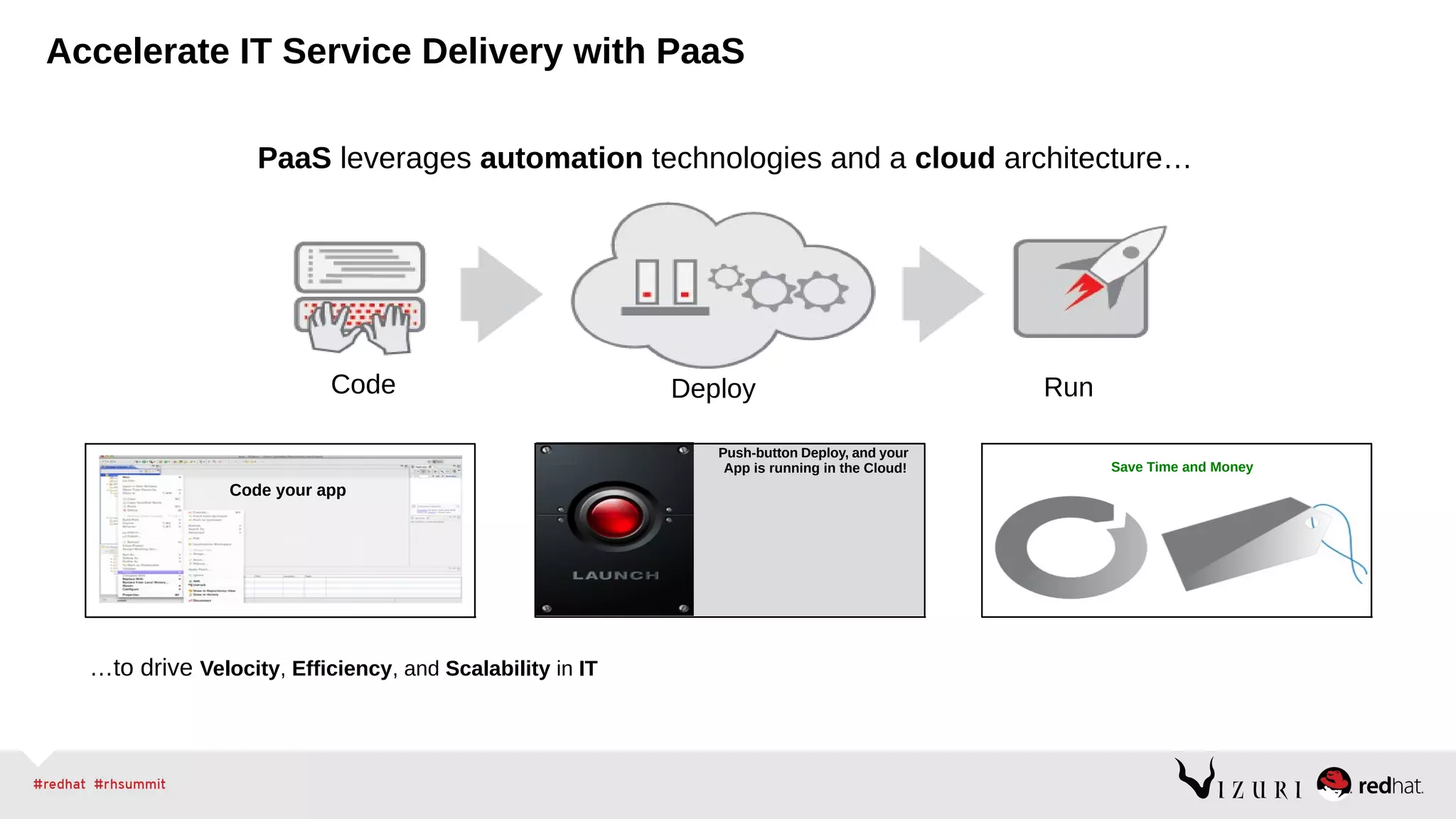
Code Deploy Run
Save Time and Money
Code your app
Push-button Deploy, and your
App is running in the Cloud!
…to drive Velocity, Efficiency, and Scalability in IT
PaaS leverages automation technologies and a cloud architecture…
Accelerate IT Service Delivery with PaaS
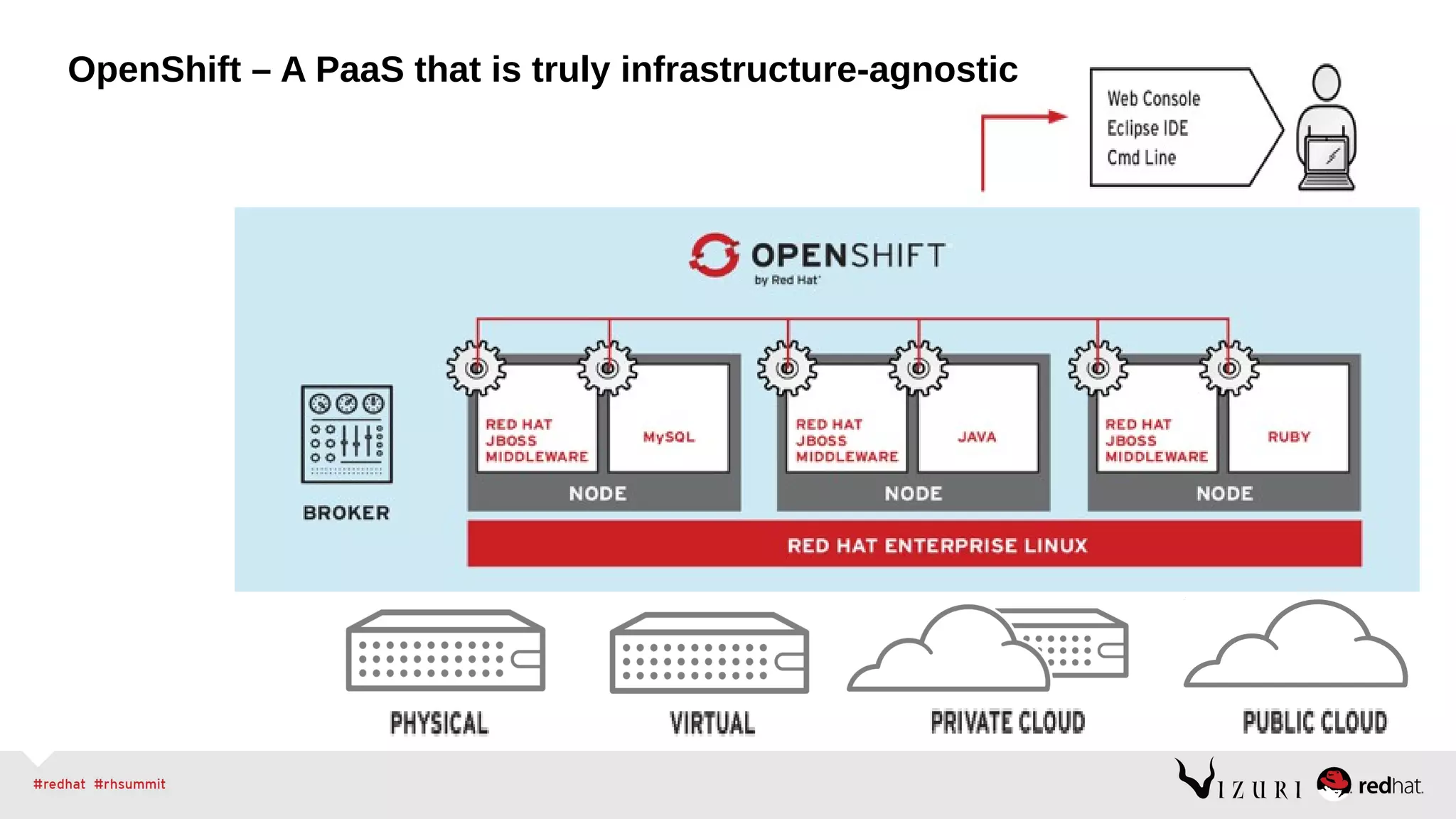
OpenShift – A PaaS that is truly infrastructure-agnostic
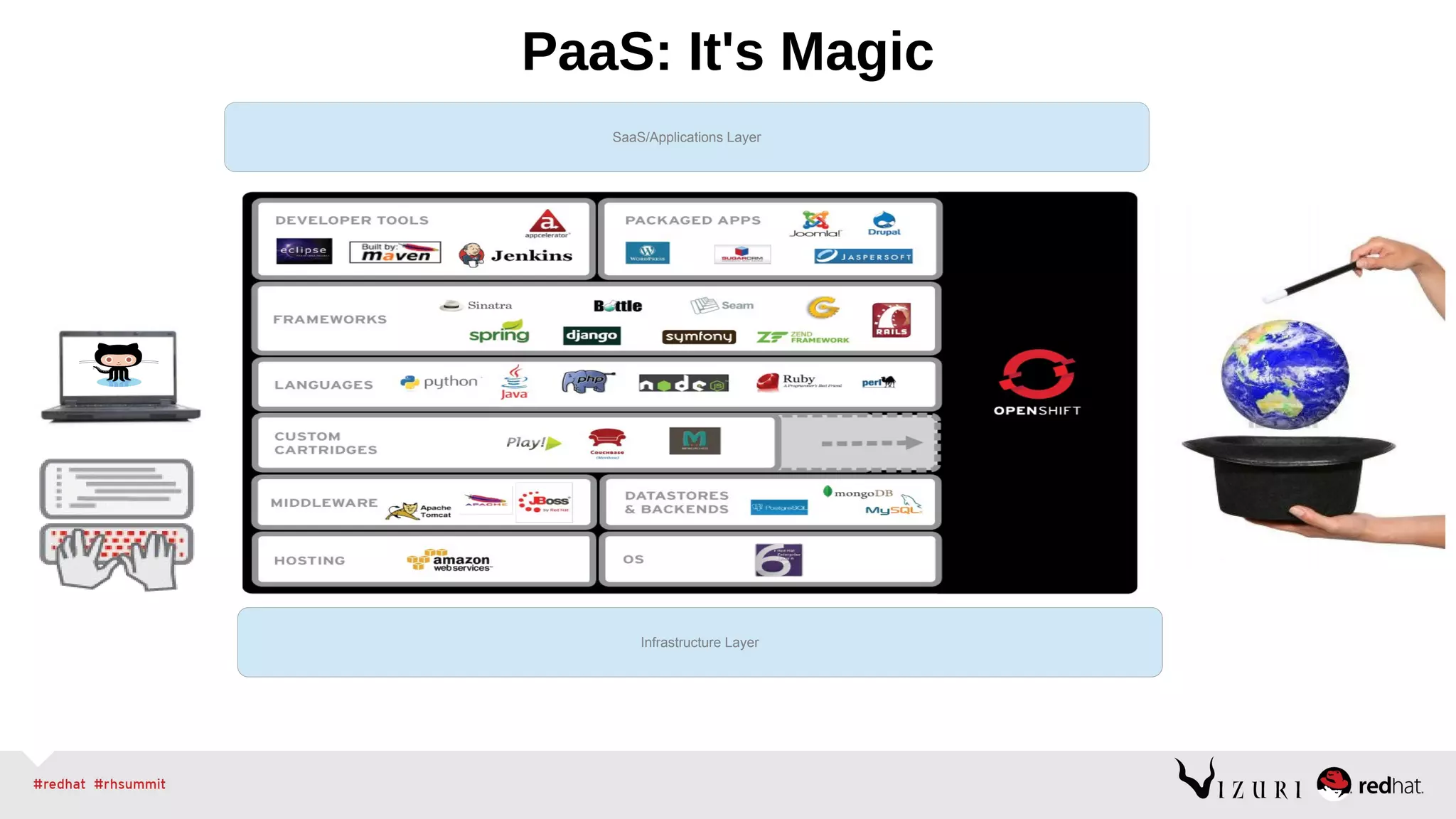
PaaS: It's Magic
Infrastructure Layer
SaaS/Applications Layer
Infrastructure LayerInfrastructure Layer
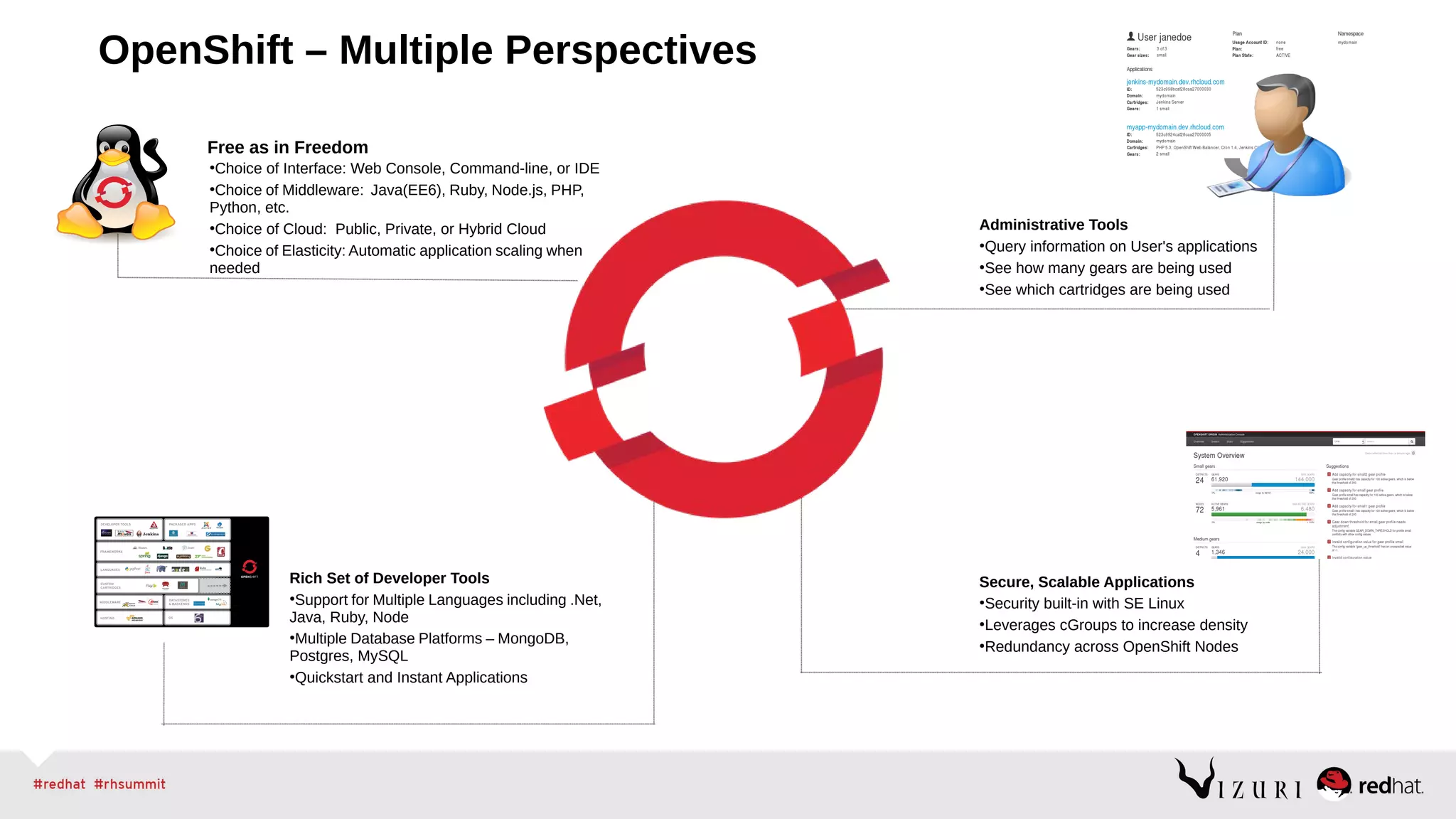
Rich Set of Developer Tools
●
Support for Multiple Languages including .Net,
Java, Ruby, Node
●
Multiple Database Platforms – MongoDB,
Postgres, MySQL
●
Quickstart and Instant Applications
Secure, Scalable Applications
●
Security built-in with SE Linux
●
Leverages cGroups to increase density
●
Redundancy across OpenShift Nodes
Administrative Tools
●
Query information on User's applications
●
See how many gears are being used
●
See which cartridges are being used
Free as in Freedom
●
Choice of Interface: Web Console, Command-line, or IDE
●
Choice of Middleware: Java(EE6), Ruby, Node.js, PHP,
Python, etc.
●
Choice of Cloud: Public, Private, or Hybrid Cloud
●
Choice of Elasticity: Automatic application scaling when
needed
OpenShift – Multiple Perspectives
Demonstrating OpenShift
Deployment Options
You Choose the Level of Control
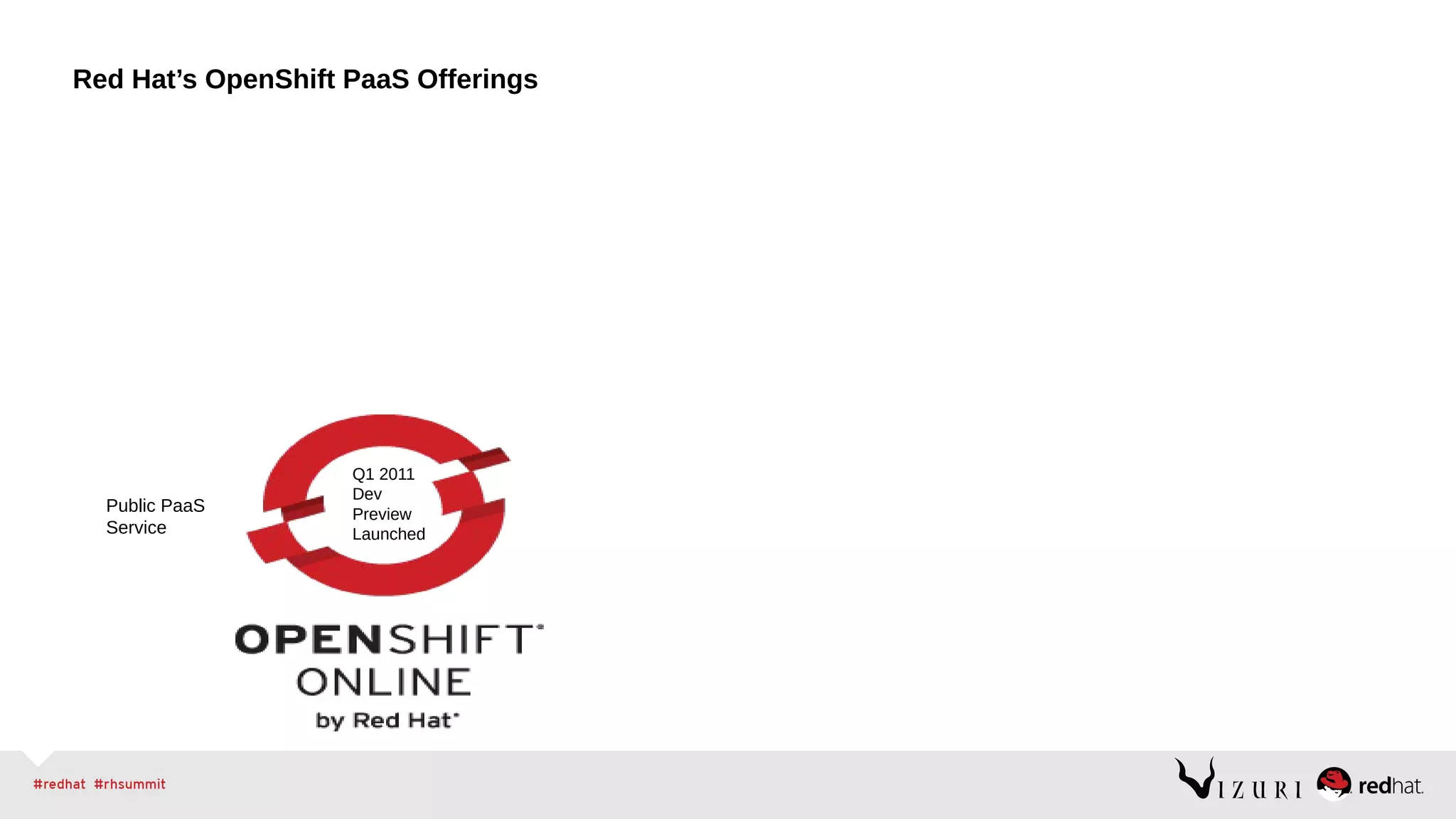
Red Hat’s OpenShift PaaS Offerings
Public PaaS
Service
Q1 2011
Dev
Preview
Launched
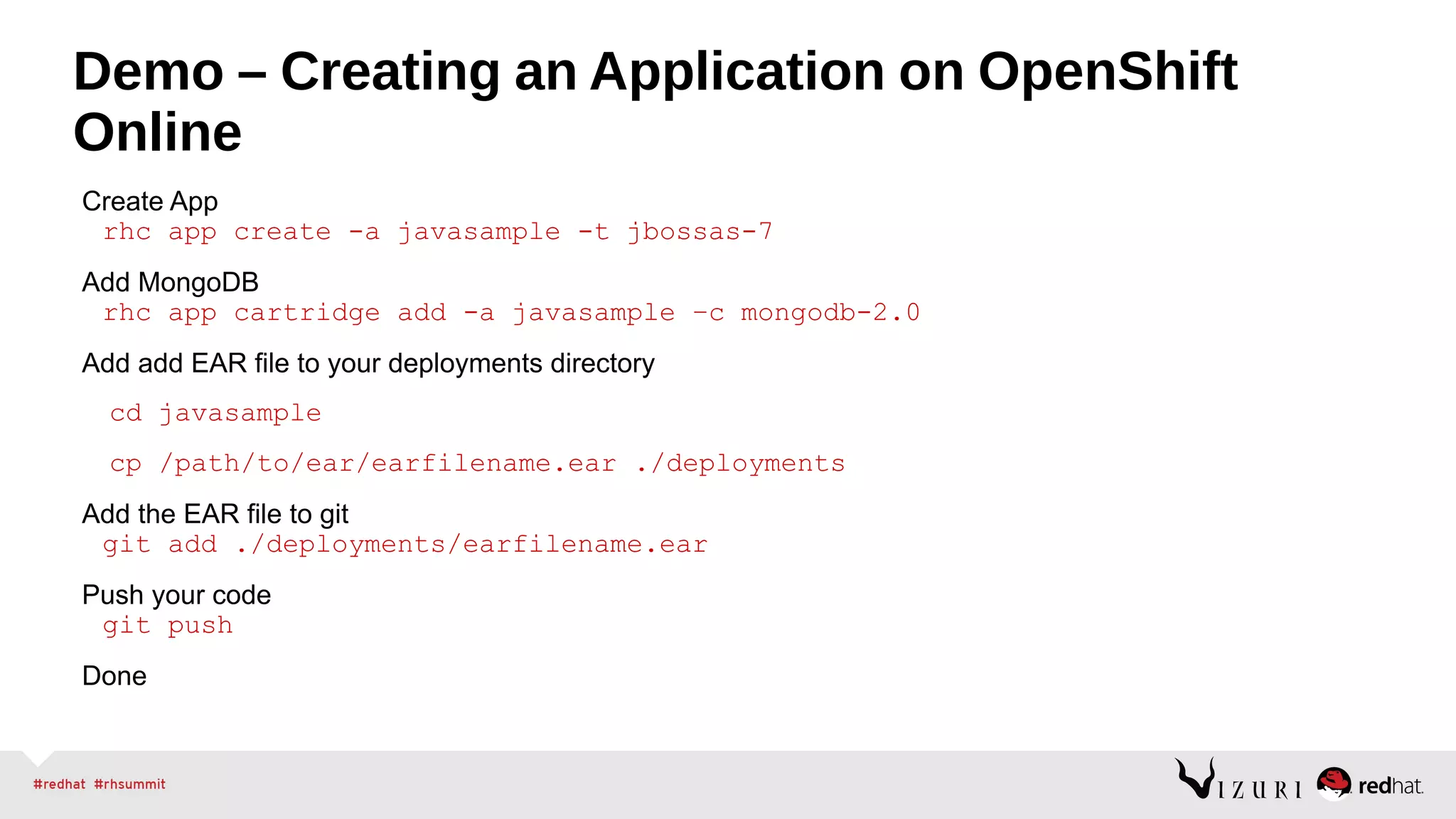
Demo – Creating an Application on OpenShift
Online
Create App
rhc app create -a javasample -t jbossas-7
Add MongoDB
rhc app cartridge add -a javasample –c mongodb-2.0
Add add EAR file to your deployments directory
cd javasample
cp /path/to/ear/earfilename.ear ./deployments
Add the EAR file to git
git add ./deployments/earfilename.ear
Push your code
git push
Done
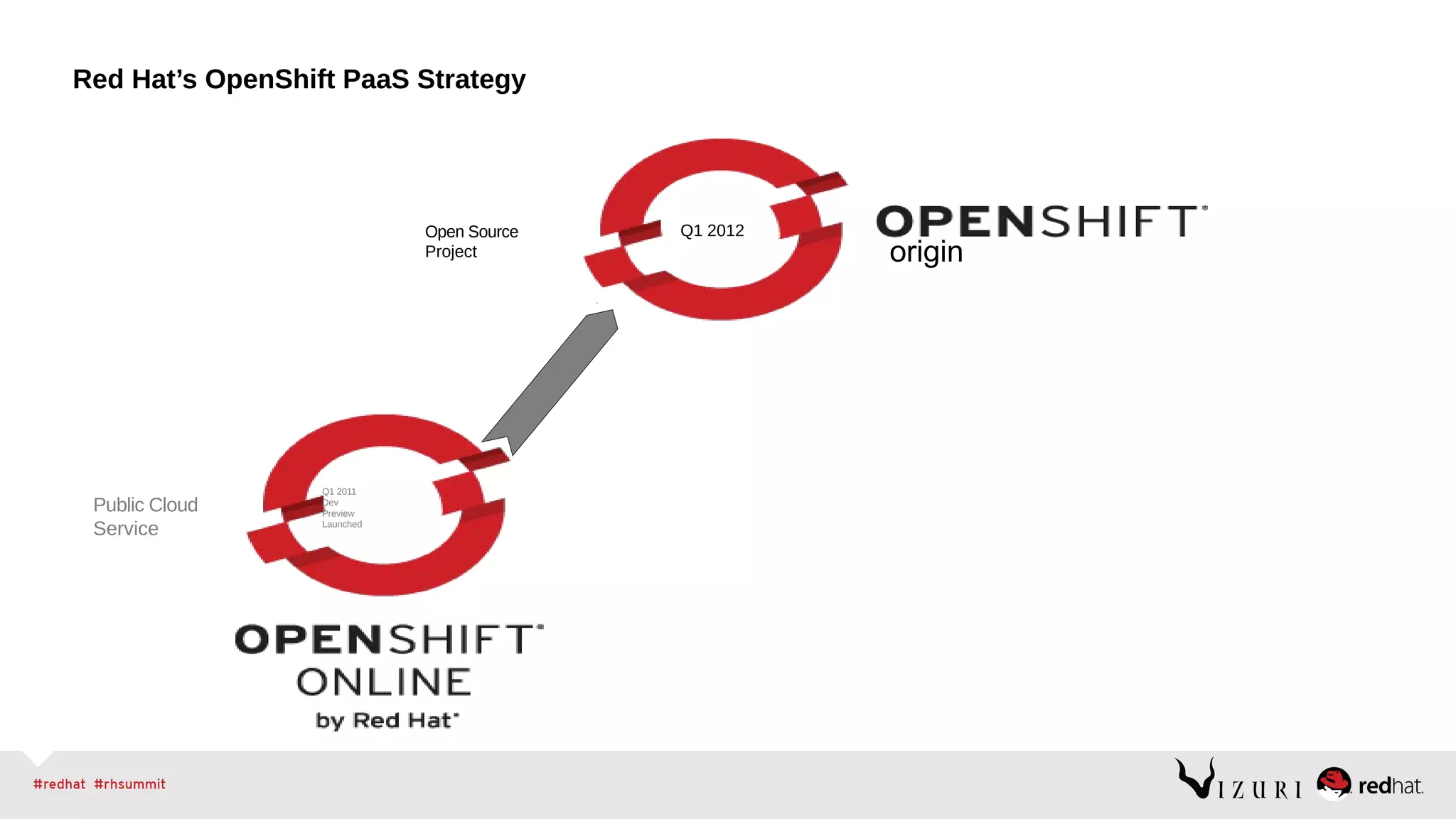
Red Hat’s OpenShift PaaS Strategy
origin
Public Cloud
Service
Open Source
Project
Q1 2011
Dev
Preview
Launched
Q1 2012
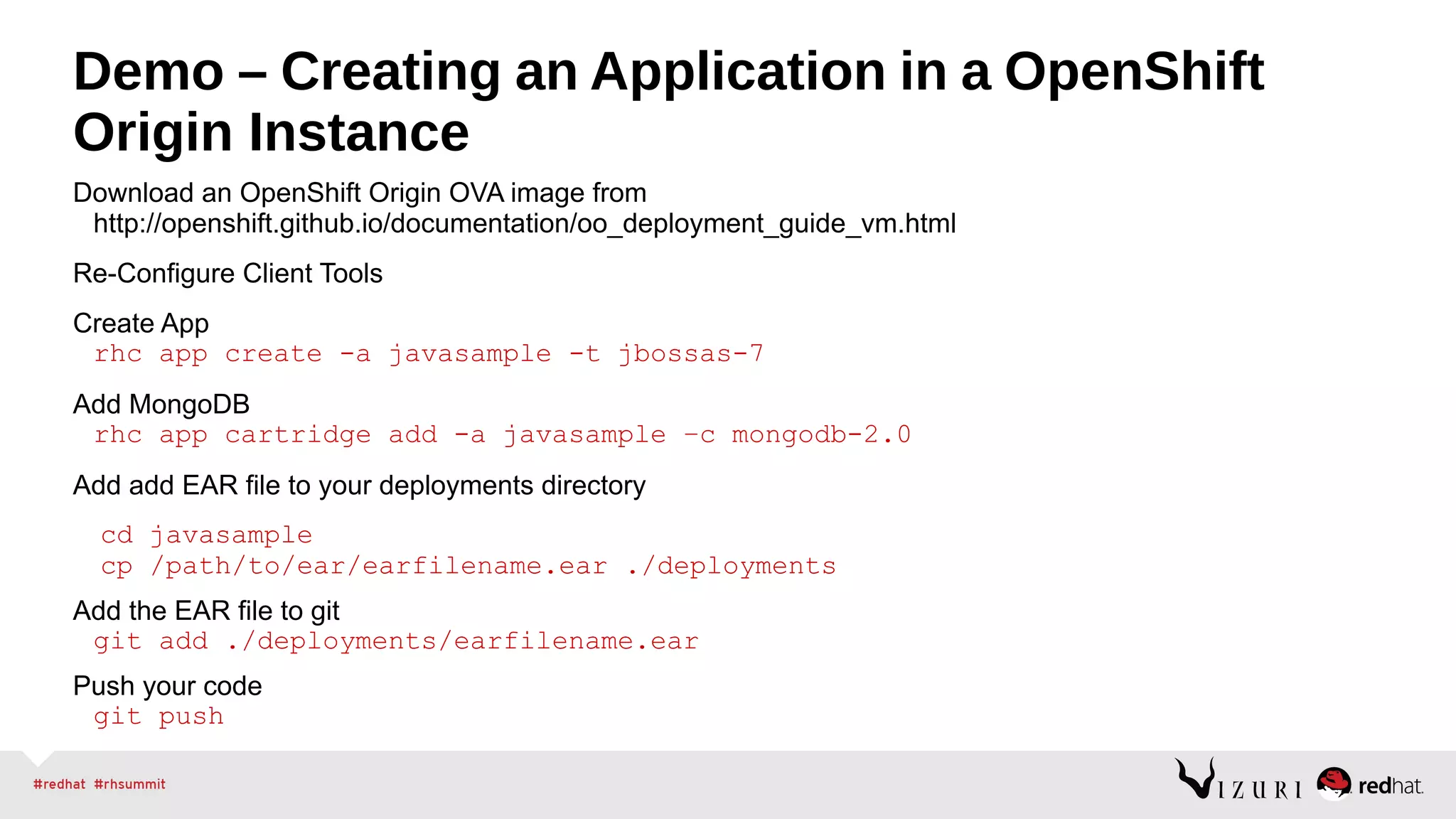
Demo – Creating an Application in a OpenShift
Origin Instance
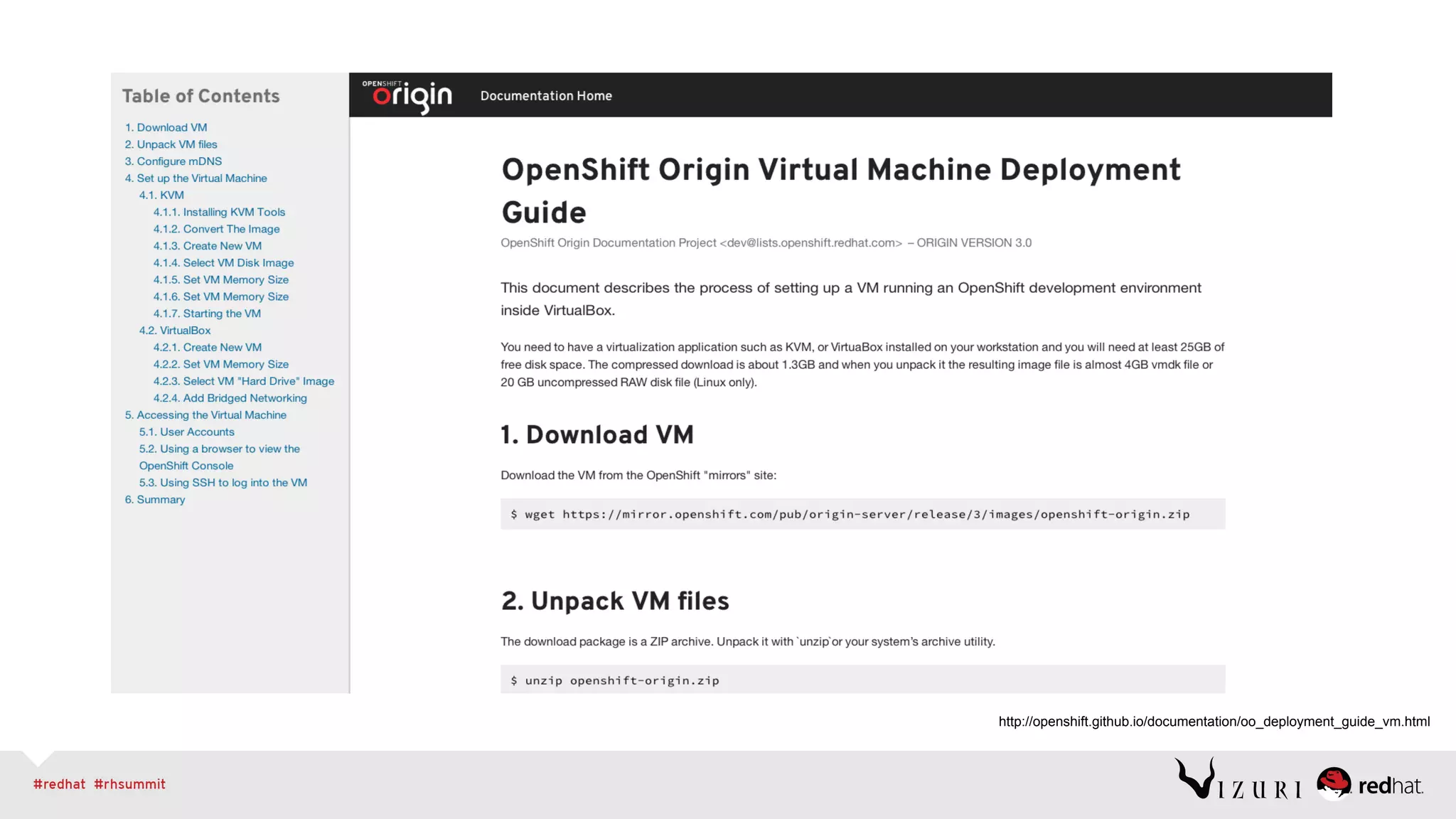
Download an OpenShift Origin OVA image from
http://openshift.github.io/documentation/oo_deployment_guide_vm.html
Re-Configure Client Tools
Create App
rhc app create -a javasample -t jbossas-7
Add MongoDB
rhc app cartridge add -a javasample –c mongodb-2.0
Add add EAR file to your deployments directory
cd javasample
cp /path/to/ear/earfilename.ear ./deployments
Add the EAR file to git
git add ./deployments/earfilename.ear
Push your code
git push
http://openshift.github.io/documentation/oo_deployment_guide_vm.html
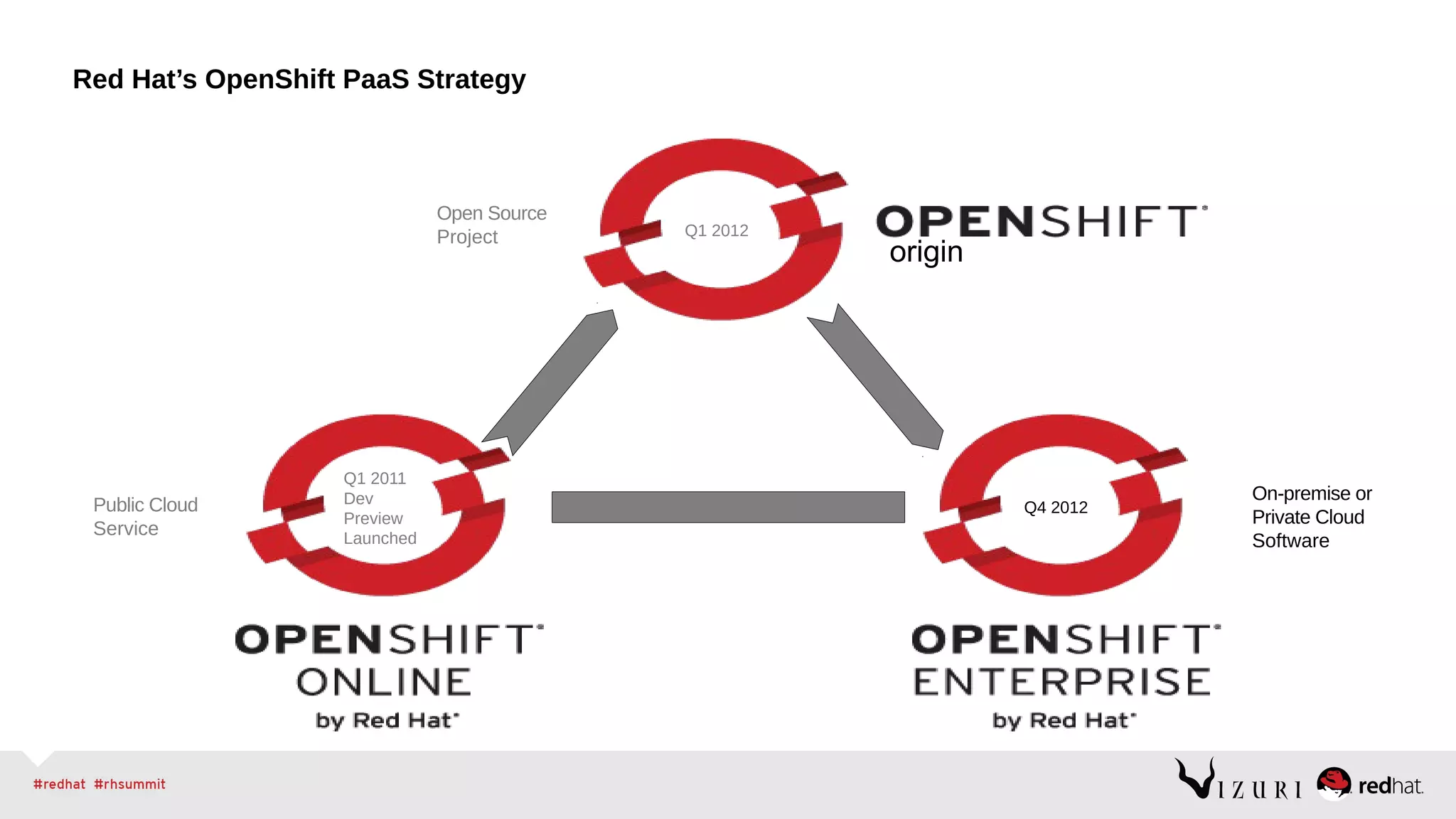
Red Hat’s OpenShift PaaS Strategy
origin
Public Cloud
Service
On-premise or
Private Cloud
Software
Open Source
Project
Q1 2011
Dev
Preview
Launched
Q1 2012
Q4 2012
Demo – Creating an Application in a OpenShift
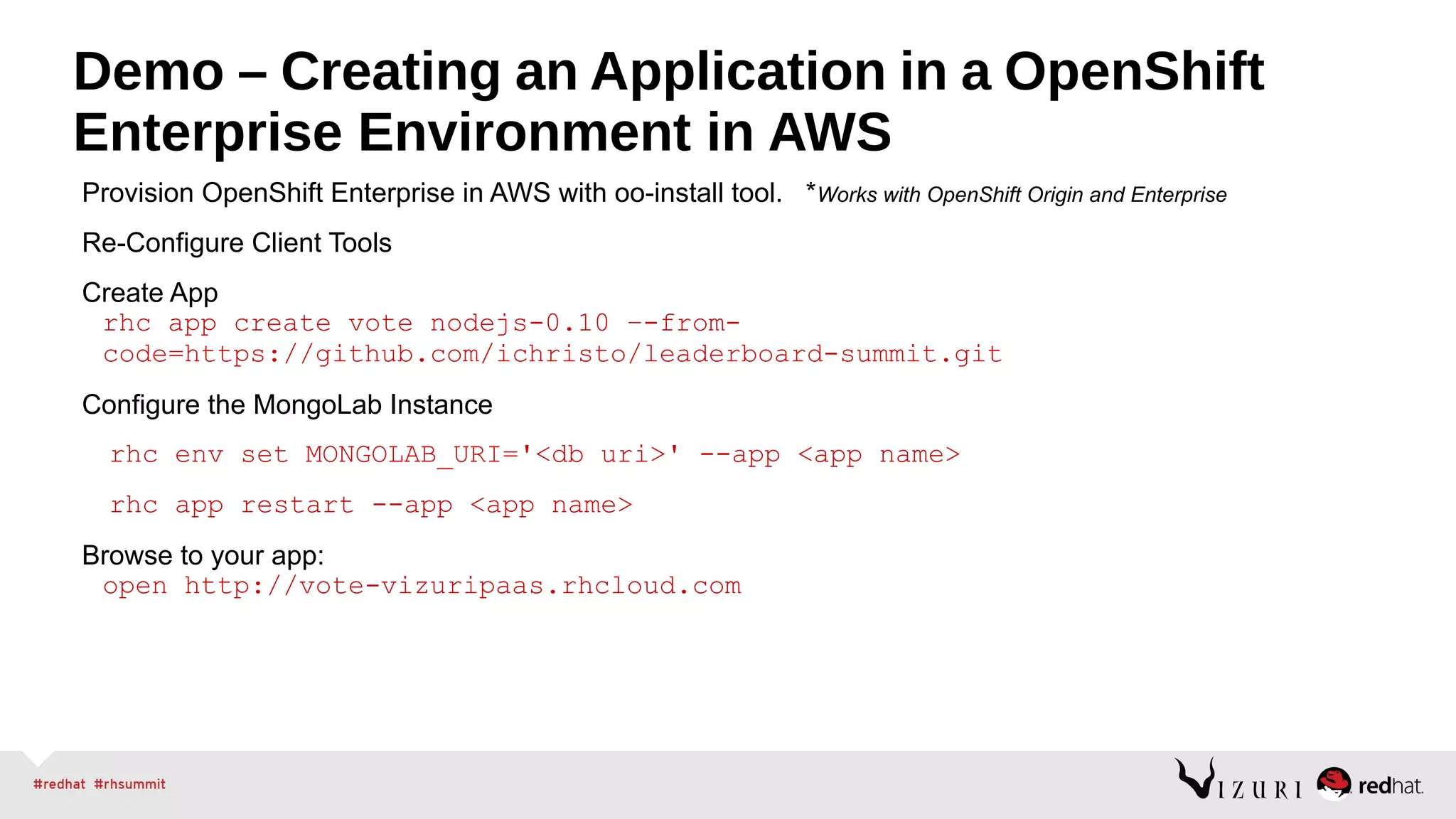
Enterprise Environment in AWS
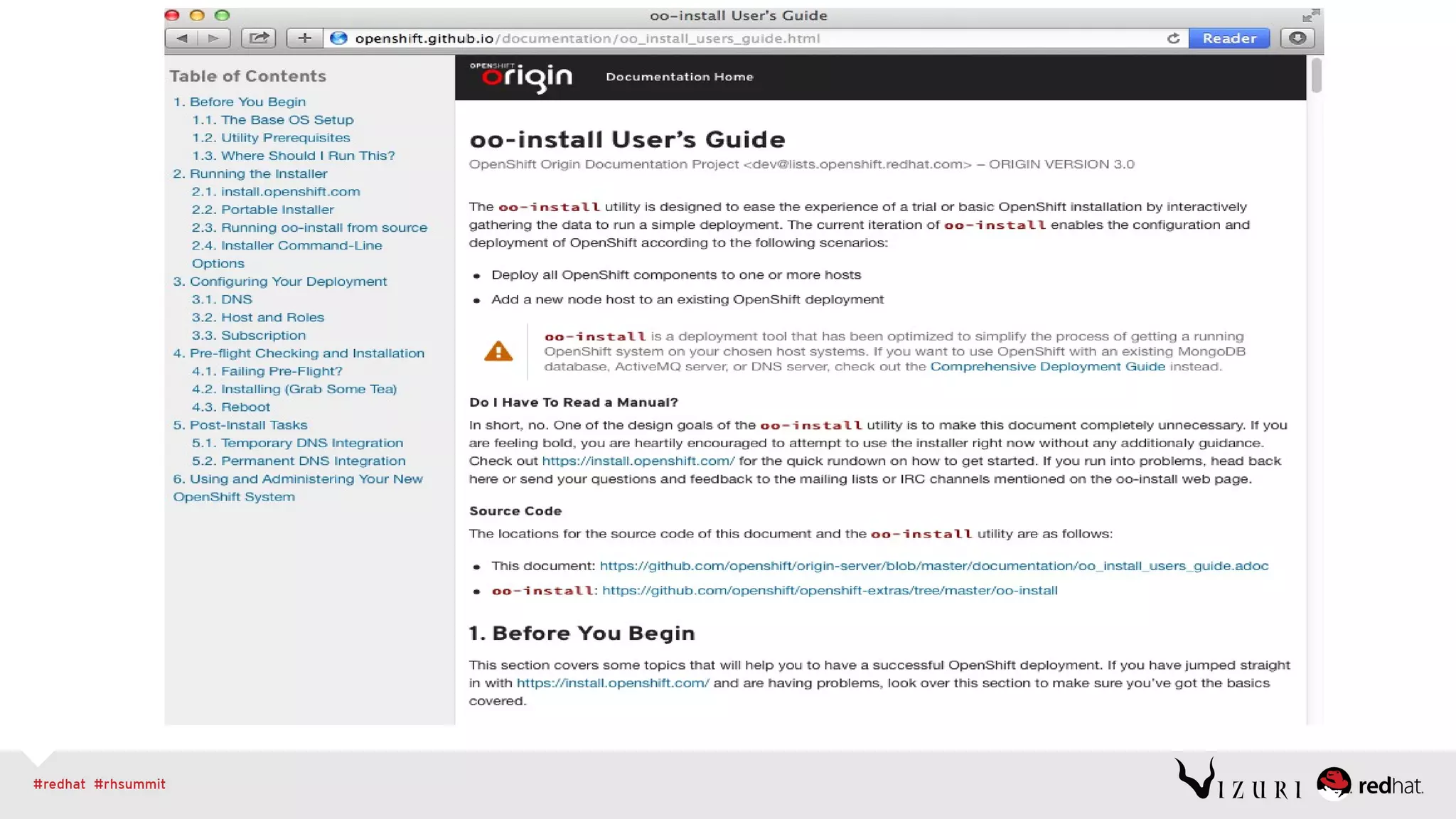
Provision OpenShift Enterprise in AWS with oo-install tool. *Works with OpenShift Origin and Enterprise
Re-Configure Client Tools
Create App
rhc app create vote nodejs-0.10 –-from-
code=https://github.com/ichristo/leaderboard-summit.git
Configure the MongoLab Instance
rhc env set MONGOLAB_URI='<db uri>' --app <app name>
rhc app restart --app <app name>
Browse to your app:
open http://vote-vizuripaas.rhcloud.com
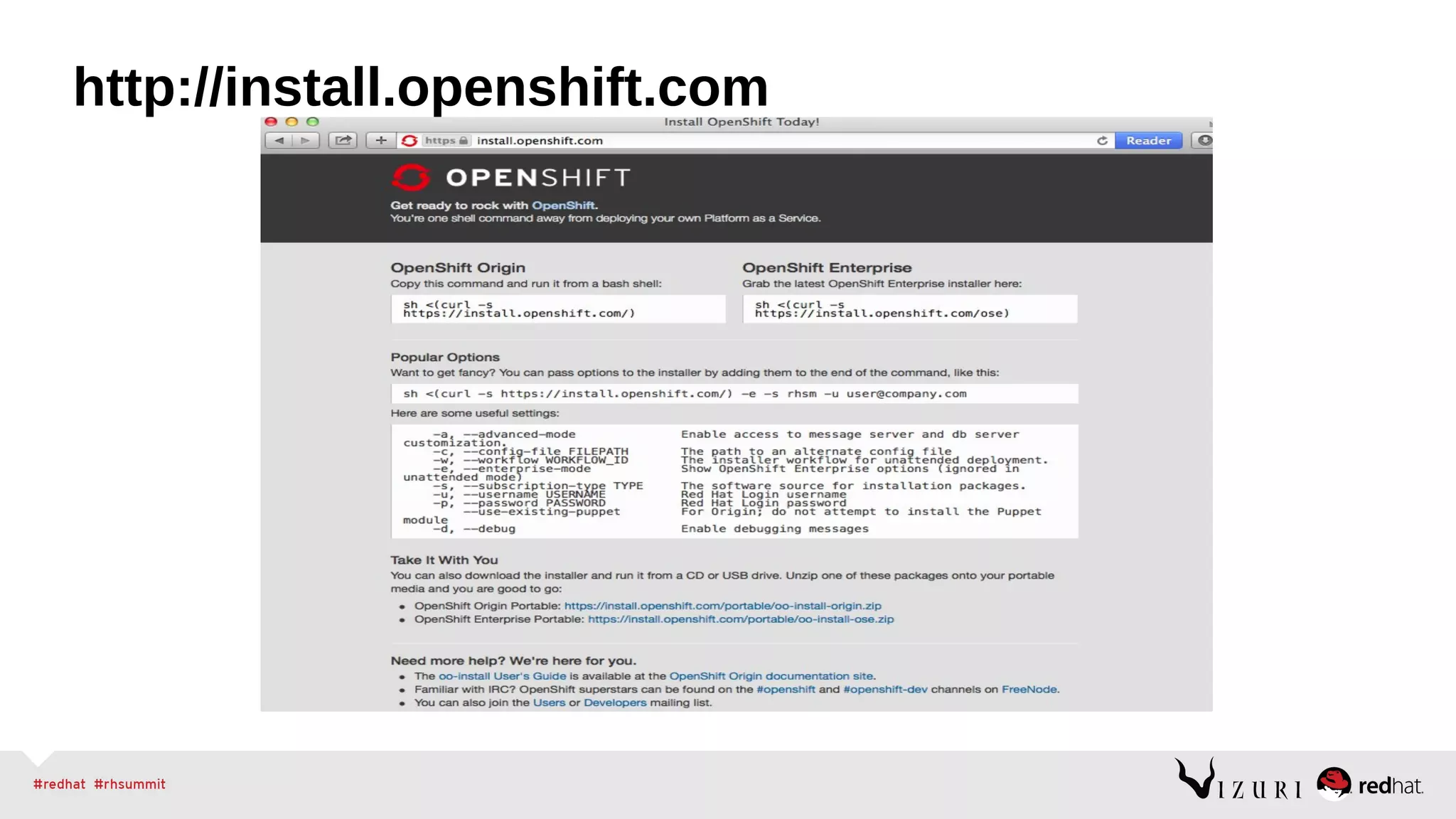
http://install.openshift.com
Even More OpenShift Deployment
Options
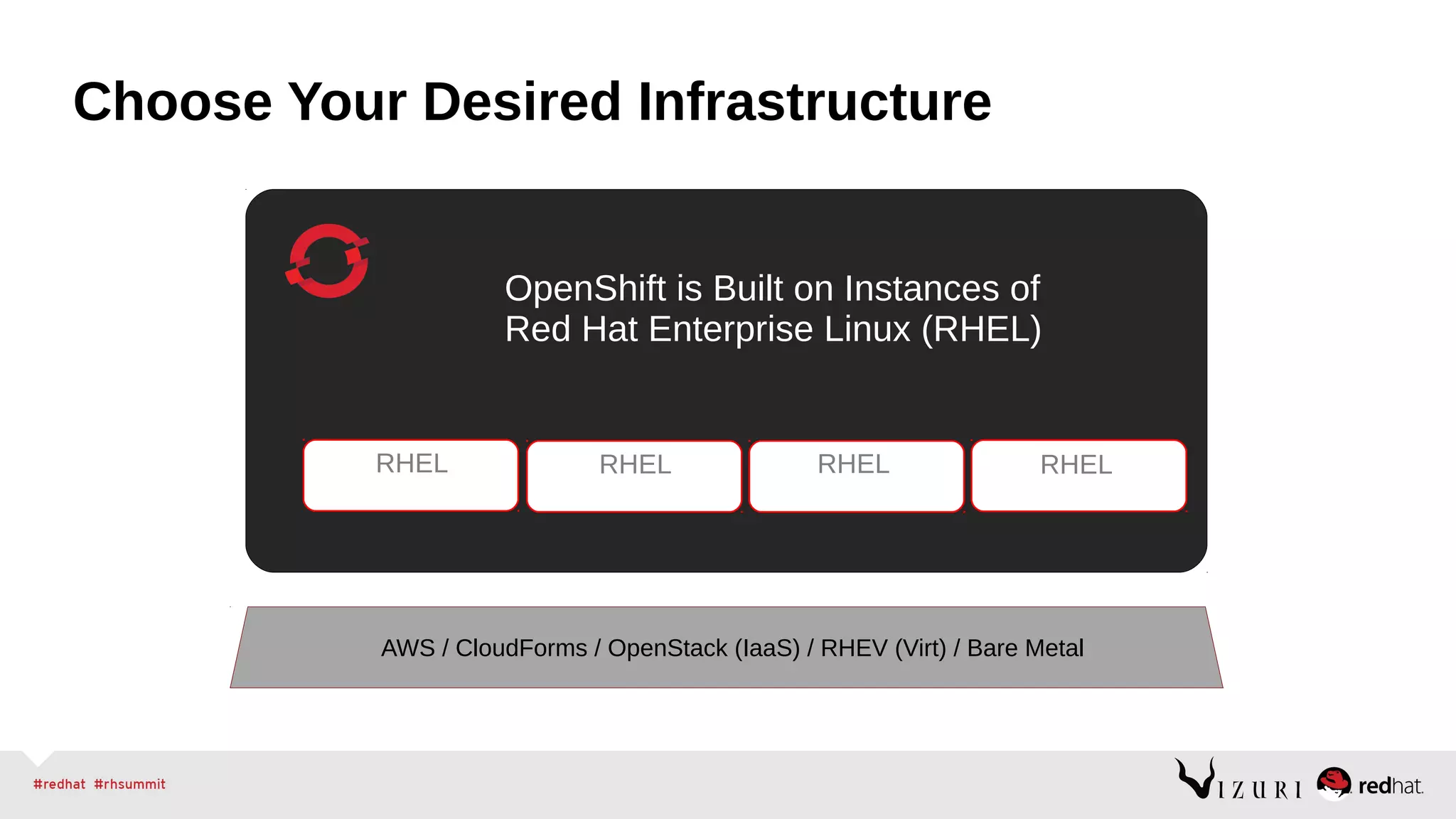
Choose Your Desired Infrastructure
RHEL RHEL RHEL
OpenShift is Built on Instances of
Red Hat Enterprise Linux (RHEL)
RHEL
AWS / CloudForms / OpenStack (IaaS) / RHEV (Virt) / Bare Metal
Realizing Open Hybrid PaaS
Demonstration of an Application Deployed Across Multiple Clouds
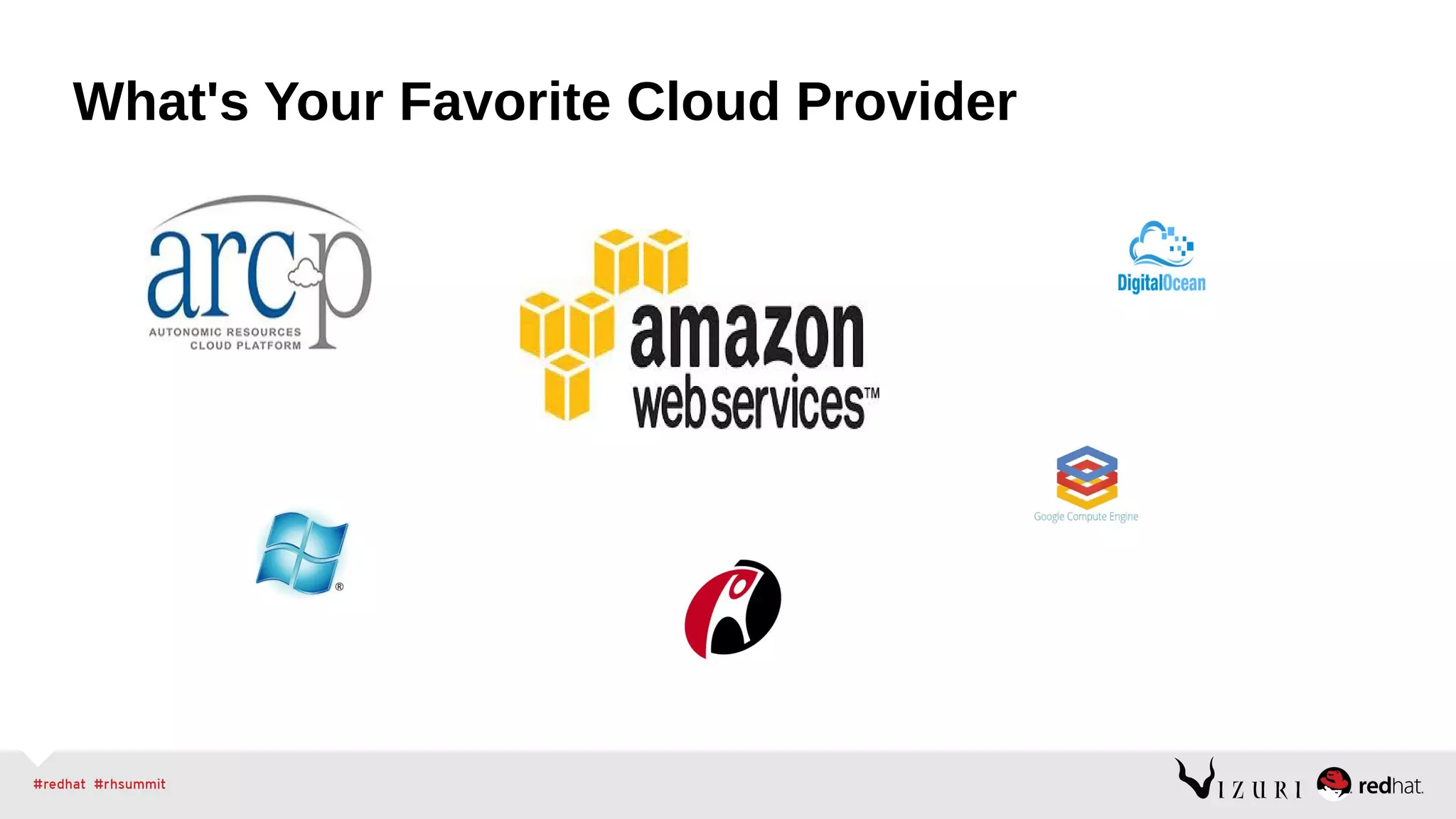
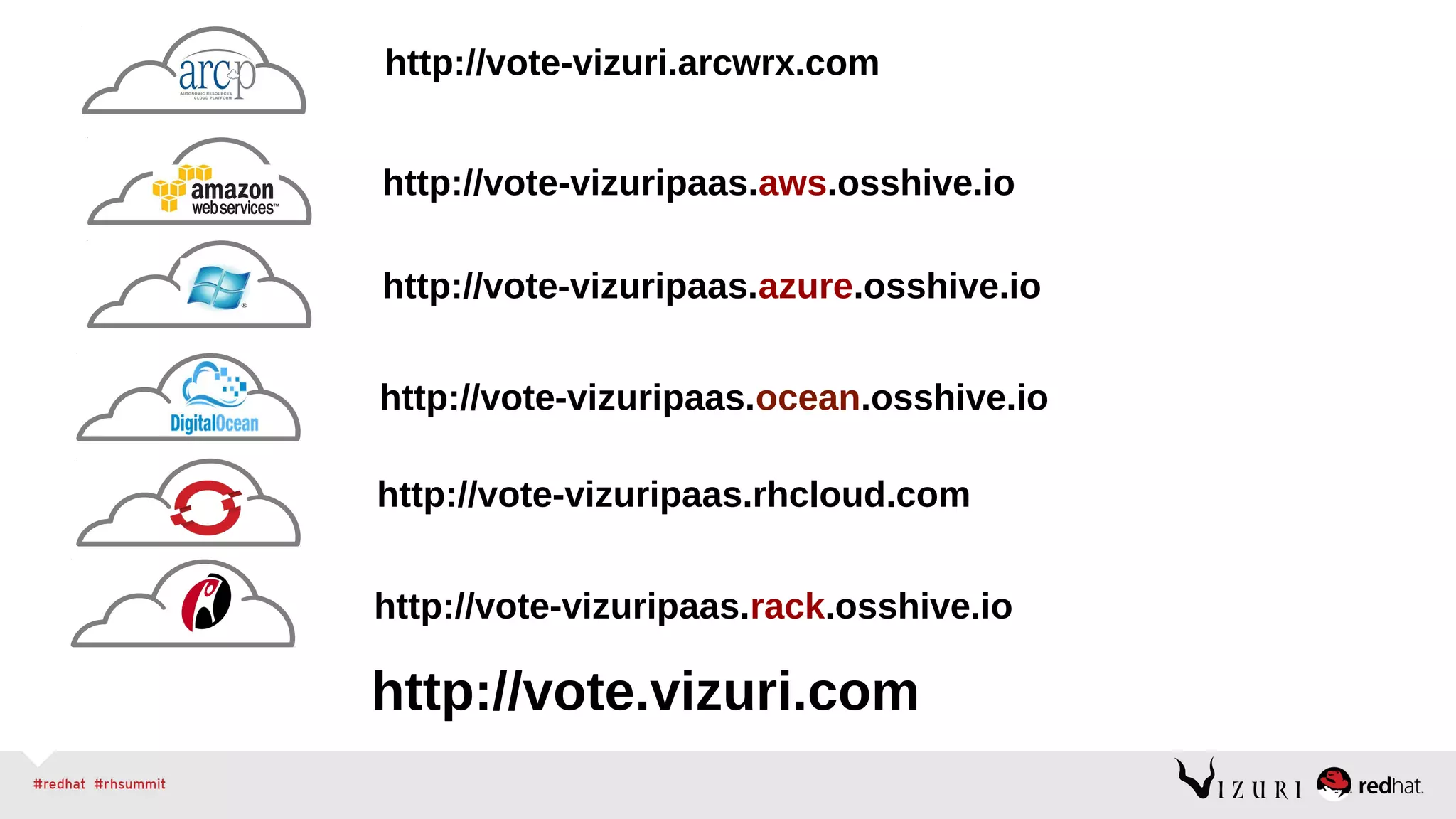
What's Your Favorite Cloud Provider
http://vote.vizuri.com
http://vote-vizuri.arcwrx.com
http://vote-vizuripaas.azure.osshive.io
http://vote-vizuripaas.ocean.osshive.io
http://vote-vizuripaas.rhcloud.com
http://vote-vizuripaas.rack.osshive.io
http://vote-vizuripaas.aws.osshive.io
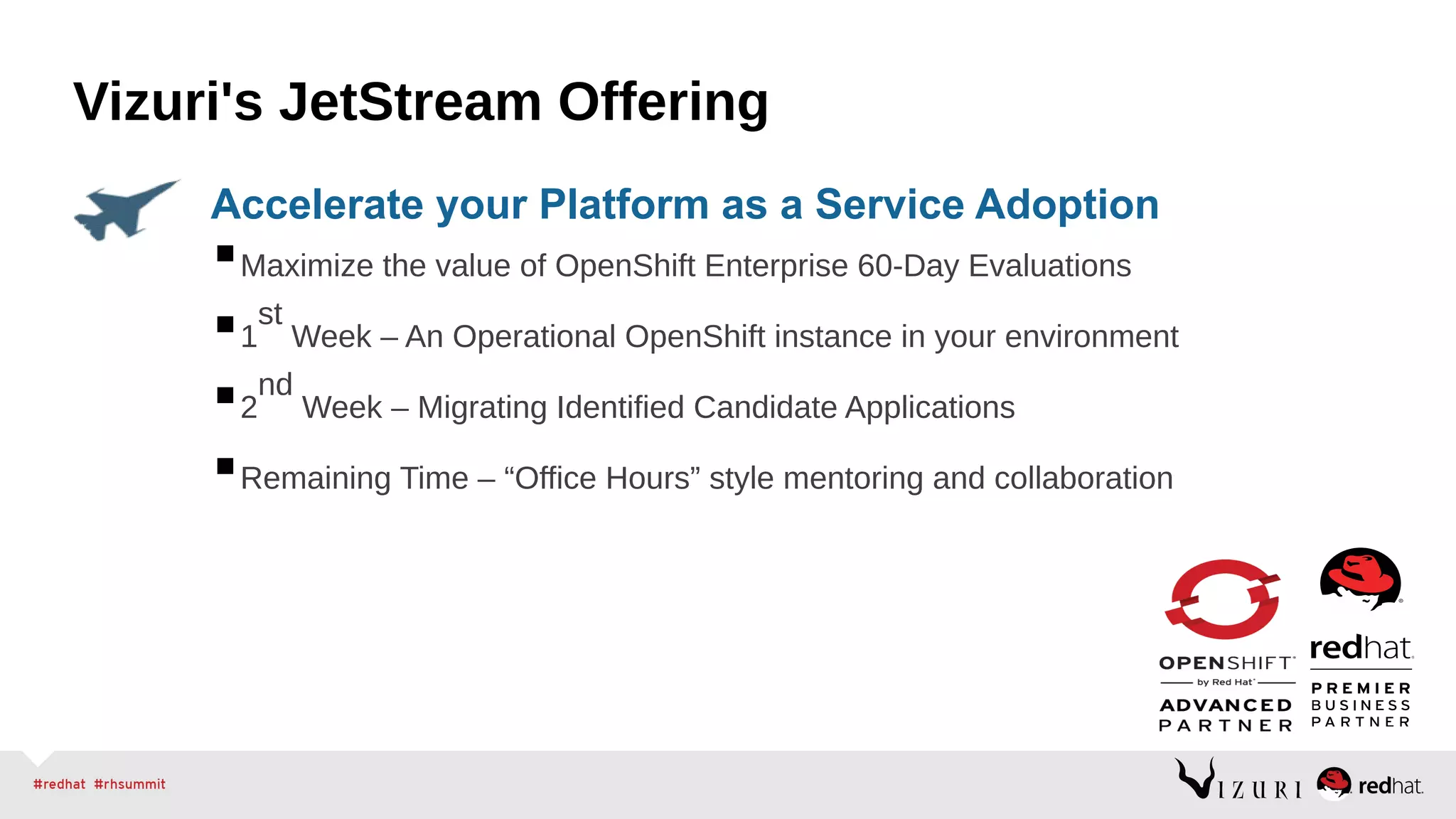
Maximize the value of OpenShift Enterprise 60-Day Evaluations
1
st
Week – An Operational OpenShift instance in your environment
2
nd
Week – Migrating Identified Candidate Applications
Remaining Time – “Office Hours” style mentoring and collaboration
Accelerate your Platform as a Service Adoption
Vizuri's JetStream Offering
Questions
Isaac Christoffersen | @1Vizuri | ichristoffersen@vizuri.com
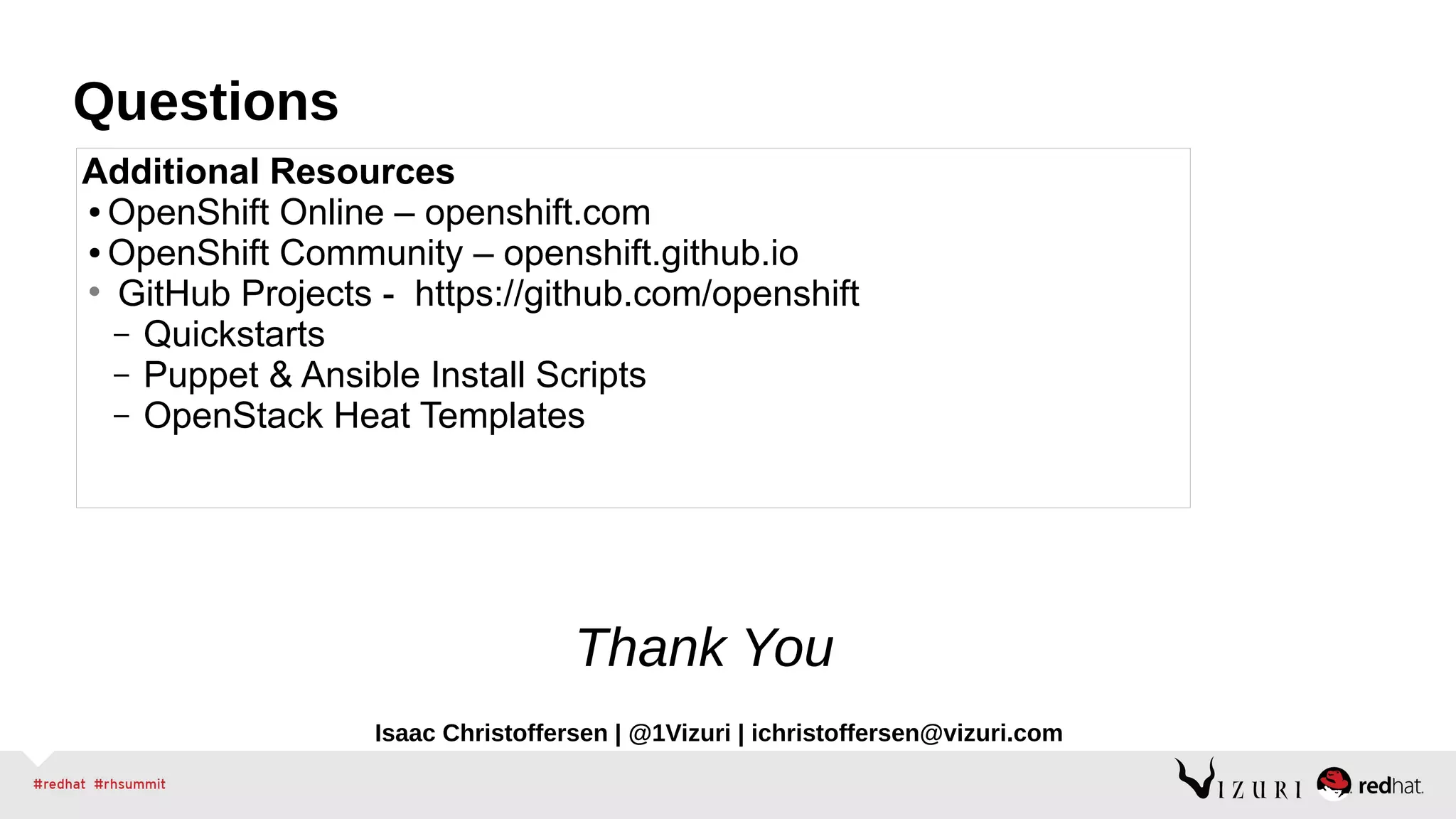
Additional Resources
● OpenShift Online – openshift.com
● OpenShift Community – openshift.github.io
• GitHub Projects - https://github.com/openshift
– Quickstarts
– Puppet & Ansible Install Scripts
– OpenStack Heat Templates
Thank You

PaaS Anywhere - Deploying an OpenShift PaaS into your Cloud Provider of Choice

  • 1.
  • 2.
    Vizuri Division Java EE& Open Source Solution Provider Red Hat & JBoss Premier Partner 2009, 2010, 2011, 2012 Middleware Partner of the Year Preferred JBoss Certified Systems Integrator 4 time Red Hat Innovation Award winner 2006 (Orbitz), 2008 (Federal Government), 2009(eCommerce), 2011 (New York and Company) Certified Red Hat ProfessionalsAbout Vizuri
  • 3.
  • 4.
    Cloud Service Models STORAGE (RHS) HARDWARE (x86) VIRTUALIZATION (RHEV) OPERATINGSYSTEM (RHEL) APPLICATION PLATFORM (JBOSS, PHP, RUBY, ETC) APPLICATION Automated and Managed by the Public or Private Cloud Offering Managed and Controlled by Customer (IT, Dev, or User) IaaS PaaS SaaS Increased Control Increased Automation
  • 5.
    Streamlining App Devwith PaaS With PaaS How to Build an App: 1. Have Idea 2. Get Budget 3. Code 4. Test 5. Launch 6. Automatically Scale How to Build an App: 1. Have Idea 2. Get Budget 3. Submit VM Request request 4. Wait 5. Deploy framework/appserver 6. Deploy testing tools 7. Code 8. Test 9. Configure Prod VMs 10.Push to Prod 11.Launch 12.Request More Prod VMs to meet demand 13.Wait 14.Deploy app to new VMs 15.Etc. Virtualized How to Build an App: 1. Have Idea 2. Get Budget 3. Submit hardware acquisition request 4. Wait 5. Get Hardware 6. Rack and Stack Hardware 7. Install Operating System 8. Install Operating System Patches/Fix-Packs 9. Create user Accounts 10.Deploy framework/appserver 11.Deploy testing tools 12.Code 13.Test 14.Configure Prod servers (and buy them if needed) 15.Push to Prod 16.Launch 17.Order more servers to meet demand 18.Wait… 19.Deploy new servers 20.Etc. Physical “The use of Platform-as-a-Service technologies will enable IT organizations to become more agile and more responsive to the business needs.” –Gartner*
  • 6.
    Code Deploy Run SaveTime and Money Code your app Push-button Deploy, and your App is running in the Cloud! …to drive Velocity, Efficiency, and Scalability in IT PaaS leverages automation technologies and a cloud architecture… Accelerate IT Service Delivery with PaaS
  • 7.
    OpenShift – APaaS that is truly infrastructure-agnostic
  • 8.
    PaaS: It's Magic InfrastructureLayer SaaS/Applications Layer Infrastructure LayerInfrastructure Layer
  • 9.
    Rich Set ofDeveloper Tools ● Support for Multiple Languages including .Net, Java, Ruby, Node ● Multiple Database Platforms – MongoDB, Postgres, MySQL ● Quickstart and Instant Applications Secure, Scalable Applications ● Security built-in with SE Linux ● Leverages cGroups to increase density ● Redundancy across OpenShift Nodes Administrative Tools ● Query information on User's applications ● See how many gears are being used ● See which cartridges are being used Free as in Freedom ● Choice of Interface: Web Console, Command-line, or IDE ● Choice of Middleware: Java(EE6), Ruby, Node.js, PHP, Python, etc. ● Choice of Cloud: Public, Private, or Hybrid Cloud ● Choice of Elasticity: Automatic application scaling when needed OpenShift – Multiple Perspectives
  • 10.
  • 11.
    Red Hat’s OpenShiftPaaS Offerings Public PaaS Service Q1 2011 Dev Preview Launched
  • 12.
    Demo – Creatingan Application on OpenShift Online Create App rhc app create -a javasample -t jbossas-7 Add MongoDB rhc app cartridge add -a javasample –c mongodb-2.0 Add add EAR file to your deployments directory cd javasample cp /path/to/ear/earfilename.ear ./deployments Add the EAR file to git git add ./deployments/earfilename.ear Push your code git push Done
  • 13.
    Red Hat’s OpenShiftPaaS Strategy origin Public Cloud Service Open Source Project Q1 2011 Dev Preview Launched Q1 2012
  • 14.
    Demo – Creatingan Application in a OpenShift Origin Instance Download an OpenShift Origin OVA image from http://openshift.github.io/documentation/oo_deployment_guide_vm.html Re-Configure Client Tools Create App rhc app create -a javasample -t jbossas-7 Add MongoDB rhc app cartridge add -a javasample –c mongodb-2.0 Add add EAR file to your deployments directory cd javasample cp /path/to/ear/earfilename.ear ./deployments Add the EAR file to git git add ./deployments/earfilename.ear Push your code git push
  • 15.
  • 16.
    Red Hat’s OpenShiftPaaS Strategy origin Public Cloud Service On-premise or Private Cloud Software Open Source Project Q1 2011 Dev Preview Launched Q1 2012 Q4 2012
  • 17.
    Demo – Creatingan Application in a OpenShift Enterprise Environment in AWS Provision OpenShift Enterprise in AWS with oo-install tool. *Works with OpenShift Origin and Enterprise Re-Configure Client Tools Create App rhc app create vote nodejs-0.10 –-from- code=https://github.com/ichristo/leaderboard-summit.git Configure the MongoLab Instance rhc env set MONGOLAB_URI='<db uri>' --app <app name> rhc app restart --app <app name> Browse to your app: open http://vote-vizuripaas.rhcloud.com
  • 18.
  • 20.
    Even More OpenShiftDeployment Options
  • 22.
    Choose Your DesiredInfrastructure RHEL RHEL RHEL OpenShift is Built on Instances of Red Hat Enterprise Linux (RHEL) RHEL AWS / CloudForms / OpenStack (IaaS) / RHEV (Virt) / Bare Metal
  • 23.
    Realizing Open HybridPaaS Demonstration of an Application Deployed Across Multiple Clouds
  • 24.
    What's Your FavoriteCloud Provider
  • 25.
  • 26.
    Maximize the valueof OpenShift Enterprise 60-Day Evaluations 1 st Week – An Operational OpenShift instance in your environment 2 nd Week – Migrating Identified Candidate Applications Remaining Time – “Office Hours” style mentoring and collaboration Accelerate your Platform as a Service Adoption Vizuri's JetStream Offering
  • 27.
    Questions Isaac Christoffersen |@1Vizuri | ichristoffersen@vizuri.com Additional Resources ● OpenShift Online – openshift.com ● OpenShift Community – openshift.github.io • GitHub Projects - https://github.com/openshift – Quickstarts – Puppet & Ansible Install Scripts – OpenStack Heat Templates Thank You